


 Скачать презентацию Lecture 6 Query Processing Hurry up
453175a1686bb8ca957124e3f5b694f8.ppt
- Количество слайдов: 69
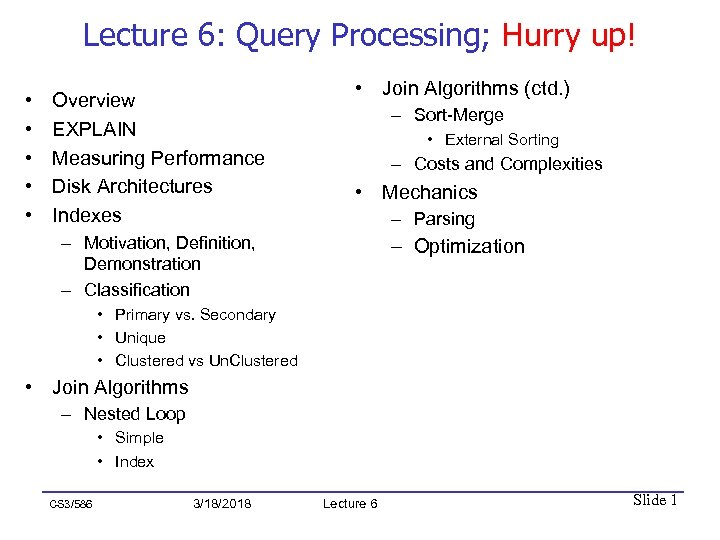 Lecture 6: Query Processing; Hurry up! • • • Overview EXPLAIN Measuring Performance Disk Architectures Indexes • Join Algorithms (ctd. ) – Sort-Merge • External Sorting – Costs and Complexities • Mechanics – Parsing – Motivation, Definition, Demonstration – Classification – Optimization • Primary vs. Secondary • Unique • Clustered vs Un. Clustered • Join Algorithms – Nested Loop • Simple • Index CS 3/586 3/18/2018 Lecture 6 Slide 1
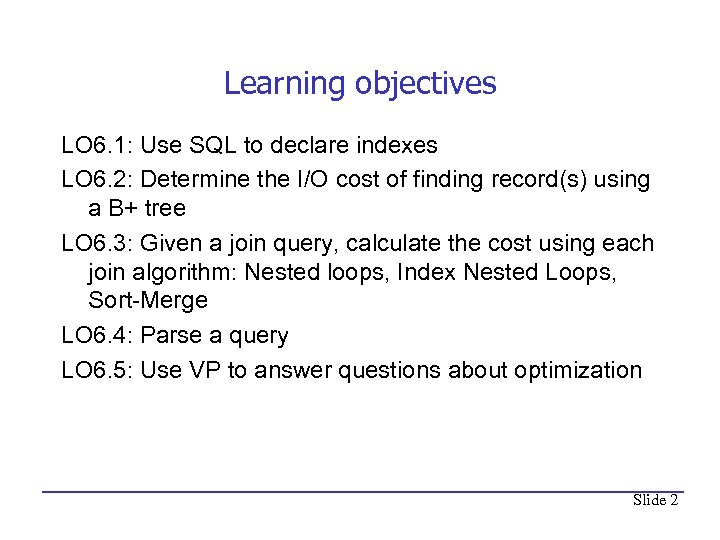 Learning objectives LO 6. 1: Use SQL to declare indexes LO 6. 2: Determine the I/O cost of finding record(s) using a B+ tree LO 6. 3: Given a join query, calculate the cost using each join algorithm: Nested loops, Index Nested Loops, Sort-Merge LO 6. 4: Parse a query LO 6. 5: Use VP to answer questions about optimization Slide 2
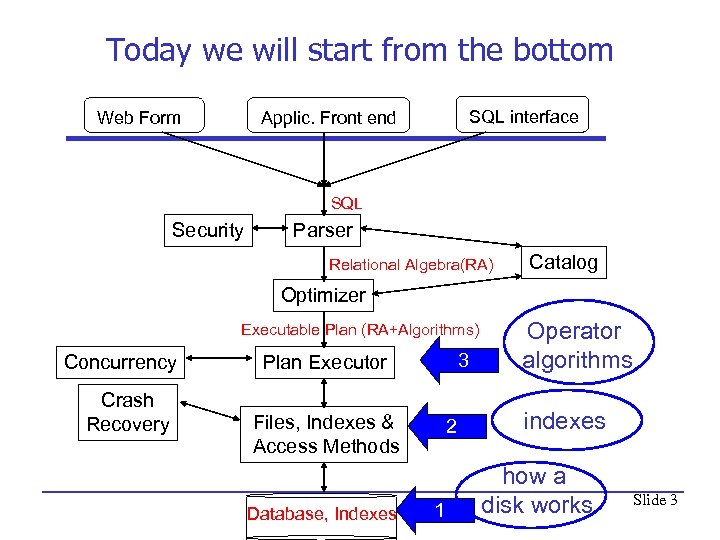 Today we will start from the bottom SQL interface Applic. Front end Web Form SQL Security Parser Relational Algebra(RA) Catalog Optimizer Executable Plan (RA+Algorithms) Concurrency Crash Recovery 3 Plan Executor Files, Indexes & Access Methods Database, Indexes 2 1 Operator algorithms indexes how a disk works Slide 3
 Measuring Query Speed • Our goal this week is to figure out how to execute a query fast. • But the time a query takes to execute is hard to measure or predict. – Depends on environment • Simpler, easier to measure and predict: Number of disk I/Os. – Good: Very roughly proportional to execution time – Bad: Does not take into account CPU time or type of I/O • Therefore: we will use number of disk I/Os to measure the time it takes a query to execute. • Like looking under the lamppost. Slide 4
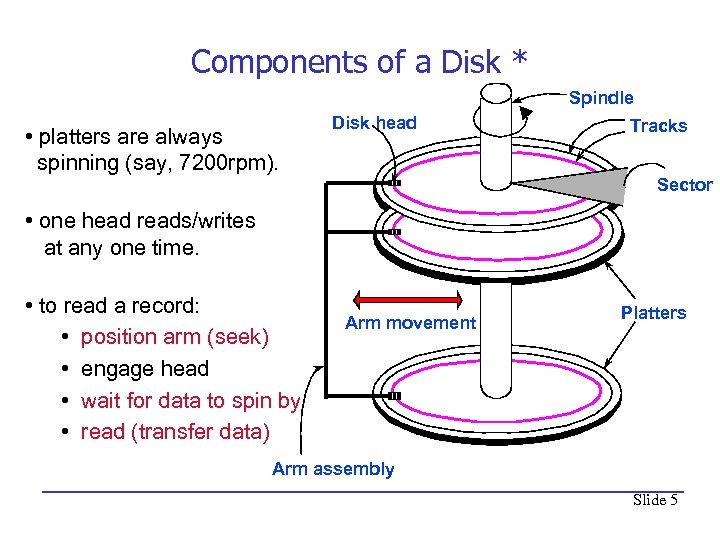 Components of a Disk * Spindle • platters are always spinning (say, 7200 rpm). Disk head Tracks Sector • one head reads/writes at any one time. • to read a record: • position arm (seek) • engage head • wait for data to spin by • read (transfer data) Arm movement Platters Arm assembly Slide 5
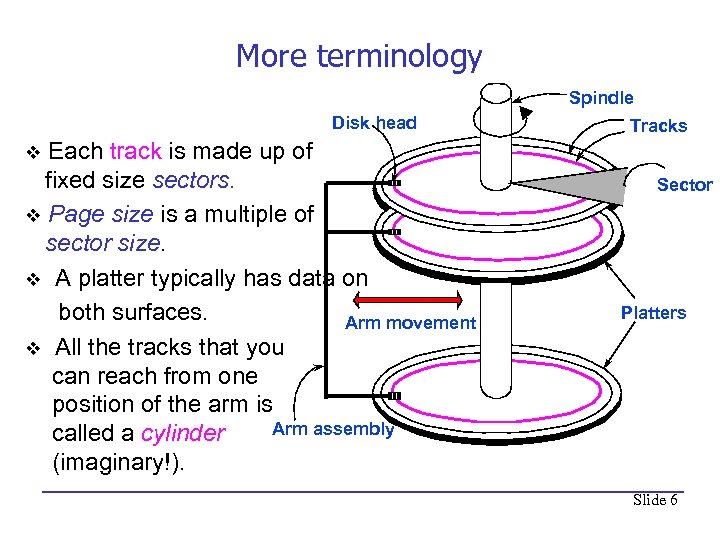 More terminology Spindle Disk head Each track is made up of fixed size sectors. v Page size is a multiple of sector size. v A platter typically has data on both surfaces. Arm movement v All the tracks that you can reach from one position of the arm is Arm assembly called a cylinder (imaginary!). Tracks v Sector Platters Slide 6
 Cost of Accessing Data on Disk • Time to access (read/write) a disk block: – seek time (moving arms to position disk head on track) – rotational delay (waiting for block to rotate under head) • Half a rotation, on average – transfer time (actually moving data to/from disk surface) • Key to lower I/O cost: reduce seek/rotation delays! (you have to wait for the transfer time, no matter what) • The text measures the cost of a query by the NUMBER of page I/Os, implying that all I/Os have the same cost, and that CPU time is free. This is a common simplification. – Real DMBSs (in the optimizer) would consider sequential vs. random disk reads – because sequential reads are much faster – and would count CPU time. Slide 7
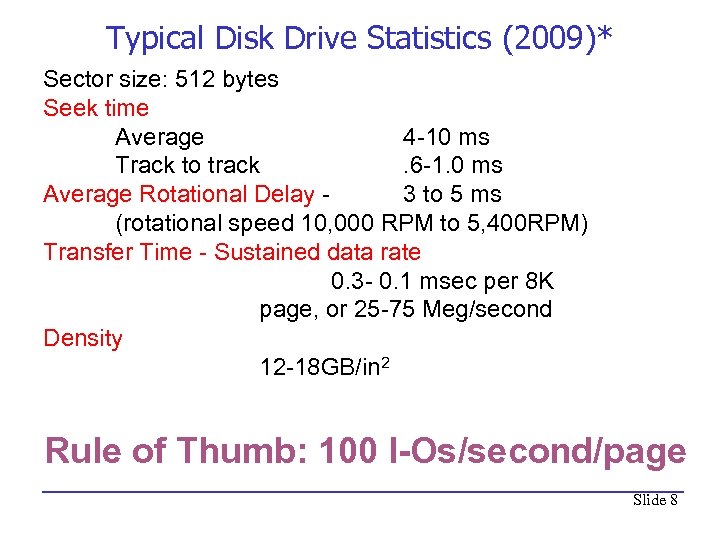 Typical Disk Drive Statistics (2009)* Sector size: 512 bytes Seek time Average 4 -10 ms Track to track. 6 -1. 0 ms Average Rotational Delay 3 to 5 ms (rotational speed 10, 000 RPM to 5, 400 RPM) Transfer Time - Sustained data rate 0. 3 - 0. 1 msec per 8 K page, or 25 -75 Meg/second Density 12 -18 GB/in 2 Rule of Thumb: 100 I-Os/second/page Slide 8
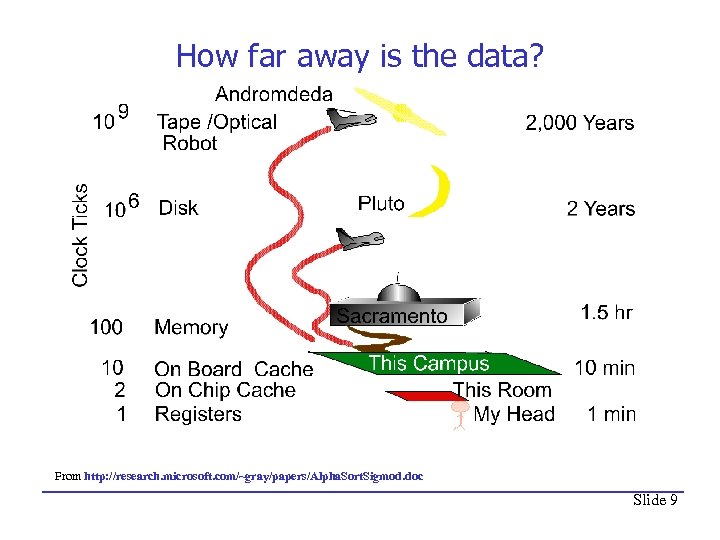 How far away is the data? From http: //research. microsoft. com/~gray/papers/Alpha. Sort. Sigmod. doc Slide 9
 Block, page and record sizes • Block – According to text, smallest unit of I/O. • Page – often used in place of block. • My notation is: – Page is smallest I/O for operating system – Block is smallest I/O for an application – Block is integral number of units • “typical” record size: commonly hundreds, sometimes thousands of bytes – Unlike the toy records in textbooks • “typical” page size 4 K, 8 K Slide 10
 What Block Size is Faster? * • At times you can choose a block size for an application. How? – In some OS's, e. g. , IBM's, you can enforce a block size – Or you can perform several reads at once, imitating a large block size. This is called asynchronous readahead. – This is like: should I buy one bottle or a case? • What application will run faster with a large block size? – Goal is for the disk to overlap reads with the CPU's processing of records. Potentially running twice as fast. • What application will run faster with a small block size? – Goal is not to waste memory or read time. Slide 11
 Time for some Magic • You are in charge of a production DBMS for the FEC. – Production: an enterprise depends on the DBMS for its existence. • Customers will ask queries like “find donations from 97223”. You must ensure a reasonable response time. • If the queries run forever, customers will be unhappy and you will be DM. – The DBMS will grind to a halt. Customers will complain to congress, you will be out of a job. • Wouldn't it be nice to know what plan the optimizer will choose, and how long that plan will take to execute? • Rub the magic lantern… Slide 12
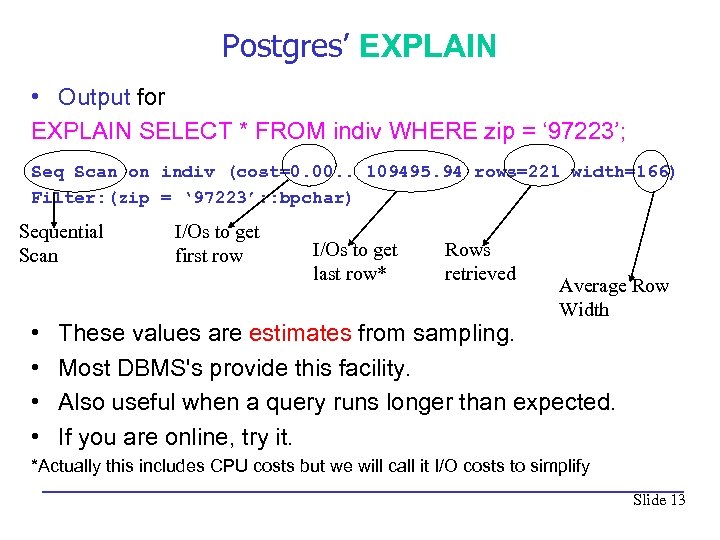 Postgres’ EXPLAIN • Output for EXPLAIN SELECT * FROM indiv WHERE zip = ‘ 97223’; Seq Scan on indiv (cost=0. 00. . 109495. 94 rows=221 width=166) Filter: (zip = ‘ 97223’: : bpchar) Sequential Scan • • I/Os to get first row I/Os to get last row* Rows retrieved Average Row Width These values are estimates from sampling. Most DBMS's provide this facility. Also useful when a query runs longer than expected. If you are online, try it. *Actually this includes CPU costs but we will call it I/O costs to simplify Slide 13
 You are now DM • More than 100 K I/Os! – Response time is 1, 000 seconds, or 17 minutes. • Unacceptable! Customers will complain! • Is there a faster way than Seq Scan? • You must do something or you are out of a job!!! Slide 14
 To the Rescue: Index • An Index is a data structure that speeds up access to records based on some search key field(s). • Indexes are not part of the SQL standard – Because of physical data independence • Typical SQL command to create an index: CREATE INDEX indexname ON tablename (searchkeyname[s]); • For example CREATE INDEX indiv_zip_idx ON indiv(zip); Nota Bene • “Search key” is not the same as a key for the table. Attributes in a “search key” need not be unique. Slide 15
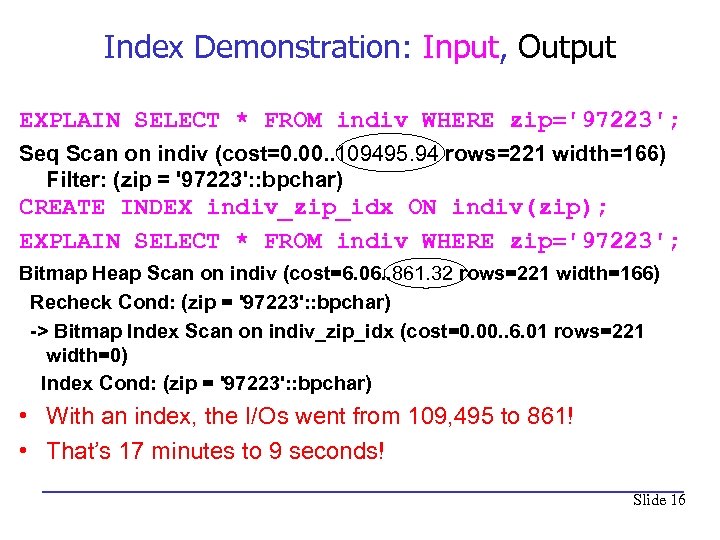 Index Demonstration: Input, Output EXPLAIN SELECT * FROM indiv WHERE zip='97223'; Seq Scan on indiv (cost=0. 00. . 109495. 94 rows=221 width=166) Filter: (zip = '97223': : bpchar) CREATE INDEX indiv_zip_idx ON indiv(zip); EXPLAIN SELECT * FROM indiv WHERE zip='97223'; Bitmap Heap Scan on indiv (cost=6. 06. . 861. 32 rows=221 width=166) Recheck Cond: (zip = '97223': : bpchar) -> Bitmap Index Scan on indiv_zip_idx (cost=0. 00. . 6. 01 rows=221 width=0) Index Cond: (zip = '97223': : bpchar) • With an index, the I/Os went from 109, 495 to 861! • That’s 17 minutes to 9 seconds! Slide 16
 LO 6. 1: Practice with indexes* • When you declare a primary key, most modern DBMSs (including Postgres) create a clustered (sorted) index on the primary key attribute (s). • Give the SQL for creating all possible single-attribute indexes on the table Emp(ssn PRIMARY KEY, name) • What are the search keys of each index? Slide 17
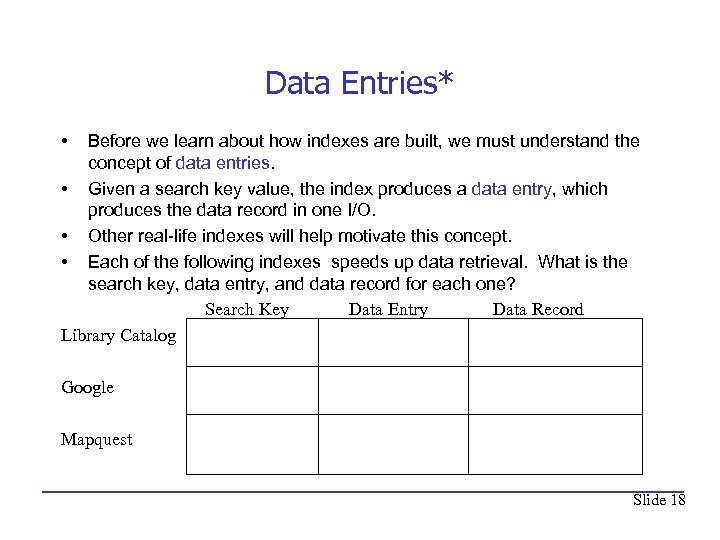 Data Entries* • Before we learn about how indexes are built, we must understand the concept of data entries. • Given a search key value, the index produces a data entry, which produces the data record in one I/O. • Other real-life indexes will help motivate this concept. • Each of the following indexes speeds up data retrieval. What is the search key, data entry, and data record for each one? Search Key Data Entry Data Record Library Catalog Google Mapquest Slide 18
 Essentially all DBMS Indexes are B+ Trees • Oracle, SQLServer and DB 2 support only B+Tree indexes. Postgres supports hash indexes but does not recommend using them. • B+ tree indexes support range searches (WHERE const < attribute) and equality searches (WHERE const = attribute). • The next page contains a sample B+ tree index. Think of it as an index on the first two digits of zip code. • 28* is a data entry that points to the donations from zip codes that start with 28. • Above the data entries are index entries that help find the correct data entry. Slide 19
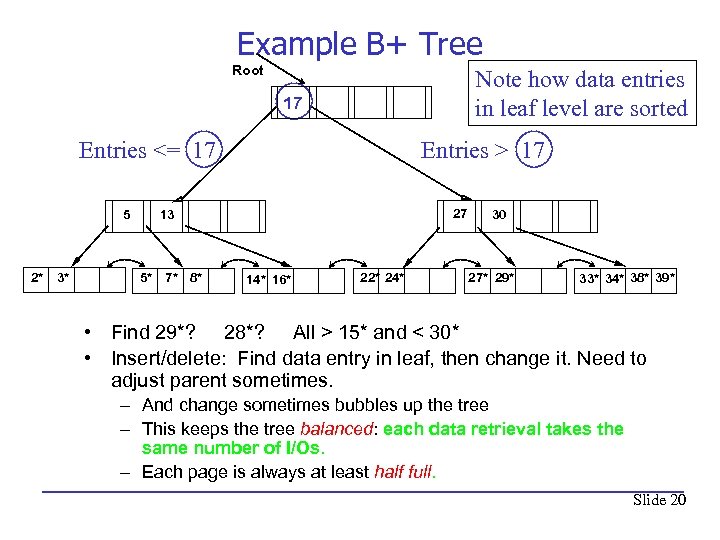 Example B+ Tree Root Note how data entries in leaf level are sorted 17 Entries <= 17 5 2* 3* Entries > 17 27 13 5* 7* 8* 14* 16* 22* 24* 30 27* 29* 33* 34* 38* 39* • Find 29*? 28*? All > 15* and < 30* • Insert/delete: Find data entry in leaf, then change it. Need to adjust parent sometimes. – And change sometimes bubbles up the tree – This keeps the tree balanced: each data retrieval takes the same number of I/Os. – Each page is always at least half full. Slide 20
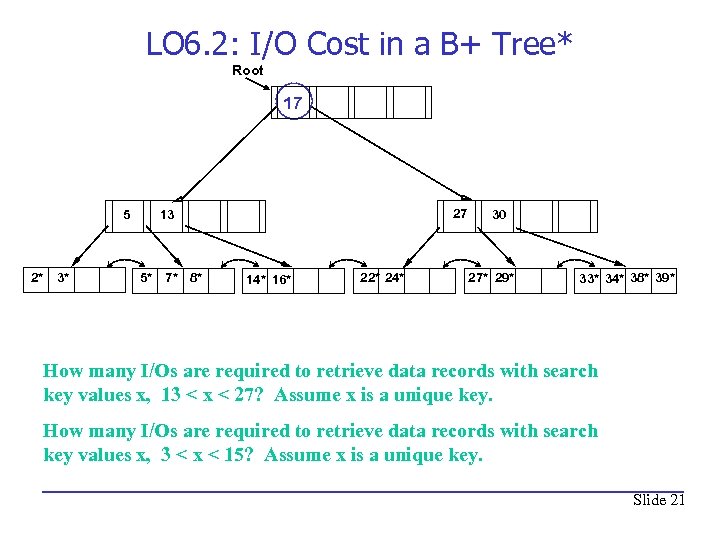 LO 6. 2: I/O Cost in a B+ Tree* Root 17 5 2* 3* 27 13 5* 7* 8* 14* 16* 22* 24* 30 27* 29* 33* 34* 38* 39* How many I/Os are required to retrieve data records with search key values x, 13 < x < 27? Assume x is a unique key. How many I/Os are required to retrieve data records with search key values x, 3 < x < 15? Assume x is a unique key. Slide 21
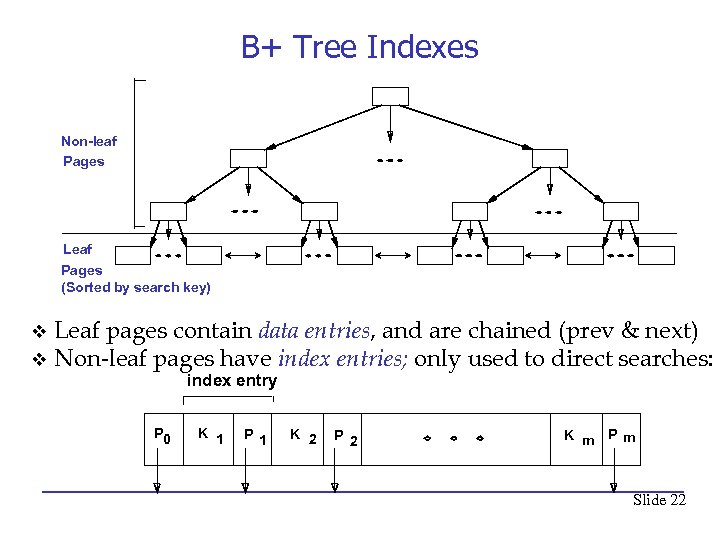 B+ Tree Indexes Non-leaf Pages Leaf Pages (Sorted by search key) Leaf pages contain data entries, and are chained (prev & next) v Non-leaf pages have index entries; only used to direct searches: v index entry P 0 K 1 P 1 K 2 P 2 K m Pm Slide 22
 Don’t get carried away!* • Now I don’t want you to run out and index every attribute and set of attributes in all your tables! • If you define an index, you will incur three costs – Space to store the index – Updates to the search key will be slower – why? – The optimizer will take longer to choose the best plan because it has more plans to choose from. • We will see that sometimes it is better not to use an index • There is one advantage to having an index – Some queries run faster (better be sure about this). Slide 23
 Index Classification • Primary vs. secondary: If the index’s search key contains the relation’s primary key, then the index is called a primary index, otherwise a secondary index. – The index created by the DBMS for the primary key is usually called the primary index. • Unique index: Search key contains a candidate key, i. e. no duplicate values of the search key. Slide 24
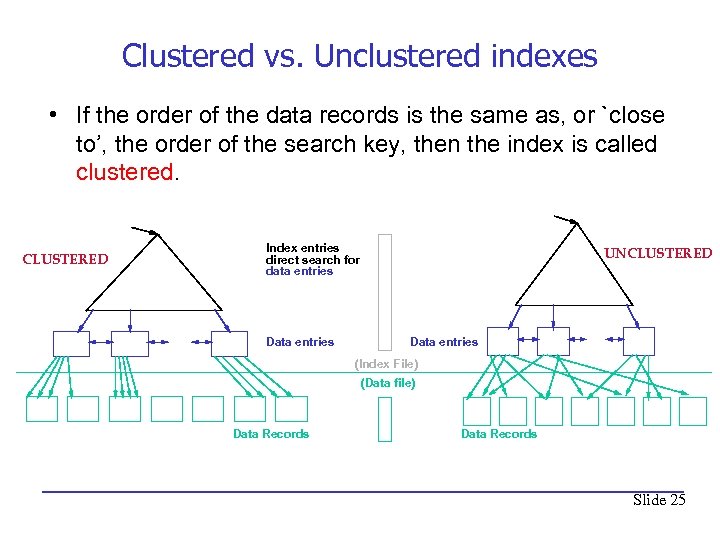 Clustered vs. Unclustered indexes • If the order of the data records is the same as, or `close to’, the order of the search key, then the index is called clustered. CLUSTERED Index entries direct search for data entries Data entries UNCLUSTERED Data entries (Index File) (Data file) Data Records Slide 25
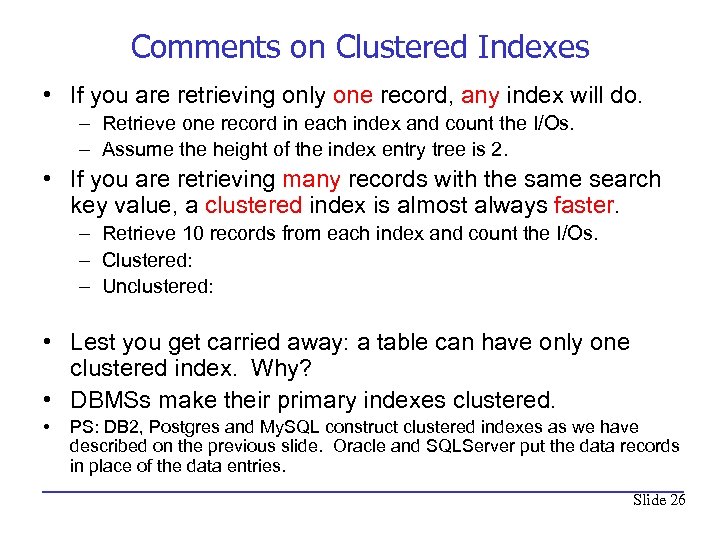 Comments on Clustered Indexes • If you are retrieving only one record, any index will do. – Retrieve one record in each index and count the I/Os. – Assume the height of the index entry tree is 2. • If you are retrieving many records with the same search key value, a clustered index is almost always faster. – Retrieve 10 records from each index and count the I/Os. – Clustered: – Unclustered: • Lest you get carried away: a table can have only one clustered index. Why? • DBMSs make their primary indexes clustered. • PS: DB 2, Postgres and My. SQL construct clustered indexes as we have described on the previous slide. Oracle and SQLServer put the data records in place of the data entries. Slide 26
 Where Are We? • We've now learned two ways to perform a 1 -table SELECT query: Sequential Scan and Index Scan. • EXPLAIN tells you which plan/algorithm the optimizer will choose; which one it thinks is the fastest. • Now we study possible plans/algorithms for multitable join SELECT queries. Slide 27
 Join Algorithms: Motivation (apocryphal) • When I was young I was asked to help with a charity art auction. At the start I got a big stack of bidder cards with bidder IDs and bidder information. • At the end I got a much bigger stack of bought cards, each one containing a bidder ID and the cost of a painting that a bidder bought. • Suddenly there was a long line of bidders who wanted to go home. For each bidder, I had to give the cashier the bidder’s card with the bidder’s matching bought cards. • What would you do if you were in this situation? Slide 28
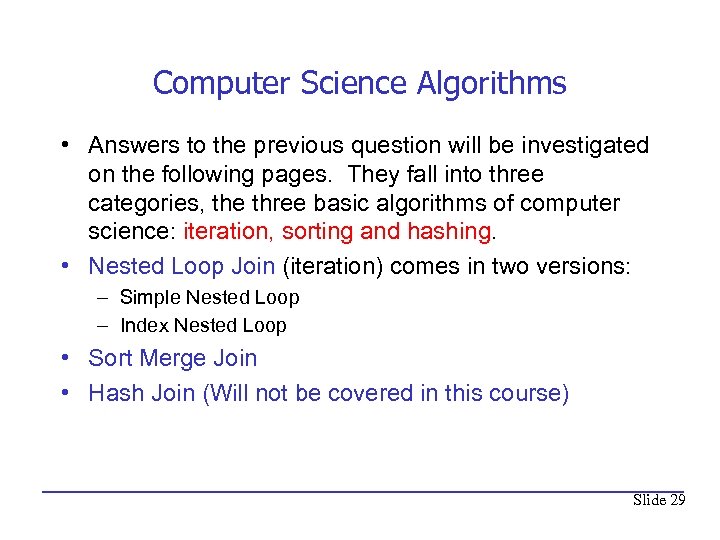 Computer Science Algorithms • Answers to the previous question will be investigated on the following pages. They fall into three categories, the three basic algorithms of computer science: iteration, sorting and hashing. • Nested Loop Join (iteration) comes in two versions: – Simple Nested Loop – Index Nested Loop • Sort Merge Join • Hash Join (Will not be covered in this course) Slide 29
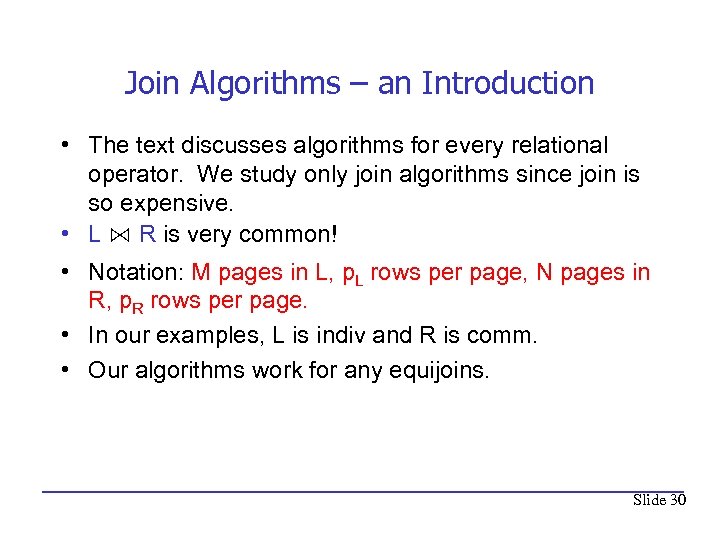 Join Algorithms – an Introduction • The text discusses algorithms for every relational operator. We study only join algorithms since join is so expensive. • L ⋈ R is very common! • Notation: M pages in L, p. L rows per page, N pages in R, p. R rows per page. • In our examples, L is indiv and R is comm. • Our algorithms work for any equijoins. Slide 30
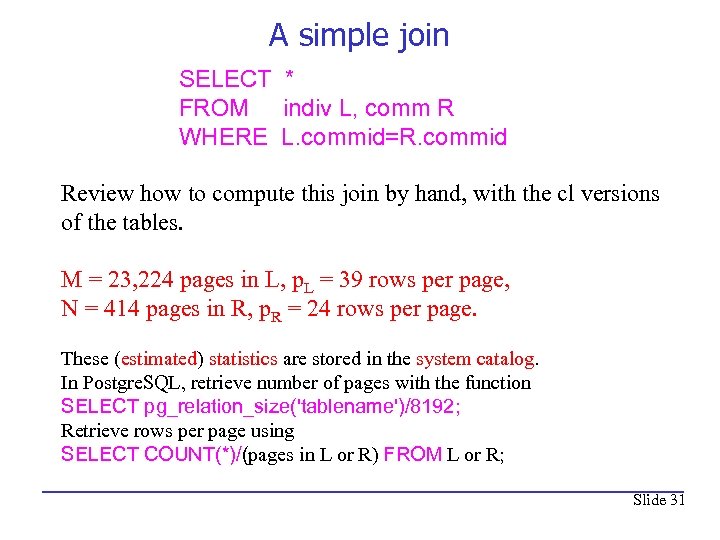 A simple join SELECT * FROM indiv L, comm R WHERE L. commid=R. commid Review how to compute this join by hand, with the cl versions of the tables. M = 23, 224 pages in L, p. L = 39 rows per page, N = 414 pages in R, p. R = 24 rows per page. These (estimated) statistics are stored in the system catalog. In Postgre. SQL, retrieve number of pages with the function SELECT pg_relation_size('tablename')/8192; Retrieve rows per page using SELECT COUNT(*)/(pages in L or R) FROM L or R; Slide 31
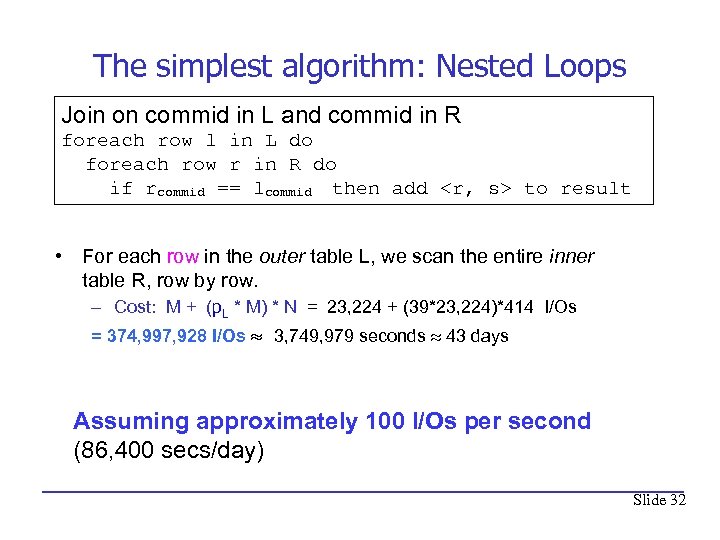 The simplest algorithm: Nested Loops Join on commid in L and commid in R foreach row l in L do foreach row r in R do if rcommid == lcommid then add
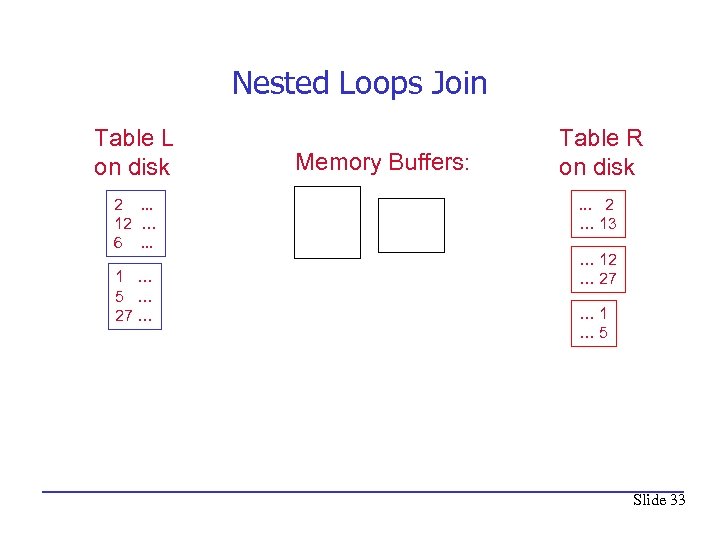 Nested Loops Join Table L on disk 2. . . 12 … 6. . . 1 … 5 … 27 … Memory Buffers: Table R on disk. . . 2 … 13 … 12 … 27 … 1 … 5 Slide 33
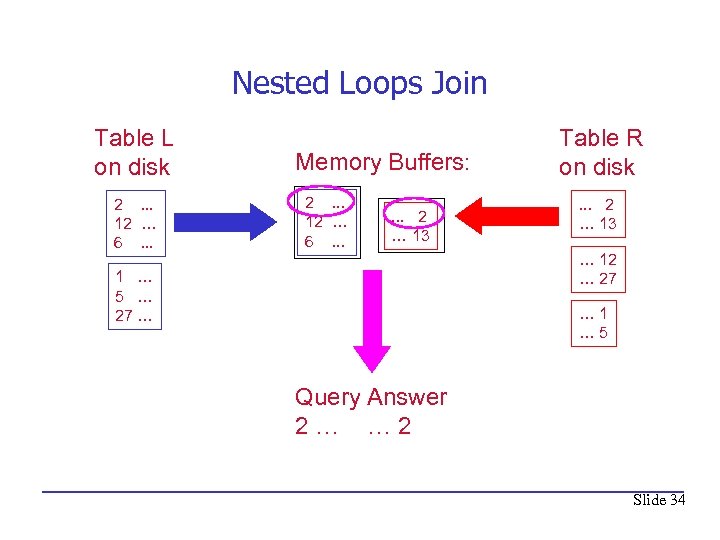 Nested Loops Join Table L on disk 2. . . 12 … 6. . . Memory Buffers: 2. . . 12 … 6. . . 2 … 13 Table R on disk. . . 2 … 13 … 12 … 27 1 … 5 … 27 … … 1 … 5 Query Answer 2… … 2 Slide 34
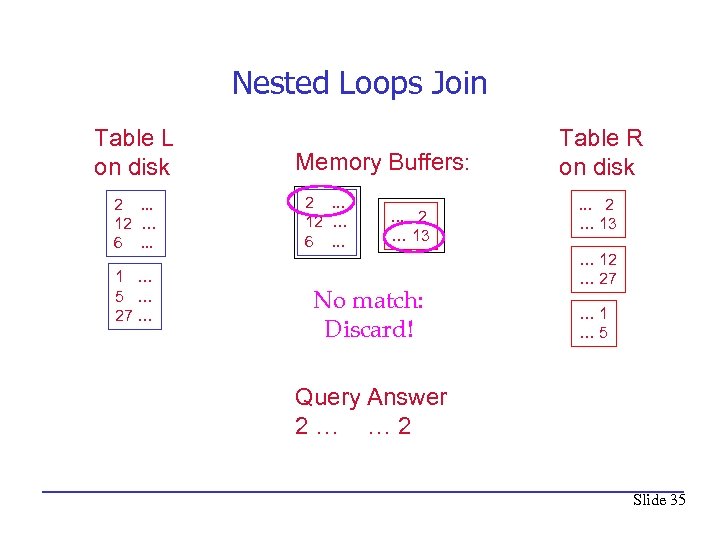 Nested Loops Join Table L on disk 2. . . 12 … 6. . . 1 … 5 … 27 … Memory Buffers: 2. . . 12 … 6. . . 2 … 13 No match: Discard! Table R on disk. . . 2 … 13 … 12 … 27 … 1 … 5 Query Answer 2… … 2 Slide 35
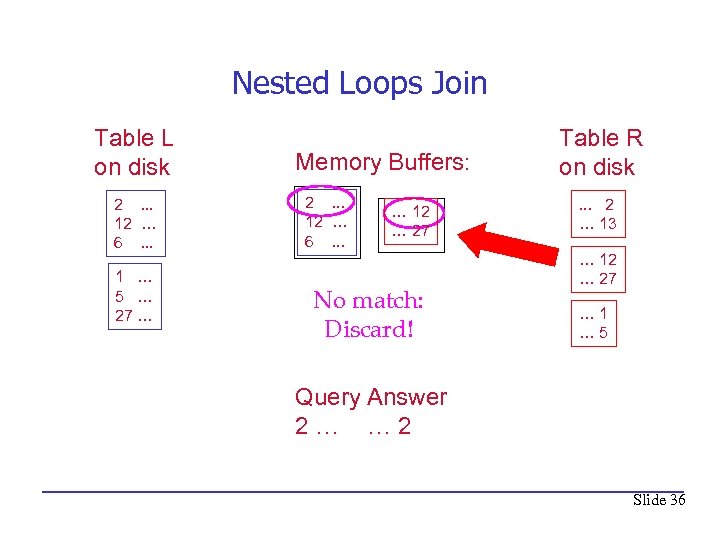 Nested Loops Join Table L on disk 2. . . 12 … 6. . . 1 … 5 … 27 … Memory Buffers: 2. . . 12 … 6. . . … 12 … 27 No match: Discard! Table R on disk. . . 2 … 13 … 12 … 27 … 1 … 5 Query Answer 2… … 2 Slide 36
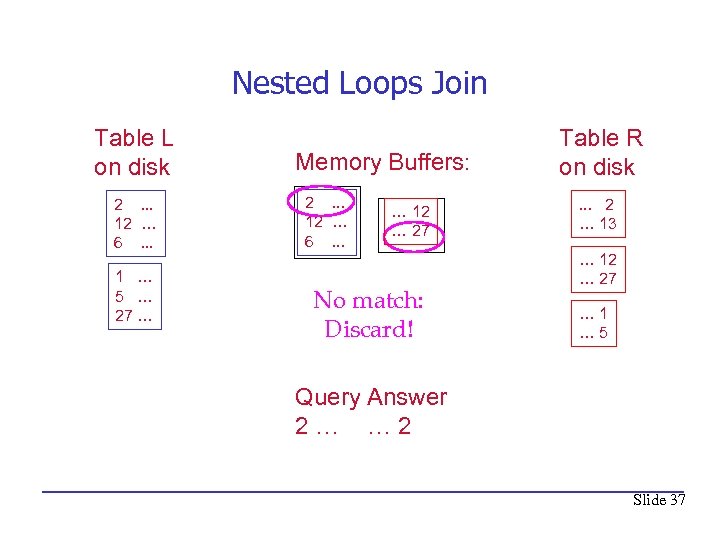 Nested Loops Join Table L on disk 2. . . 12 … 6. . . 1 … 5 … 27 … Memory Buffers: 2. . . 12 … 6. . . … 12 … 27 No match: Discard! Table R on disk. . . 2 … 13 … 12 … 27 … 1 … 5 Query Answer 2… … 2 Slide 37
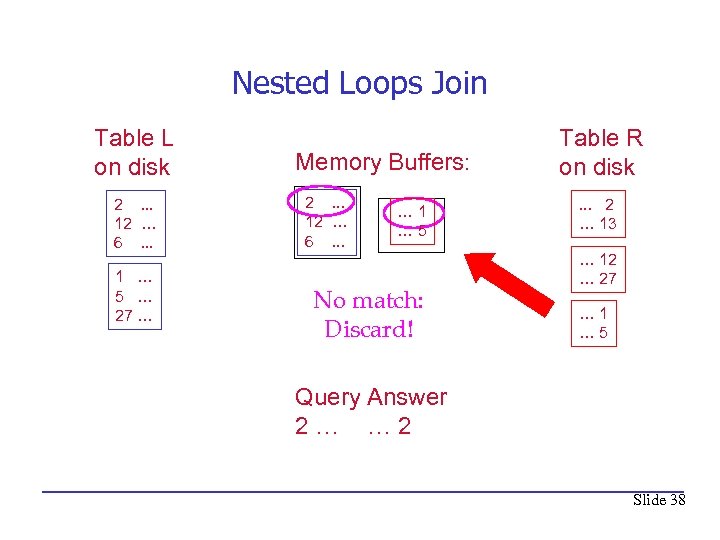 Nested Loops Join Table L on disk 2. . . 12 … 6. . . 1 … 5 … 27 … Memory Buffers: 2. . . 12 … 6. . . … 1 … 5 No match: Discard! Table R on disk. . . 2 … 13 … 12 … 27 … 1 … 5 Query Answer 2… … 2 Slide 38
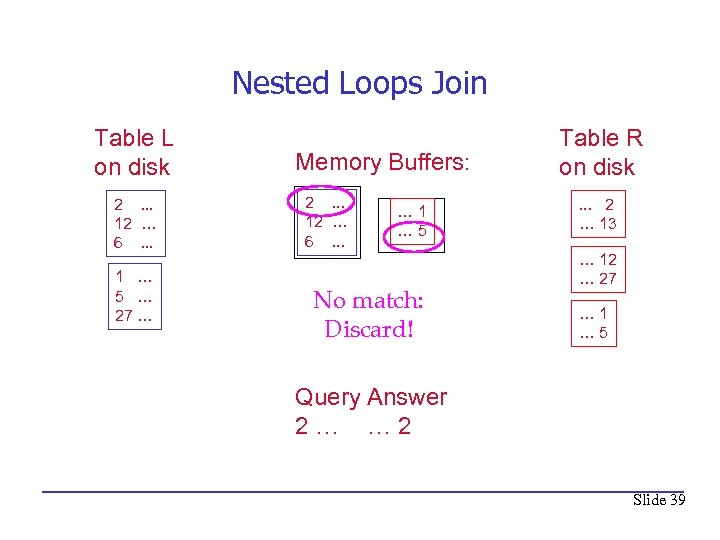 Nested Loops Join Table L on disk 2. . . 12 … 6. . . 1 … 5 … 27 … Memory Buffers: 2. . . 12 … 6. . . … 1 … 5 No match: Discard! Table R on disk. . . 2 … 13 … 12 … 27 … 1 … 5 Query Answer 2… … 2 Slide 39
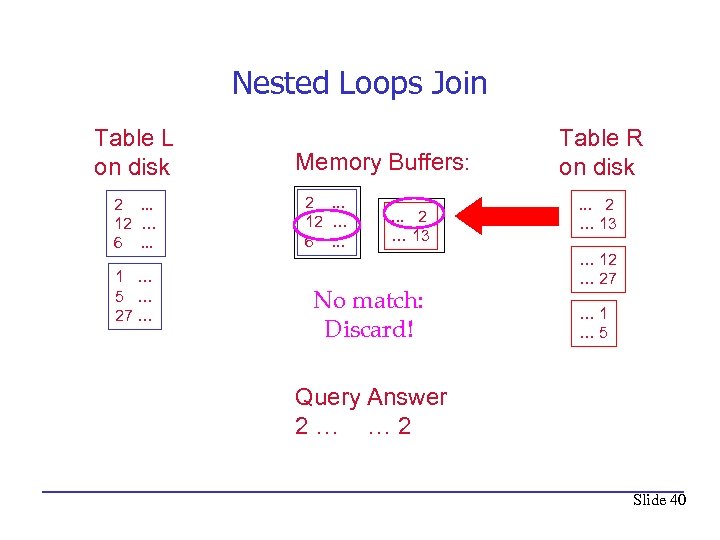 Nested Loops Join Table L on disk 2. . . 12 … 6. . . 1 … 5 … 27 … Memory Buffers: 2. . . 12 … 6. . . 2 … 13 No match: Discard! Table R on disk. . . 2 … 13 … 12 … 27 … 1 … 5 Query Answer 2… … 2 Slide 40
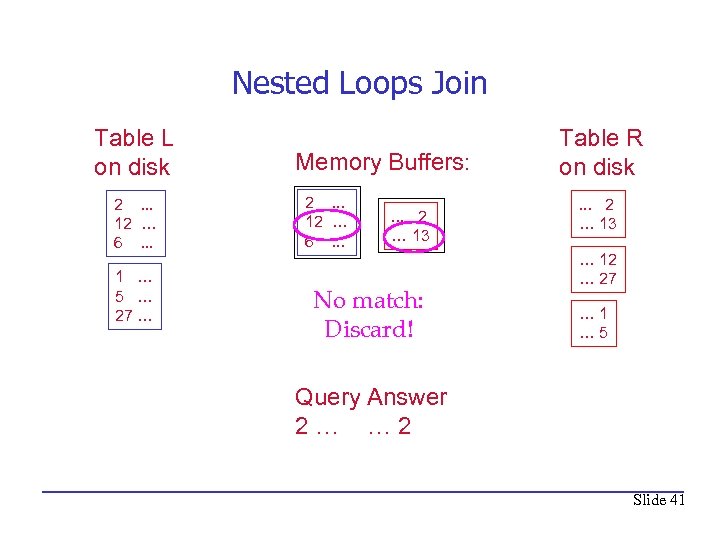 Nested Loops Join Table L on disk 2. . . 12 … 6. . . 1 … 5 … 27 … Memory Buffers: 2. . . 12 … 6. . . 2 … 13 No match: Discard! Table R on disk. . . 2 … 13 … 12 … 27 … 1 … 5 Query Answer 2… … 2 Slide 41
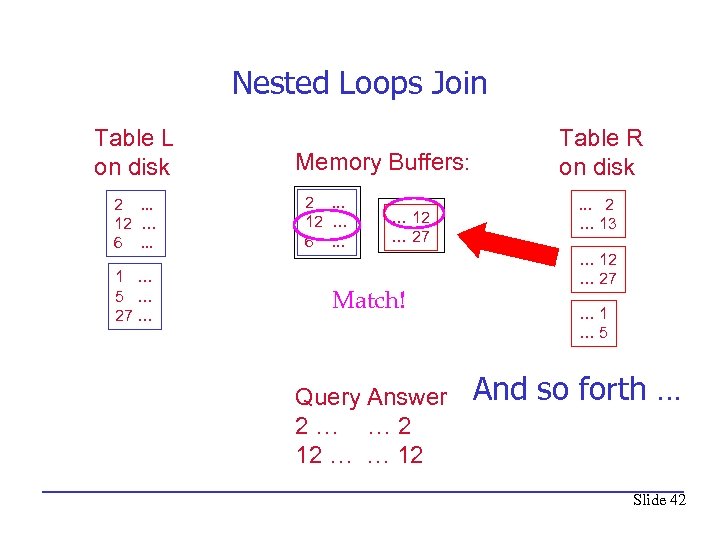 Nested Loops Join Table L on disk 2. . . 12 … 6. . . 1 … 5 … 27 … Memory Buffers: 2. . . 12 … 6. . . … 12 … 27 Match! Query Answer 2… … 2 12 … … 12 Table R on disk. . . 2 … 13 … 12 … 27 … 1 … 5 And so forth … Slide 42
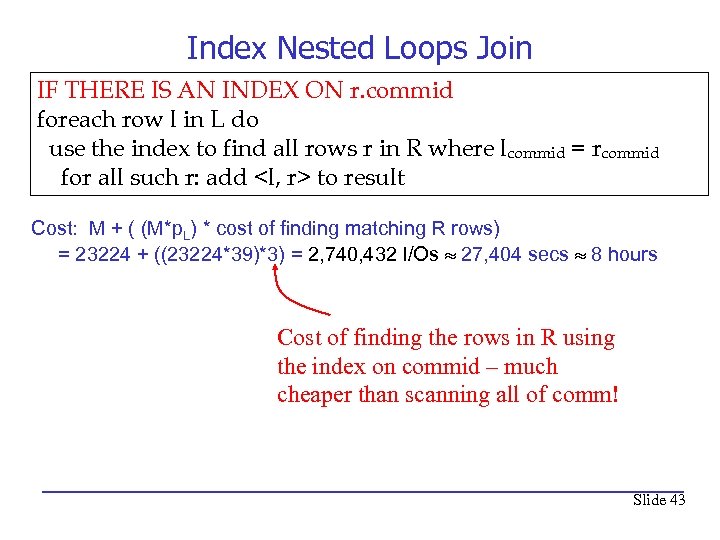 Index Nested Loops Join IF THERE IS AN INDEX ON r. commid foreach row l in L do use the index to find all rows r in R where lcommid = rcommid for all such r: add
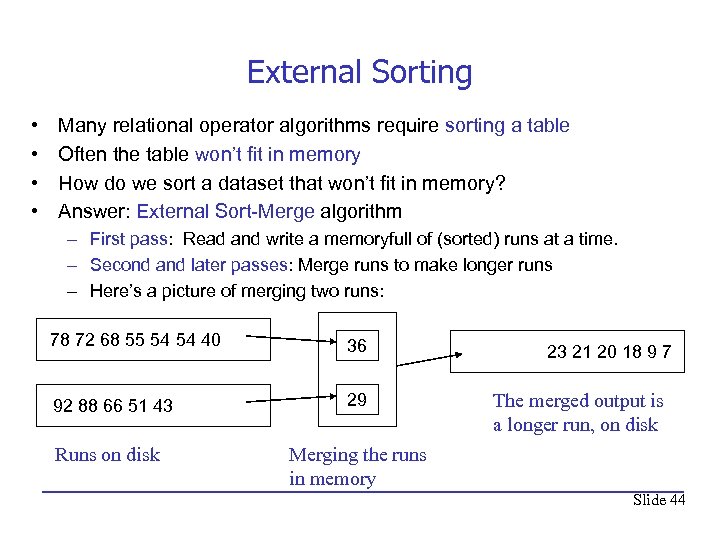 External Sorting • • Many relational operator algorithms require sorting a table Often the table won’t fit in memory How do we sort a dataset that won’t fit in memory? Answer: External Sort-Merge algorithm – First pass: Read and write a memoryfull of (sorted) runs at a time. – Second and later passes: Merge runs to make longer runs – Here’s a picture of merging two runs: 78 72 68 55 54 54 40 36 92 88 66 51 43 29 Runs on disk 23 21 20 18 9 7 The merged output is a longer run, on disk Merging the runs in memory Slide 44
 External Sorting – Cost • Number of passes depends on how many pages of memory are devoted to sorting – Can sort M pages of data using B pages of memory in 2 passes if sqrt(M) <= B • • Can sort big files M with not much memory B If page size is 4 K: Can sort 4 Gig of data in 4 Meg of memory Can sort 256 Gig of data in 32 Meg of memory – Each pass is a read and a write, so if sqrt(M) <= B then sort costs (M+M)+(M+M) so can be done in 4*M I/Os – So it’s reasonable to assume that sorting M pages costs 4*M. Slide 45
 Sort-Merge Join • • This join algorithm is the one many people think of when asked how they would join two tables. It is also the simplest to visualize. It involves three steps. 1. Sort L on lcommid 2. Sort R on rcommid 3. Merge the sorted L and R on lcommid and rcommid. We’ve covered the algorithm and cost of steps 1 and 2 on the previous pages Slide 46
 The Merge Step • What is the algorithm for step 3, the merge? – Advance scan of L until current L-row’s lcommid >= current R row’s rcommid, then advance scan of R until current R-row’s rcommid >= current R row’s lcommid ; do this until current R row’s lcommid = current R row’s rcommid. – At this point, all R rows with same lcommid and all R rows with same rcommid match; output
 Cost of Sort-Merge Join • Assuming that sorting can be done in two passes and that the join is a foreign key join • Cost: (cost to sort L) + (cost to sort R) + (cost of merge) = 4 M + 4 N + (M+N) = 5(M+N) • For our running example the cost is: 5*(M+N) = 5*(23224+414) = 118, 190 I/Os 1, 181 seconds 20 minutes • In reality the cost is much less because of optimizations, indexes, and the use of hash join – Cf. CS 587/410 Slide 48
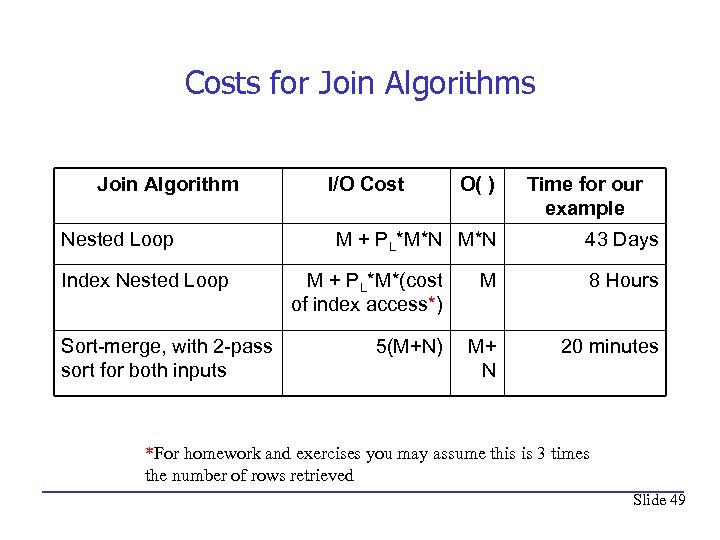 Costs for Join Algorithms Join Algorithm Nested Loop Index Nested Loop Sort-merge, with 2 -pass sort for both inputs I/O Cost O( ) M + PL*M*N Time for our example 43 Days M + PL*M*(cost of index access*) M 8 Hours 5(M+N) M+ N 20 minutes *For homework and exercises you may assume this is 3 times the number of rows retrieved Slide 49
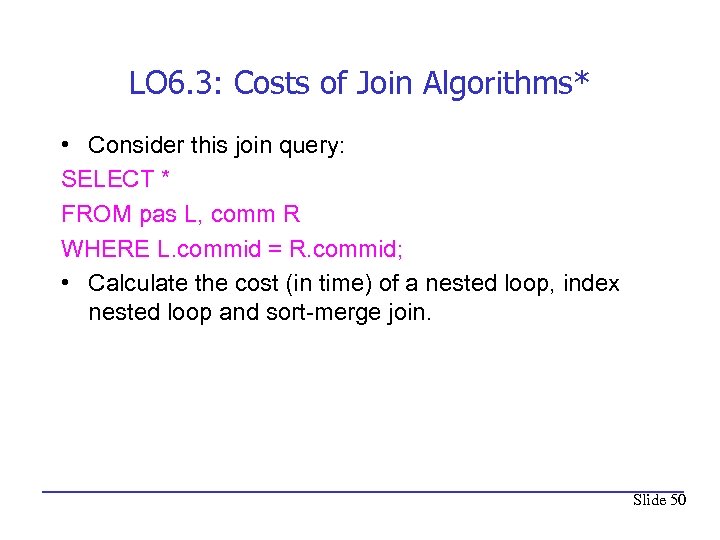 LO 6. 3: Costs of Join Algorithms* • Consider this join query: SELECT * FROM pas L, comm R WHERE L. commid = R. commid; • Calculate the cost (in time) of a nested loop, index nested loop and sort-merge join. Slide 50
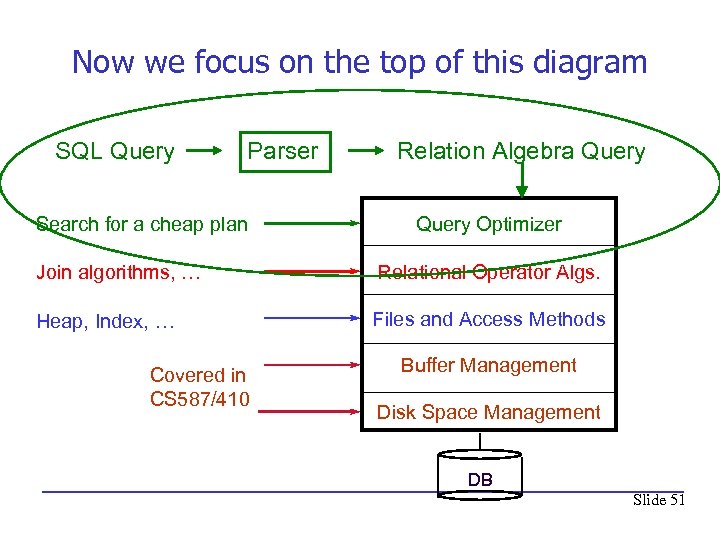 Now we focus on the top of this diagram SQL Query Parser Search for a cheap plan Relation Algebra Query Optimizer Join algorithms, … Relational Operator Algs. Heap, Index, … Files and Access Methods Covered in CS 587/410 Buffer Management Disk Space Management DB Slide 51
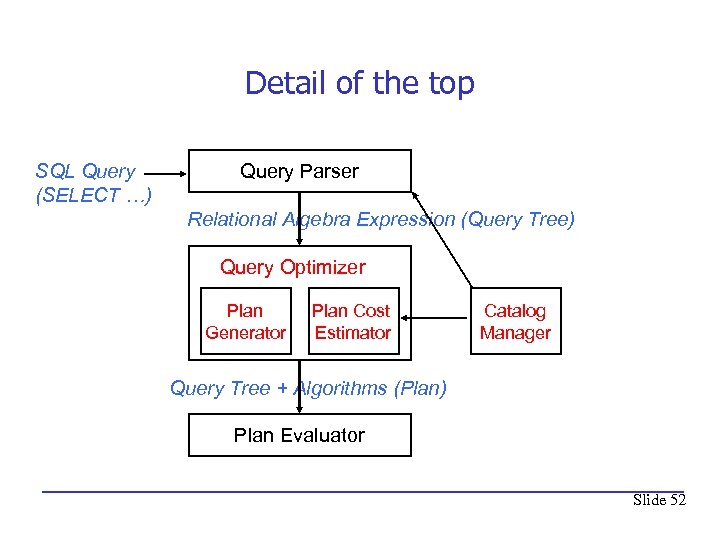 Detail of the top SQL Query (SELECT …) Query Parser Relational Algebra Expression (Query Tree) Query Optimizer Plan Generator Plan Cost Estimator Catalog Manager Query Tree + Algorithms (Plan) Plan Evaluator Slide 52
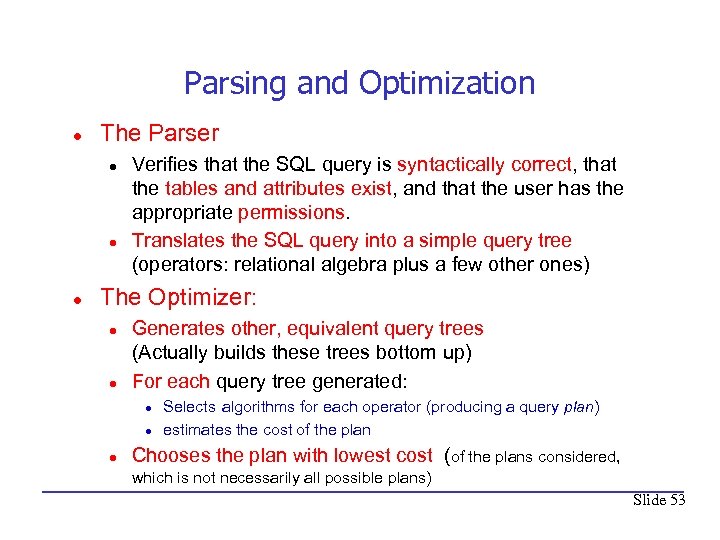 Parsing and Optimization l The Parser l l l Verifies that the SQL query is syntactically correct, that the tables and attributes exist, and that the user has the appropriate permissions. Translates the SQL query into a simple query tree (operators: relational algebra plus a few other ones) The Optimizer: l l Generates other, equivalent query trees (Actually builds these trees bottom up) For each query tree generated: l l l Selects algorithms for each operator (producing a query plan) estimates the cost of the plan Chooses the plan with lowest cost (of the plans considered, which is not necessarily all possible plans) Slide 53
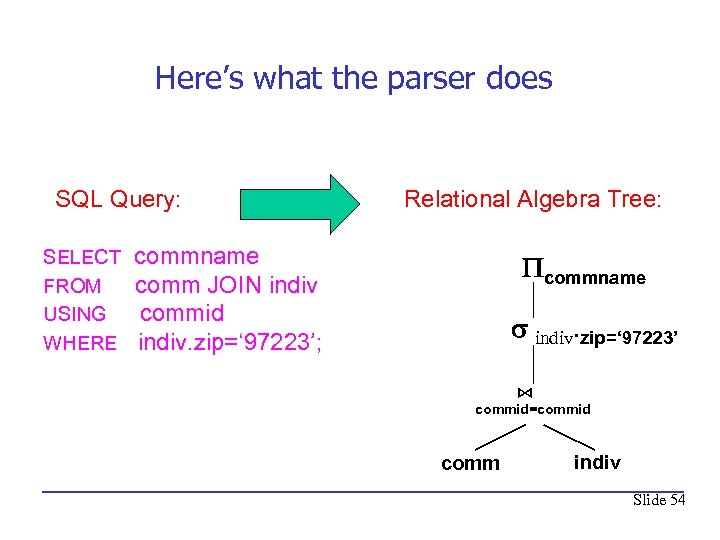 Here’s what the parser does SQL Query: SELECT FROM USING WHERE Relational Algebra Tree: commname comm JOIN indiv commid indiv. zip=‘ 97223’; commname indiv. zip=‘ 97223’ ⋈ commid=commid comm indiv Slide 54
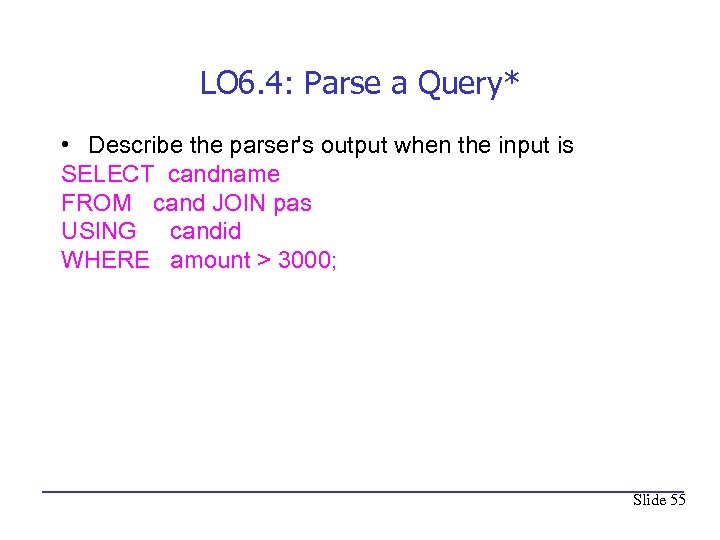 LO 6. 4: Parse a Query* • Describe the parser's output when the input is SELECT candname FROM cand JOIN pas USING candid WHERE amount > 3000; Slide 55
 What does the optimizer do? • Fortunately, a Master's student at PSU, Tom Raney, has just added a patch to Postgre. SQL (PG) that allows anyone to look inside the optimizer (PG calls it the planner). • One of the lead PG developers says “it’s like finding Sasquatch”. • We’ll use Tom’s patch to see what the PG planner does. • The theory behind the PG planner [668] is shared by all DBMS optimizers*. *Except SQL Server, though I won't keep saying this. Slide 56
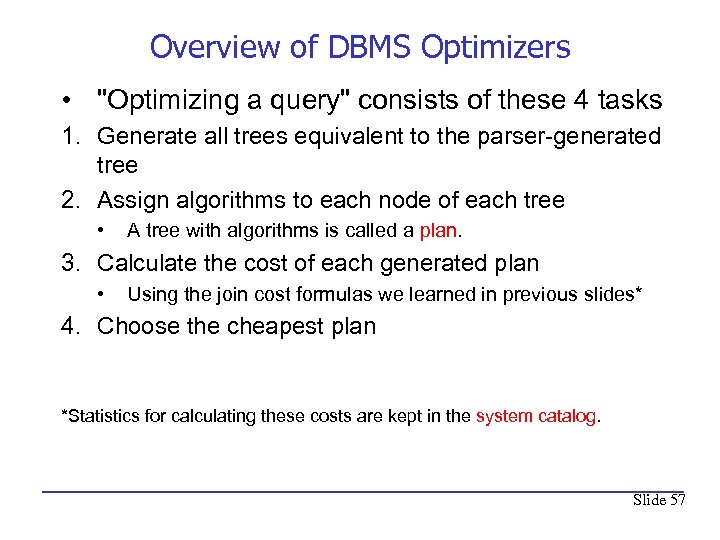 Overview of DBMS Optimizers • "Optimizing a query" consists of these 4 tasks 1. Generate all trees equivalent to the parser-generated tree 2. Assign algorithms to each node of each tree • A tree with algorithms is called a plan. 3. Calculate the cost of each generated plan • Using the join cost formulas we learned in previous slides* 4. Choose the cheapest plan *Statistics for calculating these costs are kept in the system catalog. Slide 57
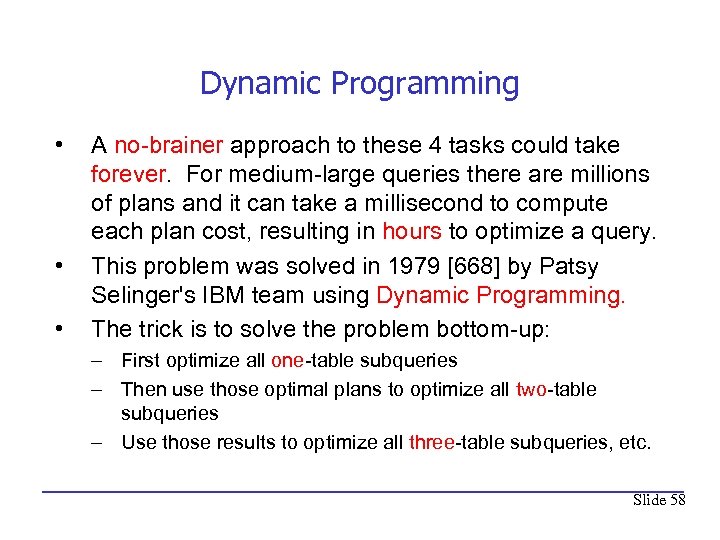 Dynamic Programming • • • A no-brainer approach to these 4 tasks could take forever. For medium-large queries there are millions of plans and it can take a millisecond to compute each plan cost, resulting in hours to optimize a query. This problem was solved in 1979 [668] by Patsy Selinger's IBM team using Dynamic Programming. The trick is to solve the problem bottom-up: – First optimize all one-table subqueries – Then use those optimal plans to optimize all two-table subqueries – Use those results to optimize all three-table subqueries, etc. Slide 58
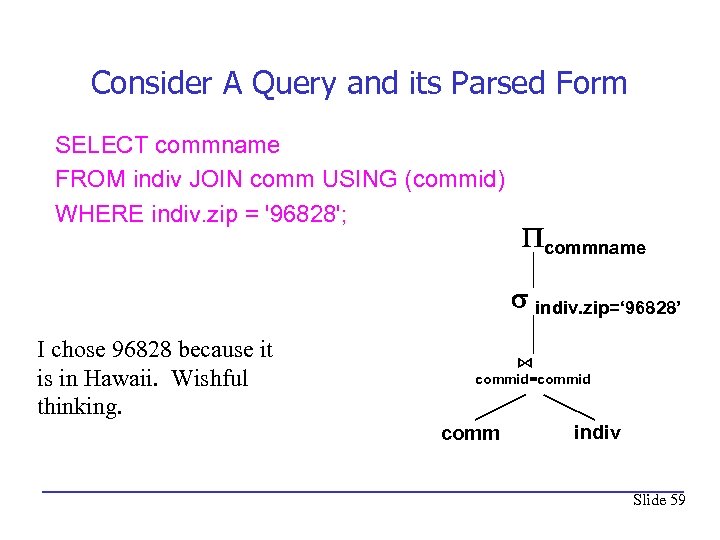 Consider A Query and its Parsed Form SELECT commname FROM indiv JOIN comm USING (commid) WHERE indiv. zip = '96828'; commname indiv. zip=‘ 96828’ I chose 96828 because it is in Hawaii. Wishful thinking. ⋈ commid=commid comm indiv Slide 59
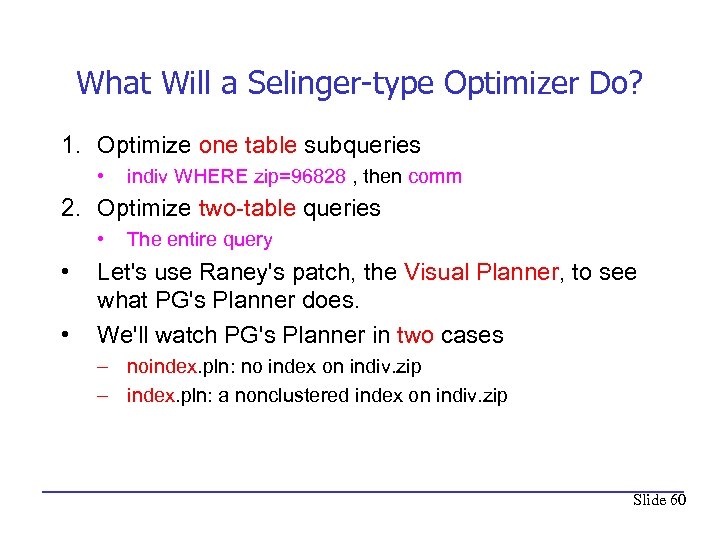 What Will a Selinger-type Optimizer Do? 1. Optimize one table subqueries • indiv WHERE zip=96828 , then comm 2. Optimize two-table queries • • • The entire query Let's use Raney's patch, the Visual Planner, to see what PG's Planner does. We'll watch PG's Planner in two cases – noindex. pln: no index on indiv. zip – index. pln: a nonclustered index on indiv. zip Slide 60
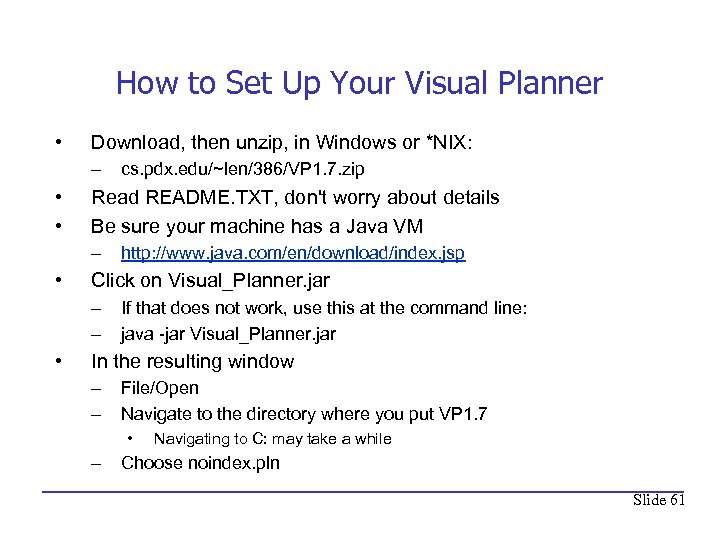 How to Set Up Your Visual Planner • Download, then unzip, in Windows or *NIX: – • • Read README. TXT, don't worry about details Be sure your machine has a Java VM – • http: //www. java. com/en/download/index. jsp Click on Visual_Planner. jar – – • cs. pdx. edu/~len/386/VP 1. 7. zip If that does not work, use this at the command line: java -jar Visual_Planner. jar In the resulting window – – File/Open Navigate to the directory where you put VP 1. 7 • – Navigating to C: may take a while Choose noindex. pln Slide 61
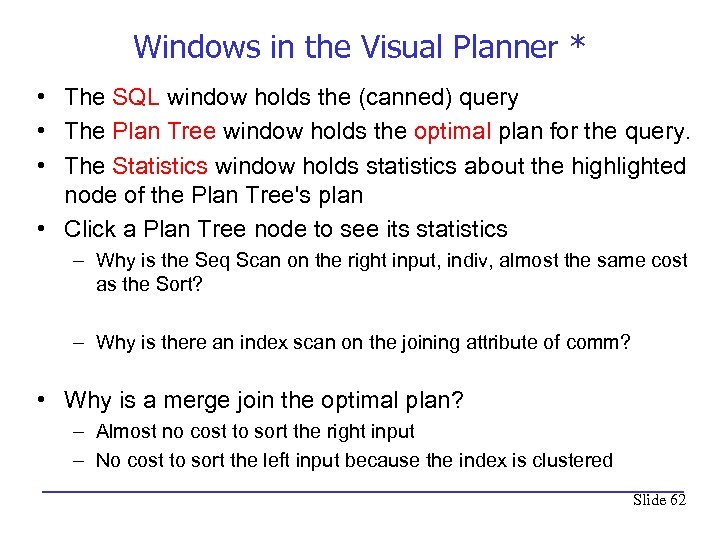 Windows in the Visual Planner * • The SQL window holds the (canned) query • The Plan Tree window holds the optimal plan for the query. • The Statistics window holds statistics about the highlighted node of the Plan Tree's plan • Click a Plan Tree node to see its statistics – Why is the Seq Scan on the right input, indiv, almost the same cost as the Sort? – Why is there an index scan on the joining attribute of comm? • Why is a merge join the optimal plan? – Almost no cost to sort the right input – No cost to sort the left input because the index is clustered Slide 62
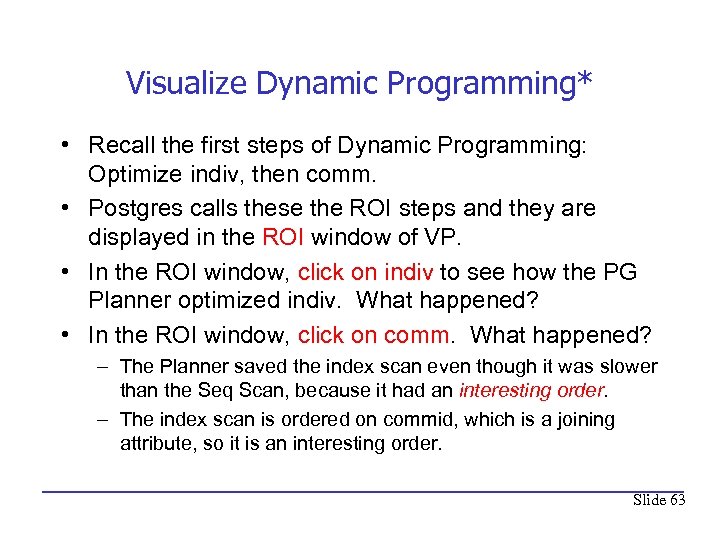 Visualize Dynamic Programming* • Recall the first steps of Dynamic Programming: Optimize indiv, then comm. • Postgres calls these the ROI steps and they are displayed in the ROI window of VP. • In the ROI window, click on indiv to see how the PG Planner optimized indiv. What happened? • In the ROI window, click on comm. What happened? – The Planner saved the index scan even though it was slower than the Seq Scan, because it had an interesting order. – The index scan is ordered on commid, which is a joining attribute, so it is an interesting order. Slide 63
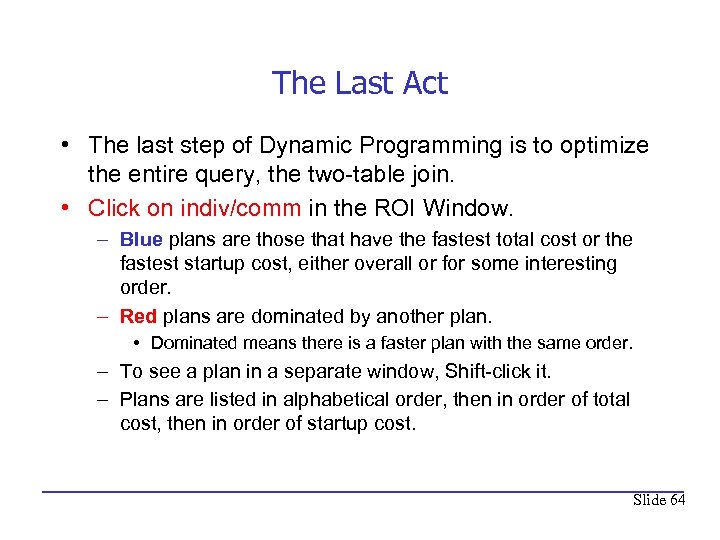 The Last Act • The last step of Dynamic Programming is to optimize the entire query, the two-table join. • Click on indiv/comm in the ROI Window. – Blue plans are those that have the fastest total cost or the fastest startup cost, either overall or for some interesting order. – Red plans are dominated by another plan. • Dominated means there is a faster plan with the same order. – To see a plan in a separate window, Shift-click it. – Plans are listed in alphabetical order, then in order of total cost, then in order of startup cost. Slide 64
 What Happened in the Last Act? * • The first blue plan is the optimal plan we've been looking at. • Why is the second blue plan there? • Look at the other Merge Join plans. Why are they red? • Find and describe the most expensive plan. What makes it so expensive? Slide 65
 Index to the Rescue* • • File/Open, navigate to index. pln Without the index the optimal plan cost 35, 471 What is the cost of the optimal plan now? Why? Slide 66
 LO 6. 2 EXERCISE* • Consider the B+-tree index on slide 21. Assume none of the tree is in memory and the index is unique. Assume that in the data file, every data record is on a different page. How many disk I/Os are needed to retrieve all records with search key values x, 7 < x < 16? Slide 67
 LO 6. 3: EXERCISE • Consider the join query: SELECT * FROM comm L, cand R JOIN ON (assoccand = candid ) Calculate the cost of a nested loop, index nested loop and sort-merge join. Slide 68
 LO 6. 4: EXERCISE • Follow the instructions on slide 61 to set up the Visual Planner. Open the file noindex. pln – What is the startup cost and the total cost of the left input? • Open the file index. pln – Click on the "Bitmap Index Scan". What index is being used? – What is the order of the left input? Slide 69