


 Скачать презентацию Lecture 5 Security Ph P Security and
c3774f934b8c8d8e120ac4d9dcc3e729.ppt
- Количество слайдов: 68
 Lecture 5: Security, Ph. P • Security and Authorization – Discretionary Access Control • Grant, Revoke, Authorization Graph, Views – Mandatory Access Control – Internet-oriented Security – Statistical Database Security • Getting started in UNIX • Overview of PHP and HTML • PHP Basics • PHP and Databases – Postgres and My. SQL – Database Abstractions – Connecting via Java or Perl • Security • References CS 3/586 Some slides copied from Kim Howard, with permission. Lecture 5 Slide
 Learning Objectives • LO 5. 1 Identify the active privileges after a sequence of GRANT and REVOKE commands on tables and/or views • LO 5. 2 Derive information in a database despite statistical security measures. • Be able to write a web application using a back end database Slide
 Security and Authorization, Chapter 21 • Objectives: – Secrecy: Users should not be able to see things they are not supposed to see. • E. g. , A student can’t see other students’ grades. – Integrity: Users should not be able to modify things they are not supposed to modify. • E. g. , Only instructors can assign grades. – Availability: Users should be able to see and modify things they are allowed to see and modify. • OS, Network security issues also relevant – Only database issues discussed here Slide
 Access Controls • A security policy specifies who is authorized to do what. • A security mechanism allows us to enforce a chosen security policy. • Two main mechanisms at the DBMS level: – – Discretionary access control Mandatory access control Slide
 Discretionary Access Control • Based on the concept of access rights or privileges for objects (tables and views), and mechanisms for giving users privileges (and revoking privileges). • Creator of a table automatically gets all privileges on it. – DMBS keeps track of who subsequently gains and loses privileges, and ensures that only requests from users who have the necessary privileges (at the time the request is issued) are allowed. Slide
![GRANT Command* GRANT privileges ON object TO auth [WITH GRANT OPTION] • The following](https://present5.com/presentation/c3774f934b8c8d8e120ac4d9dcc3e729/image-6.jpg "GRANT Command* GRANT privileges ON object TO auth [WITH GRANT OPTION] • The following") GRANT Command* GRANT privileges ON object TO auth [WITH GRANT OPTION] • The following privileges can be specified: v v SELECT: Can read all columns (including those added later via ALTER TABLE command). v SELECT(col-name(s)) means can read these columns. INSERT : Can insert tuples. v INSERT(col-name(s)) means can insert non-null values into these columns. DELETE: Can delete tuples. REFERENCES (col-name): Can define foreign keys (in other tables) that refer to this column. Auth is a group of users. • If a user has a privilege with the GRANT OPTION, can pass privilege on to other users (with or without passing on the GRANT OPTION). • Only owner can execute CREATE, ALTER, and DROP. v Slide
GRANT Command* GRANT privileges ON object TO auth [WITH GRANT OPTION] • The following privileges can be specified: v v SELECT: Can read all columns (including those added later via ALTER TABLE command). v SELECT(col-name(s)) means can read these columns. INSERT : Can insert tuples. v INSERT(col-name(s)) means can insert non-null values into these columns. DELETE: Can delete tuples. REFERENCES (col-name): Can define foreign keys (in other tables) that refer to this column. Auth is a group of users. • If a user has a privilege with the GRANT OPTION, can pass privilege on to other users (with or without passing on the GRANT OPTION). • Only owner can execute CREATE, ALTER, and DROP. v Slide
![REVOKE Command REVOKE privileges ON object FROM auth [RESTRICT|CASCADE] • Must be issued by](https://present5.com/presentation/c3774f934b8c8d8e120ac4d9dcc3e729/image-7.jpg "REVOKE Command REVOKE privileges ON object FROM auth [RESTRICT|CASCADE] • Must be issued by") REVOKE Command REVOKE privileges ON object FROM auth [RESTRICT|CASCADE] • Must be issued by a user who granted “privileges” on “object” to “auth”. • CASCADE: – abandon anyone granted this privilege by auth, and so on recursively. – “abandon”: If an auth’s privilege is abandoned and this is the last possible abandonment, then revoke auth’s privilege – “and so on recursively”: Abandon anyone granted the privilege by the auth just abandoned. • RESTRICT: If CASCADE would cause anyone to be abandoned, then cancel the command. Slide
REVOKE Command REVOKE privileges ON object FROM auth [RESTRICT|CASCADE] • Must be issued by a user who granted “privileges” on “object” to “auth”. • CASCADE: – abandon anyone granted this privilege by auth, and so on recursively. – “abandon”: If an auth’s privilege is abandoned and this is the last possible abandonment, then revoke auth’s privilege – “and so on recursively”: Abandon anyone granted the privilege by the auth just abandoned. • RESTRICT: If CASCADE would cause anyone to be abandoned, then cancel the command. Slide
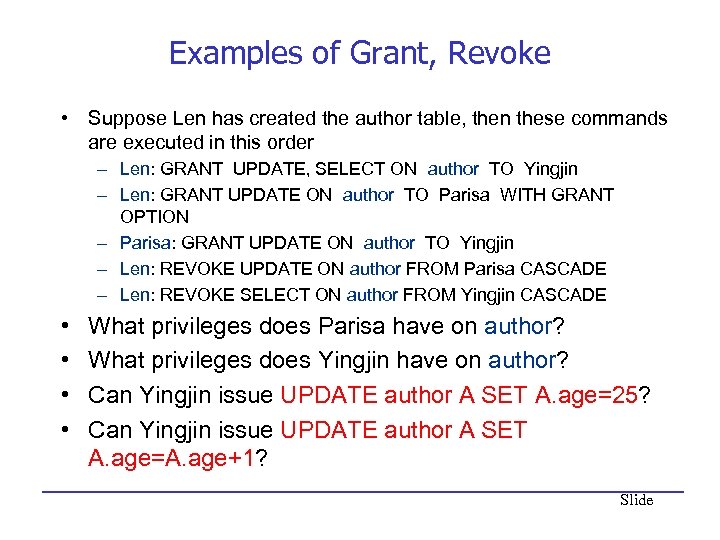 Examples of Grant, Revoke • Suppose Len has created the author table, then these commands are executed in this order – Len: GRANT UPDATE, SELECT ON author TO Yingjin – Len: GRANT UPDATE ON author TO Parisa WITH GRANT OPTION – Parisa: GRANT UPDATE ON author TO Yingjin – Len: REVOKE UPDATE ON author FROM Parisa CASCADE – Len: REVOKE SELECT ON author FROM Yingjin CASCADE • • What privileges does Parisa have on author? What privileges does Yingjin have on author? Can Yingjin issue UPDATE author A SET A. age=25? Can Yingjin issue UPDATE author A SET A. age=A. age+1? Slide
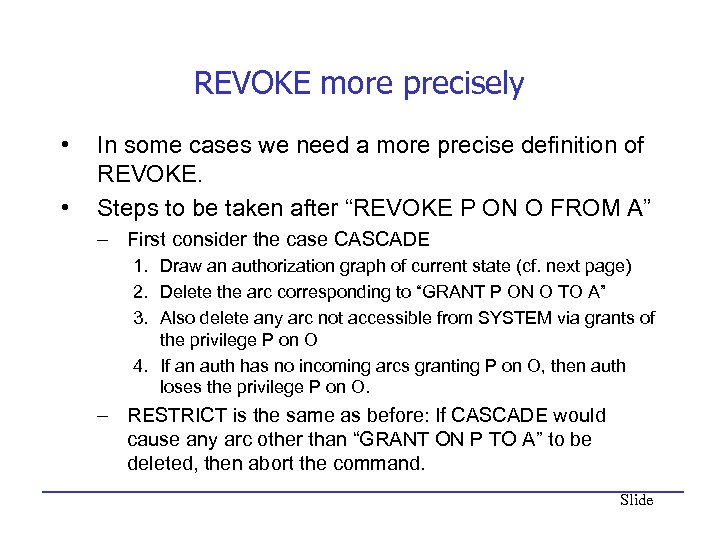 REVOKE more precisely • • In some cases we need a more precise definition of REVOKE. Steps to be taken after “REVOKE P ON O FROM A” – First consider the case CASCADE 1. Draw an authorization graph of current state (cf. next page) 2. Delete the arc corresponding to “GRANT P ON O TO A” 3. Also delete any arc not accessible from SYSTEM via grants of the privilege P on O 4. If an auth has no incoming arcs granting P on O, then auth loses the privilege P on O. – RESTRICT is the same as before: If CASCADE would cause any arc other than “GRANT ON P TO A” to be deleted, then abort the command. Slide
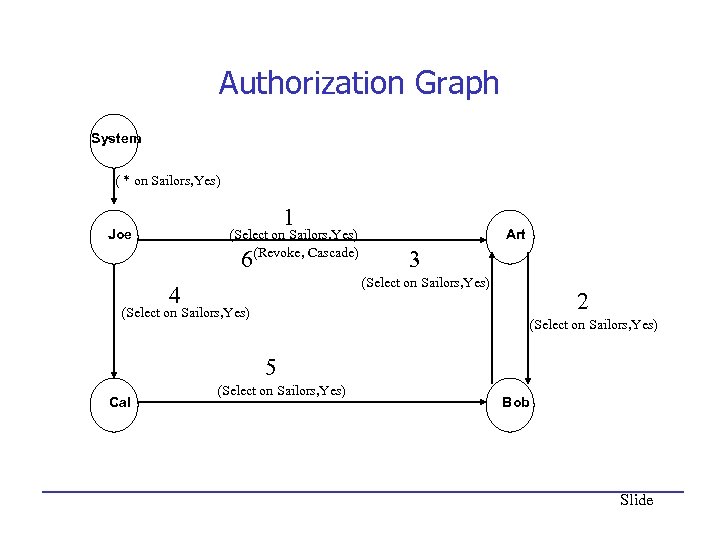 Authorization Graph System ( * on Sailors, Yes) 1 Joe (Select on Sailors, Yes) (Revoke, Cascade) 6 Art 3 (Select on Sailors, Yes) 4 (Select on Sailors, Yes) 2 (Select on Sailors, Yes) 5 Cal (Select on Sailors, Yes) Bob Slide
 GRANT/REVOKE on Views • The creator of a view only has a privilege on the view if s/he has it on every component of the view. – In particular, must have SELECT on all components to create the view – If the creator of a view loses the SELECT privilege on an underlying table, the view is dropped! • If the creator of a view loses a privilege held with the grant option on an underlying table, (s)he loses the privilege on the view as well; so do users who were granted that privilege on the view! Slide
 View Example • Len is the creator of author. Suppose these statements are executed. – Len: GRANT SELECT ON author TO Vijay WITH GRANT OPTION – Len: GRANT SELECT ON author TO Pratibha WITH GRANT OPTION – Pratibha: GRANT SELECT ON author TO Vijay WITH GRANT OPTION – Vijay: CREATE VIEW ta AS SELECT * FROM AUTHOR A WHERE A. age < 30 – Len: REVOKE SELECT ON author FROM Vijay CASCADE – Len: REVOKE SELECT ON author FROM Pratibha RESTRICT • What privileges does Vijay have on author, ta? • What privileges does Pratibha have on author, ta? Slide
 Role-Based Authorization • In SQL-92, privileges are actually assigned to authorization ids, which can denote a single user or a group of users. • In SQL: 1999 privileges are assigned to roles. – – – Roles can then be granted to users and to other roles. Reflects how real organizations work. Illustrates how standards often catch up with “de facto” standards embodied in popular systems. Slide
 Security to the Level of a Field! • Can create a view that only returns one field of one tuple. (How? ) • Then grant access to that view accordingly. • Allows for arbitrary granularity of control, but: – – Clumsy to specify, though this can be hidden under a good UI Performance is unacceptable if we need to define fieldgranularity access frequently. (Too many view creations and look-ups. ) Slide
 Mandatory Access Control • Based on system-wide policies that cannot be changed by individual users. – – – Each DB object is assigned a security class. Each subject (user or user program) is assigned a clearance for a security class. Rules based on security classes and clearances govern who can read/write which objects. • Most commercial systems do not support mandatory access control. Versions of some DBMSs do support it; used for specialized (e. g. , military) applications. Slide
 Why Mandatory Control? • Discretionary control has some flaws, e. g. , the Trojan horse problem: – – – Justin has access to secret information that Dick wants to know. Dick creates a table called Secret and gives INSERT privileges to Justin (who doesn’t know about this). Dick modifes the code of a database application program used by Justin to additionally write some secret data to table Secret. • – This requires hacking the OS security system a bit. Now, Dick can see the secret data. • The modification of the code is beyond the DBMSs control, but it can try and prevent the use of the database as a channel for secret information. Slide
 Bell-La. Padula Model • Objects (e. g. , tables, views, tuples) • Subjects (e. g. , users, user programs) • Security classes: – Top secret (TS), secret (S), confidential (C), unclassified (U): TS > S> C > U • Each object and subject is assigned a class. – – Subject S can read object O only if class(S) >= class(O) (Simple Security Property) Subject S can write object O only if class(S) <= class(O) (*Property) Slide
 Intuition • Idea is to ensure that information can never flow from a higher to a lower security level. • E. g. , If Dick is cleared for security class C, Justin for class S, and the secret information has class S: – – – Dick’s table, Secret, has Dick’s clearance, C. Justin’s application has his clearance, S. So, the database application cannot write into table Secret. • The mandatory access control rules are applied in addition to any discretionary controls that are in effect. Slide
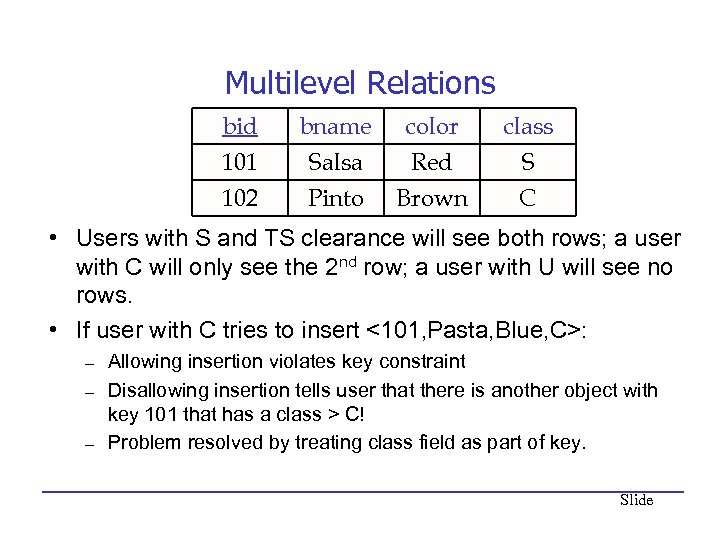 Multilevel Relations bid 101 102 bname Salsa Pinto color Red Brown class S C • Users with S and TS clearance will see both rows; a user with C will only see the 2 nd row; a user with U will see no rows. • If user with C tries to insert <101, Pasta, Blue, C>: – – – Allowing insertion violates key constraint Disallowing insertion tells user that there is another object with key 101 that has a class > C! Problem resolved by treating class field as part of key. Slide
 Polyinstantiation • Consider previous table with <101, Pasta, Blue, C> inserted. • What is the color of boat with bid=101? – Only the highest visible security level exists. – Both exist – The proper policy is chosen according to the semantics of the application • Notice that the answer to the question depends on your clearances. This is called polyinstantiation. Slide
 Internet-Oriented Security • Key Issues: User authentication and trust. – When DB must be accessed from a secure location, passwordbased schemes are usually adequate. • For access over an external network, trust is hard to achieve. – If someone with Sam’s credit card wants to buy from you, how can you be sure it is not someone who stole his card? – How can Sam be sure that the screen for entering his credit card information is indeed yours, and not some rogue site spoofing you (to steal such information)? How can he be sure that sensitive information is not “sniffed” while it is being sent over the network to you? • Encryption is a technique used to address these issues. Slide
 Encryption • “Masks” data for secure transmission or storage – Encrypt(data, encryption key) = encrypted data – Decrypt(encrypted data, decryption key) = original data – Without decryption key, the encrypted data is meaningless gibberish • Symmetric Encryption: – Encryption key = decryption key; all authorized users know decryption key (a weakness). – DES, used since 1977, has 56 -bit key; AES has 128 -bit (optionally, 192 -bit or 256 -bit) key • Public-Key Encryption: Each user has two keys: – User’s public encryption key: Known to all – Decryption key: Known only to this user – Used in RSA scheme (Turing Award!) Slide
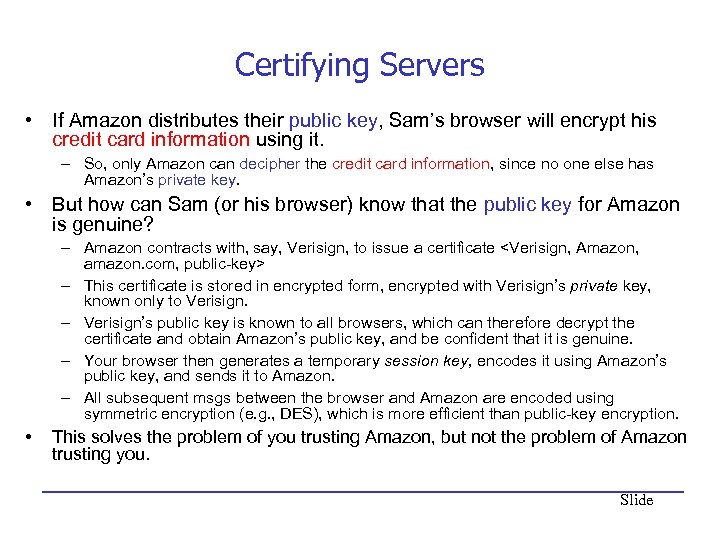 Certifying Servers • If Amazon distributes their public key, Sam’s browser will encrypt his credit card information using it. – So, only Amazon can decipher the credit card information, since no one else has Amazon’s private key. • But how can Sam (or his browser) know that the public key for Amazon is genuine? – Amazon contracts with, say, Verisign, to issue a certificate
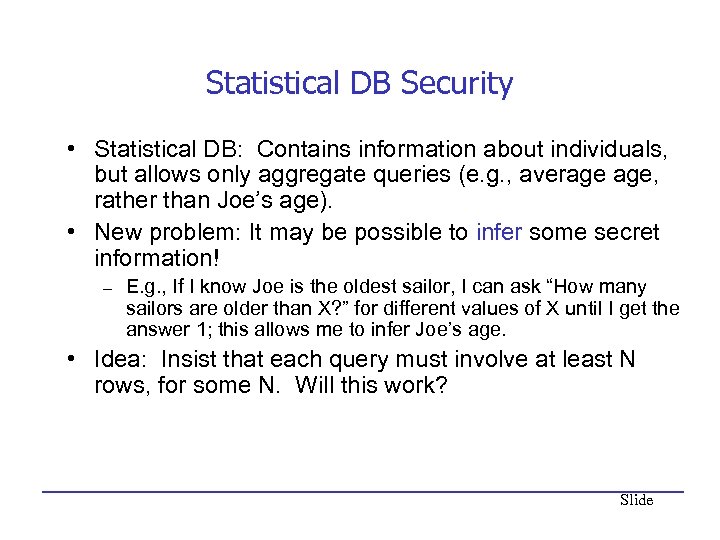 Statistical DB Security • Statistical DB: Contains information about individuals, but allows only aggregate queries (e. g. , average age, rather than Joe’s age). • New problem: It may be possible to infer some secret information! – E. g. , If I know Joe is the oldest sailor, I can ask “How many sailors are older than X? ” for different values of X until I get the answer 1; this allows me to infer Joe’s age. • Idea: Insist that each query must involve at least N rows, for some N. Will this work? Slide
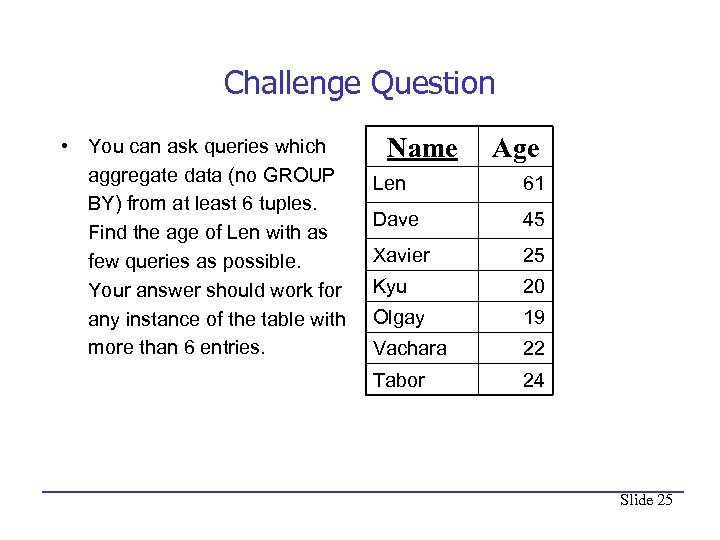 Challenge Question • You can ask queries which aggregate data (no GROUP BY) from at least 6 tuples. Find the age of Len with as few queries as possible. Your answer should work for any instance of the table with more than 6 entries. Name Age Len 61 Dave 45 Xavier 25 Kyu 20 Olgay 19 Vachara 22 Tabor 24 Slide 25
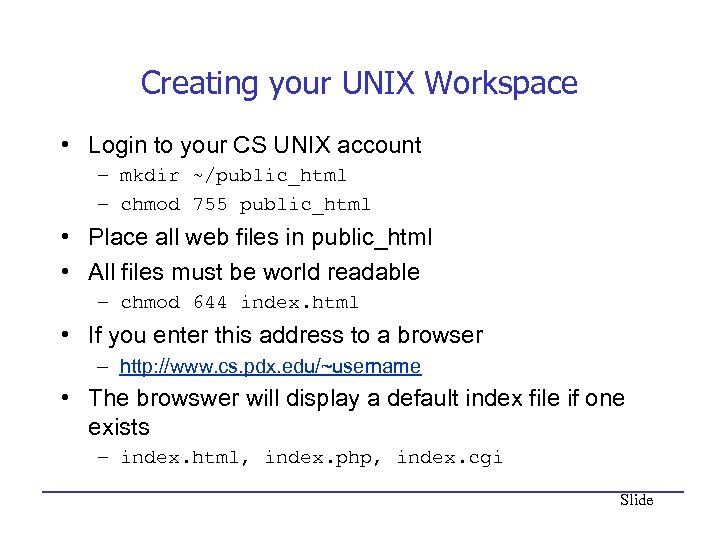 Creating your UNIX Workspace • Login to your CS UNIX account – mkdir ~/public_html – chmod 755 public_html • Place all web files in public_html • All files must be world readable – chmod 644 index. html • If you enter this address to a browser – http: //www. cs. pdx. edu/~username • The browswer will display a default index file if one exists – index. html, index. php, index. cgi Slide
 What is PHP? • Recursive acronym for “PHP: Hypertext Preprocessor” • Widely used Open Source general-purpose scripting language – Scripting language: programing language that controls software applications. • Specially suited for Web development • Can be embedded into HTML • There may well be better scripting languages, but I think PHP is the easiest to learn. Slide
 Some Advantages of PHP • Runs on all major OS’s: MS Windows, Solaris, major UNIX and Linux variants, Mac OS’s • Runs on all major web servers: Apache, MS IIS, i. Planet, … • Has support for all major DBMSs: My SQL, Postgres, Oracle, SQL Server, DB 2, … • Simple to learn basics, especially for those knowing other languages like C/C++ • Lots of advanced features for professional programmers • Also available for command line scripting and gui applications (PHP-GTK) Slide
 HTML • HTML - Hyper Text Markup Language • Way to explain document structure (not presentation!) – Structure is title, paragraph, section – Use CSS for presentation, e. g. , font size, bold, bullets, margins • • Tries to be device independent Outside the scope of this lecture HTML Tutorials: http: //w 3. org/Mark. Up/#tutorials A Caveman's Introduction to HTML and Related Tools: http: //www. cat. pdx. edu/~johnj/talks/show. php/intro. HTML Slide
 HTML Requests • Client sends HTTP request from browser to web server • Server locates pages and transmit back to client • Browser renders webpage from html Slide
 PHP Requests • PHP executed by server and HTML sent back to server Slide
 PHP is a Server-Side Language • PHP code is surrounded by start and end tags • Preprocessing jumps in and out of PHP “mode” – Replaces ALL PHP with HTML • Finally, HTML is sent back to browser Slide
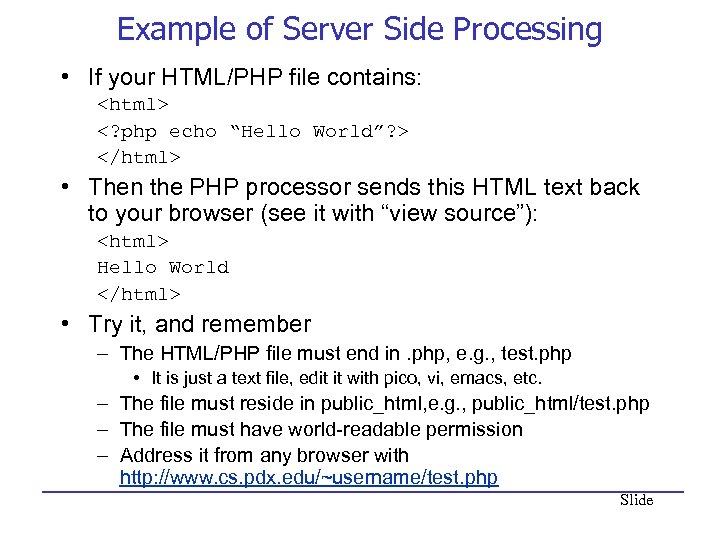 Example of Server Side Processing • If your HTML/PHP file contains: • Then the PHP processor sends this HTML text back to your browser (see it with “view source”): Hello World • Try it, and remember – The HTML/PHP file must end in. php, e. g. , test. php • It is just a text file, edit it with pico, vi, emacs, etc. – The file must reside in public_html, e. g. , public_html/test. php – The file must have world-readable permission – Address it from any browser with http: //www. cs. pdx. edu/~username/test. php Slide
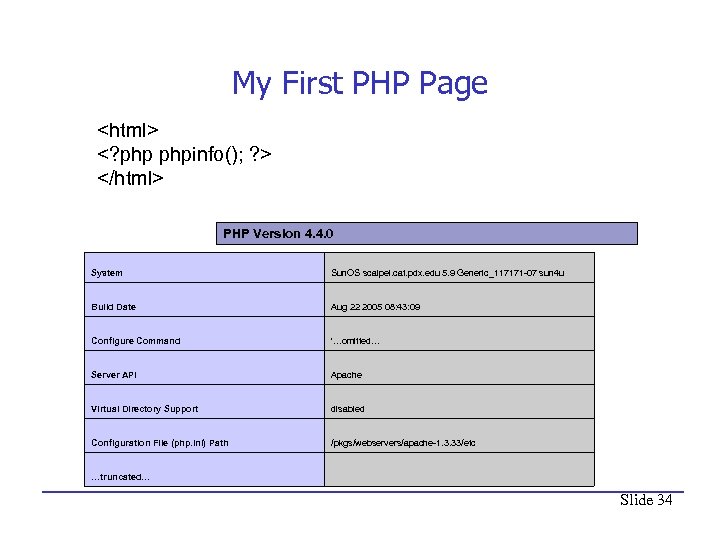 My First PHP Page PHP Version 4. 4. 0 System Sun. OS scalpel. cat. pdx. edu 5. 9 Generic_117171 -07 sun 4 u Build Date Aug 22 2005 08: 43: 09 Configure Command '…omitted… Server API Apache Virtual Directory Support disabled Configuration File (php. ini) Path /pkgs/webservers/apache-1. 3. 33/etc …truncated… Slide 34
 PHP Language Basics • Tutorial: http: //us 2. php. net/tut. php • Language Reference: http: //us 2. php. net/manual/en/langref. php Slide
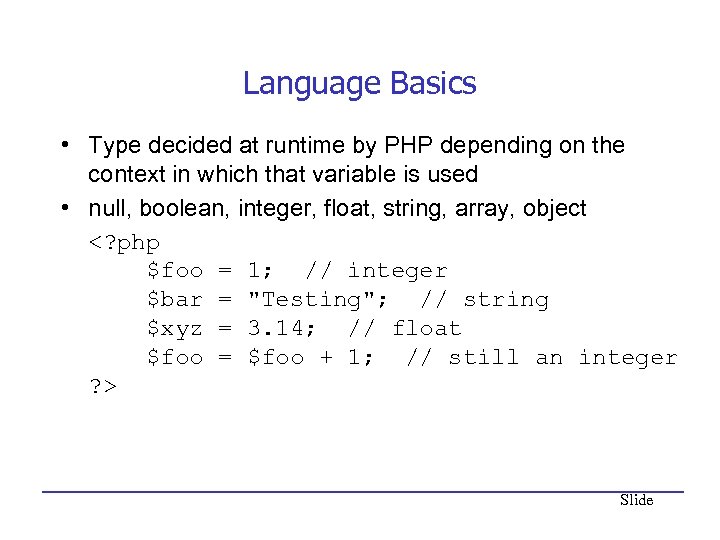 Language Basics • Type decided at runtime by PHP depending on the context in which that variable is used • null, boolean, integer, float, string, array, object Slide
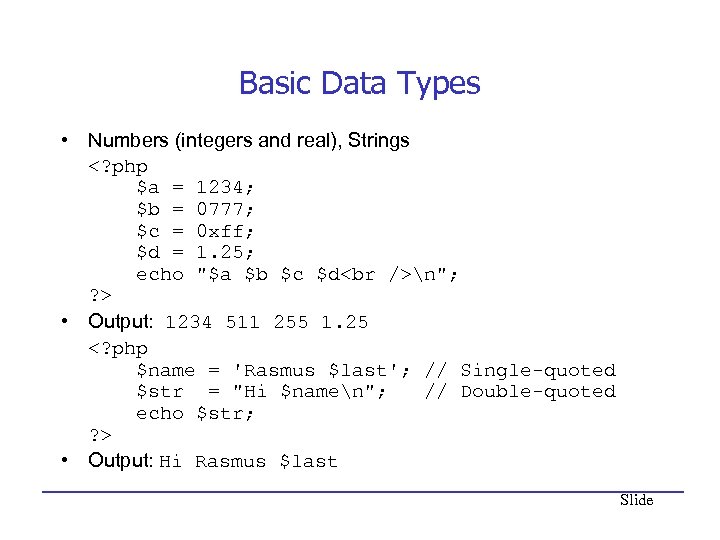 Basic Data Types • Numbers (integers and real), Strings n"; ? > • Output: 1234 511 255 1. 25 • Output: Hi Rasmus $last Slide
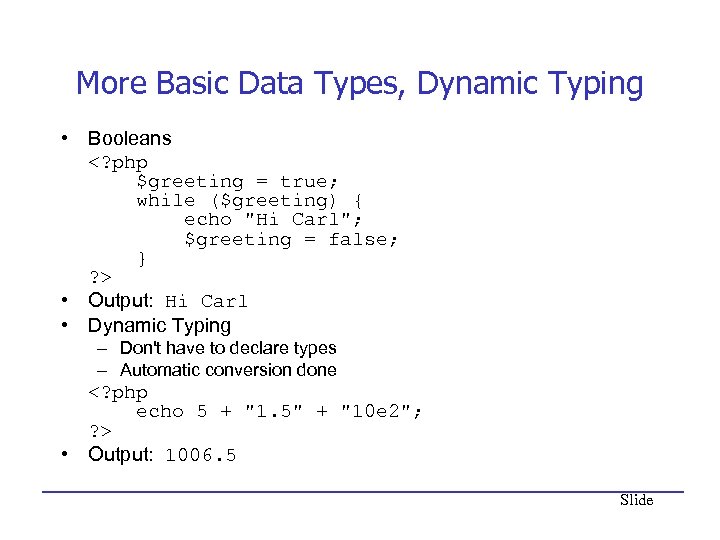 More Basic Data Types, Dynamic Typing • Booleans • Output: Hi Carl • Dynamic Typing – Don't have to declare types – Automatic conversion done • Output: 1006. 5 Slide
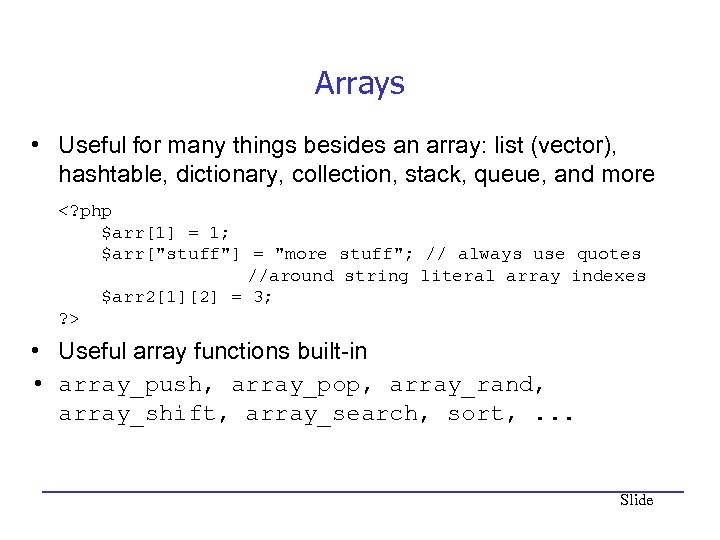 Arrays • Useful for many things besides an array: list (vector), hashtable, dictionary, collection, stack, queue, and more • Useful array functions built-in • array_push, array_pop, array_rand, array_shift, array_search, sort, . . . Slide
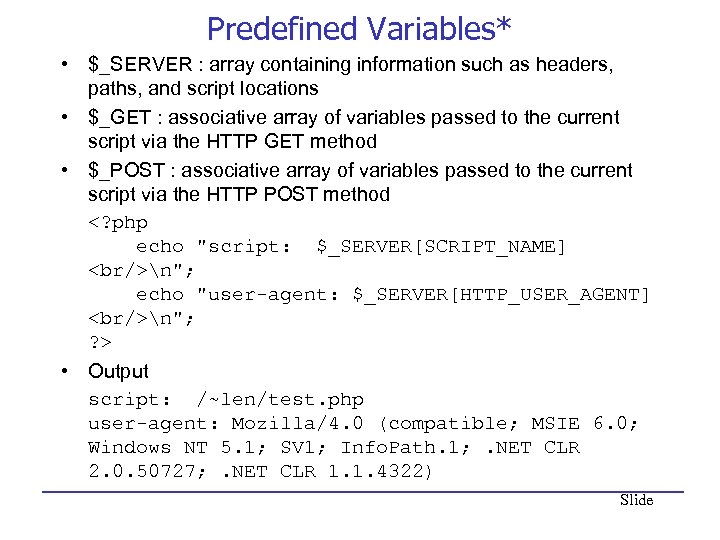 Predefined Variables* • $_SERVER : array containing information such as headers, paths, and script locations • $_GET : associative array of variables passed to the current script via the HTTP GET method • $_POST : associative array of variables passed to the current script via the HTTP POST method n"; echo "user-agent: $_SERVER[HTTP_USER_AGENT]
n"; ? > • Output script: /~len/test. php user-agent: Mozilla/4. 0 (compatible; MSIE 6. 0; Windows NT 5. 1; SV 1; Info. Path. 1; . NET CLR 2. 0. 50727; . NET CLR 1. 1. 4322) Slide
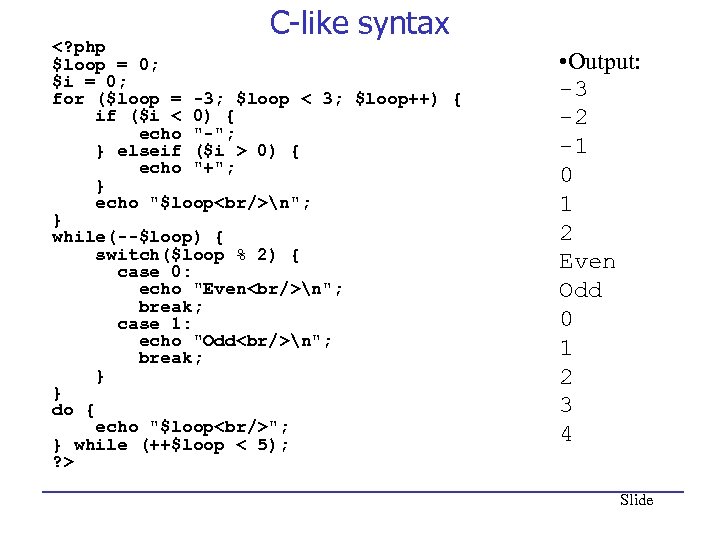 C-like syntax 0) { echo "+"; } echo "$loop
n"; } while(--$loop) { switch($loop % 2) { case 0: echo "Even
n"; break; case 1: echo "Odd
n"; break; } } do { echo "$loop
"; } while (++$loop < 5); ? > • Output: -3 -2 -1 0 1 2 Even Odd 0 1 2 3 4 Slide
You are using Internet" src="https://present5.com/presentation/c3774f934b8c8d8e120ac4d9dcc3e729/image-42.jpg" alt="Syntax and Switching Modes You are using Internet" />
Syntax and Switching Modes You are using Internet Explorer You are not using Internet Explorer Slide
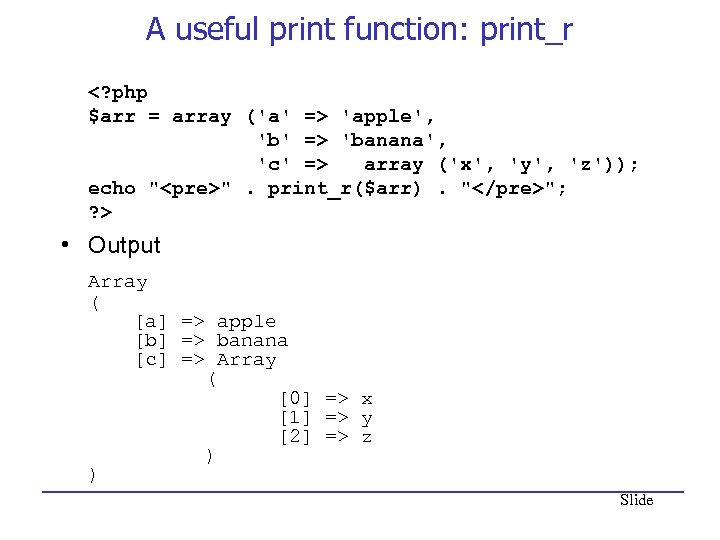 A useful print function: print_r 'apple', 'b' => 'banana', 'c' => array ('x', 'y', 'z')); echo "
". print_r($arr). ""; ? > • Output Array ( [a] => apple [b] => banana [c] => Array ( [0] => x [1] => y [2] => z ) ) Slide
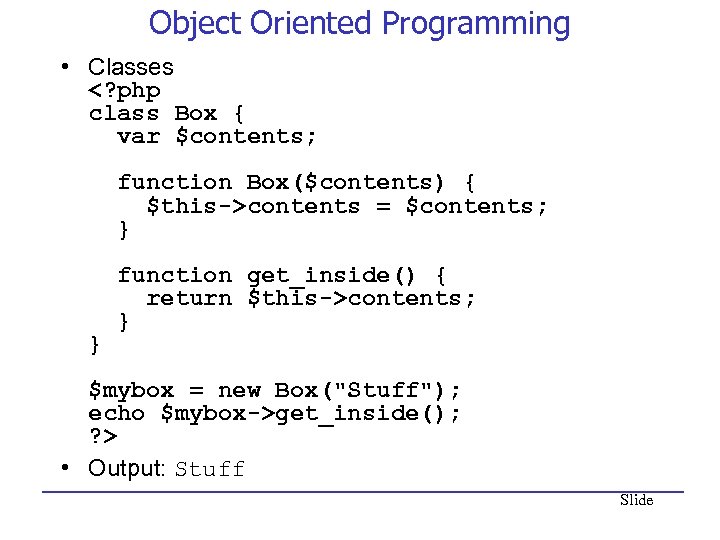 Object Oriented Programming • Classes contents = $contents; } function get_inside() { return $this->contents; } } $mybox = new Box("Stuff"); echo $mybox->get_inside(); ? > • Output: Stuff Slide
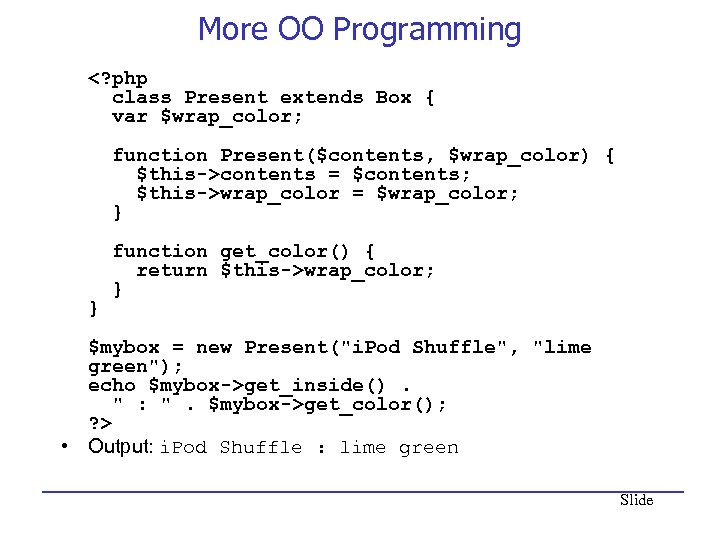 More OO Programming contents = $contents; $this->wrap_color = $wrap_color; } function get_color() { return $this->wrap_color; } } $mybox = new Present("i. Pod Shuffle", "lime green"); echo $mybox->get_inside(). " : ". $mybox->get_color(); ? > • Output: i. Pod Shuffle : lime green Slide
" method="POST"> Your name: " method="POST"> Your name:
HTML Forms
![How to Manage Forms Hi <? echo $_POST['name'] ? >. You are <? echo](https://present5.com/presentation/c3774f934b8c8d8e120ac4d9dcc3e729/image-47.jpg "How to Manage Forms Hi <? echo $_POST['name'] ? >. You are <? echo") How to Manage Forms Hi . You are years old. Slide
How to Manage Forms Hi . You are years old. Slide
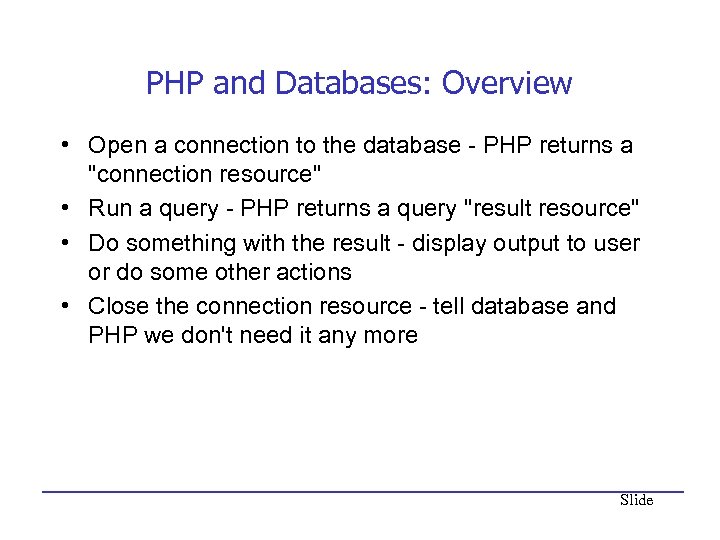 PHP and Databases: Overview • Open a connection to the database - PHP returns a "connection resource" • Run a query - PHP returns a query "result resource" • Do something with the result - display output to user or do some other actions • Close the connection resource - tell database and PHP we don't need it any more Slide
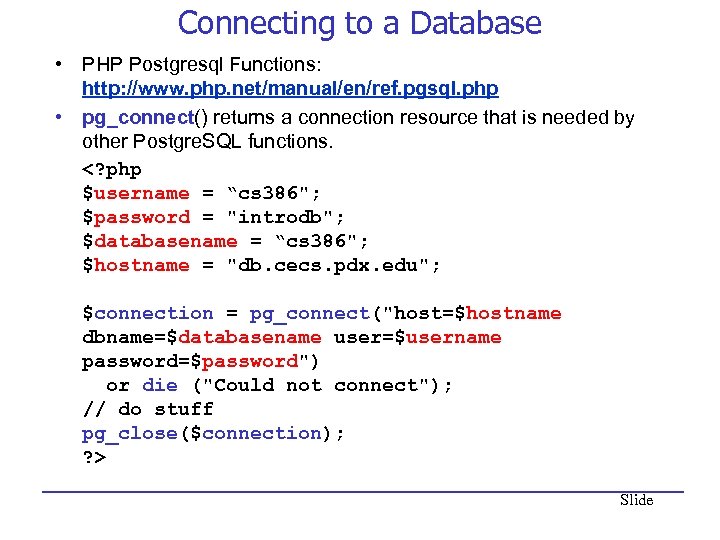 Connecting to a Database • PHP Postgresql Functions: http: //www. php. net/manual/en/ref. pgsql. php • pg_connect() returns a connection resource that is needed by other Postgre. SQL functions. Slide
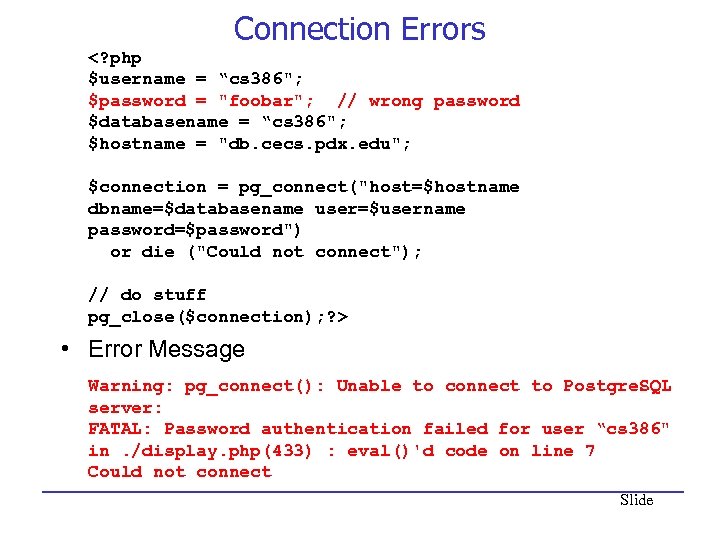 Connection Errors • Error Message Warning: pg_connect(): Unable to connect to Postgre. SQL server: FATAL: Password authentication failed for user “cs 386" in. /display. php(433) : eval()'d code on line 7 Could not connect Slide
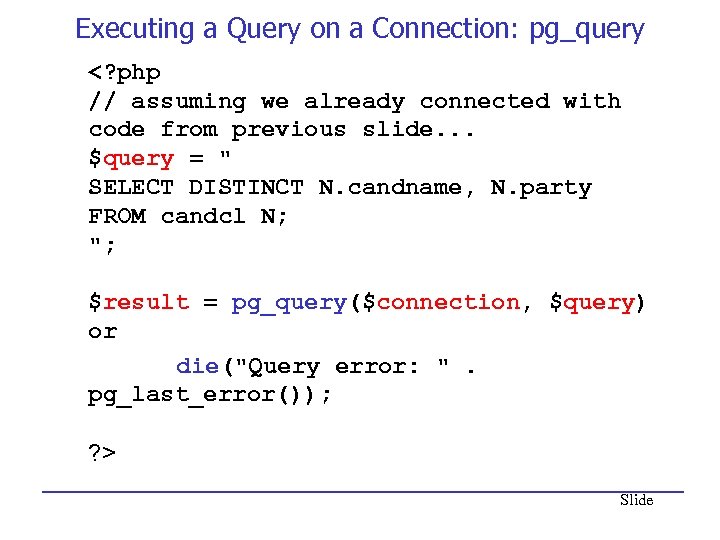 Executing a Query on a Connection: pg_query Slide
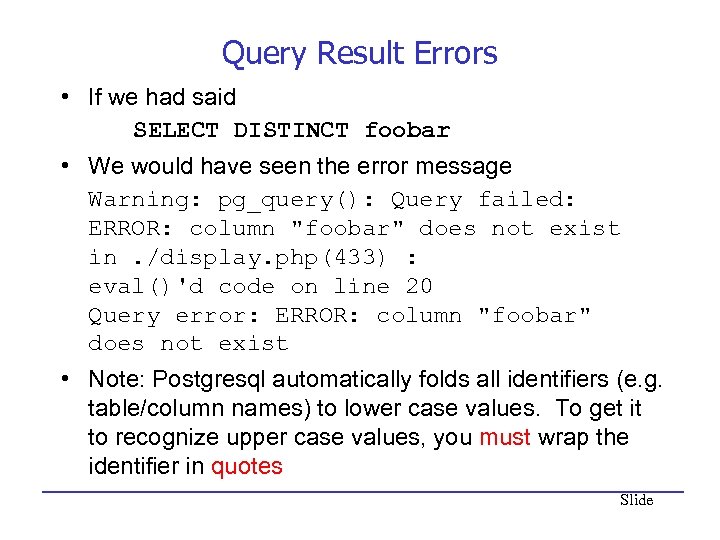 Query Result Errors • If we had said SELECT DISTINCT foobar • We would have seen the error message Warning: pg_query(): Query failed: ERROR: column "foobar" does not exist in. /display. php(433) : eval()'d code on line 20 Query error: ERROR: column "foobar" does not exist • Note: Postgresql automatically folds all identifiers (e. g. table/column names) to lower case values. To get it to recognize upper case values, you must wrap the identifier in quotes Slide
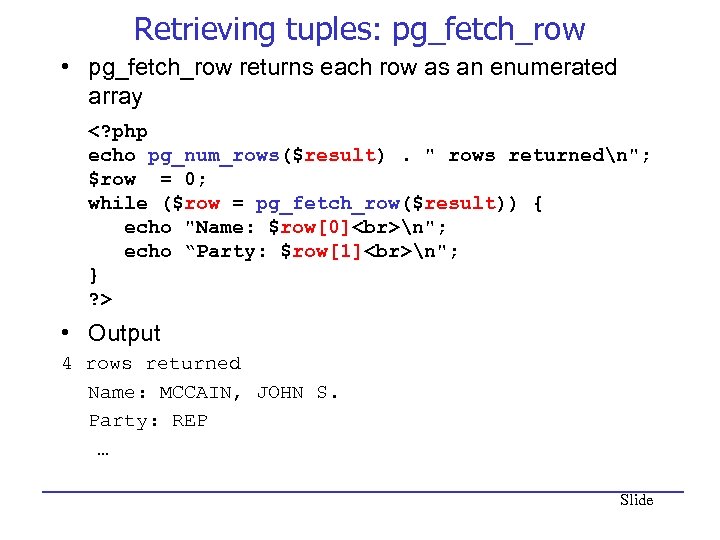 Retrieving tuples: pg_fetch_row • pg_fetch_row returns each row as an enumerated array • Output 4 rows returned Name: MCCAIN, JOHN S. Party: REP … Slide
'; for($count=0; $count" src="https://present5.com/presentation/c3774f934b8c8d8e120ac4d9dcc3e729/image-54.jpg" alt="Fetching rows as objects '; for($count=0; $count" />
Fetching rows as objects '; for($count=0; $count < $num && $data=pg_fetch_object($result, $count); $count++){ printf("
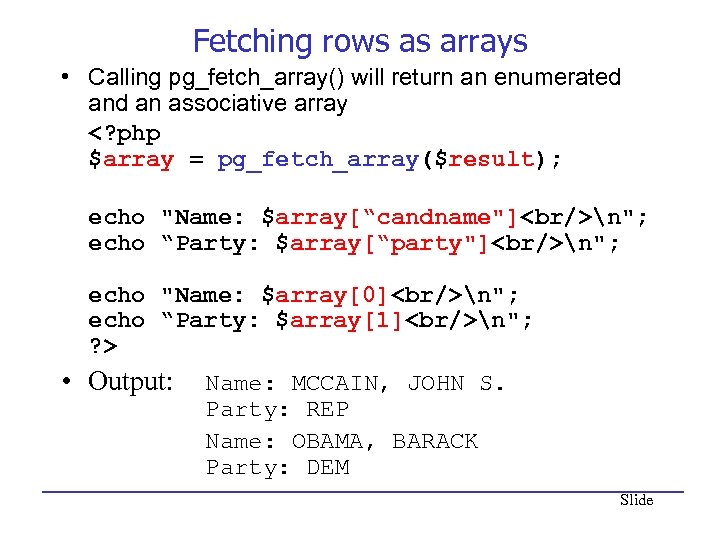 Fetching rows as arrays • Calling pg_fetch_array() will return an enumerated an associative array n"; echo “Party: $array[“party"]
n"; echo "Name: $array[0]
n"; echo “Party: $array[1]
n"; ? > • Output: Name: MCCAIN, JOHN S. Party: REP Name: OBAMA, BARACK Party: DEM Slide
n"; echo “Party: $row[1]
n"; } mysql_close($connection); ? > Slide
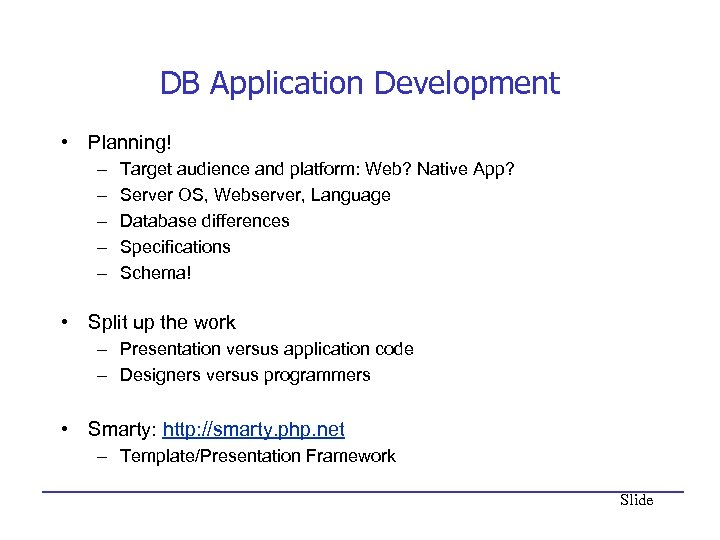 DB Application Development • Planning! – – – Target audience and platform: Web? Native App? Server OS, Webserver, Language Database differences Specifications Schema! • Split up the work – Presentation versus application code – Designers versus programmers • Smarty: http: //smarty. php. net – Template/Presentation Framework Slide
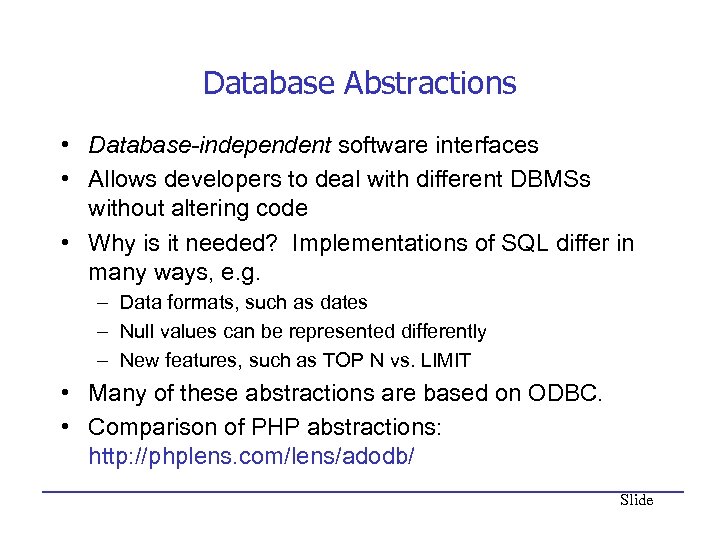 Database Abstractions • Database-independent software interfaces • Allows developers to deal with different DBMSs without altering code • Why is it needed? Implementations of SQL differ in many ways, e. g. – Data formats, such as dates – Null values can be represented differently – New features, such as TOP N vs. LIMIT • Many of these abstractions are based on ODBC. • Comparison of PHP abstractions: http: //phplens. com/lens/adodb/ Slide
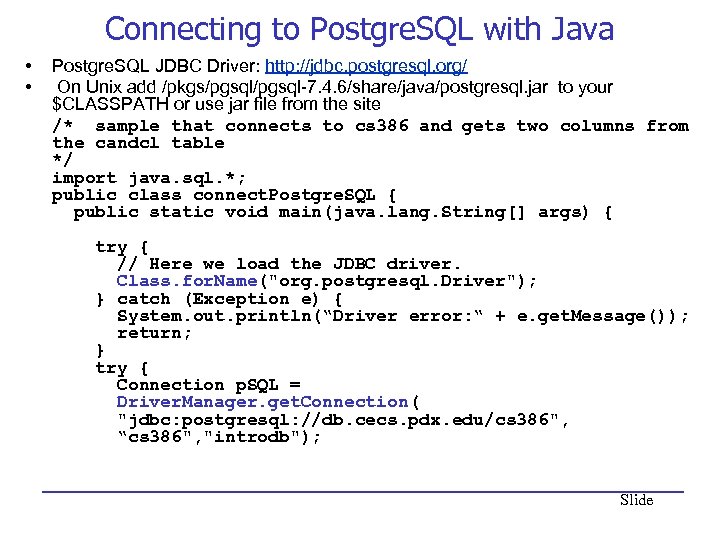 Connecting to Postgre. SQL with Java • • Postgre. SQL JDBC Driver: http: //jdbc. postgresql. org/ On Unix add /pkgs/pgsql-7. 4. 6/share/java/postgresql. jar to your $CLASSPATH or use jar file from the site /* sample that connects to cs 386 and gets two columns from the candcl table */ import java. sql. *; public class connect. Postgre. SQL { public static void main(java. lang. String[] args) { try { // Here we load the JDBC driver. Class. for. Name("org. postgresql. Driver"); } catch (Exception e) { System. out. println(“Driver error: “ + e. get. Message()); return; } try { Connection p. SQL = Driver. Manager. get. Connection( "jdbc: postgresql: //db. cecs. pdx. edu/cs 386", “cs 386", "introdb"); Slide
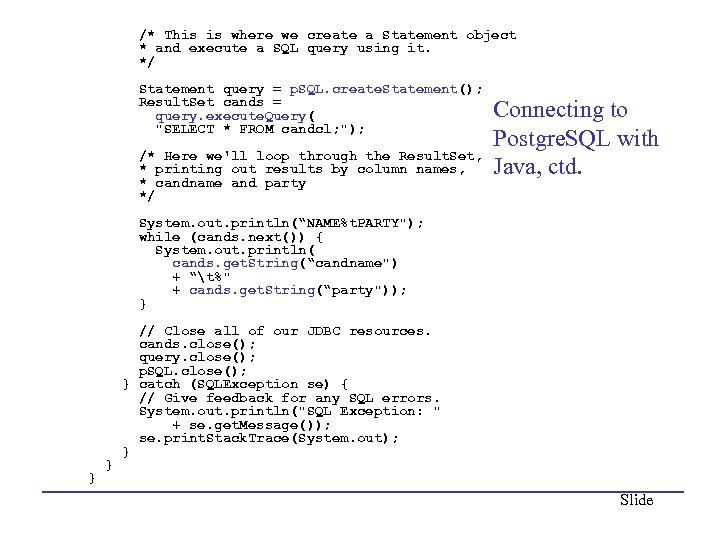 /* This is where we create a Statement object * and execute a SQL query using it. */ Statement query = p. SQL. create. Statement(); Result. Set cands = query. execute. Query( "SELECT * FROM candcl; "); /* Here we'll loop through the Result. Set, * printing out results by column names, * candname and party */ Connecting to Postgre. SQL with Java, ctd. System. out. println(“NAME%t. PARTY"); while (cands. next()) { System. out. println( cands. get. String(“candname") + “t%" + cands. get. String(“party")); } // Close all of our JDBC resources. cands. close(); query. close(); p. SQL. close(); } catch (SQLException se) { // Give feedback for any SQL errors. System. out. println("SQL Exception: " + se. get. Message()); se. print. Stack. Trace(System. out); } } } Slide
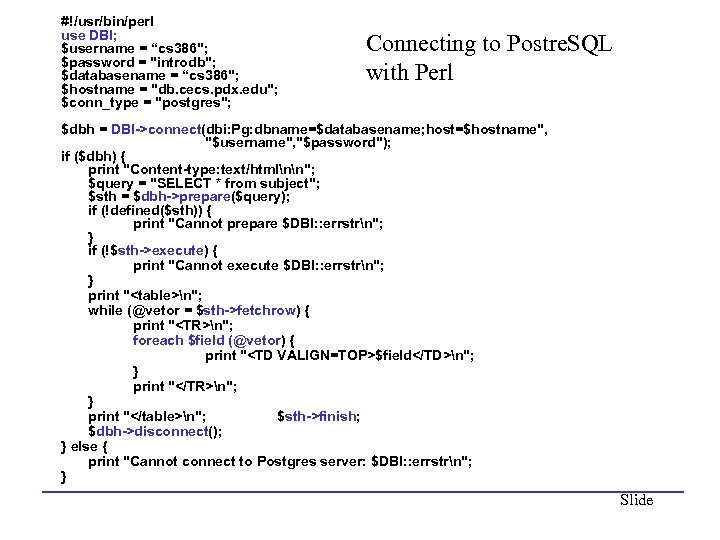 #!/usr/bin/perl use DBI; $username = “cs 386"; $password = "introdb"; $databasename = “cs 386"; $hostname = "db. cecs. pdx. edu"; $conn_type = "postgres"; Connecting to Postre. SQL with Perl $dbh = DBI->connect(dbi: Pg: dbname=$databasename; host=$hostname", "$username", "$password"); if ($dbh) { print "Content-type: text/htmlnn"; $query = "SELECT * from subject"; $sth = $dbh->prepare($query); if (!defined($sth)) { print "Cannot prepare $DBI: : errstrn"; } if (!$sth->execute) { print "Cannot execute $DBI: : errstrn"; } print "
| $field | n"; } print "
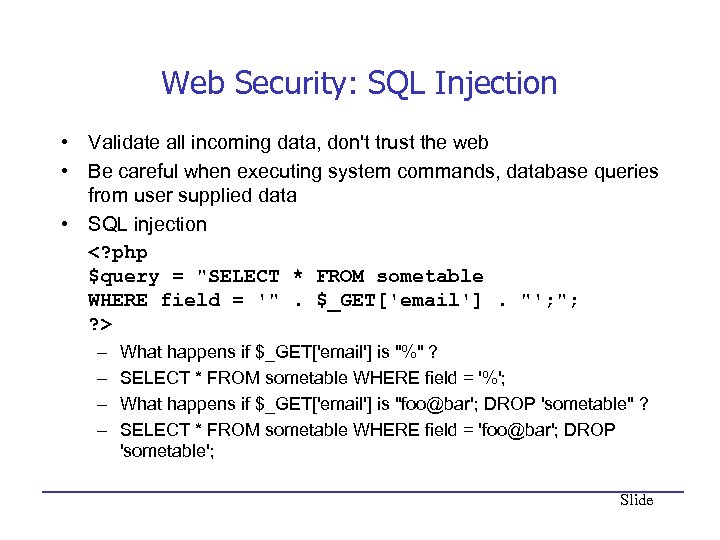 Web Security: SQL Injection • Validate all incoming data, don't trust the web • Be careful when executing system commands, database queries from user supplied data • SQL injection – – What happens if $_GET['email'] is "%" ? SELECT * FROM sometable WHERE field = '%'; What happens if $_GET['email'] is "foo@bar'; DROP 'sometable" ? SELECT * FROM sometable WHERE field = 'foo@bar'; DROP 'sometable'; Slide
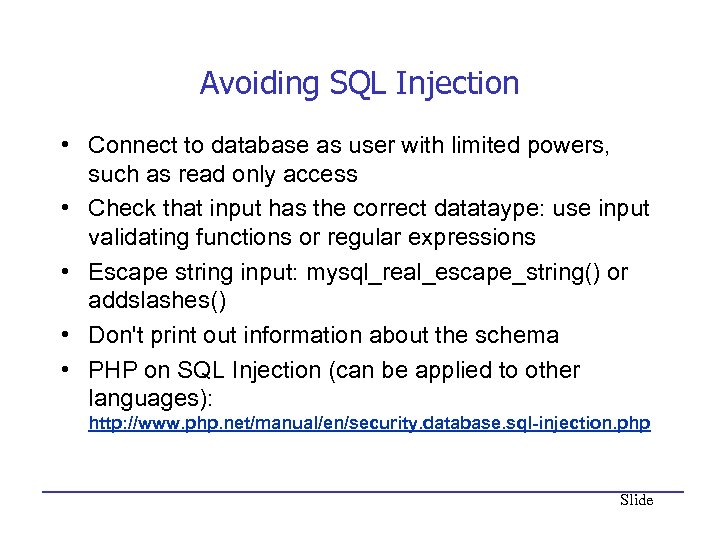 Avoiding SQL Injection • Connect to database as user with limited powers, such as read only access • Check that input has the correct datataype: use input validating functions or regular expressions • Escape string input: mysql_real_escape_string() or addslashes() • Don't print out information about the schema • PHP on SQL Injection (can be applied to other languages): http: //www. php. net/manual/en/security. database. sql-injection. php Slide
• Output: Sun Microsystems Inc. Sun. OS" src="https://present5.com/presentation/c3774f934b8c8d8e120ac4d9dcc3e729/image-64.jpg" alt="Reading a File
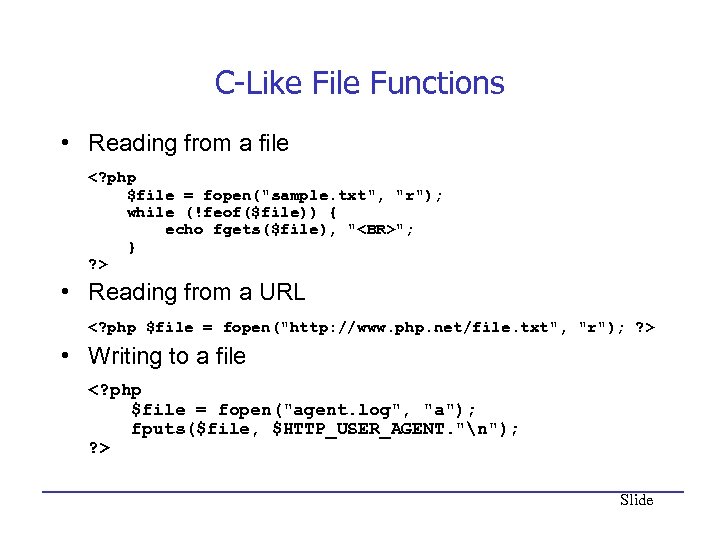 C-Like File Functions • Reading from a file "; } ? > • Reading from a URL • Writing to a file Slide
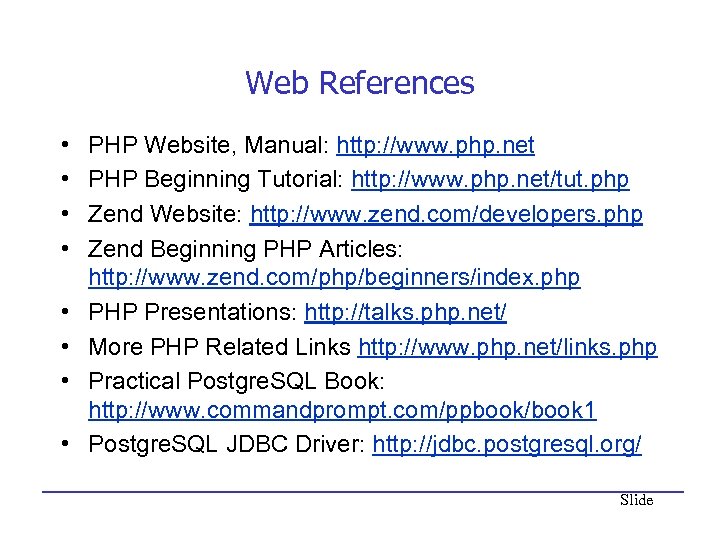 Web References • • PHP Website, Manual: http: //www. php. net PHP Beginning Tutorial: http: //www. php. net/tut. php Zend Website: http: //www. zend. com/developers. php Zend Beginning PHP Articles: http: //www. zend. com/php/beginners/index. php PHP Presentations: http: //talks. php. net/ More PHP Related Links http: //www. php. net/links. php Practical Postgre. SQL Book: http: //www. commandprompt. com/ppbook/book 1 Postgre. SQL JDBC Driver: http: //jdbc. postgresql. org/ Slide
 Book References • • • PHP and Postgre. SQL 8 Programming PHP Advanced PHP Programming Web Database Applications with PHP & My. SQL Learning PHP 5 Practical Postgresql (also available online, see previous page) Slide
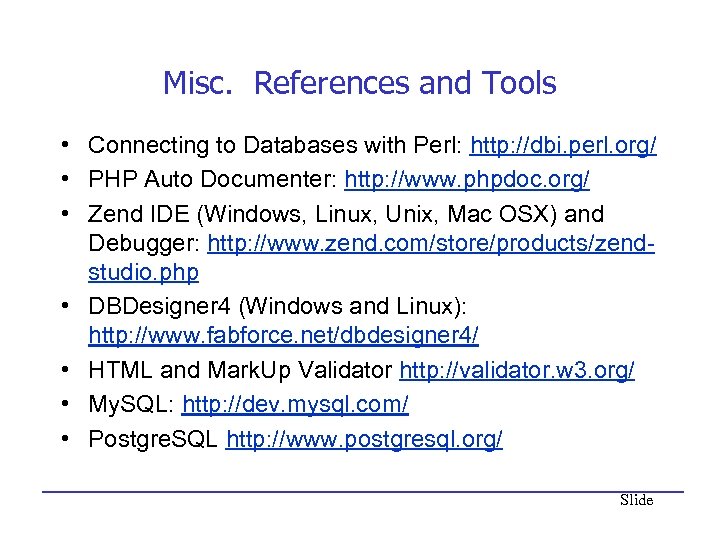 Misc. References and Tools • Connecting to Databases with Perl: http: //dbi. perl. org/ • PHP Auto Documenter: http: //www. phpdoc. org/ • Zend IDE (Windows, Linux, Unix, Mac OSX) and Debugger: http: //www. zend. com/store/products/zendstudio. php • DBDesigner 4 (Windows and Linux): http: //www. fabforce. net/dbdesigner 4/ • HTML and Mark. Up Validator http: //validator. w 3. org/ • My. SQL: http: //dev. mysql. com/ • Postgre. SQL http: //www. postgresql. org/ Slide