


 Скачать презентацию Lecture 12 Word Power Point Text processing
Lecture #11_ Text documents, Presentations.pptx
- Количество слайдов: 15
 Lecture 12 Word, Power. Point
 Text processing documents works with documents, saves texts in formatted form * Microsoft Word - premium, has its own format * Libre Office * Google Docs
 Latex Markup language which describes document (its formatting, images inside it). Widely used in science, since La. Tex have math formulas
![Latex code example documentclass[12 pt]{article} usepackage{amsmath} title{La. Te. X} date{} begin{document} maketitle La. Te.](https://present5.com/presentation/187592830_354356470/image-4.jpg "Latex code example documentclass[12 pt]{article} usepackage{amsmath} title{La. Te. X} date{} begin{document} maketitle La. Te.") Latex code example documentclass[12 pt]{article} usepackage{amsmath} title{La. Te. X} date{} begin{document} maketitle La. Te. X{} is a document preparation system for the Te. X{} typesetting program. It offers programmable desktop publishing features and extensive facilities for automating most aspects of typesetting and desktop publishing, including numbering and cross-referencing, tables and figures, page layout, bibliographies, and much more. % This is a comment, not shown in final output. % The following shows typesetting power of La. Te. X: begin{align} E_0 &= mc^2 \ E &= frac{mc^2}{sqrt{1frac{v^2}{c^2}}} end{align} end{document}
Latex code example documentclass[12 pt]{article} usepackage{amsmath} title{La. Te. X} date{} begin{document} maketitle La. Te. X{} is a document preparation system for the Te. X{} typesetting program. It offers programmable desktop publishing features and extensive facilities for automating most aspects of typesetting and desktop publishing, including numbering and cross-referencing, tables and figures, page layout, bibliographies, and much more. % This is a comment, not shown in final output. % The following shows typesetting power of La. Te. X: begin{align} E_0 &= mc^2 \ E &= frac{mc^2}{sqrt{1frac{v^2}{c^2}}} end{align} end{document}
 Header, Footer, Page Break Header (part above content) and Footer (part below content) is special parts of page, which contain static content, such as page number. Page Break - command that means that next content is located on next page http: //office. microsoft. com/en-001/word-help/insert-a-page-break-HA 010368779. aspx
 Links and Bookmarks (закладка) In text document we can create some text which work as a link to place in document. Place in document is denoted, where link redirects is called bookmark. http: //office. microsoft. com/en-us/word-help/add-or-delete-bookmarks-HP 001226532. aspx http: //wordprocessing. about. com/od/microsoftword 2007/a/2007 bookmarks. htm
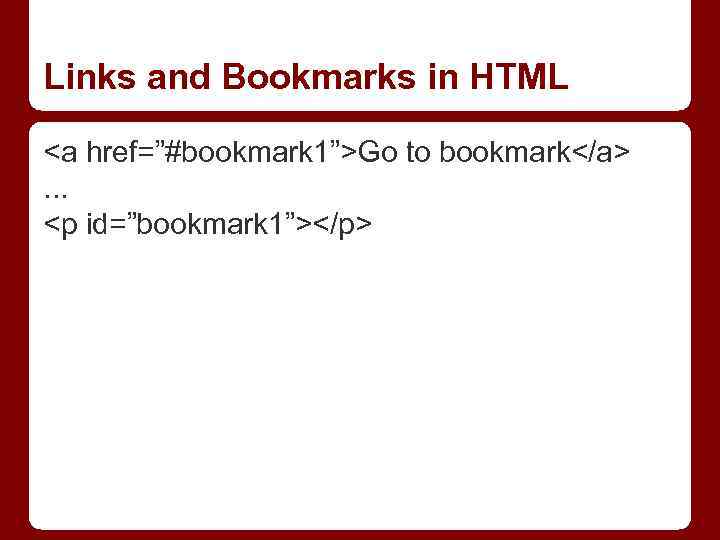 Links and Bookmarks in HTML Go to bookmark. . .
 Presentations Presentation software applications, which shows information in form of slide show. Presentations have: * slides * effects for transition between slides * effects in each slide
 Presentations Standard effects: * MS Power. Point (proprietary, only for Windows) * Libre. Office (open-source, free, for Linux, Mac, Windows) * Google Drive Presentation (web-based)
 Presentations (2): Prezi. com - as software, as web-application. New form of presentation
 HTML 5 presentations Based on HTML documents. So presentation is written with HTML. Special libraries written by javascript and CSS (learn on second semester) process this code and output this in web-browser with effects. Advantages: there is no need to install extra software, only browser
 HTML presentations: http: //www. sitepoint. com/5 -free-html 5 -presentation-systems/ * Reveal. js * Impress. js * Google Slides Template * Deck. js * Shower and many others Do not need to try all Try Impress or Google Slides Template
 Reg. Exp In computing, a regular expression (abbreviated regex or regexp) is a sequence of characters that forms a search pattern, mainly for use in pattern matching with strings, or string matching, i. e. "find and replace"-like operations.
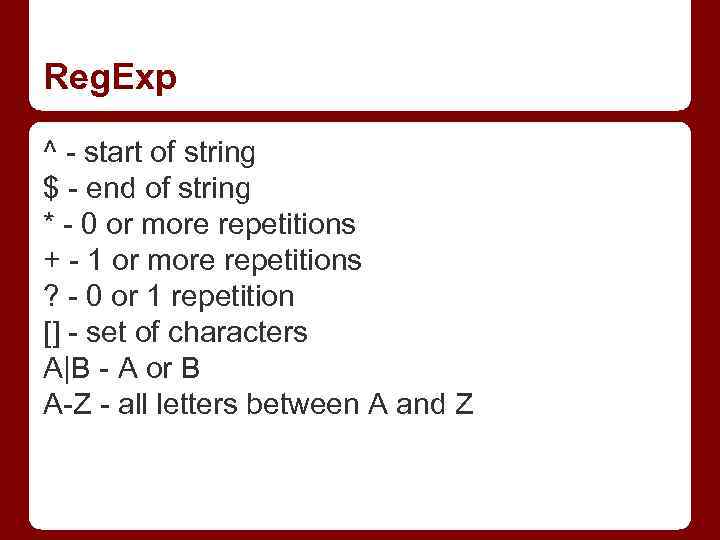 Reg. Exp ^ - start of string $ - end of string * - 0 or more repetitions + - 1 or more repetitions ? - 0 or 1 repetition [] - set of characters A|B - A or B A-Z - all letters between A and Z
![Python usage import re x = “Kazakhstan Russia; China” a = re. split(“[; ]”,](https://present5.com/presentation/187592830_354356470/image-15.jpg "Python usage import re x = “Kazakhstan Russia; China” a = re. split(“[; ]”,") Python usage import re x = “Kazakhstan Russia; China” a = re. split(“[; ]”, x) print a a = re. findall(“[A-Za-z]+stan”, text) print a
Python usage import re x = “Kazakhstan Russia; China” a = re. split(“[; ]”, x) print a a = re. findall(“[A-Za-z]+stan”, text) print a