


 Скачать презентацию Leading the Trend in Scientific Computation using MATFOR
0fdffa1f5a76988d407dfae9c79b1207.ppt
- Количество слайдов: 68
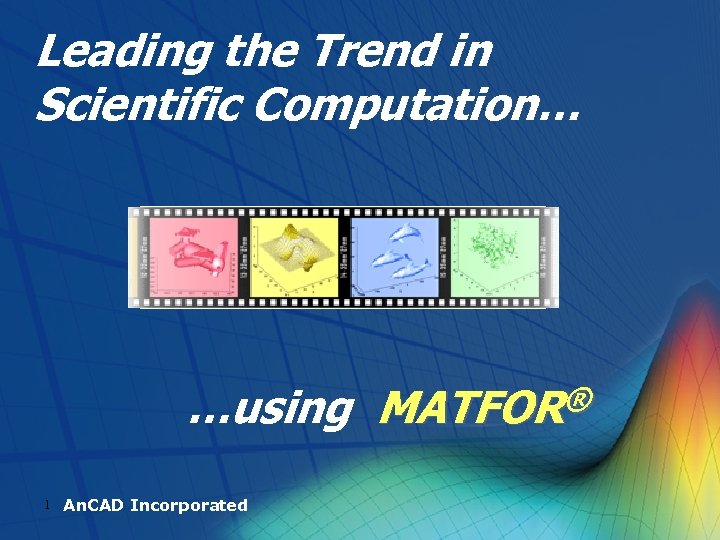 Leading the Trend in Scientific Computation… …using MATFOR® 1 An. CAD Incorporated
 Things You Must Know If You’re Thinking about Visualizing and Animating Your Simulation in Fortran and C++ Environments… 2 An. CAD Incorporated
 The Demands Are you keeping up with the trend of dynamic visualization? l Do you know it can be done within a few lines of codes without any windows programming or graphics initialization? l Over 70% of effort is wasted on post-processing. Are you looking into data processing at run-time? l Lots of researchers are already using interactive movie presentation. Are you still presenting your work with static graphs? l 3
 - MATFOR®A Simple Yet Powerful Solution to Meet Your Needs! 4 An. CAD Incorporated
 What’s MATFOR® ? l MATFOR® is a set of numerical and visualization libraries especially designed for programmers in scientific computing field. l MATFOR® is a new generation graphics library fully exploiting the modules and the array features of Fortran 90/95 and C++ languages. l MATFOR® is a collection of high-level graphical procedures developed with the mission of reducing time spent on the program development. 5
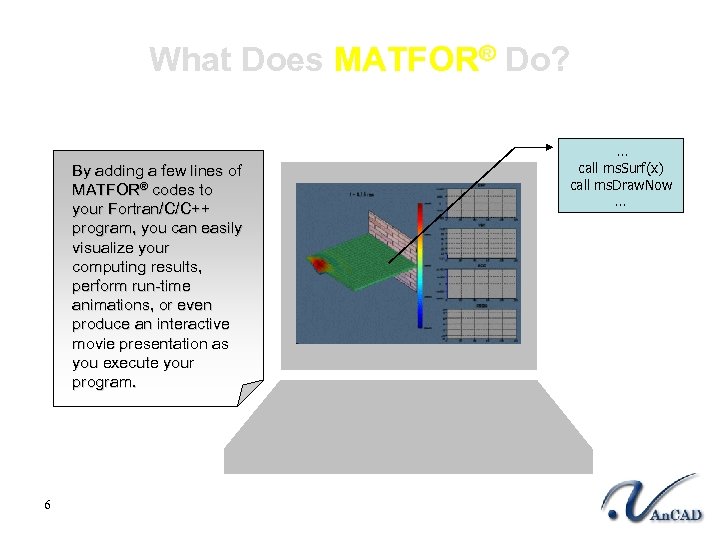 What Does MATFOR® Do? By adding a few lines of MATFOR® codes to your Fortran/C/C++ program, you can easily visualize your computing results, perform run-time animations, or even produce an interactive movie presentation as you execute your program. 6 … call ms. Surf(x) call ms. Draw. Now …
 Why Use MATFOR®? l l Real-Time Animation l Runtime Data Manipulation l Interactive Movie Presentation l Simplicity l 7 Advanced 3 D Visualization Standalone
 Reasons that Make ® Standout MATFOR from Others 8 An. CAD Incorporated
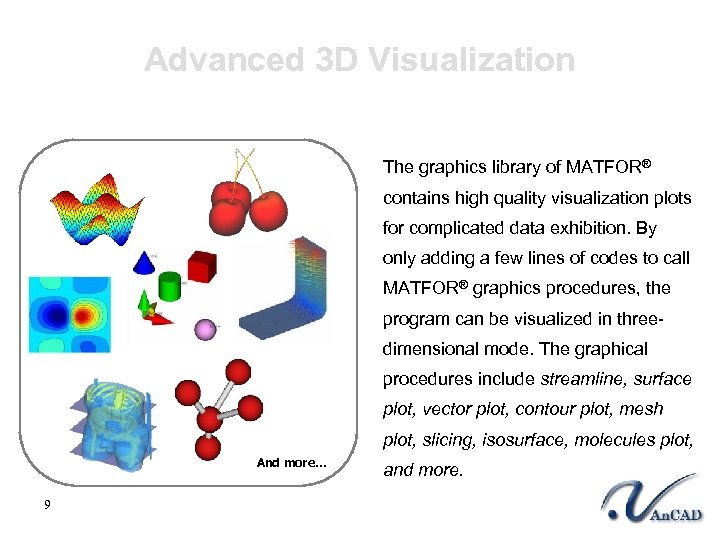 Advanced 3 D Visualization The graphics library of MATFOR® contains high quality visualization plots for complicated data exhibition. By only adding a few lines of codes to call MATFOR® graphics procedures, the program can be visualized in threedimensional mode. The graphical procedures include streamline, surface plot, vector plot, contour plot, mesh plot, slicing, isosurface, molecules plot, And more… 9 and more.
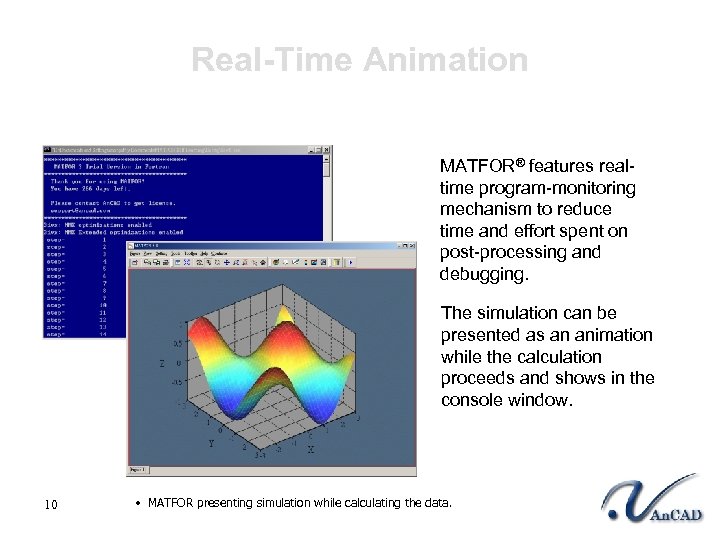 Real-Time Animation MATFOR® features realtime program-monitoring mechanism to reduce time and effort spent on post-processing and debugging. The simulation can be presented as an animation while the calculation proceeds and shows in the console window. 10 • MATFOR presenting simulation while calculating the data.
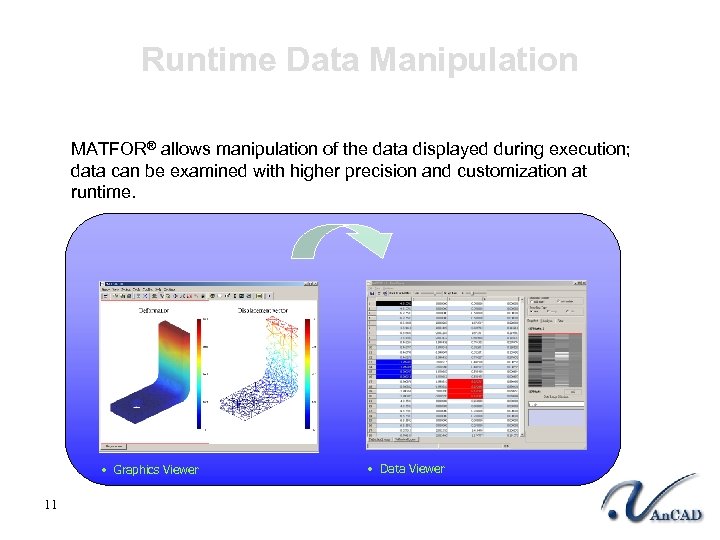 Runtime Data Manipulation MATFOR® allows manipulation of the data displayed during execution; data can be examined with higher precision and customization at runtime. • Graphics Viewer 11 • Data Viewer
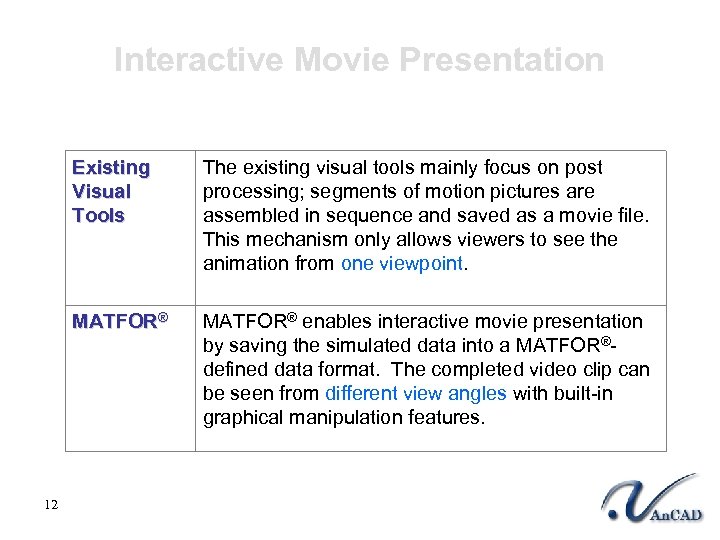 Interactive Movie Presentation Existing Visual Tools MATFOR® 12 The existing visual tools mainly focus on post processing; segments of motion pictures are assembled in sequence and saved as a movie file. This mechanism only allows viewers to see the animation from one viewpoint. MATFOR® enables interactive movie presentation by saving the simulated data into a MATFOR®defined data format. The completed video clip can be seen from different view angles with built-in graphical manipulation features.
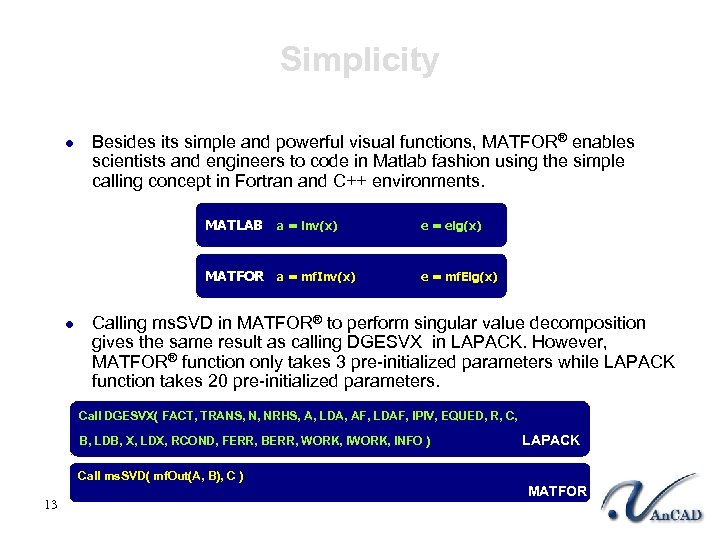 Simplicity l Besides its simple and powerful visual functions, MATFOR® enables scientists and engineers to code in Matlab fashion using the simple calling concept in Fortran and C++ environments. MATLAB a = inv(x) MATFOR a = mf. Inv(x) l e = eig(x) e = mf. Eig(x) Calling ms. SVD in MATFOR® to perform singular value decomposition gives the same result as calling DGESVX in LAPACK. However, MATFOR® function only takes 3 pre-initialized parameters while LAPACK function takes 20 pre-initialized parameters. Call DGESVX( FACT, TRANS, N, NRHS, A, LDA, AF, LDAF, IPIV, EQUED, R, C, B, LDB, X, LDX, RCOND, FERR, BERR, WORK, INFO ) LAPACK Call ms. SVD( mf. Out(A, B), C ) 13 MATFOR
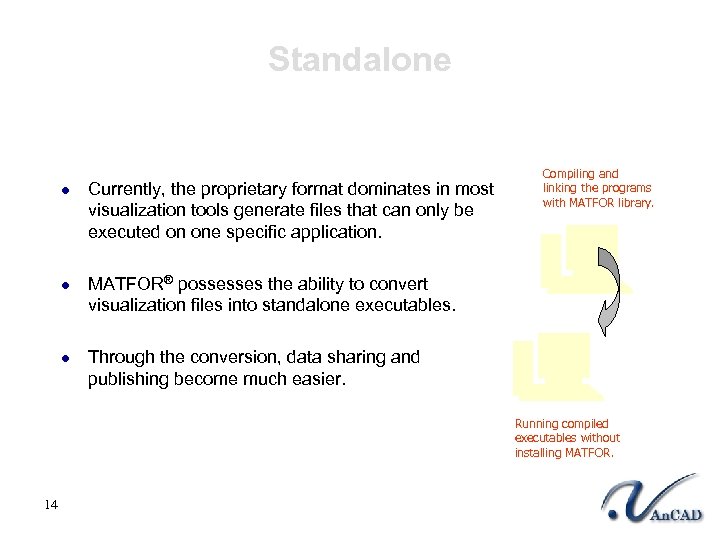 Standalone l l l Currently, the proprietary format dominates in most visualization tools generate files that can only be executed on one specific application. Compiling and linking the programs with MATFOR library. MATFOR® possesses the ability to convert visualization files into standalone executables. Through the conversion, data sharing and publishing become much easier. Running compiled executables without installing MATFOR. 14
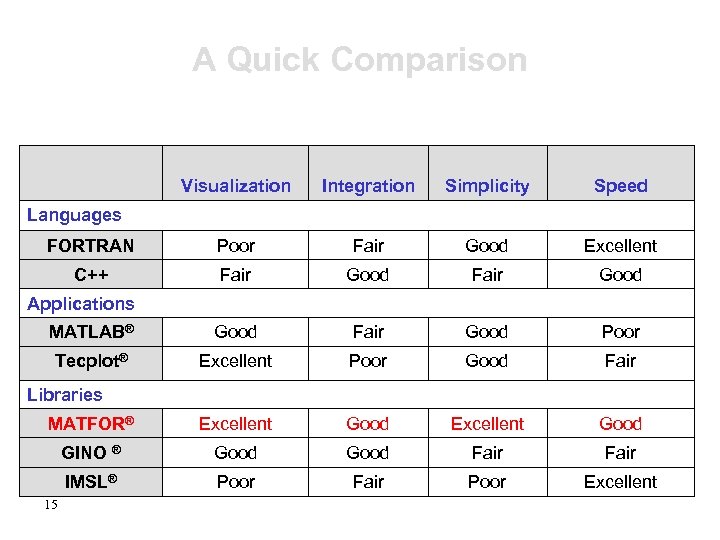 A Quick Comparison Visualization Integration Simplicity Speed FORTRAN Poor Fair Good Excellent C++ Fair Good MATLAB® Good Fair Good Poor Tecplot® Excellent Poor Good Fair MATFOR® Excellent Good GINO ® Good Fair IMSL® Poor Fair Poor Excellent Languages Applications Libraries 15
 Initial Concept of 16 An. CAD Incorporated ® MATFOR
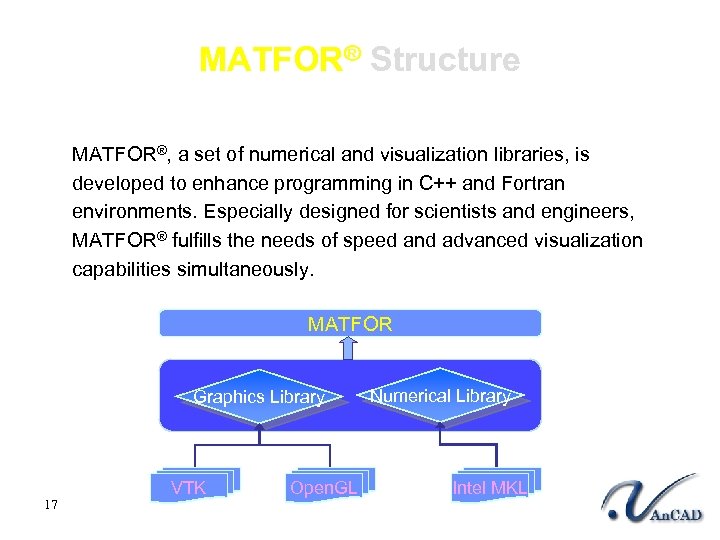 MATFOR® Structure MATFOR®, a set of numerical and visualization libraries, is developed to enhance programming in C++ and Fortran environments. Especially designed for scientists and engineers, MATFOR® fulfills the needs of speed and advanced visualization capabilities simultaneously. MATFOR Graphics Library 17 VTK Open. GL Numerical Library Intel MKL
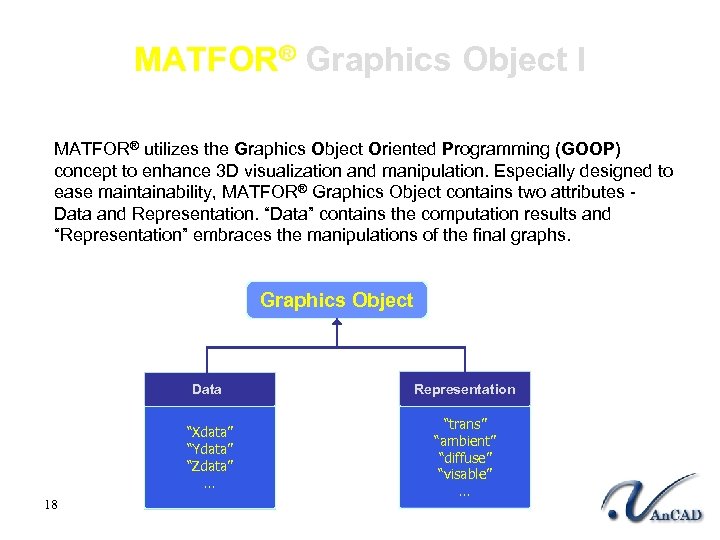 MATFOR® Graphics Object I MATFOR® utilizes the Graphics Object Oriented Programming (GOOP) concept to enhance 3 D visualization and manipulation. Especially designed to ease maintainability, MATFOR® Graphics Object contains two attributes - Data and Representation. “Data” contains the computation results and “Representation” embraces the manipulations of the final graphs. Graphics Object Data “Xdata” “Ydata” “Zdata” … 18 Representation “trans” “ambient” “diffuse” “visable” …
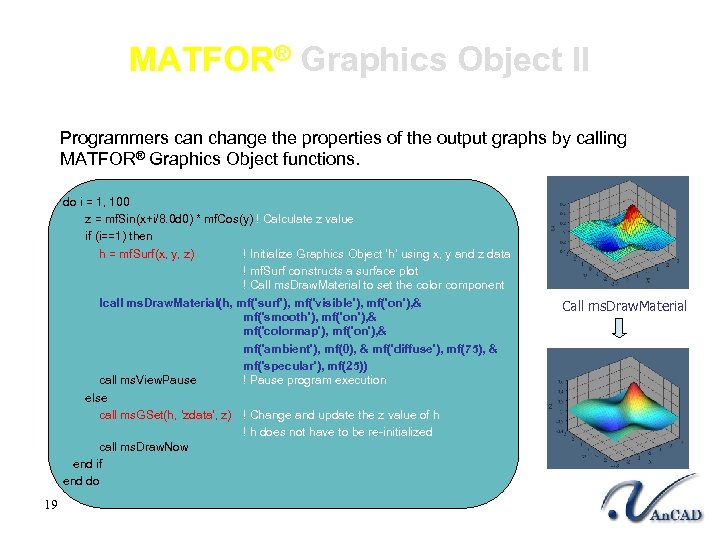 MATFOR® Graphics Object II Programmers can change the properties of the output graphs by calling MATFOR® Graphics Object functions. do i = 1, 100 z = mf. Sin(x+i/8. 0 d 0) * mf. Cos(y) ! Calculate z value if (i==1) then h = mf. Surf(x, y, z) ! Initialize Graphics Object ‘h’ using x, y and z data ! mf. Surf constructs a surface plot ! Call ms. Draw. Material to set the color component !call ms. Draw. Material(h, mf('surf'), mf('visible'), mf('on'), & mf('smooth'), mf('on'), & mf('colormap'), mf('on'), & mf('ambient'), mf(0), & mf('diffuse'), mf(75), & mf('specular'), mf(25)) call ms. View. Pause ! Pause program execution else call ms. GSet(h, 'zdata', z) ! Change and update the z value of h ! h does not have to be re-initialized call ms. Draw. Now end if end do 19 Call ms. Draw. Material
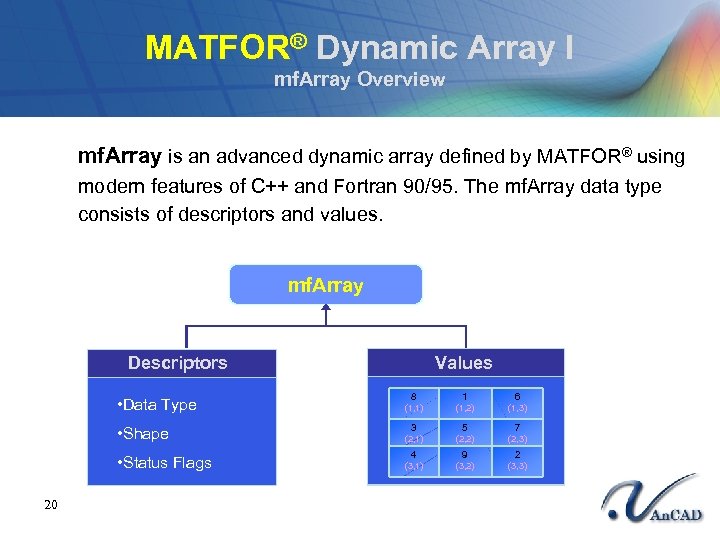 MATFOR® Dynamic Array I mf. Array Overview mf. Array is an advanced dynamic array defined by MATFOR® using modern features of C++ and Fortran 90/95. The mf. Array data type consists of descriptors and values. mf. Array Descriptors Values • Data Type 1 6 (1, 2) (1, 3) • Shape 3 5 7 (2, 1) (2, 2) (2, 3) • Status Flags 20 8 (1, 1) 4 9 2 (3, 1) (3, 2) (3, 3)
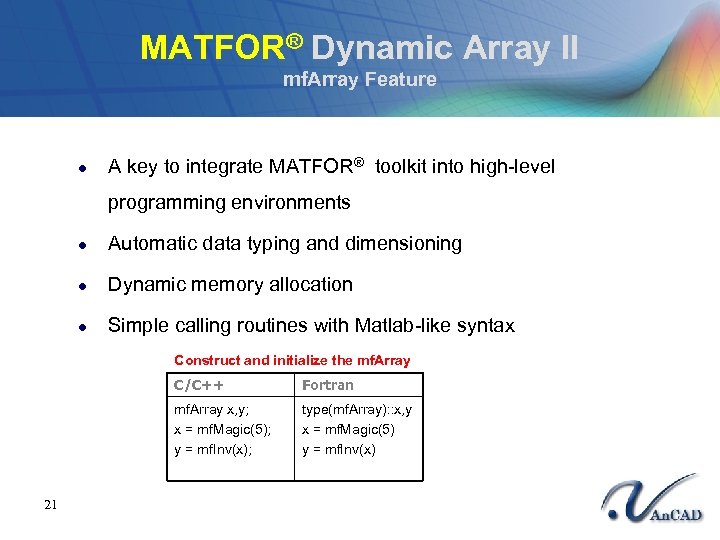 MATFOR® Dynamic Array II mf. Array Feature l A key to integrate MATFOR® toolkit into high-level programming environments l Automatic data typing and dimensioning l Dynamic memory allocation l Simple calling routines with Matlab-like syntax Construct and initialize the mf. Array Fortran mf. Array x, y; x = mf. Magic(5); y = mf. Inv(x); 21 C/C++ type(mf. Array): : x, y x = mf. Magic(5) y = mf. Inv(x)
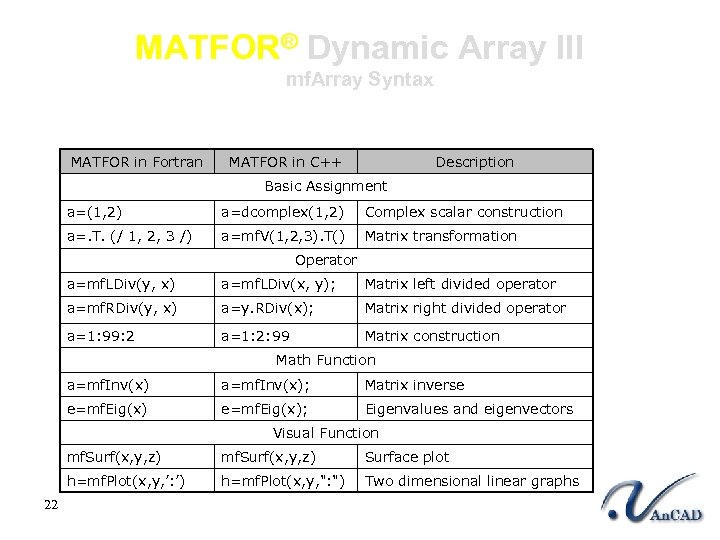 MATFOR® Dynamic Array III mf. Array Syntax MATFOR in Fortran MATFOR in C++ Description Basic Assignment a=(1, 2) a=dcomplex(1, 2) Complex scalar construction a=. T. (/ 1, 2, 3 /) a=mf. V(1, 2, 3). T() Matrix transformation Operator a=mf. LDiv(y, x) a=mf. LDiv(x, y); Matrix left divided operator a=mf. RDiv(y, x) a=y. RDiv(x); Matrix right divided operator a=1: 99: 2 a=1: 2: 99 Matrix construction Math Function a=mf. Inv(x); Matrix inverse e=mf. Eig(x); Eigenvalues and eigenvectors Visual Function mf. Surf(x, y, z) Surface plot h=mf. Plot(x, y, ’: ’) 22 mf. Surf(x, y, z) h=mf. Plot(x, y, ": ") Two dimensional linear graphs
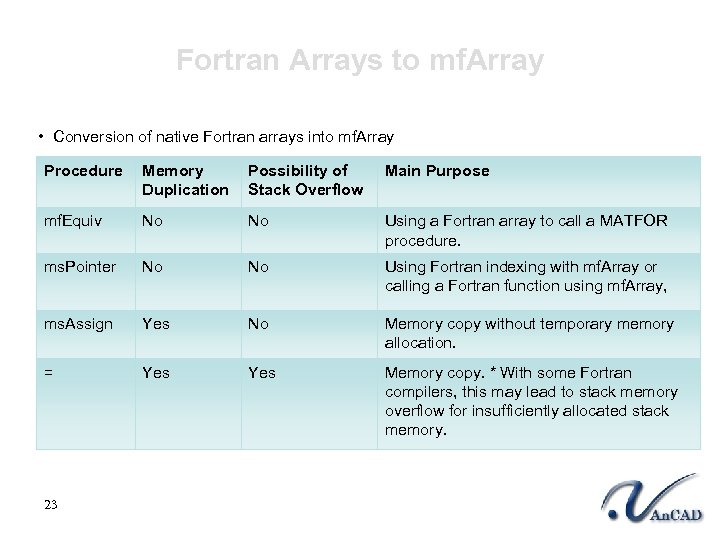 Fortran Arrays to mf. Array • Conversion of native Fortran arrays into mf. Array Procedure Memory Duplication Possibility of Stack Overflow Main Purpose mf. Equiv No No Using a Fortran array to call a MATFOR procedure. ms. Pointer No No Using Fortran indexing with mf. Array or calling a Fortran function using mf. Array, ms. Assign Yes No Memory copy without temporary memory allocation. = Yes Memory copy. * With some Fortran compilers, this may lead to stack memory overflow for insufficiently allocated stack memory. 23
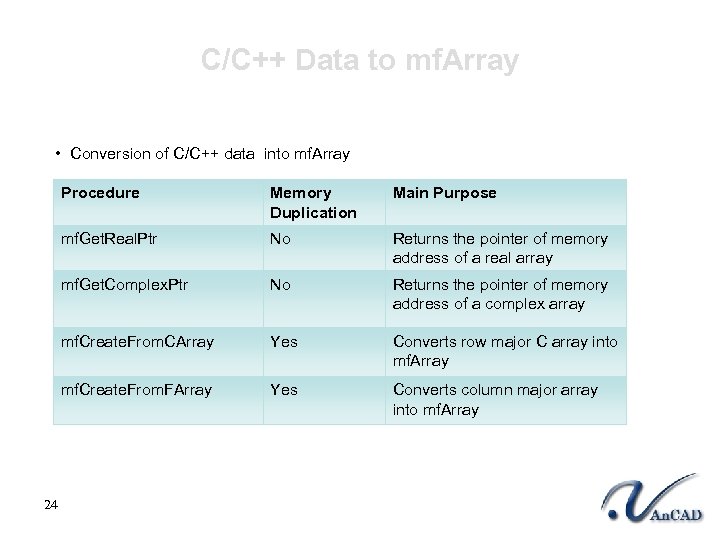 C/C++ Data to mf. Array • Conversion of C/C++ data into mf. Array Procedure Main Purpose mf. Get. Real. Ptr No Returns the pointer of memory address of a real array mf. Get. Complex. Ptr No Returns the pointer of memory address of a complex array mf. Create. From. CArray Yes Converts row major C array into mf. Array mf. Create. From. FArray 24 Memory Duplication Yes Converts column major array into mf. Array
 ® MATFOR What Is in That You Can Use? 25 An. CAD Incorporated
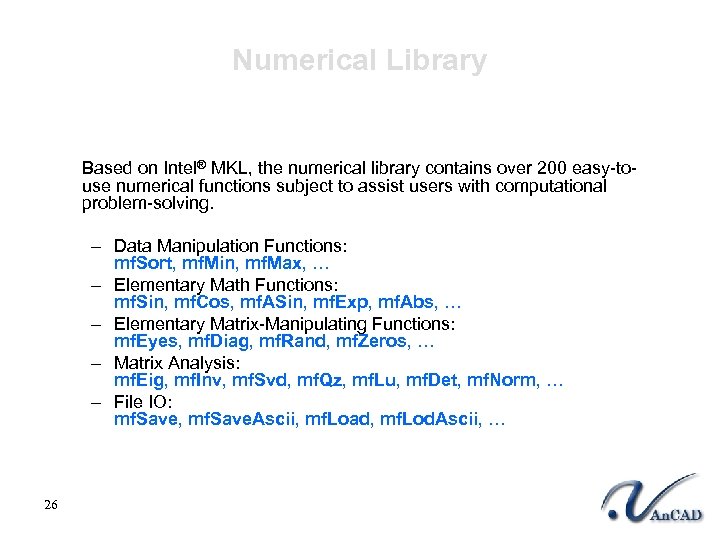 Numerical Library Based on Intel® MKL, the numerical library contains over 200 easy-touse numerical functions subject to assist users with computational problem-solving. – Data Manipulation Functions: mf. Sort, mf. Min, mf. Max, … – Elementary Math Functions: mf. Sin, mf. Cos, mf. ASin, mf. Exp, mf. Abs, … – Elementary Matrix-Manipulating Functions: mf. Eyes, mf. Diag, mf. Rand, mf. Zeros, … – Matrix Analysis: mf. Eig, mf. Inv, mf. Svd, mf. Qz, mf. Lu, mf. Det, mf. Norm, … – File IO: mf. Save, mf. Save. Ascii, mf. Load, mf. Lod. Ascii, … 26
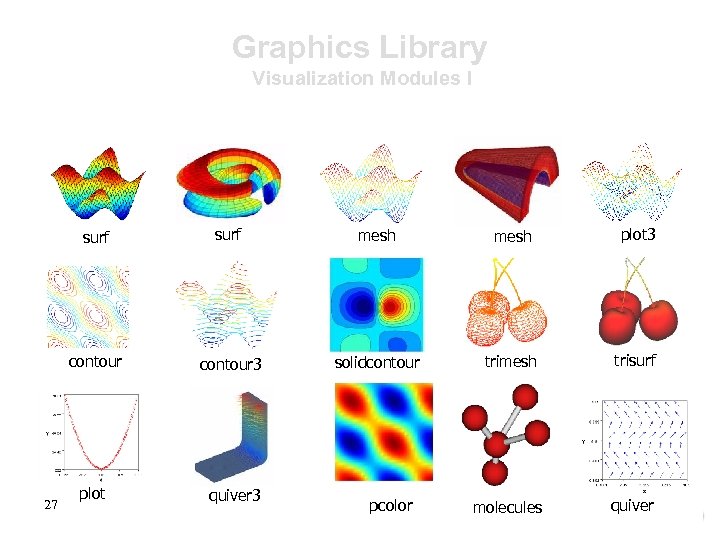 Graphics Library Visualization Modules I surf mesh plot 3 contour 27 surf contour 3 solidcontour trimesh trisurf plot quiver 3 molecules quiver pcolor
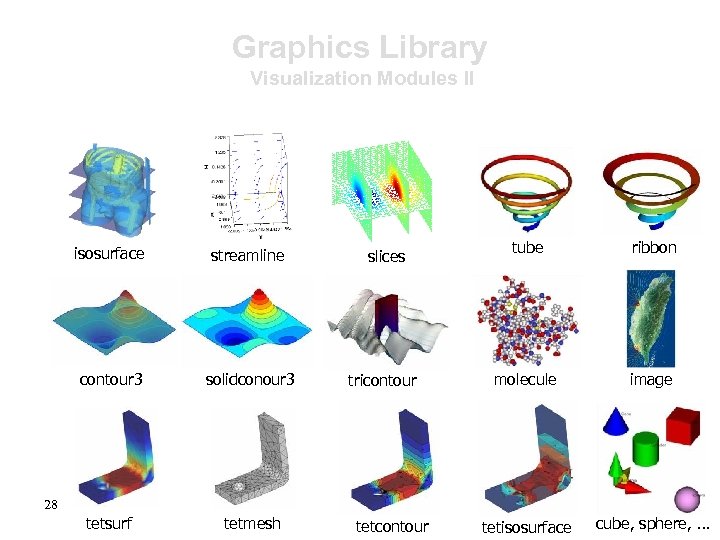 Graphics Library Visualization Modules II isosurface streamline slices contour 3 solidconour 3 tricontour tetsurf tetmesh tube ribbon molecule image tetisosurface cube, sphere, … 28 tetcontour
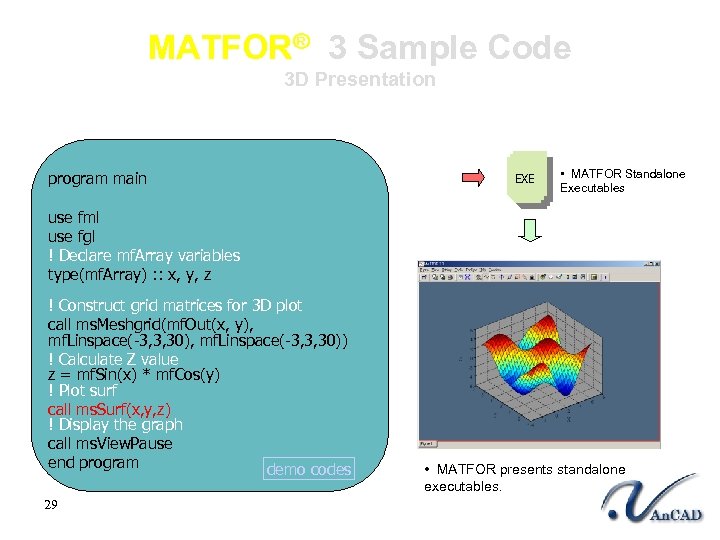 MATFOR® 3 Sample Code 3 D Presentation program main EXE • MATFOR Standalone Executables use fml use fgl ! Declare mf. Array variables type(mf. Array) : : x, y, z ! Construct grid matrices for 3 D plot call ms. Meshgrid(mf. Out(x, y), mf. Linspace(-3, 3, 30), mf. Linspace(-3, 3, 30)) ! Calculate Z value z = mf. Sin(x) * mf. Cos(y) ! Plot surf call ms. Surf(x, y, z) ! Display the graph call ms. View. Pause end program demo codes 29 • MATFOR presents standalone executables.
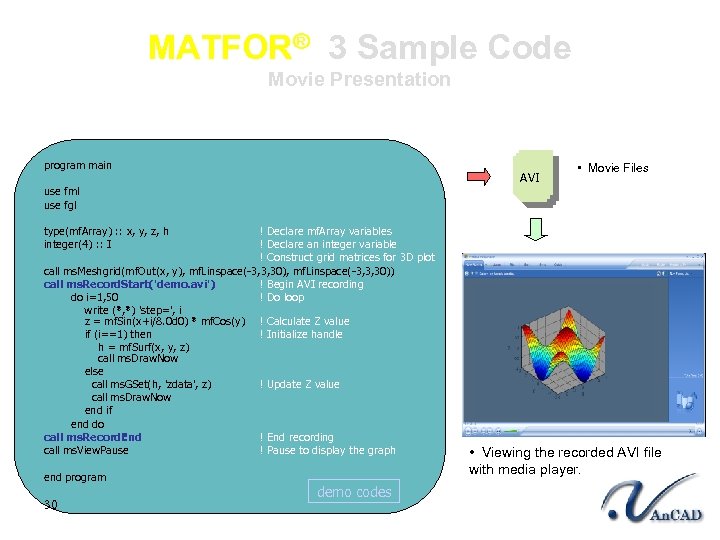 MATFOR® 3 Sample Code Movie Presentation program main AVI use fml use fgl ! Declare mf. Array variables ! Declare an integer variable ! Construct grid matrices for 3 D plot call ms. Meshgrid(mf. Out(x, y), mf. Linspace(-3, 3, 30)) call ms. Record. Start('demo. avi') ! Begin AVI recording do i=1, 50 ! Do loop write (*, *) 'step=', i z = mf. Sin(x+i/8. 0 d 0) * mf. Cos(y) ! Calculate Z value if (i==1) then ! Initialize handle h = mf. Surf(x, y, z) call ms. Draw. Now else call ms. GSet(h, 'zdata', z) ! Update Z value call ms. Draw. Now end if end do call ms. Record. End ! End recording call ms. View. Pause ! Pause to display the graph • Movie Files type(mf. Array) : : x, y, z, h integer(4) : : I end program 30 demo codes • Viewing the recorded AVI file with media player.
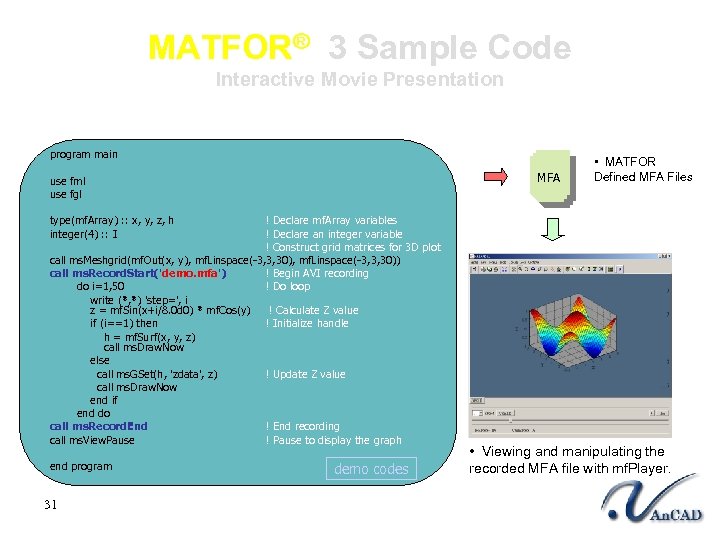 MATFOR® 3 Sample Code Interactive Movie Presentation program main MFA use fml use fgl ! Declare mf. Array variables ! Declare an integer variable ! Construct grid matrices for 3 D plot call ms. Meshgrid(mf. Out(x, y), mf. Linspace(-3, 3, 30)) call ms. Record. Start('demo. mfa') ! Begin AVI recording do i=1, 50 ! Do loop write (*, *) 'step=', i z = mf. Sin(x+i/8. 0 d 0) * mf. Cos(y) ! Calculate Z value if (i==1) then ! Initialize handle h = mf. Surf(x, y, z) call ms. Draw. Now else call ms. GSet(h, 'zdata', z) ! Update Z value call ms. Draw. Now end if end do call ms. Record. End ! End recording call ms. View. Pause ! Pause to display the graph • MATFOR Defined MFA Files type(mf. Array) : : x, y, z, h integer(4) : : I end program 31 demo codes • Viewing and manipulating the recorded MFA file with mf. Player.
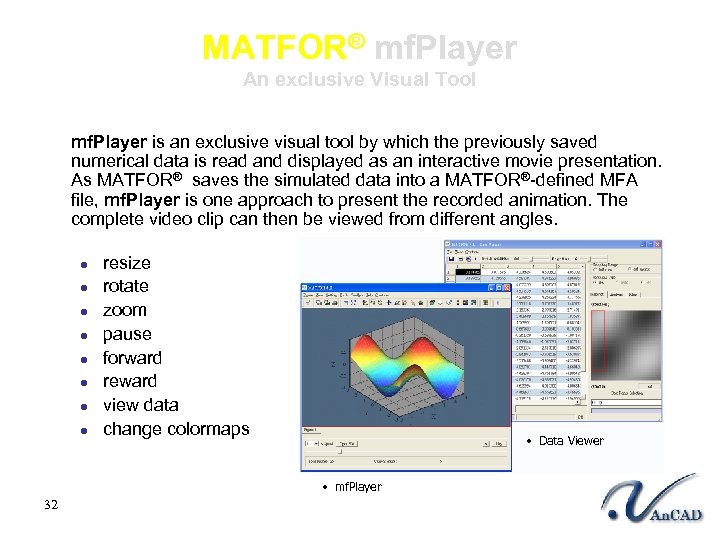 MATFOR® mf. Player An exclusive Visual Tool mf. Player is an exclusive visual tool by which the previously saved numerical data is read and displayed as an interactive movie presentation. As MATFOR® saves the simulated data into a MATFOR®-defined MFA file, mf. Player is one approach to present the recorded animation. The complete video clip can then be viewed from different angles. l l l l resize rotate zoom pause forward reward view data change colormaps • Data Viewer • mf. Player 32
 More Advanced Feature 33 An. CAD Incorporated
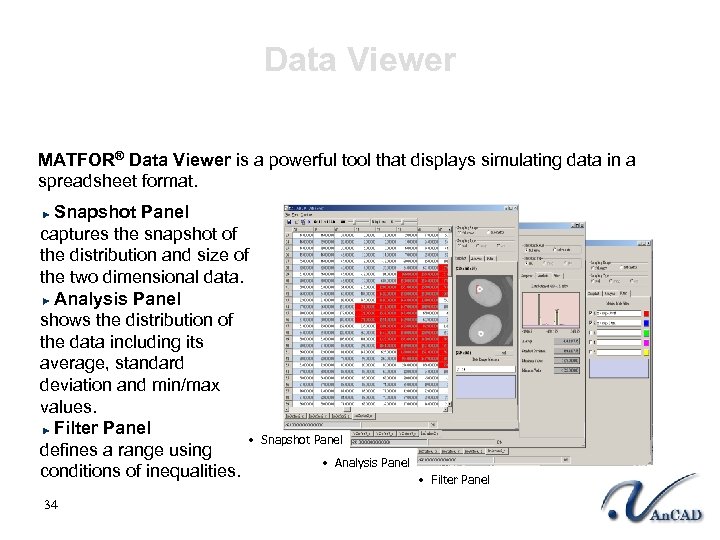 Data Viewer MATFOR® Data Viewer is a powerful tool that displays simulating data in a spreadsheet format. Snapshot Panel captures the snapshot of the distribution and size of the two dimensional data. Analysis Panel shows the distribution of the data including its average, standard deviation and min/max values. Filter Panel • Snapshot Panel defines a range using • Analysis Panel conditions of inequalities. 34 • Filter Panel
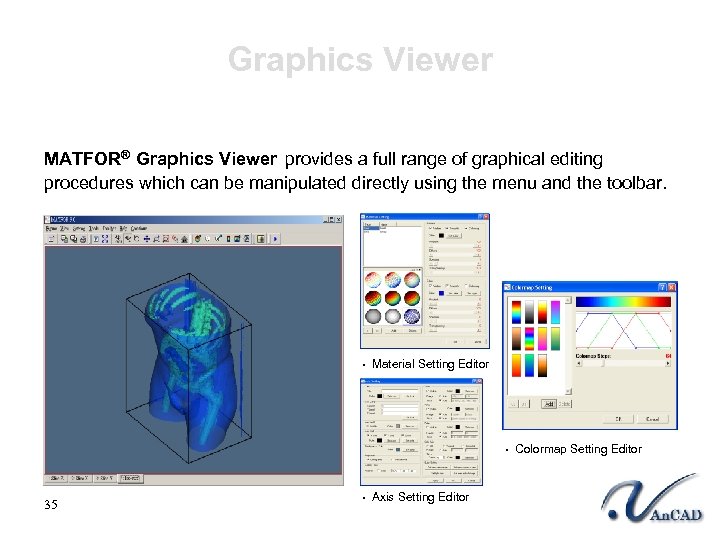 Graphics Viewer MATFOR® Graphics Viewer provides a full range of graphical editing procedures which can be manipulated directly using the menu and the toolbar. • Material Setting Editor • Colormap Setting Editor 35 • Axis Setting Editor
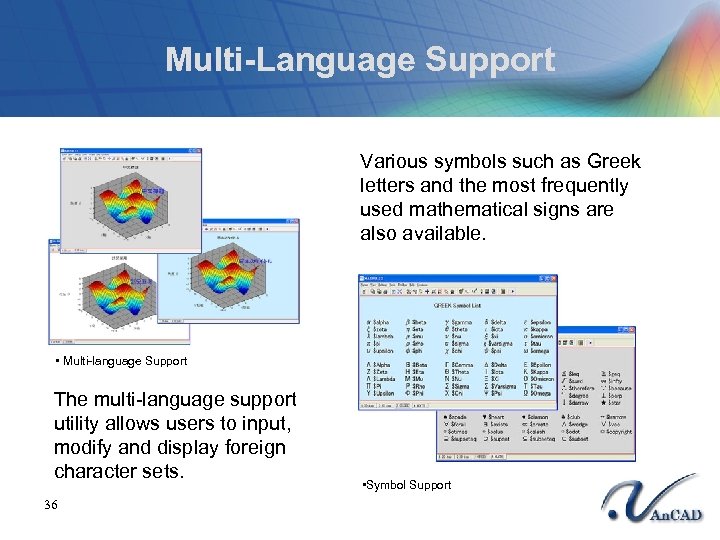 Multi-Language Support Various symbols such as Greek letters and the most frequently used mathematical signs are also available. • Multi-language Support The multi-language support utility allows users to input, modify and display foreign character sets. 36 • Symbol Support
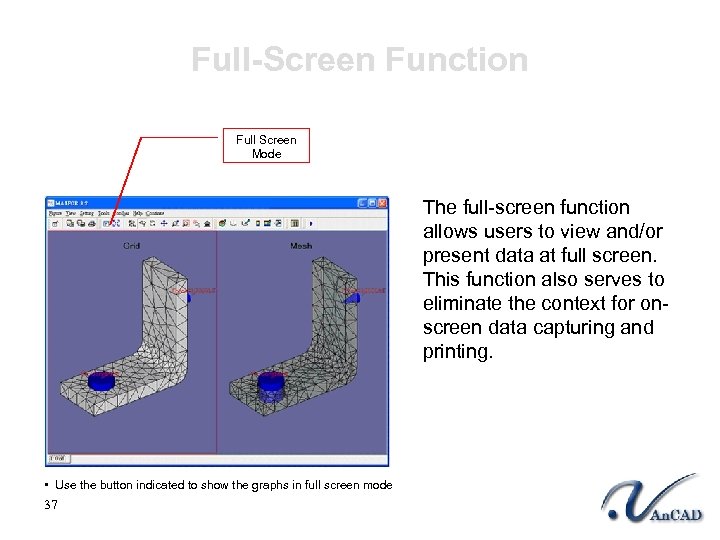 Full-Screen Function Full Screen Mode The full-screen function allows users to view and/or present data at full screen. This function also serves to eliminate the context for onscreen data capturing and printing. • Use the button indicated to show the graphs in full screen mode 37
 MATFOR® Platform and System Requirements 38 An. CAD Incorporated
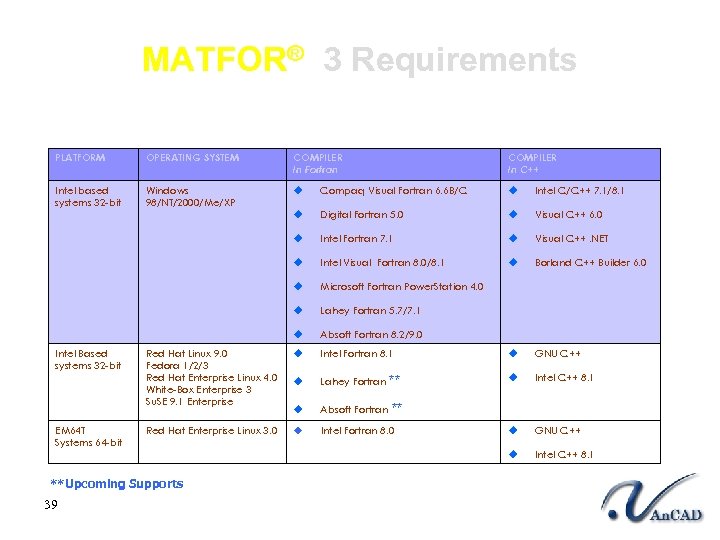 MATFOR® 3 Requirements PLATFORM OPERATING SYSTEM COMPILER In Fortran Intel based systems 32 -bit Windows 98/NT/2000/Me/XP u Compaq Visual Fortran 6. 6 B/C u Intel C/C++ 7. 1/8. 1 u Digital Fortran 5. 0 u Visual C++ 6. 0 u Intel Fortran 7. 1 u Visual C++. NET u Intel Visual Fortran 8. 0/8. 1 u Borland C++ Builder 6. 0 u Microsoft Fortran Power. Station 4. 0 u Lahey Fortran 5. 7/7. 1 u Absoft Fortran 8. 2/9. 0 Red Hat Linux 9. 0 Fedora 1/2/3 Red Hat Enterprise Linux 4. 0 White-Box Enterprise 3 Su. SE 9. 1 Enterprise u Intel Fortran 8. 1 u GNU C++ u Lahey Fortran ** u Intel C++ 8. 1 u Absoft Fortran Red Hat Enterprise Linux 3. 0 u Intel Fortran 8. 0 u GNU C++ u Intel C++ 8. 1 Intel Based systems 32 -bit EM 64 T Systems 64 -bit **Upcoming Supports 39 COMPILER In C++ **
 Successful Cases ® Using MATFOR 40 An. CAD Incorporated
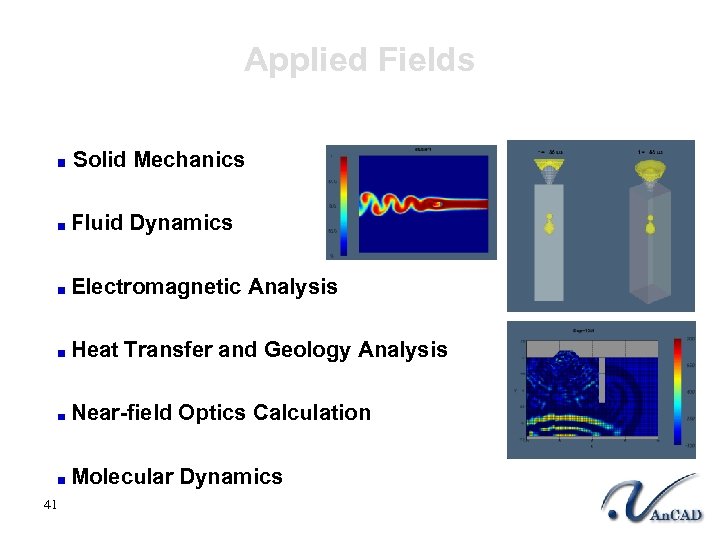 Applied Fields Solid Mechanics Fluid Dynamics Electromagnetic Analysis Heat Transfer and Geology Analysis Near-field Optics Calculation Molecular Dynamics 41
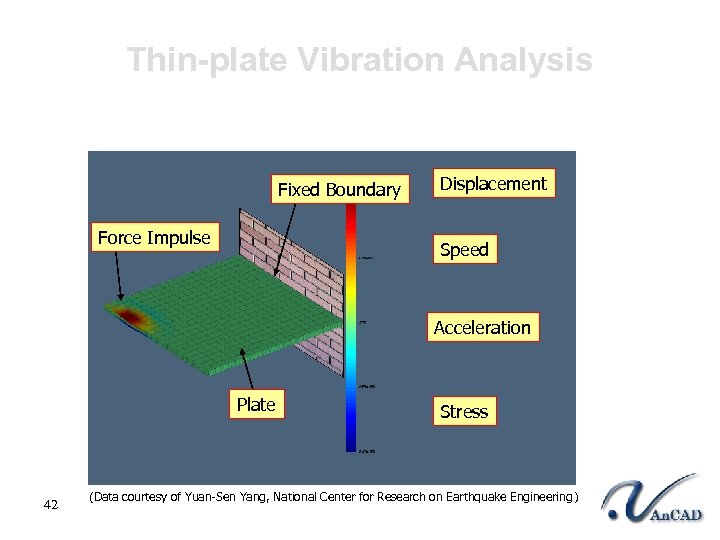 Thin-plate Vibration Analysis Fixed Boundary Force Impulse Displacement Speed Acceleration Plate 42 Stress (Data courtesy of Yuan-Sen Yang, National Center for Research on Earthquake Engineering )
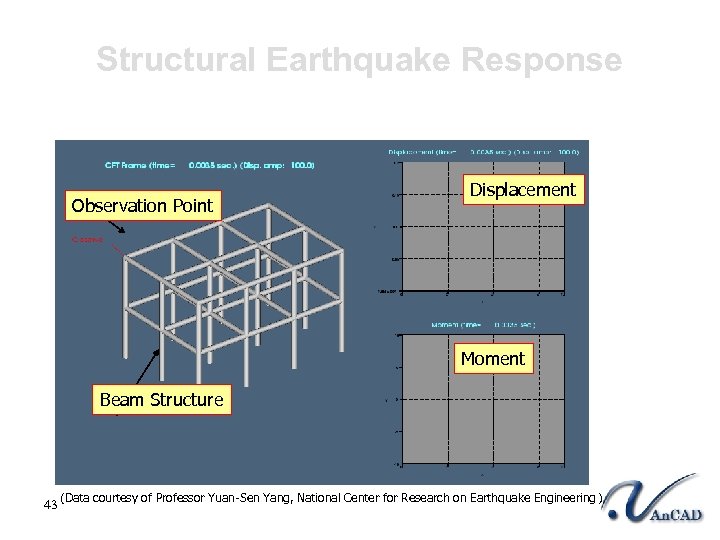 Structural Earthquake Response Observation Point Displacement Moment Beam Structure 43 (Data courtesy of Professor Yuan-Sen Yang, National Center for Research on Earthquake Engineering )
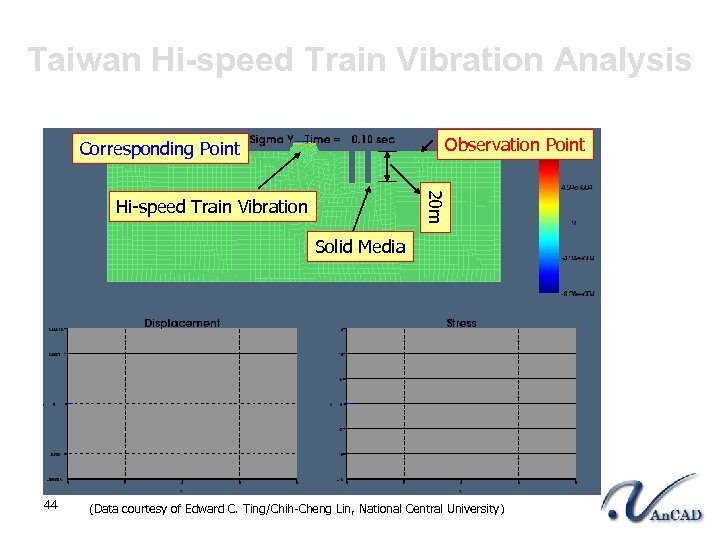 Taiwan Hi-speed Train Vibration Analysis Observation Point Corresponding Point 20 m Hi-speed Train Vibration Solid Media 44 (Data courtesy of Edward C. Ting/Chih-Cheng Lin, National Central University)
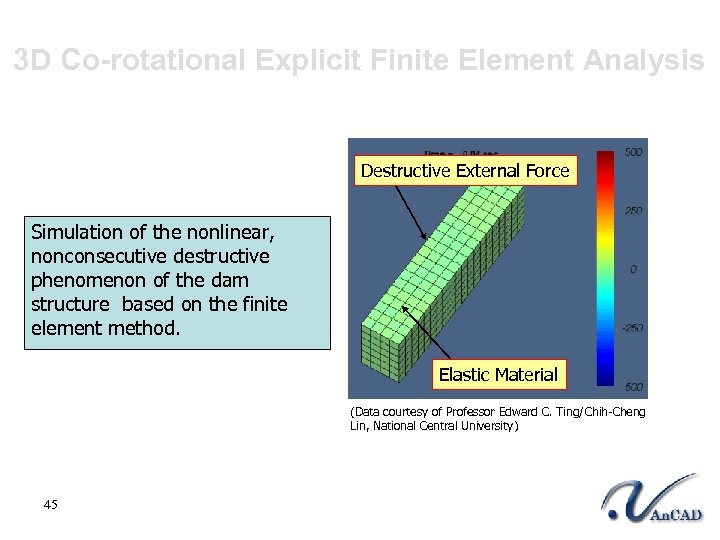 3 D Co-rotational Explicit Finite Element Analysis Destructive External Force Simulation of the nonlinear, nonconsecutive destructive phenomenon of the dam structure based on the finite element method. Elastic Material (Data courtesy of Professor Edward C. Ting/Chih-Cheng Lin, National Central University) 45
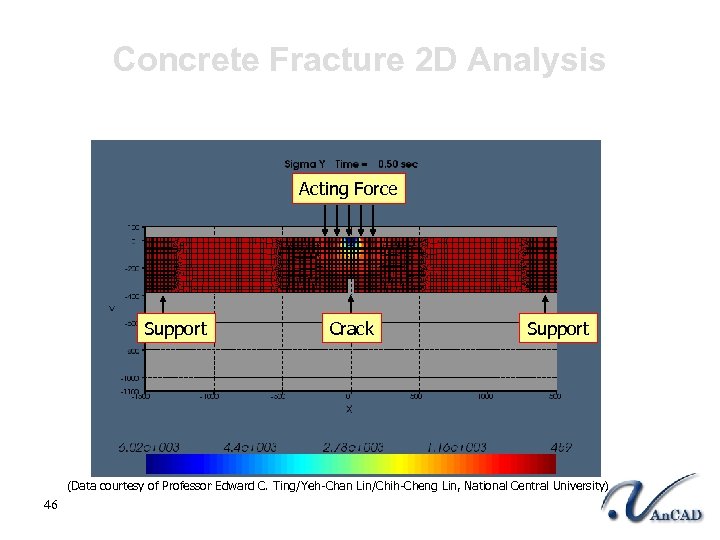 Concrete Fracture 2 D Analysis Acting Force Support Crack Support (Data courtesy of Professor Edward C. Ting/Yeh-Chan Lin/Chih-Cheng Lin, National Central University) 46
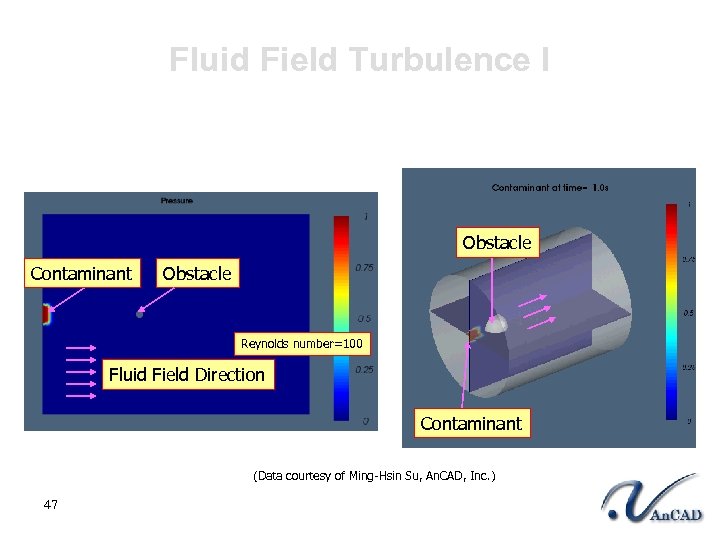 Fluid Field Turbulence I Obstacle Contaminant Obstacle Reynolds number=100 Fluid Field Direction Contaminant (Data courtesy of Ming-Hsin Su, An. CAD, Inc. ) 47
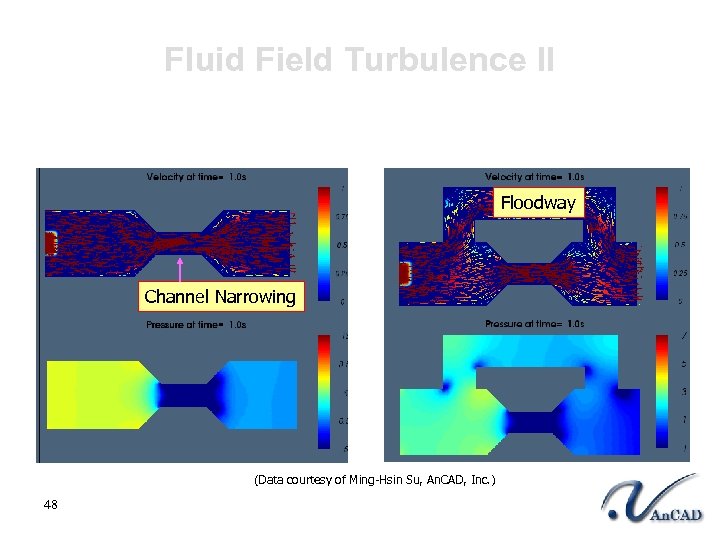 Fluid Field Turbulence II Floodway Channel Narrowing (Data courtesy of Ming-Hsin Su, An. CAD, Inc. ) 48
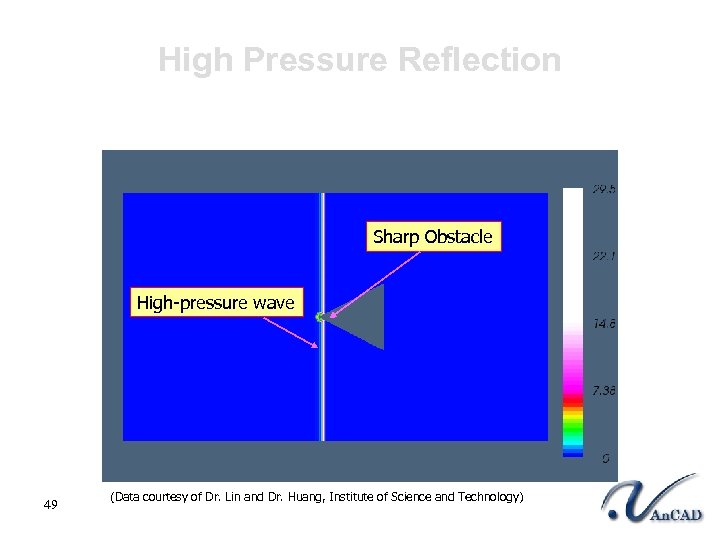 High Pressure Reflection Sharp Obstacle High-pressure wave 49 (Data courtesy of Dr. Lin and Dr. Huang, Institute of Science and Technology)
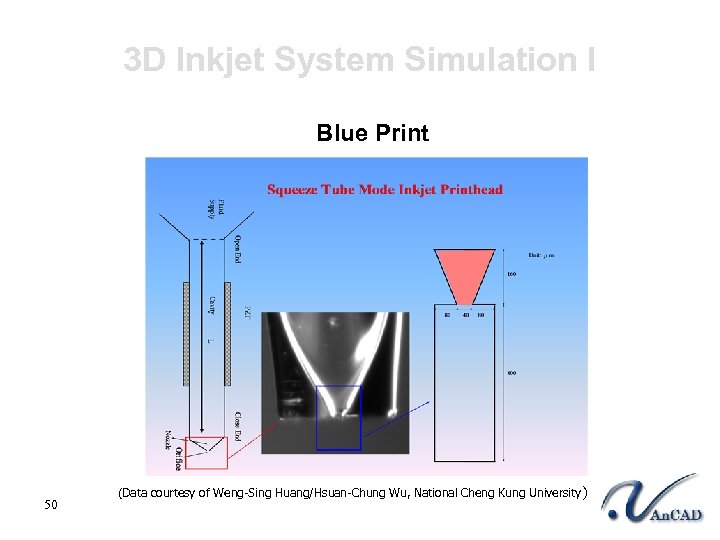 3 D Inkjet System Simulation I Blue Print 50 (Data courtesy of Weng-Sing Huang/Hsuan-Chung Wu, National Cheng Kung University )
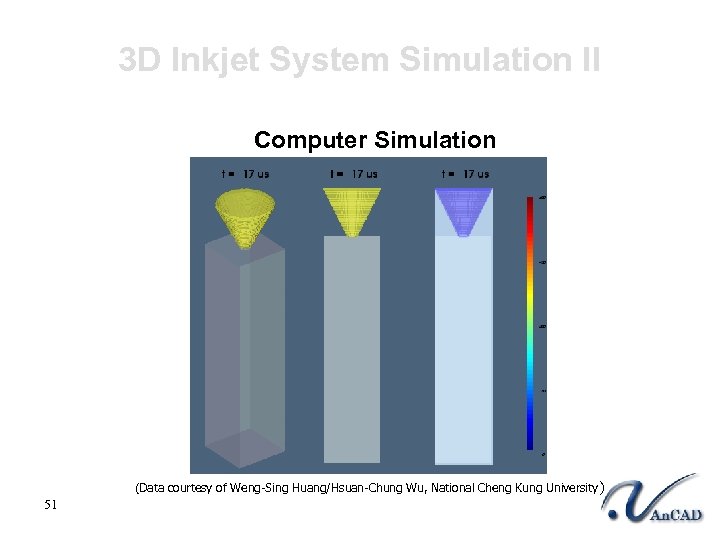 3 D Inkjet System Simulation II Computer Simulation (Data courtesy of Weng-Sing Huang/Hsuan-Chung Wu, National Cheng Kung University ) 51
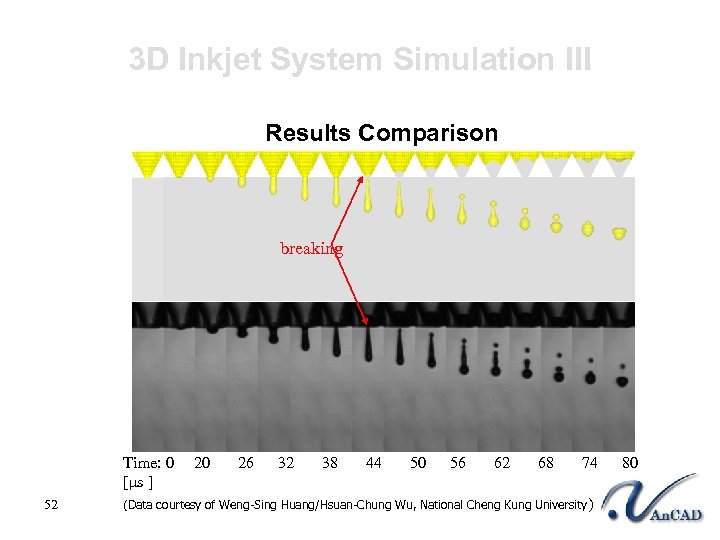 3 D Inkjet System Simulation III Results Comparison breaking Time: 0 20 26 32 38 44 50 56 62 68 74 80 [μs ] 52 (Data courtesy of Weng-Sing Huang/Hsuan-Chung Wu, National Cheng Kung University )
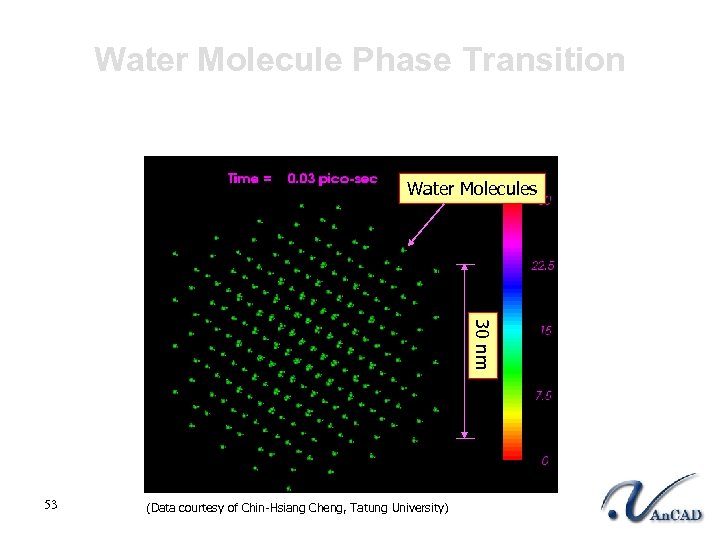 Water Molecule Phase Transition Water Molecules 30 nm 53 (Data courtesy of Chin-Hsiang Cheng, Tatung University)
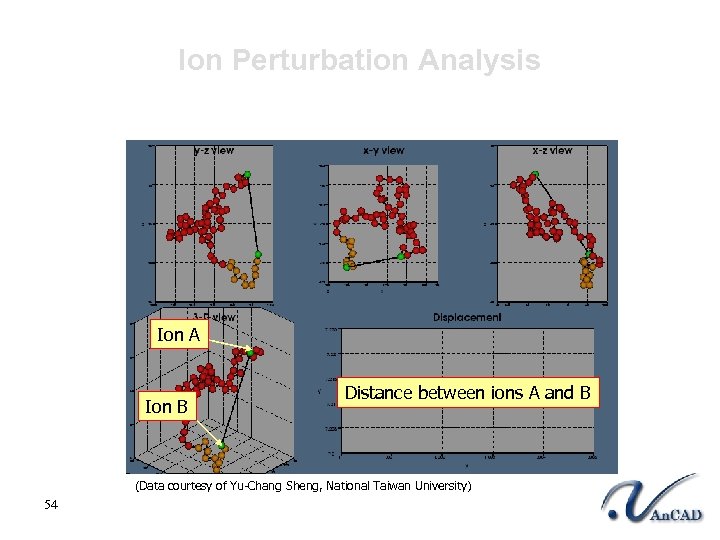 Ion Perturbation Analysis Ion A Ion B Distance between ions A and B (Data courtesy of Yu-Chang Sheng, National Taiwan University) 54
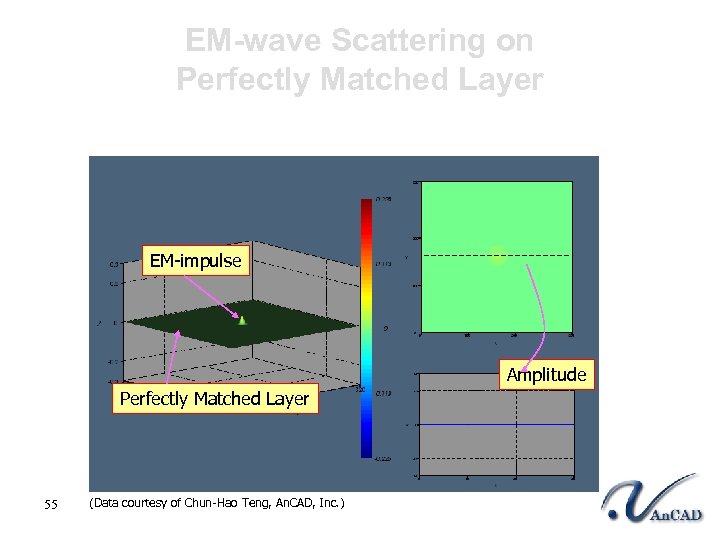 EM-wave Scattering on Perfectly Matched Layer EM-impulse Amplitude Perfectly Matched Layer 55 (Data courtesy of Chun-Hao Teng, An. CAD, Inc. )
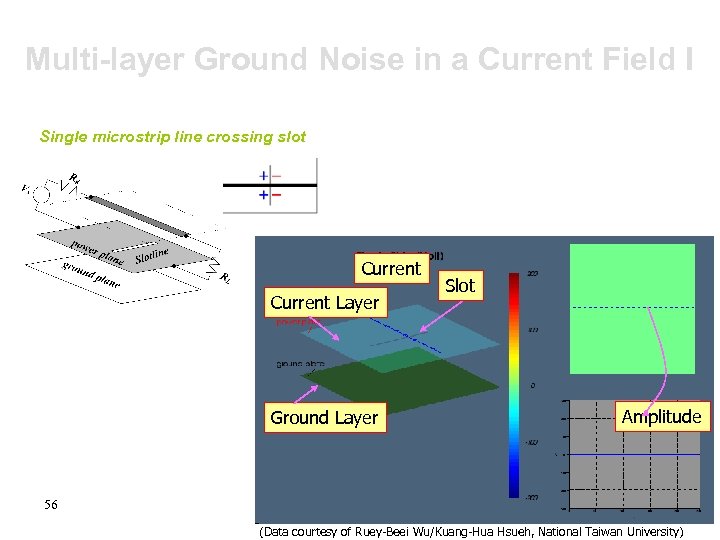 Multi-layer Ground Noise in a Current Field I Single microstrip line crossing slot Current Layer Ground Layer Slot Amplitude 56 (Data courtesy of Ruey-Beei Wu/Kuang-Hua Hsueh, National Taiwan University)
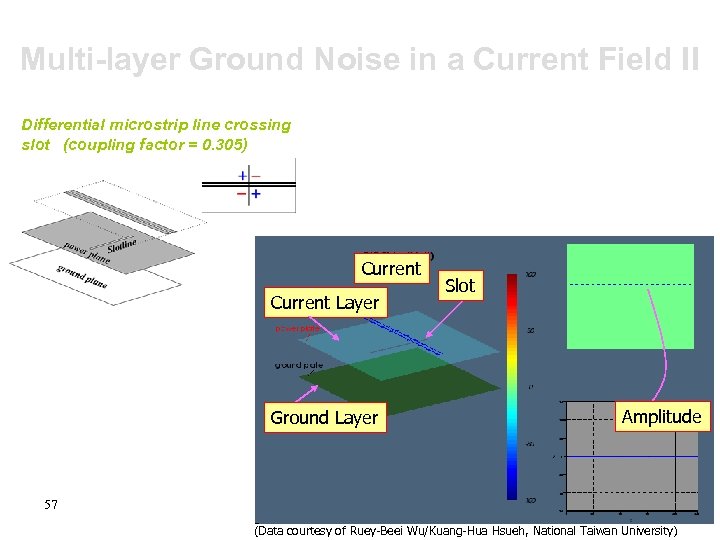 Multi-layer Ground Noise in a Current Field II Differential microstrip line crossing slot (coupling factor = 0. 305) Current Layer Ground Layer Slot Amplitude 57 (Data courtesy of Ruey-Beei Wu/Kuang-Hua Hsueh, National Taiwan University)
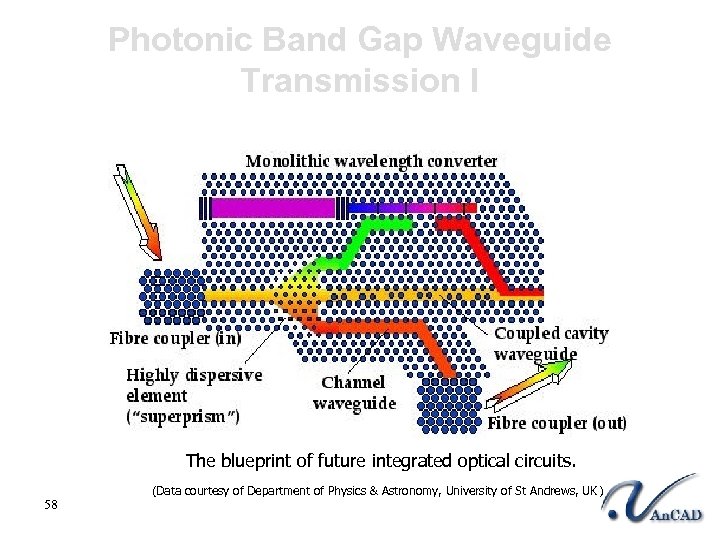 Photonic Band Gap Waveguide Transmission I The blueprint of future integrated optical circuits. 58 (Data courtesy of Department of Physics & Astronomy, University of St Andrews, UK )
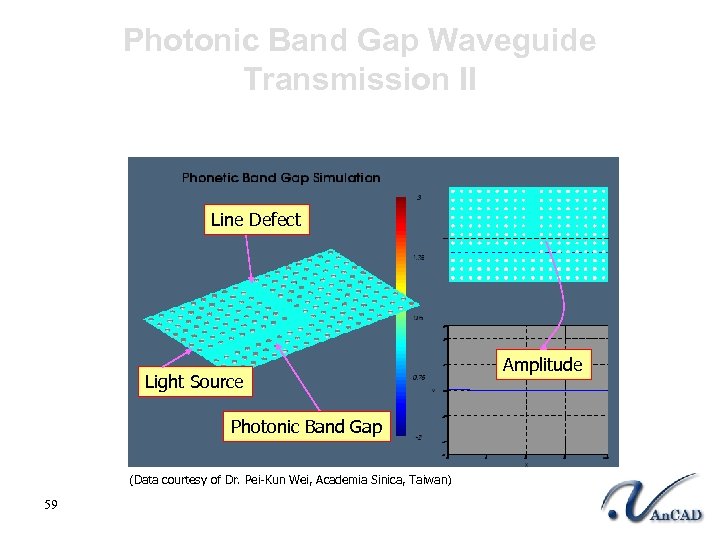 Photonic Band Gap Waveguide Transmission II Line Defect Light Source Photonic Band Gap (Data courtesy of Dr. Pei-Kun Wei, Academia Sinica, Taiwan) 59 Amplitude
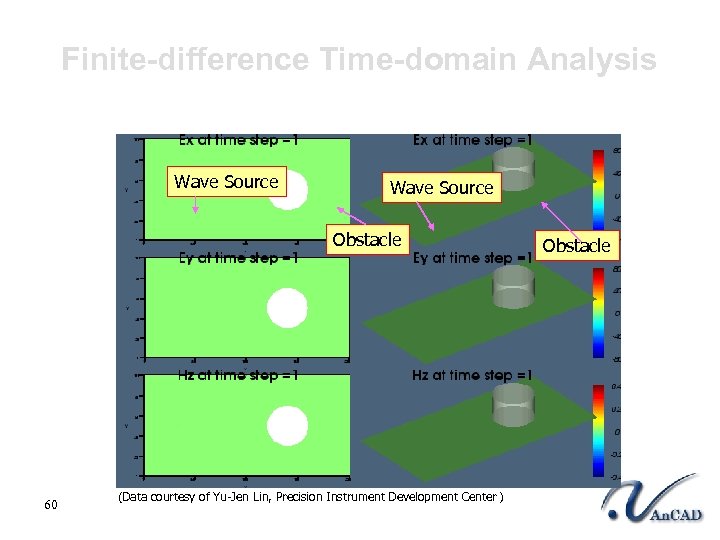 Finite-difference Time-domain Analysis Wave Source Obstacle 60 (Data courtesy of Yu-Jen Lin, Precision Instrument Development Center ) Obstacle
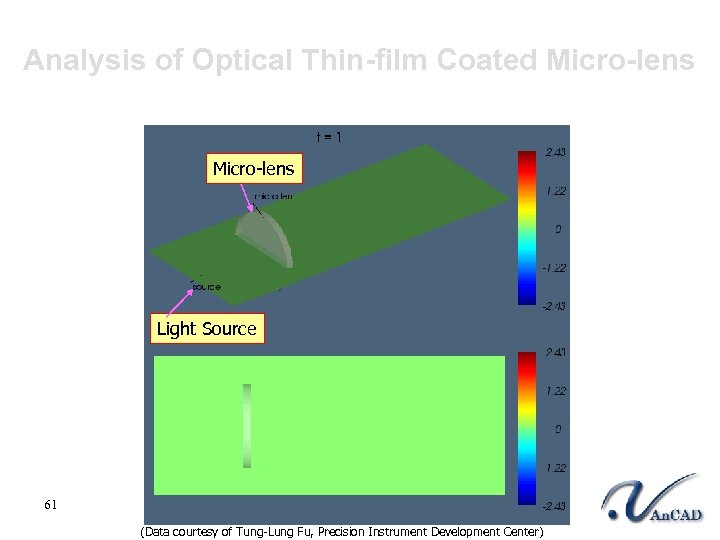 Analysis of Optical Thin-film Coated Micro-lens Light Source 61 (Data courtesy of Tung-Lung Fu, Precision Instrument Development Center)
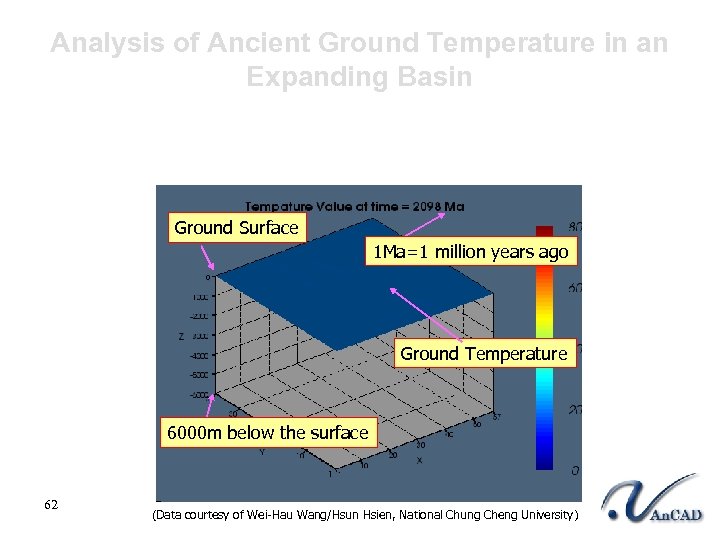 Analysis of Ancient Ground Temperature in an Expanding Basin Ground Surface 1 Ma=1 million years ago Ground Temperature 6000 m below the surface 62 (Data courtesy of Wei-Hau Wang/Hsun Hsien, National Chung Cheng University)
 An. CAD Incorporated 63 An. CAD Incorporated
 What kind of company is An. CAD? l l Established in 1999 Devoted to the field of Scientific Computation § § § l Cultivated an integrated environment § § § 64 High frequency interconnect analysis Molecular dynamics IC design simulation Electromagnetic analysis Heat transfer modeling Computational fluid dynamics Cross-platform Parallel computing Clustering dynamic visualization
 Affiliation with An. CAD l Intel’s sole distributor in Taiwan Cooperated with Intel and HP to implement i. Thinker 64 project l Partners with Absoft, Inc. and Lahey, Inc. Carried out global bundle-selling for Absoft Fortran compiler and Lahey Fortran compiler l Outstanding achievement in worldwide sales and marketing More than 20 worldwide resellers 65
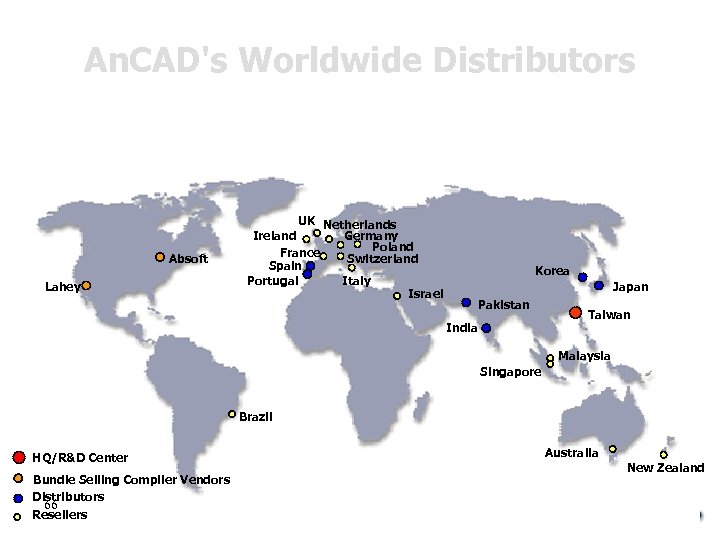 An. CAD's Worldwide Distributors Absoft Lahey UK Netherlands Ireland Germany Poland France Switzerland Spain Portugal Italy Israel Korea Japan Pakistan India Taiwan Malaysia Singapore Brazil HQ/R&D Center Bundle Selling Compiler Vendors Distributors 66 Resellers Australia New Zealand
 An. CAD http: //www. ancad. com Website Support • An. CAD information • MATFOR information • Case studies • Newsletters • Free MATFOR trial Technical Support • MATFOR documentations • FAQs • Online forum • E-mail Support : support@ancad. com 67 An. CAD Incorporated
 Question? 68 An. CAD Incorporated