


 Скачать презентацию LANs and WANs Chapter Contents
90be172aadd2a910eaf98135fdc84cfd.ppt
- Количество слайдов: 38
 LANs and WANs
 Chapter Contents • • • Section A: Network Building Blocks Section B: Wired Networks Section C: Wireless Networks Section D: Using LANs Section E: Security Through Encryption
 Network Building Blocks • • Network Classifications LAN Standards Network Devices Clients, Servers, and Peers Physical Topology Network Links Communications Protocols
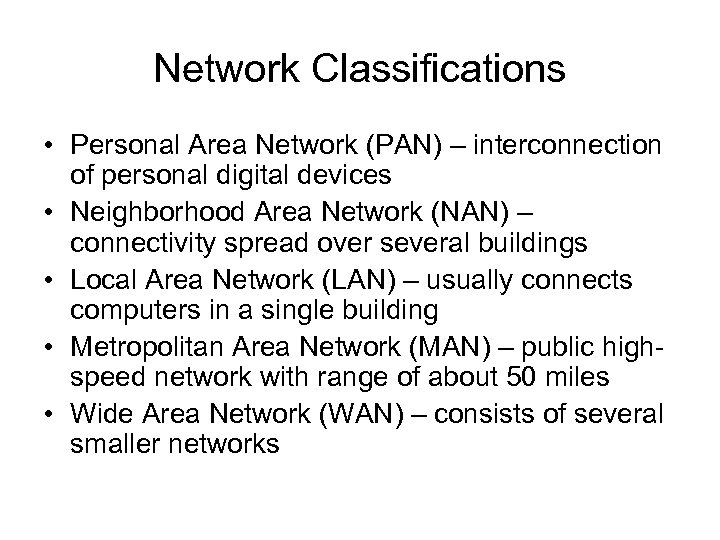 Network Classifications • Personal Area Network (PAN) – interconnection of personal digital devices • Neighborhood Area Network (NAN) – connectivity spread over several buildings • Local Area Network (LAN) – usually connects computers in a single building • Metropolitan Area Network (MAN) – public highspeed network with range of about 50 miles • Wide Area Network (WAN) – consists of several smaller networks
 LAN Standards • LAN technologies are standardized by the Institute of Electrical and Electronics Engineers (IEEE) Project 802 – Local Network Standards – IEEE 802. 3 – Ethernet
 Network Devices • Each connection point on a network is referred to as a node • To connect to a LAN, a computer requires network circuitry, sometimes referred to as a network interface card (NIC) • A networked peripheral, or network-enabled peripheral, is any device that contains network circuitry to directly connect to a network • A network device, or network appliance, is any electronic device that broadcasts network data, boosts signals, or routes data to its destination
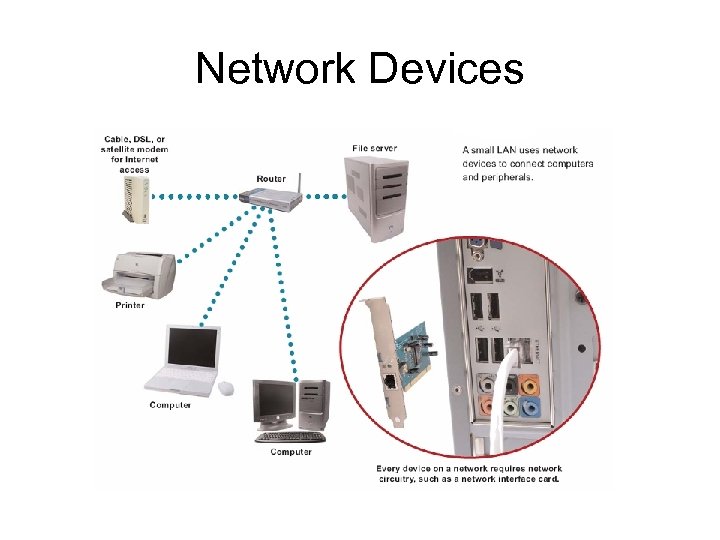 Network Devices
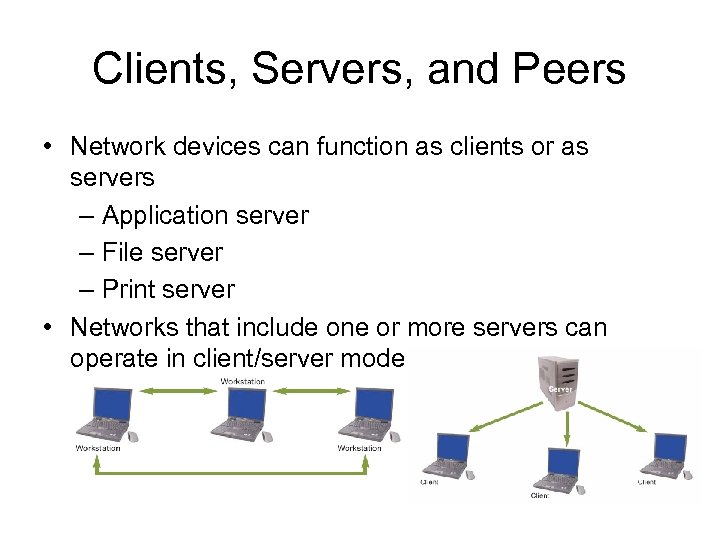 Clients, Servers, and Peers • Network devices can function as clients or as servers – Application server – File server – Print server • Networks that include one or more servers can operate in client/server mode
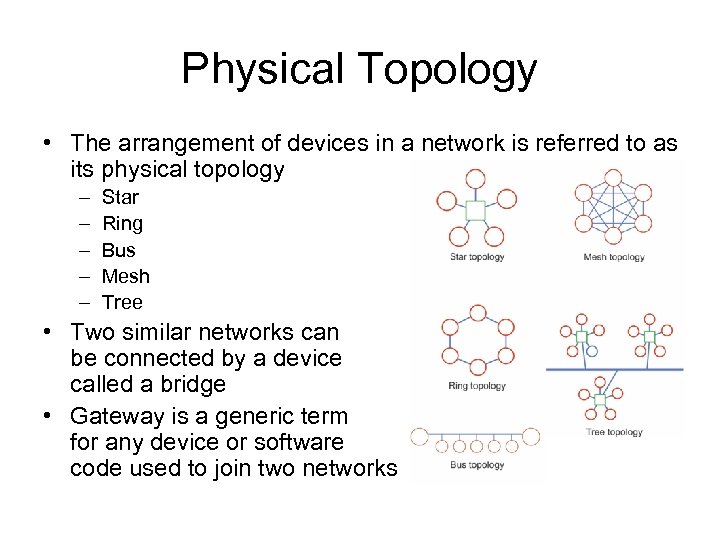 Physical Topology • The arrangement of devices in a network is referred to as its physical topology – – – Star Ring Bus Mesh Tree • Two similar networks can be connected by a device called a bridge • Gateway is a generic term for any device or software code used to join two networks
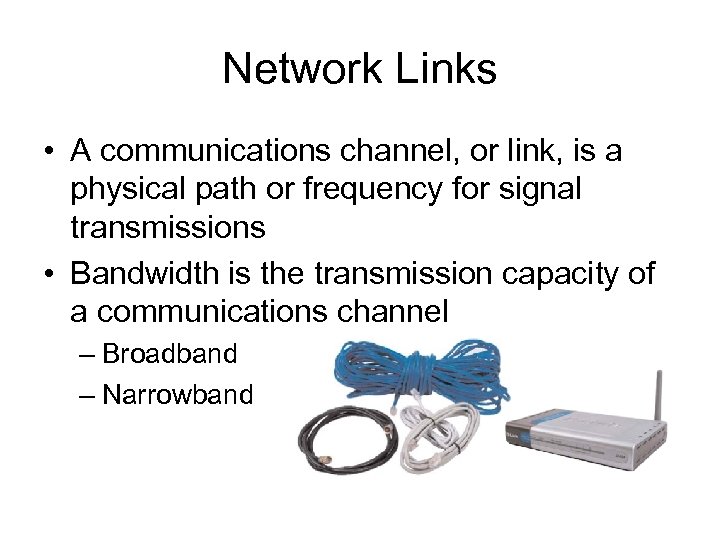 Network Links • A communications channel, or link, is a physical path or frequency for signal transmissions • Bandwidth is the transmission capacity of a communications channel – Broadband – Narrowband
 Communications Protocols • Rules for efficiently transmitting data from one network node to another – Divide messages into packets – Affix addresses to packets – Initiate transmission – Regulate flow of data – Check for transmission errors – Acknowledge receipt of transmitted data
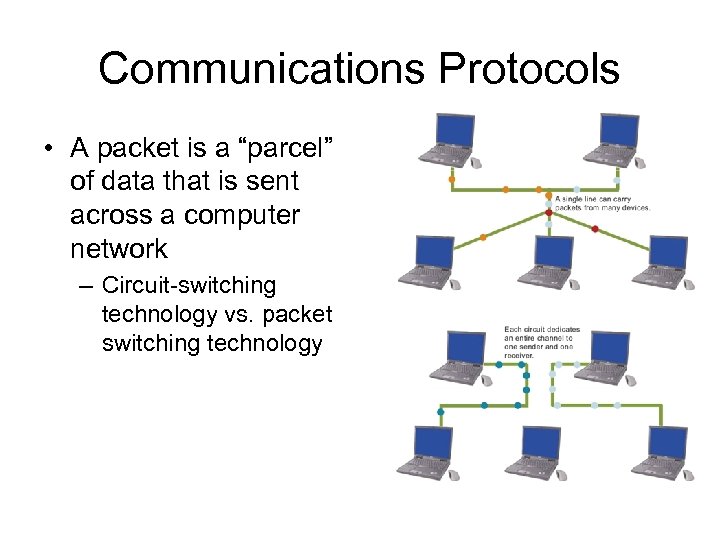 Communications Protocols • A packet is a “parcel” of data that is sent across a computer network – Circuit-switching technology vs. packet switching technology
 Communications Protocols • Every packet that travels over a network includes the address of its destination device • A MAC address is a unique number assigned to a network interface card when it is manufactured • An IP address is a series of numbers used to identify a network device • IP addresses can also be obtained through DHCP
 Wired Network Basics • A wired network uses cables to connect network devices • Wired networks are fast, secure, and simple to configure
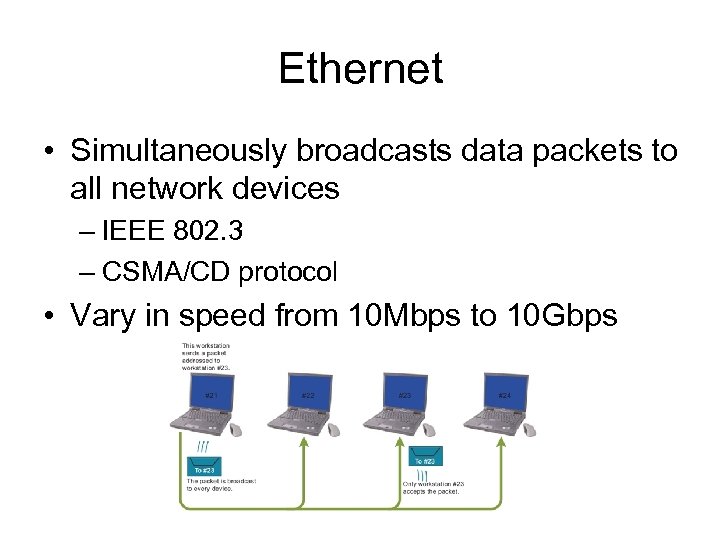 Ethernet • Simultaneously broadcasts data packets to all network devices – IEEE 802. 3 – CSMA/CD protocol • Vary in speed from 10 Mbps to 10 Gbps
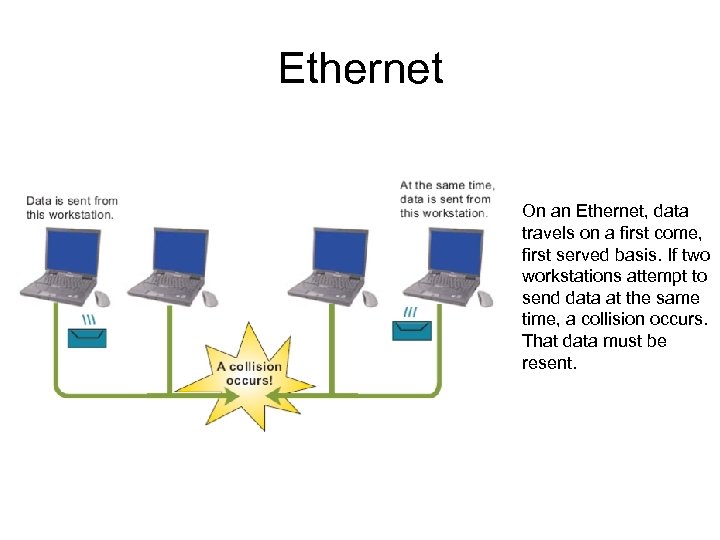 Ethernet On an Ethernet, data travels on a first come, first served basis. If two workstations attempt to send data at the same time, a collision occurs. That data must be resent.
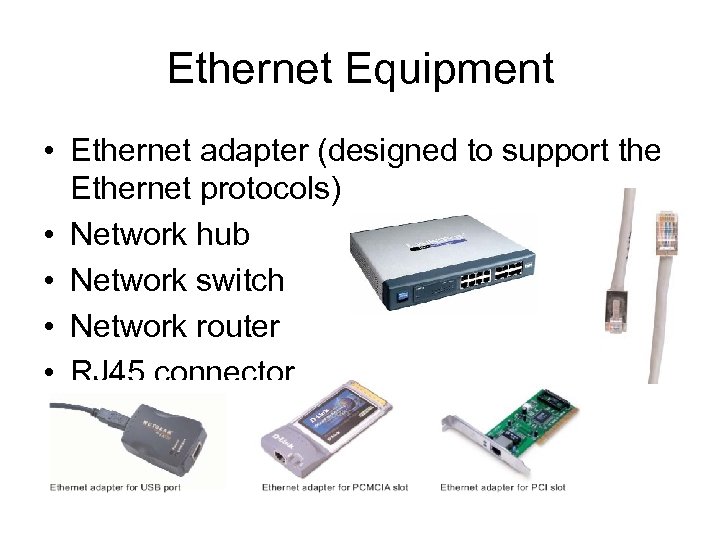 Ethernet Equipment • Ethernet adapter (designed to support the Ethernet protocols) • Network hub • Network switch • Network router • RJ 45 connector
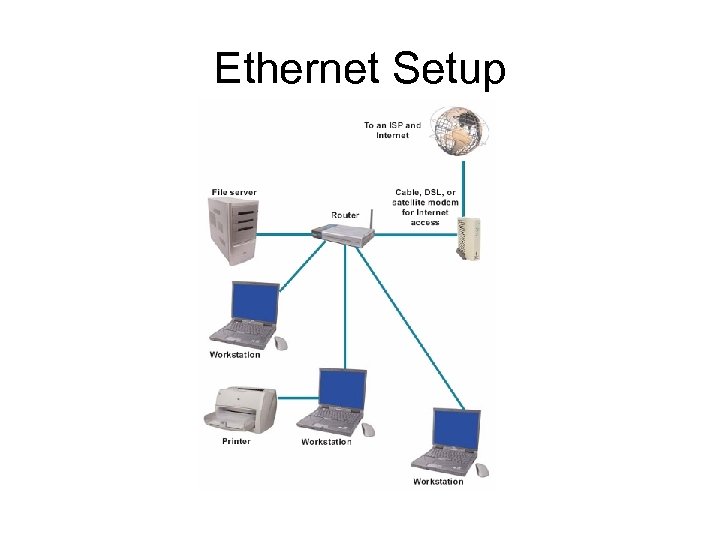 Ethernet Setup
 Wireless Networks • • • Wireless Basics Bluetooth Wi-Fi Equipment Wi-Fi Setup
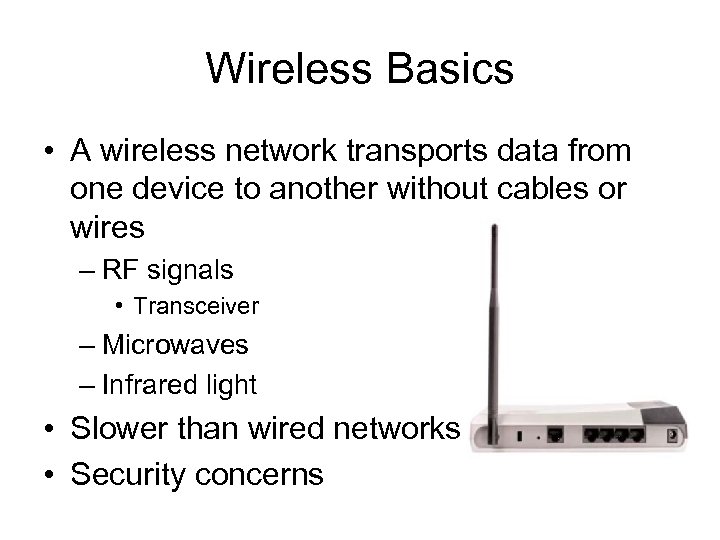 Wireless Basics • A wireless network transports data from one device to another without cables or wires – RF signals • Transceiver – Microwaves – Infrared light • Slower than wired networks • Security concerns
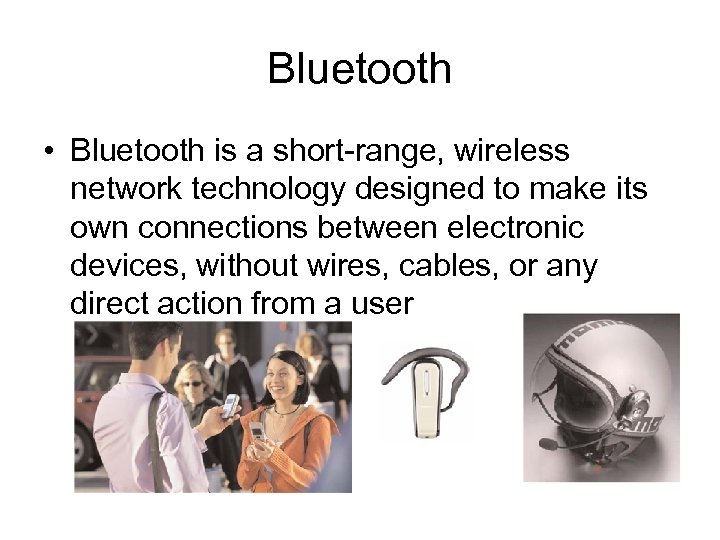 Bluetooth • Bluetooth is a short-range, wireless network technology designed to make its own connections between electronic devices, without wires, cables, or any direct action from a user
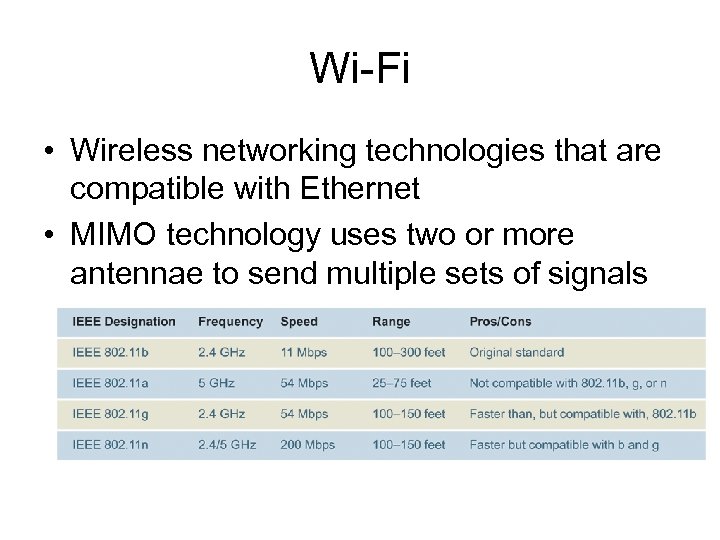 Wi-Fi • Wireless networking technologies that are compatible with Ethernet • MIMO technology uses two or more antennae to send multiple sets of signals
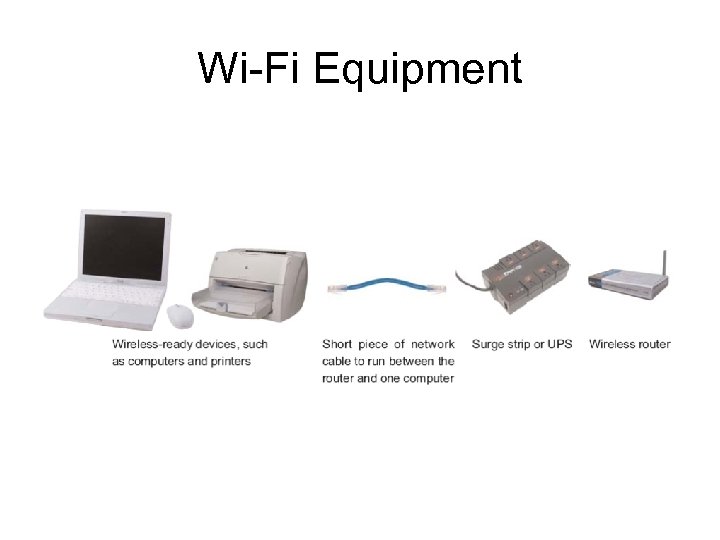 Wi-Fi Equipment
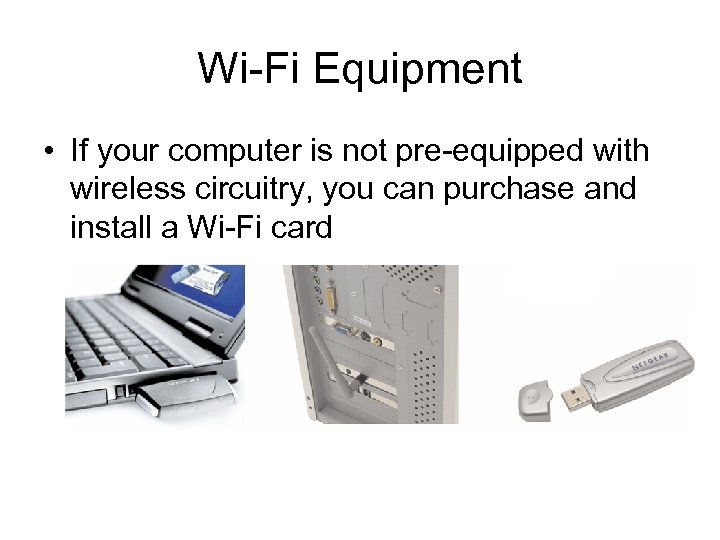 Wi-Fi Equipment • If your computer is not pre-equipped with wireless circuitry, you can purchase and install a Wi-Fi card
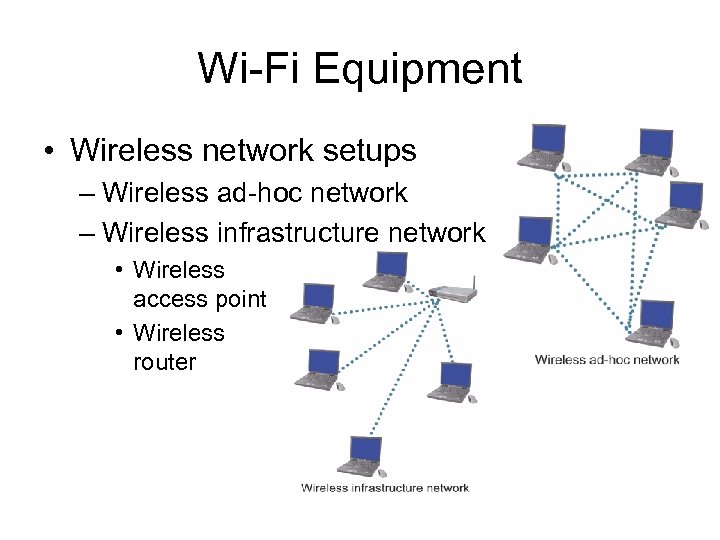 Wi-Fi Equipment • Wireless network setups – Wireless ad-hoc network – Wireless infrastructure network • Wireless access point • Wireless router
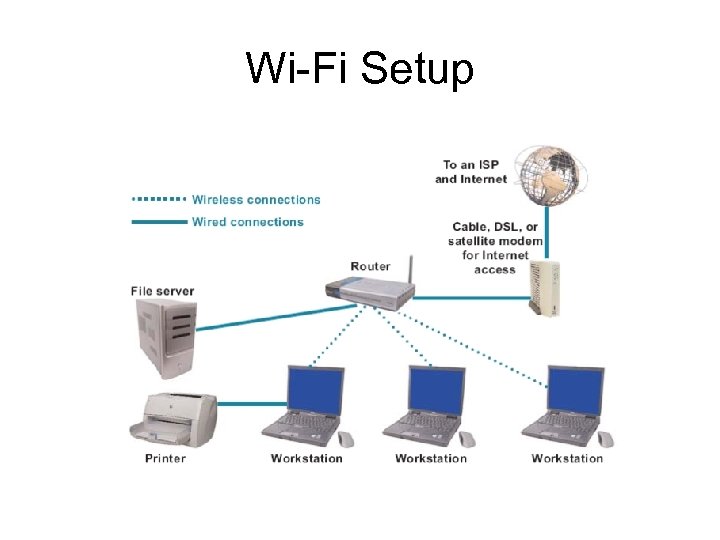
 Wi-Fi Setup • • • Set up the router Connect to the router with a computer Configure the router Access the router setup utility Create a new router password
 Wi-Fi Setup • Enter an SSID for the network • Activate WEP, WPA, or WPA 2 and create an encryption key • Set up the wireless workstations • Connect an Internet access device
 Wi-Fi Setup
 Using LANs • • • LAN Advantages and Challenges Sharing Files Sharing Printers LAN Parties Troubleshooting
 LAN Advantages and Challenges • • • LANs enable people to work together Sharing networked software can reduce costs Sharing data on a LAN can increase productivity Sharing networked hardware can reduce costs Sharing networked hardware can provide access to a wide range of services and specialized peripheral devices
 LAN Advantages and Challenges • Resources become unavailable when network malfunctions • Networks may be vulnerable to unauthorized access – More vulnerable than standalone computers • Wireless networks can be tapped from a “snooping” computer • Networked computers are susceptible to an increasing number of worms, Trojan horses, and blended threats
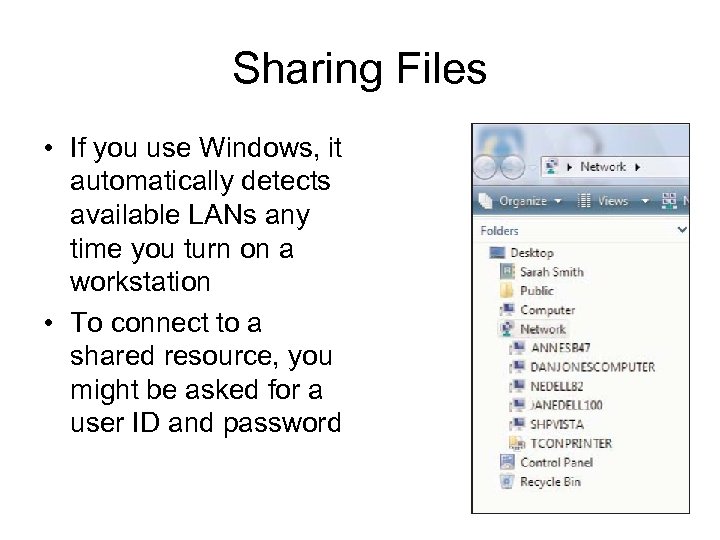 Sharing Files • If you use Windows, it automatically detects available LANs any time you turn on a workstation • To connect to a shared resource, you might be asked for a user ID and password
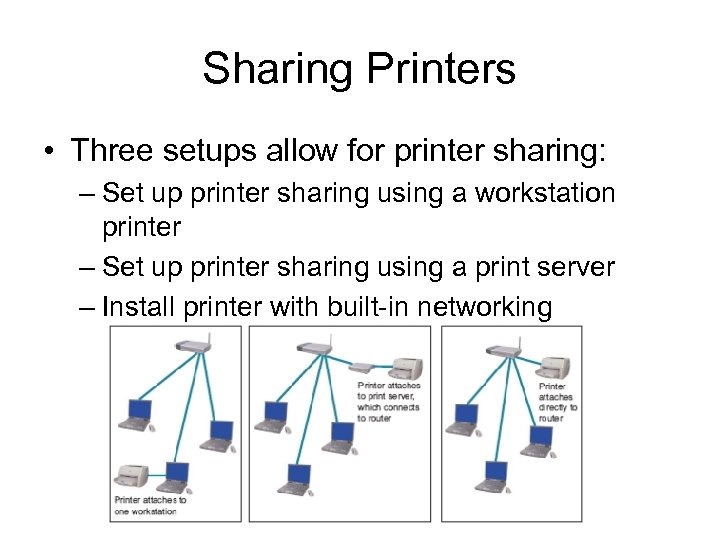 Sharing Printers • Three setups allow for printer sharing: – Set up printer sharing using a workstation printer – Set up printer sharing using a print server – Install printer with built-in networking
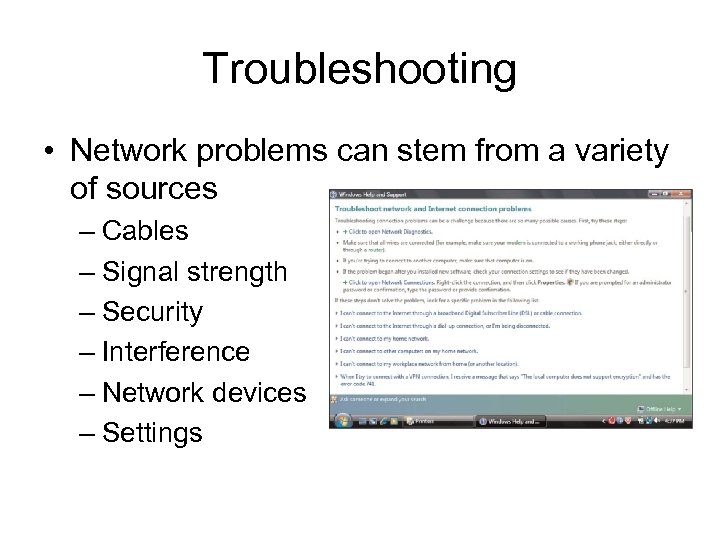 Troubleshooting • Network problems can stem from a variety of sources – Cables – Signal strength – Security – Interference – Network devices – Settings
 Security Through Encryption • Wi-Fi Security • Encryption
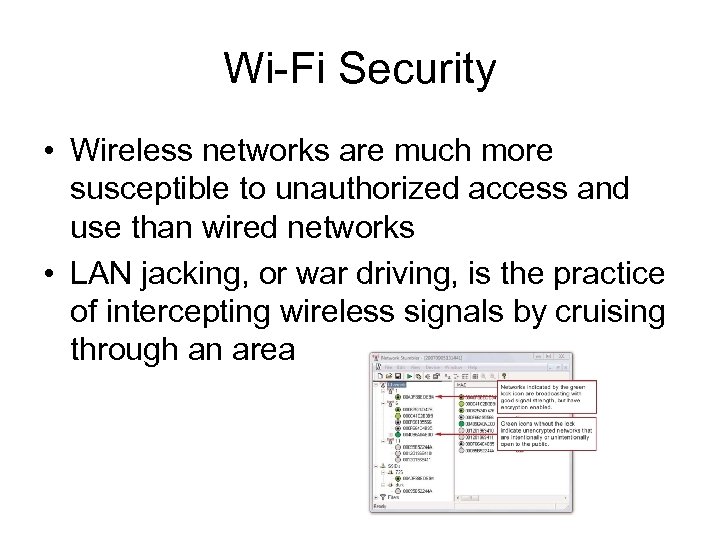 Wi-Fi Security • Wireless networks are much more susceptible to unauthorized access and use than wired networks • LAN jacking, or war driving, is the practice of intercepting wireless signals by cruising through an area
 Wi-Fi Security • Wireless encryption scrambles data transmitted between wireless devices and then unscrambles the data only on devices that have a valid encryption key – WEP (Wired Equivalent Privacy) – WPA (Wi-Fi Protected Access) – WPA 2 • Activate encryption by using a wireless network key
 Encryption • Encryption transforms a message so that its contents are hidden from unauthorized readers – Plaintext has not yet been encrypted – An encrypted message is referred to as ciphertext • Decryption is the opposite of encryption – Cryptographic algorithm – Cryptographic key