 Скачать презентацию Laboratory of Software Analysis Lesson 1 Mariano Ceccato
f36e1a13e7b631a97789e5fe34ffd2a6.ppt
- Количество слайдов: 50



Laboratory of Software Analysis Lesson 1 Mariano Ceccato, FBK-Irst Trento, Italy ceccato@fbk. eu Alesssandro Marchetto FBK-Irst Trento, Italy marchetto@fbk. eu 1
Overview w w w w Objectives Course dependences Content / Course material / tools used Exam (discussion) Legacy systems Reverse engineering, re-structuring, re-engineering Program transformations (TXL) Past projects This year: “three small projects” 2
Objectives, dependences, material, exam. 3
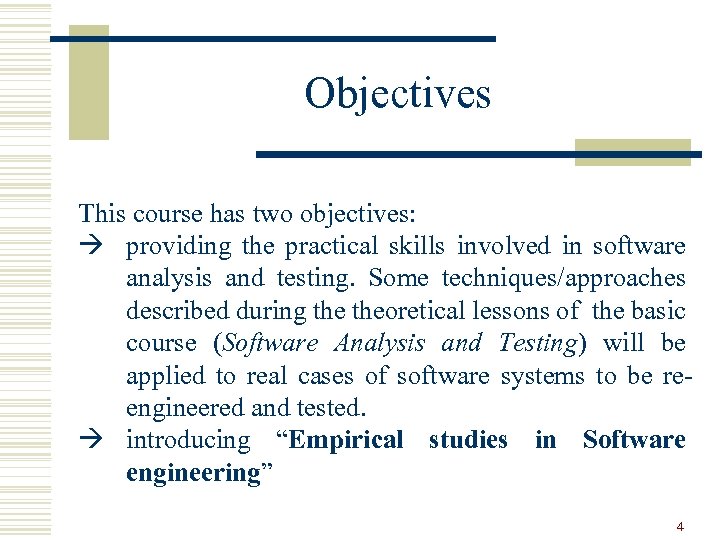
Objectives This course has two objectives: à providing the practical skills involved in software analysis and testing. Some techniques/approaches described during theoretical lessons of the basic course (Software Analysis and Testing) will be applied to real cases of software systems to be reengineered and tested. à introducing “Empirical studies in Software engineering” 4
Dependences Not mandatory but … ---> Programming I and II, Software Engineering, Software Analysis and Testing. ---> It is important to kwon (a little): - OO programming, in particular Java (base level). - UML (class diagram, …). - WEB technologies: HTML, JSP, … (Just a little) - Theoretical aspects of testing. -… 5
Content Code analysis and transformations w Theoretical aspects (already seen in Software analysis and testing). w The TXL programming language. w Practice: application of some techniques to software systems. Code Obfucation w Theoretical aspects. w Techniques to protect against the steal of intellectual property w Practice: application of obfuscation on actual code. Software testing w Theoretical aspects (already seen in Software analysis and testing). w Acceptance testing, GUI testing, Test-first, “Design for testing”, … w Tools: FIT, FITNESSE, JUnit, ABBOT, Robot … Empirical studies in Software engineering w Theoretical aspects (what is an ES? , How to design/conduct an ES? ) w Analysis and interpretation (how to draw conclusions) w Execution of two empirical studies. 6
Material / Tools • Slides • Papers • Manuals of tools http: //selab. fbk. eu/ceccato/courses/lsa 2009/ Languages and Tools: • TXL: code analysis and transformations • JUnit, Fitnesse, Abbot, Robot: Testing tools • … 7
Examination • During the course we will work on a project. • The examination will consist of a discussion. • Admission to the examination requires (at least) the production of some documents that we will see during the year. Examples of small projects: • Recovering the Architecture (class diagram) of a system. • Maintenance intervention / re-implementation of a system • Porting a C program in Java • Testing • Empirical study: C++ vs. Java • … 8

A little of Terminology … 9
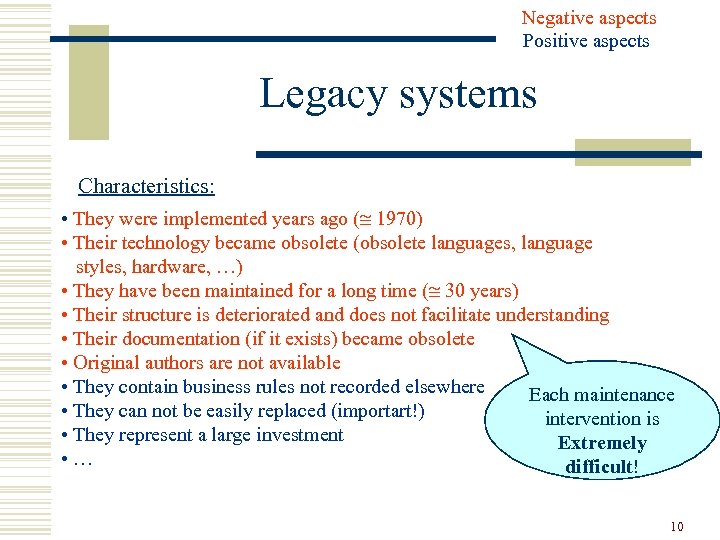
Negative aspects Positive aspects Legacy systems Characteristics: • They were implemented years ago ( 1970) • Their technology became obsolete (obsolete languages, language styles, hardware, …) • They have been maintained for a long time ( 30 years) • Their structure is deteriorated and does not facilitate understanding • Their documentation (if it exists) became obsolete • Original authors are not available • They contain business rules not recorded elsewhere Each maintenance • They can not be easily replaced (importart!) intervention is • They represent a large investment Extremely • … difficult! 10
throw away … Legacy dilemma What should we do with legacy code? 1. to build the new system from scratch. 2. trying to understand the legacy code and to reconstitute it in a new form. First step “reverse engineering” 11
Reverse Engineering w Reverse engineering is the process of taking something (a device, an electrical component, a car, a software, …) apart and analyzing its working in details, usually with the intention to construct a new device or program that does the same thing. w Reverse engineering is used often by military, in order to copy other nations’ technology. 12
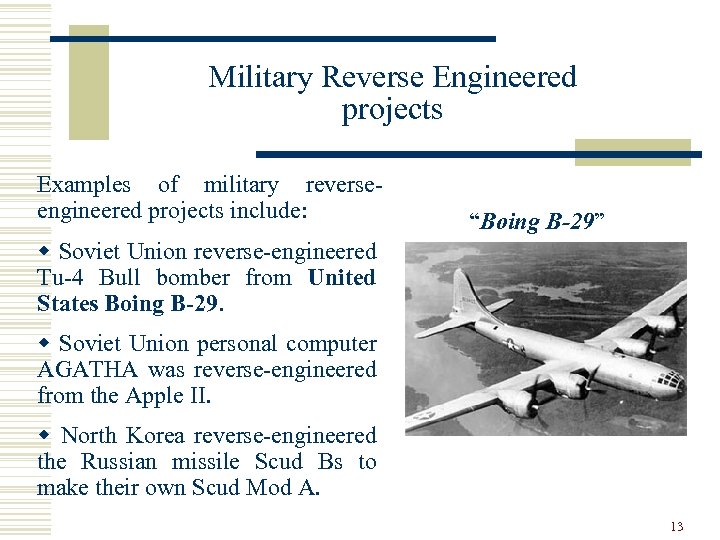
Military Reverse Engineered projects Examples of military reverseengineered projects include: “Boing B-29” w Soviet Union reverse-engineered Tu-4 Bull bomber from United States Boing B-29. w Soviet Union personal computer AGATHA was reverse-engineered from the Apple II. w North Korea reverse-engineered the Russian missile Scud Bs to make their own Scud Mod A. 13
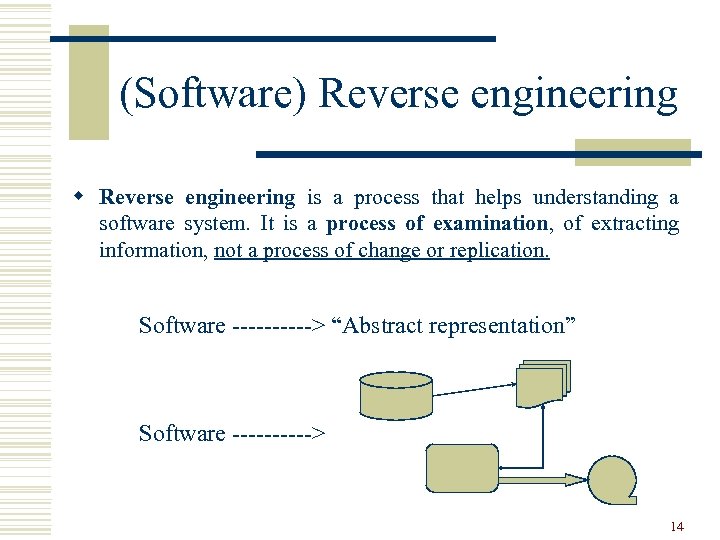
(Software) Reverse engineering w Reverse engineering is a process that helps understanding a software system. It is a process of examination, of extracting information, not a process of change or replication. Software -----> “Abstract representation” Software -----> 14
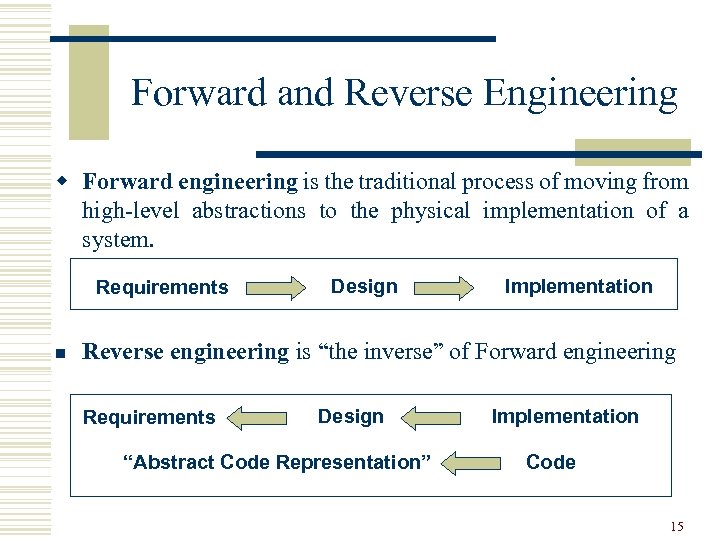
Forward and Reverse Engineering w Forward engineering is the traditional process of moving from high-level abstractions to the physical implementation of a system. Requirements n Design Implementation Reverse engineering is “the inverse” of Forward engineering Requirements Design “Abstract Code Representation” Implementation Code 15
Reverse Engineering Tools 1. Pretty printers and code viewers 2. Diagram generators (software views: flowcharts, data flow diagrams, call graph diagrams, …) 3. Embedded comments extractors (ex. Javadoc) 4. Software metrics tools (Locs, methods/functions, cohesion, coupling…) 5. Design recovery tools (ex. Rational Rose, Omondo, Visual. UML: UML diagram extractor) 6. Others … 16
Restructuring is the transformation from one representation to another at the same relative abstraction level - while preserving the system external behavior (functionality and semantics). Examples: • Code level: - from an unstructured (“spaghetti”) form to a structured form (“goto-less”) - conversion of set of “if-statements” into a “case structure”. • Design level: to improve or change data structures (arrays to Lists, files system to DBMS …) or to improve algorithms (for example: time complexity). 17
Re-engineering w Re-engineering is the examination (reverse engineering) of a system to reconstitute it (forward engineering) in a new form. w This process may include modifications with respect to new requirements not met by the original system (Semantics cannot be preserved). The re-engineering process takes many forms, depending on its objectives. Sample objectives are: • code migration/porting (ex. C to C++) • reengineering code for reuse • reengineering code for security • … 18
Relationships 19
Program analysis • Program analysis is the (automated) inspection of a program to infer some properties. Usually, properties are inferred without running the program (static analysis). Examples are: • Type analysis (type inference) • Dead code analysis • Clone analysis • Pointer Analysis • … 20
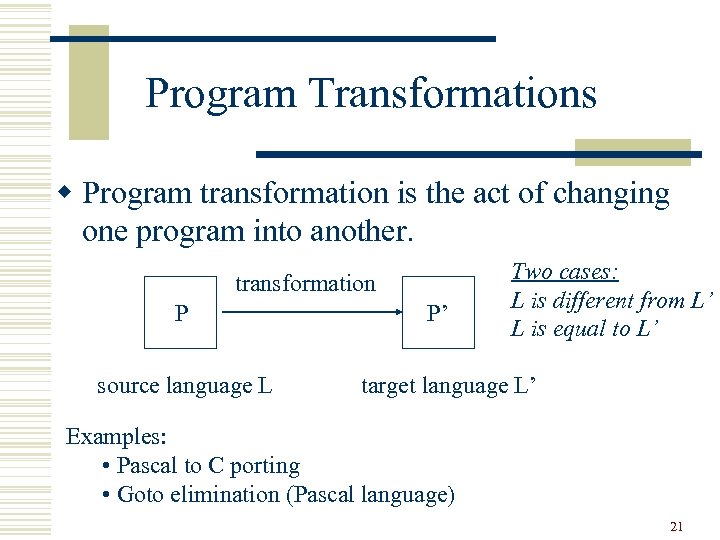
Program Transformations w Program transformation is the act of changing one program into another. transformation P source language L P’ Two cases: L is different from L’ L is equal to L’ target language L’ Examples: • Pascal to C porting • Goto elimination (Pascal language) 21
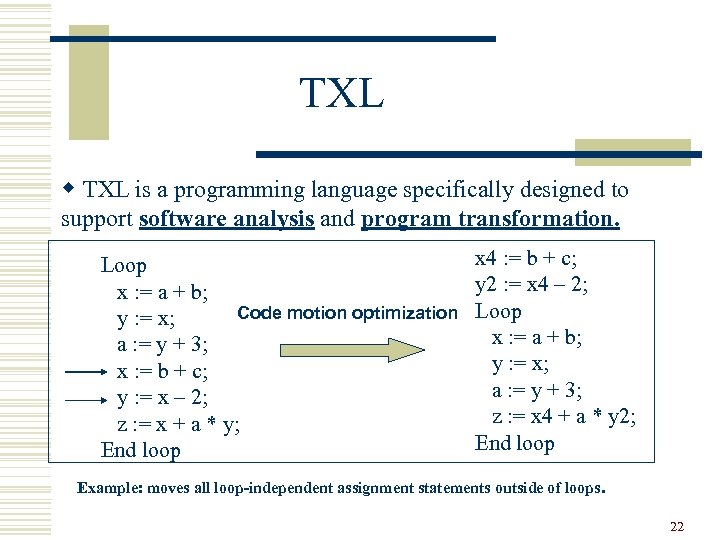
TXL w TXL is a programming language specifically designed to support software analysis and program transformation. Loop x : = a + b; Code motion optimization y : = x; a : = y + 3; x : = b + c; y : = x – 2; z : = x + a * y; End loop x 4 : = b + c; y 2 : = x 4 – 2; Loop x : = a + b; y : = x; a : = y + 3; z : = x 4 + a * y 2; End loop Example: moves all loop-independent assignment statements outside of loops. 22
Past Projects and Project of this year 23
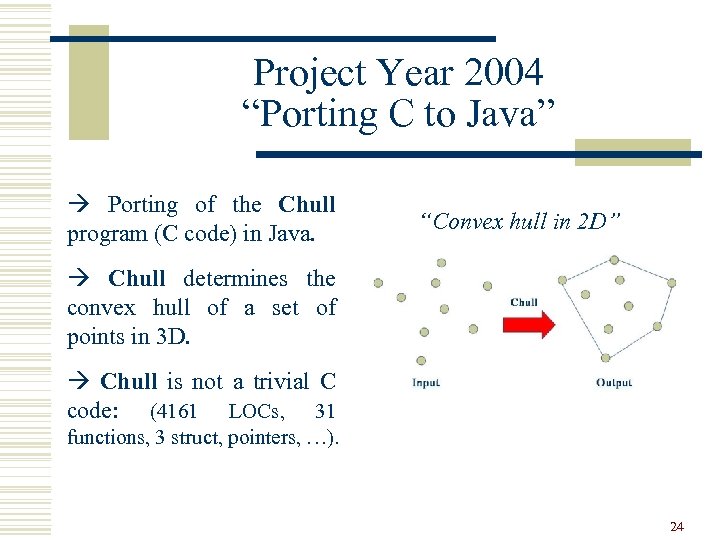
Project Year 2004 “Porting C to Java” à Porting of the Chull program (C code) in Java. “Convex hull in 2 D” à Chull determines the convex hull of a set of points in 3 D. à Chull is not a trivial C code: (4161 LOCs, 31 functions, 3 struct, pointers, …). 24
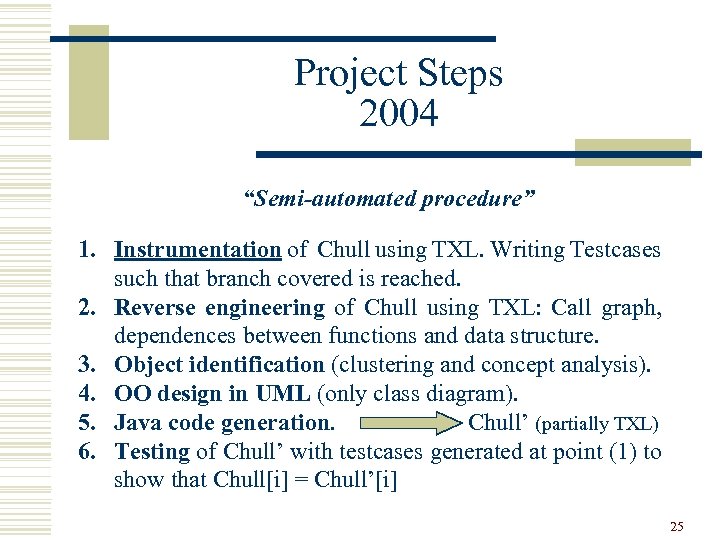
Project Steps 2004 “Semi-automated procedure” 1. Instrumentation of Chull using TXL. Writing Testcases such that branch covered is reached. 2. Reverse engineering of Chull using TXL: Call graph, dependences between functions and data structure. 3. Object identification (clustering and concept analysis). 4. OO design in UML (only class diagram). 5. Java code generation. Chull’ (partially TXL) 6. Testing of Chull’ with testcases generated at point (1) to show that Chull[i] = Chull’[i] 25
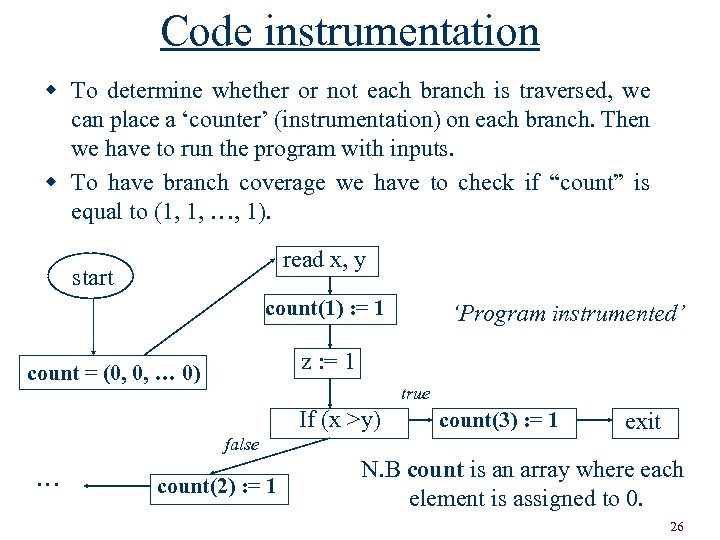
Code instrumentation w To determine whether or not each branch is traversed, we can place a ‘counter’ (instrumentation) on each branch. Then we have to run the program with inputs. w To have branch coverage we have to check if “count” is equal to (1, 1, …, 1). read x, y start count(1) : = 1 z : = 1 count = (0, 0, … 0) true If (x >y) false … ‘Program instrumented’ count(2) : = 1 count(3) : = 1 exit N. B count is an array where each element is assigned to 0. 26
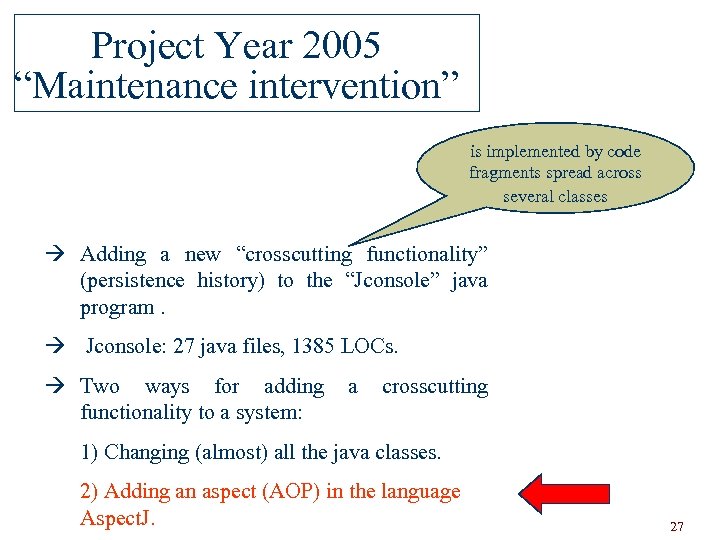
Project Year 2005 “Maintenance intervention” is implemented by code fragments spread across several classes à Adding a new “crosscutting functionality” (persistence history) to the “Jconsole” java program. à Jconsole: 27 java files, 1385 LOCs. à Two ways for adding functionality to a system: a crosscutting 1) Changing (almost) all the java classes. 2) Adding an aspect (AOP) in the language Aspect. J. 27
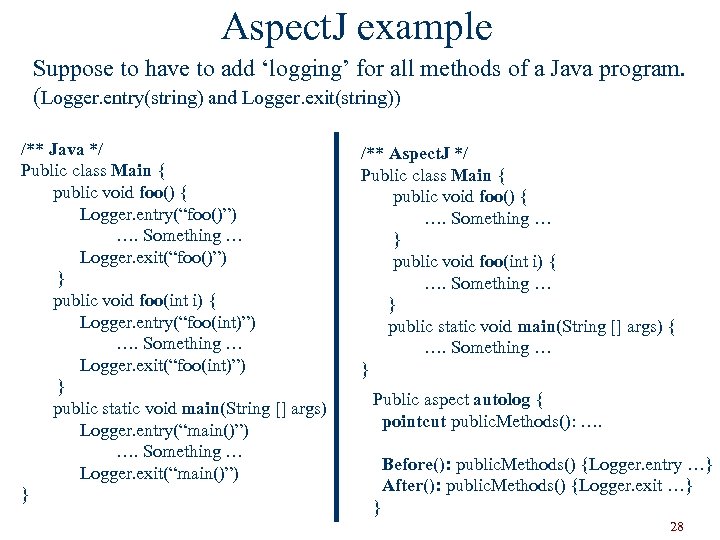
Aspect. J example Suppose to have to add ‘logging’ for all methods of a Java program. (Logger. entry(string) and Logger. exit(string)) /** Java */ Public class Main { public void foo() { Logger. entry(“foo()”) …. Something … Logger. exit(“foo()”) } public void foo(int i) { Logger. entry(“foo(int)”) …. Something … Logger. exit(“foo(int)”) } public static void main(String [] args) { Logger. entry(“main()”) …. Something … Logger. exit(“main()”) } /** Aspect. J */ Public class Main { public void foo() { …. Something … } public void foo(int i) { …. Something … } public static void main(String [] args) { …. Something … } Public aspect autolog { pointcut public. Methods(): …. Before(): public. Methods() {Logger. entry …} After(): public. Methods() {Logger. exit …} } 28
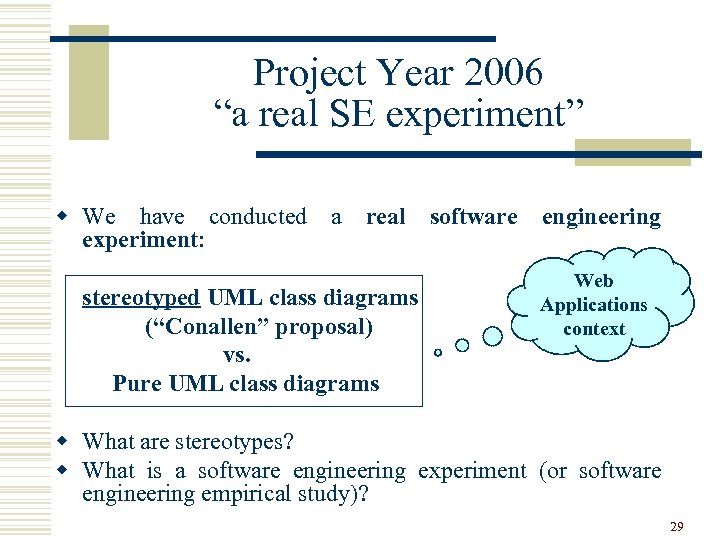
Project Year 2006 “a real SE experiment” w We have conducted a real software engineering experiment: stereotyped UML class diagrams (“Conallen” proposal) vs. Pure UML class diagrams Web Applications context w What are stereotypes? w What is a software engineering experiment (or software engineering empirical study)? 29
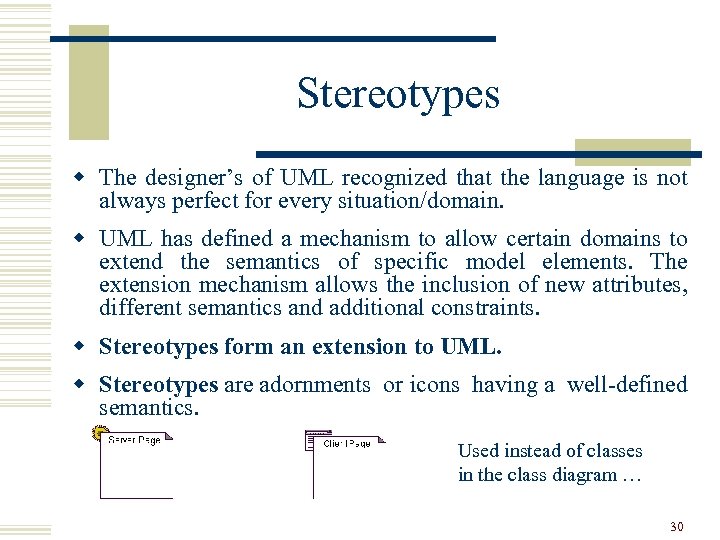
Stereotypes w The designer’s of UML recognized that the language is not always perfect for every situation/domain. w UML has defined a mechanism to allow certain domains to extend the semantics of specific model elements. The extension mechanism allows the inclusion of new attributes, different semantics and additional constraints. w Stereotypes form an extension to UML. w Stereotypes are adornments or icons having a well-defined semantics. Used instead of classes in the class diagram … 30
Empirical studies in SE w Software engineering is the result of opinions and anecdotal evidences and not the result of empirical evidence. . . w For example no one has demonstrated that OO techniques are better that structured techniques, but everyone uses OO. . . w Empirical studies (experiments) are useful to try to answer some research questions. “technique A is better than B? ” 31
How to conduct an empirical study? Suppose that we have to “demonstrate” this hypothesis: “technique A is better than B” Procedure: 1. 2. 3. 4. Participants (students, professionals, etc) are divided into two groups (Group 1 and Group 2). Group 1 will execute the task with technique A while Group 2 with technique B. Data of the experiment are collected and metrics are measured. The hypothesis of the experiment is evaluated statistically using data collected and metrics. 32
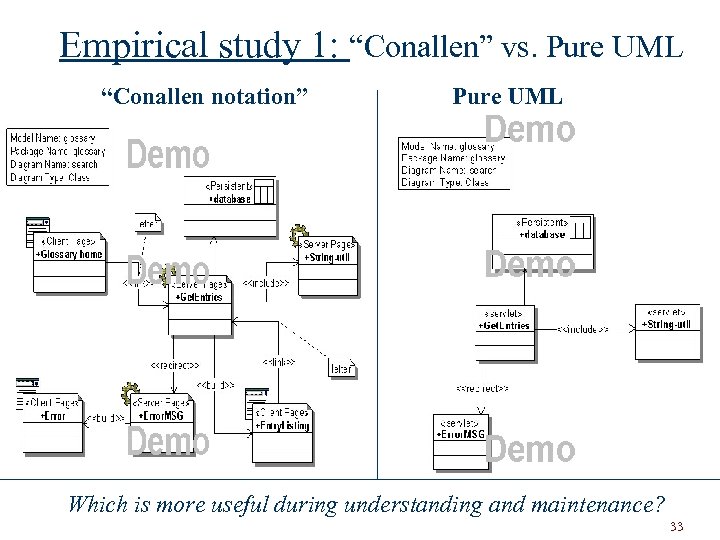
Empirical study 1: “Conallen” vs. Pure UML “Conallen notation” Pure UML Which is more useful during understanding and maintenance? 33
Project Year 2007 Three projects: 1. Porting “Extract class diagram” program to Java using TXL 2. Empirical study 1: Testcases (“Fit tables”) can be used to clarify requirements? 3. Empirical study 2: Conallen vs. Web. ML. When doing a comprehension task is more useful Conallen or Web. ML? 34
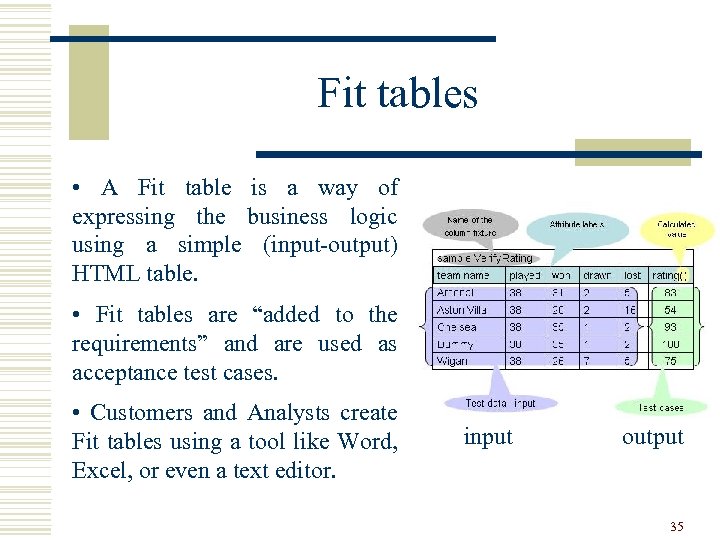
Fit tables • A Fit table is a way of expressing the business logic using a simple (input-output) HTML table. • Fit tables are “added to the requirements” and are used as acceptance test cases. • Customers and Analysts create Fit tables using a tool like Word, Excel, or even a text editor. input output 35
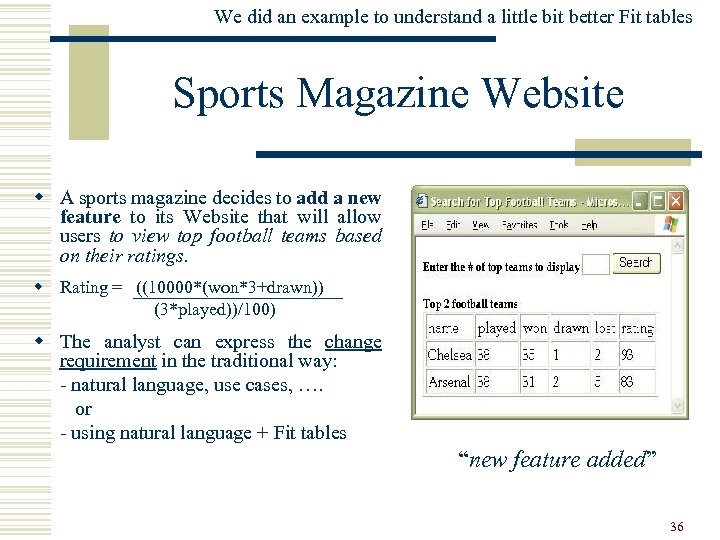
We did an example to understand a little bit better Fit tables Sports Magazine Website w A sports magazine decides to add a new feature to its Website that will allow users to view top football teams based on their ratings. w Rating = ((10000*(won*3+drawn)) (3*played))/100) w The analyst can express the change requirement in the traditional way: - natural language, use cases, …. or - using natural language + Fit tables “new feature added” 36
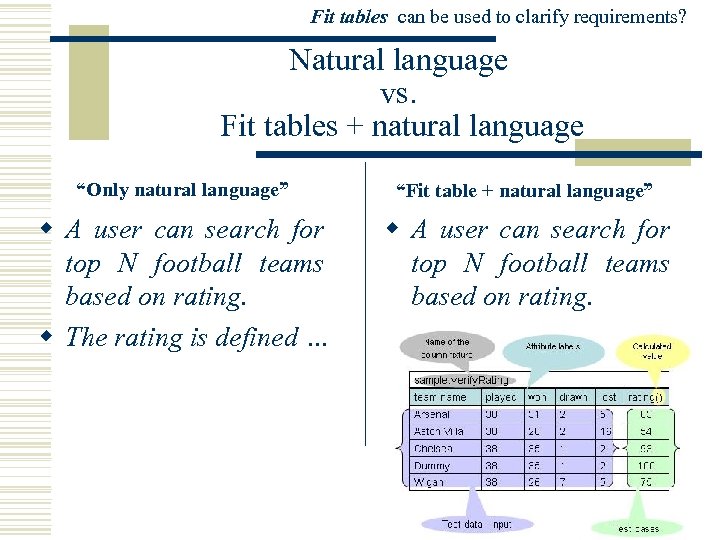
Fit tables can be used to clarify requirements? Natural language vs. Fit tables + natural language “Only natural language” “Fit table + natural language” w A user can search for top N football teams based on rating. w The rating is defined … w A user can search for top N football teams based on rating. 37
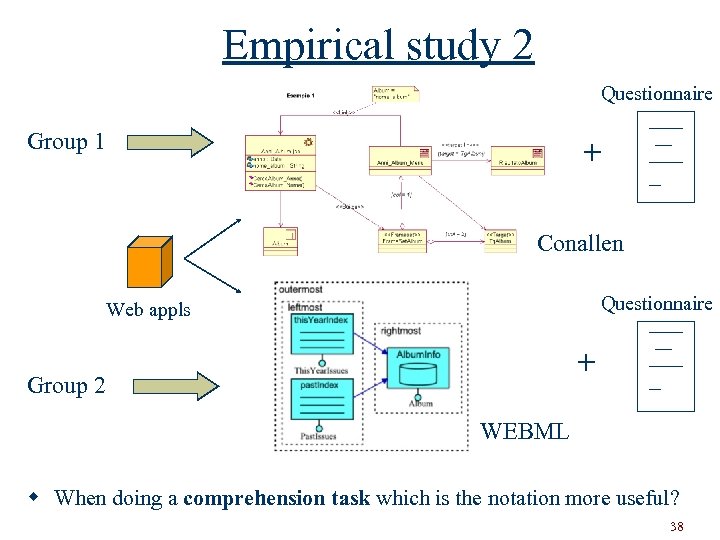
Empirical study 2 Questionnaire Group 1 + Conallen Questionnaire Web appls + Group 2 WEBML w When doing a comprehension task which is the notation more useful? 38
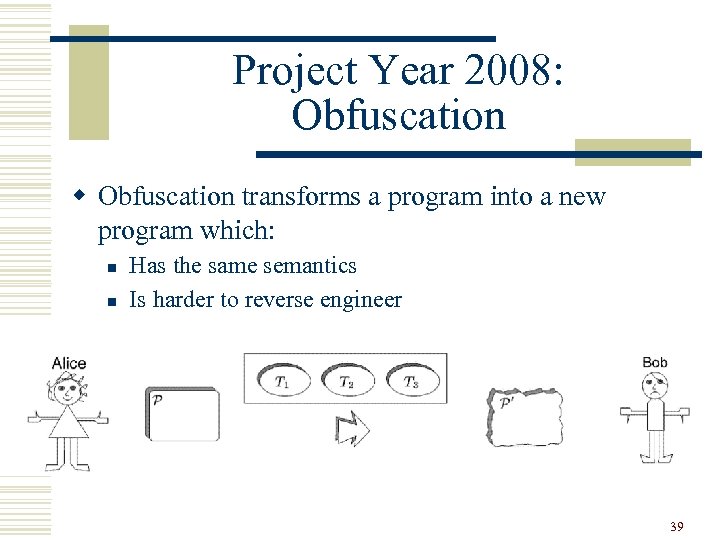
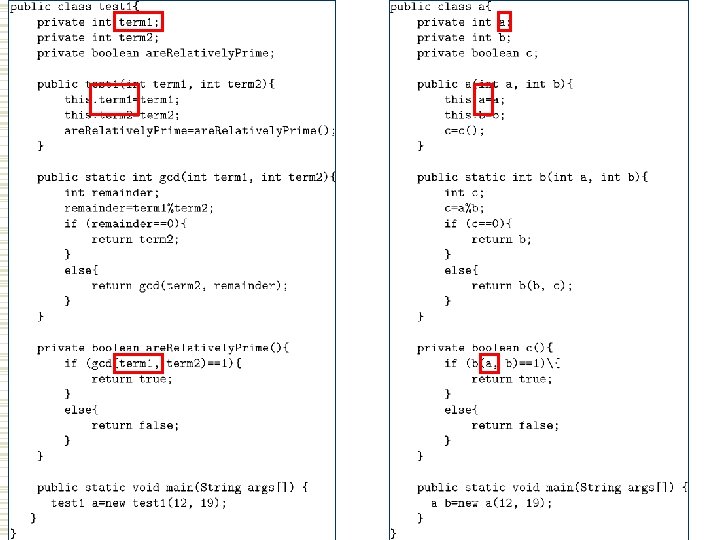
Project Year 2008: Obfuscation w Obfuscation transforms a program into a new program which: n n Has the same semantics Is harder to reverse engineer 39
40
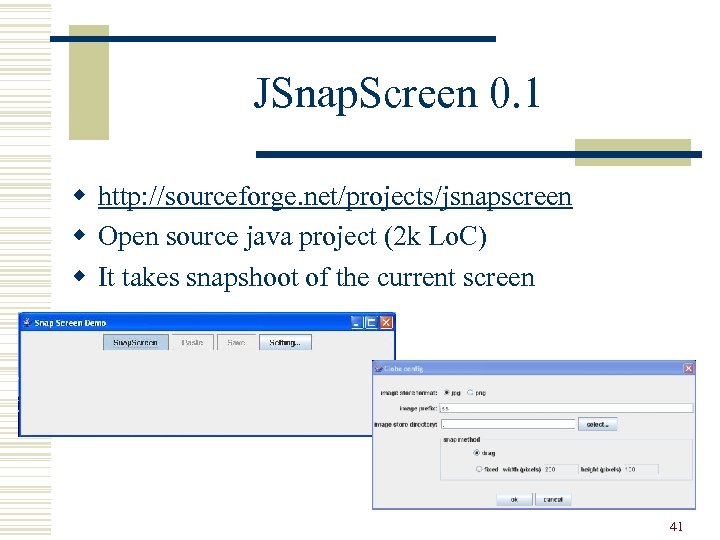
JSnap. Screen 0. 1 w http: //sourceforge. net/projects/jsnapscreen w Open source java project (2 k Lo. C) w It takes snapshoot of the current screen 41
The end … Next lessons … 42
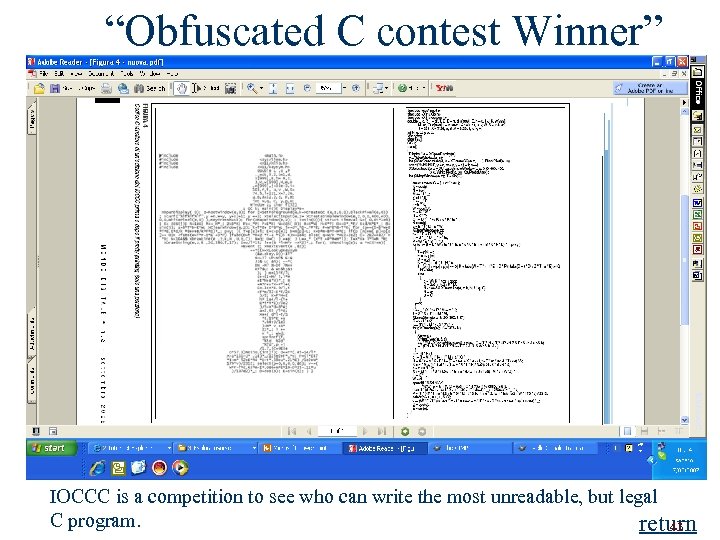
“Obfuscated C contest Winner” return IOCCC is a competition to see who can write the most unreadable, but legal C program. return 43
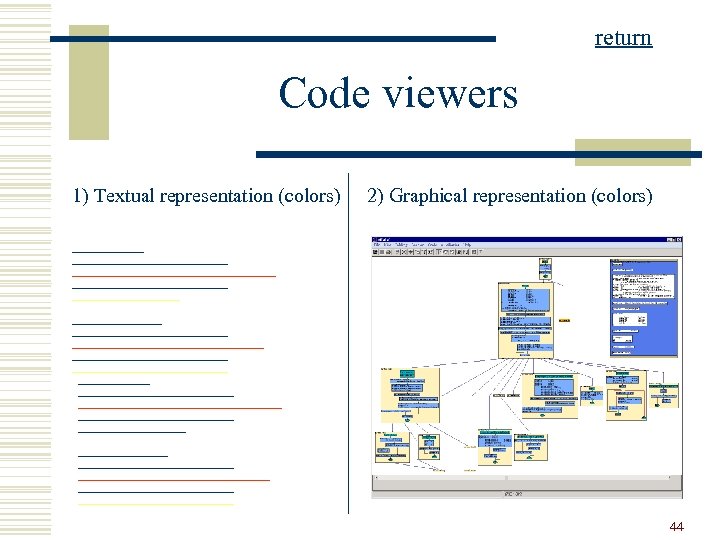
return Code viewers 1) Textual representation (colors) 2) Graphical representation (colors) 44
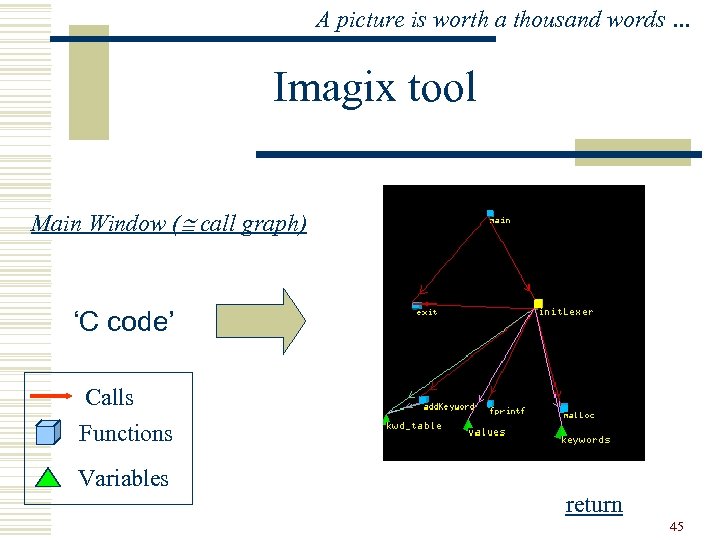
A picture is worth a thousand words … Imagix tool Main Window ( call graph) ‘C code’ Calls Functions Variables return 45
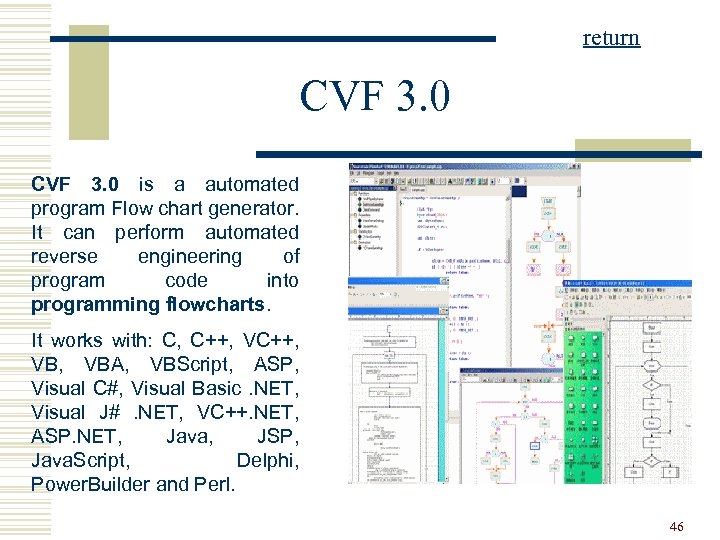
return CVF 3. 0 is a automated program Flow chart generator. It can perform automated reverse engineering of program code into programming flowcharts. It works with: C, C++, VB, VBA, VBScript, ASP, Visual C#, Visual Basic. NET, Visual J#. NET, VC++. NET, ASP. NET, Java, JSP, Java. Script, Delphi, Power. Builder and Perl. 46
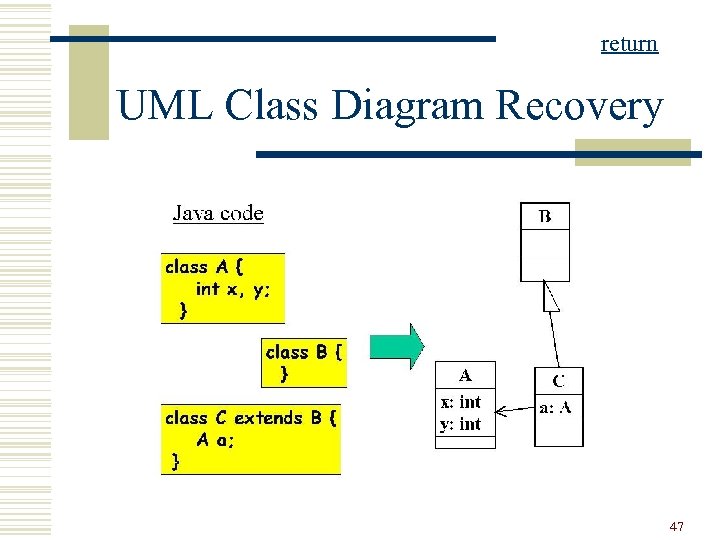
return UML Class Diagram Recovery 47
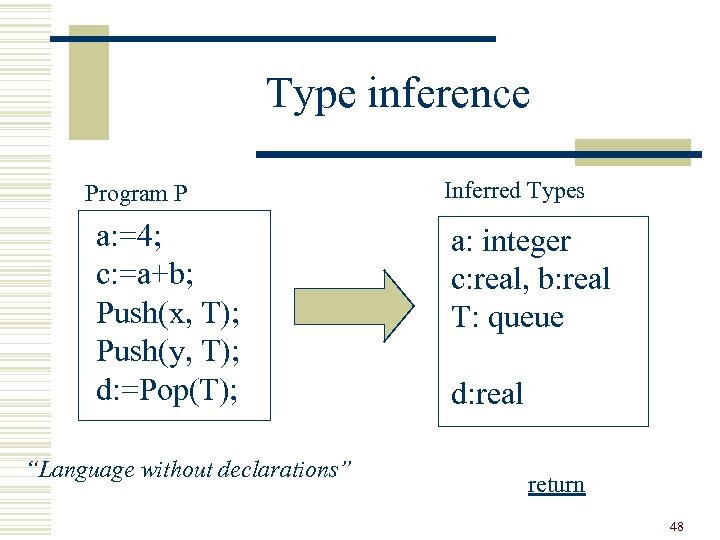
Type inference Program P a: =4; c: =a+b; Push(x, T); Push(y, T); d: =Pop(T); “Language without declarations” Inferred Types a: integer c: real, b: real T: queue d: real return 48
![Dead code … 20: FOR I=1 TO 10 30: V[I] = V[I] +1; 40:](https://present5.com/presentation/f36e1a13e7b631a97789e5fe34ffd2a6/image-49.jpg "Dead code … 20: FOR I=1 TO 10 30: V[I] = V[I] +1; 40:")
Dead code … 20: FOR I=1 TO 10 30: V[I] = V[I] +1; 40: PRINT V[I] 50: ENDFOR 60: PRINT X; Never executed Suppose: No jumps to the lines 80 and 90! 70: GOTO 100 80: CALL F 1; 90: CALL F 2; 100 END return 49
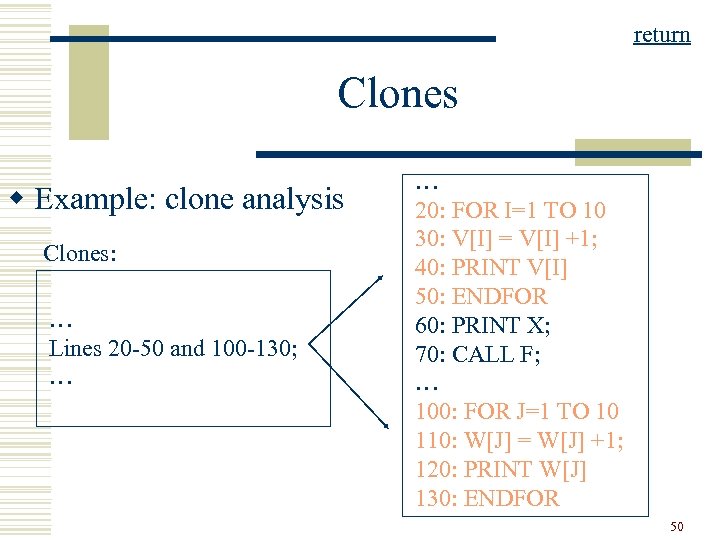
return Clones w Example: clone analysis Clones: … Lines 20 -50 and 100 -130; … … 20: FOR I=1 TO 10 30: V[I] = V[I] +1; 40: PRINT V[I] 50: ENDFOR 60: PRINT X; 70: CALL F; … 100: FOR J=1 TO 10 110: W[J] = W[J] +1; 120: PRINT W[J] 130: ENDFOR 50
Скачать презентацию Laboratory of Software Analysis Lesson 1 Mariano Ceccato
f36e1a13e7b631a97789e5fe34ffd2a6.ppt