 Скачать презентацию Lab VIEW for FRC Long Island Software Workshop
a7cdd37569d4e11bb7abd53e93e7e34e.ppt
- Количество слайдов: 13



Lab. VIEW for FRC Long Island Software Workshop Dec 13, 2008 Robert. berger@ni. com
Agenda • Intro to the New Control System • Lab. VIEW Basics – little Lab. VIEW History – What else Lab. VIEW might be able to do for you – Resources – Hands On Instruction • Lab. VIEW Project Window • WPI Robotics Libraries for Lab. VIEW
What is Lab. VIEW? • It is a tool used by scientists and engineers to measure and automate the universe around us • It is a graphical programming environment – programming – it is a programming language and you won’t be an expert in a day or two – graphical – you draw your code – environment – it is more than measurement and automation, it has analysis and user interface capabilities created for scientists and engineers
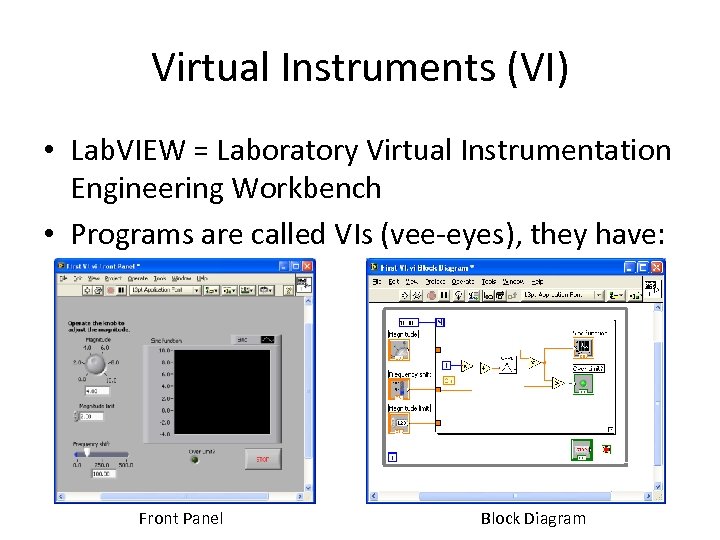
Virtual Instruments (VI) • Lab. VIEW = Laboratory Virtual Instrumentation Engineering Workbench • Programs are called VIs (vee-eyes), they have: Front Panel Block Diagram
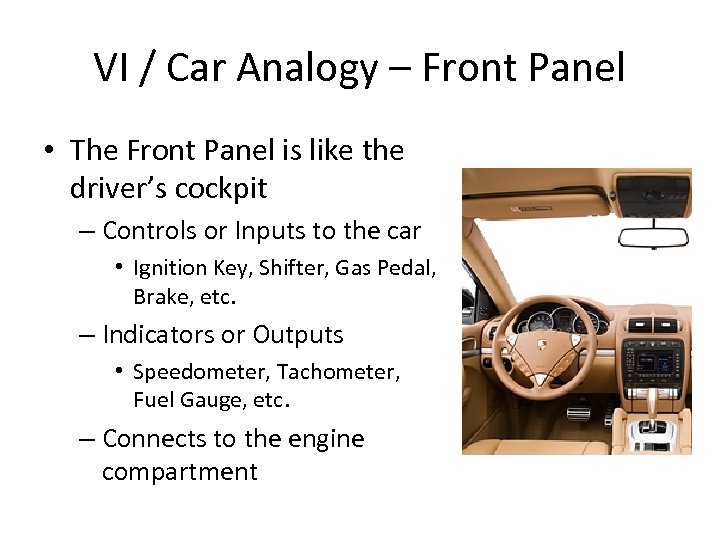
VI / Car Analogy – Front Panel • The Front Panel is like the driver’s cockpit – Controls or Inputs to the car • Ignition Key, Shifter, Gas Pedal, Brake, etc. – Indicators or Outputs • Speedometer, Tachometer, Fuel Gauge, etc. – Connects to the engine compartment
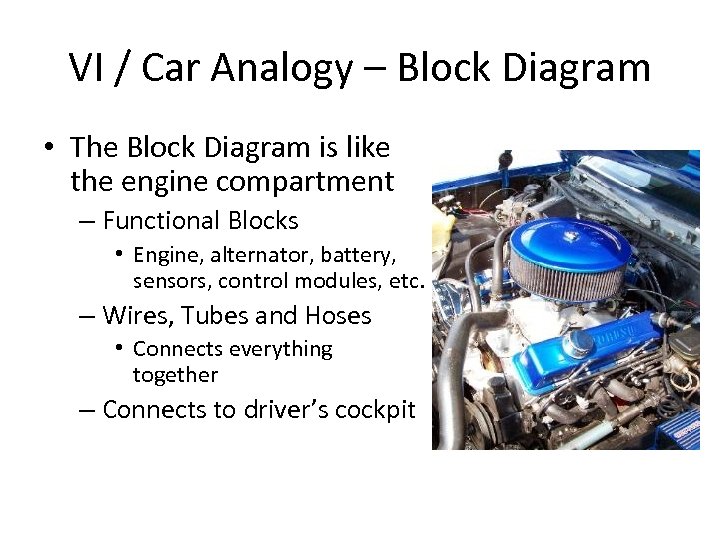
VI / Car Analogy – Block Diagram • The Block Diagram is like the engine compartment – Functional Blocks • Engine, alternator, battery, sensors, control modules, etc. – Wires, Tubes and Hoses • Connects everything together – Connects to driver’s cockpit
Lab. VIEW History • 1986 - Premiered on a Macintosh – It mainly automated electronic instruments – oscilloscopes, multimeters, etc • 1992 - Ported to MS Windows • 1997 - Ported to a Real Time OS – Used by several Universities and Companies in various robotics competitions • VA Tech started using it in 2003 – They finished in 3 rd place at the Urban Grand Challenge – late 2007 • 1999 - Robolab was introduced by LEGO & Tufts Univ • 2006 - Ported to run on a LEGO MINDSTORMS NXT • 2008/9 – Lab. VIEW FTC and FRC
Other Lab. VIEW uses • Students – Students Projects with LEGO NXT – You’ll see it in many collegiate engineering & science programs – Create NXT-G blocks for your favorite FLL or FTC team* • Teachers – Project Lead the Way – The Infinity Project – Works with your Vernier Sensors * You’ll need Lab. VIEW Version 7. 1
Other Lab. VIEW uses • Mentors from Industry – Instrument Control – GPIB, Etc – Industrial Automation – PLCs, HMI, SCADA – Machine Vision – Motion Control – Program FPGAs – Embedded Targets – ADI Blackfin, ARM 7 – Algorithm Engineering
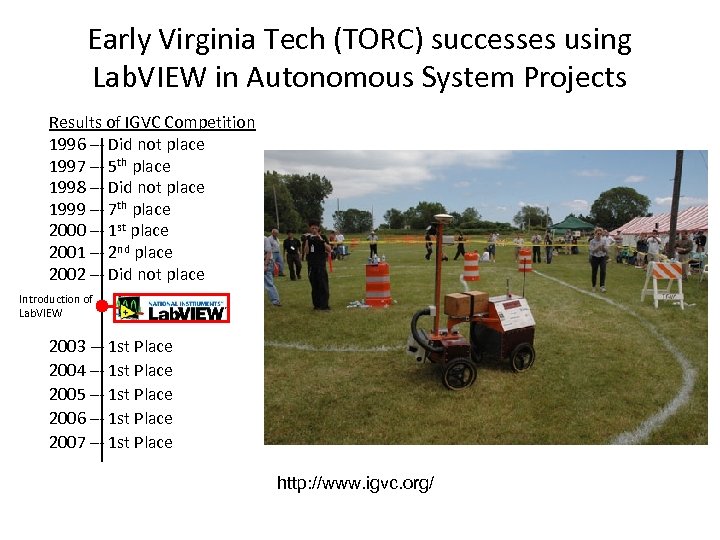
Early Virginia Tech (TORC) successes using Lab. VIEW in Autonomous System Projects Results of IGVC Competition 1996 –- Did not place 1997 –- 5 th place 1998 –- Did not place 1999 –- 7 th place 2000 –- 1 st place 2001 –- 2 nd place 2002 –- Did not place Introduction of Lab. VIEW 2003 -– 1 st Place 2004 –- 1 st Place 2005 –- 1 st Place 2006 –- 1 st Place 2007 –- 1 st Place http: //www. igvc. org/
Resources • Books – Lab. VIEW for Everyone – Travis & Kring – Learning with Lab. VIEW – Robert Bishop – Lab. VIEW for LEGO MINDSTORMS NXT - Michael Gasperi • Websites – ni. com/first
Logistics • Lab. VIEW for FRC – 2 DVDs ship with the Kit • • You don’t need to load both Disk 1 = Lab. VIEW Disk 2 = Windriver C++ Version 8. 5. 1 which is not the latest version – http: //www. usfirst. org/frccontrolsystem • Lab. VIEW FRC software update - VERY IMPORTANT • Control System Manual • H/W and S/W Documentation • If you don’t have your kit – use Lab. VIEW Evaluation Copy
Hands On Instructions • At first, please do what I do… don’t stray • Listen Carefully… – “left-click” vs. “right-click” – “click & release” vs. “click & hold” • Raise your hand … shout “Help!”
Скачать презентацию Lab VIEW for FRC Long Island Software Workshop
a7cdd37569d4e11bb7abd53e93e7e34e.ppt