 Скачать презентацию Lab 6 Communication Between DSP and PC
1a0a65d7af0bbf367f3067f66a4acea4.ppt
- Количество слайдов: 11



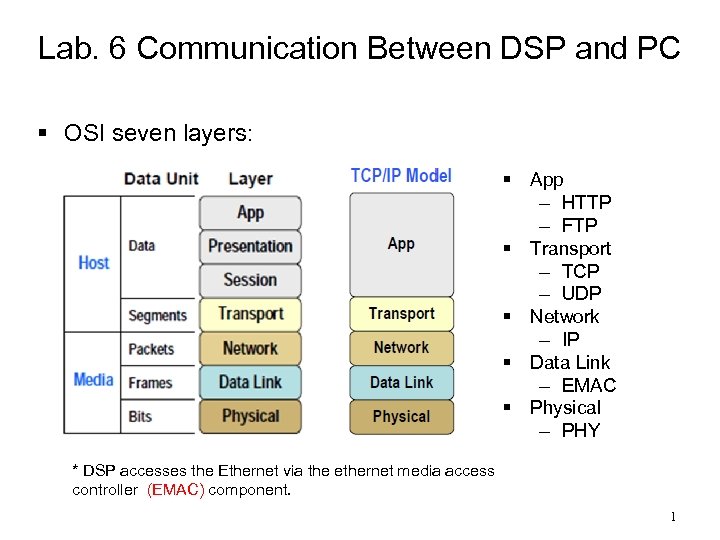
Lab. 6 Communication Between DSP and PC § OSI seven layers: § App – HTTP – FTP § Transport – TCP – UDP § Network – IP § Data Link – EMAC § Physical – PHY * DSP accesses the Ethernet via the ethernet media access controller (EMAC) component. 1
§ The network app has two pieces – Server – Client § Server – Provide requested service to client – Send requested data (e. g. http - web page) § Client – Request service and data from server § TCP – Allow handshaking between the client and server and therefore guarantees the correct delivery of information. § UDP – Do not implement handshaking (therefore, it is unreliable) but has an overall reduced communications overhead (thus, a bit faster). 2
§ IP Address – a unique logical address used to identify and communicate over on a computer network (a computer address) § Port Number – a special number present in the header of a data packet used to map data to a process. – IP = city block – port = house number. § A socket is the interface between the application code and the TCP/IP stack. § It is an intelligent buffer that contains information regarding a connection. – For example, the FTP application is using port “x” at IP address “y” and is currently active. The socket also contains pointers to where the data is stored. 3
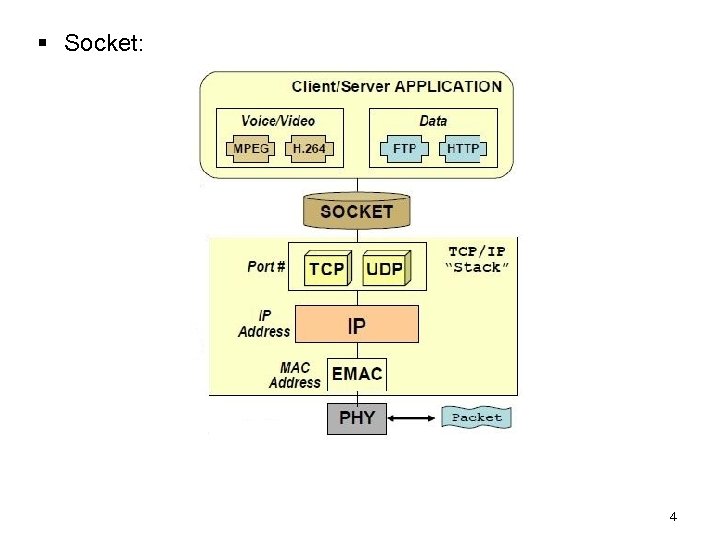
§ Socket: 4
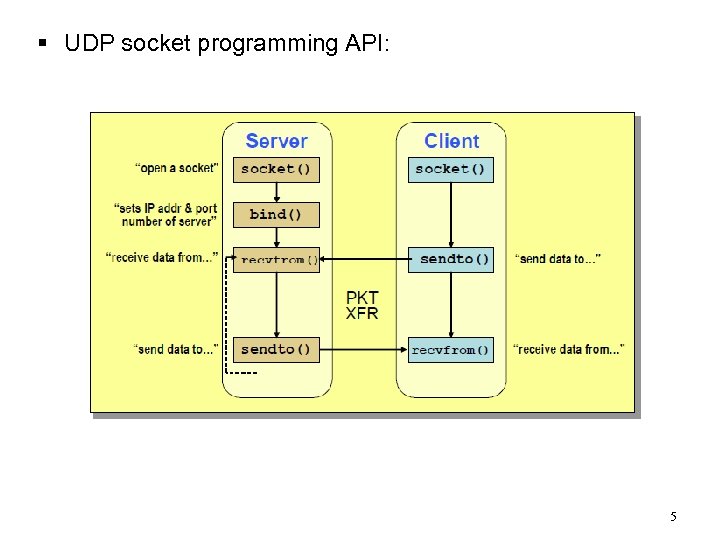
§ UDP socket programming API: 5
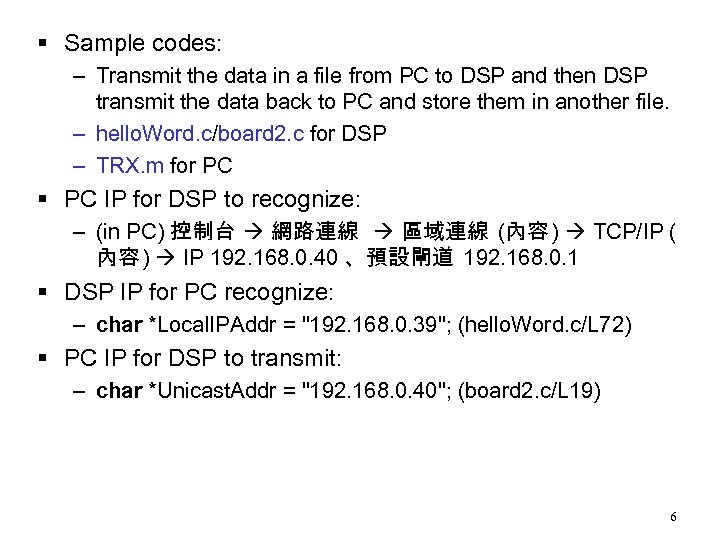
§ Sample codes: – Transmit the data in a file from PC to DSP and then DSP transmit the data back to PC and store them in another file. – hello. Word. c/board 2. c for DSP – TRX. m for PC § PC IP for DSP to recognize: – (in PC) 控制台 網路連線 區域連線 (內容 ) TCP/IP ( 內容 ) IP 192. 168. 0. 40 、預設閘道 192. 168. 0. 1 § DSP IP for PC recognize: – char *Local. IPAddr = "192. 168. 0. 39"; (hello. Word. c/L 72) § PC IP for DSP to transmit: – char *Unicast. Addr = "192. 168. 0. 40"; (board 2. c/L 19) 6
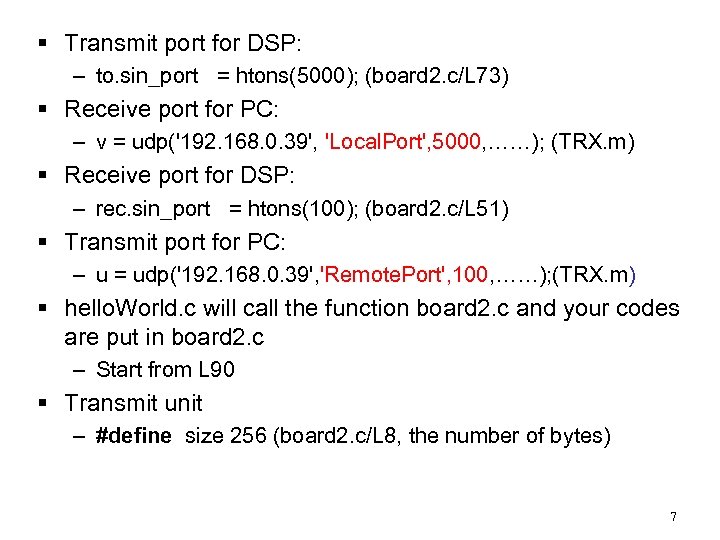
§ Transmit port for DSP: – to. sin_port = htons(5000); (board 2. c/L 73) § Receive port for PC: – v = udp('192. 168. 0. 39', 'Local. Port', 5000, ……); (TRX. m) § Receive port for DSP: – rec. sin_port = htons(100); (board 2. c/L 51) § Transmit port for PC: – u = udp('192. 168. 0. 39', 'Remote. Port', 100, ……); (TRX. m) § hello. World. c will call the function board 2. c and your codes are put in board 2. c – Start from L 90 § Transmit unit – #define size 256 (board 2. c/L 8, the number of bytes) 7
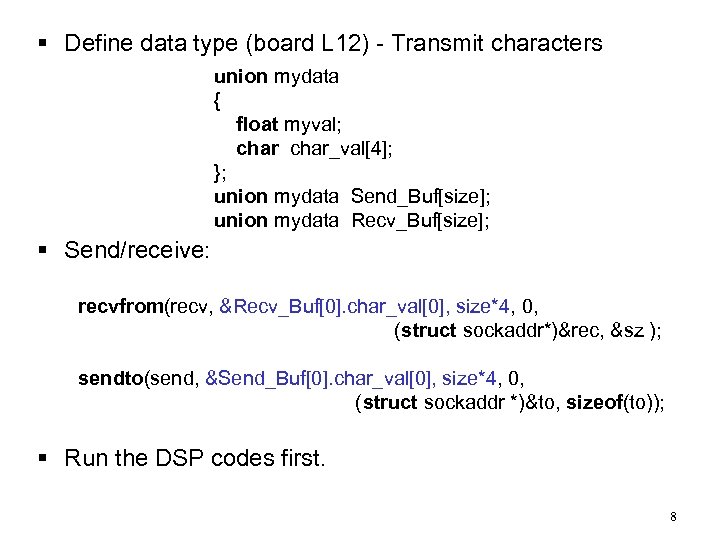
§ Define data type (board L 12) - Transmit characters union mydata { float myval; char_val[4]; }; union mydata Send_Buf[size]; union mydata Recv_Buf[size]; § Send/receive: recvfrom(recv, &Recv_Buf[0]. char_val[0], size*4, 0, (struct sockaddr*)&rec, &sz ); sendto(send, &Send_Buf[0]. char_val[0], size*4, 0, (struct sockaddr *)&to, sizeof(to)); § Run the DSP codes first. 8
§ Then, run the codes in PC – Run the TRX. m matlab code § Practice 1: – Run the sample codes and check if the results are OK. § Practice 2: – Use Matlab to generate a sequence and write the result to a file. – Use Matlab to read data in the file and check if the result is OK. 9
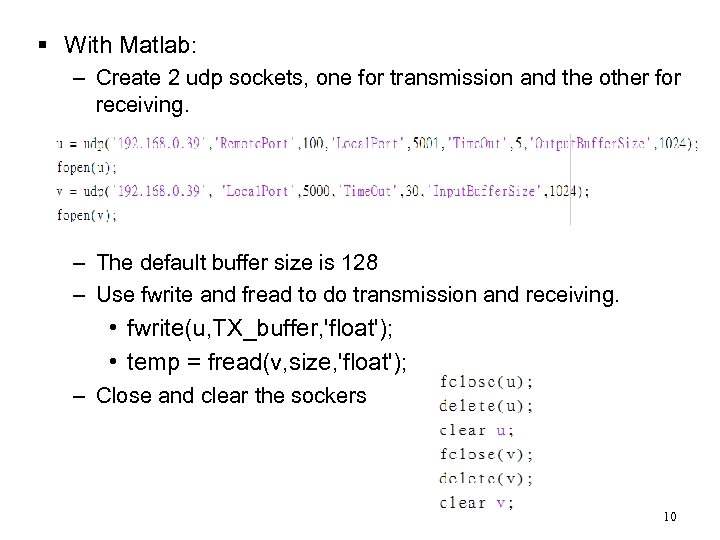
§ With Matlab: – Create 2 udp sockets, one for transmission and the other for receiving. – The default buffer size is 128 – Use fwrite and fread to do transmission and receiving. • fwrite(u, TX_buffer, 'float'); • temp = fread(v, size, 'float'); – Close and clear the sockers 10
§ Practice 3: – Modify the codes such that you can conduct the FFT of a sequence (stored in a file of PC) with DSP and send the magnitude response back to the PC (stored in another file). – Use Matlab to generate the sequence and write the result in a file. – Use Matlab to open the file wrote by DSP and check if the result is OK. 11
Скачать презентацию Lab 6 Communication Between DSP and PC
1a0a65d7af0bbf367f3067f66a4acea4.ppt