


 Скачать презентацию Kratos 3 D FSI Analysis Tutorial Pooyan Dadvand
3f031c0d21d2e2060e056fbf04a48346.ppt
- Количество слайдов: 27
 Kratos 3 D FSI Analysis Tutorial Pooyan Dadvand Pavel Ryzhakov Kratos Team ___________________________________________________________ Gi. D-Kratos Singapore Workshop Kratos FSI Analysis October 2009
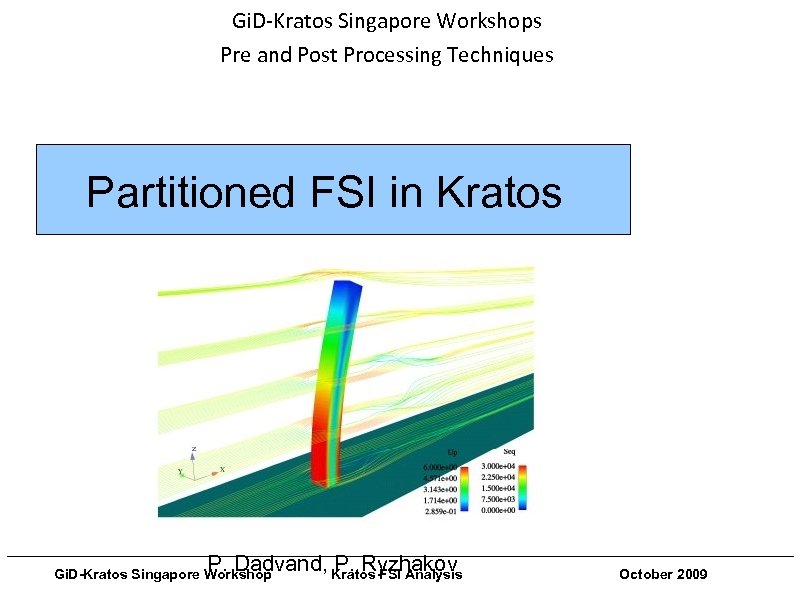 Gi. D-Kratos Singapore Workshops Pre and Post Processing Techniques Partitioned FSI in Kratos ___________________________________________________________ P. Dadvand, Kratos FSI Analysis P. Ryzhakov Gi. D-Kratos Singapore Workshop October 2009
 Gi. D-Kratos Singapore Workshops Pre and Post Processing Techniques We have to prepair each subdomain separately - First – structure - Second – fluid ___________________________________________________________ Gi. D-Kratos Singapore Workshop Kratos FSI Analysis October 2009
 Gi. D-Kratos Singapore Workshops Pre and Post Processing Techniques STRUCTURE PREPARATION ___________________________________________________________ Gi. D-Kratos Singapore Workshop Kratos FSI Analysis October 2009
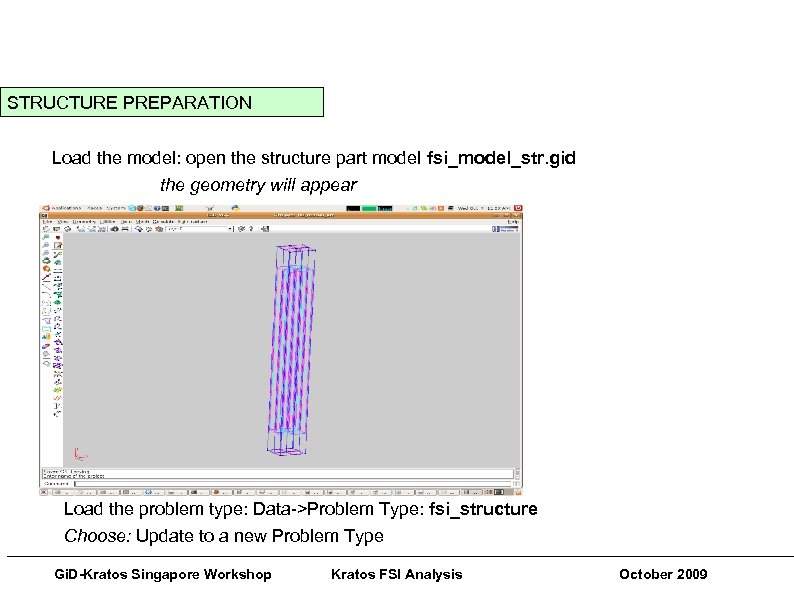 Gi. D-Kratos Singapore Workshops Pre and Post Processing Techniques STRUCTURE PREPARATION Load the model: open the structure part model fsi_model_str. gid the geometry will appear Load the problem type: Data->Problem Type: fsi_structure Choose: Update to a new Problem Type ___________________________________________________________ Gi. D-Kratos Singapore Workshop Kratos FSI Analysis October 2009
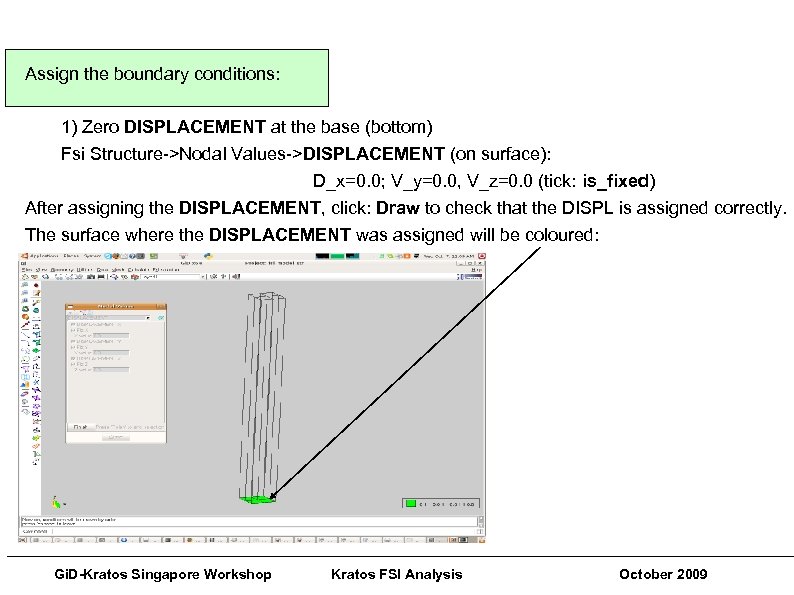 Assign the boundary conditions: 1) Zero DISPLACEMENT at the base (bottom) Fsi Structure->Nodal Values->DISPLACEMENT (on surface): D_x=0. 0; V_y=0. 0, V_z=0. 0 (tick: is_fixed) After assigning the DISPLACEMENT, click: Draw to check that the DISPL is assigned correctly. The surface where the DISPLACEMENT was assigned will be coloured: ___________________________________________________________ Gi. D-Kratos Singapore Workshop Kratos FSI Analysis October 2009
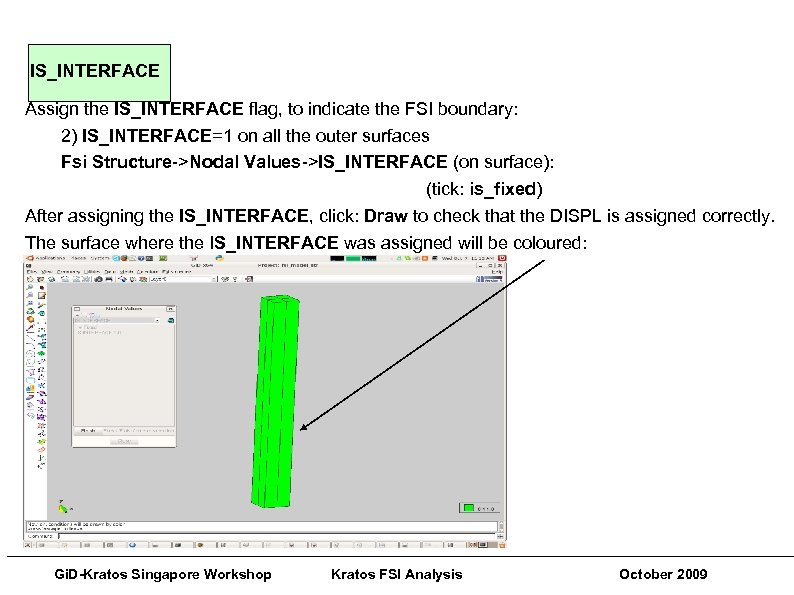 IS_INTERFACE Assign the IS_INTERFACE flag, to indicate the FSI boundary: 2) IS_INTERFACE=1 on all the outer surfaces Fsi Structure->Nodal Values->IS_INTERFACE (on surface): (tick: is_fixed) After assigning the IS_INTERFACE, click: Draw to check that the DISPL is assigned correctly. The surface where the IS_INTERFACE was assigned will be coloured: ___________________________________________________________ Gi. D-Kratos Singapore Workshop Kratos FSI Analysis October 2009
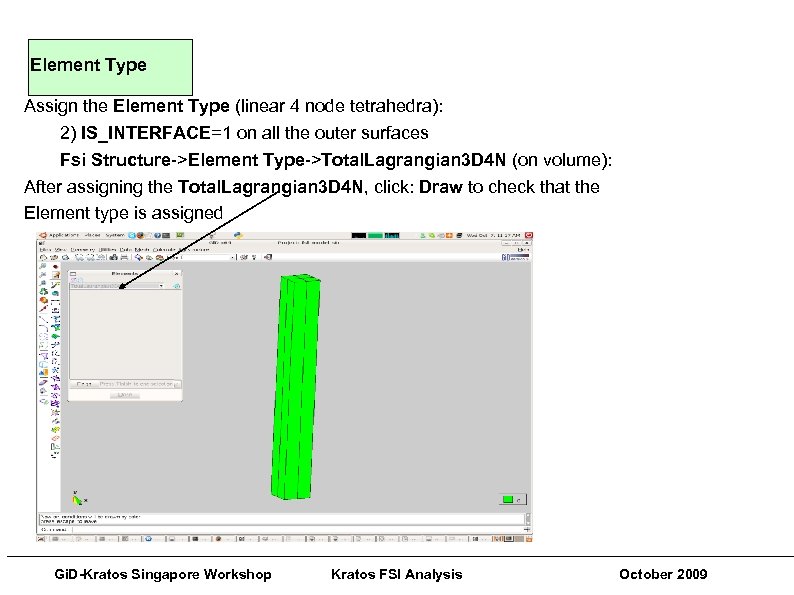 Element Type Assign the Element Type (linear 4 node tetrahedra): 2) IS_INTERFACE=1 on all the outer surfaces Fsi Structure->Element Type->Total. Lagrangian 3 D 4 N (on volume): After assigning the Total. Lagrangian 3 D 4 N, click: Draw to check that the Element type is assigned ___________________________________________________________ Gi. D-Kratos Singapore Workshop Kratos FSI Analysis October 2009
 Gi. D-Kratos Singapore Workshops Pre and Post Processing Techniques Mesh the geometry (Mesh->Generate Mesh) and press CALCULATE The structure part is ready for the FSI! ___________________________________________________________ Gi. D-Kratos Singapore Workshop Kratos FSI Analysis October 2009
 Gi. D-Kratos Singapore Workshops Pre and Post Processing Techniques FLUID PREPARATION ___________________________________________________________ Gi. D-Kratos Singapore Workshop Kratos FSI Analysis October 2009
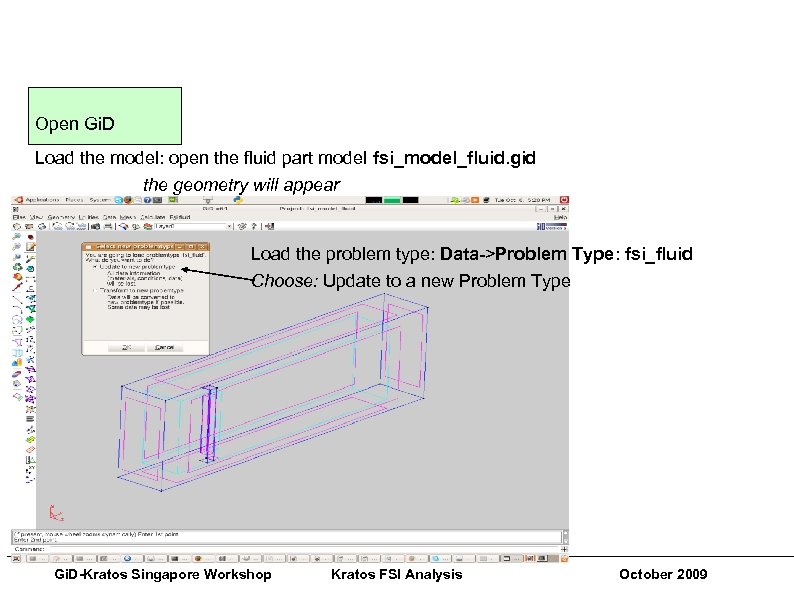 Gi. D-Kratos Singapore Workshops Pre and Post Processing Techniques Open Gi. D Load the model: open the fluid part model fsi_model_fluid. gid the geometry will appear Load the problem type: Data->Problem Type: fsi_fluid Choose: Update to a new Problem Type ___________________________________________________________ Gi. D-Kratos Singapore Workshop Kratos FSI Analysis October 2009
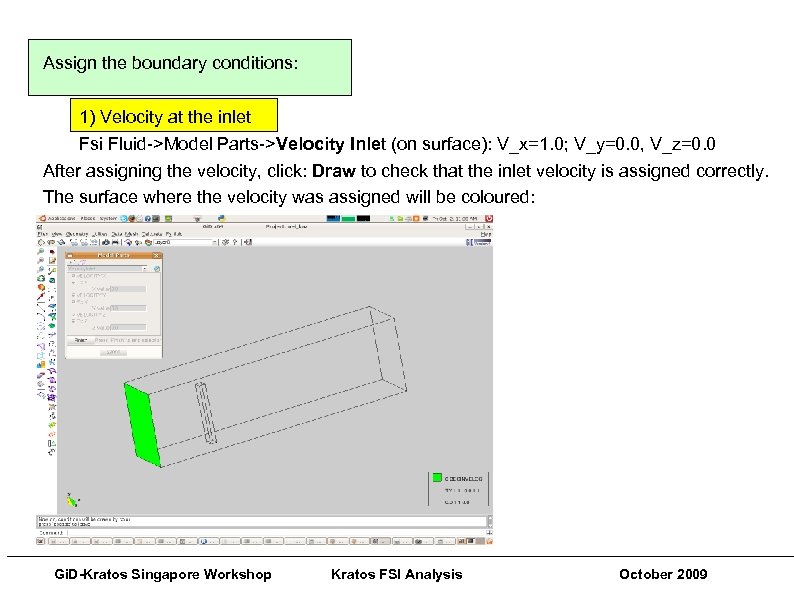 Pre and Post Processing Techniques Assign the boundary conditions: 1) Velocity at the inlet Fsi Fluid->Model Parts->Velocity Inlet (on surface): V_x=1. 0; V_y=0. 0, V_z=0. 0 After assigning the velocity, click: Draw to check that the inlet velocity is assigned correctly. The surface where the velocity was assigned will be coloured: ___________________________________________________________ Gi. D-Kratos Singapore Workshop Kratos FSI Analysis October 2009
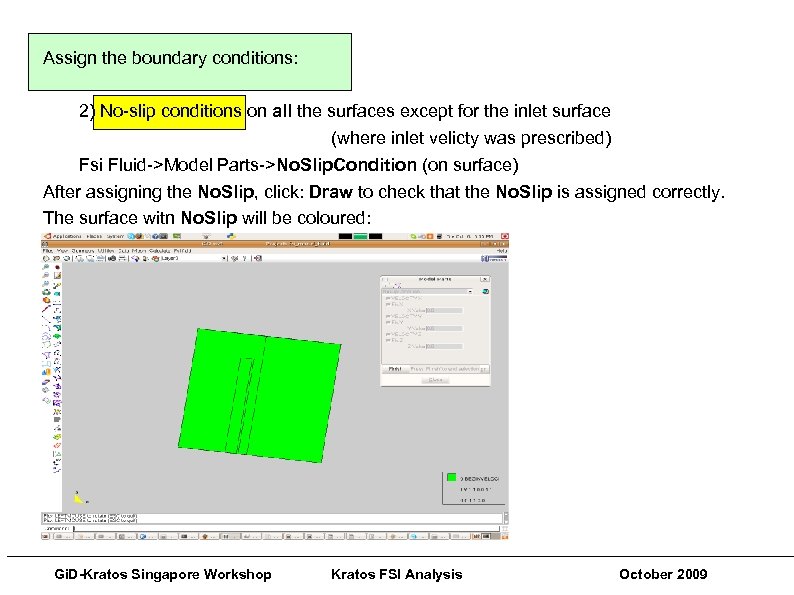 Assign the boundary conditions: 2) No-slip conditions on all the surfaces except for the inlet surface (where inlet velicty was prescribed) Fsi Fluid->Model Parts->No. Slip. Condition (on surface) After assigning the No. Slip, click: Draw to check that the No. Slip is assigned correctly. The surface witn No. Slip will be coloured: ___________________________________________________________ Gi. D-Kratos Singapore Workshop Kratos FSI Analysis October 2009
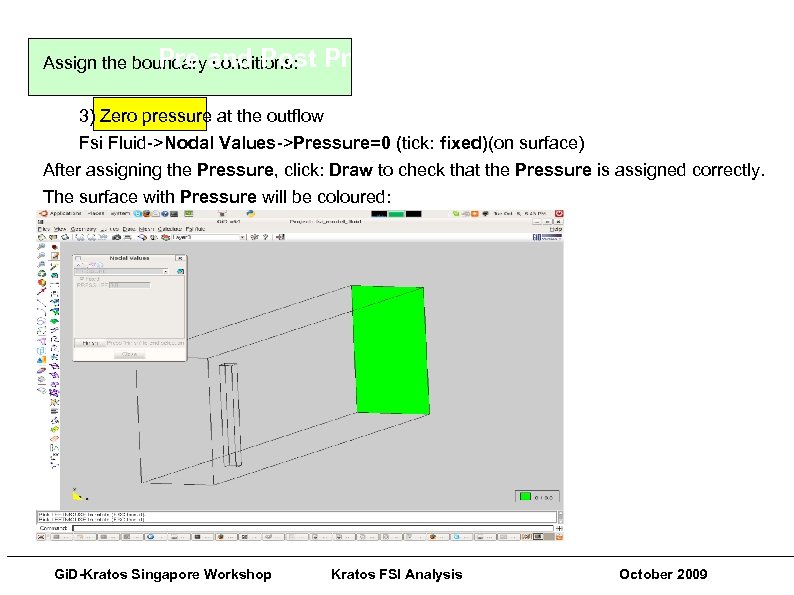 Gi. D-Kratos Singapore Workshops Pre conditions: Assign the boundaryand Post Processing Techniques 3) Zero pressure at the outflow Fsi Fluid->Nodal Values->Pressure=0 (tick: fixed)(on surface) After assigning the Pressure, click: Draw to check that the Pressure is assigned correctly. The surface with Pressure will be coloured: ___________________________________________________________ Gi. D-Kratos Singapore Workshop Kratos FSI Analysis October 2009
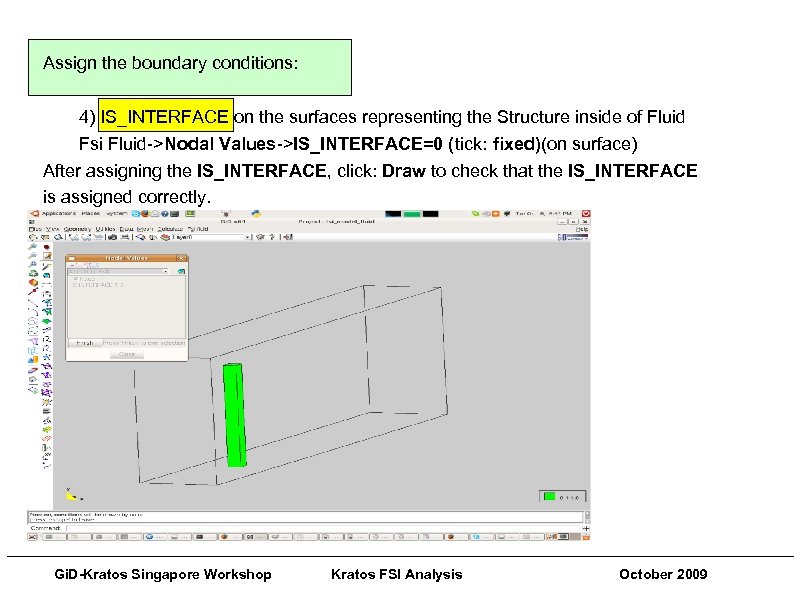 Pre and Post Processing Techniques Assign the boundary conditions: 4) IS_INTERFACE on the surfaces representing the Structure inside of Fluid Fsi Fluid->Nodal Values->IS_INTERFACE=0 (tick: fixed)(on surface) After assigning the IS_INTERFACE, click: Draw to check that the IS_INTERFACE is assigned correctly. ___________________________________________________________ Gi. D-Kratos Singapore Workshop Kratos FSI Analysis October 2009
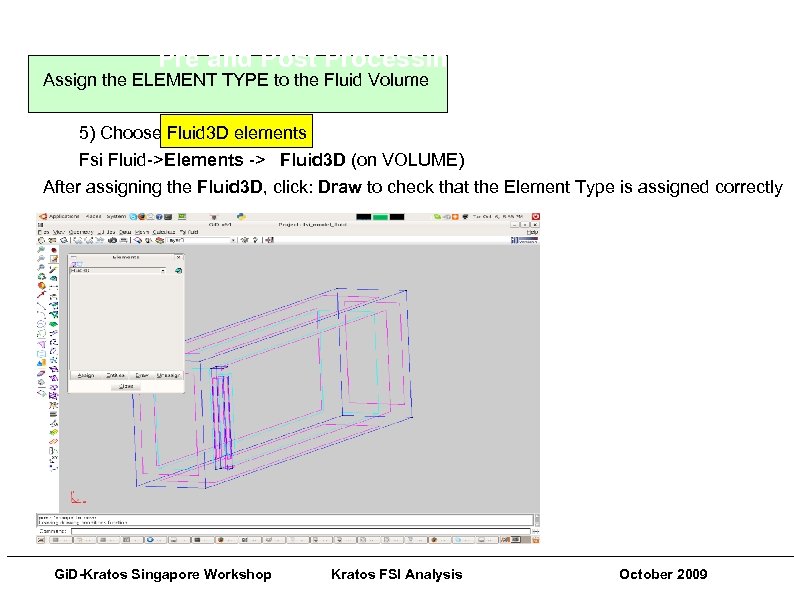 Gi. D-Kratos Singapore Workshops Pre and Post Processing Techniques Assign the ELEMENT TYPE to the Fluid Volume 5) Choose Fluid 3 D elements Fsi Fluid->Elements -> Fluid 3 D (on VOLUME) After assigning the Fluid 3 D, click: Draw to check that the Element Type is assigned correctly ___________________________________________________________ Gi. D-Kratos Singapore Workshop Kratos FSI Analysis October 2009
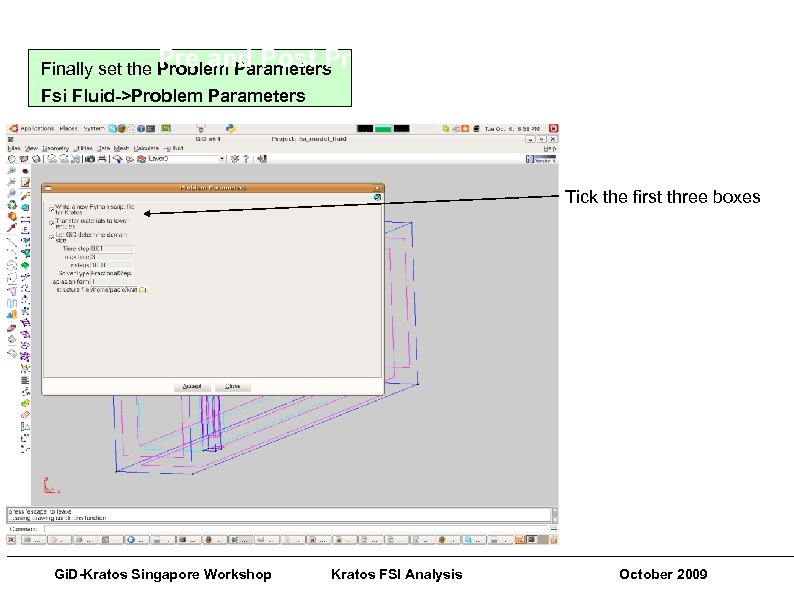 Gi. D-Kratos Singapore Workshops Pre and Post Processing Techniques Finally set the Problem Parameters Fsi Fluid->Problem Parameters Tick the first three boxes ___________________________________________________________ Gi. D-Kratos Singapore Workshop Kratos FSI Analysis October 2009
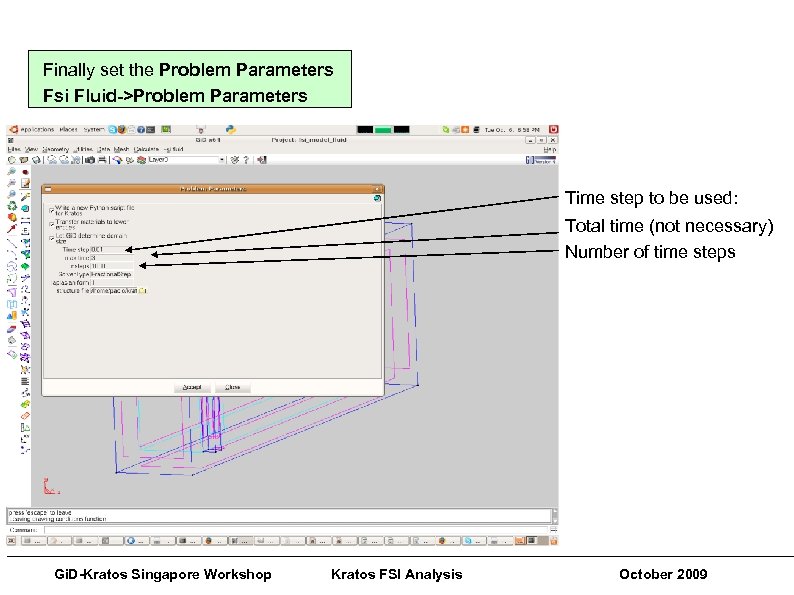 Pre and Post Processing Techniques Finally set the Problem Parameters Fsi Fluid->Problem Parameters Time step to be used: Total time (not necessary) Number of time steps ___________________________________________________________ Gi. D-Kratos Singapore Workshop Kratos FSI Analysis October 2009
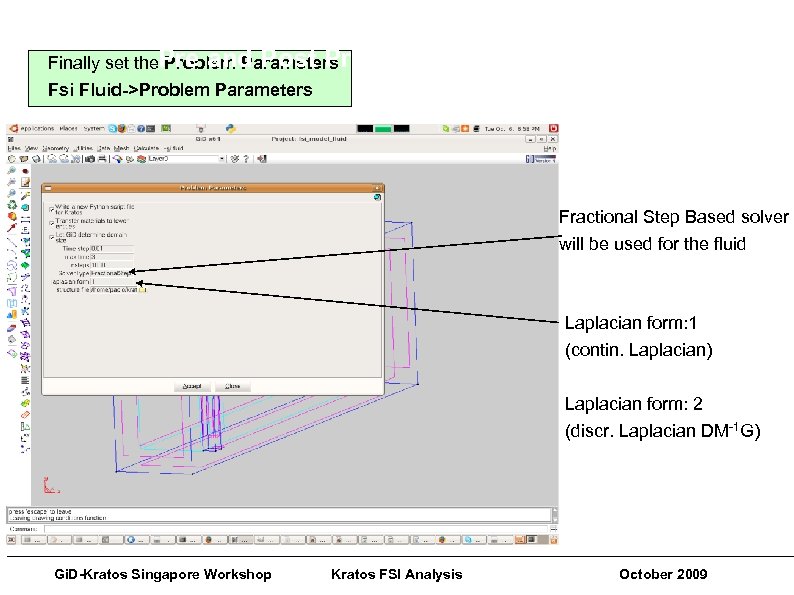 Gi. D-Kratos Singapore Workshops Finally set the. Pre and Post Processing Techniques Problem Parameters Fsi Fluid->Problem Parameters Fractional Step Based solver will be used for the fluid Laplacian form: 1 (contin. Laplacian) Laplacian form: 2 (discr. Laplacian DM-1 G) ___________________________________________________________ Gi. D-Kratos Singapore Workshop Kratos FSI Analysis October 2009
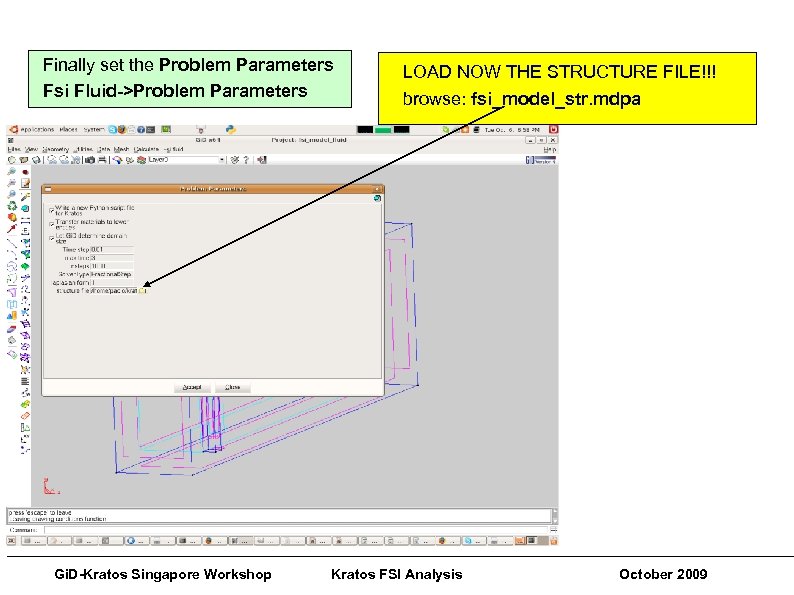 Pre and Post Processing Techniques Finally set the Problem Parameters Fsi Fluid->Problem Parameters LOAD NOW THE STRUCTURE FILE!!! browse: fsi_model_str. mdpa ___________________________________________________________ Gi. D-Kratos Singapore Workshop Kratos FSI Analysis October 2009
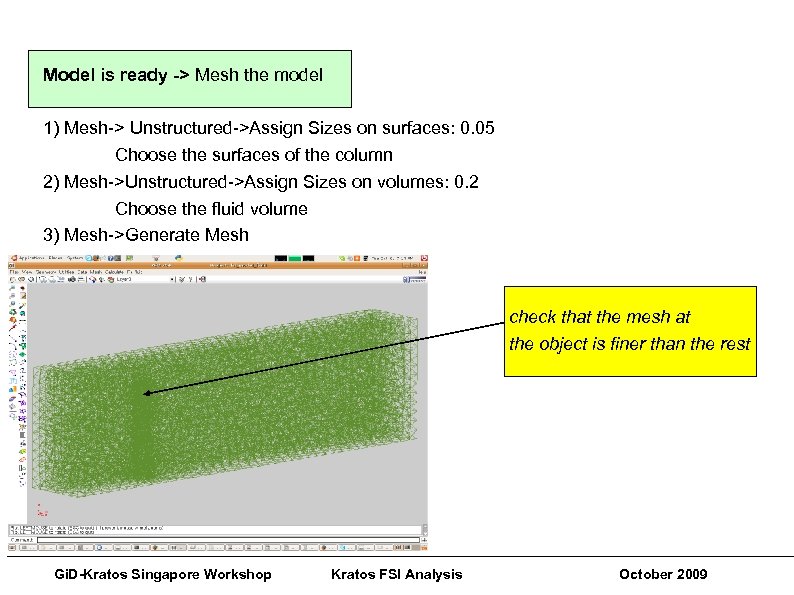 Pre and Post Processing Techniques Model is ready -> Mesh the model 1) Mesh-> Unstructured->Assign Sizes on surfaces: 0. 05 Choose the surfaces of the column 2) Mesh->Unstructured->Assign Sizes on volumes: 0. 2 Choose the fluid volume 3) Mesh->Generate Mesh check that the mesh at the object is finer than the rest ___________________________________________________________ Gi. D-Kratos Singapore Workshop Kratos FSI Analysis October 2009
 Gi. D-Kratos Singapore Workshops Pre and Post Processing Techniques Press: CALCULATE Pre-processing is finished ___________________________________________________________ Gi. D-Kratos Singapore Workshop Kratos FSI Analysis October 2009
 Gi. D-Kratos Singapore Workshops Pre and Post Processing Techniques To run the example: 1) copy the fsi_model_str. mdpa from /fsi_model_str. gid/ folder into the /fsi_model_fluid. gid/ folder 2) inside the fsi_model_fluid. gid folder run: python run_example. py ___________________________________________________________ Gi. D-Kratos Singapore Workshop Kratos FSI Analysis October 2009
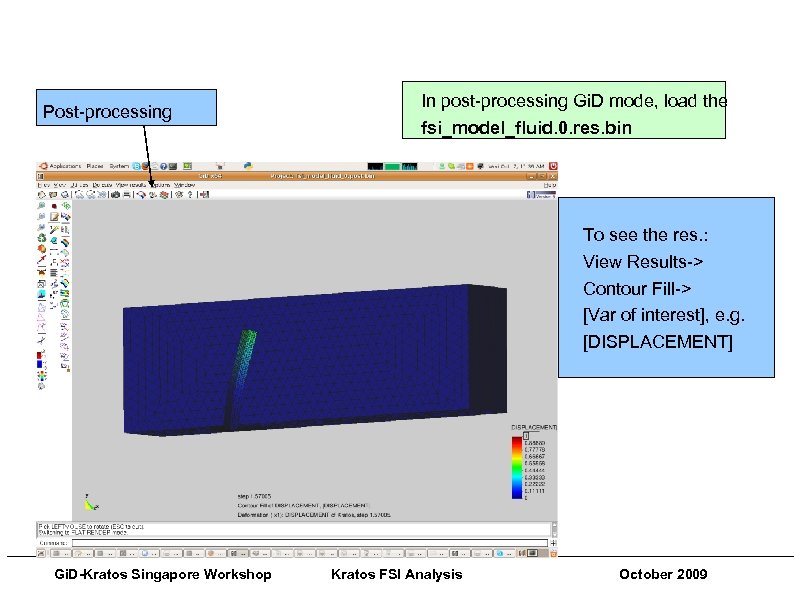 Gi. D-Kratos Singapore Workshops Pre and Post Processing Techniques Post-processing In post-processing Gi. D mode, load the fsi_model_fluid. 0. res. bin To see the res. : View Results-> Contour Fill-> [Var of interest], e. g. [DISPLACEMENT] ___________________________________________________________ Gi. D-Kratos Singapore Workshop Kratos FSI Analysis October 2009
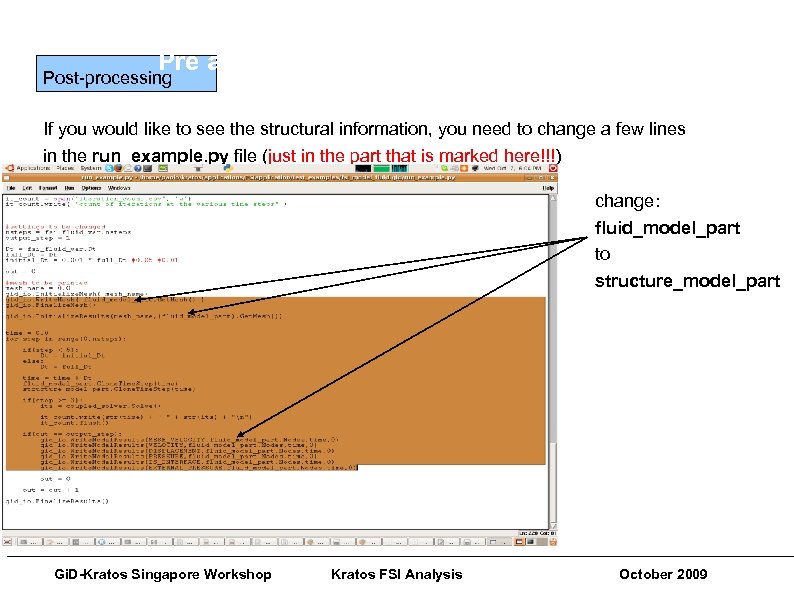 Gi. D-Kratos Singapore Workshops Pre and Post Processing Techniques Post-processing If you would like to see the structural information, you need to change a few lines in the run_example. py file (just in the part that is marked here!!!) change: fluid_model_part to structure_model_part ___________________________________________________________ Gi. D-Kratos Singapore Workshop Kratos FSI Analysis October 2009
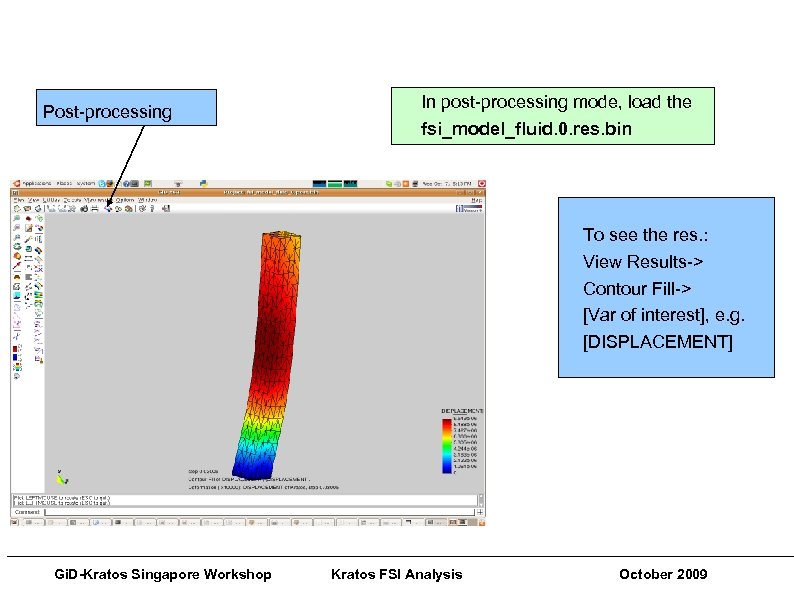 Gi. D-Kratos Singapore Workshops Pre and Post Processing Techniques Post-processing In post-processing mode, load the fsi_model_fluid. 0. res. bin To see the res. : View Results-> Contour Fill-> [Var of interest], e. g. [DISPLACEMENT] ___________________________________________________________ Gi. D-Kratos Singapore Workshop Kratos FSI Analysis October 2009
 Thanks… Kratos Web page: http: //www. cimne. com/kratos/ Kratos Wiki http: //kratos. cimne. upc. es/kratoswiki/index. php/Main_Page These Tutorials: http: //kratos. cimne. upc. es/kratoswiki/index. php/Kratos_Tutorials ___________________________________________________________ Gi. D-Kratos Singapore Workshop Kratos FSI Analysis October 2009