 Скачать презентацию Komunikasi Jaringan Pengamanannya Williams B K Stacy
604055ad1e5c2aa1ab4f11041c4dd984.ppt
- Количество слайдов: 50



Komunikasi, Jaringan, & Pengamanannya Williams, B. K, Stacy C. Sawyer (2007). Using Information Technology: A Practical Introduction to Computers & Communications. Seventh Edition, Mc. Graw-Hill, New York. ISBN-13: 978 -0 -07 -110768 -6 1
Learning Outcomes Pada akhir pertemuan ini, diharapkan mahasiswa akan mampu : • menjelaskan pengertian komunikasi/ telekomunikasi, dan jaringan; perbedaan antara data analog dan digital; jenis-jenis media komunikasi, menjelaskan kegunaan dan jenis-jenis media komunikasi nirkabel, ancaman dan pengamanan jaringan, serta teknologi komunikasi di masa depan. 2
Outline Materi • • • From the Analog to the Digital Age Networks Wired Communications Media Wireless Communications Media Cyberthreats, Hackers, & Safeguards The Future of Communications 3
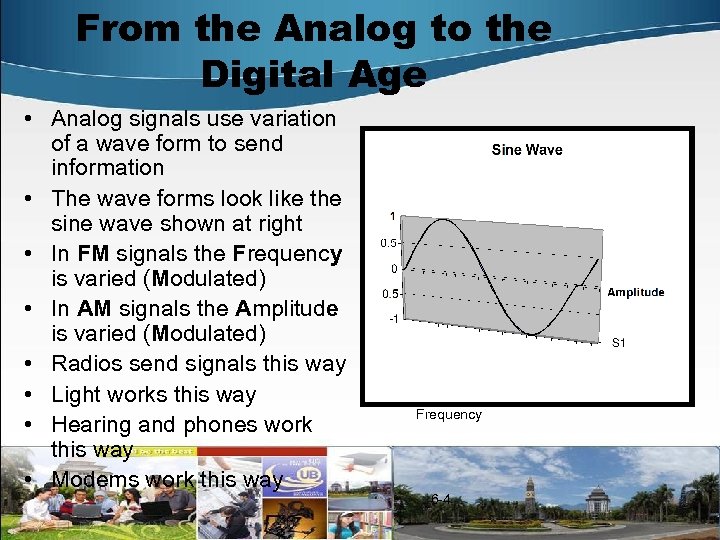
From the Analog to the Digital Age • Analog signals use variation of a wave form to send information • The wave forms look like the sine wave shown at right • In FM signals the Frequency is varied (Modulated) • In AM signals the Amplitude is varied (Modulated) • Radios send signals this way • Light works this way • Hearing and phones work this way • Modems work this way Frequency 6 -4
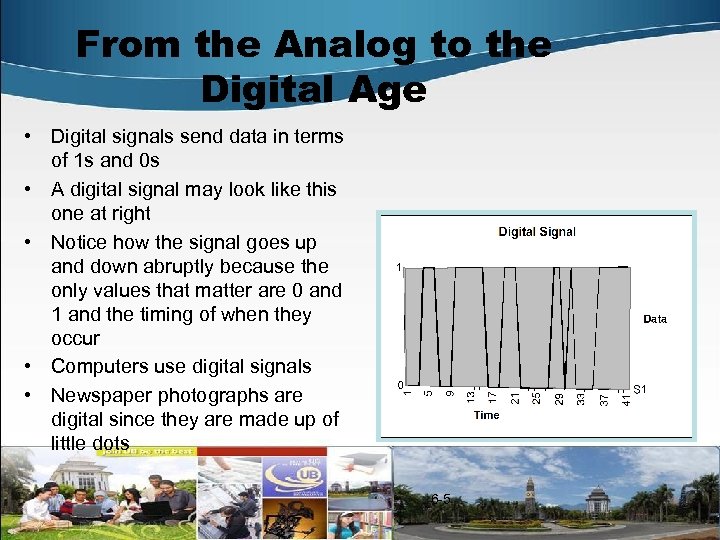
From the Analog to the Digital Age • Digital signals send data in terms of 1 s and 0 s • A digital signal may look like this one at right • Notice how the signal goes up and down abruptly because the only values that matter are 0 and 1 and the timing of when they occur • Computers use digital signals • Newspaper photographs are digital since they are made up of little dots 6 -5
From the Analog to the Digital Age • Since computers use digital signals but phone lines use analog, modems must translate from digital to analog, send the signal along the phone line, then translate back from analog to digital at the other end – The process is called “modulation/demodulation” – Modulation means to translate from digital to analog – Demodulation means to translate from analog to digital – Modems have to do all this just to use standard analog voice phone lines 6 -6
From the Analog to the Digital Age • Tape recorders, voices, and musical instruments are analog while CDs are digital • To burn a CD from a jam session, the digital recording equipment must convert from analog to digital – The analog-to-digital converter samples the sound and converts the height of the wave to a number – Samples of the sound wave are taken at regular intervals – about 44, 100 times each second – Because the digital samples are played back faster than our ears can react, it sounds to us like a single continuous sound wave 6 -7
From the Analog to the Digital Age • Digital sampling is similar to showing movies – Movies show still pictures (frames) – But they show them so fast that our eyes can’t react in time – So to us the series of still pictures look like continuous motion – Did you ever notice in movies when they show car tires in motion they sometimes seem to move backwards? • This is because the tires are moving at a rate that is incompatible with the frame rate of the movie, so our eyes think the tires are really moving backwards when the car is actually moving forward! 6 -8
Networks • A system of interconnected computers, telephones, or other communications devices that can communicate with one another and share applications and data • Before we had computer networks, people used “sneakernet” to share data between computers – Person 1 saved their document to a floppy disk – Then they walked over to person 2’s desk (wearing sneakers, of course) and handed over the disk to person 2 – Person 2 loaded the disk into their computer to read and edit the document 6 -9
Networks • Since the days of “sneakernet”, networks have become standard. They enable us to: – Share peripheral devices such as laser printers – Share programs and data – Use e-mail and other communication programs – Backup critical information because it is stored centrally – Access shared databases 6 -10
Networks • WAN – Wide Area Network • Covers a wide geographic area, such as a country or the world • Covers a city or a suburb • MAN – Metropolitan Area Network • LAN – Local Area Network • Connects computers and devices in a limited geographic area such as an office, building, or group of nearby buildings • Uses wired, cable, or wireless connections to link a household’s digital devices • Uses short-range wireless technology to connect an individual’s personal electronics like cellphone, PDA, MP 3 player, notebook PC, and printer • HAN – Home Area Network • PAN – Personal Area Network 6 -11
Networks • Client/Server – Consists of clients, which are computers that request data, and servers, which are computers that supply data – File servers act like a network-based shared disk drive – Database servers store data but don’t store programs – Print servers connect one or more printers and schedule and control print jobs – Mail servers manage email • Peer-to-Peer – All computers on the network communicate directly with each other without relying on a server – For fewer than 25 PCs 6 -12
Networks • Peer-to-Peer (continued) – Cheaper than client/server since servers are typically more expensive than PCs – There are often problems with knowing who has the current version of documents and files – Too slow for use in larger offices • Legal considerations – Downloading copyrighted material without paying violates U. S. copyright laws – Server-based online file sharing sites such as Napster have been shut down – Peer-to-Peer file-sharing sites such as Kazaa, Grokster, and Gnutella have been more difficult to control since there is no central server to shut down – So publishers are suing individual downloaders instead Watch out! 6 -13 Don’t download illegally!
Networks Intranets, Extranets, VPNs • Intranets – An organization’s private network that uses the infrastructure and standards of the internet and the web • Extranets – Private internets that connect not only internal personnel but also selected suppliers and other strategic parties • Virtual Private Networks – Private networks that use a public network, usually the internet, to connect remote sites 6 -14
Network Components • Connections – Wired – twisted-pair, coaxial cable, or fiber-optic – Wireless – infrared, microwave (Bluetooth), broadcast (Wi-Fi) or satellite • Hosts & Nodes – Host: the central computer that controls the network – Node: a device that is attached to the network • Packets – The format for sending electronic messages – A fixed-length block of data for transmission 6 -15
Network Components • Protocols – The set of conventions governing the exchange of data between hardware and/or software components in a communications network – Built into the hardware or software you are using – Govern the packet design and transmission standards – Examples are: • • • TCP/IP for LANs and internet Apple. Talk for older Mac networks SIP for Voice over IP (Vo. IP) CDMA for cellphones IPX for older Novell networks 6 -16
Network Packets • TCP/IP Packets carry four types of information – Sender’s address (source IP number) – Address of intended recipient (destination IP number) – Number of packets the original data was broken into • This happens because the amount of data the PC is sending can be much larger than the space in a single packet • So the data has to get broken up in one or more packets • Then the packets have to be assigned a number like 1 of 6, 2 of 6, 3 of 6, 4 of 6, 5 of 6, and 6 of 6 – Packet number and sequence info for each packet • Packets may arrive out of order (1, 6, 3, 2, 5, 4 for example) • This information is used to resequence the packets and put them back in the correct order (1, 2, 3, 4, 5, 6) so they can be read 6 -17
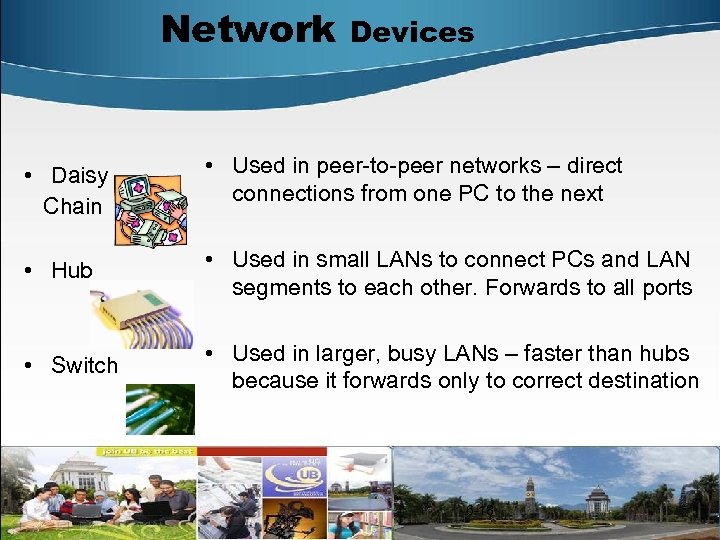
Network Devices • Daisy Chain • Used in peer-to-peer networks – direct connections from one PC to the next • Hub • Used in small LANs to connect PCs and LAN segments to each other. Forwards to all ports • Switch • Used in larger, busy LANs – faster than hubs because it forwards only to correct destination 6 -18
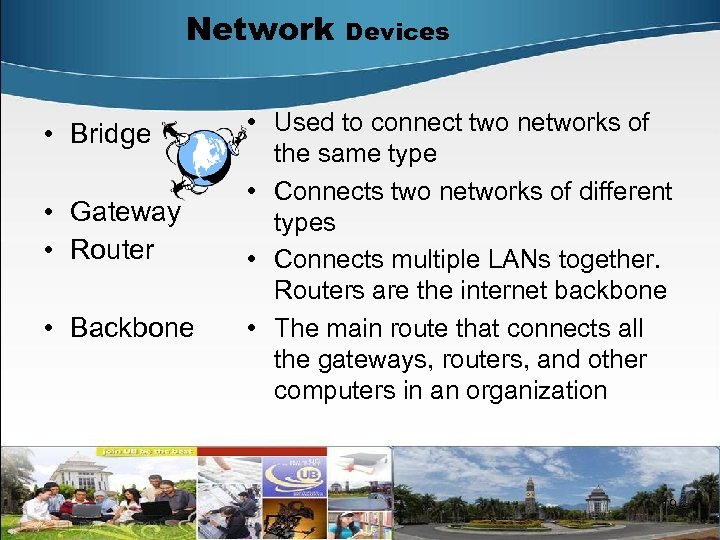
Network • Bridge • Gateway • Router • Backbone Devices • Used to connect two networks of the same type • Connects two networks of different types • Connects multiple LANs together. Routers are the internet backbone • The main route that connects all the gateways, routers, and other computers in an organization 19
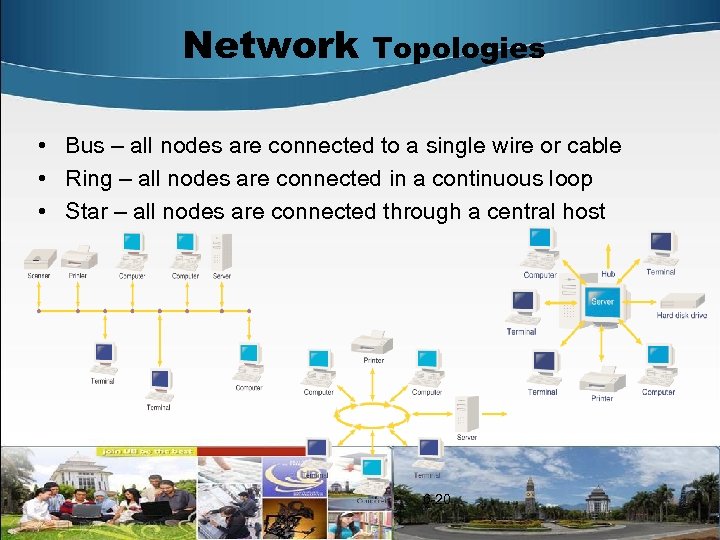
Network Topologies • Bus – all nodes are connected to a single wire or cable • Ring – all nodes are connected in a continuous loop • Star – all nodes are connected through a central host 6 -20
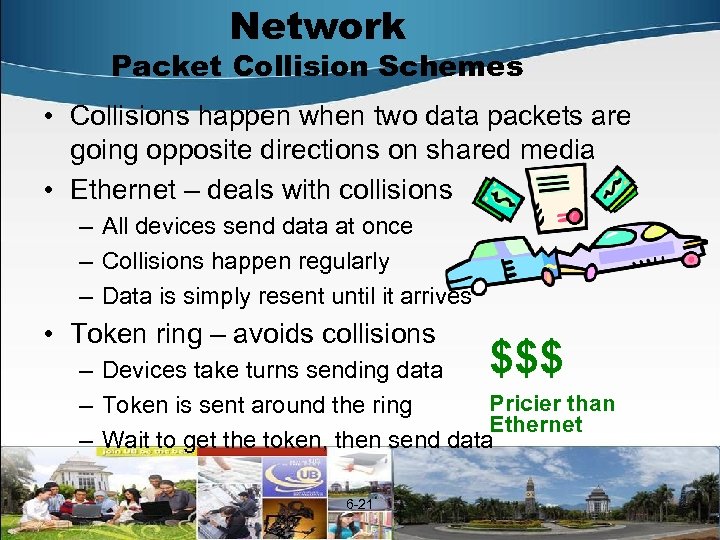
Network Packet Collision Schemes • Collisions happen when two data packets are going opposite directions on shared media • Ethernet – deals with collisions – All devices send data at once – Collisions happen regularly – Data is simply resent until it arrives • Token ring – avoids collisions $$$ – Devices take turns sending data Pricier than – Token is sent around the ring Ethernet – Wait to get the token, then send data 6 -21
Wired Communications Media • Communications media carry signals over a communications path – Twisted-Pair Wire • 2 strands of insulated copper wire twisted around each other • Twisting reduces interference (crosstalk) from electrical signals • Data rates are 1 – 128 Megabits per second – Coaxial Cable • Insulated copper wire wrapped in a metal shield and then in an external plastic cover • Used for cable TV and cable internet electric signals • Carries voice and data up to 200 megabits per second 6 -22
Wired Communications Media • Communications media continued – Fiber-optic cable • Dozens or hundreds of thin strands of glass or plastic that transmit beams of light, not electricity • Can transmit up to 2 gigabits per second • More expensive than twisted-pair or coax • Lighter and more durable than twisted-pair or coax • More difficult to tap into than twisted-pair or coax 6 -23
Wired Communications Media for the home • Ethernet – Pull Cat 5 cables through the house (yourself or contractor) – Connect to PC’s Ethernet network interface card (nic) – For several PCs, get a hub or switch to connect them all – 10 or 100 megabits per second • Home. PNA – Uses existing telephone wiring and jacks – Requires Home. PNA nic in your PC – Speeds of 10 – 240 megabits per second • Homeplug – Uses existing home electrical lines – Speeds of 14 megabits per second 6 -24
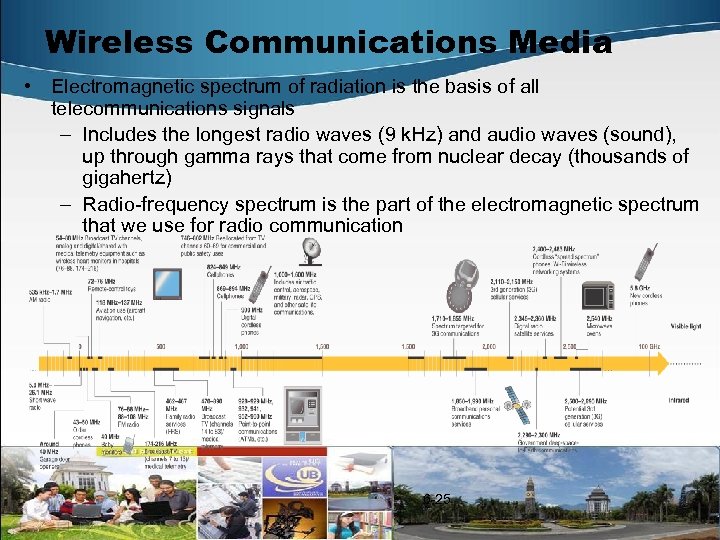
Wireless Communications Media • Electromagnetic spectrum of radiation is the basis of all telecommunications signals – Includes the longest radio waves (9 k. Hz) and audio waves (sound), up through gamma rays that come from nuclear decay (thousands of gigahertz) – Radio-frequency spectrum is the part of the electromagnetic spectrum that we use for radio communication 6 -25
Wireless Communications Media Bandwidth • Narrowband (or Voiceband) – Used for regular telephone communications – Transmission rate < 100 kilobits per second • Medium Band – Used for long-distance data transmission or to connect mainframe and midrange computers – Transmission rate 100 kb to 1 megabit per second • Broadband – For high-speed data and high-quality audio and video – Transmission rate 1 megabit per second to 100 megabits per second • US households get 4 – 5 MB while Japanese get 100 MB per second 6 -26
Wireless Communications Media • Infrared Transmission – Sends signals using infrared light – Frequencies are too low to see (1 -4 Mbits per second) • Broadcast Radio – AM/FM, CB, ham, cellphones, police radio – Sends data over long distances using a transmitter and a receiver • Microwave Radio – Superhigh frequency radio waves (1 gigahertz) – Requires line-of-sight transmitters and receivers • Communications Satellites 6 -27
Wireless Communications Media • Communications Satellites – These are microwave relay stations in orbit around the earth - Uplinking: transmitting a signal from ground station to a satellite – Cover broad service area – Cost $300 million to $700 million each + launch costs – Can be placed at different heights: GEO, MEO, LEO • GEO – geostationary earth orbit – 22, 300 miles up above earth – Always above equator • MEO – medium-earth orbit – 5, 000 – 10, 000 miles up • LEO – low-earth orbit – 200 – 1, 000 miles up – Has less signal delay than GEO, MEO satellites 6 -28
Wireless Communications Media GPS • Global Positioning System – 24 earth-orbiting satellites continuously transmitting timed radio signals – Each satellite circles earth twice each day at 11, 000 miles up – GPS receivers pick up transmissions from up to 4 satellites and pinpoint the receiver’s location – Accurate within 3 – 50 feet, with a norm of 10 feet accuracy – GPS receivers contain map files that are displayed based on the GPS position to guide users – Many GPS receivers have speech chips, too 6 -29
Wireless Communications Media One-way Pagers • One-way pagers are radio receivers that receive data sent from a special radio transmitter – Radio transmitter sends out signals over the special frequency – Pagers are tuned to that frequency – When a particular pager hears its own code, it receives and displays the message Discussion Question: Why do airplane rules require you to turn off pagers and cellphones during flight? Answer: Pilots use radar and radio to determine their position and communicate with ground control. Pager and cellphone signals use radio, too, and competing signals can interfere with each other 6 -30
Wireless Communications Media Long-Distance Wireless • Two-way pagers: Blackberry and Treo • 1 G: First Generation Cellular – Analog cellphones – Designed for voice communication using a system of hexagonal ground-area cells around transmitterreceiver cell towers – Good for voice – less effective for data due to handing off • 2 G: Second Generation Cellular – Use same network of cell towers to send voice and data in digital form over the airwaves – Required digital receivers on original analog celltowers 6 -31
Wireless Communications Media 2 G Wireless • There are two competing, incompatible standards – CDMA – Code Division Multiple Access • Transmission rates 14. 4 kilobits per second • Used by Verizon and Sprint – GSM – Global System for Mobile Communications • Transmission rates of 9. 6 kilobits per second • Used by Cingular and T-Mobile, as well as Western Europe, Middle East and Asia • US GSM and European GSM use different frequencies 6 -32
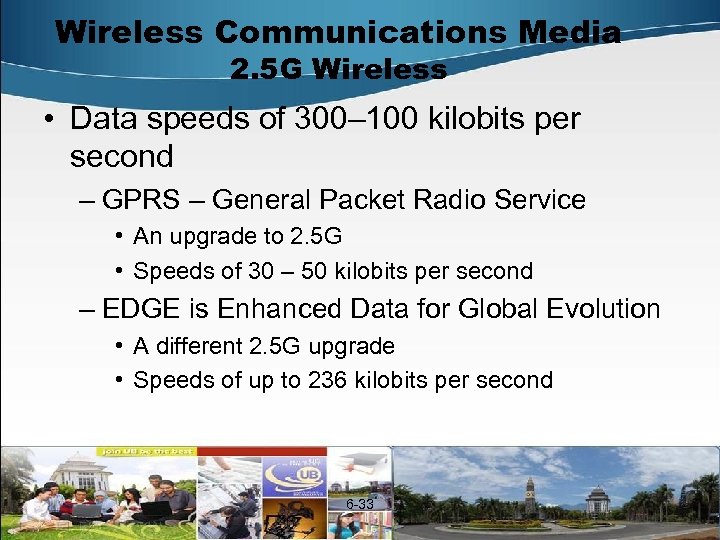
Wireless Communications Media 2. 5 G Wireless • Data speeds of 300– 100 kilobits per second – GPRS – General Packet Radio Service • An upgrade to 2. 5 G • Speeds of 30 – 50 kilobits per second – EDGE is Enhanced Data for Global Evolution • A different 2. 5 G upgrade • Speeds of up to 236 kilobits per second 6 -33
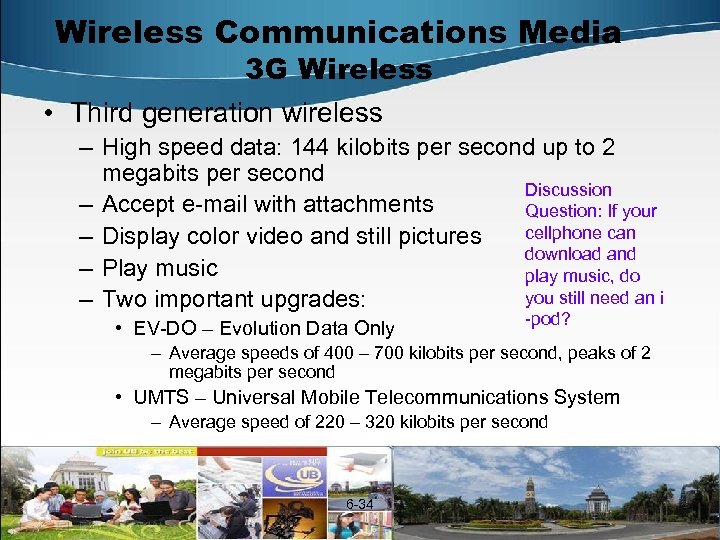
Wireless Communications Media 3 G Wireless • Third generation wireless – High speed data: 144 kilobits per second up to 2 megabits per second Discussion – Accept e-mail with attachments Question: If your cellphone can – Display color video and still pictures download and – Play music play music, do you still need an i – Two important upgrades: • EV-DO – Evolution Data Only -pod? – Average speeds of 400 – 700 kilobits per second, peaks of 2 megabits per second • UMTS – Universal Mobile Telecommunications System – Average speed of 220 – 320 kilobits per second 6 -34
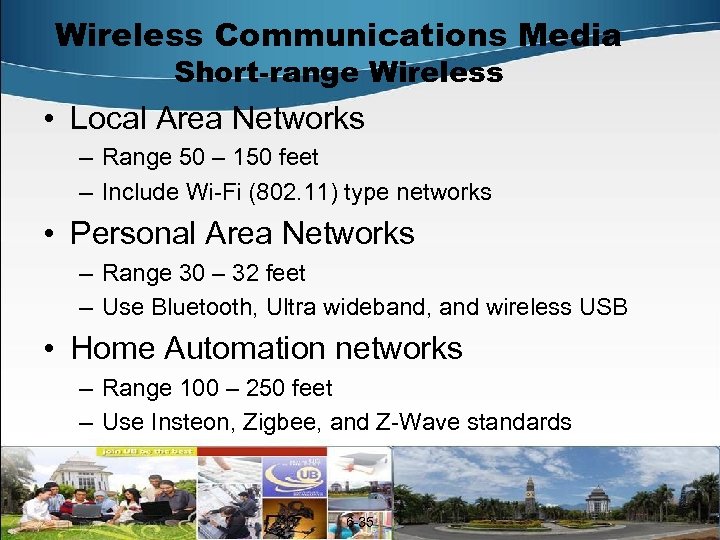
Wireless Communications Media Short-range Wireless • Local Area Networks – Range 50 – 150 feet – Include Wi-Fi (802. 11) type networks • Personal Area Networks – Range 30 – 32 feet – Use Bluetooth, Ultra wideband, and wireless USB • Home Automation networks – Range 100 – 250 feet – Use Insteon, Zigbee, and Z-Wave standards 6 -35
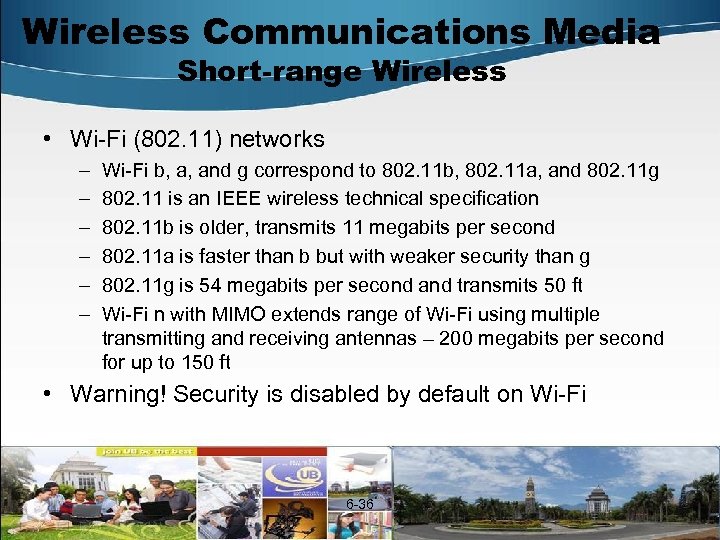
Wireless Communications Media Short-range Wireless • Wi-Fi (802. 11) networks – – – Wi-Fi b, a, and g correspond to 802. 11 b, 802. 11 a, and 802. 11 g 802. 11 is an IEEE wireless technical specification 802. 11 b is older, transmits 11 megabits per second 802. 11 a is faster than b but with weaker security than g 802. 11 g is 54 megabits per second and transmits 50 ft Wi-Fi n with MIMO extends range of Wi-Fi using multiple transmitting and receiving antennas – 200 megabits per second for up to 150 ft • Warning! Security is disabled by default on Wi-Fi 6 -36
Wireless Communications Media Short-range Wireless • Wi-Fi Security – Why is it disabled by default? • So non-technical users can get Wi-Fi working more easily – Why should this bother me? • A person with a $50 antenna can eavesdrop on everything your computer sends over wireless from a block or two away • This is called “wardriving” – To read more about this problem, follow these links • http: //www. webopedia. com/TERM/W/wardriving. html • http: //www. wardriving. com/ 6 -37
Wireless Communications Media Personal Area Wireless • Bluetooth – Short-range wireless standard to link cellphones, PDAs, computers, and peripherals at distances up to 30 ft – Named after King Harald Bluetooth, the Viking who unified Denmark and Norway – Transmits 720 kilobits per second – When Bluetooth devices come into range of each other, they negotiate. If they have information to exchange, they form a temporary wireless network – Bluetooth can also be used to eavesdrop on networks – Turn it off on your cellphone unless you need it at that time 6 -38
Wireless Communications Media Personal Area Wireless • Ultra Wideband (UWB) – Developed for military radar systems – Operates in 480 megabit per second range up to 30 ft – Uses a low power source to send out millions of bursts of radio waves each second – 100 times as fast as Bluetooth • Wireless USB – USB is the most used interface on PCs – The wireless version could be a hit – Range of 32 ft and maximum data rate of > 480 megabits per second 6 -39
Wireless Communications Media Short-Range Wireless for Home • Insteon – Combines electronic powerline and wireless technology – Can send data at 13. 1 kilobits per second with 150 ft range – Replaces X 10 • Zig. Bee – Entirely wireless very power-efficient technology – Can send data at 128 kilobits per second with 250 ft range • Z-Wave – Entirely wireless power-efficient technology – Can send data at 127 kilobits per second to range of 100 ft – Allows you to remotely program your house! 6 -40
Cyberthreats, Hackers, & Safeguards • Problem: internet was begun to foster collaboration among universities and scientists. They trusted each other. No security was built into the internet. • Problem: the internet is open-access and is used by some people who are not trustworthy, who take advantage of the lack of built-in safeguards. • Problem: Most people connect to the internet and use their computers in LANs. All it takes is one computer on a LAN that has been compromised for all computers on it to be vulnerable. 6 -41
Cyberthreats, Hackers, & Safeguards • Denial of Service Attacks – Consist of making repeated requests of a computer or network device, thereby overloading it and causing legitimate requests to be ignored – Used to target particular companies or individuals • Worms – A program that copies itself repeatedly into a computer’s memory or disk drive – May copy itself so much it crashes the infected computer – Famous worms include: Code Red, SQL Slammer, Nimda, My. Doom, Sasser – Primarily target PCs running Microsoft Windows 6 -42
Cyberthreats, Hackers, & Safeguards • Viruses – A deviant program that hides on a floppy, hard drive, CD, or e-mail that causes unexpected side effects such as destroying or corrupting data – Viruses self-replicate and try to secretly distribute themselves to other systems – Famous viruses include the “I Love You” virus – Viruses are published at the rate of about one per day – To see what the latest ones are, go to • http: //www. symantec. com/avcenter/vinfodb. html 6 -43
Cyberthreats, Hackers, & Safeguards • Trojan Horses – Programs that pretend to be a useful program such as a free game or screensaver. – Carry viruses or malicious instructions that damage your computer or install a backdoor or spyware – Backdoors and spyware allow others to access your computer without your knowledge 6 -44
Cyberthreats, Hackers, & Safeguards • How they spread – – – Via e-mail attachments By infected floppies or CDs By clicking on infiltrated websites By downloading from infected files from websites Through infiltrated Wi-Fi hotspots From one infected PC on a LAN to another • What can you do about it? – Install anti-virus software and subscribe to the automatic anti-virus update service 6 -45
Cyberthreats, Hackers, & Safeguards • Hackers are either – Computer enthusiasts, people who enjoy learning about programming and computers (good) – People who gain unauthorized access to computers or networks, often for fun or to see if they can (not good) • Crackers – Malicious hackers who break into computers for malicious purposes • Script kiddies are technically unsophisticated teenagers who use downloadable software for perform break-ins • Hacktivists are hacker activists who break into systems for a political purpose • Black-hat hackers are those who break into computers to steal or destroy information or to use it for illegal profit • Cyberterrorists attack computer systems so as to bring physical or financial harm to groups, companies, or nations 6 -46
Cyberthreats, Hackers, & Safeguards • Safeguards – Use antivirus software, and keep it current – Install a firewall to monitor network traffic and filter out undesirable types of traffic and undesirable sites – Use robust passwords – • Minimum 8 characters with letters, numbers, characters • 4 cats is not a good password, but f 0 Ur. K@t. Tz is – Install antispyware software – Encrypt financial and personal records so only you can read them – Back up your data, so if your PC is attacked and must be reformatted, you can restore your data – Never download from a website you don’t trust – Consider Biometric authentication 6 -47
Cyberthreats, Hackers, & Safeguards • Encryption – The process of altering readable data into unreadable form to prevent unauthorized access • Uses powerful mathematical ciphers to create coded messages that are difficult to break – Two forms: • Private Key encryption means the same secret key is used by both the sender and receiver to encrypt and decrypt a message • Public Key encryption means that two keys are used – The public key of the recipient is published and is used by the sender to encrypt the message – The private key of the recipient is secret and is the only way to decrypt the message 6 -48
Future of Communications • This is a big area of development • There is a lot of money to be made from faster and more secure broadband communications • Areas of development include – Global high-speed low—orbital satellite networks for rural internet and voice connectivity – 4 G wireless technology – Photonics to speed up fiber-optic lines – Software-defined radio – Grid computing 6 -49
Kesimpulan 50
Скачать презентацию Komunikasi Jaringan Pengamanannya Williams B K Stacy
604055ad1e5c2aa1ab4f11041c4dd984.ppt