 Скачать презентацию KBOM Aim n Develop a series of
3ef2f1d9fa7f9fda2264539955fa8b2a.ppt
- Количество слайдов: 35




KBOM
Aim n Develop a series of Success Factors for infrastructure security n Demonstrate the Success Factors in a Physical security analogy n Extend the analogy to the Digital world n Describe typical faults in infrastructure security
Good Security Success Factors n Multiple layers of protection - Defence in-depth - No direct access to customer data n Utilises multiple technologies including - Access control - Breach detection - Auditing or recording key events Should integrate Human and Mechanised systems n What is not specific required is denied n
Security systems Testing the key success factors in the real world
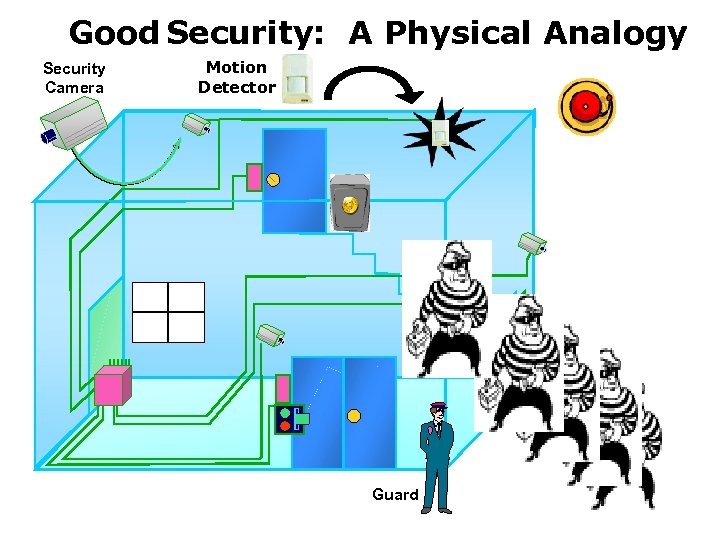
Good Security: A Physical Analogy Security Camera Motion Detector Guard
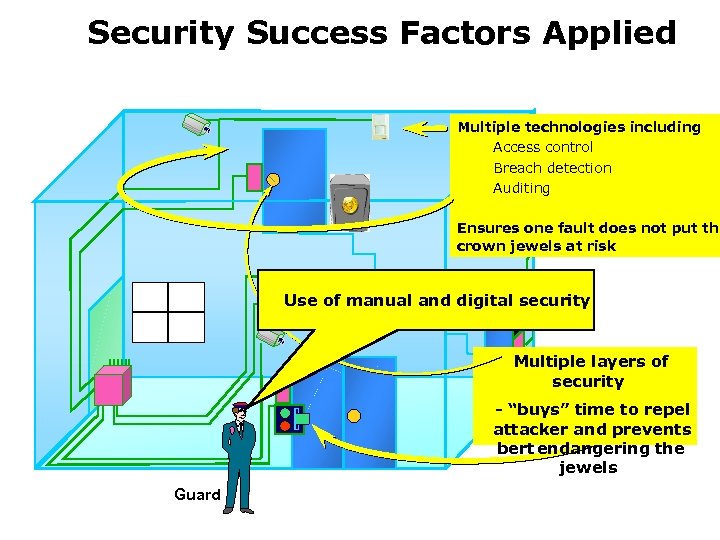
Security Success Factors Applied Multiple technologies including Access control Breach detection Auditing Ensures one fault does not put the crown jewels at risk Use of manual and digital security Multiple layers of security - “buys” time to repel attacker and prevents bert endangering the jewels Guard
E-security systems Relating the digital-world to the real world
E-security systems A model that works
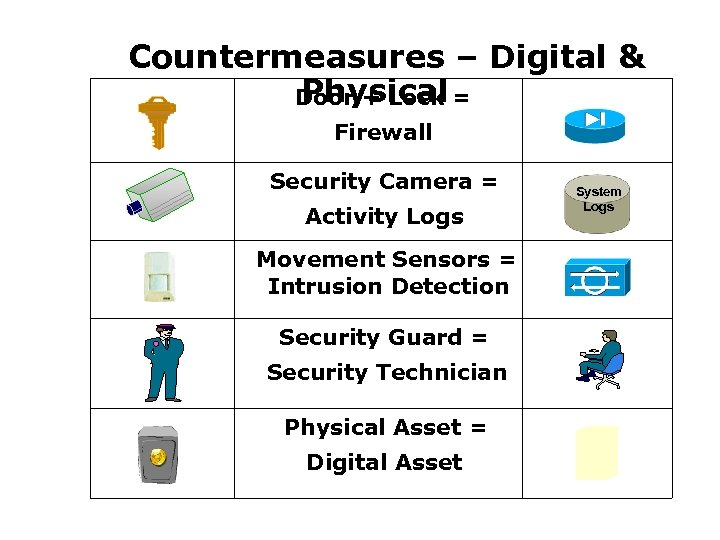
Countermeasures – Digital & Physical Door + Lock = Firewall Security Camera = Activity Logs Movement Sensors = Intrusion Detection Security Guard = Security Technician Physical Asset = Digital Asset System Logs
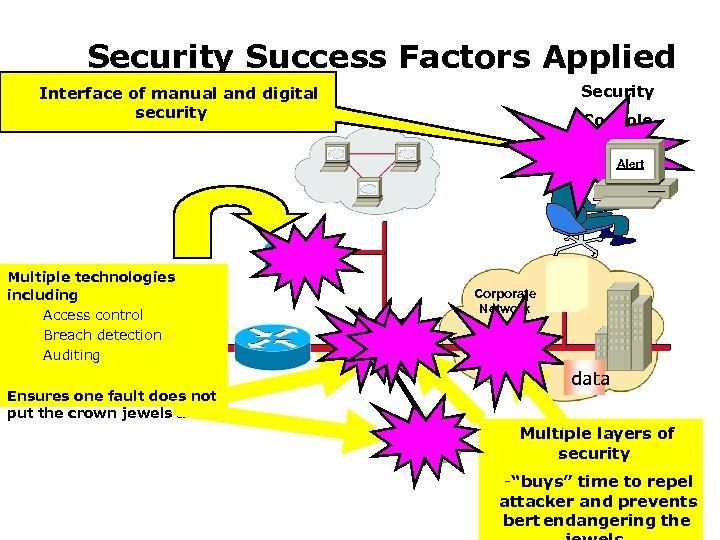
Security Success Factors Applied Security Interface of manual and digital security Console Alert Multiple technologies including Access control Internet Breach detection Auditing Corporate Network data Ensures one fault does not put the crown jewels at risk Audit Logs Multiple layers of security -“buys” time to repel attacker and prevents bert endangering the
Common Faults
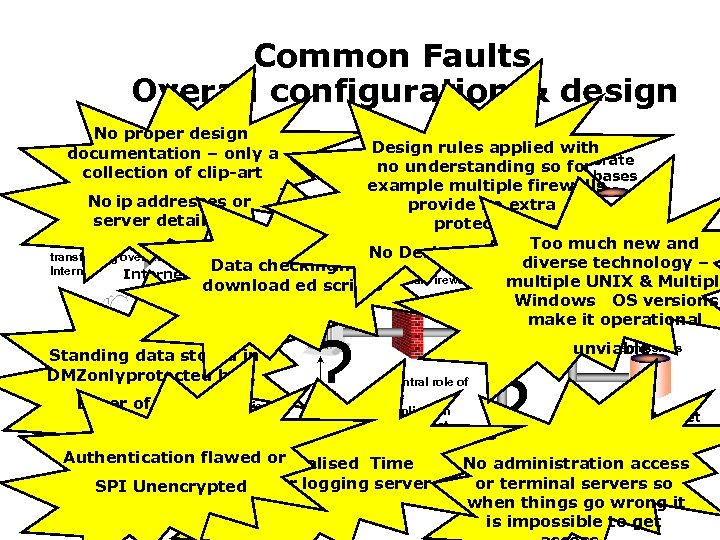
Common Faults Overall configuration & design No proper design documentation – only a collection of clip-art Design rules applied with Corporate no understanding so for Databases example multiple firewalls No ip addresses or Customer. Enterpri provide no extra se server details etc Data protection Encrypted Systems information securely Too much new and No Desk Check done !!!!! Further transferring over the diverse technologythe protection of – Data checking Internet multiple UNIX & Multiple Intranet Perimeter download ed scripts. Internal Firewall Web Server Firewall Windows OS versions Application make it operational Standing data stored in DMZonly protected Merchant by 1 Layer of securely security identified via Certificates ? Server Authentication and permissions unviable Central role of the application server that will connect to all data Time No sources Authentication flawedcentralised No or Certification Userserver or logging server SPI Unencrypted Authority securely identified via certificates ? Internet Databases SET payment administration access protocol that or terminal servers so sends the user’s Bank details directly to when things go wrong it the bank is impossible to get
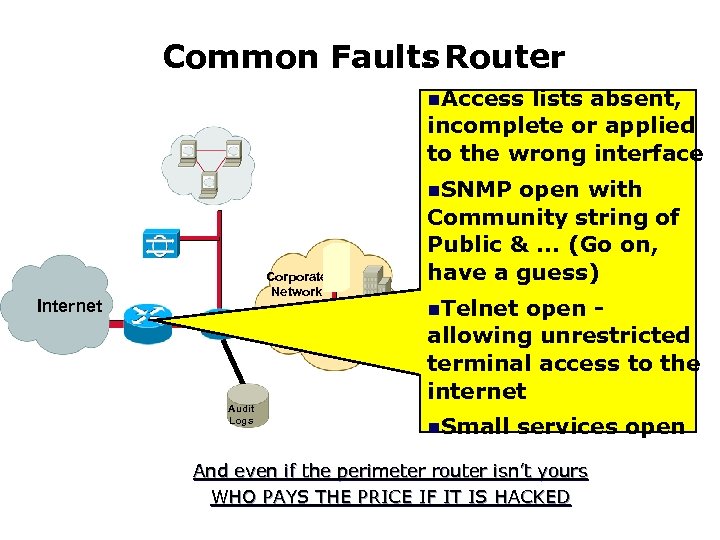
Common Faults Router : n. Access lists absent, incomplete or applied to the wrong interface n. SNMP Corporate Network Internet Audit Logs open with Community string of Public &. . . (Go on, have a guess) n. Telnet open allowing unrestricted terminal access to the internet n. Small services open And even if the perimeter router isn’t yours WHO PAYS THE PRICE IF IT IS HACKED
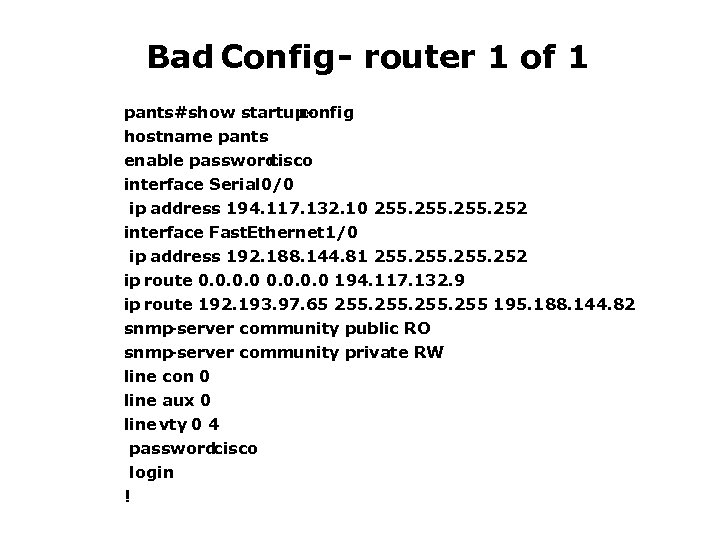
Bad Config - router 1 of 1 pants#show startupconfig hostname pants enable password cisco interface Serial 0/0 ip address 194. 117. 132. 10 255. 252 interface Fast. Ethernet 1/0 ip address 192. 188. 144. 81 255. 252 ip route 0. 0 194. 117. 132. 9 ip route 192. 193. 97. 65 255 195. 188. 144. 82 snmp -server community public RO snmp -server community private RW line con 0 line aux 0 line vty 0 4 passwordcisco login !

After
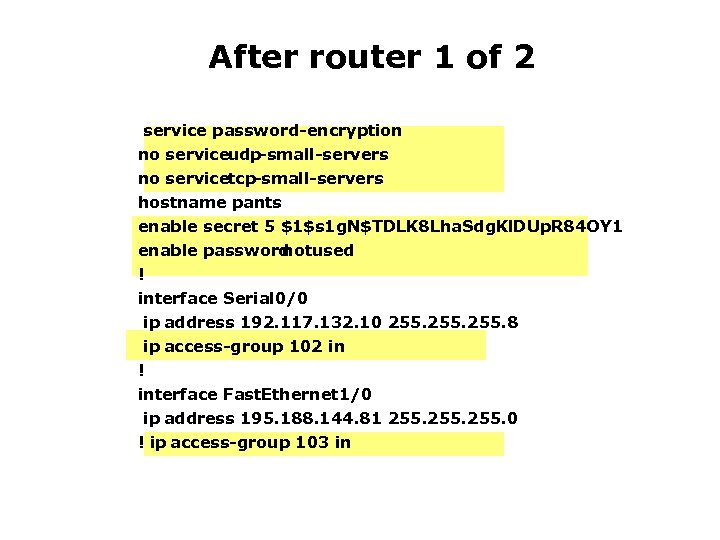
After router 1 of 2 service password-encryption no serviceudp-small-servers no servicetcp-small-servers hostname pants enable secret 5 $1$s 1 g. N$TDLK 8 Lha. Sdg. Kl. DUp. R 84 OY 1 enable password notused ! interface Serial 0/0 ip address 192. 117. 132. 10 255. 8 ip access-group 102 in ! interface Fast. Ethernet 1/0 ip address 195. 188. 144. 81 255. 0 ! ip access-group 103 in
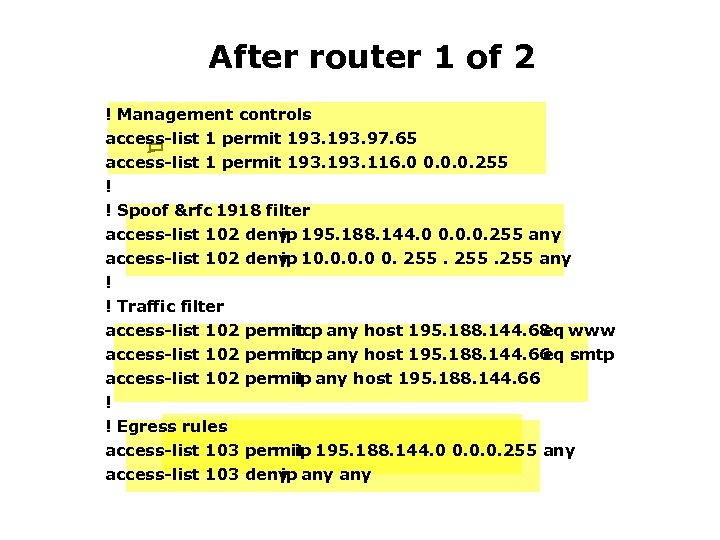
After router 1 of 2 ! Management controls access-list 1 permit 193. 97. 65 access-list 1 permit 193. 116. 0 0. 0. 0. 255 ! ! Spoof & rfc 1918 filter access-list 102 deny 195. 188. 144. 0 0. 0. 0. 255 any ip access-list 102 deny 10. 0 0. 255 any ip ! ! Traffic filter access-list 102 permit any host 195. 188. 144. 68 www tcp eq access-list 102 permit any host 195. 188. 144. 66 smtp tcp eq access-list 102 permit any host 195. 188. 144. 66 ip ! ! Egress rules access-list 103 permit 195. 188. 144. 0 0. 0. 0. 255 any ip access-list 103 deny any ip
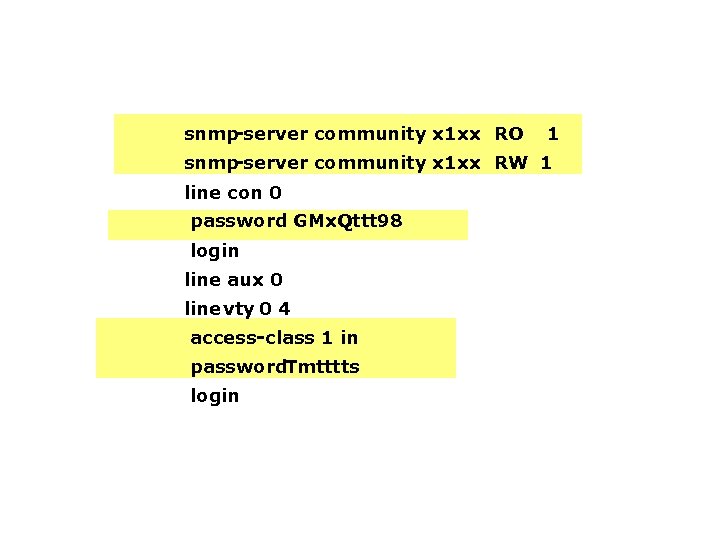
snmp -server community x 1 xx RO 1 snmp -server community x 1 xx RW 1 line con 0 password GMx. Qttt 98 login line aux 0 line vty 0 4 access-class 1 in password. Tmtttts login
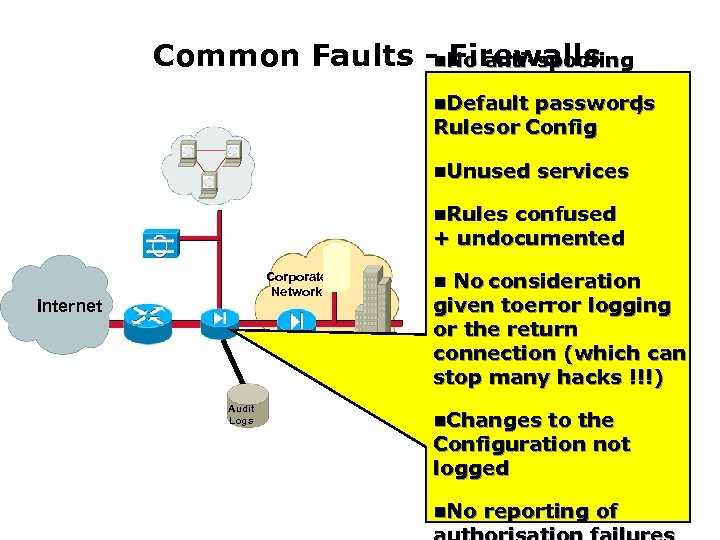
Common Faults -n. No anti-spoofing Firewalls n. Default passwords , Rules or Config n. Unused services n. Rules confused + undocumented Corporate Network Internet Audit Logs n No consideration given toerror logging or the return connection (which can stop many hacks !!!) n. Changes to the Configuration not logged n. No reporting of
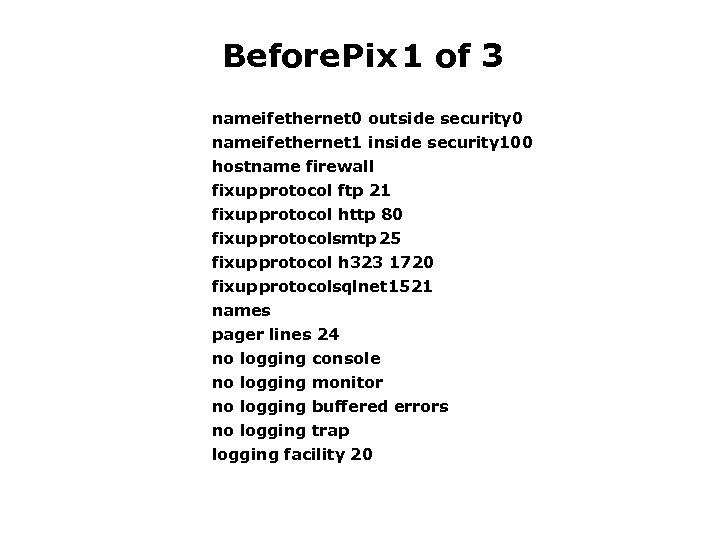
Before Pix 1 of 3 nameifethernet 0 outside security 0 nameifethernet 1 inside security 100 hostname firewall fixup protocol ftp 21 fixup protocol http 80 fixup protocolsmtp 25 fixup protocol h 323 1720 fixup protocolsqlnet 1521 names pager lines 24 no logging console no logging monitor no logging buffered errors no logging trap logging facility 20
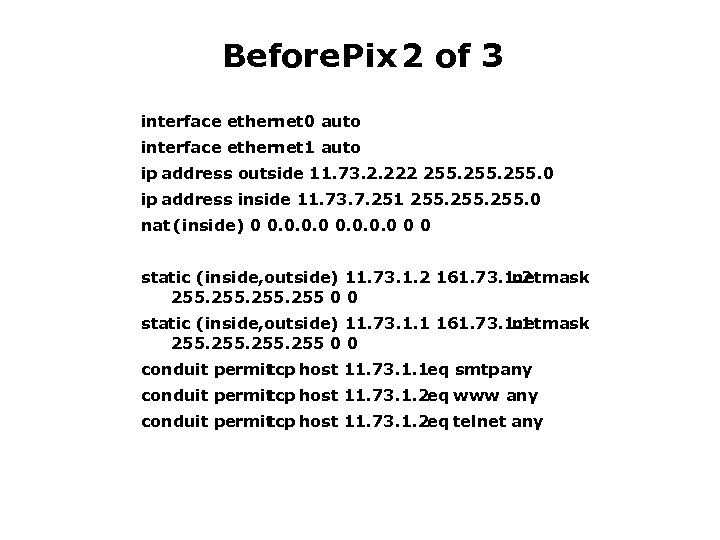
Before Pix 2 of 3 interface ethernet 0 auto interface ethernet 1 auto ip address outside 11. 73. 2. 222 255. 0 ip address inside 11. 73. 7. 251 255. 0 nat (inside) 0 0 0 static (inside, outside) 11. 73. 1. 2 161. 73. 1. 2 netmask 255 0 0 static (inside, outside) 11. 73. 1. 1 161. 73. 1. 1 netmask 255 0 0 conduit permit tcp host 11. 73. 1. 1 eq smtp any conduit permit tcp host 11. 73. 1. 2 eq www any conduit permit tcp host 11. 73. 1. 2 eq telnet any
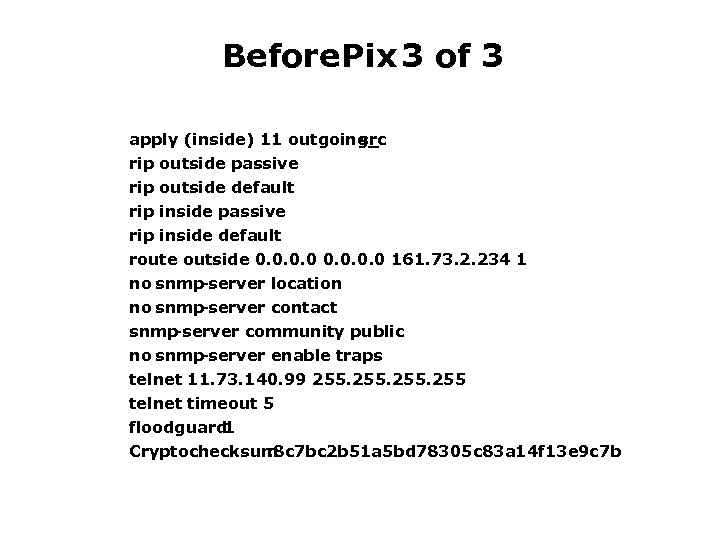
Before Pix 3 of 3 apply (inside) 11 outgoing_ src rip outside passive rip outside default rip inside passive rip inside default route outside 0. 0 161. 73. 2. 234 1 no snmp -server location no snmp -server contact snmp -server community public no snmp -server enable traps telnet 11. 73. 140. 99 255 telnet timeout 5 floodguard 1 Cryptochecksum : 8 c 7 bc 2 b 51 a 5 bd 78305 c 83 a 14 f 13 e 9 c 7 b

After
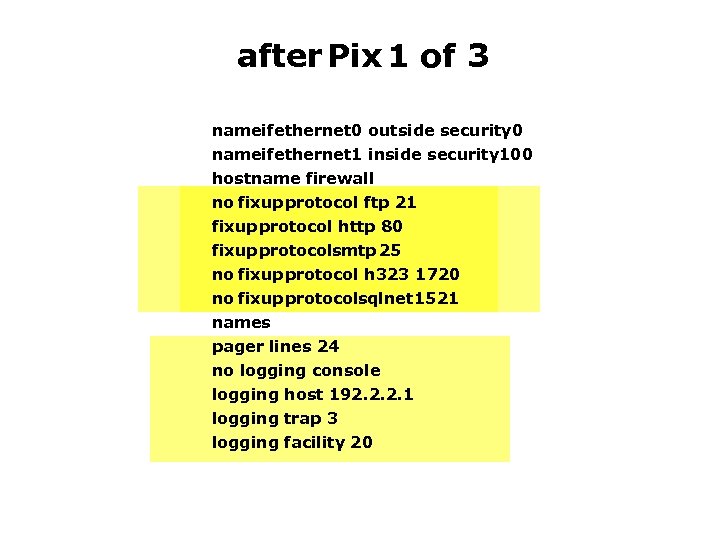
after Pix 1 of 3 nameifethernet 0 outside security 0 nameifethernet 1 inside security 100 hostname firewall no fixup protocol ftp 21 fixup protocol http 80 fixup protocolsmtp 25 no fixup protocol h 323 1720 no fixup protocolsqlnet 1521 names pager lines 24 no logging console logging host 192. 2. 2. 1 logging trap 3 logging facility 20
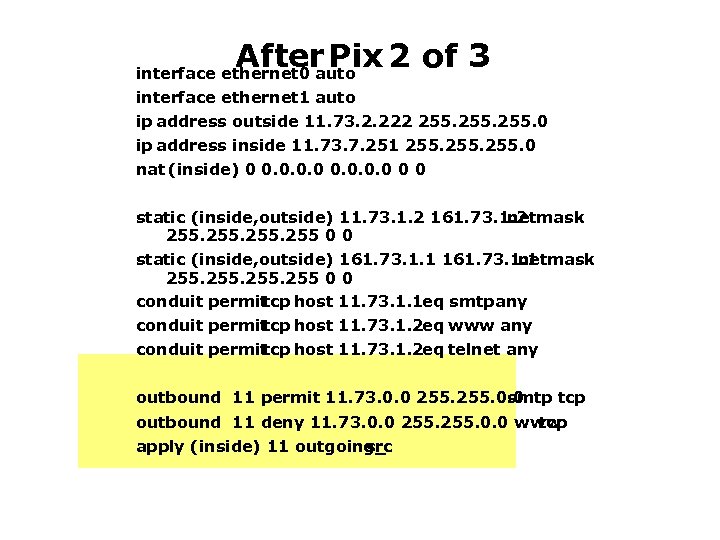
After Pix 2 of 3 interface ethernet 0 auto interface ethernet 1 auto ip address outside 11. 73. 2. 222 255. 0 ip address inside 11. 73. 7. 251 255. 0 nat (inside) 0 0 0 static (inside, outside) 11. 73. 1. 2 161. 73. 1. 2 netmask 255 0 0 static (inside, outside) 161. 73. 1. 1 netmask 255 0 0 conduit permit tcp host 11. 73. 1. 1 eq smtp any conduit permit tcp host 11. 73. 1. 2 eq www any conduit permit tcp host 11. 73. 1. 2 eq telnet any outbound 11 permit 11. 73. 0. 0 255. 0. 0 smtp tcp outbound 11 deny 11. 73. 0. 0 255. 0. 0 www tcp apply (inside) 11 outgoing_ src
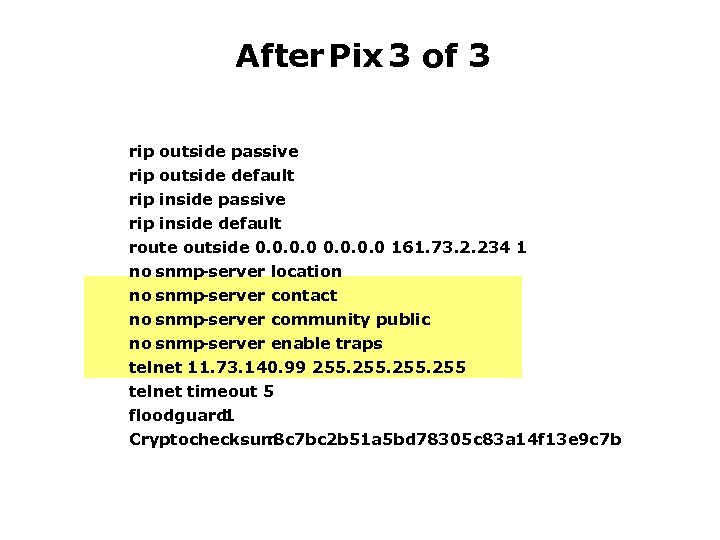
After Pix 3 of 3 rip rip outside passive outside default inside passive inside default route outside 0. 0 161. 73. 2. 234 1 no snmp -server location no snmp -server contact no snmp -server community public no snmp -server enable traps telnet 11. 73. 140. 99 255 telnet timeout 5 floodguard 1 Cryptochecksum : 8 c 7 bc 2 b 51 a 5 bd 78305 c 83 a 14 f 13 e 9 c 7 b
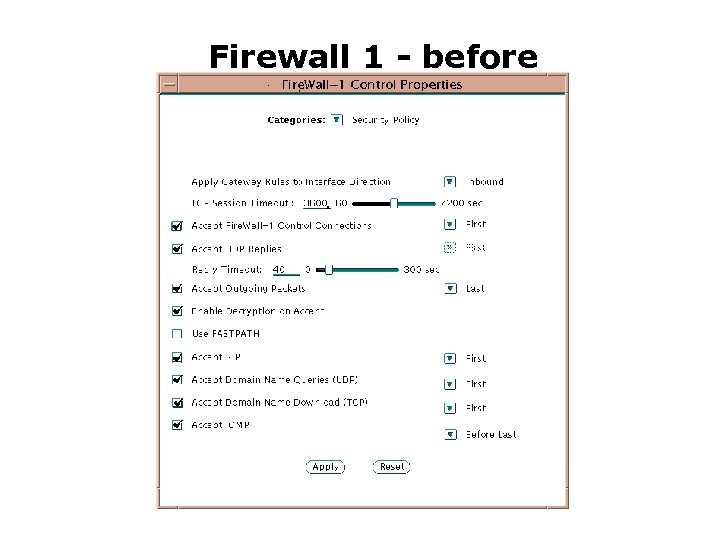
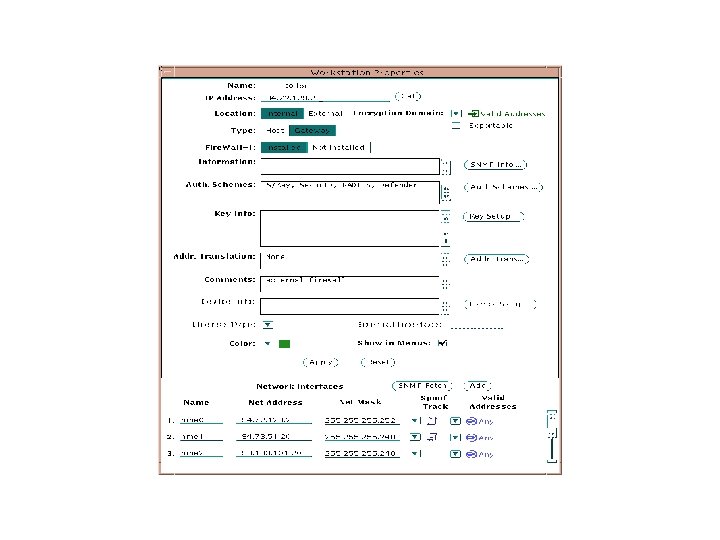
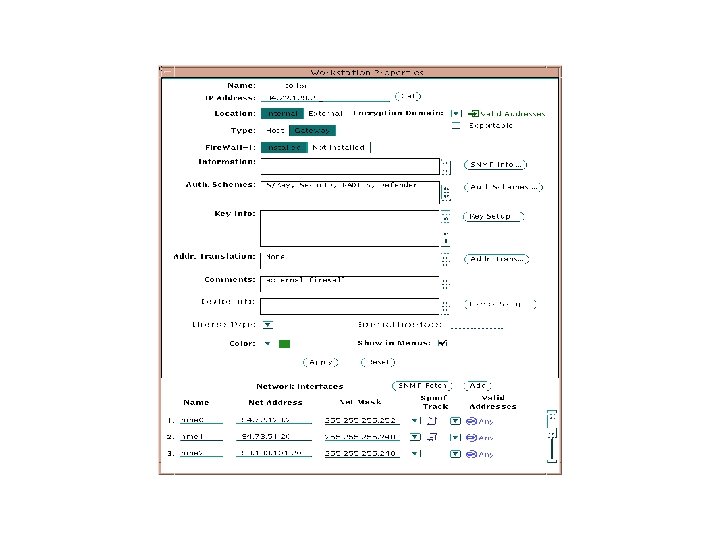
Firewall 1 - before
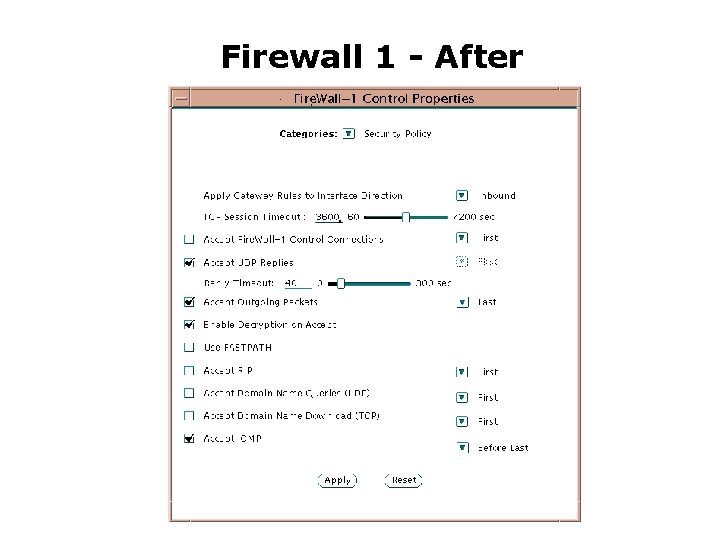
Firewall 1 - After
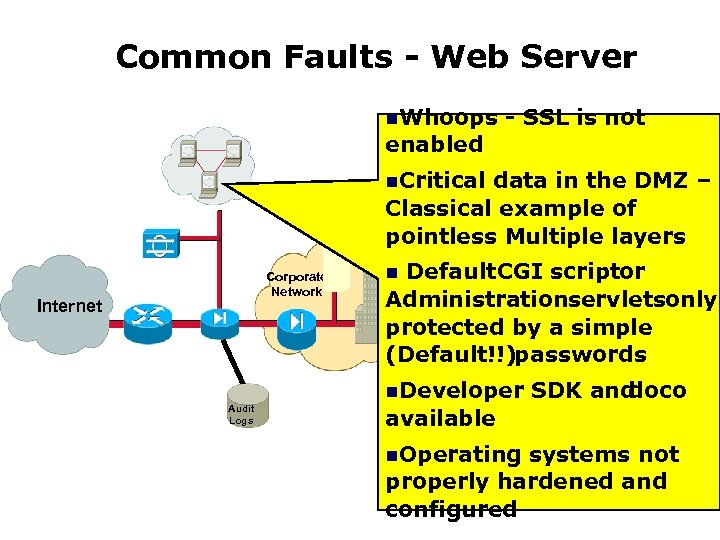
Common Faults - Web Server n. Whoops - SSL is not enabled n. Critical data in the DMZ – Classical example of pointless Multiple layers Corporate Network Internet Audit Logs Default CGI scriptor Administrationservletsonly protected by a simple (Default!!)passwords n n. Developer SDK and doco available n. Operating systems not properly hardened and configured
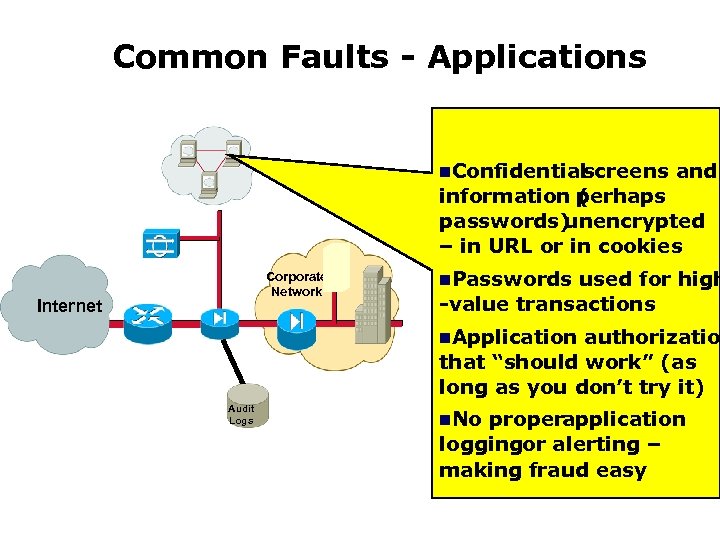
Common Faults - Applications n. Confidential screens and information perhaps ( passwords) unencrypted – in URL or in cookies Corporate Network Internet n. Passwords used for high -value transactions n. Application authorizatio that “should work” (as long as you don’t try it) Audit Logs n. No properapplication loggingor alerting – making fraud easy
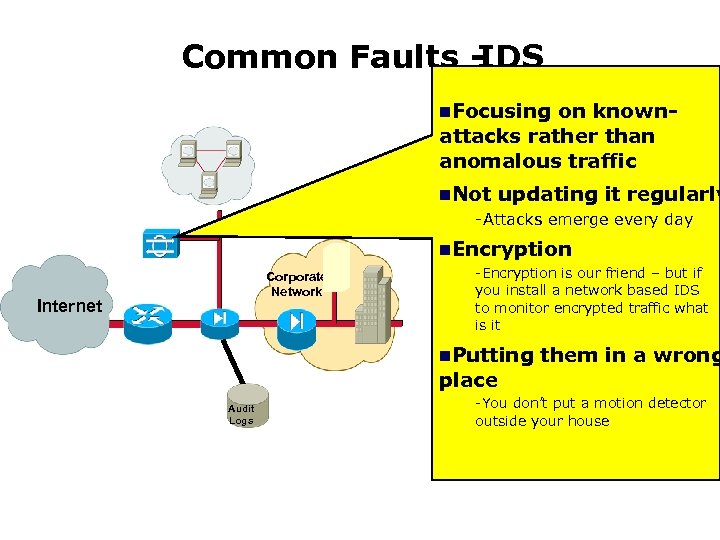
Common Faults IDS n. Focusing on knownattacks rather than anomalous traffic n. Not updating it regularly -Attacks emerge every day n. Encryption Corporate Network Internet -Encryption is our friend – but if you install a network based IDS to monitor encrypted traffic what is it n. Putting them in a wrong place Audit Logs -You don’t put a motion detector outside your house

KBOM
 Скачать презентацию KBOM Aim n Develop a series of
3ef2f1d9fa7f9fda2264539955fa8b2a.ppt