 Скачать презентацию Job_List the Basics System Librarian Make your Job
0602025c21384f4d49173f86bb767106.ppt
- Количество слайдов: 26



Job_List: the Basics System Librarian, Make your Job easier with job_list Presented at NAAUG 2002 by Susan Marshall
What’s the point? • The Job Daemon and Job List are used to schedule jobs to run automatically at predetermined times. – Weekly – Daily • This scheduling is maintained through ALEPH rather than by using ‘chron jobs’ outside of ALEPH. 2 Job_List: the Basics
Be more specific… • Examples of jobs to include: – – – – – Checking for disk space Removing result set tables (z 05/z 110) Removing session tables (z 63/z 64/z 65) Removing lock table (z 60/z 50) Removing statistics table (z 34) Removing web basket table (z 109) Hold shelf reports (cir_06) Overdue notices (cir_50, cir_51 or cir_52) Send list of Orders (acq_14) 3 Job_List: the Basics
What is needed? • Edit two tables from $alephe_tab – Job_list. conf • Start (or re-start) the Job Daemon 4 Job_List: the Basics
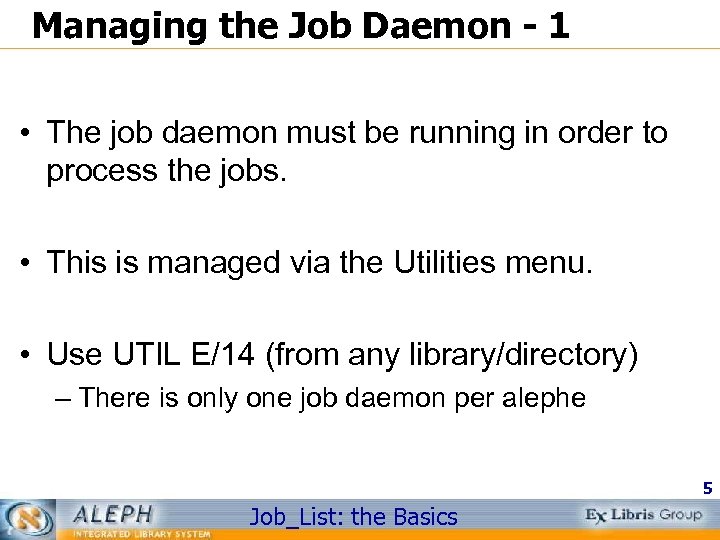
Managing the Job Daemon - 1 • The job daemon must be running in order to process the jobs. • This is managed via the Utilities menu. • Use UTIL E/14 (from any library/directory) – There is only one job daemon per alephe 5 Job_List: the Basics
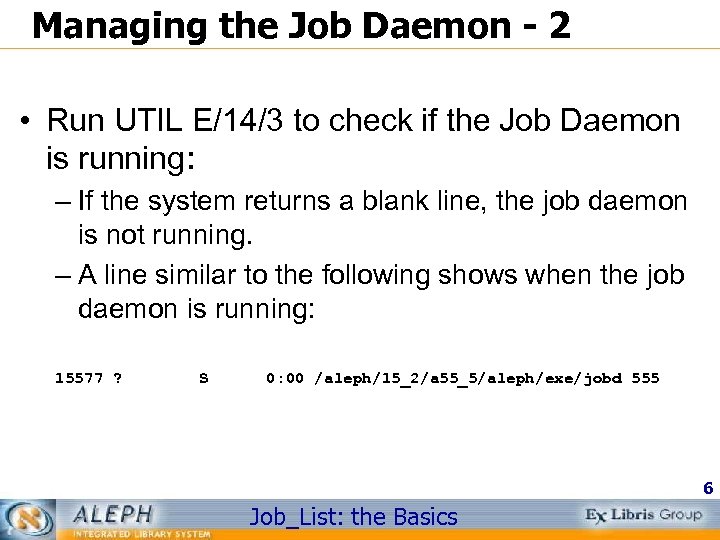
Managing the Job Daemon - 2 • Run UTIL E/14/3 to check if the Job Daemon is running: – If the system returns a blank line, the job daemon is not running. – A line similar to the following shows when the job daemon is running: 15577 ? S 0: 00 /aleph/15_2/a 55_5/aleph/exe/jobd 555 6 Job_List: the Basics
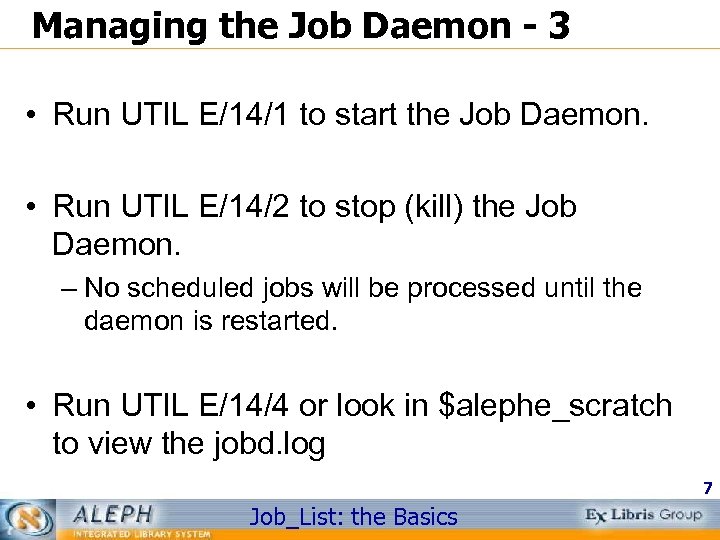
Managing the Job Daemon - 3 • Run UTIL E/14/1 to start the Job Daemon. • Run UTIL E/14/2 to stop (kill) the Job Daemon. – No scheduled jobs will be processed until the daemon is restarted. • Run UTIL E/14/4 or look in $alephe_scratch to view the jobd. log 7 Job_List: the Basics
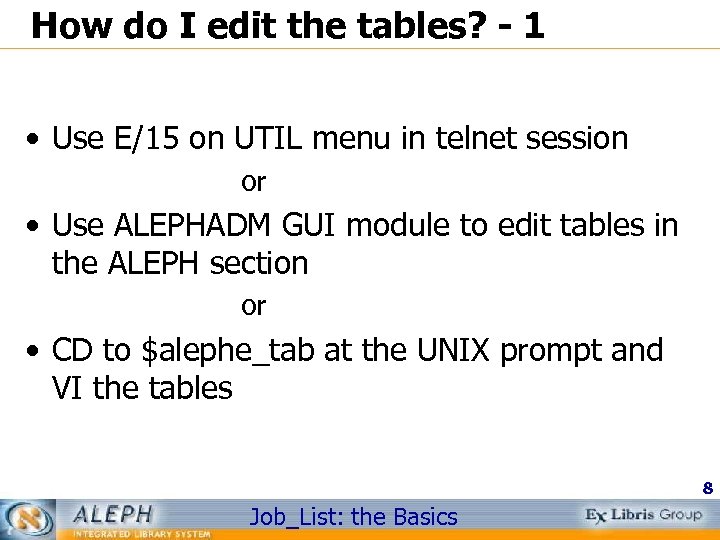
How do I edit the tables? - 1 • Use E/15 on UTIL menu in telnet session or • Use ALEPHADM GUI module to edit tables in the ALEPH section or • CD to $alephe_tab at the UNIX prompt and VI the tables 8 Job_List: the Basics
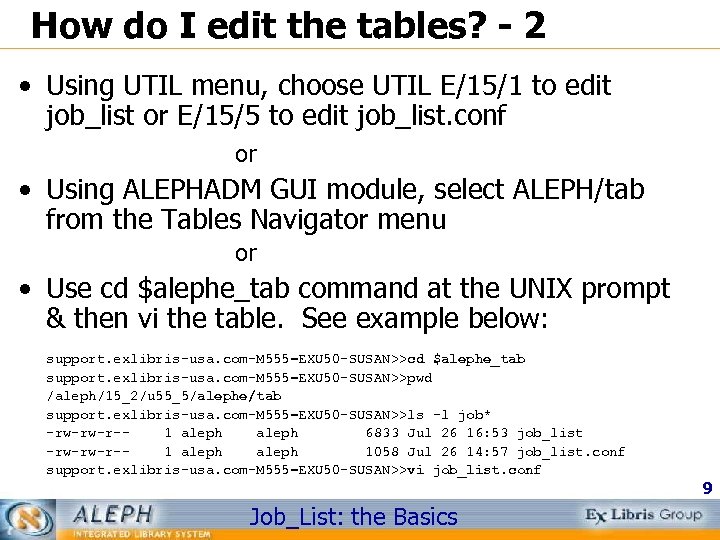
How do I edit the tables? - 2 • Using UTIL menu, choose UTIL E/15/1 to edit job_list or E/15/5 to edit job_list. conf or • Using ALEPHADM GUI module, select ALEPH/tab from the Tables Navigator menu or • Use cd $alephe_tab command at the UNIX prompt & then vi the table. See example below: support. exlibris-usa. com-M 555=EXU 50 -SUSAN>>cd $alephe_tab support. exlibris-usa. com-M 555=EXU 50 -SUSAN>>pwd /aleph/15_2/u 55_5/alephe/tab support. exlibris-usa. com-M 555=EXU 50 -SUSAN>>ls -l job* -rw-rw-r-1 aleph 6833 Jul 26 16: 53 job_list -rw-rw-r-1 aleph 1058 Jul 26 14: 57 job_list. conf support. exlibris-usa. com-M 555=EXU 50 -SUSAN>>vi job_list. conf Job_List: the Basics 9
What is the Purpose of job_list. conf? - 1 • Defines daily and/or weekly time definitions to be used in job_list. – Instead of specifying single days and times when scheduling jobs in job_list, it is possible to specify a definition from job_list. conf instead. • There are two types of definitions – Weekly (W) – Daily (D) 10 Job_List: the Basics
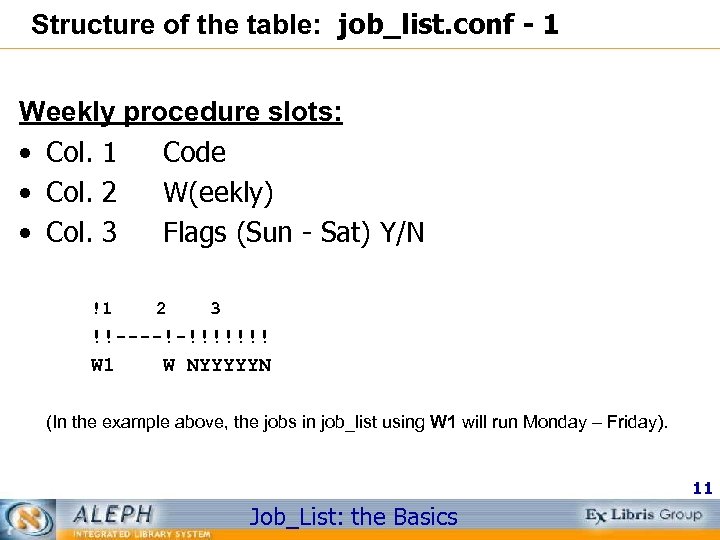
Structure of the table: job_list. conf - 1 Weekly procedure slots: • Col. 1 Code • Col. 2 W(eekly) • Col. 3 Flags (Sun - Sat) Y/N !1 2 3 !!----!-!!!!!!! W 1 W NYYYYYN (In the example above, the jobs in job_list using W 1 will run Monday – Friday). 11 Job_List: the Basics
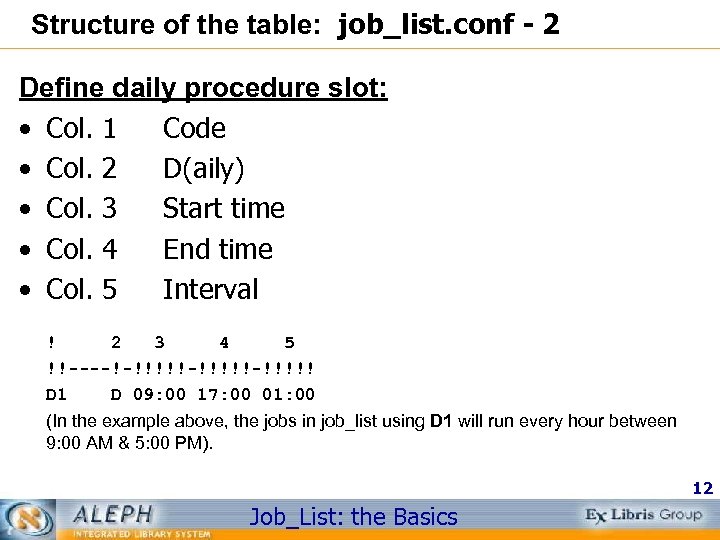
Structure of the table: job_list. conf - 2 Define daily procedure slot: • Col. 1 Code • Col. 2 D(aily) • Col. 3 Start time • Col. 4 End time • Col. 5 Interval ! 2 3 4 5 !!----!-!!!!!-!!!!! D 1 D 09: 00 17: 00 01: 00 (In the example above, the jobs in job_list using D 1 will run every hour between 9: 00 AM & 5: 00 PM). 12 Job_List: the Basics
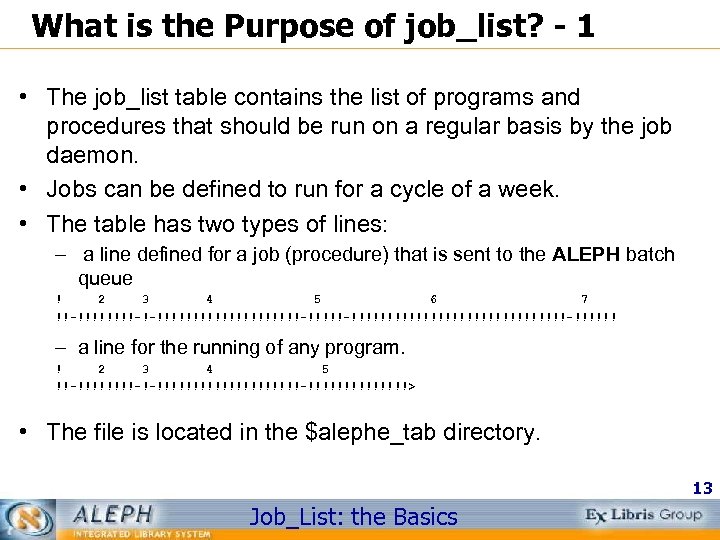
What is the Purpose of job_list? - 1 • The job_list table contains the list of programs and procedures that should be run on a regular basis by the job daemon. • Jobs can be defined to run for a cycle of a week. • The table has two types of lines: – a line defined for a job (procedure) that is sent to the ALEPH batch queue ! 2 3 4 5 6 7 !!-!!!!-!-!!!!!!!!!!-!!!!!!!!!!!!!!!!!!-!!!!!! – a line for the running of any program. ! 2 3 4 5 !!-!!!!-!-!!!!!!!!!!-!!!!!!!> • The file is located in the $alephe_tab directory. 13 Job_List: the Basics
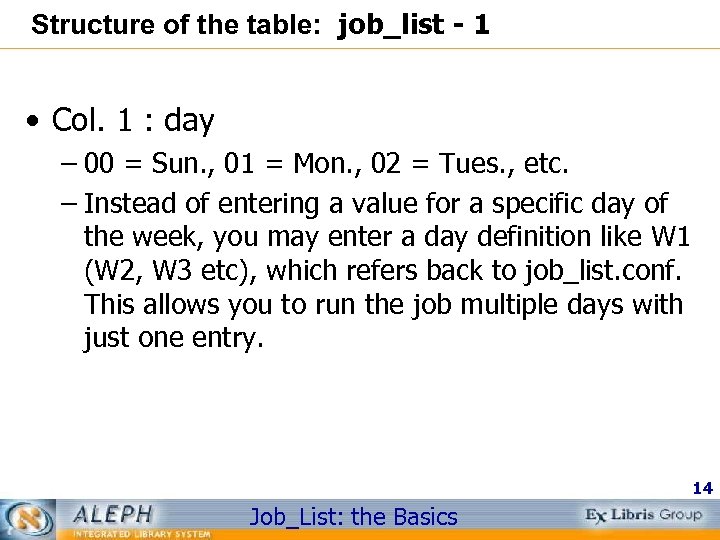
Structure of the table: job_list - 1 • Col. 1 : day – 00 = Sun. , 01 = Mon. , 02 = Tues. , etc. – Instead of entering a value for a specific day of the week, you may enter a day definition like W 1 (W 2, W 3 etc), which refers back to job_list. conf. This allows you to run the job multiple days with just one entry. 14 Job_List: the Basics
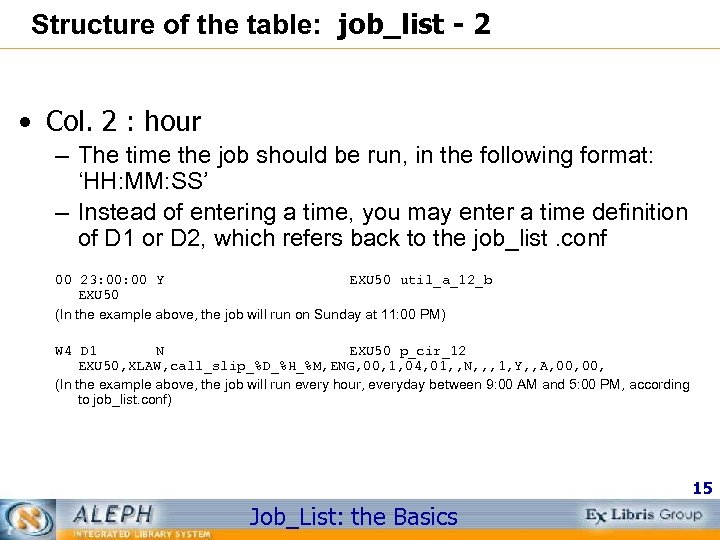
Structure of the table: job_list - 2 • Col. 2 : hour – The time the job should be run, in the following format: ‘HH: MM: SS’ – Instead of entering a time, you may enter a time definition of D 1 or D 2, which refers back to the job_list. conf 00 23: 00 Y EXU 50 util_a_12_b EXU 50 (In the example above, the job will run on Sunday at 11: 00 PM) W 4 D 1 N EXU 50 p_cir_12 EXU 50, XLAW, call_slip_%D_%H_%M, ENG, 00, 1, 04, 01, , N, , , 1, Y, , A, 00, (In the example above, the job will run every hour, everyday between 9: 00 AM and 5: 00 PM, according to job_list. conf) 15 Job_List: the Basics
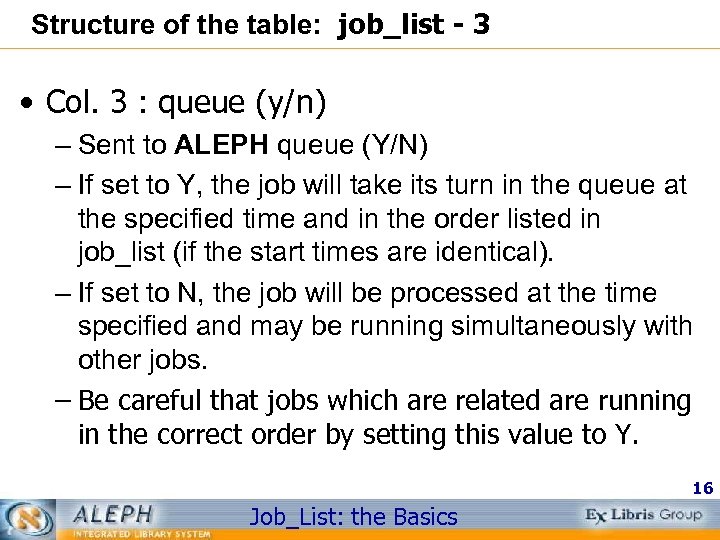
Structure of the table: job_list - 3 • Col. 3 : queue (y/n) – Sent to ALEPH queue (Y/N) – If set to Y, the job will take its turn in the queue at the specified time and in the order listed in job_list (if the start times are identical). – If set to N, the job will be processed at the time specified and may be running simultaneously with other jobs. – Be careful that jobs which are related are running in the correct order by setting this value to Y. 16 Job_List: the Basics
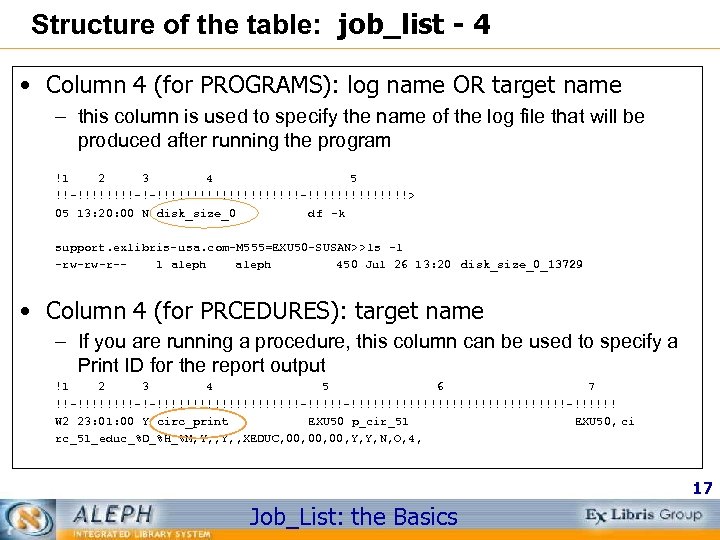
Structure of the table: job_list - 4 • Column 4 (for PROGRAMS): log name OR target name – this column is used to specify the name of the log file that will be produced after running the program !1 2 3 4 5 !!-!!!!-!-!!!!!!!!!!-!!!!!!!> 05 13: 20: 00 N disk_size_0 df –k support. exlibris-usa. com-M 555=EXU 50 -SUSAN>>ls –l -rw-rw-r-1 aleph 450 Jul 26 13: 20 disk_size_0_13729 • Column 4 (for PRCEDURES): target name – If you are running a procedure, this column can be used to specify a Print ID for the report output !1 2 3 4 5 6 7 !!-!!!!-!-!!!!!!!!!!-!!!!!!!!!!!!!!!!!!-!!!!!! W 2 23: 01: 00 Y circ_print EXU 50 p_cir_51 EXU 50, ci rc_51_educ_%D_%H_%M, Y, , XEDUC, 00, 00, Y, Y, N, O, 4, 17 Job_List: the Basics
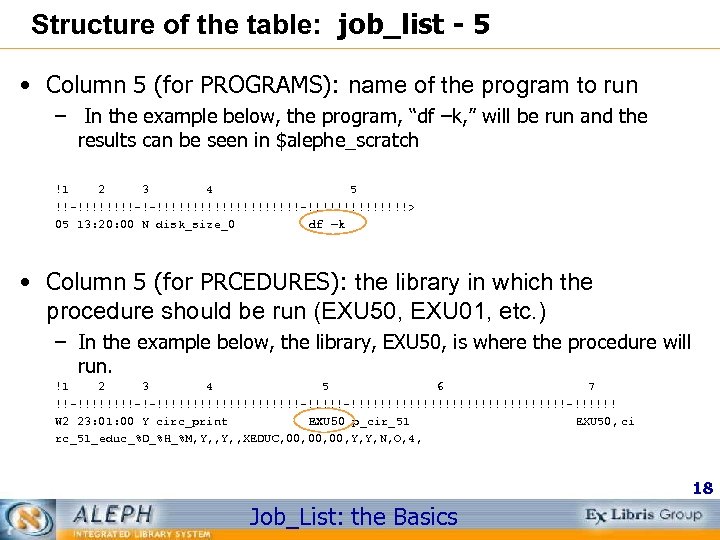
Structure of the table: job_list - 5 • Column 5 (for PROGRAMS): name of the program to run – In the example below, the program, “df –k, ” will be run and the results can be seen in $alephe_scratch !1 2 3 4 5 !!-!!!!-!-!!!!!!!!!!-!!!!!!!> 05 13: 20: 00 N disk_size_0 df –k • Column 5 (for PRCEDURES): the library in which the procedure should be run (EXU 50, EXU 01, etc. ) – In the example below, the library, EXU 50, is where the procedure will run. !1 2 3 4 5 6 7 !!-!!!!-!-!!!!!!!!!!-!!!!!!!!!!!!!!!!!!-!!!!!! W 2 23: 01: 00 Y circ_print EXU 50 p_cir_51 EXU 50, ci rc_51_educ_%D_%H_%M, Y, , XEDUC, 00, 00, Y, Y, N, O, 4, 18 Job_List: the Basics
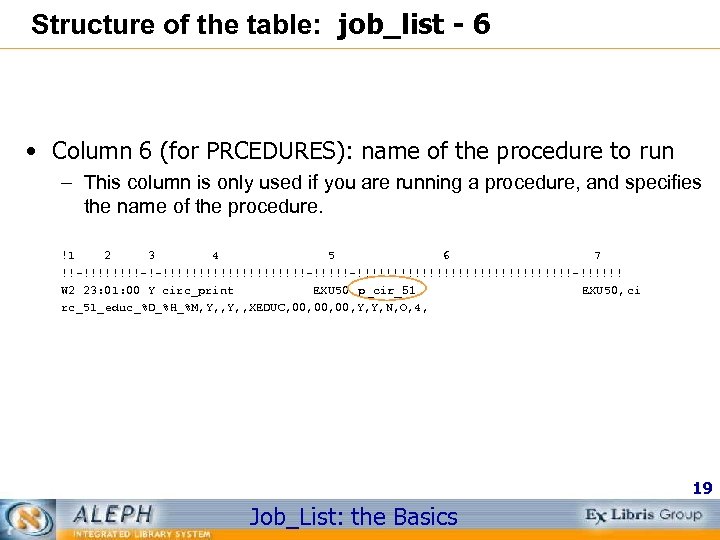
Structure of the table: job_list - 6 • Column 6 (for PRCEDURES): name of the procedure to run – This column is only used if you are running a procedure, and specifies the name of the procedure. !1 2 3 4 5 6 7 !!-!!!!-!-!!!!!!!!!!-!!!!!!!!!!!!!!!!!!-!!!!!! W 2 23: 01: 00 Y circ_print EXU 50 p_cir_51 EXU 50, ci rc_51_educ_%D_%H_%M, Y, , XEDUC, 00, 00, Y, Y, N, O, 4, 19 Job_List: the Basics
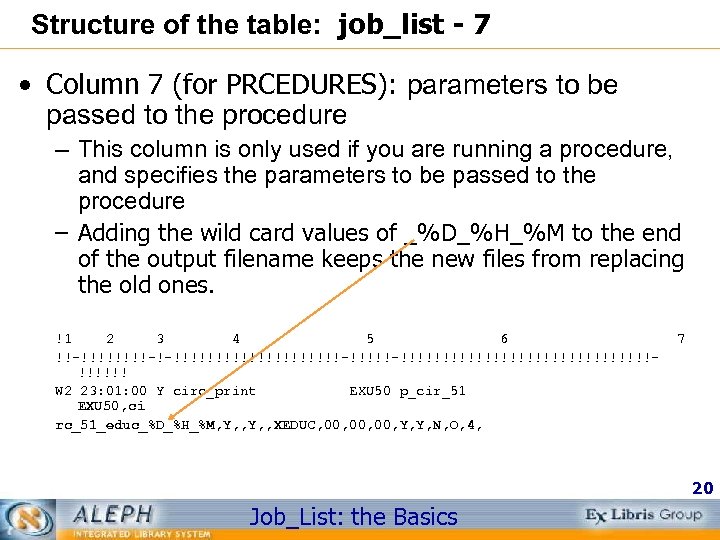
Structure of the table: job_list - 7 • Column 7 (for PRCEDURES): parameters to be passed to the procedure – This column is only used if you are running a procedure, and specifies the parameters to be passed to the procedure – Adding the wild card values of _%D_%H_%M to the end of the output filename keeps the new files from replacing the old ones. !1 2 3 4 5 6 !!-!!!!-!-!!!!!!!!!!-!!!!!!!!!!!!!!!!!!!!! W 2 23: 01: 00 Y circ_print EXU 50 p_cir_51 EXU 50, ci rc_51_educ_%D_%H_%M, Y, , XEDUC, 00, 00, Y, Y, N, O, 4, 7 20 Job_List: the Basics
Getting the parameters for procedures - 1 • Run job from Services menu using desired parameters • View results in the GUI module of Task (Job) Manager to determine if this is what you want • Copy parameters from the lib_batch_log and/or the batch_log in the xxxnn/files directory (For example, EXU 50/files for p_cir_12) • Carefully paste parameters in column 7 of job_list. 21 Job_List: the Basics
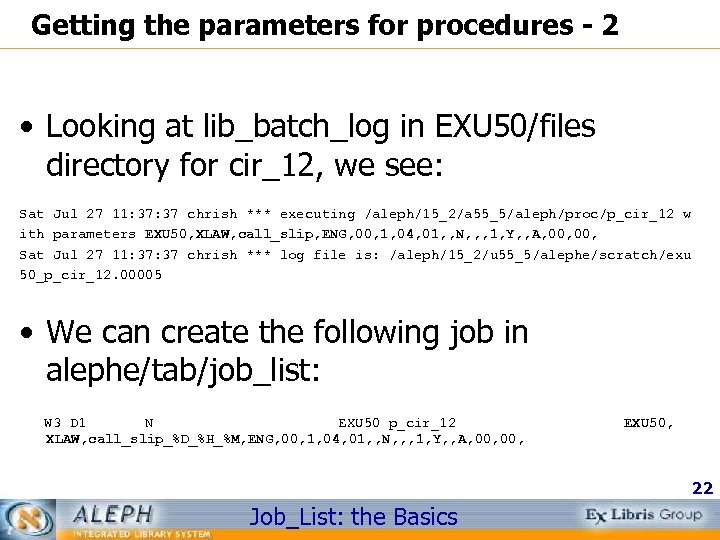
Getting the parameters for procedures - 2 • Looking at lib_batch_log in EXU 50/files directory for cir_12, we see: Sat Jul 27 11: 37 chrish *** executing /aleph/15_2/a 55_5/aleph/proc/p_cir_12 w ith parameters EXU 50, XLAW, call_slip, ENG, 00, 1, 04, 01, , N, , , 1, Y, , A, 00, Sat Jul 27 11: 37 chrish *** log file is: /aleph/15_2/u 55_5/alephe/scratch/exu 50_p_cir_12. 00005 • We can create the following job in alephe/tab/job_list: W 3 D 1 N EXU 50 p_cir_12 XLAW, call_slip_%D_%H_%M, ENG, 00, 1, 04, 01, , N, , , 1, Y, , A, 00, EXU 50, 22 Job_List: the Basics
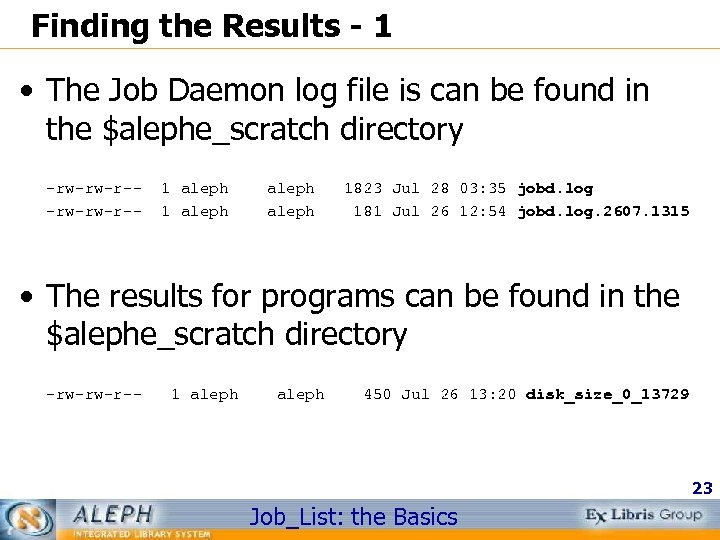
Finding the Results - 1 • The Job Daemon log file is can be found in the $alephe_scratch directory -rw-rw-r-- 1 aleph 1823 Jul 28 03: 35 jobd. log 181 Jul 26 12: 54 jobd. log. 2607. 1315 • The results for programs can be found in the $alephe_scratch directory -rw-rw-r-- 1 aleph 450 Jul 26 13: 20 disk_size_0_13729 23 Job_List: the Basics
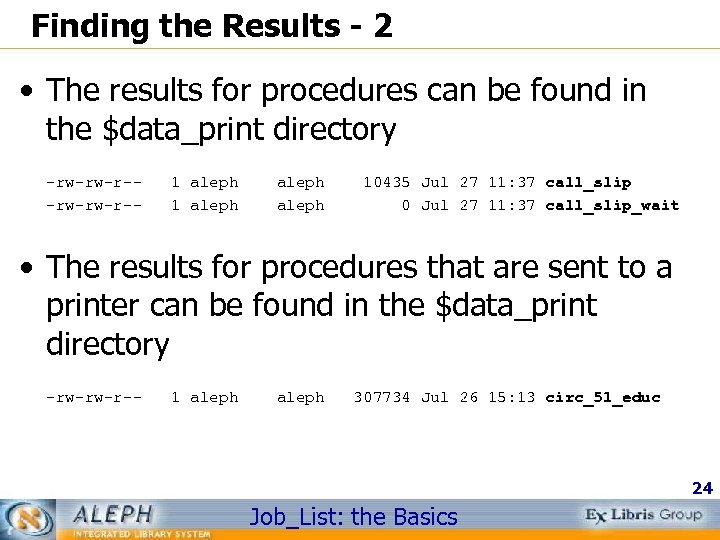
Finding the Results - 2 • The results for procedures can be found in the $data_print directory -rw-rw-r-- 1 aleph 10435 Jul 27 11: 37 call_slip 0 Jul 27 11: 37 call_slip_wait • The results for procedures that are sent to a printer can be found in the $data_print directory -rw-rw-r-- 1 aleph 307734 Jul 26 15: 13 circ_51_educ 24 Job_List: the Basics
Documentation • The headers for job_list and job_list. conf • Training Document for System Librarian called “Task Manager Sys. Lib 14. 2_20020117” • Data Base Management Guide (DMG) – part 1 – Section E. 14 and E. 15 25 Job_List: the Basics
Documentation Online Sources • Ex Libris Doc. Portal – http: //www 1. exlibrisgroup. com/documentation/logon. asp – Contact Support@exlibris-usa. com for username and password • Web Guide at – http: //server-name. address: port/S – Use your staff username and password 26 Job_List: the Basics
Скачать презентацию Job_List the Basics System Librarian Make your Job
0602025c21384f4d49173f86bb767106.ppt