 Скачать презентацию JFS 3 3 1 Module Objectives
3a5ecf09efa8a052d6524169e5121af4.ppt
- Количество слайдов: 37



JFS 3. 3 1
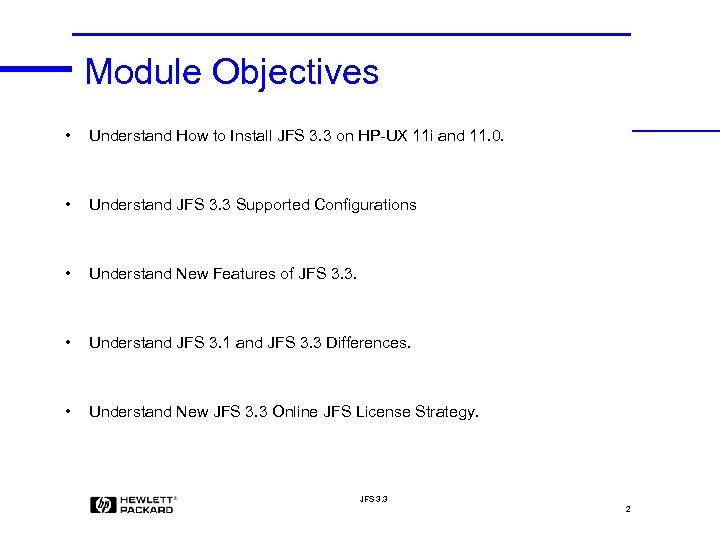
Module Objectives • Understand How to Install JFS 3. 3 on HP-UX 11 i and 11. 0. • Understand JFS 3. 3 Supported Configurations • Understand New Features of JFS 3. 3. • Understand JFS 3. 1 and JFS 3. 3 Differences. • Understand New JFS 3. 3 Online JFS License Strategy. JFS 3. 3 2
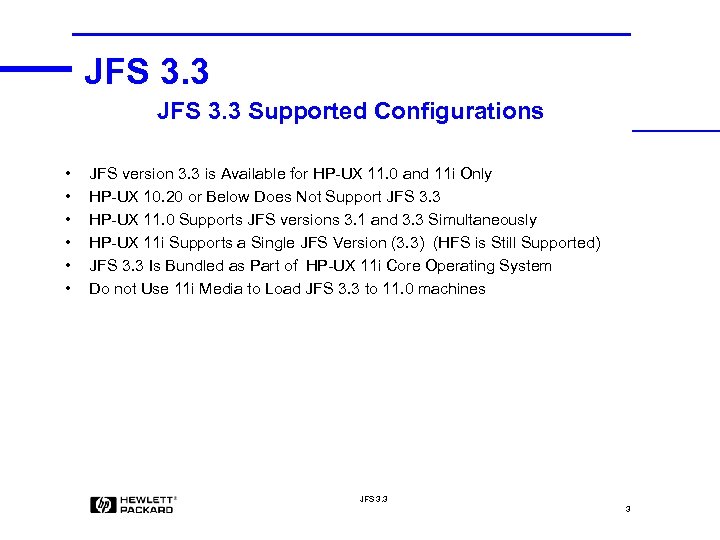
JFS 3. 3 Supported Configurations • • • JFS version 3. 3 is Available for HP-UX 11. 0 and 11 i Only HP-UX 10. 20 or Below Does Not Support JFS 3. 3 HP-UX 11. 0 Supports JFS versions 3. 1 and 3. 3 Simultaneously HP-UX 11 i Supports a Single JFS Version (3. 3) (HFS is Still Supported) JFS 3. 3 Is Bundled as Part of HP-UX 11 i Core Operating System Do not Use 11 i Media to Load JFS 3. 3 to 11. 0 machines JFS 3. 3 3
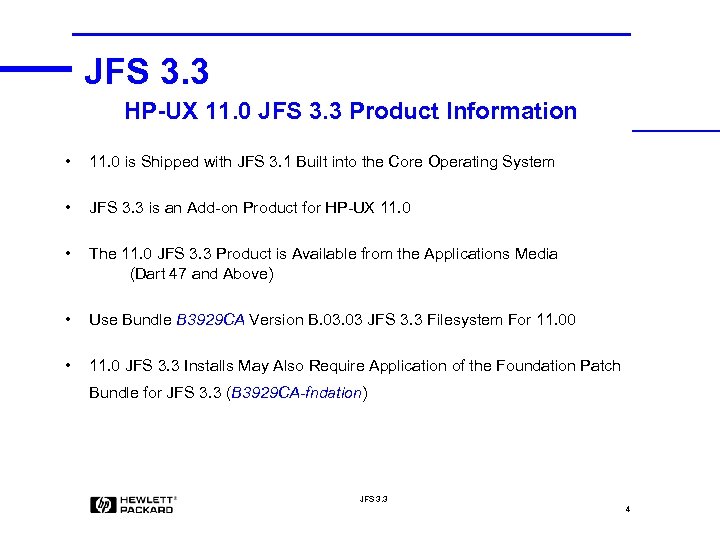
JFS 3. 3 HP-UX 11. 0 JFS 3. 3 Product Information • 11. 0 is Shipped with JFS 3. 1 Built into the Core Operating System • JFS 3. 3 is an Add-on Product for HP-UX 11. 0 • The 11. 0 JFS 3. 3 Product is Available from the Applications Media (Dart 47 and Above) • Use Bundle B 3929 CA Version B. 03 JFS 3. 3 Filesystem For 11. 00 • 11. 0 JFS 3. 3 Installs May Also Require Application of the Foundation Patch Bundle for JFS 3. 3 (B 3929 CA-fndation) JFS 3. 3 4
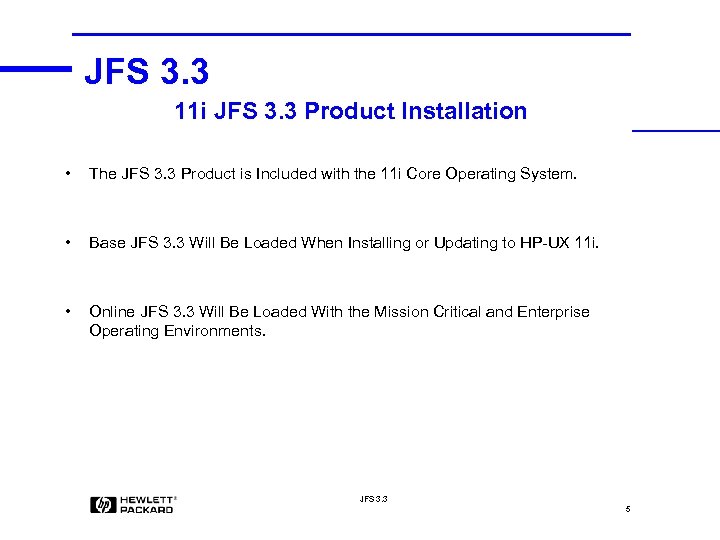
JFS 3. 3 11 i JFS 3. 3 Product Installation • The JFS 3. 3 Product is Included with the 11 i Core Operating System. • Base JFS 3. 3 Will Be Loaded When Installing or Updating to HP-UX 11 i. • Online JFS 3. 3 Will Be Loaded With the Mission Critical and Enterprise Operating Environments. JFS 3. 3 5
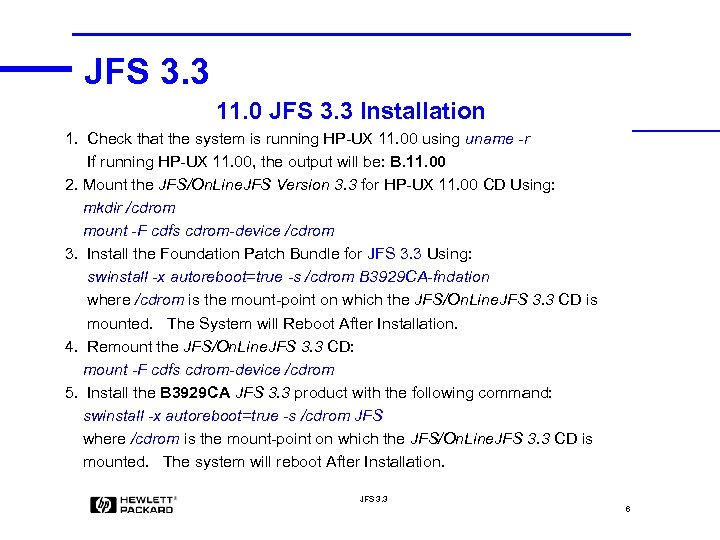
JFS 3. 3 11. 0 JFS 3. 3 Installation 1. Check that the system is running HP-UX 11. 00 using uname -r If running HP-UX 11. 00, the output will be: B. 11. 00 2. Mount the JFS/On. Line. JFS Version 3. 3 for HP-UX 11. 00 CD Using: mkdir /cdrom mount -F cdfs cdrom-device /cdrom 3. Install the Foundation Patch Bundle for JFS 3. 3 Using: swinstall -x autoreboot=true -s /cdrom B 3929 CA-fndation where /cdrom is the mount-point on which the JFS/On. Line. JFS 3. 3 CD is mounted. The System will Reboot After Installation. 4. Remount the JFS/On. Line. JFS 3. 3 CD: mount -F cdfs cdrom-device /cdrom 5. Install the B 3929 CA JFS 3. 3 product with the following command: swinstall -x autoreboot=true -s /cdrom JFS where /cdrom is the mount-point on which the JFS/On. Line. JFS 3. 3 CD is mounted. The system will reboot After Installation. JFS 3. 3 6

JFS 3. 3 7

JFS 3. 3 8
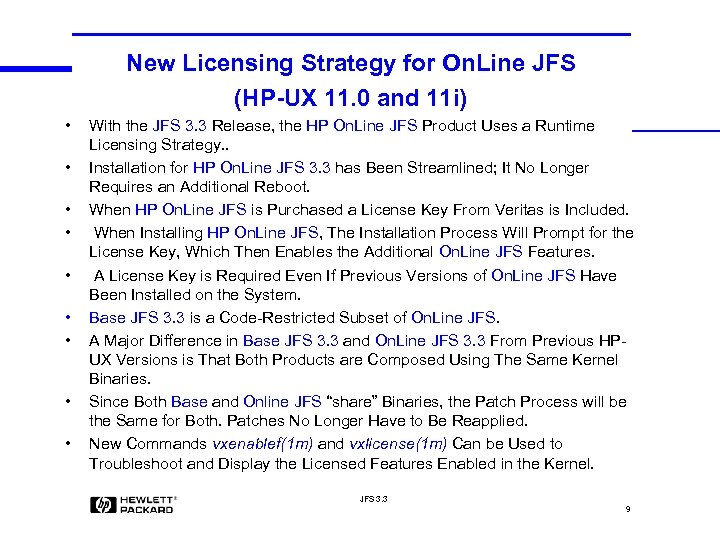
New Licensing Strategy for On. Line JFS (HP-UX 11. 0 and 11 i) • • • With the JFS 3. 3 Release, the HP On. Line JFS Product Uses a Runtime Licensing Strategy. . Installation for HP On. Line JFS 3. 3 has Been Streamlined; It No Longer Requires an Additional Reboot. When HP On. Line JFS is Purchased a License Key From Veritas is Included. When Installing HP On. Line JFS, The Installation Process Will Prompt for the License Key, Which Then Enables the Additional On. Line JFS Features. A License Key is Required Even If Previous Versions of On. Line JFS Have Been Installed on the System. Base JFS 3. 3 is a Code-Restricted Subset of On. Line JFS. A Major Difference in Base JFS 3. 3 and On. Line JFS 3. 3 From Previous HPUX Versions is That Both Products are Composed Using The Same Kernel Binaries. Since Both Base and Online JFS “share” Binaries, the Patch Process will be the Same for Both. Patches No Longer Have to Be Reapplied. New Commands vxenablef(1 m) and vxlicense(1 m) Can be Used to Troubleshoot and Display the Licensed Features Enabled in the Kernel. JFS 3. 3 9
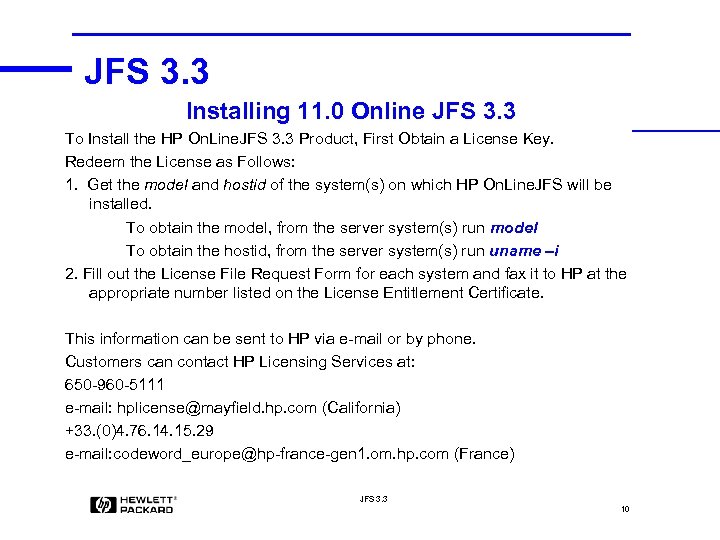
JFS 3. 3 Installing 11. 0 Online JFS 3. 3 To Install the HP On. Line. JFS 3. 3 Product, First Obtain a License Key. Redeem the License as Follows: 1. Get the model and hostid of the system(s) on which HP On. Line. JFS will be installed. To obtain the model, from the server system(s) run model To obtain the hostid, from the server system(s) run uname –i 2. Fill out the License File Request Form for each system and fax it to HP at the appropriate number listed on the License Entitlement Certificate. This information can be sent to HP via e-mail or by phone. Customers can contact HP Licensing Services at: 650 -960 -5111 e-mail: hplicense@mayfield. hp. com (California) +33. (0)4. 76. 14. 15. 29 e-mail: codeword_europe@hp-france-gen 1. om. hp. com (France) JFS 3. 3 10
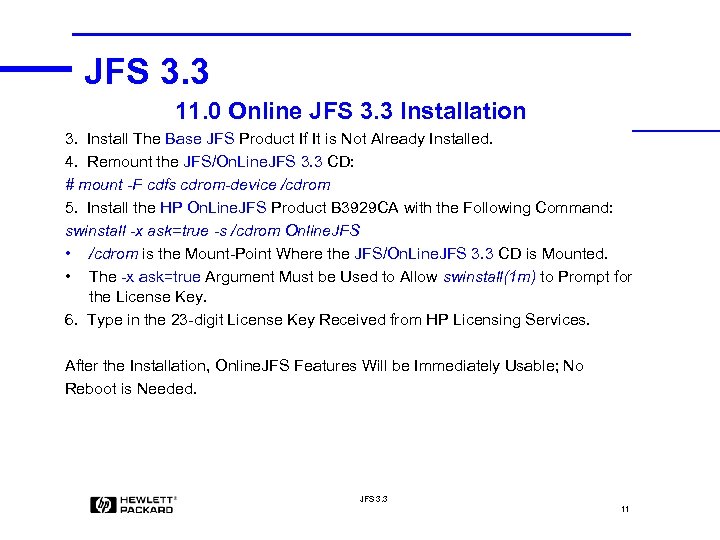
JFS 3. 3 11. 0 Online JFS 3. 3 Installation 3. Install The Base JFS Product If It is Not Already Installed. 4. Remount the JFS/On. Line. JFS 3. 3 CD: # mount -F cdfs cdrom-device /cdrom 5. Install the HP On. Line. JFS Product B 3929 CA with the Following Command: swinstall -x ask=true -s /cdrom Online. JFS • /cdrom is the Mount-Point Where the JFS/On. Line. JFS 3. 3 CD is Mounted. • The -x ask=true Argument Must be Used to Allow swinstall(1 m) to Prompt for the License Key. 6. Type in the 23 -digit License Key Received from HP Licensing Services. After the Installation, Online. JFS Features Will be Immediately Usable; No Reboot is Needed. JFS 3. 3 11
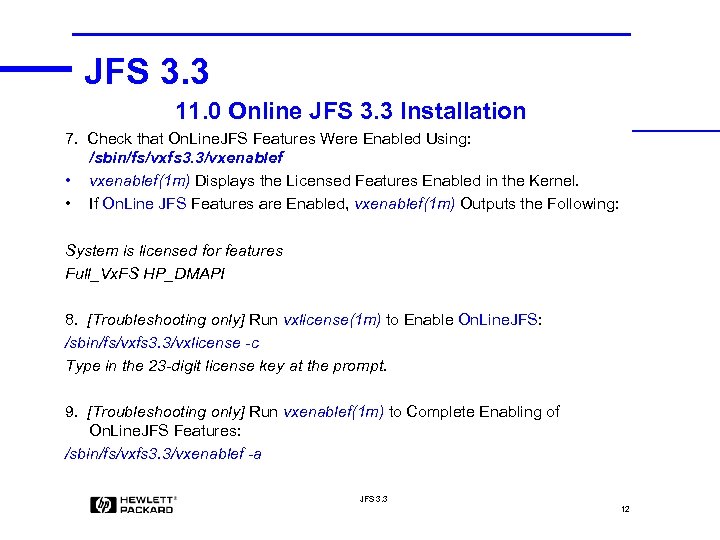
JFS 3. 3 11. 0 Online JFS 3. 3 Installation 7. Check that On. Line. JFS Features Were Enabled Using: /sbin/fs/vxfs 3. 3/vxenablef • vxenablef(1 m) Displays the Licensed Features Enabled in the Kernel. • If On. Line JFS Features are Enabled, vxenablef(1 m) Outputs the Following: System is licensed for features Full_Vx. FS HP_DMAPI 8. [Troubleshooting only] Run vxlicense(1 m) to Enable On. Line. JFS: /sbin/fs/vxfs 3. 3/vxlicense -c Type in the 23 -digit license key at the prompt. 9. [Troubleshooting only] Run vxenablef(1 m) to Complete Enabling of On. Line. JFS Features: /sbin/fs/vxfs 3. 3/vxenablef -a JFS 3. 3 12
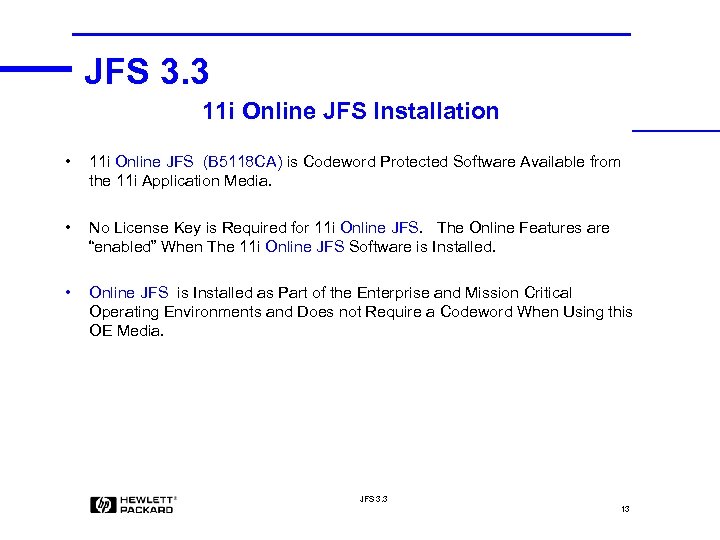
JFS 3. 3 11 i Online JFS Installation • 11 i Online JFS (B 5118 CA) is Codeword Protected Software Available from the 11 i Application Media. • No License Key is Required for 11 i Online JFS. The Online Features are “enabled” When The 11 i Online JFS Software is Installed. • Online JFS is Installed as Part of the Enterprise and Mission Critical Operating Environments and Does not Require a Codeword When Using this OE Media. JFS 3. 3 13
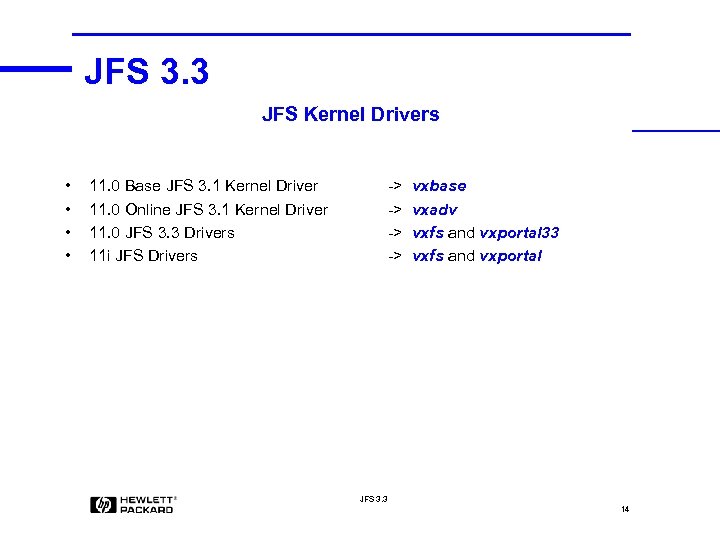
JFS 3. 3 JFS Kernel Drivers • • 11. 0 Base JFS 3. 1 Kernel Driver 11. 0 Online JFS 3. 1 Kernel Driver 11. 0 JFS 3. 3 Drivers 11 i JFS Drivers -> -> vxbase vxadv vxfs and vxportal 33 vxfs and vxportal JFS 3. 3 14
JFS 3. 3 11. 0 JFS 3. 1 and 3. 3 Coexistence • When JFS 3. 3 is Installed on an HP-UX 11. 00 System, the Older Version of JFS (JFS 3. 1) That Was on the System Remains Unchanged, but Becomes Inactive. • Since the JFS 3. 1 Product is Still Installed, It can Continue to be Patched. • If the JFS 3. 3 Product is Removed, the Older JFS 3. 1 Product will Become Active Again. • Filesystem Commands Have Been Enhanced to Recognize Both JFS 3. 1 and JFS 3. 3 Filesystems • Command Wrappers Invoke the Correct Version of the Command, 3. 1 or 3. 3. • These Enhanced Commands are Not Part of the JFS 3. 3 Product, but are Part of the Foundation Patch Bundle for JFS 3. 3, on which JFS 3. 3 Depends. JFS 3. 3 15
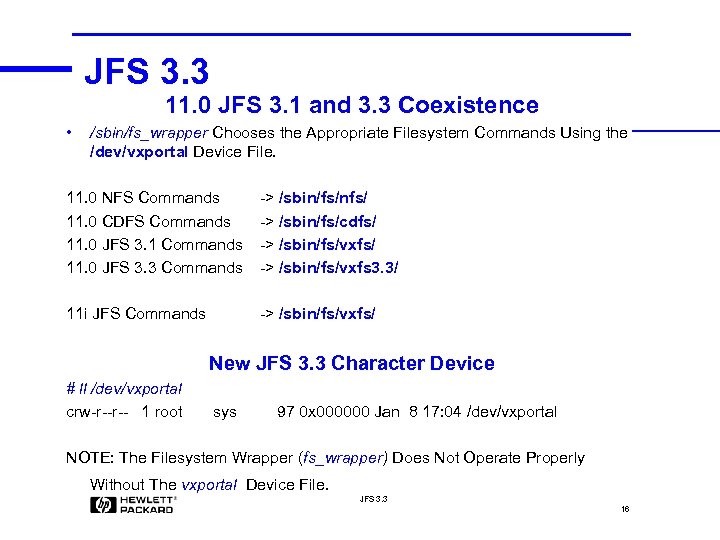
JFS 3. 3 11. 0 JFS 3. 1 and 3. 3 Coexistence • /sbin/fs_wrapper Chooses the Appropriate Filesystem Commands Using the /dev/vxportal Device File. 11. 0 NFS Commands 11. 0 CDFS Commands 11. 0 JFS 3. 1 Commands 11. 0 JFS 3. 3 Commands -> /sbin/fs/nfs/ -> /sbin/fs/cdfs/ -> /sbin/fs/vxfs 3. 3/ 11 i JFS Commands -> /sbin/fs/vxfs/ New JFS 3. 3 Character Device # ll /dev/vxportal crw-r--r-- 1 root sys 97 0 x 000000 Jan 8 17: 04 /dev/vxportal NOTE: The Filesystem Wrapper (fs_wrapper) Does Not Operate Properly Without The vxportal Device File. JFS 3. 3 16
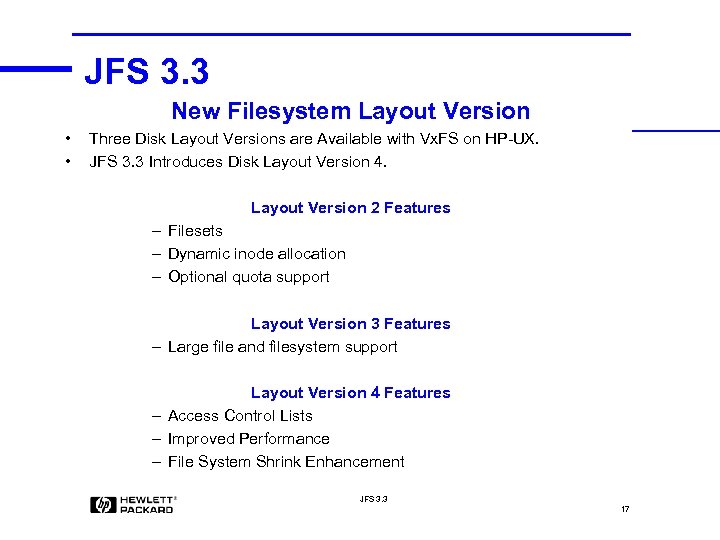
JFS 3. 3 New Filesystem Layout Version • • Three Disk Layout Versions are Available with Vx. FS on HP-UX. JFS 3. 3 Introduces Disk Layout Version 4. Layout Version 2 Features – Filesets – Dynamic inode allocation – Optional quota support Layout Version 3 Features – Large file and filesystem support Layout Version 4 Features – Access Control Lists – Improved Performance – File System Shrink Enhancement JFS 3. 3 17
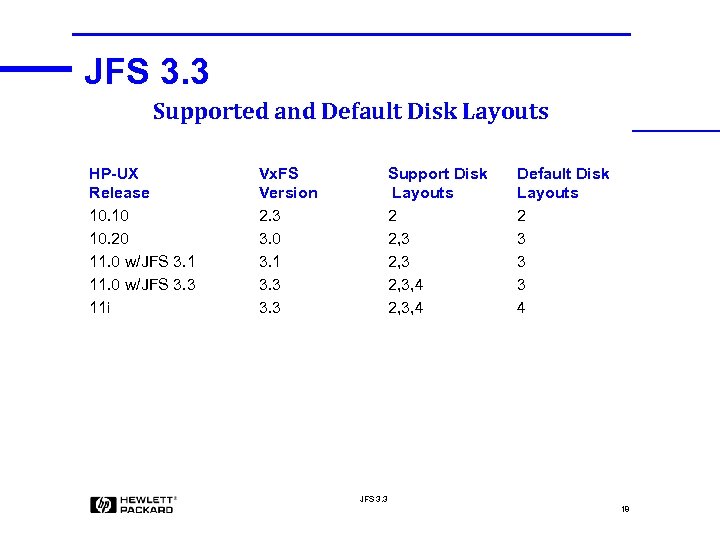
JFS 3. 3 Supported and Default Disk Layouts HP-UX Release 10. 10 10. 20 11. 0 w/JFS 3. 1 11. 0 w/JFS 3. 3 11 i Vx. FS Version 2. 3 3. 0 3. 1 3. 3 Support Disk Layouts 2 2, 3, 4 Default Disk Layouts 2 3 3 3 4 JFS 3. 3 18
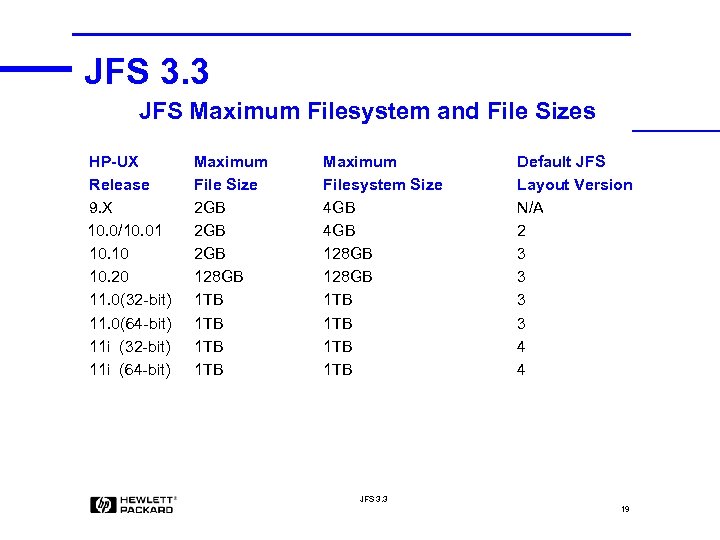
JFS 3. 3 JFS Maximum Filesystem and File Sizes HP-UX Release 9. X 10. 0/10. 01 10. 10 10. 20 11. 0(32 -bit) 11. 0(64 -bit) 11 i (32 -bit) 11 i (64 -bit) Maximum File Size 2 GB 2 GB 128 GB 1 TB 1 TB Maximum Filesystem Size 4 GB 128 GB 1 TB 1 TB Default JFS Layout Version N/A 2 3 3 4 4 JFS 3. 3 19
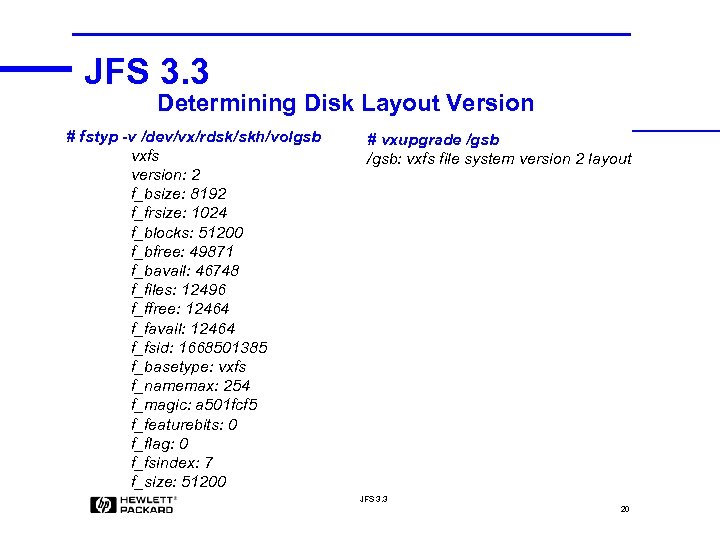
JFS 3. 3 Determining Disk Layout Version # fstyp -v /dev/vx/rdsk/skh/volgsb vxfs version: 2 f_bsize: 8192 f_frsize: 1024 f_blocks: 51200 f_bfree: 49871 f_bavail: 46748 f_files: 12496 f_ffree: 12464 f_favail: 12464 f_fsid: 1668501385 f_basetype: vxfs f_namemax: 254 f_magic: a 501 fcf 5 f_featurebits: 0 f_flag: 0 f_fsindex: 7 f_size: 51200 # vxupgrade /gsb: vxfs file system version 2 layout JFS 3. 3 20
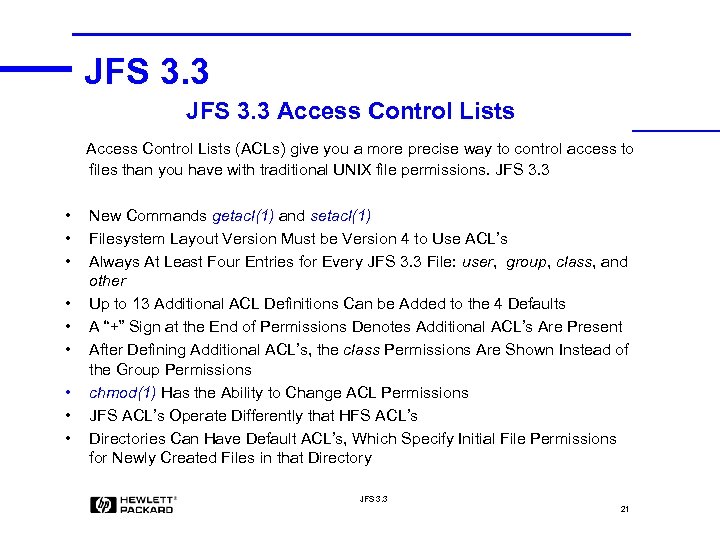
JFS 3. 3 Access Control Lists (ACLs) give you a more precise way to control access to files than you have with traditional UNIX file permissions. JFS 3. 3 • • • New Commands getacl(1) and setacl(1) Filesystem Layout Version Must be Version 4 to Use ACL’s Always At Least Four Entries for Every JFS 3. 3 File: user, group, class, and other Up to 13 Additional ACL Definitions Can be Added to the 4 Defaults A “+” Sign at the End of Permissions Denotes Additional ACL’s Are Present After Defining Additional ACL’s, the class Permissions Are Shown Instead of the Group Permissions chmod(1) Has the Ability to Change ACL Permissions JFS ACL’s Operate Differently that HFS ACL’s Directories Can Have Default ACL’s, Which Specify Initial File Permissions for Newly Created Files in that Directory JFS 3. 3 21
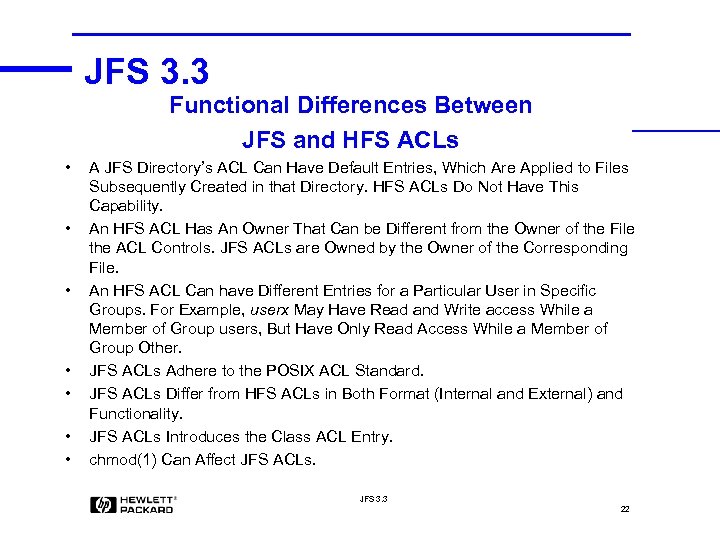
JFS 3. 3 Functional Differences Between JFS and HFS ACLs • • A JFS Directory’s ACL Can Have Default Entries, Which Are Applied to Files Subsequently Created in that Directory. HFS ACLs Do Not Have This Capability. An HFS ACL Has An Owner That Can be Different from the Owner of the File the ACL Controls. JFS ACLs are Owned by the Owner of the Corresponding File. An HFS ACL Can have Different Entries for a Particular User in Specific Groups. For Example, userx May Have Read and Write access While a Member of Group users, But Have Only Read Access While a Member of Group Other. JFS ACLs Adhere to the POSIX ACL Standard. JFS ACLs Differ from HFS ACLs in Both Format (Internal and External) and Functionality. JFS ACLs Introduces the Class ACL Entry. chmod(1) Can Affect JFS ACLs. JFS 3. 3 22
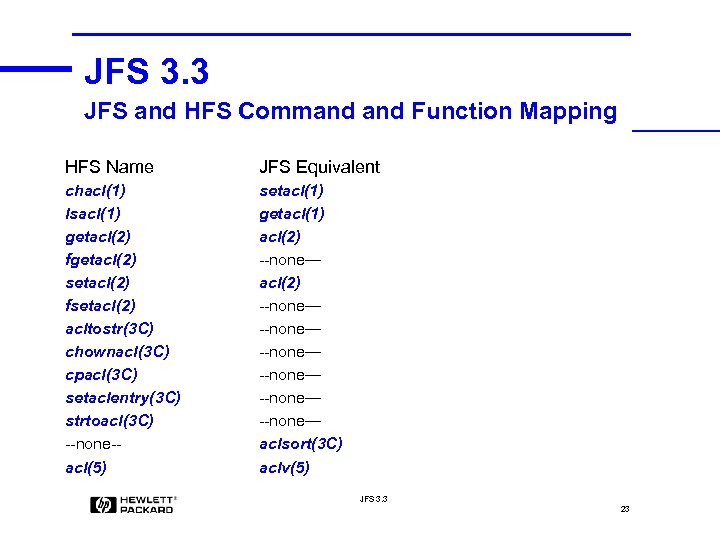
JFS 3. 3 JFS and HFS Command Function Mapping HFS Name JFS Equivalent chacl(1) lsacl(1) getacl(2) fgetacl(2) setacl(2) fsetacl(2) acltostr(3 C) chownacl(3 C) cpacl(3 C) setaclentry(3 C) strtoacl(3 C) --none-acl(5) setacl(1) getacl(1) acl(2) --none— --none— aclsort(3 C) aclv(5) JFS 3. 3 23
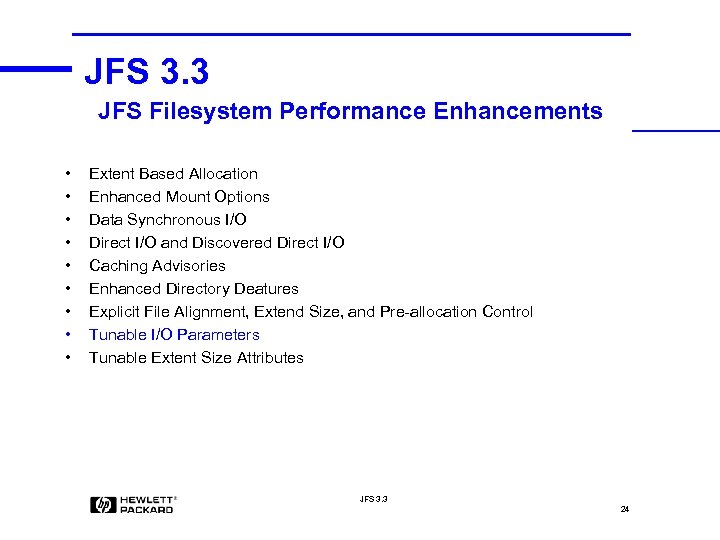
JFS 3. 3 JFS Filesystem Performance Enhancements • • • Extent Based Allocation Enhanced Mount Options Data Synchronous I/O Direct I/O and Discovered Direct I/O Caching Advisories Enhanced Directory Deatures Explicit File Alignment, Extend Size, and Pre-allocation Control Tunable I/O Parameters Tunable Extent Size Attributes JFS 3. 3 24
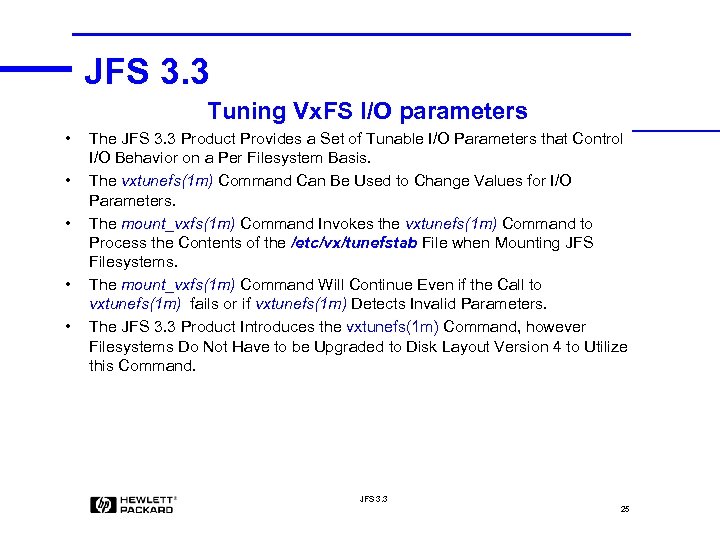
JFS 3. 3 Tuning Vx. FS I/O parameters • • • The JFS 3. 3 Product Provides a Set of Tunable I/O Parameters that Control I/O Behavior on a Per Filesystem Basis. The vxtunefs(1 m) Command Can Be Used to Change Values for I/O Parameters. The mount_vxfs(1 m) Command Invokes the vxtunefs(1 m) Command to Process the Contents of the /etc/vx/tunefstab File when Mounting JFS Filesystems. The mount_vxfs(1 m) Command Will Continue Even if the Call to vxtunefs(1 m) fails or if vxtunefs(1 m) Detects Invalid Parameters. The JFS 3. 3 Product Introduces the vxtunefs(1 m) Command, however Filesystems Do Not Have to be Upgraded to Disk Layout Version 4 to Utilize this Command. JFS 3. 3 25
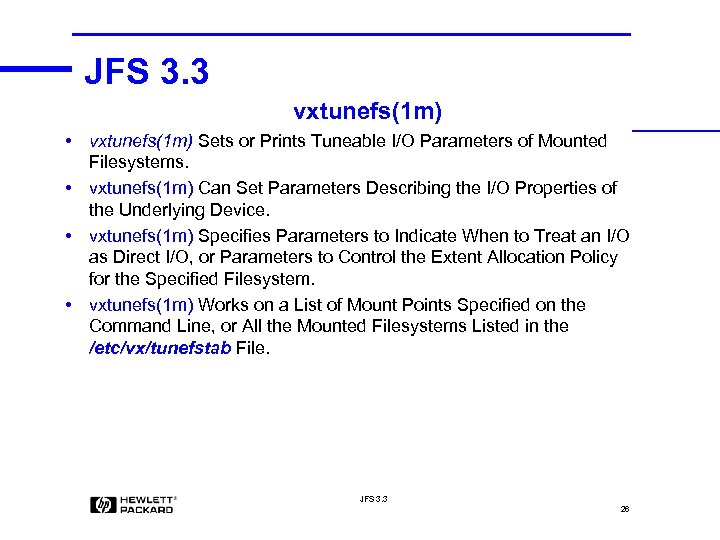
JFS 3. 3 vxtunefs(1 m) • vxtunefs(1 m) Sets or Prints Tuneable I/O Parameters of Mounted Filesystems. • vxtunefs(1 m) Can Set Parameters Describing the I/O Properties of the Underlying Device. • vxtunefs(1 m) Specifies Parameters to Indicate When to Treat an I/O as Direct I/O, or Parameters to Control the Extent Allocation Policy for the Specified Filesystem. • vxtunefs(1 m) Works on a List of Mount Points Specified on the Command Line, or All the Mounted Filesystems Listed in the /etc/vx/tunefstab File. JFS 3. 3 26

JFS 3. 3 27

JFS 3. 3 28

JFS 3. 3 29
JFS 3. 3 Filesystem Shrink Enhancement • • • With the JFS 3. 3 Version 4 Disk Layout the Filesystem Shrinkage Limitation that Existed in JFS Versions in HP-UX 10. 20 and 11. 00 is Much Less Likely to be Encountered. Previously, JFS Could Not Shrink a Filesystem If There Were File Extents Residing in the Area Being Reduced. JFS 3. 3 Version 4 Disk Layout Attempts to Move Extents Off the Area of the Filesystem Being Reduced. JFS 3. 3 Version 4 Disk Layout Provides a Greater Chance of Success When Shrinking JFS Filesystems. There May Still Be Occasions Where JFS 3. 3 Cannot Move Extents Off the Area of the File System Being Reduced, in Which Case a Shrink Would Fail. The Online JFS Product is Still Required for Online Filesystem Resizing. JFS 3. 3 30
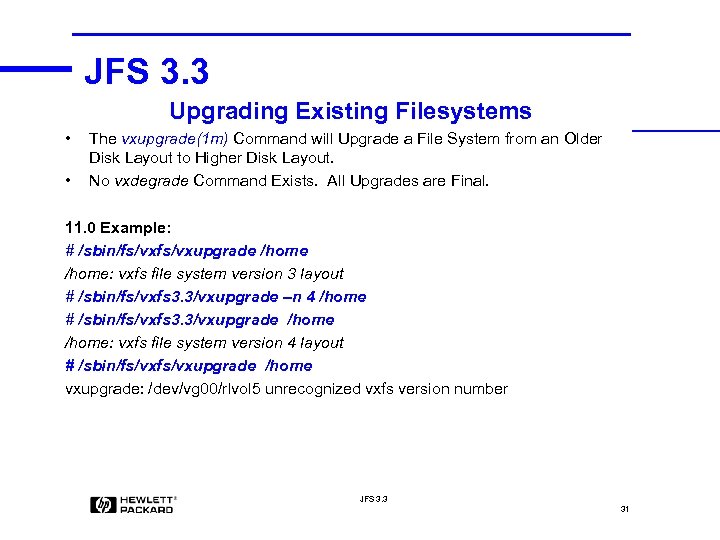
JFS 3. 3 Upgrading Existing Filesystems • • The vxupgrade(1 m) Command will Upgrade a File System from an Older Disk Layout to Higher Disk Layout. No vxdegrade Command Exists. All Upgrades are Final. 11. 0 Example: # /sbin/fs/vxupgrade /home: vxfs file system version 3 layout # /sbin/fs/vxfs 3. 3/vxupgrade –n 4 /home # /sbin/fs/vxfs 3. 3/vxupgrade /home: vxfs file system version 4 layout # /sbin/fs/vxupgrade /home vxupgrade: /dev/vg 00/rlvol 5 unrecognized vxfs version number JFS 3. 3 31
JFS 3. 3 11. 0 New Filesystem Creation • To Create a Version 4 JFS 3. 3 Filesystem, Use the mkfs(1 M) Command With The -o version=4 Version Option to Create a Filesystem with Version 4 Disk Layout. • If the -o version Option is Omitted the Filesystem Will be Created as Version 3 by Default. • newfs(1 m) and SAM Do Not Support Creation of Version 4 Filesystems at HP -UX 11. 0. • However, SAM Can be Used to do Some Version 4 Filesystem Manipulation. JFS 3. 3 32

JFS 3. 3 33
JFS 3. 3 11 i New Filesystem Creation • Version 4 Disk Layout is the Default 11 i Filesystem Version. • If the mkfs(1 M) -o version Option is Omitted the Filesystem Will be Created as Version 4 by Default. • The mkfs(1 M) Command With The -o version Version Option Can Still Be Used to Create Filesystems Using Version 2 and 3 Disk Layouts. • newfs(1 m) and SAM Fully Support Creation of Version 4 Filesystems at HPUX 11 i. • SAM Functions Correctly at HP-UX 11 i. JFS 3. 3 34
JFS 3. 3 11 i HFS to JFS Filesystem Conversion • vxfsconvert(1 m) Converts a Filesystem of a Supported Type to a JFS Filesystem with a Version 4 Disk Layout. • Currently vxfsconvert(1 m) Only Supports Conversion of HFS Filesystem to JFS Filesystem. • Conversion of all File System Block and Fragment Sizes is Supported. • vxfsconvert(1 m) Requires Sufficient Free Disk Space within the Filesystem or Space Immediately After the End of the Filesystem to Convert Existing HFS metadata to JFS metadata. • Do a Full Backup of the Filesystem Before Running vxfsconvert(1 m). • vxfsconvert(1 m) Operates on Clean Un-mounted Filesystems. • vxfsconvert(1 m) Is Currently Available at HP-UX 11 i Only. JFS 3. 3 35
JFS 3. 3 vxfsconvert(1 m) Conversion Steps 1. Examines the Superblock to Make Sure it is Marked CLEAN. 2. Based on Information in the File. System Superblock, Sets up Vx. FS Metadata. 3. Reads Every Inode in the Filesystem and Converts It to a Vx. FS Inode. 4. For Every Regular File Inode, vxfsconvert(1 m) Allocates and Initializes Enough Extent Data to Map All of the File's Data Blocks. 5. For Every Directory Inode, vxfsconvert(1 m) Allocates Sufficient Disk Space to Hold All the Directory Entries. 6. Converts All Symbolic Link, Character Special, Block Special Fifo, and Socket Inodes to Vx. FS. 7. Converts HFS ACL Entries to the Respective Vx. FS ACL Entries. Only the Entries that Comply with the Vx. FS ACL Standard are Converted. 8. If All Above Steps Completed Successfully vxfsconvert(1 m) Asks Whether to Commit the Conversion. 9. vxfsconvert(1 m) Replaces the Original Superblock with the Vx. FS Superblock and Clears Any Alternate Superblocks Written by the Original Filesystem. JFS 3. 3 36
JFS 3. 3 Conversion Example # /sbin/fs/vxfsconvert -e /dev/vx/rdsk/skh/volgsb vxfsconvert: Total of 1323 K bytes required to complete the conversion # /sbin/fs/vxfsconvert /dev/vx/rdsk/skh/volgsb vxfsconvert: Do you wish to commit to conversion? (ynq) y vxfsconvert: CONVERSION WAS SUCCESSFUL # fstyp /dev/vx/rdsk/skh/volgsb vxfs # mount /dev/vx/dsk/skh/volgsb /gsb vxfs mount: /dev/vx/dsk/skh/volgsb is corrupted. needs checking # fsck -F vxfs /dev/vx/rdsk/skh/volgsb super-block indicates that intent logging was disabled cannot perform log replay file system is not clean, full fsck required full file system check required, exiting. . . # fsck -F vxfs -y -o full /dev/vx/rdsk/skh/volgsb # mount /dev/vx/dsk/skh/volgsb /gsb JFS 3. 3 37
Скачать презентацию JFS 3 3 1 Module Objectives
3a5ecf09efa8a052d6524169e5121af4.ppt