


 Скачать презентацию Jekyll and Hyde the Art of Managing a
1f1a5ebdc8bd6e9488bfe953e5621505.ppt
- Количество слайдов: 20
 Jekyll and Hyde the Art of Managing a Student Campus Network Herman Moons – KULeuven. Net University of Leuven herman@kuleuven. net Terena Networking Conference 2006 1
 Kot. Net project goals n provide students/personnel of the K. U. Leuven and its associated partners with a high-speed and low-cost connection to the campus network and Internet § network access from within the natural work habitat (kot for students, home office for personnel) § comfortable Internet access is a requirement for todays academic environment with its emphasis on E-learning and coached self-study. Kot. Net is an enabler for the E-university 2
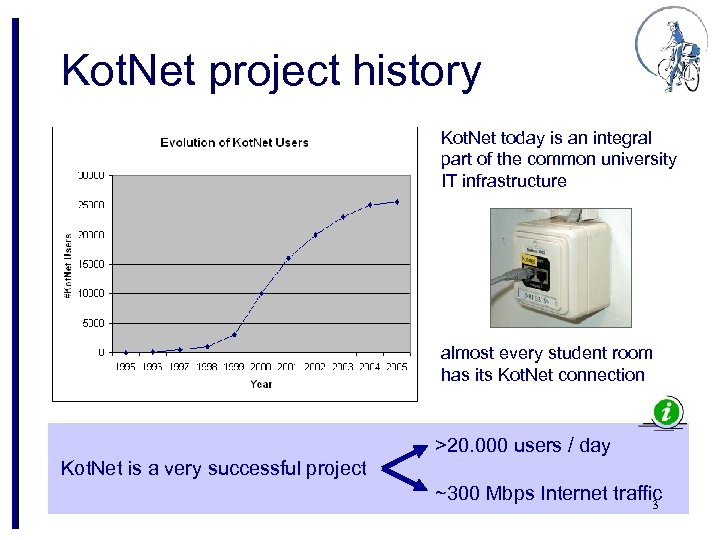 Kot. Net project history Kot. Net today is an integral part of the common university IT infrastructure almost every student room has its Kot. Net connection >20. 000 users / day Kot. Net is a very successful project ~300 Mbps Internet traffic 3
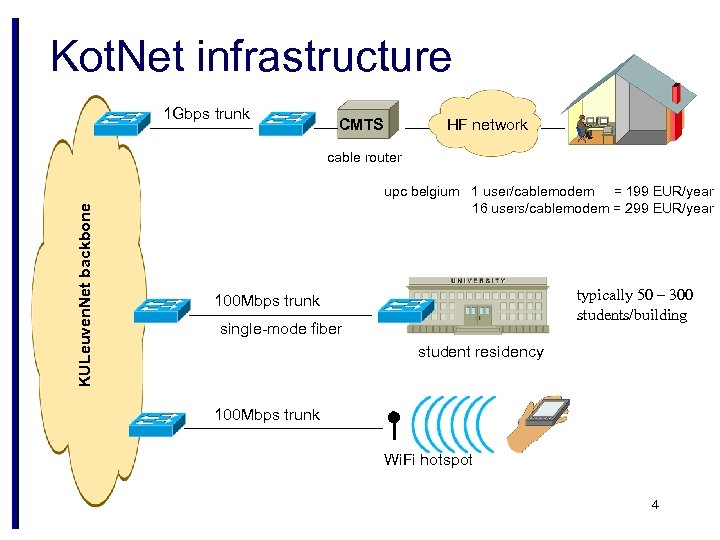 Kot. Net infrastructure 1 Gbps trunk CMTS HF network KULeuven. Net backbone cable router upc belgium 1 user/cablemodem = 199 EUR/year 16 users/cablemodem = 299 EUR/year typically 50 – 300 students/building 100 Mbps trunk single-mode fiber student residency 100 Mbps trunk Wi. Fi hotspot 4
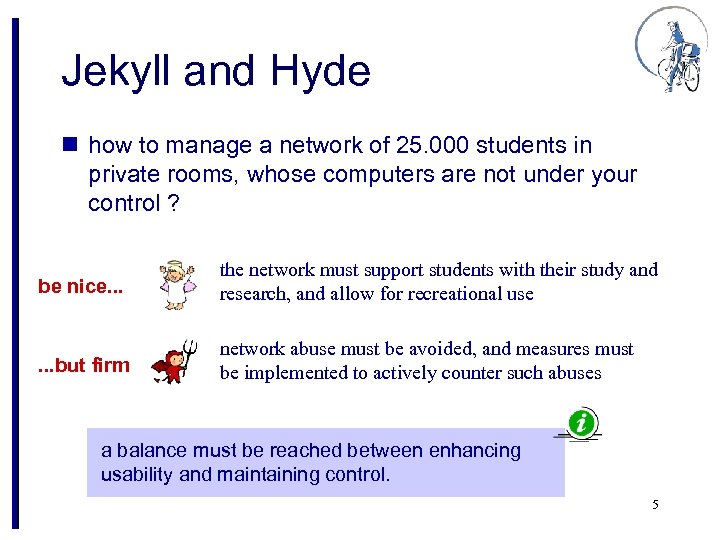 Jekyll and Hyde n how to manage a network of 25. 000 students in private rooms, whose computers are not under your control ? be nice. . . the network must support students with their study and research, and allow for recreational use . . . but firm network abuse must be avoided, and measures must be implemented to actively counter such abuses a balance must be reached between enhancing usability and maintaining control. 5
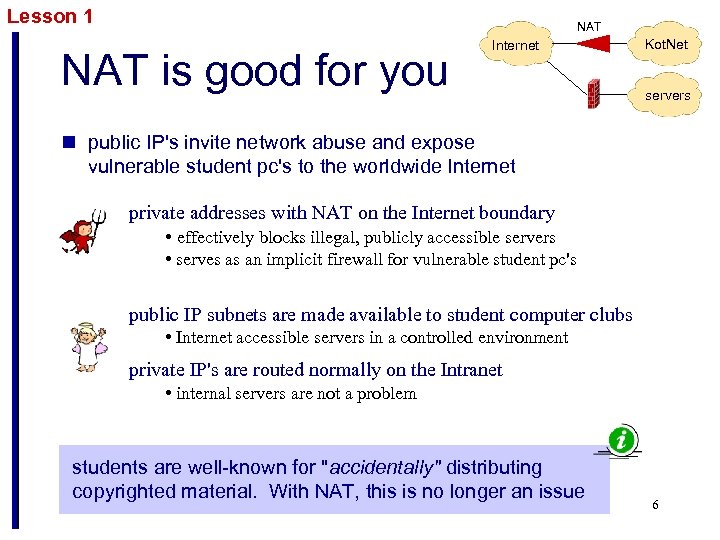 Lesson 1 NAT is good for you Internet Kot. Net servers n public IP's invite network abuse and expose vulnerable student pc's to the worldwide Internet private addresses with NAT on the Internet boundary • effectively blocks illegal, publicly accessible servers • serves as an implicit firewall for vulnerable student pc's public IP subnets are made available to student computer clubs • Internet accessible servers in a controlled environment private IP's are routed normally on the Intranet • internal servers are not a problem students are well-known for "accidentally" distributing copyrighted material. With NAT, this is no longer an issue 6
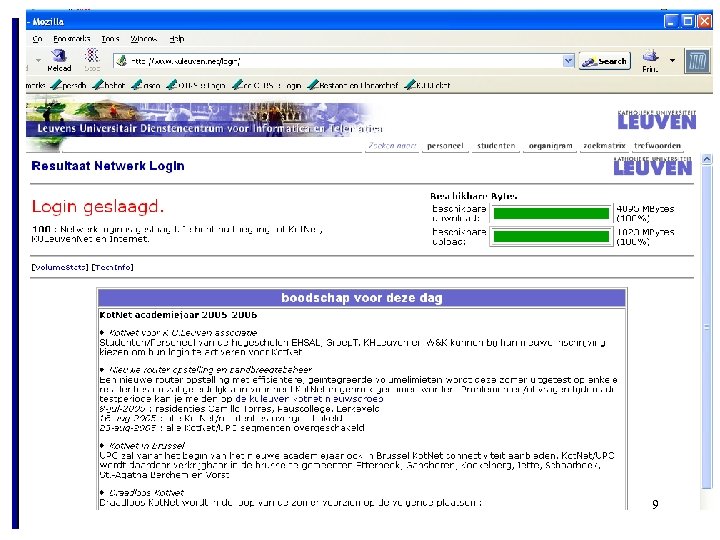
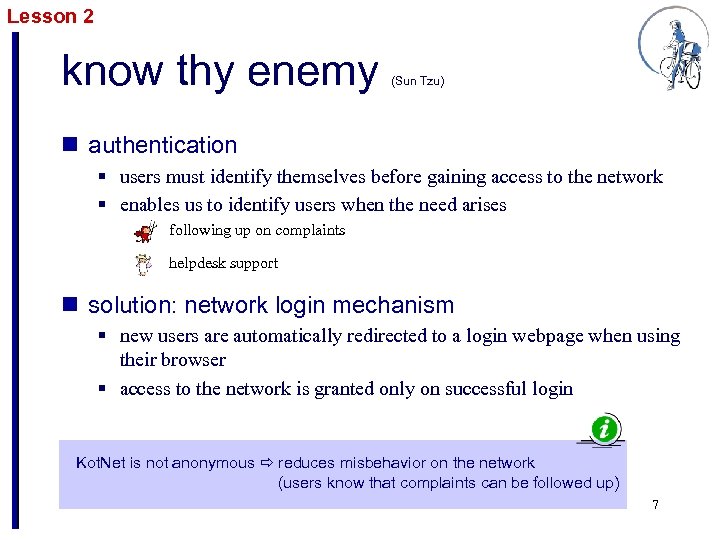 Lesson 2 know thy enemy (Sun Tzu) n authentication § users must identify themselves before gaining access to the network § enables us to identify users when the need arises following up on complaints helpdesk support n solution: network login mechanism § new users are automatically redirected to a login webpage when using their browser § access to the network is granted only on successful login Kot. Net is not anonymous reduces misbehavior on the network (users know that complaints can be followed up) 7
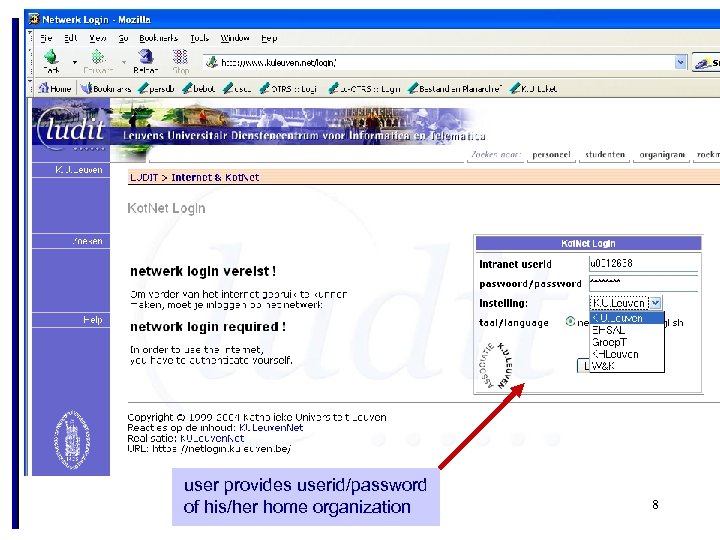 user provides userid/password of his/her home organization 8
 9
9
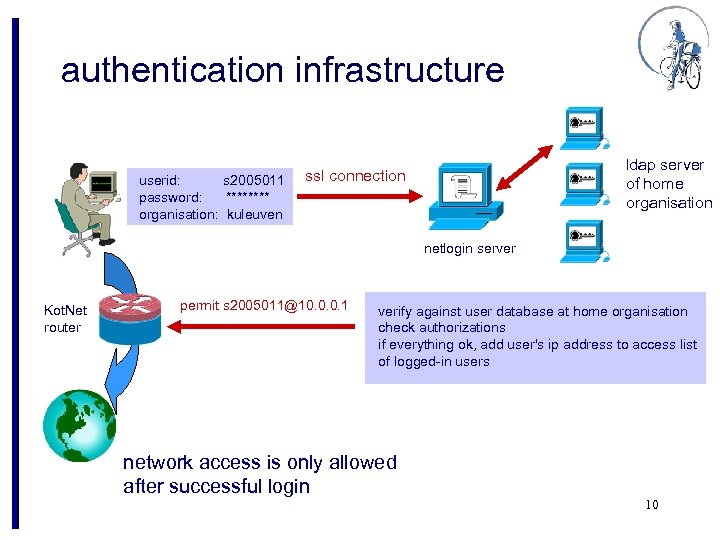 authentication infrastructure userid: s 2005011 password: **** organisation: kuleuven ldap server of home organisation ssl connection netlogin server Kot. Net router permit s 2005011@10. 0. 0. 1 verify against user database at home organisation check authorizations if everything ok, add user's ip address to access list of logged-in users network access is only allowed after successful login 10
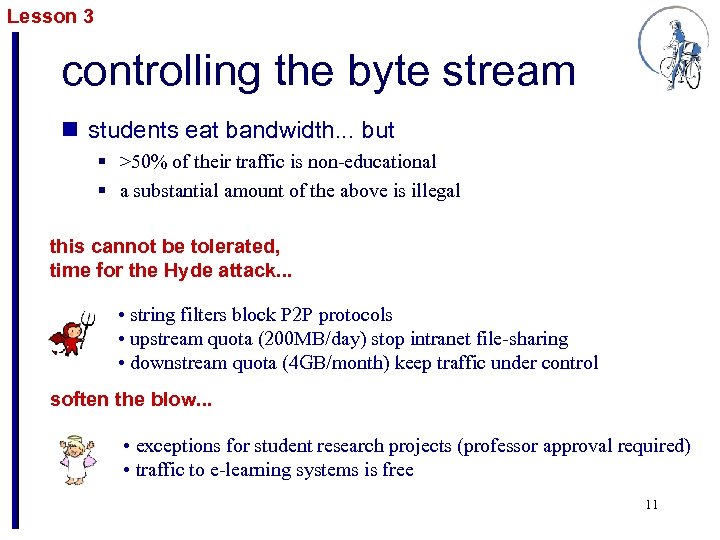 Lesson 3 controlling the byte stream n students eat bandwidth. . . but § >50% of their traffic is non-educational § a substantial amount of the above is illegal this cannot be tolerated, time for the Hyde attack. . . • string filters block P 2 P protocols • upstream quota (200 MB/day) stop intranet file-sharing • downstream quota (4 GB/month) keep traffic under control soften the blow. . . • exceptions for student research projects (professor approval required) • traffic to e-learning systems is free 11
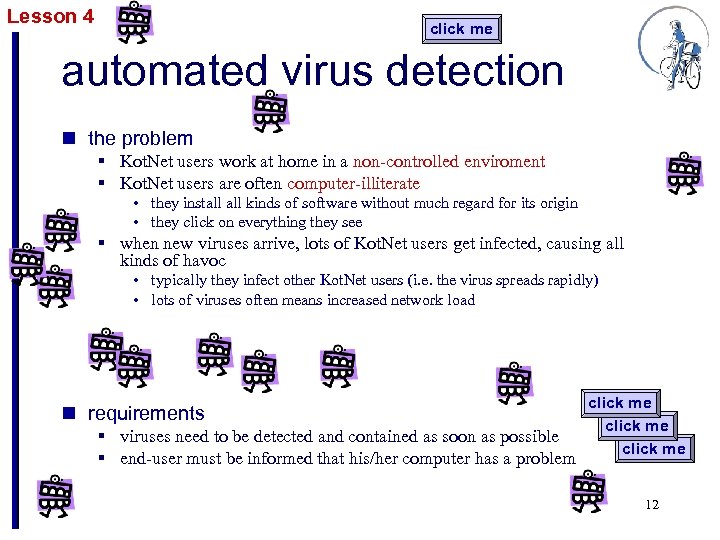 Lesson 4 click me automated virus detection n the problem § Kot. Net users work at home in a non-controlled enviroment § Kot. Net users are often computer-illiterate • they install kinds of software without much regard for its origin • they click on everything they see § when new viruses arrive, lots of Kot. Net users get infected, causing all kinds of havoc • typically they infect other Kot. Net users (i. e. the virus spreads rapidly) • lots of viruses often means increased network load n requirements § viruses need to be detected and contained as soon as possible § end-user must be informed that his/her computer has a problem click me 12
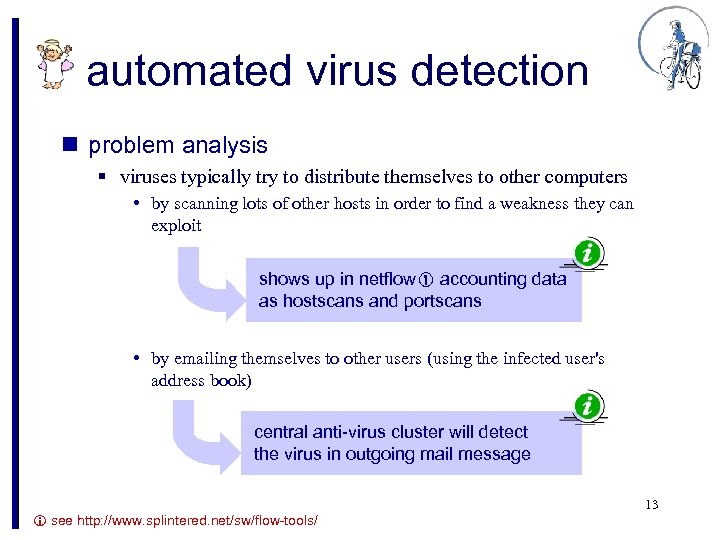 automated virus detection n problem analysis § viruses typically try to distribute themselves to other computers • by scanning lots of other hosts in order to find a weakness they can exploit shows up in netflow accounting data as hostscans and portscans • by emailing themselves to other users (using the infected user's address book) central anti-virus cluster will detect the virus in outgoing mail message 13 see http: //www. splintered. net/sw/flow-tools/
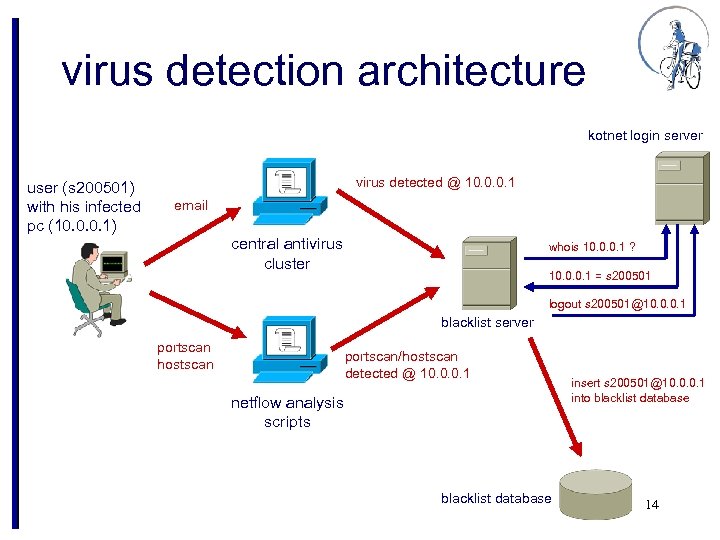 virus detection architecture kotnet login server user (s 200501) with his infected pc (10. 0. 0. 1) virus detected @ 10. 0. 0. 1 email central antivirus cluster whois 10. 0. 0. 1 ? 10. 0. 0. 1 = s 200501 logout s 200501@10. 0. 0. 1 blacklist server portscan hostscan portscan/hostscan detected @ 10. 0. 0. 1 netflow analysis scripts blacklist database insert s 200501@10. 0. 0. 1 into blacklist database 14
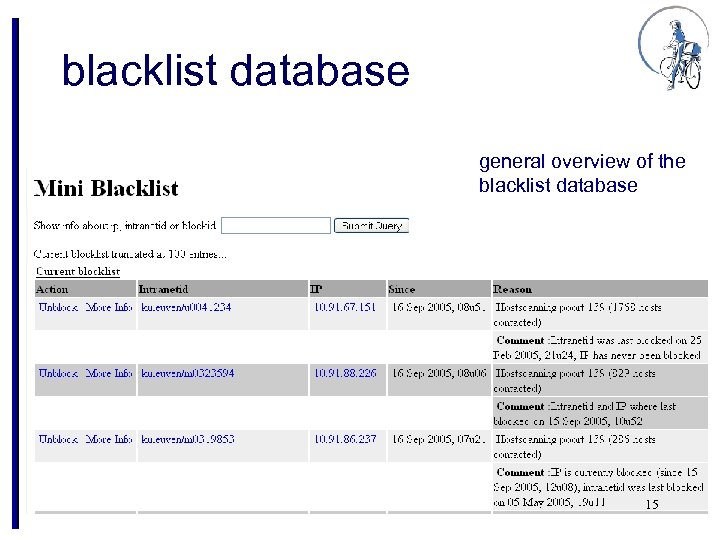 blacklist database general overview of the blacklist database 15
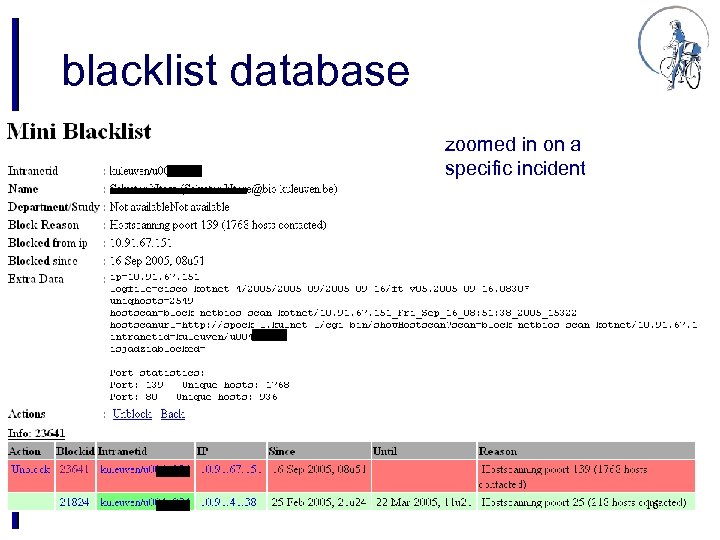 blacklist database zoomed in on a specific incident 16
 Kot. Net login and blacklist n when blacklisted, a user is logged out automatically within 15 min § we try to minimize the time an infected pc is connected to the network • infected pc's typically contact hundreds to thousands of other hosts on the Internet. Blocking them as soon as possible means the K. U. Leuven university behaves as a responsible net citizen. § notifying end-users that their pc has a problem is not enough • end-users never listen to net-administrators, unless you force them n new login attempts will fail, unless the end-user actively reactivates his/her account 17
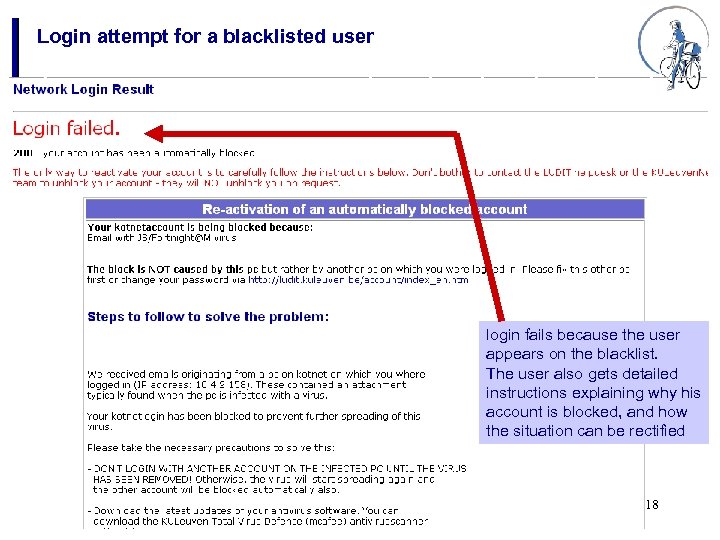 Login attempt for a blacklisted user login fails because the user appears on the blacklist. The user also gets detailed instructions explaining why his account is blocked, and how the situation can be rectified 18
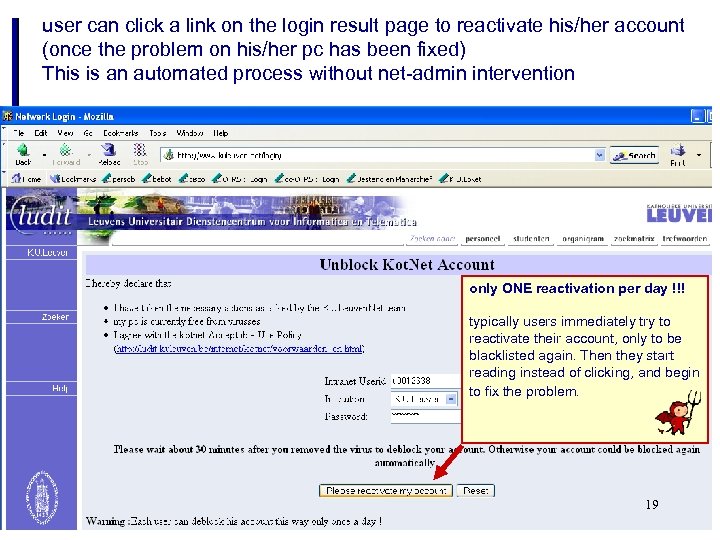 user can click a link on the login result page to reactivate his/her account (once the problem on his/her pc has been fixed) This is an automated process without net-admin intervention only ONE reactivation per day !!! typically users immediately try to reactivate their account, only to be blacklisted again. Then they start reading instead of clicking, and begin to fix the problem. 19
 conclusions
 $lang =~ s/^. *$/Perl/; print “${lang} rules!n”;
n Kot. Net = basic infrastructure § standard student room has a Kot. Net connection § requirement for a successful E-learning environment n control is essential Jekyll-Hyde technology § unobtrusive to normal user, but activated when abuses are detected § in-house software development required to address specific Kot. Net needs (login, bandwidth control, auto-anti-virus, . . . ) n change is the norm § continuously changing student populations § new applications arriving at an ever-increasing rate network management in a student campus network is a continuous quest for the optimal Jekyll-Hyde balance 20