


 Скачать презентацию Java Technology Hello World Dr Sergey Krylov
Java Tech 1.pptx
- Количество слайдов: 20
 Java Technology “Hello, World!” { Dr. Sergey Krylov
 Start and finish Break Facilities, telephones and messages Questions and discussions LOGISTICS
 Q. What is a program? Ans. A sequence of instructions that a computer can interpret and execute. Q. Why Java and not Hindi / Marathi / English? Ans. Since, so far, computer is not intelligent enough to understand natural languages. BASICS
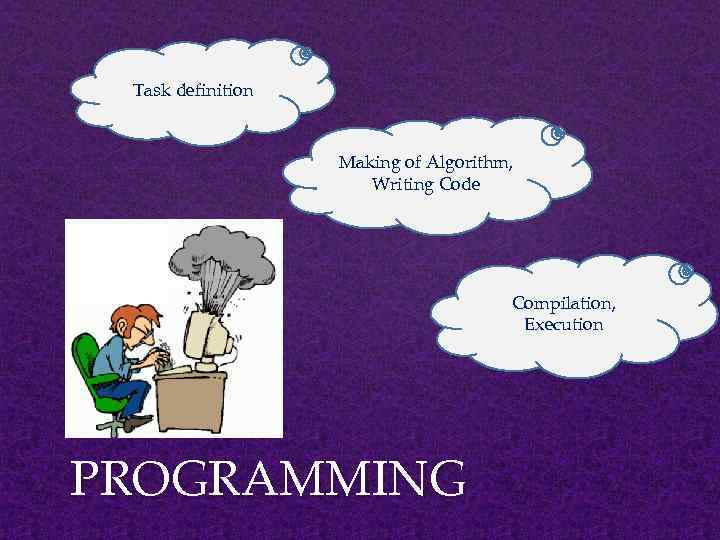 Task definition Making of Algorithm, Writing Code Compilation, Execution PROGRAMMING
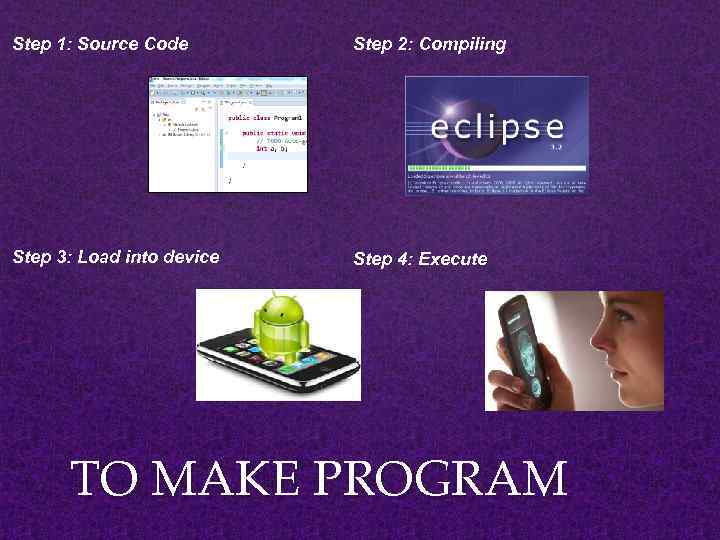 Step 1: Source Code Step 2: Compiling Step 3: Load into device Step 4: Execute TO MAKE PROGRAM
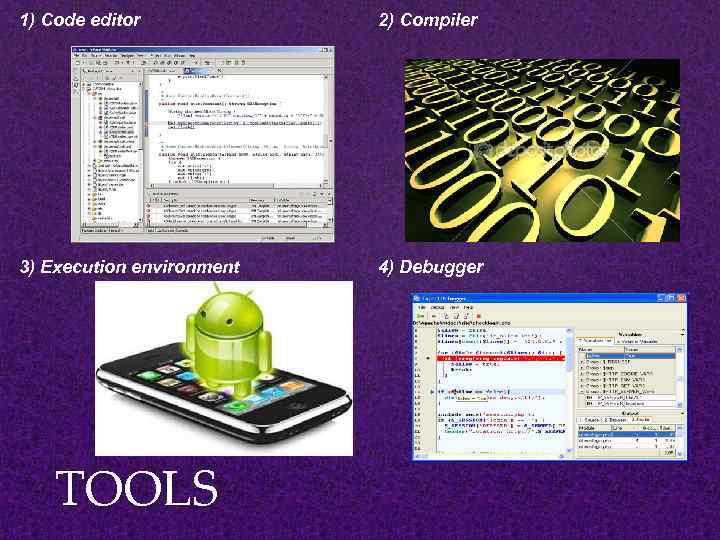 1) Code editor 2) Compiler 3) Execution environment 4) Debugger TOOLS
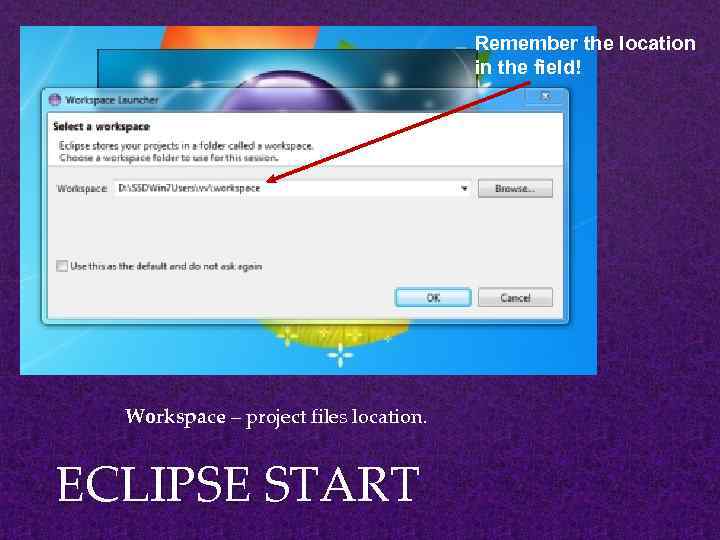 Remember the location in the field! Workspace – project files location. ECLIPSE START
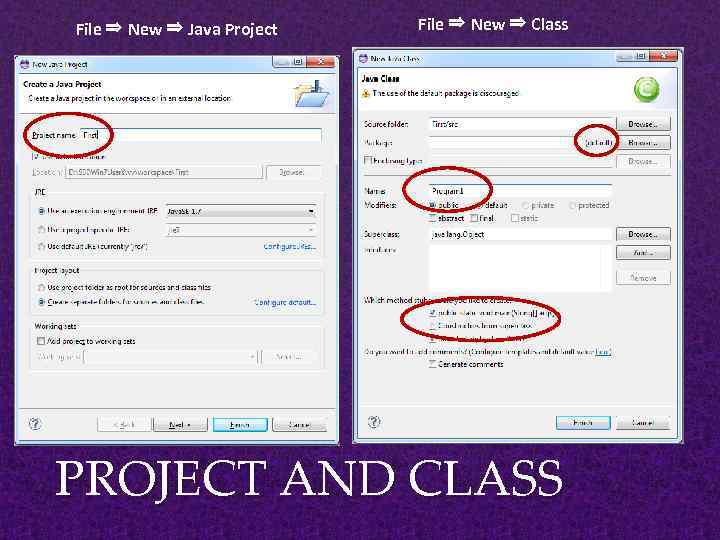 File ⇒ New ⇒ Java Project File ⇒ New ⇒ Class PROJECT AND CLASS
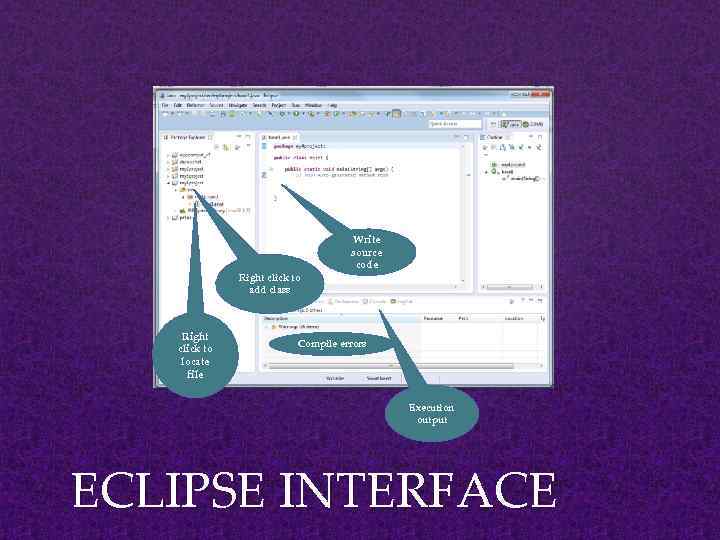 Right click to add class Right click to locate file Write source code Compile errors Execution output ECLIPSE INTERFACE
![Class definition public class Program 1 { Method definition public static void main (String[]](https://present5.com/presentation/-132025444_438626104/image-10.jpg "Class definition public class Program 1 { Method definition public static void main (String[]") Class definition public class Program 1 { Method definition public static void main (String[] args) Method body { } } CLASS
Class definition public class Program 1 { Method definition public static void main (String[] args) Method body { } } CLASS
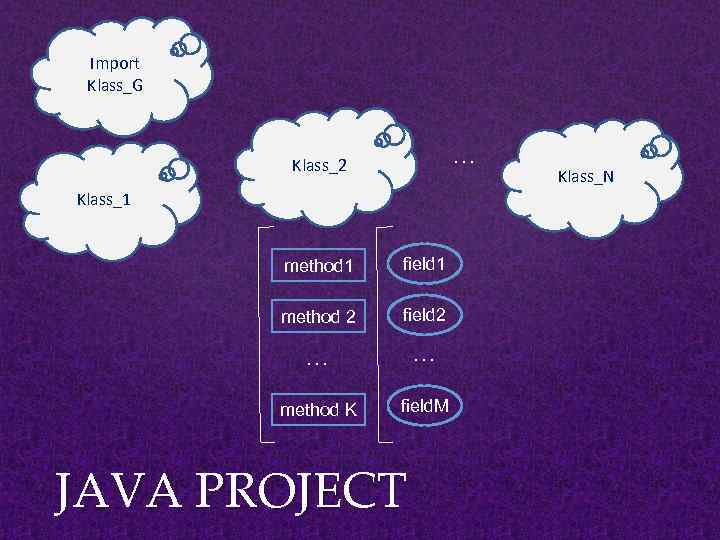 Import Klass_G … Klass_2 Klass_1 method 1 field 1 method 2 field 2 … … method K field. M JAVA PROJECT Klass_N
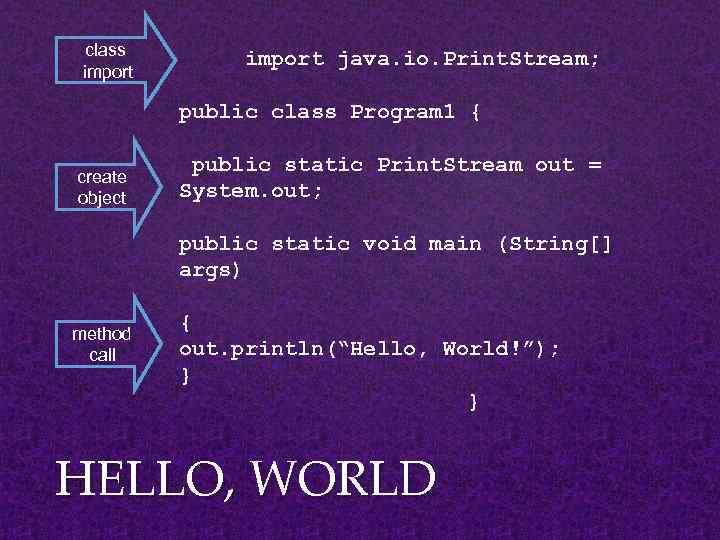 class import java. io. Print. Stream; public class Program 1 { create object public static Print. Stream out = System. out; public static void main (String[] args) method call { out. println(“Hello, World!”); } } HELLO, WORLD
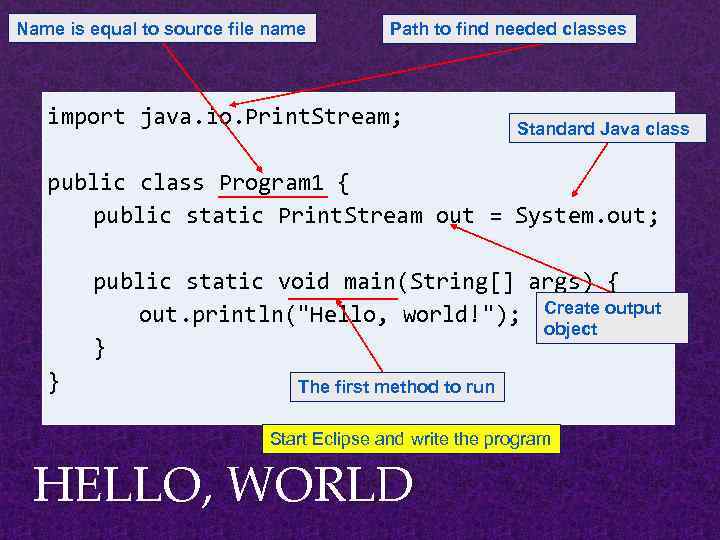 Name is equal to source file name Path to find needed classes import java. io. Print. Stream; Standard Java class public class Program 1 { public static Print. Stream out = System. out; public static void main(String[] args) { out. println("Hello, world!"); Create output object } } The first method to run Start Eclipse and write the program HELLO, WORLD
 Compiling: is the process of translating source code written in a particular programming language into computer-readable machine code that can be executed. $ javac First. java This command will produce a file ‘First. class’, which is used for running the program with the command ‘java’. Running: is the process of executing program on a computer. $ java First Eclipse ->>> COMPILING AND RUNNING
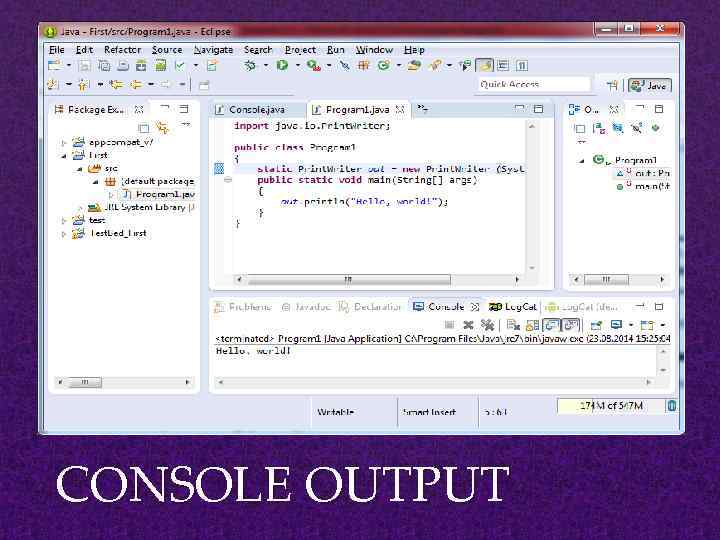 CONSOLE OUTPUT
 1. System. out. println(“Hello World”); – outputs the string “Hello World” followed by a new line on the screen. 2. System. out. print(“Hello World”); - outputs the string “Hello World” on the screen. This string is not followed by a new line. 3. Some Escape Sequence – • n – stands for new line character • t – stands for tab character PRINTING ON THE SCREEN
 • Some common errors in the initial phase of learning programming: - Mismatch of parentheses - Missing ‘; ’ at the end of statement - Case sensitivity • The best way to learn programming is writing a lot of programs on your own. TIPS ON PROGRAMMING
 Write a program that prints three lines of text. HOMEWORK
 Thinking in Java (http: //www. mindviewinc. com/Books/downloads. html) – Bruce Eckel Richard G Baldwin’s “Introductory Java Programming Tutorial” on: http: //www. dickbaldwin. com/tocint. htm REFERENCES
 QUESTIONS?