


 Скачать презентацию Java J 2 EE to NET Migration Malek Kemmou
71b669a4edd42779451759e22fcc4f2e.ppt
- Количество слайдов: 29
 Java/J 2 EE to. NET Migration Malek Kemmou Technology Architect, Application Platform Microsoft Middle East and Africa malek@microsoft. com
 Agenda • Technical Overview of Java to. NET Migration – Migration Approaches – Java/J 2 EE to. NET Equivalences – Determining an Appropriate Migration Strategy
 Migration Approaches • Three basic techniques for migrating Java/J 2 EE solution to. NET: – Manual Migration • Re-write the solution from scratch in. NET by hand – Automated Migration • Use tools to automate the migration of source code or implementation (binary, XML, etc) – Port/Migrate Java Source to J#: • Recompile Java source using J# compiler/libraries – Limited to JDK 1. 1. 4, minus RMI, etc… more on this later
 Migration Approaches • In practice, a hybrid approach is typical: – Automated migration: • get part of the way (automated migration < 100%) • migrate specific components (like web tier, etc) – Manual migration: • complete what the automated process didn’t do (or do ‘well’) • re-write solution components to take full advantage of. NET Fx, etc – Port/Migrate to J#: • Compile ‘business logic’ code (that doesn’t directly use platform APIs) to J# to run on. NET • As long as the business logic code is factored to NOT directly use APIs > JDK 1. 1. 4, or RMI, or 3 rd party Java libraries, etc • NOTE: Typically, Java code is not factored into distinct business logic code and infrastructure/platform code – this approach will only be applicable in a minority of cases….
 Manual Migration • Re-Write (from scratch) Solution or Component in. NET – For instance, a. NET Win. Forms client as a replacement for an existing Swing client • The requirements and functionality are replicated, but an entirely new architecture, codebase, etc. is implemented • Develop new solution in C# or J#: – C# and Java have a lot of similarities… Java devs usually don’t have difficulty getting quickly up to speed on C# – However…J# can be used to leverage existing Java Language development skills, while supporting development on. NET (also, there are other aspects of J# discussed later that may tip the scales in favor of using J#) • Requires: – Good understanding of. NET APIs, architecture, programming models, idioms, tools and products to take full advantage of platform
 Manual Migration Approach (cont) • Pros: – Take full advantage of. NET, Windows, etc – Architecture, Fx, PAG blocks, etc. • Existing Java solution may be old (legacy), poorly architected – a chance to build new version, apply lessons learned • Automated migration produces a more direct equivalent of Java solution, and will not be as optimal – In-house resources eventually will be (more) familiar and trained in. NET, C#/J#, Visual Studio, etc. • Cons: – Potentially significant effort to re-implement (depending on size/breadth of Java Solution) – Experienced. NET Architects/Developers are required: • Significant training/experience needed for in-house (java) devs • Or experienced 3 rd party resources (MCS, etc)
 Automated Migration Approach • Use automated code conversion tools to produce ‘equivalent’. NET source or binary code • Tools to convert Java source code: – Java Language Conversion Assistant (JLCA) – Visual Studio Wizard which can convert VJ++, J 2 SE 1. 4, and J 2 EE 1. 3 source code to C#/. NET – VJ++ Upgrade Wizard – convert complete VJ++ projects to VJ#. NET solutions • Tools to convert Java binary code: – Java Binary Conversion Utility (JBImp) – to convert Java binary (byte code, up to JDK 1. 1. 4) to. NET MSIL • Conversion coverage: – Conversion is < 100%. . . It CAN be up to 80 -85%, depending on what JDK versions are used, what standard and 3 rd party APIs are used, etc. – Considerable understanding of. NET Fx, architecture, etc. is also required for fixing up unconverted code, 3 rd party APIs, etc.
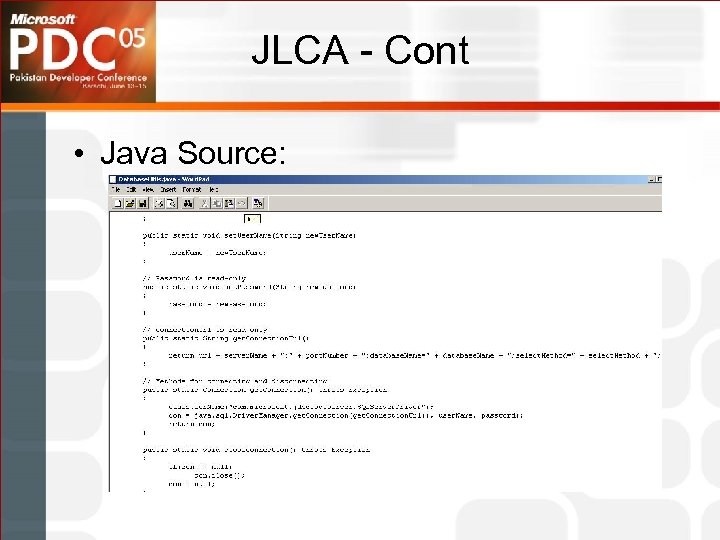
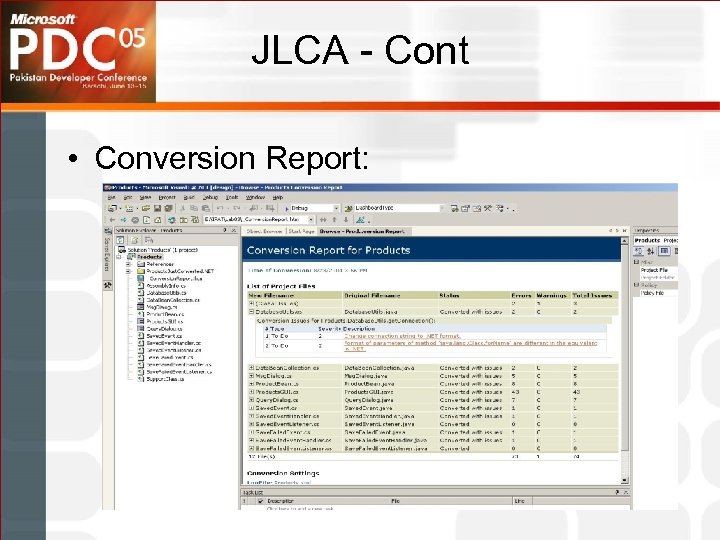
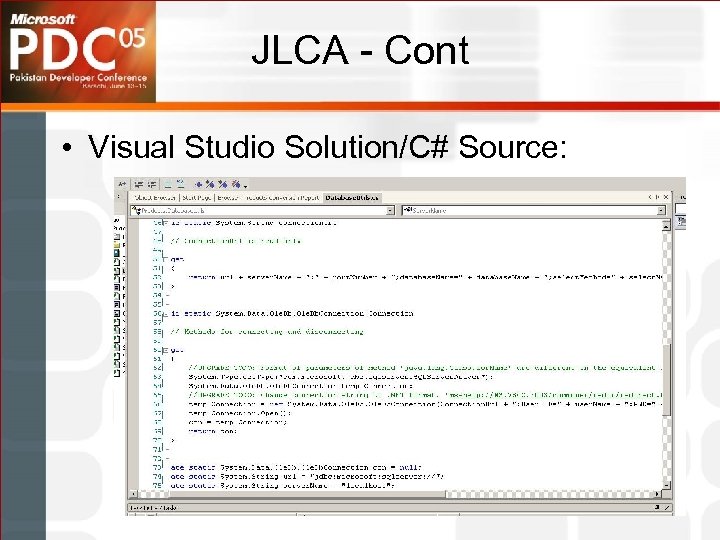
 JLCA • JLCA is a free Visual Studio Add-In • Current (3. 0) version is available for download • File->Open->Convert… to select an existing Java source tree or VJ++ project • Converter generates C# source, VS solution files, and a conversion report showing the various files that were produced, and conversion issues/ommisions
 JLCA - cont • The conversion process is ‘conservative’ and reports anything that may be an issue, so the report is often large… don’t be alarmed! – Many of the warnings are about checking that converted items exhibit slightly different behavior, but for most cases, these are okay. • E. g. java. lang. to. String -> System. To. String. ‘to. String’ is used a lot, and each of the usages will be flagged, but in 95% of the cases, the converted behavior is fine… this will generate a lot of (harmless) warnings – Common code and API usages may generate many of the same JLCA warnings or issues. Usually, these can be fixed by copy/replace for all the items, quickly dealing with many items in the report
 JLCA - Cont • Java Source:
 JLCA - Cont • Conversion Report:
 JLCA - Cont • Visual Studio Solution/C# Source:
 JLCA Companion • The JLCA Companion is an additional add-on tool to the JLCA that allows new migration rules to be added, and existing ones to be modified: – Can be used to create custom rules to automate conversion of in -house or 3 rd party APIs (e. g. not part of standard J 2 SE/J 2 EE) – Implement automated conversion for common coding patterns and design idioms used throughout a project or organization • Artinsoft (the makers of the JLCA) license the JLCA Companion for a fee • Contact Artinsoft for further details on licensing and usage: – http: //www. artinsoft. com
 JBImp • Java Binary Conversion Utility – command line executable that comes as part of the JLCA • Converts Java byte code into. NET MSIL • Useful for converting existing (legacy) binary code where source is not available – Limitations: • Java version limited to 1. 1. 4 (minus RMI, JNI, etc) – same feature limits and additions as J++. • Suitable permissions are necessary (e. g. can’t convert a commercial, 3 rd party library without consent)
 VJ++ Upgrade Wizard • Part of Visual J#. NET • Opening a VJ++ project in VJ#. NET will run the upgrade wizard and completely convert it to a J#. NET project. • Useful for converting any of those VJ++ projects laying around • If only binary available, Jbimp can be used to convert that to MSIL
 Automated Migration • Pros: – Can be considerably faster to migrate, depending on how much the JLCA can convert • For ‘standard’ J 2 SE/J 2 EE apps, upwards of 80 -85% conversion can be achieved – Resources can incrementally learn. NET, C# as they go along and resolve migration issues • Cons: – Does a very literal migration at a code level, reproducing java programming structure and idioms, potentially producing less than optimal. NET architecture, design, and code – Requires understanding of the JLCA tool and mappings, it’s uses and limitations – If a Java solution uses a wide range of Java APIs, 3 rd party libraries, and some of the more ‘complicated’ bits of J 2 SE or J 2 EE (like CMP Entity Beans), considerably less of the source will be converted
 Port/Migrate Java Source to J# • J# supports Java Language Syntax (Java Language Spec 2. 0) • J# implements JDK 1. 1. 4 functionality – Minus RMI, JNI – Plus 1. 2 Collections API – Plus WFC, J/Direct, Java/COM integration • Java source code that fits within these bounds can be re-compiled under J# to produce. NET implementation • Java code that doesn’t directly access platform APIs can be recompiled to MSIL to run on. NET – Business logic code that doesn’t directly call platform APIs – However, often business logic and calls to platform APIs are intermingled • Mixed porting and migration approach – Migrating (factoring) the Java source into ‘business logic’ and infrastructure/platform code – Migrate the infrastructure/platform code manually or using automated tools
 J# Browser Controls • J# Browser Controls are browser-based equivalent to Java Applets • J# Browser Controls (v 1. 1) requires the following on client (browser) host: – – J# Browser Controls runtime VJ#. NET 1. 1 Redistributable package. NET Framework SDK 1. 1 Internet Explorer 5. 1+ • Migrating an Applet to J# Browser Control involves: – Compiling Applet source code using J# – Updating HTML code to change Applet/Object tag to reference J# Browser Control – Deploy the J# browser control and updated HTML • If Applets utilize basic (JDK 1. 1. 4) functionality, then migration is as simple as recompile under J#, and deploying J# and. NET related infrastructure to client
 Port/Migrate Java Source to J# • Pros: – J# is a first class. NET language, fully supported for at least 7 years from Whidbey – Resources can leverage their existing (Java) knowledge, and move to. NET easier – For J 2 SE solutions applicable Java source code, no ‘migration’ necessary… just recompile. – If the Java source conforms to all the limitations (e. g. JDK 1. 1. 4, etc), then this is a very quick migration • Cons: – Most Java solutions will contain code that operates against current JDK (1. 3/1. 4), not JDK 1. 1. 4. • If the code is well factored, there may be ‘business logic’ which doesn’t directly use the 1. 3/1. 4 APIs (much)… But in many cases, this won’t be the case – Not applicable for J 2 EE/EJB – Requires deployment of VJ# redistributable package (in addition to. NET Fx) – If J# Browser controls are used, they also need to be installed on client host
 The Java Migration Workshop • A 3 Day, Hands-on workshop available at CTECs • Target audience is Java/J 2 EE architects and devs • Includes: – Equivalences between J 2 SE/J 2 EE and. NET – Manual and automated migration approaches and tools – Module on J# – Hands On Labs, which account for 50% of the total workshop time
 Java/J 2 EE to. NET Equivalences • Objectives: – Provide confidence (and reduce risk) associated with technical feasibility of migration – Gain understanding of. NET at various levels, framed in terms of (familiar) Java aspects • Approach: – Show Java/J 2 EE solution elements will (should) be migrated to. NET – Leverage knowledge of existing Java architecture, design, language to show how. NET provides equivalent (or better) capabilities • Demonstrate that much of J 2 EE capabilities can be elegantly supported in. NET • A good Java architect will be a good. NET architect!
 Java/J 2 EE to. NET Equivalences - Cont • Equivalences are done at several levels: – Language • Java -> C#, J# – APIs • e. g. JDBC -> ADO. NET – Architecture/Idioms • e. g. RMI ->. NET Remoting – Programming Models • e. g. JNDI -> ADSI – Solution Architectures • e. g. Web App: JSP/Servlets/Struts/JDBC -> ASP. NET/Code Behind/UIP Block/ADO. NET) – Configuration/Deployment • JAR/WAR/EAR -> Assembly, . config,
 Java/J 2 EE to. NET Equivalences - Cont • There are many similarities in platform (leading to close mappings), however there also distinct differences (. NET platform advantage) • Ultimately, this information is useful for any migration approach: – Manual migration – developers can leverage their existing Java knowledge to (better, quicker) understand. NET, and begin architecture/design of new. NET version – Automated migration – developers need to know what the tools will produce, what the limitations are, where they may want to manually fixup to (better) utilize. NET, etc – People migration – useful for presenting. NET technical details (without competetive FUD) to Java architects and devs, enabling them to gain understanding based on their existing Java knowledge
 Java/J 2 EE to. NET Equivalences - Cont • Java Migration Workshop includes equivalences • Module 1 -3 – Mapping ‘basic’ J 2 SE to. NET – J 2 SE 1. 1. 4 level API’s – consistent with what is defined in J++, J# • Module 4 – Mapping ‘extended’ J 2 SE to. NET – J 2 SE 1. 4 level API’s • Module 5 – Mapping J 2 EE to. NET – J 2 EE 1. 3
 Determining A Suitable Migration Strategy • Choose Manual Migration (Re-write) When: – Want to take full advantage of. NET, Windows, and enterprise products like LCS, Sharepoint, Biztalk, etc. – The Java Solution uses significant 3 rd party APIs or custom APIs that will probably not migrate easily – The existing solution uses a wide range of Java APIs, significant elements of J 2 SE/J 2 EE, programming idioms like JNDI, JCA, etc. – The existing app is old and is time to be re-written, and/or there is a desire to create a truly. NET-native, . NET-architected solution
 Determining A Suitable Migration Strategy • Choose Automated Migration When: – Java Solution developed using relatively standard J 2 SE and J 2 EE APIs – The existing solution is reasonably architected – A minimal amount of effort for migration is desired (e. g. “just get it running natively on. NET”) – A large system, that needs to be migrated within a specific (short) time frame
 Determining A Suitable Migration Strategy - Cont • Choose Port/Migrate to J# When: – Want to leverage existing Java language development skills, and smooth(er) the transition to. NET development, while still taking full advantage of. NET platform, Visual Studio, etc – Java solutions that include Applets (that can easily migrate to J# Browser controls) – The Java solution fits within the bounds of J# JDK version and APIs • OR, the Java solution is factored (or can be factored) to segregate pure Java Language logic (e. g. Business Logic) apart from infrastructure/platform calls
 Determining A Suitable Migration Strategy - Cont • Ultimately every situation is unique in some way(s), and a hybrid approach that considers a combination of these approaches may be the most optimal: – Use automated tools (JLCA) to get you part of the way (50%+) – Use manual approaches to complete items that JLCA doesn’t get, and/or re-write solution components in C#/J# to take better advantage of. NET, Web Services, SOA, PAG blocks, etc.
 Questions ?