


 Скачать презентацию j Query CS 268 What is j
544c1cfc734817b78f804215be342569.ppt
- Количество слайдов: 36
 j. Query CS 268
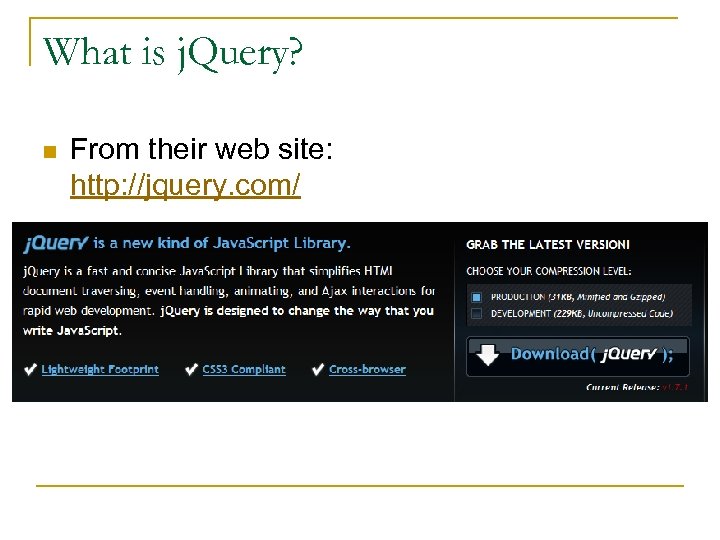 What is j. Query? n From their web site: http: //jquery. com/
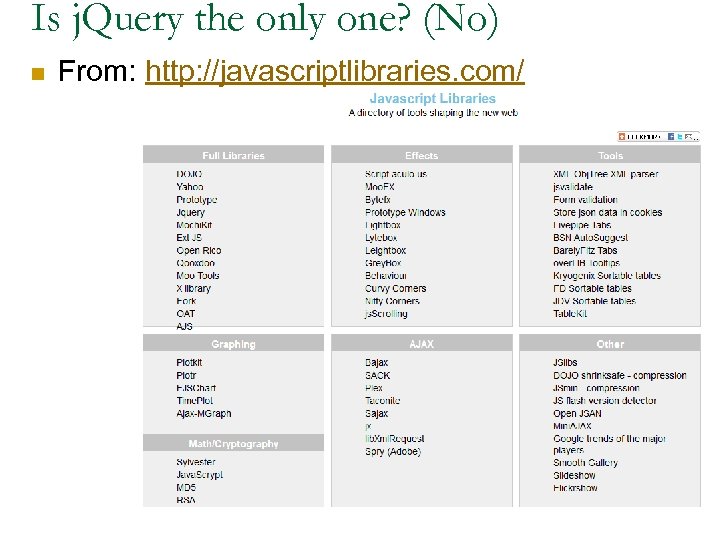 Is j. Query the only one? (No) n From: http: //javascriptlibraries. com/
 j. Query architecture n Finds objects in the DOM/HTML using CSS style syntax. n Core of j. Query is a group of functions designed to create/edit/delete the array of elements n Also provides many methods for editing the basic components of elements like. css and. attr
 What can j. Query do? n http: //docs. jquery. com/Main_Page n Demos (from j. Query's site): http: //jqueryui. com/demos/ n Tutorials (from j. Query's site): http: //docs. jquery. com/Tutorials
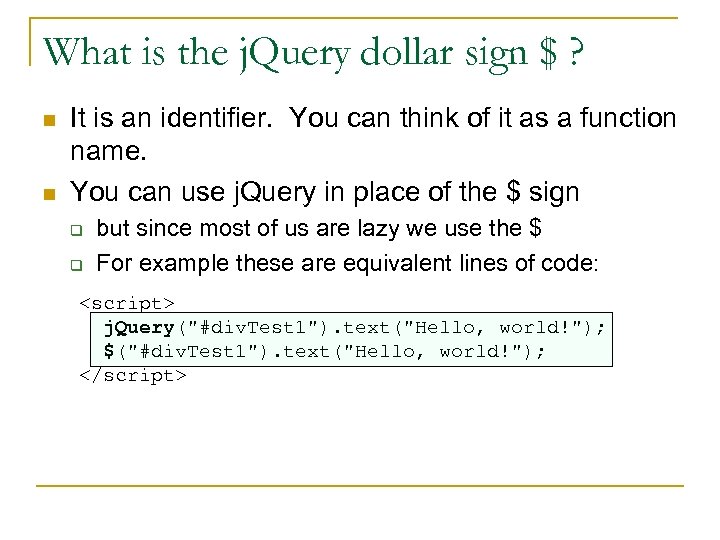 What is the j. Query dollar sign $ ? n n It is an identifier. You can think of it as a function name. You can use j. Query in place of the $ sign q q but since most of us are lazy we use the $ For example these are equivalent lines of code:
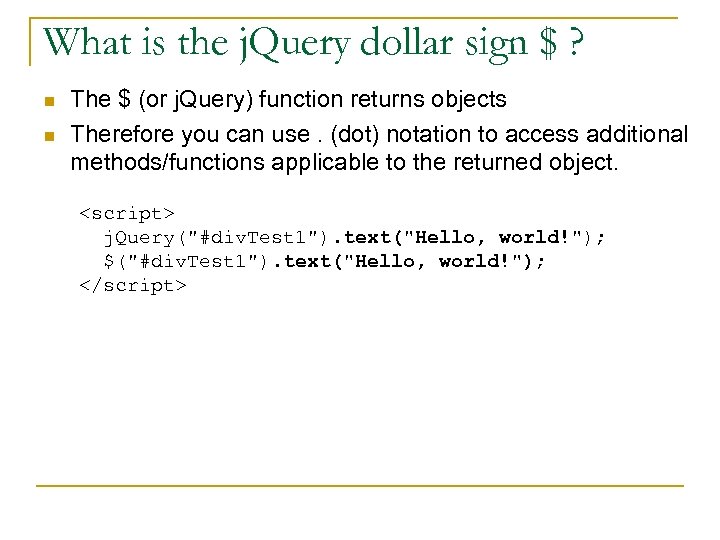 What is the j. Query dollar sign $ ? n n The $ (or j. Query) function returns objects Therefore you can use. (dot) notation to access additional methods/functions applicable to the returned object.
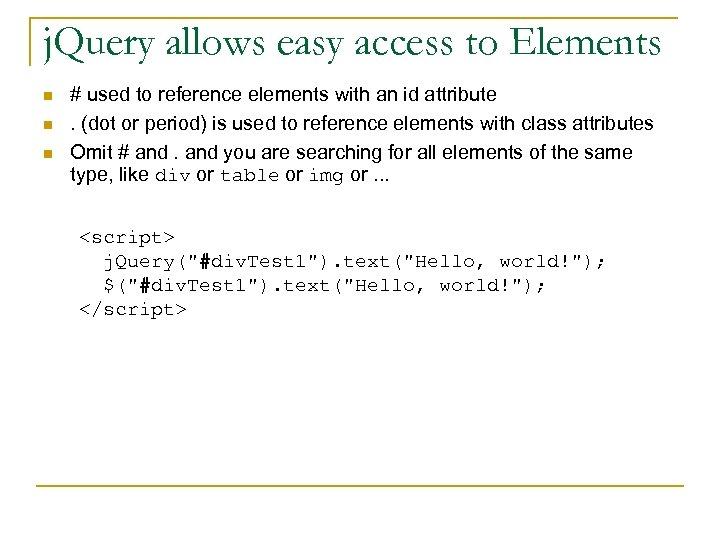 j. Query allows easy access to Elements n n n # used to reference elements with an id attribute. (dot or period) is used to reference elements with class attributes Omit # and you are searching for all elements of the same type, like div or table or img or. . .
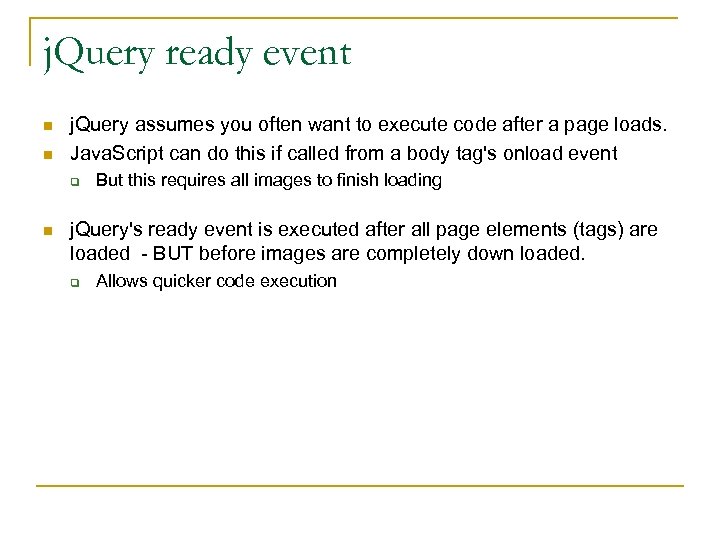 j. Query ready event n n j. Query assumes you often want to execute code after a page loads. Java. Script can do this if called from a body tag's onload event q n But this requires all images to finish loading j. Query's ready event is executed after all page elements (tags) are loaded - BUT before images are completely down loaded. q Allows quicker code execution
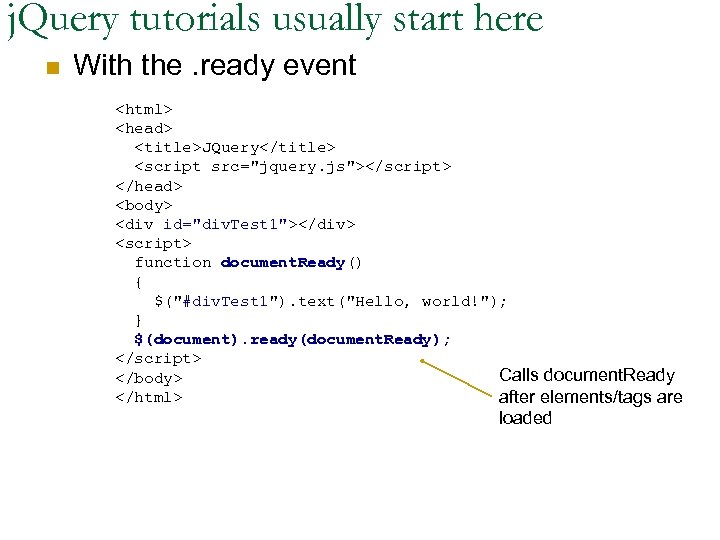 j. Query tutorials usually start here n With the. ready event
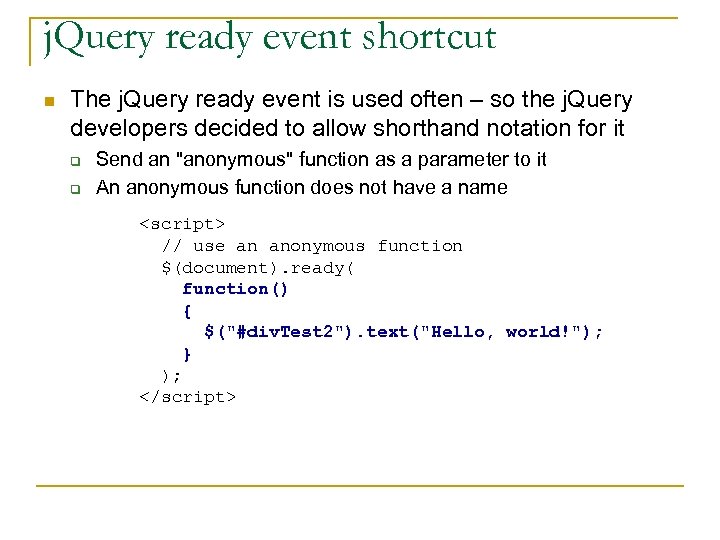 j. Query ready event shortcut n The j. Query ready event is used often – so the j. Query developers decided to allow shorthand notation for it q q Send an "anonymous" function as a parameter to it An anonymous function does not have a name
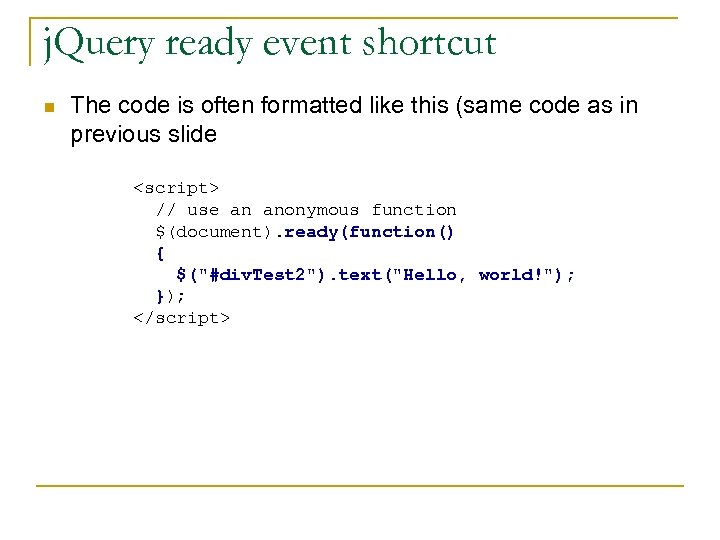 j. Query ready event shortcut n The code is often formatted like this (same code as in previous slide
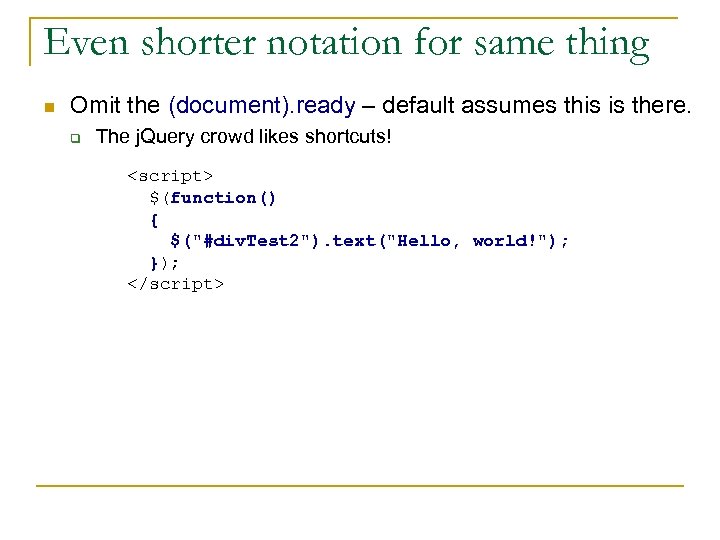 Even shorter notation for same thing n Omit the (document). ready – default assumes this is there. q The j. Query crowd likes shortcuts!
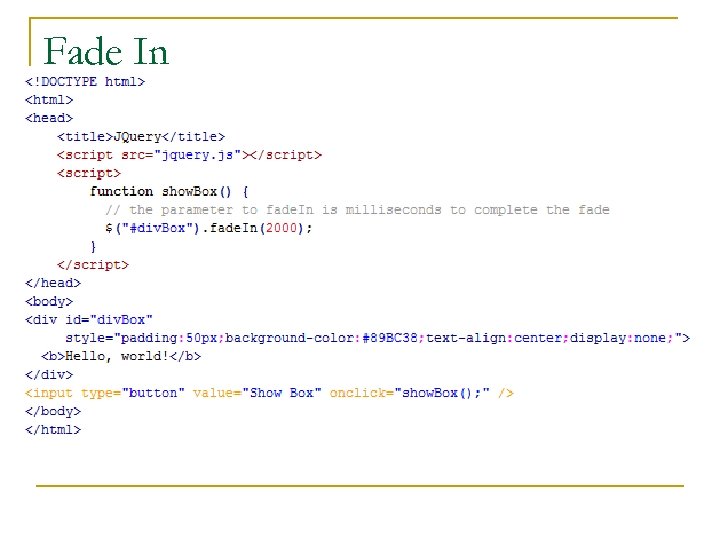 Fade In
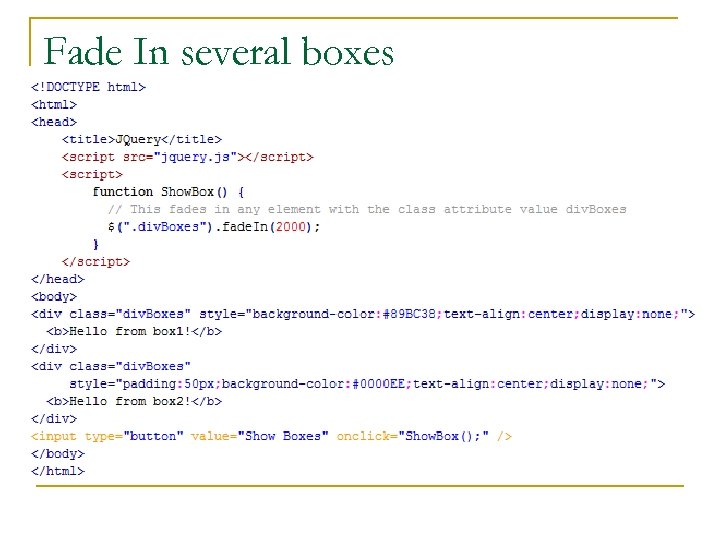 Fade In several boxes
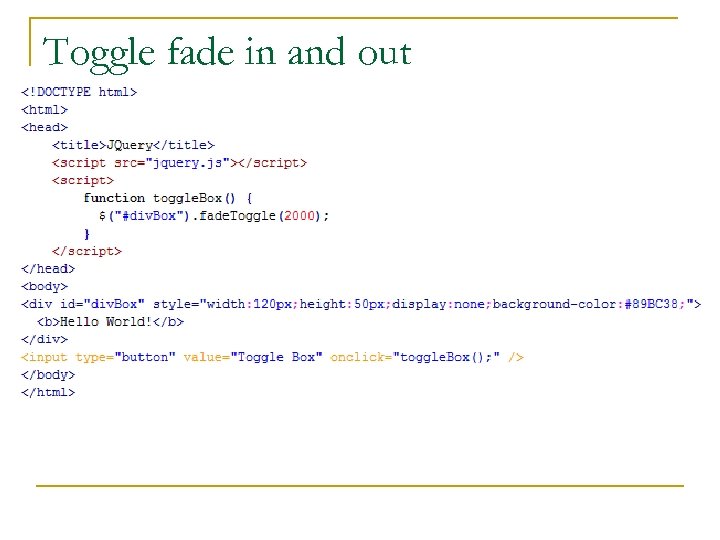 Toggle fade in and out
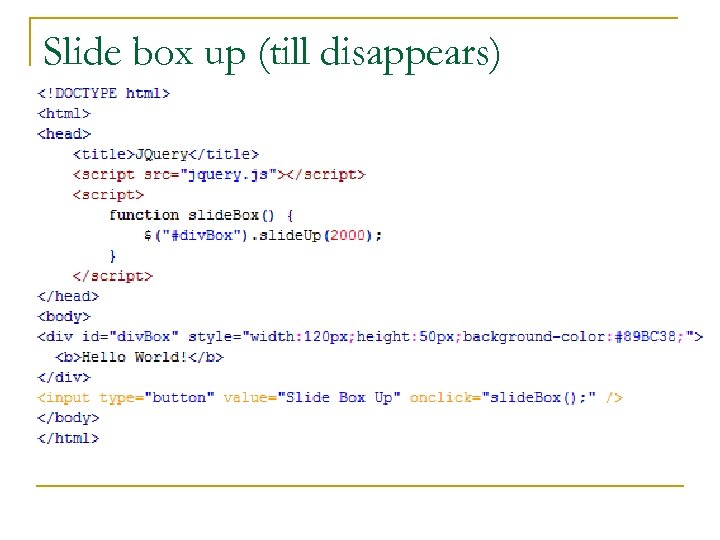 Slide box up (till disappears)
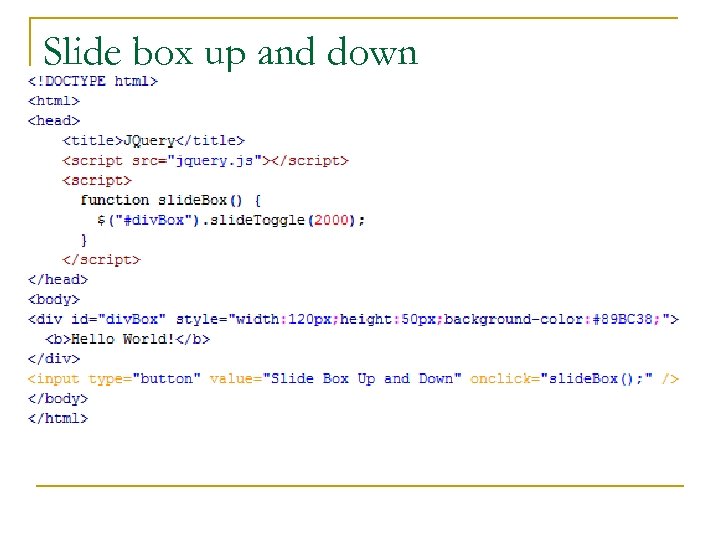 Slide box up and down
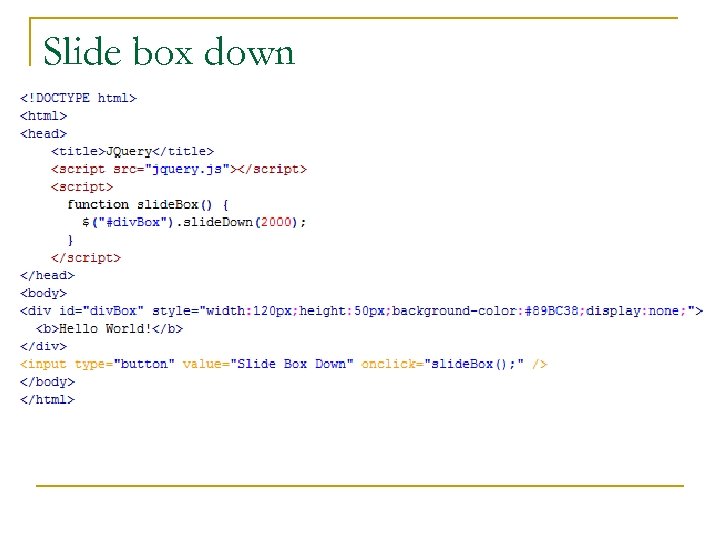 Slide box down
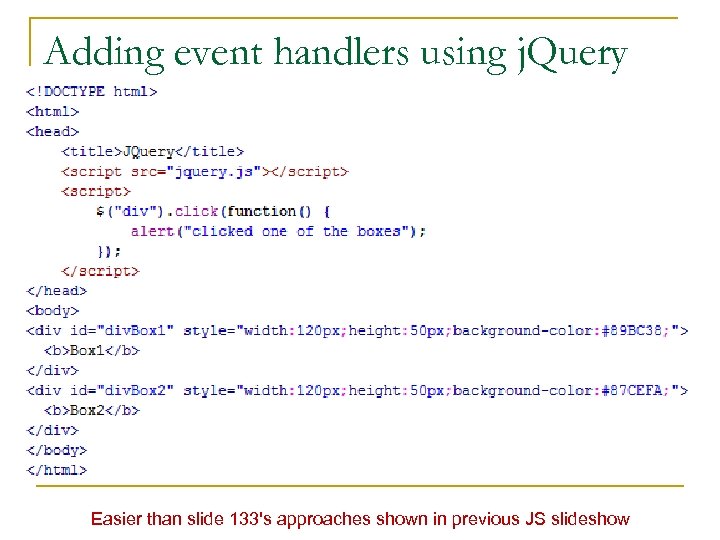 Adding event handlers using j. Query Easier than slide 133's approaches shown in previous JS slideshow
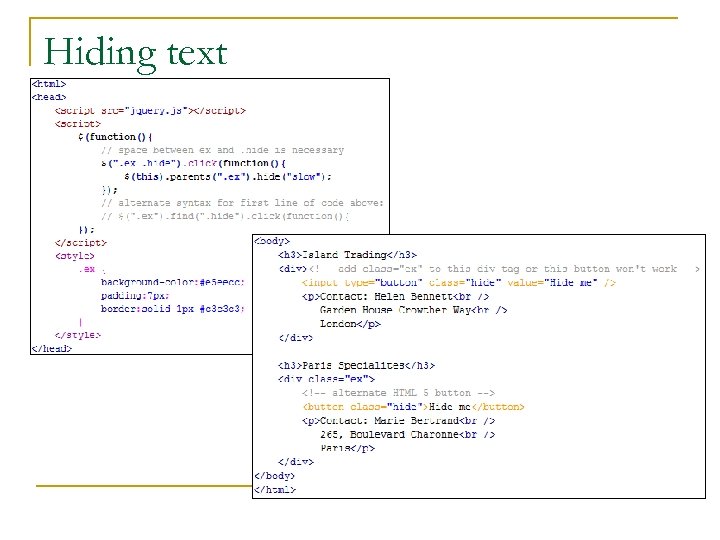 Hiding text
 Picture Galleries the j. Query Way! n Using j. Query simplies the "custom" gallery you created in assignment 1 n Combines j. Query event handling with j. Query effects
The Gallery's HTML File
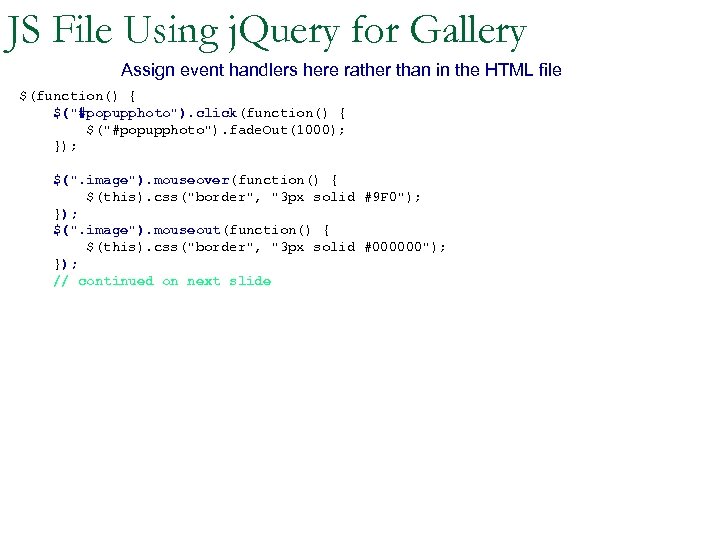 JS File Using j. Query for Gallery Assign event handlers here rather than in the HTML file $(function() { $("#popupphoto"). click(function() { $("#popupphoto"). fade. Out(1000); }); $(". image"). mouseover(function() { $(this). css("border", "3 px solid #9 F 0"); }); $(". image"). mouseout(function() { $(this). css("border", "3 px solid #000000"); }); // continued on next slide
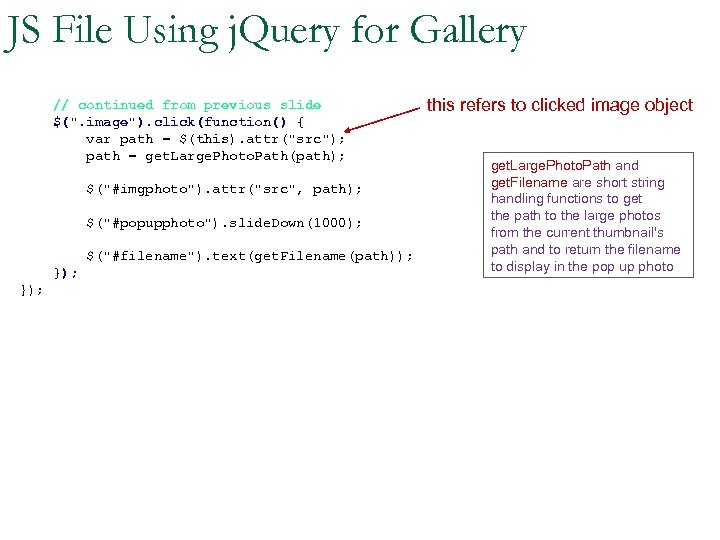 JS File Using j. Query for Gallery // continued from previous slide $(". image"). click(function() { var path = $(this). attr("src"); path = get. Large. Photo. Path(path); $("#imgphoto"). attr("src", path); $("#popupphoto"). slide. Down(1000); $("#filename"). text(get. Filename(path)); }); this refers to clicked image object get. Large. Photo. Path and get. Filename are short string handling functions to get the path to the large photos from the current thumbnail's path and to return the filename to display in the pop up photo
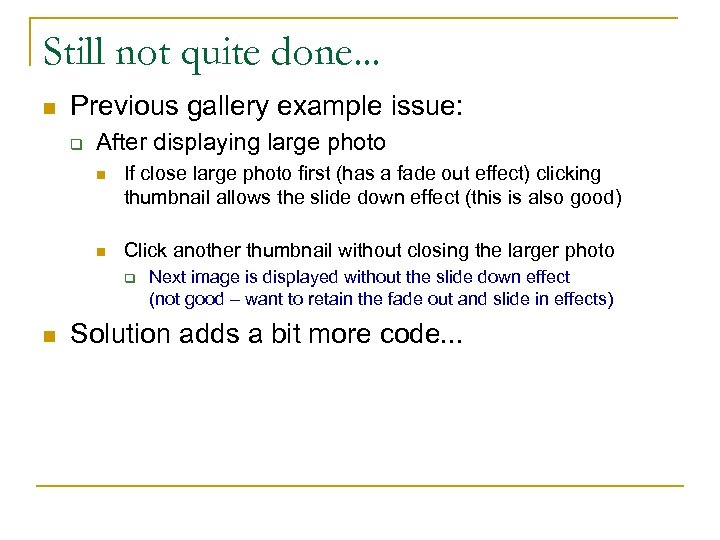 Still not quite done. . . n Previous gallery example issue: q After displaying large photo n If close large photo first (has a fade out effect) clicking thumbnail allows the slide down effect (this is also good) n Click another thumbnail without closing the larger photo q n Next image is displayed without the slide down effect (not good – want to retain the fade out and slide in effects) Solution adds a bit more code. . .
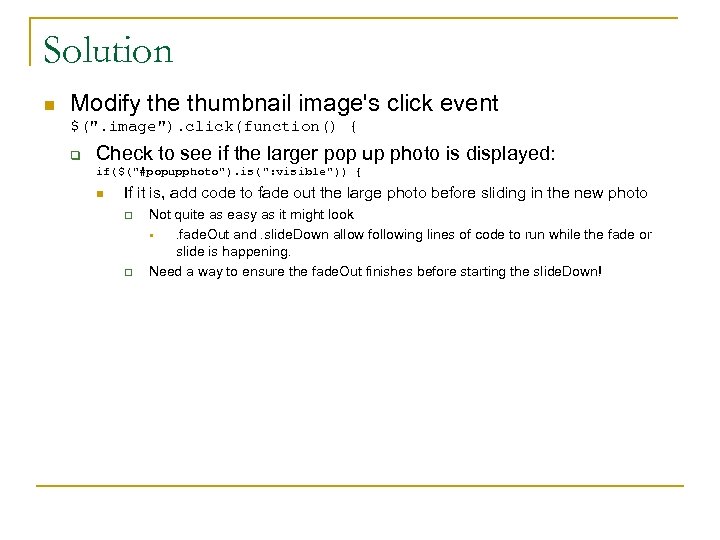 Solution n Modify the thumbnail image's click event $(". image"). click(function() { q Check to see if the larger pop up photo is displayed: if($("#popupphoto"). is(": visible")) { n If it is, add code to fade out the large photo before sliding in the new photo q q Not quite as easy as it might look §. fade. Out and. slide. Down allow following lines of code to run while the fade or slide is happening. Need a way to ensure the fade. Out finishes before starting the slide. Down!
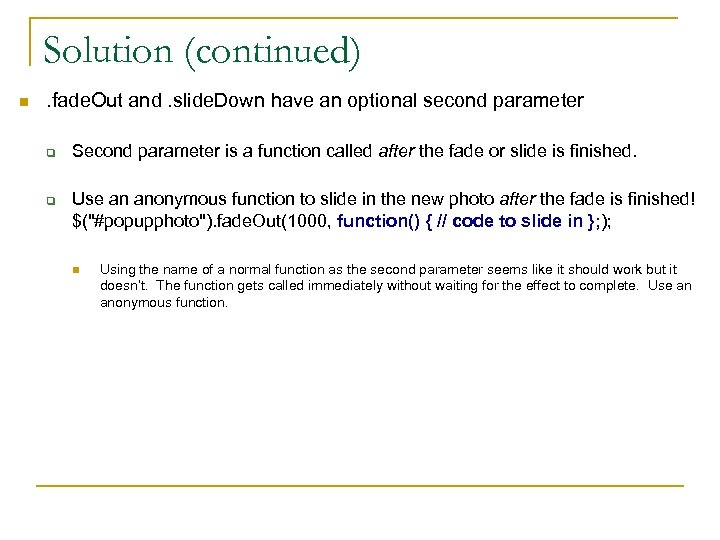 Solution (continued) n . fade. Out and. slide. Down have an optional second parameter q q Second parameter is a function called after the fade or slide is finished. Use an anonymous function to slide in the new photo after the fade is finished! $("#popupphoto"). fade. Out(1000, function() { // code to slide in }; ); n Using the name of a normal function as the second parameter seems like it should work but it doesn’t. The function gets called immediately without waiting for the effect to complete. Use an anonymous function.
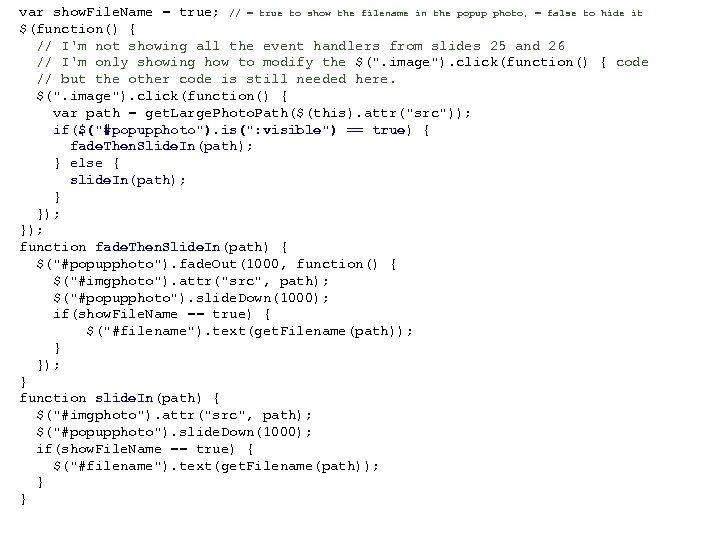 var show. File. Name = true; // = true to show the filename in the popup photo, = false to hide it $(function() { // I'm not showing all the event handlers from slides 25 and 26 // I'm only showing how to modify the $(". image"). click(function() { code // but the other code is still needed here. $(". image"). click(function() { var path = get. Large. Photo. Path($(this). attr("src")); if($("#popupphoto"). is(": visible") == true) { fade. Then. Slide. In(path); } else { slide. In(path); } }); function fade. Then. Slide. In(path) { $("#popupphoto"). fade. Out(1000, function() { $("#imgphoto"). attr("src", path); $("#popupphoto"). slide. Down(1000); if(show. File. Name == true) { $("#filename"). text(get. Filename(path)); } }); } function slide. In(path) { $("#imgphoto"). attr("src", path); $("#popupphoto"). slide. Down(1000); if(show. File. Name == true) { $("#filename"). text(get. Filename(path)); } }
 AJAX n AJAX – Asynchronous Java. Script and XML q XML – e. Xtensible Markup Language n n n q markup language for encoding data opening and closing tags used to identify data semantics like html but you get to define the tags and their meanings AJAX allows updating portions of a web page with additional detail without reloading "all" of the web page.
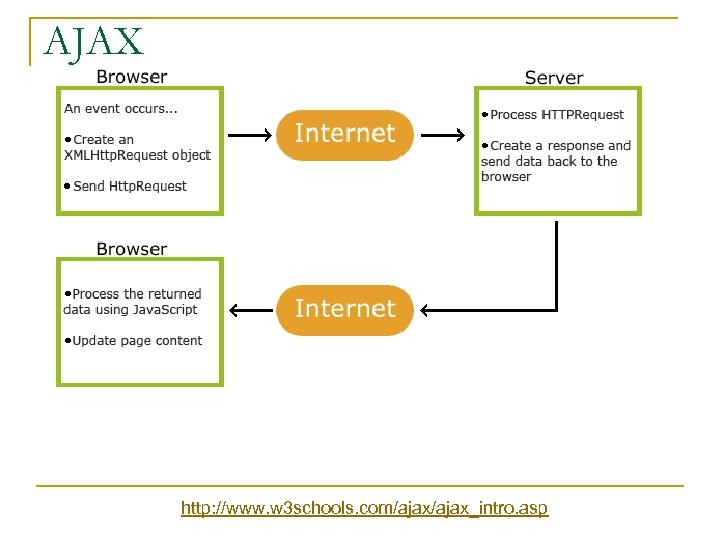 AJAX http: //www. w 3 schools. com/ajax_intro. asp
 AJAX n Initial web page has one or more sections within it with content derived from other web pages q n HTTPRequest retrieves this data Makes Drill Down (Master Detail) pages easy to implement
 j. Query AJAX n Simplifies AJAX and creates cross browser compatible code
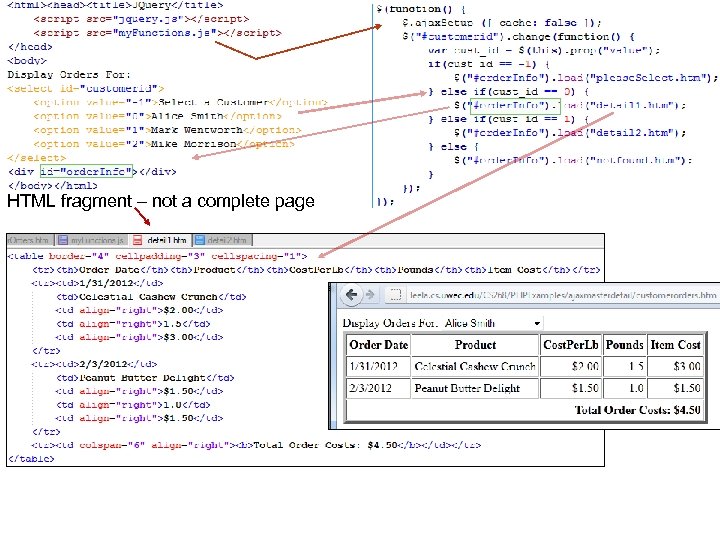 HTML fragment – not a complete page
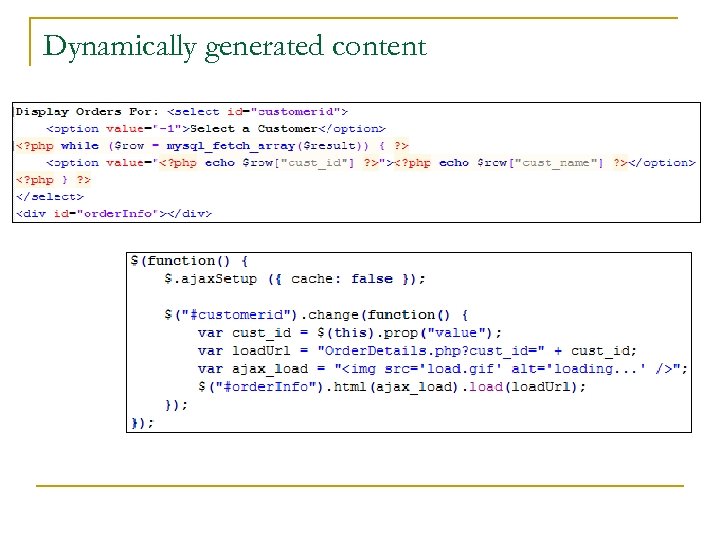 Dynamically generated content
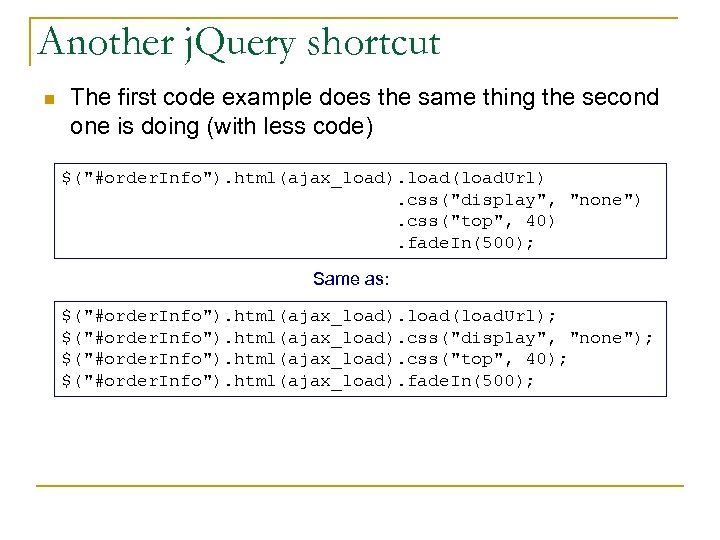 Another j. Query shortcut n The first code example does the same thing the second one is doing (with less code) $("#order. Info"). html(ajax_load). load(load. Url). css("display", "none"). css("top", 40). fade. In(500); Same as: $("#order. Info"). html(ajax_load). load(load. Url); $("#order. Info"). html(ajax_load). css("display", "none"); $("#order. Info"). html(ajax_load). css("top", 40); $("#order. Info"). html(ajax_load). fade. In(500);