


 Скачать презентацию J 2 EE Why What and How
f4fc1203774d456de3da7fd71401125b.ppt
- Количество слайдов: 92
 J 2 EE : Why, What and How TM University of Texas at Dallas Anna Yi 1
 Objectives • Why J 2 EE? • What is J 2 EE? • How to use J 2 EE? 2
 Why J 2 EE? Motivation for J 2 EE • Need for – New multi-tier enterprise computing model in web environment – A way to bring in different elements of enterprise application • Web interface design • Transaction processing • Meeting non-functional system requirements: – Availability, reliability, enhanceability, performance, scalability, reusability, interoperability • Timely development and deployment 3
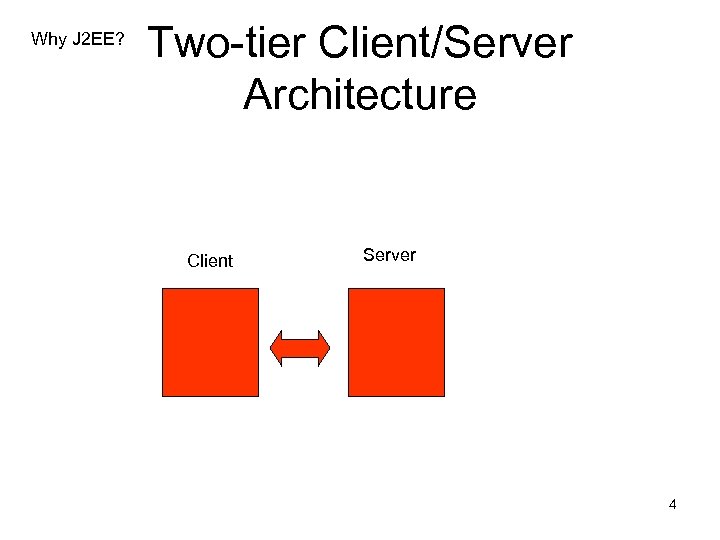 Why J 2 EE? Two-tier Client/Server Architecture Client Server 4
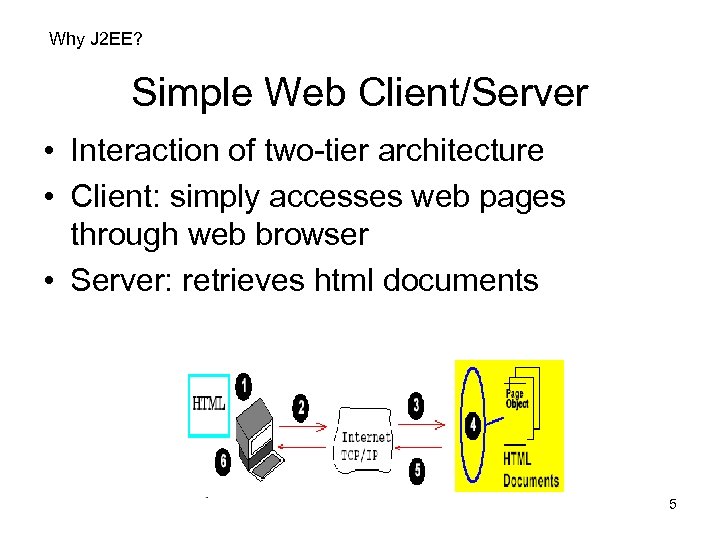 Why J 2 EE? Simple Web Client/Server • Interaction of two-tier architecture • Client: simply accesses web pages through web browser • Server: retrieves html documents 5
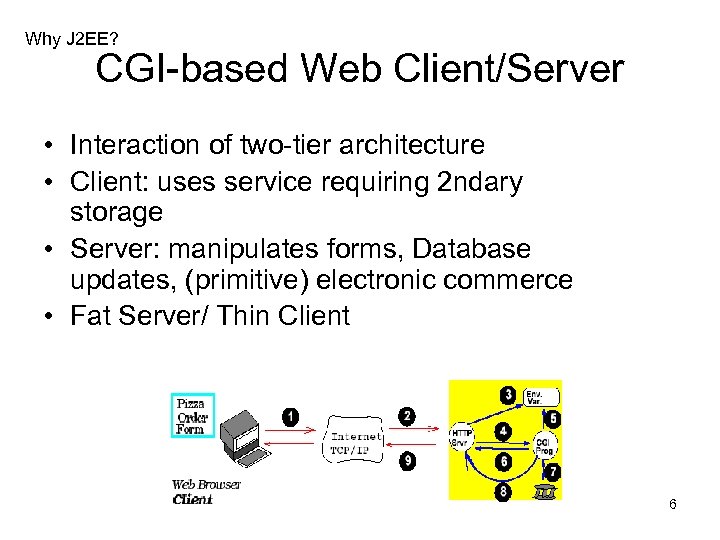 Why J 2 EE? CGI-based Web Client/Server • Interaction of two-tier architecture • Client: uses service requiring 2 ndary storage • Server: manipulates forms, Database updates, (primitive) electronic commerce • Fat Server/ Thin Client 6
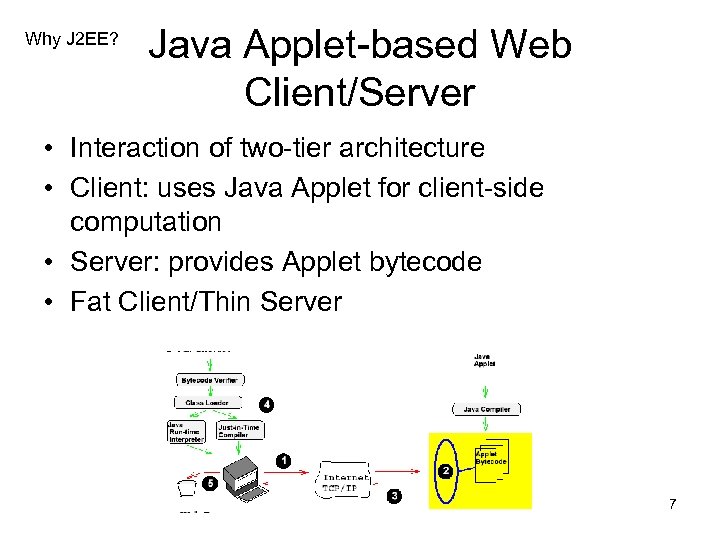 Why J 2 EE? Java Applet-based Web Client/Server • Interaction of two-tier architecture • Client: uses Java Applet for client-side computation • Server: provides Applet bytecode • Fat Client/Thin Server 7
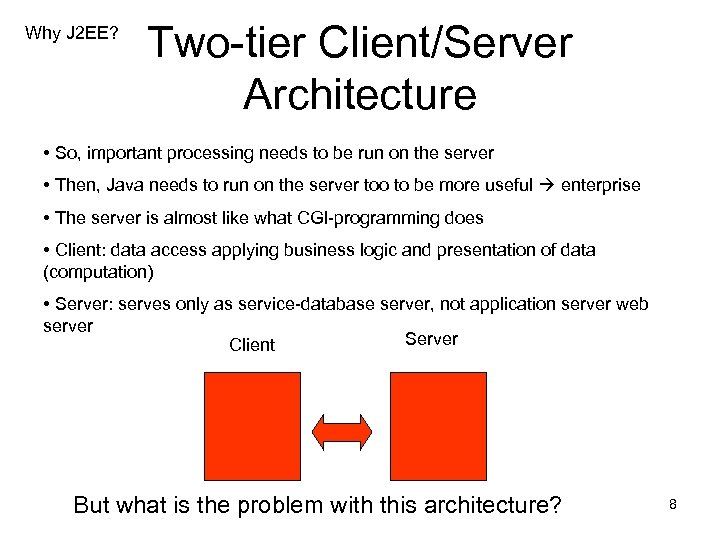 Why J 2 EE? Two-tier Client/Server Architecture • So, important processing needs to be run on the server • Then, Java needs to run on the server too to be more useful enterprise • The server is almost like what CGI-programming does • Client: data access applying business logic and presentation of data (computation) • Server: serves only as service-database server, not application server web server Server Client But what is the problem with this architecture? 8
 Drawbacks of two tier application architecture Why J 2 EE? • Easy to deploy, but difficult to enhance or upgrade • Reusability of business and presentation logic difficult • Not scalable 9
 Why J 2 EE? Vision of J 2 EE • An open standard • Umbrella for anything Java-related • For designing, developing, assembling, and deploying component-based enterprise applications • Separation of business logic from presentation • Reusability, enhanceability, scalability, interoperability 10
 Why J 2 EE? Separation of Business logic from Presentation logic • Presentation logic : display • Business logic : what the company wants to do Example: the distribution of different sales figures by diff dept (business logic) can be represented in many different ways (pie chart, bar graph, etc) 11
 Why J 2 EE? • Simplifies the complexity of a building ntier application • Standardizes an API between components and application server container • J 2 EE Application Server and Containers provide the framework services 12
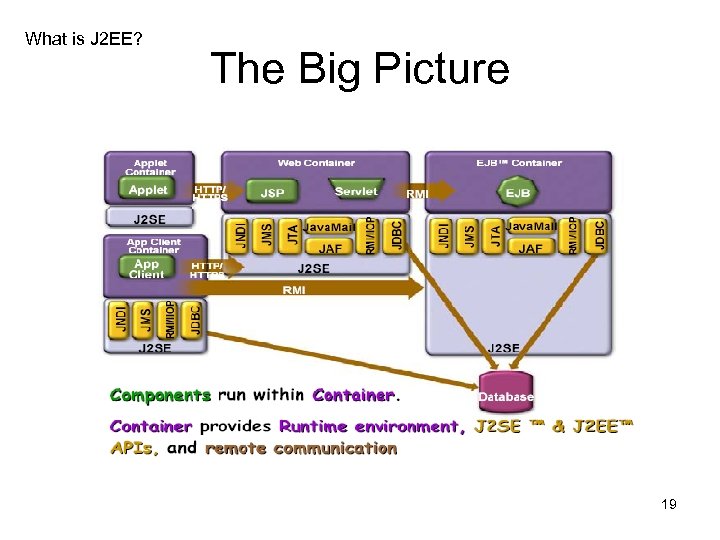
 What is J 2 EE? • Defines the standard for developing multitier enterprise applications • Simplifies enterprise applications by: – Basing them on standardized, modular components – Providing a complete set of services to those components – Handling many details of application behavior automatically, without complex programming 13
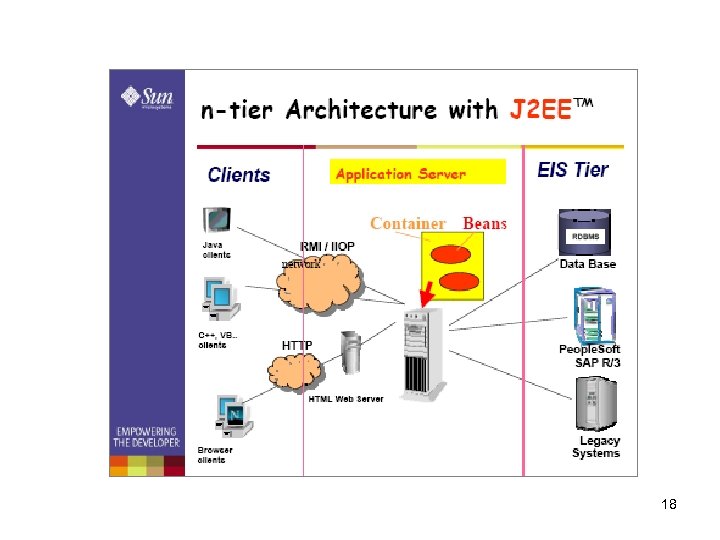
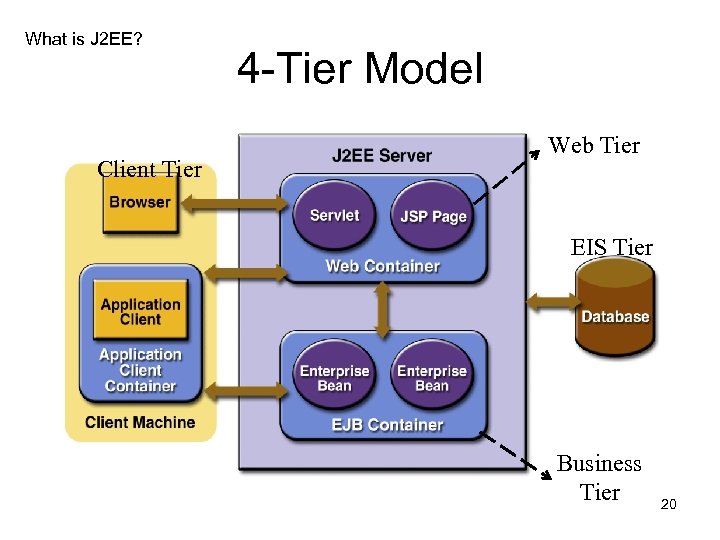
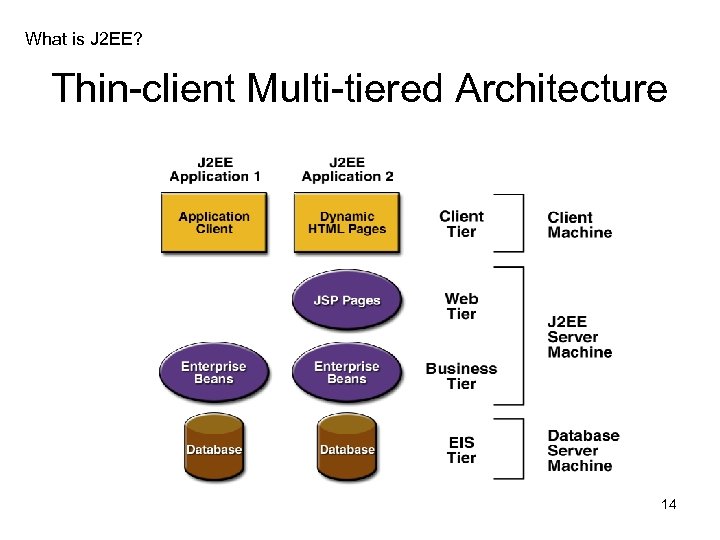 What is J 2 EE? Thin-client Multi-tiered Architecture 14
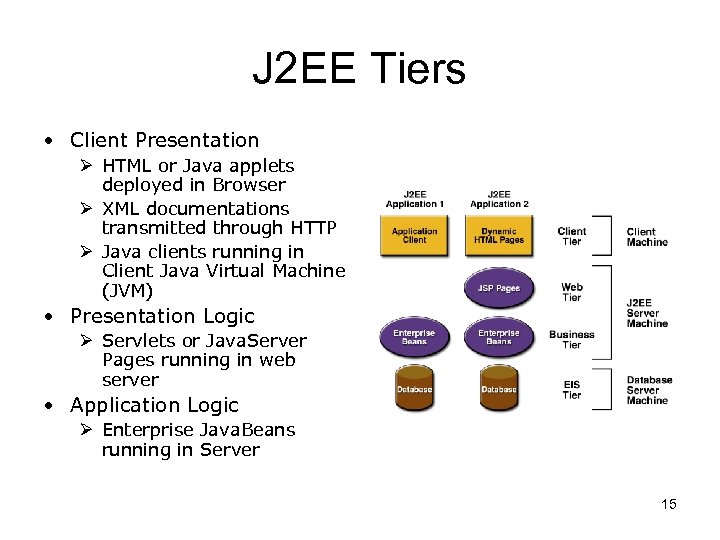 J 2 EE Tiers • Client Presentation Ø HTML or Java applets deployed in Browser Ø XML documentations transmitted through HTTP Ø Java clients running in Client Java Virtual Machine (JVM) • Presentation Logic Ø Servlets or Java. Server Pages running in web server • Application Logic Ø Enterprise Java. Beans running in Server 15
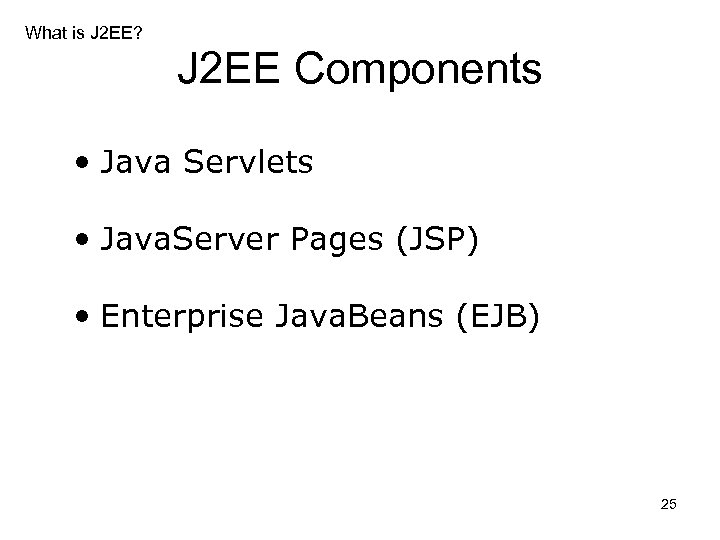
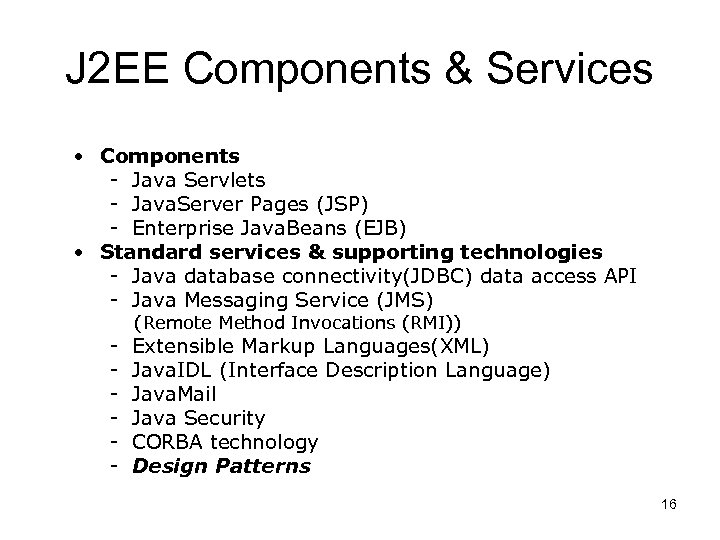 J 2 EE Components & Services • Components - Java Servlets - Java. Server Pages (JSP) - Enterprise Java. Beans (EJB) • Standard services & supporting technologies - Java database connectivity(JDBC) data access API - Java Messaging Service (JMS) - (Remote Method Invocations (RMI)) Extensible Markup Languages(XML) Java. IDL (Interface Description Language) Java. Mail Java Security CORBA technology Design Patterns 16
 Advantages of Multi-tiers • Tiers separate functionality: – Presentation Logic, Business Logic, Data Schema • Easier upgrade since one tier can be changed without changing the rest • Lower deployment and maintenance cost • More flexible (can support changes), more extensible (can add functionality) 17
 18
18
 What is J 2 EE? The Big Picture 19
 What is J 2 EE? Client Tier 4 -Tier Model Web Tier EIS Tier Business Tier 20
 What is J 2 EE? • • • Commercial Platforms J 2 EE SDK 1. 3 (Sun) * Web. Logic (BEA Systems) Web. Sphere (IBM) i. Planet (Sun & Net. Scape) JBoss (Open source) 21
 What is J 2 EE? What is Application Server v. Application servers enable the development of multi-tiered distributed applications. They are also called “middleware” v. An application server acts as the interface between the database(s), the web servers and the client browsers 22
 Application Server: Key Services 23
 JBoss- Application Server 24
 What is J 2 EE? J 2 EE Components • Java Servlets • Java. Server Pages (JSP) • Enterprise Java. Beans (EJB) 25
 26
26
 27
27
 28
28
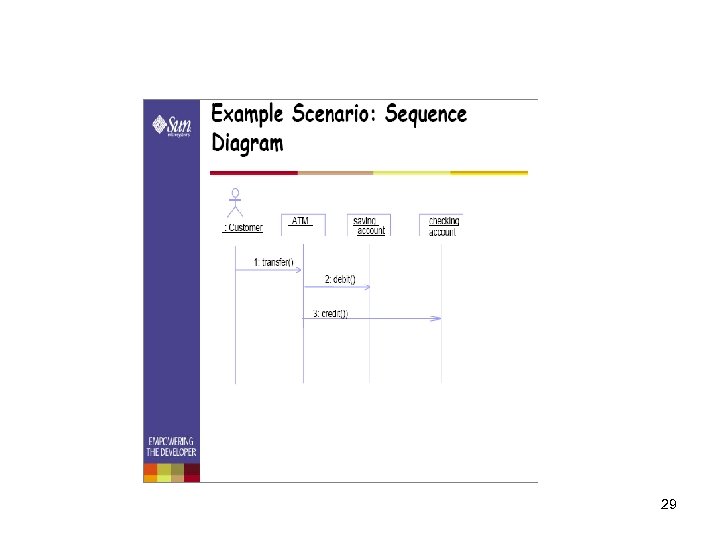 29
29
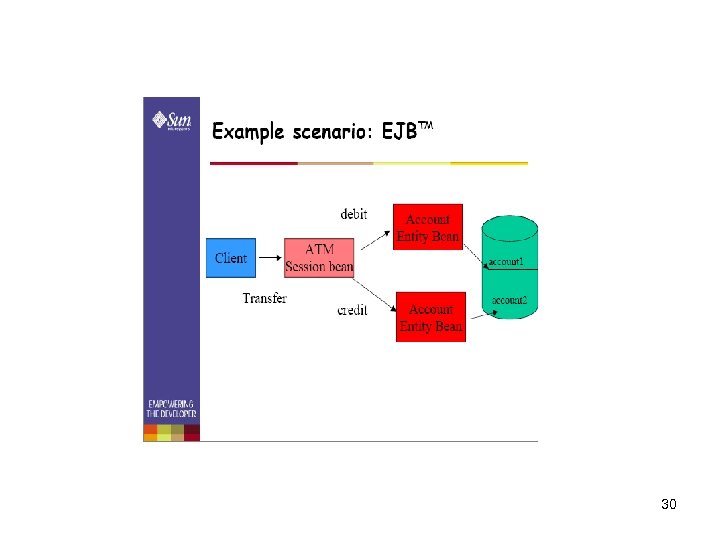 30
30
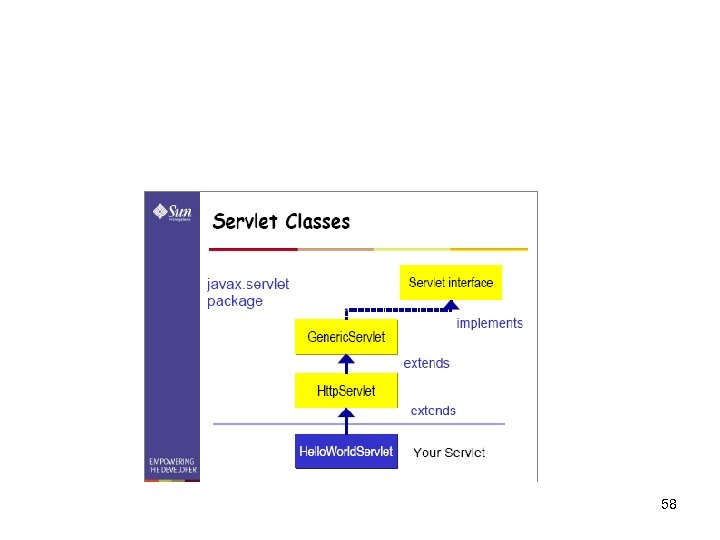
 What is J 2 EE? Overview of Servlets • Container-managed web components • Replace Common Gateway Interface(CGI) or Active Server Pages (ASP) • Generate dynamic response to requests from web based clients • Synchronize multiple concurrent client request • Serve as client proxies 31
 What is J 2 EE? Servlet Operation • Server is Java program that runs as separate thread inside servlet container. • Servlet container is part of web server • It interact with web client using response request paradigm 32
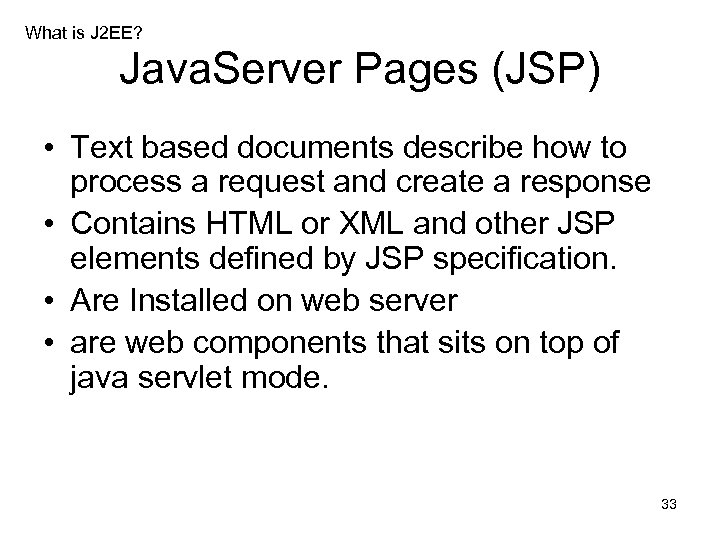 What is J 2 EE? Java. Server Pages (JSP) • Text based documents describe how to process a request and create a response • Contains HTML or XML and other JSP elements defined by JSP specification. • Are Installed on web server • are web components that sits on top of java servlet mode. 33
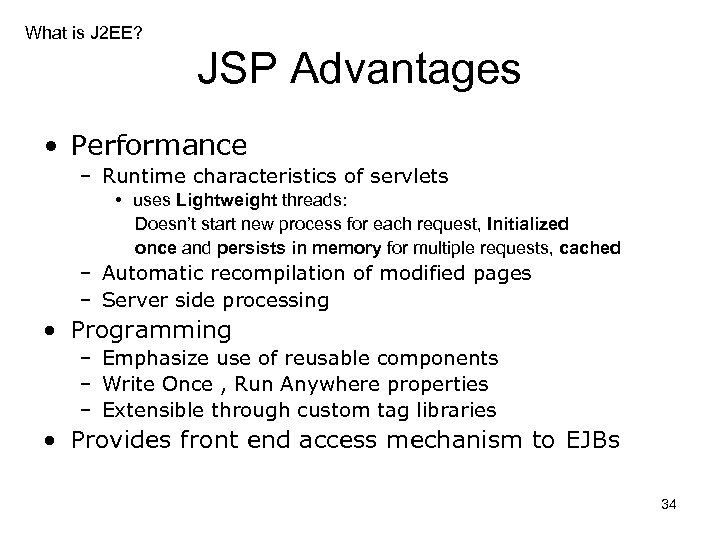 What is J 2 EE? JSP Advantages • Performance – Runtime characteristics of servlets • uses Lightweight threads: Doesn’t start new process for each request, Initialized once and persists in memory for multiple requests, cached – Automatic recompilation of modified pages – Server side processing • Programming – Emphasize use of reusable components – Write Once , Run Anywhere properties – Extensible through custom tag libraries • Provides front end access mechanism to EJBs 34
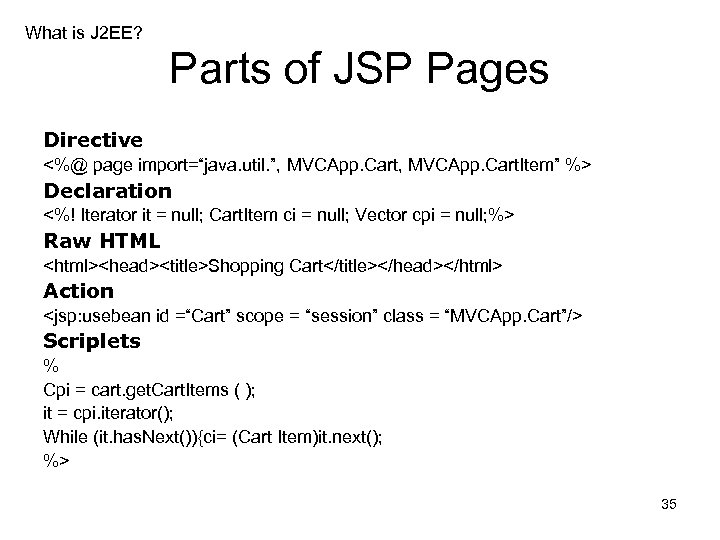 What is J 2 EE? Parts of JSP Pages Directive <%@ page import=“java. util. ”, MVCApp. Cart. Item” %> Declaration <%! Iterator it = null; Cart. Item ci = null; Vector cpi = null; %> Raw HTML
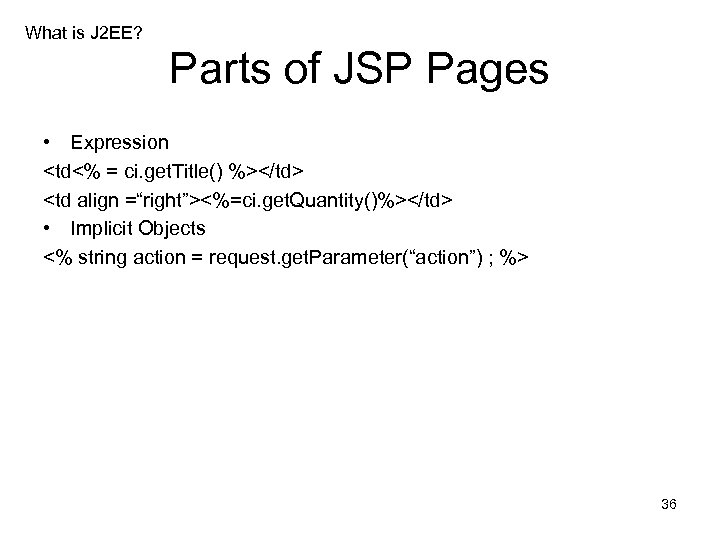 What is J 2 EE? Parts of JSP Pages • Expression
 <%=ci. get. Quantity()%> • Implicit Objects <% string action = request. get. Parameter(“action”) ; %> 36
 What is J 2 EE? Enterprise Java Beans (EJBs) • Entity Beans § Represent persistent business Entity § Persisted in storage system ( usually Database) § Might contain Application logic intrinsic to entity • Session Beans § Perform work for individual clients on the server § Encapsulate complex business logic § Can coordinate transactional work on multiple entity beans 37
 What is J 2 EE? States and Persistence • Session beans can be – Stateless- belong to client for duration of a method call – Stateful- belong to client for duration of client conversation • Entity beans can have – Bean-managed persistence- The developer writes SQL code to retrieve, store and update database – Container managed persistence- The developer provide database mapping information that allows the container to manage persistence 38
 What is J 2 EE? Example of EJB Application • It consists of number of clients accessing session beans and entity beans • Each Session bean provides specialized processing on behalf of client e. g. Travel Agent session bean makes travel reservations while Flight Scheduler bean schedules planes to fly on various routes. • Each Entity Bean represent different type of business entity. e. g. Passengers, seats, planes, flights are entity beans 39
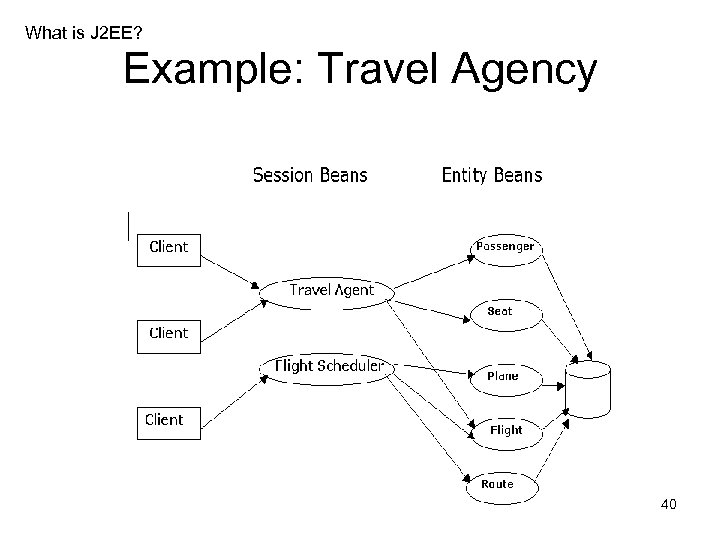 What is J 2 EE? Example: Travel Agency 40
 How to use J 2 EE? How to use J 2 EE ? • Using J 2 EE SDK 1. 3. 1 to Design, Develop, Assemble and Deploy Applications 41
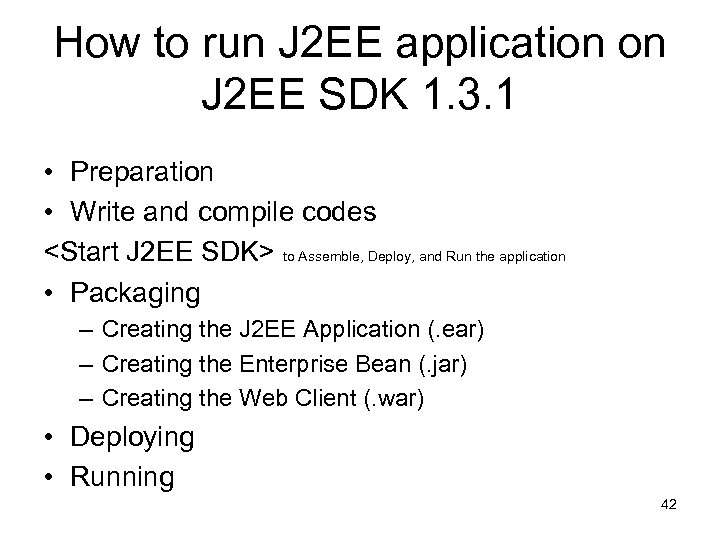 How to run J 2 EE application on J 2 EE SDK 1. 3. 1 • Preparation • Write and compile codes
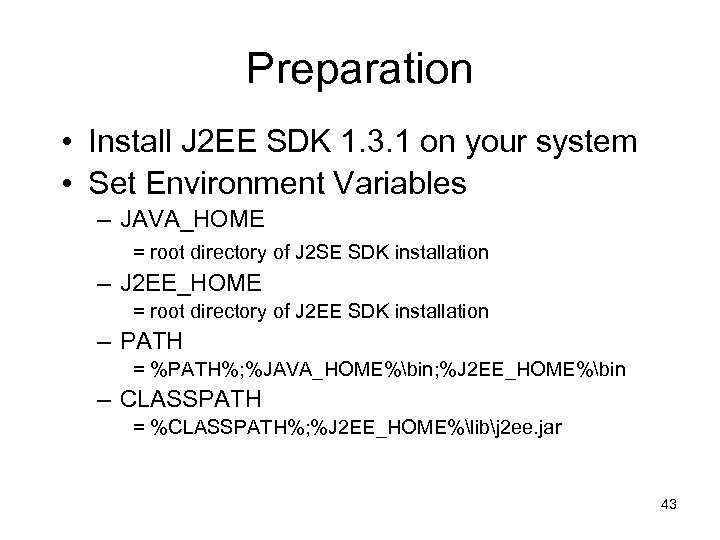 Preparation • Install J 2 EE SDK 1. 3. 1 on your system • Set Environment Variables – JAVA_HOME = root directory of J 2 SE SDK installation – J 2 EE_HOME = root directory of J 2 EE SDK installation – PATH = %PATH%; %JAVA_HOME%bin; %J 2 EE_HOME%bin – CLASSPATH = %CLASSPATH%; %J 2 EE_HOME%libj 2 ee. jar 43
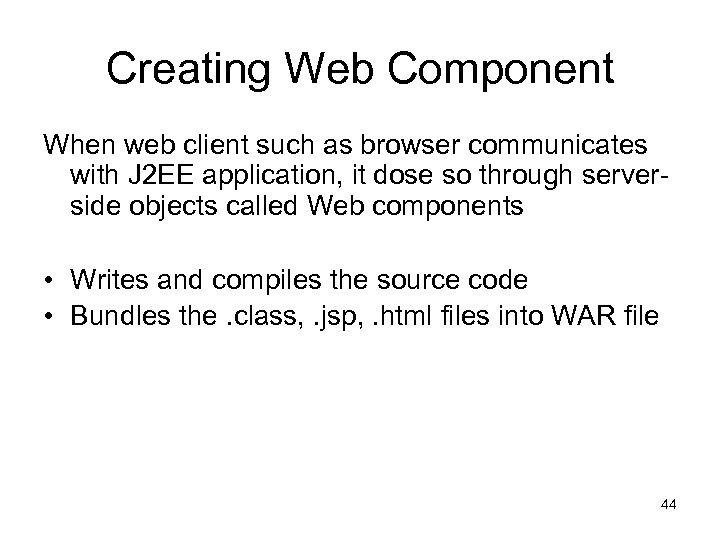 Creating Web Component When web client such as browser communicates with J 2 EE application, it dose so through serverside objects called Web components • Writes and compiles the source code • Bundles the. class, . jsp, . html files into WAR file 44
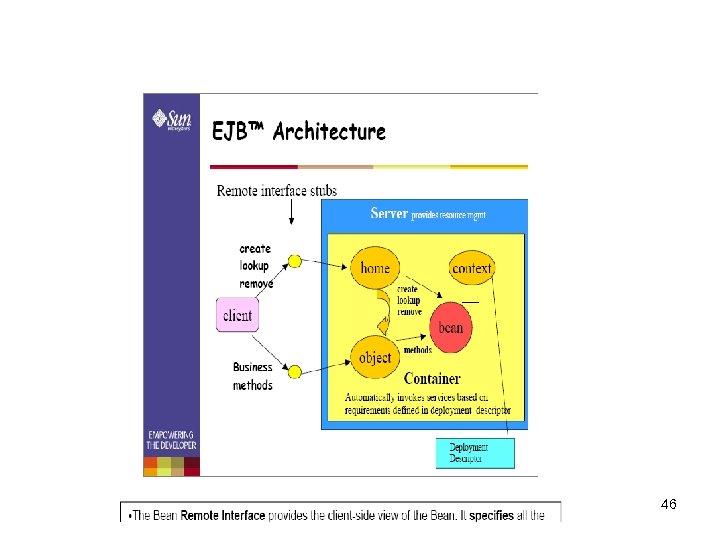
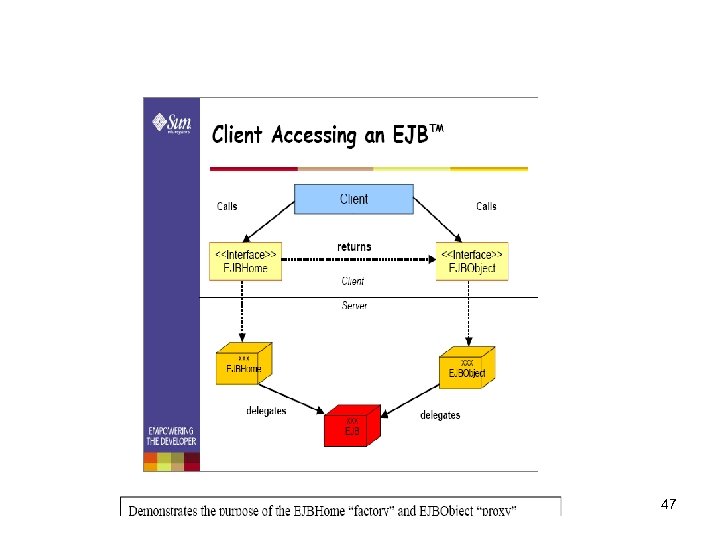
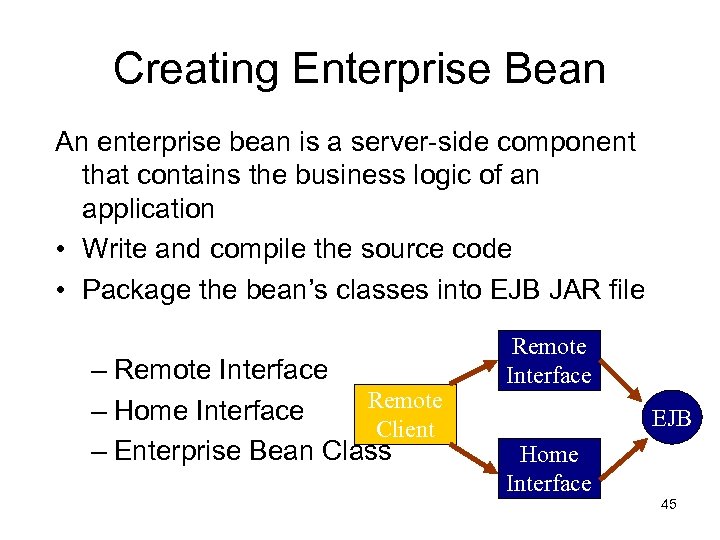 Creating Enterprise Bean An enterprise bean is a server-side component that contains the business logic of an application • Write and compile the source code • Package the bean’s classes into EJB JAR file – Remote Interface Remote – Home Interface Client – Enterprise Bean Class Remote Interface EJB Home Interface 45
 46
46
 47
47
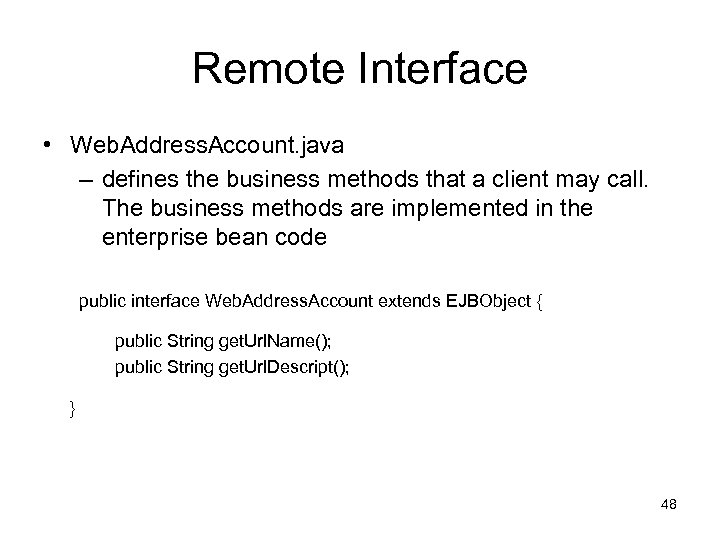 Remote Interface • Web. Address. Account. java – defines the business methods that a client may call. The business methods are implemented in the enterprise bean code public interface Web. Address. Account extends EJBObject { public String get. Url. Name(); public String get. Url. Descript(); } 48
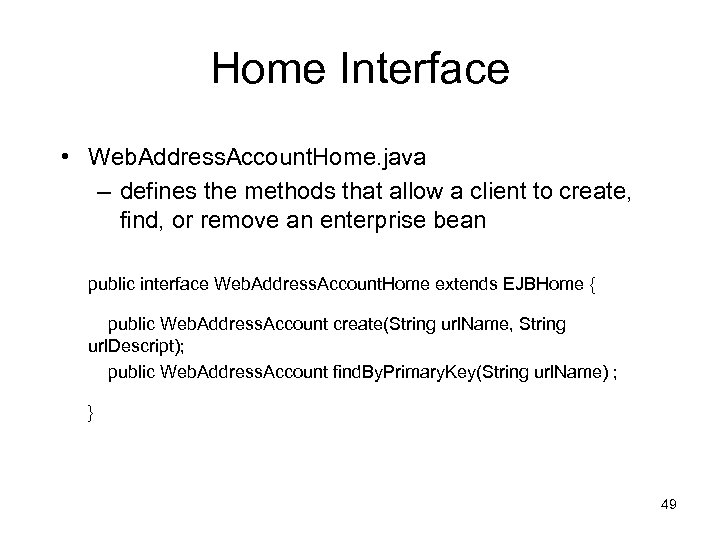 Home Interface • Web. Address. Account. Home. java – defines the methods that allow a client to create, find, or remove an enterprise bean public interface Web. Address. Account. Home extends EJBHome { public Web. Address. Account create(String url. Name, String url. Descript); public Web. Address. Account find. By. Primary. Key(String url. Name) ; } 49
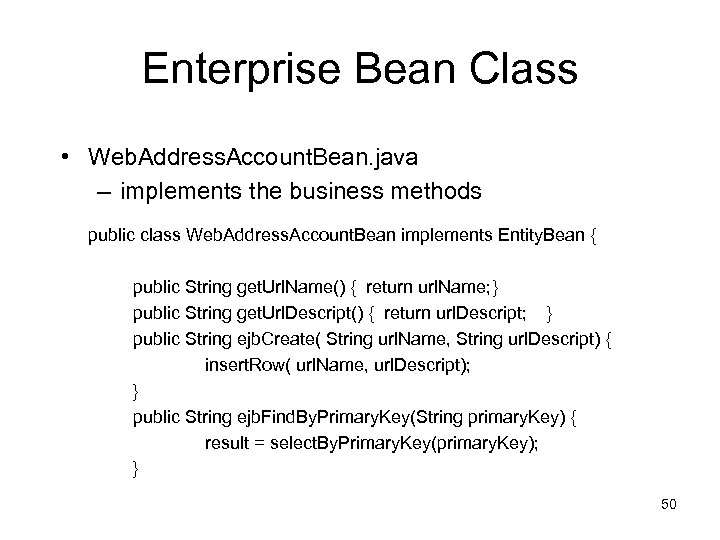 Enterprise Bean Class • Web. Address. Account. Bean. java – implements the business methods public class Web. Address. Account. Bean implements Entity. Bean { public String get. Url. Name() { return url. Name; } public String get. Url. Descript() { return url. Descript; } public String ejb. Create( String url. Name, String url. Descript) { insert. Row( url. Name, url. Descript); } public String ejb. Find. By. Primary. Key(String primary. Key) { result = select. By. Primary. Key(primary. Key); } 50
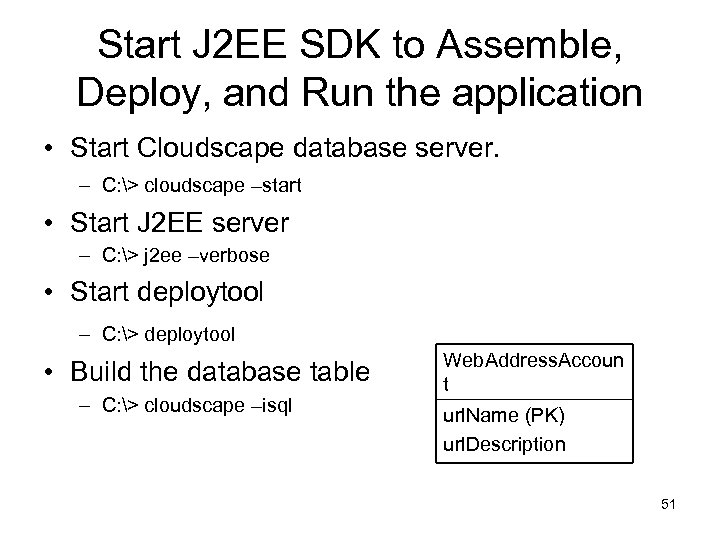 Start J 2 EE SDK to Assemble, Deploy, and Run the application • Start Cloudscape database server. – C: > cloudscape –start • Start J 2 EE server – C: > j 2 ee –verbose • Start deploytool – C: > deploytool • Build the database table – C: > cloudscape –isql Web. Address. Accoun t url. Name (PK) url. Description 51
 52
52
 Packaging • Create an Enterprise Archive (EAR) file – Project. App. ear • Add Java Archive (JAR) files and Web Archive (WAR) files to the EAR – Web. Address. Account. JAR: contains the enterprise bean files and related files – Project. WAR: contains the Web Component files and related files 53
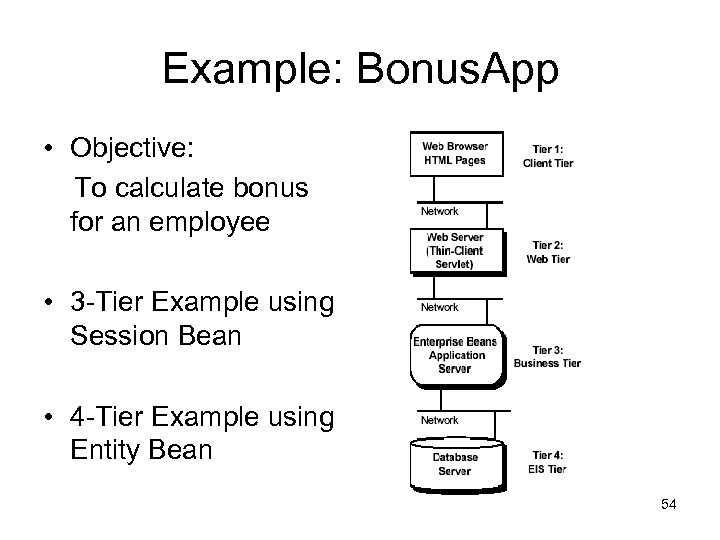 Example: Bonus. App • Objective: To calculate bonus for an employee • 3 -Tier Example using Session Bean • 4 -Tier Example using Entity Bean 54
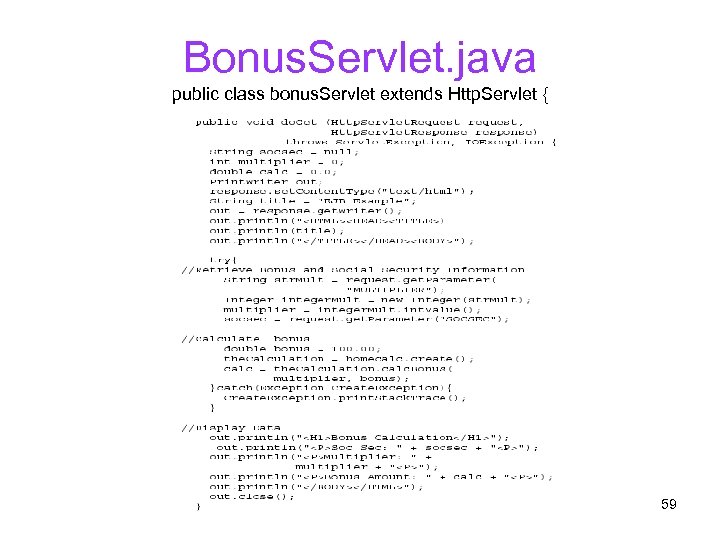
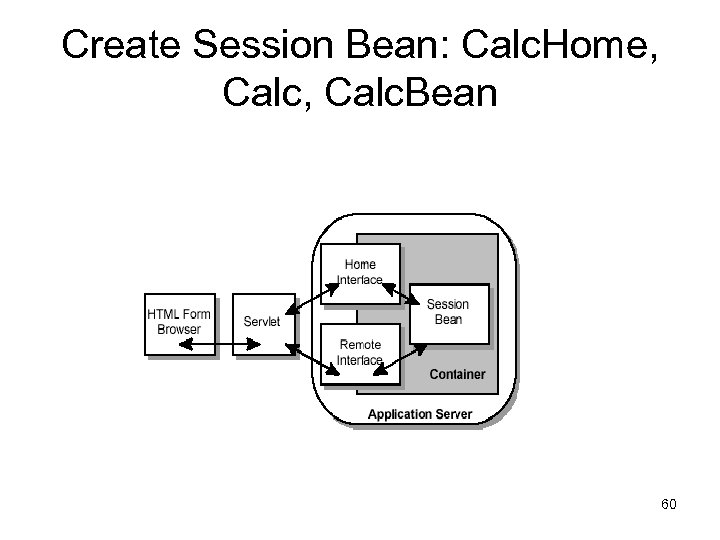
 3 Tier Example: using session bean 1. 2. 3. 4. 5. 6. 7. 8. 9. 10. Create HTML page Create Servlet Create the Session Bean Compile the Session Bean and Servlet Start the J 2 EE Application Server Start the Deploy tool Assemble the J 2 EE application Specify JNDI Name and Root Context Verify and Deploy the J 2 EE application Run the J 2 EE application 55
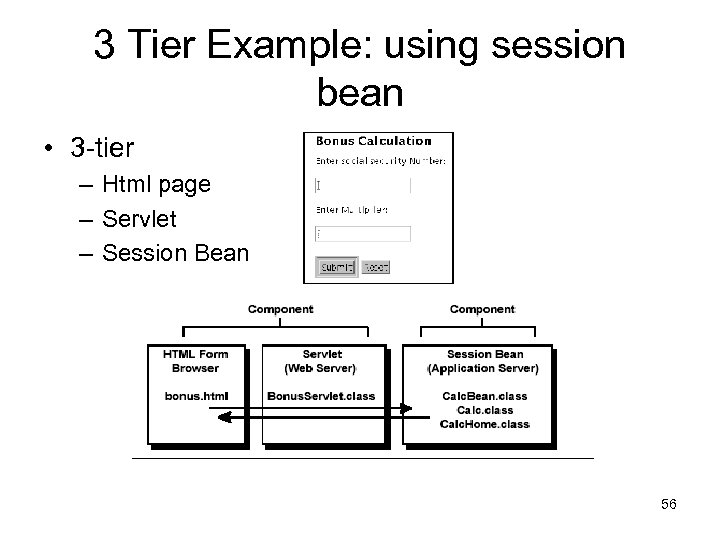 3 Tier Example: using session bean • 3 -tier – Html page – Servlet – Session Bean 56
Bonus Calculation
 58
58
 Bonus. Servlet. java public class bonus. Servlet extends Http. Servlet { 59
 Create Session Bean: Calc. Home, Calc. Bean 60
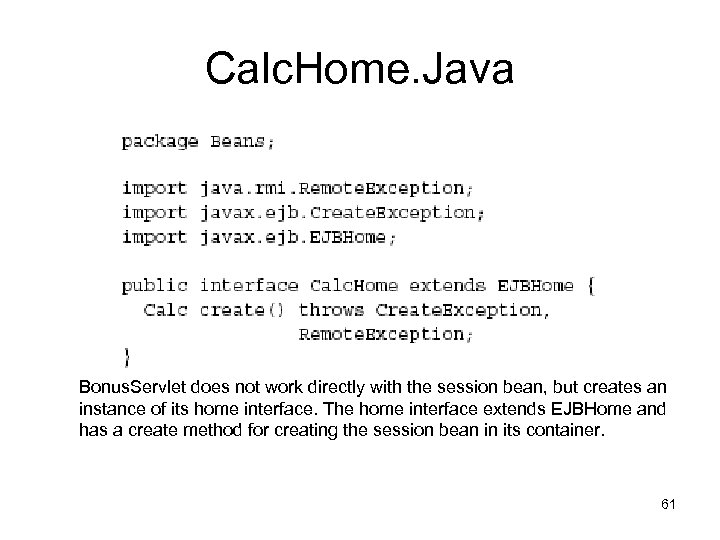 Calc. Home. Java Bonus. Servlet does not work directly with the session bean, but creates an instance of its home interface. The home interface extends EJBHome and has a create method for creating the session bean in its container. 61
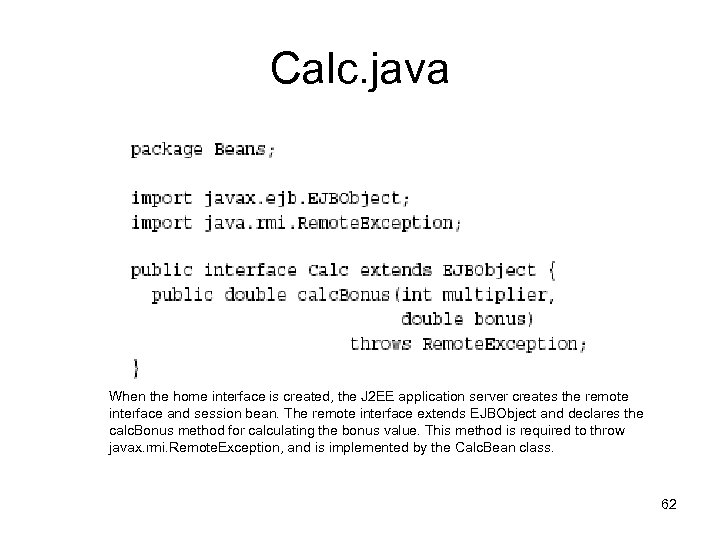 Calc. java When the home interface is created, the J 2 EE application server creates the remote interface and session bean. The remote interface extends EJBObject and declares the calc. Bonus method for calculating the bonus value. This method is required to throw javax. rmi. Remote. Exception, and is implemented by the Calc. Bean class. 62
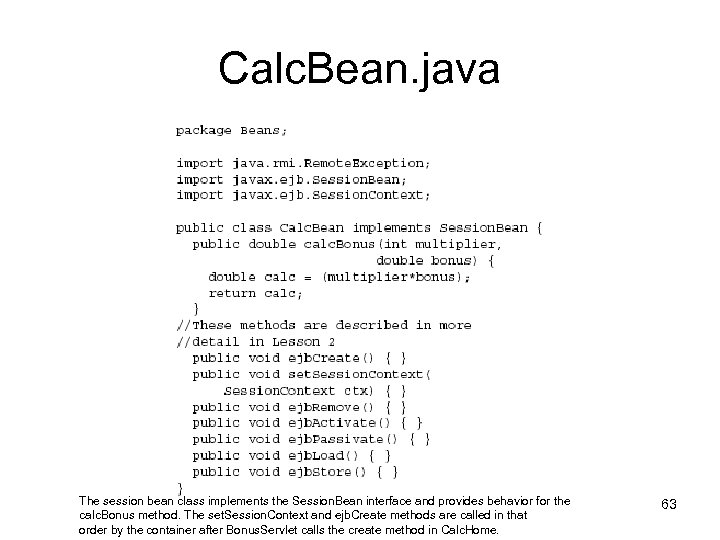 Calc. Bean. java The session bean class implements the Session. Bean interface and provides behavior for the calc. Bonus method. The set. Session. Context and ejb. Create methods are called in that order by the container after Bonus. Servlet calls the create method in Calc. Home. 63
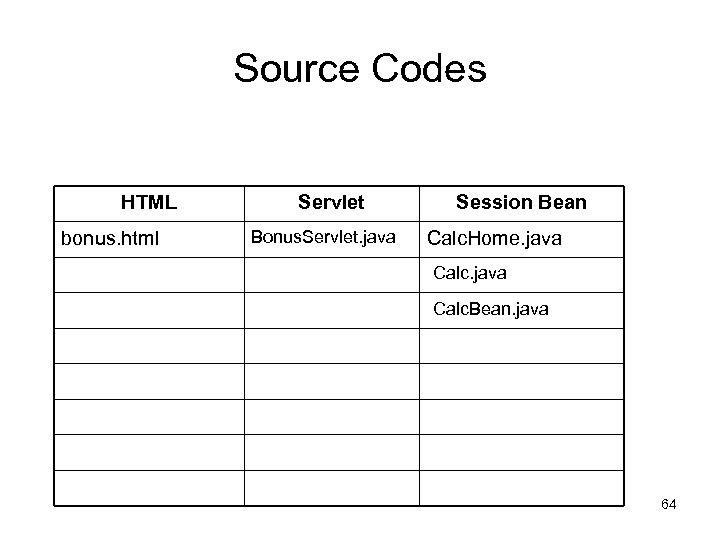 Source Codes HTML bonus. html Servlet Bonus. Servlet. java Session Bean Calc. Home. java Calc. Bean. java 64
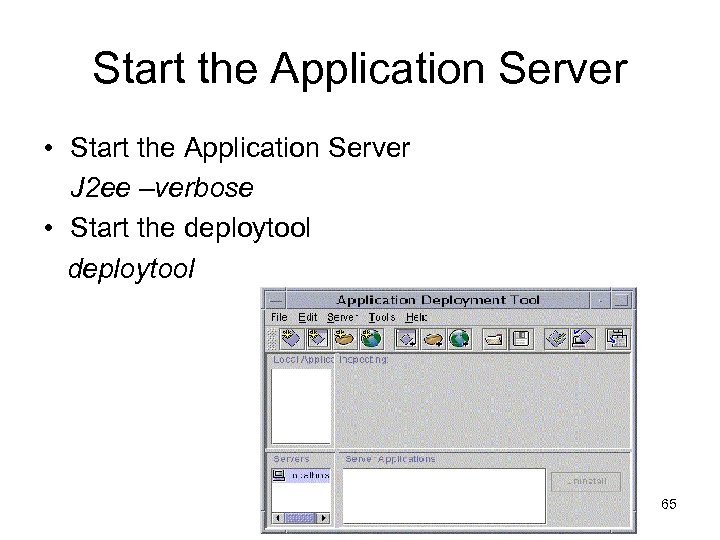 Start the Application Server • Start the Application Server J 2 ee –verbose • Start the deploytool 65
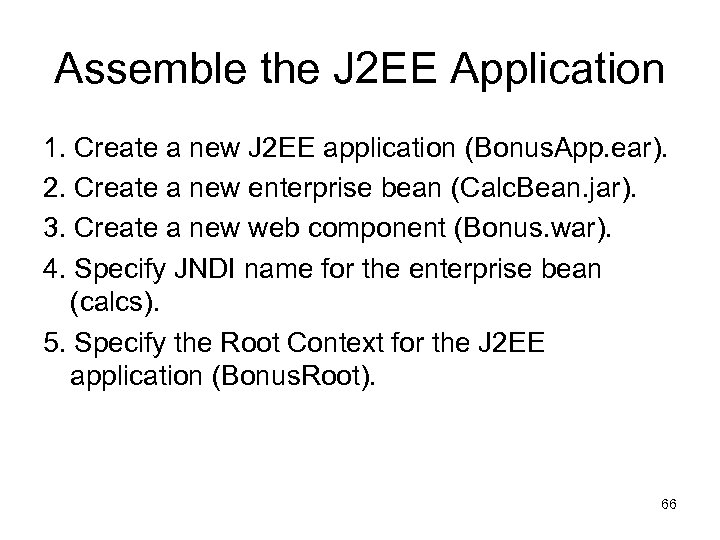 Assemble the J 2 EE Application 1. Create a new J 2 EE application (Bonus. App. ear). 2. Create a new enterprise bean (Calc. Bean. jar). 3. Create a new web component (Bonus. war). 4. Specify JNDI name for the enterprise bean (calcs). 5. Specify the Root Context for the J 2 EE application (Bonus. Root). 66
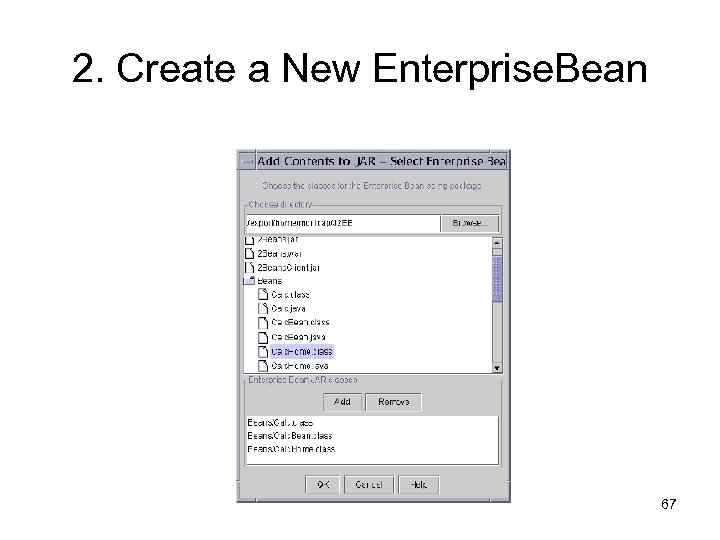 2. Create a New Enterprise. Bean 67
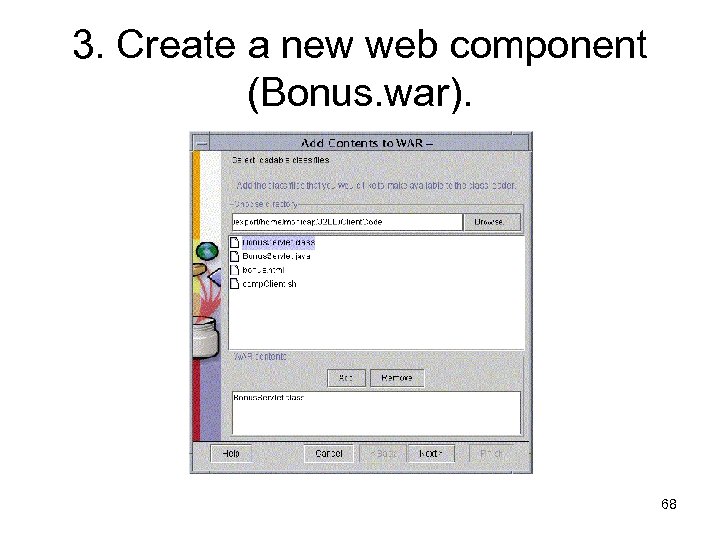 3. Create a new web component (Bonus. war). 68
 JNDI Names and Resource References • JNDI: Java Naming and Directory Interface • J 2 EE components locate objects by invoking the JNDI lookup method • The JNDI name of a resource and the name of the resource reference are not the same • This approach to naming requires that you map the two names before deployment 69
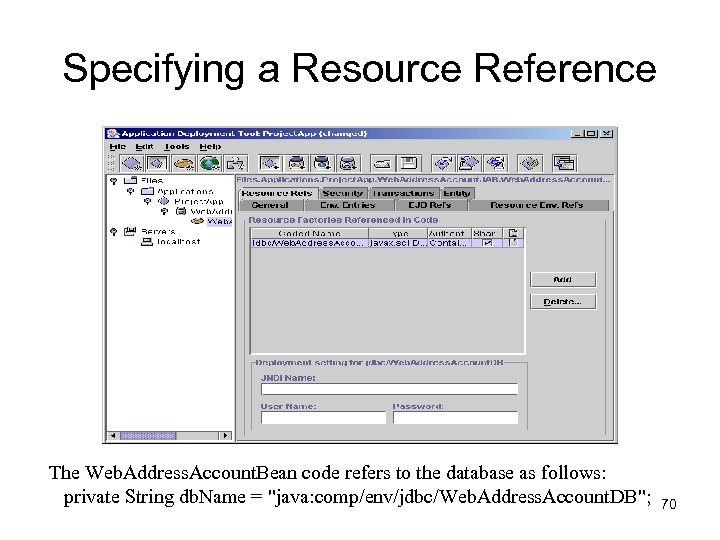 Specifying a Resource Reference The Web. Address. Account. Bean code refers to the database as follows: private String db. Name = "java: comp/env/jdbc/Web. Address. Account. DB"; 70
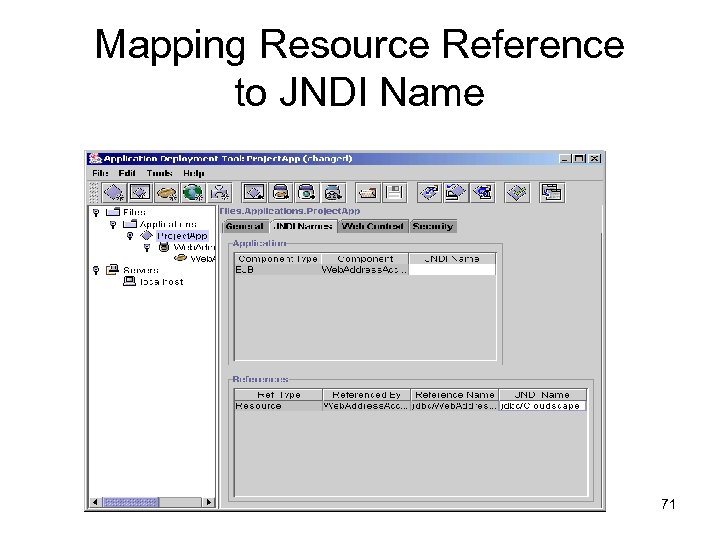 Mapping Resource Reference to JNDI Name 71
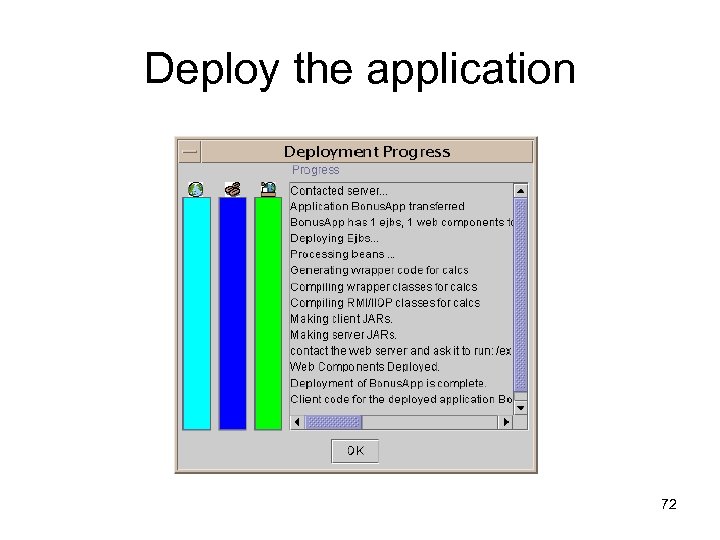 Deploy the application 72
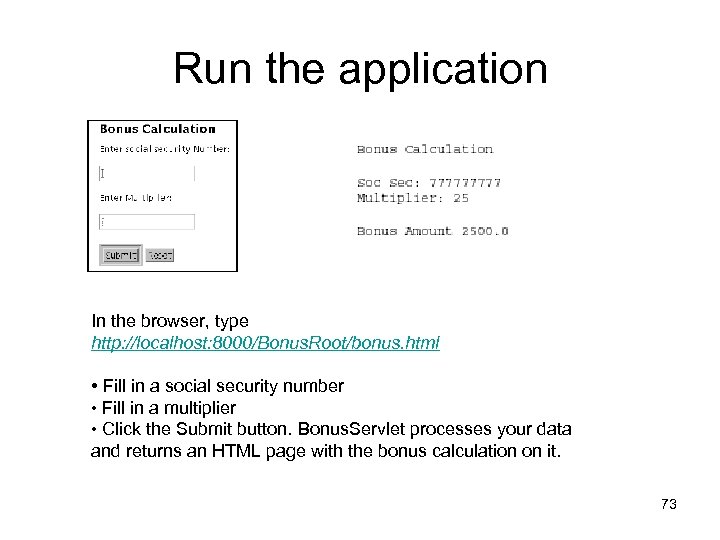 Run the application In the browser, type http: //localhost: 8000/Bonus. Root/bonus. html • Fill in a social security number • Fill in a multiplier • Click the Submit button. Bonus. Servlet processes your data and returns an HTML page with the bonus calculation on it. 73
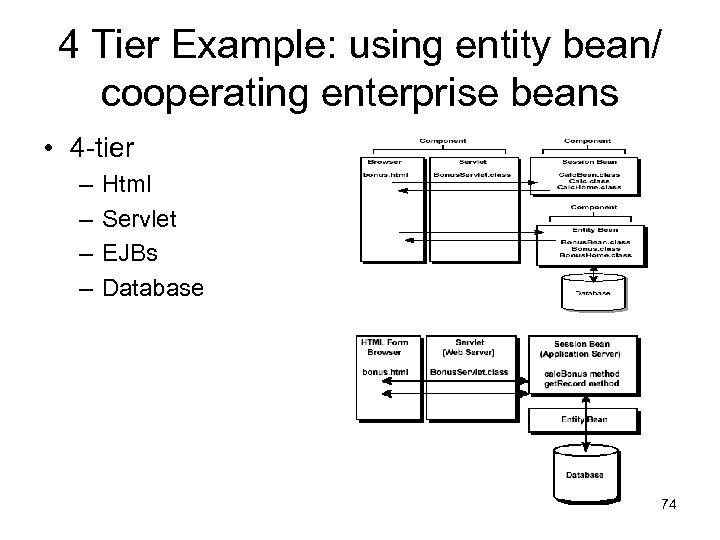 4 Tier Example: using entity bean/ cooperating enterprise beans • 4 -tier – – Html Servlet EJBs Database 74
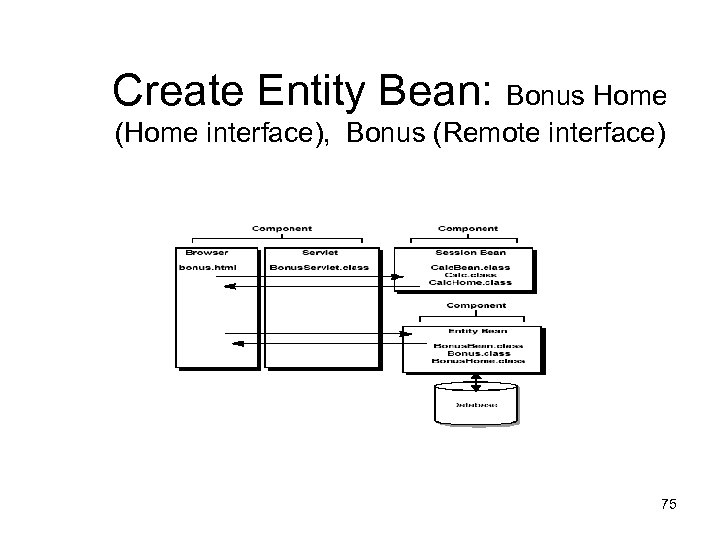 Create Entity Bean: Bonus Home (Home interface), Bonus (Remote interface) 75
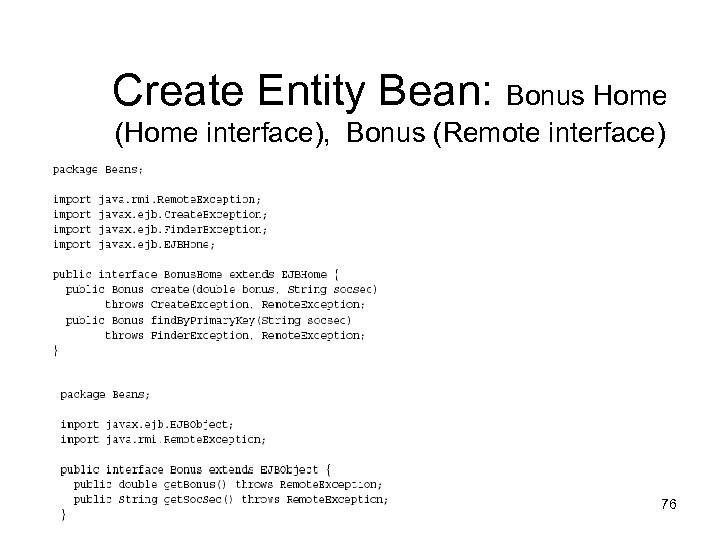 Create Entity Bean: Bonus Home (Home interface), Bonus (Remote interface) 76
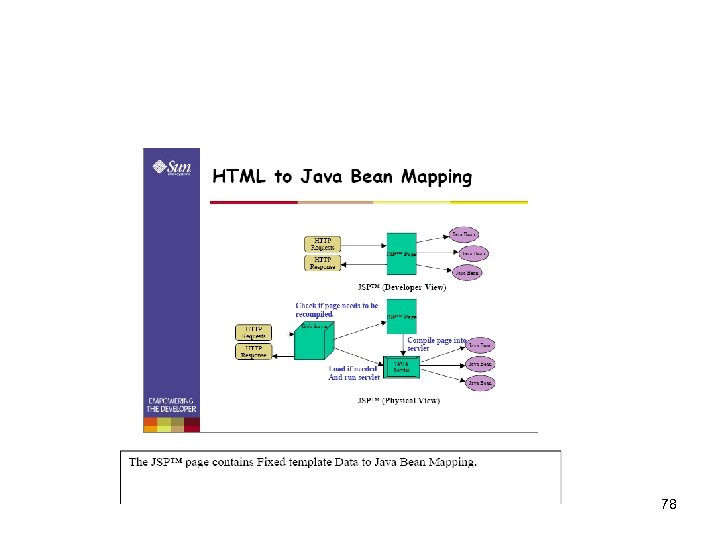
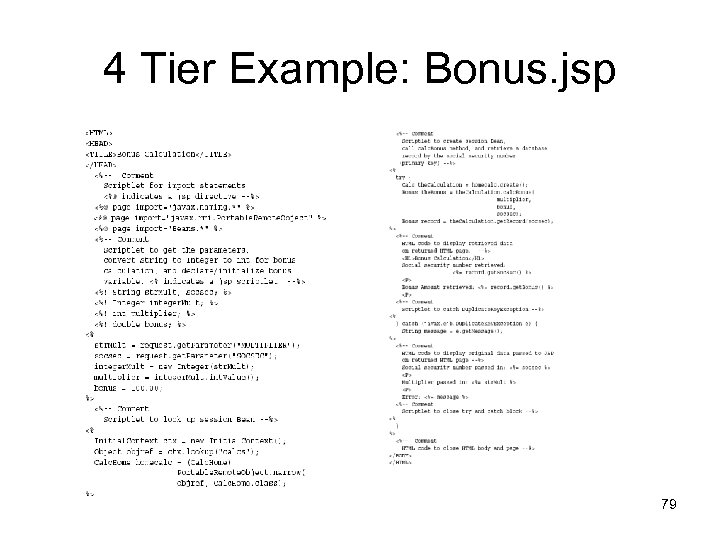
 4 Tier Example: using Java. Server Pages • 4 -tier – – Client JSP EJBs Database Java. Server Pages (JSP) technology lets you put segments of servlet code directly into a static HTML page. When the JSP Page is loaded by a browser, the servlet code executes and the application server creates, compiles, loads, and runs a background servlet to execute the servlet code segments and return an HTML page or print an XML report. 77
 78
78
 4 Tier Example: Bonus. jsp 79
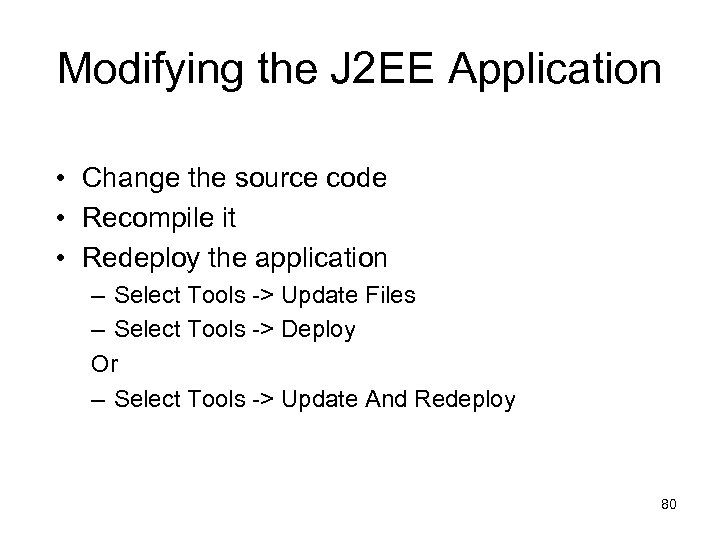 Modifying the J 2 EE Application • Change the source code • Recompile it • Redeploy the application – Select Tools -> Update Files – Select Tools -> Deploy Or – Select Tools -> Update And Redeploy 80
 Advantages & Disadvantages • Advantages • Disadvantages – Learning curve – Overhead of a layered architecture: no direct communication between layers that are apart, affecting performance – Moving target, i. e. upgraded versions 81
 Conclusion : Summary • Need for server-side/enterprise processing with enhanceability, reusability, and scalability • J 2 EE as a web-based, component-based multi-tiered client/server architecture • Designing, developing, assembling, and deploying java applications using a platform 82
 Conclusion: Research Issues (Evolving)Vision still to be realized • Non-functional characteristics (enhanceability, reusability, scalability, security, etc) • Integration with other technologies such as CGI-programming and CORBA • Fuller support for design patterns in software lifecycle 83
 Reference • http: //java. sun. com/j 2 ee • http: //www. utdallas. edu/~chung/SA/2 client. pdf • http: //sdmc. krdl. org. sg: 8080/~judice/J 2 EE. pdf • http: //www. sun. com/developers/evangcent ral/presentations/j 2 eeoverview. pdf • http: //www. sun. com/developers/evangcent ral/presentations/J 2 EE. pdf 84
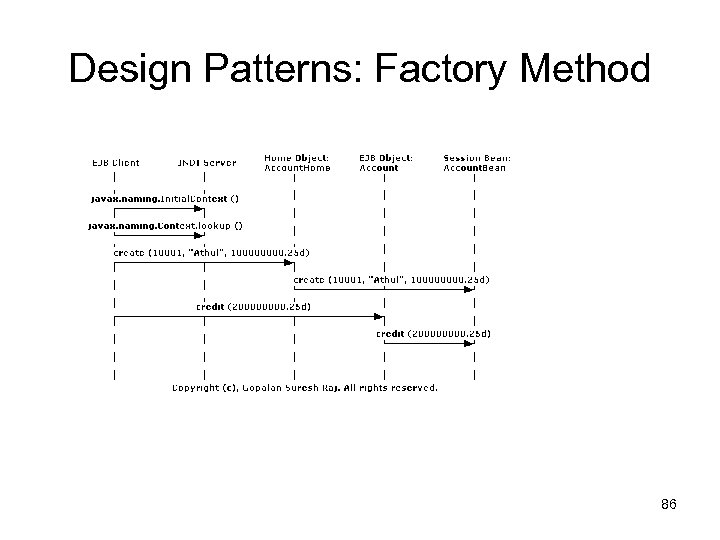
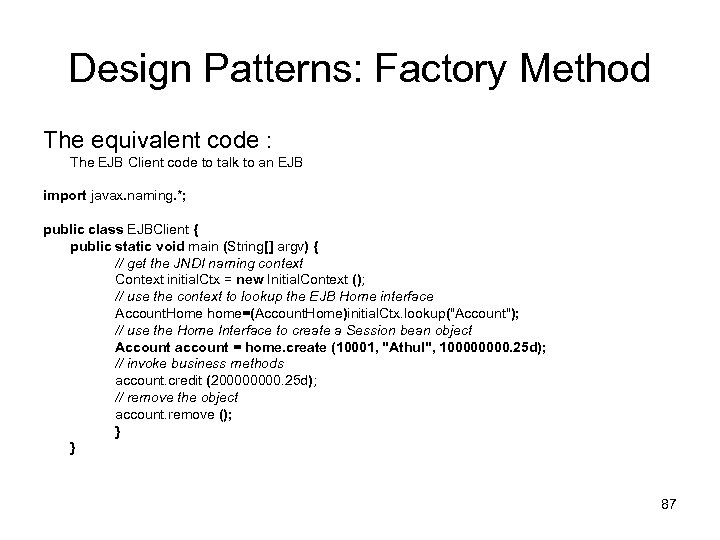
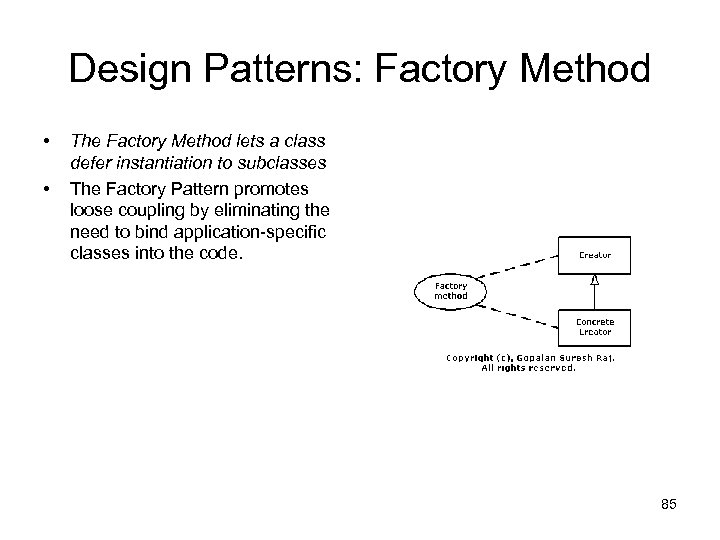 Design Patterns: Factory Method • • The Factory Method lets a class defer instantiation to subclasses The Factory Pattern promotes loose coupling by eliminating the need to bind application-specific classes into the code. 85
 Design Patterns: Factory Method 86
 Design Patterns: Factory Method The equivalent code : The EJB Client code to talk to an EJB import javax. naming. *; public class EJBClient { public static void main (String[] argv) { // get the JNDI naming context Context initial. Ctx = new Initial. Context (); // use the context to lookup the EJB Home interface Account. Home home=(Account. Home)initial. Ctx. lookup("Account"); // use the Home Interface to create a Session bean object Account account = home. create (10001, "Athul", 10000. 25 d); // invoke business methods account. credit (20000. 25 d); // remove the object account. remove (); } } 87
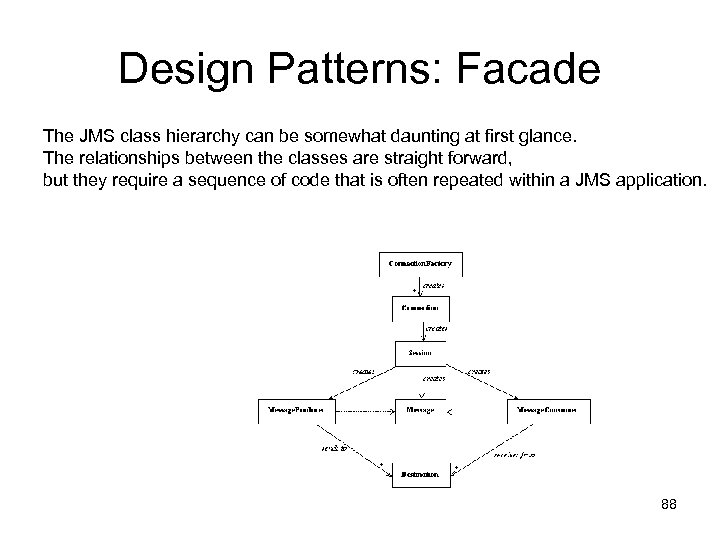 Design Patterns: Facade The JMS class hierarchy can be somewhat daunting at first glance. The relationships between the classes are straight forward, but they require a sequence of code that is often repeated within a JMS application. 88
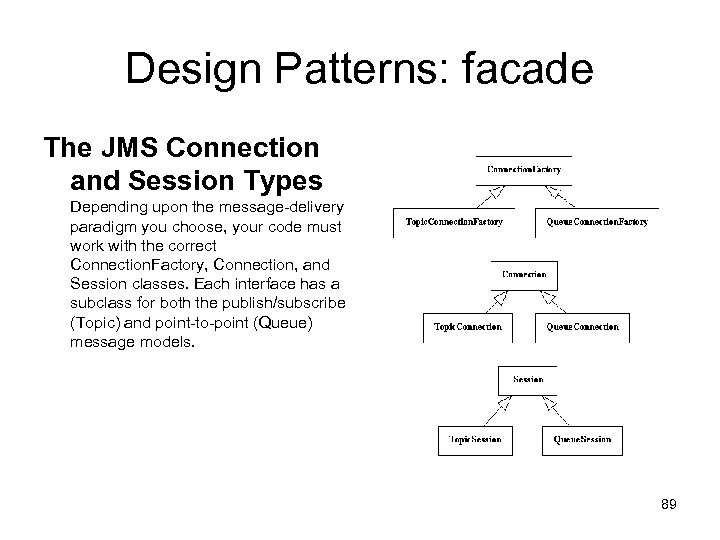 Design Patterns: facade The JMS Connection and Session Types Depending upon the message-delivery paradigm you choose, your code must work with the correct Connection. Factory, Connection, and Session classes. Each interface has a subclass for both the publish/subscribe (Topic) and point-to-point (Queue) message models. 89
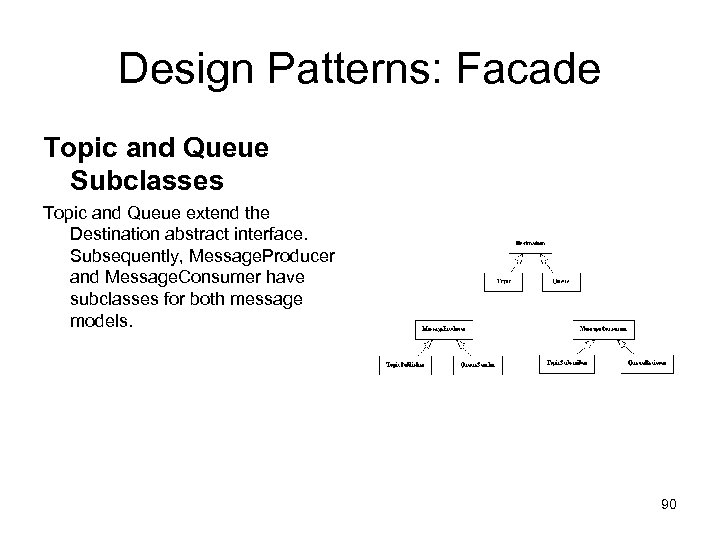 Design Patterns: Facade Topic and Queue Subclasses Topic and Queue extend the Destination abstract interface. Subsequently, Message. Producer and Message. Consumer have subclasses for both message models. 90
 Design Patterns: Facade • The com. JMSFacade Package This is an example of importing and creating the JMS Facade class, JMSManager: import com. JMSFacade; import javax. jms. *; public class my. Class { JMSManager jms. Mgr = new JMSManager(); . . . } 91
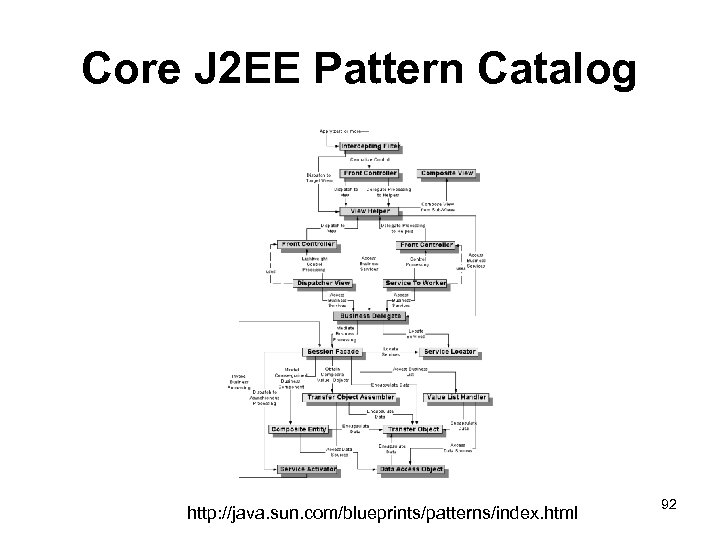 Core J 2 EE Pattern Catalog http: //java. sun. com/blueprints/patterns/index. html 92