


 Скачать презентацию ITI 310 SESSIONS 6 -7 -8 Active Directory
08ca5f5c9761e26beab44f1035ea795a.ppt
- Количество слайдов: 21
 (ITI 310) SESSIONS 6 -7 -8: Active Directory
 “ACTIVE DIRECTORY” Session 6: Introducing Active Directory Domain Services (AD DS) - Describe the role of a directory service and the physical and logical Active Directory structure. - Name Space, Catalogue, Global Unique Identifier (GUID), Replication. - Read-Only Domain Controller (RODC) - Installing Active Directory Domain Services. - How to manage user accounts, computer accounts. Session 7: Introducing Group Policies - The Computer Configuration Node. - The User Configuration Node. - How Group Policies Are Applied. - Group Policy Management and Monitoring.
 “ACTIVE DIRECTORY” Session 8: Configuring DNS for Active Directory - Describe the structure of Domain Name System. - Install and use the DNS Server role in Windows Server 2008. - Configure DNS zones. - Configure advanced DNS server settings. - Monitor and troubleshoot DNS.
 SESSION 6 “Introducing Active Directory Domain Services“ Session Objectives: - Describe the role of a directory service and the physical and logical Active Directory structure. - Name Space, Catalogue, Global Unique Identifier (GUID), Replication. - Read-Only Domain Controller (RODC) - Installing Active Directory Domain Services. - How to manage user accounts, computer accounts.
 “Active Directory - Definition” • Active Directory Domain Services (AD DS) stores information about users, computers and other devices on the network. • AD DS helps administrators securely manage these information and facilitate resource sharing and collaboration between users. • AD DS is also required for directory-enabled applications such as Microsoft Exchange Server and for other Windows Server technologies such as Group Policy. • From a technical point of view, a directory service (Data Store) is a distributed database that allows us to store information about network resources in order to facilitate their implementation and management.
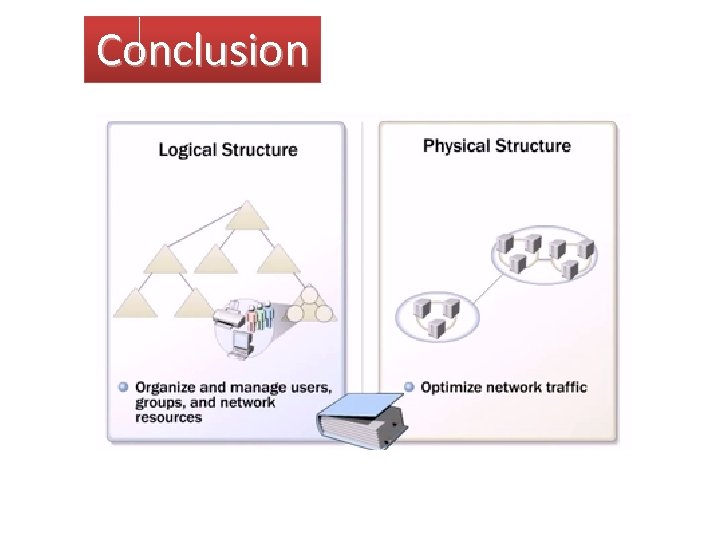
 “Active Directory – Logical Structure” There are five organizing components of Active Directory: ü Object/Leaf : user accounts, groups, computer accounts, printers, shared folders, applications, servers, and domain controllers. ü Organizational Unit (OU)/Container: An object containing other objects. ü Domain: A domain can consist of one or more organizational unit. A domain shares a single administrator group (Domain Administrators security group) and same set of objects. ü Trees: All domains hierarchically connected constitute a Tree of domains. The domain at the top of the hierarchy is called the Root and the domains below are Sub-Domains. ü Forests: A forest can consist of one or more trees or domains and those domains are connected through transitive trust. Using a geographical analogy: an OU represents a city, a domain is the state, a tree is the country, and a forest is the continent.
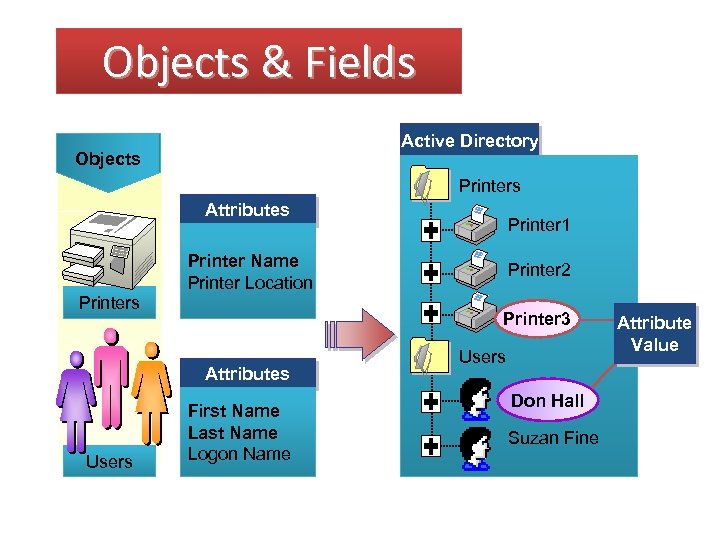 Objects & Fields Active Directory Objects Printers Attributes Printer Name Printer Location Printer 2 Printer 3 Attributes Users Printer 1 First Name Last Name Logon Name Users Don Hall Suzan Fine Attribute Value
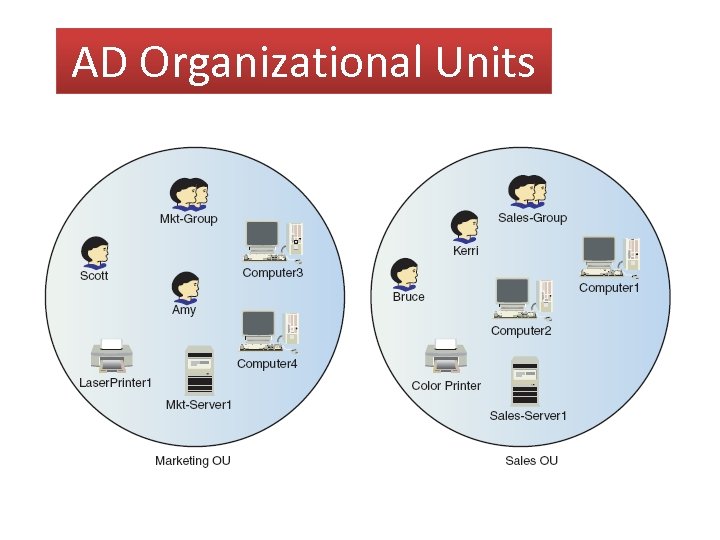 AD Organizational Units
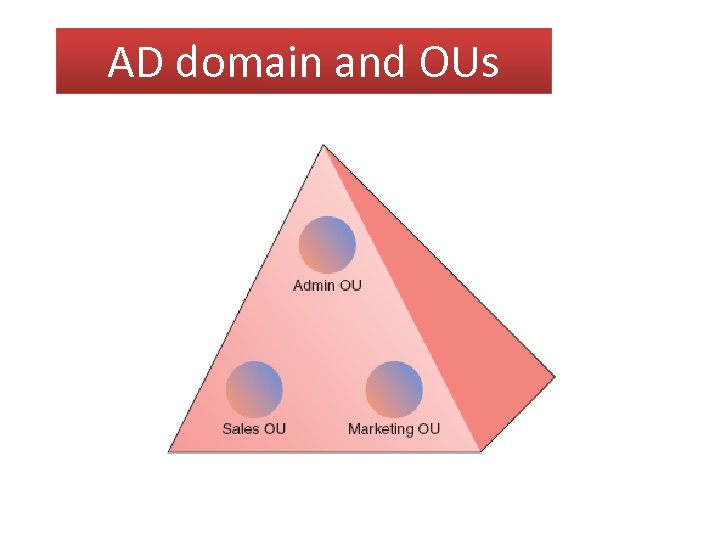 AD domain and OUs
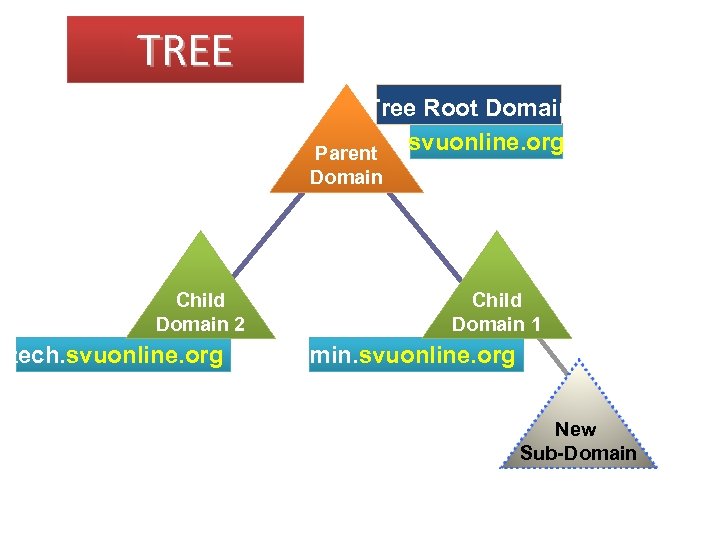 TREE Tree Root Domain svuonline. org Parent Domain Child Domain 2 tech. svuonline. org Child Domain 1 admin. svuonline. org New Sub-Domain
 “Active Directory – Physical Structure” Controllers and Sites are the only basic elements constituting the physical structure of a network configuration. Domain Controller (DC): a computer running Windows Server 2008 with the Active Directory Domain Services role installed. Site: each physical location with a domain controller operating in a common domain connected by a WAN constitutes a site. Link: Links are the transport mechanism for Active Directory replication between sites. Replication interval and costs can be configured on Site Links.
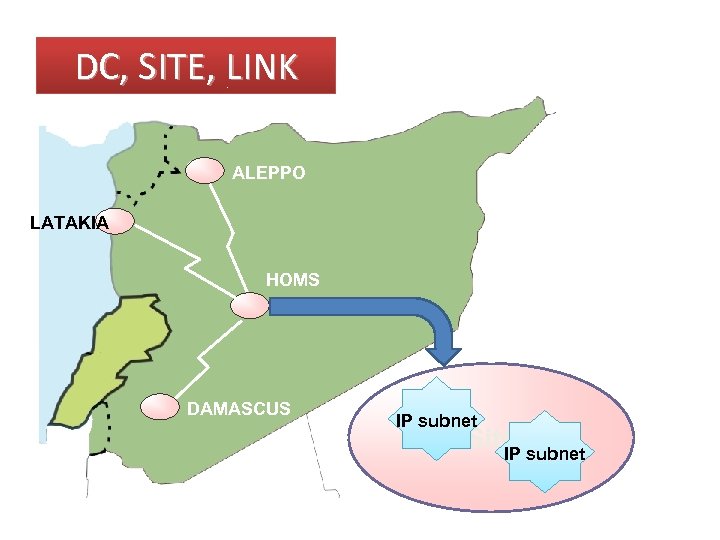 DC, SITE, LINK ALEPPO LATAKIA HOMS DAMASCUS IP subnet Site subnet IP
 “Domain Controller” Active Directory domain can consist of many domain controllers, each domain controller can service only one domain. Each domain controller contains a full replica of the objects that make up the domain and is responsible for the following functions: ü Storing a copy of the domain data and replicating changes to that data to all other domain controllers throughout the domain. ü Providing data search and retrieval functions for users attempting to locate objects in the directory. ü Providing authentication and authorization services for users who log on to the domain and attempt to access network resources. ü Kerberos is a network authentication protocol, uses a strong cryptography so a client can prove its identity to a server.
 Name Space, Catalogue, Global Unique Identifier (GUID) • Name Space: A namespace is an area designated by specific limits in which the logical name assigned to a computer can be solved. The primary function of the namespace is to organize the descriptions of resources in order to enable users to locate these resources from their characteristics or properties. • Catalogue: The global catalog contains a partial replica of every Windows 2008 domains in the directory: it is built automatically by the replication of Active Directory. • GUID: Each object of a network must be identified by a unique property: it is why Active Directory associates a globally unique identifier (GUID) to each object. • RODC: stores read-only copy of Active Directory database, except passwords.
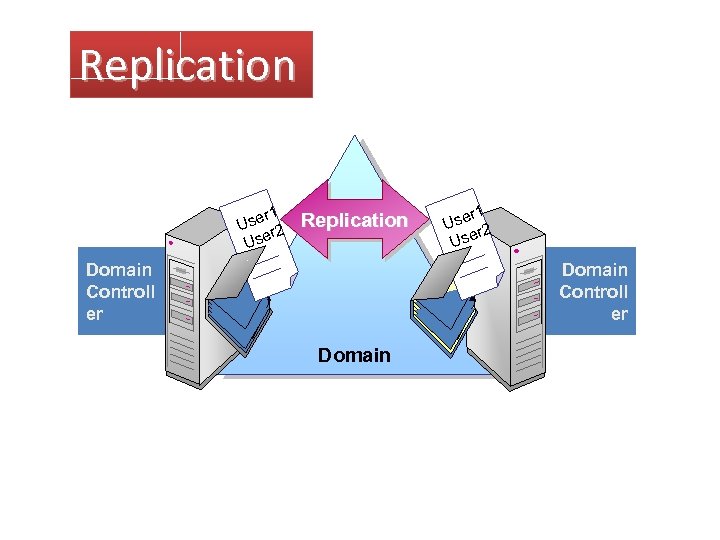 Replication r 1 Use r 2 Use Replication Domain Controll er r 1 Use r 2 Use Domain Controll er Domain
 Conclusion
 Practice 1: • Installing Active Directory Domain Services
 “What’s Inside Active Directory? ” Active Directory’s contents and the functions it performs in your network are defined by the schema, objects, and Group Policy Objects (GPOs, discussed later in this chapter in “Introducing Group Policy”). The Active Directory Schema: The schema defines the type, organization, and structure of data stored in the Active Directory database and is shared by all domains in an Active Directory forest. The information the schema defines is divided into two categories: schema classes and schema attributes.
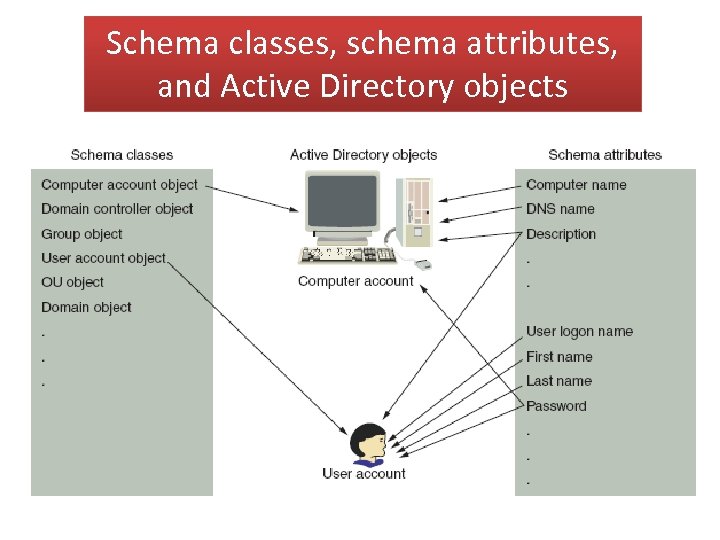 Schema classes, schema attributes, and Active Directory objects
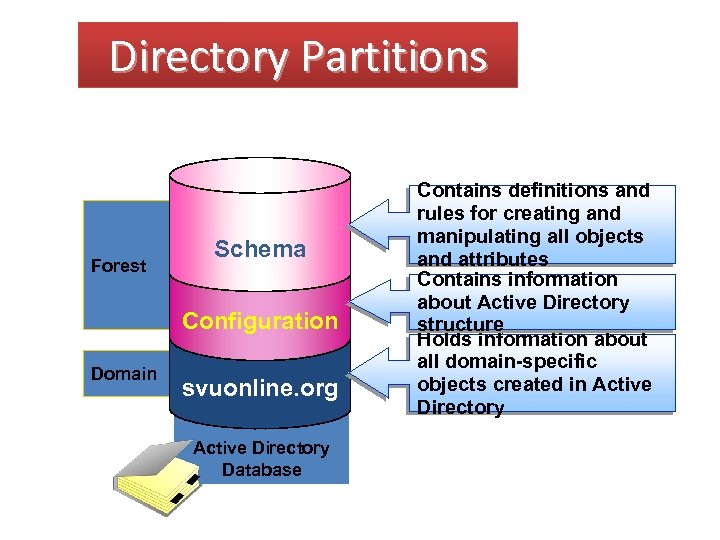 Directory Partitions Forest Schema Configuration Domain svuonline. org Active Directory Database Contains definitions and rules for creating and manipulating all objects and attributes Contains information about Active Directory structure Holds information about all domain-specific objects created in Active Directory
 Practice 2: • Locating Objects with Active Directory Users and Computers.