


 Скачать презентацию Issues to Consider When Starting a GIS Project
17884de39fd3fab74e40d786ffe26b8d.ppt
- Количество слайдов: 59
 Issues to Consider When Starting a GIS Project Andy Schmidt GIS Technician SM
 Issues To Consider In a GIS Project 1. 2. 3. 4. 5. 6. 7. Identify Your Objectives Technical Considerations Who Will Create the GIS? Designing a GIS Data Needs, Design and Capture Analyzing the Data and Presenting the Results Project Life Cycle SM
 Issue 1: Identify Your Objectives SM
 Issue 1: Identify Your Objectives What Is the Problem to Solve With a GIS? • How is it solved now? • How would we like it solved? • Are there alternate ways of solving by using a GIS? SM
 Issue 1: Identify Your Objectives What Is the Need for a GIS? • How can GIS technology be implemented effectively to streamline existing functions? • How can it change the way a particular goal is achieved? SM
 Issue 1: Identify Your Objectives What Are the Final Products of a GIS? • • • Presentation of quality maps and map books Working maps Internet maps Reports and charts A system that ties multiple facets into an easy to use application that allows all users to access the data they want and need from a central location SM
 Issue 1: Identify Your Objectives Who Is the Intended Audience? • • Decision Makers/Management Technicians Planners Engineers System Operators Customers Public SM
 Issue 1: Identify Your Objectives What Is the Primary Use of the Data? • • Facility Locating Customer Locating System Inventory Analysis of Your System SM
 Issue 1: Identify Your Objectives Will the Data Be Used for Other Purposes? • • • Modeling the System Phase Tracing Outage Management Staking Sheet Generation Driving Directions SM
 Issue 1: Identify Your Objectives What are the Requirements of These Other Purposes? • • Additional Software Quality Updated Data Good Data Management Customization SM
 Issue 1: Identify Your Objectives What Are the Goals of the Project? • Short (0 -2 years) • Getting essential data into the GIS • Fix holes in data • Fix incorrect data • Medium (1 -5 years) • Modeling • Adding additional data • Link to other software • Long (5+ years) SM • Advanced analysis of the system • Integration of GIS to many other systems
 Issue 1: Identify your Objectives Do You Plan to Start Small Then Expand? • Start with a circuit, substation or predefined area then expand from it • Convert whole systems starting with a specific device • What is the expansion schedule or timeline? • What are the most critical areas? SM
 Issue 2: Technical Issues SM
 Issue 2: Technical Issues What Computing Environment Are You Using? • Windows NT, 2000, XP • Unix Workstation • Mixed Environment SM
 Issue 2: Technical Issues What GIS Software Will You Be Using? • May depend on your computing environment • May depend on previous experience with a vendor SM
 Issue 2: Technical Issues Key Factors in Choosing a Vendor • Stability • Leadership in the Industry • Integration of Existing Legacy Systems • Partnerships or Long Term Alignments • Development • Flexibility • Open Architecture • Customizable – Out of the box software should do 75% of what you want it to do SM • Cost and Maintenance Agreements
 Issue 2: Technical Issues Key Factors in Cost • Hardware • Software • Upgrades • Software Maintenance Agreements • Conversion • Development • Ability to Drive Technology Change • Organizational Size and Position of Resources • Scope Change • Revisions SM
 Issue 2: Technical Issues Other Technical Issues • How many people are responsible for making changes to the data? • Single editor • Multiple editors at one location • Multiple editors accessing a server • Who will be accessing the data? • Single user • Multiple users at one location • Several users at different locations using the internet SM
 Issue 3: Who Will Create the GIS? SM
 Issue 3: Who Will Create the GIS? • In-House • Consultant • Combination of In-House employees and Consultants SM
 Issue 3: Who Will Create the GIS In-House • Set up a GIS Steering Team • Leaders and managers. • Experts in the areas you want to incorporate. • Dedicate the people to do the work • Implications • Will the employees only be dedicated to the GIS? • Do you have to hire new people to replace those working on the GIS? • Will dedicating the employees to GIS hinder the jobs of other employees? • Do they really want to work on the GIS? • Are there people trained to do GIS work? SM
 Issue 3: Who Will Create the GIS Consultant • Set up a GIS Steering Team • Dedicate a Contact Person • Key member of the GIS Team • Knowledge of all parts of the system • Available throughout the process • Passionate about the project SM
 Issue 3: Who Will Create the GIS Consultant • Choose the Consultant • Has extensive knowledge of GIS and the electric utility • Capable of doing what you want them to do • Visit with them to see what they have done • Ask others about the consultant - references SM
 Issue 3: Who Will Create the GIS Consultant • Set up Timeline of Deliverables • Area check copies • Initial conversion completion • Updates • System integration and takeover SM
 Issue 3: Who Will Create the GIS Combination of In-House Employees and Consultants • • Set up a GIS Steering Team Determine Who Does What Only Work on What Has Been Agreed Upon Agree on Timelines and Deliverables and Remember the Goals • Work Together Not Against Each Other • Correspond Frequently SM
 Issue 4: Designing a GIS SM
 Plan, Plan and Plan! SM
 Issue 4: Designing a GIS Objectives of Design • Results in a Well-Constructed Operational Database That: • • • Satisfies objectives and supports organizational requirements Contains all necessary data but no redundant data Organizes data so that different users can access the same data Accommodates different views of the data Distinguishes which applications maintain the data from which applications access the data • Appropriately represents, codes and organizes graphical features SM
 Issue 4: Designing a GIS Benefits From Good Design Although Time Consuming… • Increased flexibility of data retrieval and analysis • Increased likelihood of users developing applications • Decrease time in attributing data • Data that supports different users and uses • A system that readily accommodates future functionality • Minimized data redundancy SM
 Issue 4: Designing a GIS Design Guidelines • • • SM Involve users Educate users in what a GIS can do Take it one step at a time Build a team Be creative Create deliverables Keep goals and objectives in focus Do not add detail prematurely Document carefully Be flexible Plan from your model
 Issue 4: Designing a GIS Data Modeling • Model the Users View of Data • Identify organizational functions • Determine data needed to support functions • Organize data into local groups • Define Objects and Relationships • Identify and describe objects • Specify relationships between objects • Document model in diagram SM
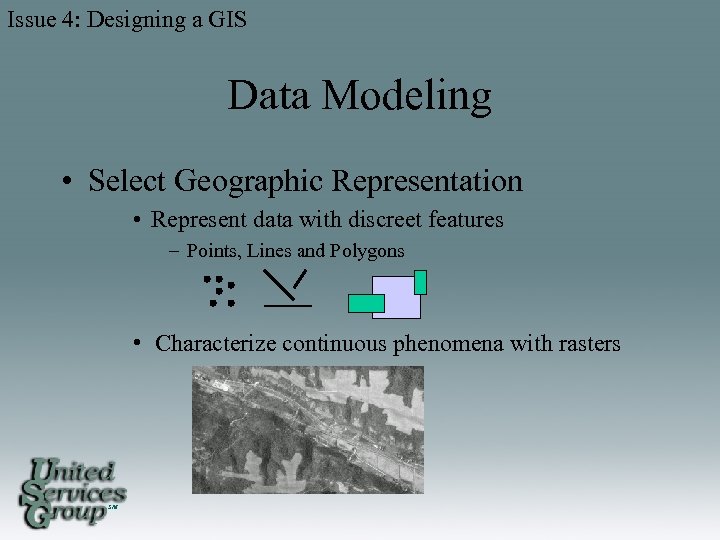 Issue 4: Designing a GIS Data Modeling • Select Geographic Representation • Represent data with discreet features – Points, Lines and Polygons • Characterize continuous phenomena with rasters SM
 Issue 4: Designing a GIS Data Modeling • Match Data to Spatial Elements • Determine geometry type of discrete features • Specify relationships between features • Implement attribute types for objects SM
 Issue 4: Designing a GIS Data Modeling • Organize Database Structure • • SM Organize system of features Define topological associations Assign coordinate systems Define relationships, rules and domains
 Issue 5: Data Design, Needs and Capture SM
 Issue 5: Data Design Needs and Capture Data Design • Identify the Spatial Data Needed • Land-base • Facility • Determine the Required Feature Layers • Roads, Municipals, Water features, Parcels • Conductor, Transformer, Consumer, Poles SM
 Issue 5: Data Design Needs and Capture Data Design • How Current Must the Data Be? • For planning, the most current data may be required • For general mapping, data may be a few years old • What Data Do I Have? • • Digital Paper records Is it in a usable format? Can it be converted? SM
 Issue 5: Data Design Needs and Capture Data Acquiring • Where can I Get Missing Data From? • Government entities (DOT, DNR, LMIC, County, and Municipal) • Other utilities • Other consultants • GPS • Aerial photos • DRG's (digital raster graphics) SM
 Issue 5: Data Design Needs and Capture Data Acquiring • How Much Are We Willing to Pay for Data? • Most entities charge for data • Most entities request data sharing agreements • When Do You Need the Data? • “Off-the-shelf" data sets can be acquired in one to two business days • Custom sets may take weeks to prepare SM
 Issue 5: Data Design Needs and Capture Data Acquiring • Will You Need Periodic Data Updates and How Frequently? • Complete replacements • Transactional updates (changes only) • It is best to negotiate a maintenance schedule with the initial data license SM
 Issue 5: Data Design Needs and Capture Data Specifics • Determine the Level of Detail Needed • More detail or a large scale like 1: 24, 000 • Less detail or small scale like 1: 1, 000 • Select the Map Area Boundary • Company service area • County/Township/Municipal region • Buffered region incase of expansion • Determine The Level of Geography You Want To Examine SM • • • Service area Township Section Quarter section Miscellaneous detail areas
 Issue 5: Data Design Needs and Capture Choose the Coordinate System and Units • Coordinate Systems • • UTM State plain County coordinates Custom • Units • Meters • Feet • Decimal degrees SM
 Issue 5: Data Design Needs and Capture Continued Choosing the Attributes • Choose the Attributes Each Feature Needs. • • Identifiers of Cooperative or Company Identifiers of substation Identifiers of circuit Identifiers of device (Must have a UNIQUE ID such as Device # or Account #) • Very Important. Make sure there is a nonduplicate unique ID for every device in order to tie to other software or data SM
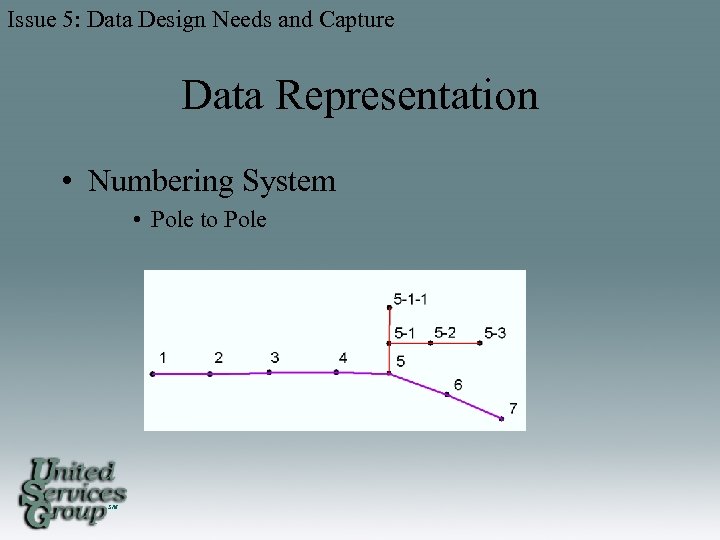 Issue 5: Data Design Needs and Capture Data Representation • Numbering System • Pole to Pole SM
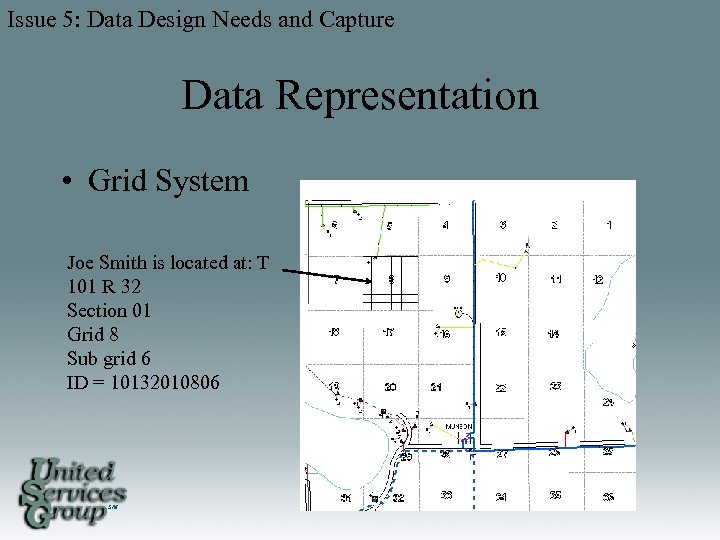 Issue 5: Data Design Needs and Capture Data Representation • Grid System Joe Smith is located at: T 101 R 32 Section 01 Grid 8 Sub grid 6 ID = 10132010806 SM
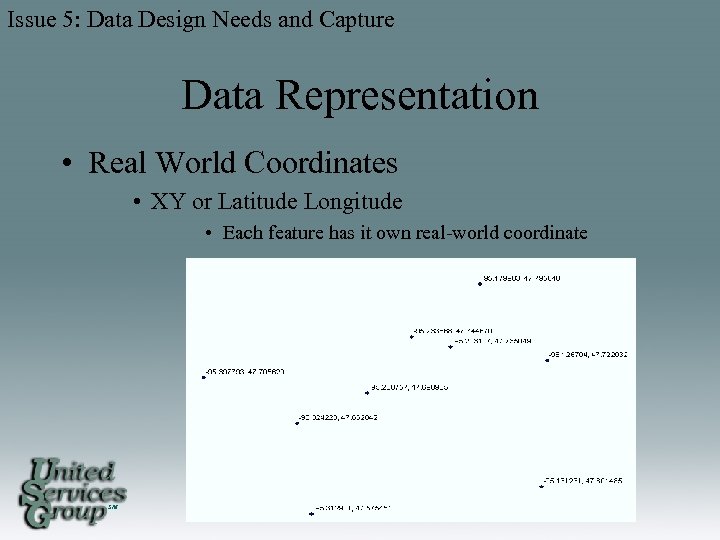 Issue 5: Data Design Needs and Capture Data Representation • Real World Coordinates • XY or Latitude Longitude • Each feature has it own real-world coordinate SM
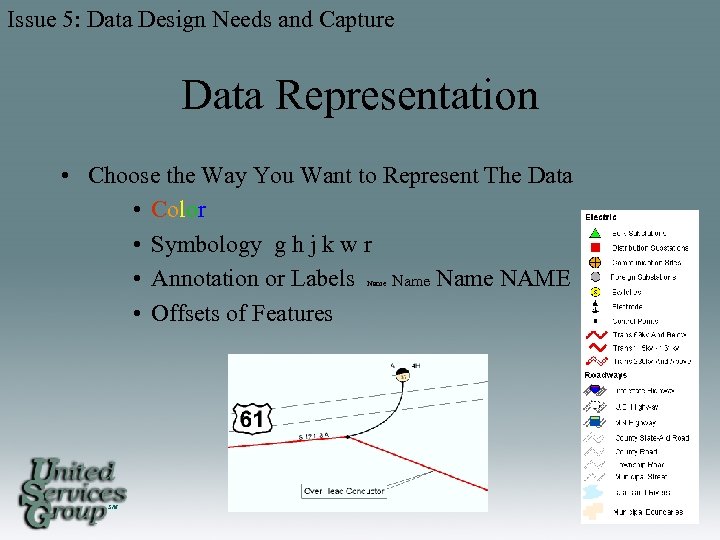 Issue 5: Data Design Needs and Capture Data Representation • Choose the Way You Want to Represent The Data • Color • Symbology g h j k w r • Annotation or Labels Name NAME • Offsets of Features Name SM
 Issue 5: Data Design Needs and Capture Automation of Data • Converting existing data from other systems and formats into the same format • Digitizing data from paper • Adding GPS data • Data entry of attributes • Creating topology and connectivity SM
 Issue 5: Data Design Needs and Capture Automation of Data • Putting additional spatial data into real world coordinates • Join adjacent data sets • Updating data sets • Verifying data with GPS • Perform QA/QC • Correct locations • Correct attributes • Connectivity SM
 Issue 5: Data Design Needs and Capture Conversion Issues • Keep project goals in mind • Do not additional requirements until initial requirements are met • What you put in is what you get out of a GIS • Stick with one software or vendor until conversion is completed SM
 Issue 6: Analyzing the Data and Presenting the Results SM
 Issue 6: Analyzing the Data and Present the Results Analyzing Data • Referred to as Spatial Modeling • A Model is a Representation of Reality To: • Simulate a process • Predict an outcome • Analyze a problem • Models in a GIS • • SM Connectivity Tracing up stream and down Proximity calculations Common ancestor finding
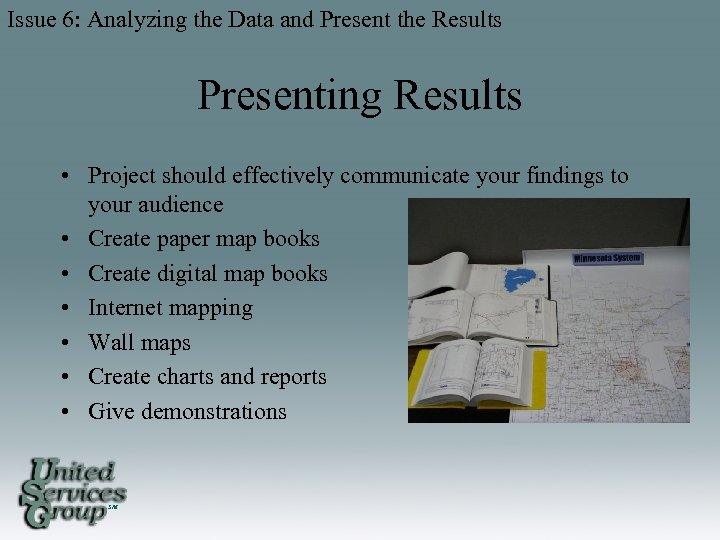 Issue 6: Analyzing the Data and Present the Results Presenting Results • Project should effectively communicate your findings to your audience • Create paper map books • Create digital map books • Internet mapping • Wall maps • Create charts and reports • Give demonstrations SM
 Issue 6: Analyzing the Data and Present the Results Training Users • • • In-House Software Vendors Consultants Conferences Internet Classes Local Colleges and Vocational Schools SM
 Issue 7: Project Life Cycle Issues SM
 Issue 7: Project Life Cycle Issues Problems That Might Cause a GIS to Fail • GIS perceived as only a automated mapping tool to replace manual mapping • People do not want to change • Inadequate quality control • Cannot access system or data • Poor project implementation • Unrealistic expectations • Poor training • Failure to plan on how to maintain the GIS data and operations • Project cost overrun • Scope change, adding premature detail SM
 Conclusions • When Starting a GIS • Identify your objectives for the project • Examine software, hardware and vendors • Determine who will create the GIS • Determine the design • Determine data needs & how to acquire • Train users • Stay focused on the goals SM
 These steps and Planning as a Team to meet the Goals will help insure a GIS that will be Useful to all users as well as Cost Effective to the company. SM
 Questions? SM