


 Скачать презентацию IS 3320 Developing and Using Management Information Systems
89e8141308462448b7b0afeefbef10fc.ppt
- Количество слайдов: 27
 IS 3320 Developing and Using Management Information Systems Lecture 14: Data-Flow Diagrams 1 (Context -Level diagrams) Rob Gleasure R. Gleasure@ucc. ie www. robgleasure. com
 IS 3320 n Today’s lecture q What are DFDs? q Exercise
 What are DFDs? n DFD stands for Data Flow Diagram n A DFD is a representation of a system that captures all of its important component pieces, as well as the interfaces between these components n DFDs focus on the movement of data between components
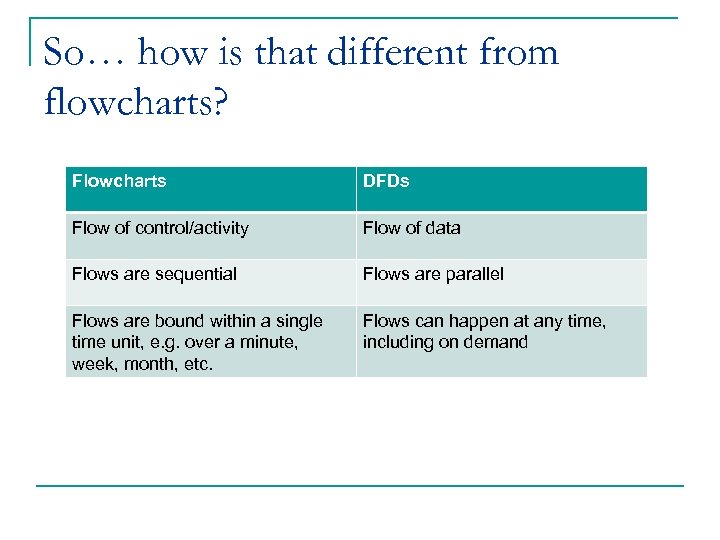 So… how is that different from flowcharts? Flowcharts DFDs Flow of control/activity Flow of data Flows are sequential Flows are parallel Flows are bound within a single time unit, e. g. over a minute, week, month, etc. Flows can happen at any time, including on demand
 Why use DFDs? n Use cases q Allows us to identify the key actors and uses of a system n Flowcharts q Allows us to break down uses into sequential algorithmic processes, including how these processes are effected by decisions and conditions n DFDs Used during q Allows us to model the data and system resources available, as analysis and well as how these are required by different actors during different design! processes
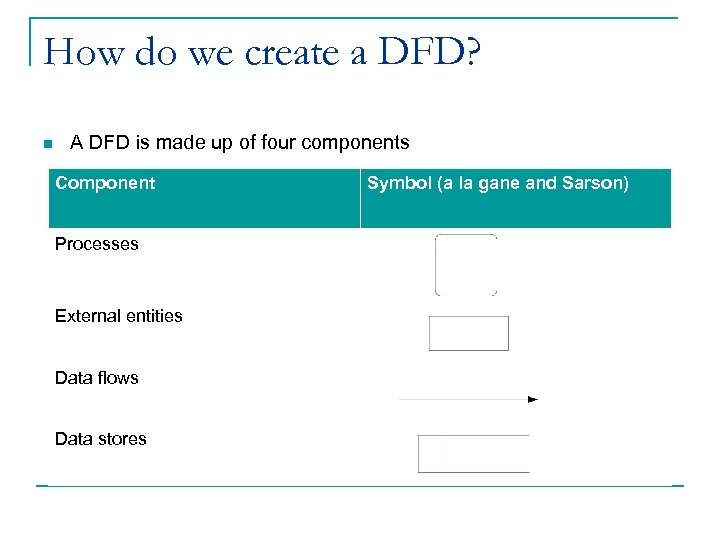 How do we create a DFD? n A DFD is made up of four components Component Processes External entities Data flows Data stores Symbol (a la gane and Sarson)
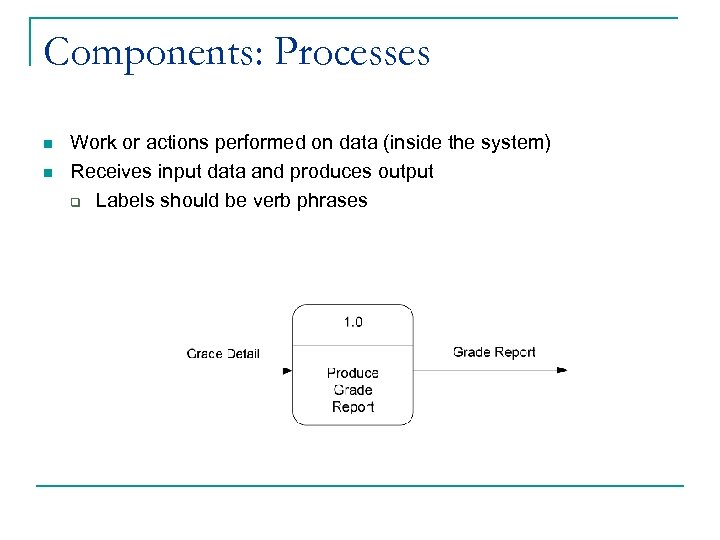 Components: Processes n n Work or actions performed on data (inside the system) Receives input data and produces output q Labels should be verb phrases
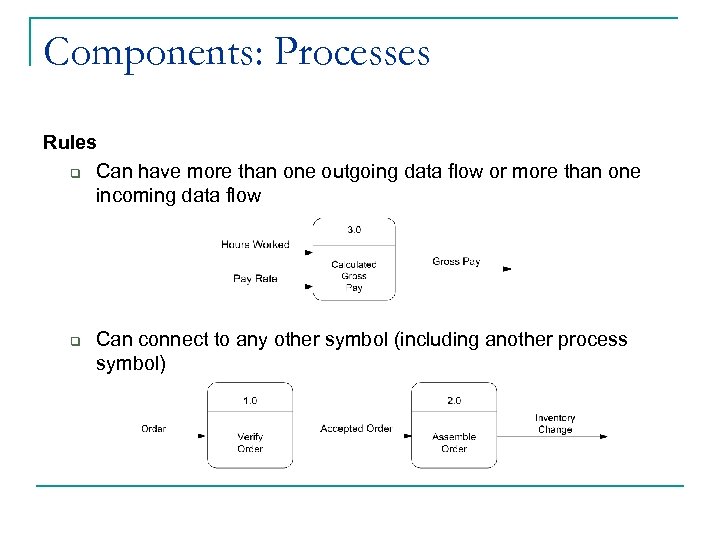 Components: Processes Rules q Can have more than one outgoing data flow or more than one incoming data flow q Can connect to any other symbol (including another process symbol)
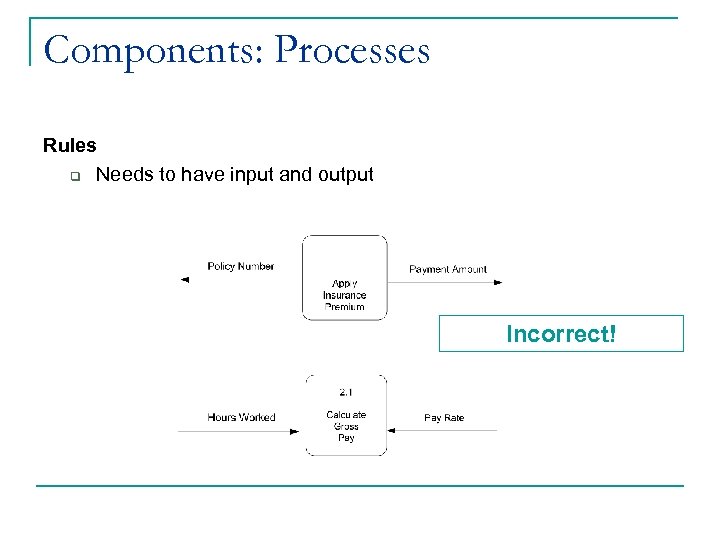 Components: Processes Rules q Needs to have input and output Incorrect!
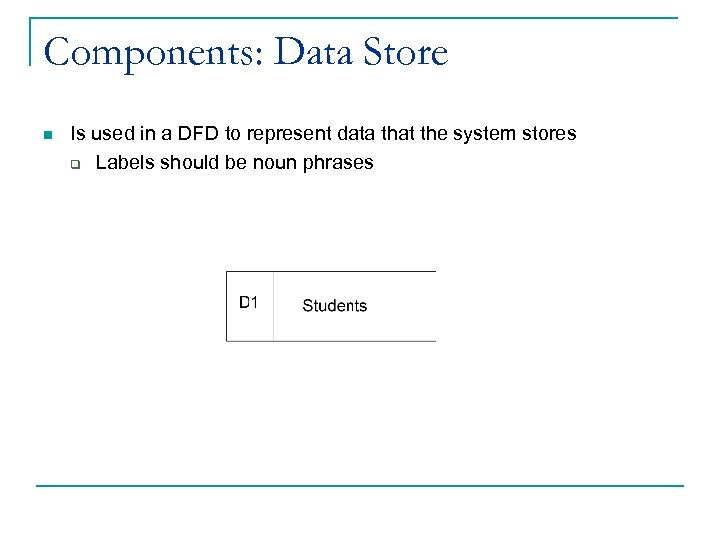 Components: Data Store n Is used in a DFD to represent data that the system stores q Labels should be noun phrases
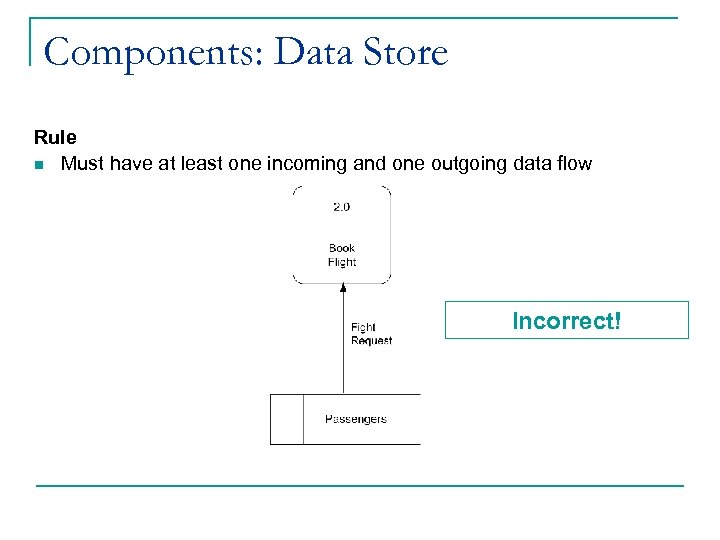 Components: Data Store Rule n Must have at least one incoming and one outgoing data flow Incorrect!
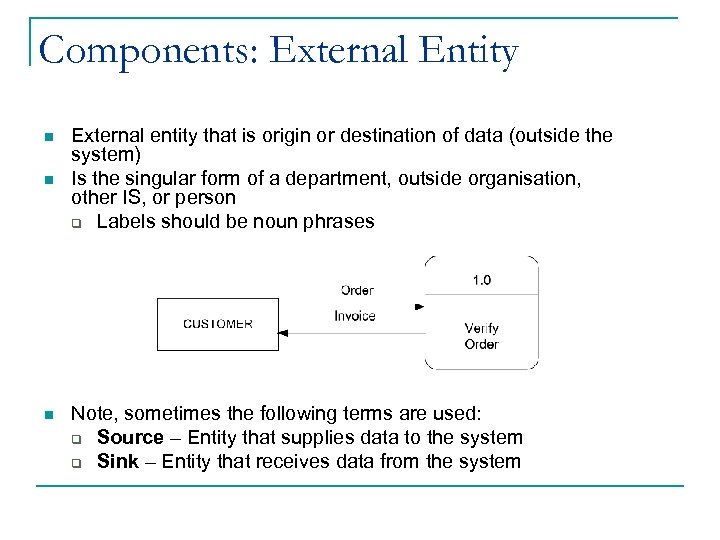 Components: External Entity n n n External entity that is origin or destination of data (outside the system) Is the singular form of a department, outside organisation, other IS, or person q Labels should be noun phrases Note, sometimes the following terms are used: q Source – Entity that supplies data to the system q Sink – Entity that receives data from the system
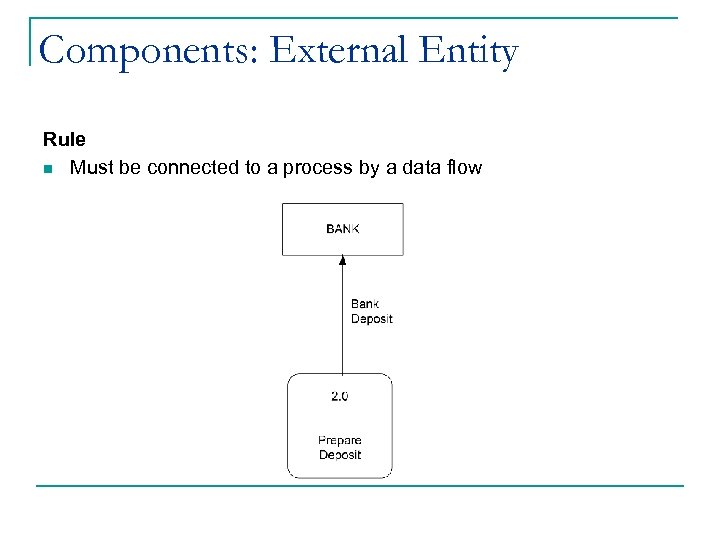 Components: External Entity Rule n Must be connected to a process by a data flow
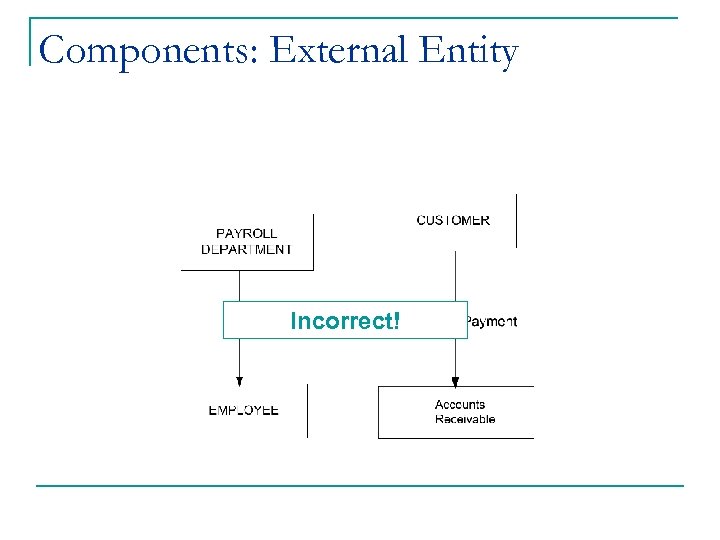 Components: External Entity Incorrect!
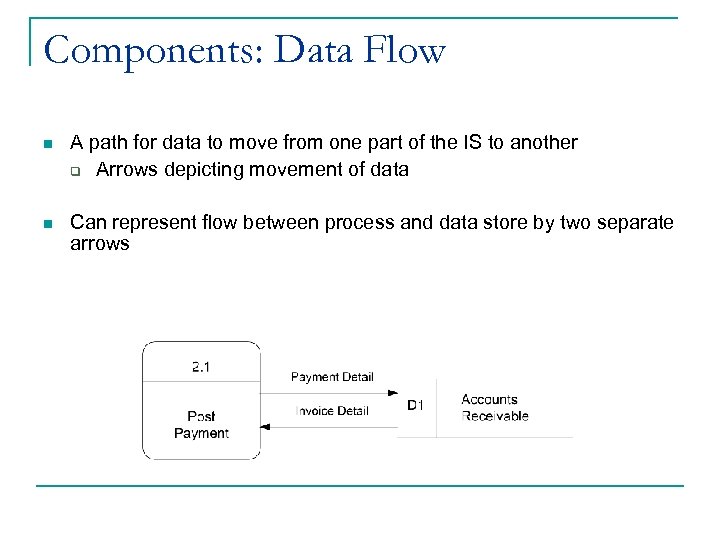 Components: Data Flow n A path for data to move from one part of the IS to another q Arrows depicting movement of data n Can represent flow between process and data store by two separate arrows
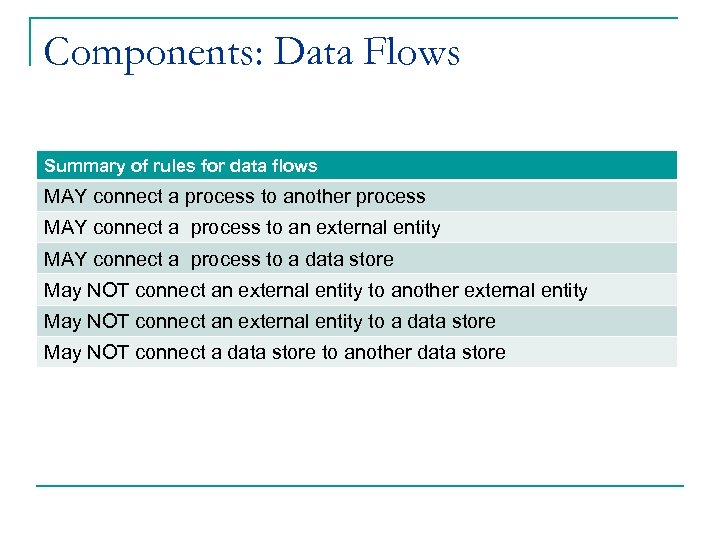 Components: Data Flows Summary of rules for data flows MAY connect a process to another process MAY connect a process to an external entity MAY connect a process to a data store May NOT connect an external entity to another external entity May NOT connect an external entity to a data store May NOT connect a data store to another data store
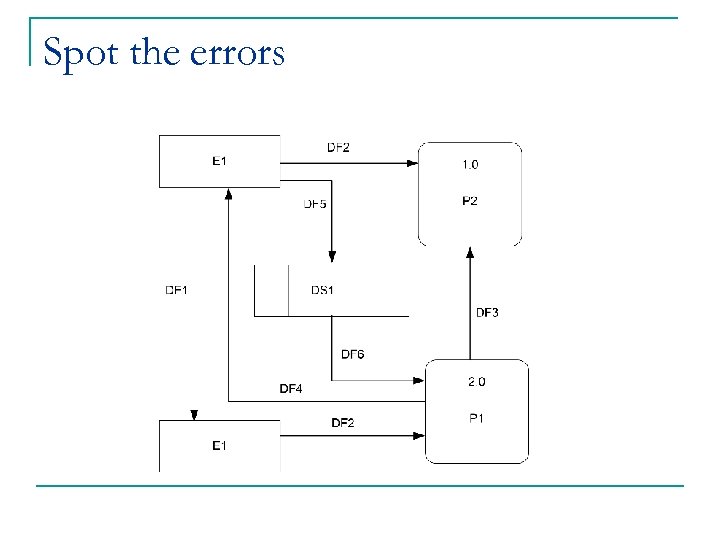 Spot the errors
 Levels of DFDs n DFDs are constructed separately across several layers, each of which serves a slightly different function q Context-level n Shows system boundaries, the data flows between external entities and the system q Level-1 n Shows system’s major processes, data flows, and data stores at a high level of abstraction (not detailed) q Level-2, Level-3, …, Level n n Iteratively break down a system description down into finer and finer detail n New DFDs must be balanced at each stage to ensure they are complete and correct
 Steps in Constructing Context Level DFD 1. Read the narrative/collection of narratives describing the system 2. Create your main system process 3. Identify the external entities from the text (usually these will be among the nouns in the narrative) 4. Identify and name the data flows to and from these external entities to your main system process
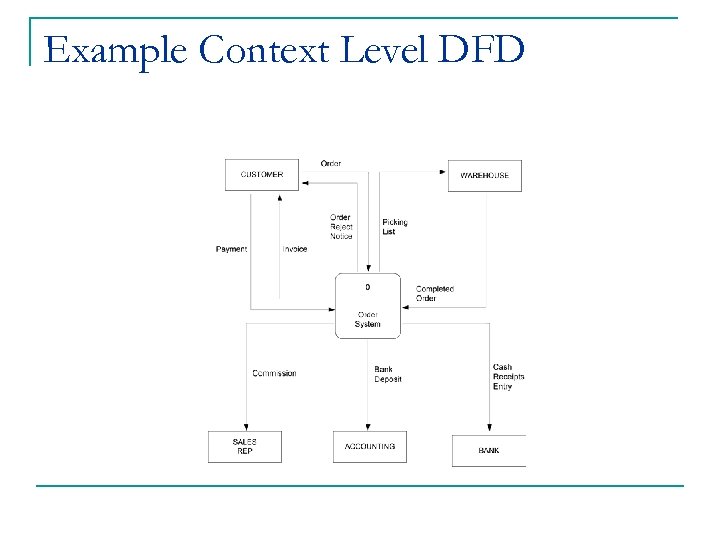 Example Context Level DFD
 Exercise n Consider an ATM interface system q Users enter their account details and password q Users view balance q Users retrieve cash q ATM checks account details and balance against bank system q ATM updates the bank database when cash is distributed q ATM checks quantity of each bank note available from cashbox q ATM retrieves bank notes from cashbox q ATM updates quantity of each bank note available from cashbox
 Shazam n Started off at the turn of the millennium as a hotline number that mobile phone holders could call when music was playing q The call would last 30 seconds, after which time it would automatically disconnect and text callers the name of the song n As smartphones grew in popularity, this functionality moved to app format, launching on both i. OS and Android in 2008 q The i. OS version provided links to purchase the track on i. Tunes, the Android version linked to Amazon’s MP 3 Store n In January 2011, Shazam partnered with Spotify so that Spotify users could listen to tracks directly through that channel
 Shazam n In 2009, several new features were added to increase the social nature of the app q Each time a song was ‘tagged’, the GPS coordinates were also logged q Tags could be sent to other users q Twitter alerts were integrated n In early 2011, Shazam was the 4 th most commonly downloaded app on the i. Store n In 2013, Techland voted it one of the 50 best Android apps
 How Shazam Works n n The sounds is recorded for 10 seconds and a spectogram is generated and sent from the user’s device to the central Shazam system This is compared against records of songs on a dedicated Shazam server If the song is not recognised, a message is sent to the user’s device informing them that no match was found If the song is recognised, the name and details of that song are sent to the user’s device q A user may then browse lyrics or reviews of the album on the central Shazam system q They may also send a request via the central Shazam system to the Amazon MP 3 Store or i. Tunes to buy the track or the ringtone q They may send a request via the central Shazam system to watch the music video on You. Tube q They may send a request via the central Shazam system to share the track on Facebook or Twitter
 How Shazam Works n App review q https: //www. youtube. com/watch? v=q. PZ 0 CEXITJY
 Exercise n In groups of 2 -3… q Draw a context-level DFD for Shazam
 Want to read more? n n Sullivan, L. H. (2006). +Just Enough Structured Analysis, Chapter 9: Dataflow Diagrams q http: //static. squarespace. com/static/50 c 9 c 50 fe 4 b 0 a 97682 fac 903/ t/512878 e 6 e 4 b 02 e 5615 b 4 c 5 ed/1361606886338/Yourdon%20 DF D. pdf Data Flow Diagrams: An Agile introduction q http: //www. agilemodeling. com/artifacts/data. Flow. Diagram. htm