


 Скачать презентацию IPv 6 Deployment at clara net LINX IPv
9570964c74c83b37833fd53d6597a70d.ppt
- Количество слайдов: 58
 IPv 6 Deployment at clara. net LINX IPv 6 Workshop Sessions March 2009 David Freedman Group Network Manager – clara. net Originally: UKNOF 8 – September 2007 clara. net
 Why IPv 6? For us, back in 2002, a number of things were happening… • • Globally, concerns about IPv 4 exhaustion propagating (usual FUD) Globally, IPv 6 deployment was happening around us Customers were asking “what are you doing about this? ” Engineers were asking “what are we doing about this? ” UK 6 X (BT Exact IPv 6 IX) just formed (2001) **insert usual stuff about emerging mobile applications here** “One day your fridge will want to talk to your mp 3 player” and other silly things • More importantly , we already had a customer offering a v 6 service… clara. net
 IPNG • IPNG were a small organisation dedicated to providing IPv 6 connectivity to end-users via tunnels. • They had membership of the UK 6 X and an /48 allocation from UK 6 X space. • They also had a connection to 6 bone and some 6 bone space. • End users would be allocated a /64 for connectivity • System was fully automated for end user provisioning and change requests. • At its peak it had 4000 users sustaining 2 Mbit/Second of traffic. clara. net
 Getting Clara. NET on the Native IPv 6 Internet - So where to start? • Well, firstly one should obtain an IPv 6 allocation from one’s RIR. • In 2002, RIPE NCC had the following requirements for obtaining an IPv 6 allocation: To qualify for an initial allocation of IPv 6 address space, an organisation must: a) be an LIR; b) not be an end site; c) plan to provide IPv 6 connectivity to organisations to which it will assign /48 s, by advertising that connectivity through its single aggregated address allocation; and d) have a plan for making at least 200 /48 assignments to other organisations within two years. clara. net
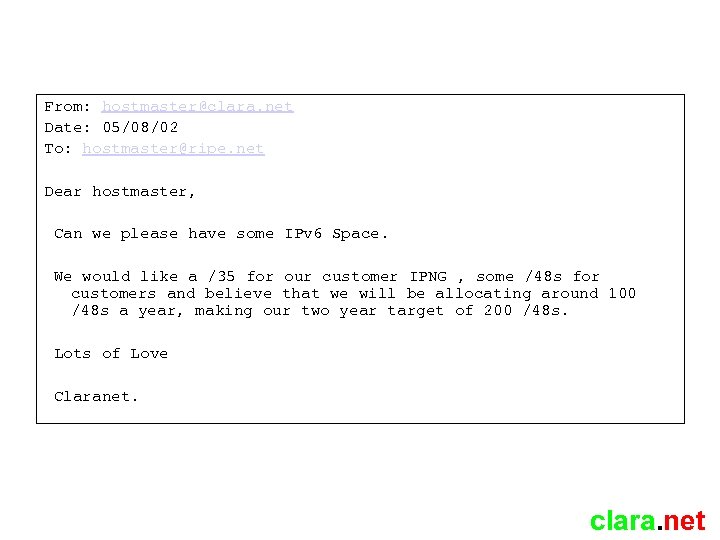 From: hostmaster@clara. net Date: 05/08/02 To: hostmaster@ripe. net Dear hostmaster, Can we please have some IPv 6 Space. We would like a /35 for our customer IPNG , some /48 s for customers and believe that we will be allocating around 100 /48 s a year, making our two year target of 200 /48 s. Lots of Love Claranet. clara. net
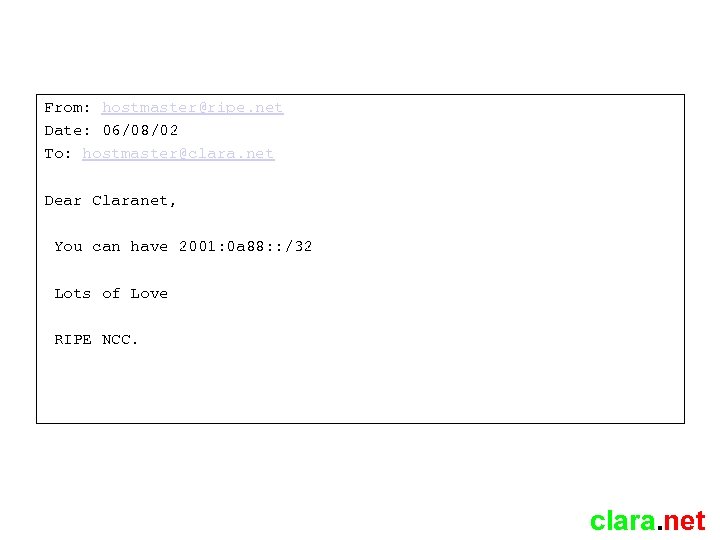 From: hostmaster@ripe. net Date: 06/08/02 To: hostmaster@clara. net Dear Claranet, You can have 2001: 0 a 88: : /32 Lots of Love RIPE NCC. clara. net
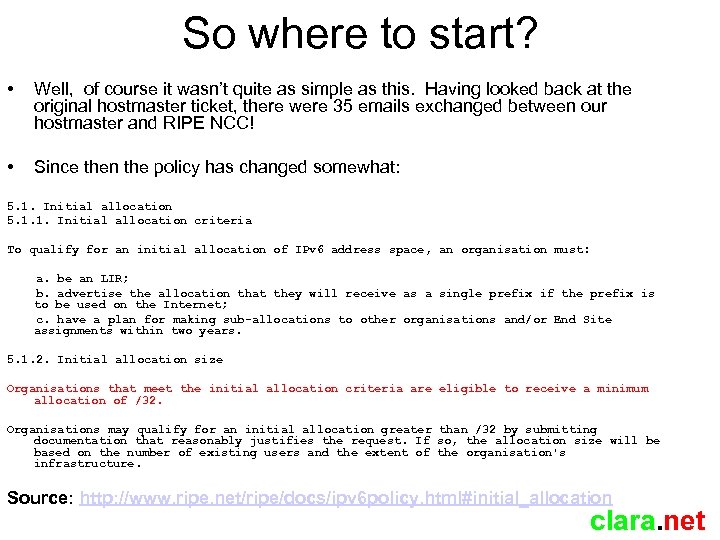 So where to start? • Well, of course it wasn’t quite as simple as this. Having looked back at the original hostmaster ticket, there were 35 emails exchanged between our hostmaster and RIPE NCC! • Since then the policy has changed somewhat: 5. 1. Initial allocation 5. 1. 1. Initial allocation criteria To qualify for an initial allocation of IPv 6 address space, an organisation must: a. be an LIR; b. advertise the allocation that they will receive as a single prefix if the prefix is to be used on the Internet; c. have a plan for making sub-allocations to other organisations and/or End Site assignments within two years. 5. 1. 2. Initial allocation size Organisations that meet the initial allocation criteria are eligible to receive a minimum allocation of /32. Organisations may qualify for an initial allocation greater than /32 by submitting documentation that reasonably justifies the request. If so, the allocation size will be based on the number of existing users and the extent of the organisation's infrastructure. Source: http: //www. ripe. net/ripe/docs/ipv 6 policy. html#initial_allocation clara. net
 So what next? Well, the /32 needed to be added to our IP provisioning and management systems. We hadn’t at this point thought of the development work involved in changing the code for this such to support IPv 6 addressing and subnetting so it lived in a text file for a while clara. net
 Carving it up • A /32 gave us 8 /35 s • We chose the first /35 to be our own • We allocated the next to IPNG as promised • From our first /35, we designated the first /48 as infrastructure • The following /48 s would be allocated to customers. clara. net
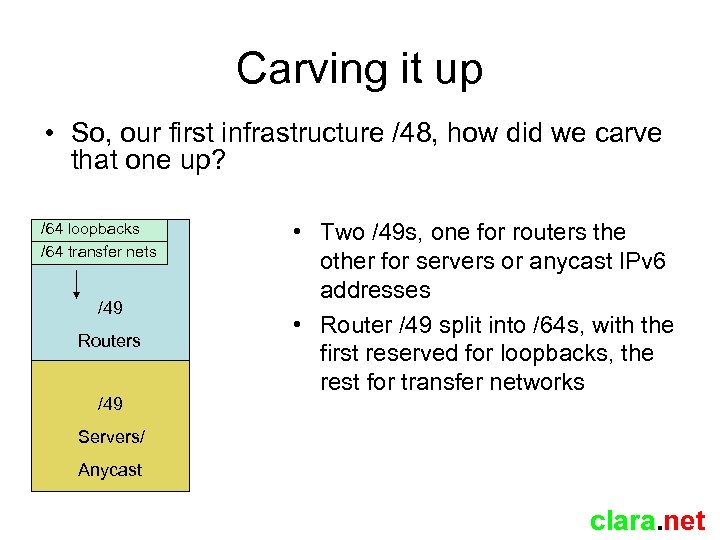 Carving it up • So, our first infrastructure /48, how did we carve that one up? /64 loopbacks /64 transfer nets /49 Routers /49 • Two /49 s, one for routers the other for servers or anycast IPv 6 addresses • Router /49 split into /64 s, with the first reserved for loopbacks, the rest for transfer networks Servers/ Anycast clara. net
 Carving it up • Why /64 router transfer networks? • Well, /64 is minimum for stateless autoconfiguration • Why would you want autoconfiguration between routers? • We opted for /126 size subnets for point-to-point transfer networks and /64 s for shared LAN segments (ex IPv 4 broadcast domains) • But what should I use? clara. net
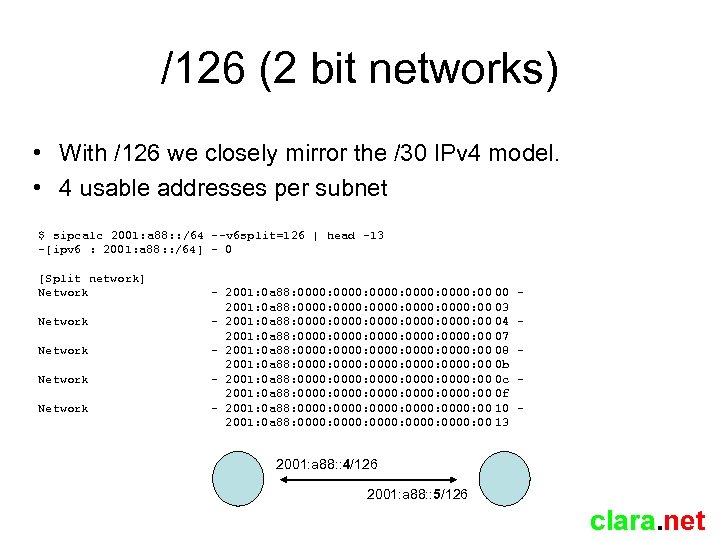 /126 (2 bit networks) • With /126 we closely mirror the /30 IPv 4 model. • 4 usable addresses per subnet $ sipcalc 2001: a 88: : /64 --v 6 split=126 | head -13 -[ipv 6 : 2001: a 88: : /64] - 0 [Split network] Network Network - 2001: 0 a 88: 0000: 0000: 00 00 2001: 0 a 88: 0000: 0000: 00 03 - 2001: 0 a 88: 0000: 0000: 00 04 2001: 0 a 88: 0000: 0000: 00 07 - 2001: 0 a 88: 0000: 0000: 00 08 2001: 0 a 88: 0000: 0000: 00 0 b - 2001: 0 a 88: 0000: 0000: 00 0 c 2001: 0 a 88: 0000: 0000: 00 0 f - 2001: 0 a 88: 0000: 0000: 00 10 2001: 0 a 88: 0000: 0000: 00 13 - 2001: a 88: : 4/126 2001: a 88: : 5/126 clara. net
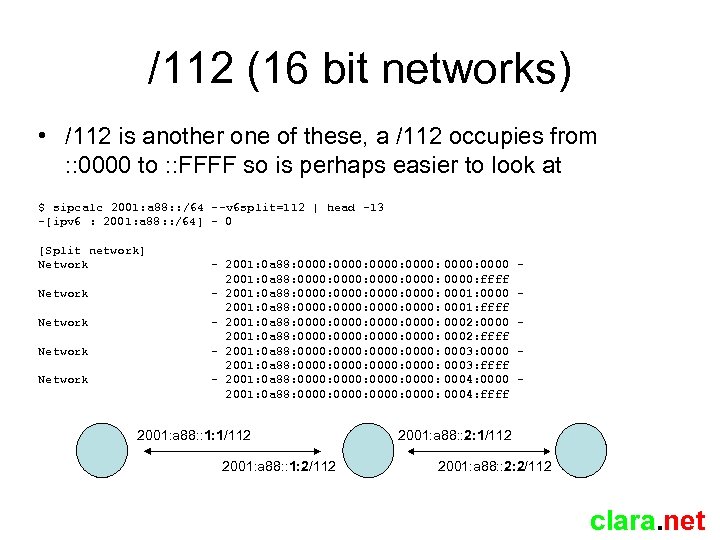 /112 (16 bit networks) • /112 is another one of these, a /112 occupies from : : 0000 to : : FFFF so is perhaps easier to look at $ sipcalc 2001: a 88: : /64 --v 6 split=112 | head -13 -[ipv 6 : 2001: a 88: : /64] - 0 [Split network] Network Network - 2001: 0 a 88: 0000: 0000: 0000: ffff - 2001: 0 a 88: 0000: 0001: 0000 2001: 0 a 88: 0000: 0001: ffff - 2001: 0 a 88: 0000: 0002: 0000 2001: 0 a 88: 0000: 0002: ffff - 2001: 0 a 88: 0000: 0003: 0000 2001: 0 a 88: 0000: 0003: ffff - 2001: 0 a 88: 0000: 0004: 0000 2001: 0 a 88: 0000: 0004: ffff 2001: a 88: : 1: 1/112 2001: a 88: : 1: 2/112 - 2001: a 88: : 2: 1/112 2001: a 88: : 2: 2/112 clara. net
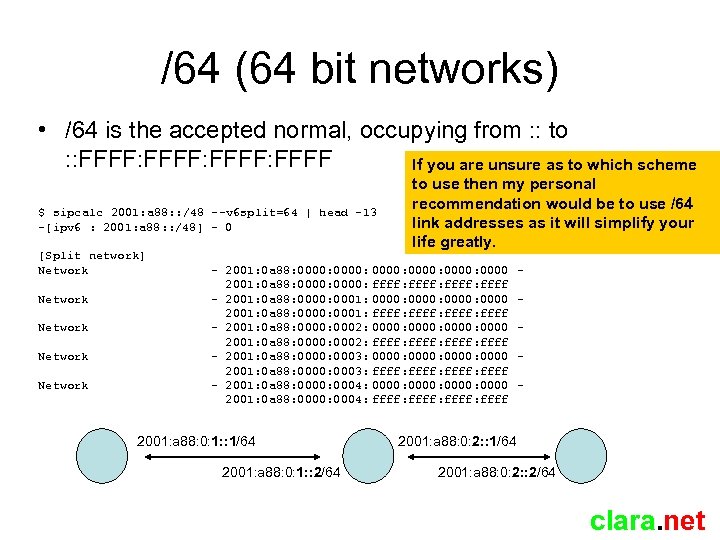 /64 (64 bit networks) • /64 is the accepted normal, occupying from : : to : : FFFF: FFFF If you are unsure as to which scheme $ sipcalc 2001: a 88: : /48 --v 6 split=64 | head -13 -[ipv 6 : 2001: a 88: : /48] - 0 [Split network] Network Network to use then my personal recommendation would be to use /64 link addresses as it will simplify your life greatly. - 2001: 0 a 88: 0000: 0000 2001: 0 a 88: 0000: ffff: ffff - 2001: 0 a 88: 0000: 0001: 0000: 0000 2001: 0 a 88: 0000: 0001: ffff: ffff - 2001: 0 a 88: 0000: 0002: 0000: 0000 2001: 0 a 88: 0000: 0002: ffff: ffff - 2001: 0 a 88: 0000: 0003: 0000: 0000 2001: 0 a 88: 0000: 0003: ffff: ffff - 2001: 0 a 88: 0000: 0004: 0000: 0000 2001: 0 a 88: 0000: 0004: ffff: ffff 2001: a 88: 0: 1: : 1/64 2001: a 88: 0: 1: : 2/64 - 2001: a 88: 0: 2: : 1/64 2001: a 88: 0: 2: : 2/64 clara. net
 Assignments to customers • We opted to assign using the following guidelines: – Access (Dial/DSL) assigned /64 by default – Everybody else assigned /48 by default – All /48 and bigger assignments require end-user documentation and are recorded in IRR. – Some people doing /56 and /52, but not us. • No IPv 6 PI available (yet) in the RIPE NCC region due to internal RIPE NCC politics – Providers in this region should assign out of their PA space, encourage customers to become an LIR or ask customers to seek resources elsewhere (if they are entitled) and have the need for PI. clara. net
 Rolling it out – The routers • From 2002, the point of conception, to present, we are an almost entirely Cisco powered network • Four basic models of routers present: 12000 series (GSR) 7500 series (yes, these still exist!) 7200 series 6500 (and 7600 series now) • IPv 6 AND stable IOS required for all! • No easy task back in 2002 clara. net
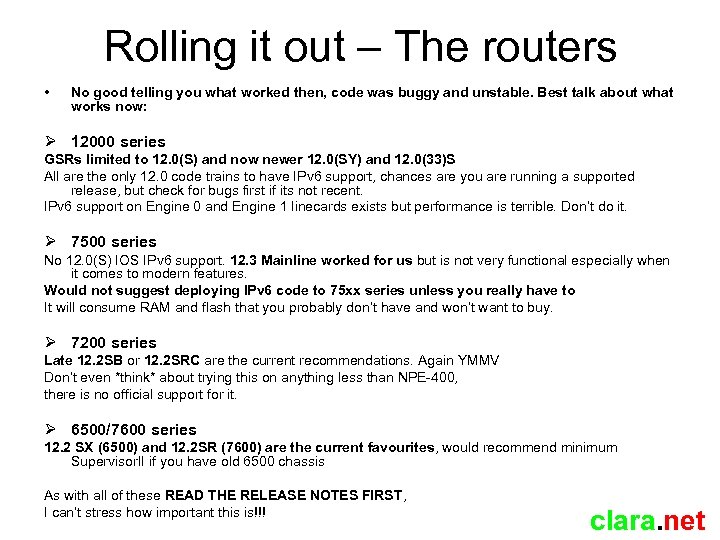 Rolling it out – The routers • No good telling you what worked then, code was buggy and unstable. Best talk about what works now: 12000 series GSRs limited to 12. 0(S) and now newer 12. 0(SY) and 12. 0(33)S All are the only 12. 0 code trains to have IPv 6 support, chances are you are running a supported release, but check for bugs first if its not recent. IPv 6 support on Engine 0 and Engine 1 linecards exists but performance is terrible. Don’t do it. 7500 series No 12. 0(S) IOS IPv 6 support. 12. 3 Mainline worked for us but is not very functional especially when it comes to modern features. Would not suggest deploying IPv 6 code to 75 xx series unless you really have to It will consume RAM and flash that you probably don’t have and won’t want to buy. 7200 series Late 12. 2 SB or 12. 2 SRC are the current recommendations. Again YMMV Don’t even *think* about trying this on anything less than NPE-400, there is no official support for it. 6500/7600 series 12. 2 SX (6500) and 12. 2 SR (7600) are the current favourites, would recommend minimum Supervisor. II if you have old 6500 chassis As with all of these READ THE RELEASE NOTES FIRST, I can’t stress how important this is!!! clara. net
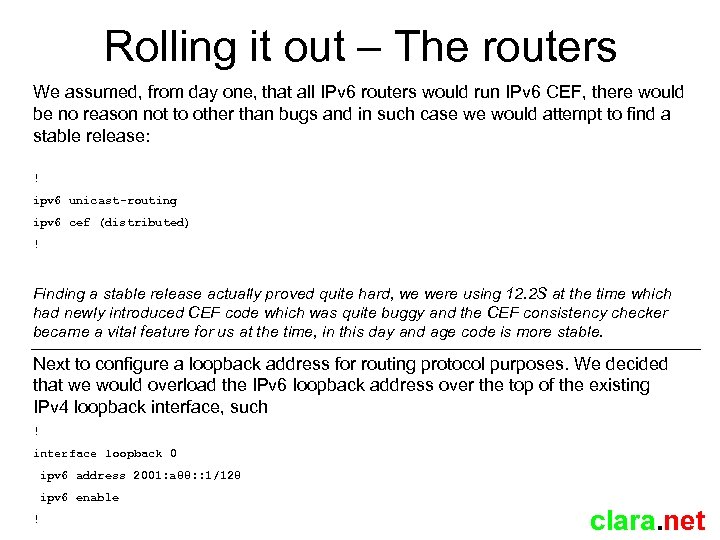 Rolling it out – The routers We assumed, from day one, that all IPv 6 routers would run IPv 6 CEF, there would be no reason not to other than bugs and in such case we would attempt to find a stable release: ! ipv 6 unicast-routing ipv 6 cef (distributed) ! Finding a stable release actually proved quite hard, we were using 12. 2 S at the time which had newly introduced CEF code which was quite buggy and the CEF consistency checker became a vital feature for us at the time, in this day and age code is more stable. Next to configure a loopback address for routing protocol purposes. We decided that we would overload the IPv 6 loopback address over the top of the existing IPv 4 loopback interface, such ! interface loopback 0 ipv 6 address 2001: a 88: : 1/128 ipv 6 enable ! clara. net
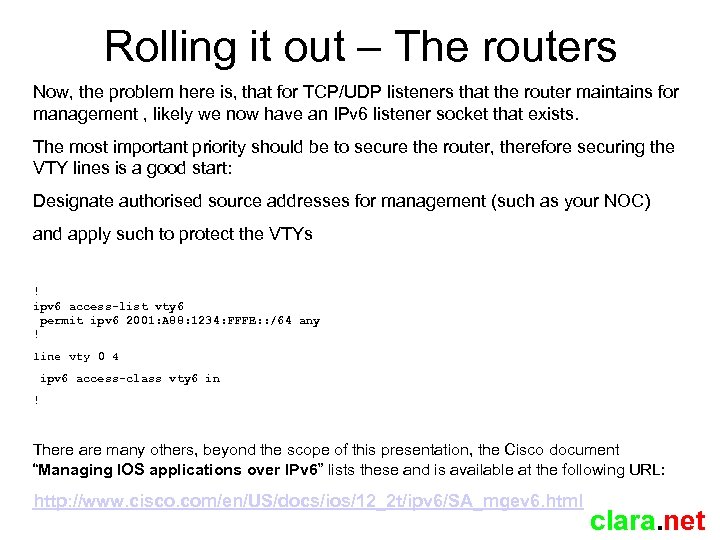 Rolling it out – The routers Now, the problem here is, that for TCP/UDP listeners that the router maintains for management , likely we now have an IPv 6 listener socket that exists. The most important priority should be to secure the router, therefore securing the VTY lines is a good start: Designate authorised source addresses for management (such as your NOC) and apply such to protect the VTYs ! ipv 6 access-list vty 6 permit ipv 6 2001: A 88: 1234: FFFE: : /64 any ! line vty 0 4 ipv 6 access-class vty 6 in ! There are many others, beyond the scope of this presentation, the Cisco document “Managing IOS applications over IPv 6” lists these and is available at the following URL: http: //www. cisco. com/en/US/docs/ios/12_2 t/ipv 6/SA_mgev 6. html clara. net
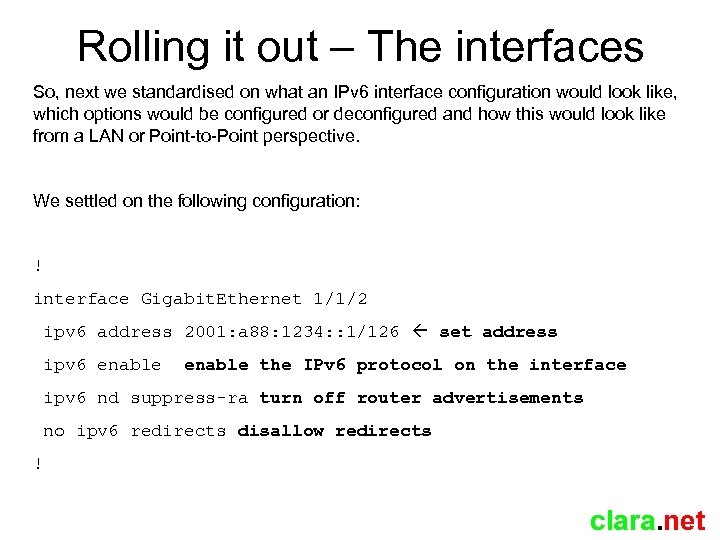 Rolling it out – The interfaces So, next we standardised on what an IPv 6 interface configuration would look like, which options would be configured or deconfigured and how this would look like from a LAN or Point-to-Point perspective. We settled on the following configuration: ! interface Gigabit. Ethernet 1/1/2 ipv 6 address 2001: a 88: 1234: : 1/126 set address ipv 6 enable the IPv 6 protocol on the interface ipv 6 nd suppress-ra turn off router advertisements no ipv 6 redirects disallow redirects ! clara. net
 Rolling it out – The routing • We opted not to use (protocol 41) tunnels between our own routers, even as a migration technique, they would never be removed and the routing would be suboptimal and constrained. • If you do use tunnels, Cisco routers tend to set the tunnel MTU up to be the egress interface which can be fun where tunnel leaves over 4470 byte POS interface, it of course inherits a 4470 byte MTU which could break things when tunnel travels over a 1500 byte Ethernet interface. • Remember to watch your tunnel MTU if you do this clara. net
 Rolling it out – The routing • Our network has MPLS deployed throughout. It was tempting to use 6 PE at one point, negating the need to have IPv 6 running on the core (P) routers (since it uses LSPs to communicate) but we considered 6 PE to be a bad choice since it would only need ripping out at some stage since the core would remain IPv 4. • We opted to do label switched IPv 4 alongside routed IPv 6, since there are no native IPv 6 label signaling protocols it is not possible to build IPv 6 LSPs across pure IPv 6 paths, Integrated IPv 6 TE is therefore also impossible. • If MPLS based IPv 6 TE is an objective of yours then you should use 6 PE which maps IPv 6 prefixes to IPv 4 FECs. clara. net
 Rolling it out – The routing • Our network uses IS-IS as an IGP and i. BGP to carry both customer and internet routing. • We made the decision to deploy multitoplogy IS-IS since integrated IS-IS is TLV based, routers not participating in the migration will ignore the TLVs for the IPv 6 topology and it will not affect them • IPv 6 BGP adjacencies are built over the top of IPv 4 BGP adjacencies, with the same topology and routing policy • Multitopology IS-IS is NOT SUPPORTED in Cisco 7200 12. 2 SRC without the Advanced IP Services license (ADVIPSERVICES), if you are migrating to SRC do not get bitten by this, quite why this isn’t in SP-SERVICES is beyond me! clara. net
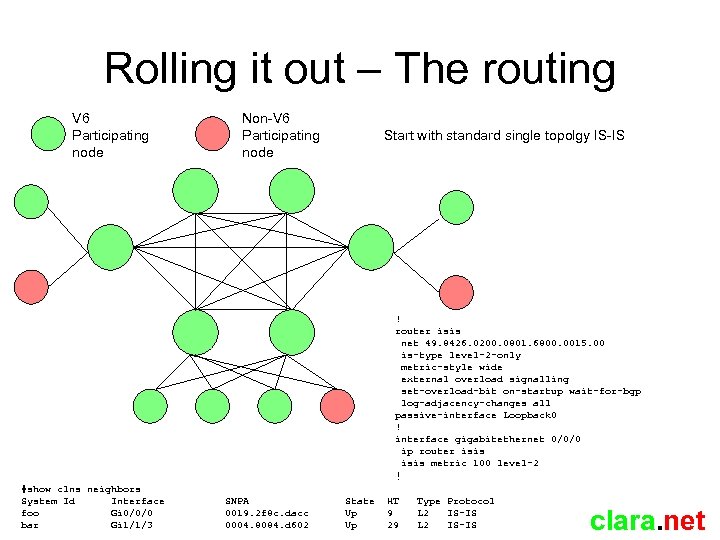 Rolling it out – The routing V 6 Participating node Non-V 6 Participating node Start with standard single topolgy IS-IS ! router isis net 49. 8426. 0200. 0801. 6800. 0015. 00 is-type level-2 -only metric-style wide external overload signalling set-overload-bit on-startup wait-for-bgp log-adjacency-changes all passive-interface Loopback 0 ! interface gigabitethernet 0/0/0 ip router isis metric 100 level-2 ! #show clns neighbors System Id Interface foo Gi 0/0/0 bar Gi 1/1/3 SNPA 0019. 2 f 8 c. dacc 0004. 8084. d 602 State Up Up HT 9 29 Type Protocol L 2 IS-IS clara. net
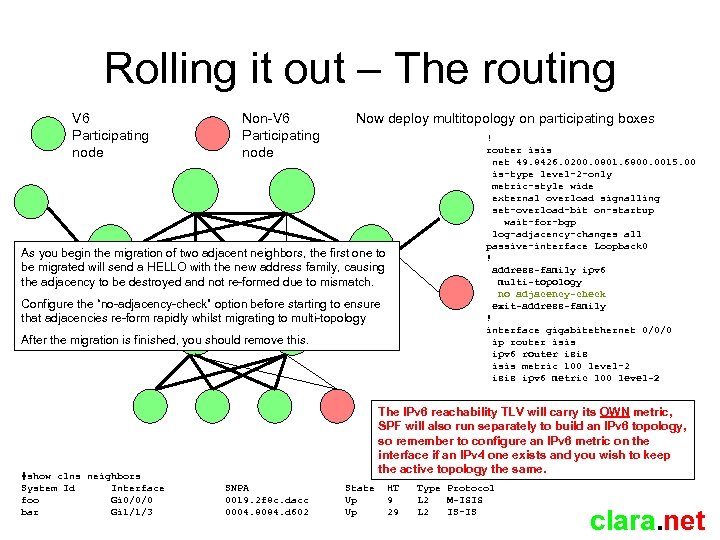 Rolling it out – The routing V 6 Participating node Non-V 6 Participating node Now deploy multitopology on participating boxes ! router isis net 49. 8426. 0200. 0801. 6800. 0015. 00 is-type level-2 -only metric-style wide external overload signalling set-overload-bit on-startup wait-for-bgp log-adjacency-changes all passive-interface Loopback 0 ! address-family ipv 6 multi-topology no adjacency-check exit-address-family ! interface gigabitethernet 0/0/0 ip router isis ipv 6 router isis metric 100 level-2 isis ipv 6 metric 100 level-2 As you begin the migration of two adjacent neighbors, the first one to be migrated will send a HELLO with the new address family, causing the adjacency to be destroyed and not re-formed due to mismatch. Configure the “no-adjacency-check” option before starting to ensure that adjacencies re-form rapidly whilst migrating to multi-topology After the migration is finished, you should remove this. #show clns neighbors System Id Interface foo Gi 0/0/0 bar Gi 1/1/3 The IPv 6 reachability TLV will carry its OWN metric, SPF will also run separately to build an IPv 6 topology, so remember to configure an IPv 6 metric on the interface if an IPv 4 one exists and you wish to keep the active topology the same. SNPA 0019. 2 f 8 c. dacc 0004. 8084. d 602 State Up Up HT 9 29 Type Protocol L 2 M-ISIS L 2 IS-IS clara. net
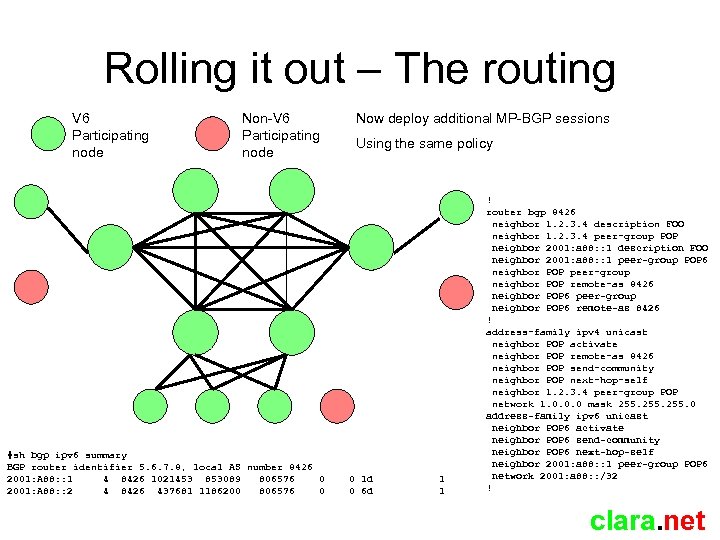 Rolling it out – The routing V 6 Participating node Non-V 6 Participating node #sh bgp ipv 6 summary BGP router identifier 5. 6. 7. 8, local AS number 8426 2001: A 88: : 1 4 8426 1021453 853089 806576 0 2001: A 88: : 2 4 8426 437681 1186200 806576 0 Now deploy additional MP-BGP sessions Using the same policy 0 1 d 0 6 d 1 1 ! router bgp 8426 neighbor 1. 2. 3. 4 description FOO neighbor 1. 2. 3. 4 peer-group POP neighbor 2001: a 88: : 1 description FOO neighbor 2001: a 88: : 1 peer-group POP 6 neighbor POP peer-group neighbor POP remote-as 8426 neighbor POP 6 peer-group neighbor POP 6 remote-as 8426 ! address-family ipv 4 unicast neighbor POP activate neighbor POP remote-as 8426 neighbor POP send-community neighbor POP next-hop-self neighbor 1. 2. 3. 4 peer-group POP network 1. 0. 0. 0 mask 255. 0 address-family ipv 6 unicast neighbor POP 6 activate neighbor POP 6 send-community neighbor POP 6 next-hop-self neighbor 2001: a 88: : 1 peer-group POP 6 network 2001: a 88: : /32 ! clara. net
 Connecting it to the internet • We opted for the quickest way to get reachable Back then, our upstream provider was IPv 6 enabled and would give us a dual stack session, we opted for this. clara. net
 Connecting it to the internet • Next we attached to the UK 6 X, an IPv 6 only internet exchange set up by British Telecom in 2001 such to facilitate IPv 6 internetworking in the UK, we obtained our own dedicated connection alongside IPNG • UK 6 X operated a route server model and provided us with a full table • Full table swaps in this day and age are generally bad news as they create problems later on with regards to routing policy and traffic exchange, we opted on this to get us up and running and moved to a partial (i. e peering model) later on • We also waited until other exchanges (such as LINX) allowed for IPv 6 traffic and began IPv 6 peering over these IXPs when the functionality became available • UK 6 X no longer exists and has been replaced by a BT commercial product clara. net
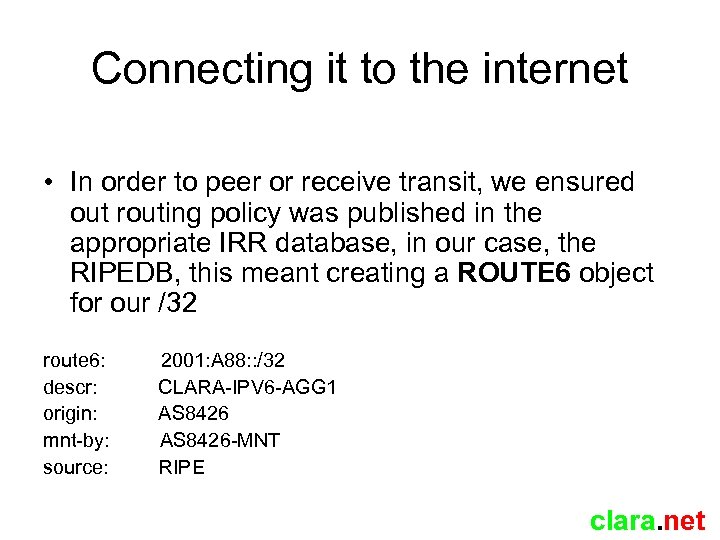 Connecting it to the internet • In order to peer or receive transit, we ensured out routing policy was published in the appropriate IRR database, in our case, the RIPEDB, this meant creating a ROUTE 6 object for our /32 route 6: descr: origin: mnt-by: source: 2001: A 88: : /32 CLARA-IPV 6 -AGG 1 AS 8426 -MNT RIPE clara. net
 Connecting it to the internet • The next step was to describe our relationships with IPv 6 peers. • Here we hit a snag. • The current RPSL language that our AUT-NUM object was written in did not have the syntax to describe IPv 6 adjacencies clara. net
 RPSL-NG • We would have to migrate our AUT-NUM object to RPSL-NG, the new language designed to represent objects in the database and be forwardly compatible with emerging addressing schemes. • Unfortunately, this would be a lot of work, not just training but operational support systems which both parse and make changes to the AUTNUM object would also have to be re-written clara. net
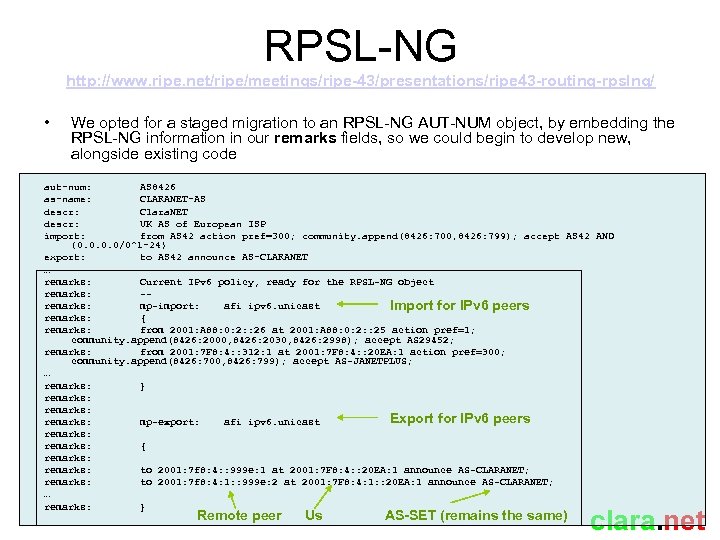 RPSL-NG http: //www. ripe. net/ripe/meetings/ripe-43/presentations/ripe 43 -routing-rpslng/ • We opted for a staged migration to an RPSL-NG AUT-NUM object, by embedding the RPSL-NG information in our remarks fields, so we could begin to develop new, alongside existing code aut-num: AS 8426 as-name: CLARANET-AS descr: Clara. NET descr: UK AS of European ISP import: from AS 42 action pref=300; community. append(8426: 700, 8426: 799); accept AS 42 AND {0. 0/0^1 -24} export: to AS 42 announce AS-CLARANET … remarks: Current IPv 6 policy, ready for the RPSL-NG object remarks: -remarks: mp-import: afi ipv 6. unicast Import for IPv 6 peers remarks: { remarks: from 2001: A 88: 0: 2: : 26 at 2001: A 88: 0: 2: : 25 action pref=1; community. append(8426: 2000, 8426: 2030, 8426: 2998); accept AS 29452; remarks: from 2001: 7 F 8: 4: : 312: 1 at 2001: 7 F 8: 4: : 20 EA: 1 action pref=300; community. append(8426: 700, 8426: 799); accept AS-JANETPLUS; … remarks: } remarks: Export for IPv 6 peers remarks: mp-export: afi ipv 6. unicast remarks: { remarks: to 2001: 7 f 8: 4: : 999 e: 1 at 2001: 7 F 8: 4: : 20 EA: 1 announce AS-CLARANET; remarks: to 2001: 7 f 8: 4: 1: : 999 e: 2 at 2001: 7 F 8: 4: 1: : 20 EA: 1 announce AS-CLARANET; … remarks: } Remote peer Us AS-SET (remains the same) clara. net
 RPSL-NG http: //www. ripe. net/ripe/meetings/ripe-43/presentations/ripe 43 -routing-rpslng/ • Adding new IPv 6 peers would mean using specific tools which updated the remarks fields. • Sadly, RPSL-NG has not been widely adopted. The IRRToolset since v 4. 8. 2 has had support for RPSL-NG , but of course, you need to get it to compile first • Due to the lack of widespread adoption, we resisted migrating our AUT-NUM object to RPSL-NG until recently. • As of last year (2008), our AUT-NUM object is now in RPSL-NG format, see AS 8426 in RIPEDB. clara. net
 BGP Challenges - IPv 6 BOGONS • Well, as one would have expected, an IPv 6 internet does indeed contain bogon networks, i. e networks not to be accepted from peers. • The list of these is quite extensive at present, I would like to direct your attention to the document titled “Packet Filter and Route Filter Recommendation for IPv 6 at x. SP routers “ Available here: http: //www. cymru. com/Bogons/ipv 6. txt • If you just want to get yourself up and running quickly, Gert Döring maintains an up to date list of what should currently be filtered, based on both a relaxed and strict model. Available here: http: //www. space. net/~gert/RIPE/ipv 6 -filters. html clara. net
 BGP Challenges – Ghost routes • Old releases of router software out there in the field have a bug whereby when reachability to destinations becomes lost, a BGP withdrawal is not sent • This bug is apparent when dealing with V 6 prefixes • IPv 6 global table is riddled with these so called “Ghost” routes which end up blackholing traffic to non-existent destinations. • Six. XS have a “Ghost Route Hunter” (GRH) project currently ongoing to monitor these, I would recommend use of the Six. XS site as its list of tools for providing information about the V 6 Global table are both extensive and useful http: //www. sixxs. net/tools/grh/ clara. net
 Bad Traffic – Packets we do not accept and neither should you • Routing Headers – RFC 5095 (Dec 2007) deprecates use of Routing. Header type 0 (RH 0), considered “evil”. – Not all platforms support RH filtering, some only allow complete and not selective RH filtering. – We filter all RH for the time being • • 6 BONE sourced (3 FFE: : /16) Documentation prefix sourced (2001: DB 8: : /32 ) Loopback, unspecified, v 4 -mapped (: : /8) Site local (FEC 0: : /10 Deprecated RFC 3979) clara. net
 Potentially Bad Traffic – Packets you can choose to accept • Transition mechanism anycast relays - 6 to 4 (2002: : /16) and Teredo (2001: : /32) – In line with your local security policy, this address space represents relayed traffic during the transition phase, (more on these later), blocking it will cause pain and make you unreachable to people using these services we do not block this and I would advise you not to • ULA (FC 00: : /7) – The IPV 6 equivalent of RFC 1918 operating in the global scope, we block this traffic. – Some operators may source ICMP messages from ULA space as some operators currently do from RFC 1918 space, I personally have no issue blocking this but you may. clara. net
 Some notes on Bad Traffic • You could of course opt to only permit allocated space (i. e no special-use space) • Don’t try and block link-local traffic unless you want to break neighbor discovery • Saying that however, if you receive tunneled traffic (via 6 to 4 for instance), be aware of the impact of receiving tunneled link-local. clara. net
 Netflow / IPFIX • Back in 2002, no way of accounting for IPv 6 traffic, if you wanted to know, you tapped the circuit or applied appropriate debug commands! • We now have Netflow. V 9 which is the basis of an emerging IETF standard (IPFIX) to solve this. • Some open source Netflow projects have Netflow. V 9 support. Many commercial offerings do as well. • Switching your exporter to v 9 will of course require a v 9 collector, ensure your collector supports this. clara. net
 Non-native users • Your customers may already have IPv 6 via a number of transition mechanisms not provided by yourself. • These will likely perform less optimally when reaching IPv 6 destinations than any sensible native service you can offer. • Most are dynamic and utilise “Relay” stations, be aware of where these are in relation to your network as their location will influence the customer's IPv 6 'experience'. • Encourage users to move to your own native service as soon as you can clara. net
 Non-native users via static Protocol 41 • Static protocol 41 tunnels do not easily cross NAT devices • Require detailed configuration and agreements between users. • Not a popular method of connecting end users clara. net
 Non-native users via Teredo • Provides NAT penetrating access to users by tunnelling over UDP/IPv 4 • Teredo client comes as standard with Win. XP, Vista, 2 K 3 etc and is available for *nix (http: //www. remlab. net/miredo/), client will negotiate use of a relay when it starts. • Windows Machines prefer IPv 4 over Teredo • Teredo relays anycast 2001: : /32 • Be aware of how far away your nearest relays are (http: //www. sixxs. net/tools/grh/lg/? find=2001: : /32) • Running a public relay yourself is indeed possible, requires not much knowledge to set up but a true dedication to run properly. • If you are interested in running a public relay, contact one of the folks listed in TEREDO-MNT in the RIPEDB clara. net
 Non-native users via AYIYA • Like Teredo, provides NAT penetration by tunnelling over UDP/IPv 4 • Requires client software (e. g AICCU) • AYIYA Relays provided by Six. XS • AYIYA Relays operated out of number of involved ISPs • AYIYA Relays provide IPv 6 space from the operators network, getting a list of AYIYA POPs will help you find your nearest relay (http: //www. sixxs. net/pops/) clara. net
 Non-native users via 6 to 4 • Based on protocol 41, but more dynamic • Windows Vista comes with 6 to 4 support • 6 to 4 anycasts 2002: : /16 for the v 6 part of the connectivity and 192. 88. 99. 0/24 for the v 4 • Check how far away these prefixes are from you • Like Teredo, needs dedication to run yourself. • Contact one of the nice folks in RFC 3068 -MNT if you are interested in running a public 6 to 4 relay. clara. net
 IPv 6 in the Datacenter • We deployed /64 server LANs, both /80 and /96 seen in the wild. • No stateless autoconfiguration (disabling router advertisement) • Don’t forget your security policy!! IPv 6 ACLs to be in place before your boxes go in to a reachable subnet! • Neighbor discovery is multicast, keep an eye on your switching infrastructure, especially if you have any special pruning / rate limiting in place. – IOS VTP users beware, VTP pruning and IPv 6 ND do not work well together. clara. net
 Managing the “first hop” • Currently, IOS has an implementation of HSRP 6 in 12. 4 M and now 12. 2 SR – It only supports link-local addressing • This means you must advertise the floating address via RA or point static at link-local floating address • At time of writing, no Cisco implementation of VRRP 6, one is planned. • General Cisco recommendation for First-Hop redundancy is “Use ND + RA / NUD” • Jun. OS has had VRRP 6 for some time. clara. net
 Firewalling • Our internal infrastructure was firewalled using IOS Access-Lists (ACLs). • Back in 2002 no IPv 6 firewall appliance support, preferred solution for many was to use ACLs or open source projects on LAN “gateway” servers. We used ACLs. • Now most appliance vendors have a commercial IPv 6 offering. clara. net
 u. RPF 6 at the edge • u. RPF 6 generally supported except: – At time of writing, the Cisco Policy Feature Card 3 (PFC 3) can not perform u. RPF for IPv 6 in hardware, this restriction applies to the both Supervisor 720 and RSP 720 cards in Catalyst 6500 and 7600 router chassis. – Using these architectures to perform loose u. RPF at the peering edge is therefore not recommended. We opted not to do so at all. clara. net
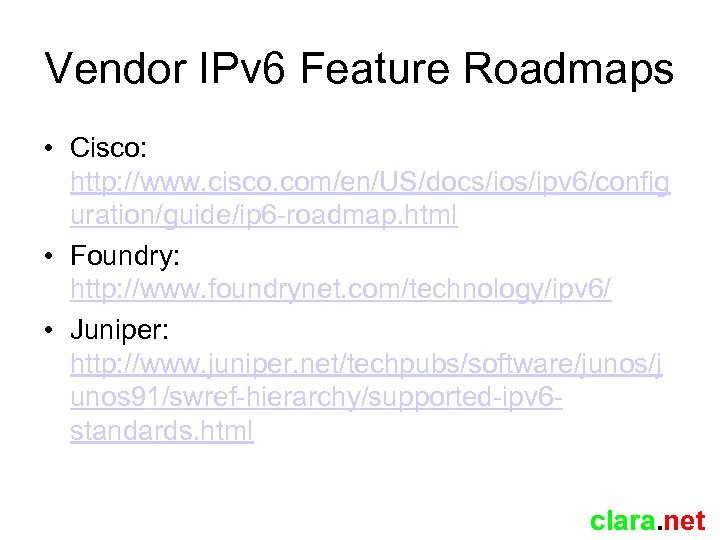 Vendor IPv 6 Feature Roadmaps • Cisco: http: //www. cisco. com/en/US/docs/ios/ipv 6/config uration/guide/ip 6 -roadmap. html • Foundry: http: //www. foundrynet. com/technology/ipv 6/ • Juniper: http: //www. juniper. net/techpubs/software/junos/j unos 91/swref-hierarchy/supported-ipv 6 standards. html clara. net
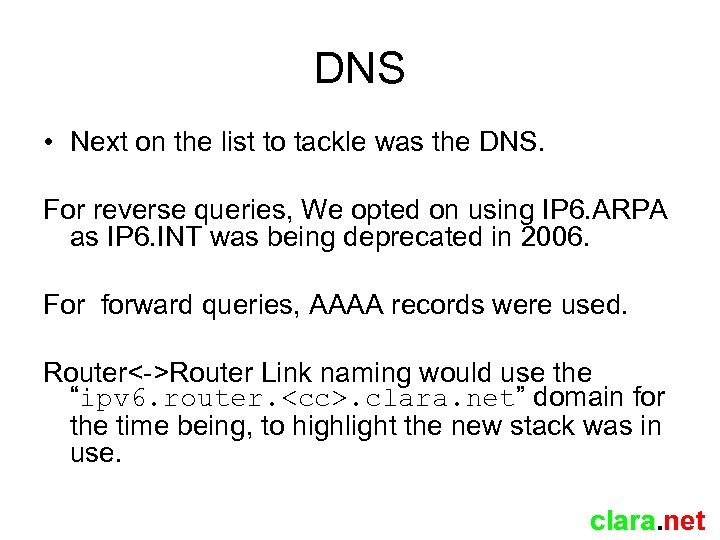 DNS • Next on the list to tackle was the DNS. For reverse queries, We opted on using IP 6. ARPA as IP 6. INT was being deprecated in 2006. For forward queries, AAAA records were used. Router<->Router Link naming would use the “ipv 6. router.
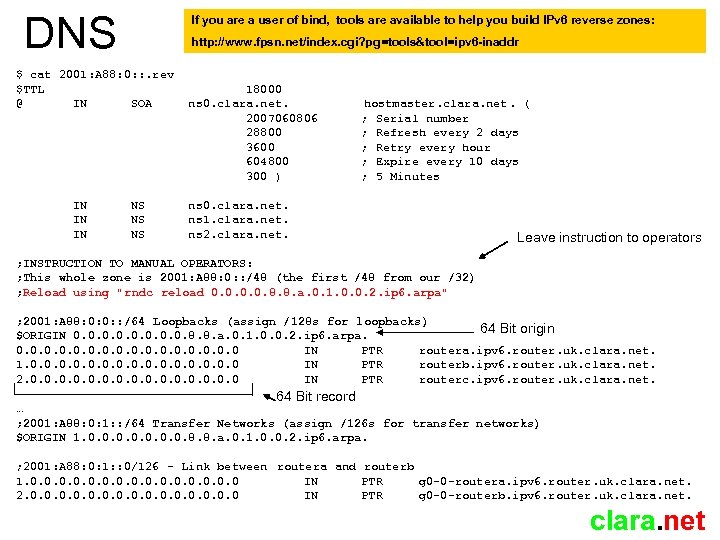 DNS If you are a user of bind, tools are available to help you build IPv 6 reverse zones: http: //www. fpsn. net/index. cgi? pg=tools&tool=ipv 6 -inaddr $ cat 2001: A 88: 0: : . rev $TTL @ IN SOA IN IN IN NS NS NS 18000 ns 0. clara. net. 2007060806 28800 3600 604800 300 ) hostmaster. clara. net. ( ; Serial number ; Refresh every 2 days ; Retry every hour ; Expire every 10 days ; 5 Minutes ns 0. clara. net. ns 1. clara. net. ns 2. clara. net. Leave instruction to operators ; INSTRUCTION TO MANUAL OPERATORS: ; This whole zone is 2001: A 88: 0: : /48 (the first /48 from our /32) ; Reload using "rndc reload 0. 0. 8. 8. a. 0. 1. 0. 0. 2. ip 6. arpa" ; 2001: A 88: 0: 0: : /64 Loopbacks (assign /128 s for loopbacks) 64 Bit origin $ORIGIN 0. 0. 8. 8. a. 0. 1. 0. 0. 2. ip 6. arpa. 0. 0 IN PTR routera. ipv 6. router. uk. clara. net. 1. 0. 0 IN PTR routerb. ipv 6. router. uk. clara. net. 2. 0. 0 IN PTR routerc. ipv 6. router. uk. clara. net. 64 Bit record … ; 2001: A 88: 0: 1: : /64 Transfer Networks (assign /126 s for transfer networks) $ORIGIN 1. 0. 0. 8. 8. a. 0. 1. 0. 0. 2. ip 6. arpa. ; 2001: A 88: 0: 1: : 0/126 - Link between routera and routerb 1. 0. 0 IN PTR g 0 -0 -routera. ipv 6. router. uk. clara. net. 2. 0. 0 IN PTR g 0 -0 -routerb. ipv 6. router. uk. clara. net
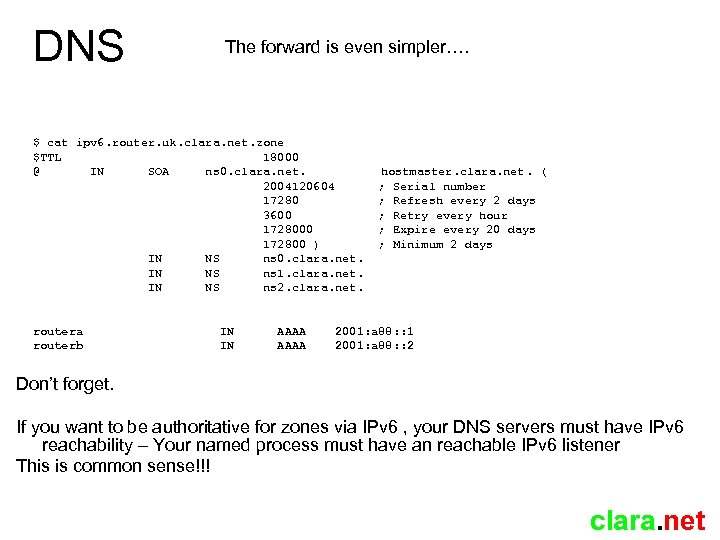 DNS The forward is even simpler…. $ cat ipv 6. router. uk. clara. net. zone $TTL 18000 @ IN SOA ns 0. clara. net. 2004120604 17280 3600 172800 ) IN NS ns 0. clara. net. IN NS ns 1. clara. net. IN NS ns 2. clara. net. routera routerb IN IN AAAA hostmaster. clara. net. ( ; Serial number ; Refresh every 2 days ; Retry every hour ; Expire every 20 days ; Minimum 2 days 2001: a 88: : 1 2001: a 88: : 2 Don’t forget. If you want to be authoritative for zones via IPv 6 , your DNS servers must have IPv 6 reachability – Your named process must have an reachable IPv 6 listener This is common sense!!! clara. net
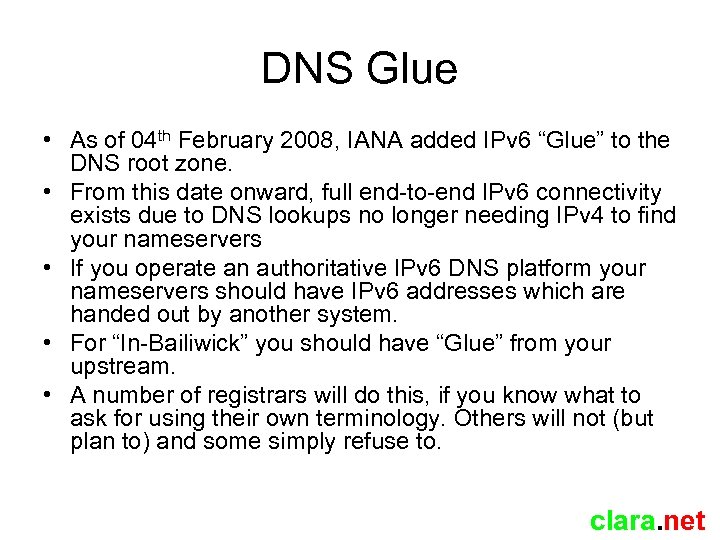 DNS Glue • As of 04 th February 2008, IANA added IPv 6 “Glue” to the DNS root zone. • From this date onward, full end-to-end IPv 6 connectivity exists due to DNS lookups no longer needing IPv 4 to find your nameservers • If you operate an authoritative IPv 6 DNS platform your nameservers should have IPv 6 addresses which are handed out by another system. • For “In-Bailiwick” you should have “Glue” from your upstream. • A number of registrars will do this, if you know what to ask for using their own terminology. Others will not (but plan to) and some simply refuse to. clara. net
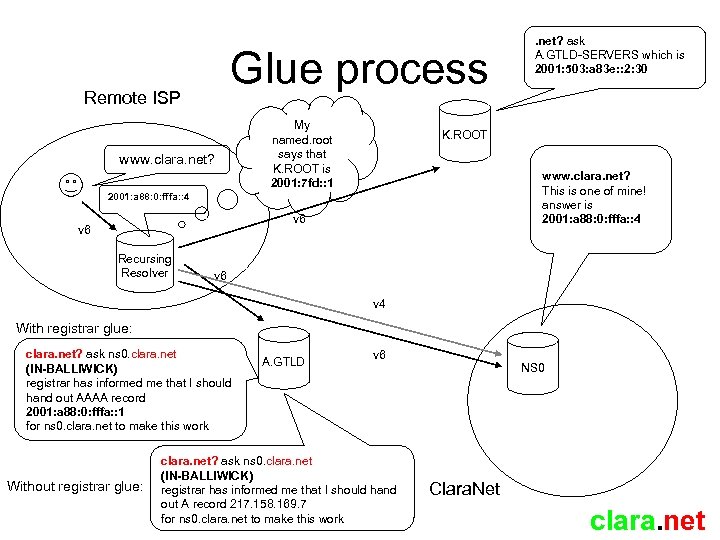 Glue process Remote ISP www. clara. net? My named. root says that K. ROOT is 2001: 7 fd: : 1 K. ROOT www. clara. net? This is one of mine! answer is 2001: a 88: 0: fffa: : 4 v 6 Recursing Resolver . net? ask A. GTLD-SERVERS which is 2001: 503: a 83 e: : 2: 30 v 6 v 4 With registrar glue: clara. net? ask ns 0. clara. net (IN-BALLIWICK) registrar has informed me that I should hand out AAAA record 2001: a 88: 0: fffa: : 1 for ns 0. clara. net to make this work Without registrar glue: A. GTLD v 6 clara. net? ask ns 0. clara. net (IN-BALLIWICK) registrar has informed me that I should hand out A record 217. 158. 169. 7 for ns 0. clara. net to make this work NS 0 Clara. Net clara. net
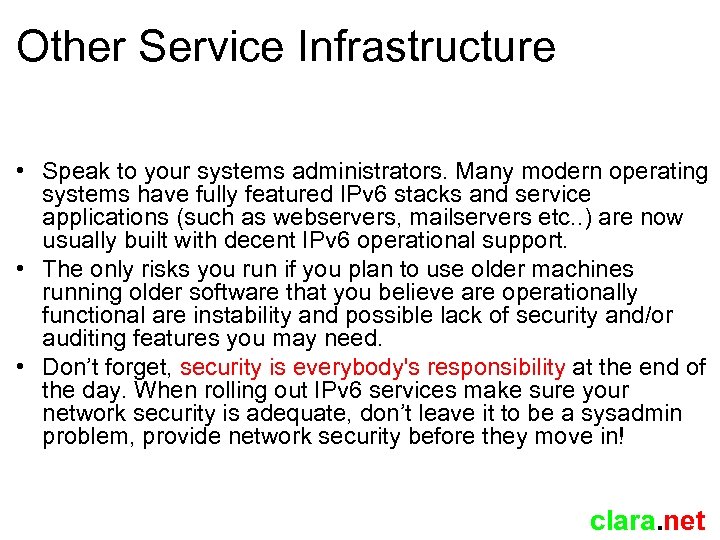 Other Service Infrastructure • Speak to your systems administrators. Many modern operating systems have fully featured IPv 6 stacks and service applications (such as webservers, mailservers etc. . ) are now usually built with decent IPv 6 operational support. • The only risks you run if you plan to use older machines running older software that you believe are operationally functional are instability and possible lack of security and/or auditing features you may need. • Don’t forget, security is everybody's responsibility at the end of the day. When rolling out IPv 6 services make sure your network security is adequate, don’t leave it to be a sysadmin problem, provide network security before they move in! clara. net
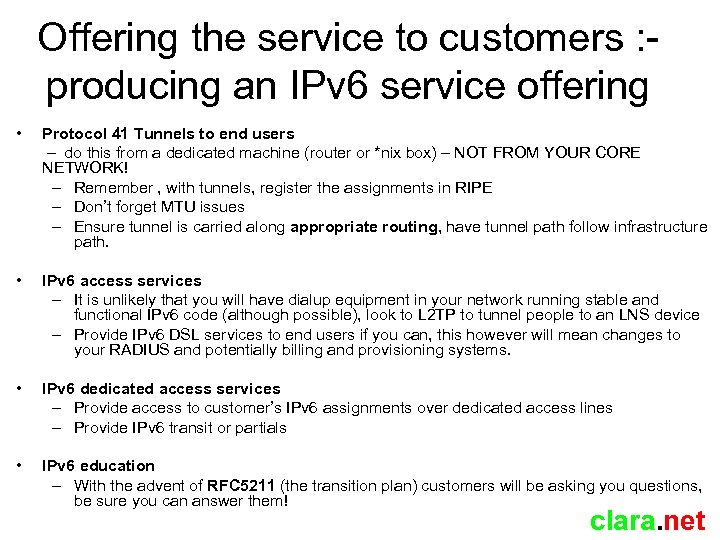 Offering the service to customers : producing an IPv 6 service offering • Protocol 41 Tunnels to end users – do this from a dedicated machine (router or *nix box) – NOT FROM YOUR CORE NETWORK! – Remember , with tunnels, register the assignments in RIPE – Don’t forget MTU issues – Ensure tunnel is carried along appropriate routing, have tunnel path follow infrastructure path. • IPv 6 access services – It is unlikely that you will have dialup equipment in your network running stable and functional IPv 6 code (although possible), look to L 2 TP to tunnel people to an LNS device – Provide IPv 6 DSL services to end users if you can, this however will mean changes to your RADIUS and potentially billing and provisioning systems. • IPv 6 dedicated access services – Provide access to customer’s IPv 6 assignments over dedicated access lines – Provide IPv 6 transit or partials • IPv 6 education – With the advent of RFC 5211 (the transition plan) customers will be asking you questions, be sure you can answer them! clara. net
 Afterthoughts • Deploy IPv 6 to your office and NOC LANs. (with appropriate security of course), give your staff a taste of working with it, some of them will end up supporting it! • Many versions of Windows have IPv 6 support, but its most mature under Vista / W 2 K 3 server, in fact under Vista its configured and operational by default. • Don’t charge customers for IPv 6, make it an additional part of your standard service offering. I wouldn’t buy from an upstream that charged extra for this. At the end of the day bandwidth is bandwidth. Think carefully before making any service level offerings (if at all) on dedicated IPv 6 based services. • People will ask “Is IPv 6 the right way forward? ” and scream about the potential FIB size. IPv 6 is here to stay and quite extensively deployed now, it should now be our job to make it both usable and supportable. See RFC 5211 clara. net
 Questions? clara. net