 Скачать презентацию IPPA 2009 Tax Operational Excellence Workshop November
1d021c150bb63366309be2b7a9e64954.ppt
- Количество слайдов: 44



IPPA 2009 Tax & Operational Excellence Workshop November 5, 2009 Child Support, EFT and e-IWO Nancy Benner and Bill Stuart Employer Services Federal Office of Child Support Enforcement
Session agenda • Child support program background • Federal, state and employer roles • Current statistics • Electronic processes üe-payments üe-IWO • Other child support programs
Child support program: background • Established in 1975 • State/county-run programs • Federal Government provides oversight, policy guidance and funding
OCSE’s role • Maintains the National Directory of New • • • Hires (Are you submitting your new hires? ) Assists States to develop, manage and operate their child support programs Pays major share of state program operating costs (66%) Provides policy guidance and technical support
State’s role l l l Locate non-custodial parents (New hire reporting is our best tool) Establish paternity Establish child and medical support orders Enforce support orders Collect and distribute support payments
Employers are vitally important to the program In 2008, employers • Reported 59 million new hires • Collected 68% of the $26. 6 billion distributed for child support • Enrolled children in medical insurance Thank You, Employers!!
PRWORA legislation mandates e-payments üState disbursement units (SDUs) are established üTwo days to process payments üAll SDUs are now receiving/sending e-payments except South Carolina
Employers benefit from e-Payments • • Safer: prevents theft and fraud Cheaper: eliminates postage costs Faster: eliminates lost mail and mail delays More accurate: savings in time and labor Standardization: single file format valid for all SDUs Supported by most software Complies with growing trend in state legislation mandating EFT Fewer calls from CPs and NCPs
EFT choices for employers Employers can: üUse their own payroll/accounting system (ACH credit payments) üOutsource to payroll service providers üUse state online payment services (recommended for small employers)
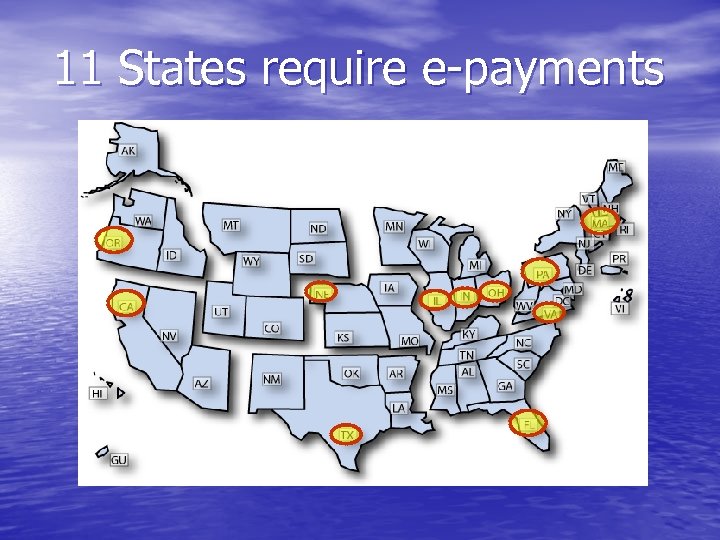
11 States require e-payments
11 States Require E-Payments üCA, FL, IN, MA, NE, OH, OR, PA, TX, and VA üIL’s legislation was a breakthrough üEmployers realized EFT isn’t going away üSoftware developers realized they might lose market share if they didn’t support EFT for child support
Online payment option for employers 30 states offer free or low-cost online payment services to employers: AR, CA, FL, IA, ID, IL, IN, LA, MD, MI, MN, MO, MT, NC, NE, ND, NH, NJ, NY, OH, OK, OR, PA, TN, TX, VA, WI, and WV
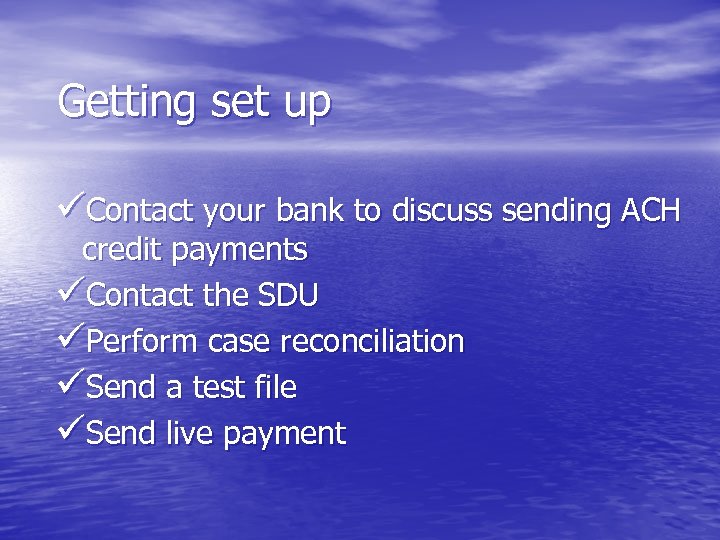
Getting set up üContact your bank to discuss sending ACH credit payments üContact the SDU üPerform case reconciliation üSend a test file üSend live payment
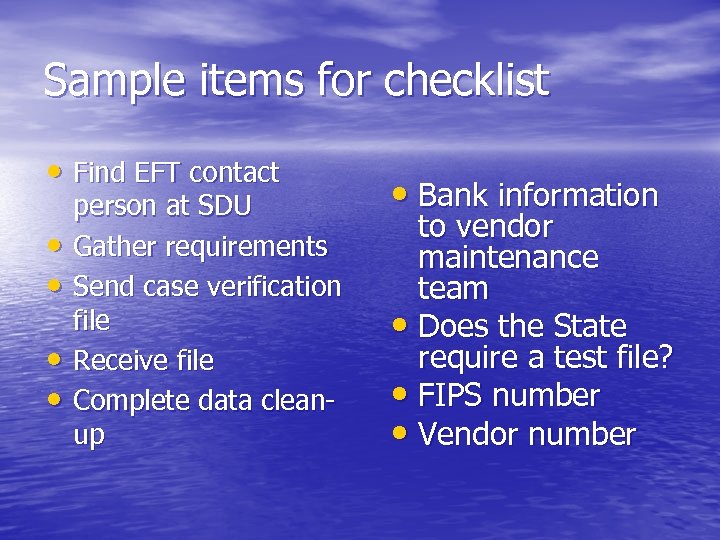
Sample items for checklist • Find EFT contact • • person at SDU Gather requirements Send case verification file Receive file Complete data cleanup • Bank information to vendor maintenance team • Does the State require a test file? • FIPS number • Vendor number
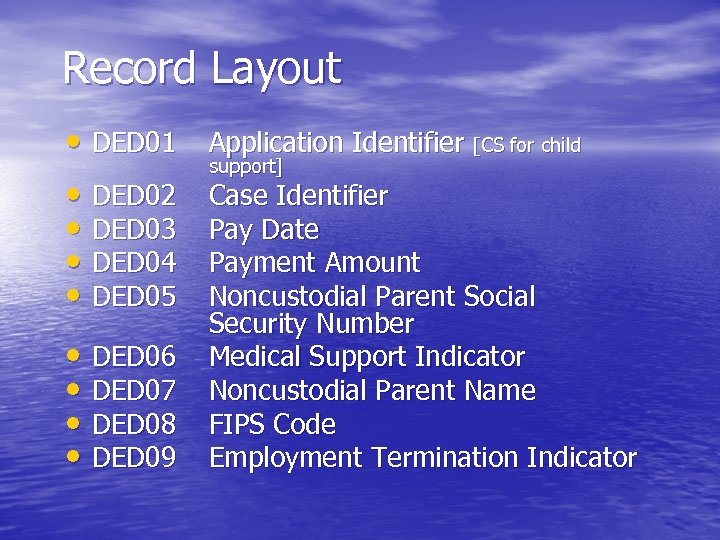
Record Layout • DED 01 Application Identifier [CS for child • DED 02 • DED 03 • DED 04 • DED 05 • DED 06 • DED 07 • DED 08 • DED 09 support] Case Identifier Pay Date Payment Amount Noncustodial Parent Social Security Number Medical Support Indicator Noncustodial Parent Name FIPS Code Employment Termination Indicator
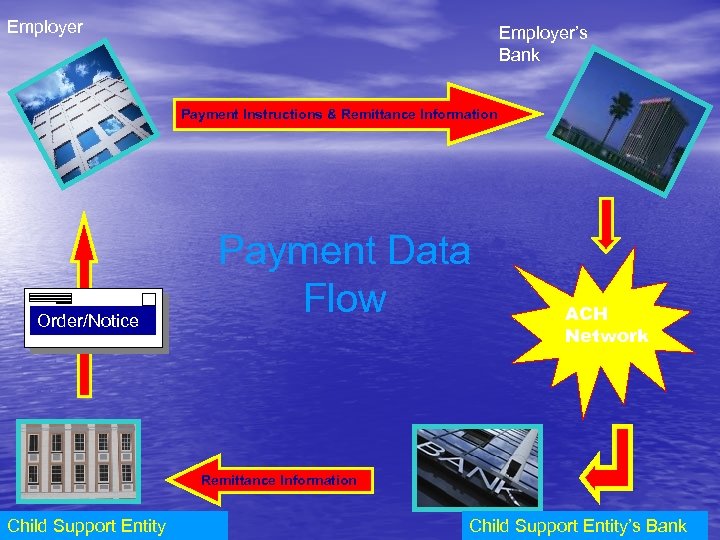
Employer’s Bank Payment Instructions & Remittance Information Order/Notice Payment Data Flow ACH Network Remittance Information Child Support Entity’s Bank
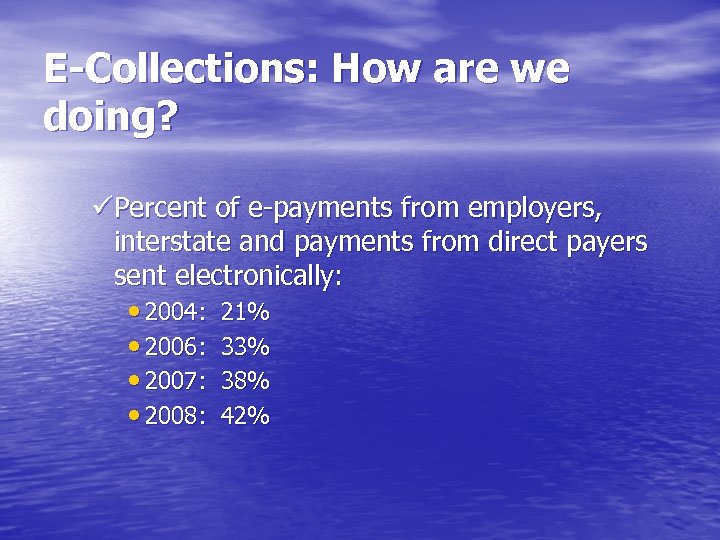
E-Collections: How are we doing? üPercent of e-payments from employers, interstate and payments from direct payers sent electronically: • 2004: 21% • 2006: 33% • 2007: 38% • 2008: 42%
Challenges • Have all child support payments go to the SDU, including: üPayments court-ordered to the CP üPrivate collection agency payments üPayments to county and district courts
E-payment items to consider • What to do if you send an incorrect file or duplicate file • Adding new employees (case ID issue) • You can send to all SDUs at once (similar to direct deposit)
Next steps • Download the User Guide to Electronic Child Support Payments at NACHA’s website: http: //ecsp. nacha. org • Visit our Employer page www. acf. hhs. gov/programs/cse Click on “Employer Information”
Other child support programs • Insurance Match • MSFIDM • Federal Tax Refund and Administrative Offset • Passport Denial
Contact information: Employer Services Team Sherri Grigsby sherri. grigsby@acf. hhs. gov (202) 401 -6114 Bill Stuart (e-IWO) william. k. stuart@lmco. com (518) 399 -9241 Lynnetta Thompson lynnetta. thompson@acf. hhs. gov (202) 401 -6982 Cindy Holdren cynthia. holdren@acf. hhs. gov (240) 676 -2808 Nancy Benner (EFT) nancy. benner@acf. hhs. gov (202) 401 -5528
2009 Tax & Operational Excellence Workshop The electronic Income Withholding Order (e-IWO) process made easy Bill Stuart – Federal Office of Child Support Enforcement
What is e-IWO? • States electronically send IWOs • Employers electronically acknowledge IWO • Federal Employer Identification Number (FEIN) is key • Handles Terminations, Lump Sum payments • System to system • Fillable PDF and Spreadsheet options 24
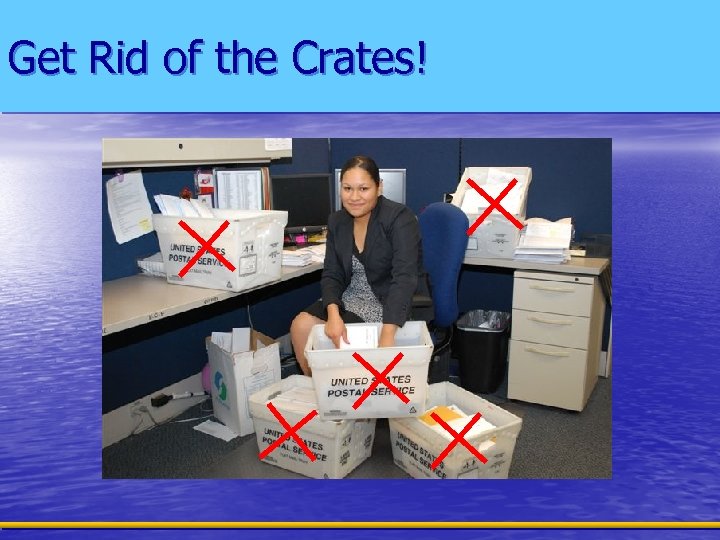
Get Rid of the Crates!
How It All Began… • First workgroup Chicago – August 2004 • 11 employers, 18 States • The workgroup designed and developed: – flat file layouts and XML schema – an electronic acknowledgment process
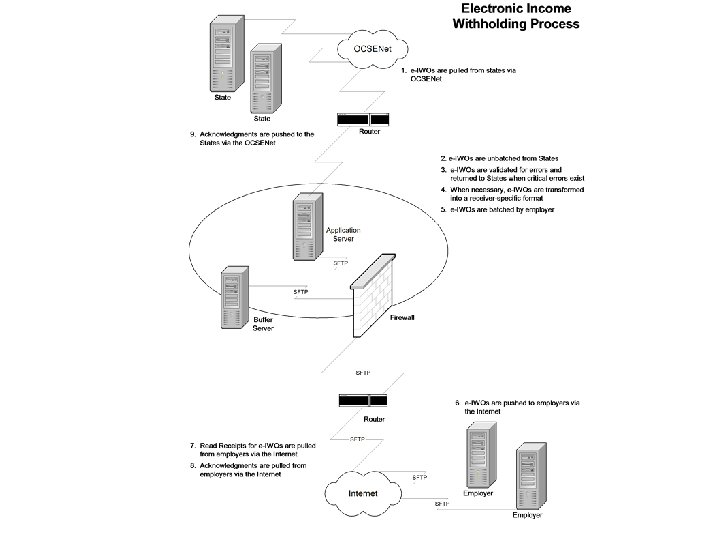
The Pilot • Tested layouts and process • Used OCSENet for file transfers • System to system interface
The Portal • Facilitates transmission of e-IWO’s • Just 1 communication point • Transforms file to receivers format • PDF’s offered with data file • Handles payroll processors • Secure Transmissions – SFTP and PGP • Record Level Tracking • No programming options (PDF/Spreadsheet)
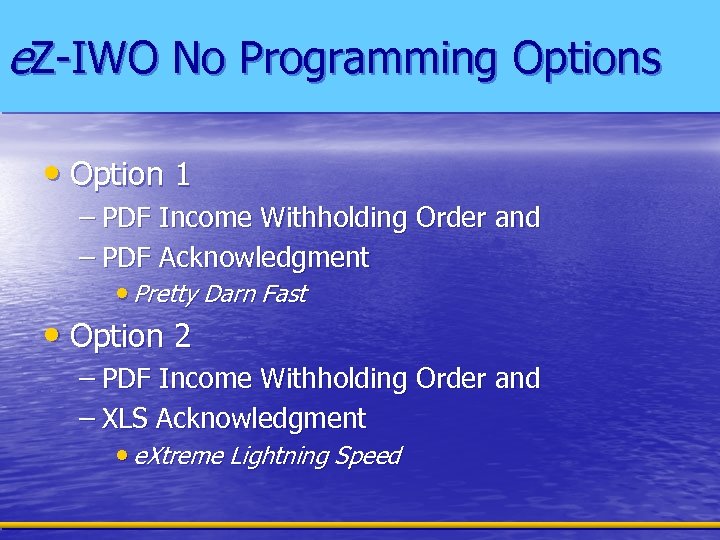
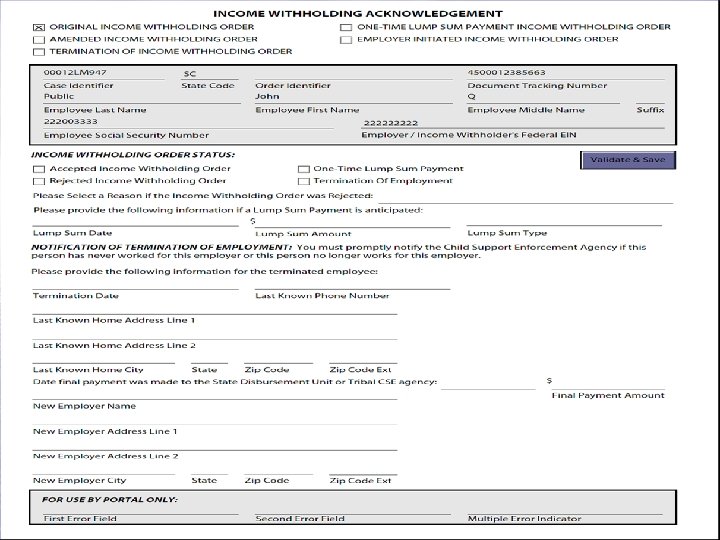
e. Z-IWO No Programming Options • Option 1 – PDF Income Withholding Order and – PDF Acknowledgment • Pretty Darn Fast • Option 2 – PDF Income Withholding Order and – XLS Acknowledgment • e. Xtreme Lightning Speed
Bulls-eye for these Companies • Target population – Employers who don’t want to program – Employers with smaller # of incoming e-IWOs • Interested companies – KBR – PDF – Tyson – PDF – TLC – XLS – Yum Brands – XLS
Ready, Set, Go! • Speed records will be broken with this process – – Fill out Profile Set up connectivity Conduct a test Start receiving Acknowledgments – – – Secure File Transfer Protocol (SFTP) Server or FTP Server with a Virtual Private Network We will help you establish connectivity • What do I need? SPEED LIMIT 100
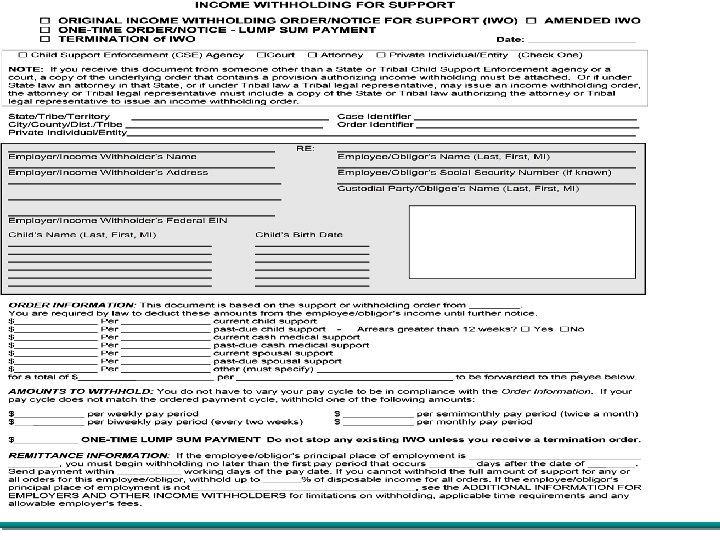
The XLS Acknowledgment Option • In Production • Sample • Reduces the IT resources required • Accept or Reject IWO • Acknowledgment information provided to States • Handles Termination and Lump Sums
The PDF Acknowledgment Option • In Production • Sample • Reduces the IT resources required • Accept or Reject IWO • Acknowledgment information provided to States • Handles Termination and Lump Sums
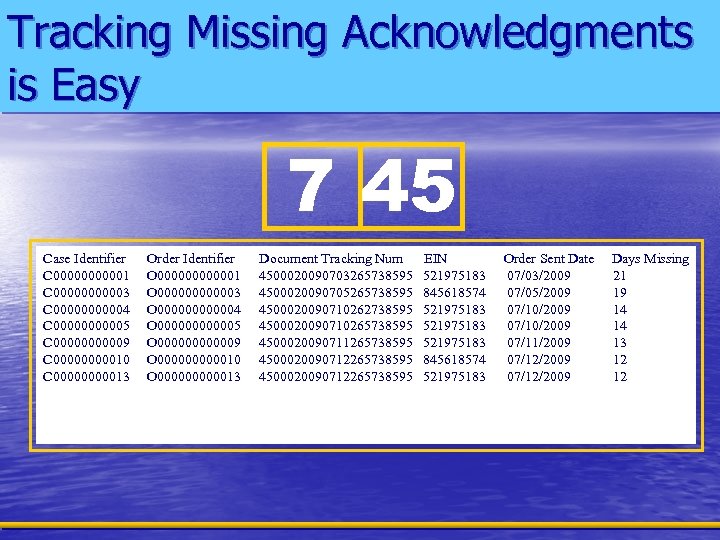
Tracking Missing Acknowledgments is Easy 7 45 Case Identifier Order Identifier Maryland : 07/03/2009 – 07/17/2009 C 000001 O 0000001 C 000003 O 0000003 C 000004 O 0000004 C 000005 O 0000005 C 000009 O 0000009 C 0000010 O 0000010 C 0000013 O 0000013 Document Tracking Num 4500020090703265738595 4500020090705265738595 4500020090710262738595 4500020090710265738595 4500020090711265738595 4500020090712265738595 EIN 521975183 845618574 521975183 Order Sent Date 07/03/2009 07/05/2009 07/10/2009 07/11/2009 07/12/2009 Days Missing 21 19 14 14 13 12 12
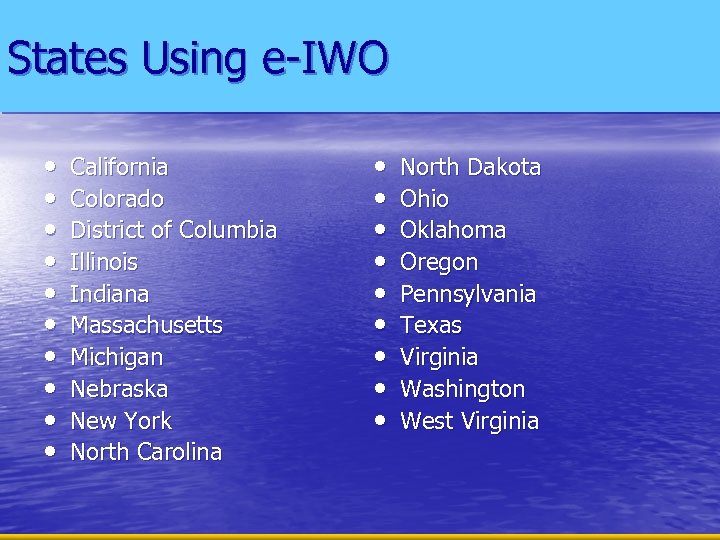
States Using e-IWO • • • California Colorado District of Columbia Illinois Indiana Massachusetts Michigan Nebraska New York North Carolina • • • North Dakota Ohio Oklahoma Oregon Pennsylvania Texas Virginia Washington West Virginia
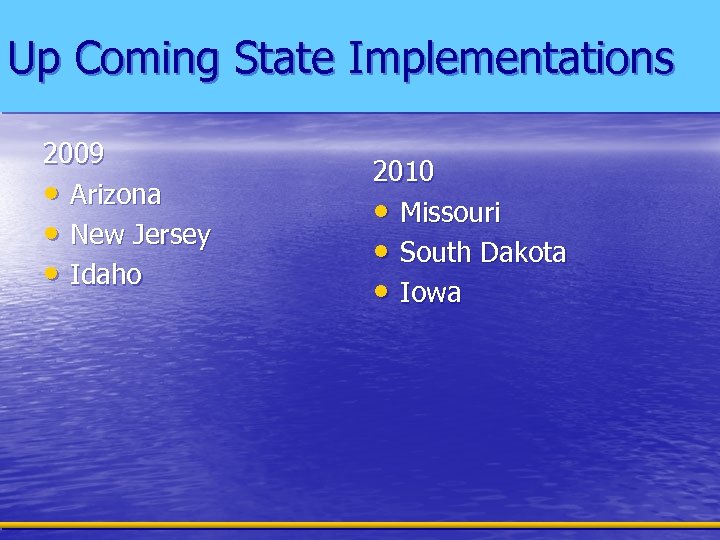
Up Coming State Implementations 2009 • Arizona • New Jersey • Idaho 2010 • Missouri • South Dakota • Iowa
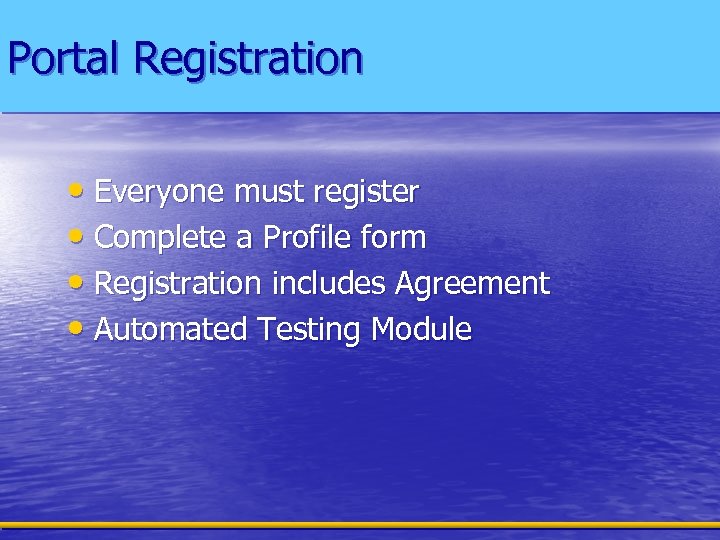
Portal Registration • Everyone must register • Complete a Profile form • Registration includes Agreement • Automated Testing Module
The Benefits • Adding additional employers (for States) • • • or States (for employers) is straightforward Increases collections Saves time, money, and resources Ensures uniform IWO data from all States Increases accuracy and reliability of data Acknowledgement provides timely feedback
Resources • Software Interface Specification Document (SIS) http: //www. acf. hhs. gov/programs/cs e/newhire/employer/publication/eiwo/ sis/eiwo_sis_qc. htm • e-IWO Workgroup – 31 States and 50+ employers - monthly calls • e-IWO Workplace – Minutes of meetings, business rules, etc. – Contact Bill Stuart to register and access the Workplace
National Medical Support Notice • A project has just started • Uses the Portal • Follows e-IWO processes and procedures • Will include a fillable PDF option

Got Questions? • Contact Bill Stuart – (518) 399 -9241 – william. k. stuart@lmco. com
Скачать презентацию IPPA 2009 Tax Operational Excellence Workshop November
1d021c150bb63366309be2b7a9e64954.ppt