 Скачать презентацию Invensys Condition Monitoring 2 1 February 2006
3e661eaf53f325a74e7a554ad8d51ce0.ppt
- Количество слайдов: 72



Invensys Condition Monitoring 2. 1 February 2006
Agenda § New Features – Archestr. A, OPC A&E, Usability § Data Sources – Setup, Troubleshooting § Environment – Entities and Statistics – Web Services, Email, Biz. Talk 2004 – Licensing § Demo Invensys Confidential 2
Agenda § New Features – Archestr. A, OPC A&E, Usability § Data Sources – Setup, Troubleshooting § Environment – Entities and Statistics – Web Services, Email, Biz. Talk 2004 – Licensing § Demo Invensys Confidential 3
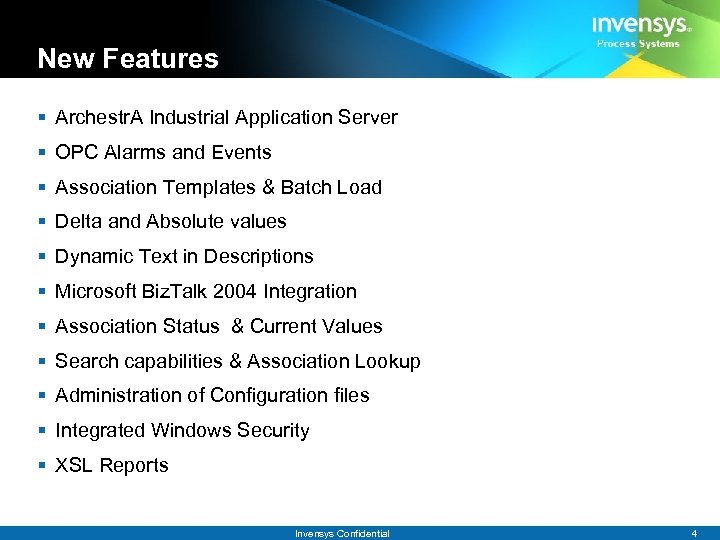
New Features § Archestr. A Industrial Application Server § OPC Alarms and Events § Association Templates & Batch Load § Delta and Absolute values § Dynamic Text in Descriptions § Microsoft Biz. Talk 2004 Integration § Association Status & Current Values § Search capabilities & Association Lookup § Administration of Configuration files § Integrated Windows Security § XSL Reports Invensys Confidential 4
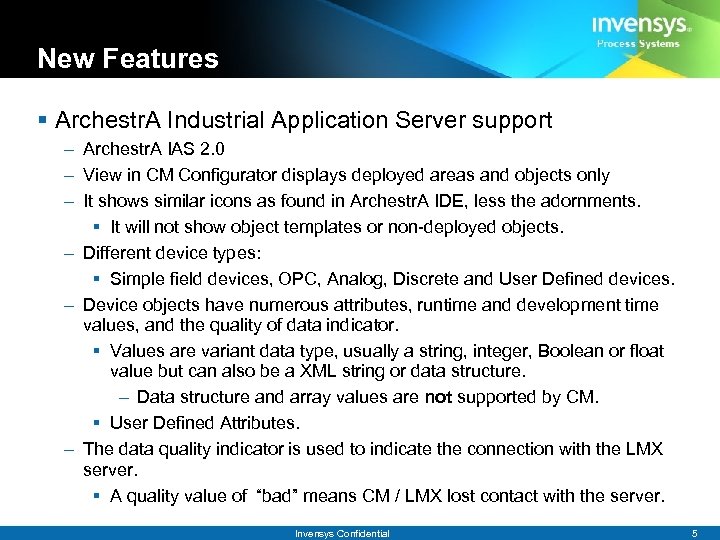
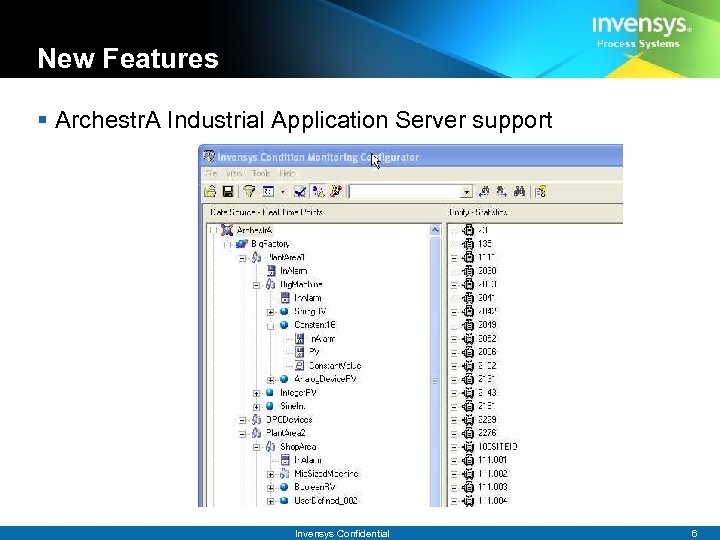
New Features § Archestr. A Industrial Application Server support – Archestr. A IAS 2. 0 – View in CM Configurator displays deployed areas and objects only – It shows similar icons as found in Archestr. A IDE, less the adornments. § It will not show object templates or non-deployed objects. – Different device types: § Simple field devices, OPC, Analog, Discrete and User Defined devices. – Device objects have numerous attributes, runtime and development time values, and the quality of data indicator. § Values are variant data type, usually a string, integer, Boolean or float value but can also be a XML string or data structure. – Data structure and array values are not supported by CM. § User Defined Attributes. – The data quality indicator is used to indicate the connection with the LMX server. § A quality value of “bad” means CM / LMX lost contact with the server. Invensys Confidential 5
New Features § Archestr. A Industrial Application Server support Invensys Confidential 6
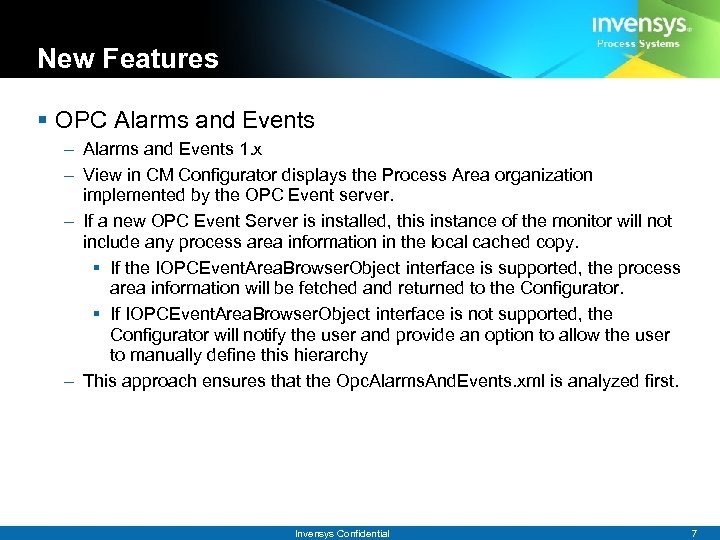
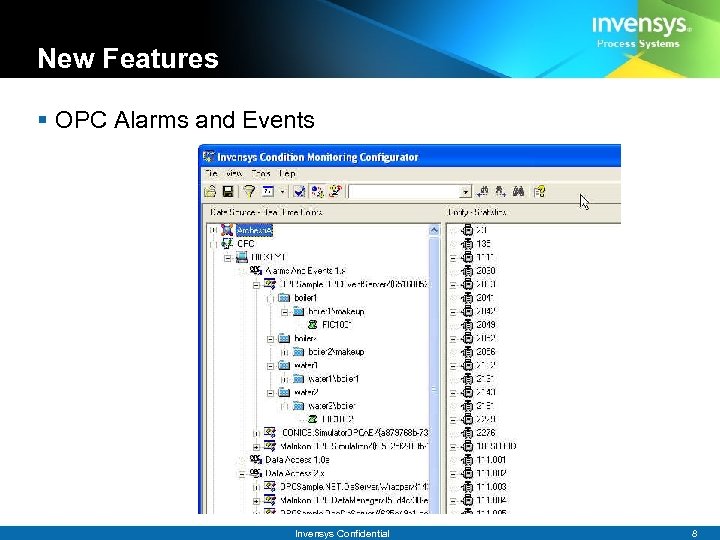
New Features § OPC Alarms and Events – Alarms and Events 1. x – View in CM Configurator displays the Process Area organization implemented by the OPC Event server. – If a new OPC Event Server is installed, this instance of the monitor will not include any process area information in the local cached copy. § If the IOPCEvent. Area. Browser. Object interface is supported, the process area information will be fetched and returned to the Configurator. § If IOPCEvent. Area. Browser. Object interface is not supported, the Configurator will notify the user and provide an option to allow the user to manually define this hierarchy – This approach ensures that the Opc. Alarms. And. Events. xml is analyzed first. Invensys Confidential 7
New Features § OPC Alarms and Events Invensys Confidential 8
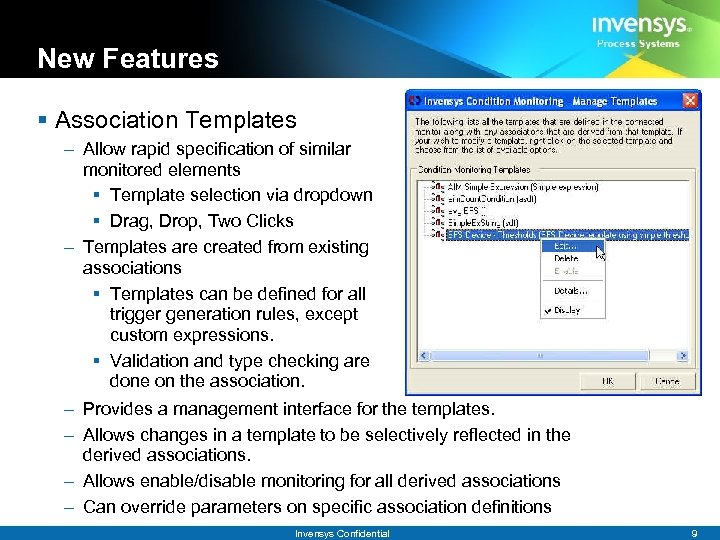
New Features § Association Templates – Allow rapid specification of similar monitored elements § Template selection via dropdown § Drag, Drop, Two Clicks – Templates are created from existing associations § Templates can be defined for all trigger generation rules, except custom expressions. § Validation and type checking are done on the association. – Provides a management interface for the templates. – Allows changes in a template to be selectively reflected in the derived associations. – Allows enable/disable monitoring for all derived associations – Can override parameters on specific association definitions Invensys Confidential 9
New Features § Batch Load – Leverages association templates to generate associations – Import data via XML file with five attributes per association § <Template> - Template name § <RTP> - RTP path, elements enclosed in square brackets § <Entity> - Entity or Asset Name § <Site> - Site for the asset § <Stat. Type> - Statistic on the asset Invensys Confidential 10
New Features § Delta and Absolute values – Enables monitoring and triggers based on the rate of change between readings – Options for the value to use now include: § Real (Default) - Actual reading from the historian or device § Absolute - Absolute value of the reading § Delta - Positive or negative change since the last reading § Absolute Delta - Absolute value of the change since the last reading – Can not be changed when editing an association Invensys Confidential 11
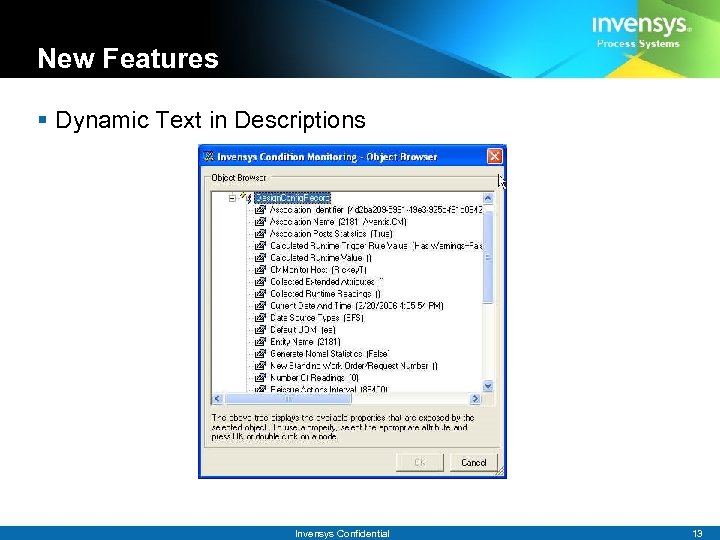
New Features § Dynamic Text in Descriptions – Provides the ability to use runtime information within the descriptions of Work Orders, Work Request, EAR, Statistics and Email – This context information makes the resulting document much more useful – The wizard provides the tags which get substituted at runtime – Extremely useful when using Association templates – Substitution tags include ‘static’ information such as § Entity, Site, Statistic § RTP Name, Data Source § Generation rule and its specification – And dynamic runtime information like § Result Of Value Rule (Value. Rule. Value) § All values of the readings § Time of Last Reading § Time of First Reading § Current Standing Work Order/Request Number Invensys Confidential 12
New Features § Dynamic Text in Descriptions Invensys Confidential 13
New Features § Biz. Talk 2004 Integration – Significant events detected by Invensys Condition Monitoring 2. 1 can be configured to trigger workflows defined in Biztalk. – Allows Condition Monitoring to leverage enterprise workflows as optional actions – Flexible implementation § Dynamically binds to Biz. Talk interface – Condition Monitoring invokes a user specified operation exported by a Biz. Talk Orchestration. – Condition Monitoring presents methods that accept an XML document – The XML document contains context data that can be used to further customize the workflow Invensys Confidential 14
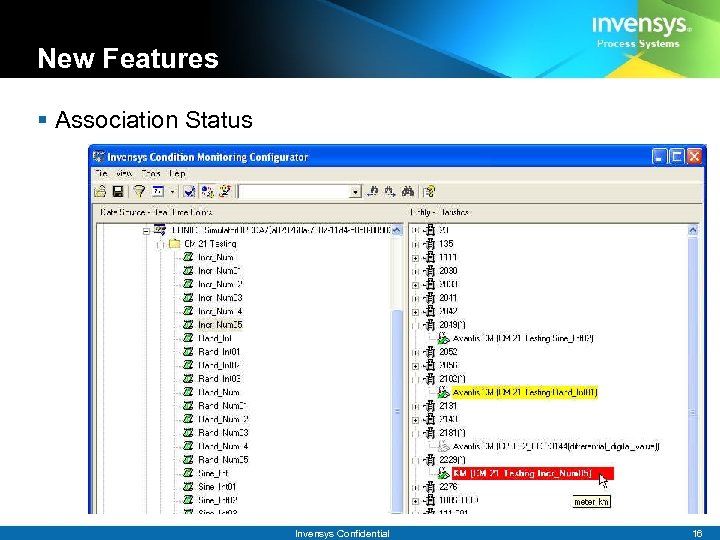
New Features § Association Status – A Configurator instance will reflect the last know evaluation state during an update cycle § If an action (Work order, Biz. Talk, etc) was triggered during the last update cycle the association shows “Red” § If an action (Work order, Biz. Talk, etc) was not triggered during the last update cycle, but there were readings of interest it will show the association as “Yellow” – A reading of interest occurs when some of the criteria for the generation rule is met § Current Value – Allows the user to view within the Configurator the current value of a particular RTP point in real time Invensys Confidential 15
New Features § Association Status Invensys Confidential 16
New Features § Search – – Find specific nodes within the RTP tree or the entity tree Supports previous / next / full word / match case searches Keeps history of previous searches Supports full regular expression syntax for more complex searches § Association Lookup – Provides a simple tabular interface to sort associations – Selecting an association then expands both the source RTP point in the tree and the Entity / Statistic side as well Invensys Confidential 17
New Features § Administration of Configuration files – The CMAdmin utility now provides a simple tabular interface to modify the configuration parameters of the CM Monitor engine and other CM components – Some items like Logging. Level will be applied right away, others require the CM Monitor or the specific component to be restarted § Integrated Windows Security – Authorization of a user of the Configurator gets checked against membership in a CMAdministrators on the server § XSL Report – A simple summary report of the associations on particular monitor Invensys Confidential 18
Agenda § New Features – Archestr. A, OPC A&E, Usability § Data Sources – Setup, Troubleshooting § Environment – Entities and Statistics – Web Services, Email, Biz. Talk 2004 – Licensing § Demo Invensys Confidential 19
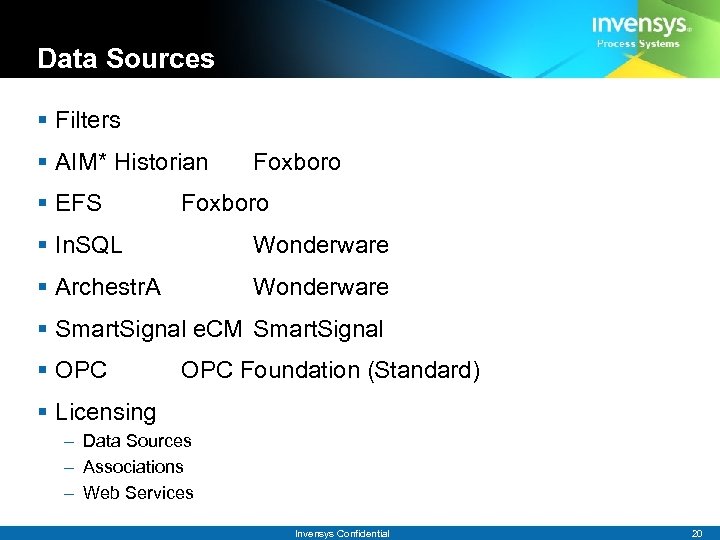
Data Sources § Filters § AIM* Historian § EFS Foxboro § In. SQL Wonderware § Archestr. A Wonderware § Smart. Signal e. CM Smart. Signal § OPC Foundation (Standard) § Licensing – Data Sources – Associations – Web Services Invensys Confidential 20
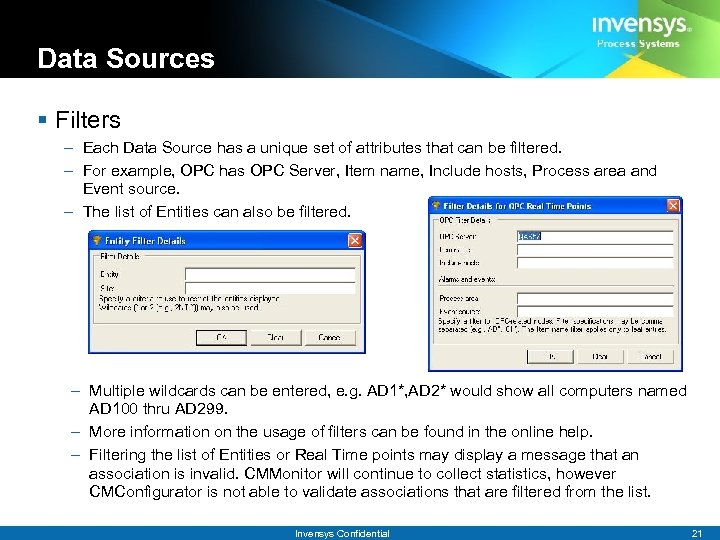
Data Sources § Filters – Each Data Source has a unique set of attributes that can be filtered. – For example, OPC has OPC Server, Item name, Include hosts, Process area and Event source. – The list of Entities can also be filtered. – Multiple wildcards can be entered, e. g. AD 1*, AD 2* would show all computers named AD 100 thru AD 299. – More information on the usage of filters can be found in the online help. – Filtering the list of Entities or Real Time points may display a message that an association is invalid. CMMonitor will continue to collect statistics, however CMConfigurator is not able to validate associations that are filtered from the list. Invensys Confidential 21
Data Sources – AIM* (Foxboro) § AIM* -> Uses AIM* third party libraries. – – CMAIM. dll -> Implementation AIMMANAGEDCODEWRAPPER. DLL-> Managed Code Wrapper NETAPIDOTNETWRAPPER. DLL -> C++ Wrapper APISERV. DLL -> AIM* library § The datasource resolves the historians to display via broadcasting. Once the host is identified, proprietary (AIM*) API's are used to fetch RTP's names and values for the selected historian. § In the case of alarms and events, the user has to update the Alarm. Codes. xml that are specific to the implementation § Note that the AIM* machine generally are set to be on GMT (e. g. , 5 -6 hours ahead) § Several components, individually licensed, needs to be active § Secured, User must be registered with AIM* Historian Invensys Confidential 22
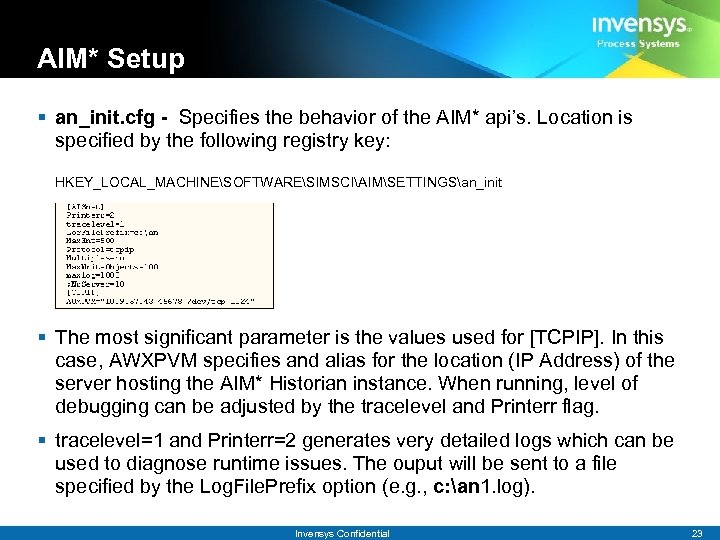
AIM* Setup § an_init. cfg - Specifies the behavior of the AIM* api’s. Location is specified by the following registry key: HKEY_LOCAL_MACHINESOFTWARESIMSCIAIMSETTINGSan_init § The most significant parameter is the values used for [TCPIP]. In this case, AWXPVM specifies and alias for the location (IP Address) of the server hosting the AIM* Historian instance. When running, level of debugging can be adjusted by the tracelevel and Printerr flag. § tracelevel=1 and Printerr=2 generates very detailed logs which can be used to diagnose runtime issues. The ouput will be sent to a file specified by the Log. File. Prefix option (e. g. , c: an 1. log). Invensys Confidential 23
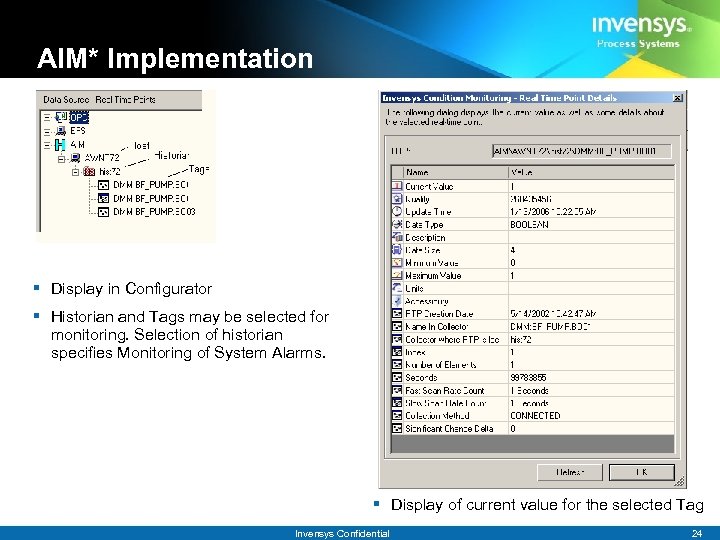
AIM* Implementation § Display in Configurator § Historian and Tags may be selected for monitoring. Selection of historian specifies Monitoring of System Alarms. § Display of current value for the selected Tag Invensys Confidential 24
Data Sources – EFS (Foxboro) § EFS – Extended Frame Service (version 1. 1) – Must be installed and registered properly – Unfortunately, the installer does not provide a means of installing only the components required for CM. Typically, this is the EFSObject. DLL and a series of XML schemas and templates. – CMEFS. dll Implementation – EFSMANAGEDCODEWRAPPER. DLL Managed Code Wrapper – EFSWRAPPER. DLL C++ Around efsobject. dll § EFS fetches data from an EFSDB (System) ODBC datasource. The database is either a MS SQLServer or MS Access. § EFS framework monitors devices and persists large and verbose XML documents describing the state of the device into the database. § EFSObject. dll provides the api’s used to fetch the list of configured devices, their parameter and monitored data. § If there are problems fetching data, may have to re-register efsobject. dll Invensys Confidential 33
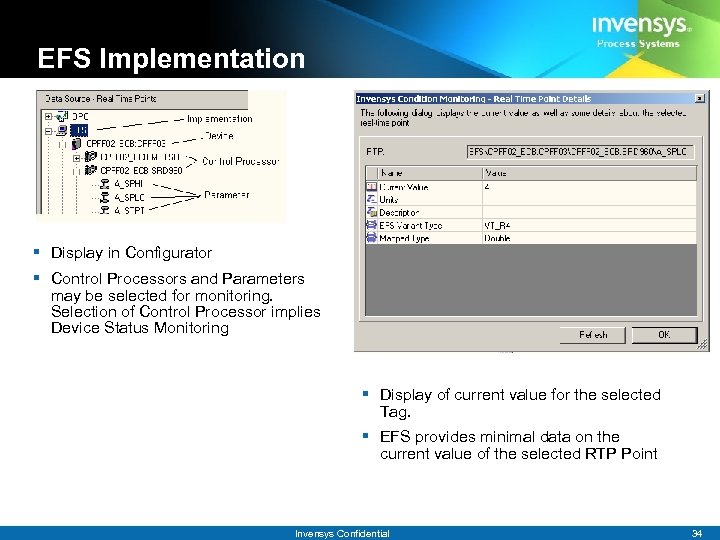
EFS Implementation § Display in Configurator § Control Processors and Parameters may be selected for monitoring. Selection of Control Processor implies Device Status Monitoring § Display of current value for the selected Tag. § EFS provides minimal data on the current value of the selected RTP Point Invensys Confidential 34
Data Sources - In. SQL (Wonderware) § Industrial. SQL Server captures real-time, high volume data and makes it available for business applications. – – Based on extensions to SQL Server. Database name is Runtime Implementation includes a series of views which reduces the runtime data. Three types of tags (Discrete, Analog, Event) § CM uses. NET’s ODBC Api to execute queries directly against these views – Trusted connections are used to access Runtime database. Invensys Confidential 35
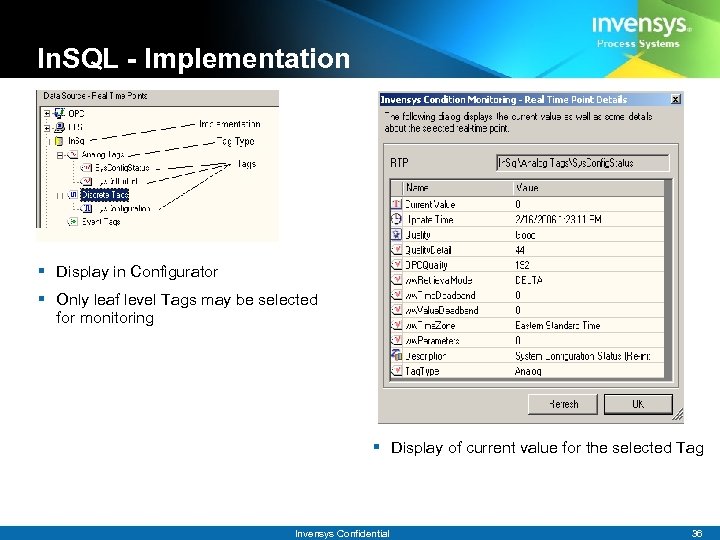
In. SQL - Implementation § Display in Configurator § Only leaf level Tags may be selected for monitoring § Display of current value for the selected Tag Invensys Confidential 36
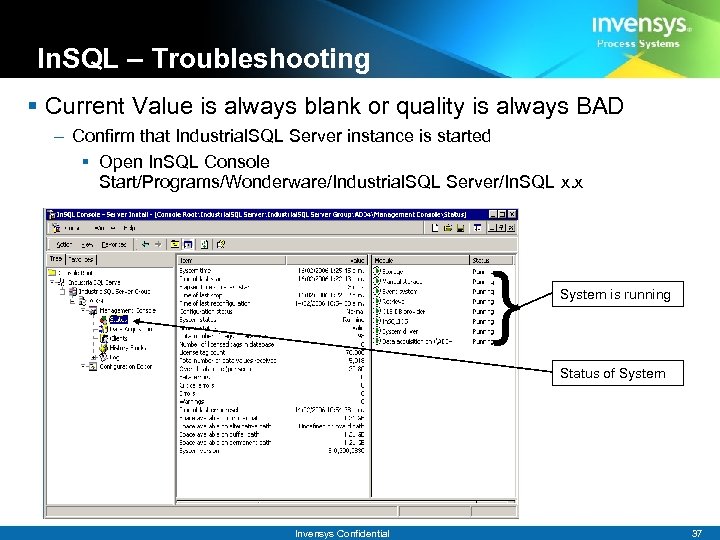
In. SQL – Troubleshooting § Current Value is always blank or quality is always BAD – Confirm that Industrial. SQL Server instance is started § Open In. SQL Console Start/Programs/Wonderware/Industrial. SQL Server/In. SQL x. x } System is running Status of System Invensys Confidential 37
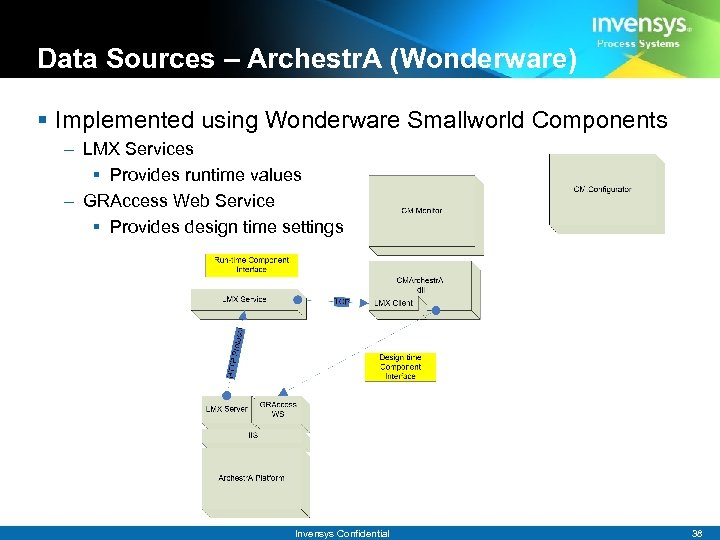
Data Sources – Archestr. A (Wonderware) § Implemented using Wonderware Smallworld Components – LMX Services § Provides runtime values – GRAccess Web Service § Provides design time settings Invensys Confidential 38
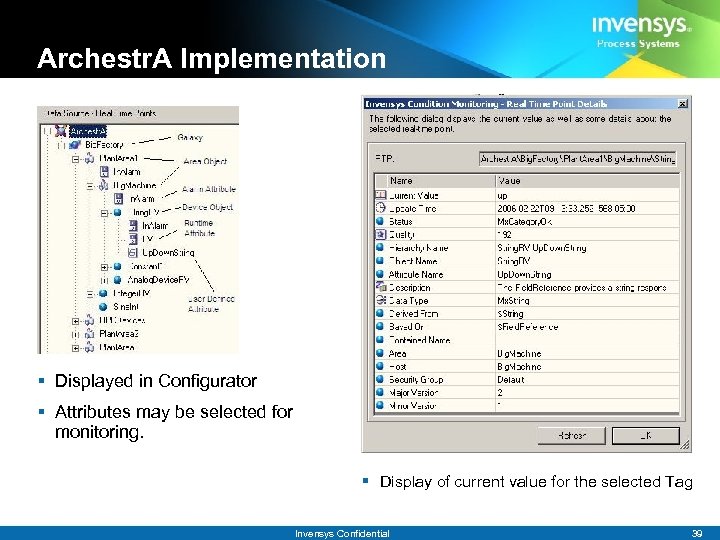
Archestr. A Implementation § Displayed in Configurator § Attributes may be selected for monitoring. § Display of current value for the selected Tag Invensys Confidential 39
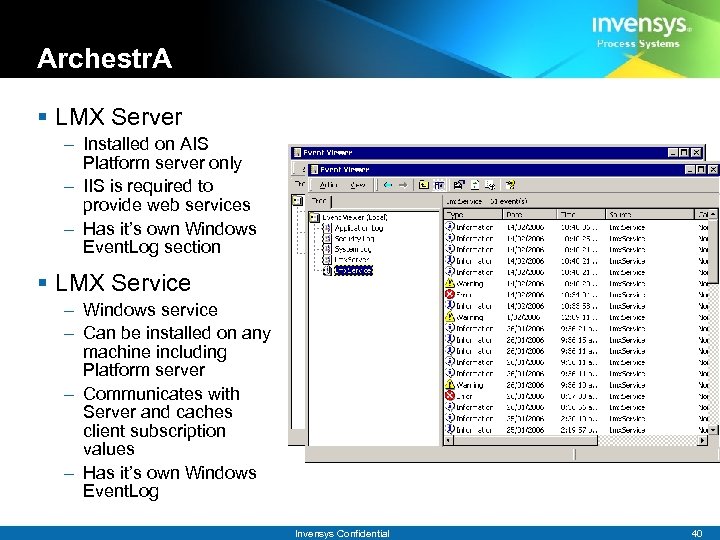
Archestr. A § LMX Server – Installed on AIS Platform server only – IIS is required to provide web services – Has it’s own Windows Event. Log section § LMX Service – Windows service – Can be installed on any machine including Platform server – Communicates with Server and caches client subscription values – Has it’s own Windows Event. Log Invensys Confidential 40
Archestr. A § LMX Client component – Installed on the Condition Monitoring Monitor system – Subscribes to the ACE LMX Service for values – Caches values locally § GRAccess Web Service – – Provides Archestr. A design time information Web Service based component Installed on the Platform only IIS is required for this component Invensys Confidential 41
Archestr. A – Troubleshooting – Check the Event. Logs for errors – LMX Service has a communication dependency with LMX Server § You must restart the Service if the Server is restarted – Including a reboot – Verify client setup by selecting current Runtime value Invensys Confidential 42
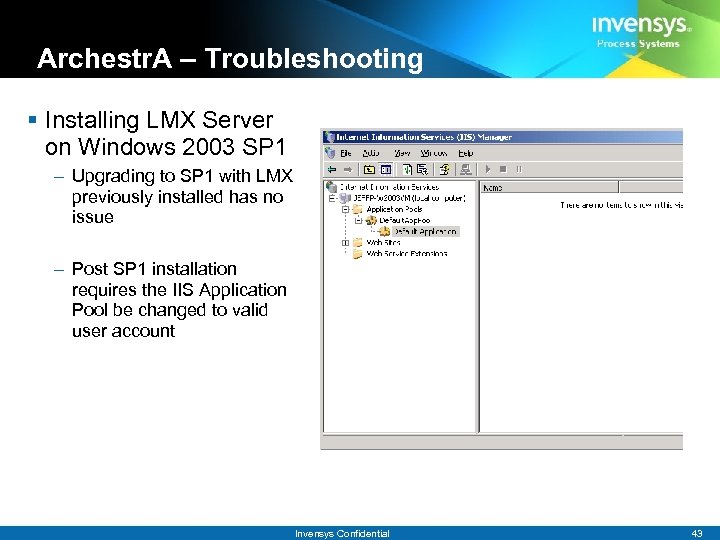
Archestr. A – Troubleshooting § Installing LMX Server on Windows 2003 SP 1 – Upgrading to SP 1 with LMX previously installed has no issue – Post SP 1 installation requires the IIS Application Pool be changed to valid user account Invensys Confidential 43
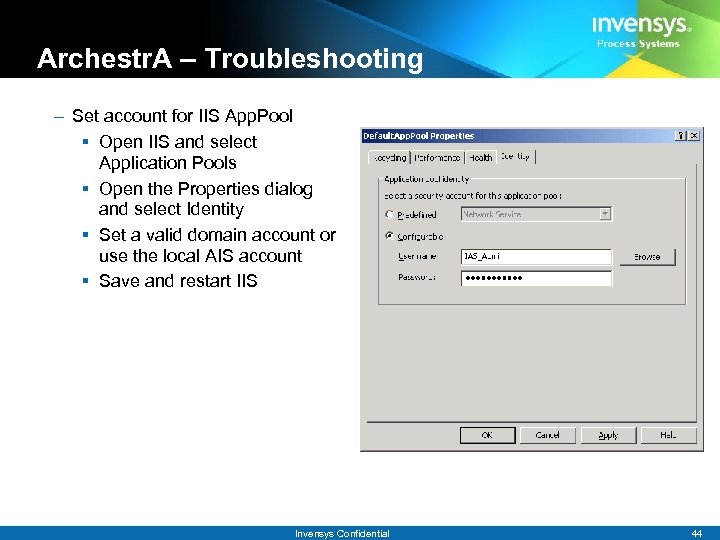
Archestr. A – Troubleshooting – Set account for IIS App. Pool § Open IIS and select Application Pools § Open the Properties dialog and select Identity § Set a valid domain account or use the local AIS account § Save and restart IIS Invensys Confidential 44
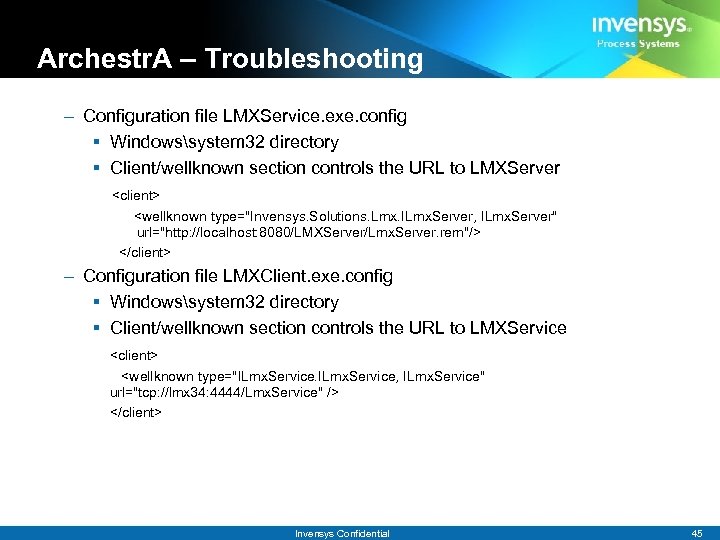
Archestr. A – Troubleshooting – Configuration file LMXService. exe. config § Windowssystem 32 directory § Client/wellknown section controls the URL to LMXServer <client> <wellknown type="Invensys. Solutions. Lmx. ILmx. Server, ILmx. Server" url="http: //localhost: 8080/LMXServer/Lmx. Server. rem"/> </client> – Configuration file LMXClient. exe. config § Windowssystem 32 directory § Client/wellknown section controls the URL to LMXService <client> <wellknown type="ILmx. Service, ILmx. Service" url="tcp: //lmx 34: 4444/Lmx. Service" /> </client> Invensys Confidential 45
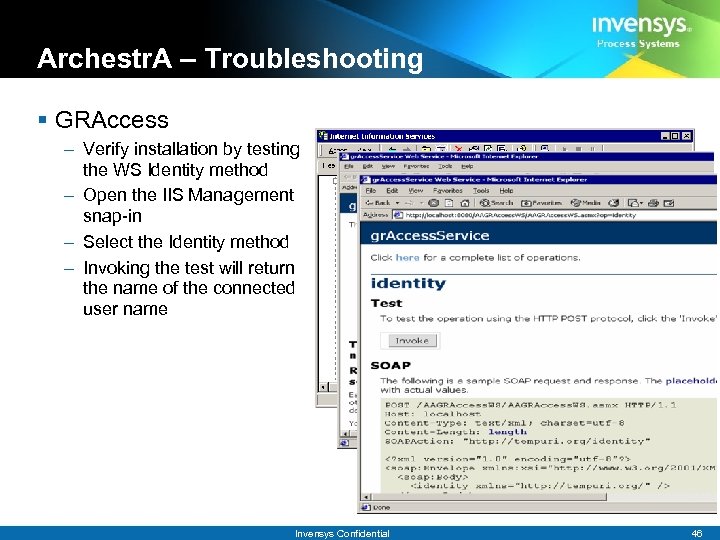
Archestr. A – Troubleshooting § GRAccess – Verify installation by testing the WS Identity method – Open the IIS Management snap-in – Select the Identity method – Invoking the test will return the name of the connected user name Invensys Confidential 46
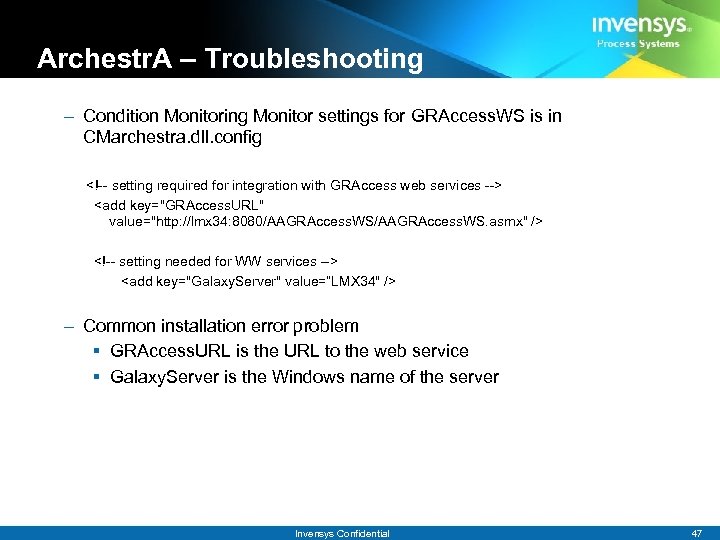
Archestr. A – Troubleshooting – Condition Monitoring Monitor settings for GRAccess. WS is in CMarchestra. dll. config <!-- setting required for integration with GRAccess web services --> <add key="GRAccess. URL" value="http: //lmx 34: 8080/AAGRAccess. WS. asmx" /> <!-- setting needed for WW services --> <add key="Galaxy. Server" value=“LMX 34" /> – Common installation error problem § GRAccess. URL is the URL to the web service § Galaxy. Server is the Windows name of the server Invensys Confidential 47
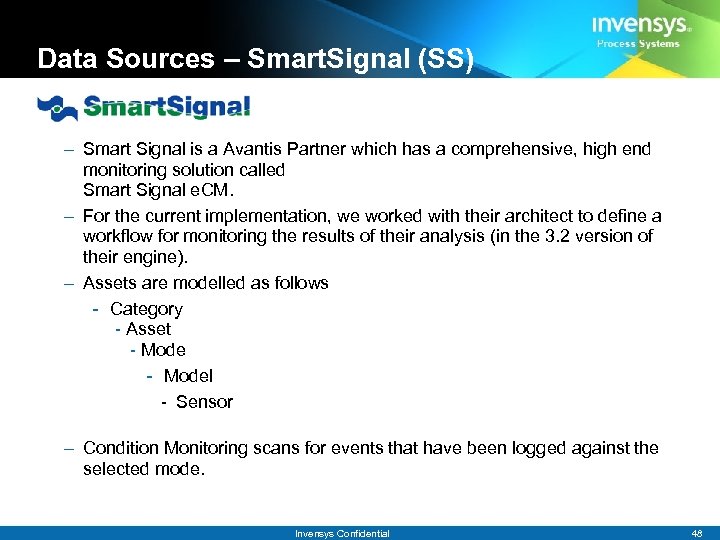
Data Sources – Smart. Signal (SS) – Smart Signal is a Avantis Partner which has a comprehensive, high end monitoring solution called Smart Signal e. CM. – For the current implementation, we worked with their architect to define a workflow for monitoring the results of their analysis (in the 3. 2 version of their engine). – Assets are modelled as follows - Category - Asset - Model - Sensor – Condition Monitoring scans for events that have been logged against the selected mode. Invensys Confidential 48
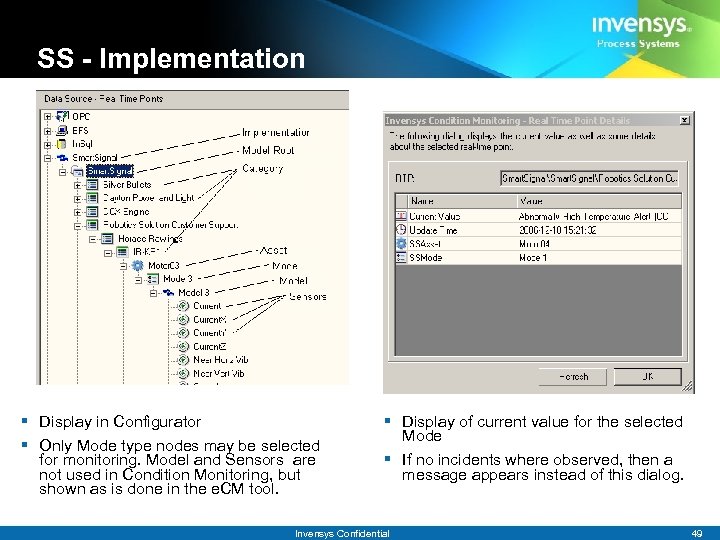
SS - Implementation § Display in Configurator § Only Mode type nodes may be selected for monitoring. Model and Sensors are not used in Condition Monitoring, but shown as is done in the e. CM tool. § Display of current value for the selected Mode § If no incidents where observed, then a message appears instead of this dialog. Invensys Confidential 49
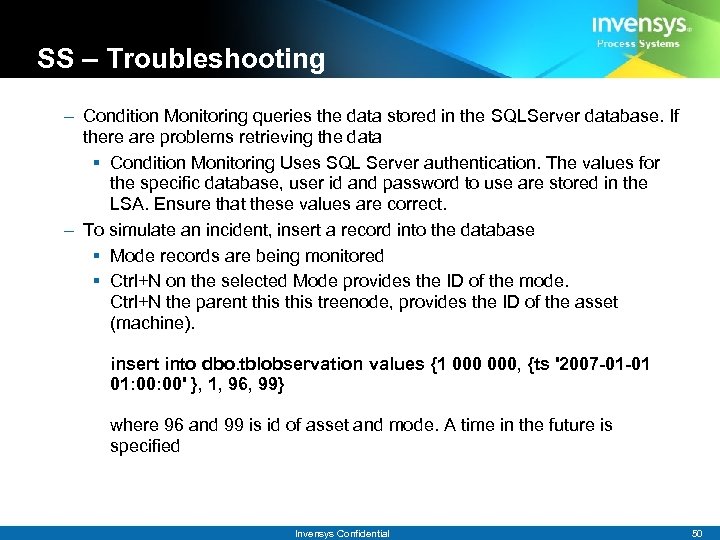
SS – Troubleshooting – Condition Monitoring queries the data stored in the SQLServer database. If there are problems retrieving the data § Condition Monitoring Uses SQL Server authentication. The values for the specific database, user id and password to use are stored in the LSA. Ensure that these values are correct. – To simulate an incident, insert a record into the database § Mode records are being monitored § Ctrl+N on the selected Mode provides the ID of the mode. Ctrl+N the parent this treenode, provides the ID of the asset (machine). insert into dbo. tblobservation values {1 000, {ts '2007 -01 -01 01: 00' }, 1, 96, 99} where 96 and 99 is id of asset and mode. A time in the future is specified Invensys Confidential 50
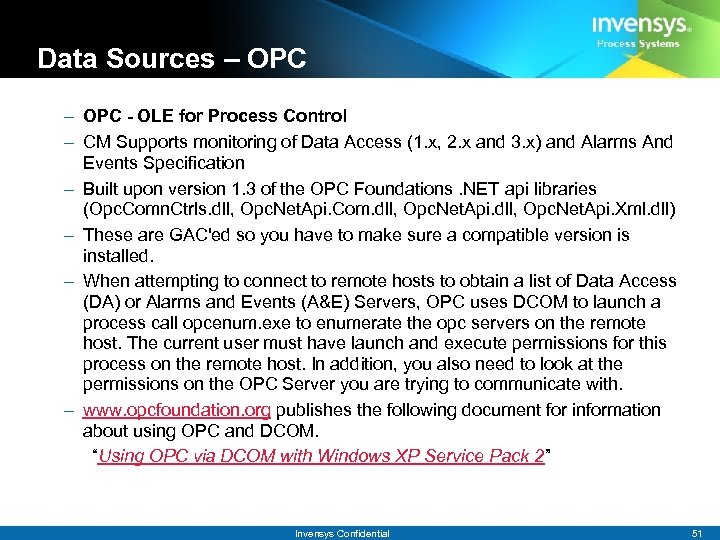
Data Sources – OPC - OLE for Process Control – CM Supports monitoring of Data Access (1. x, 2. x and 3. x) and Alarms And Events Specification – Built upon version 1. 3 of the OPC Foundations. NET api libraries (Opc. Comn. Ctrls. dll, Opc. Net. Api. Com. dll, Opc. Net. Api. Xml. dll) – These are GAC'ed so you have to make sure a compatible version is installed. – When attempting to connect to remote hosts to obtain a list of Data Access (DA) or Alarms and Events (A&E) Servers, OPC uses DCOM to launch a process call opcenum. exe to enumerate the opc servers on the remote host. The current user must have launch and execute permissions for this process on the remote host. In addition, you also need to look at the permissions on the OPC Server you are trying to communicate with. – www. opcfoundation. org publishes the following document for information about using OPC and DCOM. “Using OPC via DCOM with Windows XP Service Pack 2” Invensys Confidential 51
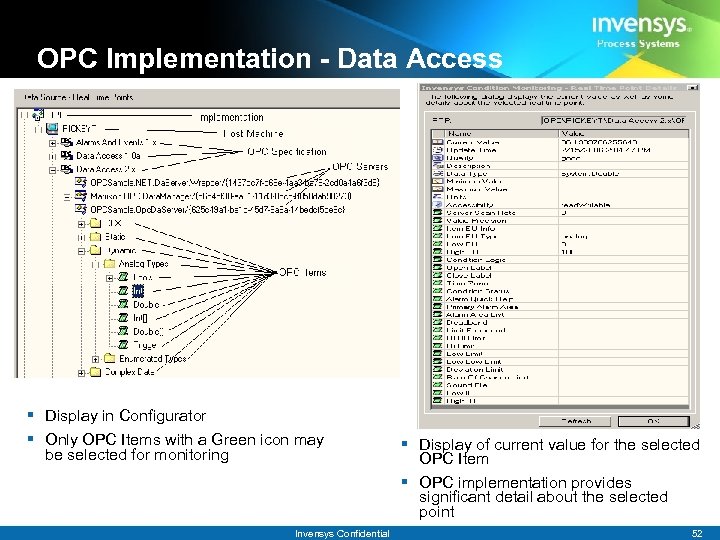
OPC Implementation - Data Access § Display in Configurator § Only OPC Items with a Green icon may be selected for monitoring Invensys Confidential § Display of current value for the selected OPC Item § OPC implementation provides significant detail about the selected point 52
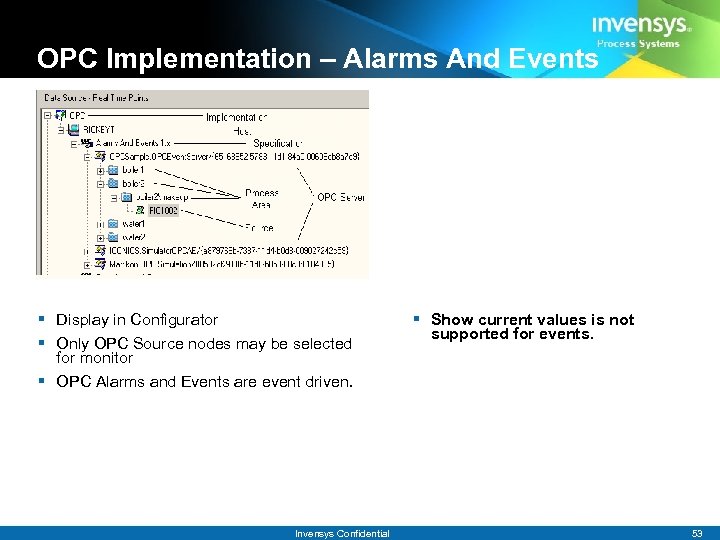
OPC Implementation – Alarms And Events § Display in Configurator § Only OPC Source nodes may be selected for monitor § OPC Alarms and Events are event driven. Invensys Confidential § Show current values is not supported for events. 53
OPC – Troubleshooting – OPC Slow displaying list of accessible machines § If the network is slow or is very large, a filter should be in place before expanding the OPC root node. § If a machine is physically on a domain but for some reason not registered with the domain server, the IP of the specific machine may be specified in the Include Host option in OPC Filter. – Alarms and Events not displaying expected Process Area or source hierarchy § Confirm that custom Process Area and Source has not been specified for the selected OPC A&E Server. § If no entries are display but some are expected, determine if the selected OPC A&E Server supports the OPCEvent. Area. Browse interface. If not, user must manually configure the Process Area/Source hierarchy. § Check filtering Invensys Confidential 54
OPC – Troubleshooting – If no OPC Servers are found for a particular machine and some are expected, it is likely a DCOM security issue § Check permissions using DCOMCNFG. § See “Using OPC via DCOM with XP SP 2. pdf” from the OPC Foundation web site – Also confirm that OPC Core components are setup properly § e. g. , Opc. Enum should be running as a service. Invensys Confidential 55
Data Sources – Licensing § Licensing – Same implementation as in Avantis. PRO – Based on Macrovision Flex. LM – Flexible licensing options § Every component is licensable § New Names – All licenses renamed for this release § New licenses are required for CM 2. 1 § CM Monitor server § Invensys. CM Invensys Confidential 56
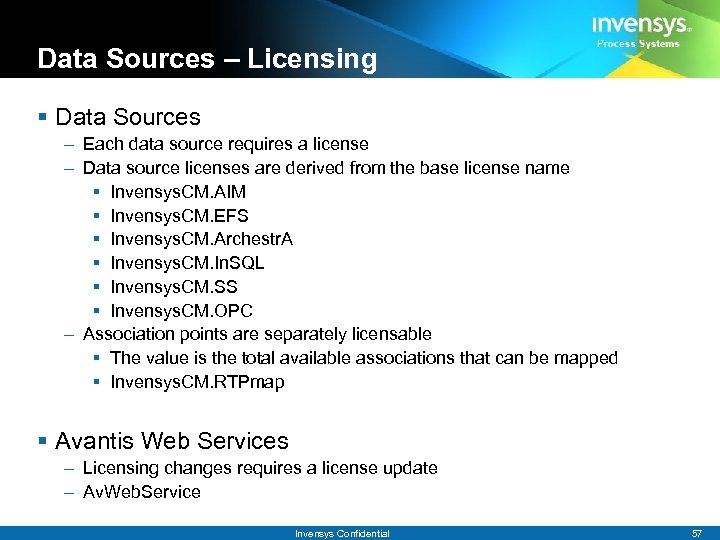
Data Sources – Licensing § Data Sources – Each data source requires a license – Data source licenses are derived from the base license name § Invensys. CM. AIM § Invensys. CM. EFS § Invensys. CM. Archestr. A § Invensys. CM. In. SQL § Invensys. CM. SS § Invensys. CM. OPC – Association points are separately licensable § The value is the total available associations that can be mapped § Invensys. CM. RTPmap § Avantis Web Services – Licensing changes requires a license update – Av. Web. Service Invensys Confidential 57
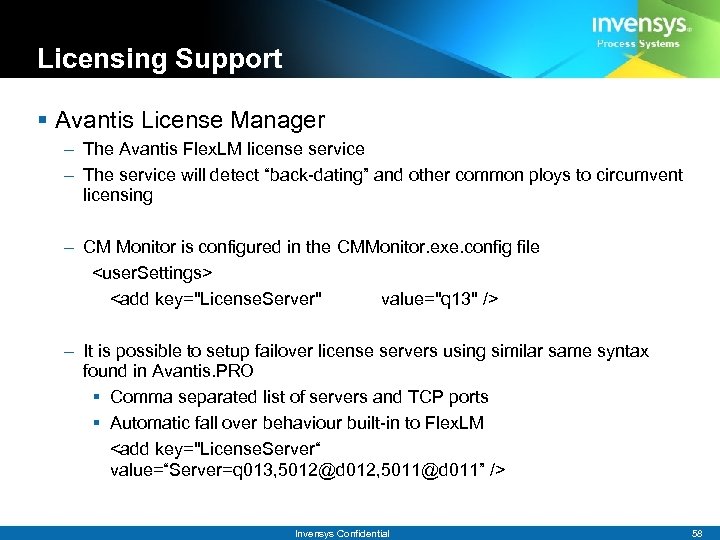
Licensing Support § Avantis License Manager – The Avantis Flex. LM license service – The service will detect “back-dating” and other common ploys to circumvent licensing – CM Monitor is configured in the CMMonitor. exe. config file <user. Settings> <add key="License. Server" value="q 13" /> – It is possible to setup failover license servers using similar same syntax found in Avantis. PRO § Comma separated list of servers and TCP ports § Automatic fall over behaviour built-in to Flex. LM <add key="License. Server“ value=“Server=q 013, 5012@d 012, 5011@d 011” /> Invensys Confidential 58
Agenda § New Features – Archestr. A, OPC A&E, Usability § Data Sources – Setup, Troubleshooting § Environment – Entities and Statistics – Web Services, Email, Biz. Talk 2004 – Licensing § Demo Invensys Confidential 59
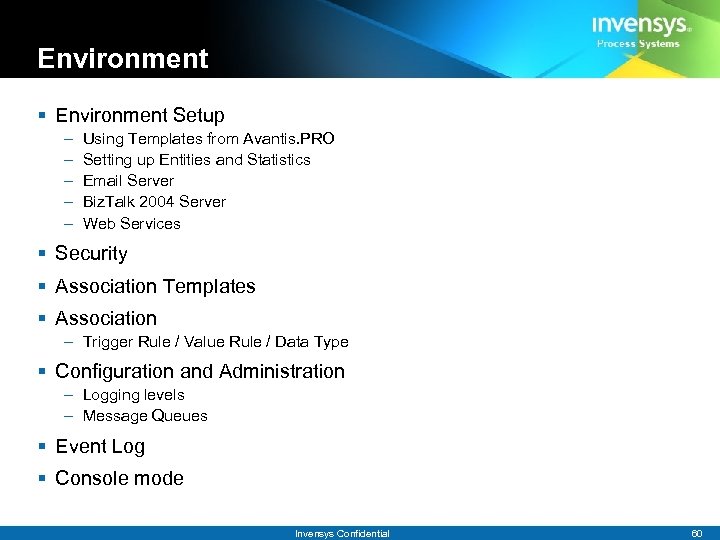
Environment § Environment Setup – – – Using Templates from Avantis. PRO Setting up Entities and Statistics Email Server Biz. Talk 2004 Server Web Services § Security § Association Templates § Association – Trigger Rule / Value Rule / Data Type § Configuration and Administration – Logging levels – Message Queues § Event Log § Console mode Invensys Confidential 60
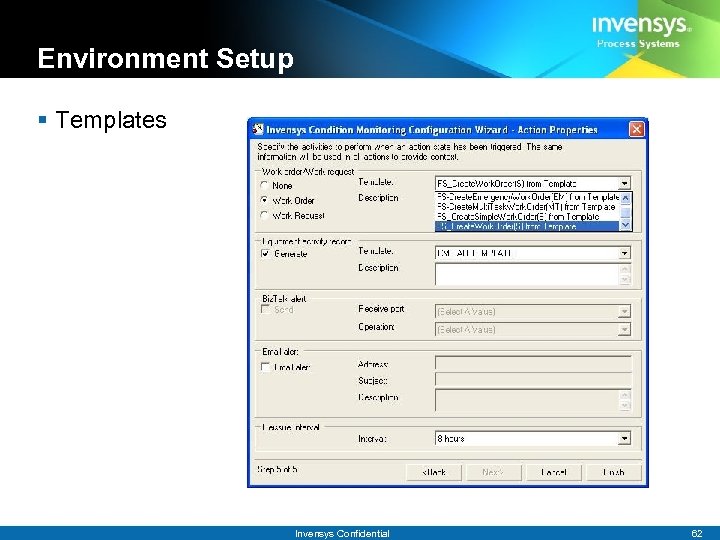
Environment Setup § Using Templates from Avantis. PRO – To create Work Requests, Work Orders, or Equipment Activity Records with Condition Monitoring, templates need to be available in Avantis. PRO. – The title from the template will show up on the final step of the Wizard. – Only templates from the site chosen during the install will be displayed in the drop down. – Nothing further needs to be done for Condition Monitoring to see the template. – A new Work Request / Work Order / Equipment Activity Record will not be created until the Reissue Interval has elapsed. § Troubleshooting – If the list of templates is not what you suspect then ensure the Condition Monitoring site was set correctly during the install. – If the title of the Template is not a valid string, then see the troubleshooting section for the web services. Invensys Confidential 61
Environment Setup § Templates Invensys Confidential 62
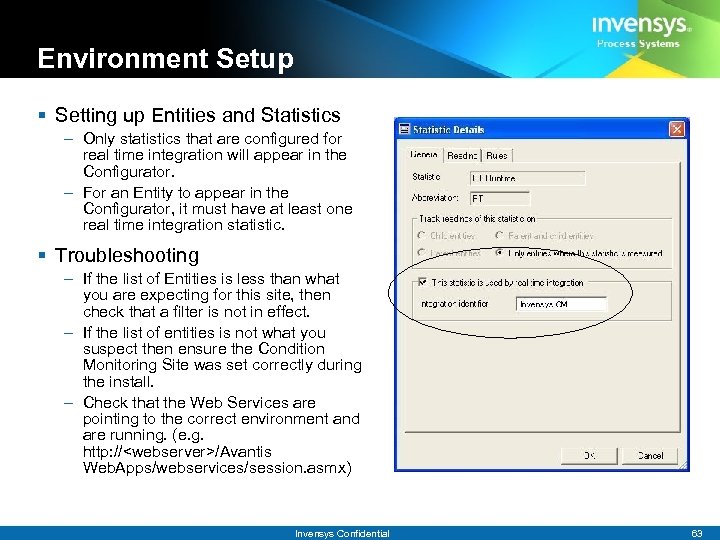
Environment Setup § Setting up Entities and Statistics – Only statistics that are configured for real time integration will appear in the Configurator. – For an Entity to appear in the Configurator, it must have at least one real time integration statistic. § Troubleshooting – If the list of Entities is less than what you are expecting for this site, then check that a filter is not in effect. – If the list of entities is not what you suspect then ensure the Condition Monitoring Site was set correctly during the install. – Check that the Web Services are pointing to the correct environment and are running. (e. g. http: //<webserver>/Avantis Web. Apps/webservices/session. asmx) Invensys Confidential 63
Email Server Notes § Setup Email – CMMonitor. exe. config – Set by the installer § Sets the from email address <add key="Default. From. Email. Address" value="Everybody@Invensys. com" /> – Uses Windows MAPI interface § Set the name of the SMTP email server in Avantis Web Services – Web. config <add key="Email. Server" value="picasso" /> Invensys Confidential 64
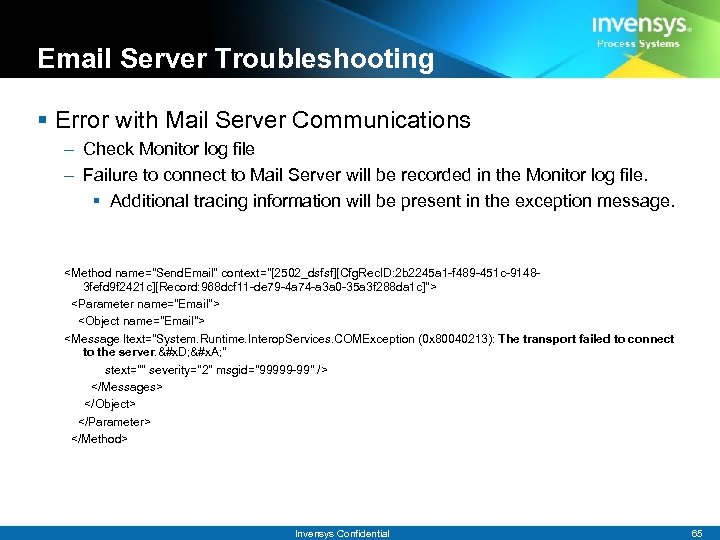
Email Server Troubleshooting § Error with Mail Server Communications – Check Monitor log file – Failure to connect to Mail Server will be recorded in the Monitor log file. § Additional tracing information will be present in the exception message. <Method name="Send. Email" context="[2502_dsfsf][Cfg. Rec. ID: 2 b 2245 a 1 -f 489 -451 c-91483 fefd 9 f 2421 c][Record: 968 dcf 11 -de 79 -4 a 74 -a 3 a 0 -35 a 3 f 288 da 1 c]"> <Parameter name="Email"> <Object name="Email"> <Message ltext="System. Runtime. Interop. Services. COMException (0 x 80040213): The transport failed to connect to the server. &#x. D; &#x. A; " stext="" severity="2" msgid="99999 -99" /> </Messages> </Object> </Parameter> </Method> Invensys Confidential 65
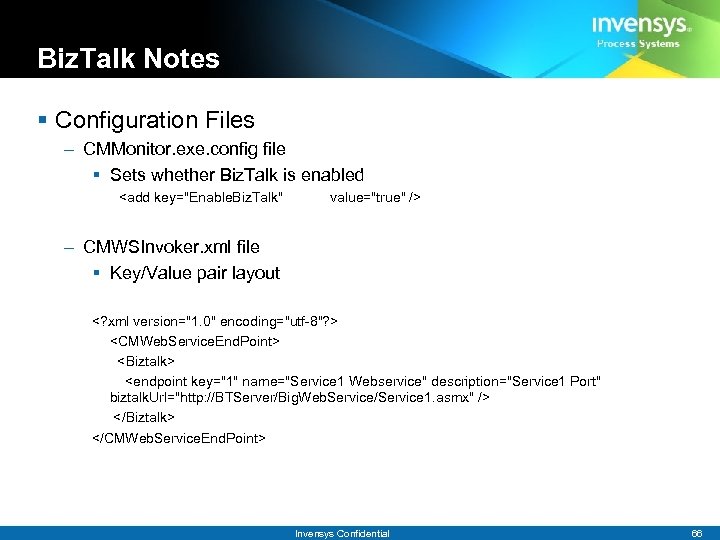
Biz. Talk Notes § Configuration Files – CMMonitor. exe. config file § Sets whether Biz. Talk is enabled <add key="Enable. Biz. Talk" value="true" /> – CMWSInvoker. xml file § Key/Value pair layout <? xml version="1. 0" encoding="utf-8"? > <CMWeb. Service. End. Point> <Biztalk> <endpoint key="1" name="Service 1 Webservice" description="Service 1 Port" biztalk. Url="http: //BTServer/Big. Web. Service/Service 1. asmx" /> </Biztalk> </CMWeb. Service. End. Point> Invensys Confidential 66
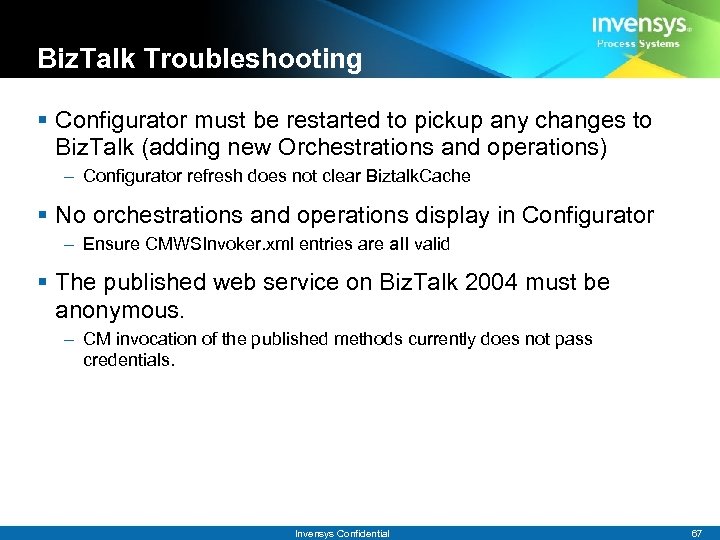
Biz. Talk Troubleshooting § Configurator must be restarted to pickup any changes to Biz. Talk (adding new Orchestrations and operations) – Configurator refresh does not clear Biztalk. Cache § No orchestrations and operations display in Configurator – Ensure CMWSInvoker. xml entries are all valid § The published web service on Biz. Talk 2004 must be anonymous. – CM invocation of the published methods currently does not pass credentials. Invensys Confidential 67
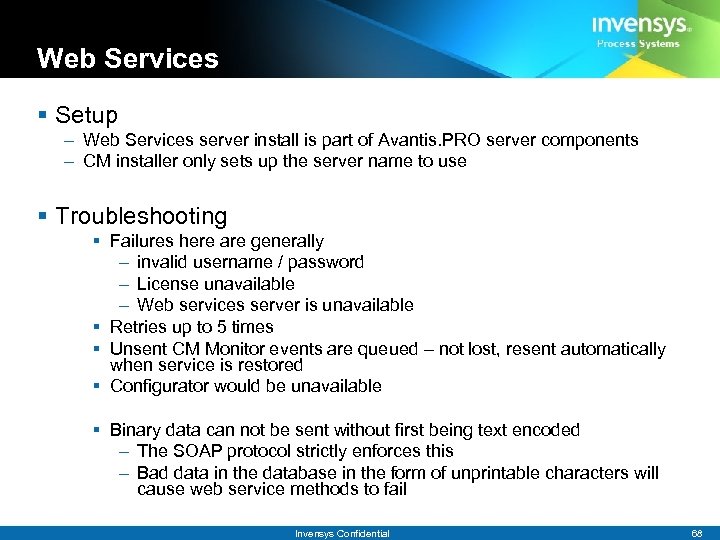
Web Services § Setup – Web Services server install is part of Avantis. PRO server components – CM installer only sets up the server name to use § Troubleshooting § Failures here are generally – invalid username / password – License unavailable – Web services server is unavailable § Retries up to 5 times § Unsent CM Monitor events are queued – not lost, resent automatically when service is restored § Configurator would be unavailable § Binary data can not be sent without first being text encoded – The SOAP protocol strictly enforces this – Bad data in the database in the form of unprintable characters will cause web service methods to fail Invensys Confidential 68
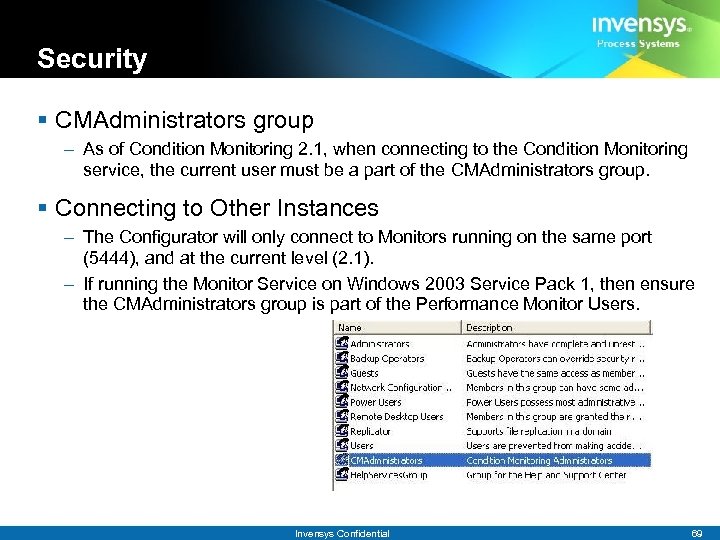
Security § CMAdministrators group – As of Condition Monitoring 2. 1, when connecting to the Condition Monitoring service, the current user must be a part of the CMAdministrators group. § Connecting to Other Instances – The Configurator will only connect to Monitors running on the same port (5444), and at the current level (2. 1). – If running the Monitor Service on Windows 2003 Service Pack 1, then ensure the CMAdministrators group is part of the Performance Monitor Users. Invensys Confidential 69
Association Templates – Feature introduced to facilitate rapid specification of new similar monitored real time points. – Templates are created from existing associations – Checks to determine if template uses a data type that is incompatible with the selected rtp point. – Changes to a template can be propagated to associations based on that template. – Templates are used in wizard and in Batch Associate Mode. – Descriptions should not include RTP specific strings – Special cases § Templates derived from AIM* Alarm monitoring is available only when similar AIM* rtp points are selected. § Templates with User Defined Expressions are not supported. Invensys Confidential 70
Association Templates-Troubleshooting § If an Association Template does not appear in wizard – – – Selected RTP point may not be compatible with template Invoke Manage Template option to determine if Display setting is checked Refresh configurator to get the latest information known to the monitor Check CMMonitor logs for errors. Check CMTemplates. xml (CMTemplates. File. Name option) for corruption. Invensys Confidential 71
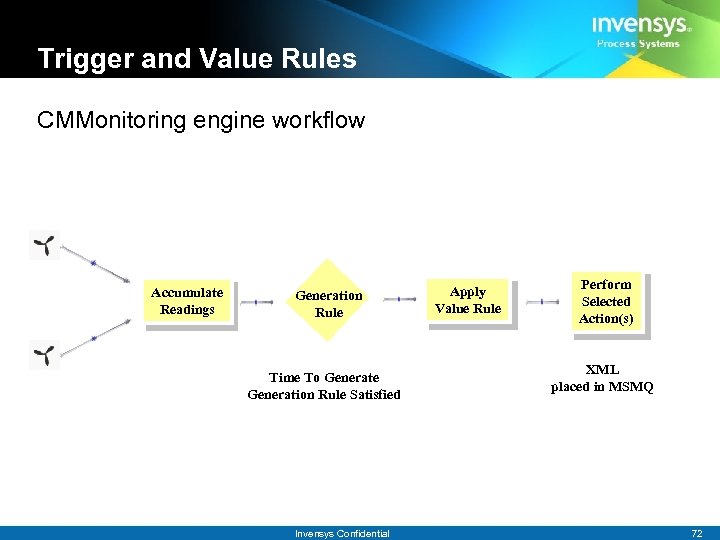
Trigger and Value Rules CMMonitoring engine workflow Accumulate Readings Generation Rule Time To Generate Generation Rule Satisfied Invensys Confidential Apply Value Rule Perform Selected Action(s) XML placed in MSMQ 72
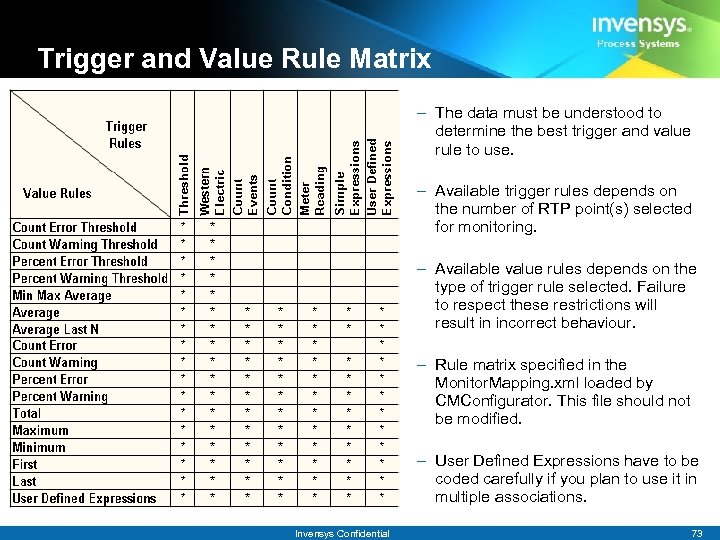
Trigger and Value Rule Matrix – The data must be understood to determine the best trigger and value rule to use. – Available trigger rules depends on the number of RTP point(s) selected for monitoring. – Available value rules depends on the type of trigger rule selected. Failure to respect these restrictions will result in incorrect behaviour. – Rule matrix specified in the Monitor. Mapping. xml loaded by CMConfigurator. This file should not be modified. – User Defined Expressions have to be coded carefully if you plan to use it in multiple associations. Invensys Confidential 73
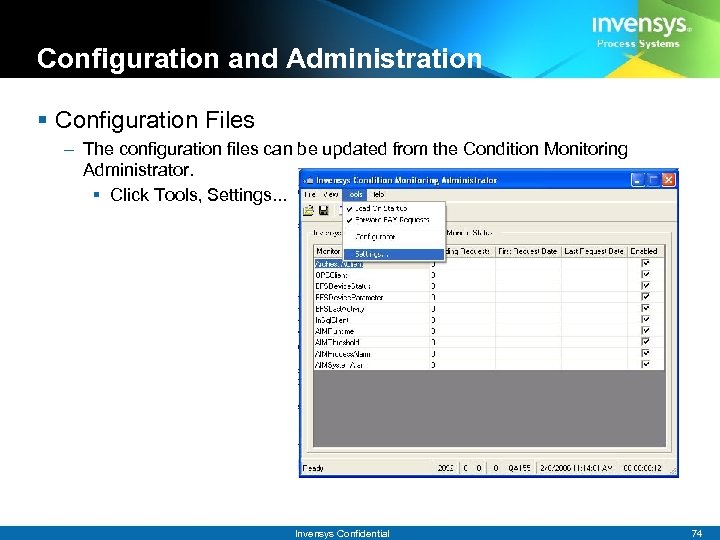
Configuration and Administration § Configuration Files – The configuration files can be updated from the Condition Monitoring Administrator. § Click Tools, Settings. . . Invensys Confidential 74
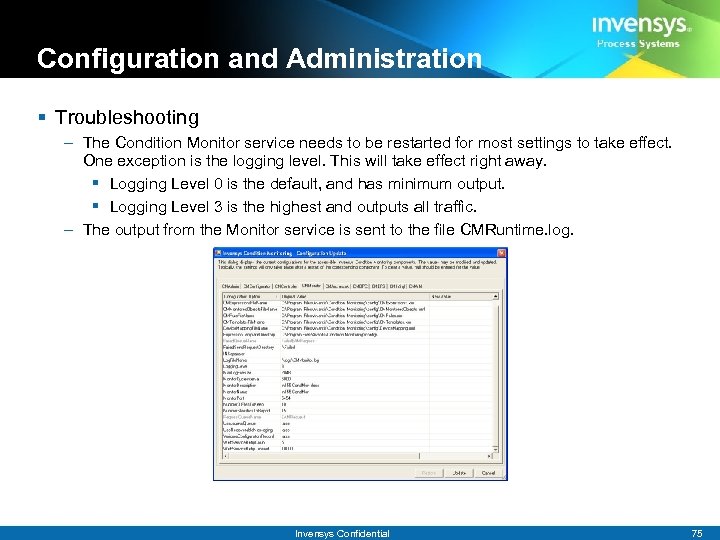
Configuration and Administration § Troubleshooting – The Condition Monitor service needs to be restarted for most settings to take effect. One exception is the logging level. This will take effect right away. § Logging Level 0 is the default, and has minimum output. § Logging Level 3 is the highest and outputs all traffic. – The output from the Monitor service is sent to the file CMRuntime. log. Invensys Confidential 75
Configuration and Administration § Message Queues – Condition Monitoring uses Microsoft Messaging Services (MSMQ). – Messages that cannot be sent to the Avantis Web Services are sent to the queue until the Avantis Web Services are available again. – The queues are created at the time of Installation. – Failed attempts can be reviewed to see what the problem was. § Goto Computer Management->Services and Applications->Message Queuing->Private Queues->failedeamrequest->Queue Messages to see the current list of failed requests. Invensys Confidential 76
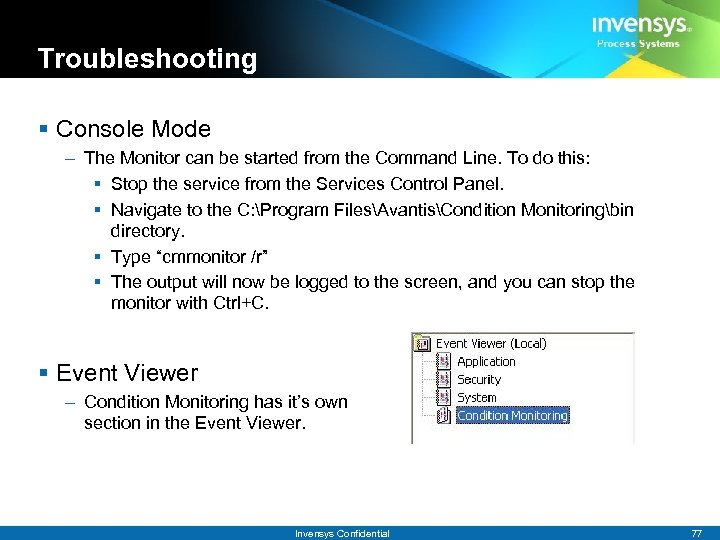
Troubleshooting § Console Mode – The Monitor can be started from the Command Line. To do this: § Stop the service from the Services Control Panel. § Navigate to the C: Program FilesAvantisCondition Monitoringbin directory. § Type “cmmonitor /r” § The output will now be logged to the screen, and you can stop the monitor with Ctrl+C. § Event Viewer – Condition Monitoring has it’s own section in the Event Viewer. Invensys Confidential 77
Agenda § New Features – Archestr. A, OPC A&E, Usability § Data Sources – Setup, Troubleshooting § Environment – Entities and Statistics – Web Services, Email, Biz. Talk 2004 – Licensing § Demo Invensys Confidential 78
Questions Invensys Confidential 79
The Approach to Asset Intelligence § The right information. – Easy access to the information you want to see, the way you need to see it. § To the right people – Role based configuration. – Intuitive design delivering unparalleled use-ability. § At the right time. – Real time information Invensys Confidential 80
Скачать презентацию Invensys Condition Monitoring 2 1 February 2006
3e661eaf53f325a74e7a554ad8d51ce0.ppt