


 Скачать презентацию Introduction Written in IDL ezca IDL to
9d4a80fabb8344bf9d3bde09184dfdc3.ppt
- Количество слайдов: 41
 Introduction • • Written in IDL/ezca. IDL to view real-time / post scan data Packaged data browsers with complete mouse driven user interface IDL interactive graphics and analysis tools High quality interactive graphic Itools (IDL 6. X) Packaged tools support license free IDLVM 6. 0 Platforms: Unix , Win 2000/XP, Linux Object methods for easy post scan data array extraction and manipulation 2 Pioneering Science and Technology Office of Science U. S. Department of Energy
 Outline • • • Overview System and setup requirement Scan. See program user interface Sharable visualization subprograms Scan object methods and examples Ezca. IDL setup and examples 3 Pioneering Science and Technology Office of Science U. S. Department of Energy
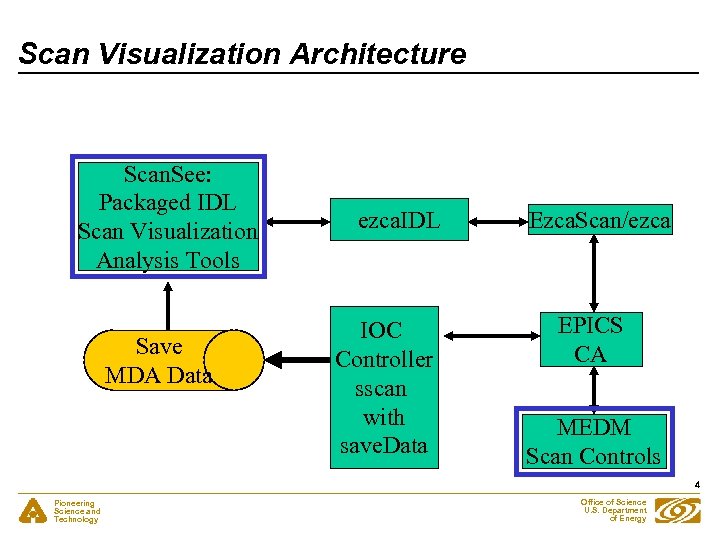 Scan Visualization Architecture Scan. See: Packaged IDL Scan Visualization Analysis Tools Save MDA Data ezca. IDL IOC Controller sscan with save. Data Ezca. Scan/ezca EPICS CA MEDM Scan Controls 4 Pioneering Science and Technology Office of Science U. S. Department of Energy
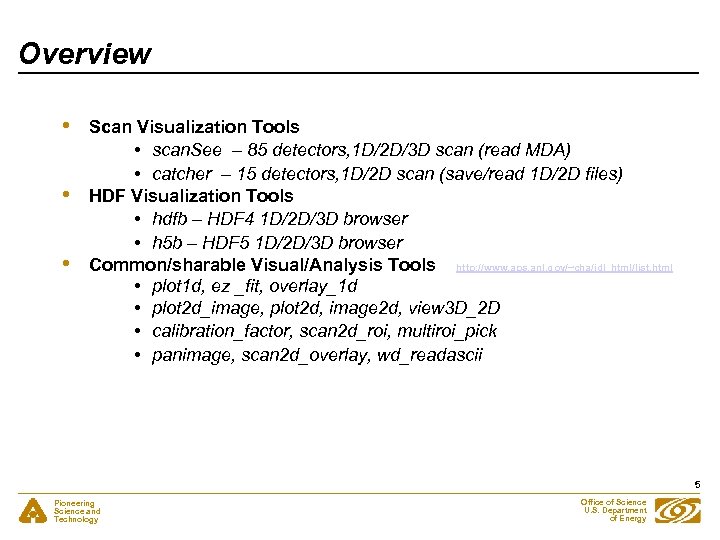 Overview • • • Scan Visualization Tools • scan. See – 85 detectors, 1 D/2 D/3 D scan (read MDA) • catcher – 15 detectors, 1 D/2 D scan (save/read 1 D/2 D files) HDF Visualization Tools • hdfb – HDF 4 1 D/2 D/3 D browser • h 5 b – HDF 5 1 D/2 D/3 D browser Common/sharable Visual/Analysis Tools http: //www. aps. anl. gov/~cha/idl_html/list. html • plot 1 d, ez _fit, overlay_1 d • plot 2 d_image, plot 2 d, image 2 d, view 3 D_2 D • calibration_factor, scan 2 d_roi, multiroi_pick • panimage, scan 2 d_overlay, wd_readascii 5 Pioneering Science and Technology Office of Science U. S. Department of Energy
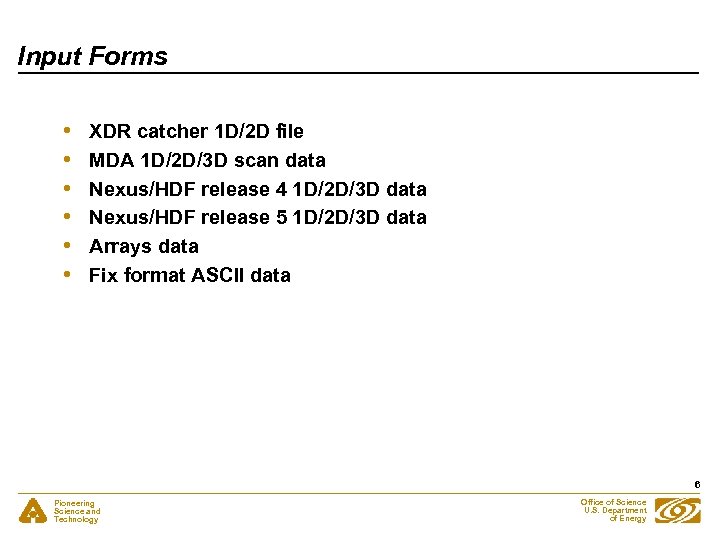 Input Forms • • • XDR catcher 1 D/2 D file MDA 1 D/2 D/3 D scan data Nexus/HDF release 4 1 D/2 D/3 D data Nexus/HDF release 5 1 D/2 D/3 D data Arrays data Fix format ASCII data 6 Pioneering Science and Technology Office of Science U. S. Department of Energy
 Output Forms • • • 1 D/2 D graphic output 1 D/2 D ASCII report data Graphic output: TIFF / PNG / PICT / PS 1 D/2 D ROI statistics reports Flexible 3 D to 2 D, 2 D to 1 D sliced output 7 Pioneering Science and Technology Office of Science U. S. Department of Energy
 System Requirement • EPICS extensions built: ezca, Ezca. Scan, ezca. IDL, idl - Scripts and executables installed under /usr/local/epics/extensions/bin/solaris-sparc for 3. 14. X - IDL programs installed under /usr/local/epics/extensions/idllib for 3. 14. X • • IDL 6. 0 and IDLVM 6. 0 installed IOC sscan record properly configured by medm 8 Pioneering Science and Technology Office of Science U. S. Department of Energy
 Unix Setup Requirement • • Set EPICS_EXTENSIONS setenv EPICS_EXTENSION /usr/local/epics/extensions Access EPICS 3. 14. X setenv EPICS_HOST_ARCH solaris-sparc set path=( /usr/local/epics/extensions/bin/solaris-sparc $path) 9 Pioneering Science and Technology Office of Science U. S. Department of Energy
 Packaged Unix Scripts for IDL Visualization Tools • • scan. See – MDA viewer with real-time scanning sscan – post scan viewer for MDA files catcher – real-time scanning with data saving viewer – post scan viewer for data catcher hdfb – data browser for HDF 4/Nexus files h 5 b – data browser for HDF 5/Nexus files img – Tiff/Jpeg/Png/Ascii/Xdr image processor idlvm – run IDLVM 6. 0 with any IDL 6. 0 saved programs 10 Pioneering Science and Technology Office of Science U. S. Department of Energy
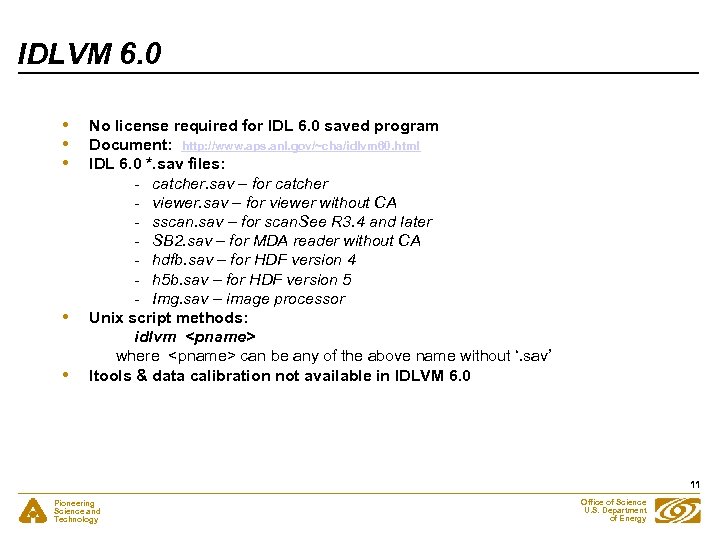 IDLVM 6. 0 • • • No license required for IDL 6. 0 saved program Document: http: //www. aps. anl. gov/~cha/idlvm 60. html IDL 6. 0 *. sav files: - catcher. sav – for catcher - viewer. sav – for viewer without CA - sscan. sav – for scan. See R 3. 4 and later - SB 2. sav – for MDA reader without CA - hdfb. sav – for HDF version 4 - h 5 b. sav – for HDF version 5 - Img. sav – image processor Unix script methods: idlvm
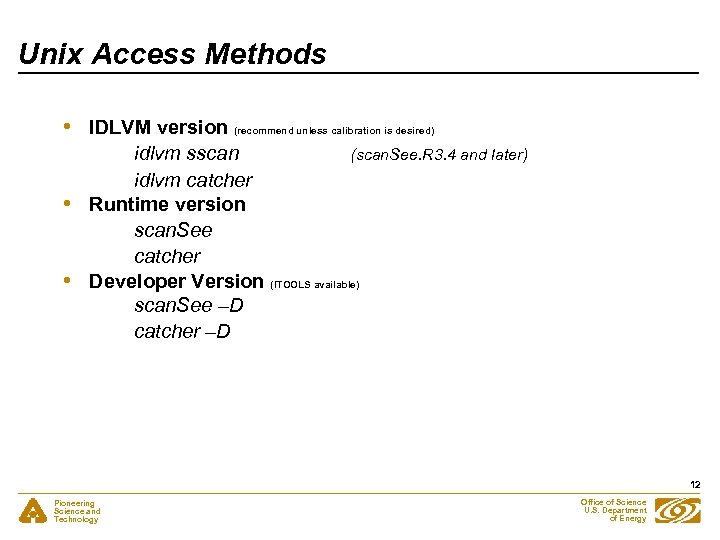 Unix Access Methods • • • IDLVM version (recommend unless calibration is desired) idlvm sscan (scan. See. R 3. 4 and later) idlvm catcher Runtime version scan. See catcher Developer Version (ITOOLS available) scan. See –D catcher –D 12 Pioneering Science and Technology Office of Science U. S. Department of Energy
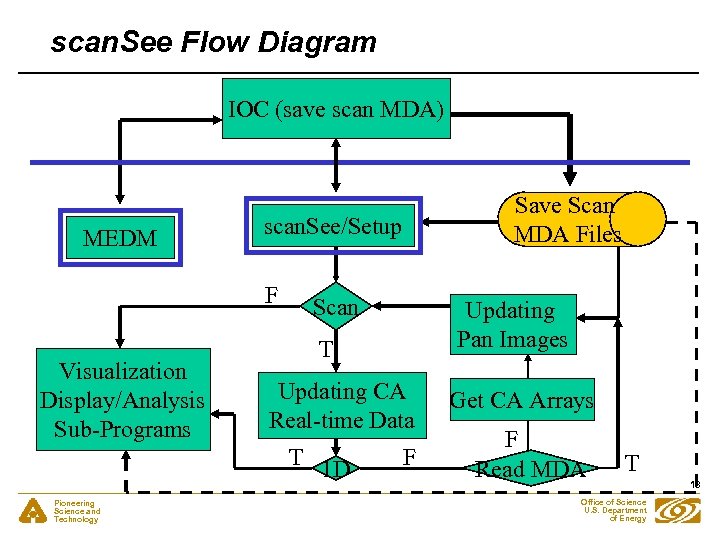 scan. See Flow Diagram IOC (save scan MDA) MEDM scan. See/Setup F Visualization Display/Analysis Sub-Programs Scan Updating Pan Images T Updating CA Real-time Data T 1 D Pioneering Science and Technology Save Scan MDA Files F Get CA Arrays F Read MDA T Office of Science U. S. Department of Energy 13
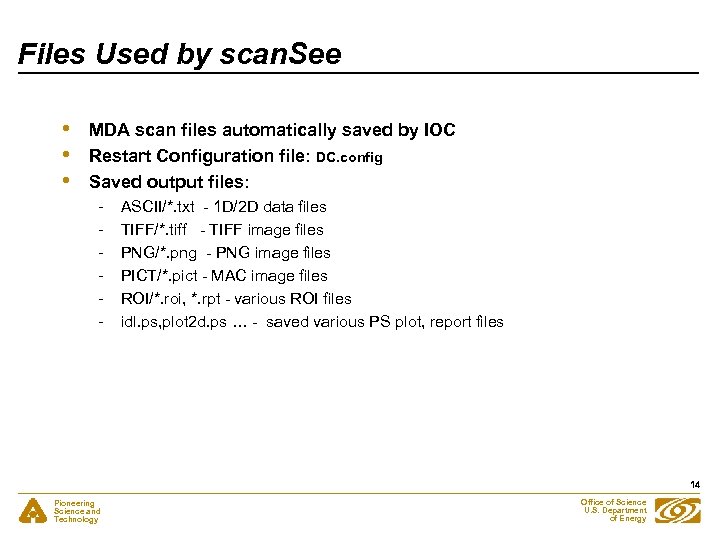 Files Used by scan. See • • • MDA scan files automatically saved by IOC Restart Configuration file: DC. config Saved output files: - ASCII/*. txt - 1 D/2 D data files TIFF/*. tiff - TIFF image files PNG/*. png - PNG image files PICT/*. pict - MAC image files ROI/*. roi, *. rpt - various ROI files idl. ps, plot 2 d. ps … - saved various PS plot, report files 14 Pioneering Science and Technology Office of Science U. S. Department of Energy
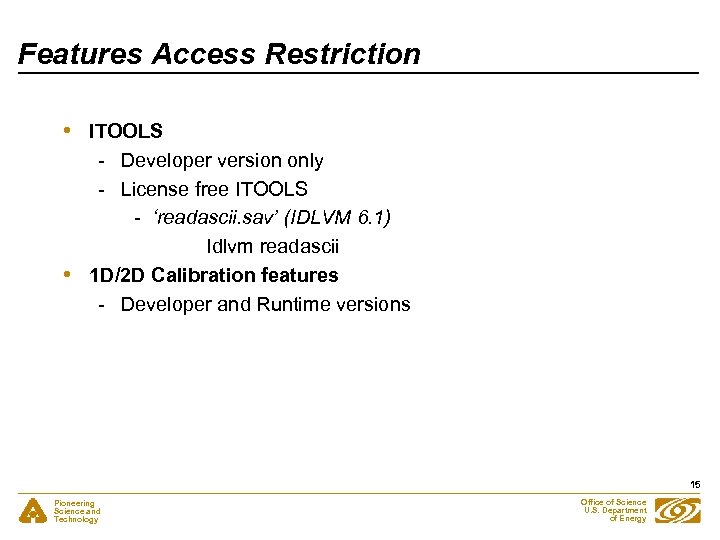 Features Access Restriction • • ITOOLS - Developer version only - License free ITOOLS - ‘readascii. sav’ (IDLVM 6. 1) Idlvm readascii 1 D/2 D Calibration features - Developer and Runtime versions 15 Pioneering Science and Technology Office of Science U. S. Department of Energy
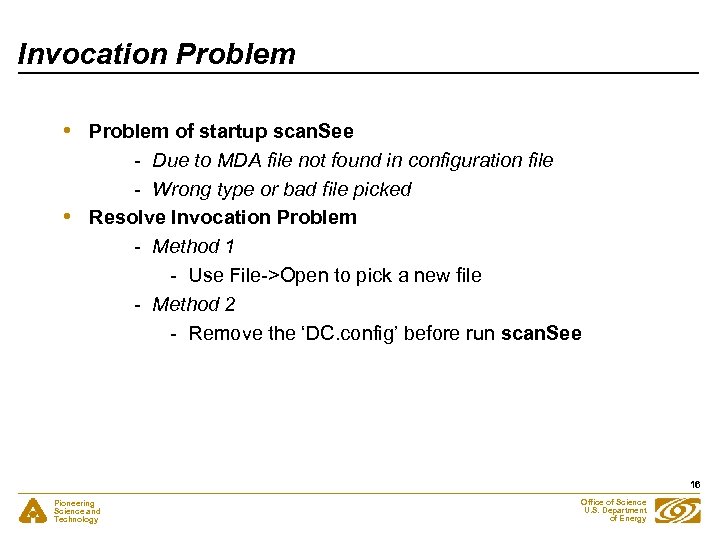 Invocation Problem • • Problem of startup scan. See - Due to MDA file not found in configuration file - Wrong type or bad file picked Resolve Invocation Problem - Method 1 - Use File->Open to pick a new file - Method 2 - Remove the ‘DC. config’ before run scan. See 16 Pioneering Science and Technology Office of Science U. S. Department of Energy
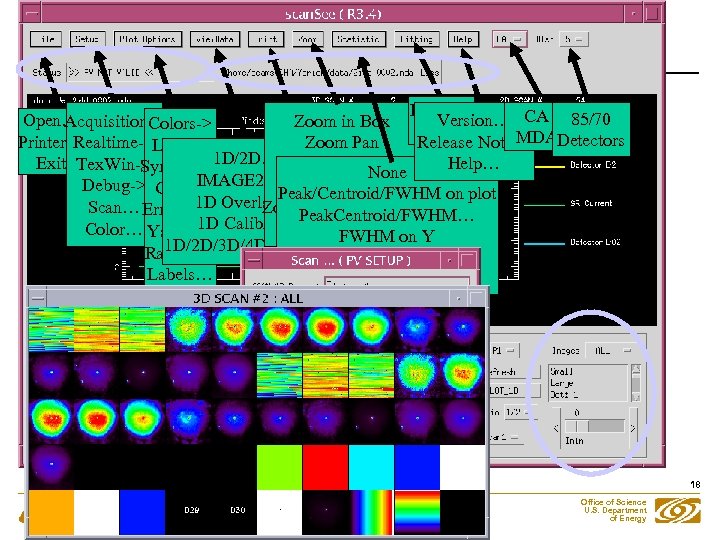 Ez_fit… Open… Version… CA 85/70 Acquisition-> Zoom in Box Plot Colors-> Binary MDA Printer… Release Note… Detectors Realtime->Lines-> Zoom Report… Pan 1 D/2 D… Zoom In/Out Exit Tex. Win-> Help… Symbols-> None IMAGE 2 D… Calc Slopes Debug-> Grid-> Peak/Centroid/FWHM 1 D Overlay… Off(Auto. Scale) on plot Scan… Err Bars-> Zoom Peak. Centroid/FWHM… 1 D Color… Yscale-> Calibra…User Scale… on Y 1 D/2 D/3 D/4 D sscan… FWHM Ranges… FWHM on DY/DX Labels… Average/Deviation… 18 Pioneering Science and Technology Office of Science U. S. Department of Energy
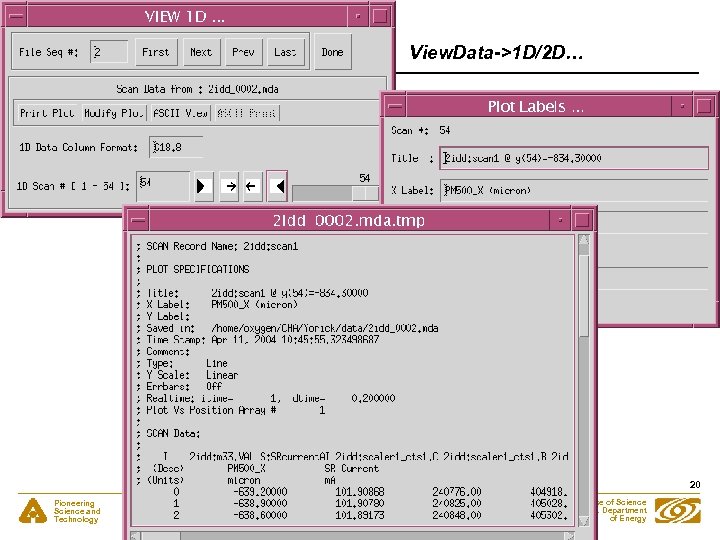 View. Data->1 D/2 D… 20 Pioneering Science and Technology Office of Science U. S. Department of Energy
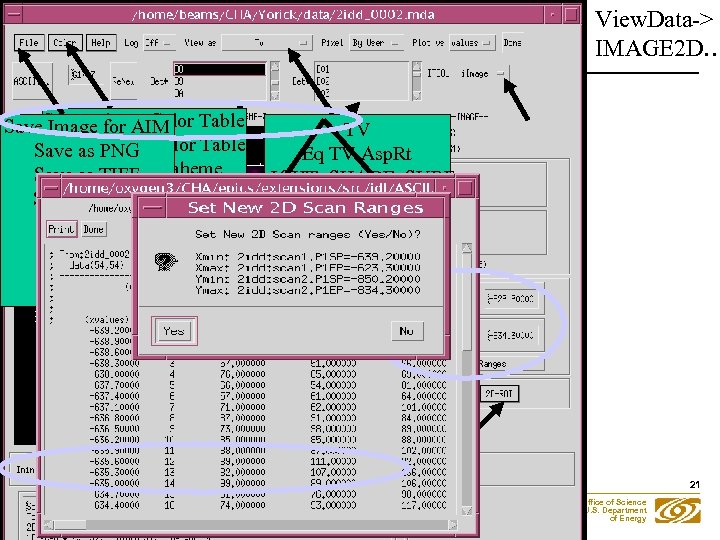 View. Data-> IMAGE 2 D… Save Private Color Table Image for AIM TV Load Private Color Table Save as PNG Eq TV Asp. Rt Image TIFF Scaheme… LIGHT_SHADE_SURF Color Save as Change Color Save as XDR Table… CONTOUR Color Bar Config… Printer… SHOW 3 Print PLOT 2 D… PS_close SHADE_SURF Quit 21 Pioneering Science and Technology Office of Science U. S. Department of Energy
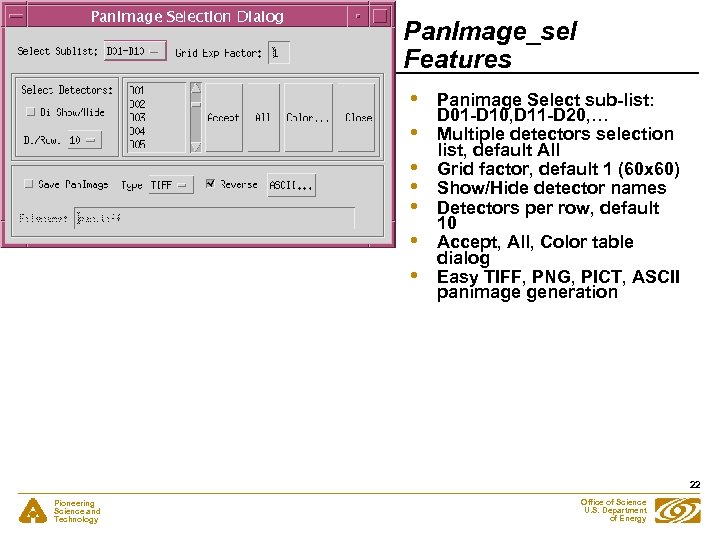 Pan. Image_sel Features • • Panimage Select sub-list: D 01 -D 10, D 11 -D 20, … Multiple detectors selection list, default All Grid factor, default 1 (60 x 60) Show/Hide detector names Detectors per row, default 10 Accept, All, Color table dialog Easy TIFF, PNG, PICT, ASCII panimage generation 22 Pioneering Science and Technology Office of Science U. S. Department of Energy
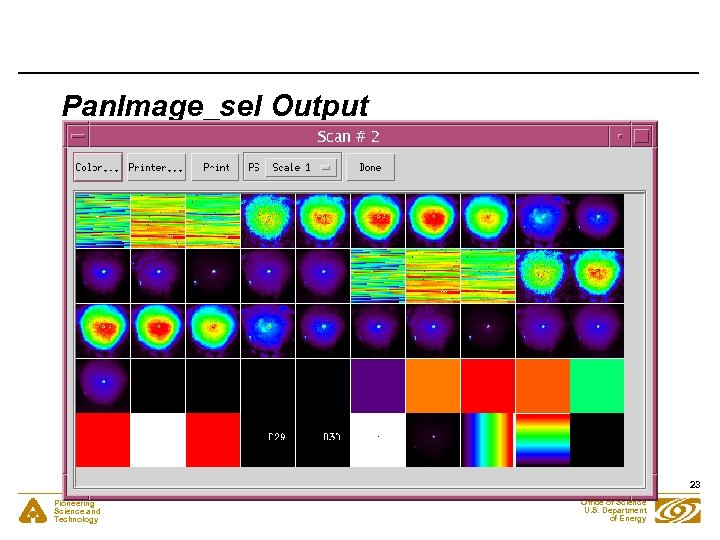 Pan. Image_sel Output 23 Pioneering Science and Technology Office of Science U. S. Department of Energy
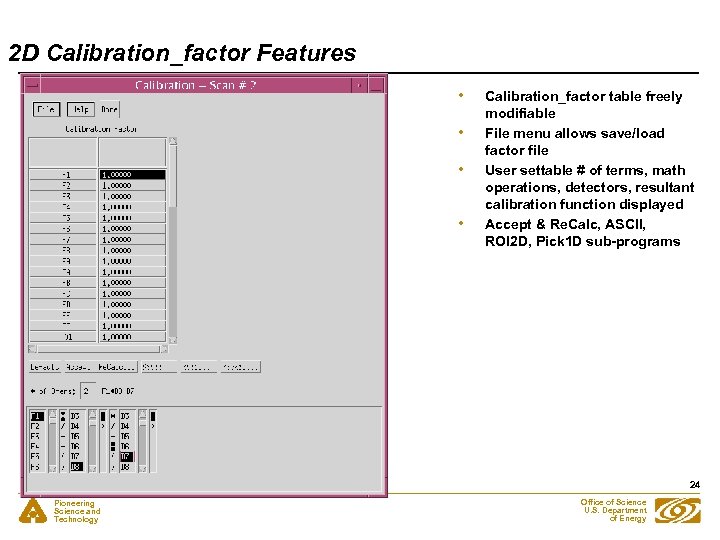 2 D Calibration_factor Features • • Calibration_factor table freely modifiable File menu allows save/load factor file User settable # of terms, math operations, detectors, resultant calibration function displayed Accept & Re. Calc, ASCII, ROI 2 D, Pick 1 D sub-programs 24 Pioneering Science and Technology Office of Science U. S. Department of Energy
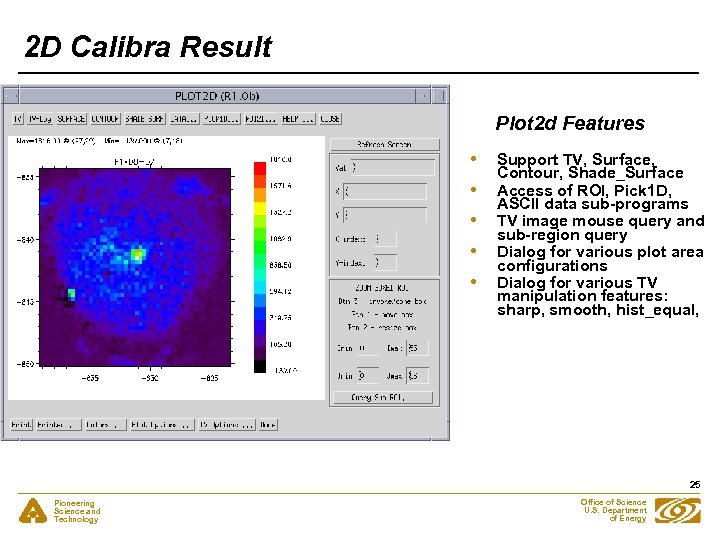 2 D Calibra Result Plot 2 d Features • • • Support TV, Surface, Contour, Shade_Surface Access of ROI, Pick 1 D, ASCII data sub-programs TV image mouse query and sub-region query Dialog for various plot area configurations Dialog for various TV manipulation features: sharp, smooth, hist_equal, 25 Pioneering Science and Technology Office of Science U. S. Department of Energy
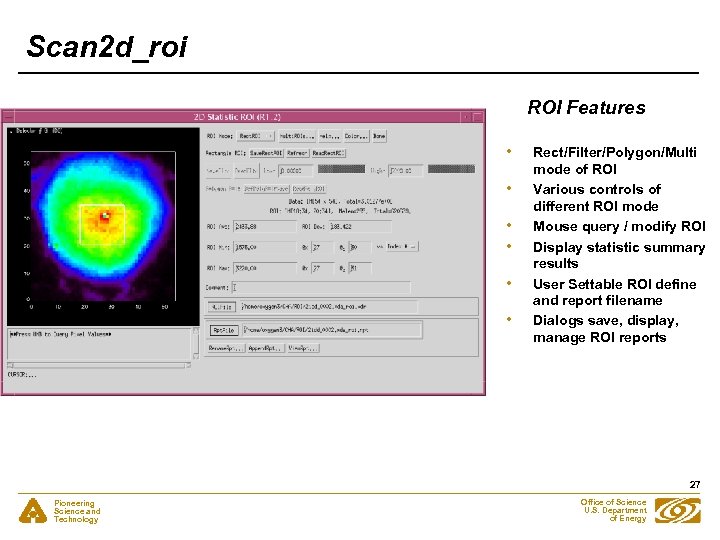 Scan 2 d_roi ROI Features • • • Rect/Filter/Polygon/Multi mode of ROI Various controls of different ROI mode Mouse query / modify ROI Display statistic summary results User Settable ROI define and report filename Dialogs save, display, manage ROI reports 27 Pioneering Science and Technology Office of Science U. S. Department of Energy
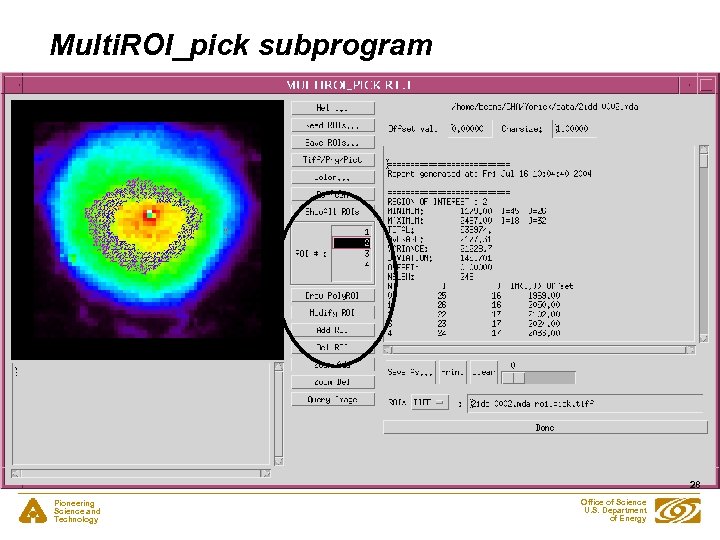 Multi. ROI_pick subprogram 28 Pioneering Science and Technology Office of Science U. S. Department of Energy
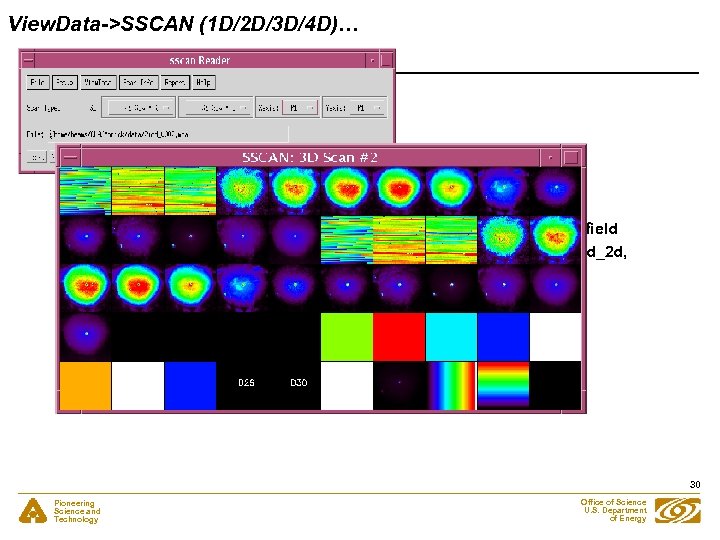 View. Data->SSCAN (1 D/2 D/3 D/4 D)… • • • More efficient than scan. See (without CA) Use restart scan. See. config or MDA file selection dialog or file field Extract 1 D/2 D/3 D/4 D data arrays to call plot 1 d, image 2 d, view 3 d_2 d, view 4 d sub-programs Query scan Info, scan header structure info Report->Report… generation First, Next, Prev, Last easy MDA file access 30 Pioneering Science and Technology Office of Science U. S. Department of Energy
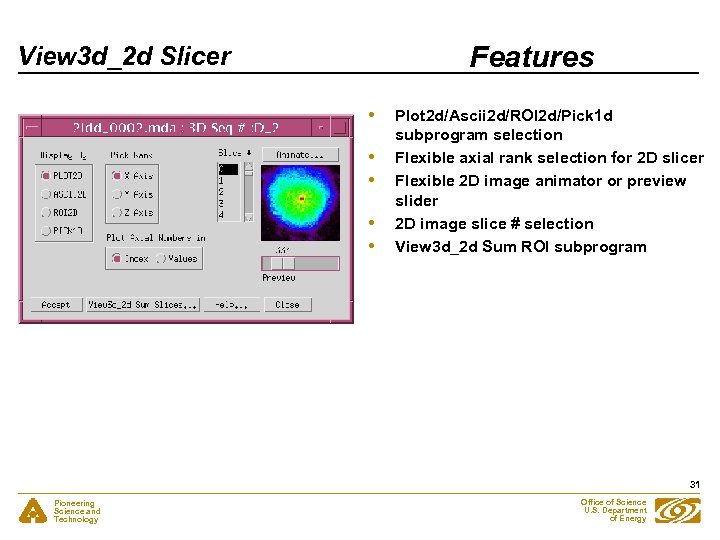 Features View 3 d_2 d Slicer • • • Plot 2 d/Ascii 2 d/ROI 2 d/Pick 1 d subprogram selection Flexible axial rank selection for 2 D slicer Flexible 2 D image animator or preview slider 2 D image slice # selection View 3 d_2 d Sum ROI subprogram 31 Pioneering Science and Technology Office of Science U. S. Department of Energy
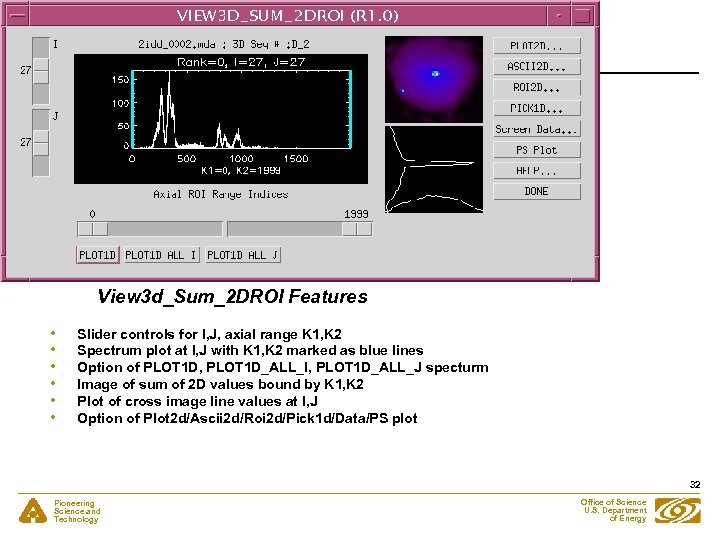 View 3 d_Sum_2 DROI Features • • • Slider controls for I, J, axial range K 1, K 2 Spectrum plot at I, J with K 1, K 2 marked as blue lines Option of PLOT 1 D, PLOT 1 D_ALL_I, PLOT 1 D_ALL_J specturm Image of sum of 2 D values bound by K 1, K 2 Plot of cross image line values at I, J Option of Plot 2 d/Ascii 2 d/Roi 2 d/Pick 1 d/Data/PS plot 32 Pioneering Science and Technology Office of Science U. S. Department of Energy
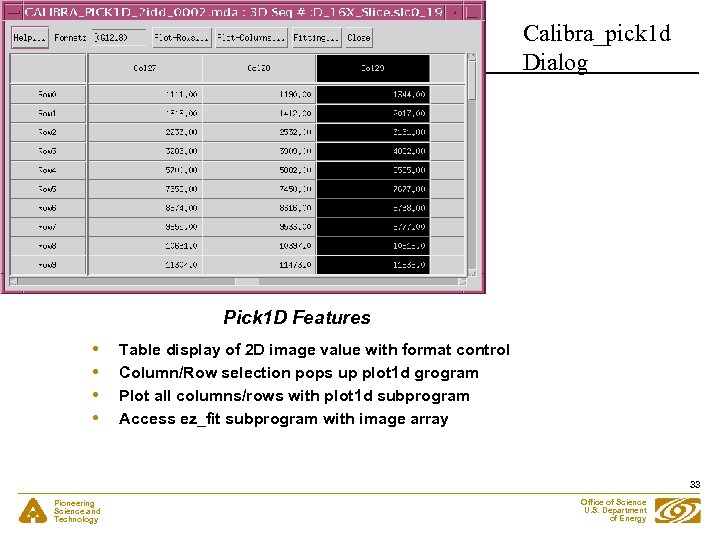 Calibra_pick 1 d Dialog Pick 1 D Features • • Table display of 2 D image value with format control Column/Row selection pops up plot 1 d grogram Plot all columns/rows with plot 1 d subprogram Access ez_fit subprogram with image array 33 Pioneering Science and Technology Office of Science U. S. Department of Energy
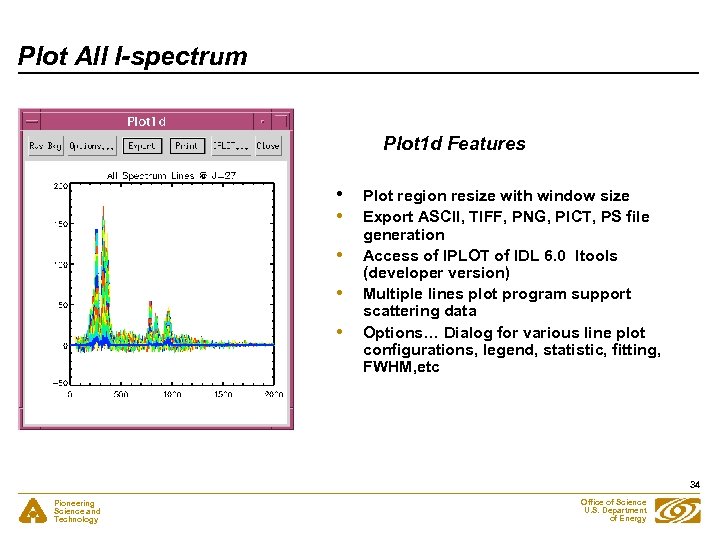 Plot All I-spectrum Plot 1 d Features • • • Plot region resize with window size Export ASCII, TIFF, PNG, PICT, PS file generation Access of IPLOT of IDL 6. 0 Itools (developer version) Multiple lines plot program support scattering data Options… Dialog for various line plot configurations, legend, statistic, fitting, FWHM, etc 34 Pioneering Science and Technology Office of Science U. S. Department of Energy
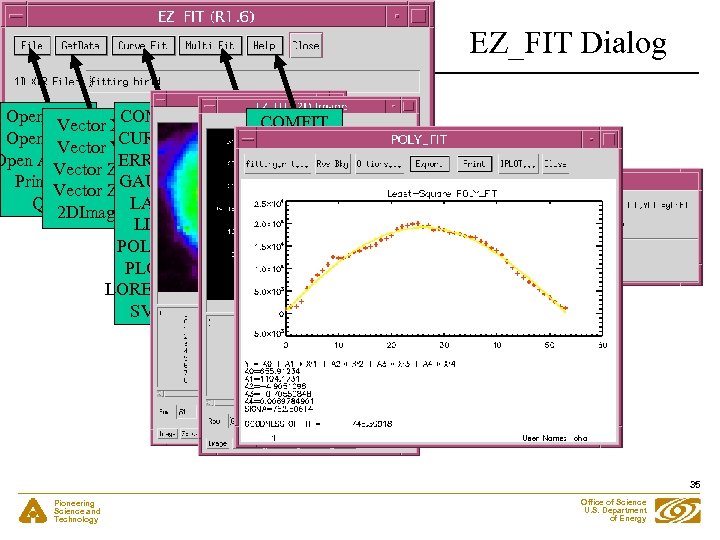 EZ_FIT Dialog Open 1 D… XCOMFIT-> REGRESS COMFIT Vector LORENTIAN CURVEFIT Open 2 D… Y CURVEFIT Vector ERRORFIT Open ASCII… Zy ERRORFIT Vector GAUSSFIT Printer… Zx GAUSSFIT Vector LADFIT Quit LADFIT 2 DImage LINFIT POLYFITW PLOYFIT LORENTZIAN SVDFIT 35 Pioneering Science and Technology Office of Science U. S. Department of Energy
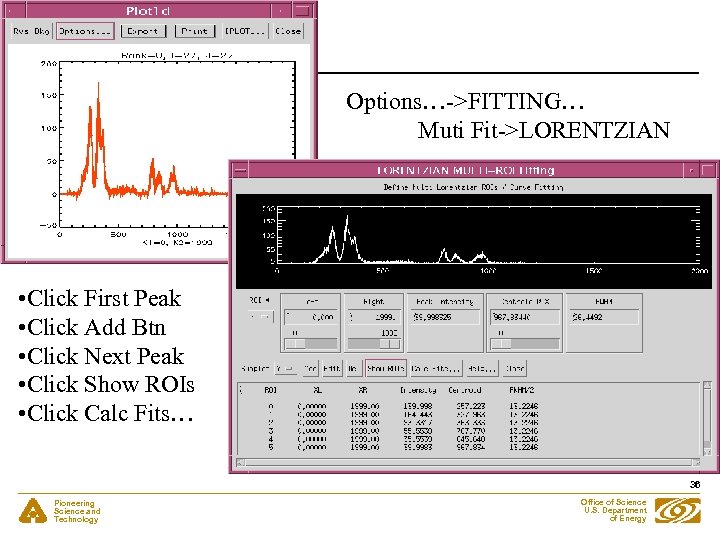 Options…->FITTING… Muti Fit->LORENTZIAN • Click First Peak • Click Add Btn • Click Next Peak • Click Show ROIs • Click Calc Fits… 36 Pioneering Science and Technology Office of Science U. S. Department of Energy
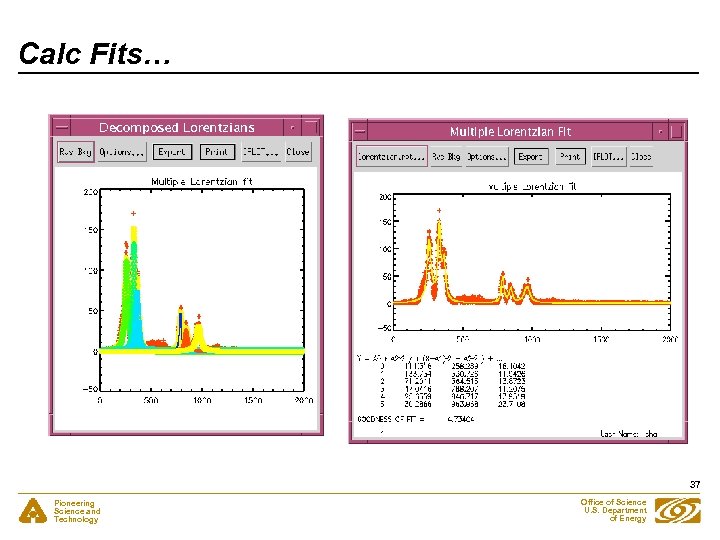 Calc Fits… 37 Pioneering Science and Technology Office of Science U. S. Department of Energy
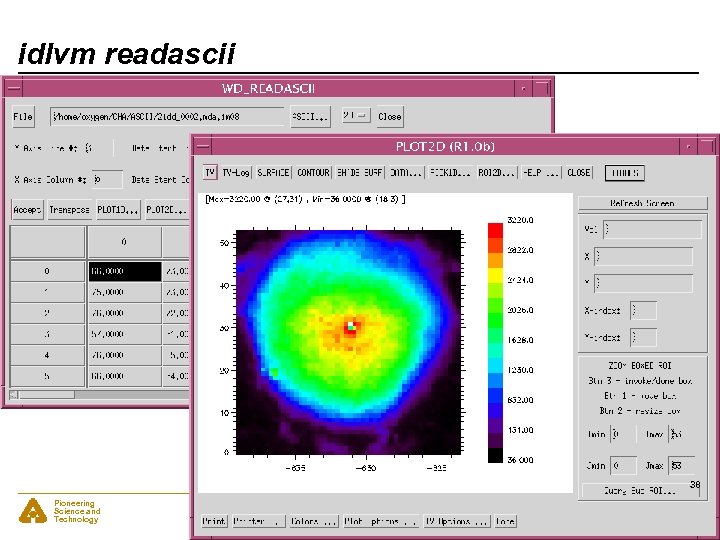 idlvm readascii 38 Pioneering Science and Technology Office of Science U. S. Department of Energy
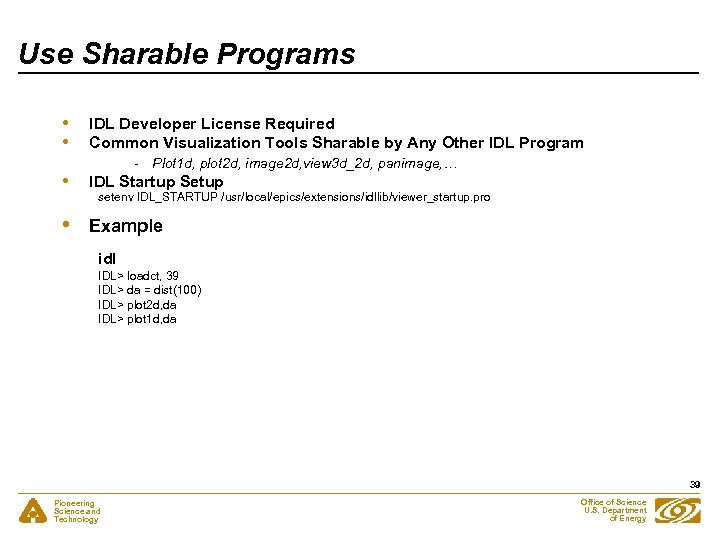 Use Sharable Programs • • IDL Developer License Required Common Visualization Tools Sharable by Any Other IDL Program - Plot 1 d, plot 2 d, image 2 d, view 3 d_2 d, panimage, … • IDL Startup Setup • Example setenv IDL_STARTUP /usr/local/epics/extensions/idllib/viewer_startup. pro idl IDL> loadct, 39 IDL> da = dist(100) IDL> plot 2 d, da IDL> plot 1 d, da 39 Pioneering Science and Technology Office of Science U. S. Department of Energy
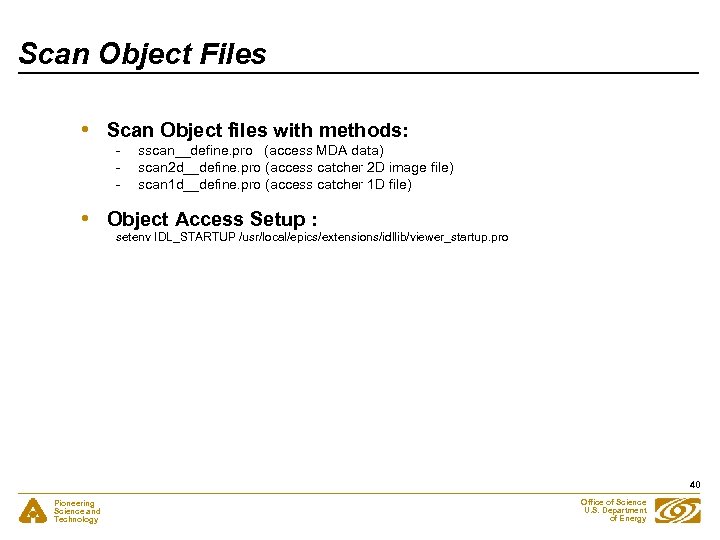 Scan Object Files • Scan Object files with methods: • Object Access Setup : - sscan__define. pro (access MDA data) scan 2 d__define. pro (access catcher 2 D image file) scan 1 d__define. pro (access catcher 1 D file) setenv IDL_STARTUP /usr/local/epics/extensions/idllib/viewer_startup. pro 40 Pioneering Science and Technology Office of Science U. S. Department of Energy
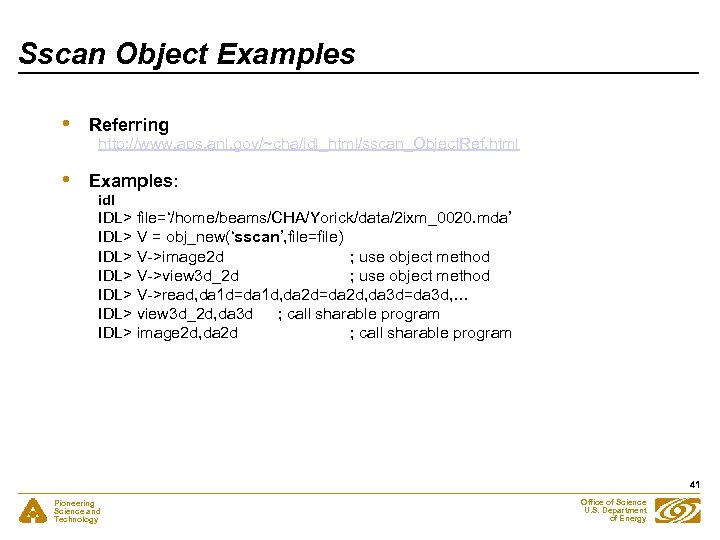 Sscan Object Examples • Referring • Examples: http: //www. aps. anl. gov/~cha/idl_html/sscan_Object. Ref. html idl IDL> file=‘/home/beams/CHA/Yorick/data/2 ixm_0020. mda’ IDL> V = obj_new(‘sscan’, file=file) IDL> V->image 2 d ; use object method IDL> V->view 3 d_2 d ; use object method IDL> V->read, da 1 d=da 1 d, da 2 d=da 2 d, da 3 d=da 3 d, … IDL> view 3 d_2 d, da 3 d ; call sharable program IDL> image 2 d, da 2 d ; call sharable program 41 Pioneering Science and Technology Office of Science U. S. Department of Energy
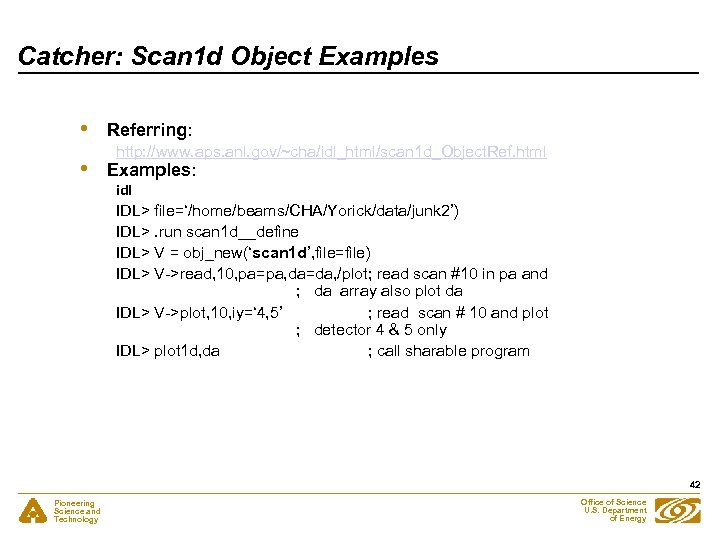 Catcher: Scan 1 d Object Examples • • Referring: http: //www. aps. anl. gov/~cha/idl_html/scan 1 d_Object. Ref. html Examples: idl IDL> file=‘/home/beams/CHA/Yorick/data/junk 2’) IDL>. run scan 1 d__define IDL> V = obj_new(‘scan 1 d’, file=file) IDL> V->read, 10, pa=pa, da=da, /plot; read scan #10 in pa and ; da array also plot da IDL> V->plot, 10, iy=‘ 4, 5’ ; read scan # 10 and plot ; detector 4 & 5 only IDL> plot 1 d, da ; call sharable program 42 Pioneering Science and Technology Office of Science U. S. Department of Energy
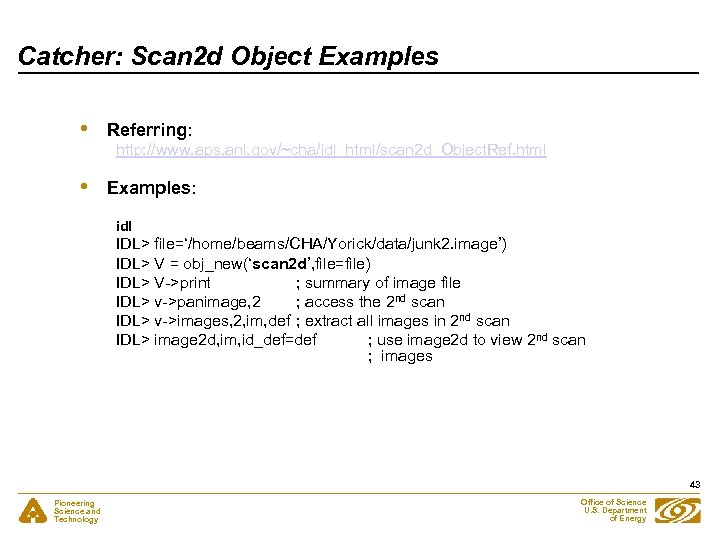 Catcher: Scan 2 d Object Examples • Referring: • Examples: http: //www. aps. anl. gov/~cha/idl_html/scan 2 d_Object. Ref. html idl IDL> file=‘/home/beams/CHA/Yorick/data/junk 2. image’) IDL> V = obj_new(‘scan 2 d’, file=file) IDL> V->print ; summary of image file IDL> v->panimage, 2 ; access the 2 nd scan IDL> v->images, 2, im, def ; extract all images in 2 nd scan IDL> image 2 d, im, id_def=def ; use image 2 d to view 2 nd scan ; images 43 Pioneering Science and Technology Office of Science U. S. Department of Energy
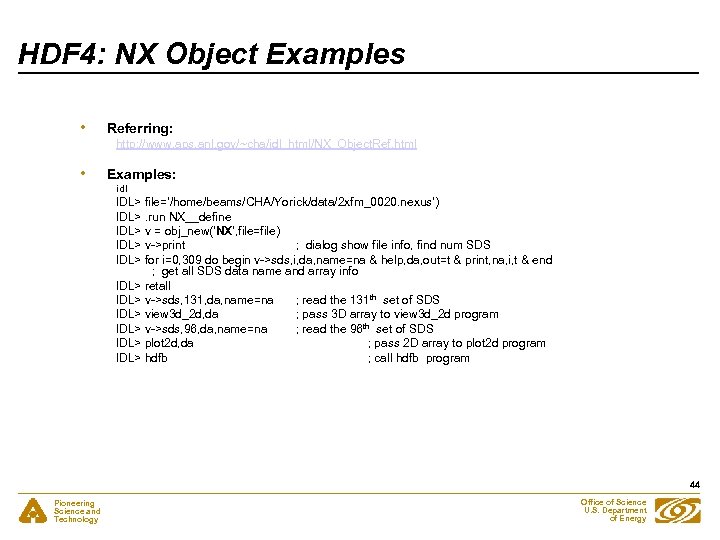 HDF 4: NX Object Examples • Referring: • Examples: http: //www. aps. anl. gov/~cha/idl_html/NX_Object. Ref. html idl IDL> file=‘/home/beams/CHA/Yorick/data/2 xfm_0020. nexus’) IDL>. run NX__define IDL> v = obj_new(‘NX’, file=file) IDL> v->print ; dialog show file info, find num SDS IDL> for i=0, 309 do begin v->sds, i, da, name=na & help, da, out=t & print, na, i, t & end ; get all SDS data name and array info IDL> retall IDL> v->sds, 131, da, name=na ; read the 131 th set of SDS IDL> view 3 d_2 d, da ; pass 3 D array to view 3 d_2 d program IDL> v->sds, 96, da, name=na ; read the 96 th set of SDS IDL> plot 2 d, da ; pass 2 D array to plot 2 d program IDL> hdfb ; call hdfb program 44 Pioneering Science and Technology Office of Science U. S. Department of Energy
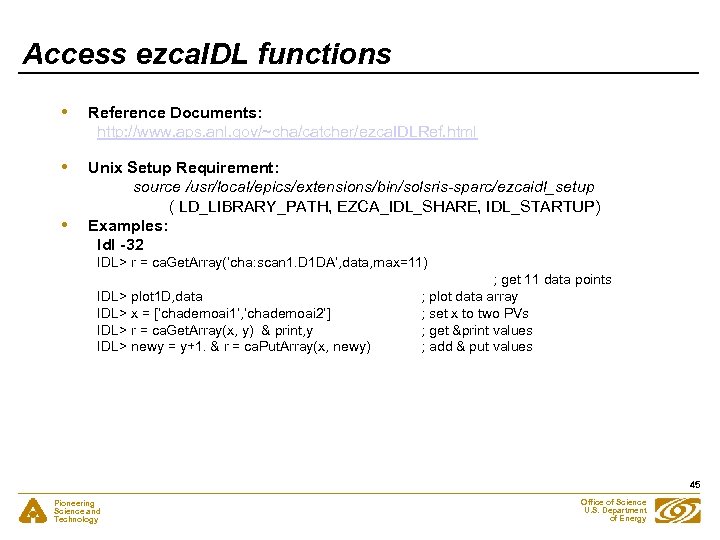 Access ezca. IDL functions • Reference Documents: http: //www. aps. anl. gov/~cha/catcher/ezca. IDLRef. html • Unix Setup Requirement: source /usr/local/epics/extensions/bin/solsris-sparc/ezcaidl_setup ( LD_LIBRARY_PATH, EZCA_IDL_SHARE, IDL_STARTUP) Examples: Idl -32 • IDL> r = ca. Get. Array(‘cha: scan 1. D 1 DA’, data, max=11) IDL> plot 1 D, data IDL> x = [‘chademoai 1’, ’chademoai 2’] IDL> r = ca. Get. Array(x, y) & print, y IDL> newy = y+1. & r = ca. Put. Array(x, newy) ; get 11 data points ; plot data array ; set x to two PVs ; get &print values ; add & put values 45 Pioneering Science and Technology Office of Science U. S. Department of Energy
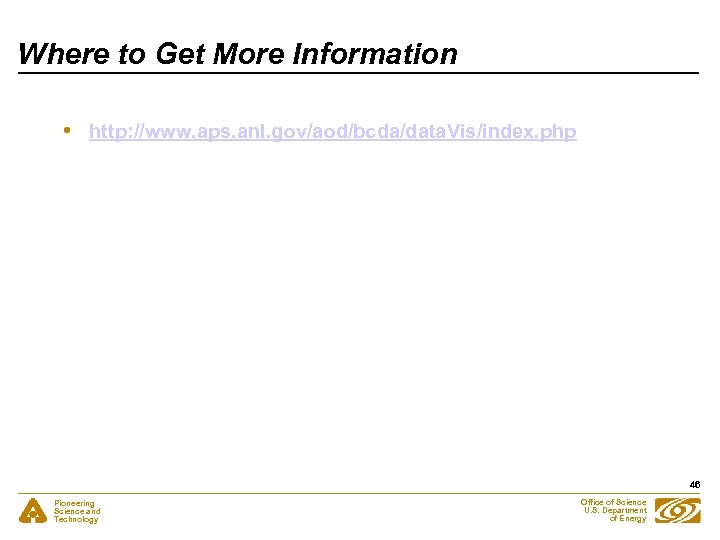 Where to Get More Information • http: //www. aps. anl. gov/aod/bcda/data. Vis/index. php 46 Pioneering Science and Technology Office of Science U. S. Department of Energy