


 Скачать презентацию INTRODUCTION Why Study OS Understand model of
73f99c564e494836d48e3a51c84959c6.ppt
- Количество слайдов: 49
 INTRODUCTION
 Why Study OS? Understand model of operation Easier to see how to use the system Enables you to write efficient code Learn to design an OS Even so, OS is pure overhead of real work Application programs have the real value to person who buys the computer 2
 System Overview A computer system consists of hardware and software that are combined to provide a tool to solve specific problems Hardware includes CPU, memory, disks, printers, screen, keyboard, mouse. . . Software includes System software A general environment to create specific applications Application software A tool to solve a specific problem 3
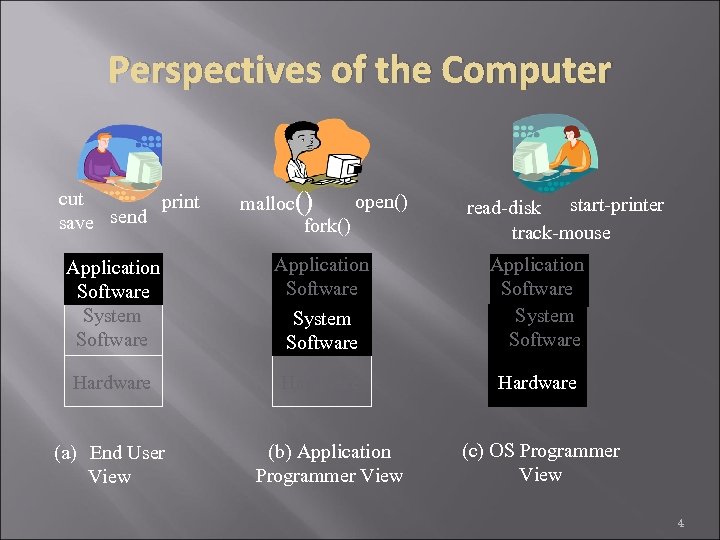 Perspectives of the Computer cut print send save open() malloc() fork() read-disk start-printer track-mouse Application Software System Software Hardware (a) End User View (b) Application Programmer View (c) OS Programmer View 4
 System Software (“Middleware”) Independent of applications, but common to all Examples C library functions A window system A database management system Resource management functions 5
 Purpose of an OS (What is Resource Management? ) Process: An executing program Resource: Anything that is needed for a process to run Memory Space on a disk The CPU “An OS creates resource abstractions” “An OS manages resource sharing” 6
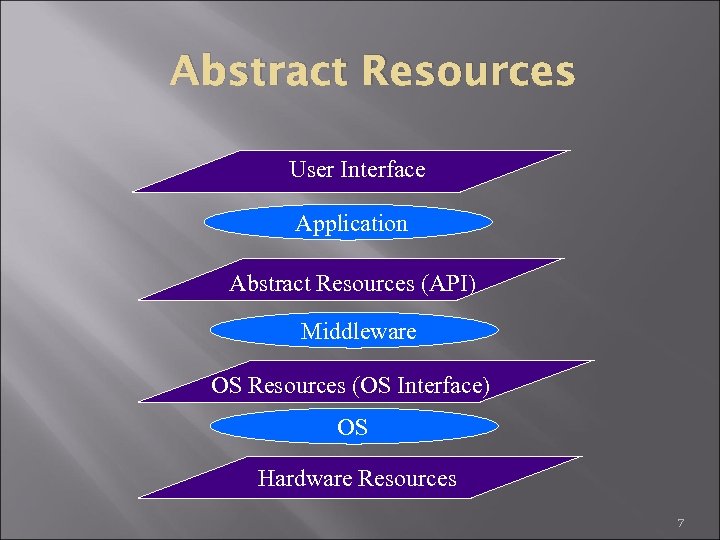 Abstract Resources User Interface Application Abstract Resources (API) Middleware OS Resources (OS Interface) OS Hardware Resources 7
 Resource Abstraction Provides an abstract model of the operation of hardware components Like data abstraction in Object-Oriented programming Interface functions Internal functions and status Eliminates the tedious details that a programmer would otherwise have to handle 8
 Hardware Resources Processor: execute instructions Memory: store programs and data Input/output (I/O)controllers: transfer to and from devices Disk devices: long-term storage Other devices: conversion between internal and external data representations 9
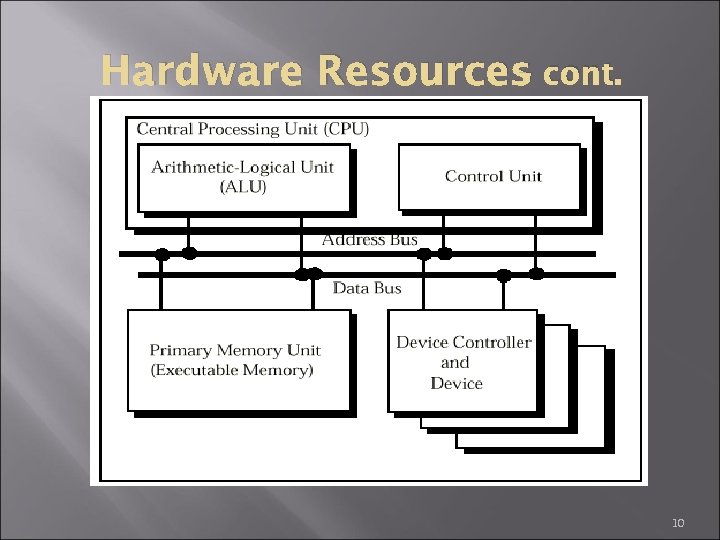 – Hardware Resources cont. 10
 – Hardware Interface cont. Everything that a programmer needs to know in order to write programs that perform desired operation on the hardware Disk drive is an example Disk interface provides functions to move disk head, transfer data Monitor interface provides functions to move the cursor, display characters/graphics 11
 Software Classification System software Provides a general programming environment in which programmers can create specific applications Application software Intended to solve a specific problem 12
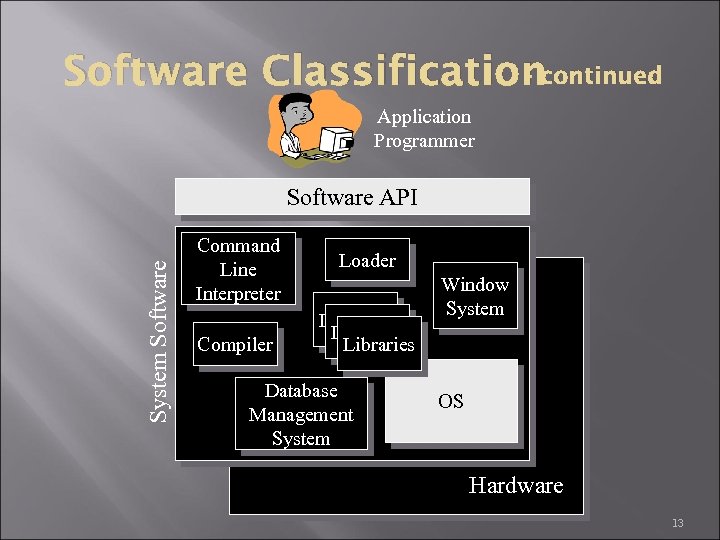 Software Classificationcontinued Application Programmer System Software API Command Line Interpreter Compiler Loader Libraries Database Management System Window System OS Hardware 13
 What is an Operating System? The operating system is the part of the system software that manages the use of the hardware used by other system software and all application software It is the system program that acts between the hardware and the user programs 14
 What is an Operating System? continued It provides services to user programs Through system calls / message passing File system services Memory services I/O services It hides hardware from user programs When your program shows a message on the monitor, it does not need to know the details When your program generates a new file, it does not need to where the free space is on your hard drive 15
 Differences between OS and System Software Major differences between OS and general system software General system software relies on the abstractions provided by OS abstracts the hardware directly OS provides the fundamental trusted mechanisms for resource sharing A general purpose OS is domain-independent 16
 Operating System Functions Resource manager manage hardware and software resources Resource abstraction and sharing A nicer environment implement a virtual machine for processes to run in A program in execution is called a process a nicer environment than the bare hardware 17
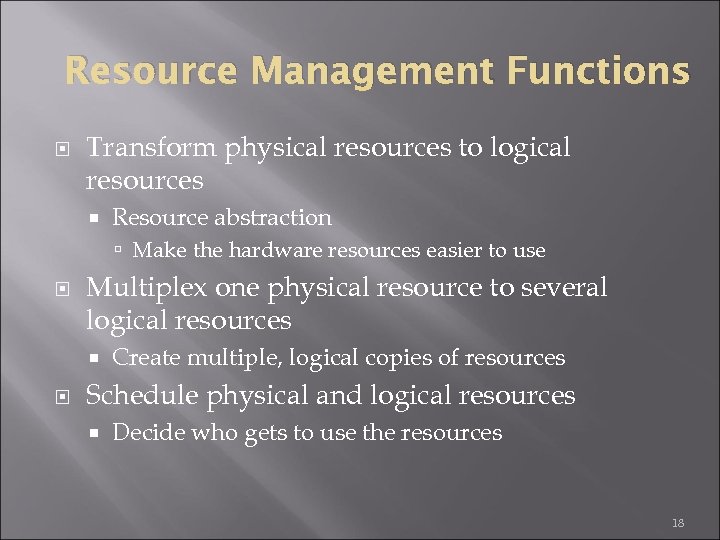 Resource Management Functions Transform physical resources to logical resources Resource abstraction Make the hardware resources easier to use Multiplex one physical resource to several logical resources Create multiple, logical copies of resources Schedule physical and logical resources Decide who gets to use the resources 18
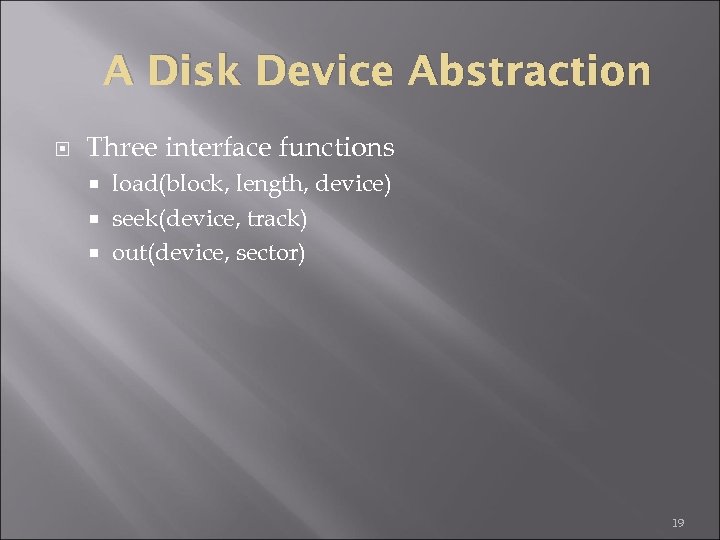 A Disk Device Abstraction Three interface functions load(block, length, device) seek(device, track) out(device, sector) 19
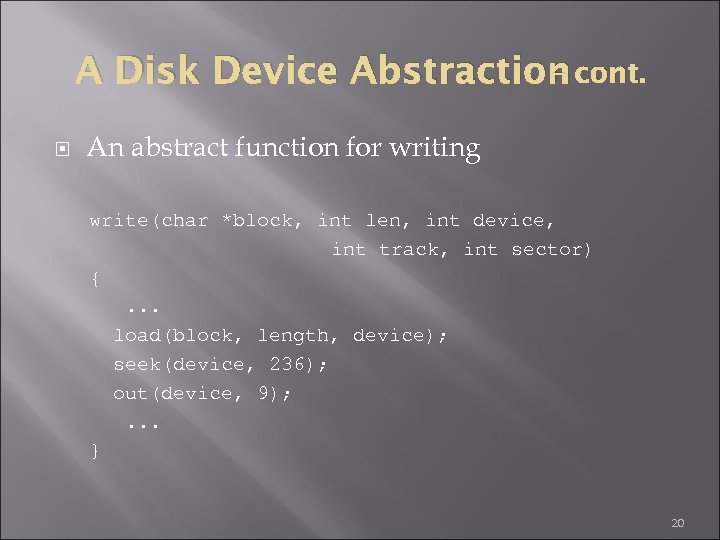 – A Disk Device Abstraction cont. An abstract function for writing write(char *block, int len, int device, int track, int sector) {. . . load(block, length, device); seek(device, 236); out(device, 9); . . . } 20
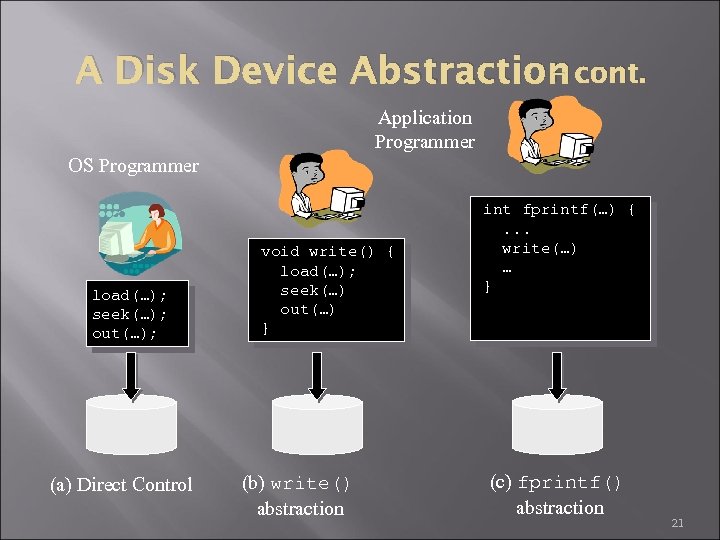 – A Disk Device Abstraction cont. Application Programmer OS Programmer load(…); seek(…); out(…); (a) Direct Control void write() { load(…); seek(…) out(…) } (b) write() abstraction int fprintf(…) {. . . write(…) … } (c) fprintf() abstraction 21
 – Resource Abstraction cont. The dark side … While simplifying the way application programmers can control hardware, abstraction can limit the flexibility by which specific hardware can be manipulated Certain operations may be impossible to achieve using the abstraction 22
 Resource Sharing Concurrent execution Parallel execution Two or more processes appear to be (or actually are) executing at the same time Two or more processing actually executing simultaneously Processes which are concurrent, or parallel, must share the computer 23
 Resource Sharing Two types of sharing Time multiplexed sharing time-sharing schedule a serially-reusable resource among several users Space multiplexed sharing space-sharing divide a multiple-use resource up among several users 24
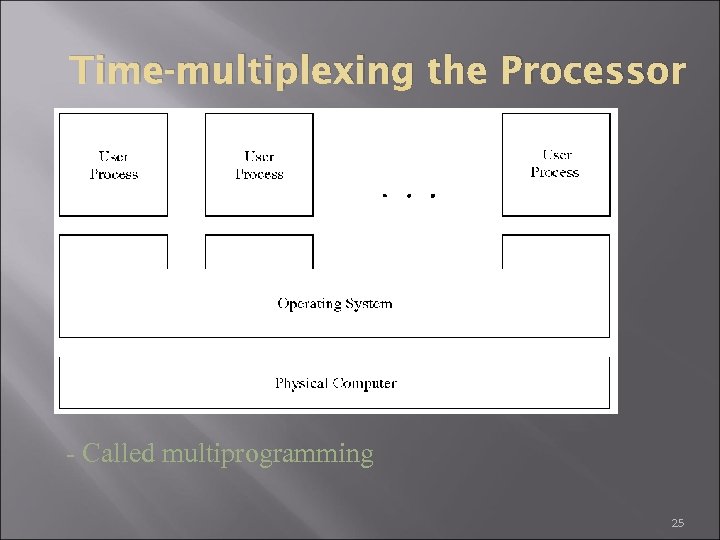 Time-multiplexing the Processor - Called multiprogramming 25
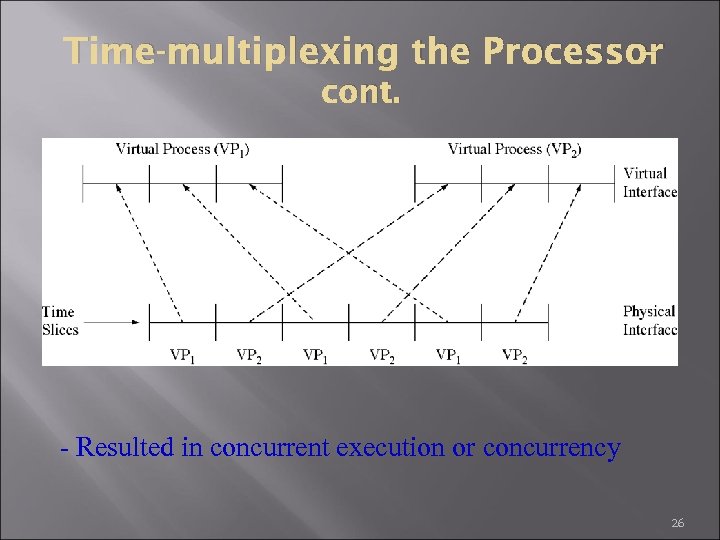 – Time-multiplexing the Processor cont. - Resulted in concurrent execution or concurrency 26
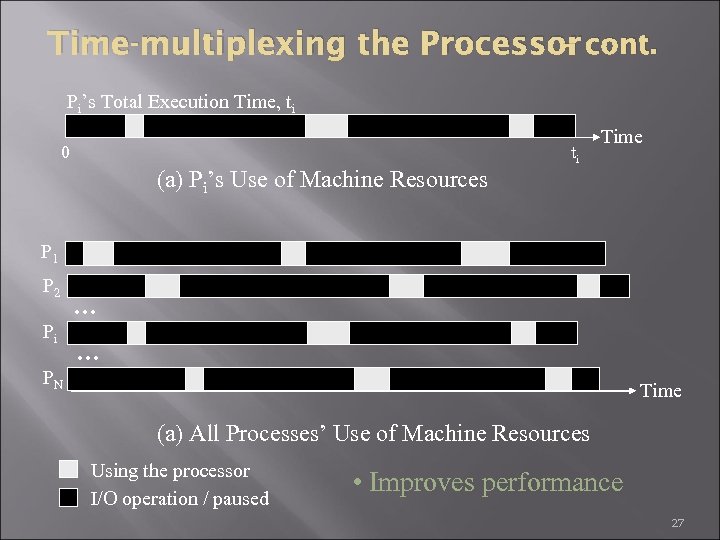 – Time-multiplexing the Processor cont. Pi’s Total Execution Time, ti 0 ti Time (a) Pi’s Use of Machine Resources P 1 P 2 Pi … … PN Time (a) All Processes’ Use of Machine Resources Using the processor I/O operation / paused • Improves performance 27
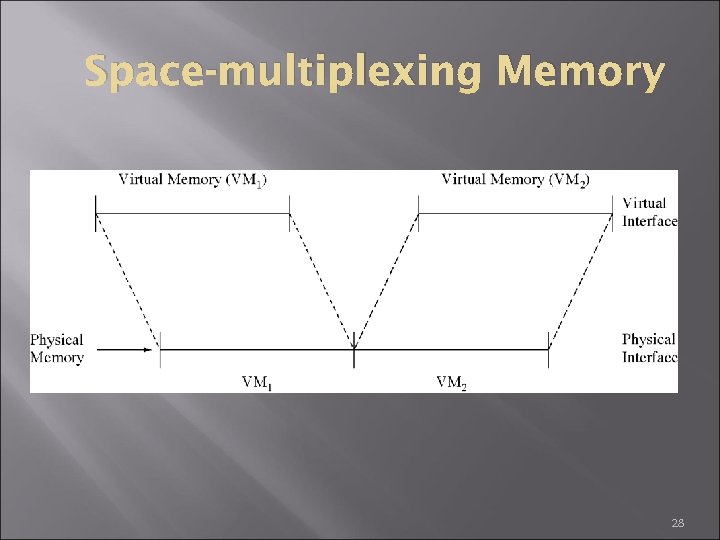 Space-multiplexing Memory 28
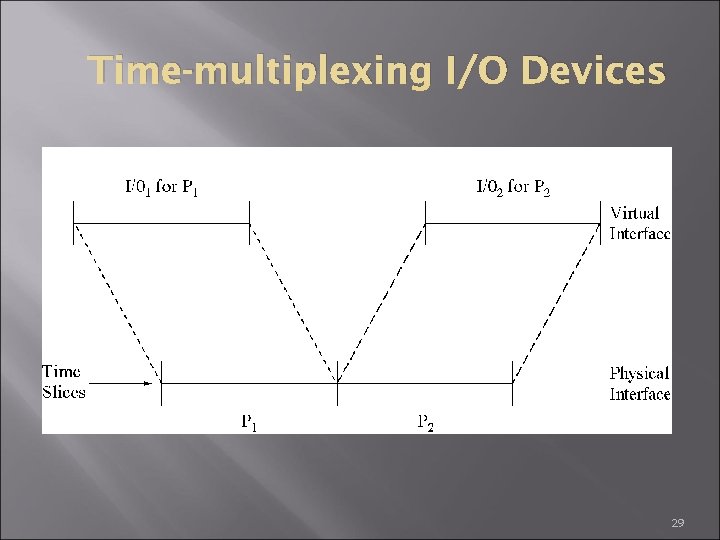 Time-multiplexing I/O Devices 29
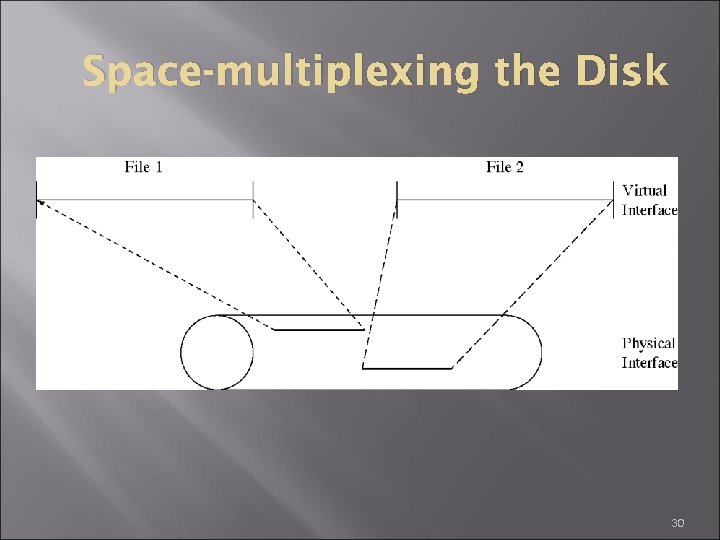 Space-multiplexing the Disk 30
 Issues in Resource Sharing Resource isolation and sharing Protection Prevent unauthorized access of resources by one process when they are currently allocated to another Sharing Resource allocation Scheduling 31
 Do We Need an OS? Not always When resource abstraction or sharing is not needed Some programs run “stand-alone” Early computers did not have a sophisticated OS was evolved along the hardware technology But they are very useful Reusable functions Easier to use than the bare hardware 32
 Operating Systems Strategies Several different strategies have been used Earliest computers were dedicated to a single program and there was no multiprogramming and no OS Batch systems Timesharing systems There a few other recent strategies Personal computers and workstations Embedded systems Small, communicating computers Network technology 33
 Batch Processing Systems Reduce setup time by batching similar jobs Automatic job sequencing – automatically transfers control from one job to another. First rudimentary operating system. Resident monitor initial control in monitor control transfers to job when job completes control transfers back to monitor 34
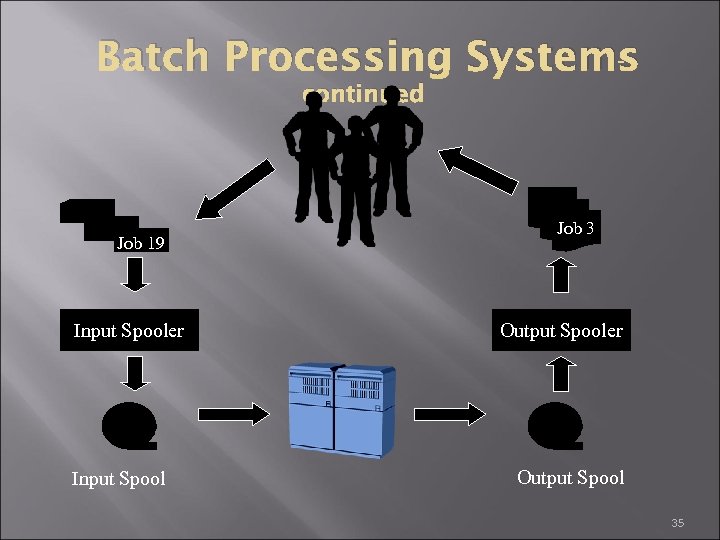 Batch Processing Systems continued Job 19 Input Spooler Input Spool Job 3 Output Spooler Output Spool 35
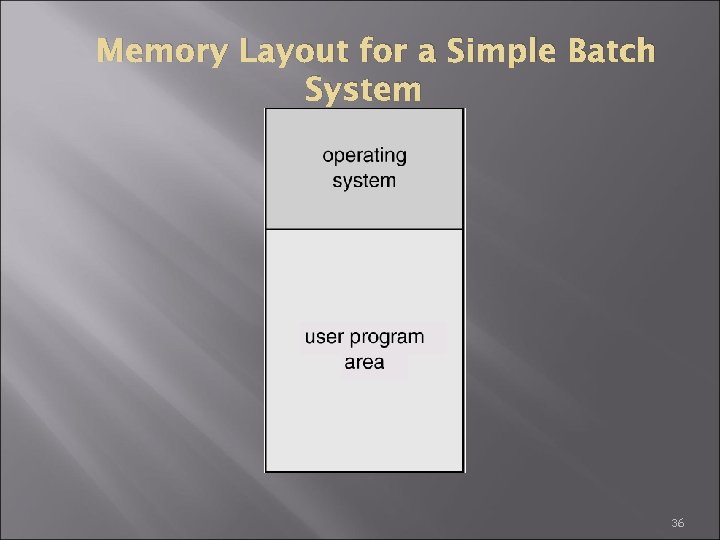 Memory Layout for a Simple Batch System 36
 Spooling Overlap I/O of one job with computation of another job. While executing one job, the OS Reads next job from card reader into a storage area on the disk (job queue). Outputs printout of previous job from disk to printer. Job pool – data structure that allows the OS to select which job to run next in order to increase CPU utilization 37
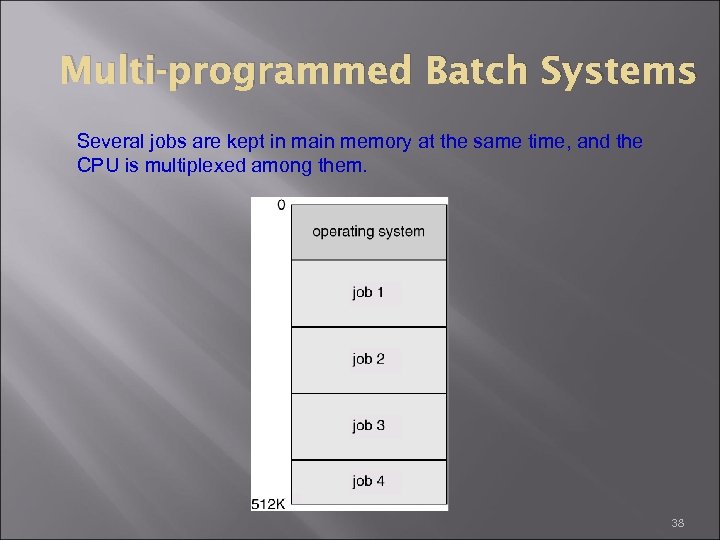 Multi-programmed Batch Systems Several jobs are kept in main memory at the same time, and the CPU is multiplexed among them. 38
 OS Features for Multi-programming I/O routine supplied by the system Memory management – the system must allocate the memory to several jobs CPU scheduling – the system must choose among several jobs ready to run Allocation of devices 39
 Time-sharing Systems The goal is to enable users to interact with the computer system On-line communication between the user and the system is provided Batch processing systems do not allow user interactions When the operating system finishes the execution of one command, it seeks the next “control statement” not from a card reader, but rather from the user’s keyboard. On-line system must be available for users to access data and code. 40
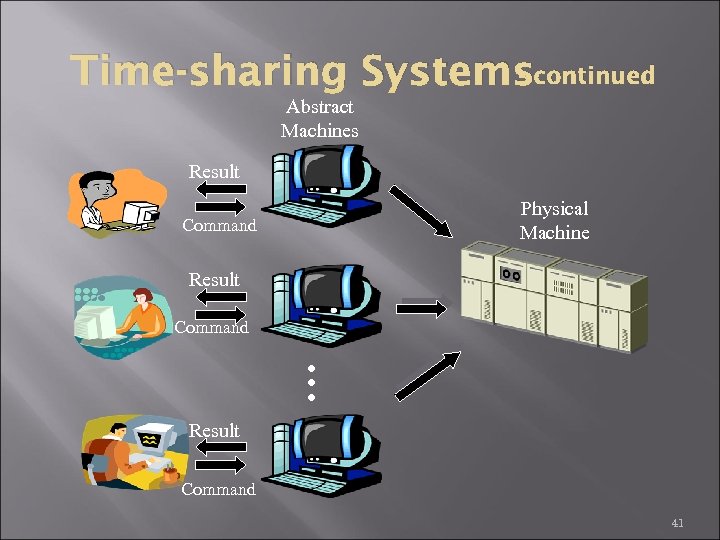 Time-sharing Systemscontinued Abstract Machines Result Physical Machine Command Result … Command Result Command 41
 Personal-computer Systems computers – computer system dedicated to a single user. I/O devices – keyboards, mice, display screens, small printers. User convenience and responsiveness. Can adopt technology developed for larger operating system Personal often individuals have sole use of computer and do not need advanced CPU utilization of protection features. 42
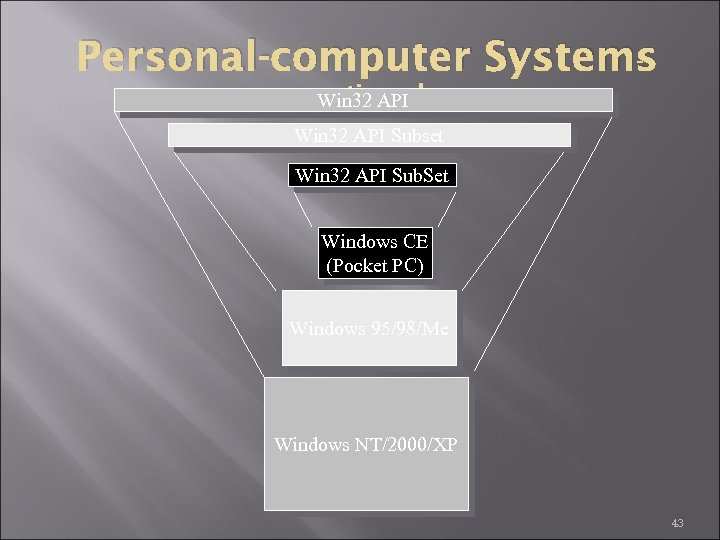 Personal-computer Systems continued Win 32 API Subset Win 32 API Sub. Set Windows CE (Pocket PC) Windows 95/98/Me Windows NT/2000/XP 43
 Embedded Systems Often used as a control device in a dedicated application such as controlling scientific experiments, medical imaging systems, industrial control systems, and some display systems. Well-defined fixed-time constraints. Hard real-time system. Secondary storage limited or absent, data stored in short-term memory, or read-only memory (ROM) Conflicts with time-sharing systems, not supported by general-purpose operating systems. Soft real-time system Limited utility in industrial control or robotics Useful in applications (multimedia, virtual reality) requiring advanced operating-system features. 44
 Parallel systems Multiprocessor systems with more than one CPU in close communication. Tightly coupled system – processors share memory and a clock; communication usually takes place through the shared memory. Advantages of parallel system: Increased throughput Economical Increased reliability graceful degradation fail-soft systems 45
 Distributed Systems Distribute the computation among several physical processors Loosely coupled system – each processor has its own local memory; processors communicate with one another through various communications lines, such as high-speed buses or telephone lines Advantages of distributed systems Resources Sharing Computation speed up – load sharing Reliability Communications 46
 Distributed systemscont. Network operating system provides file sharing provides communication scheme runs independently from other computers on the network Distributed operating system less autonomy between computers gives the impression there is a single operating system controlling the network. 47
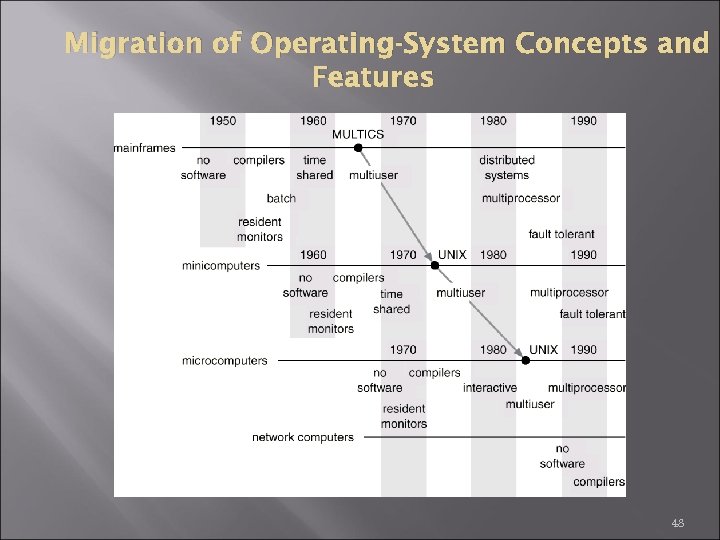 Migration of Operating-System Concepts and Features 48
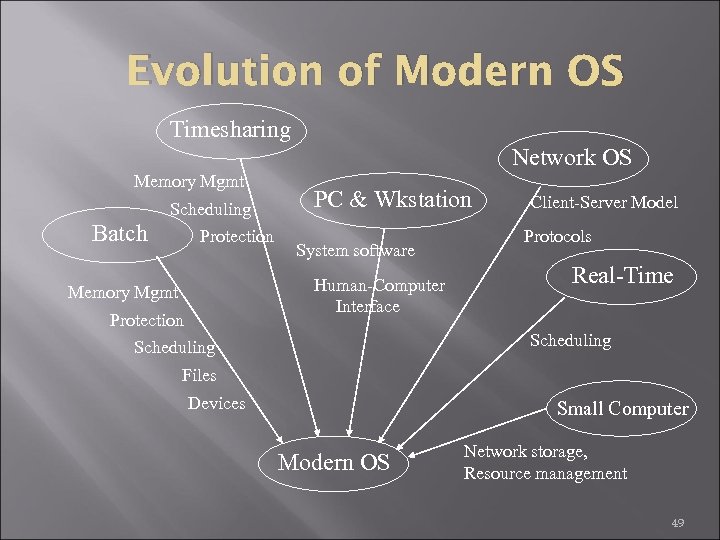 Evolution of Modern OS Timesharing Network OS Memory Mgmt Scheduling Batch Protection PC & Wkstation System software Human-Computer Interface Memory Mgmt Protection Client-Server Model Protocols Real-Time Scheduling Files Devices Small Computer Modern OS Network storage, Resource management 49