


 Скачать презентацию Introduction to Wi Fi Networking Training materials for
7d5d32c507531774902c8d1e687d22eb.ppt
- Количество слайдов: 35
 Introduction to Wi. Fi Networking Training materials for wireless trainers
 Goals The goal of this lecture is to introduce: ‣ 802. 11 family of radio protocols ‣ 802. 11 radio channels ‣ Wireless network topologies ‣ Wi. Fi modes of operation ‣ Strategies for routing network traffic ‣ Frequently Asked Questions 2
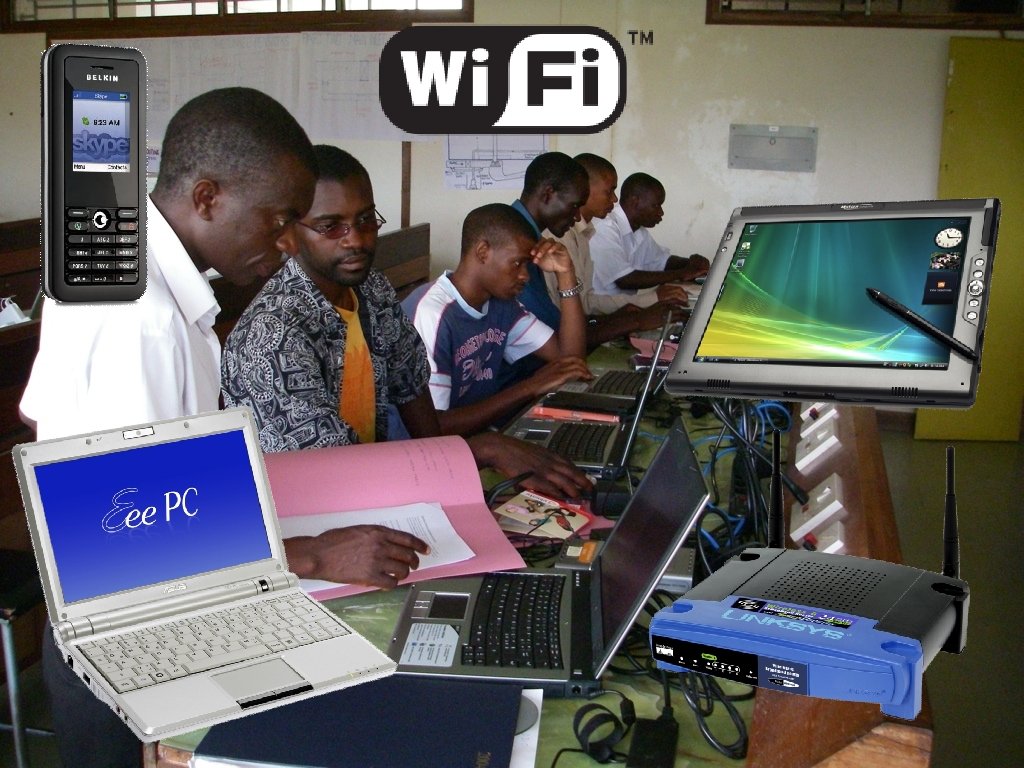
 ISM / UNII bands Most commercial wireless devices (mobile phones, television, radio, etc. ) use licensed radio frequencies. Large organizations pay licensing fees for the right to use those radio frequencies. Wi. Fi uses unlicensed spectrum. License fees are not usually required to operate Wi. Fi equipment. ‣ The Industrial, Scientific and Medical (ISM) bands allow for unlicensed use of 2. 4 -2. 5 GHz, 5. 8 GHz, and many other (non-Wi. Fi) frequencies. ‣ The Unlicensed National Information Infrastructure (UNII) bands allow for unlicensed use of the lower part of the 5 GHz spectrum (USA only). ‣ In Europe, the European Telecommunication Standards Institute (ETSI) has allocated portions of 4 the 5 GHz band.
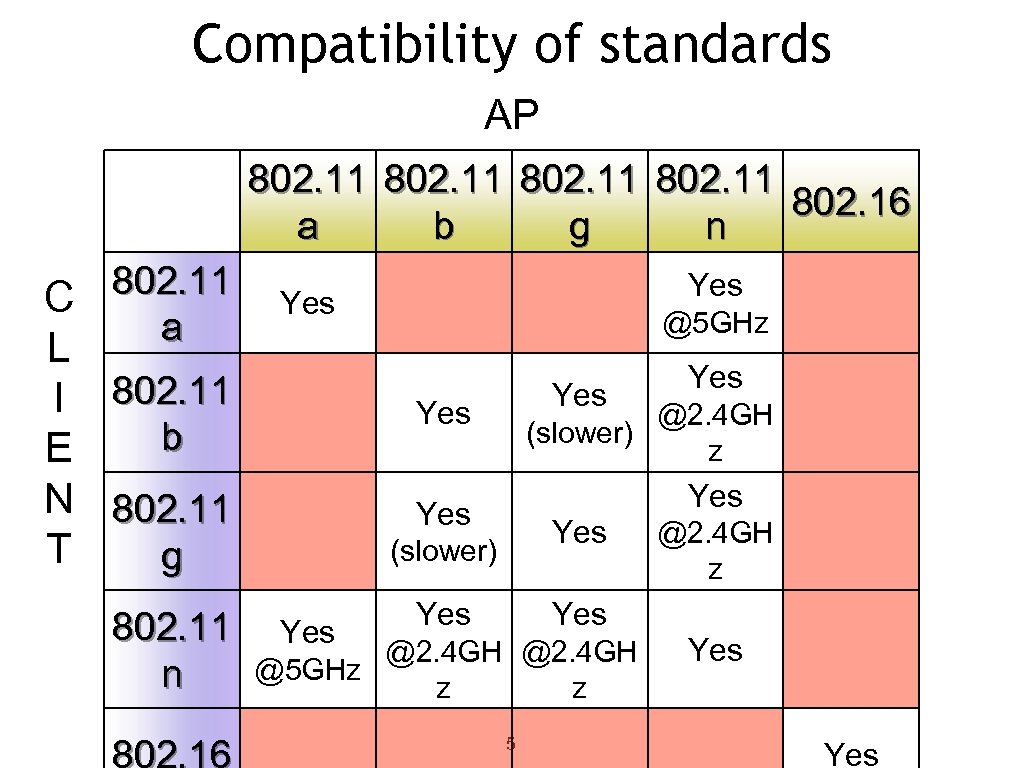 Compatibility of standards AP 802. 11 802. 16 a b g n 802. 11 C a Yes L I 802. 11 b E N 802. 11 T g 802. 11 n Yes @5 GHz Yes @2. 4 GH (slower) z Yes Yes (slower) Yes Yes @2. 4 GH z Yes @2. 4 GH @5 GHz z z 5 Yes
 Data rates Note that the “data rates” quoted in the Wi. Fi specifications refer to the raw radio symbol rate, not the actual TCP/IP throughput rate. The difference is called protocol overhead, and is needed by the Wi. Fi protocol to manage collisions, retransmissions, and general management of the link. A good rule of thumb is to divide the radio symbol rate by two to obtain the maximum practical TCP/IP throughput. For example, a 54 Mbps 802. 11 a link has a maximum practical throughput of roughly 25 Mbps. An 11 Mbps 802. 11 b link has a maximum throughput of about 5 Mbps. 6
 MAC layer: CSMA vs. TDMA 802. 11 Wi. Fi uses Carrier Sense Multiple Access (CSMA) to avoid transmission collisions. Before a node may transmit, it must first listen for transmissions from other radios. The node may only transmit when the channel becomes idle. Other technologies (such as Wi. MAX, Nstreme, and Air. MAX) use Time Division Multiple Access (TDMA) instead. TDMA divides access to a given channel into multiple time slots, and assigns these slots to each node on the network. Each mode transmits only in its assigned slot, thereby avoiding collisions. 7
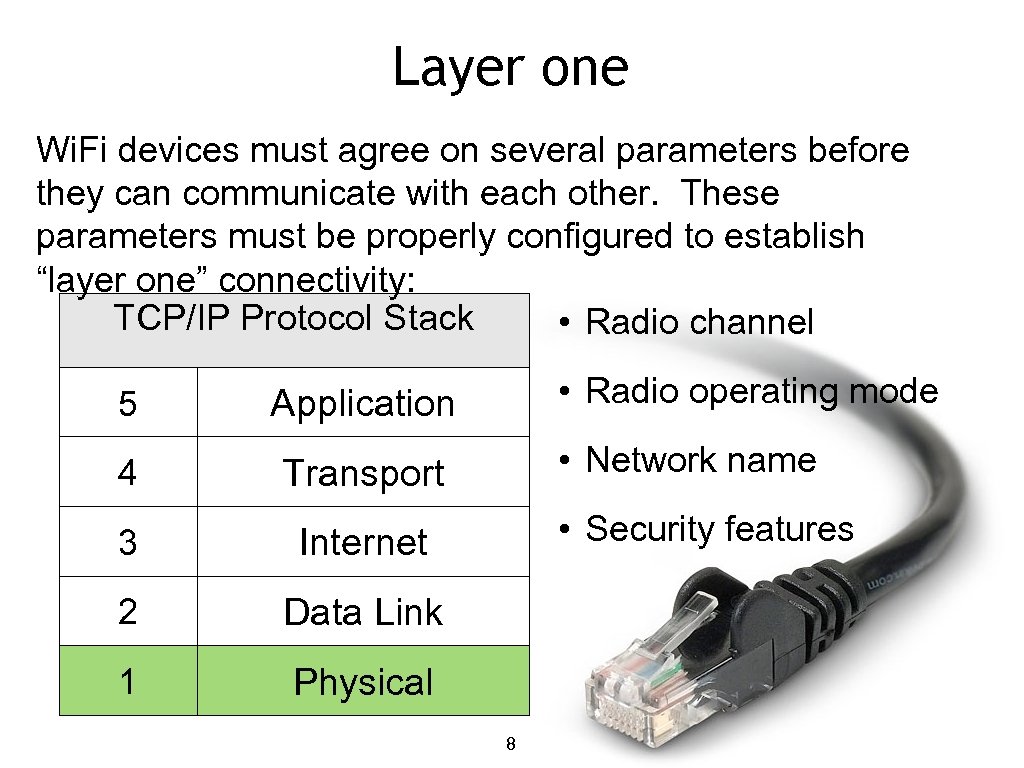 Layer one Wi. Fi devices must agree on several parameters before they can communicate with each other. These parameters must be properly configured to establish “layer one” connectivity: TCP/IP Protocol Stack • Radio channel 5 • Radio operating mode Application 4 Transport 3 Internet 2 Data Link 1 • Network name Physical • Security features 8 8
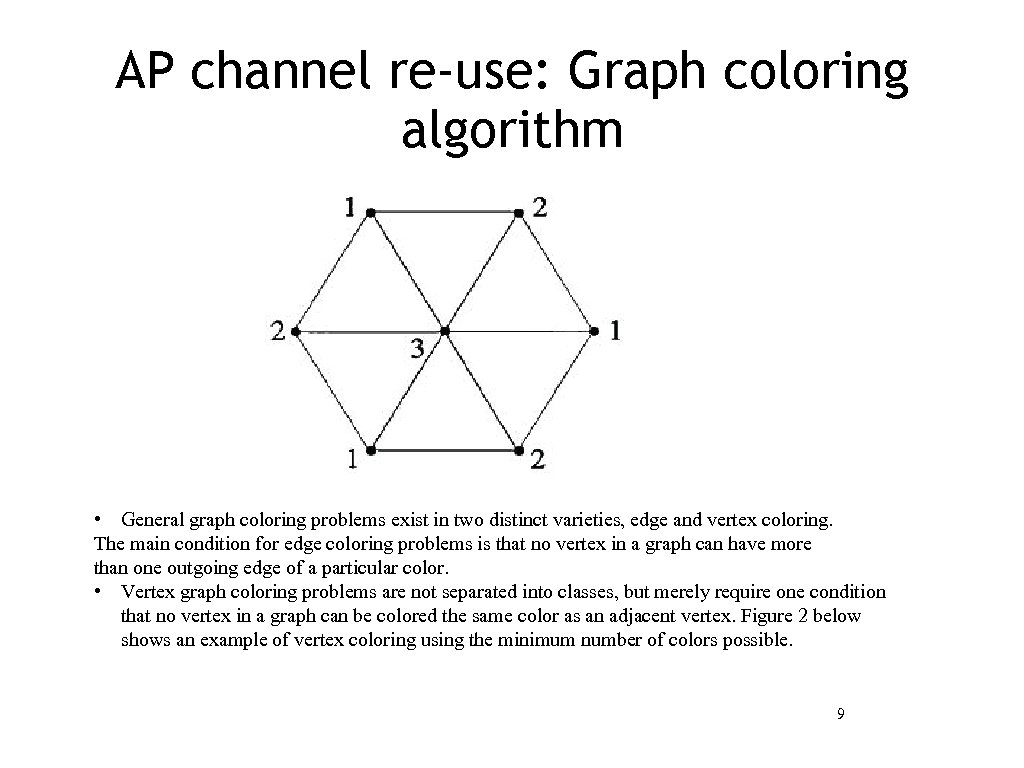 AP channel re-use: Graph coloring algorithm • General graph coloring problems exist in two distinct varieties, edge and vertex coloring. The main condition for edge coloring problems is that no vertex in a graph can have more than one outgoing edge of a particular color. • Vertex graph coloring problems are not separated into classes, but merely require one condition that no vertex in a graph can be colored the same color as an adjacent vertex. Figure 2 below shows an example of vertex coloring using the minimum number of colors possible. 9
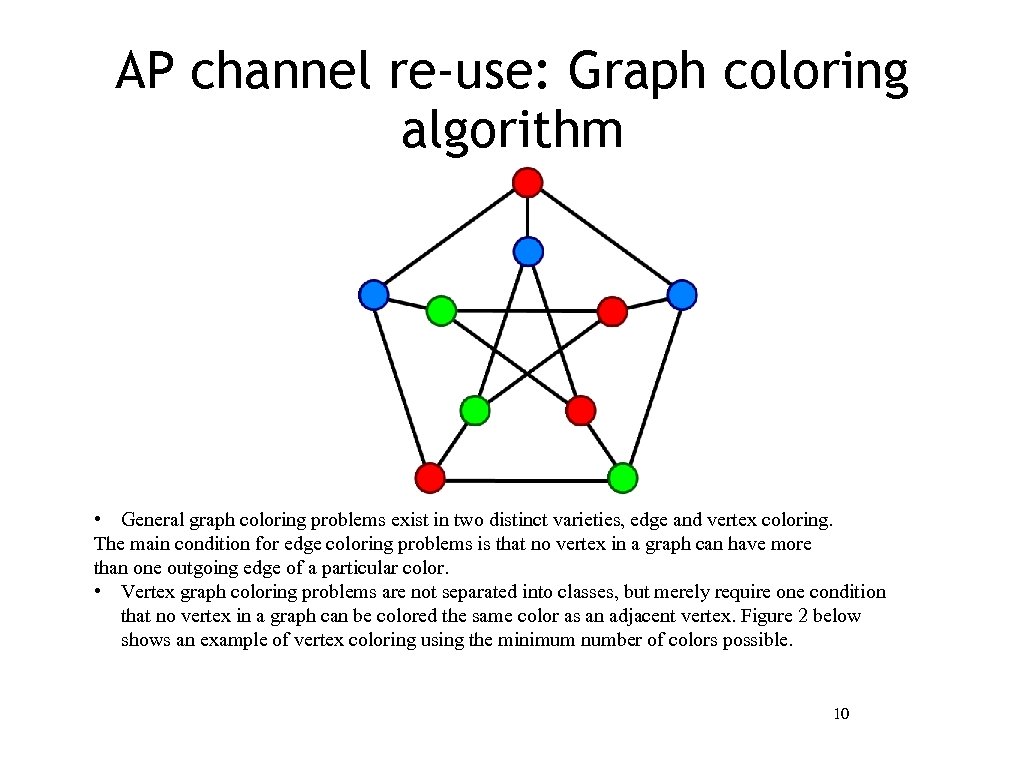 AP channel re-use: Graph coloring algorithm • General graph coloring problems exist in two distinct varieties, edge and vertex coloring. The main condition for edge coloring problems is that no vertex in a graph can have more than one outgoing edge of a particular color. • Vertex graph coloring problems are not separated into classes, but merely require one condition that no vertex in a graph can be colored the same color as an adjacent vertex. Figure 2 below shows an example of vertex coloring using the minimum number of colors possible. 10
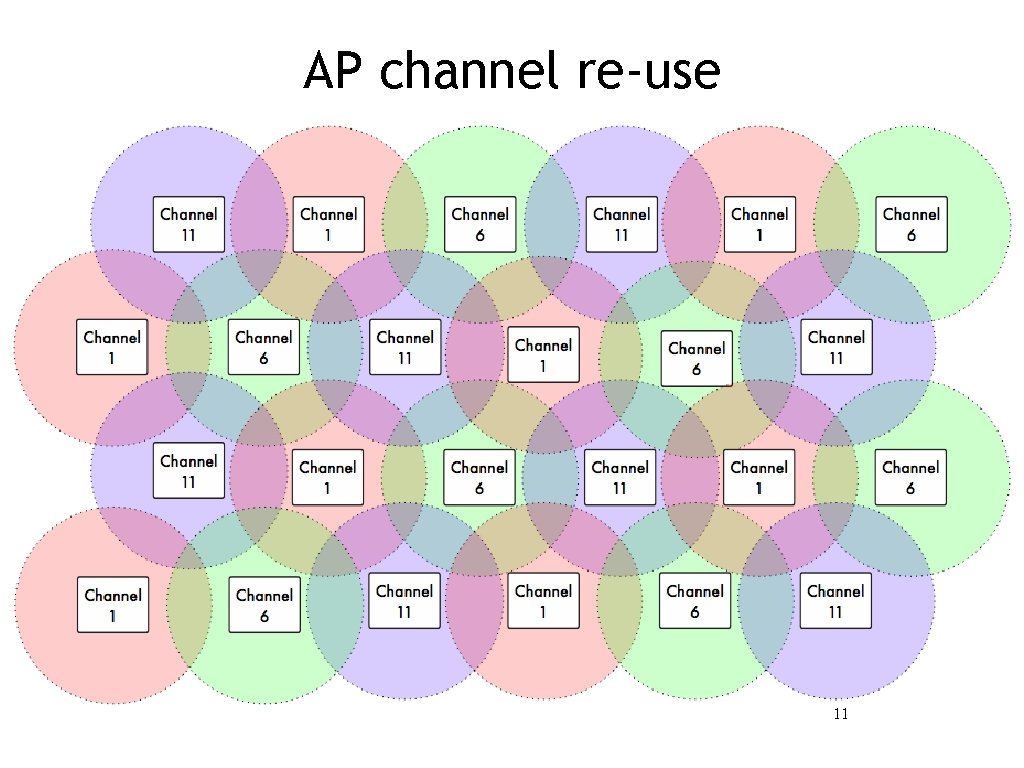 AP channel re-use 11
 Wireless network topologies Any complex wireless network can be thought of as a combination of one or more of these types of connections: ‣ Point-to-Point ‣ Point-to-Multipoint ‣ Multipoint-to-Multipoint 12
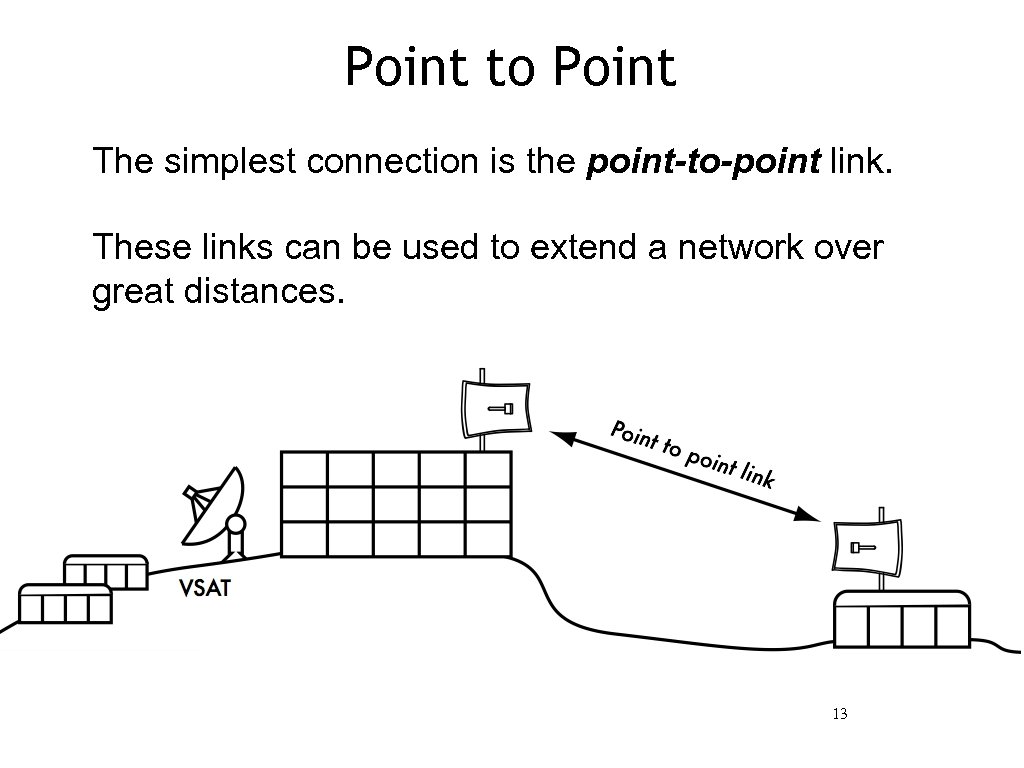 Point to Point The simplest connection is the point-to-point link. These links can be used to extend a network over great distances. 13
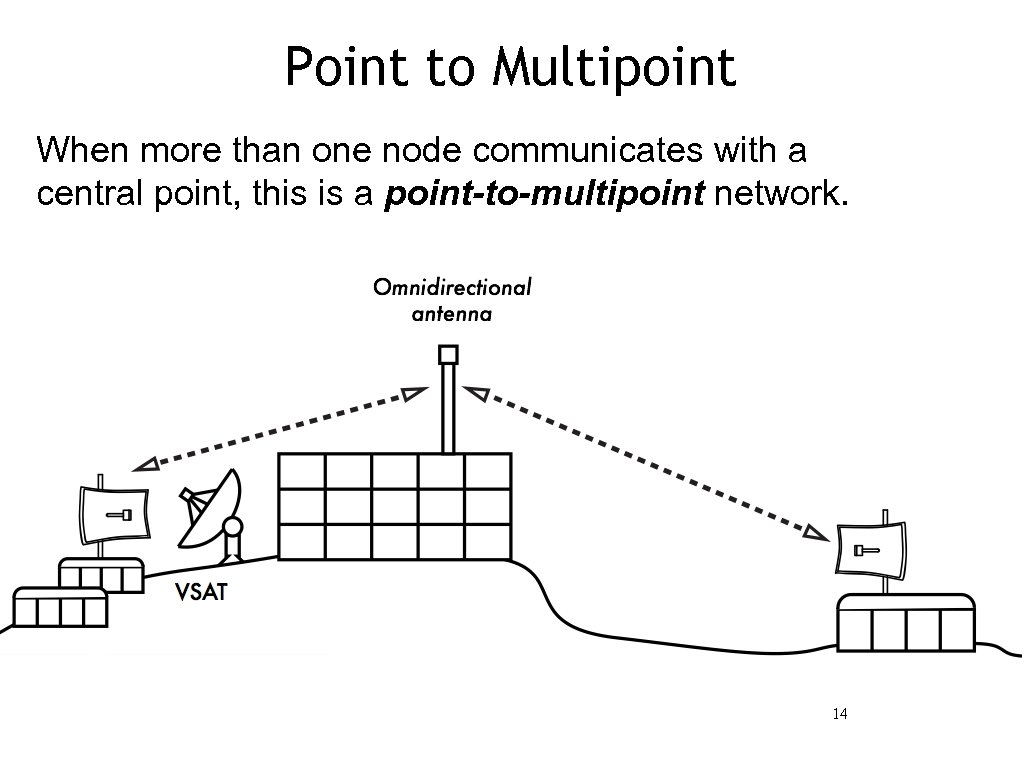 Point to Multipoint When more than one node communicates with a central point, this is a point-to-multipoint network. 14
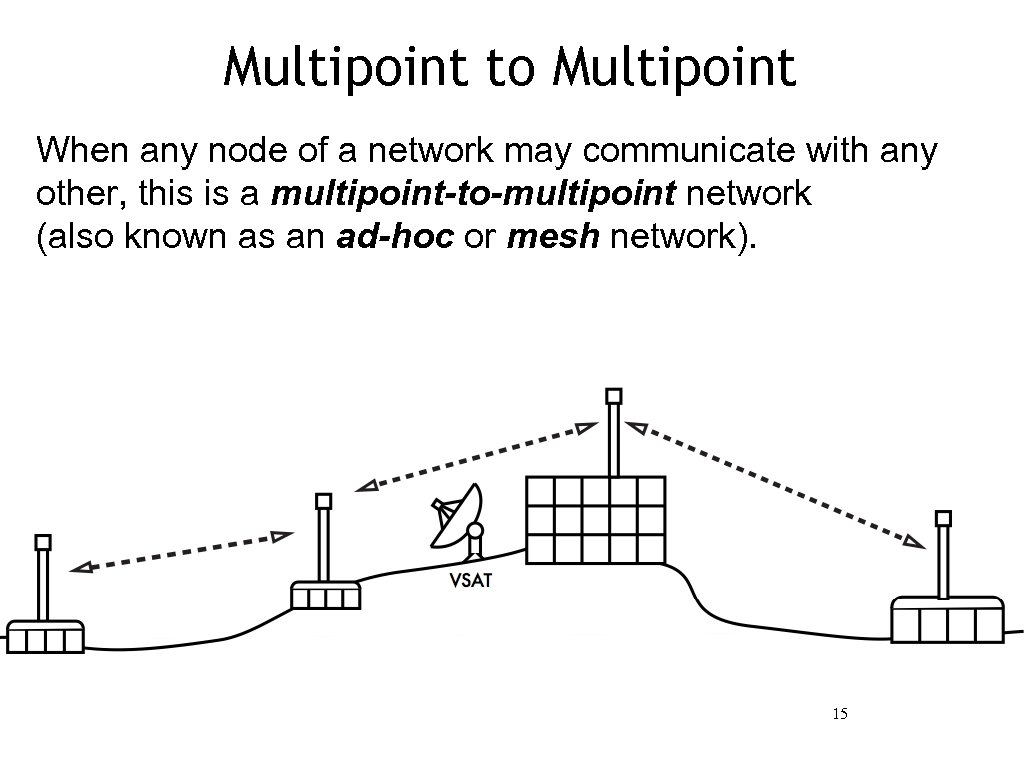 Multipoint to Multipoint When any node of a network may communicate with any other, this is a multipoint-to-multipoint network (also known as an ad-hoc or mesh network). 15
 Wi. Fi radio modes Wi. Fi devices can be operated in one of these modes: ‣ Master (access point)Managed (also known as client or station)Ad-hoc (used for mesh networks) ‣ Monitor (not normally used for communications) ‣ Other proprietary non-802. 11 modes (e. g. Mikrotik Nstreme or Ubiquiti Air. MAX) Each mode has specific operating constraints, and radios may only operate in one mode at a time. 16
 Master mode (also called AP or infrastructure mode) is used to provide an infrastructure with an access point connecting different clients. The access point creates a network with a specified name (called the SSID) and channel, and offers network services on it. Wi. Fi devices in master mode can only communicate with devices that are associated with it in managed mode. 17
 Managed Mode Managed mode is sometimes also referred to as client mode. Wireless devices in managed mode will join a network created by a master, and will automatically change their channel to match it. Clients using a given access point are said to be associated with it. Managed mode radios do not communicate with each other directly, and will only communicate with an associated master (and only with one at a time). 18
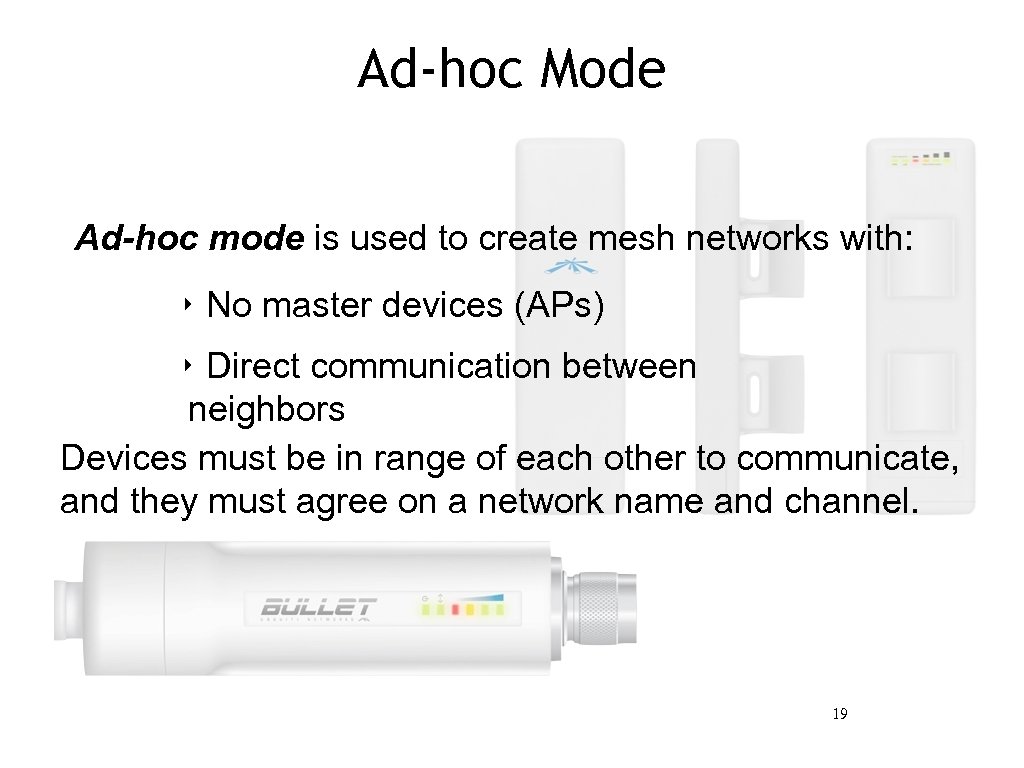 Ad-hoc Mode Ad-hoc mode is used to create mesh networks with: ‣ No master devices (APs) ‣ Direct communication between neighbors Devices must be in range of each other to communicate, and they must agree on a network name and channel. 19
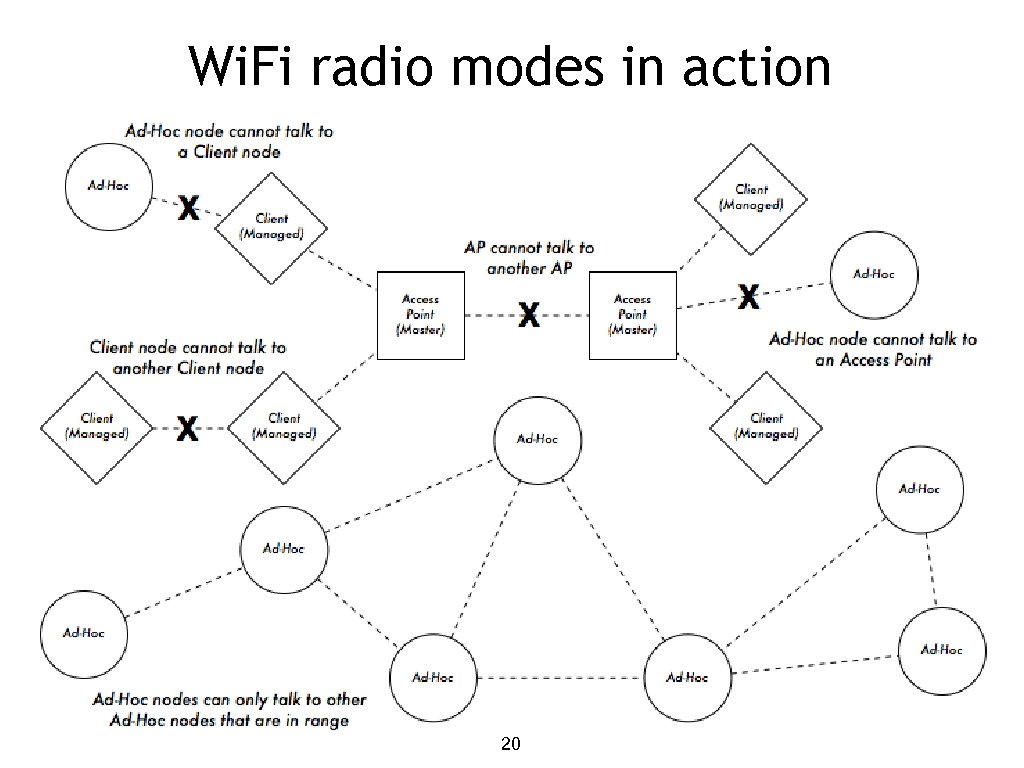 Wi. Fi radio modes in action 20 20
 Wireless Distribution System (WDS) It is possible to allow Access Points to communicate with each other directly by using the WDS protocol. It can be useful, but it has several limitations. ‣ WDS may not be compatible with equipment from different vendors. ‣ Since Wi. Fi is half-duplex, the maximum throughput is halved at each hop. ‣ WDS only supports a small number of connected APs (typically five). ‣ WDS cannot support some security features, such as WPA encryption. 21
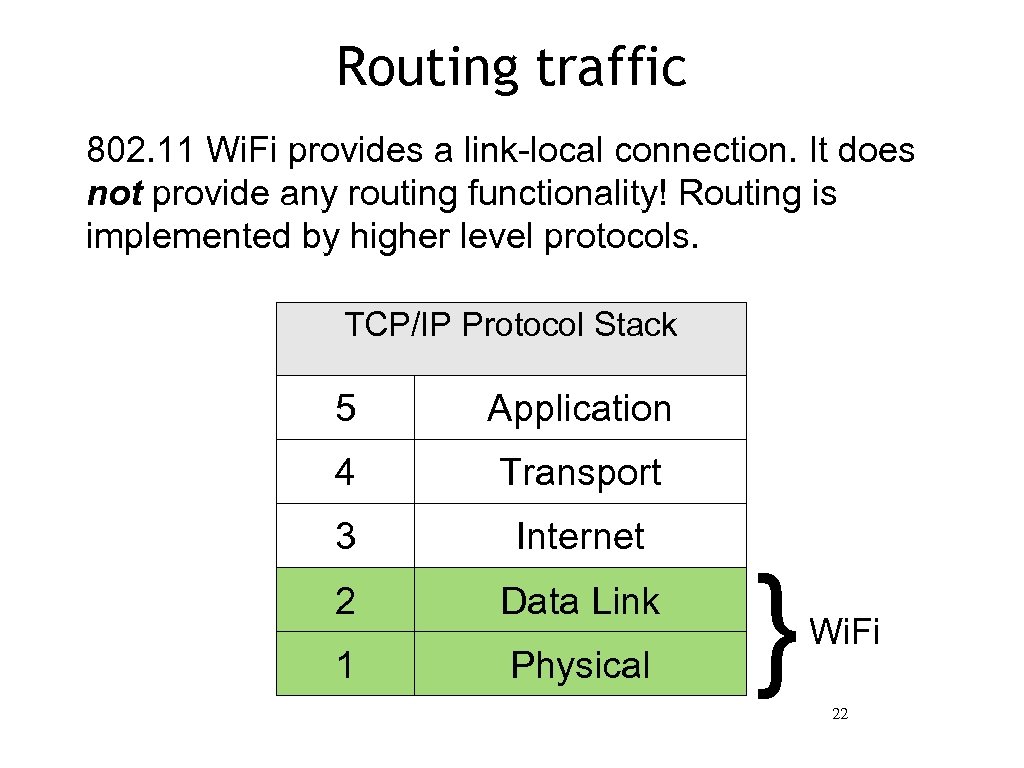 Routing traffic 802. 11 Wi. Fi provides a link-local connection. It does not provide any routing functionality! Routing is implemented by higher level protocols. TCP/IP Protocol Stack 5 Application 4 Transport 3 Internet 2 Data Link 1 Physical } Wi. Fi 22
 Bridged networking For a simple local area wireless network, a bridged architecture is usually adequate. Advantages ‣Very simple configuration. Roaming works very well Disadvantages Increasingly inefficient as nodes are added All broadcast traffic is repeated Virtually unusable on very large wide-area networks 23
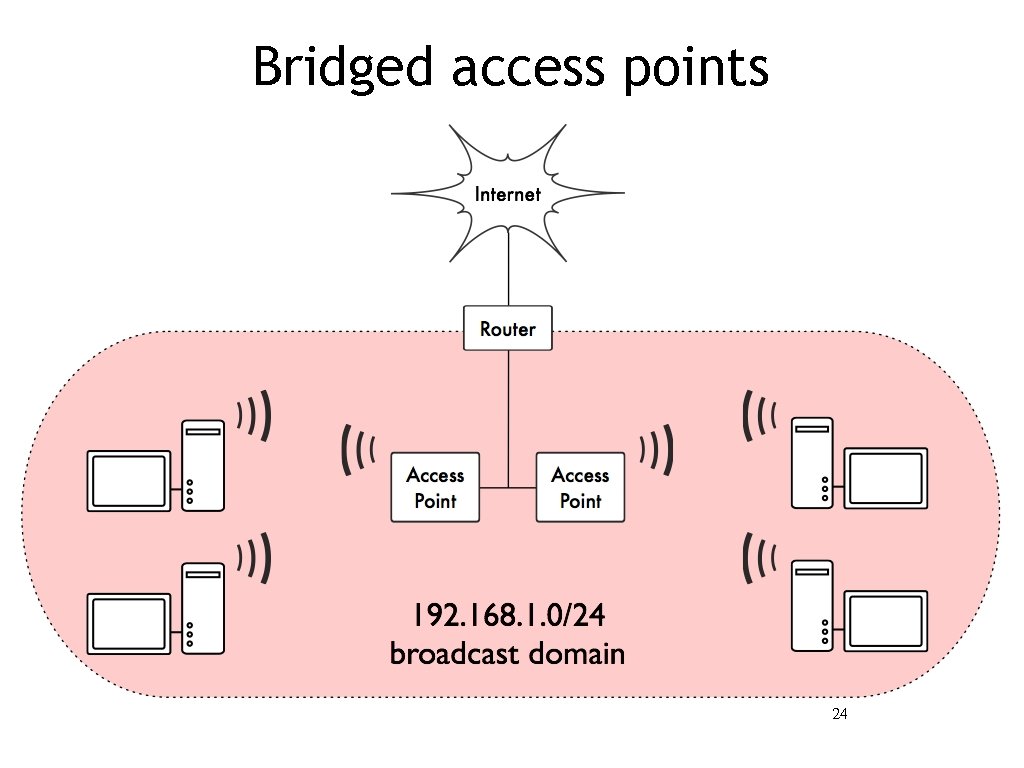 Bridged access points 24
 Routed networking Large networks are built by applying routing between nodes. ‣ Static routing is often used on point-to-point links. ‣ Dynamic routing (such as RIP or OSPF) can be used on larger networks, although they are not designed to work with imperfect wireless links. ‣ Mesh routing protocols work very well with wireless networks, particularly when using radios in ad-hoc mode. 25
 Routed networking As the network grows, it becomes necessary to use some sort of routing scheme to maintain traffic efficiency. Advantages ‣Broadcast domains are limited, making more efficient use of radio bandwidth ‣Arbitrarily large networks can be made. A variety of routing protocols and bandwidth management tools are available Disadvantages ‣More complex configuration. Roaming between APs is not su 26
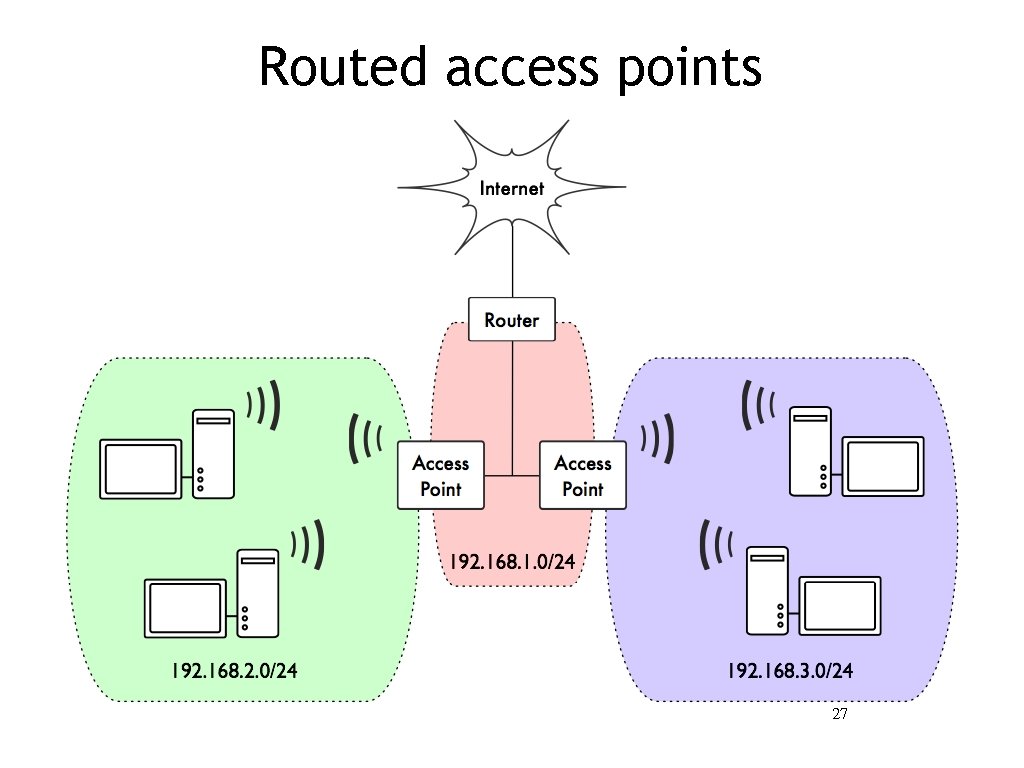 Routed access points 27
 Frequently Asked Questions 28 28
 Frequently Asked Questions ‣ How fast? (What does 54 Mbps mean ? ? ? ) ‣ How far can a network go? (the distance problem) ‣ How many clients can I connect to an AP? ‣ Are all my devices compatible? ‣ There are sometimes huge differences in price of APs, what should I buy? 29
 A few important concepts I can give you answers to some questions, indeed : -) ‣What is a device? ‣What is an Access Point (AP)? Can it be also a client? Are they different hardware? ‣What is firmware? Why may I want to change it? ‣I don’t understand the differences between AP, device, firmware, protocols. . . 30
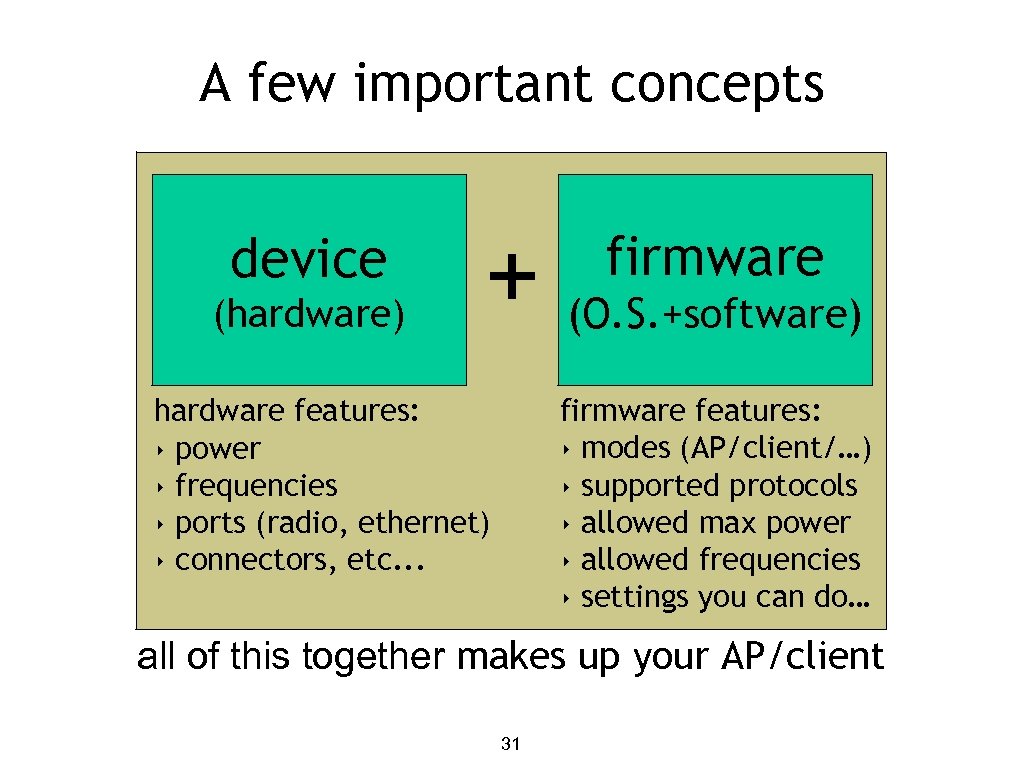 A few important concepts device (hardware) + firmware (O. S. +software) firmware features: ‣ modes (AP/client/…) ‣ supported protocols ‣ allowed max power ‣ allowed frequencies ‣ settings you can do… hardware features: ‣ power ‣ frequencies ‣ ports (radio, ethernet) ‣ connectors, etc. . . all of this together makes up your AP/client 31
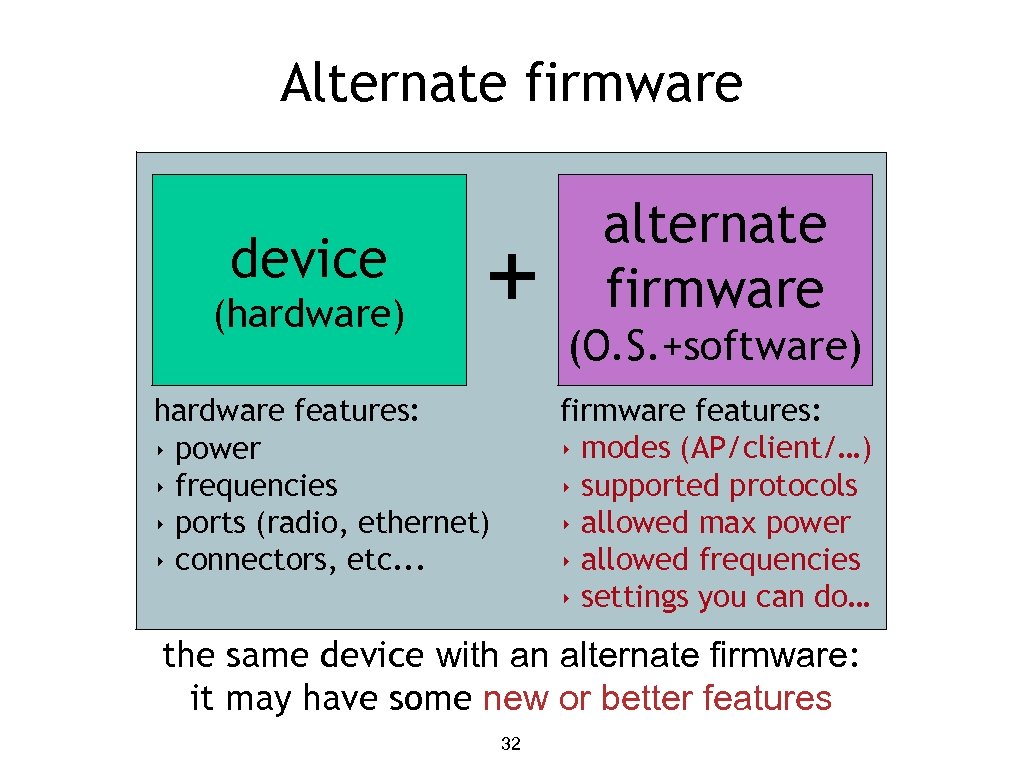 Alternate firmware device (hardware) + alternate firmware (O. S. +software) firmware features: ‣ modes (AP/client/…) ‣ supported protocols ‣ allowed max power ‣ allowed frequencies ‣ settings you can do… hardware features: ‣ power ‣ frequencies ‣ ports (radio, ethernet) ‣ connectors, etc. . . the same device with an alternate firmware: it may have some new or better features 32
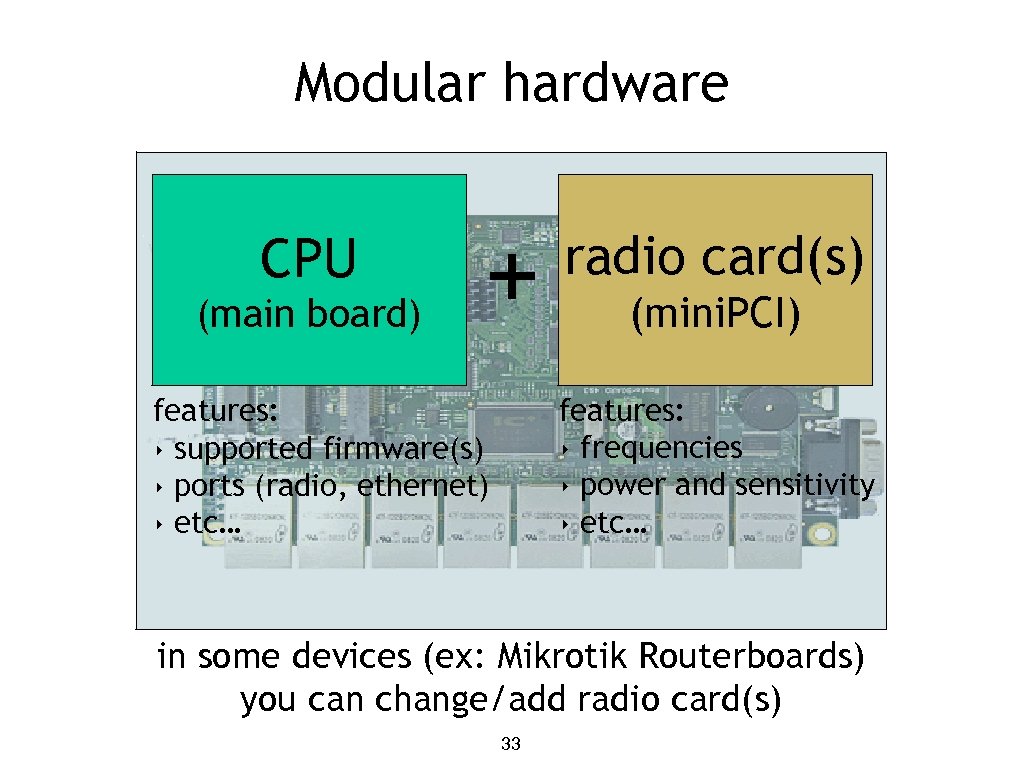 Modular hardware CPU (main board) + radio card(s) (mini. PCI) features: ‣ frequencies ‣ power and sensitivity ‣ etc… features: ‣ supported firmware(s) ‣ ports (radio, ethernet) ‣ etc… in some devices (ex: Mikrotik Routerboards) you can change/add radio card(s) 33
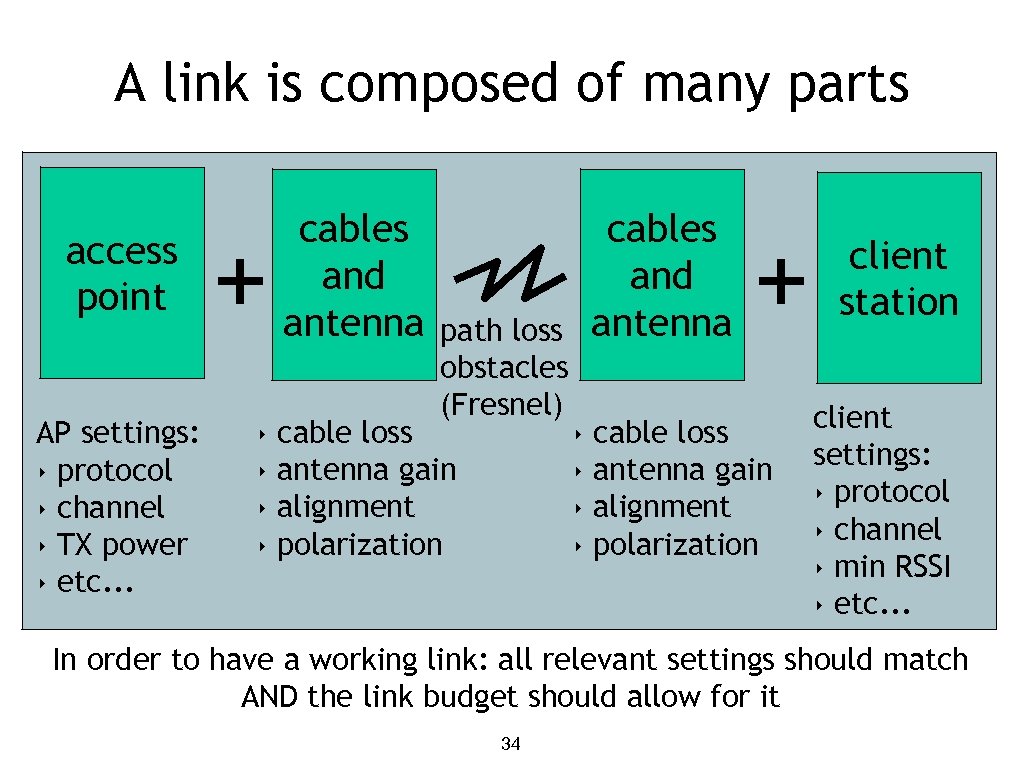 A link is composed of many parts access point AP settings: ‣ protocol ‣ channel ‣ TX power ‣ etc. . . + ‣ ‣ cables and antenna path loss obstacles (Fresnel) cable loss antenna gain alignment polarization ‣ ‣ + cable loss antenna gain alignment polarization client station client settings: ‣ protocol ‣ channel ‣ min RSSI ‣ etc. . . In order to have a working link: all relevant settings should match AND the link budget should allow for it 34
 Thank you for your attention For more details about the topics presented in this lecture, please see the book Wireless Networking in the Developing World, available as free download in many languages at: http: //wndw. net/