


 Скачать презентацию Introduction to training Agenda Product overview
6b2cdbed3b099bc8604ae481294b5d86.ppt
- Количество слайдов: 29
 Introduction to training Agenda • • Product overview What’s new from Pro. Star 325 Hardware overview Initialization routine Software CD overview Detector installation & Poly. Verfiy Poly. Diagnostics
 Product Overview Based on the Pro. Star 325 with many shared parts Two models available: • Single 1024 array • Dual 1024 array Control by both Star with Poly. View 2000 and Galaxie (Poly. View is now included with Star driver)
 Product Overview - workstation control Galaxie • Four 335 DADs per acquisition server • Driver included in Varian LC control drivers Star • two 335 DADs per Star Workstation • Driver included in LC control option • Installation of driver automatically installs Poly. View 2000 Ethernet communications best with a switch (not a hub)
 Product Overview Pro. Star 335 and 325 similarities • Same cabinet • Same UV & visible lamps • Same flow cells • Same rear panel, connectors, interface boards & cables • Same communications protocol • Same power supply • Same Main pwb (difference in firmware)
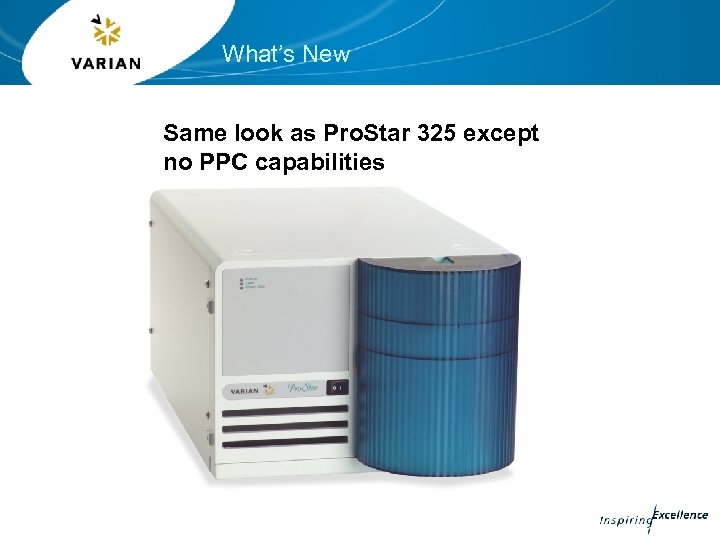 What’s New Same look as Pro. Star 325 except no PPC capabilities
 What’s New Different optics module Dual Array • 1024 photodiode sample and reference array • Extended range spectra • Used for Analytical to Prep Applications Single Array • • 1024 photodiode sample array 2 photodiode references (250 and 500 nm) No extended range Uses 9 x 0 and 4 x 0 flow cells only
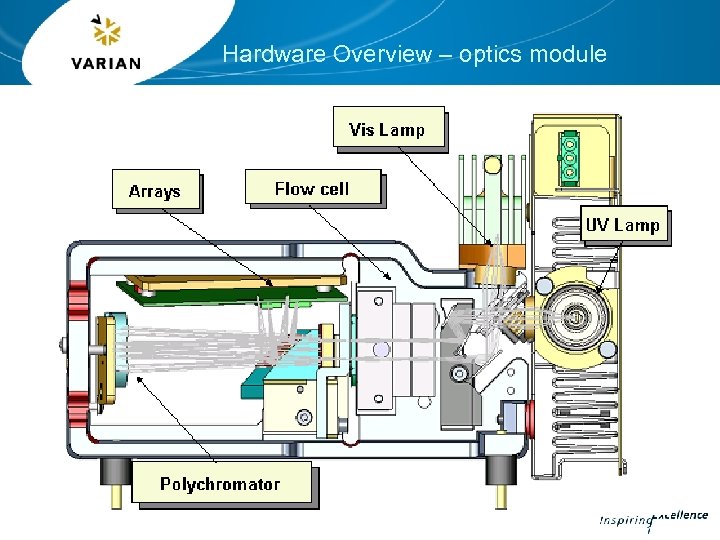 Hardware Overview – optics module
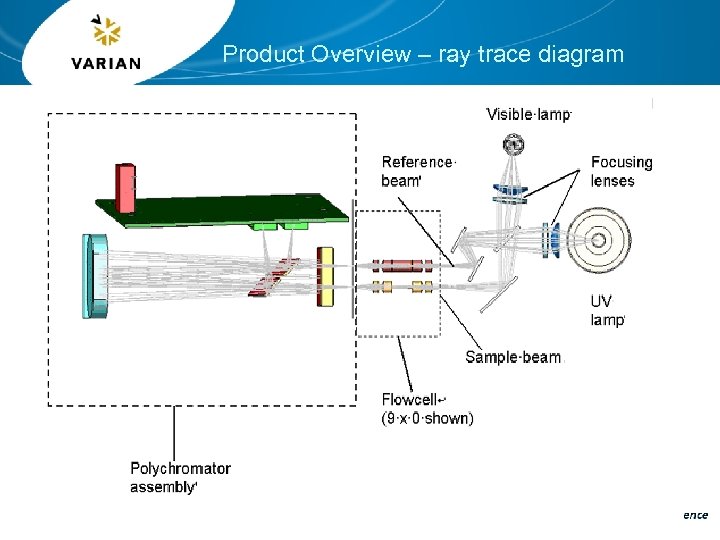 Product Overview – ray trace diagram
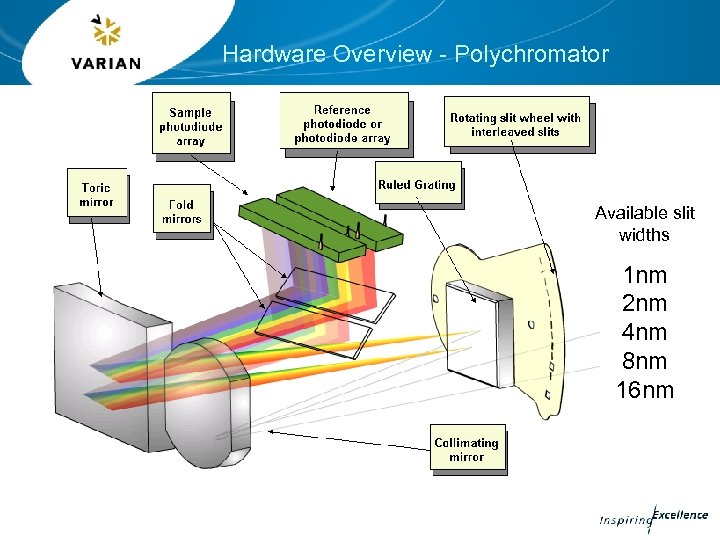 Hardware Overview - Polychromator Available slit widths 1 nm 2 nm 4 nm 8 nm 16 nm
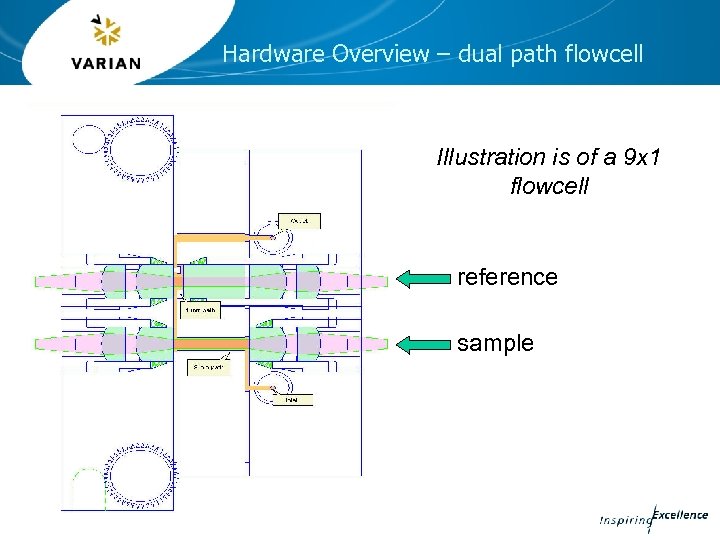 Hardware Overview – dual path flowcell Illustration is of a 9 x 1 flowcell reference sample
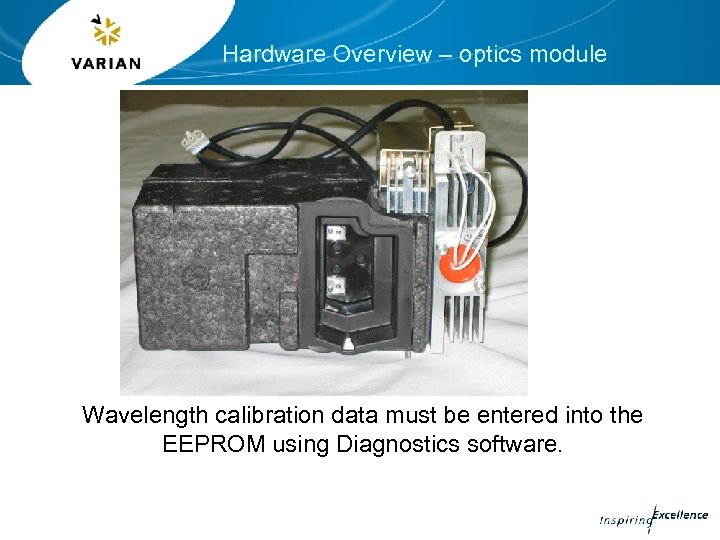 Hardware Overview – optics module Wavelength calibration data must be entered into the EEPROM using Diagnostics software.
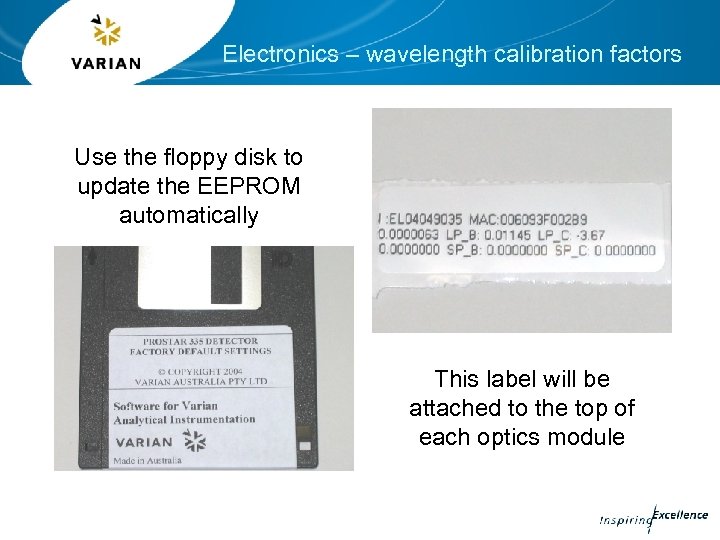 Electronics – wavelength calibration factors Use the floppy disk to update the EEPROM automatically This label will be attached to the top of each optics module
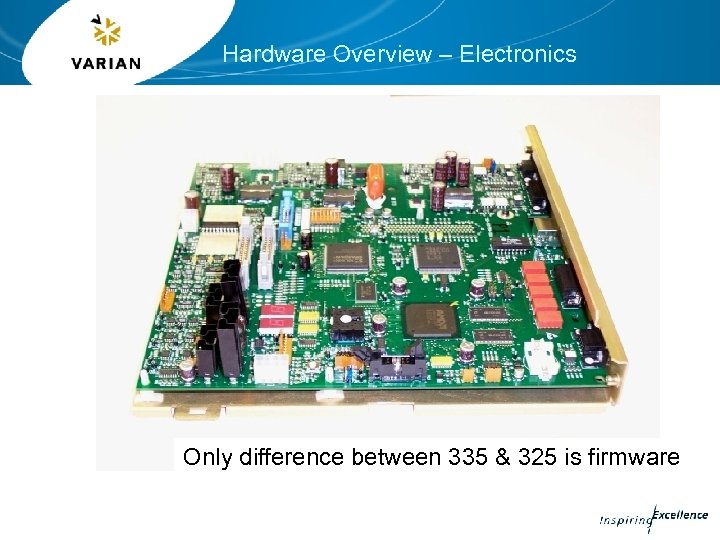 Hardware Overview – Electronics Only difference between 335 & 325 is firmware
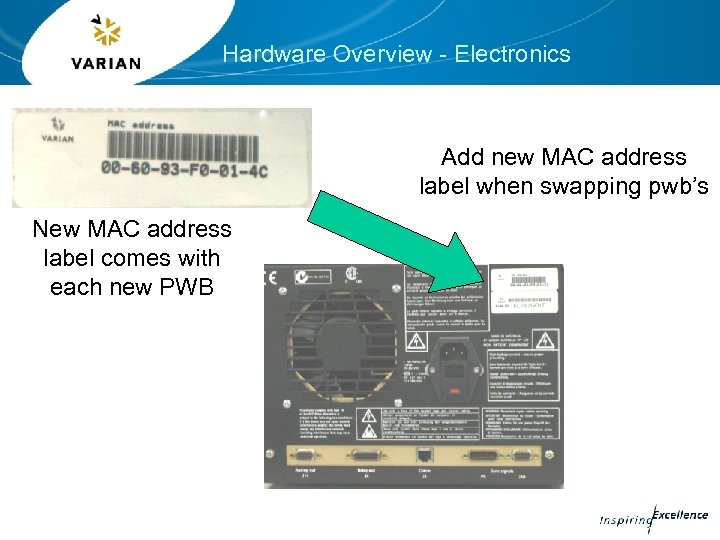 Hardware Overview - Electronics Add new MAC address label when swapping pwb’s New MAC address label comes with each new PWB
 Hardware Overview – initialization routine • Peak search for 656. 1 nm deuterium emission line • Determines dark current table (0%T) • Gain (Lamp) calibration is now user driven. Stored in non-volatile memory.
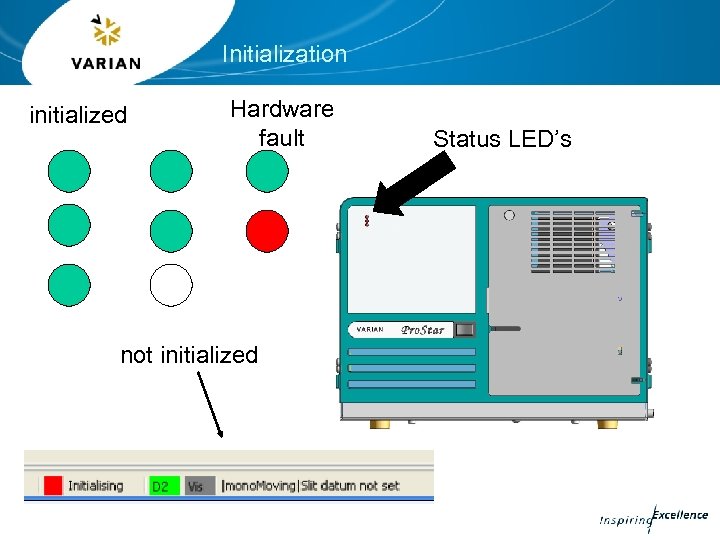 Initialization initialized Hardware fault not initialized Status LED’s
 Software CD overview Software CD ships with each Pro. Star 335 detector. Part number: 85 102114 00 Auto-loading CD which contains: • Galaxie drivers and manuals • Star driver and manuals • Poly. Verfiy software • Poly. Diagnostics
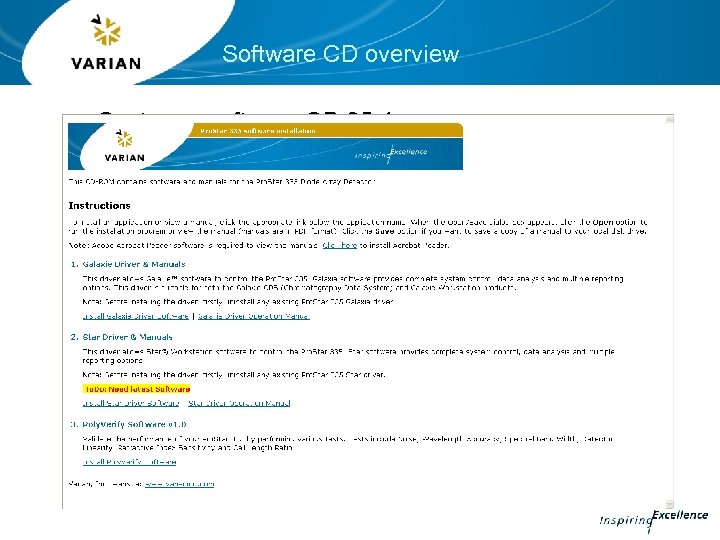 Software CD overview Customer software CD 85 -1 xxxxx -00 will contain
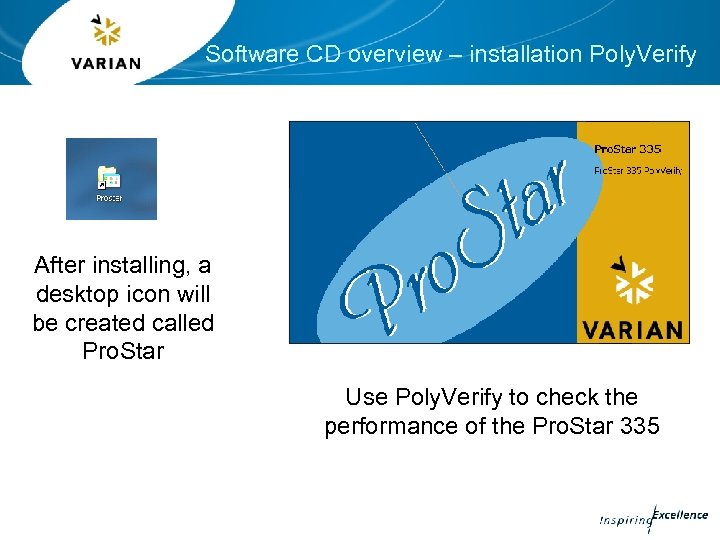 Software CD overview – installation Poly. Verify After installing, a desktop icon will be created called Pro. Star Use Poly. Verify to check the performance of the Pro. Star 335
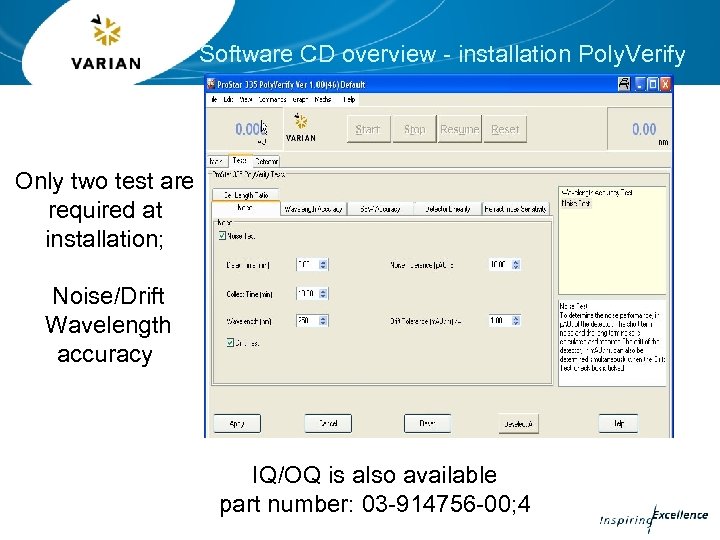 Software CD overview - installation Poly. Verify Only two test are required at installation; Noise/Drift Wavelength accuracy IQ/OQ is also available part number: 03 -914756 -00; 4
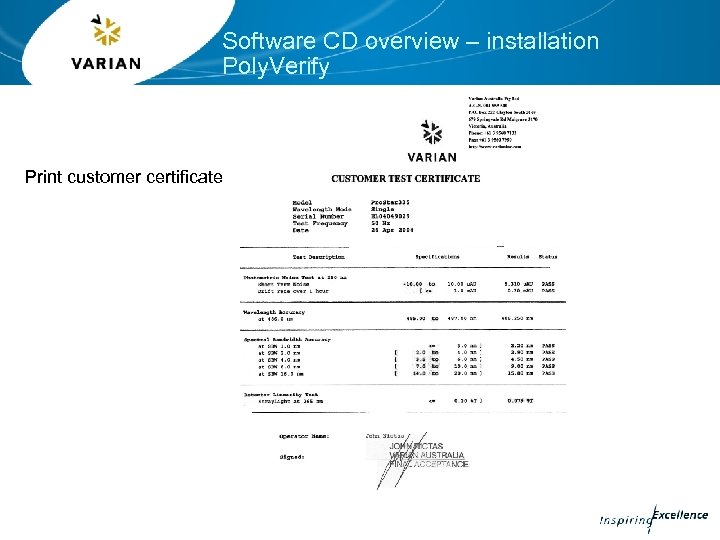 Software CD overview – installation Poly. Verify Print customer certificate
 The Pro. Star 335 must be initialized and have both lamps on for at least one hour prior to running any tests. Noise test : pump water for at least 10 minutes at a pump head pressure of at least 100 atm using a back pressure restrictor of 40 psi. Wavelength accuracy: same conditions as the Noise test.
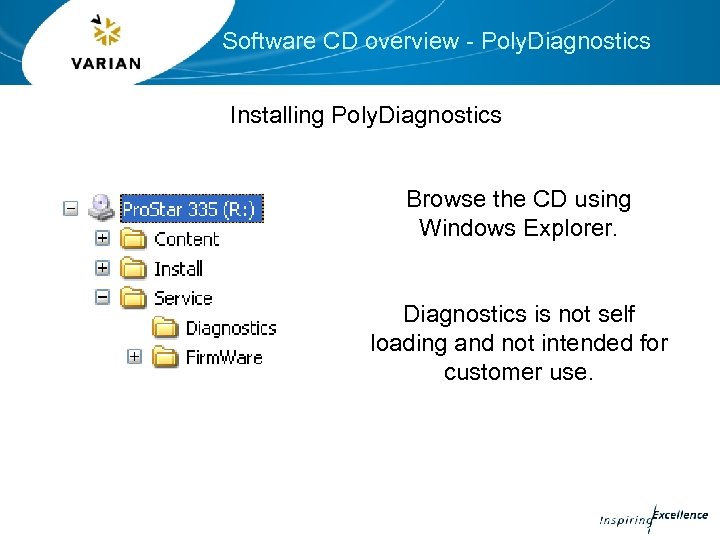 Software CD overview - Poly. Diagnostics Installing Poly. Diagnostics Browse the CD using Windows Explorer. Diagnostics is not self loading and not intended for customer use.
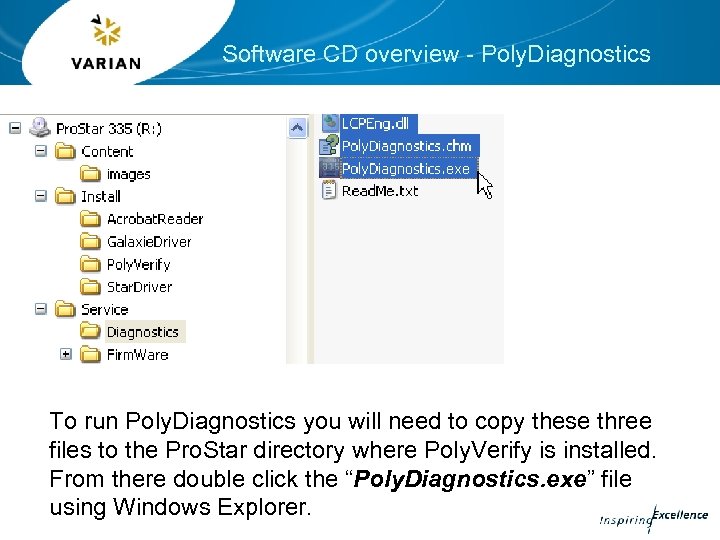 Software CD overview - Poly. Diagnostics To run Poly. Diagnostics you will need to copy these three files to the Pro. Star directory where Poly. Verify is installed. From there double click the “Poly. Diagnostics. exe” file using Windows Explorer.
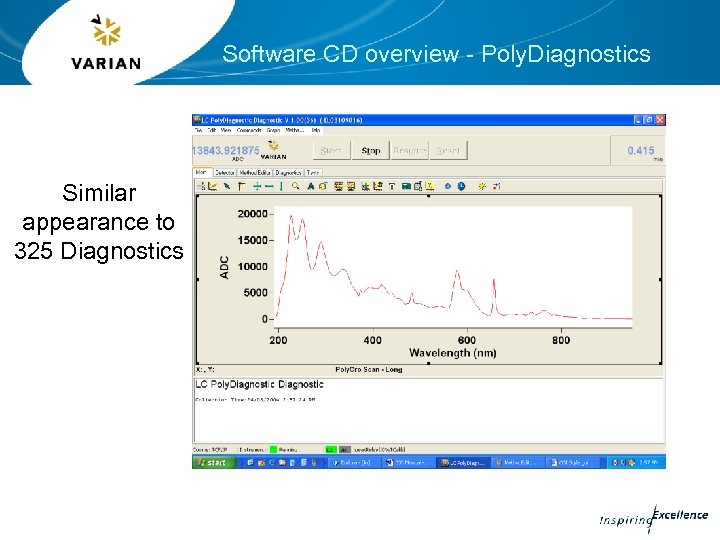 Software CD overview - Poly. Diagnostics Similar appearance to 325 Diagnostics
 Software CD - Poly. Diagnostics Use the Diagnostics program to update the EEPROM and perform various calibration routines i. e. wavelength & lamp calibrations Service folder also contains the firmware updater program
 Software CD - Poly. Diagnostics The EEPROM contents will need updating whenever; • the Main PWB is replaced • the optics module is replaced • to update installation & maintenance dates
 Software CD - Poly. Diagnostics EEPROM contents; • Detector serial number • MAC address • Wavelength calibration factors, slope and offset • IP address • Gateway address • Subnet mask • Lamp timer (on/off date and times) • Detector installation date • Last maintenance date • Error log • Hg wavelength calibration date
 Software CD - Poly. Diagnostics When to calibrate Performing a Lamp Calibration will help reduce noise and improve linearity. • Deuteriunm lamp is changed • Visible lamp is changed • Every 1000 lamp source hours • Increasing signal noise • When changing flowcell to one of a different pathlength