


 Скачать презентацию Introduction to the Internet Architecture Kazunori SUGIURA Ph
cda6ec6d2d1b76bf2fde38ede9c013db.ppt
- Количество слайдов: 69
 Introduction to the Internet Architecture Kazunori SUGIURA, Ph. D. September 2 nd, 2003 1
 About Myself • Kazunori Sugiura (Born Feb 4 th 1970) • Bachelor degree: Keio University(1994) – Faculty of Environmental Information • Graduate School: Masters Degree: Keio University(1996) – Faculty of Media and Governance • ph. D(2002): – Faculty of Media and Governance in profession of Information Technology • Researcher in Communication Research Laboratory – High Speed Network Division (Internet Architecture Group) • Part time instructor in Keio University J. Murai, H. Tokuda, O. Nakamura, H Kusumoto Lab. • Part time instructor in Otsuma Woman’s Univ. • Member of WIDE Project. 2
 About My Lecture • Today – Introduction to the Internet Architecture • Brief Internet and “IP” history • IP Tomorrow • Tomorrow – Leftovers from today – Internet Architecture and Broadband applications 3
 Preparatory Hearings • How many of you know the history of “The Internet”? • How many of you have heard IPv 4? • How many of you have heard IPv 6? 4
 History of the Internet (IPv 4) and incoming IPv 6 5
 Starting of the Internet • Mid 1960 s (D)ARPA, USA requested – Network which can resist Nuclear war • Circuit switching is weak • Packet exchange • 1970 s TCP/IP was born (Protocol Method) 6
 Topic Protocol 7
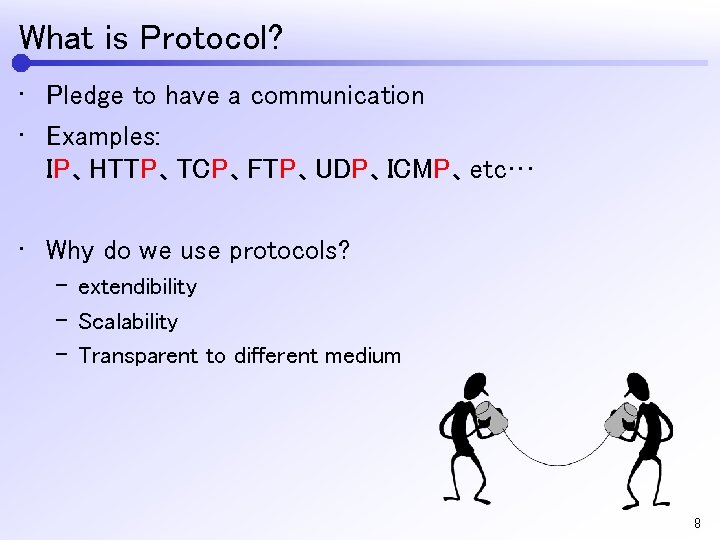 What is Protocol? • Pledge to have a communication • Examples: IP、HTTP、TCP、FTP、UDP、ICMP、etc… • Why do we use protocols? – extendibility – Scalability – Transparent to different medium 8
 Topic Topology and communications 9
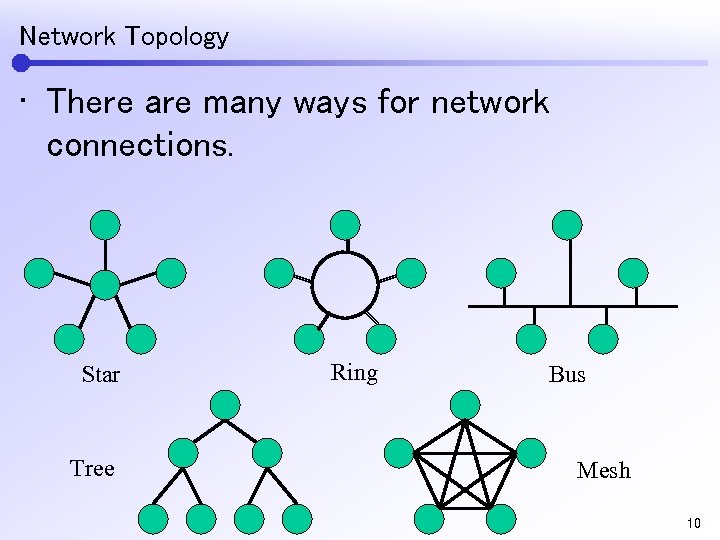 Network Topology • There are many ways for network connections. Star Tree Ring Bus Mesh 10
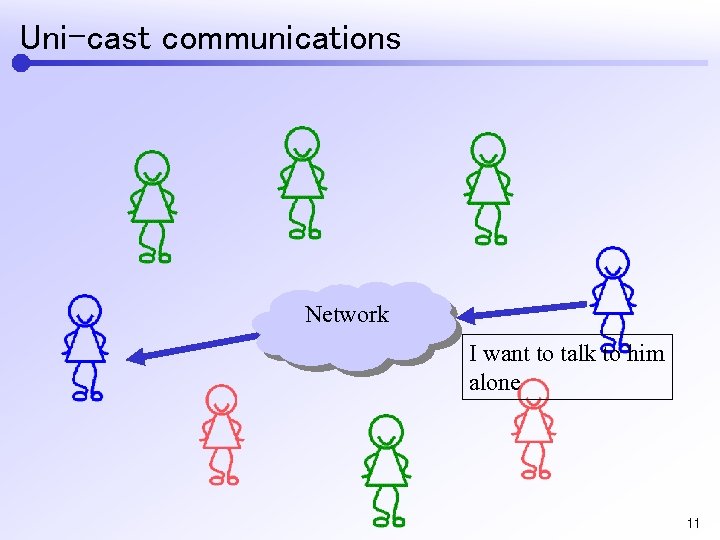 Uni-cast communications Network I want to talk to him alone 11
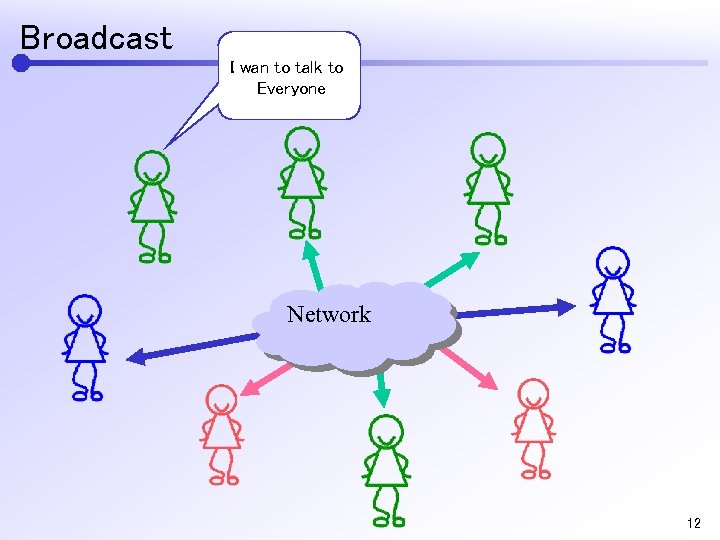 Broadcast I wan to talk to Everyone Network 12
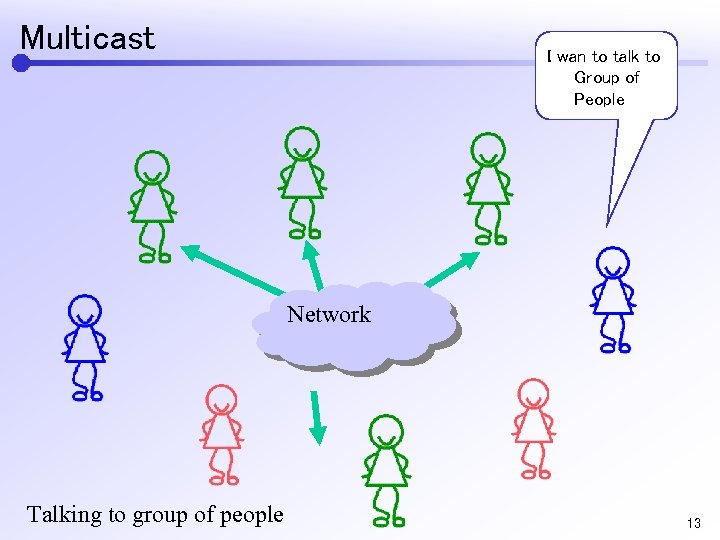 Multicast I wan to talk to Group of People Network Talking to group of people 13
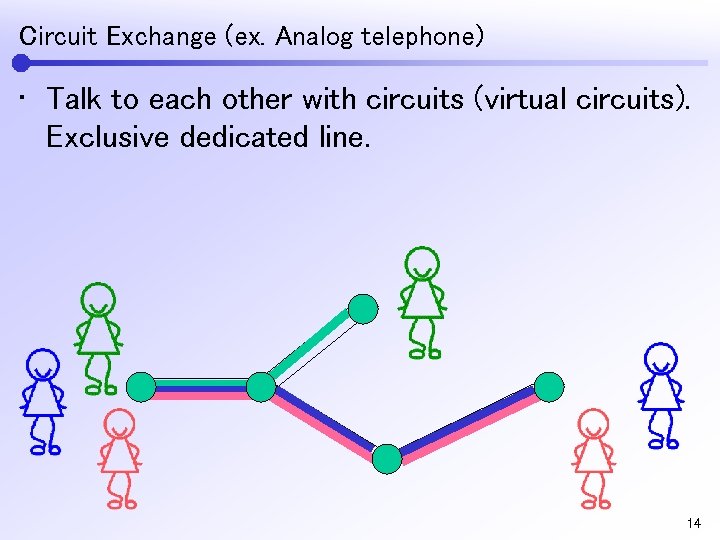 Circuit Exchange (ex. Analog telephone) • Talk to each other with circuits (virtual circuits). Exclusive dedicated line. 14
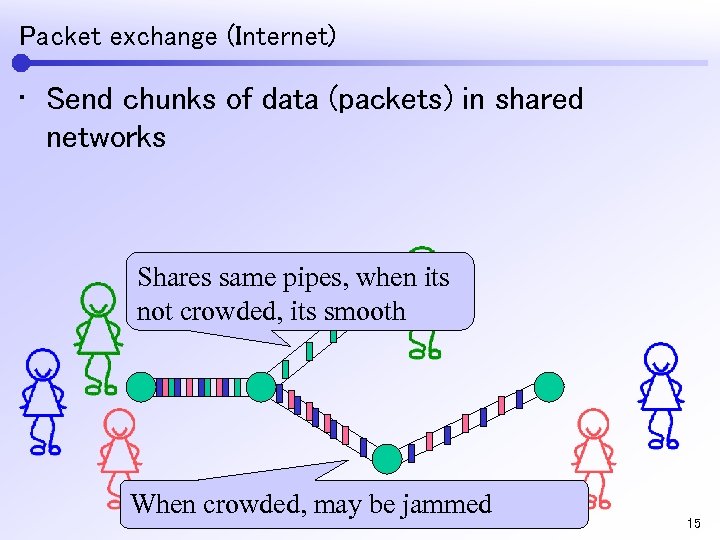 Packet exchange (Internet) • Send chunks of data (packets) in shared networks Shares same pipes, when its not crowded, its smooth When crowded, may be jammed 15
 Topic Characteristics of the Internet 16
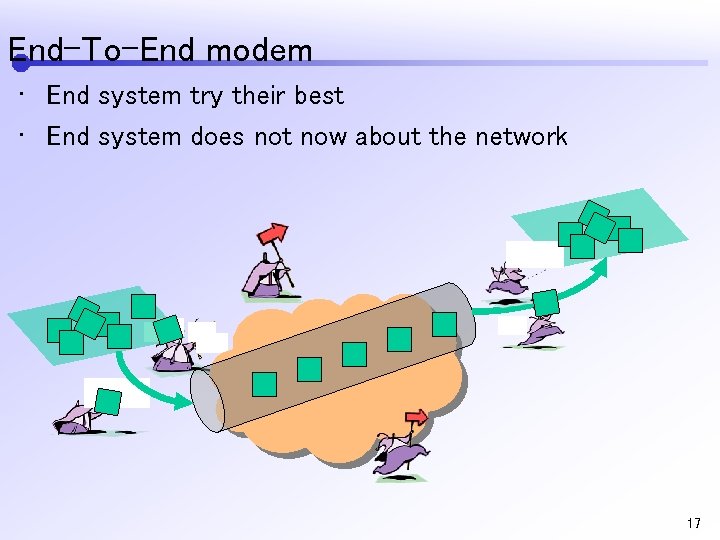 End-To-End modem • End system try their best • End system does not now about the network 17
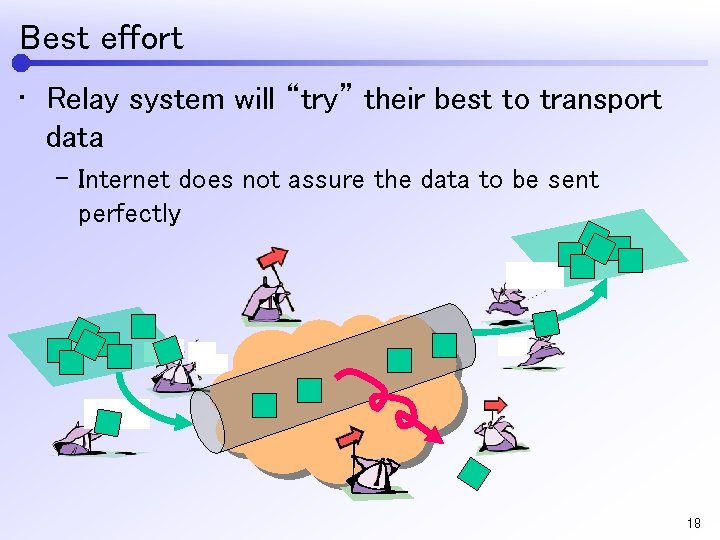 Best effort • Relay system will “try” their best to transport data – Internet does not assure the data to be sent perfectly 18
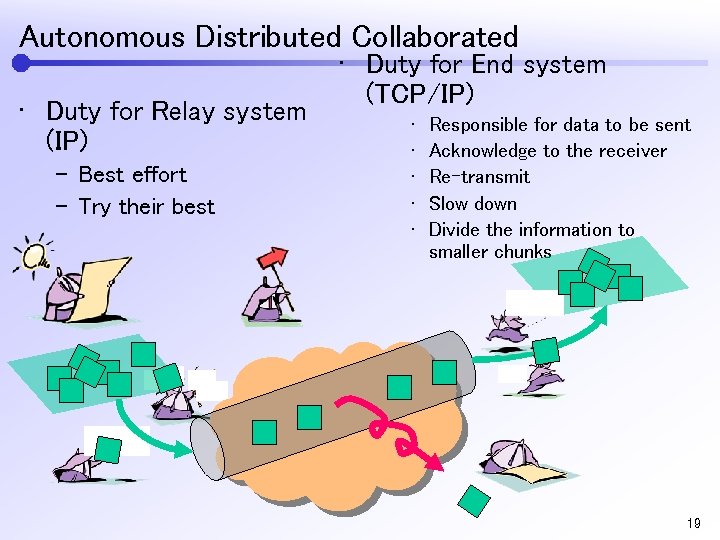 Autonomous Distributed Collaborated • Duty for Relay system (IP) – Best effort – Try their best • Duty for End system (TCP/IP) • • • Responsible for data to be sent Acknowledge to the receiver Re-transmit Slow down Divide the information to smaller chunks 19
 Topic Layering Models of the Internet 20
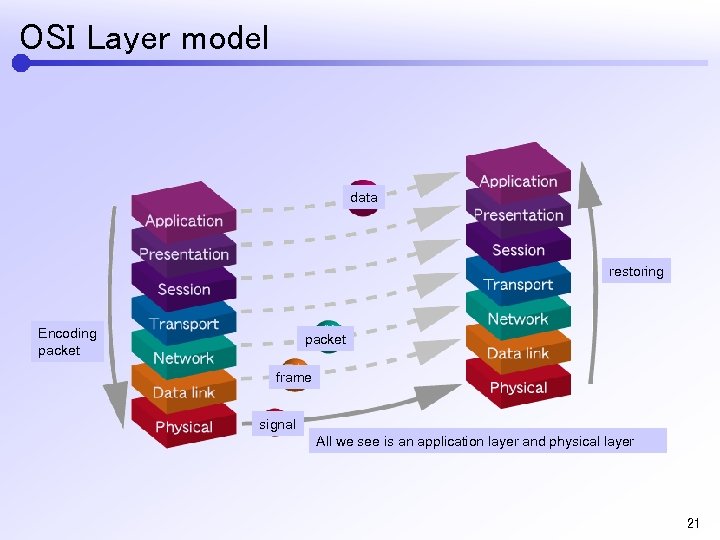 OSI Layer model data restoring Encoding packet frame signal All we see is an application layer and physical layer 21
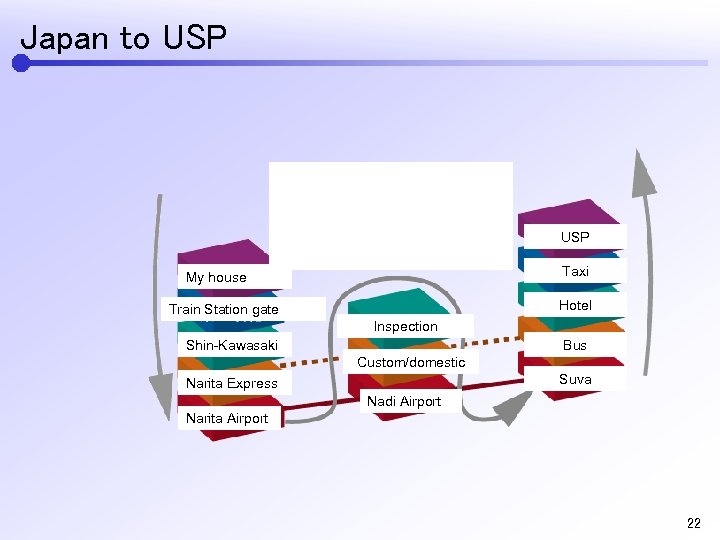 Japan to USP Airplane USP Taxi My house Hotel Train Station gate Inspection Shin-Kawasaki Bus Custom/domestic Suva Narita Express Nadi Airport Narita Airport 22
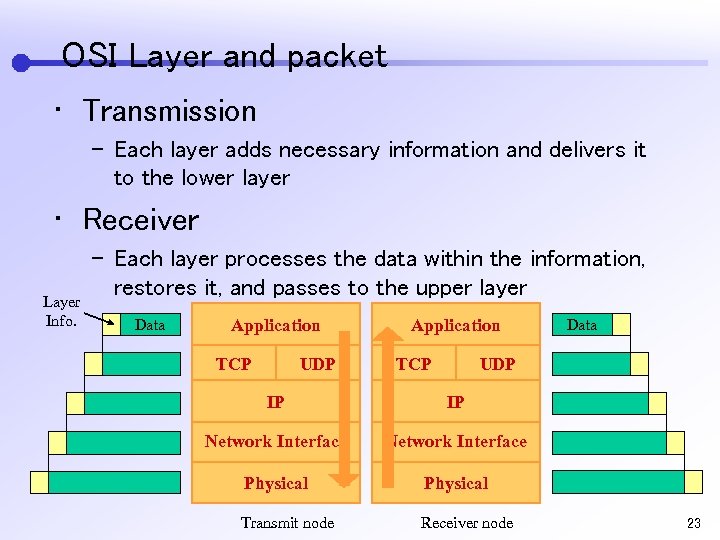 OSI Layer and packet • Transmission – Each layer adds necessary information and delivers it to the lower layer • Receiver Layer Info. – Each layer processes the data within the information, restores it, and passes to the upper layer Data Application TCP UDP Application TCP Data UDP IP IP Network Interface Physical Transmit node Receiver node 23
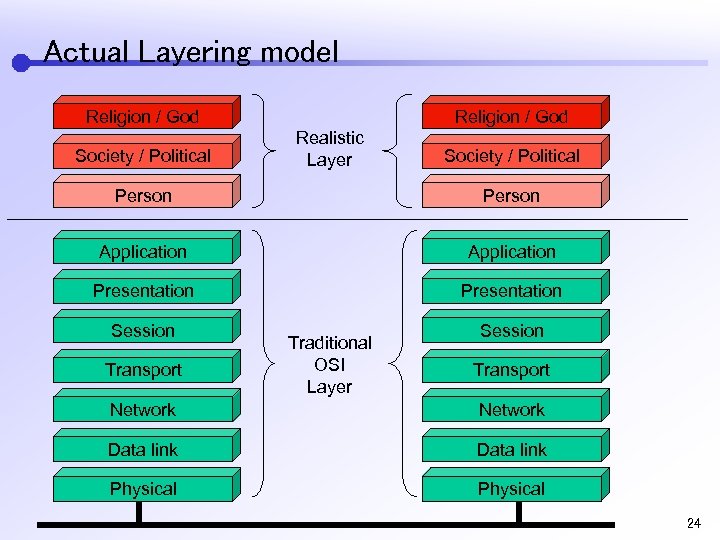 Actual Layering model Religion / God Society / Political Religion / God Realistic Layer Society / Political Person Application Presentation Session Transport Traditional OSI Layer Session Transport Network Data link Physical 24
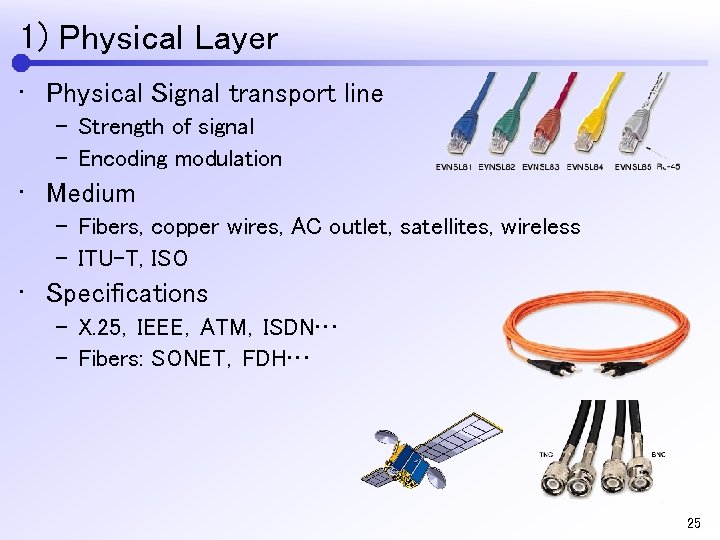 1) Physical Layer • Physical Signal transport line – Strength of signal – Encoding modulation • Medium – Fibers, copper wires, AC outlet, satellites, wireless – ITU-T, ISO • Specifications – X. 25,IEEE,ATM,ISDN… – Fibers: SONET,FDH… 25
 2) Data Link Layer • Protocol specification for sending packet to physical communication medium • Synchronous, transmission control – CSMA/CD • Identification – MAC Address • Error Correction – CRC Checksum 26
 3) Network Layer • Unaware of physical lines, considering point to point transmission through the whole internet. • IPv 4,IPv 6 • Unique address • Routing 27
 4) Transport layer • Inter process communication specification for each node (host) • TCP,UDP • Service identification inside the node (port) 28
 5) Session Layer • Layer specification of session (from beginning of communication and the end) • Finite State Machine – Initilize State, *** State, etc… • Generally application handles the session 29
 6) Presentation Layer • Specification of presentation of data communicated by session layer( coding, encryption) • Byte order – Least/Most Significant Bit (LSB/MSB) – Htonl (), Htons () • Generally, application handles the presentation of data. 30
 7) Application Layer • For communication between application • E-Mail Format • HTTP, FTP 31
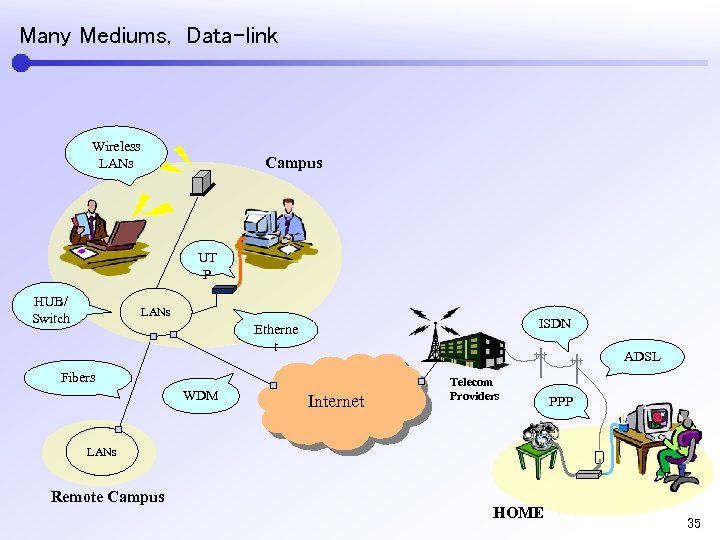 Many Mediums, Data-link Wireless LANs Campus UT P HUB/ Switch LANs ISDN Etherne t ADSL Fibers WDM Internet Telecom Providers PPP LANs Remote Campus HOME 35
 Topic IP address 36
 IP address • Telephone – Dial number • Letters – Address • Network requires the destination to send to – Address of the Internet – IP Address 37
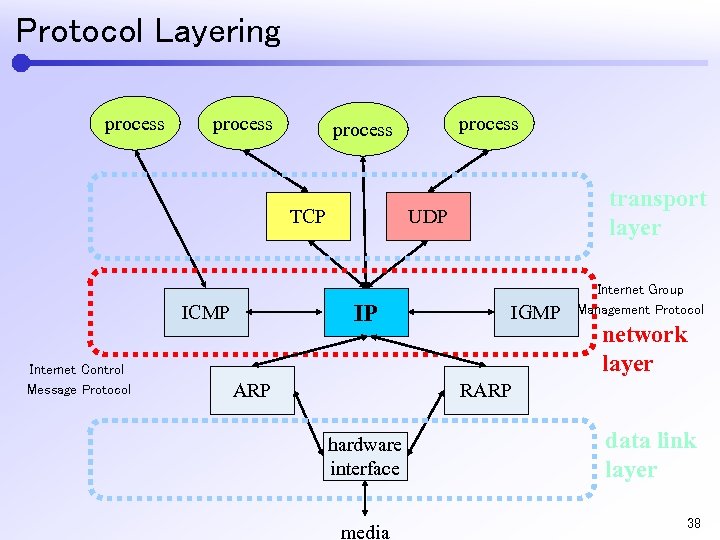 Protocol Layering process TCP Internet Control Message Protocol transport layer UDP IP ICMP process ARP IGMP Internet Group Management Protocol network layer RARP hardware interface media data link layer 38
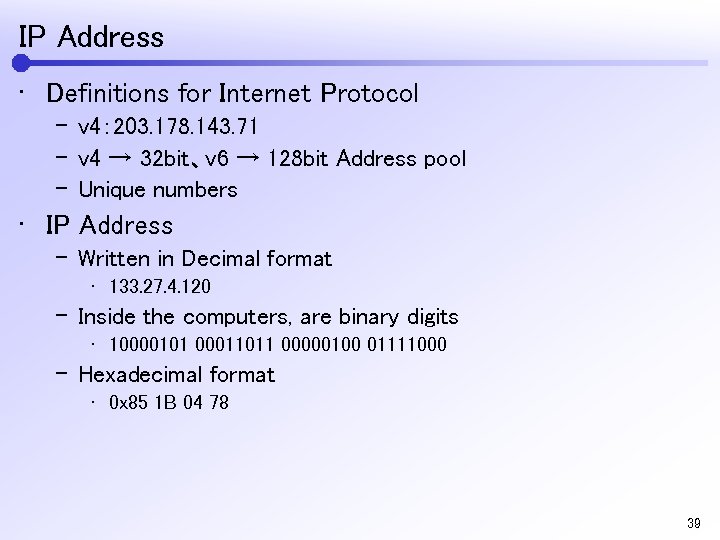 IP Address • Definitions for Internet Protocol – v 4: 203. 178. 143. 71 – v 4 → 32 bit、v 6 → 128 bit Address pool – Unique numbers • IP Address – Written in Decimal format • 133. 27. 4. 120 – Inside the computers, are binary digits • 10000101 00011011 00000100 01111000 – Hexadecimal format • 0 x 85 1 B 04 78 39
 Topic IPv 4 and IPv 6 40
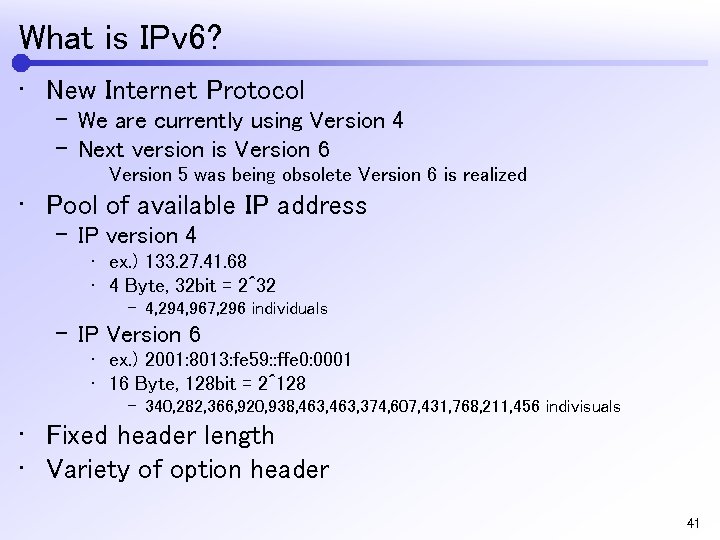 What is IPv 6? • New Internet Protocol – We are currently using Version 4 – Next version is Version 6 Version 5 was being obsolete Version 6 is realized • Pool of available IP address – IP version 4 • ex. ) 133. 27. 41. 68 • 4 Byte, 32 bit = 2^32 – 4, 294, 967, 296 individuals – IP Version 6 • ex. ) 2001: 8013: fe 59: : ffe 0: 0001 • 16 Byte, 128 bit = 2^128 – 340, 282, 366, 920, 938, 463, 374, 607, 431, 768, 211, 456 indivisuals • Fixed header length • Variety of option header 41
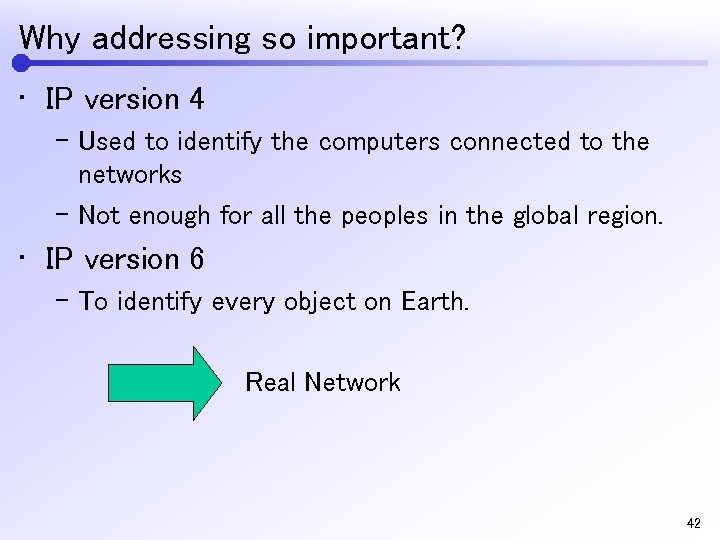 Why addressing so important? • IP version 4 – Used to identify the computers connected to the networks – Not enough for all the peoples in the global region. • IP version 6 – To identify every object on Earth. Real Network 42
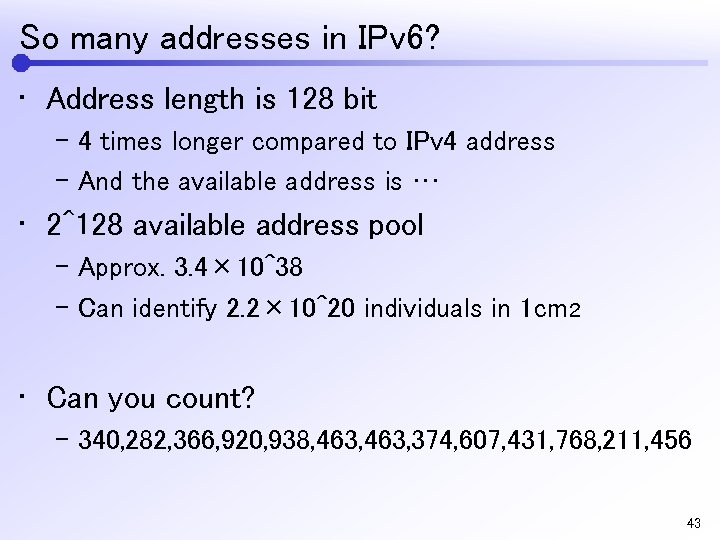 So many addresses in IPv 6? • Address length is 128 bit – 4 times longer compared to IPv 4 address – And the available address is … • 2^128 available address pool – Approx. 3. 4× 10^38 – Can identify 2. 2× 10^20 individuals in 1 cm2 • Can you count? – 340, 282, 366, 920, 938, 463, 374, 607, 431, 768, 211, 456 43
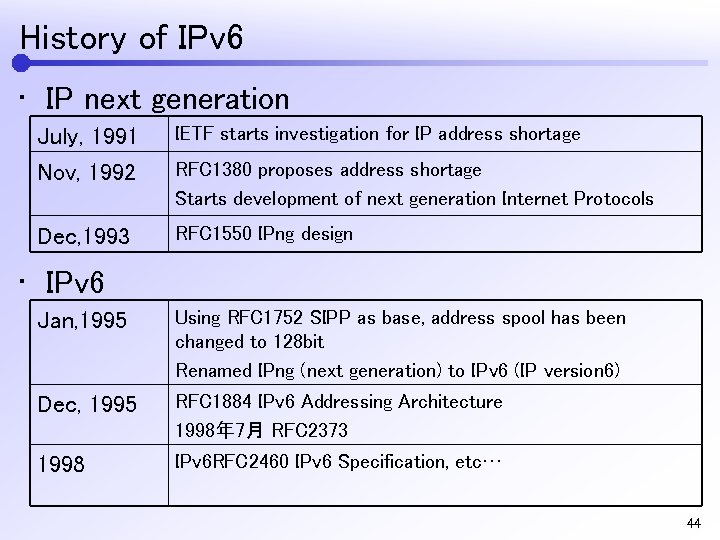 History of IPv 6 • IP next generation July, 1991 Nov, 1992 IETF starts investigation for IP address shortage Dec, 1993 RFC 1550 IPng design RFC 1380 proposes address shortage Starts development of next generation Internet Protocols • IPv 6 Jan, 1995 Using RFC 1752 SIPP as base, address spool has been changed to 128 bit Renamed IPng (next generation) to IPv 6 (IP version 6) Dec, 1995 RFC 1884 IPv 6 Addressing Architecture 1998年 7月 RFC 2373 1998 IPv 6 RFC 2460 IPv 6 Specification, etc… 44
 Address Scheme of IPv 6 45
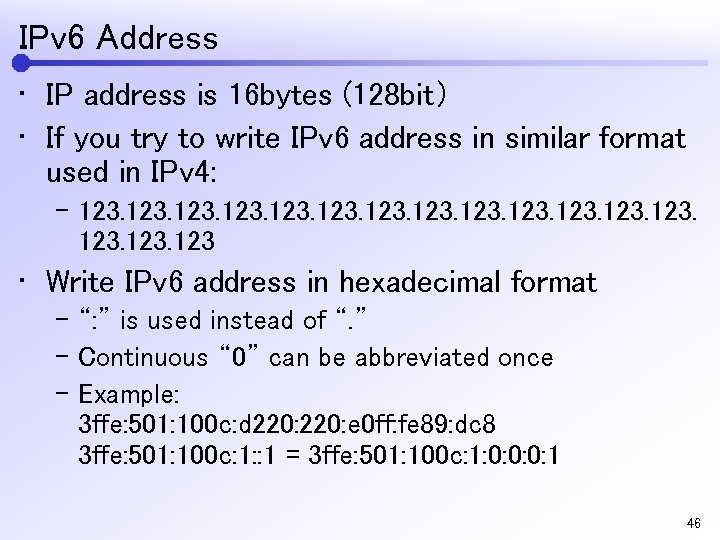 IPv 6 Address • IP address is 16 bytes (128 bit) • If you try to write IPv 6 address in similar format used in IPv 4: – 123. 123 • Write IPv 6 address in hexadecimal format – “: ” is used instead of “. ” – Continuous “ 0” can be abbreviated once – Example: 3 ffe: 501: 100 c: d 220: e 0 ff: fe 89: dc 8 3 ffe: 501: 100 c: 1: : 1 = 3 ffe: 501: 100 c: 1: 0: 0: 0: 1 46
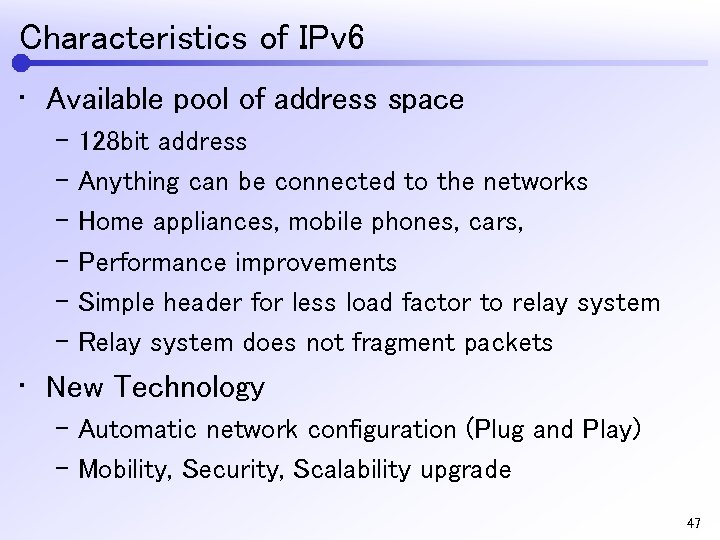 Characteristics of IPv 6 • Available pool of address space – 128 bit address – Anything can be connected to the networks – Home appliances, mobile phones, cars, – Performance improvements – Simple header for less load factor to relay system – Relay system does not fragment packets • New Technology – Automatic network configuration (Plug and Play) – Mobility, Security, Scalability upgrade 47
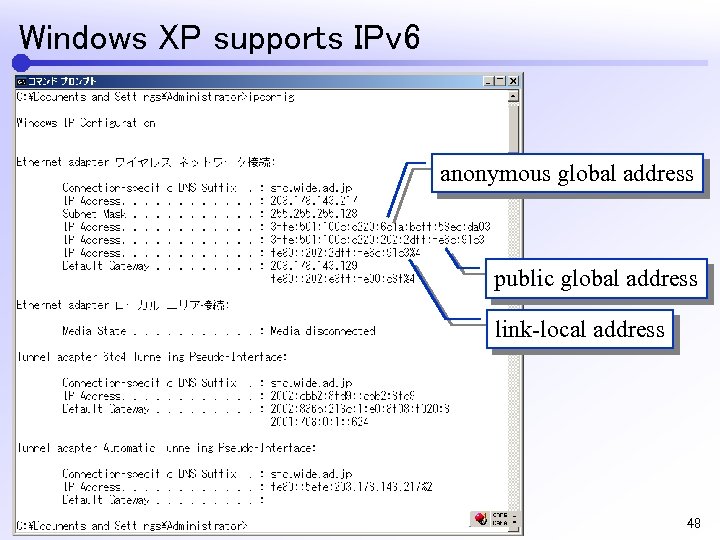 Windows XP supports IPv 6 anonymous global address public global address link-local address 48
 3 different IP address for IPv 6 • Global address Unique address used to identification throughout the network • Link local address Permitted only to the LAN segment of the network devices which are connected to • Site local address Address used dedicatedly which is not connected to the internet 49
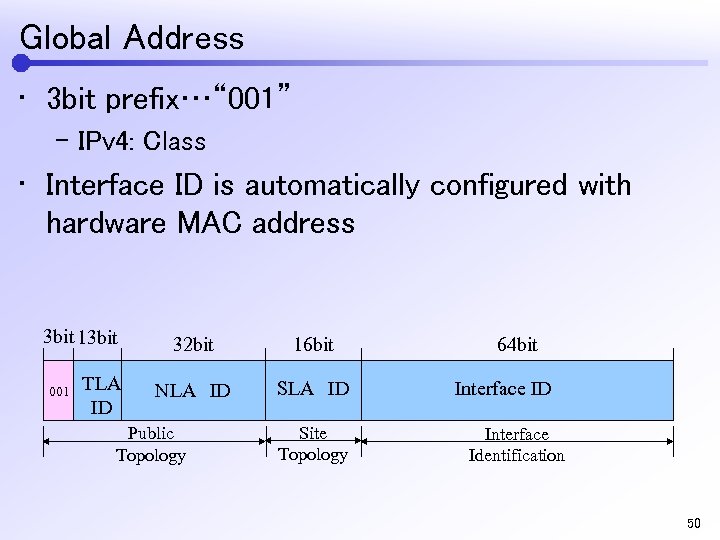 Global Address • 3 bit prefix…“ 001” – IPv 4: Class • Interface ID is automatically configured with hardware MAC address 3 bit 13 bit 001 TLA ID 32 bit 16 bit NLA ID SLA ID Public Topology Site Topology 64 bit Interface ID Interface Identification 50
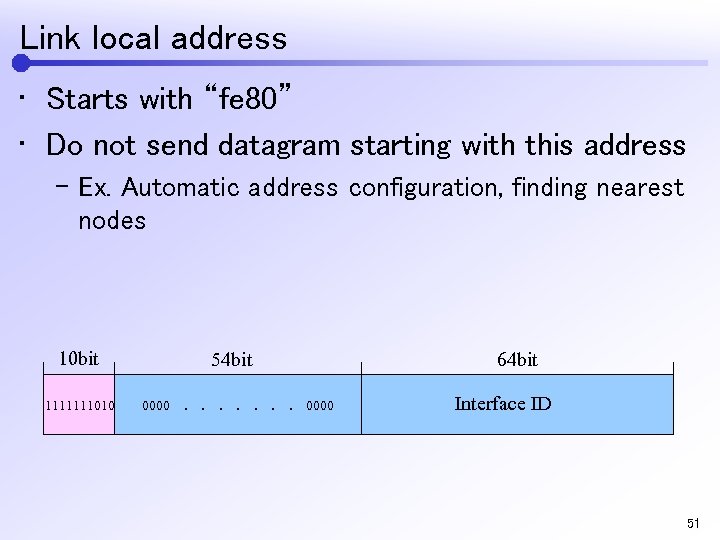 Link local address • Starts with “fe 80” • Do not send datagram starting with this address – Ex. Automatic address configuration, finding nearest nodes 10 bit 1111111010 54 bit 0000 . . 64 bit. . . 0000 Interface ID 51
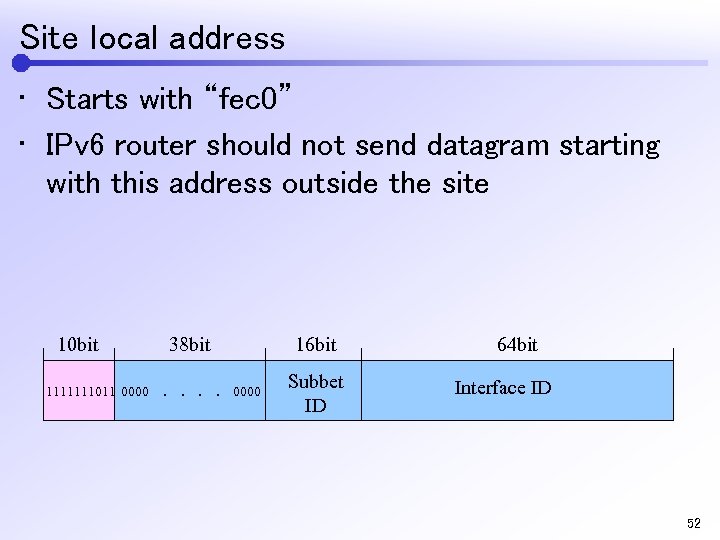 Site local address • Starts with “fec 0” • IPv 6 router should not send datagram starting with this address outside the site 38 bit 10 bit 1111111011 0000 . . . 16 bit. 0000 Subbet ID 64 bit Interface ID 52
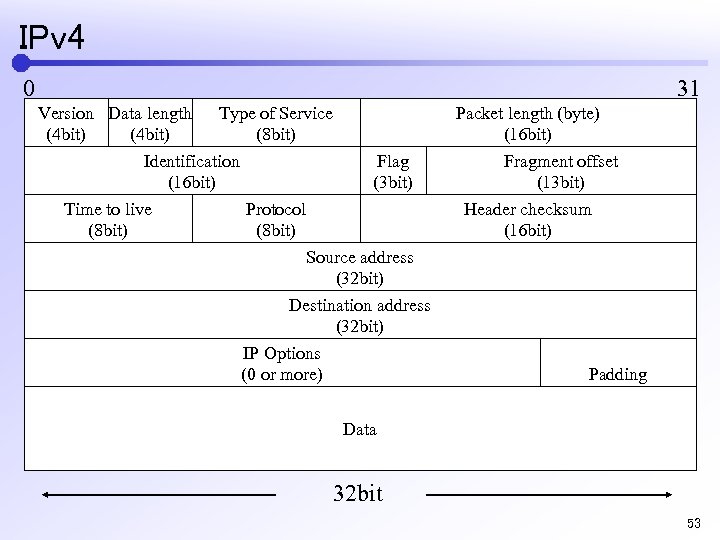 IPv 4 0 31 Version Data length Type of Service (4 bit) (8 bit) Identification Flag (16 bit) (3 bit) Time to live Protocol (8 bit) Source address (32 bit) Destination address (32 bit) IP Options (0 or more) Packet length (byte) (16 bit) Fragment offset (13 bit) Header checksum (16 bit) Padding Data 32 bit 53
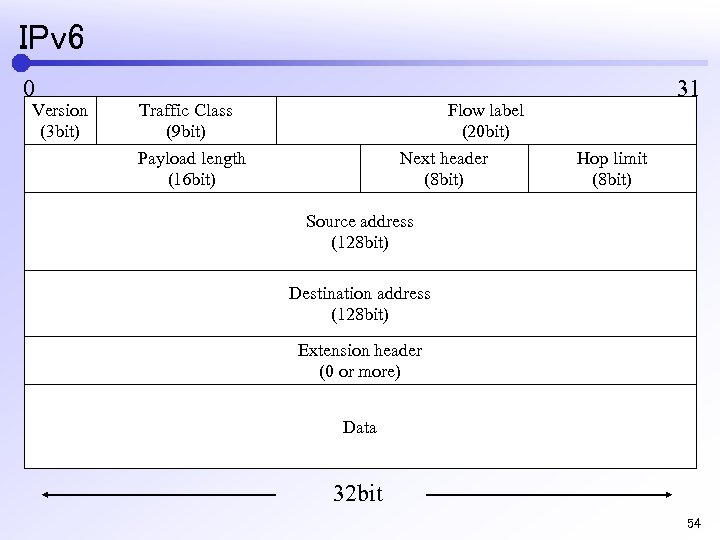 IPv 6 0 Version (3 bit) Traffic Class (9 bit) Payload length (16 bit) Flow label (20 bit) Next header (8 bit) 31 Hop limit (8 bit) Source address (128 bit) Destination address (128 bit) Extension header (0 or more) Data 32 bit 54
 New technology in IPv 6 55
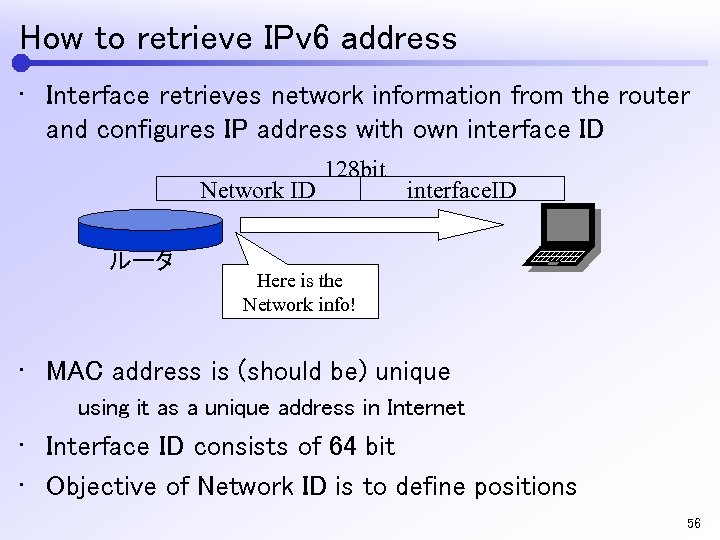 How to retrieve IPv 6 address • Interface retrieves network information from the router and configures IP address with own interface ID Network ID ルータ 128 bit interface. ID Here is the Network info! • MAC address is (should be) unique using it as a unique address in Internet • Interface ID consists of 64 bit • Objective of Network ID is to define positions 56
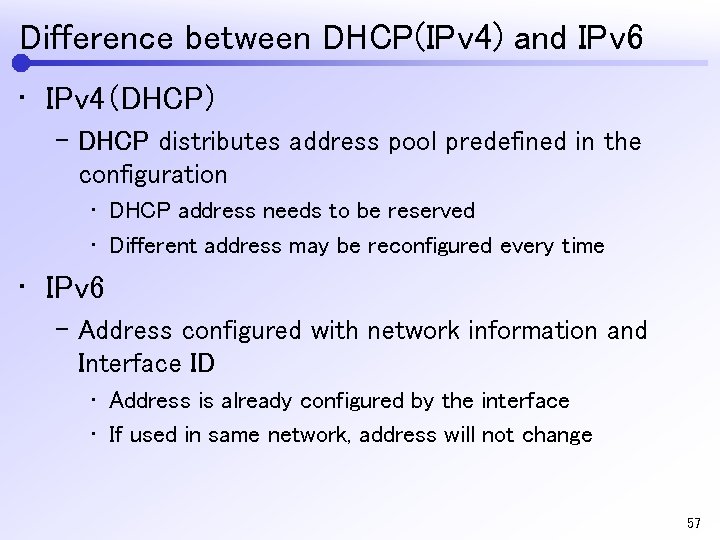 Difference between DHCP(IPv 4) and IPv 6 • IPv 4(DHCP) – DHCP distributes address pool predefined in the configuration • DHCP address needs to be reserved • Different address may be reconfigured every time • IPv 6 – Address configured with network information and Interface ID • Address is already configured by the interface • If used in same network, address will not change 57
 Unique character in IPv 6 • Protocol level extension availability • Security awareness – Security and authorization readiness – IPsec is available in standard( IPv 4 is optional ) • Authentication: Authenticate if you are communicating with trusted host • Encryption: Cannot be decrypted during the network relays • Using IPv 6 extension header • Priority controls – Priority control for real time communications 58
 IPv 4 to IPv 6 (switching ? ) 59
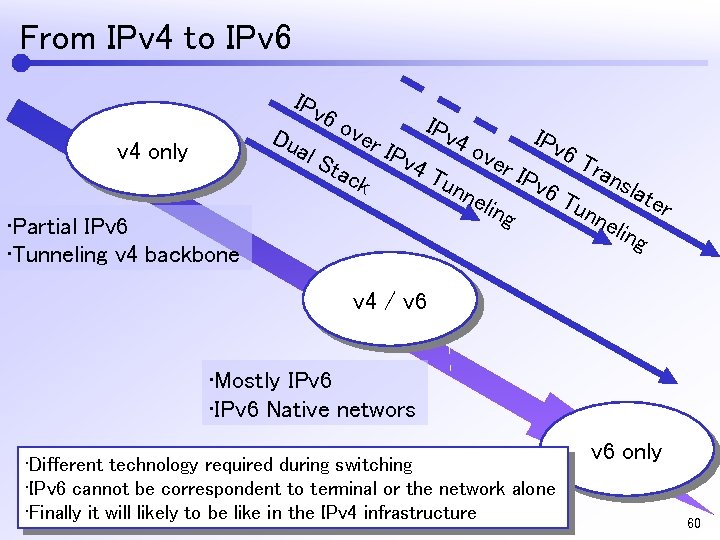 From IPv 4 to IPv 6 IPv Du 6 o ver al S tac v 4 only k IPv 4 o 4 T unn ver • Partial IPv 6 • Tunneling v 4 backbone elin g IPv 6 T ran unn sla elin ter g v 4 / v 6 • Mostly IPv 6 • IPv 6 Native networs • Different technology required during switching • IPv 6 cannot be correspondent to terminal or the network alone • Finally it will likely to be like in the IPv 4 infrastructure v 6 only 60
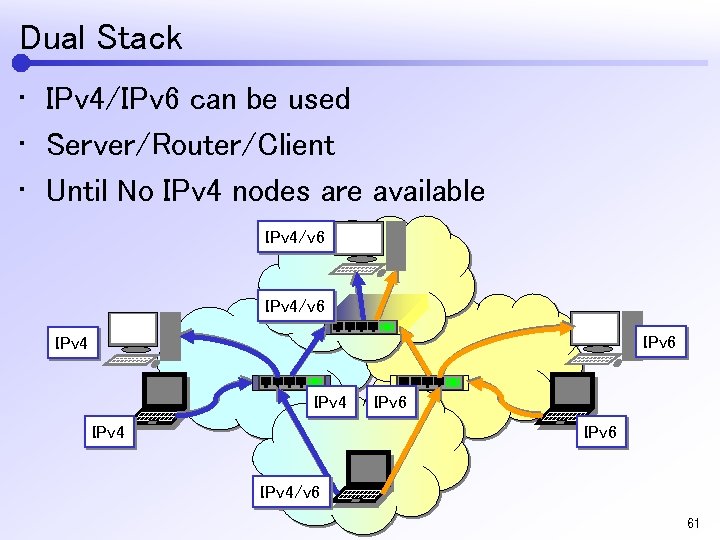 Dual Stack • IPv 4/IPv 6 can be used • Server/Router/Client • Until No IPv 4 nodes are available IPv 4/v 6 IPv 4 IPv 6 IPv 4/v 6 61
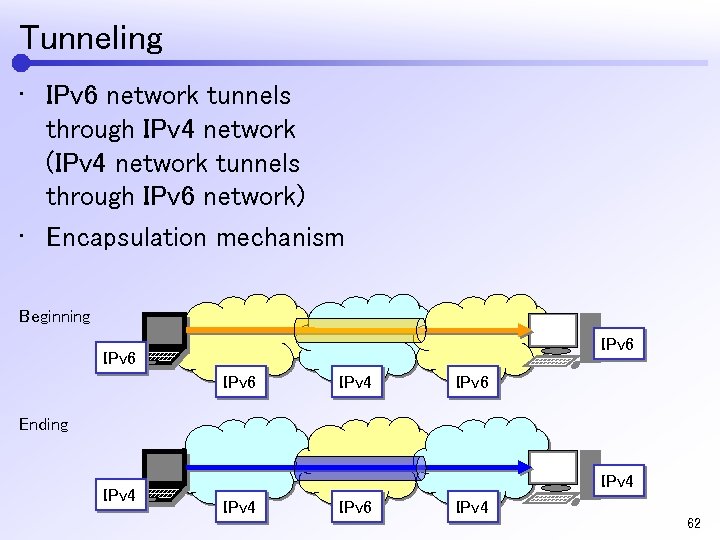 Tunneling • IPv 6 network tunnels through IPv 4 network (IPv 4 network tunnels through IPv 6 network) • Encapsulation mechanism Beginning IPv 6 IPv 4 IPv 6 Ending IPv 4 IPv 6 IPv 4 62
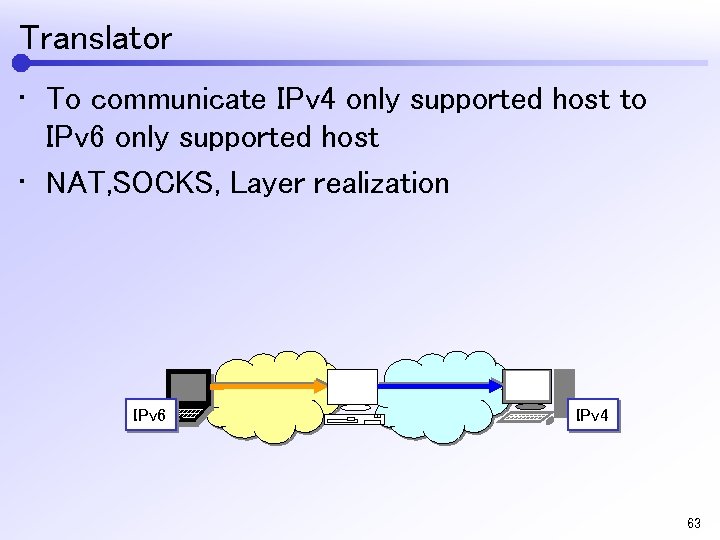 Translator • To communicate IPv 4 only supported host to IPv 6 only supported host • NAT, SOCKS, Layer realization IPv 6 IPv 4 63
 IPv 6 readiness 64
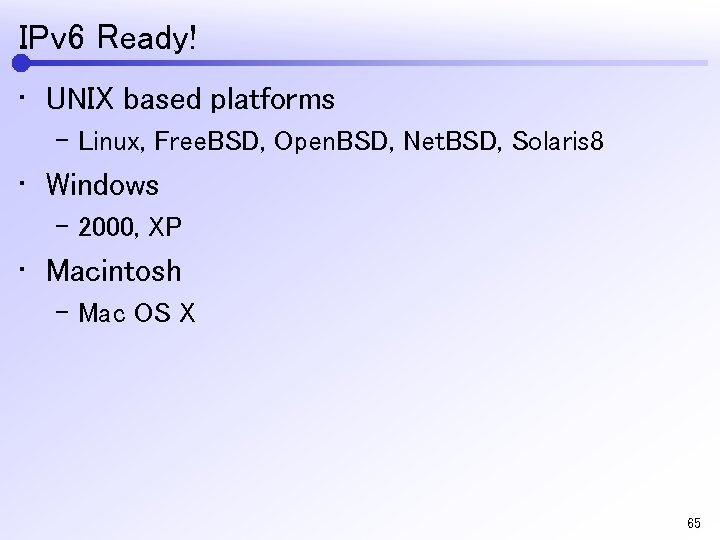 IPv 6 Ready! • UNIX based platforms – Linux, Free. BSD, Open. BSD, Net. BSD, Solaris 8 • Windows – 2000, XP • Macintosh – Mac OS X 65
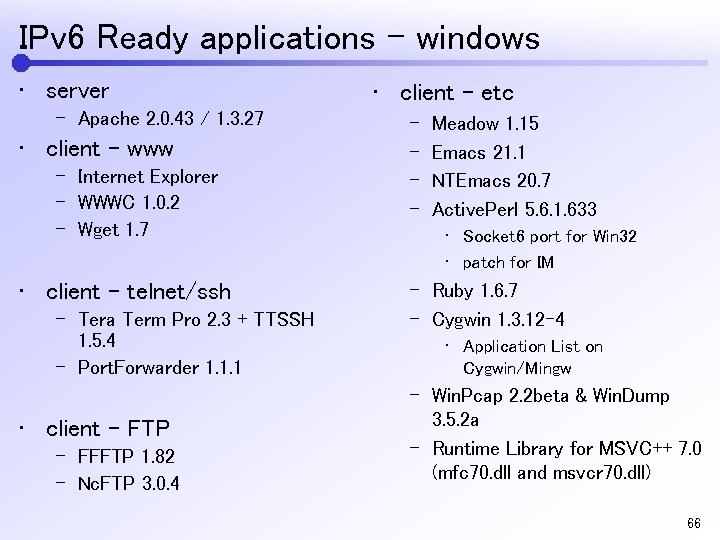 IPv 6 Ready applications – windows • server – Apache 2. 0. 43 / 1. 3. 27 • client – www – Internet Explorer – WWWC 1. 0. 2 – Wget 1. 7 • client – telnet/ssh – Tera Term Pro 2. 3 + TTSSH 1. 5. 4 – Port. Forwarder 1. 1. 1 • client – FTP – FFFTP 1. 82 – Nc. FTP 3. 0. 4 • client – etc – – Meadow 1. 15 Emacs 21. 1 NTEmacs 20. 7 Active. Perl 5. 6. 1. 633 • Socket 6 port for Win 32 • patch for IM – Ruby 1. 6. 7 – Cygwin 1. 3. 12 -4 • Application List on Cygwin/Mingw – Win. Pcap 2. 2 beta & Win. Dump 3. 5. 2 a – Runtime Library for MSVC++ 7. 0 (mfc 70. dll and msvcr 70. dll) 66
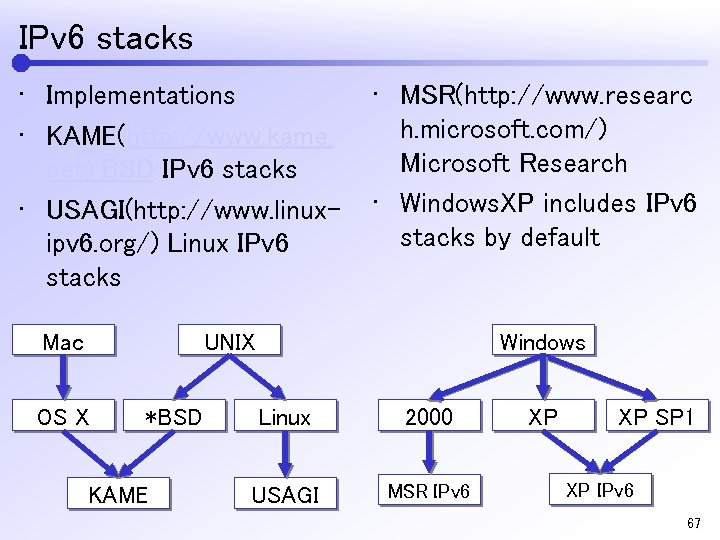 IPv 6 stacks • Implementations • KAME(http: //www. kame. net) BSD IPv 6 stacks • USAGI(http: //www. linuxipv 6. org/) Linux IPv 6 stacks Mac • MSR(http: //www. researc h. microsoft. com/) Microsoft Research • Windows. XP includes IPv 6 stacks by default UNIX OS X *BSD KAME Windows Linux 2000 USAGI MSR IPv 6 XP XP SP 1 XP IPv 6 67
 IPv 6 Services 68
 How to realize IPv 6 • IPv 6 readiness check • IPv 6 ready machines and informations – IPv 6 capable router – At least one IPv 4 global address for tunneling – DNS Server 69
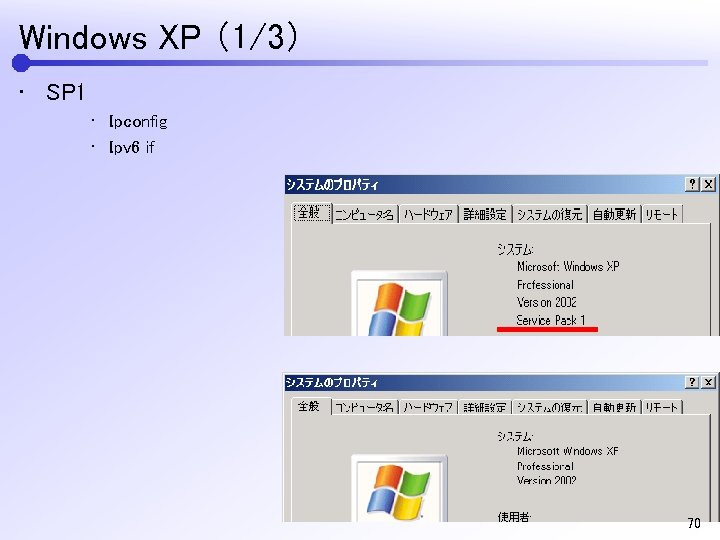 Windows XP (1/3) • SP 1 • Ipconfig • Ipv 6 if 70
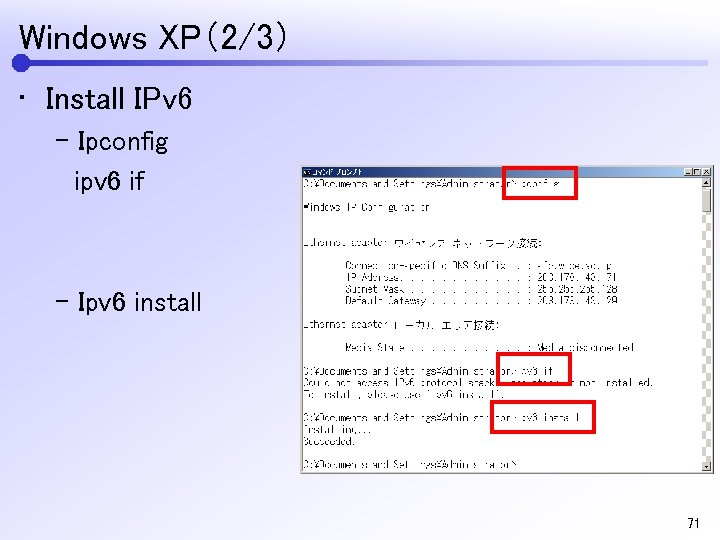 Windows XP(2/3) • Install IPv 6 – Ipconfig ipv 6 if – Ipv 6 install 71
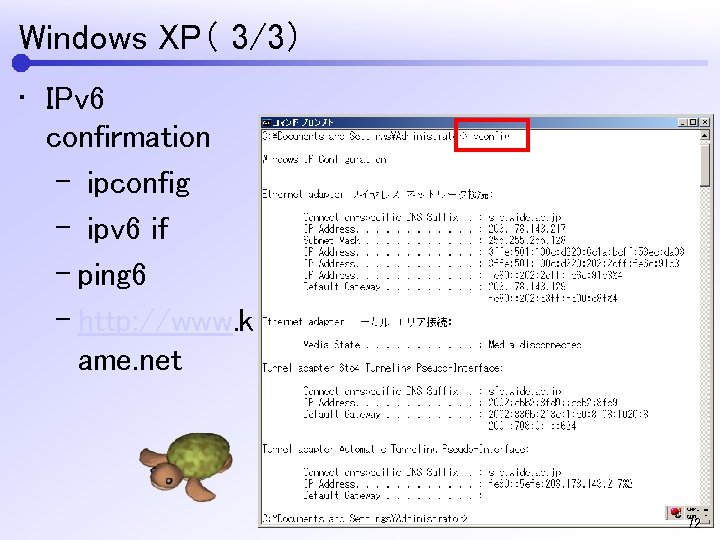 Windows XP( 3/3) • IPv 6 confirmation – ipconfig – ipv 6 if – ping 6 – http: //www. k ame. net 72