


 Скачать презентацию Introduction to Software Engineering — CSA 2030 Dr
1cacbc81d0c7bb49af4cbeac7862a1ea.ppt
- Количество слайдов: 66
 Introduction to Software Engineering - CSA 2030 Dr. Ernest Cachia Department of Computer Science & A. I.
 Introduction ² Generic definition: “The building of software systems” (coined ~1960 s). ² D. L. Parnas[1987]: “The multi-person construction of multi-version software”. ² Software engineering includes programming but is NOT programming. ² Therefore…good programmers are not necessarily good software engineers! 2
 Summary of Course (cont…) ² The aim of this course is to acquaint attendees with some of the fundamental principles of the “still-teething” science of software engineering (SE) ² The location and relation of SE with respect to other Computer Science disciplines will be clearly explained 3
 (. . . cont. ) Summary of Course ² It is hoped that this course will highlight the major trends, approaches and techniques used in the development of “sound” software systems. 4
 Who should you be? ² You should be equipped with the following: – Interest in the subject area in general – Basic programming skills (nothing fancy) – Normal understanding of structured programming principles (e. g. CSA 1010) – Ability to think in a structured manner – Ability to adhere to discipline in your actions – Ability to keep an open mind in the face of radically new approaches 5
 Software Engineering overview ² The final goal of SE is to build a complete multi-application (usually commercial) software system of considerable complexity and of partial, ideally full, “provability”. ² To attain such pretentious aims SE must also be able to effectively bring together the efforts of more than one individual to focus on (usually) one common system. 6
 The situation (till very lately) ² Programming made substantial advances: – Algorithm theory and studies – Data structure theory – Programming language design and application – Introduction of structured programming – Application and design of 4 th Generation languages ² BUT…programming only is not enough for the development of large software systems! 7
 A (then) emerging problem ² Software development done solely using traditional programming techniques ² Computers become more popular - fast ² Their potential is better recognised ² Software demands become more serious ² Software sophistication rockets ² Sophistication requires more complex s/w ² Complex s/w is generally large in size ² Programming is targeted at user-specific small-scale problems 8
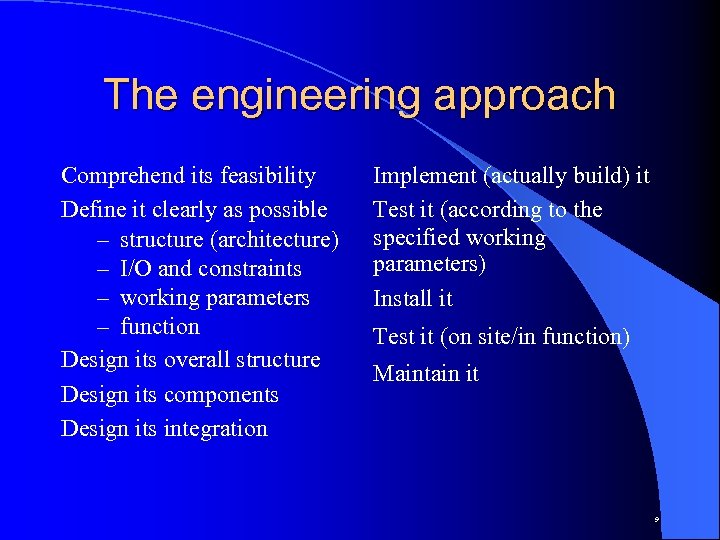 The engineering approach Comprehend its feasibility Define it clearly as possible – structure (architecture) – I/O and constraints – working parameters – function Design its overall structure Design its components Design its integration Implement (actually build) it Test it (according to the specified working parameters) Install it Test it (on site/in function) Maintain it 9
 A specific example ² Building a tuner (or any electronic device): – must specify ALL component working parameters and tolerance levels – rules to correctly locate components on board – ALL specs are standardised – ALL specs are universally understood ² Building any software component: – we do not even know which exactly are the parameters that need to be specified 10
 Available tools (h/w and s/w) ² Hardware: – Measuring instruments (meters, probes, scopes, etc. ) – Proven mathematical relationships – Adequate established specification standards ² Software: – Sparse limited mathematical (formal) tools – Loads of subjective experience and judgment 11
 Software Engineering in context ² SE is only a small part of System Engineering ² Most modern systems are made up of elements other than simply software ² Software on its own is like a mind without a body - it cannot do anything physical ² SE only effects the software component of any real-world system 12
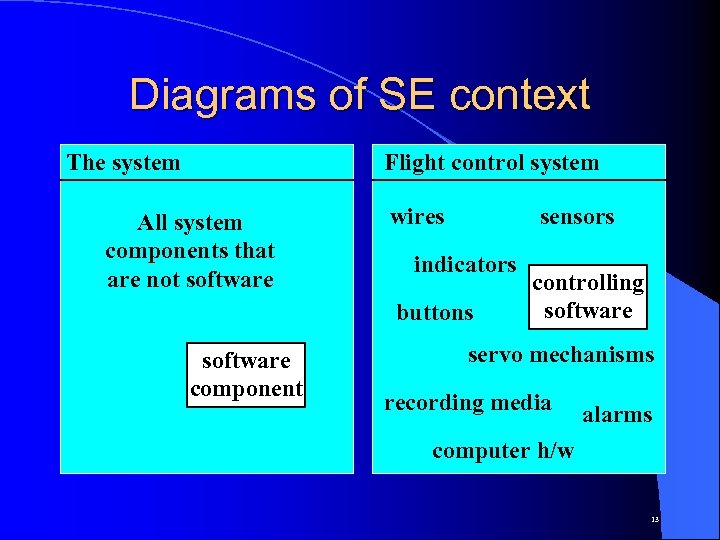 Diagrams of SE context The system Flight control system All system components that are not software wires sensors indicators buttons software component controlling software servo mechanisms recording media alarms computer h/w 13
 Software Engineering roots (cont…) ² Main idea: Make the machine do something usefull BUT a while ago the application of computers was limited ² Therefore there was a 1 -to-1 (personal) relationship between user and machine to make it do only user-specific tasks – eg. Solve an equation, manipulate an array, etc. ² Often ONLY THE USER WAS THE PROGRAMMER 14
 (. . . cont) Software Engineering roots (cont…) ² With the introduction of High-level Languages the idea of a “programmer” was created - now the user need not be the machine’s programmer ² Nevertheless only specific user-requested tasks were still being programmed – eg. a program for John’s problem would very likely not interest Mary at all. 15
 (. . . cont) Software Engineering roots (cont…) ² This separation of concerns introduced the notion of task specification with its associated mis-interpretation problems ² The mid 60 s saw the first attempts to build large scientific/commercial systems – OS 360 (operating system for IBM 360 mainframe family machines) – UNIX (originally written in assembly language) 16
 (. . . cont) Software Engineering roots ² Due to this flurry of activity in the mid 60 s serious problems started to emerge regarding the state of software development ² The main realisation was that virtually everything associated with computing had a sound scientific basis - apart from software! ² Coining of the terms “Software Engineering” and “Software Crisis” 17
 Problematic areas ² Tasks not well (or at all) understood by everyone taking part in the global solution ² Very large communication overheads often exceeding actual coding ² Coding very subjective (according to indivdual’s style) ² Changes in requirements (however small) often created repercussions throughout every part of the system 18
 When copying is right ² Large complex systems were being created continually by engineers with relative ease – eg. bridges, factories, plants, aircraft, etc. ² These systems seemed to be much more reliable than software systems ² Why not emulate the way in which they are constructed? Why apply basic engineering practices to software development also? 19
 Basic Engineering Practices ² Process monitoring and management ² Process organisation and delegation ² Application of specific tools ² Availability/creation of proven theories ² Application of specific methodologies ² Development of standardised techniques 20
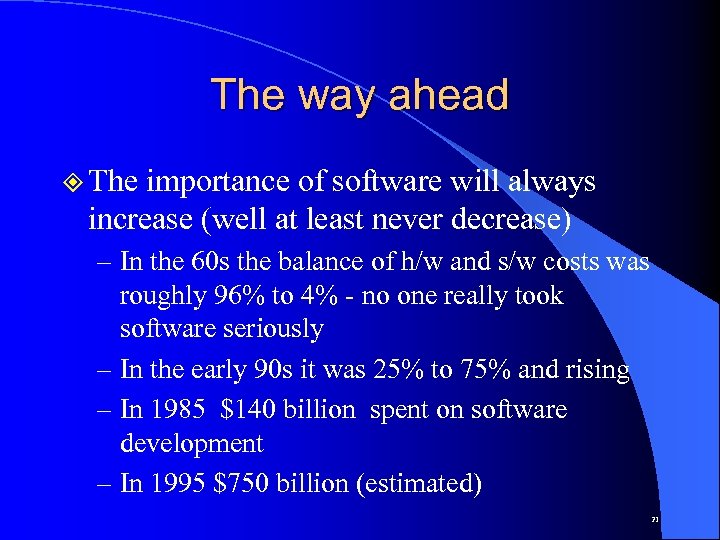 The way ahead ² The importance of software will always increase (well at least never decrease) – In the 60 s the balance of h/w and s/w costs was roughly 96% to 4% - no one really took software seriously – In the early 90 s it was 25% to 75% and rising – In 1985 $140 billion spent on software development – In 1995 $750 billion (estimated) 21
 The basic requirements for a good programmer ² Knowledge of data structures and algorithms ² Knowledge of at least one (preferably more) programming languages in popular use ² A minimal ability to abstractly visualise a specific task COMPARE THESE WITH…. 22
 The basic requirements for a good software engineer ² Be a decent programmer ² Understand requirements & translate them into precise specifications ² Interface with the user on a non-technical basis ² Flexible in his/her application background ² Handle abstraction levels with ease ² Be able to create different models ² Have good planning/delegation abilities and be able to easily communicate his/her thoughts 23
 Summary ² The very nature of software itself has and will change (progress? ) ² Ways and means of developing better software will result in better harnessing the potential of computing ² The mastery of any process will only lead to an improvement in the quality of its product ² Better quality usually breeds better productivity 24
 Attempting to qualify software ² Very difficult if done un-scientifically ² Akin to qualifying human thought/reasoning ² Large amount of factors effecting s/w quality ² Large amount of aspects to a s/w product ² Very easy to qualify incorrectly ² Considerable degree of subjectivity in s/w product ² S/w product prone to direct (un-specified) modification 25
 Some general aspects of s/w ² Its development process ² Its end-products (with all their representative attributes) ² Its interaction with humans (users, developers, process managers, vendors, etc. ) ² The nature of the real-world process it is to model/simulate ² End-user feedback (on s/w product) 26
 Some quality aspects of software ² Quality means different things to different people – User (reliable, efficient, simple to use, etc. ) – Producer (maintainable, verifiable, portable, etc. ) – Manager (productive and controlled dev. , etc. ) ² Main categories of s/w qualities are: – External (observable by system users) – Internal (structure used to obtain ext. qualities) 27
 The process makes the product ² Process: “A series of activities undertaken to achieve a stipulated entity” ² Product: “An entity resulting from a given process” ² Quality applies to both process and product ² A software product (typically) Implementation (executable/s) User manuals “Source” code Requirements statement/Design plan/Test data 28
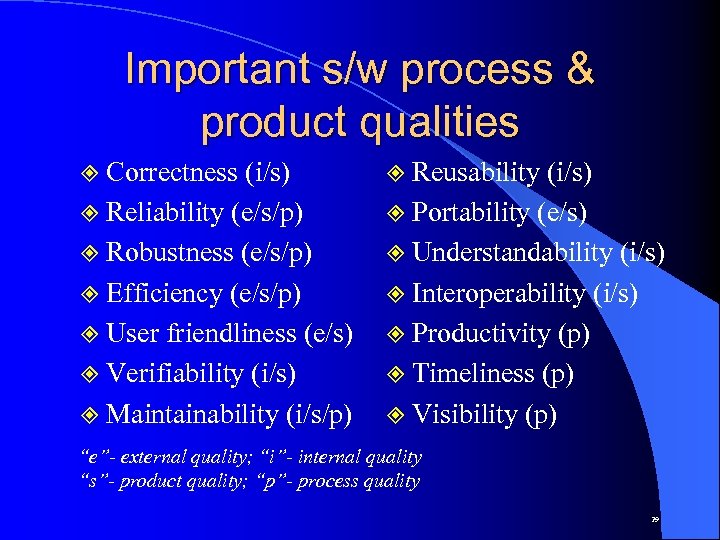 Important s/w process & product qualities ² Correctness (i/s) ² Reliability (e/s/p) ² Robustness (e/s/p) ² Efficiency (e/s/p) ² User friendliness (e/s) ² Verifiability (i/s) ² Maintainability (i/s/p) ² Reusability (i/s) ² Portability (e/s) ² Understandability (i/s) ² Interoperability (i/s) ² Productivity (p) ² Timeliness (p) ² Visibility (p) “e”- external quality; “i”- internal quality “s”- product quality; “p”- process quality 29
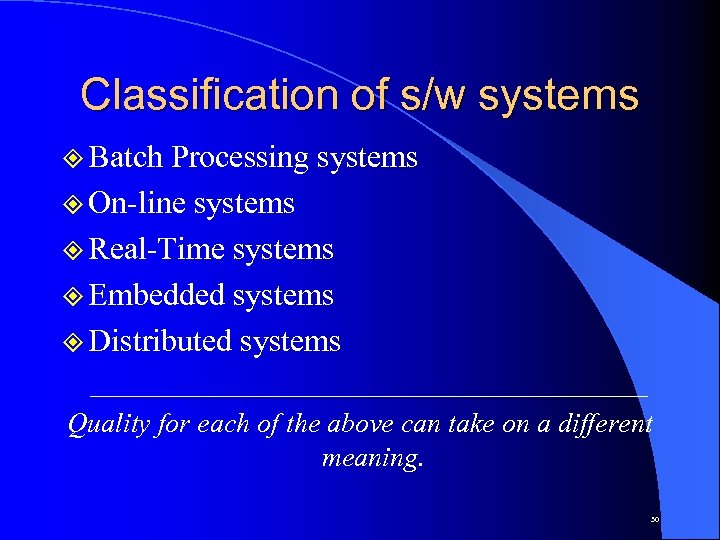 Classification of s/w systems ² Batch Processing systems ² On-line systems ² Real-Time systems ² Embedded systems ² Distributed systems Quality for each of the above can take on a different meaning. 30
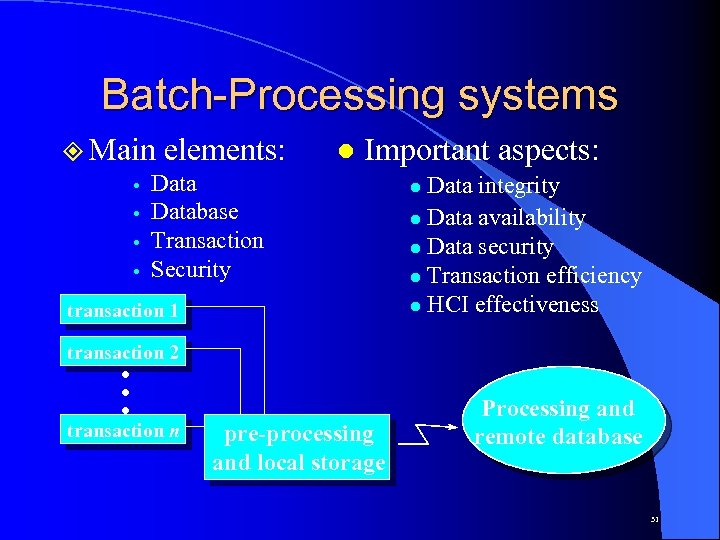 Batch-Processing systems ² Main elements: Database Transaction Security l Important aspects: transaction 1 Data integrity l Data availability l Data security l Transaction efficiency l HCI effectiveness l transaction 2 . . . transaction n pre-processing and local storage Processing and remote database 31
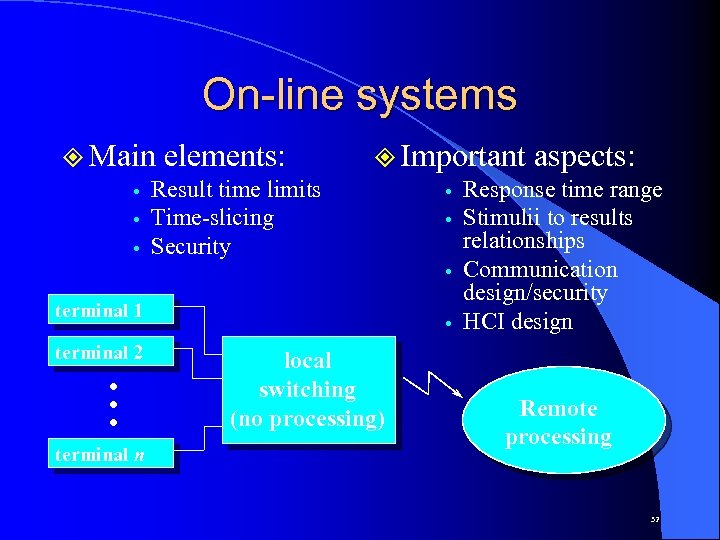 On-line systems ² Main elements: Result time limits Time-slicing Security terminal 1 terminal 2 . . . terminal n ² Important aspects: Response time range Stimulii to results relationships Communication design/security HCI design local switching (no processing) Remote processing 32
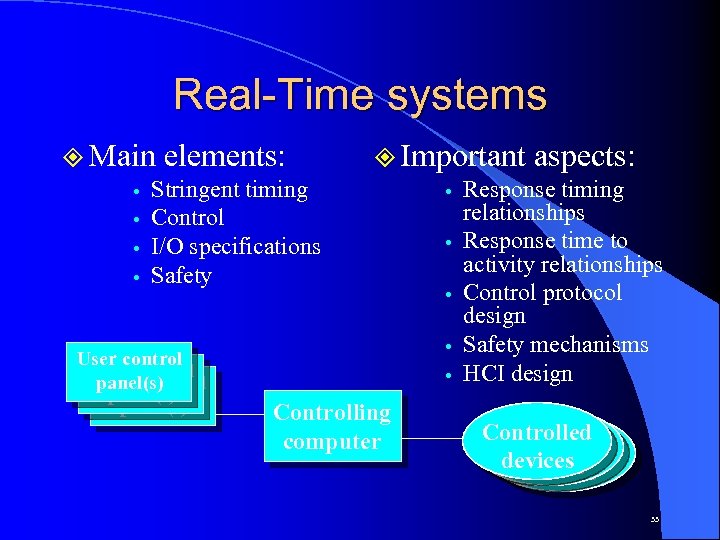 Real-Time systems ² Main elements: Stringent timing Control I/O specifications Safety User control panel(s) ² Important aspects: Response timing relationships Response time to activity relationships Control protocol design Safety mechanisms HCI design Controlling computer Controlled devices 33
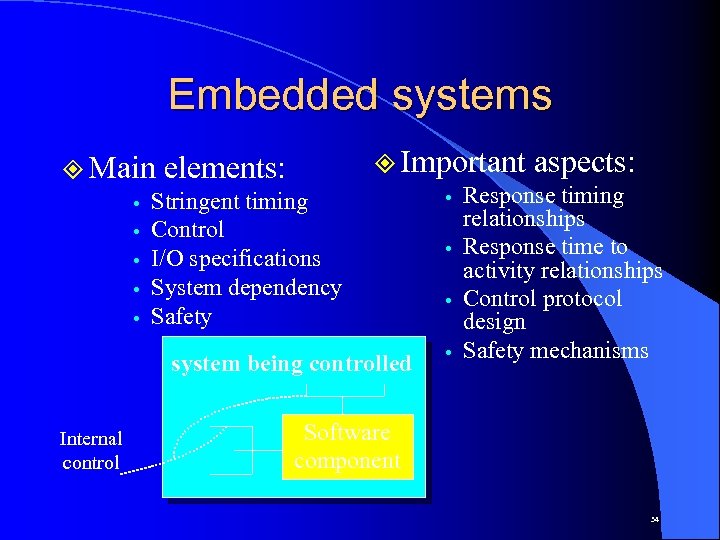 Embedded systems ² Important aspects: Response timing relationships Response time to activity relationships Control protocol design Safety mechanisms system being controlled ² Main elements: Stringent timing Control I/O specifications System dependency Safety Internal control Software component 34
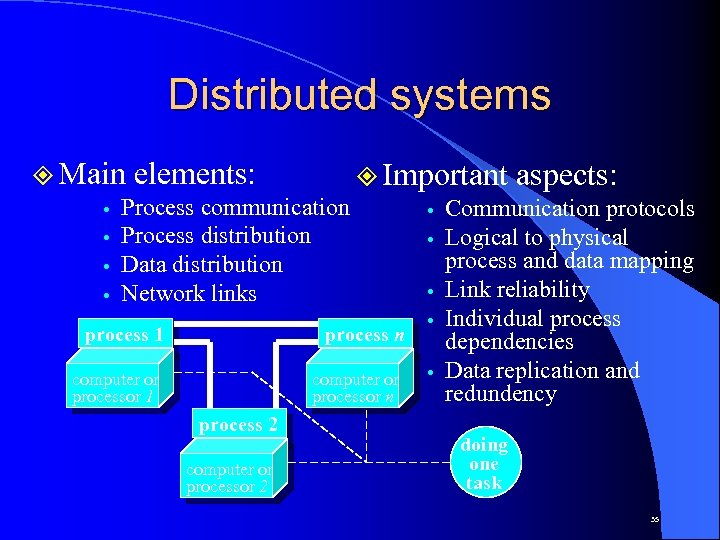 Distributed systems ² Main elements: ² Important aspects: Process communication Communication protocols Process distribution Logical to physical process and data mapping Data distribution Link reliability Network links Individual process 1 process n dependencies Data replication and computer or redundency processor 1 processor n process 2 computer or processor 2 doing one task 35
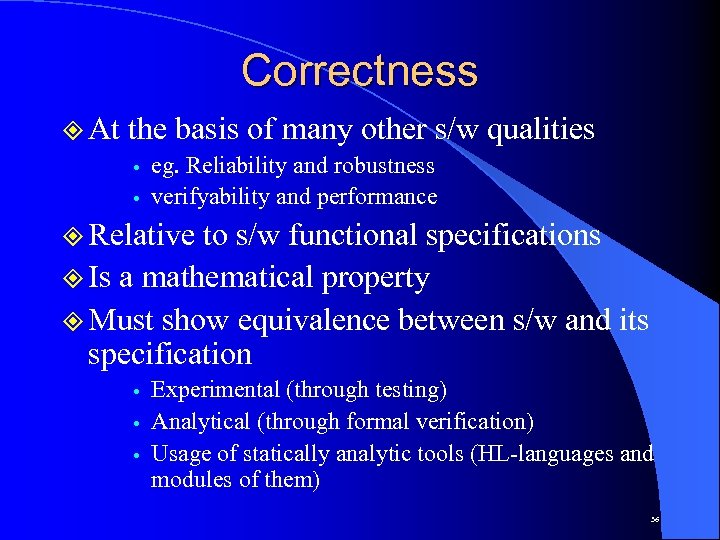 Correctness ² At the basis of many other s/w qualities eg. Reliability and robustness verifyability and performance ² Relative to s/w functional specifications ² Is a mathematical property ² Must show equivalence between s/w and its specification Experimental (through testing) Analytical (through formal verification) Usage of statically analytic tools (HL-languages and modules of them) 36
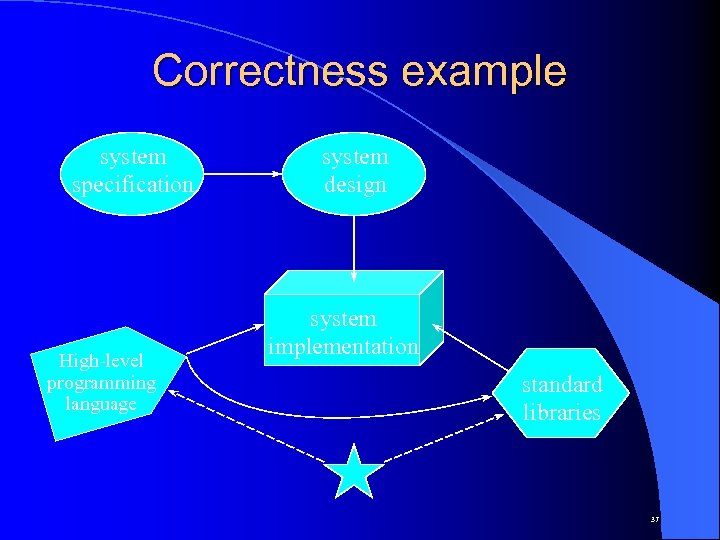 Correctness example system specification High-level programming language system design system implementation standard libraries 37
 Reliability ² Considered to be a relative quality ² Direct consequence to system dependability ² In its complete form considered to be “ideal” ² Guarantees non-existant / disclaimers many ² Should imply correctness (not vice-versa) ² Assumes (ideally) correctly specified requirements 38
 Robustness ² Should always be considered never ignored ² Not a specifiable quality (usually) ² Help in better understanding the process being modelled (eg. sky-scraper technology) ² Depends considerably on the system’s nature ² Not included in system specification 39
 Efficiency ² Direct result of reliability and robustness ² Considered to be a relative quantity ² Can “make or break” a system ² Highly dependent on technology ² Effects system scalability ² Generically measured in terms of extremes of algorithm time/space/etc. requirements ² Should be addressed BEFORE system implementation 40
 Efficiency evaluation techniques ² Generic: Processing time, required space, data traffic, inter-process message traffic. ² Measurement: External system monitors for data collection and subsequent evaluation. ² Analysis: Application of queuing theory concepts to analyse model of actual system. ² Simulation: Build a use a model to actually perform the same actions as the system. 41
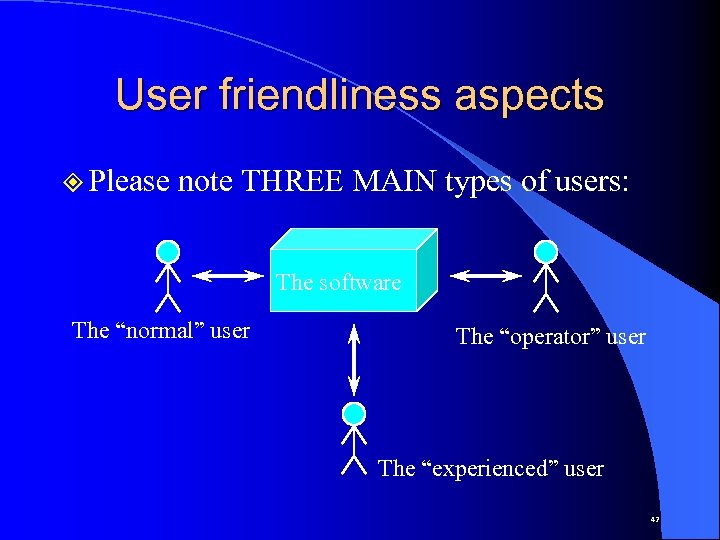 User friendliness aspects ² Please note THREE MAIN types of users: The software The “normal” user The “operator” user The “experienced” user 42
 User friendliness ² How a system appeals to (different) users ² Very subjective software quality ² Human-Computer Interface is very relevant ² Software configuration issues (easy? ) ² Performance is also relevant to “friendliness” ² GUI desgin issues (should be taken seriously) ² Standardisation increases user friendliness 43
 Verifiability ² Ease of software quality checking ² Not all qualities are of equal verifiability ² Could form part of user requirements ² Generally implies understandability ² Should be an implicit value in development 44
 Maintainability ² Applies to “released” products ² Eats up around 65 to 75% of total s/w development costs ² Existing software does not “ware out” - it evolves! ² Existing sotware can be improved upon ² Not akin to hardware maintenance ² S/w maintenance can be classified as: Corrective (sorting out persistent errors - 25%) Adaptive (due to changes in working env. - 20%) Perfective (improve system fuctionality - 55%) 45
 Aspects of maintainability ² Repairability (ease of defect correction) – Exists at different levels (like old & modern h/w) – Direct consequence of good (modular) design – Funtional localisation aids repairability – Orthogonal to reliability ² Evolvability (change/improve functionality) – Should undergo normal s/w development process – Requires in-depth study of original system – Should not deteriorate in time (i. e. after successive releases) 46
 Reusability ² Using existing products to construct new ones ² Important but not often used quality ² Directly impacts on evolvability ² Some examples: The UNIX shell (command language interpreter) Programming language routine libraries Packages, routines, widgets, etc. in X windows Human knowledge reuse (? ) ² Considered a measure of general development process maturity 47
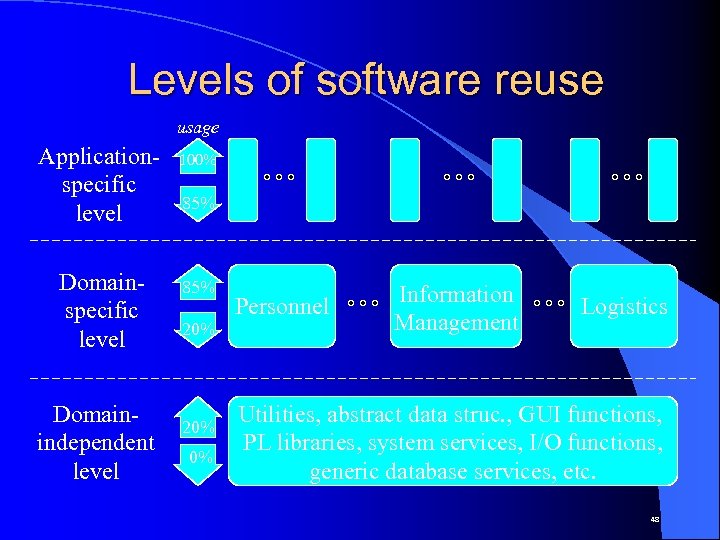 Levels of software reuse usage Applicationspecific level Domainindependent level 100% 85% 20% 0% Personnel Information Management Logistics Utilities, abstract data struc. , GUI functions, PL libraries, system services, I/O functions, generic database services, etc. 48
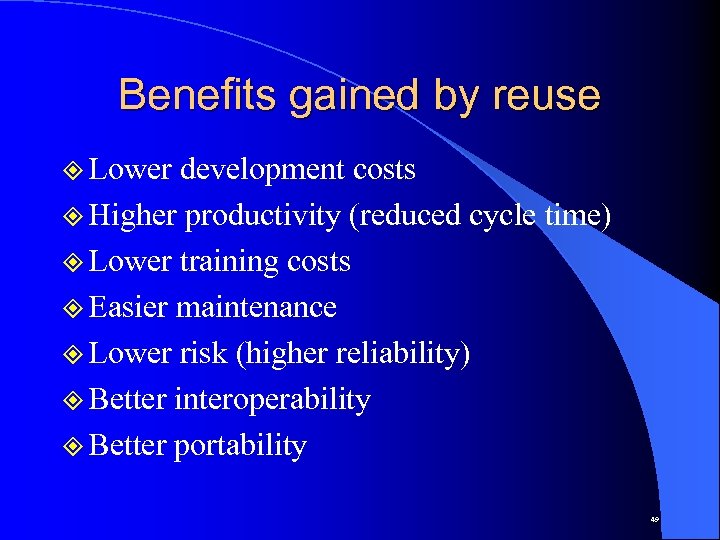 Benefits gained by reuse ² Lower development costs ² Higher productivity (reduced cycle time) ² Lower training costs ² Easier maintenance ² Lower risk (higher reliability) ² Better interoperability ² Better portability 49
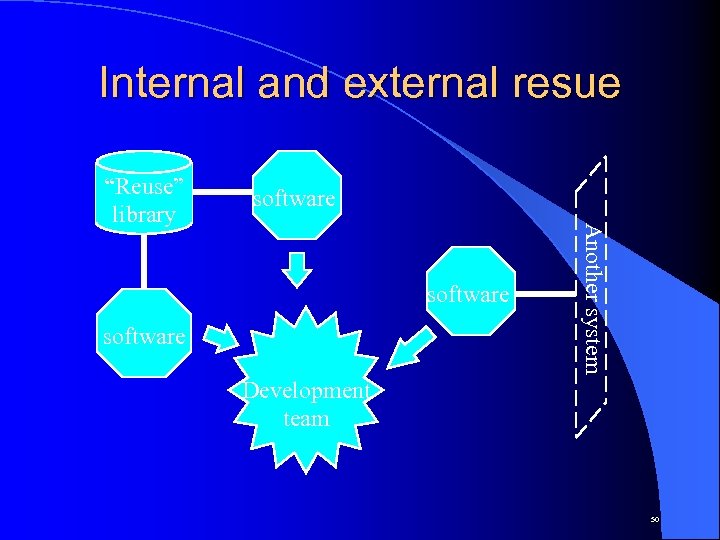 Internal and external resue software Another system “Reuse” library Development team 50
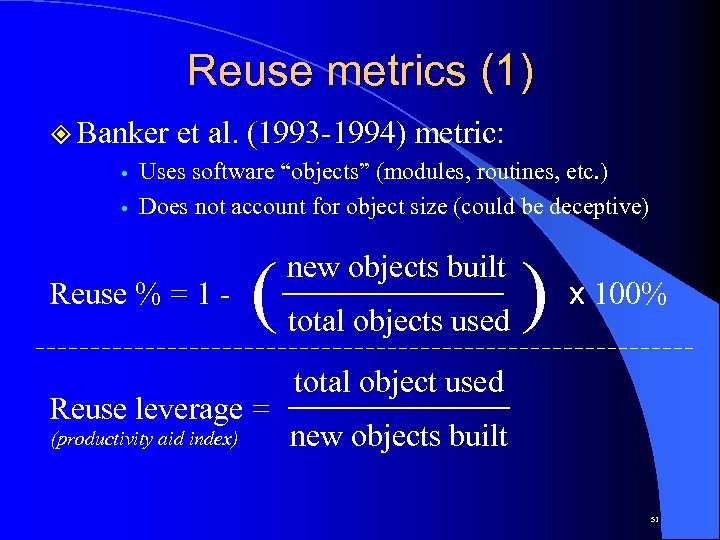 Reuse metrics (1) ² Banker et al. (1993 -1994) metric: Uses software “objects” (modules, routines, etc. ) Does not account for object size (could be deceptive) Reuse % = 1 - ( Reuse leverage = (productivity aid index) new objects built total objects used ) x 100% total object used new objects built 51
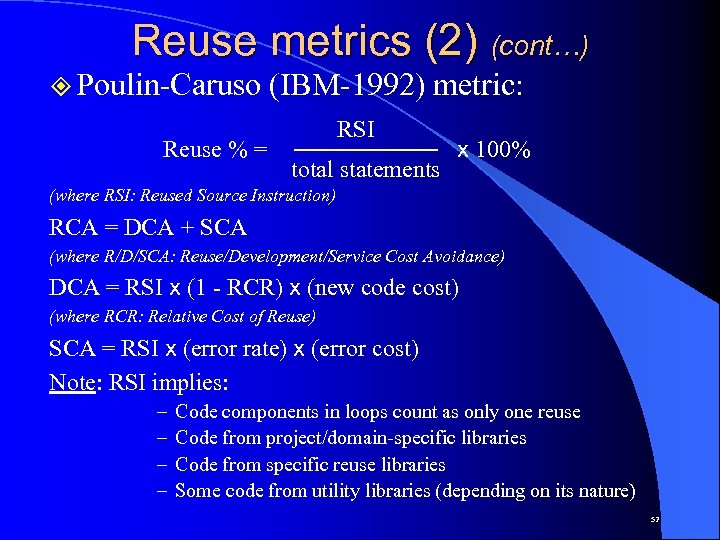 Reuse metrics (2) (cont…) ² Poulin-Caruso Reuse % = (IBM-1992) metric: RSI total statements x 100% (where RSI: Reused Source Instruction) RCA = DCA + SCA (where R/D/SCA: Reuse/Development/Service Cost Avoidance) DCA = RSI x (1 - RCR) x (new code cost) (where RCR: Relative Cost of Reuse) SCA = RSI x (error rate) x (error cost) Note: RSI implies: – – Code components in loops count as only one reuse Code from project/domain-specific libraries Code from specific reuse libraries Some code from utility libraries (depending on its nature) 52
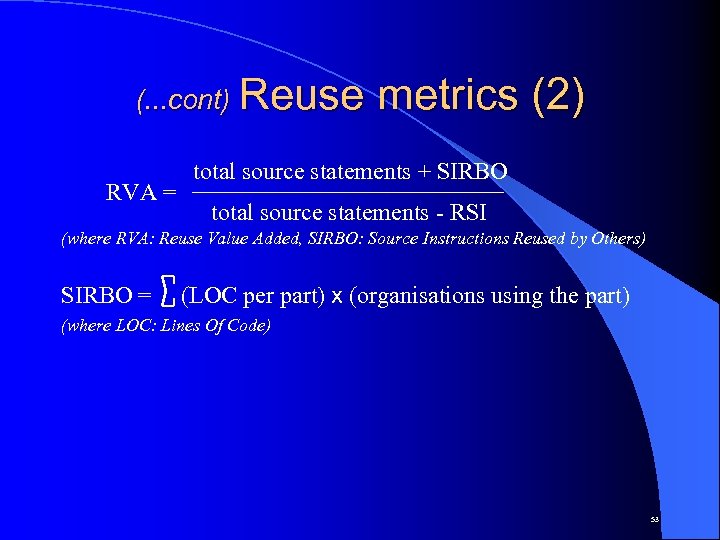 (. . . cont) Reuse RVA = metrics (2) total source statements + SIRBO total source statements - RSI (where RVA: Reuse Value Added, SIRBO: Source Instructions Reused by Others) SIRBO = (LOC per part) x (organisations using the part) (where LOC: Lines Of Code) 53
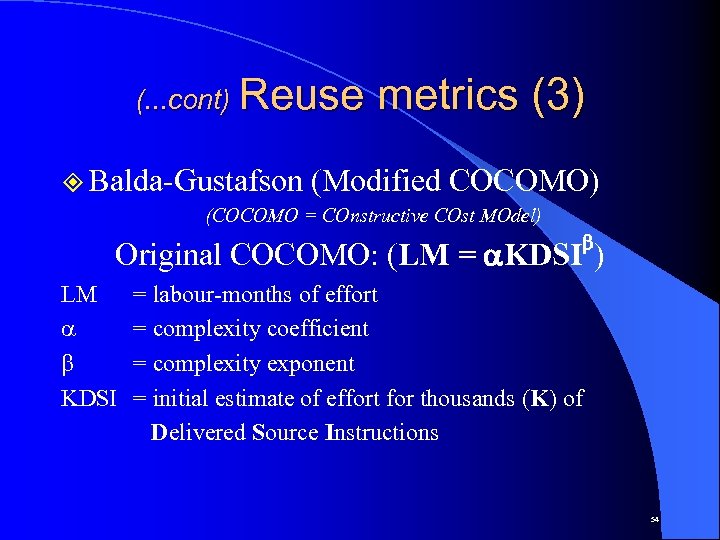 (. . . cont) Reuse ² Balda-Gustafson metrics (3) (Modified COCOMO) (COCOMO = COnstructive COst MOdel) b Original COCOMO: (LM = a. KDSI ) LM a b KDSI = labour-months of effort = complexity coefficient = complexity exponent = initial estimate of effort for thousands (K) of Delivered Source Instructions 54
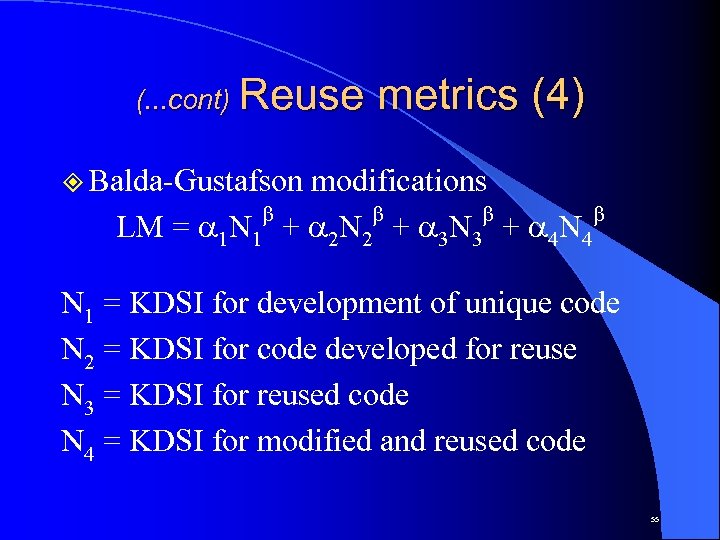 (. . . cont) Reuse metrics (4) ² Balda-Gustafson modifications b b LM = a 1 N 1 + a 2 N 2 + a 3 N 3 + a 4 N 4 N 1 = KDSI for development of unique code N 2 = KDSI for code developed for reuse N 3 = KDSI for reused code N 4 = KDSI for modified and reused code 55
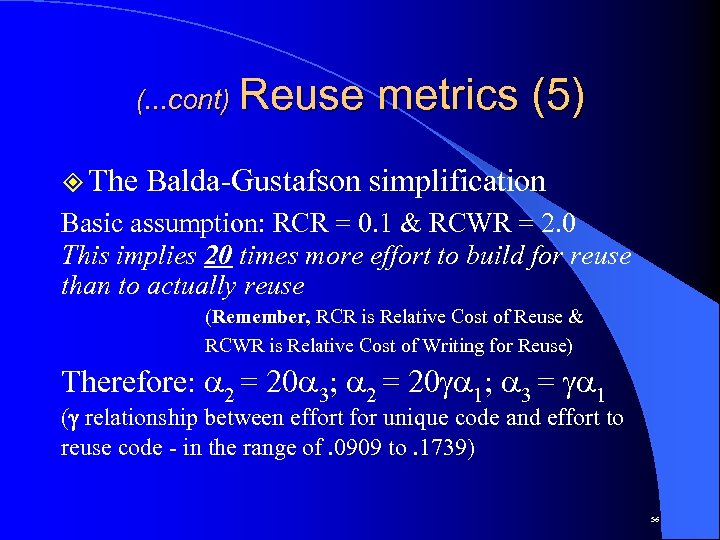 (. . . cont) Reuse ² The metrics (5) Balda-Gustafson simplification Basic assumption: RCR = 0. 1 & RCWR = 2. 0 This implies 20 times more effort to build for reuse than to actually reuse (Remember, RCR is Relative Cost of Reuse & RCWR is Relative Cost of Writing for Reuse) Therefore: a 2 = 20 a 3; a 2 = 20 ga 1; a 3 = ga 1 (g relationship between effort for unique code and effort to reuse code - in the range of. 0909 to. 1739) 56
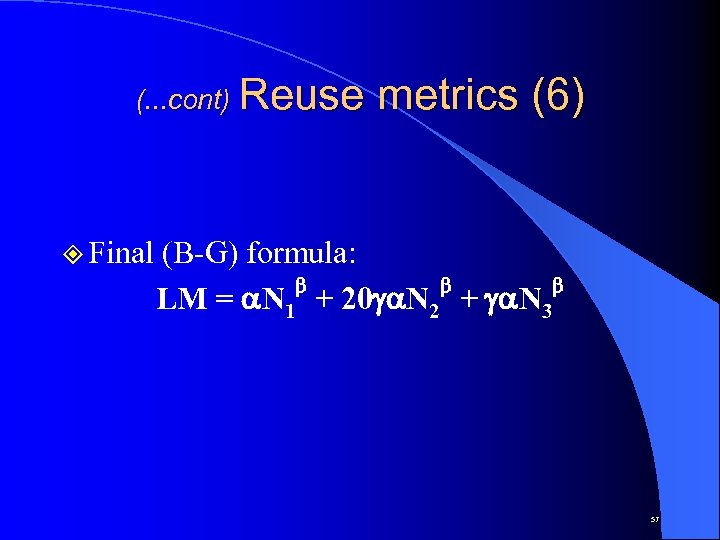 (. . . cont) Reuse ² Final metrics (6) (B-G) formula: b b b LM = a. N 1 + 20 ga. N 2 + ga. N 3 57
 Portability ² With respect to platform and operating system characteristics ² Very dependent on the functional nature of the software ² Can be partially achieved through reusability ² Could entail trade-offs in the form of nonoptimal usage of hardware or system resources 58
 Understandability ² Has a direct impact on many important software qualities (eg. correctness, verifiability, maintainability, userfriendliness and visibility) ² Helps control aspects of complexity ² Does not guarantee syntactic/semantic or algorithmic comprehension 59
 Interoperability ² Common in hardware - not so in software (eg. stereo systems with CD technology vs. operating systems and CD technology) ² Has a direct impact on productivity and evolvability ² Related to interface standardisation ² Is the driving force behind the “open system” approach 60
 Productivity ² Generally refers to the software production process ² Generally assumes team effort ² Has a direct impact on timeliness ² Depends considerably on software reuse ² Can be greatly increased through the use of automated software engineering tools ² Calculated in terms of “function points” and code size 61
 Timeliness ² Generally refers to the software production process ² The main culprit in “software crisis” ² Relatively not as “bad” as incorrectness ² Difficult to calculate accurately a priori to actual software development ² Directly effected by system structuring to aid incremental delivery 62
 Visibility ² Generally refers to the software production process ² Synonymous with transparency and openness ² Directly effects productivity and timeliness ² Encourages correct and effective team work ² Helps qualify the software development process ² Should always be up to date 63
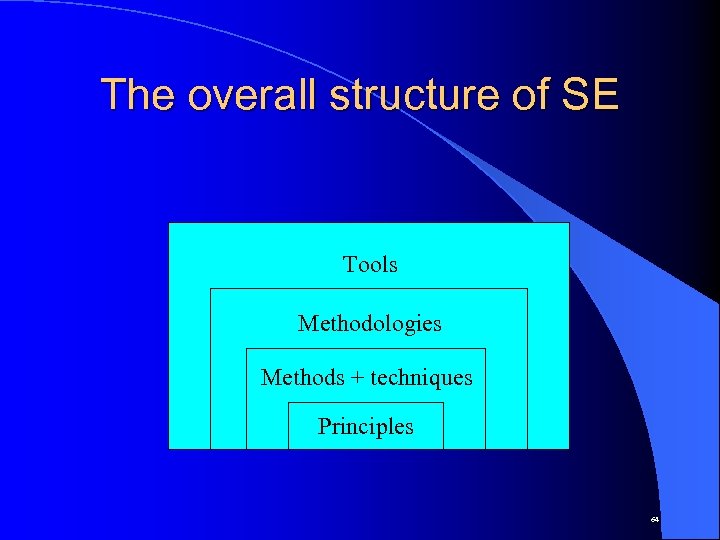 The overall structure of SE Tools Methodologies Methods + techniques Principles 64
 Software Requirements Definition ² Some terminology: – Requirements definition: Natural language description of user services provided by system – Requirements specification: A more detailed description of the system’s functions in “technical” terms – Software specification: An abstract description of the software itself. Mainly intended for software designers. 65
 Specification types ² Operational Specifies system behaviour in terms of its internal (component) functions ² Descriptive Specifies the system in terms of a declaration of the its properties 66