


 Скачать презентацию Introduction to Scenarios A range of techniques for
f08f204239e51e75a8c130955f5d13d3.ppt
- Количество слайдов: 22
 Introduction to Scenarios A range of techniques for engineering better systems Ian Alexander Ian. Alexander@scenarioplus. org. uk version 0. 0 30 September 2000 © 2000 Ian Alexander - Introduction to Scenarios
 What is a Scenario? • A concrete scenario involves specific actors, places, and times: John sets the alarm and locks the door at 8 a. m. The alarm … • An abstract scenario describes what happens in generic (class) terms: The Householder sets the alarm, locks the door, … • Simplest kind of (abstract) Scenario is a straight path from start to finish, one step after another • More complicated kinds are possible © 2000 Ian Alexander - Introduction to Scenarios
 How to Represent Scenarios? • Absolutely no agreement • Text, Diagrams, Video, Animations, Cartoons, Storyboards, Acted Scenes, Collaborative Workshops (passing a ball or a talking stick), etc • Different representations may well be useful in specific situations • Some 'methods' are quite ideological about notations, others not at all © 2000 Ian Alexander - Introduction to Scenarios
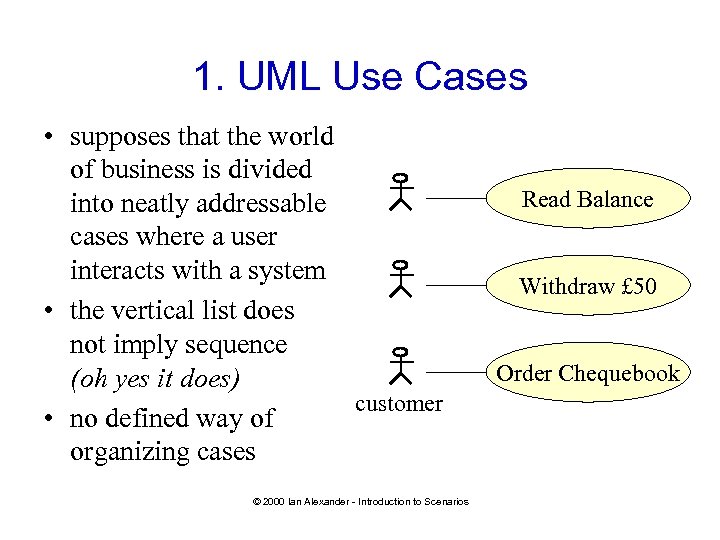 1. UML Use Cases • supposes that the world of business is divided into neatly addressable cases where a user interacts with a system • the vertical list does not imply sequence (oh yes it does) customer • no defined way of organizing cases © 2000 Ian Alexander - Introduction to Scenarios Read Balance Withdraw £ 50 Order Chequebook
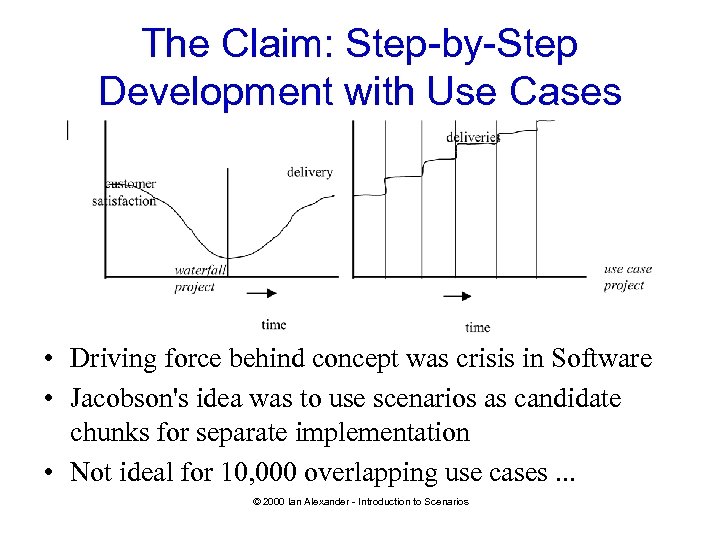 The Claim: Step-by-Step Development with Use Cases • Driving force behind concept was crisis in Software • Jacobson's idea was to use scenarios as candidate chunks for separate implementation • Not ideal for 10, 000 overlapping use cases. . . © 2000 Ian Alexander - Introduction to Scenarios
 Scenario = Use Case? • • • Depends whose definition of Use Case you use Some Use Cases are Concrete Some insist on exactly one Actor Some talk about use of a specific System UML notation can be helpful, but only goes part of the way © 2000 Ian Alexander - Introduction to Scenarios
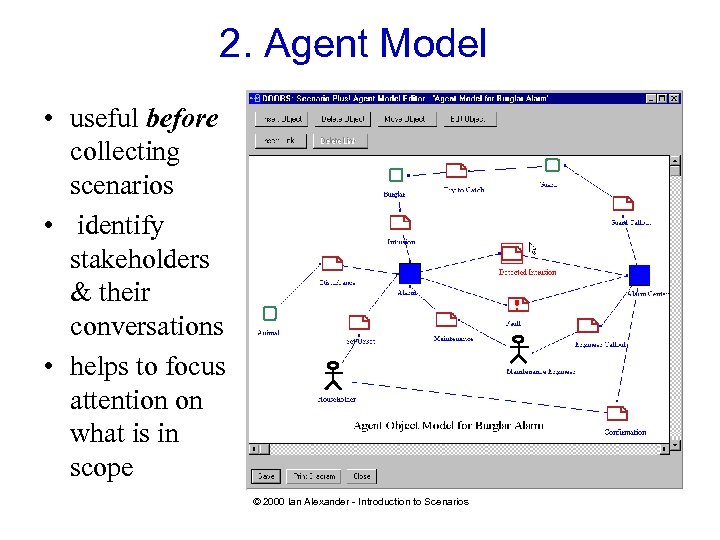 2. Agent Model • useful before collecting scenarios • identify stakeholders & their conversations • helps to focus attention on what is in scope © 2000 Ian Alexander - Introduction to Scenarios
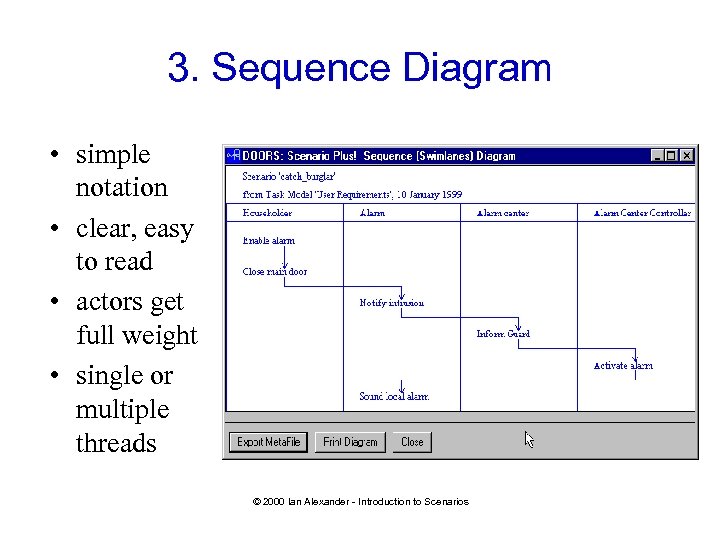 3. Sequence Diagram • simple notation • clear, easy to read • actors get full weight • single or multiple threads © 2000 Ian Alexander - Introduction to Scenarios
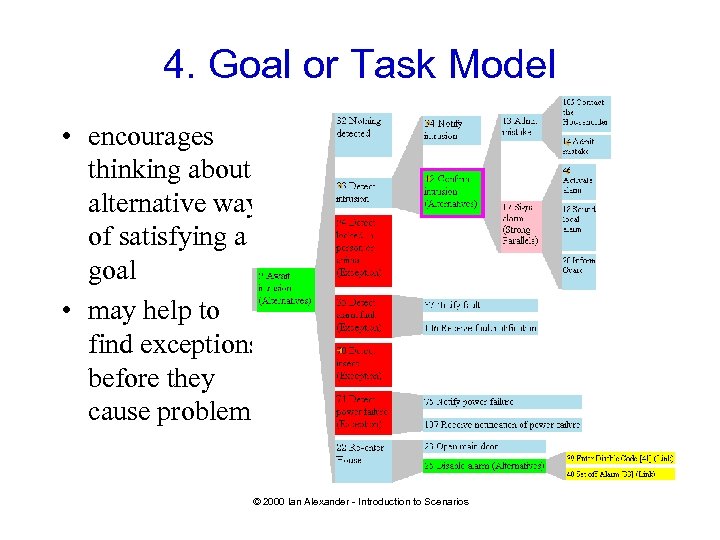 4. Goal or Task Model • encourages thinking about alternative ways of satisfying a goal • may help to find exceptions before they cause problems © 2000 Ian Alexander - Introduction to Scenarios
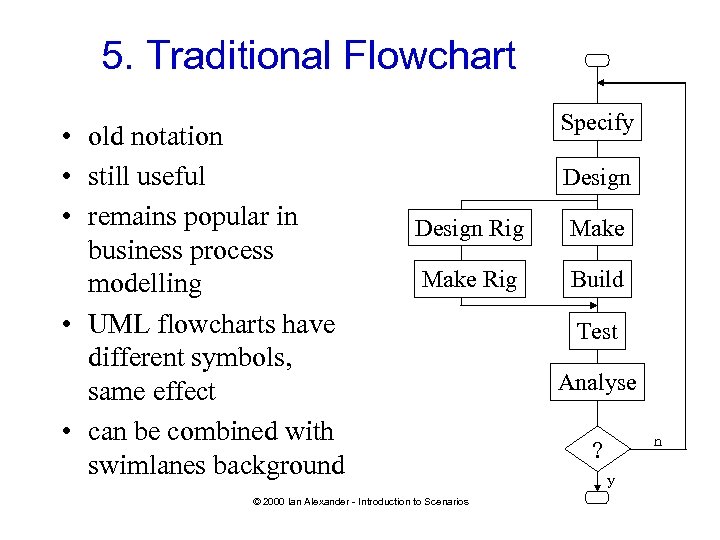 5. Traditional Flowchart • old notation • still useful • remains popular in business process modelling • UML flowcharts have different symbols, same effect • can be combined with swimlanes background Specify Design Rig Make Rig Build © 2000 Ian Alexander - Introduction to Scenarios Test Analyse n ? y
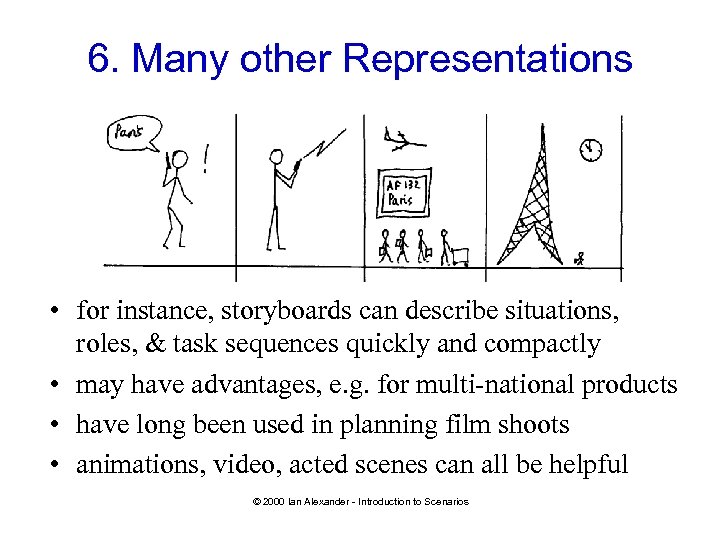 6. Many other Representations • for instance, storyboards can describe situations, roles, & task sequences quickly and compactly • may have advantages, e. g. for multi-national products • have long been used in planning film shoots • animations, video, acted scenes can all be helpful © 2000 Ian Alexander - Introduction to Scenarios
 How Can Scenarios Help? • • describe business processes clarify system scope identify stakeholders, situations, needs organise requirements guide design and coding provide scripts for testing improve project communications © 2000 Ian Alexander - Introduction to Scenarios
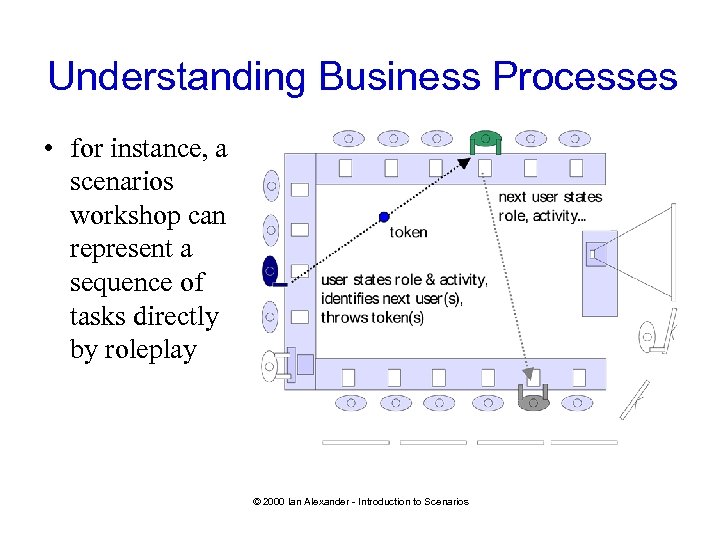 Understanding Business Processes • for instance, a scenarios workshop can represent a sequence of tasks directly by roleplay © 2000 Ian Alexander - Introduction to Scenarios
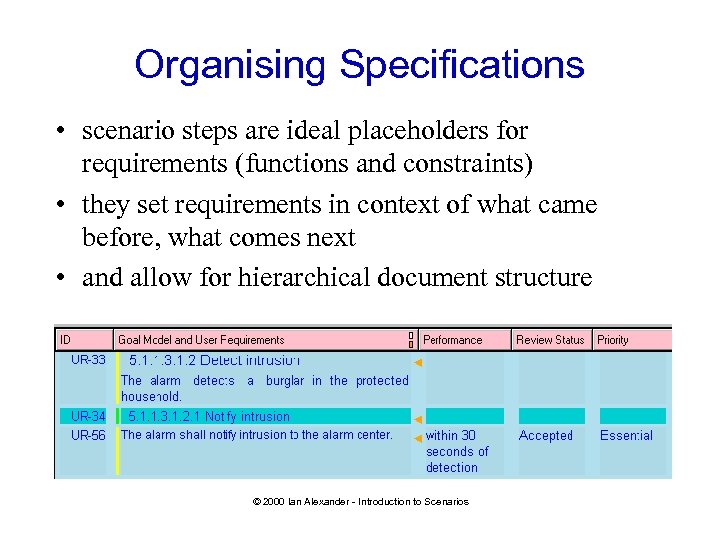 Organising Specifications • scenario steps are ideal placeholders for requirements (functions and constraints) • they set requirements in context of what came before, what comes next • and allow for hierarchical document structure © 2000 Ian Alexander - Introduction to Scenarios
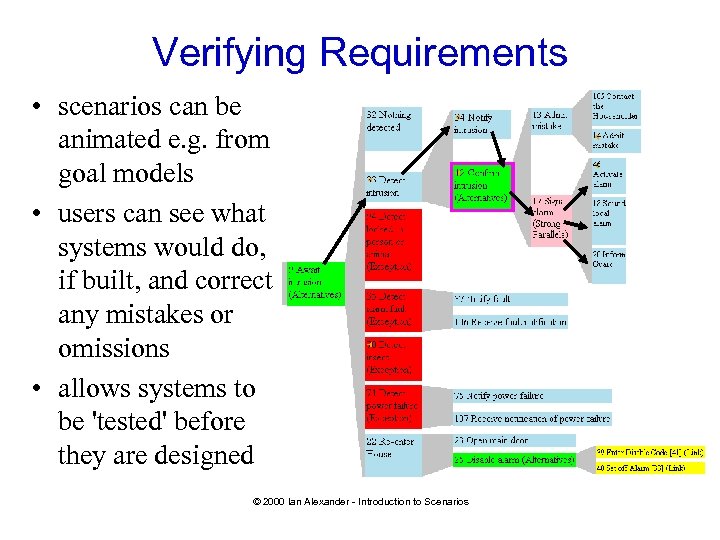 Verifying Requirements • scenarios can be animated e. g. from goal models • users can see what systems would do, if built, and correct any mistakes or omissions • allows systems to be 'tested' before they are designed © 2000 Ian Alexander - Introduction to Scenarios
 Guiding Design • numerous 'Scenario-Based Design' approaches • developers are often unable to speak directly to system users • scenarios offer a valuable echo of 'the voice of the customers' • scenarios show what each small part of a system actually needs to do … to deliver the results that system users want © 2000 Ian Alexander - Introduction to Scenarios
 'Extreme Programming' • uses scenarios in the form of 'user stories' • acceptance tests are written straight from the scenarios – and used as specifications! • programs written and tested directly from the user stories • accompanied by pair programming and other practices • but even anarchists may have good ideas © 2000 Ian Alexander - Introduction to Scenarios
 Generating Test Cases • Any scenario path through the requirements is a possible test case ('000 s of them) • Need to cover – all requirements at least once – all major paths (familiar problem to testers!) • Need to select "interesting" cases • Need to add test attributes (for each Step) – Criteria, Result, Tester, Date, . . . © 2000 Ian Alexander - Introduction to Scenarios
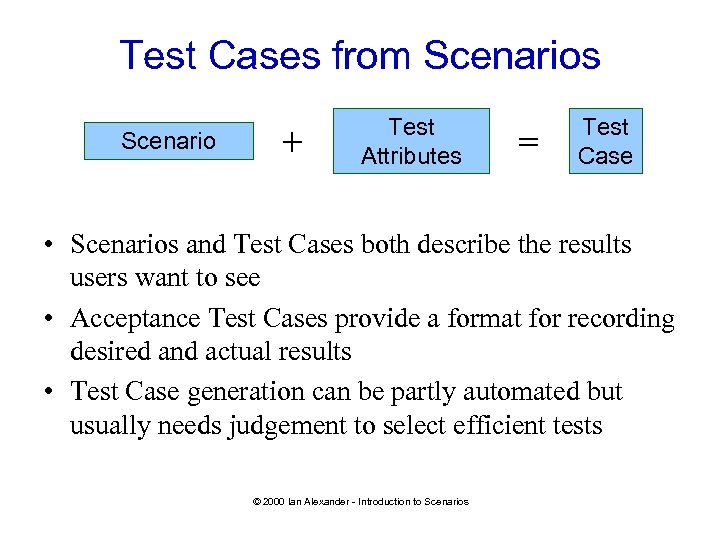 Test Cases from Scenarios Scenario + Test Attributes = Test Case • Scenarios and Test Cases both describe the results users want to see • Acceptance Test Cases provide a format for recording desired and actual results • Test Case generation can be partly automated but usually needs judgement to select efficient tests © 2000 Ian Alexander - Introduction to Scenarios
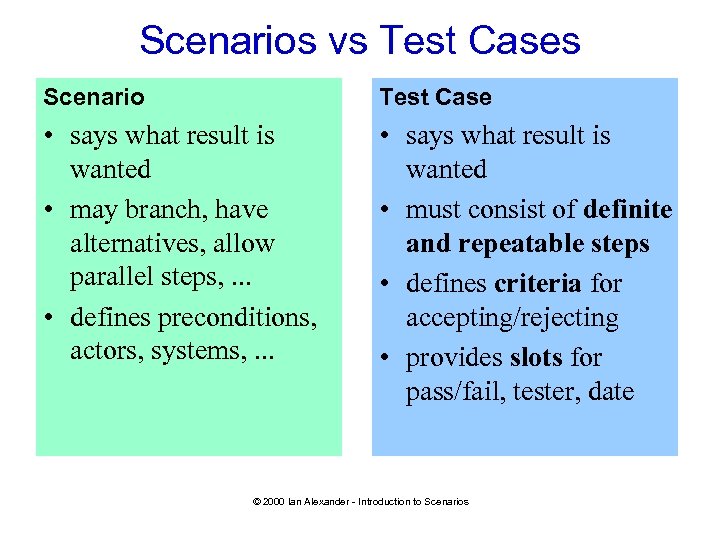 Scenarios vs Test Cases Scenario Test Case • says what result is wanted • may branch, have alternatives, allow parallel steps, . . . • defines preconditions, actors, systems, . . . • says what result is wanted • must consist of definite and repeatable steps • defines criteria for accepting/rejecting • provides slots for pass/fail, tester, date © 2000 Ian Alexander - Introduction to Scenarios
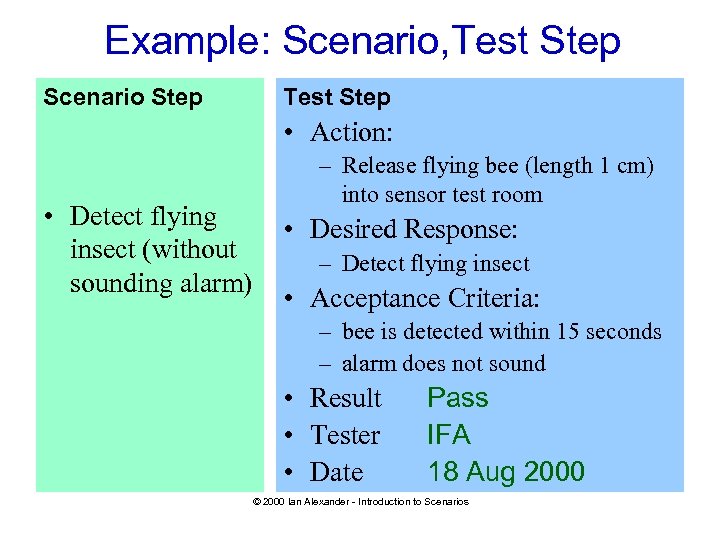 Example: Scenario, Test Step Scenario Step Test Step • Action: • Detect flying insect (without sounding alarm) – Release flying bee (length 1 cm) into sensor test room • Desired Response: – Detect flying insect • Acceptance Criteria: – bee is detected within 15 seconds – alarm does not sound • Result • Tester • Date Pass IFA 18 Aug 2000 © 2000 Ian Alexander - Introduction to Scenarios
 Summary: Scenarios. . . • have many uses in systems engineering, e. g. – – – process description requirements elicitation and verification system specification guidance for system design and software coding basis of test scripts • can be represented in varied and useful ways • provide neutral languages in which stakeholders can describe their needs to developers • could with benefit be applied much more often? © 2000 Ian Alexander - Introduction to Scenarios