


 Скачать презентацию Introduction to SAP Tom Wilder Department of Accounting
faeef4a210e1c601df67e2b912253227.ppt
- Количество слайдов: 71
 Introduction to SAP Tom Wilder, Department of Accounting and MIS California State University, Chico October 14, 2009
 Agenda 1. Building the UA Community 1. 1. How to find information in the community 1. 2. How to use the community to help you 2. Data Sets Available for the UA Community 2. 1. Where to find the Data Sets 2. 2. Which one's to use 3. Getting Started with SAP 3. 1. Getting started with SAP 3. 2. Business Process Integration 4. Lessons from the Trenches 4. 1. Setting up large sections 4. 2. Trouble shooting student errors © SAP 2009 / Page 2
 Introductions Tom Wilder, MBA, SAPM, SAP Certified Associate n Faculty of the Department of Accounting and MIS at CSU, Chico since 1996 n Same year that Chico became the first SAP University Alliance member n Courses taught using SAP: n Introduction to MIS Introduction to SCMS/POM n Quality Management n Information Systems Project Management n Business Process Integration n SAP Team member, Program Director for Curriculum n Currently, CSU, Chico has over 20 courses that include an SAP component. These courses include Accounting, Supply Chain, MIS, and Business Administration n SAP components include SAP® ECC 6. 0, SAP® Solution Manager, SAP® Extended Warehouse Management and SAP® APO. n © SAP 2009 / Page 3
 Hosting Centers When you become an SAP University Alliances member, you will be assigned to one of two hosting centers. California State University, Chico run by Gino Edinger University of Milwaukee, Wisconsin run by Dave Haseman Host centers run your servers n Requests for courses and course set-up n These requests will go through your curriculum director located at your school n © SAP 2009 / Page 4
 SAP Systems, Applications, and Products in Data Processing (SAP) n Name of the Company n n SAP America n n SAP AG SAP UK Name of the Software n SAP® R/2® n SAP® R/3® n SAP ECC 6. 0 © SAP 2009 / Page 5
 Who is SAP? SAP AG Founded in Walldorf, Germany in 1972 n World’s Largest Business Software Company n World’s Third-largest Independent Software Provider n Company Statistics 51, 500 employees in more then 50 countries n 82, 000 customers in more then 120 countries n Source: SAP AG website © SAP 2009 / Page 6
 Integrated Business Solution Vendors SAP (Systems, Applications, & Products in Data Processing) n SAP ECC 6. 0, SAP® Business All-in-One, SAP® Business One Oracle Applications n Oracle, JD Edwards, People. Soft, Siebel, Retek Microsoft Business Solutions n Dynamics: Great Plains, Navision, Axapta, Soloman The Sage Group n Sage Software - Accpac ERP, Peach. Tree SSA Global Technologies n BAAN Many Others © SAP 2009 / Page 7
 What is SAP® ERP? Worldwide usage Designed to satisfy the information needs for business (small local to large all international) n Multi-lingual n Multi-currency Designed to satisfy the information needs for all industries © SAP 2009 / Page 8
 SAP ERP Enables a company to link their business processes Ties together disparate business functions (integrated business solution) Helps the organization run smoothly Real-time environment Scalable and flexible © SAP 2009 / Page 9
 SAP Architecture Client/Server Environment n Client – hardware/software environment that can make a request for services for a central repository of resources n Server – hardware/software combination that can provide services to a group of clients in a controlled environment © SAP 2009 / Page 10
 SAP Architecture Three – Tier Structure n GUI n n Application Server n n Graphical User Interface or Web Interface One or more, help distribute work load Database Server n One single data repository © SAP 2009 / Page 11
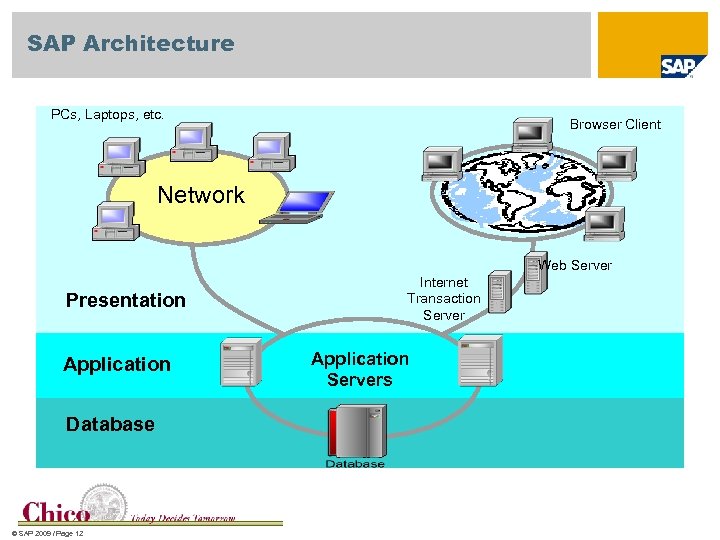 SAP Architecture PCs, Laptops, etc. Browser Client Network Web Server Presentation Application Database © SAP 2009 / Page 12 Internet Transaction Server Application Servers
 Business Modules Collections of logically related transactions within identifiable business functions n n n MM (“Buy”) PP (“Make”) SD (“Sell”) FI and CO (“Track”) HCM © SAP 2009 / Page 13
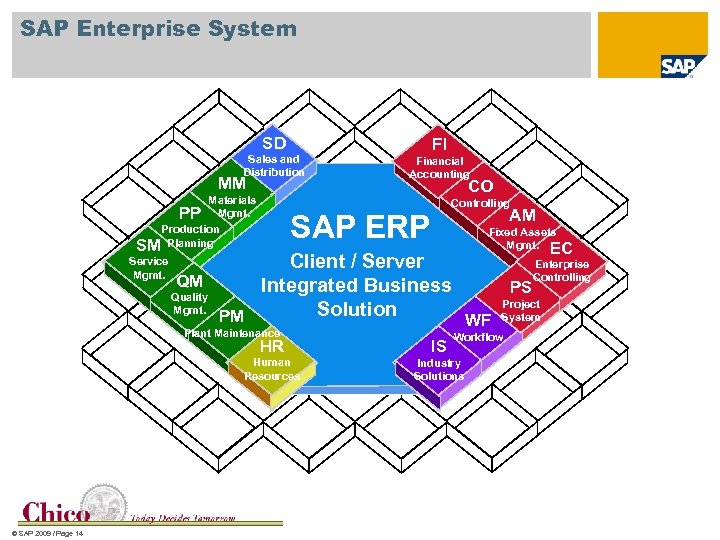 SAP Enterprise System SD Sales and Distribution MM Materials PP Mgmt. Production SM Planning Service Mgmt. FI Financial Accounting CO Controlling AM SAP ERP Fixed Assets Mgmt. EC Enterprise Client / Server Controlling QM Integrated Business PS Quality Project Mgmt. Solution PM WF System Plant Maintenance Workflow HR Human Resources © SAP 2009 / Page 14 IS Industry Solutions
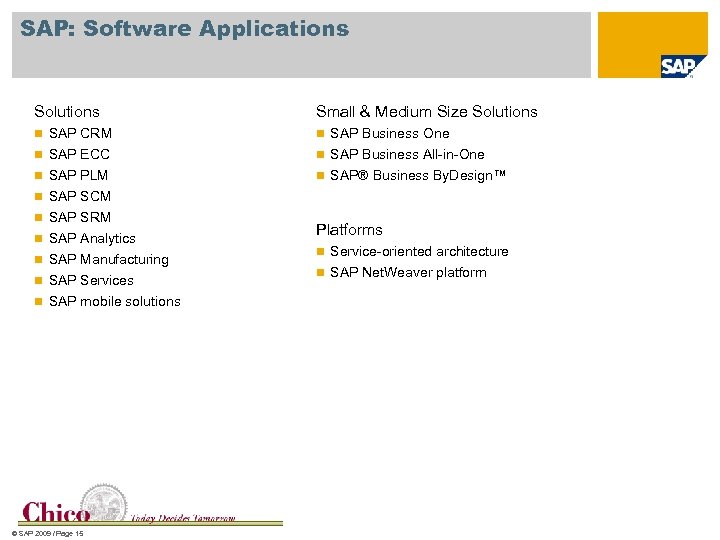 SAP: Software Applications Solutions Small & Medium Size Solutions n SAP CRM n SAP Business One n SAP ECC n SAP Business All-in-One n SAP PLM n SAP® Business By. Design™ n SAP SCM n SAP SRM n SAP Analytics n SAP Manufacturing n SAP Services n SAP mobile solutions © SAP 2009 / Page 15 Platforms n Service-oriented architecture n SAP Net. Weaver platform
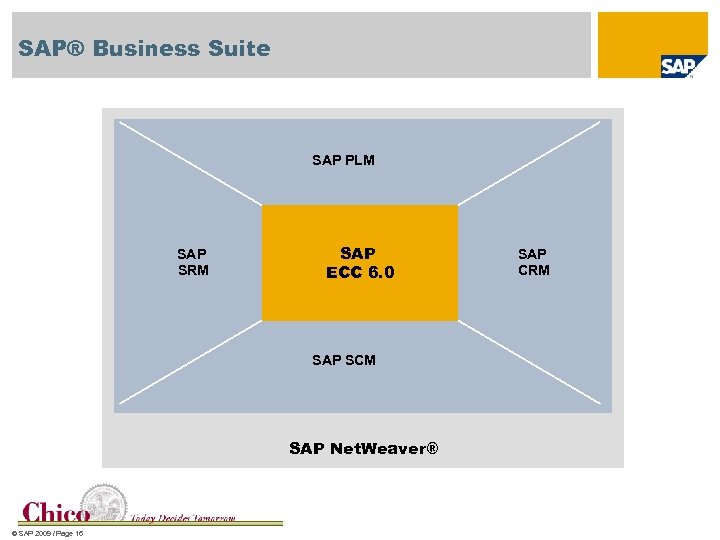 SAP® Business Suite SAP PLM SAP SRM SAP ECC 6. 0 SAP SCM SAP Net. Weaver® © SAP 2009 / Page 16 SAP CRM
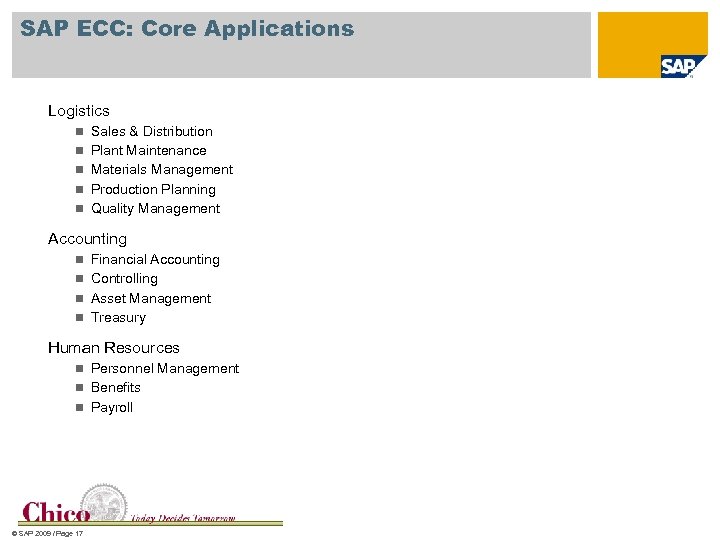 SAP ECC: Core Applications Logistics n Sales & Distribution n Plant Maintenance n Materials Management n Production Planning n Quality Management Accounting n Financial Accounting n Controlling n Asset Management n Treasury Human Resources n Personnel Management n Benefits n Payroll © SAP 2009 / Page 17
 SAP: Best Business Practices SAP® Best Practices cover well-proven business scenarios that help to exploit the potentials of SAP ERP. It is a flexible building block technology that enables you to implement and adapt your solution quickly using fully documented and reusable prototypes. © SAP 2009 / Page 18
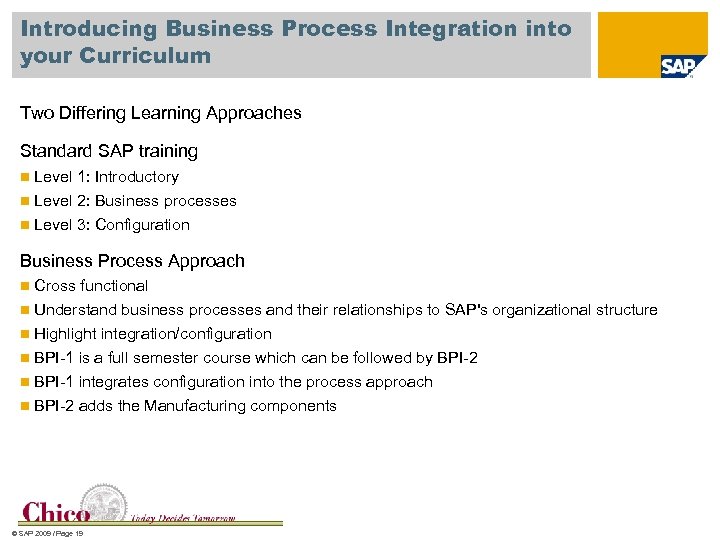 Introducing Business Process Integration into your Curriculum Two Differing Learning Approaches Standard SAP training n Level 1: Introductory n Level 2: Business processes n Level 3: Configuration Business Process Approach Cross functional n Understand business processes and their relationships to SAP's organizational structure n Highlight integration/configuration n BPI-1 is a full semester course which can be followed by BPI-2 n BPI-1 integrates configuration into the process approach n BPI-2 adds the Manufacturing components n © SAP 2009 / Page 19
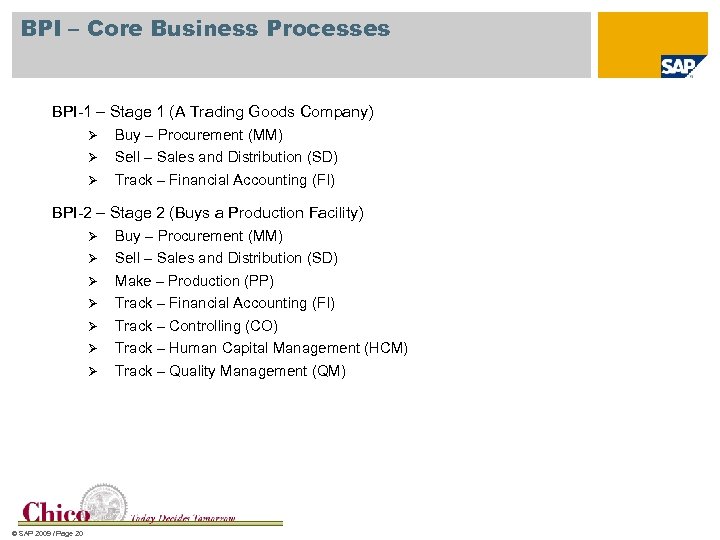 BPI – Core Business Processes BPI-1 – Stage 1 (A Trading Goods Company) Ø Ø Ø Buy – Procurement (MM) Sell – Sales and Distribution (SD) Track – Financial Accounting (FI) BPI-2 – Stage 2 (Buys a Production Facility) Ø Buy – Procurement (MM) Sell – Sales and Distribution (SD) Make – Production (PP) Track – Financial Accounting (FI) Track – Controlling (CO) Track – Human Capital Management (HCM) Ø Track – Quality Management (QM) Ø Ø Ø © SAP 2009 / Page 20
 Cases available for Introductory Classes SAP Basics Using IDES (Internet Demonstration and Evaluation System) n These exercises are used as the introductory exercises to provide students with a review of SAP ERP transaction processing knowledge of different functionalities of customer order management, purchasing process, travel management of new employee, production planning and management as well as the key integration points between various processes. Basic Business Processes Using SAP ERP n These exercises are used in the beginning of a configuration course, to provide students with a review of SAP ERP transaction process knowledge and key integration points between the processes Concepts in ERP Using Fitter Snacker n The Concepts in Enterprise Resource Planning course is designed to support an introductory class in Information Systems and/or ERP. Materials are intended to provide students with their first experience with SAP ERP and introduction to the integrated nature of business processes. Power. Point lecture slides, exercises and reference materials are provided. Students will get exposure to Accounting, Sales, Purchasing, Production Planning, Human Resources, and Credit & Receivables Management. The exercises are 'low impact', meaning they are intended to provide step-by-step directions (via menu paths and print screens) to students, so that exercises may be completed outside of class. © SAP 2009 / Page 21
 Cases available for Introductory Classes Flya Kite Fully Integrated Case and Flya Kite Independent Case Flya Kite is a series of introductory level cases with exercises that allow participants to execute business processes in five key areas: sales logistics, production logistics, procurement logistics, accounting/controlling, and human resources. n Additionally students are introduced to SAP navigation, and master data use and creation. The cases are preconfigured with all control/configuration data and master data necessary to process the unique transactions arising in each area as well as transactions involving integration across functions. n Each of the cases will accommodate 999 users per client. n The Fully Integrated Version case can be used in its entirety (five modules: MM, PP, SD, FI/CO, HR) where the objective is to address all primary business processes and support areas to demonstrate integration across the functional areas and modules. n The integrated version requires three to four weeks class time. n Each of the five cases in the series of Independent Module Versions allows each module to be addressed independently. The independent module versions take approximately one week per case. n The Instructor Text for each case includes a test bank, suggested grading schemes, instructional suggestions, and a troubleshooting guide to help diagnose and correct common student errors and mistakes. Also included are Power. Point lecture slides for the cases. n © SAP 2009 / Page 22
 Cases available for Introductory Classes Business Process Integration Overview n This introductory course is designed to teach students about business process integration using SAP ERP. Students execute the core business processes within sales, purchasing, production, human resources, financial and managerial accounting. Students are introduced to same scenario as is used in the BPI I and BPI II courses. Business Process Integration I - North America (BPI I) n This is an intense semester-long course designed to teach students about business process integration and to configure a hypothetical company from the ground up using SAP ERP. The hypothetical company does not have a production facility; rather, it buys completed products and sells them to its customers. Throughout the semester, students create the organizational structure, master data and business rules to support the core business buy, sell and track (accounting) processes of the company. Testing is completed to insure that the processes function as anticipated. Business Process Integration II - North America (BPI II) n This course builds upon the exercises and experiences completed in BPI I. In this expanded scenario, management has made the decision to expand its operations to include a production facility. Commencing with the hypothetical firm configured through the exercises in the BPI I course (if desired), the necessary configuration and testing is done to add production planning processes and functionality to SAP ERP. © SAP 2009 / Page 23
 Cases available for Introductory Classes Fitter Snacker Configuration This configuration class uses the Fitter Snacker Client. It consists of instructions written with significant screen-shot detail so that students can learn configuration with a limited amount of input from the instructor. The Fitter Snacker configuration materials have been successfully used in distance learning environments. In addition to the detailed configuration materials, Power. Point slides, Web. CT quizzes and exams and a project have also been developed. n This data set is also used in the Advanced Planning and Optimization (APO) exercises. However, it is not necessary to use the same data sets. n Global Bike Incorporated GBI is a new data set being rolled out in 2009 n V 2 is due in December-January n The idea behind GBI is to replace all other data sets with one universal data set designed to handle all functional areas and exercises n © SAP 2009 / Page 24
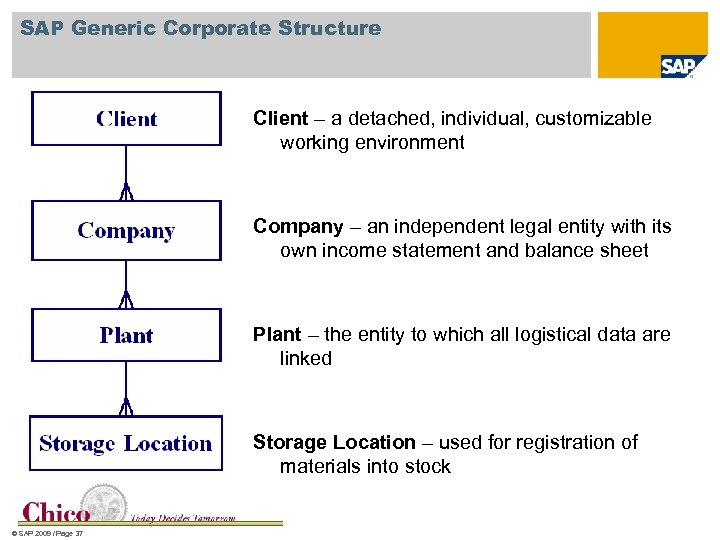
 SAP Generic Structure The SAP structure is hierarchical in nature Start with the Client at the top level. Each instance of SAP is typically associated with a client. An instance is a separate server and database that holds the client Under the client can be a Company. There also Company Codes. A Company can hold multiple Company Codes. Each Company has a Chart of Accounts. If a Company is not used, then the next level is Company Code. The Company Code is the smallest organizational unit in SAP for which you can draw individual Financial Statements Under each Company Code is the Plant. This can be a warehouse, DC, or manufacturing location. Storage locations are located in the Plant. © SAP 2009 / Page 25
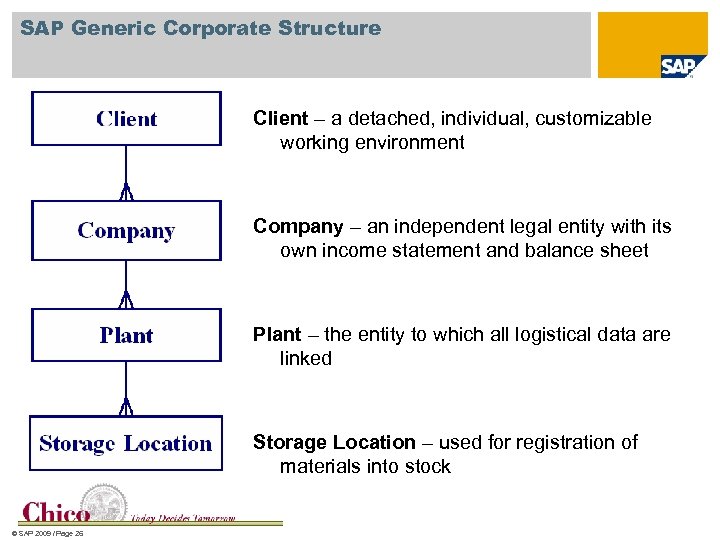 SAP Generic Corporate Structure Client – a detached, individual, customizable working environment Company – an independent legal entity with its own income statement and balance sheet Plant – the entity to which all logistical data are linked Storage Location – used for registration of materials into stock © SAP 2009 / Page 26
 Sales and Distribution Client © UCC Magdeburg © SAP 2009 / Page 27
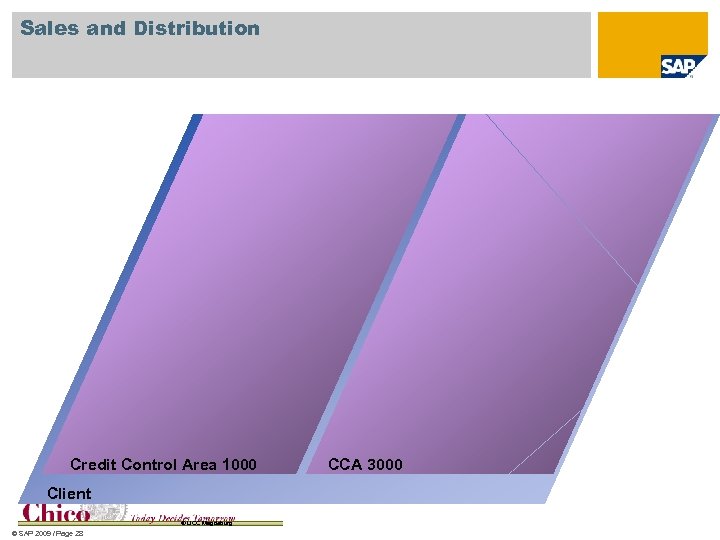 Sales and Distribution Credit Control Area 1000 Client © UCC Magdeburg © SAP 2009 / Page 28 CCA 3000
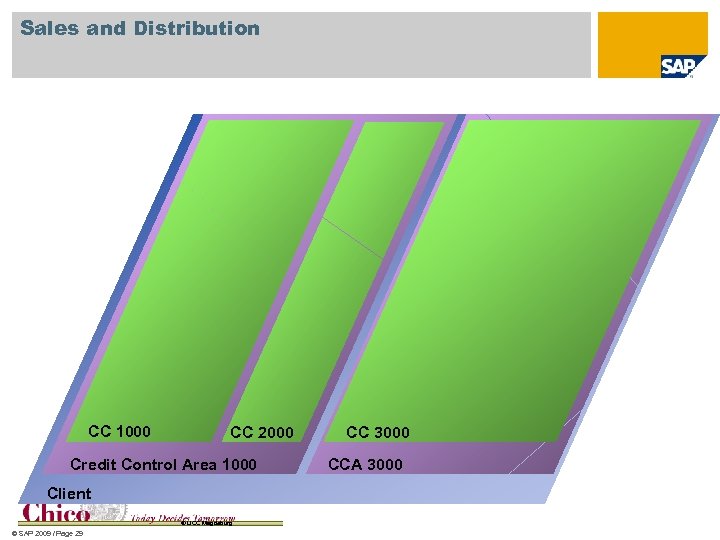 Sales and Distribution CC 1000 CC 2000 Credit Control Area 1000 Client © UCC Magdeburg © SAP 2009 / Page 29 CC 3000 CCA 3000
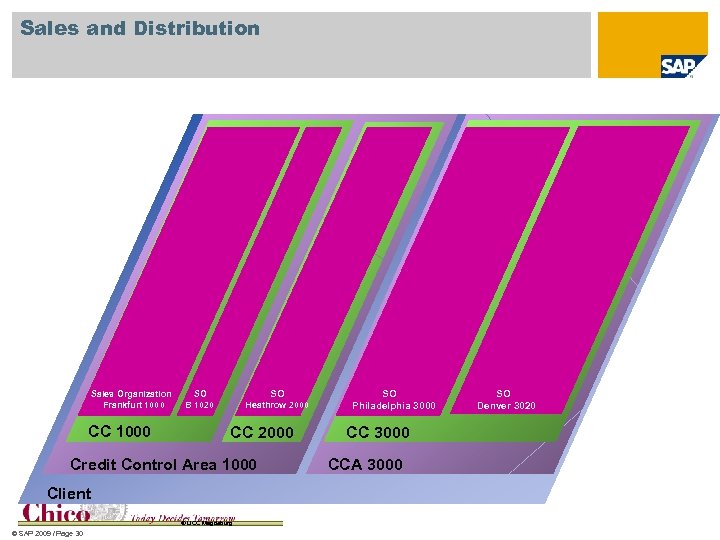 Sales and Distribution Sales Organization Frankfurt 1000 CC 1000 SO SO B 1020 Heathrow 2000 CC 2000 Credit Control Area 1000 Client © UCC Magdeburg © SAP 2009 / Page 30 SO Philadelphia 3000 CCA 3000 SO Denver 3020
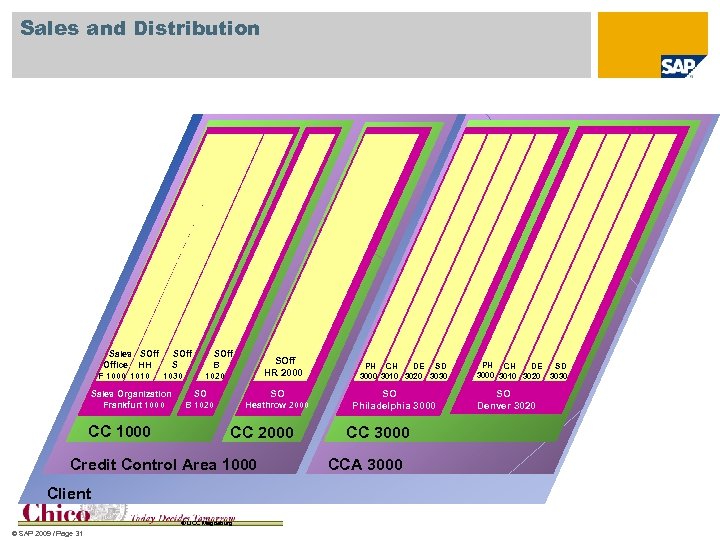 Sales and Distribution Sales SOff Office HH S F 1000 1010 1030 Sales Organization Frankfurt 1000 CC 1000 SOff B 1020 SOff HR 2000 SO SO B 1020 Heathrow 2000 CC 2000 Credit Control Area 1000 Client © UCC Magdeburg © SAP 2009 / Page 31 PH CH DE SD 3000 3010 3020 3030 SO Philadelphia 3000 CCA 3000 PH CH SD DE 3000 3010 3020 3030 SO Denver 3020
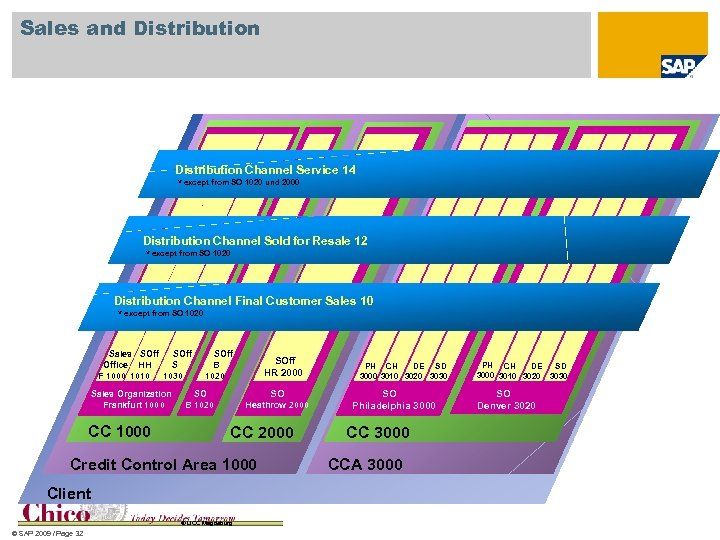 Sales and Distribution Channel Service 14 * except from SO 1020 und 2000 Distribution Channel Sold for Resale 12 * except from SO 1020 Distribution Channel Final Customer Sales 10 * except from SO 1020 Sales SOff Office HH S F 1000 1010 1030 Sales Organization Frankfurt 1000 CC 1000 SOff B 1020 SOff HR 2000 SO SO B 1020 Heathrow 2000 CC 2000 Credit Control Area 1000 Client © UCC Magdeburg © SAP 2009 / Page 32 PH CH DE SD 3000 3010 3020 3030 SO Philadelphia 3000 CCA 3000 PH CH SD DE 3000 3010 3020 3030 SO Denver 3020
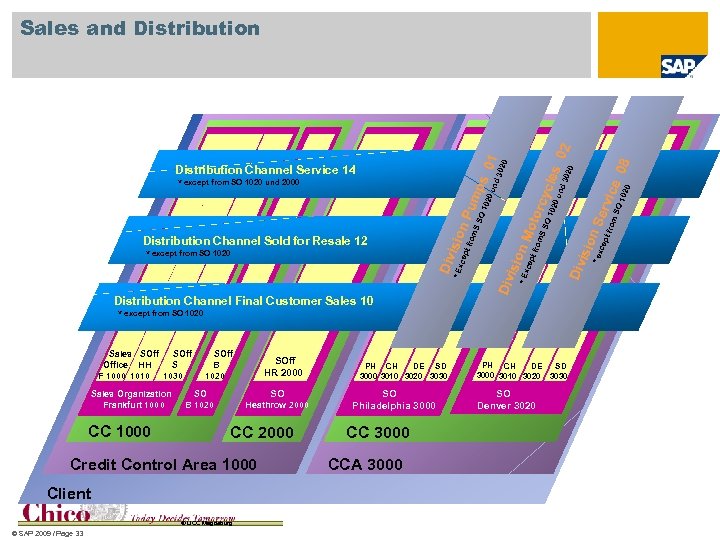 Sales Organization Frankfurt 1000 CC 1000 SOff B 1020 SOff HR 2000 SO SO B 1020 Heathrow 2000 CC 2000 Credit Control Area 1000 Client © UCC Magdeburg © SAP 2009 / Page 33 PH CH DE SD 3000 3010 3020 3030 SO Philadelphia 3000 CCA 3000 SO Denver 3020 ice 020 O 1 erv m. S fro isio n. S xc ept PH CH SD DE 3000 3010 3020 3030 *e Div * except from SO 1020 Sales SOff Office HH S F 1000 1010 1030 08 02 0 102 n. M pt f *E xce isio Div Distribution Channel Final Customer Sales 10 rom SS O 1 rom isio *E xce Div * except from SO 1020 pt f Distribution Channel Sold for Resale 12 nd 0 u oto rcy O c 020 n. P S S um * except from SO 1020 und 2000 und ps 302 les 302 Distribution Channel Service 14 0 01 Sales and Distribution
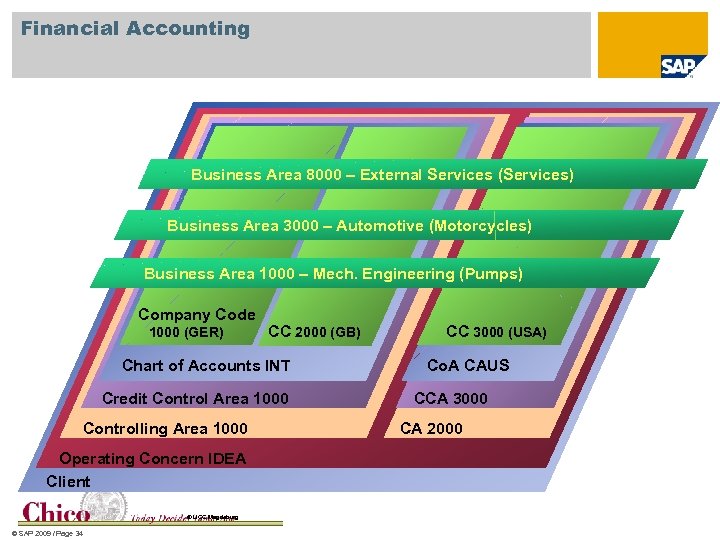 Financial Accounting Business Area 8000 – External Services (Services) Business Area 3000 – Automotive (Motorcycles) Business Area 1000 – Mech. Engineering (Pumps) Company Code 1000 (GER) CC 2000 (GB) Chart of Accounts INT Credit Control Area 1000 Controlling Area 1000 Operating Concern IDEA Client © UCC Magdeburg © SAP 2009 / Page 34 CC 3000 (USA) Co. A CAUS CCA 3000 CA 2000
![Materials Management (Logistics) Shipping point 1000 [VST] 1001 Storage location (SL) 0001 1200 1300](https://present5.com/presentation/faeef4a210e1c601df67e2b912253227/image-35.jpg "Materials Management (Logistics) Shipping point 1000 [VST] 1001 Storage location (SL) 0001 1200 1300") Materials Management (Logistics) Shipping point 1000 [VST] 1001 Storage location (SL) 0001 1200 1300 1400 3000 3100 3200 3300 3400 3500 2000 1999 0001 0088 9988 1100 0001 0088 0001 0001 0095 B 1100 DD 1200 F 1300 0001 S 1400 © UCC Magdeburg © SAP 2009 / Page 35 2000 EKG 001 Dienstleistungen Heathrow 2000 BUK 1000 0001 0100 Einkäufergruppe 000 Chef H. HH 1000 0001 0088 Purchasing Organization 1000 3700 3999 0101 Werk [WRK] 3600 EKO 3000 EKG 003 Komponenten & Motorräder NY 3000 CH A LA SE DA WI OL DE 3100 3200 3300 3400 3500 3600 3700 3800 BUK 3000 3800
Materials Management (Logistics) Shipping point 1000 [VST] 1001 Storage location (SL) 0001 1200 1300 1400 3000 3100 3200 3300 3400 3500 2000 1999 0001 0088 9988 1100 0001 0088 0001 0001 0095 B 1100 DD 1200 F 1300 0001 S 1400 © UCC Magdeburg © SAP 2009 / Page 35 2000 EKG 001 Dienstleistungen Heathrow 2000 BUK 1000 0001 0100 Einkäufergruppe 000 Chef H. HH 1000 0001 0088 Purchasing Organization 1000 3700 3999 0101 Werk [WRK] 3600 EKO 3000 EKG 003 Komponenten & Motorräder NY 3000 CH A LA SE DA WI OL DE 3100 3200 3300 3400 3500 3600 3700 3800 BUK 3000 3800
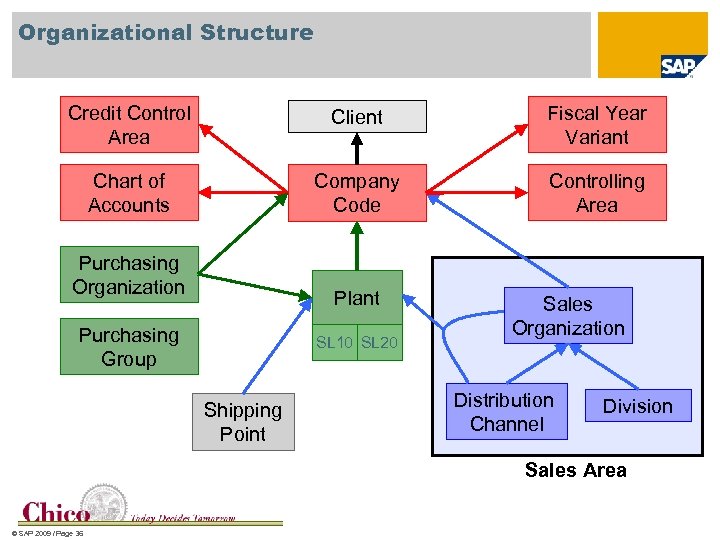 Organizational Structure Credit Control Area Client Fiscal Year Variant Chart of Accounts Company Code Controlling Area Purchasing Organization Plant Purchasing Group SL 10 SL 20 Shipping Point Sales Organization Distribution Channel Division Sales Area © SAP 2009 / Page 36
 SAP Generic Corporate Structure Client – a detached, individual, customizable working environment Company – an independent legal entity with its own income statement and balance sheet Plant – the entity to which all logistical data are linked Storage Location – used for registration of materials into stock © SAP 2009 / Page 37
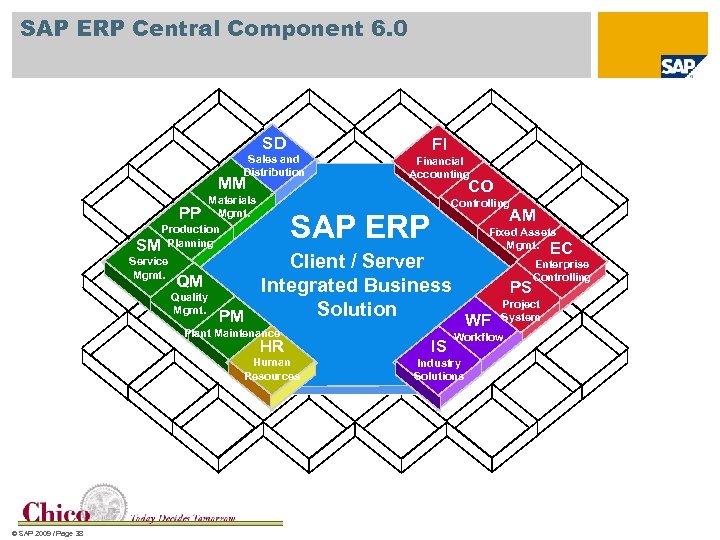 SAP ERP Central Component 6. 0 SD Sales and Distribution MM Materials PP Mgmt. Production SM Planning Service Mgmt. FI Financial Accounting CO Controlling AM SAP ERP Fixed Assets Mgmt. EC Enterprise Client / Server Controlling QM Integrated Business PS Quality Project Mgmt. Solution PM WF System Plant Maintenance Workflow HR Human Resources © SAP 2009 / Page 38 IS Industry Solutions
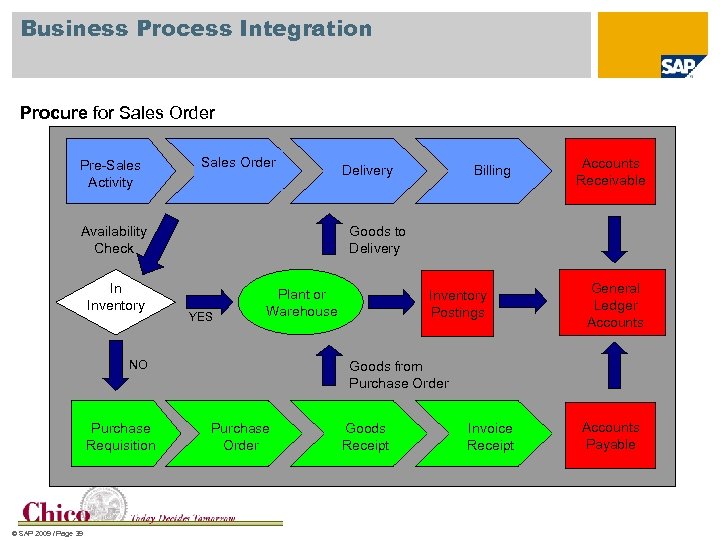 Business Process Integration Procure for Sales Order Pre-Sales Activity Sales Order Availability Check In Inventory © SAP 2009 / Page 39 Billing Accounts Receivable Goods to Delivery YES Plant or Warehouse NO Purchase Requisition Delivery Inventory Postings General Ledger Accounts Goods from Purchase Order Goods Receipt Invoice Receipt Accounts Payable
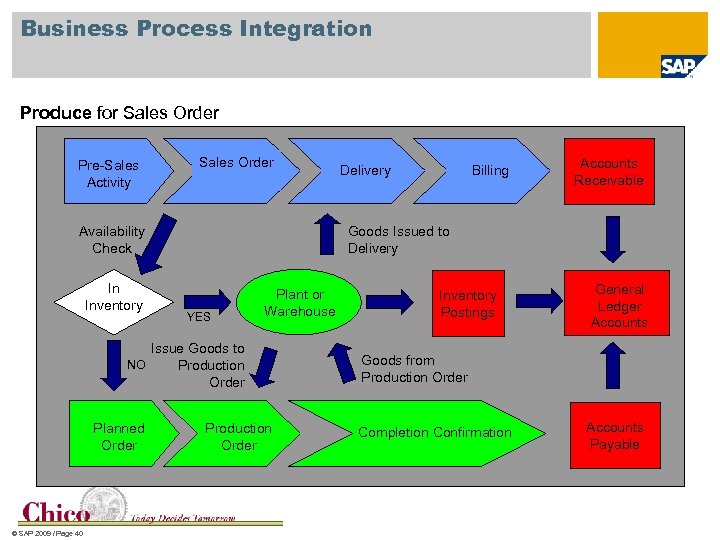 Business Process Integration Produce for Sales Order Pre-Sales Activity Sales Order Availability Check In Inventory © SAP 2009 / Page 40 Billing Accounts Receivable Goods Issued to Delivery YES Plant or Warehouse Issue Goods to NO Production Order Planned Order Delivery Production Order Inventory Postings General Ledger Accounts Goods from Production Order Completion Confirmation Accounts Payable
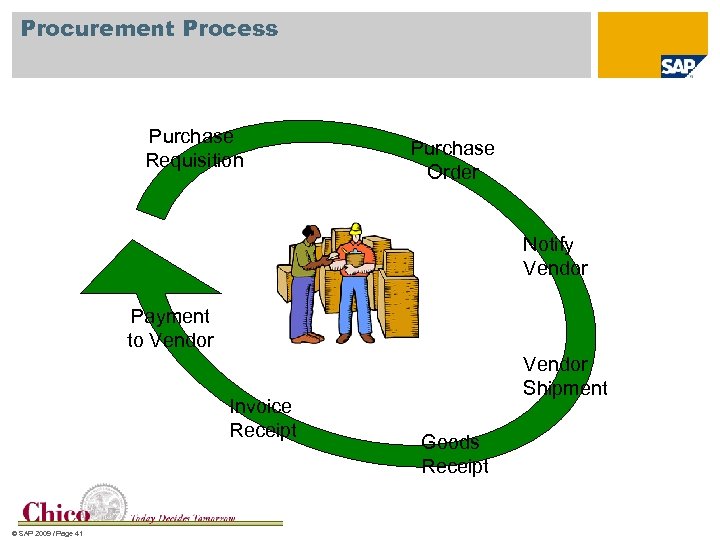 Procurement Process Purchase Requisition Purchase Order Notify Vendor Payment to Vendor Invoice Receipt © SAP 2009 / Page 41 Vendor Shipment Goods Receipt
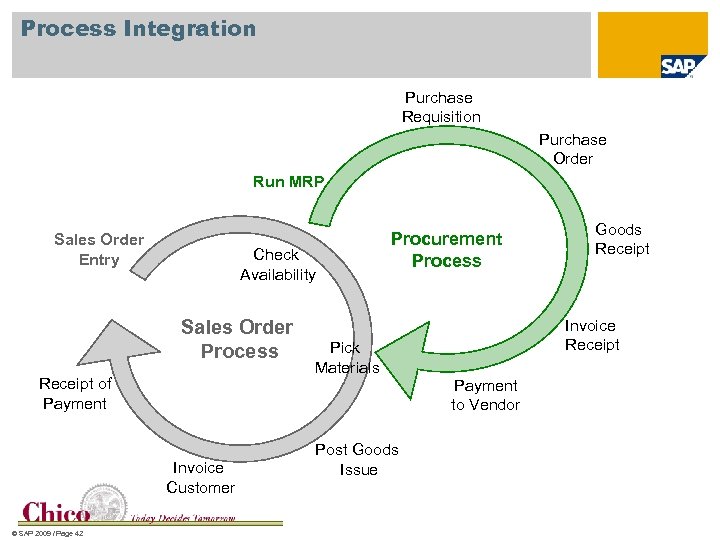 Process Integration Purchase Requisition Purchase Order Run MRP Sales Order Entry Check Availability Sales Order Process Receipt of Payment Pick Materials Post Goods Issue Goods Receipt Invoice Receipt Payment to Vendor Invoice Customer © SAP 2009 / Page 42 Procurement Process
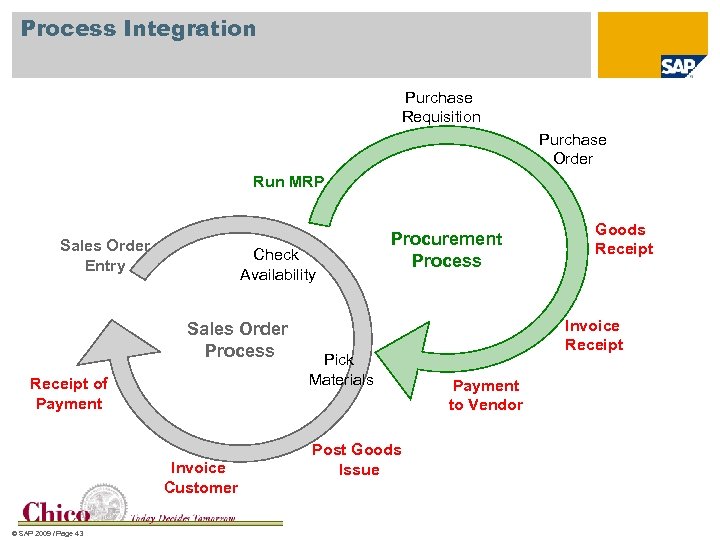 Process Integration Purchase Requisition Purchase Order Run MRP Sales Order Entry Check Availability Sales Order Process Receipt of Payment Invoice Customer © SAP 2009 / Page 43 Procurement Process Pick Materials Post Goods Issue Goods Receipt Invoice Receipt Payment to Vendor
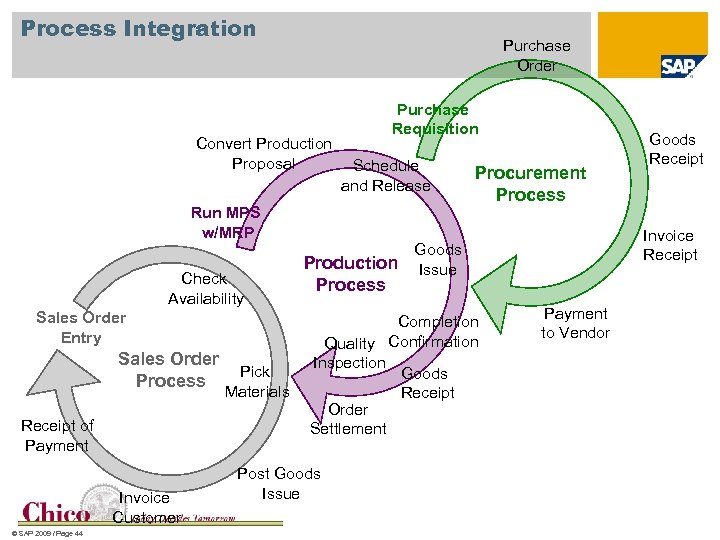 Process Integration Purchase Order Convert Production Proposal Purchase Requisition Schedule and Release Run MPS w/MRP Check Availability Sales Order Entry Sales Order Process Receipt of Payment Invoice Customer © SAP 2009 / Page 44 Pick Materials Production Process Procurement Process Post Goods Issue Invoice Receipt Goods Issue Completion Quality Confirmation Inspection Goods Receipt Order Settlement Goods Receipt Payment to Vendor
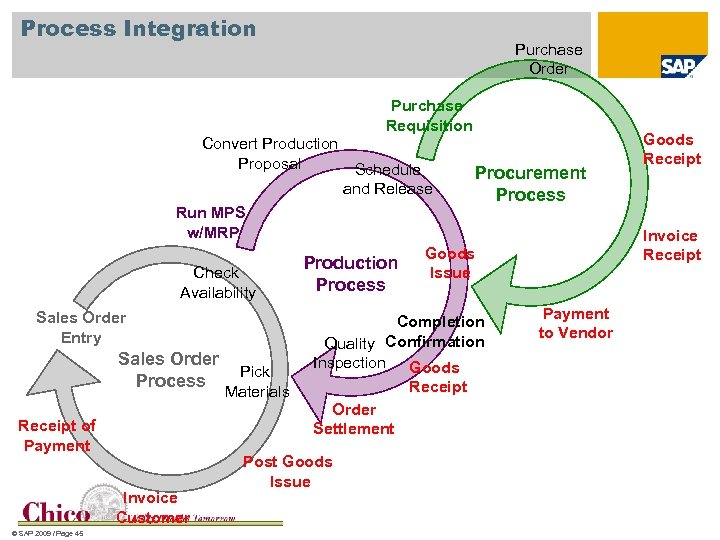 Process Integration Purchase Order Purchase Requisition Convert Production Proposal Schedule and Release Run MPS w/MRP Check Availability Sales Order Entry Sales Order Process Receipt of Payment Invoice Customer © SAP 2009 / Page 45 Pick Materials Production Process Procurement Process Post Goods Issue Invoice Receipt Goods Issue Completion Quality Confirmation Inspection Goods Receipt Order Settlement Goods Receipt Payment to Vendor
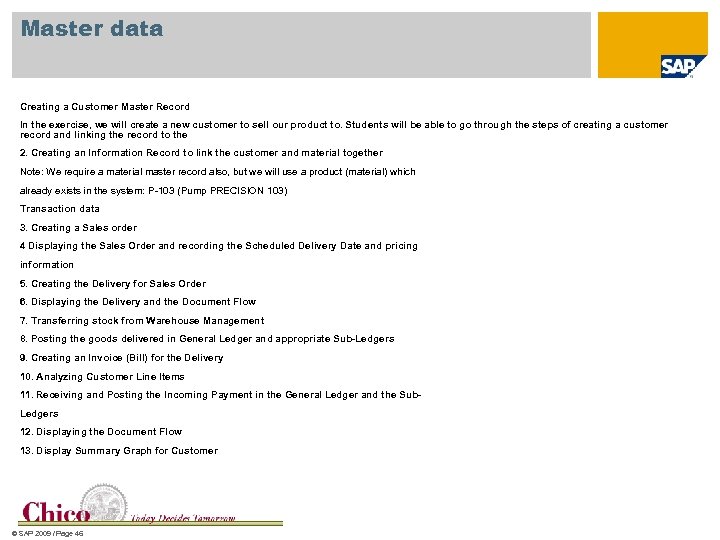 Master data Creating a Customer Master Record In the exercise, we will create a new customer to sell our product to. Students will be able to go through the steps of creating a customer record and linking the record to the 2. Creating an Information Record to link the customer and material together Note: We require a material master record also, but we will use a product (material) which already exists in the system: P-103 (Pump PRECISION 103) Transaction data 3. Creating a Sales order 4 Displaying the Sales Order and recording the Scheduled Delivery Date and pricing information 5. Creating the Delivery for Sales Order 6. Displaying the Delivery and the Document Flow 7. Transferring stock from Warehouse Management 8. Posting the goods delivered in General Ledger and appropriate Sub-Ledgers 9. Creating an Invoice (Bill) for the Delivery 10. Analyzing Customer Line Items 11. Receiving and Posting the Incoming Payment in the General Ledger and the Sub. Ledgers 12. Displaying the Document Flow 13. Display Summary Graph for Customer © SAP 2009 / Page 46
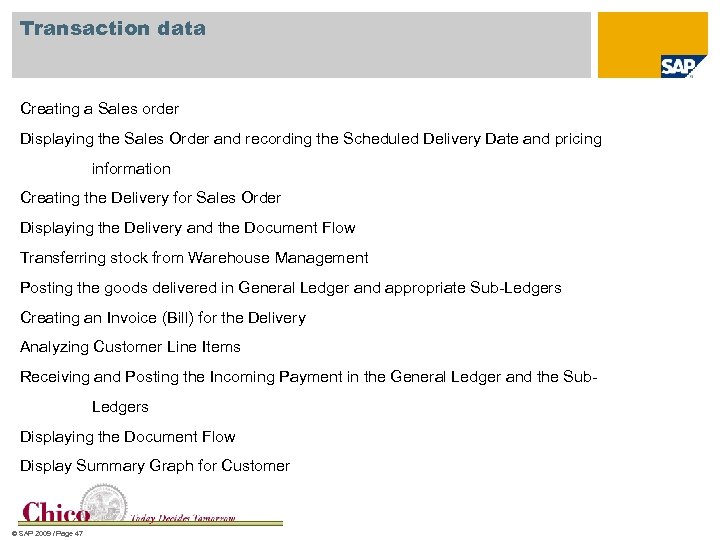 Transaction data Creating a Sales order Displaying the Sales Order and recording the Scheduled Delivery Date and pricing information Creating the Delivery for Sales Order Displaying the Delivery and the Document Flow Transferring stock from Warehouse Management Posting the goods delivered in General Ledger and appropriate Sub-Ledgers Creating an Invoice (Bill) for the Delivery Analyzing Customer Line Items Receiving and Posting the Incoming Payment in the General Ledger and the Sub. Ledgers Displaying the Document Flow Display Summary Graph for Customer © SAP 2009 / Page 47
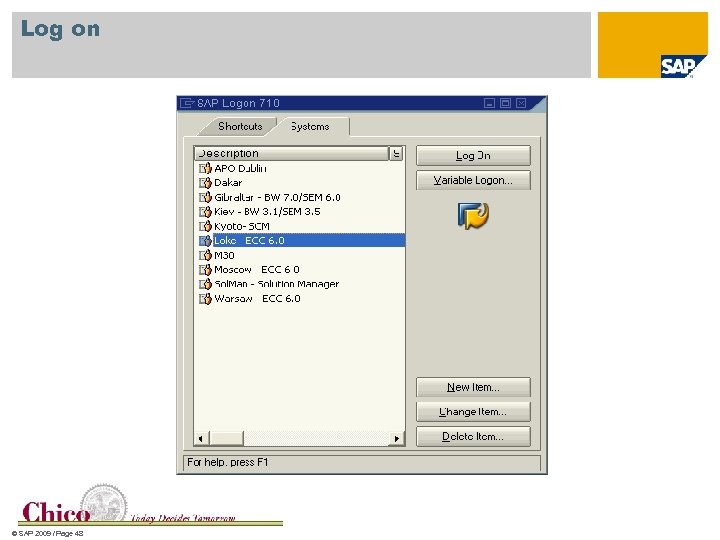 Log on © SAP 2009 / Page 48
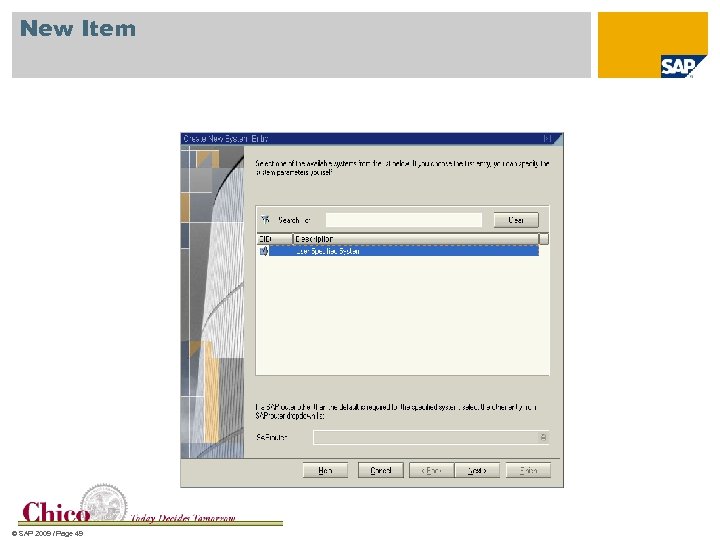 New Item © SAP 2009 / Page 49
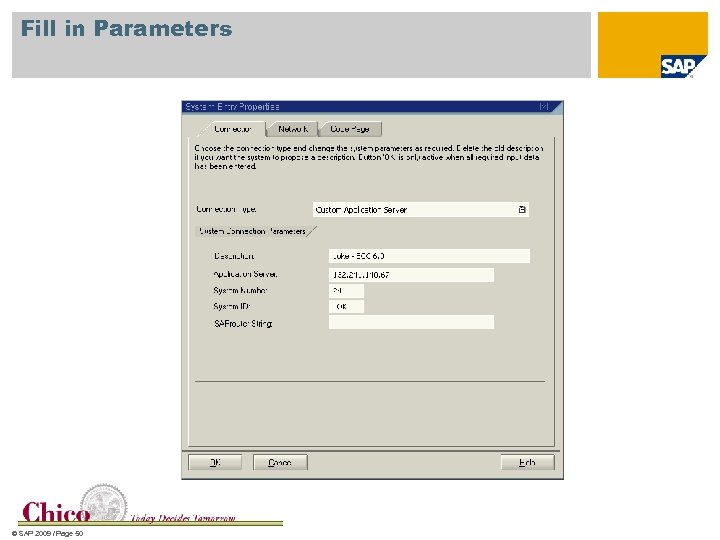 Fill in Parameters © SAP 2009 / Page 50
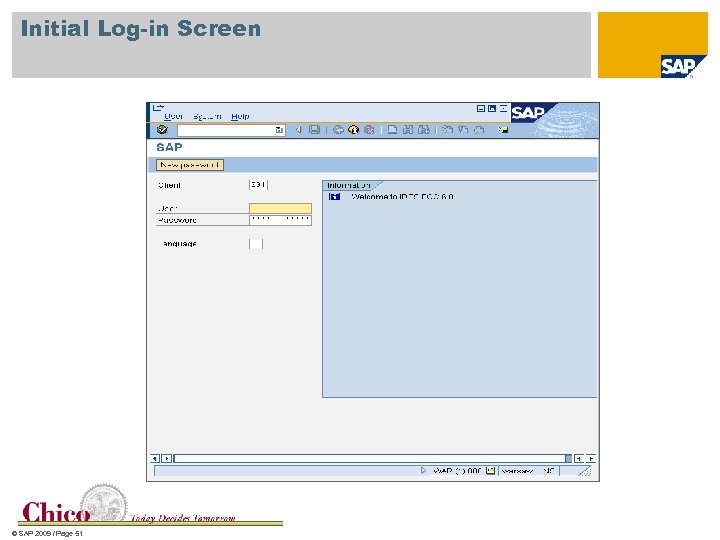 Initial Log-in Screen © SAP 2009 / Page 51
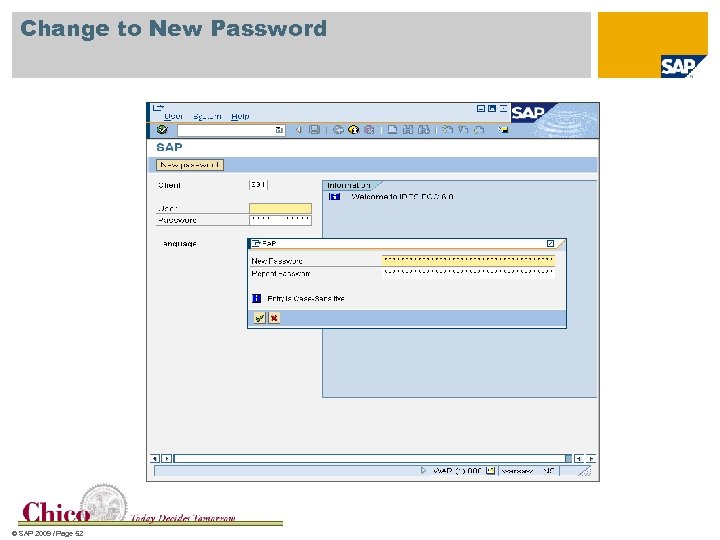 Change to New Password © SAP 2009 / Page 52
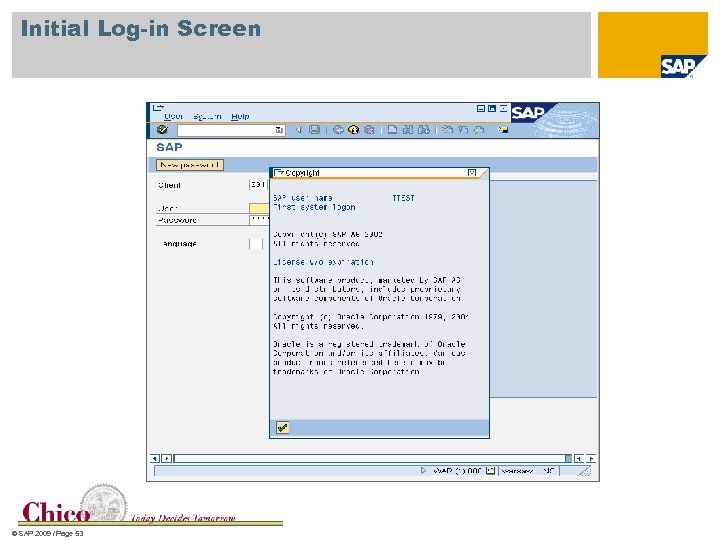 Initial Log-in Screen © SAP 2009 / Page 53
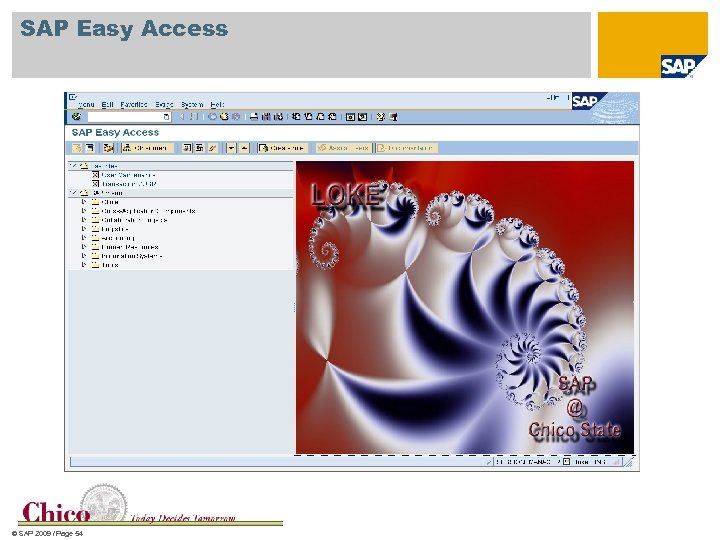 SAP Easy Access © SAP 2009 / Page 54
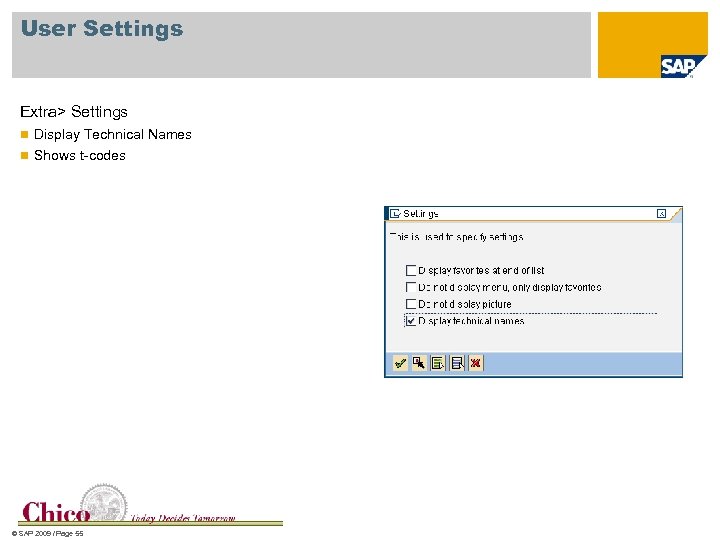 User Settings Extra> Settings n Display Technical Names n Shows t-codes © SAP 2009 / Page 55
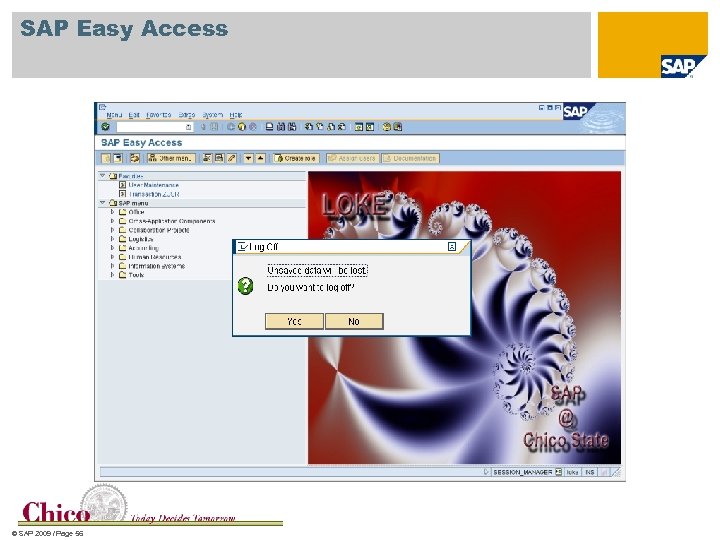 SAP Easy Access © SAP 2009 / Page 56
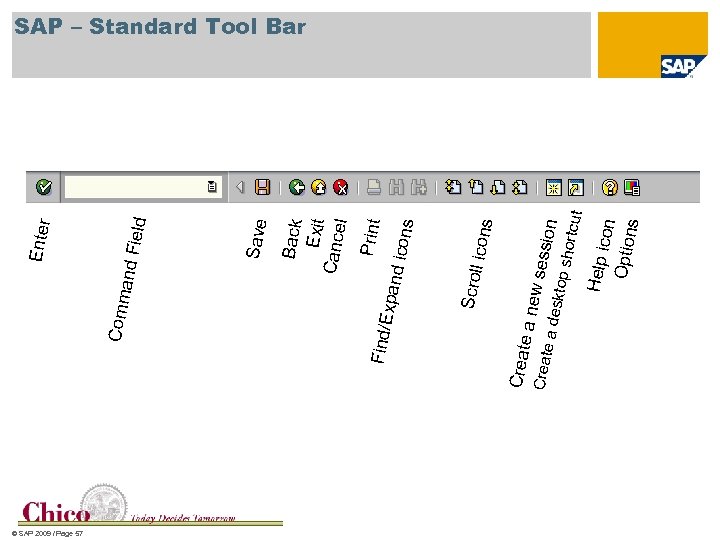 © SAP 2009 / Page 57 Crea te a d e Help icon Optio ns ssio n sktop shortc u ew se te a n Crea l icons Scrol s d icon Print Back Exit Canc el Expan Find/ ield Save Comm and F Enter t SAP – Standard Tool Bar
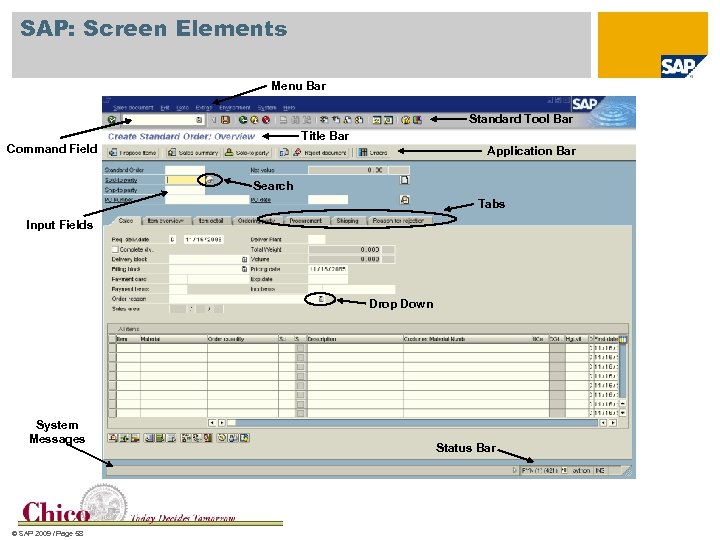 SAP: Screen Elements Menu Bar Standard Tool Bar Title Bar Command Field Application Bar Search Tabs Input Fields Drop Down System Messages © SAP 2009 / Page 58 Status Bar
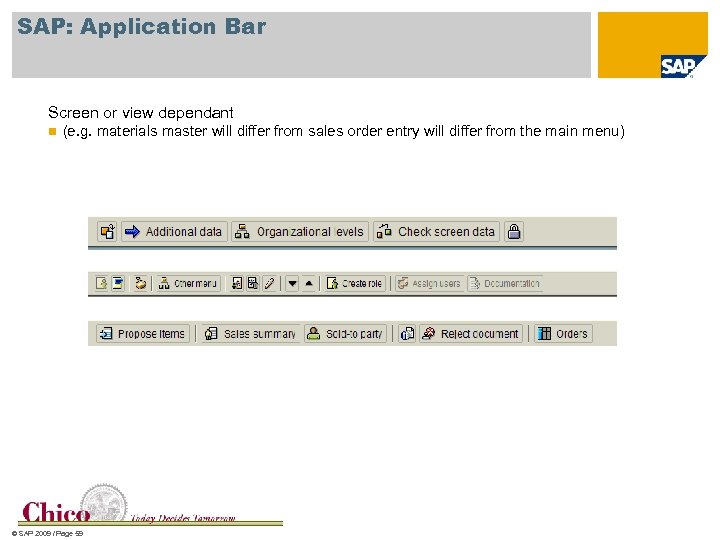 SAP: Application Bar Screen or view dependant n (e. g. materials master will differ from sales order entry will differ from the main menu) © SAP 2009 / Page 59
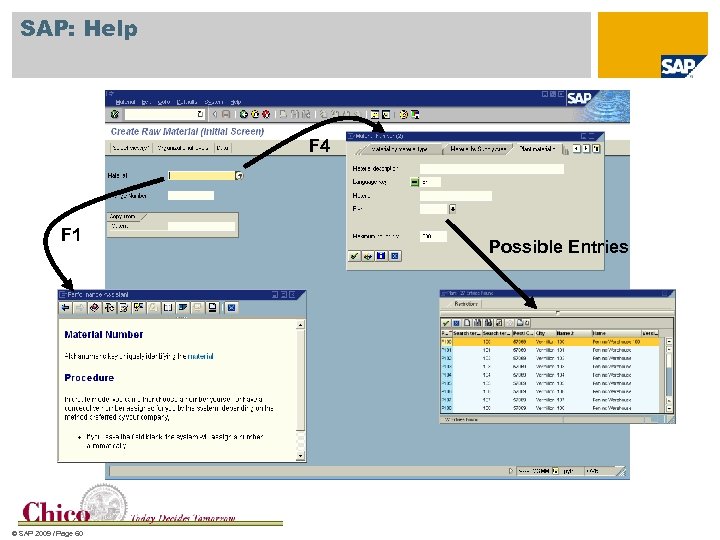 SAP: Help F 4 F 1 © SAP 2009 / Page 60 Possible Entries
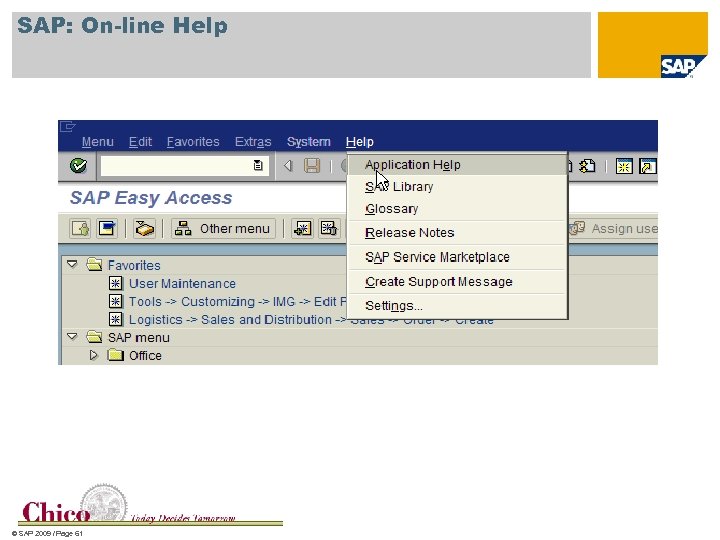 SAP: On-line Help © SAP 2009 / Page 61
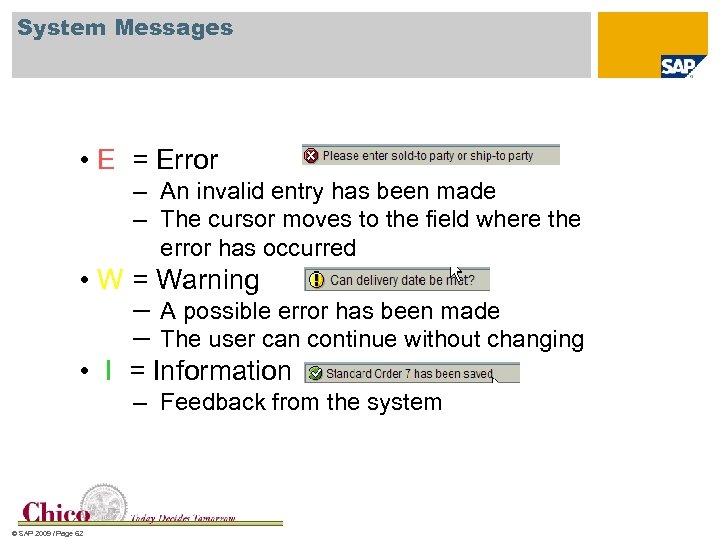 System Messages • E = Error – An invalid entry has been made – The cursor moves to the field where the error has occurred • W = Warning – – A possible error has been made The user can continue without changing • I = Information – Feedback from the system © SAP 2009 / Page 62
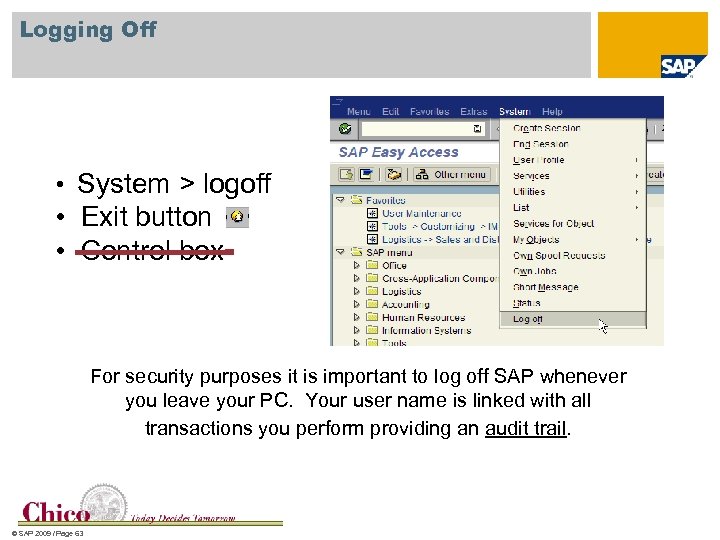 Logging Off • System > logoff • Exit button • Control box For security purposes it is important to log off SAP whenever you leave your PC. Your user name is linked with all transactions you perform providing an audit trail. © SAP 2009 / Page 63
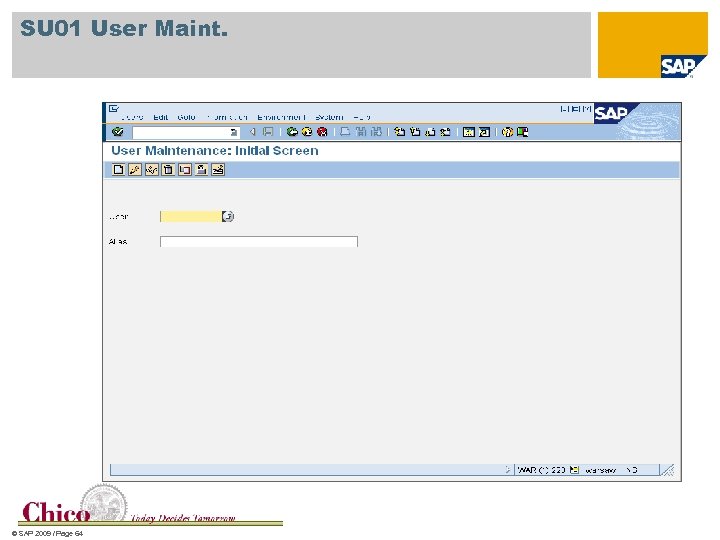 SU 01 User Maint. © SAP 2009 / Page 64
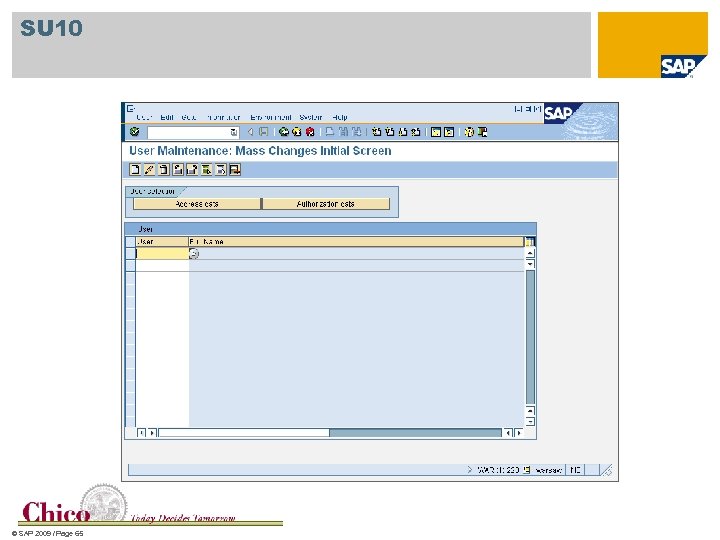 SU 10 © SAP 2009 / Page 65
 Managing Students Large or small sections Does not need to be done in a lab BPI may work better in a lab setting as you are doing much more trouble shooting Run reports for grading © SAP 2009 / Page 66
 Reports for Grading Define areas that you want to grade Make sure that your students know the log in user name is very important, and that the number that you assign them will be used for grading purpose Run reports that show all users, this is usually a AR or AP report Look for holes © SAP 2009 / Page 67
 Issue Data Base Post issues on the portal BPI will have an issues data base posted soon Record your experiences and share © SAP 2009 / Page 68
 Student Recognitions Student Achievement Recognition: This recognition/award is issued by the school but is signed by the school official, usually the college Dean, and the SAP University Alliances (UA) program director for the USA. The purpose is to recognize students at UA member schools that have spent notable time using the SAP product suite. The specific criteria are determined by the SAP University Alliances member school with the following minimum standards: Student must complete the SAP coursework with a C or better; n Qualifying courses must contain at least a one third hands-on component using SAP products; n Students must complete a minimum of three different courses containing SAP content, and n The qualifying courses must be approved by the SAP University Alliances program director (normally this requires a review of the course syllabi). n © SAP 2009 / Page 69
 TERP 10 Certification TERP 10 is a partner academy certification for entry level SAP business analyst knowledge. It is a 1 to 2 week course taught by a TERP 10 certified instructor to students who have completed course work in SAP from an SAP University Alliance member school. The 1 week course requires students to complete an on -line course within 45 days of the face to face 5 day session. The cost to the student is $500 -$600 which covers the on-line course and the 5 day session (including exam), or the 9 days of instruction and the exam which is administered on the last day of the 2 week course. The UA offers TERP 10 certification at a number of locations in the Americas throughout the year. © SAP 2009 / Page 70
 Thank you! © SAP 2009 / Page 71