


 Скачать презентацию Introduction to ROOT Summer Students Lecture 10 July
51b40e83bfec020e9afeb9fadf48f2ad.ppt
- Количество слайдов: 75
 Introduction to ROOT Summer Students Lecture 10 July 2007 René Brun CERN/PH/SFT http: //root. cern. ch Introduction to ROOT 1
 ROOT in a Nutshell n n n The ROOT system is an Object Oriented framework for large scale data handling applications. It is written in C++. Provides, among others, n an efficient data storage and access system designed to support structured data sets (Peta. Bytes) n a query system to extract data from these data sets n a C++ interpreter n advanced statistical analysis algorithms (multi dimensional histogramming, fitting, minimization and cluster finding) n scientific visualization tools with 2 D and 3 D graphics n an advanced Graphical User Interface The user interacts with ROOT via a graphical user interface, the command line or scripts The command scripting language is C++, thanks to the embedded CINT C++ interpreter, and large scripts can be compiled and dynamically loaded. A Python shell is also provided. Introduction to ROOT 2
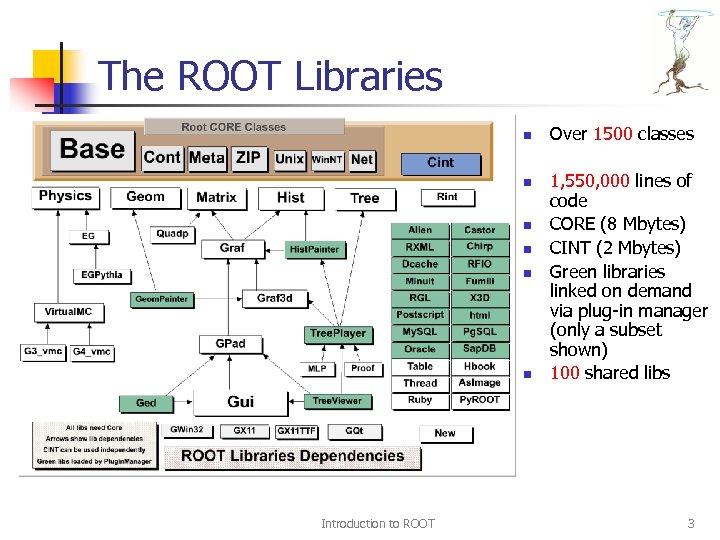 The ROOT Libraries n n n Introduction to ROOT Over 1500 classes 1, 550, 000 lines of code CORE (8 Mbytes) CINT (2 Mbytes) Green libraries linked on demand via plug-in manager (only a subset shown) 100 shared libs 3
 ROOT: An Open Source Project n n The project was started in 1995. The project is developed as a collaboration between: n Full time developers: n n Large number of part-time contributors (155 in CREDITS file) A long list of users giving feedback, comments, bug fixes and many small contributions n n n 11 people full time at CERN (PH/SFT) +4 developers at Fermilab/USA, Protvino , JINR/Dubna (Russia) 2400 registered to Root. Forum 10, 000 posts per year An Open Source Project, source available under the LGPL license Introduction to ROOT 4
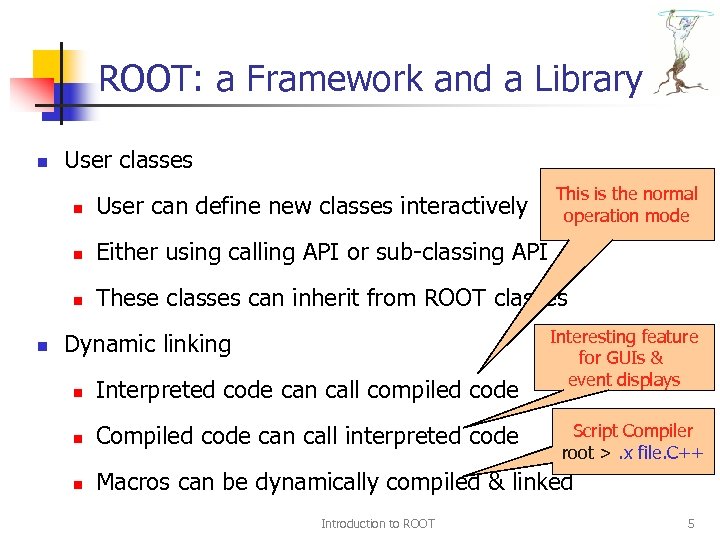 ROOT: a Framework and a Library n User classes This is the normal operation mode n n Either using calling API or sub-classing API n n User can define new classes interactively These classes can inherit from ROOT classes Dynamic linking Interesting feature for GUIs & event displays n Interpreted code can call compiled code n Compiled code can call interpreted code n Macros can be dynamically compiled & linked Introduction to ROOT Script Compiler root >. x file. C++ 5
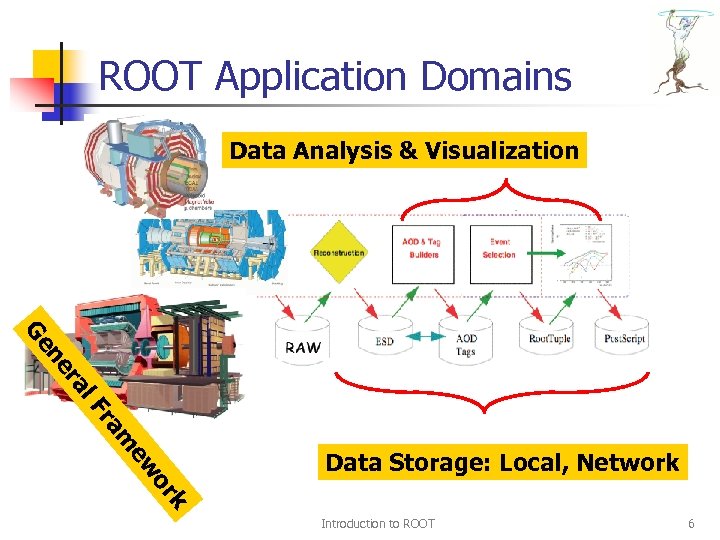 ROOT Application Domains Data Analysis & Visualization l. F ra ne Ge k or ew m ra Data Storage: Local, Network Introduction to ROOT 6
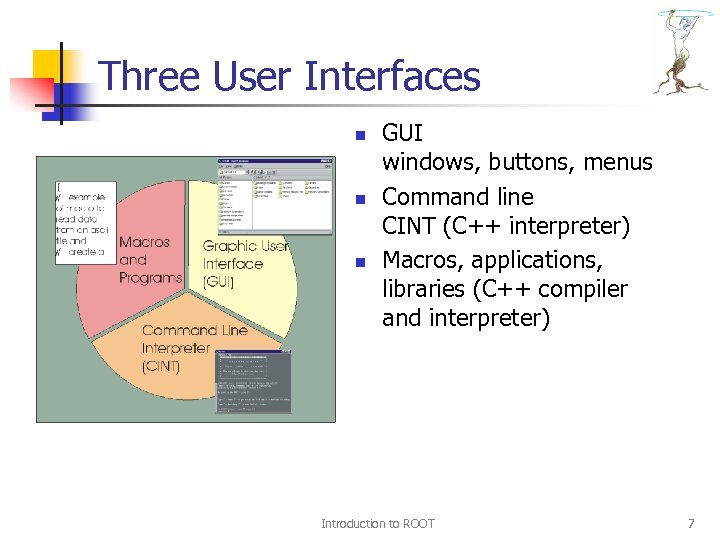 Three User Interfaces n n n GUI windows, buttons, menus Command line CINT (C++ interpreter) Macros, applications, libraries (C++ compiler and interpreter) Introduction to ROOT 7
 CINT Interpreter Introduction to ROOT 8
 CINT in ROOT n n n CINT is used in ROOT: n As command line interpreter n As script interpreter n To generate class dictionaries n To generate function/method calling stubs n Signals/Slots with the GUI The command line, script and programming language become the same Large scripts can be compiled for optimal performance Introduction to ROOT 9
 Compiled versus Interpreted q ! q ! ! Why compile? Faster execution, CINT has limitations… Why interpret? Faster Edit → Run → Check result → Edit cycles ("rapid prototyping"). Scripting is sometimes just easier. Are Makefiles dead? No! if you build/compile a very large application Yes! ACLi. C is even platform independent! Introduction to ROOT 10
![Running Code To run function mycode() in file mycode. C: root [0]. x mycode.](https://present5.com/presentation/51b40e83bfec020e9afeb9fadf48f2ad/image-11.jpg "Running Code To run function mycode() in file mycode. C: root [0]. x mycode.") Running Code To run function mycode() in file mycode. C: root [0]. x mycode. C Equivalent: load file and run function: root [1]. L mycode. C root [2] mycode() All of CINT's commands (help): root [3]. h Introduction to ROOT 11
Running Code To run function mycode() in file mycode. C: root [0]. x mycode. C Equivalent: load file and run function: root [1]. L mycode. C root [2] mycode() All of CINT's commands (help): root [3]. h Introduction to ROOT 11
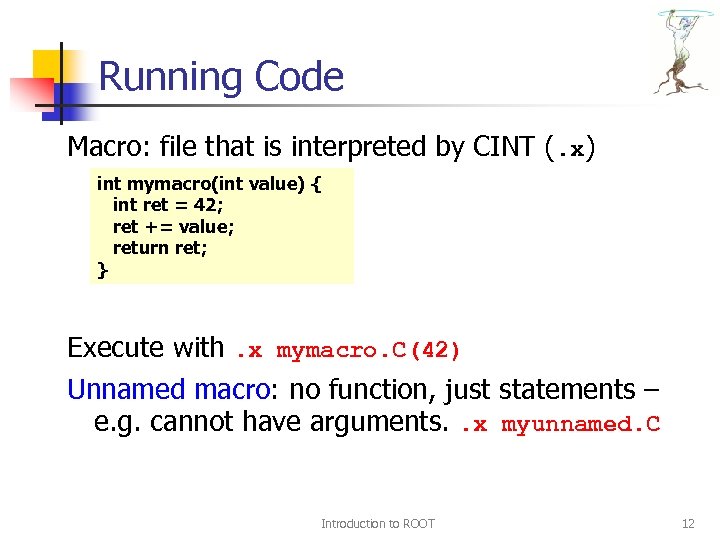 Running Code Macro: file that is interpreted by CINT (. x) int mymacro(int value) { int ret = 42; ret += value; return ret; } Execute with. x mymacro. C(42) Unnamed macro: no function, just statements – e. g. cannot have arguments. . x myunnamed. C Introduction to ROOT 12
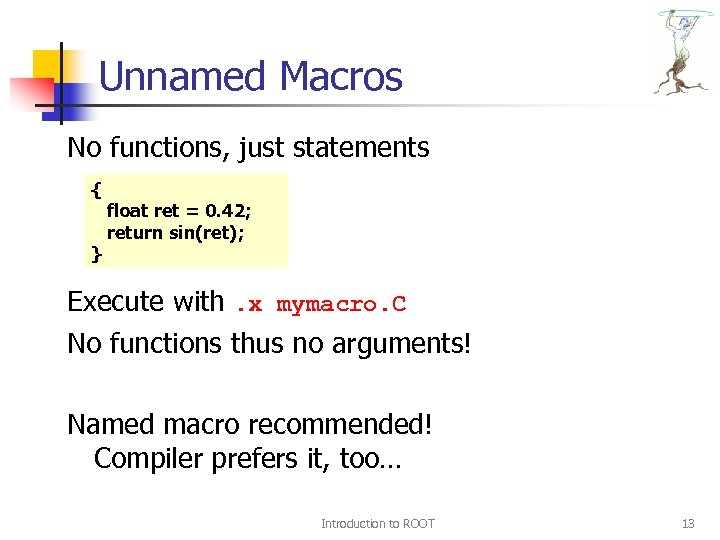 Unnamed Macros No functions, just statements { } float ret = 0. 42; return sin(ret); Execute with. x mymacro. C No functions thus no arguments! Named macro recommended! Compiler prefers it, too… Introduction to ROOT 13
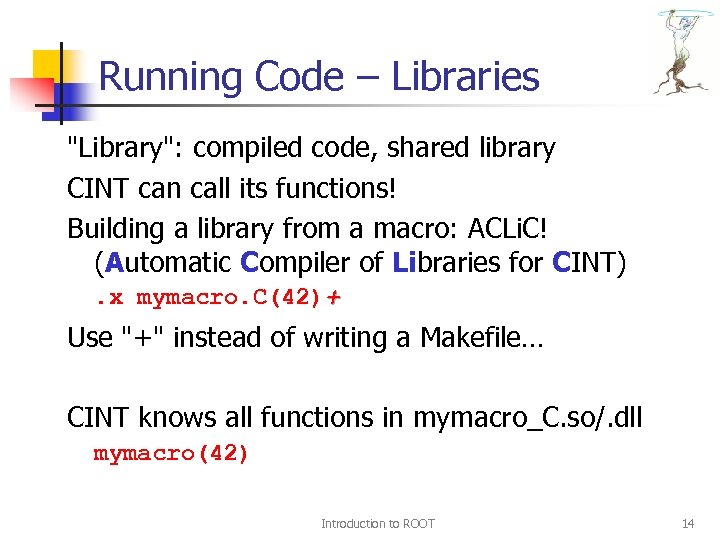 Running Code – Libraries "Library": compiled code, shared library CINT can call its functions! Building a library from a macro: ACLi. C! (Automatic Compiler of Libraries for CINT). x mymacro. C(42)+ Use "+" instead of writing a Makefile… CINT knows all functions in mymacro_C. so/. dll mymacro(42) Introduction to ROOT 14
![My first session root [0] 344+76. 8 (const double)4. 20800000010 e+002 root [1] float](https://present5.com/presentation/51b40e83bfec020e9afeb9fadf48f2ad/image-15.jpg "My first session root [0] 344+76. 8 (const double)4. 20800000010 e+002 root [1] float") My first session root [0] 344+76. 8 (const double)4. 20800000010 e+002 root [1] float x=89. 7; root [2] float y=567. 8; root [3] x+sqrt(y) (double)1. 13528550991510710 e+002 root [4] float z = x+2*sqrt(y/6); root [5] z (float)1. 09155929565429690 e+002 root [6]. q root See file $HOME/. root_hist root [0] try up and down arrows Introduction to ROOT 15
My first session root [0] 344+76. 8 (const double)4. 20800000010 e+002 root [1] float x=89. 7; root [2] float y=567. 8; root [3] x+sqrt(y) (double)1. 13528550991510710 e+002 root [4] float z = x+2*sqrt(y/6); root [5] z (float)1. 09155929565429690 e+002 root [6]. q root See file $HOME/. root_hist root [0] try up and down arrows Introduction to ROOT 15
![My second session root [0]. x session 2. C for N=100000, sum= 45908. 6](https://present5.com/presentation/51b40e83bfec020e9afeb9fadf48f2ad/image-16.jpg "My second session root [0]. x session 2. C for N=100000, sum= 45908. 6") My second session root [0]. x session 2. C for N=100000, sum= 45908. 6 root [1] sum (double)4. 59085828512453370 e+004 Root [2] r. Rndm() (Double_t)8. 29029321670533560 e-001 root [3]. q session 2. C { int N = 100000; TRandom r; double sum = 0; for (int i=0; i
My second session root [0]. x session 2. C for N=100000, sum= 45908. 6 root [1] sum (double)4. 59085828512453370 e+004 Root [2] r. Rndm() (Double_t)8. 29029321670533560 e-001 root [3]. q session 2. C { int N = 100000; TRandom r; double sum = 0; for (int i=0; i
![My third session root [0]. x session 3. C for N=100000, sum= 45908. 6](https://present5.com/presentation/51b40e83bfec020e9afeb9fadf48f2ad/image-17.jpg "My third session root [0]. x session 3. C for N=100000, sum= 45908. 6") My third session root [0]. x session 3. C for N=100000, sum= 45908. 6 root [1] sum Error: Symbol sum is not defined in current scope *** Interpreter error recovered *** Root [2]. x session 3. C(1000) for N=1000, sum= 460. 311 root [3]. q session 3. C Named macro Normal C++ scope rules void session 3 (int N=100000) { TRandom r; double sum = 0; for (int i=0; i
My third session root [0]. x session 3. C for N=100000, sum= 45908. 6 root [1] sum Error: Symbol sum is not defined in current scope *** Interpreter error recovered *** Root [2]. x session 3. C(1000) for N=1000, sum= 460. 311 root [3]. q session 3. C Named macro Normal C++ scope rules void session 3 (int N=100000) { TRandom r; double sum = 0; for (int i=0; i
![My third session with ACLIC root [0] g. ROOT->Time(); root [1]. x session 4.](https://present5.com/presentation/51b40e83bfec020e9afeb9fadf48f2ad/image-18.jpg "My third session with ACLIC root [0] g. ROOT->Time(); root [1]. x session 4.") My third session with ACLIC root [0] g. ROOT->Time(); root [1]. x session 4. C(10000000) for N=10000000, sum= 4. 59765 e+006 Real time 0: 06, CP time 6. 890 root [2]. x session 4. C+(10000000) for N=10000000, sum= 4. 59765 e+006 Real time 0: 09, CP time 1. 062 root [3] session 4(10000000) for N=10000000, sum= 4. 59765 e+006 Real time 0: 01, CP time 1. 052 root [4]. q File session 4. C Automatically compiled and linked by the native compiler. Must be C++ compliant session 4. C #include “TRandom. h” void session 4 (int N) { TRandom r; double sum = 0; for (int i=0; i
My third session with ACLIC root [0] g. ROOT->Time(); root [1]. x session 4. C(10000000) for N=10000000, sum= 4. 59765 e+006 Real time 0: 06, CP time 6. 890 root [2]. x session 4. C+(10000000) for N=10000000, sum= 4. 59765 e+006 Real time 0: 09, CP time 1. 062 root [3] session 4(10000000) for N=10000000, sum= 4. 59765 e+006 Real time 0: 01, CP time 1. 052 root [4]. q File session 4. C Automatically compiled and linked by the native compiler. Must be C++ compliant session 4. C #include “TRandom. h” void session 4 (int N) { TRandom r; double sum = 0; for (int i=0; i
![Macros with more than one function root [0]. x session 5. C >session 5.](https://present5.com/presentation/51b40e83bfec020e9afeb9fadf48f2ad/image-19.jpg "Macros with more than one function root [0]. x session 5. C >session 5.") Macros with more than one function root [0]. x session 5. C >session 5. log root [1]. q root [0]. L session 5. C root [1] session 5(100); >session 5. log root [2] session 5 b(3) sum(0) = 0 sum(1) = 1 sum(2) = 3 root [3]. q. x session 5. C executes the function session 5 in session 5. C use g. ROOT->Process. Line to execute a macro from a macro or from compiled code session 5. C void session 5(int N=100) { session 5 a(N); session 5 b(N); g. ROOT->Process. Line(“. x session 4. C+(1000)”); } void session 5 a(int N) { for (int i=0; i
Macros with more than one function root [0]. x session 5. C >session 5. log root [1]. q root [0]. L session 5. C root [1] session 5(100); >session 5. log root [2] session 5 b(3) sum(0) = 0 sum(1) = 1 sum(2) = 3 root [3]. q. x session 5. C executes the function session 5 in session 5. C use g. ROOT->Process. Line to execute a macro from a macro or from compiled code session 5. C void session 5(int N=100) { session 5 a(N); session 5 b(N); g. ROOT->Process. Line(“. x session 4. C+(1000)”); } void session 5 a(int N) { for (int i=0; i
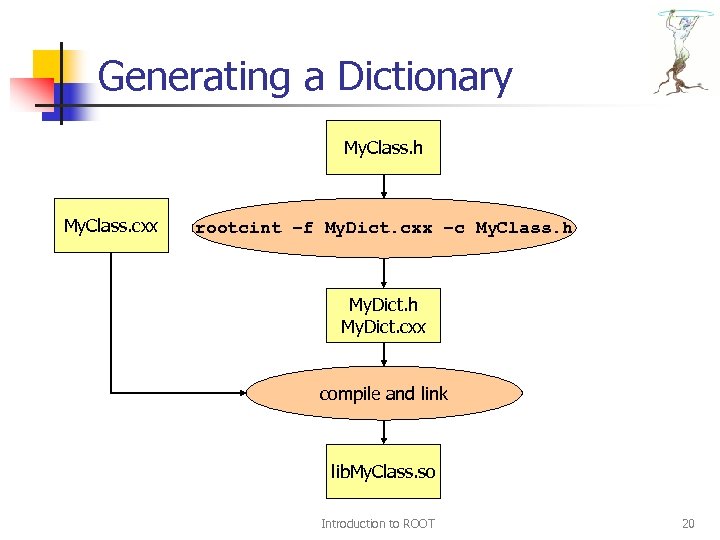 Generating a Dictionary My. Class. h My. Class. cxx rootcint –f My. Dict. cxx –c My. Class. h My. Dict. cxx compile and link lib. My. Class. so Introduction to ROOT 20
 Graphics & GUI Introduction to ROOT 21
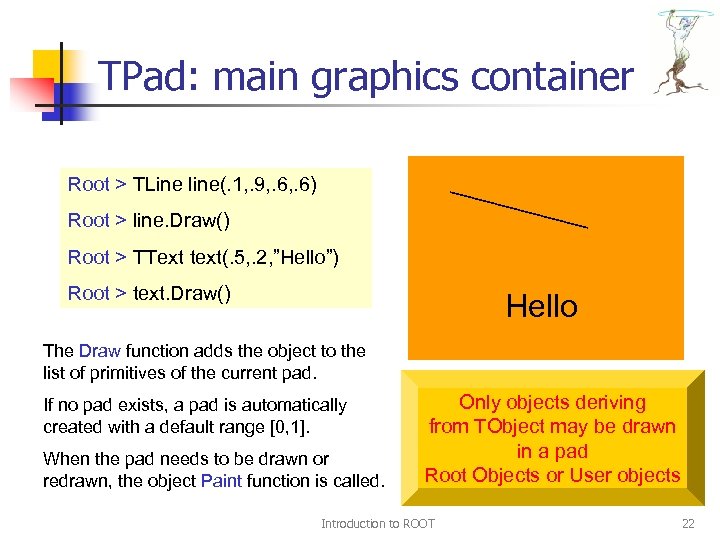 TPad: main graphics container Root > TLine line(. 1, . 9, . 6) Root > line. Draw() Root > TText text(. 5, . 2, ”Hello”) Root > text. Draw() Hello The Draw function adds the object to the list of primitives of the current pad. If no pad exists, a pad is automatically created with a default range [0, 1]. When the pad needs to be drawn or redrawn, the object Paint function is called. Only objects deriving from TObject may be drawn in a pad Root Objects or User objects Introduction to ROOT 22
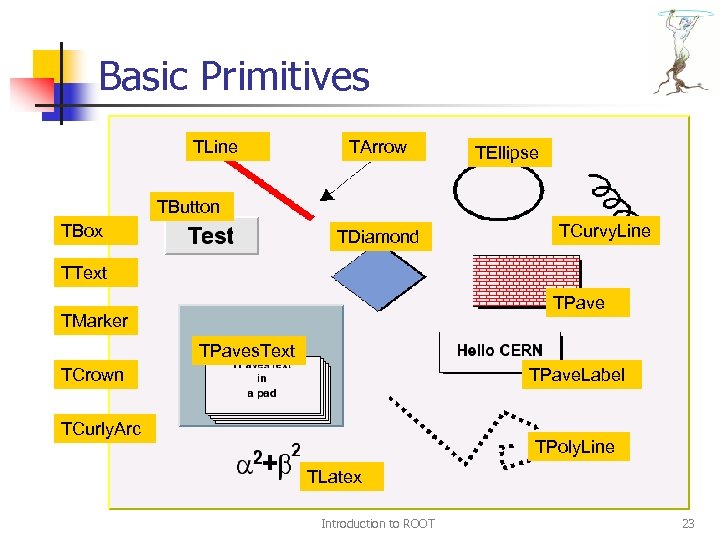 Basic Primitives TLine TArrow TEllipse TButton TBox TDiamond TCurvy. Line TText TPave TMarker TPaves. Text TCrown TPave. Label TCurly. Arc TPoly. Line TLatex Introduction to ROOT 23
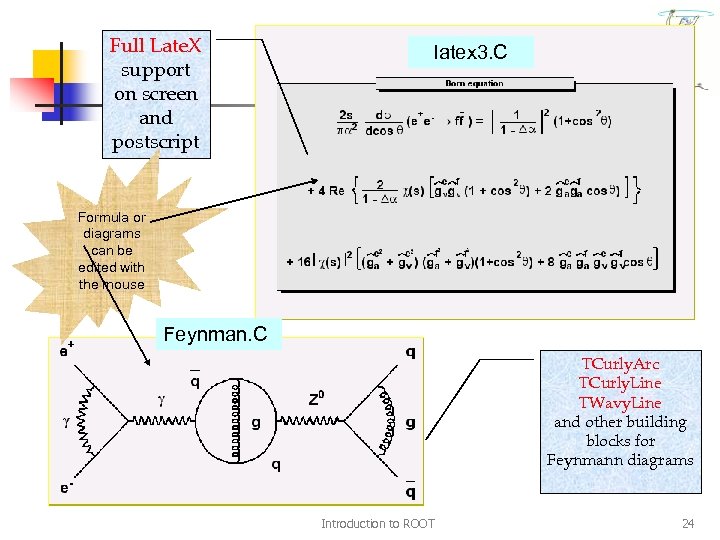 Full Late. X support on screen and postscript latex 3. C Formula or diagrams can be edited with the mouse Feynman. C TCurly. Arc TCurly. Line TWavy. Line and other building blocks for Feynmann diagrams Introduction to ROOT 24
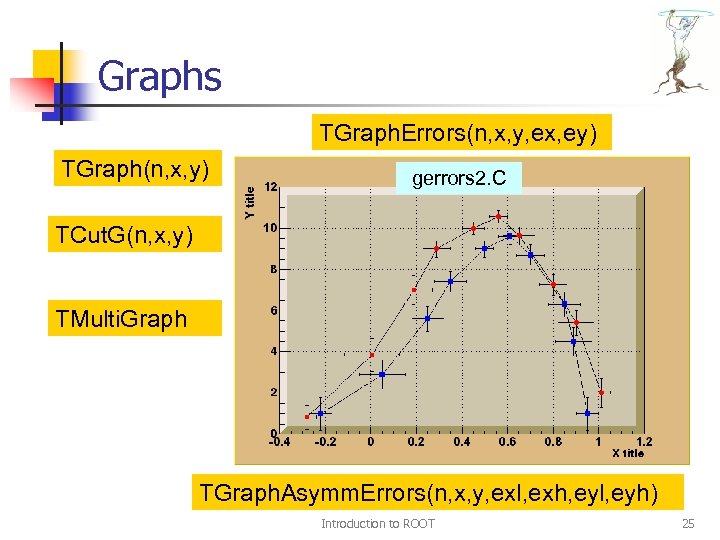 Graphs TGraph. Errors(n, x, y, ex, ey) TGraph(n, x, y) gerrors 2. C TCut. G(n, x, y) TMulti. Graph TGraph. Asymm. Errors(n, x, y, exl, exh, eyl, eyh) Introduction to ROOT 25
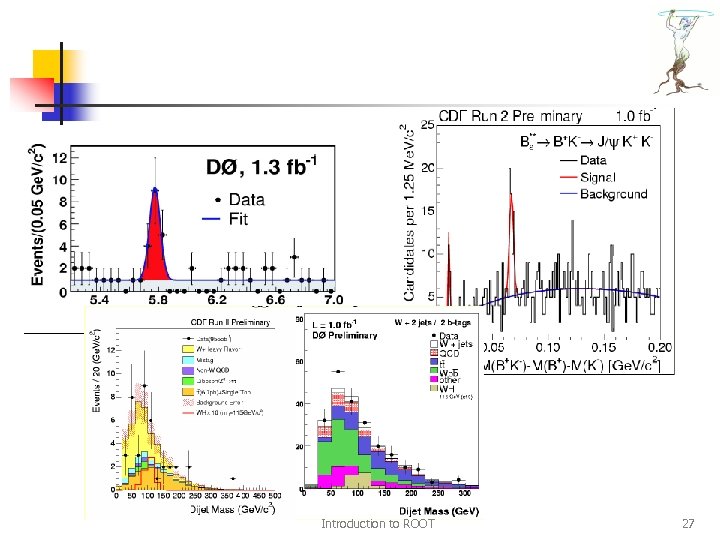
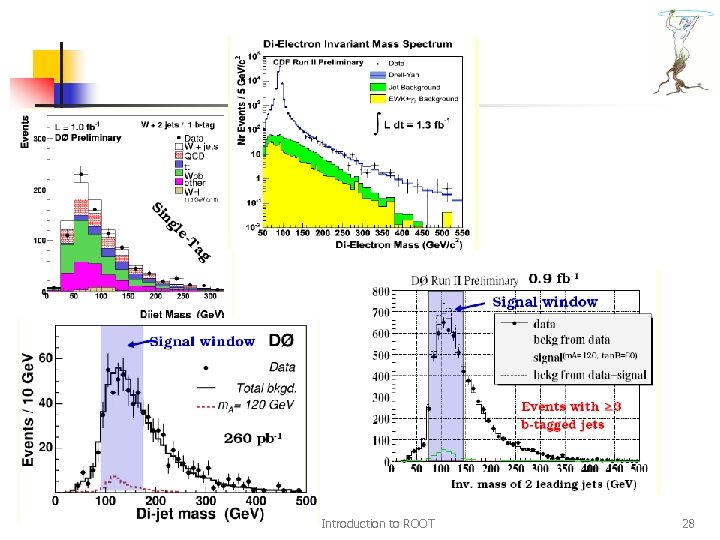
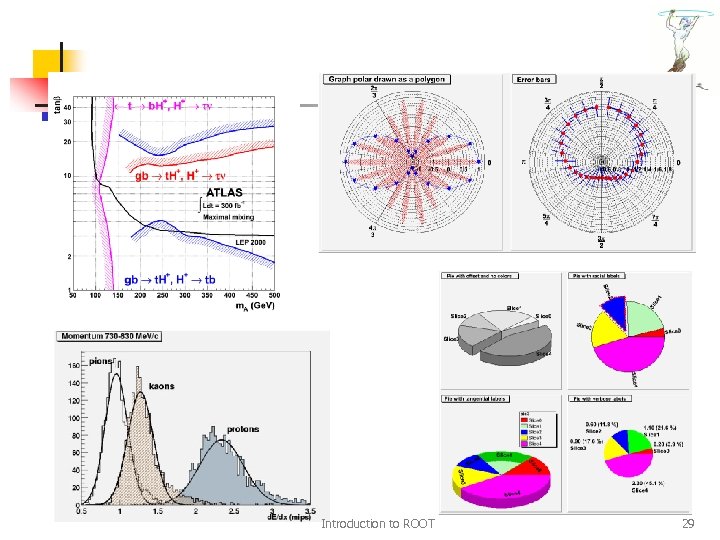
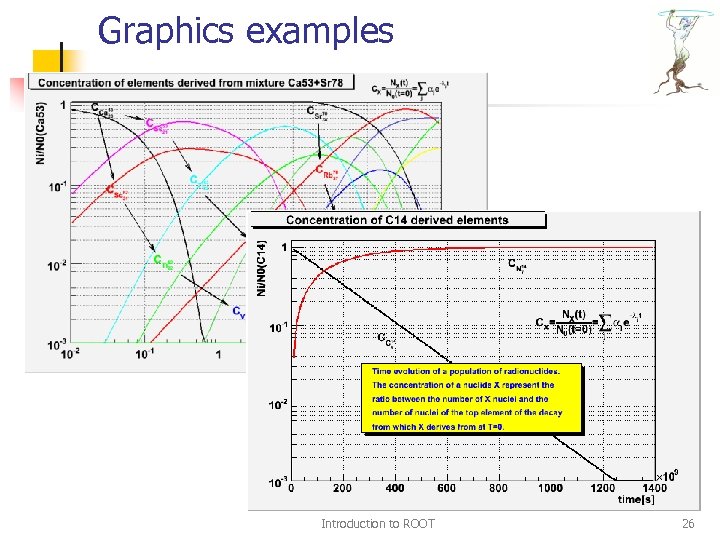 Graphics examples Introduction to ROOT 26
 Introduction to ROOT 27
 Introduction to ROOT 28
 Introduction to ROOT 29
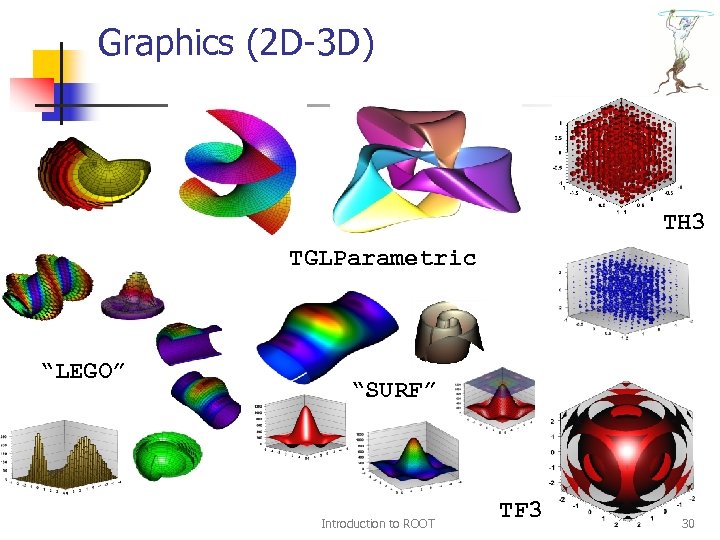 Graphics (2 D-3 D) TH 3 TGLParametric “LEGO” “SURF” Introduction to ROOT TF 3 30
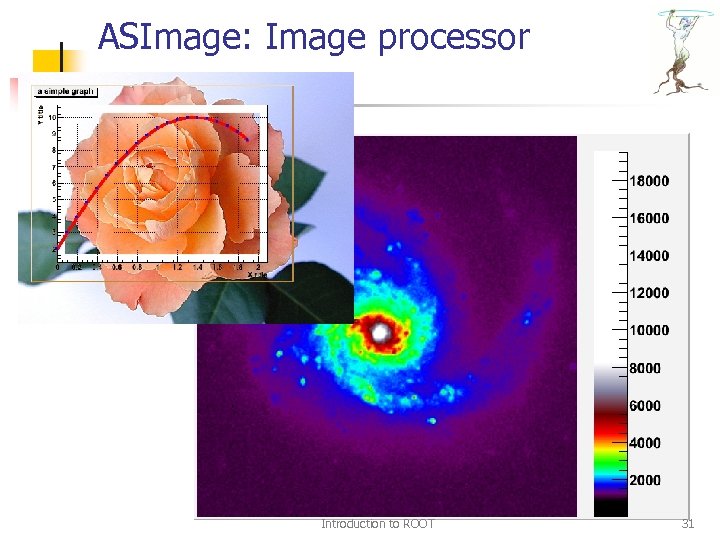 ASImage: Image processor Introduction to ROOT 31
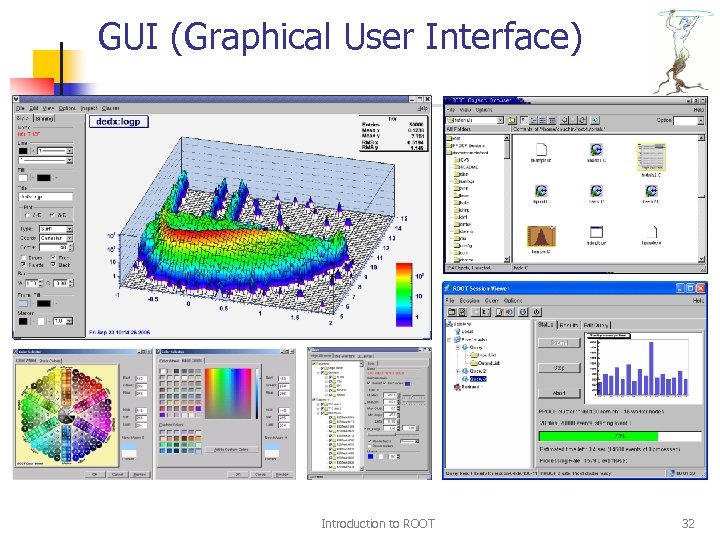 GUI (Graphical User Interface) Introduction to ROOT 32
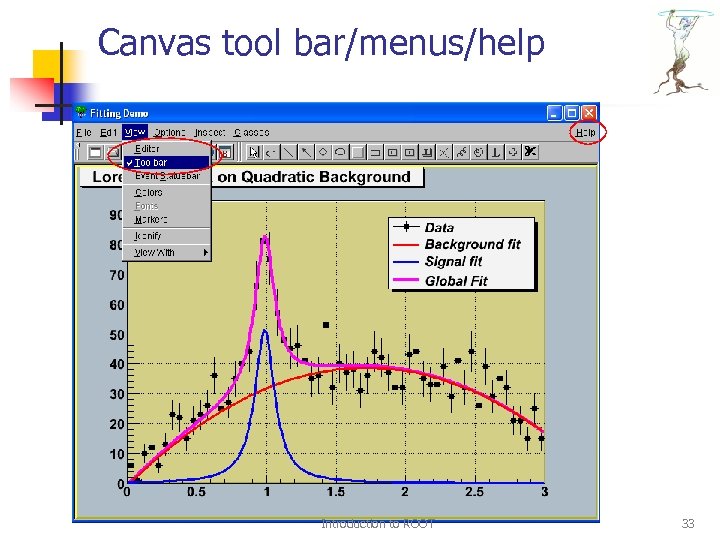 Canvas tool bar/menus/help Introduction to ROOT 33
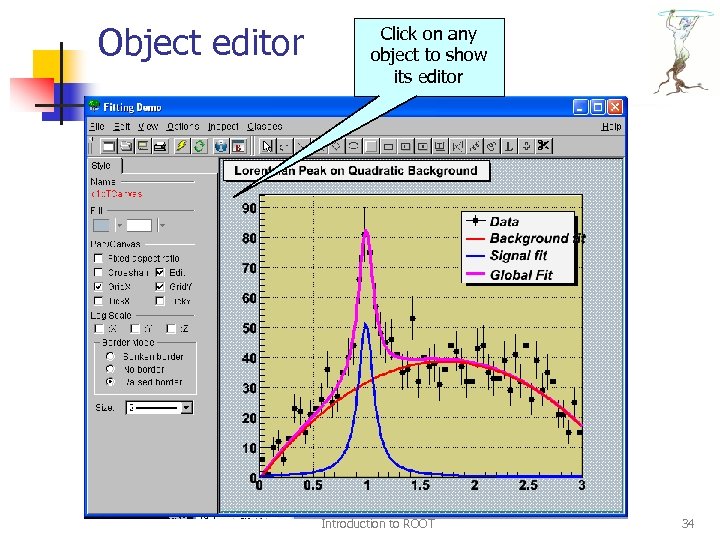 Object editor Click on any object to show its editor Introduction to ROOT 34
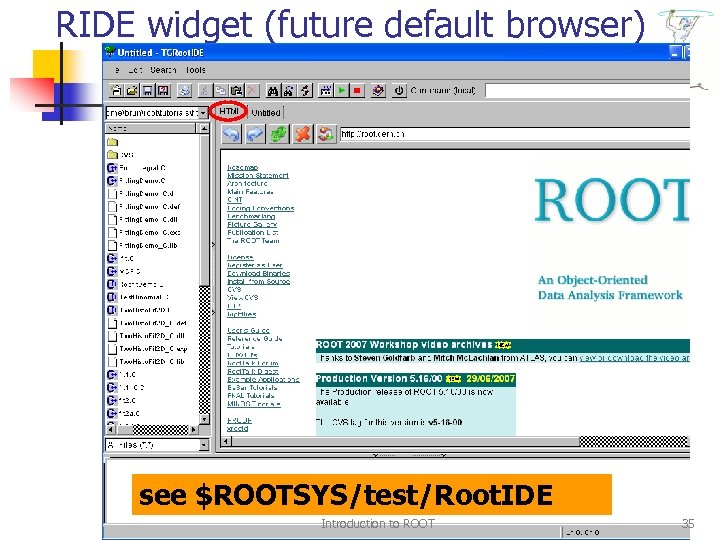 RIDE widget (future default browser) see $ROOTSYS/test/Root. IDE Introduction to ROOT 35
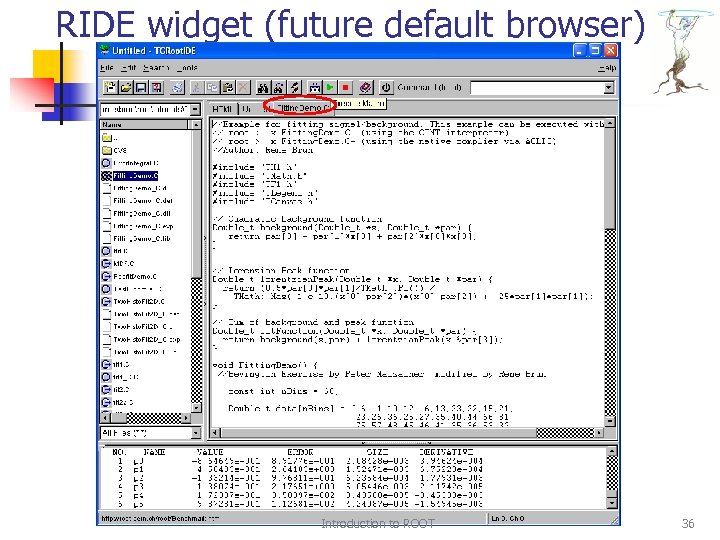 RIDE widget (future default browser) Introduction to ROOT 36
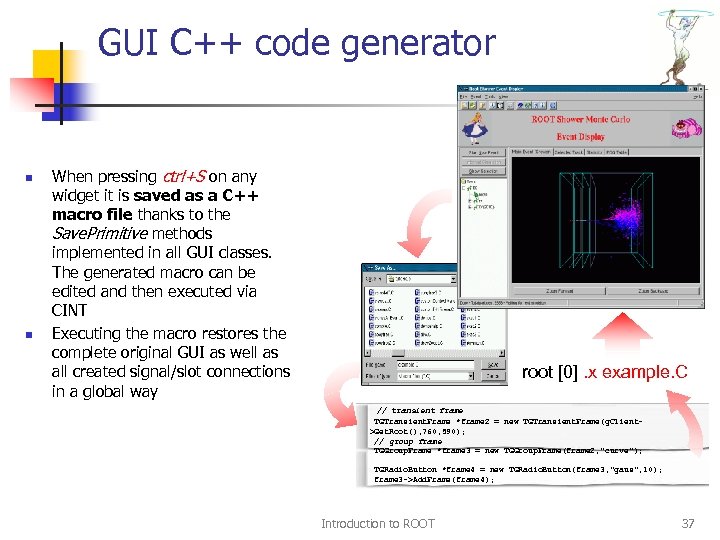 GUI C++ code generator n n When pressing ctrl+S on any widget it is saved as a C++ macro file thanks to the Save. Primitive methods implemented in all GUI classes. The generated macro can be edited and then executed via CINT Executing the macro restores the complete original GUI as well as all created signal/slot connections in a global way root [0]. x example. C // transient frame TGTransient. Frame *frame 2 = new TGTransient. Frame(g. Client>Get. Root(), 760, 590); // group frame TGGroup. Frame *frame 3 = new TGGroup. Frame(frame 2, "curve"); TGRadio. Button *frame 4 = new TGRadio. Button(frame 3, "gaus", 10); frame 3 ->Add. Frame(frame 4); Introduction to ROOT 37
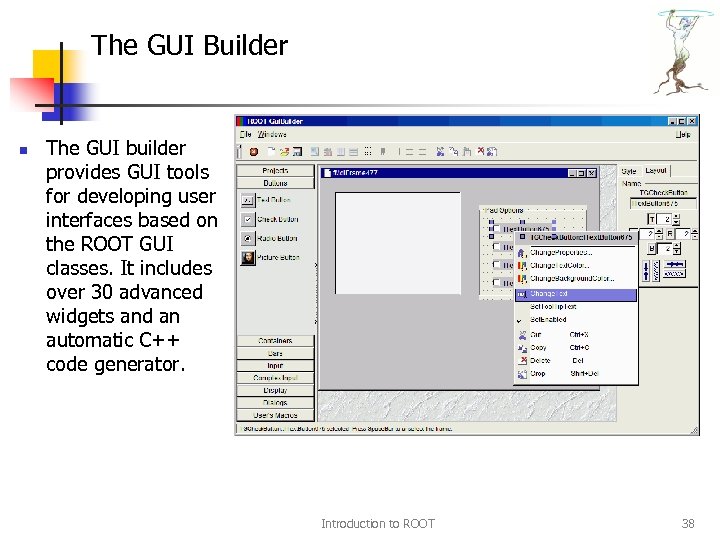 The GUI Builder n The GUI builder provides GUI tools for developing user interfaces based on the ROOT GUI classes. It includes over 30 advanced widgets and an automatic C++ code generator. Introduction to ROOT 38
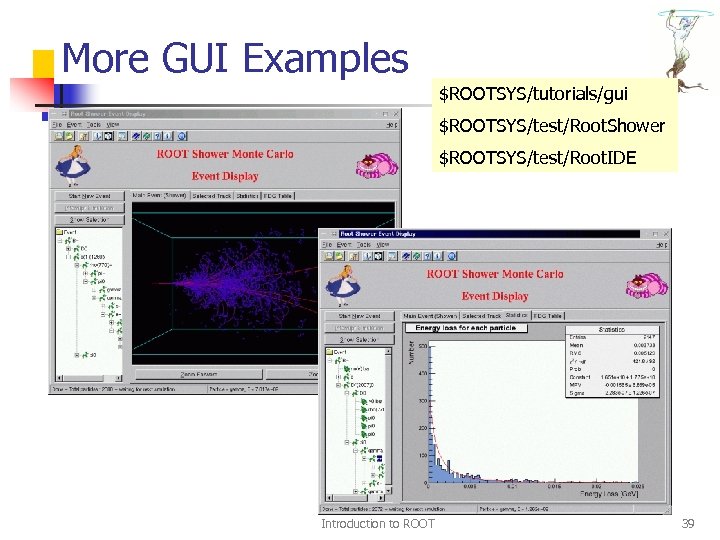 More GUI Examples $ROOTSYS/tutorials/gui $ROOTSYS/test/Root. Shower $ROOTSYS/test/Root. IDE Introduction to ROOT 39
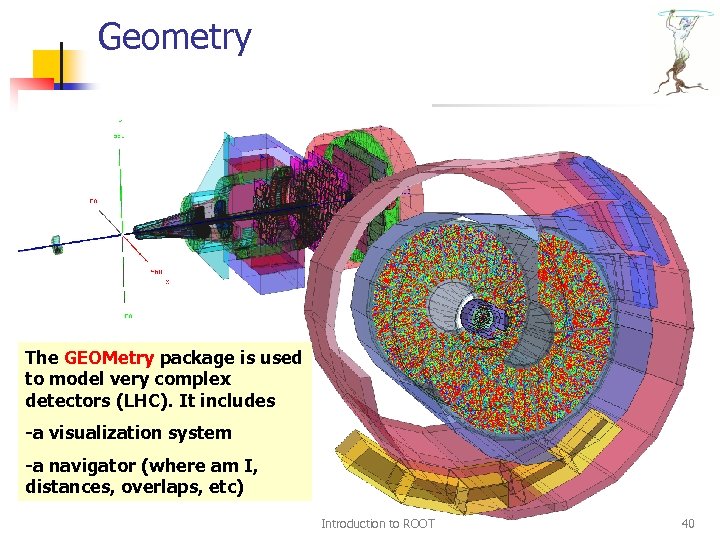 Geometry The GEOMetry package is used to model very complex detectors (LHC). It includes -a visualization system -a navigator (where am I, distances, overlaps, etc) Introduction to ROOT 40
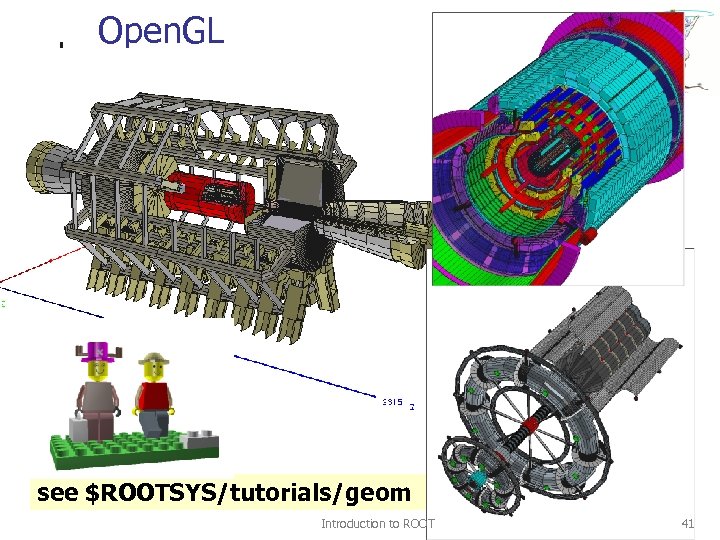 Open. GL see $ROOTSYS/tutorials/geom Introduction to ROOT 41
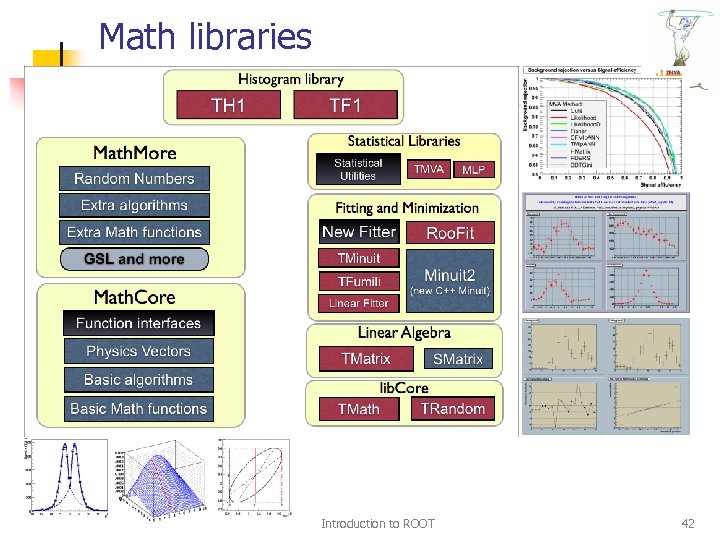 Math libraries Introduction to ROOT 42
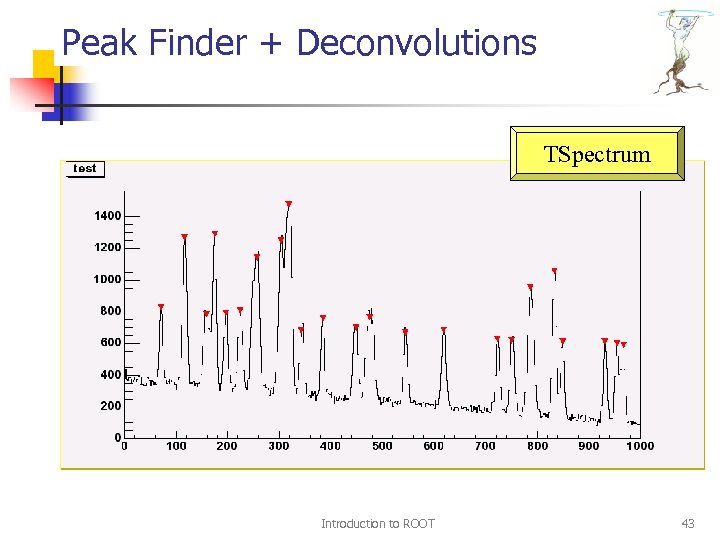 Peak Finder + Deconvolutions TSpectrum Introduction to ROOT 43
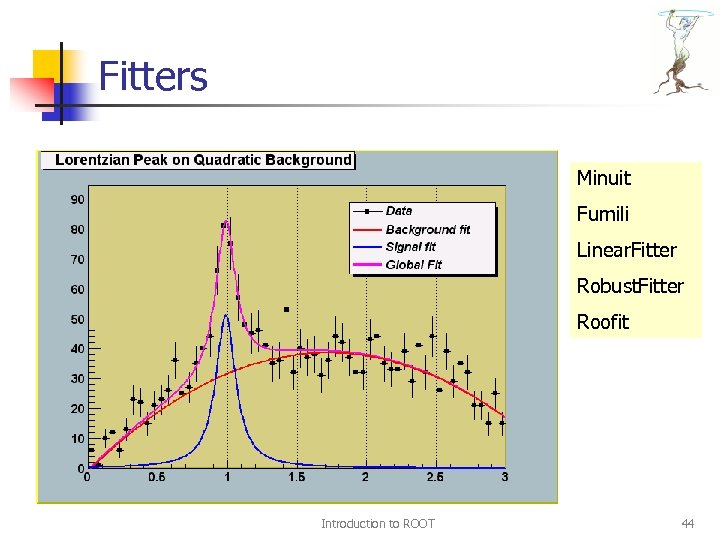 Fitters Minuit Fumili Linear. Fitter Robust. Fitter Roofit Introduction to ROOT 44
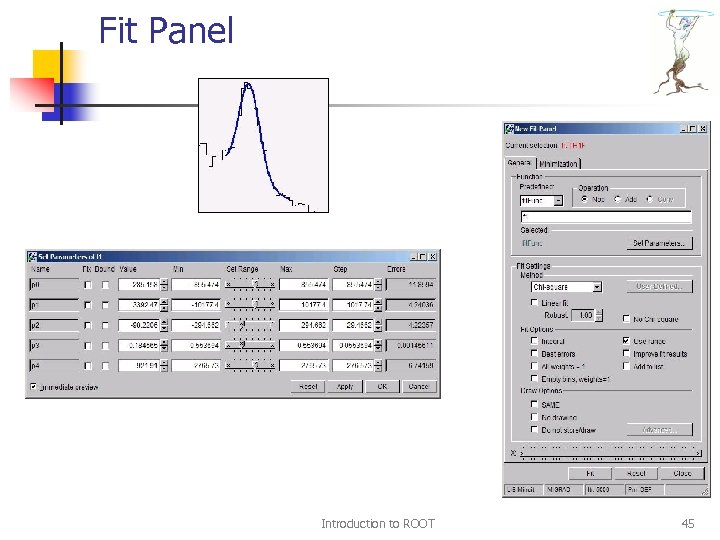 Fit Panel Introduction to ROOT 45
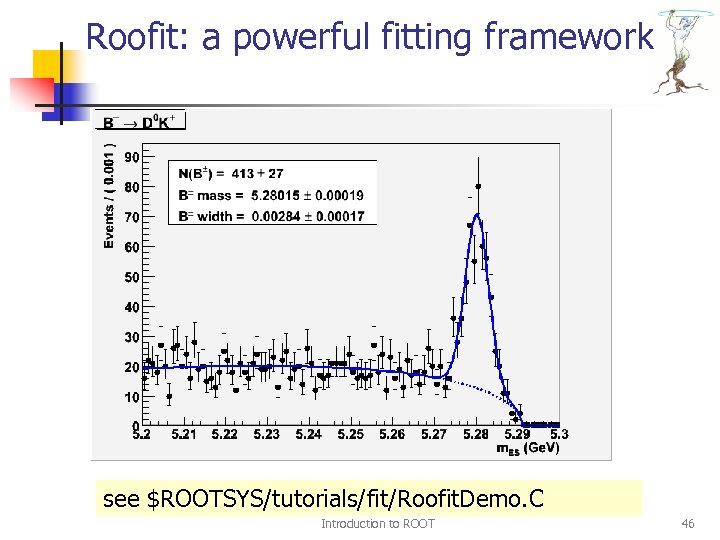 Roofit: a powerful fitting framework see $ROOTSYS/tutorials/fit/Roofit. Demo. C Introduction to ROOT 46
 Input/Output Introduction to ROOT 47
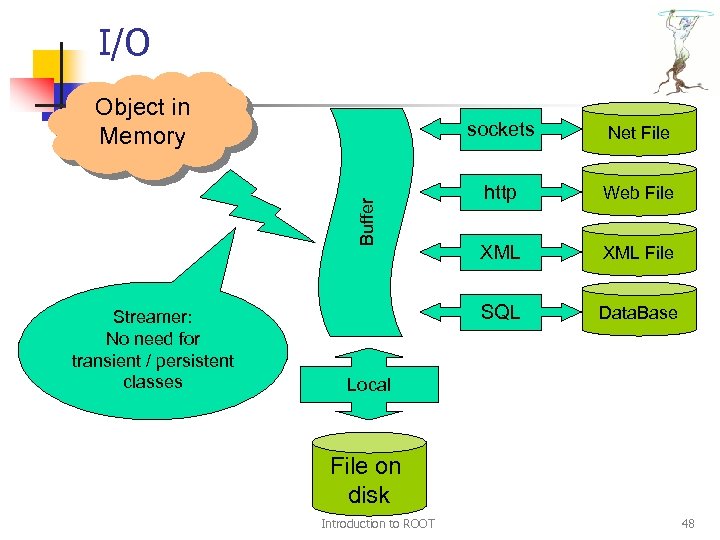 I/O Object in Memory Streamer: No need for transient / persistent classes Net File http Web File XML File SQL Buffer sockets Data. Base Local File on disk Introduction to ROOT 48
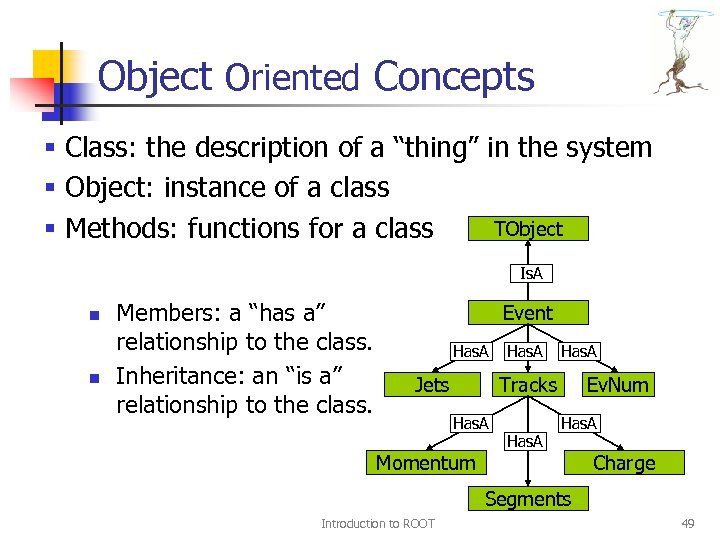 Object Oriented Concepts § Class: the description of a “thing” in the system § Object: instance of a class TObject § Methods: functions for a class Is. A n n Members: a “has a” relationship to the class. Inheritance: an “is a” relationship to the class. Event Has. A Jets Has. A Tracks Has. A Momentum Has. A Ev. Num Has. A Charge Segments Introduction to ROOT 49
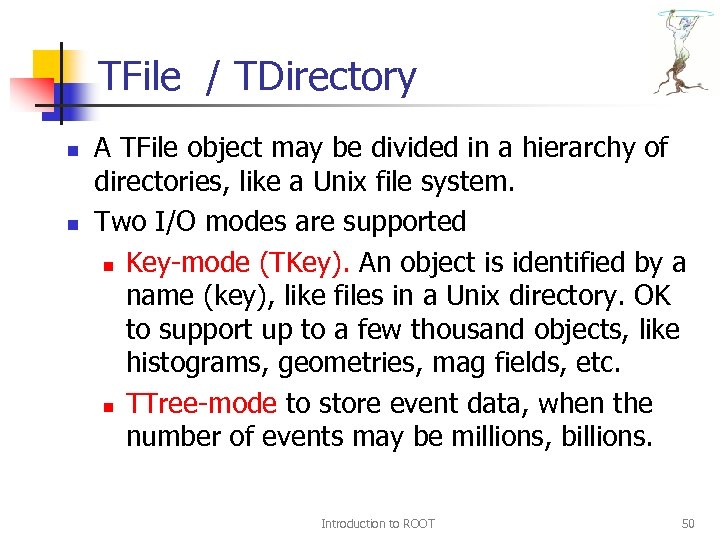 TFile / TDirectory n n A TFile object may be divided in a hierarchy of directories, like a Unix file system. Two I/O modes are supported n Key-mode (TKey). An object is identified by a name (key), like files in a Unix directory. OK to support up to a few thousand objects, like histograms, geometries, mag fields, etc. n TTree-mode to store event data, when the number of events may be millions, billions. Introduction to ROOT 50
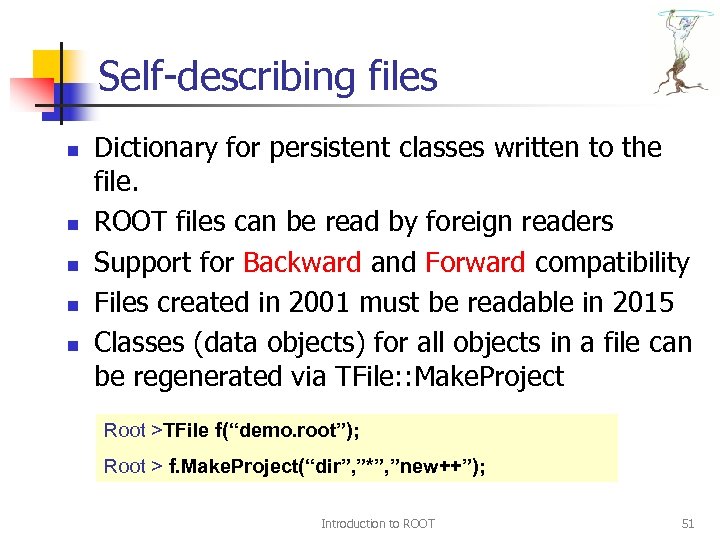 Self-describing files n n n Dictionary for persistent classes written to the file. ROOT files can be read by foreign readers Support for Backward and Forward compatibility Files created in 2001 must be readable in 2015 Classes (data objects) for all objects in a file can be regenerated via TFile: : Make. Project Root >TFile f(“demo. root”); Root > f. Make. Project(“dir”, ”*”, ”new++”); Introduction to ROOT 51
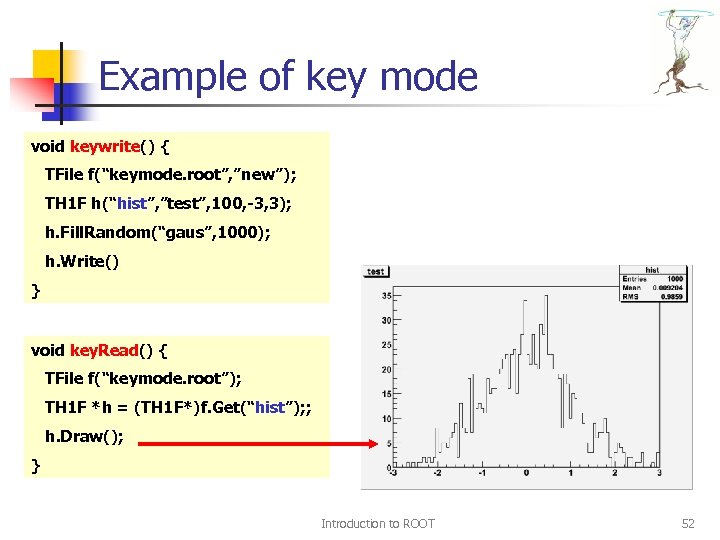 Example of key mode void keywrite() { TFile f(“keymode. root”, ”new”); TH 1 F h(“hist”, ”test”, 100, -3, 3); h. Fill. Random(“gaus”, 1000); h. Write() } void key. Read() { TFile f(“keymode. root”); TH 1 F *h = (TH 1 F*)f. Get(“hist”); ; h. Draw(); } Introduction to ROOT 52
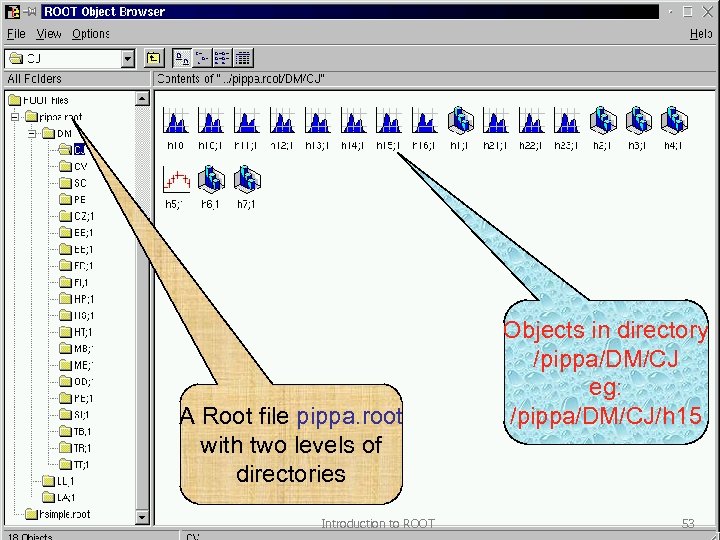 A Root file pippa. root with two levels of directories Introduction to ROOT Objects in directory /pippa/DM/CJ eg: /pippa/DM/CJ/h 15 53
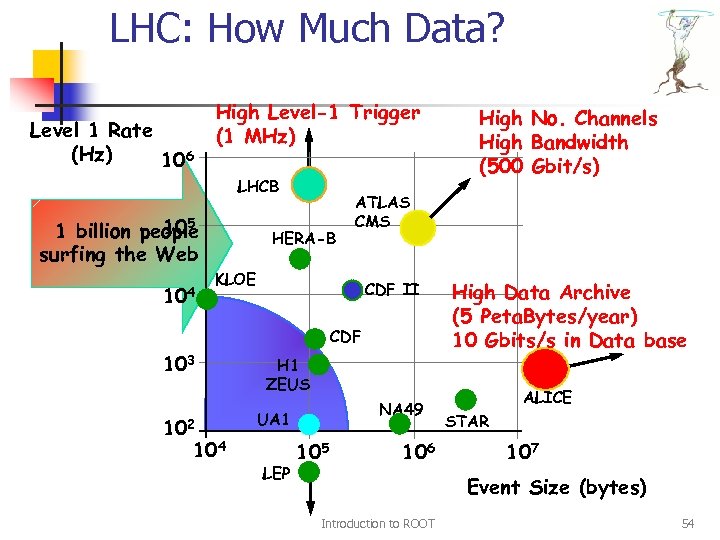 LHC: How Much Data? Level 1 Rate (Hz) 106 High Level-1 Trigger (1 MHz) LHCB 105 1 billion people surfing the Web 104 HERA-B ATLAS CMS KLOE CDF II CDF 103 102 104 High No. Channels High Bandwidth (500 Gbit/s) High Data Archive (5 Peta. Bytes/year) 10 Gbits/s in Data base H 1 ZEUS NA 49 UA 1 LEP 105 106 ALICE STAR 107 Event Size (bytes) Introduction to ROOT 54
 ROOT Trees Introduction to ROOT 55
 Why Trees ? q q q Trees have been designed to support very large collections of objects. The overhead in memory is in general less than 4 bytes per entry. Trees allow direct and random access to any entry (sequential access is the best) Trees have branches and leaves. One can read a subset of all branches. High level functions like TTree: : Draw loop on all entries with selection expressions. Trees can be browsed via TBrowser Trees can be analyzed via TTree. Viewer Introduction to ROOT 56
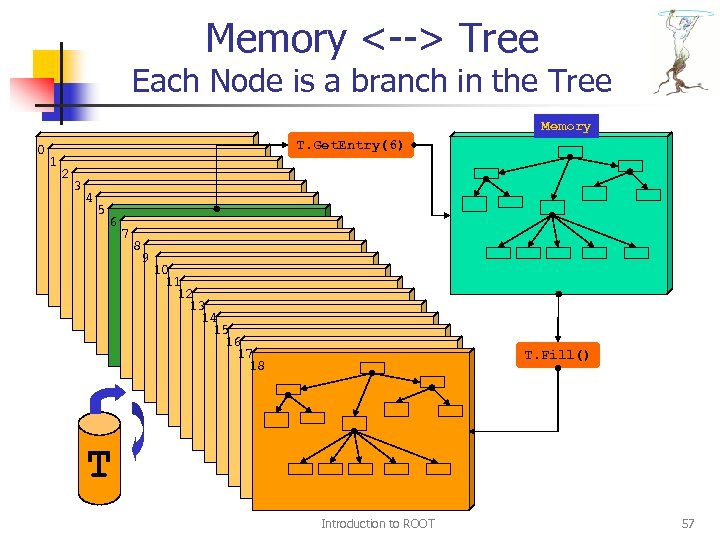 Memory <--> Tree Each Node is a branch in the Tree Memory 0 T. Get. Entry(6) 1 2 3 4 5 6 7 8 9 10 11 12 13 14 15 16 17 18 T. Fill() T Introduction to ROOT 57
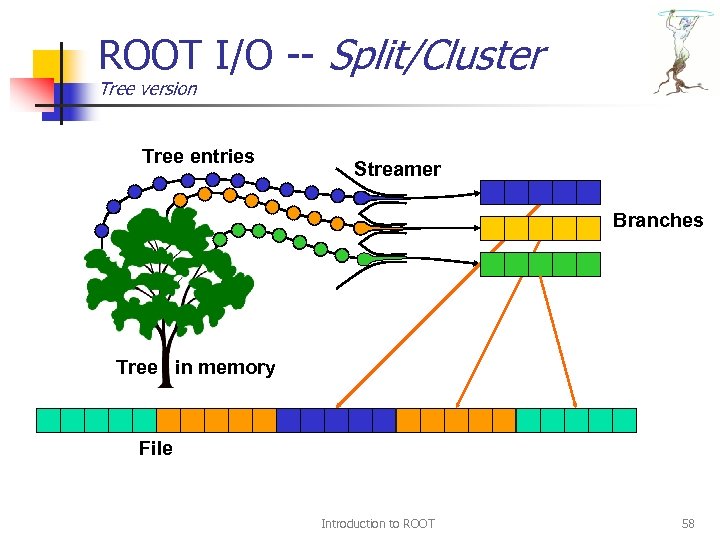 ROOT I/O -- Split/Cluster Tree version Tree entries Streamer Branches Tree in memory File Introduction to ROOT 58
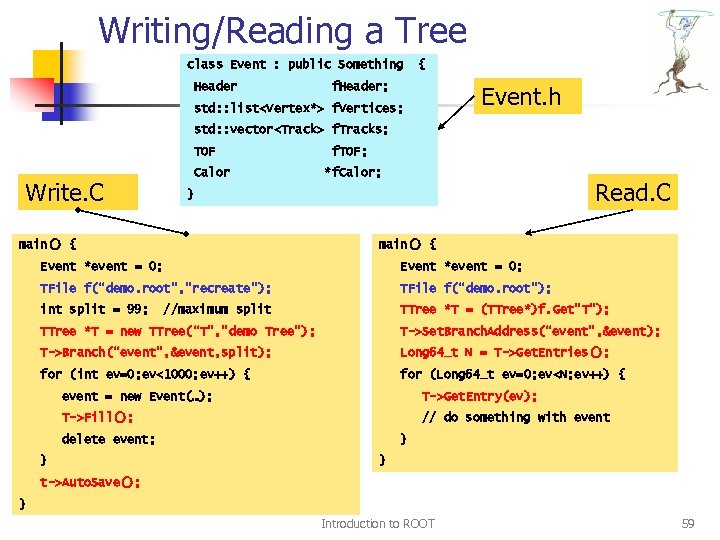 Writing/Reading a Tree class Event : public Something Header { f. Header; Event. h std: : list
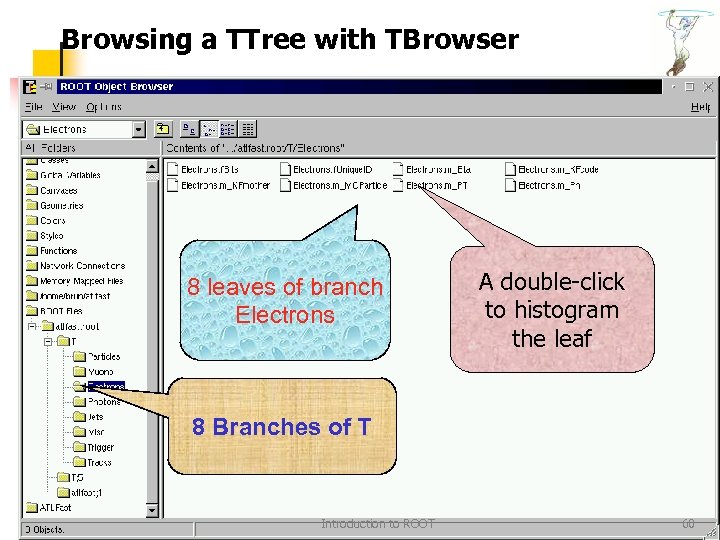 Browsing a TTree with TBrowser 8 leaves of branch Electrons A double-click to histogram the leaf 8 Branches of T Introduction to ROOT 60
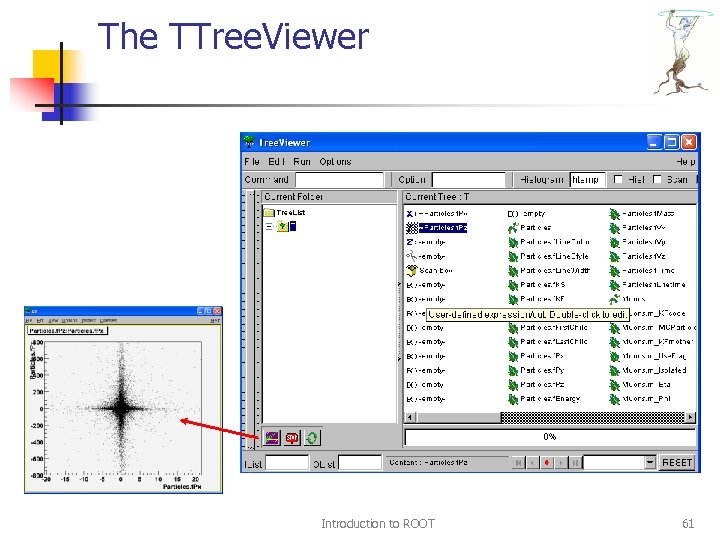 The TTree. Viewer Introduction to ROOT 61
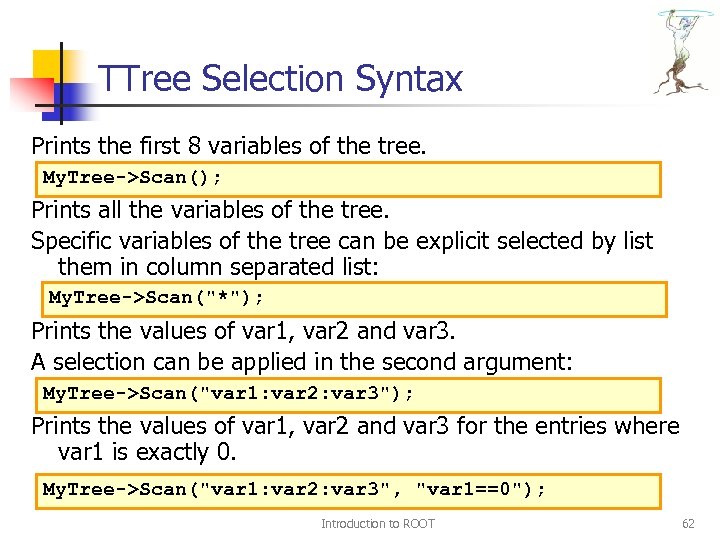 TTree Selection Syntax Prints the first 8 variables of the tree. My. Tree->Scan(); Prints all the variables of the tree. Specific variables of the tree can be explicit selected by list them in column separated list: My. Tree->Scan("*"); Prints the values of var 1, var 2 and var 3. A selection can be applied in the second argument: My. Tree->Scan("var 1: var 2: var 3"); Prints the values of var 1, var 2 and var 3 for the entries where var 1 is exactly 0. My. Tree->Scan("var 1: var 2: var 3", "var 1==0"); Introduction to ROOT 62
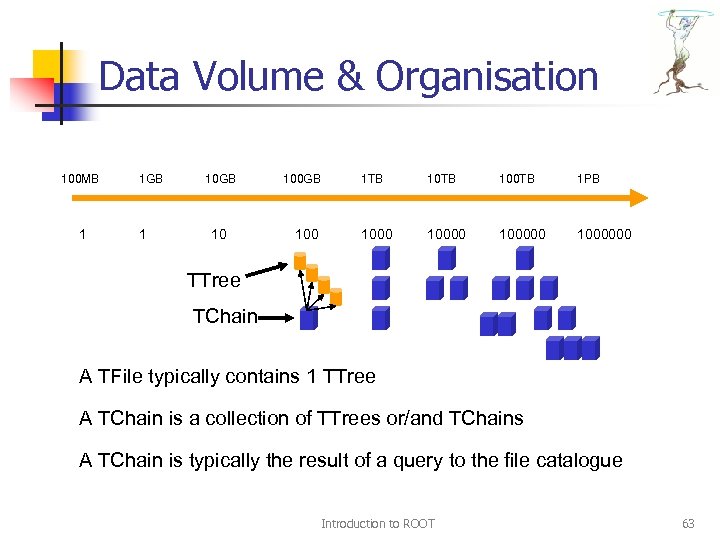 Data Volume & Organisation 100 MB 1 1 GB 1 10 GB 10 100 GB 100 1 TB 100 TB 1 PB 1000000 TTree TChain A TFile typically contains 1 TTree A TChain is a collection of TTrees or/and TChains A TChain is typically the result of a query to the file catalogue Introduction to ROOT 63
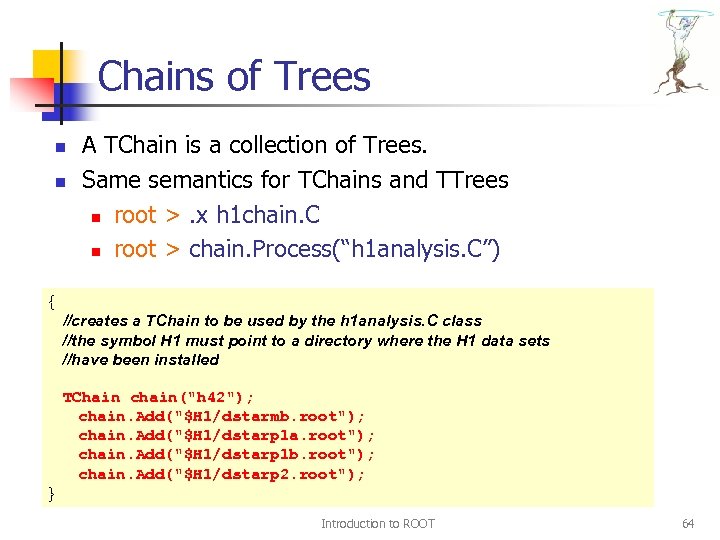 Chains of Trees n n A TChain is a collection of Trees. Same semantics for TChains and TTrees n root >. x h 1 chain. C n root > chain. Process(“h 1 analysis. C”) { //creates a TChain to be used by the h 1 analysis. C class //the symbol H 1 must point to a directory where the H 1 data sets //have been installed TChain chain("h 42"); chain. Add("$H 1/dstarmb. root"); chain. Add("$H 1/dstarp 1 a. root"); chain. Add("$H 1/dstarp 1 b. root"); chain. Add("$H 1/dstarp 2. root"); } Introduction to ROOT 64
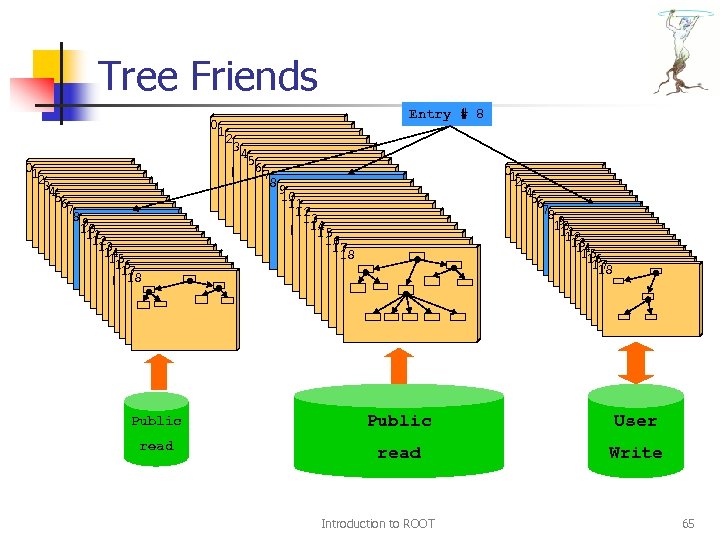 Tree Friends 01 23 45 67 89 10 11 12 13 14 15 16 17 18 0 1 2 3 4 5 6 7 8 Entry # 8 0 1 2 34 56 7 89 10 11 12 13 14 15 16 17 18 Public User read Write Introduction to ROOT 65
 GRIDs & PROOF Introduction to ROOT 66
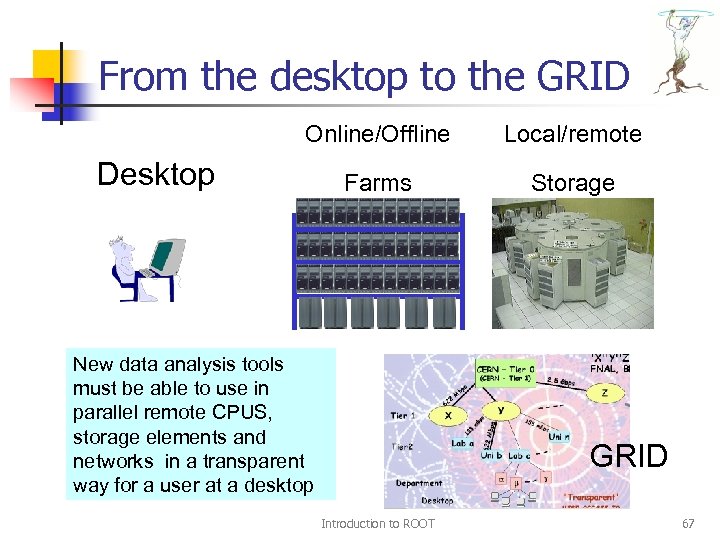 From the desktop to the GRID Online/Offline Local/remote Farms Storage Desktop New data analysis tools must be able to use in parallel remote CPUS, storage elements and networks in a transparent way for a user at a desktop GRID Introduction to ROOT 67
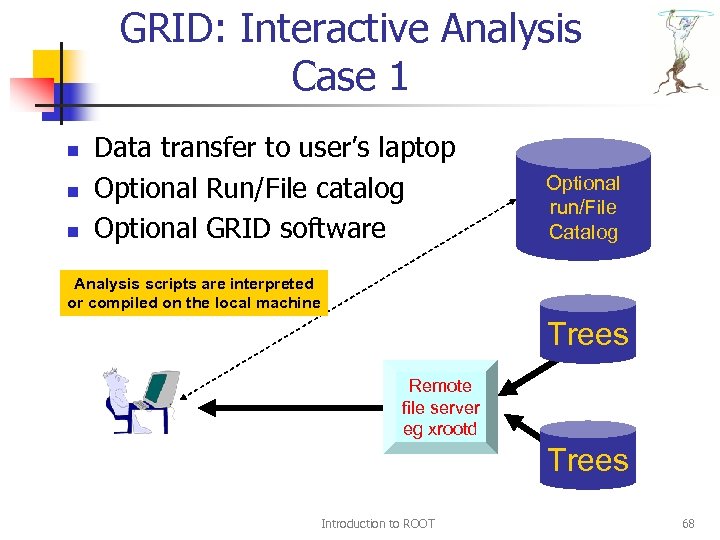 GRID: Interactive Analysis Case 1 n n n Data transfer to user’s laptop Optional Run/File catalog Optional GRID software Optional run/File Catalog Analysis scripts are interpreted or compiled on the local machine Trees Remote file server eg xrootd Trees Introduction to ROOT 68
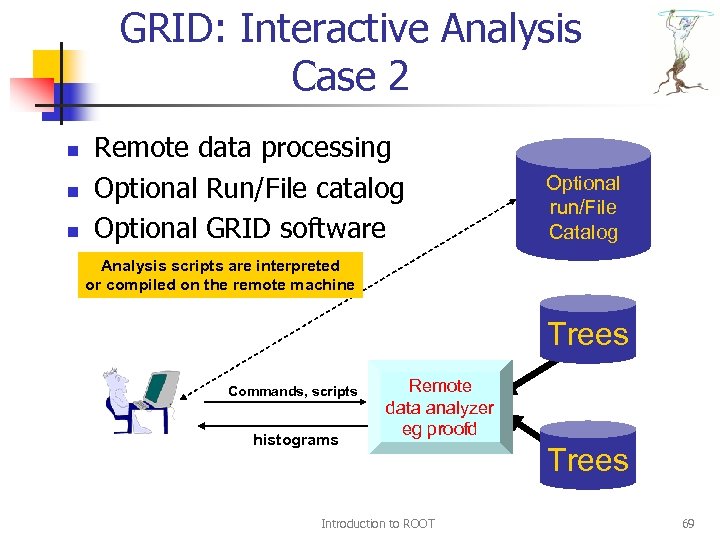 GRID: Interactive Analysis Case 2 n n n Remote data processing Optional Run/File catalog Optional GRID software Optional run/File Catalog Analysis scripts are interpreted or compiled on the remote machine Trees Commands, scripts histograms Remote data analyzer eg proofd Introduction to ROOT Trees 69
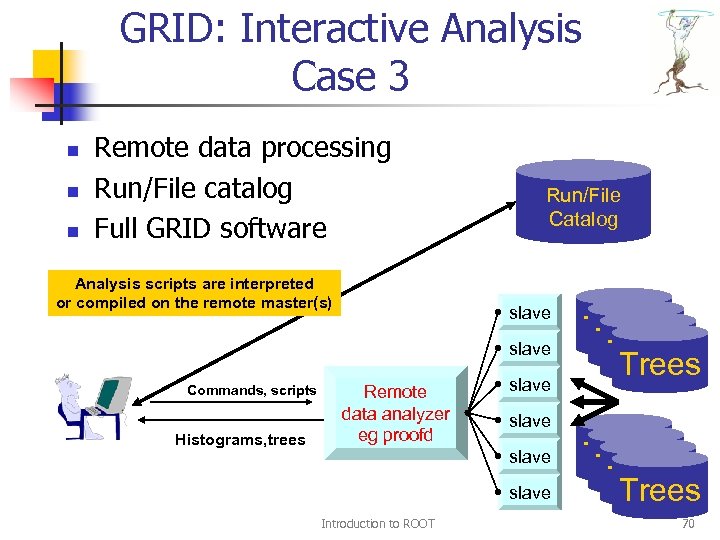 GRID: Interactive Analysis Case 3 n n n Remote data processing Run/File catalog Full GRID software Analysis scripts are interpreted or compiled on the remote master(s) Run/File Catalog slave Commands, scripts Histograms, trees Remote data analyzer eg proofd slave Introduction to ROOT Trees Trees 70
 Parallel ROOT Facility n n The PROOF system allows: n Parallel analysis of trees in a set of files n Parallel analysis of objects in a set of files n Parallel execution of scripts on clusters of heterogeneous machines Its design goals are: n Transparency, scalability, adaptability Introduction to ROOT 71
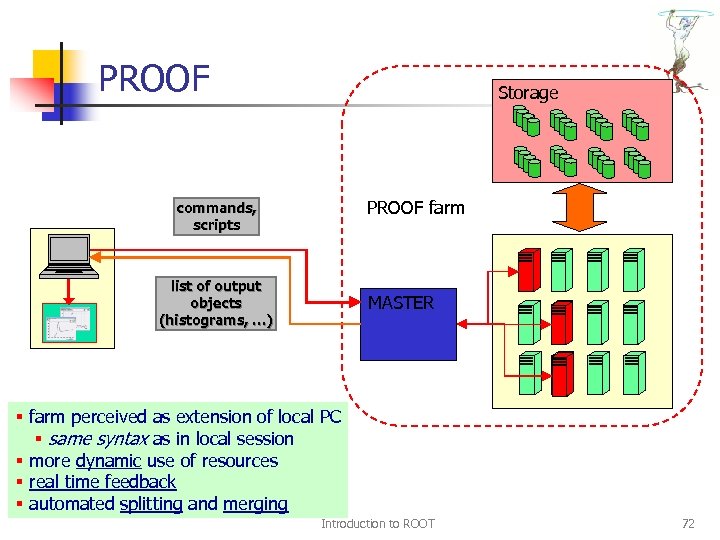 PROOF Storage PROOF farm commands, scripts list of output objects (histograms, …) MASTER § farm perceived as extension of local PC § same syntax as in local session § more dynamic use of resources § real time feedback § automated splitting and merging Introduction to ROOT 72
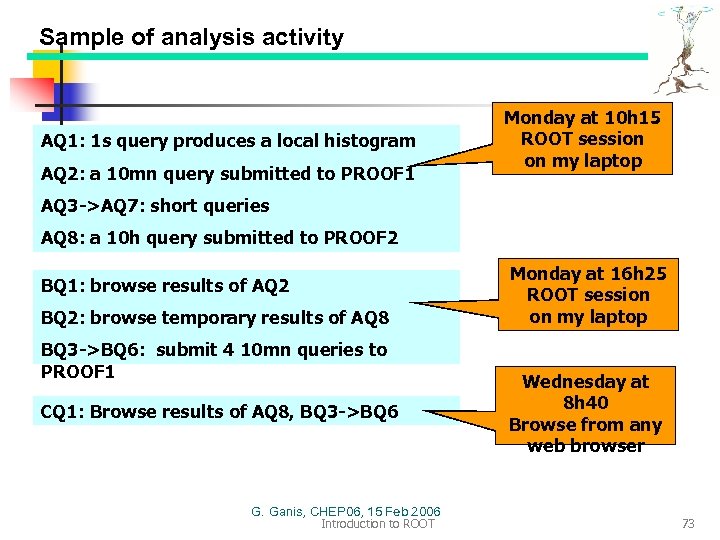 Sample of analysis activity AQ 1: 1 s query produces a local histogram AQ 2: a 10 mn query submitted to PROOF 1 Monday at 10 h 15 ROOT session on my laptop AQ 3 ->AQ 7: short queries AQ 8: a 10 h query submitted to PROOF 2 BQ 1: browse results of AQ 2 BQ 2: browse temporary results of AQ 8 BQ 3 ->BQ 6: submit 4 10 mn queries to PROOF 1 CQ 1: Browse results of AQ 8, BQ 3 ->BQ 6 G. Ganis, CHEP 06, 15 Feb 2006 Introduction to ROOT Monday at 16 h 25 ROOT session on my laptop Wednesday at 8 h 40 Browse from any web browser 73
 ROOT is MORE…. n n In this talk, I presented the most basic classes typically used during Physics Analysis. ROOT contains many more libraries, eg n FFT library n Oracle, My. SQL, etc interfaces n XML drivers n TMVA (Multi Variate Analysis) n GRID and networking classes, threads n Interfaces to Castor, Dcache, GFAL, xrootd n Interfaces to Pythia, Geant 3, Geant 4, gdml n Matrix packages, Fitting packages, etc Introduction to ROOT 74
 Documentation n n Users Guide and Reference Manuals are available at http: //root. cern. ch Printed copies of the Users Guide are available in Building 32 -R-C 13 or 32 -R-C 16 Enjoy Reading Now Demo Introduction to ROOT 75