 Скачать презентацию Introduction to Project Management prof Sergey Bushuyev
Introduction to Project Management.pptx
- Количество слайдов: 57



Introduction to Project Management prof. Sergey Bushuyev
Project Management • “How Do I Get From Here to There? ” • The Role of Project Management in Your EHR Implementation 2
Objectives: • Identify 2 -3 phases of an EHR implementation • Identify 2 -3 critical leadership issues for a successful EHR 3
Project Management • Two Rules to Live By: – “If you don’t know where you are going, any road will get you there. ” – “All systems are perfectly designed to achieve the results they deliver” 4
Project Management • What is a project? – A temporary endeavor undertaken to achieve a specific aim – In this presentation, we will focus on a particular project: the successful implementation of an EHR in your practice • What is project management? – “Project management is the application of knowledge, skills, tools, and techniques to project activities to meet project requirements. ” (PMBOK, 2003) 5
Project Management • A project is comprised of phases: – Each phase is defined by completion of one or more deliverables • Deliverable = a tangible work product – The project phases of an EHR Implementation look like the EHR Roadmap: • • • Assessment Planning Selection Implementation Evaluation Improvement 6
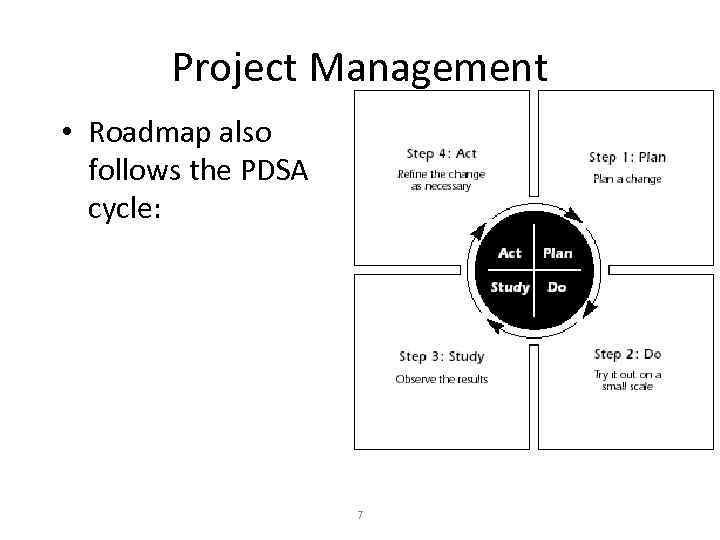
Project Management • Roadmap also follows the PDSA cycle: 7
Assessment 8
Assessment • Assessment phase is comprised of: – Developing a project charter – Determining budget – Creating a project team – Aligning the organization to the project’s goals 9
Assessment – Project charter • Developing a project charter – A charter documents what you plan to accomplish: • Organization’s vision and goals • Scope – A good scope details not only what is included in the project, but also what is specifically excluded from the project • Benefits – ROI as well as ROE (return on effort) – Tangible and measurable, as well as ‘soft’ benefits 10
Assessment – Budget • Determining your budget – Realistic expectations of cost: • EMRs cost $15 -50 K per provider (based on AC Group - 7/15/04) • What is your cost tolerance? – What are you willing and able to spend? – While the budget doesn’t need to be exact, you do need at least a ballpark figure: » Very robust solution = large investment and transformational change $$$ » Superior solution = more incremental change, keep it close to the current practice $ 11
Assessment – Project team • Creating a project team – Leadership: • • Financial staff are partners, rather than drivers Clinical projects should be driven by clinical leaders Having an EHR ‘champion’ is critical to project success EHR champions are: – – Communicators Teachers Respected peers But not necessarily the most computer savvy staff • Executive leadership is key – Broker the partnership between the clinical staff, business staff, and vendor 12
Assessment – Project team • One role does not necessarily equal one person – In smaller organizations, one person may share more than one role – In larger organizations, you may find that some roles are split over a few specialists • Honest evaluation of implementation skills in the practice – Has anyone led an implementation before? – Has anyone tested software before? 13
Assessment - Other • Aligning organization to the project goals – Share the charter with the team – Recognize that changes may be required based on feedback from other members of the practice • Consider adding to the project team staff who have strong opinions about the project 14
Assessment • Deliverables at the end of this milestone: – DOQ-IT application and needs assessment completed – Project Charter written and communicated • Vision and Goals • Budget estimate • Benefits – Project team identified – Current workflows documented and evaluated 15
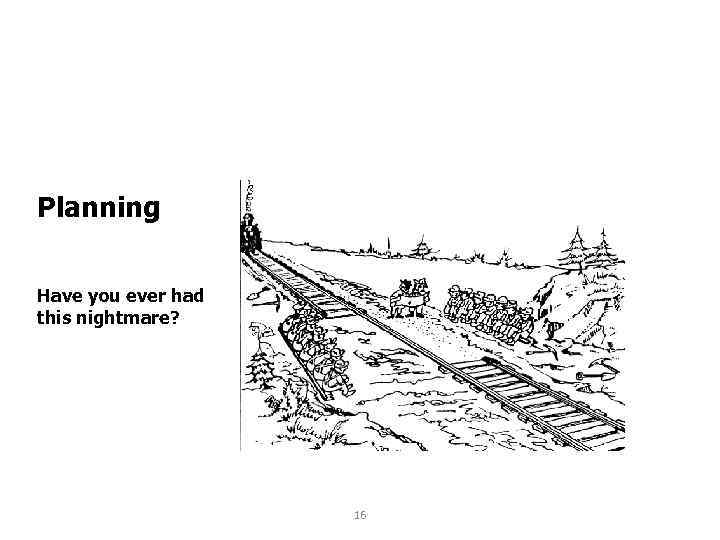
Planning Have you ever had this nightmare? 16
Planning • Now that the project has been defined, it’s time to put together a plan – Supports your project scope – Develops a structure for the project • Steps in developing a project plan: – Develop a timeline – Outline the key milestones and deliverables – Gain support with key stakeholders – Initial research for vendor selection 17 – Develop an implementation model
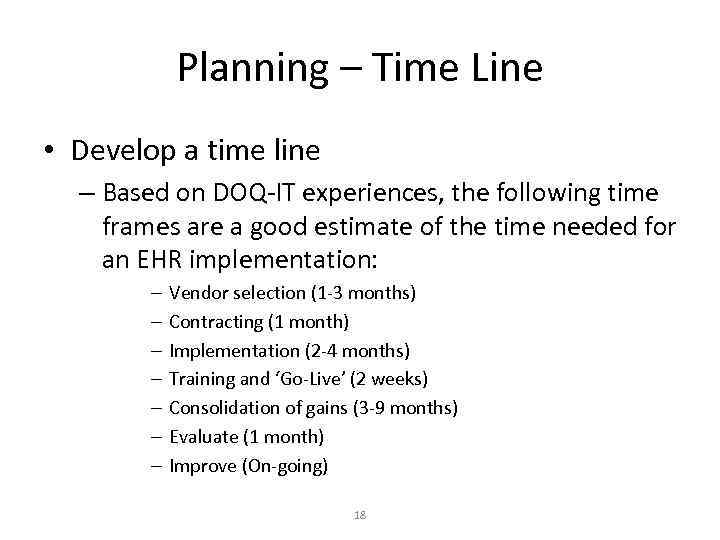
Planning – Time Line • Develop a time line – Based on DOQ-IT experiences, the following time frames are a good estimate of the time needed for an EHR implementation: – – – – Vendor selection (1 -3 months) Contracting (1 month) Implementation (2 -4 months) Training and ‘Go-Live’ (2 weeks) Consolidation of gains (3 -9 months) Evaluate (1 month) Improve (On-going) 18
Planning – Milestones and Deliverables • Outline the key milestones and deliverables – This task will bridge the ‘Planning’ and ‘Selecting’ project phases. – In the planning phase, you only need to develop broad-brushstroke of the key milestones – More planning will need to be done at each additional phase, but it is important to put together a framework 19
Planning – Gaining Support • Gain support for the project with key stakeholders – Identify stakeholders – Importance of communication • Communicating about the project is easier and more comprehensive if you develop a communication plan – – – Staff meetings Newsletters Announcements at meetings with other stakeholders Materials should be directed to a specific audience Frequent updates 20
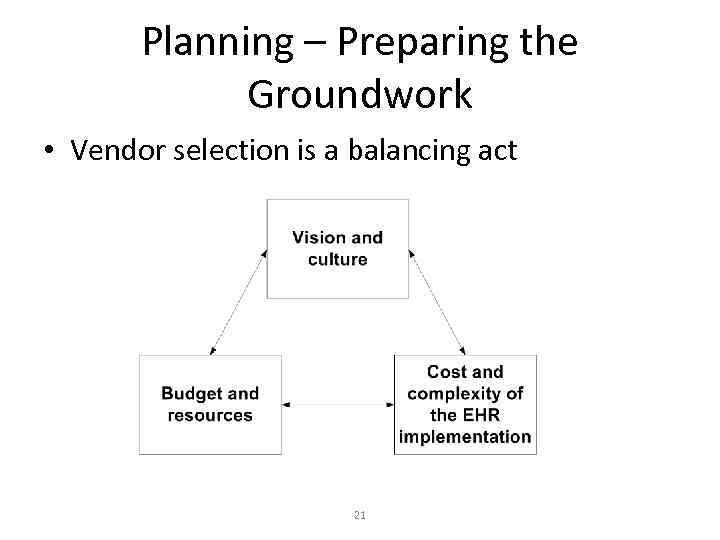
Planning – Preparing the Groundwork • Vendor selection is a balancing act 21
Planning – Preparing the Groundwork • Prepare for vendor selection – Vendors: 250+ 10 5 2 -3 1 • Preliminary research (250+ 10 5) leads to a “short list” of vendors – – – Trade shows DOQ-IT Web research IPA/PHO recommendations Local vendor presence 22
Planning – Preparing the Groundwork • Vendor Selection – Request for Information (RFI) / Request for Proposal (RFP) process – RFI is usually more informal than an RFP • Standardized approach to collecting vendor information • Ability to use a rating and weighting system to help with the selection process • Many communities submit a collective RFI/RFP 23
Planning – Preparing the Groundwork • Completed RFI/RFP is submitted to “short list” of vendors – Lot of information to go through – RFI/RFP process is taxing for vendors • “Short list” of vendors can then be narrowed down to 2 -3 finalists – These are the vendors who will return for demonstrations 24
Planning – Implementation Models • Developing an implementation model isn’t as simple as deciding when to turn the computers on • A few important decisions to make: – Multiple sites – ‘Big Bang’ vs. incremental • Managing productivity losses – There is a way to push productivity losses near zero dollars - there is also a way to reduce the time during which productivity is down to near zero days 25
Planning – Implementation Models • Managing multiple sites – Consider starting with a smaller pilot site • Test workflow redesign ideas • Proof of concept for the rest of the group • Take advantage of smaller group of enthusiastic providers – Bring all sites up together if a primary goal of the implementation is to reduce chart runs between sites • Let organizational goals drive the implementation • Instant productivity gains from reduced chart runs will 26 offset productivity losses elsewhere
Planning – Implementation Models • Incremental vs ‘Big Bang’ – Selecting appropriate implementation strategy one of most important decision practice will make – Each style has its merits – Detailed projects plans will increase the chances that the implementation succeeds 27
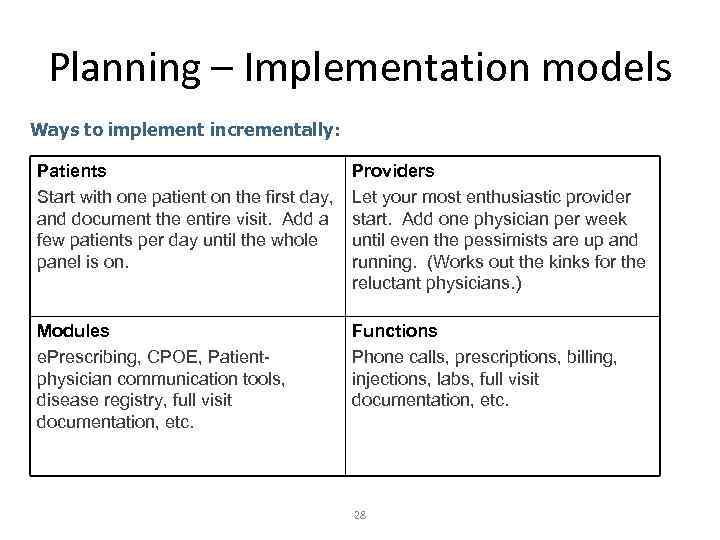
Planning – Implementation models Ways to implement incrementally: Patients Start with one patient on the first day, and document the entire visit. Add a few patients per day until the whole panel is on. Providers Let your most enthusiastic provider start. Add one physician per week until even the pessimists are up and running. (Works out the kinks for the reluctant physicians. ) Modules e. Prescribing, CPOE, Patientphysician communication tools, disease registry, full visit documentation, etc. Functions Phone calls, prescriptions, billing, injections, labs, full visit documentation, etc. 28
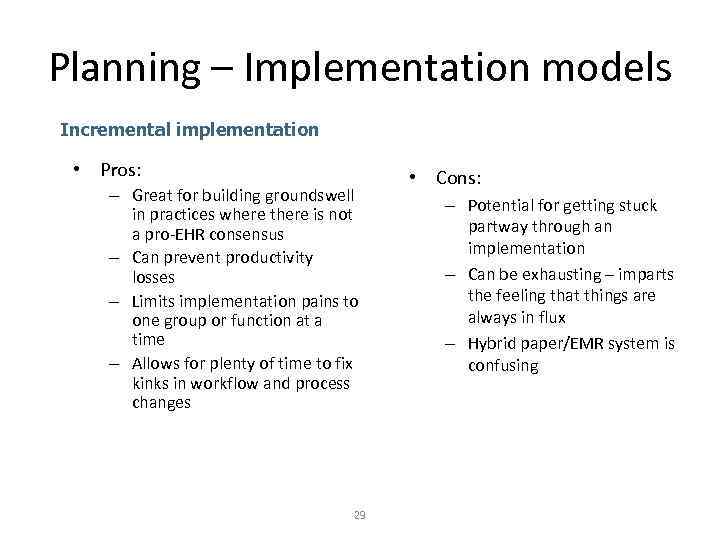
Planning – Implementation models Incremental implementation • Pros: – Great for building groundswell in practices where there is not a pro-EHR consensus – Can prevent productivity losses – Limits implementation pains to one group or function at a time – Allows for plenty of time to fix kinks in workflow and process changes 29 • Cons: – Potential for getting stuck partway through an implementation – Can be exhausting – imparts the feeling that things are always in flux – Hybrid paper/EMR system is confusing
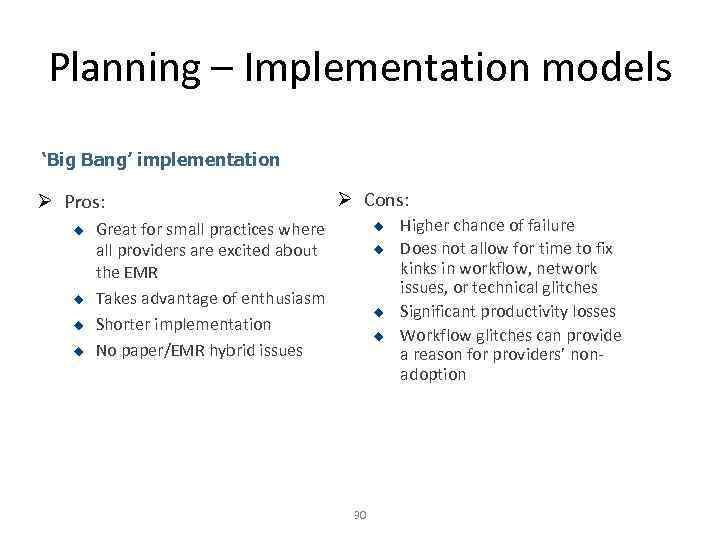
Planning – Implementation models ‘Big Bang’ implementation Ø Pros: u u Ø Cons: Great for small practices where all providers are excited about the EMR Takes advantage of enthusiasm Shorter implementation No paper/EMR hybrid issues u u 30 Higher chance of failure Does not allow for time to fix kinks in workflow, network issues, or technical glitches Significant productivity losses Workflow glitches can provide a reason for providers’ nonadoption
Planning • Deliverables at the end of this milestone – Timeline for the project – Rough list of key milestones and deliverables based on your vendor selection process and implementation model – RFI or RFP developed and a process for your EHR vendor selection – Communication plan • Clinic staff • Other stakeholders – Preliminary meeting with key stakeholders on 31

Selection 32
Selection • Selection phase consists of three types of tasks: – Ongoing planning tasks – Execution Tasks • • Finalize vendor selection Make hardware choices Negotiate the contract Prepare the office space – Controlling Tasks 33
Selection – Ongoing planning • Ongoing planning tasks – Continue to develop the key milestones and deliverables • Not necessarily a linear progression • Need input from your selected vendor to complete this process – Complete the practice assessments of workflow and office space 34
Selection - Execution • Execution Tasks – Finalize vendor selection • Moving from the RFI/RFP process Vendor demonstrations • Need to examine the product in two different ways: – Structured demonstrations address the concerns and requirements of your practice – Vendor driven demonstrations showcase the software product • DOQ-IT has vendor evaluation tools when you are ready to begin the process of rating 35
Selection - Execution • Reference Checks – Two options for checking references – site visits and telephone calls – In either case, you will get the most out of your efforts if you: – Select a site that is a good match for your size and type of practice – Use a structured tool for evaluation of a site – Send this tool to the site, allowing them to highlight your areas of concern 36
Selection - Execution • Negotiating a contract – There are many aspects to contract negotiation • • • Training Implementation Hardware Third-party software Technical support And many more… – The contract that the vendor gives to you will protect them – you want to review the contract so that it protects you 37
Selection - Execution • Expectations of your vendor – The level of vendor assistance in project management will depend on your contract – The amount of implementation support offered/available/recommended varies wildly by vendor • If your vendor provides assistance, review their project plan to verify that it matches your needs • If your vendor does not provide assistance, all the responsibility is shifted to your practice 38
Selection - Controlling • Controlling Tasks – What is ‘scope creep’? • Uncontrolled changes to a project’s scope • Usually results in a project overrunning its budget and schedule • The scope creeps by adding new products, features, functions, or goals – Some scope creep should be expected • Inevitable result of originally lean budgets and schedules • Important to identify which cost/schedule overruns are 39 acceptable and which should be left for another project
Selection - Controlling • Control of scope creep – Establish a change control process • Team should review all requests scope changes to determine how each request affects the project: – – Schedule Budget Resources Benefits of the change • Change control is a process that will be critical in all subsequent phases of the EHR implementation 40
Selection • Deliverables for this phase – Ongoing planning tasks • Completed current workflow and office space analysis • A complete list of all needed tasks, milestones, and deliverables for the vendor and the practice – Execution tasks • Vendor demonstrations • Selection of a vendor • Negotiated contract with the final vendor – Controlling tasks • Changes to scope are documented and reviewed by the 41
Implementation 42
Implementation • Implementation phase consists of three types of tasks: – Ongoing Planning Tasks – Execution Tasks • Sign a contract • Do the work – Controlling Tasks 43
Implementation – Ongoing planning • Now that you have an implementation plan from the vendor, you can finish the project plan – Include expected dates for all milestones – When setting milestones and outlining deliverables, be sure to manage both the responsibilities of your practice and the vendor • If they miss a deadline, it is your practice that will suffer – Assigning resources to each task and deliverable will allow other team members to begin working 44 on the project
Implementation - Execution • Execution Tasks – Sign the contract • If your vendor’s implementation resources are heavily taxed, you may not want to delay this step • Each day you delay will push your implementation date out by more than a day – Communicate to stakeholders 45
Implementation - Execution • Do the work: – Install the hardware and software – Install the network and peripheral systems – Convert data from old systems to new system – Test and implement interfaces – Chart abstraction • Develop plan for chart abstraction • Begin the process of abstraction before ‘Go-Live’ 46
Implementation - Execution • Do the work (cont’d): – System testing • • Network Interfaces Hardware Software – Training • To augment vendor training, ask your vendor for additional training opportunities • Could include training CDs, online resources, ‘dress rehearsals’, test patients, and remote login 47
Implementation - Controlling • Controlling Tasks – Continue to control scope creep – Scope is most likely to creep in this phase of the project • Including more participants in the process • The full resource requirement of each task will be more obvious – Monitor progress of tasks – both vendor and practice 48
Implementation • Deliverables for this phase – Planning Tasks • Working project plan that includes all of the tasks, milestones and deliverables – Execution Tasks • Signed contract • Regular communication with stakeholders – Clinic staff – Patients – Other entities • Work as listed above 49
Implementation • Deliverables for this phase – Execution Tasks (cont’d) • Go-Live plan completed – – Go/No-Go meeting date set Chart abstraction Reduction in schedules Implementation model decided and expectations communicated » First practice to go » “Big Bang” vs. incremental approach 50
Implementation • Deliverables for this phase – Controlling Tasks • Any changes to the scope of the project are reviewed by the team before being accepted • The project manager and team meet regularly to monitor progress – Anticipated missed milestones or deliverables are discussed – Mitigation plan in place 51
Evaluation 52
Evaluation • Evaluation begins after the ‘Go-Live’ day • You may find evaluation on the first day to be a bit taxing • Begin evaluating the project as soon as you can discern patterns emerging 53
Evaluation • Execution Tasks – Continue with your communication plan – Conduct additional training as needed – Initiate a plan for training new hires – Conduct a post-implementation audit/survey of selected stakeholders 54
Evaluation • Controlling Tasks – Evaluate evolving practice performance against the benefits and ROI defined in your project charter • If benefits have not been realized – Evaluate the expected benefits: Were they realistic? Can they still be realized? – Was the implementation effective? – What steps can you still take to realize the project vision and goals? – Re-examine your scope to identify any changes that were not part of the original plan 55
Improvement • Improvement – Improvement is an on-going component of the process, and can be seen as the beginning of a new PDSA cycle – What else can you do to improve office efficiency and productivity? – What else can you do to improve patient care in your practice? • Use of evidence –based guidelines • Participation in P 4 P programs 56
Did We Meet The Objectives: • Identify 2 -3 phases of an EHR implementation • Identify 2 -3 critical leadership issues for a successful EHR 57
Скачать презентацию Introduction to Project Management prof Sergey Bushuyev
Introduction to Project Management.pptx