


 Скачать презентацию Introduction to Oracle 10 g Chapter 5 Querying
043ed1edbc6c65a820e7da1818dacce7.ppt
- Количество слайдов: 46
 Introduction to Oracle 10 g Chapter 5 Querying a Database James Perry and Gerald Post 5 -1 © 2007 by Prentice Hall
 Chapter Outline • Displaying Data from a Single Database Table • Introducing SQL Functions • Formatting SQL*Plus Output and Creating Simple Reports 2 © 2007 by Prentice Hall
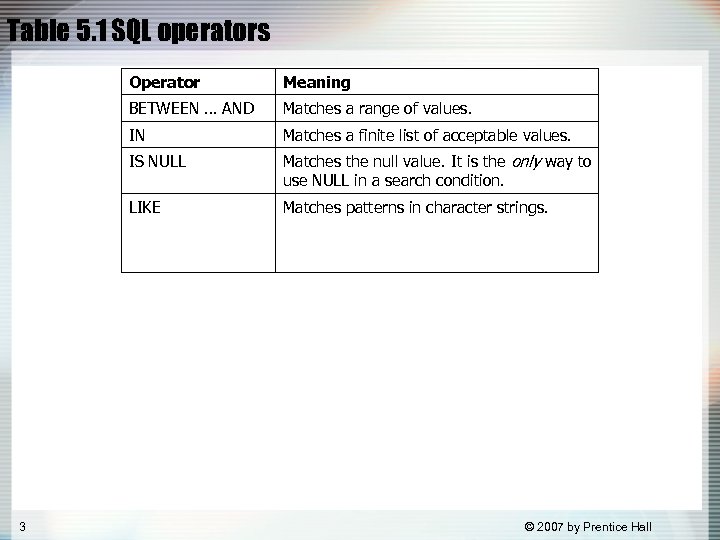 Table 5. 1 SQL operators Operator BETWEEN … AND Matches a range of values. IN Matches a finite list of acceptable values. IS NULL Matches the null value. It is the only way to use NULL in a search condition. LIKE 3 Meaning Matches patterns in character strings. © 2007 by Prentice Hall
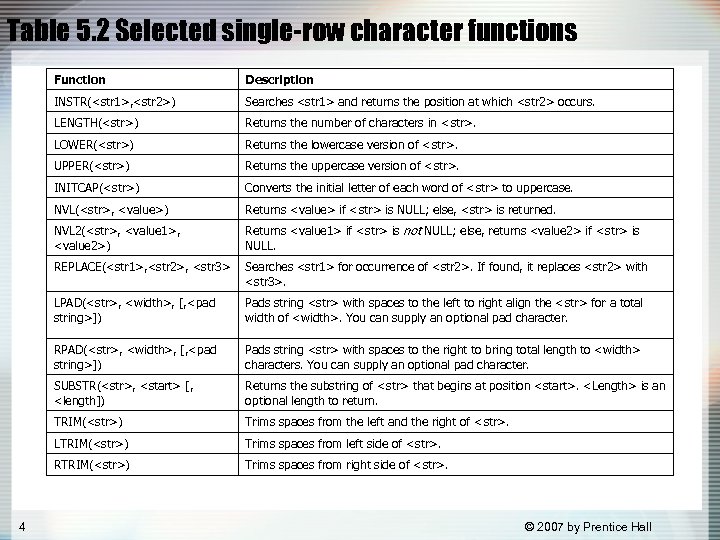 Table 5. 2 Selected single-row character functions Function INSTR(
 Table 5. 3 Selected single-row numeric functions Function Examples ABS(
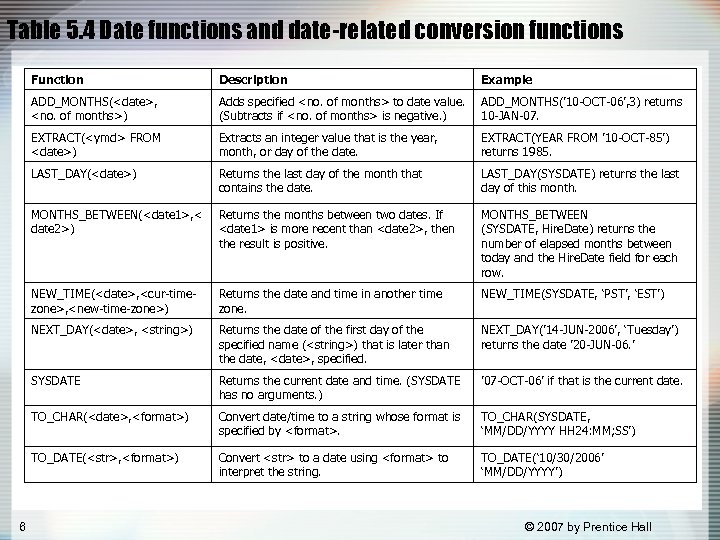 Table 5. 4 Date functions and date-related conversion functions Function Example ADD_MONTHS(
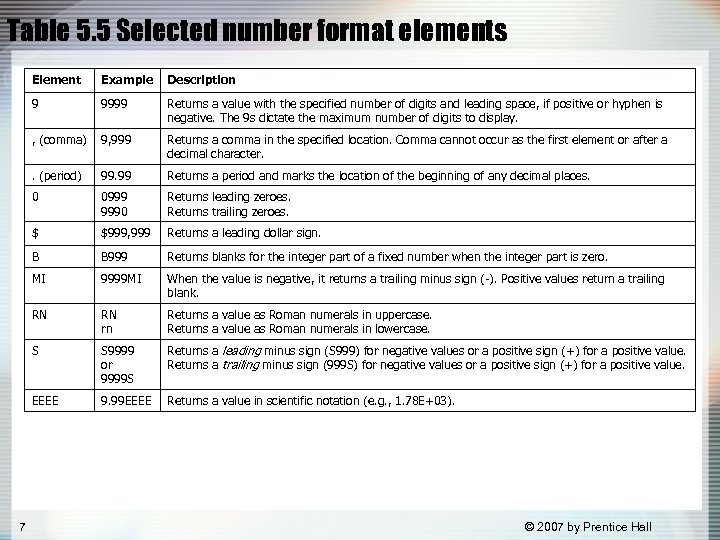 Table 5. 5 Selected number format elements Element Description 9 9999 Returns a value with the specified number of digits and leading space, if positive or hyphen is negative. The 9 s dictate the maximum number of digits to display. , (comma) 9, 999 Returns a comma in the specified location. Comma cannot occur as the first element or after a decimal character. . (period) 99. 99 Returns a period and marks the location of the beginning of any decimal places. 0 0999 9990 Returns leading zeroes. Returns trailing zeroes. $ $999, 999 Returns a leading dollar sign. B B 999 Returns blanks for the integer part of a fixed number when the integer part is zero. MI 9999 MI When the value is negative, it returns a trailing minus sign (-). Positive values return a trailing blank. RN RN rn Returns a value as Roman numerals in uppercase. Returns a value as Roman numerals in lowercase. S S 9999 or 9999 S Returns a leading minus sign (S 999) for negative values or a positive sign (+) for a positive value. Returns a trailing minus sign (999 S) for negative values or a positive sign (+) for a positive value. EEEE 7 Example 9. 99 EEEE Returns a value in scientific notation (e. g. , 1. 78 E+03). © 2007 by Prentice Hall
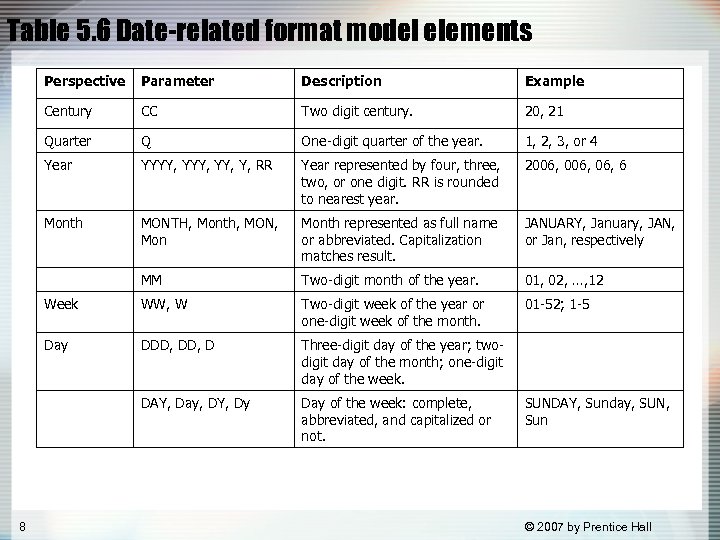 Table 5. 6 Date-related format model elements Perspective Description Example Century CC Two digit century. 20, 21 Quarter Q One-digit quarter of the year. 1, 2, 3, or 4 Year YYYY, YY, Y, RR Year represented by four, three, two, or one digit. RR is rounded to nearest year. 2006, 06, 6 Month MONTH, Month, MON, Month represented as full name or abbreviated. Capitalization matches result. JANUARY, January, JAN, or Jan, respectively MM Two-digit month of the year. 01, 02, …, 12 Week WW, W Two-digit week of the year or one-digit week of the month. 01 -52; 1 -5 Day DDD, D Three-digit day of the year; twodigit day of the month; one-digit day of the week. DAY, Day, DY, Dy 8 Parameter Day of the week: complete, abbreviated, and capitalized or not. SUNDAY, Sunday, SUN, Sun © 2007 by Prentice Hall
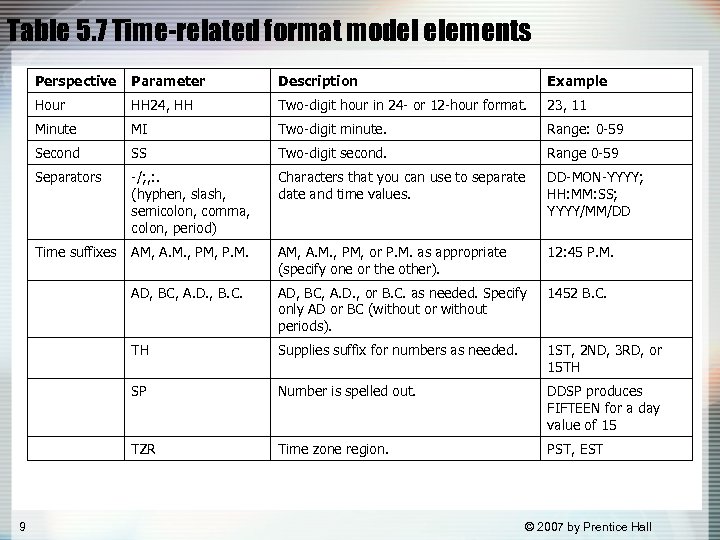 Table 5. 7 Time-related format model elements Perspective Description Example Hour HH 24, HH Two-digit hour in 24 - or 12 -hour format. 23, 11 Minute MI Two-digit minute. Range: 0 -59 Second SS Two-digit second. Range 0 -59 Separators -/; , : . (hyphen, slash, semicolon, comma, colon, period) Characters that you can use to separate date and time values. DD-MON-YYYY; HH: MM: SS; YYYY/MM/DD Time suffixes AM, A. M. , PM, P. M. AM, A. M. , PM, or P. M. as appropriate (specify one or the other). 12: 45 P. M. AD, BC, A. D. , B. C. AD, BC, A. D. , or B. C. as needed. Specify only AD or BC (without or without periods). 1452 B. C. TH Supplies suffix for numbers as needed. 1 ST, 2 ND, 3 RD, or 15 TH SP Number is spelled out. DDSP produces FIFTEEN for a day value of 15 TZR 9 Parameter Time zone region. PST, EST © 2007 by Prentice Hall
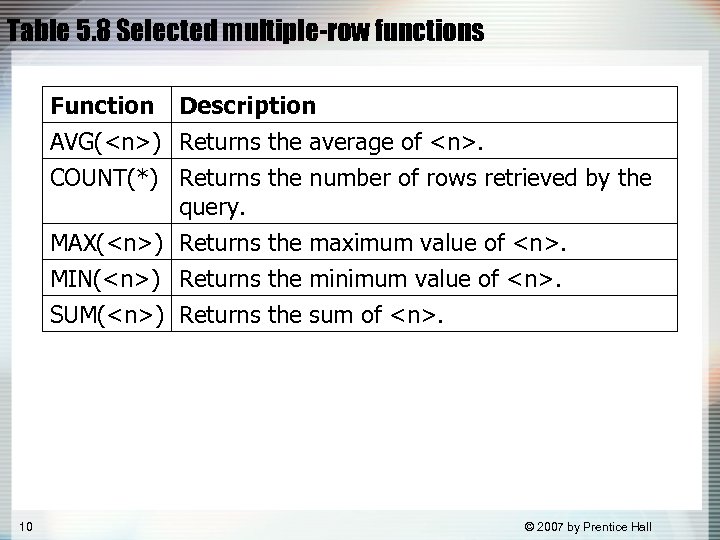 Table 5. 8 Selected multiple-row functions Function Description AVG(
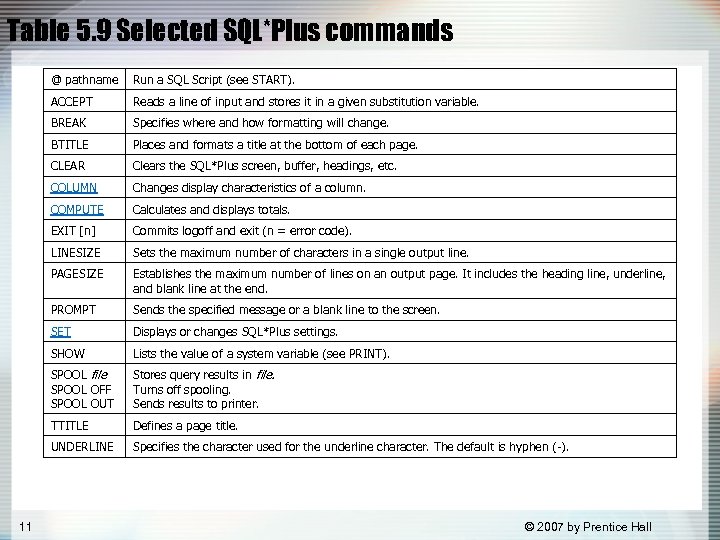 Table 5. 9 Selected SQL*Plus commands @ pathname ACCEPT Reads a line of input and stores it in a given substitution variable. BREAK Specifies where and how formatting will change. BTITLE Places and formats a title at the bottom of each page. CLEAR Clears the SQL*Plus screen, buffer, headings, etc. COLUMN Changes display characteristics of a column. COMPUTE Calculates and displays totals. EXIT [n] Commits logoff and exit (n = error code). LINESIZE Sets the maximum number of characters in a single output line. PAGESIZE Establishes the maximum number of lines on an output page. It includes the heading line, underline, and blank line at the end. PROMPT Sends the specified message or a blank line to the screen. SET Displays or changes SQL*Plus settings. SHOW Lists the value of a system variable (see PRINT). SPOOL file SPOOL OFF SPOOL OUT Stores query results in file. Turns off spooling. Sends results to printer. TTITLE Defines a page title. UNDERLINE 11 Run a SQL Script (see START). Specifies the character used for the underline character. The default is hyphen (-). © 2007 by Prentice Hall
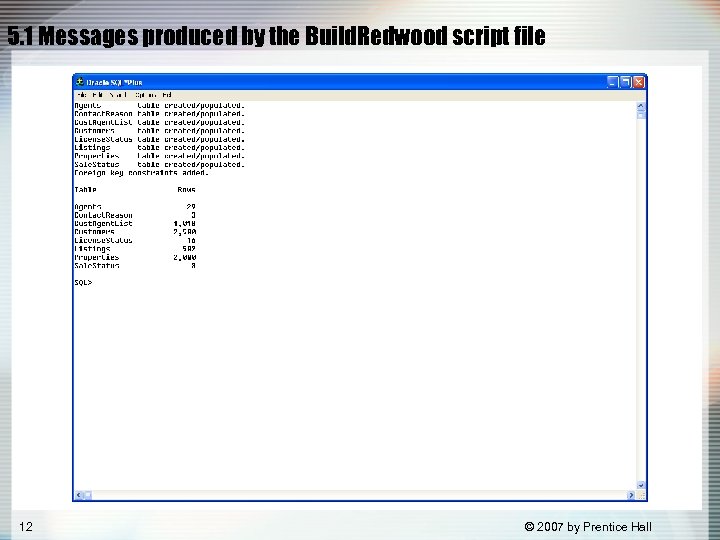 5. 1 Messages produced by the Build. Redwood script file 12 © 2007 by Prentice Hall
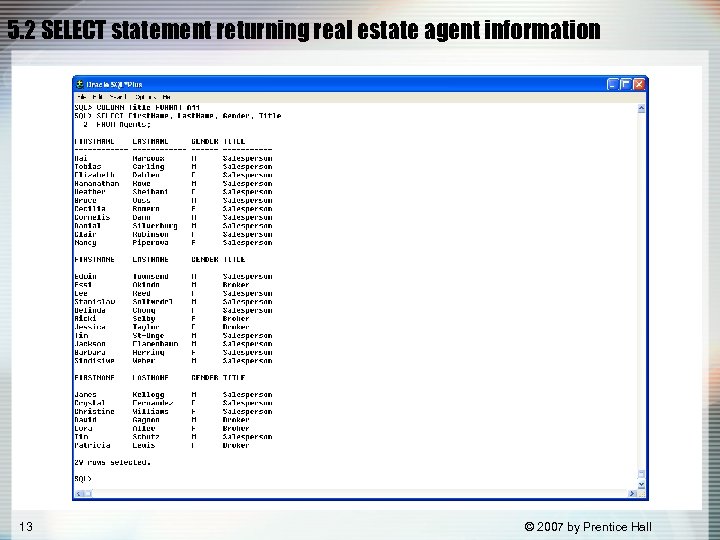 5. 2 SELECT statement returning real estate agent information 13 © 2007 by Prentice Hall
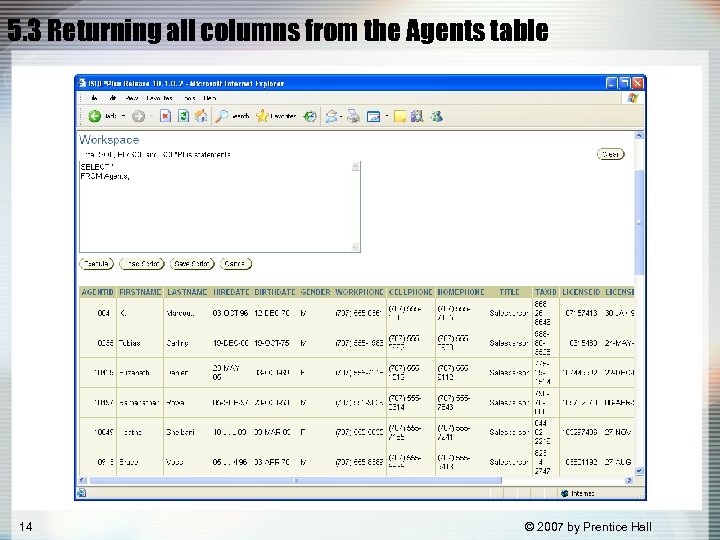 5. 3 Returning all columns from the Agents table 14 © 2007 by Prentice Hall
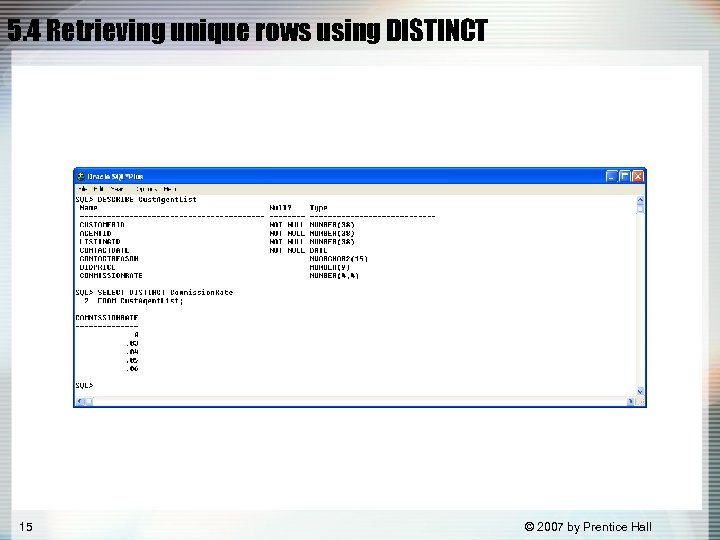 5. 4 Retrieving unique rows using DISTINCT 15 © 2007 by Prentice Hall
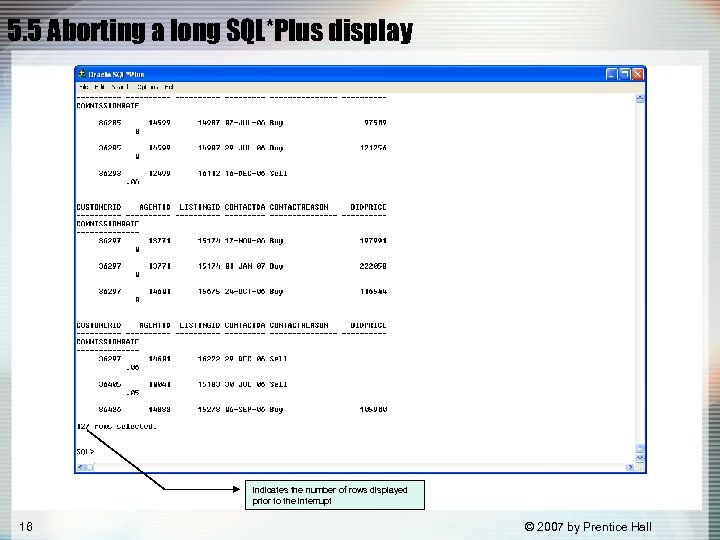 5. 5 Aborting a long SQL*Plus display indicates the number of rows displayed prior to the interrupt 16 © 2007 by Prentice Hall
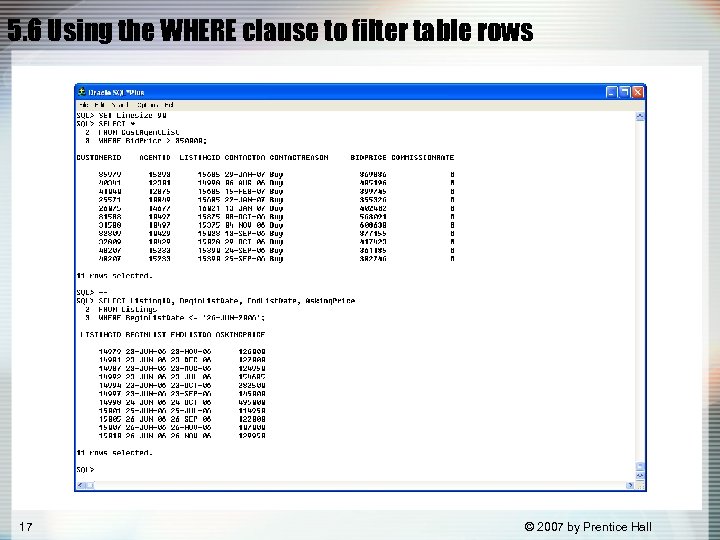 5. 6 Using the WHERE clause to filter table rows 17 © 2007 by Prentice Hall
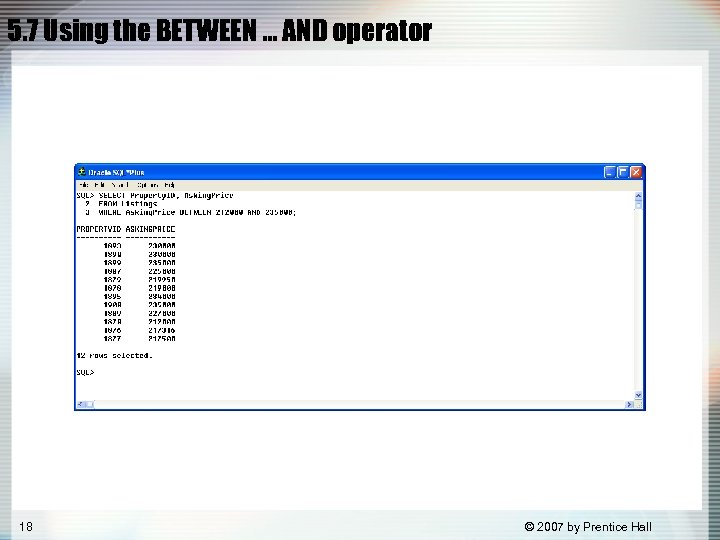 5. 7 Using the BETWEEN … AND operator 18 © 2007 by Prentice Hall
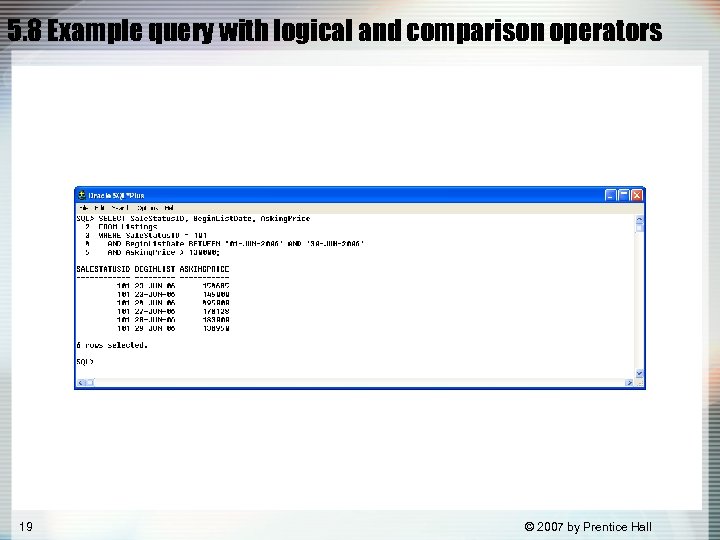 5. 8 Example query with logical and comparison operators 19 © 2007 by Prentice Hall
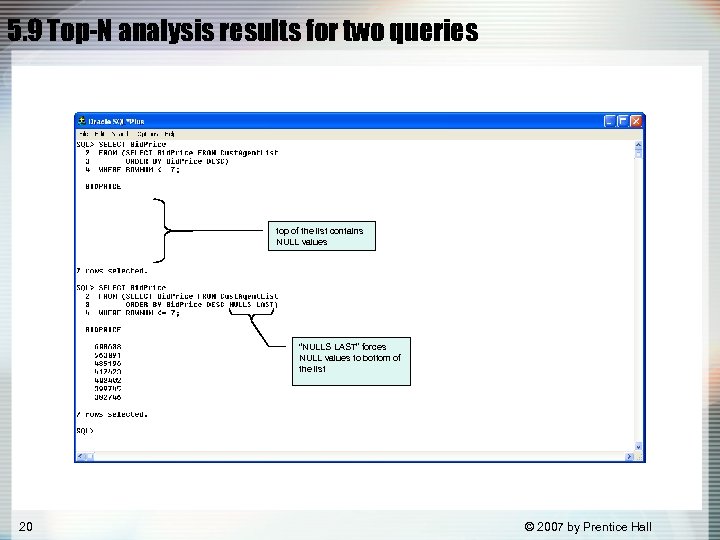 5. 9 Top-N analysis results for two queries top of the list contains NULL values “NULLS LAST” forces NULL values to bottom of the list 20 © 2007 by Prentice Hall
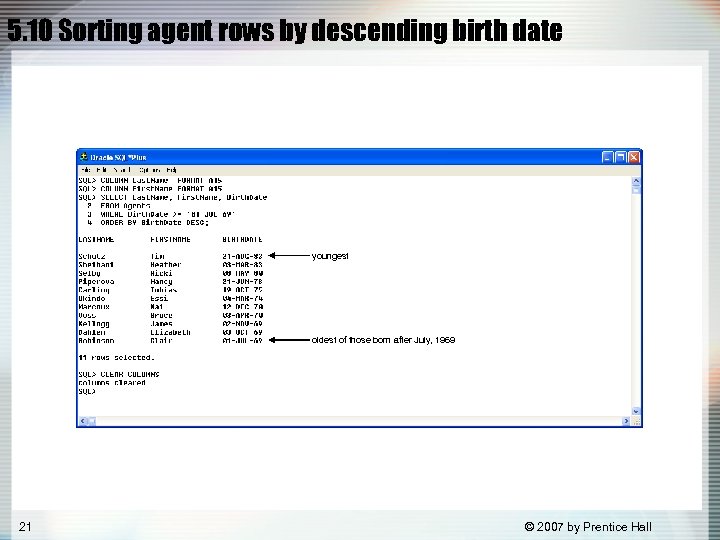 5. 10 Sorting agent rows by descending birth date youngest oldest of those born after July, 1969 21 © 2007 by Prentice Hall
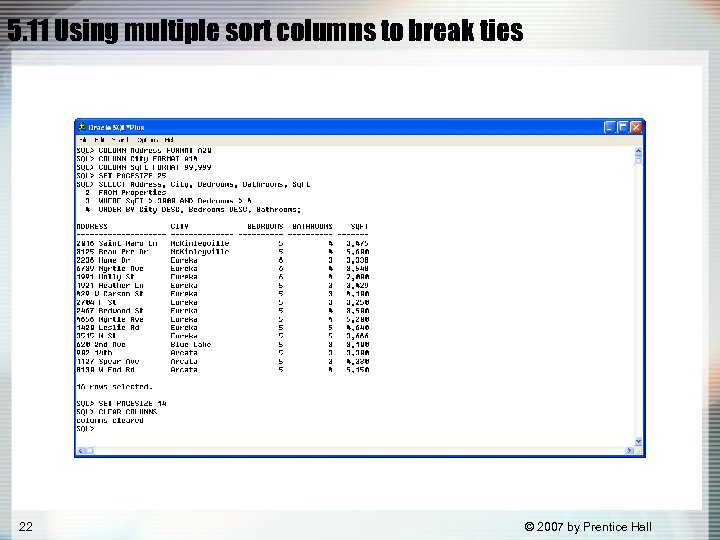 5. 11 Using multiple sort columns to break ties 22 © 2007 by Prentice Hall
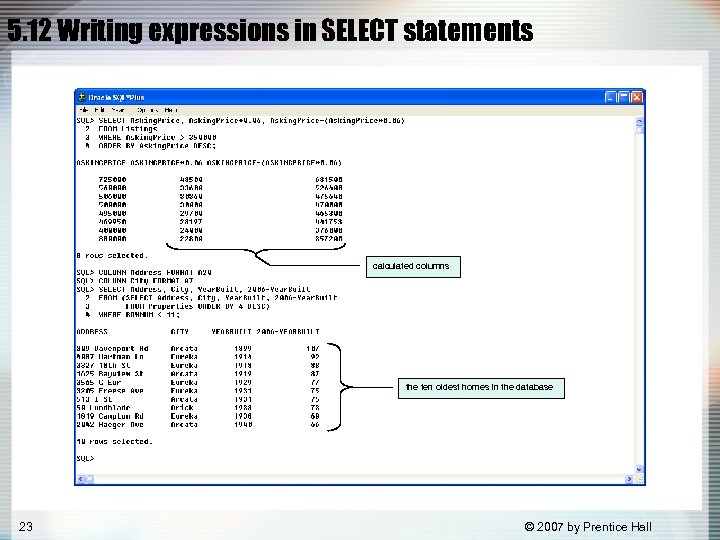 5. 12 Writing expressions in SELECT statements calculated columns the ten oldest homes in the database 23 © 2007 by Prentice Hall
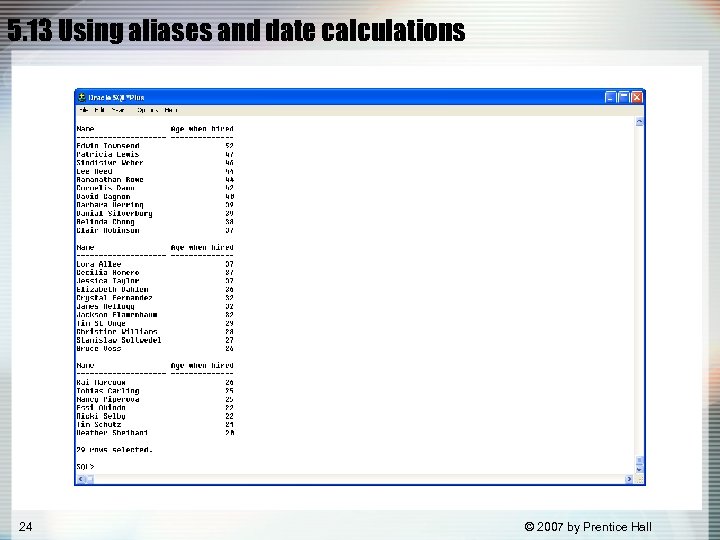 5. 13 Using aliases and date calculations 24 © 2007 by Prentice Hall
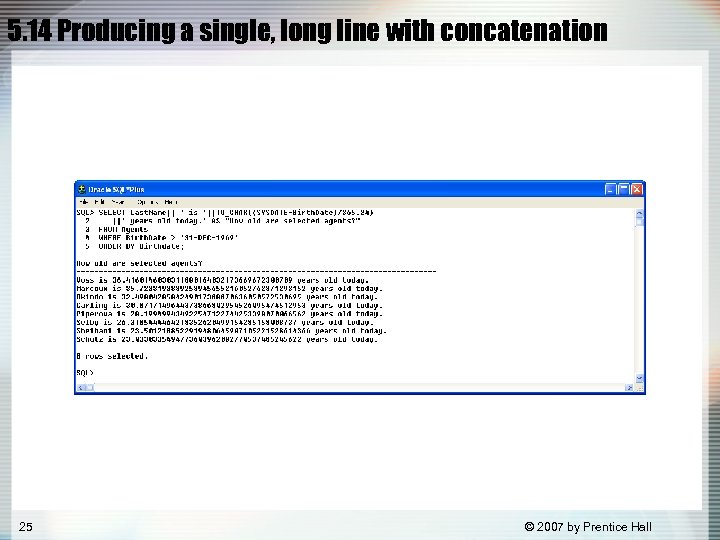 5. 14 Producing a single, long line with concatenation 25 © 2007 by Prentice Hall
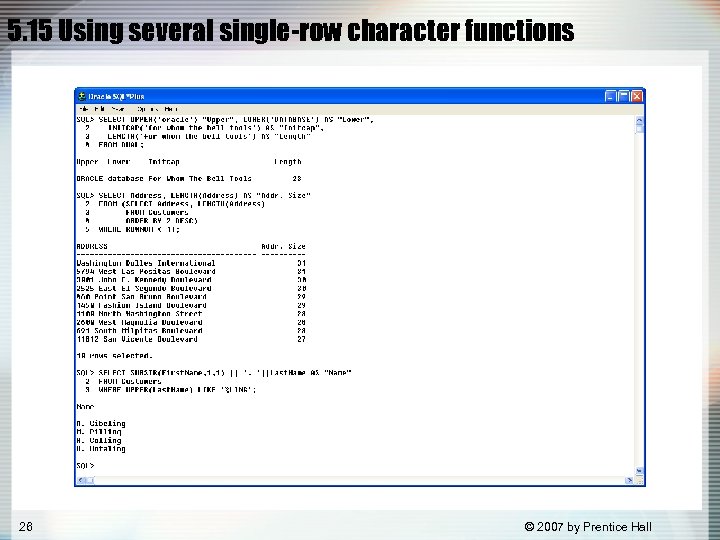 5. 15 Using several single-row character functions 26 © 2007 by Prentice Hall
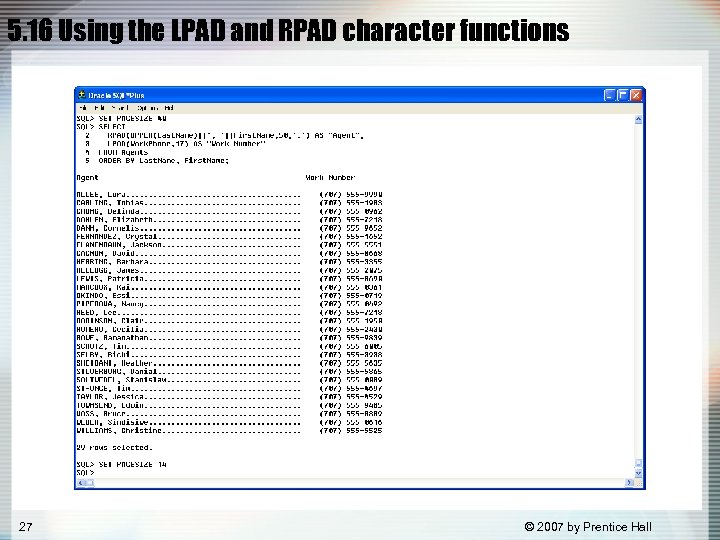 5. 16 Using the LPAD and RPAD character functions 27 © 2007 by Prentice Hall
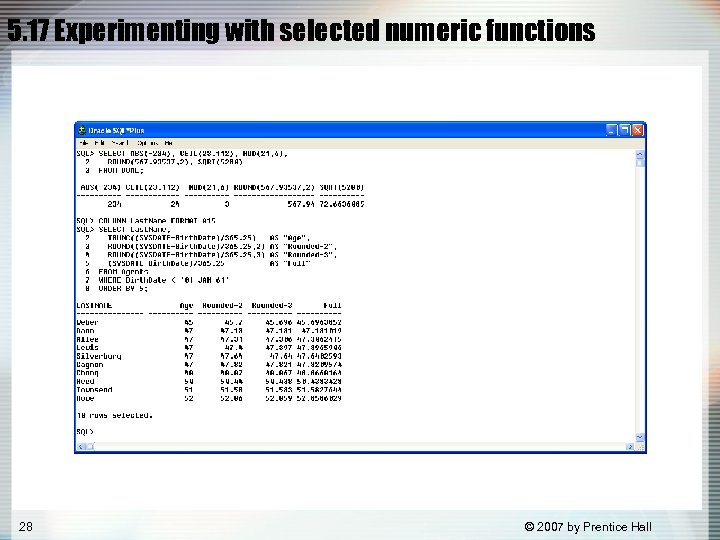 5. 17 Experimenting with selected numeric functions 28 © 2007 by Prentice Hall
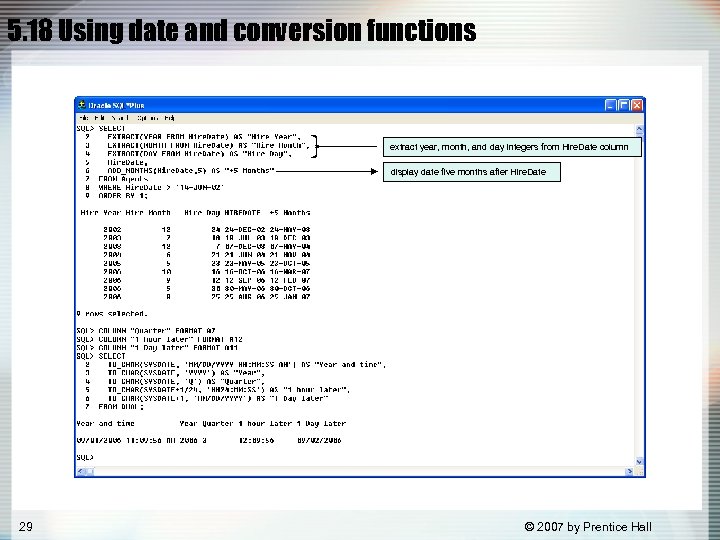 5. 18 Using date and conversion functions extract year, month, and day integers from Hire. Date column display date five months after Hire. Date 29 © 2007 by Prentice Hall
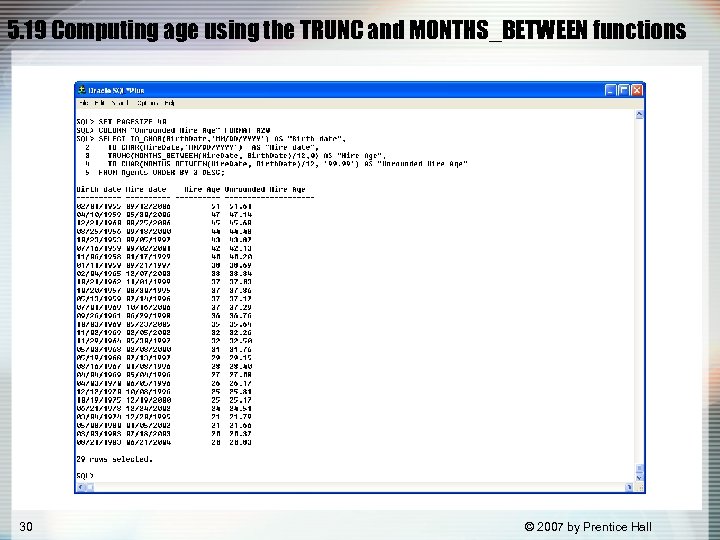 5. 19 Computing age using the TRUNC and MONTHS_BETWEEN functions 30 © 2007 by Prentice Hall
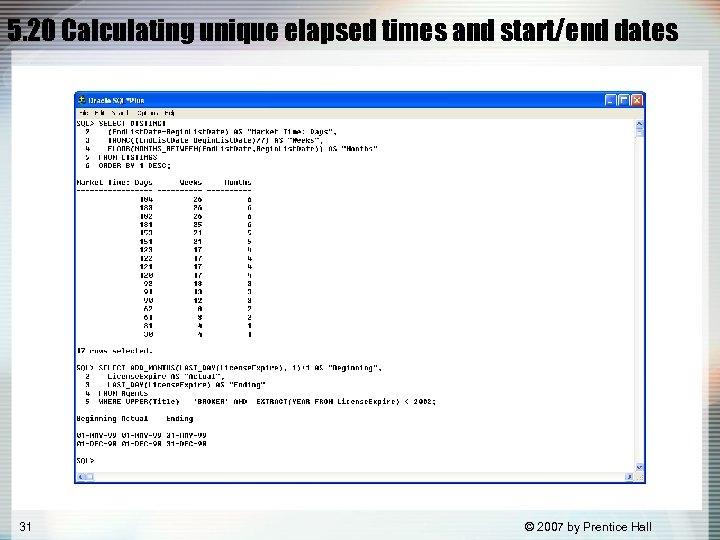 5. 20 Calculating unique elapsed times and start/end dates 31 © 2007 by Prentice Hall
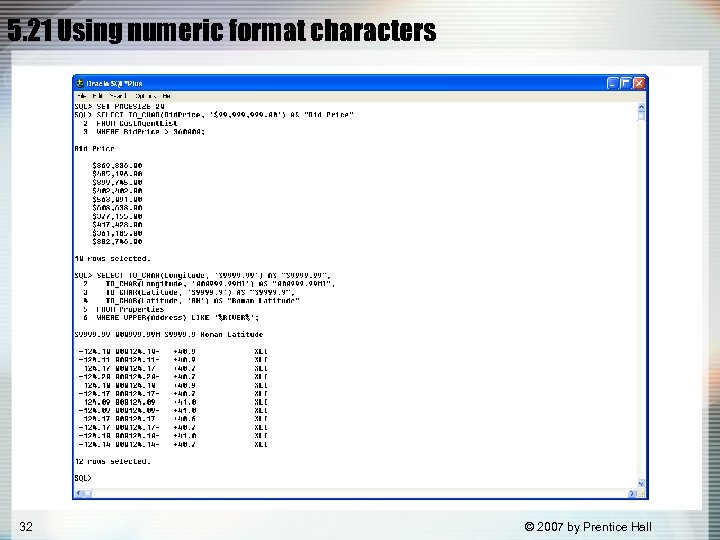 5. 21 Using numeric format characters 32 © 2007 by Prentice Hall
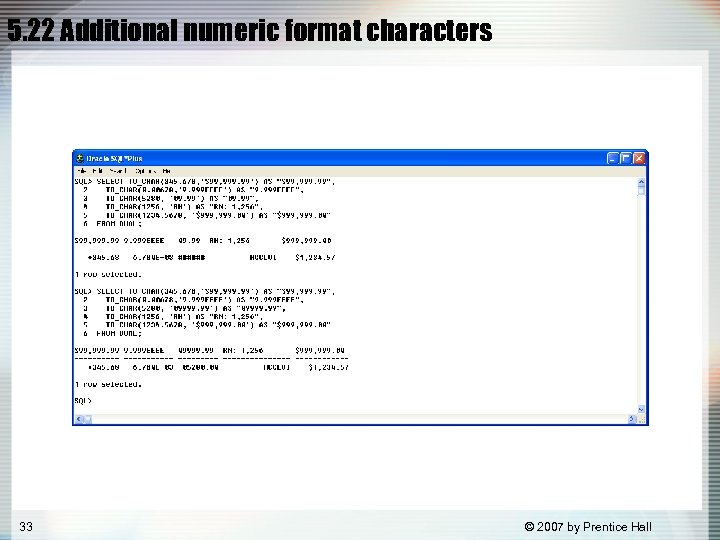 5. 22 Additional numeric format characters 33 © 2007 by Prentice Hall
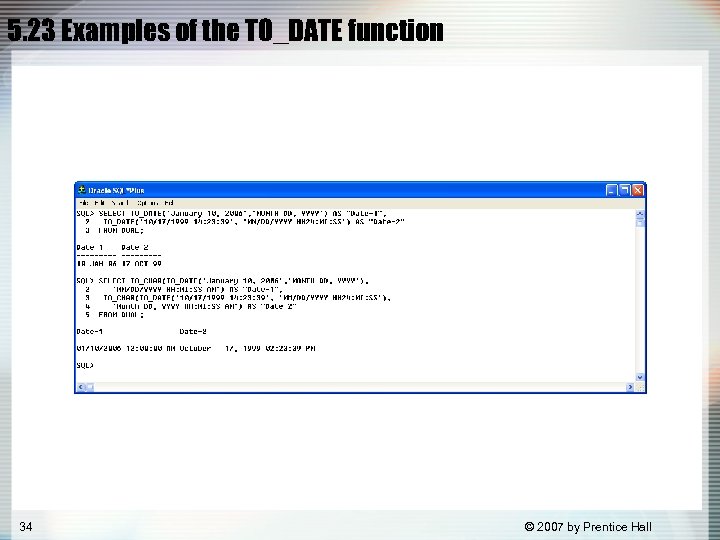 5. 23 Examples of the TO_DATE function 34 © 2007 by Prentice Hall
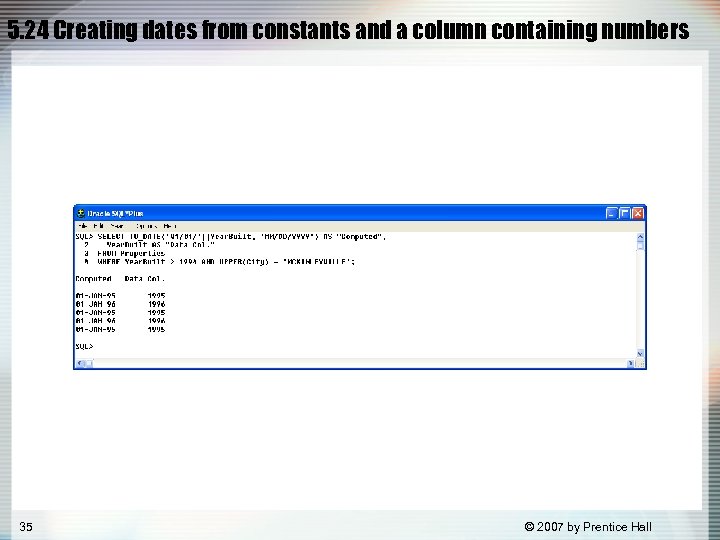 5. 24 Creating dates from constants and a column containing numbers 35 © 2007 by Prentice Hall
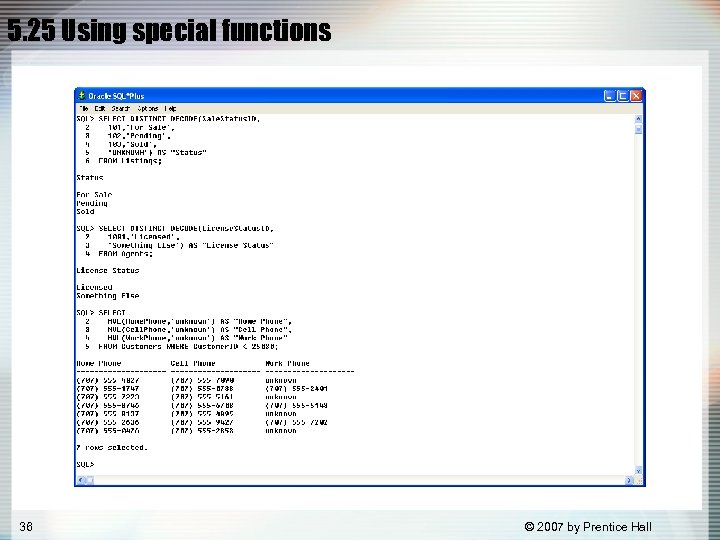 5. 25 Using special functions 36 © 2007 by Prentice Hall
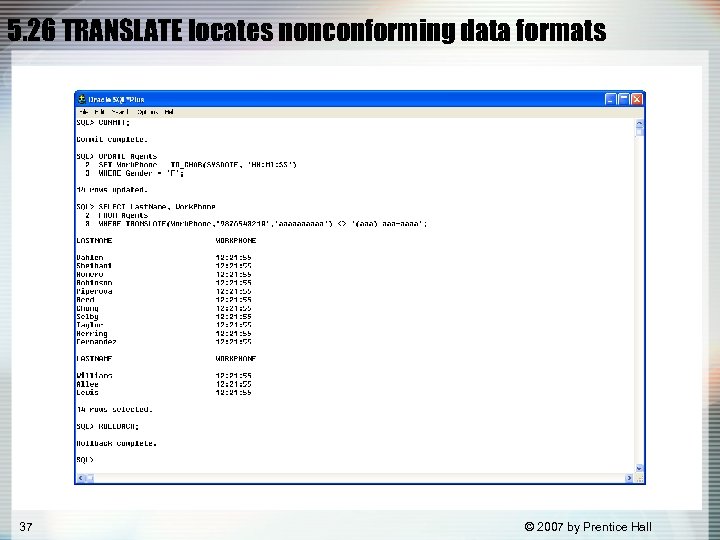 5. 26 TRANSLATE locates nonconforming data formats 37 © 2007 by Prentice Hall
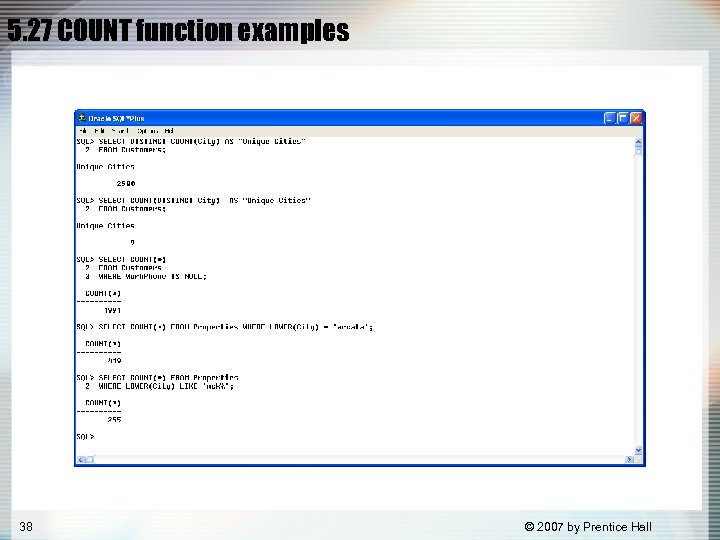 5. 27 COUNT function examples 38 © 2007 by Prentice Hall
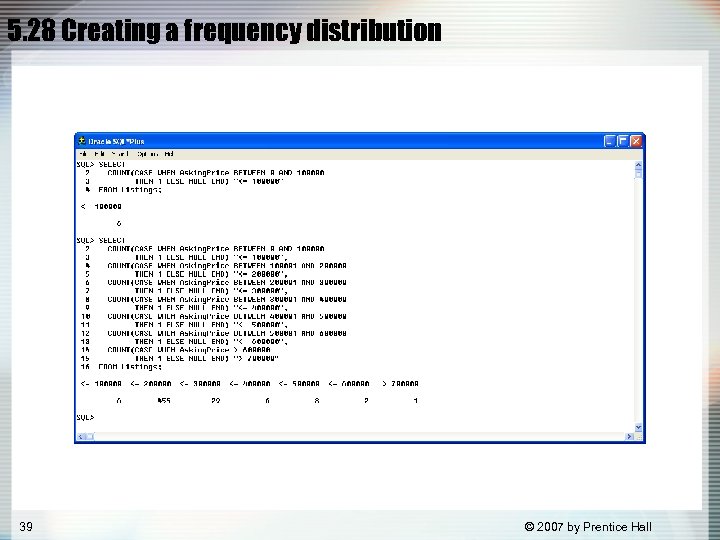 5. 28 Creating a frequency distribution 39 © 2007 by Prentice Hall
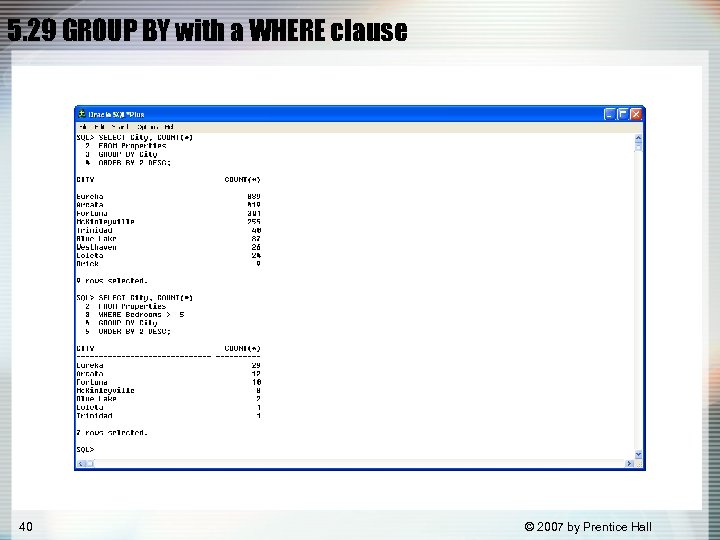 5. 29 GROUP BY with a WHERE clause 40 © 2007 by Prentice Hall
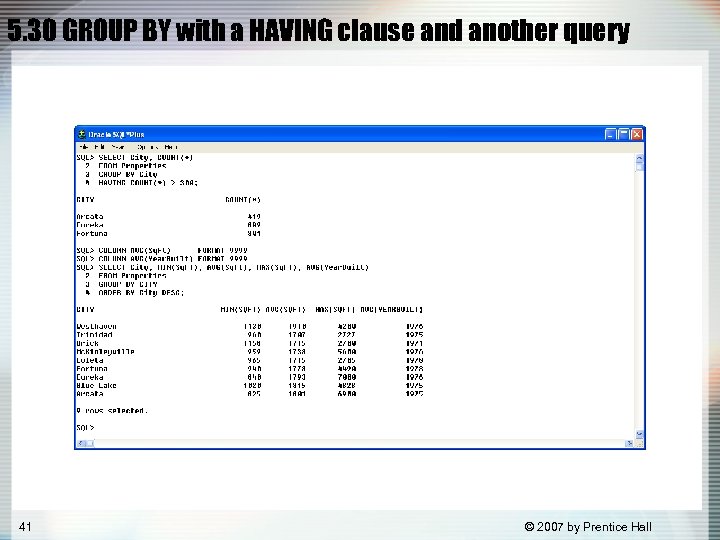 5. 30 GROUP BY with a HAVING clause and another query 41 © 2007 by Prentice Hall
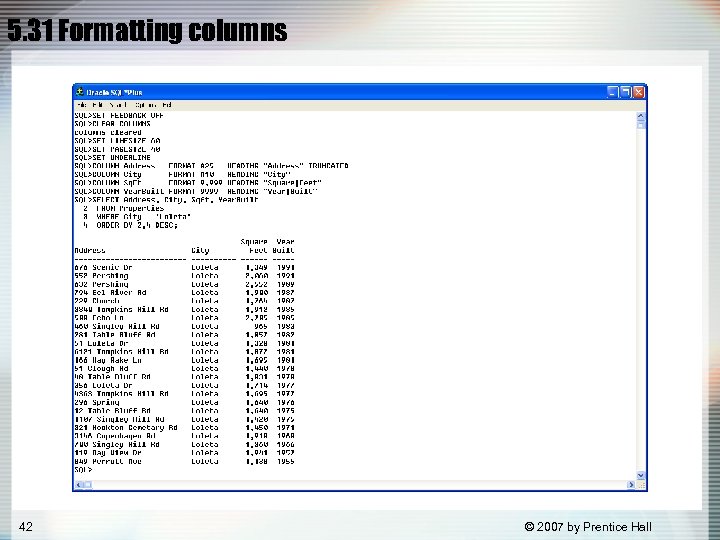 5. 31 Formatting columns 42 © 2007 by Prentice Hall
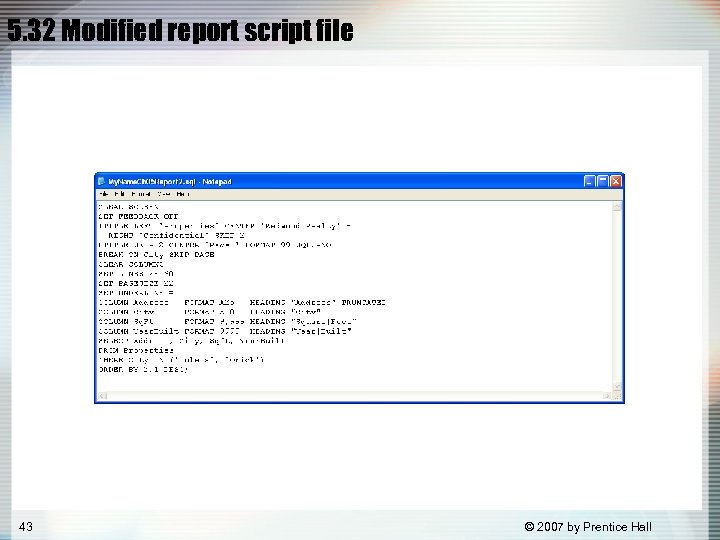 5. 32 Modified report script file 43 © 2007 by Prentice Hall
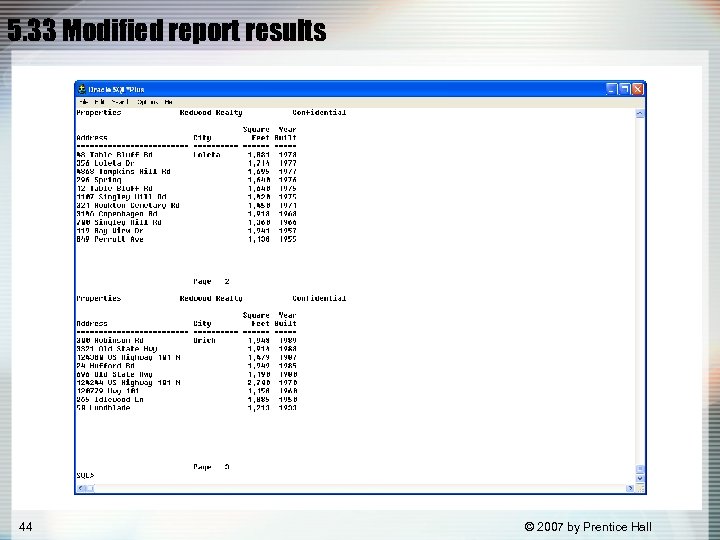 5. 33 Modified report results 44 © 2007 by Prentice Hall
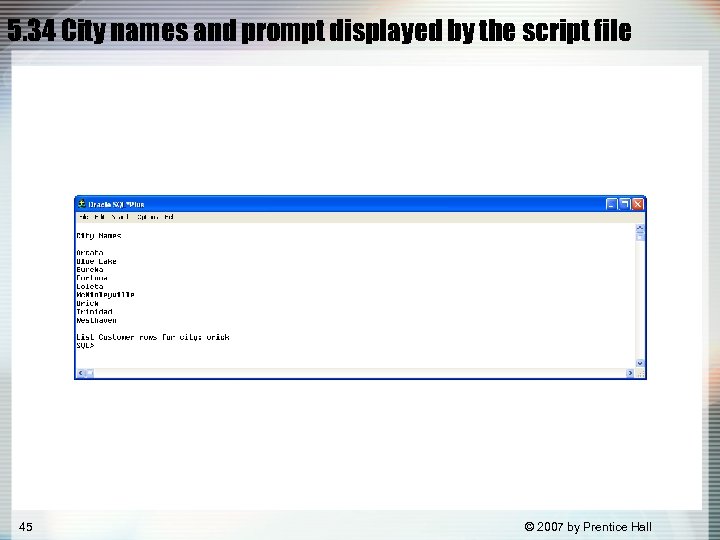 5. 34 City names and prompt displayed by the script file 45 © 2007 by Prentice Hall
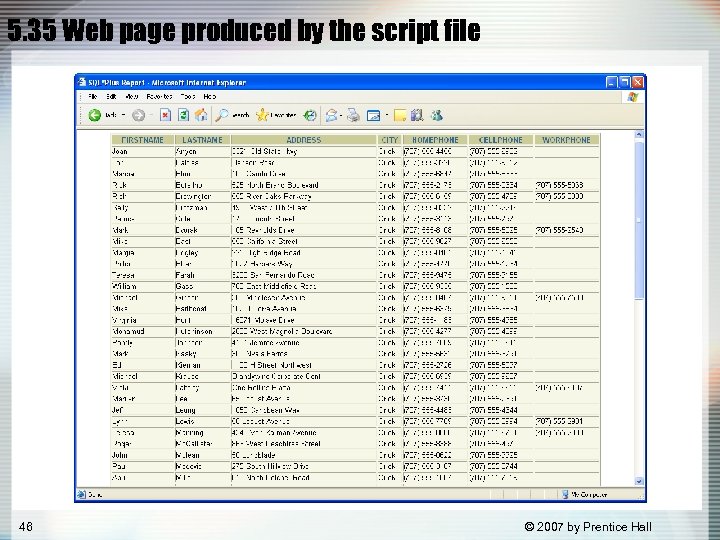 5. 35 Web page produced by the script file 46 © 2007 by Prentice Hall