


 Скачать презентацию Introduction to Networks and the Internet CMPE 80
6ef2d2f3bb69c4f38bbf80ae3a6872e4.ppt
- Количество слайдов: 70
 Introduction to Networks and the Internet CMPE 80 N Spring 2003 Week 3 CMPE 80 N - Introduction to Networks and the Internet 1
 Announcements • First quiz: April 22, 2003. – In class. – Closed book/notes. • TA discussion sessions. – During office hours. – Friday (04. 18) and Monday (04. 21). • HTML tutorial on 04. 29 (in class). • Nacho’s office hours (discussion session): – Monday (04. 21) from 12 -3 pm. CMPE 80 N - Introduction to Networks and the Internet 2
 The Physical Layer CMPE 80 N - Introduction to Networks and the Internet 3
 Physical Layer • Sending raw bits across “the wire”. • Issues: – What’s being transmitted. – Transmission medium. – How it’s being transmitted. CMPE 80 N - Introduction to Networks and the Internet 4
 Signal • Signal: electro-magnetic wave carrying information. • Time domain: signal as a function of time. – Analog signal: signal’s amplitude varies continuously over time, ie, no discontinuities. – Digital signal: data represented by sequence of 0’s and 1’s (e. g. , square wave). • Frequency domain: – Signal spectrum: signal’s frequency components. CMPE 80 N - Introduction to Networks and the Internet 5
 Analog Technology • Analog devices maintain exact physical analog of information – E. g. , microphone: the voltage at the output of the mic is proportional to the sound pressure • Early telephones were all analog • Problems with analog signals: – Difficult to store (e. g. : audio tapes, videotapes) – Must be processed by analog systems which often add distortion – Noise always adds to the signal CMPE 80 N - Introduction to Networks and the Internet 6
 Digital Technology • It use numbers to record and process information – Inside a computer, all information is represented by numbers – Analog-to-digital conversion: ADC – Digital-to-analog conversion: DAC • All signals (including multimedia) can be encoded in digital form • Digital information does not get distorted while being stored, copied or communicated CMPE 80 N - Introduction to Networks and the Internet 7
 2 Levels Are Sufficient • Computers encode numbers using only two levels: 0 and 1 • A bit is a digit that can only assume the values 0 and 1 (it is a binary digit) • A word is a number formed by several bits – Example: ASCII standard for encoding text • A = 1000001; B = 1000010; … • A byte is a word with 8 bits CMPE 80 N - Introduction to Networks and the Internet 8
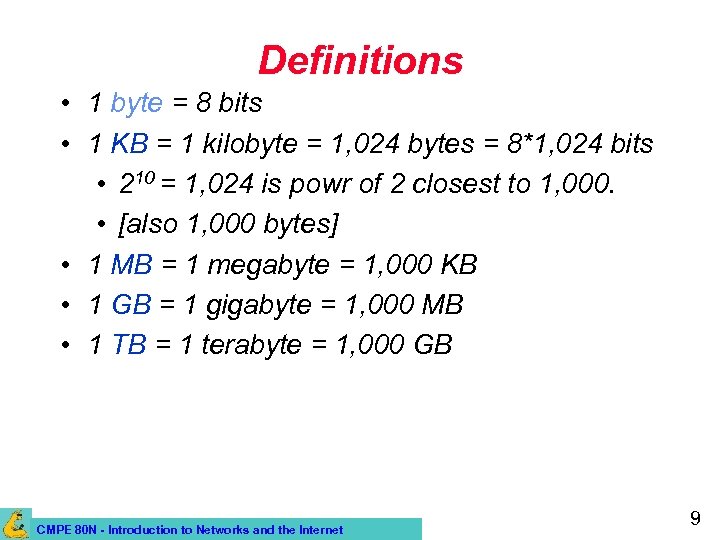 Definitions • 1 byte = 8 bits • 1 KB = 1 kilobyte = 1, 024 bytes = 8*1, 024 bits • 210 = 1, 024 is powr of 2 closest to 1, 000. • [also 1, 000 bytes] • 1 MB = 1 megabyte = 1, 000 KB • 1 GB = 1 gigabyte = 1, 000 MB • 1 TB = 1 terabyte = 1, 000 GB CMPE 80 N - Introduction to Networks and the Internet 9
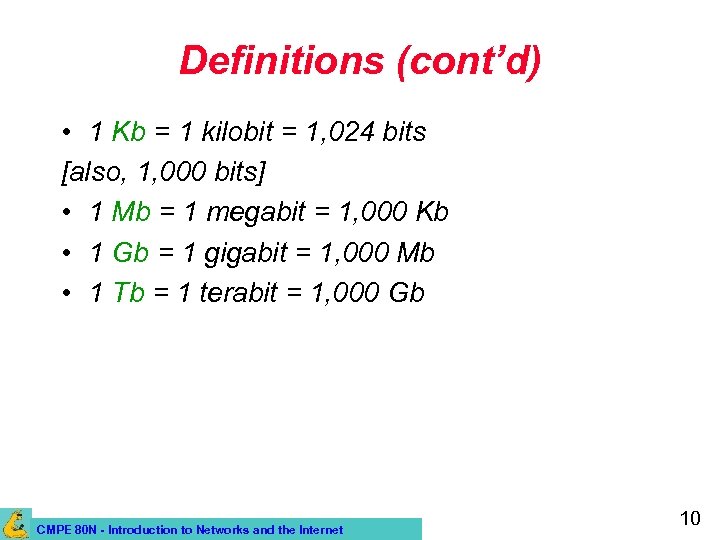 Definitions (cont’d) • 1 Kb = 1 kilobit = 1, 024 bits [also, 1, 000 bits] • 1 Mb = 1 megabit = 1, 000 Kb • 1 Gb = 1 gigabit = 1, 000 Mb • 1 Tb = 1 terabit = 1, 000 Gb CMPE 80 N - Introduction to Networks and the Internet 10
 Digitization • Digitization is the process that allows us to convert analog to digital (implemented by ADC) • Analog signals: x(t) – Defined on continuum (e. g. time) – Can take on any real value • Digital signals: q(n) – Sequence of numbers (samples) defined in a discrete set (e. g. , integers) CMPE 80 N - Introduction to Networks and the Internet 11
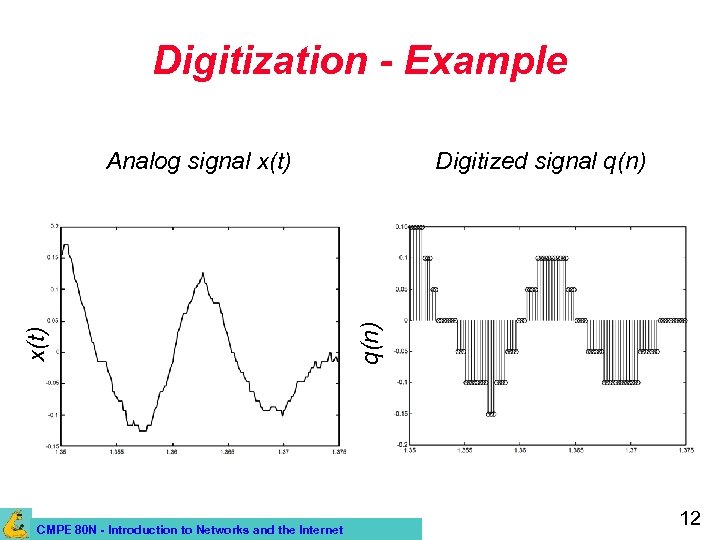 Digitization - Example CMPE 80 N - Introduction to Networks and the Internet Digitized signal q(n) x(t) Analog signal x(t) 12
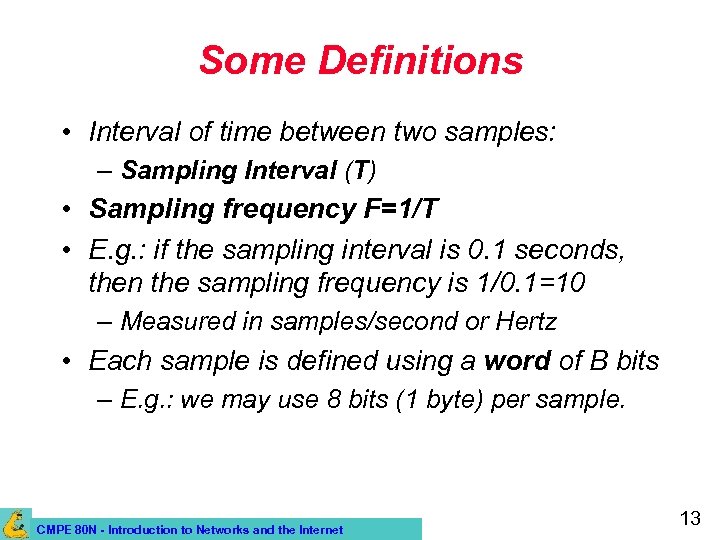 Some Definitions • Interval of time between two samples: – Sampling Interval (T) • Sampling frequency F=1/T • E. g. : if the sampling interval is 0. 1 seconds, then the sampling frequency is 1/0. 1=10 – Measured in samples/second or Hertz • Each sample is defined using a word of B bits – E. g. : we may use 8 bits (1 byte) per sample. CMPE 80 N - Introduction to Networks and the Internet 13
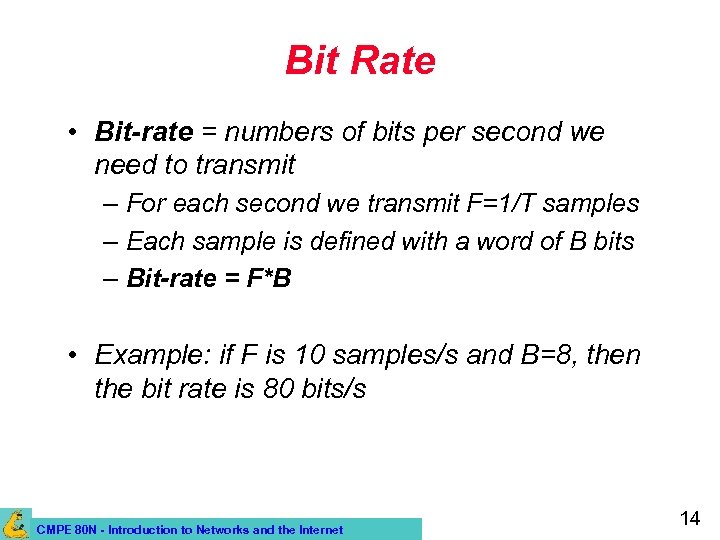 Bit Rate • Bit-rate = numbers of bits per second we need to transmit – For each second we transmit F=1/T samples – Each sample is defined with a word of B bits – Bit-rate = F*B • Example: if F is 10 samples/s and B=8, then the bit rate is 80 bits/s CMPE 80 N - Introduction to Networks and the Internet 14
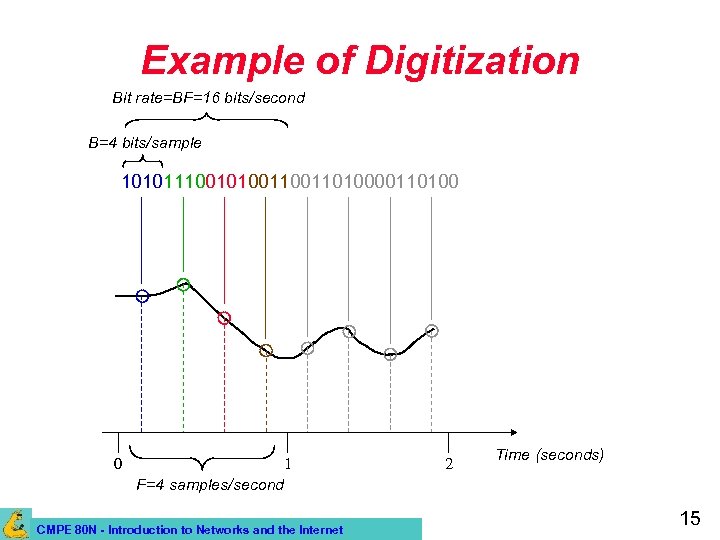 Example of Digitization Bit rate=BF=16 bits/second B=4 bits/sample 1010111001010011010000110100 0 1 F=4 samples/second CMPE 80 N - Introduction to Networks and the Internet 2 Time (seconds) 15
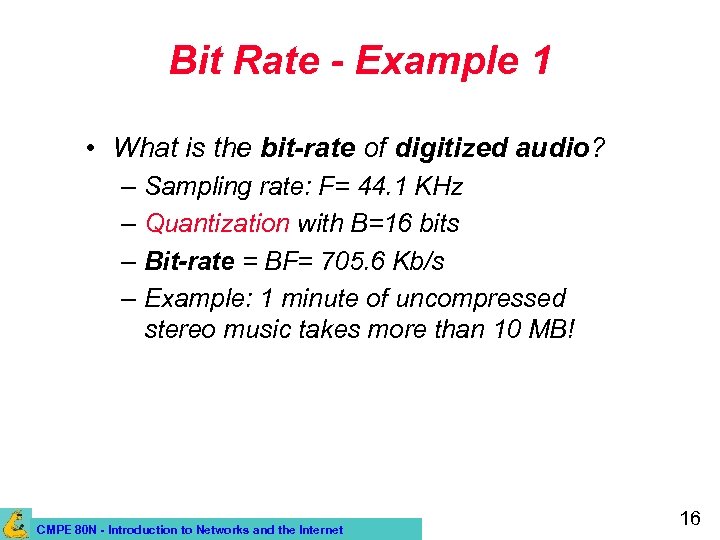 Bit Rate - Example 1 • What is the bit-rate of digitized audio? – Sampling rate: F= 44. 1 KHz – Quantization with B=16 bits – Bit-rate = BF= 705. 6 Kb/s – Example: 1 minute of uncompressed stereo music takes more than 10 MB! CMPE 80 N - Introduction to Networks and the Internet 16
 Bit Rate - Example 2 • What is the bit-rate of digitized speech? – Sampling rate: F = 8 KHz – Quantization with B = 16 bits – Bit-rate = BF = 128 Kb/s CMPE 80 N - Introduction to Networks and the Internet 17
 Bandwidth and Bit Rate • Bit rate: rate at which data is transmitted; unit is bits/sec or bps (applies to digital signal). – Example: 2 Mbits/sec, or 2 Mbps. • If data rate of signal is W bps, good representation achieved with 2*W Hz bandwidth. CMPE 80 N - Introduction to Networks and the Internet 18
 Data Transmission • Analog and digital transmission. – Example of analog data: voice and video. – Example of digital data: character strings • Use of codes to represent characters as sequence of bits (e. g. , ASCII). • Historically, communication infrastructure for analog transmission. – E. g. , telephone network. CMPE 80 N - Introduction to Networks and the Internet 19
 Digital Transmission • Current trend: digital transmission. – Cost efficient: advances in digital circuitry (VLSI). • Advantages: – Data integrity: better noise immunity. – Security: easier to integrate encryption algorithms. – Channel utilization: higher degree of multiplexing (time-division mux’ing). CMPE 80 N - Introduction to Networks and the Internet 20
 Modems • MODEM = Modulator/Demodulator – Converts digital to analog before transmitting over analog channel (e. g. , telephone networks). • To transmit data: DAC (digital-to-analog converter) • To receive data: ADC (analog-to-digital converter) • 2 -way communication: needs two modems. – Each modem contains circuitry to encode outgoing data and decode incoming data. CMPE 80 N - Introduction to Networks and the Internet 21
 Types of Communication • Half-duplex communication: – Only one party can talk at a time. • E. g. , walkie-talkie. • Full-duplex communication: – Both parties can talk at the same time. • E. g. , telephone • Modems use full-duplex communication. CMPE 80 N - Introduction to Networks and the Internet 22
 Modems (cont’d) • Modems contain complex circuitry to: – Modulate/demodulate the analog signal. • Allows for the transmission of moderately high bit-rate over the telephone line. – Compress the data. • Reduces the amount of bits to be transmitted – Detect bit errors due to transmission. • Achievable bit rates. – 14. 4 - 56 Kb/s CMPE 80 N - Introduction to Networks and the Internet 23
 I/O Connections • Standard: defines the details of a particular communication technology. • RS-232 is a standard for serial communication between digital devices. – It’s full duplex. – 20 -30 Kb/s. – Can only connect one device at a time. • So if you want to connect a PC to many devices, you need as many cables coming out of your PC. CMPE 80 N - Introduction to Networks and the Internet 24
 USB and Fire. Wire • USB (Universal Serial Bus). – Can connect many devices through a USB hub. – Bitrates: 12 Mb/s (USB 1. 1) to 480 Mb/s (USB 2. 0). – Provides power to small devices (e. g. , mouse). • Firewire (IEEE 1394). – Can connect many devices through a Fire. Wire hub. – Bitrates: up to 400 Mb/s. – Very popular for video cameras and storage systems, also to connect two devices (without a PC). – Can provide power to small devices (e. g. , video cameras). CMPE 80 N - Introduction to Networks and the Internet 25
 Why Broadband? • RS-232, USB, Firewire, all have constraints on the maximum length of the wire. • We already know a solution: modem. – Uses the telephone network. • However, modems provide insufficient bitrate. – Also, when using the modem, you cannot use the telephone for voice communication! CMPE 80 N - Introduction to Networks and the Internet 26
 Broadband Connection Types – – Integrated Services Digital Network (ISDN). Asymmetric Digital Subscriber Line (ADSL). Cable Modem. Wireless. – Satellite Links. – Cellular Networks. – Ad Hoc Networks. CMPE 80 N - Introduction to Networks and the Internet 27
 ISDN • ISDN provides for communication of digitized voice and data to subscribers over the conventional “local loop” (i. e. , using the same wiring as for analog telephone) • In the Basic Rate Interface (BRI), ISDN offers three separate digital channels (2 B+D). • All on the same wire! (Multiplexing) • Primary Rate Interface (23 B+D). – Requires higher capacity lines than local loop! CMPE 80 N - Introduction to Networks and the Internet 28
 ISDN (cont’d) • The two B channels are intended to carry digital voice, data, or digital streams – Bitrate of each B-channel: 64 kb/s (overall, 128 kb/s) • The D channel is used as a control channel – E. g. , to request services which are then supplied over the B channels, to carry caller ID information, etc. – Bitrate of D channel: 16 kb/s. CMPE 80 N - Introduction to Networks and the Internet 29
 ISDN (cont’d) • To connect computer to ISDN, user needs a special network termination device (NT 1). – NT 1 device a. k. a. ISDN modem. • A modem converts a digital signal to an analog signal; ISDN is inherently digital, so no such conversion is necessary. • Need to dial a number to start a connection CMPE 80 N - Introduction to Networks and the Internet 30
 ISDN (cont’d) • ISDN was initiated in 1984, and was available in the USA in the early 90 s. • It was an attempt to replace the analog phone system with a digital voice+data system. – It never really succeeded… • Currently, ISDN is obsolete, because it offers limited bitrate at a fairly high price. • Still a possibility for Internet connection where other forms of broadband are not available. CMPE 80 N - Introduction to Networks and the Internet 31
 ADSL • ADSL allows transmission of high bit-rates over local loop. – It does not require any changes in the wiring. • In addition, it does not preempt the local loop. – A user can use the telephone for analog voice communication and at the same time transmit data or stream video. • It requires a splitter and a ADSL modem – The splitter separates voice/fax signals from data stream. – PC to ADSL modem: typically USB. CMPE 80 N - Introduction to Networks and the Internet 32
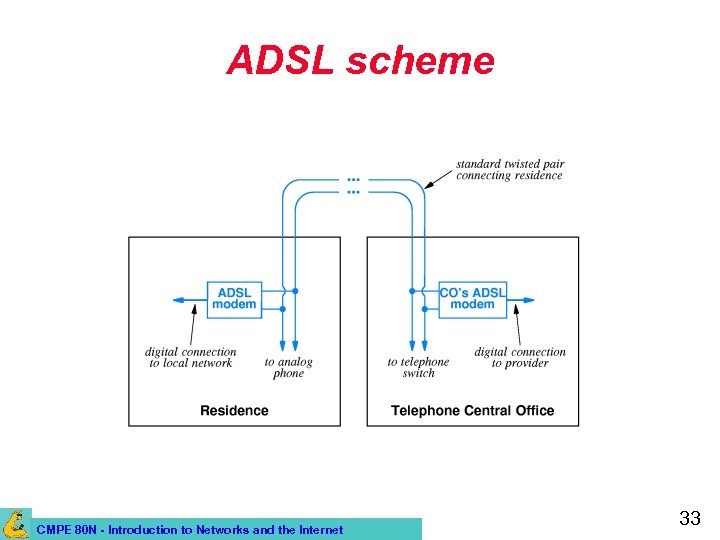 ADSL scheme CMPE 80 N - Introduction to Networks and the Internet 33
 ADSL (cont’d) • To achieve high bitrate transmission, ADSL must use sophisticated technology – It is “adaptive”: ADSL modems at the two ends probe the line between them to find its characteristics, and then agree to communicate using techniques that are optimal for that line. • Depending on the characteristics of the wiring, different bit-rates can be achieved – If a house is too far form the “End office” (switching center), ADSL is not available. CMPE 80 N - Introduction to Networks and the Internet 34
 ADSL (cont’d) • ADSL is asymmetric: it provides a higher bitrate downstream than upstream. – Downstream: 32 kb/s to 6. 4 Mb/s (more typically, 1. 5 Mb/s) – Upstream: 32 to 640 kb/s (more typically, 256 kb/s) • Asymmetry is OK when high bitrate data is transmitted to the user. – E. g. : Video-On-Demand, Internet radio… • In some cases, symmetric communication is preferable. – E. g. : Videoconferences CMPE 80 N - Introduction to Networks and the Internet 35
 Cable Modems • CATV (Community Antenna TV, or cable TV) uses coax cable (less susceptible to interference) – 1 -Km coax cable can accommodate bitrates of 1 -2 Gb/s! • Only one cable is used for a neighborhood – Different TV channels are multiplexed on it. • Cable systems are designed to carry many more television signals than currently available. – There is unused capacity that can be used for data communication! – >80% of US homes are already reached by CATV CMPE 80 N - Introduction to Networks and the Internet 36
 Cable Modems (cont’d) • User can connect using a cable modem – A splitter separates the TV and the data signals. • Problem: all users in the neighborhood share the same available capacity in the same cable! – If all users in the neighborhood transmit data at the same time, the available bitrate is reduced. • E. g. , if there are 50 Mb/s available, and 100 users in the neighborhood use it simultaneously, each user has only 0. 5 Mb/s CMPE 80 N - Introduction to Networks and the Internet 37
 Cable Modems (cont’d) • Coax cables from several neighborhoods connect to a concentrator – The concentrator uses high capacity fiber optics cables to connect to the head end, which is connected to the Internet. • Communication is asymmetric – Originally, CATV was designed only for downstream communication! • Available bitrates: – Downstream: 1. 5 to 2 Mb/s – Upstream: 128 kb/s CMPE 80 N - Introduction to Networks and the Internet 38
 Satellite Systems • Digital communication satellites were deployed by telecommunication companies as an alternative to terrestrial lines. – They can now be used as “local loop” technology (e. g. , Direct. PC). • Advantages: – Can reach arbitrary geographic locations. – Does not require wiring. – Has high bandwidth. – Perfect for broadcasting (can reach many users at once). CMPE 80 N - Introduction to Networks and the Internet 39
 Satellite Systems (cont’d) • Disadvantages: – It’s a shared medium (the bitrate depends on the number of simultaneous users). – Delay (latency) can be relatively high (<1 s) • Not ideal for playing interactive app’s (e. g. , games). – You have to put a dish on your roof! • Initially, uplink was not provided. – Needed to use a separate phone line to uplink information. • Nowadays it is a two-way system. CMPE 80 N - Introduction to Networks and the Internet 40
 Cellular Networks • • Cellular phones: voice. Cellular networks: shift from voice to data. New wireless devices: pagers, PDAs. New services: Web access, e-mail, instant messaging, etc. CMPE 80 N - Introduction to Networks and the Internet 41
 Cellular Concept: Motivation • Early mobile radio systems: – Large coverage with single, high-powered transmitter. – But, no frequency re-use due to interference. • Since finite spectrum allocation, need: high capacity (number of users) with limited spectrum and wide coverage. CMPE 80 N - Introduction to Networks and the Internet 42
 Some Cellular Terminology • • • Mobile. Base station. Mobile Switching Center (MSC). Handoff. Cell. CMPE 80 N - Introduction to Networks and the Internet 43
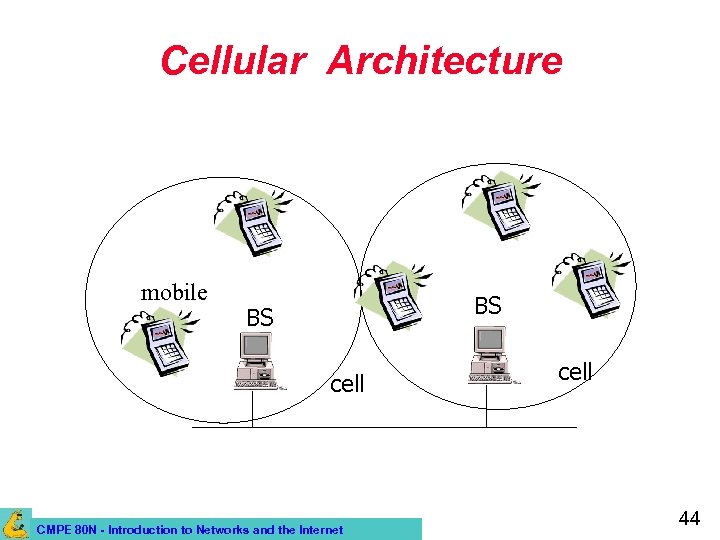 Cellular Architecture mobile BS BS cell CMPE 80 N - Introduction to Networks and the Internet cell 44
 Cellular Fundamentals • System-level idea, no major technological changes. – Many low-power transmitters instead of single, high power on (large cell). – Service area divided into small cells covered by each low power transmitter. – Each transmitter (or base station) allocated a portion of the spectrum. – Nearby BSs assigned different channel group to minimize interference. – Scalability: as more users subscribe, more BSs can be added using lower transmission power). CMPE 80 N - Introduction to Networks and the Internet 45
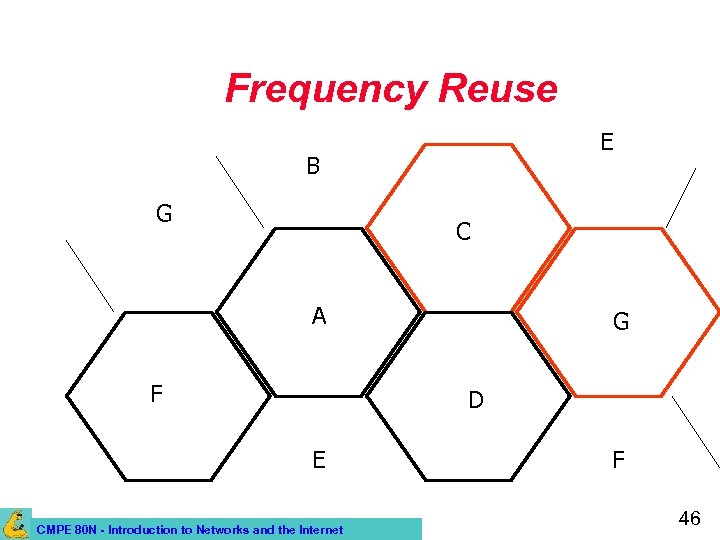 Frequency Reuse E B G C A F G D E CMPE 80 N - Introduction to Networks and the Internet F 46
 Handoff/Handover • Mobile hosts can change cells while communicating. • Hand-off occurs when a mobile host starts communicating via a new base station. • Handoff decision made based on signal strength. CMPE 80 N - Introduction to Networks and the Internet 47
 Cellular Networks: Evolution • Evidence of the wireless success! – Since 1996, number of new mobile phone subscribers exceeded number of new fixed phone subscribers! • 1 st. Generation (1 G): analog technology. – FDMA. – Analog FM. CMPE 80 N - Introduction to Networks and the Internet 48
 Second Generation (2 G) • Most of today’s cellular networks use 2 G standards. • Early 90 s. • Digital technology. – Lighter, smaller devices with longer battery life. – Better reception and channel utilization. CMPE 80 N - Introduction to Networks and the Internet 49
 3 G Wireless Networks • Multi-megabit Internet access, Vo. IP, ubiquitous “always-on” access. • Single mobile device for everything (integrated service approach). • New, world-wide standard. – International Mobile Telephone 2000 (IMT 2000) CMPE 80 N - Introduction to Networks and the Internet 50
 Wireless Local Area Networks • Local area network connectivity using wireless communication. • IEEE 802. 11 WLAN standard. • Example: Wave. Lan, Aironet • Wireless LAN may be used for – Last hop to a wireless host. – Wireless connectivity between hosts on the LAN. CMPE 80 N - Introduction to Networks and the Internet 51
 Other WLAN Standards • Home. RF – Proponents of 802. 11 frequency hopingspread spectrum (FH-SS). – Home. RF 2. 0 – 10 Mbps FH-SS. • HIPERLAN – Europe, mid 1990 s. – Similar capability to IEEE 802. 11 b. CMPE 80 N - Introduction to Networks and the Internet 52
 MANETs • Mobile, (wireless), multi-hop ad-hoc networks. • Formed by wireless hosts which may be mobile. • Without (necessarily) using a pre-existing infrastructure. • Routes between nodes may potentially contain multiple hops. • Mobilitty cause routes to change. CMPE 80 N - Introduction to Networks and the Internet 53
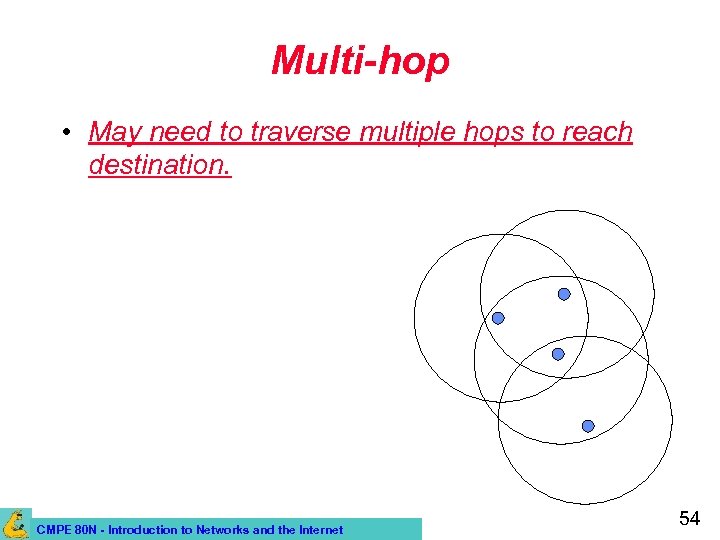 Multi-hop • May need to traverse multiple hops to reach destination. CMPE 80 N - Introduction to Networks and the Internet 54
 Why MANETs ? • Ease of deployment. • Speed of deployment. • Decreased dependence on infrastructure. CMPE 80 N - Introduction to Networks and the Internet 55
 Many Applications • Personal area networking. – Cell phone, laptop, ear phone, wrist watch. • Military environments. – Soldiers, tanks, planes. • Civilian environments. – “Smart” environments. • Emergency operations – Search-and-rescue – Policing and fire fighting – Monitoring and surveillance. CMPE 80 N - Introduction to Networks and the Internet 56
 Layer 2: Data Link Layer CMPE 80 N - Introduction to Networks and the Internet 57
 Data Link Layer • So far, sending signals over transmission medium. • Data link layer: responsible for error-free (reliable) communication between adjacent nodes. • Functions: framing, error control, flow control, addressing, and medium access (in shared networks). CMPE 80 N - Introduction to Networks and the Internet 58
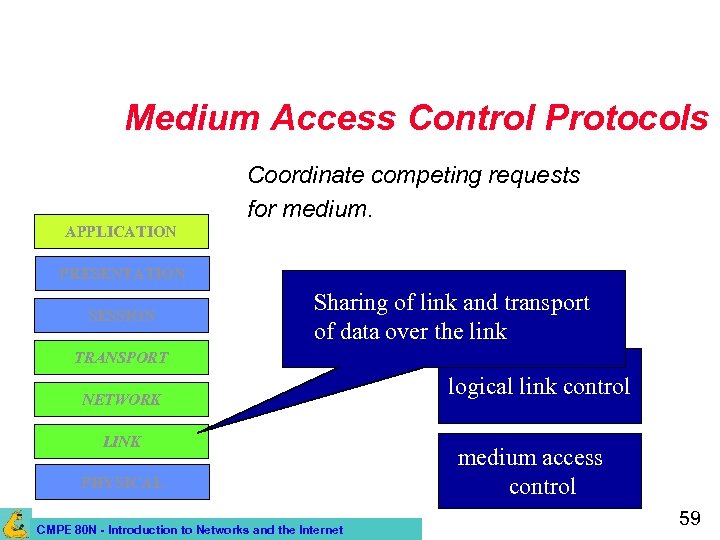 Medium Access Control Protocols Coordinate competing requests for medium. APPLICATION PRESENTATION SESSION Sharing of link and transport of data over the link TRANSPORT NETWORK LINK PHYSICAL CMPE 80 N - Introduction to Networks and the Internet logical link control medium access control 59
 Media Access Control • Problem: – Computers in a shared network environment. – Only one computer can transmit at a time. • If two computers try to use the same line at the same time, their messages get garbled. • Collision! – How can we organize the transmission so that all computers are given an opportunity to exchange messages? CMPE 80 N - Introduction to Networks and the Internet 60
 Medium Access Control • Control access to shared medium. • How? CMPE 80 N - Introduction to Networks and the Internet 61
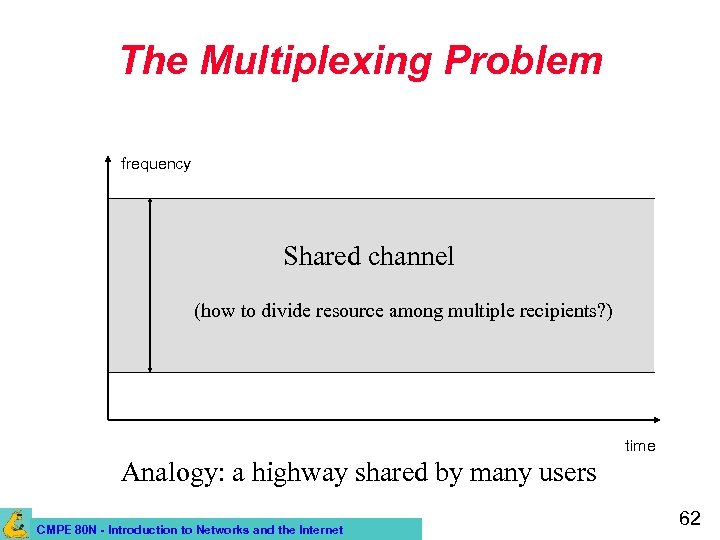 The Multiplexing Problem frequency Shared channel (how to divide resource among multiple recipients? ) time Analogy: a highway shared by many users CMPE 80 N - Introduction to Networks and the Internet 62
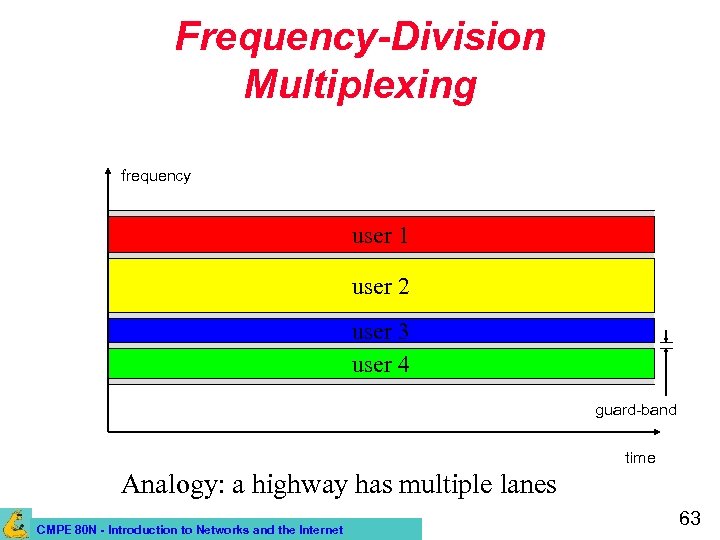 Frequency-Division Multiplexing frequency user 1 user 2 user 3 user 4 guard-band time Analogy: a highway has multiple lanes CMPE 80 N - Introduction to Networks and the Internet 63
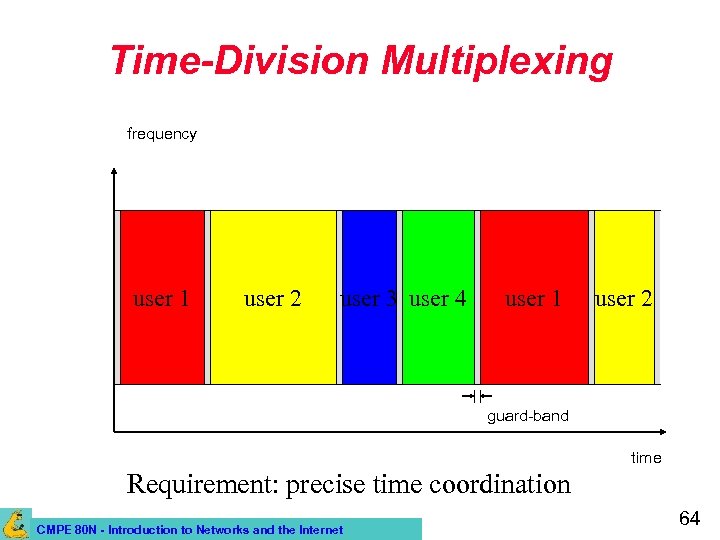 Time-Division Multiplexing frequency user 1 user 2 user 3 user 4 user 1 user 2 guard-band time Requirement: precise time coordination CMPE 80 N - Introduction to Networks and the Internet 64
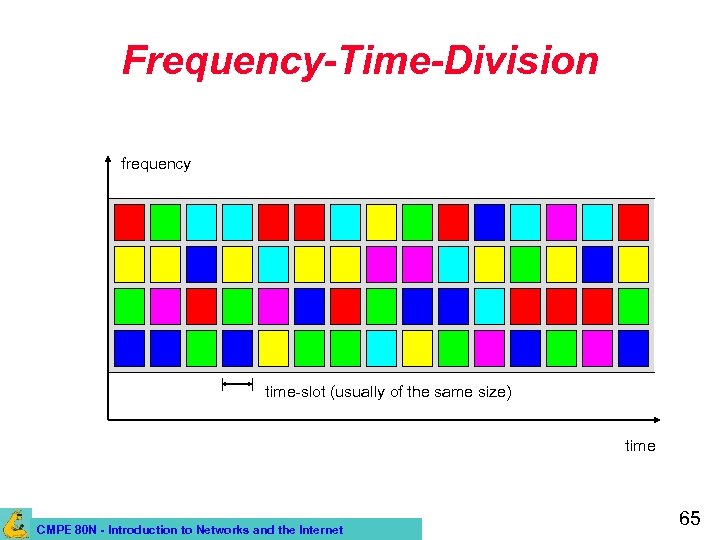 Frequency-Time-Division frequency time-slot (usually of the same size) time CMPE 80 N - Introduction to Networks and the Internet 65
 Centralized versus Distributed MAC • Centralized approaches: – Controller grants access to medium. – Simple, greater control: priorities, qos. – But, single point of failure and performance bottleneck. • Decentralized schemes: – All stations collectively run MAC to decide when to transmit. CMPE 80 N - Introduction to Networks and the Internet 66
 Round-Robin MAC • Each station is allowed to transmit; station may decline or transmit (bounded by some maximum transmit time). • Centralized (e. g. , polling) or distributed (e. g. , token ring) control of who is next to transmit. • When done, station relinquishes and right to transmit goes to next station. • Efficient when many stations have data to transmit over extended period (stream). CMPE 80 N - Introduction to Networks and the Internet 67
 Scheduled Access MAC • • Time divided into slots. Station reserves slots in the future. Multiple slots for extended transmissions. Suited to stream traffic. CMPE 80 N - Introduction to Networks and the Internet 68
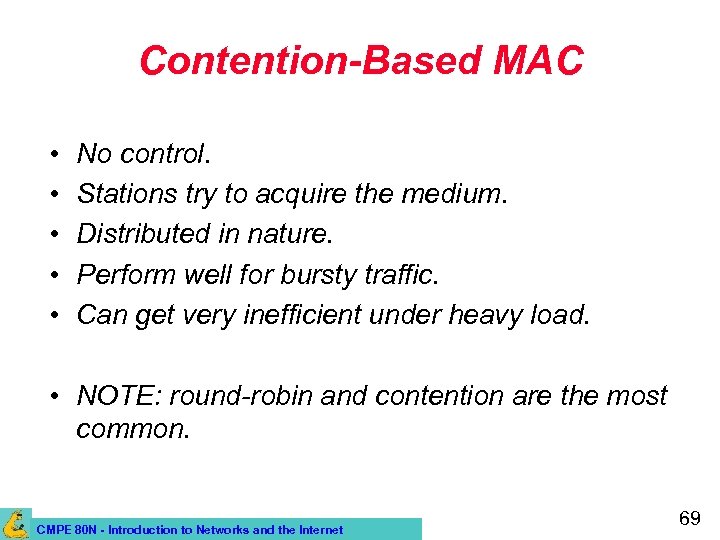 Contention-Based MAC • • • No control. Stations try to acquire the medium. Distributed in nature. Perform well for bursty traffic. Can get very inefficient under heavy load. • NOTE: round-robin and contention are the most common. CMPE 80 N - Introduction to Networks and the Internet 69
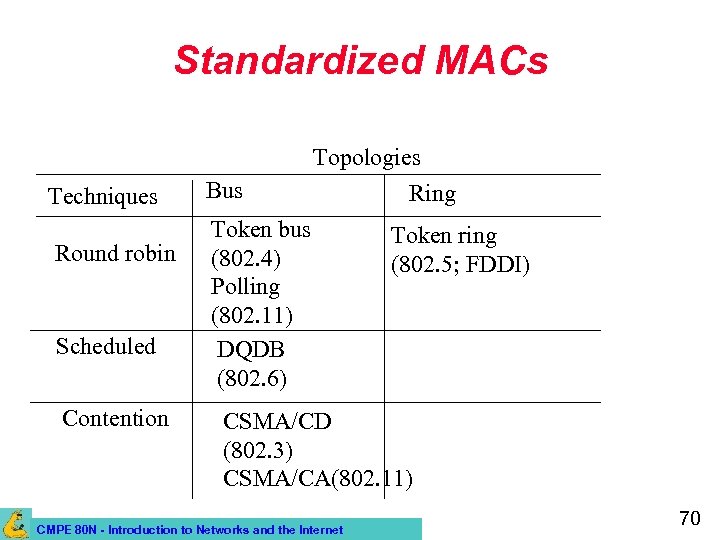 Standardized MACs Techniques Round robin Scheduled Contention Bus Topologies Ring Token bus (802. 4) Polling (802. 11) DQDB (802. 6) Token ring (802. 5; FDDI) CSMA/CD (802. 3) CSMA/CA(802. 11) CMPE 80 N - Introduction to Networks and the Internet 70