


 Скачать презентацию Introduction to MIS Chapter 7 Integration of Information
2c4b06dfeb9fd3131657d4b1ca805e48.ppt
- Количество слайдов: 20
 Introduction to MIS Chapter 7 Integration of Information Copyright © 1998 by Jerry Post Introduction to MIS 1
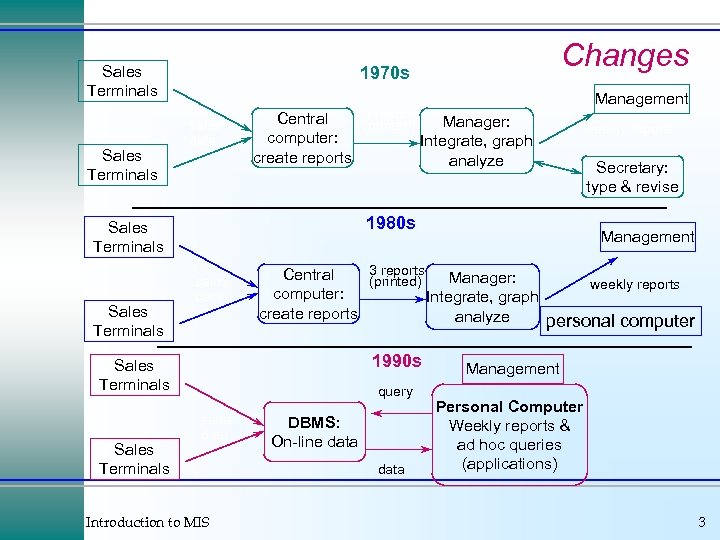 Sales Terminals sales data Central computer: create reports sales data Management Manager: Integrate, graph analyze weekly reports Secretary: type & revise 1990 s query sales data Introduction to MIS Management 3 reports Central Manager: (printed) computer: Integrate, graph create reports analyze Sales Terminals 3 reports (printed) 1980 s Sales Terminals Changes 1970 s DBMS: On-line data weekly reports personal computer Management Personal Computer Weekly reports & ad hoc queries (applications) 3
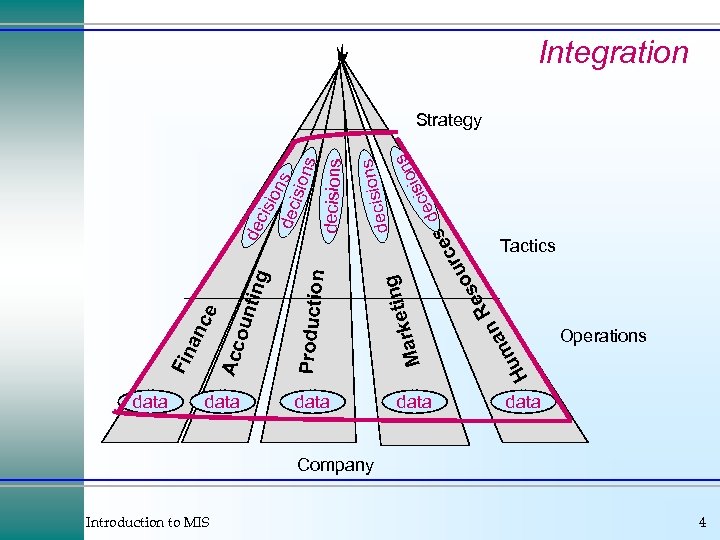 data Introduction to MIS ce ting data H ma u g ons decisi s ion s eci sd Re n cis ion dec s ision s decisions de rce u so n rketi Ma Production oun Acc an Fin Integration Strategy Tactics Operations data Company 4
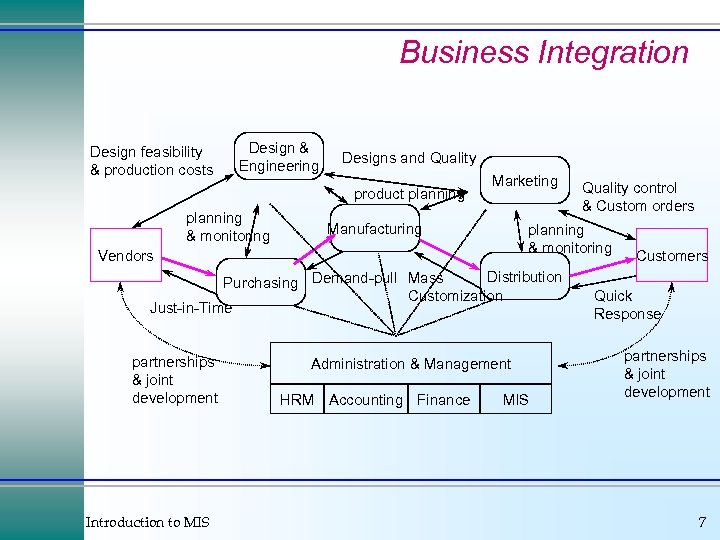 Business Integration Design feasibility & production costs Design & Engineering Designs and Quality product planning & monitoring Marketing Manufacturing planning & monitoring Vendors Distribution Purchasing Demand-pull Mass Customization Just-in-Time partnerships & joint development Introduction to MIS Administration & Management HRM Accounting Finance Quality control & Custom orders MIS Customers Quick Response partnerships & joint development 7
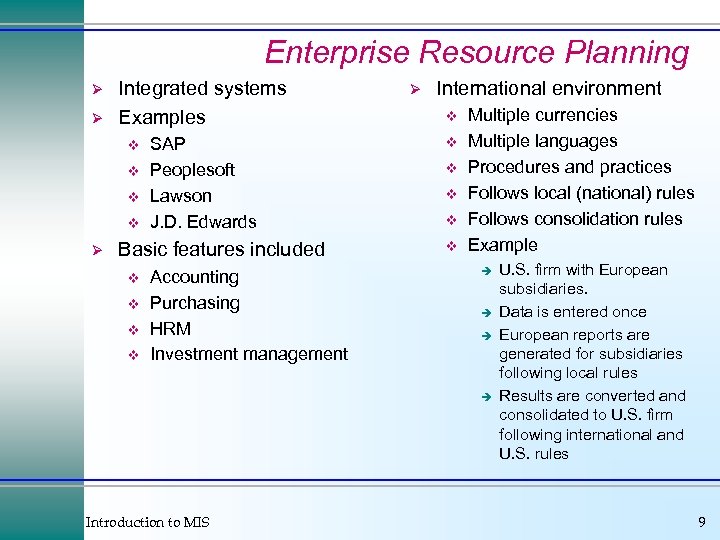 Enterprise Resource Planning Ø Ø Integrated systems Examples v v Ø SAP Peoplesoft Lawson J. D. Edwards Basic features included v v Accounting Purchasing HRM Investment management Ø International environment v v v Multiple currencies Multiple languages Procedures and practices Follows local (national) rules Follows consolidation rules Example è è Introduction to MIS U. S. firm with European subsidiaries. Data is entered once European reports are generated for subsidiaries following local rules Results are converted and consolidated to U. S. firm following international and U. S. rules 9
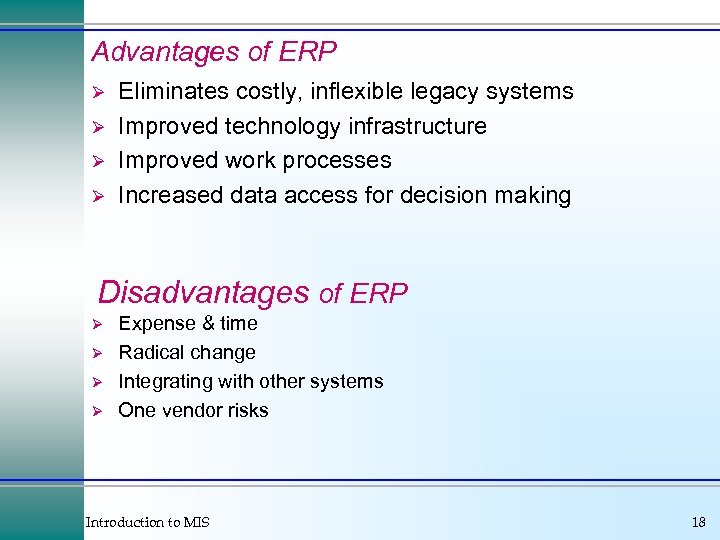 Advantages of ERP Ø Ø Eliminates costly, inflexible legacy systems Improved technology infrastructure Improved work processes Increased data access for decision making Disadvantages of ERP Ø Ø Expense & time Radical change Integrating with other systems One vendor risks Introduction to MIS 18
 Disadvantages of ERP Introduction to MIS 19
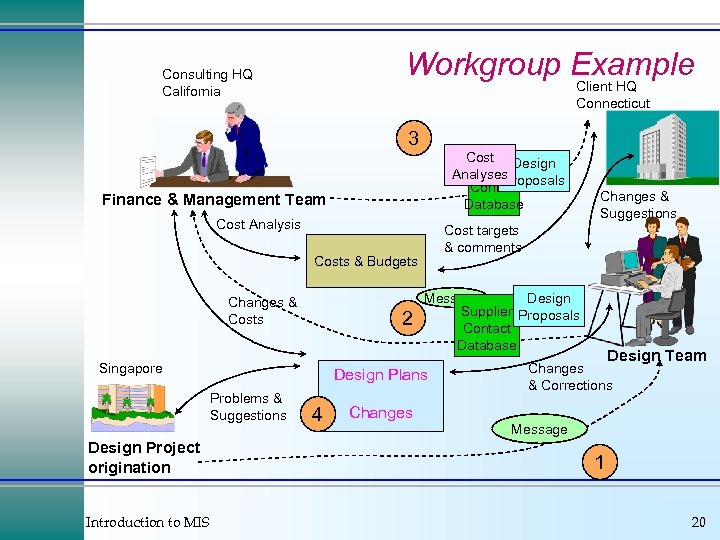 Workgroup Example Consulting HQ California Client HQ Connecticut 3 Cost Design Supplier Message Analyses Proposals Contact Database Finance & Management Team Cost Analysis Cost targets & comments Costs & Budgets Changes & Costs 2 Singapore Design Project origination Introduction to MIS Message Design Supplier Proposals Contact Database Design Plans Problems & Suggestions 4 Changes & Suggestions Design Team Changes & Corrections Message 1 20
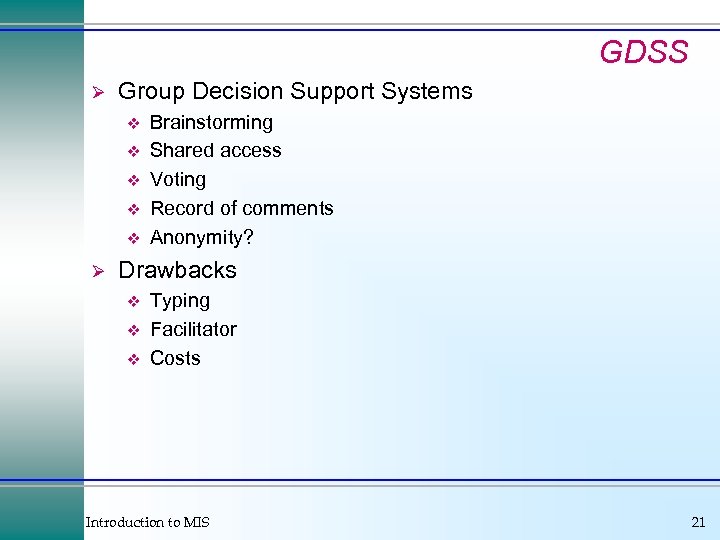 GDSS Ø Group Decision Support Systems v v v Ø Brainstorming Shared access Voting Record of comments Anonymity? Drawbacks v v v Typing Facilitator Costs Introduction to MIS 21
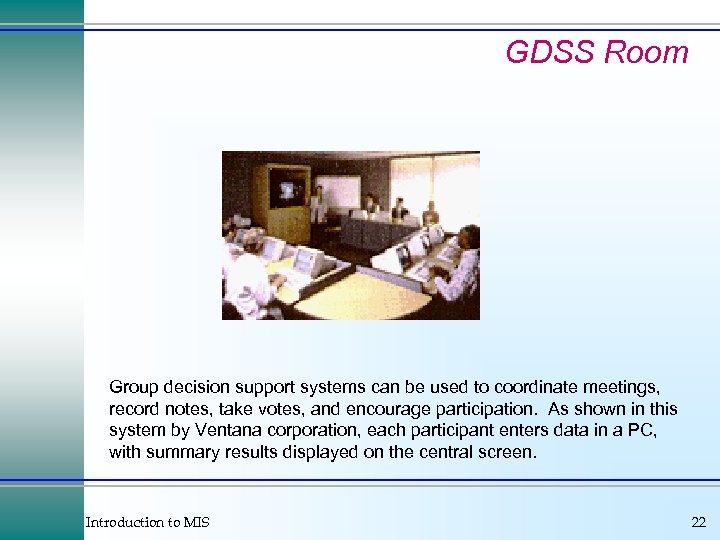 GDSS Room Group decision support systems can be used to coordinate meetings, record notes, take votes, and encourage participation. As shown in this system by Ventana corporation, each participant enters data in a PC, with summary results displayed on the central screen. Introduction to MIS 22
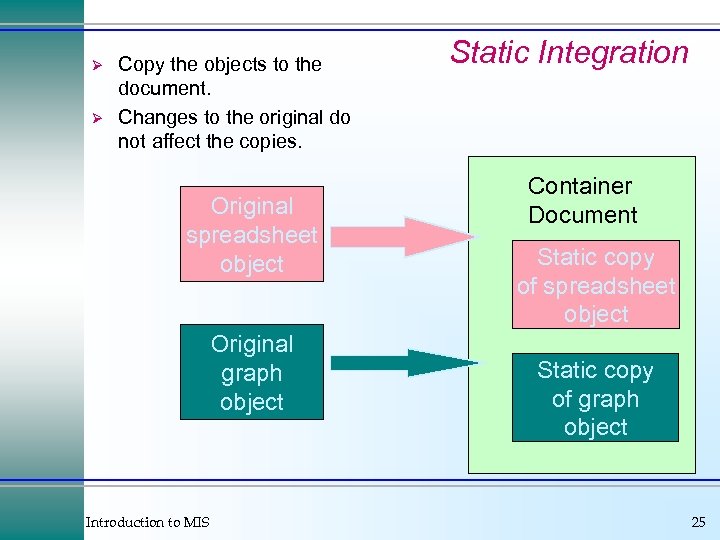 Ø Ø Copy the objects to the document. Changes to the original do not affect the copies. Original spreadsheet object Original graph object Introduction to MIS Static Integration Container Document Static copy of spreadsheet object Static copy of graph object 25
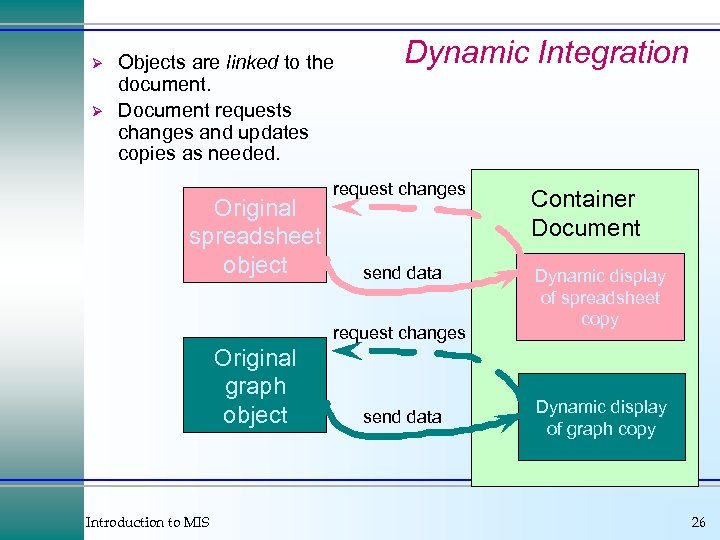 Ø Ø Objects are linked to the document. Document requests changes and updates copies as needed. Original spreadsheet object Dynamic Integration request changes send data request changes Original graph object Introduction to MIS send data Document Container Document Dynamic display of spreadsheet copy Dynamic display of graph copy 26
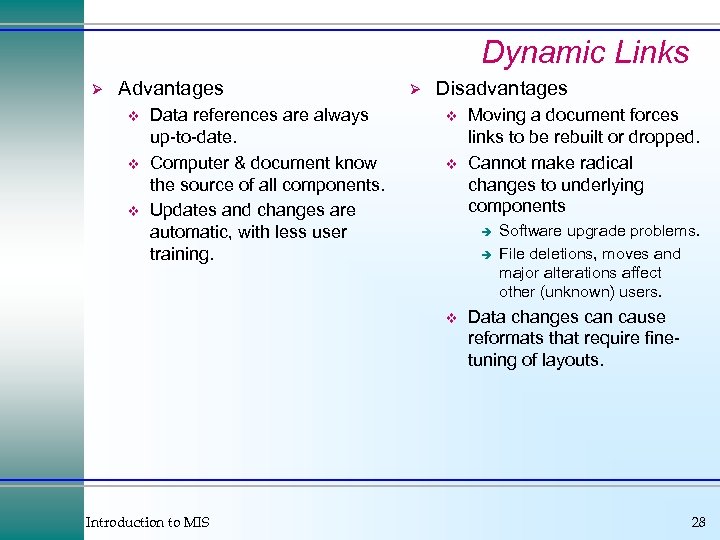 Dynamic Links Ø Advantages v v v Data references are always up-to-date. Computer & document know the source of all components. Updates and changes are automatic, with less user training. Ø Disadvantages v v è è v Introduction to MIS Moving a document forces links to be rebuilt or dropped. Cannot make radical changes to underlying components Software upgrade problems. File deletions, moves and major alterations affect other (unknown) users. Data changes can cause reformats that require finetuning of layouts. 28
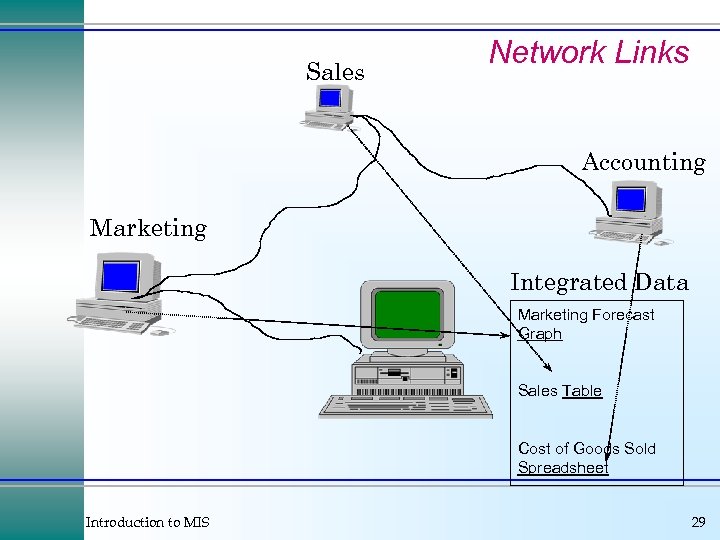 Sales Network Links Accounting Marketing Integrated Data Marketing Forecast Graph Sales Table Cost of Goods Sold Spreadsheet Introduction to MIS 29
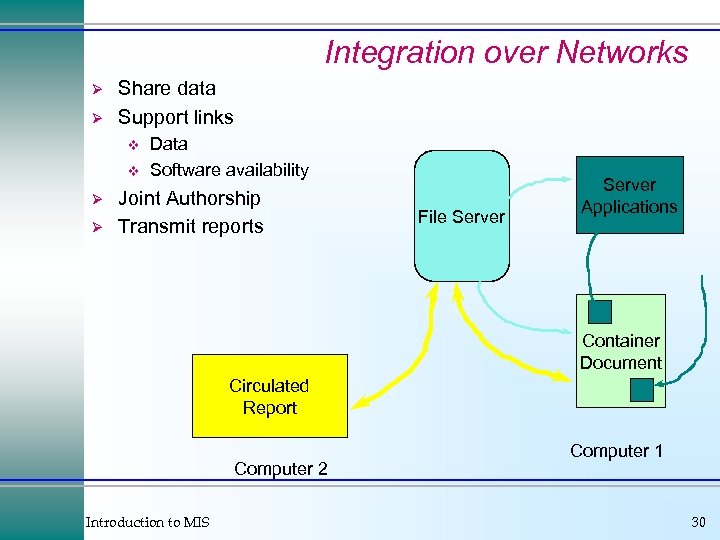 Integration over Networks Ø Ø Share data Support links v v Ø Ø Data Software availability Joint Authorship Transmit reports File Server Applications Container Document Circulated Report Computer 2 Introduction to MIS Computer 1 30
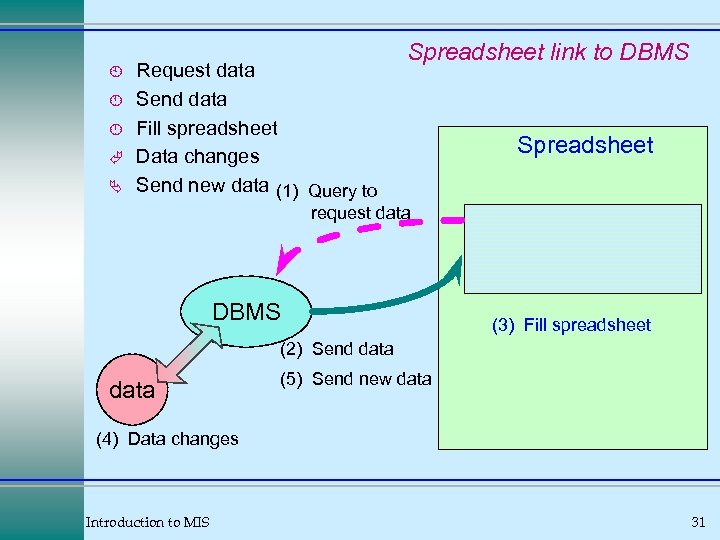 À Á Ã Ä Request data Send data Fill spreadsheet Data changes Send new data (1) Query to Spreadsheet link to DBMS Spreadsheet request data DBMS (3) Fill spreadsheet (2) Send data (5) Send new data (4) Data changes Introduction to MIS 31
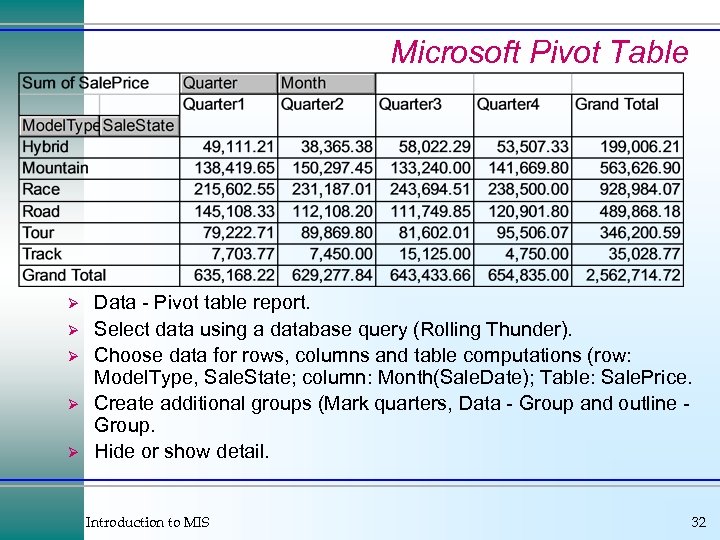 Microsoft Pivot Table Ø Ø Ø Data - Pivot table report. Select data using a database query (Rolling Thunder). Choose data for rows, columns and table computations (row: Model. Type, Sale. State; column: Month(Sale. Date); Table: Sale. Price. Create additional groups (Mark quarters, Data - Group and outline Group. Hide or show detail. Introduction to MIS 32
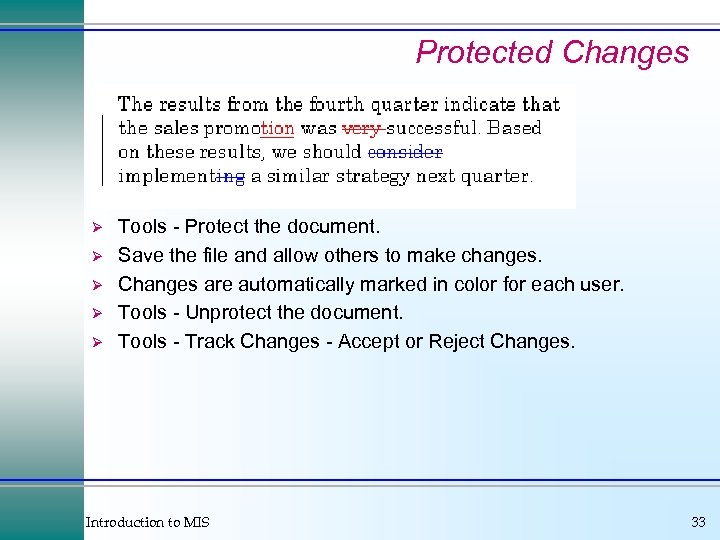 Protected Changes Ø Ø Ø Tools - Protect the document. Save the file and allow others to make changes. Changes are automatically marked in color for each user. Tools - Unprotect the document. Tools - Track Changes - Accept or Reject Changes. Introduction to MIS 33
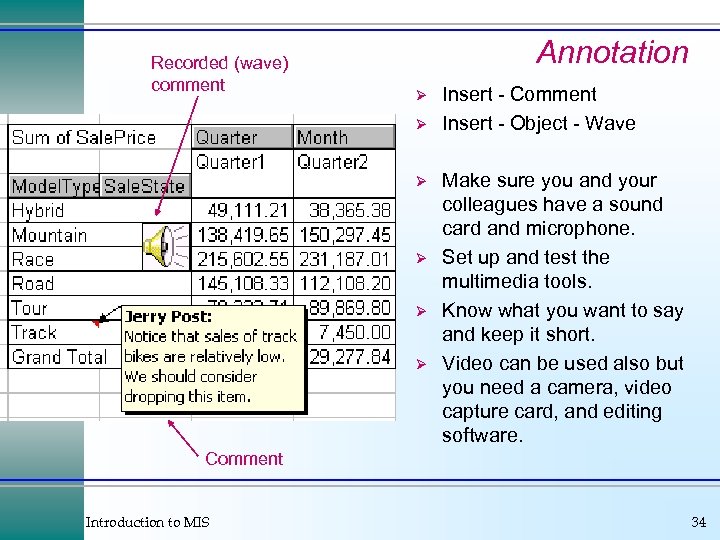 Recorded (wave) comment Annotation Ø Ø Ø Insert - Comment Insert - Object - Wave Make sure you and your colleagues have a sound card and microphone. Set up and test the multimedia tools. Know what you want to say and keep it short. Video can be used also but you need a camera, video capture card, and editing software. Comment Introduction to MIS 34
 Problems with Sharing Ø Same software v v Ø Same environment, fonts, devices, drivers v v Ø Ø Ø Data conversion tools weak. Exact layouts require same versions. Hardware conversions not exact. Missing devices might cause crashes. Need access and network paths. Transmission time. Concurrency v v v Tracking. Locking. Replication. Introduction to MIS 35