


 Скачать презентацию Introduction to Informational and Communication Technologies Lecture
Lecture 1 Additional (1).pptx
- Количество слайдов: 50
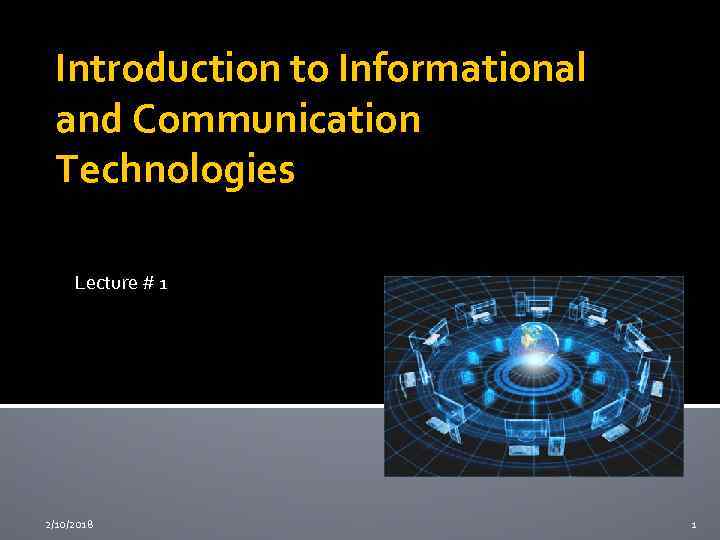 Introduction to Informational and Communication Technologies Lecture # 1 2/10/2018 1
 Information and communication technologies (ICT ) is the discipline which considers modern methods and means of communication of people in a normal and professional activities with the help of information technologies to search , collection, storage , processing and dissemination of information. 2/10/2018 2
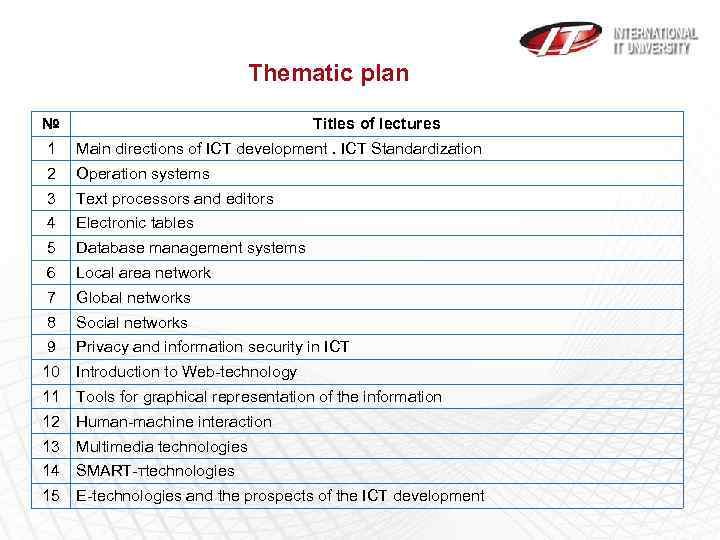 Thematic plan № Titles of lectures 1 Main directions of ICT development. ICT Standardization 2 Operation systems 3 Text processors and editors 4 Electronic tables 5 Database management systems 6 Local area network 7 Global networks 8 Social networks 9 Privacy and information security in ICT 10 Introduction to Web-technology 11 Tools for graphical representation of the information 12 Human-machine interaction 13 Multimedia technologies 14 SMART-тtechnologies 15 Е-technologies and the prospects of the ICT development
 Definition of Information Technology Information technology is the technology that uses computing with high speed communication links to spread information from one place to another. Computer is a very important component of information technology The world has become “global village” due to advancement in IT. 2/10/2018 4
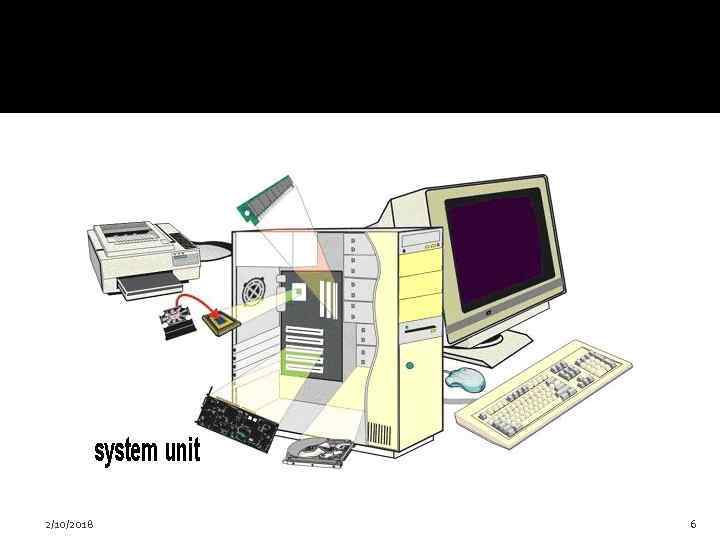
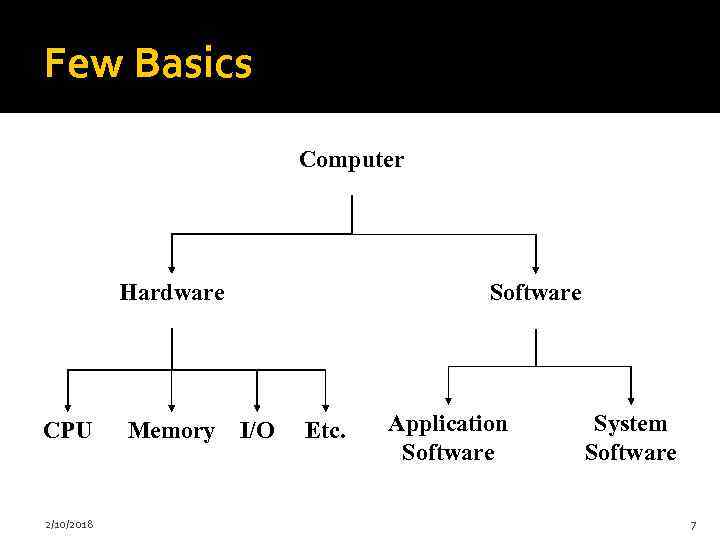
 What is a Computer? An electronic device that is programmed to accept data, process data into useful information and store it for later use Computer consists of hardware and software Software is a set of instructions that tells a computer what to do Hardware is the physical part of a computer E. g. CPU, RAM, HDD. etc Relationship between hardware and software 2/10/2018 5
 2/10/2018 6
 Few Basics Computer Hardware CPU 2/10/2018 Memory Software I/O Etc. Application Software System Software 7
 Types of Computers Analog computers Digital computers 2/10/2018 8
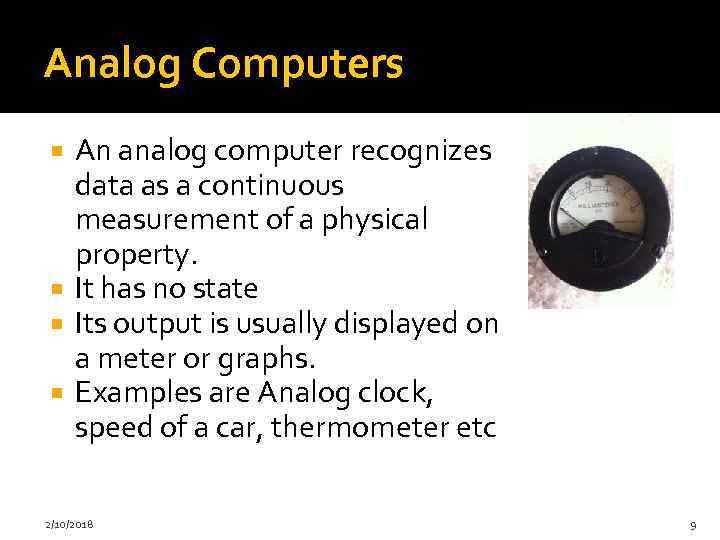 Analog Computers An analog computer recognizes data as a continuous measurement of a physical property. It has no state Its output is usually displayed on a meter or graphs. Examples are Analog clock, speed of a car, thermometer etc 2/10/2018 9
 Digital Computers It works with numbers They breaks all types of information into tiny units and use numbers to represent those pieces of information. Everything is described in two states i. e. either ON (1) or OFF (0). They are very fast and have big memory 2/10/2018 10
 History and Generations of computers The six generations of computers are: Mechanical era(1623 -1900) First generation electronic computers(19371953) Second generation (1954 -1962) Third generation (1963 -1972) Forth generation (1972 -1984) Fifth generation (1984 -1990) Sixth generation (1990 - present) 2/10/2018 11
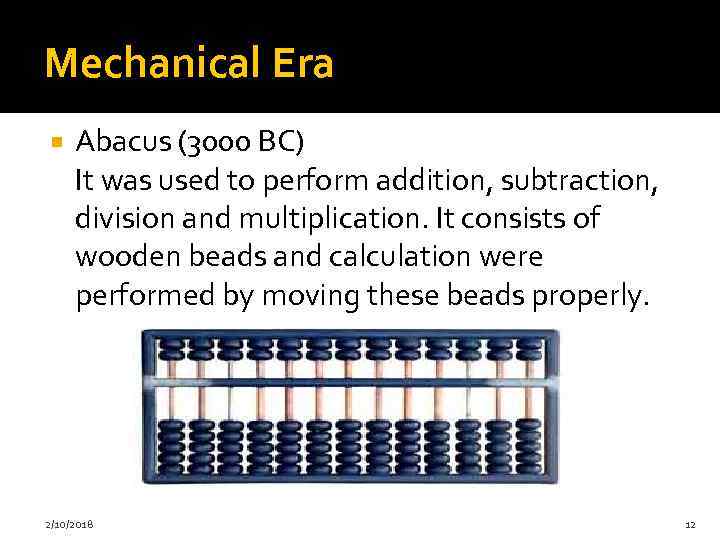 Mechanical Era Abacus (3000 BC) It was used to perform addition, subtraction, division and multiplication. It consists of wooden beads and calculation were performed by moving these beads properly. 2/10/2018 12
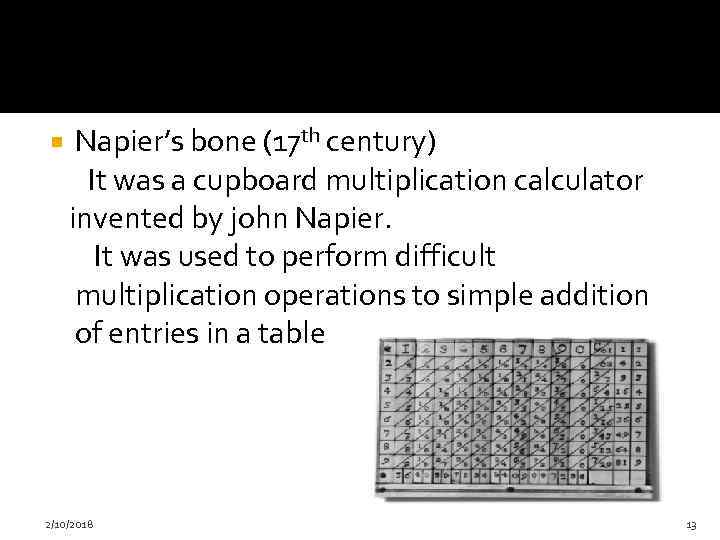 Napier’s bone (17 th century) It was a cupboard multiplication calculator invented by john Napier. It was used to perform difficult multiplication operations to simple addition of entries in a table 2/10/2018 13
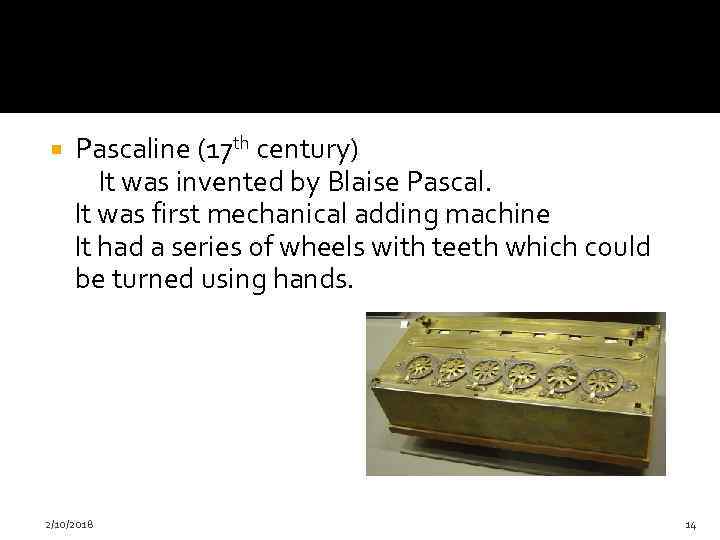 Pascaline (17 th century) It was invented by Blaise Pascal. It was first mechanical adding machine It had a series of wheels with teeth which could be turned using hands. 2/10/2018 14
 Difference Engine and Analytical Engine(1823 and 1833) It was designed by Charles Babbage who was English mathematician, engineer, philosopher and inventor. He originated the concept of the programmable computer. A general purpose computer controlled by a list of instructions 2/10/2018 15
 Punched cards (1890) They were able to read information that which have been punched into the cards automatically 2/10/2018 16
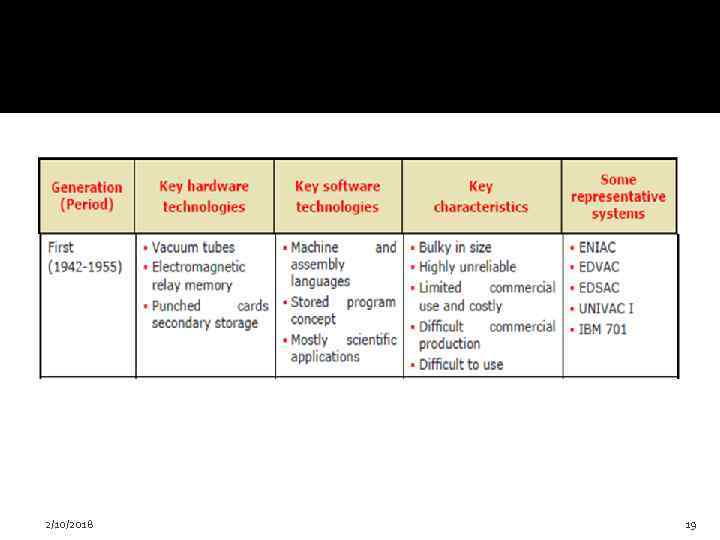
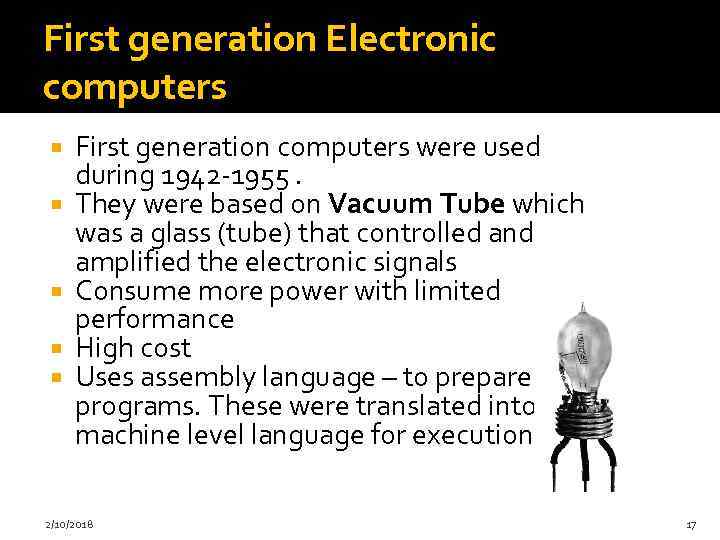 First generation Electronic computers First generation computers were used during 1942 -1955. They were based on Vacuum Tube which was a glass (tube) that controlled and amplified the electronic signals Consume more power with limited performance High cost Uses assembly language – to prepare programs. These were translated into machine level language for execution. 2/10/2018 17
 Fixed point arithmetic was used 100 to 1000 fold increase in speed relative to the earlier mechanical and relay based electromechanical technology Punched cards and paper tape were invented to feed programs and data and to get results. Magnetic tape / magnetic drum were used as secondary memory Mainly used for scientific computations. See page # 6, Table 1 A. 2 Examples are: UNIVAC, Havard Mark 1, ENIAC etc 2/10/2018 18
 2/10/2018 19
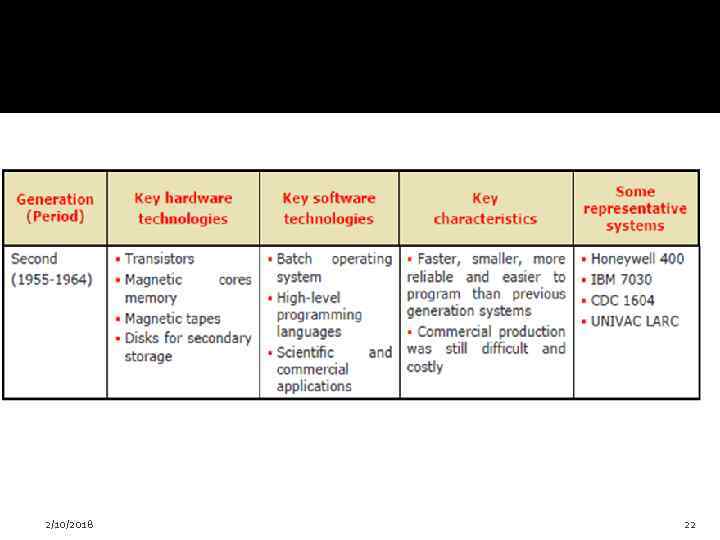
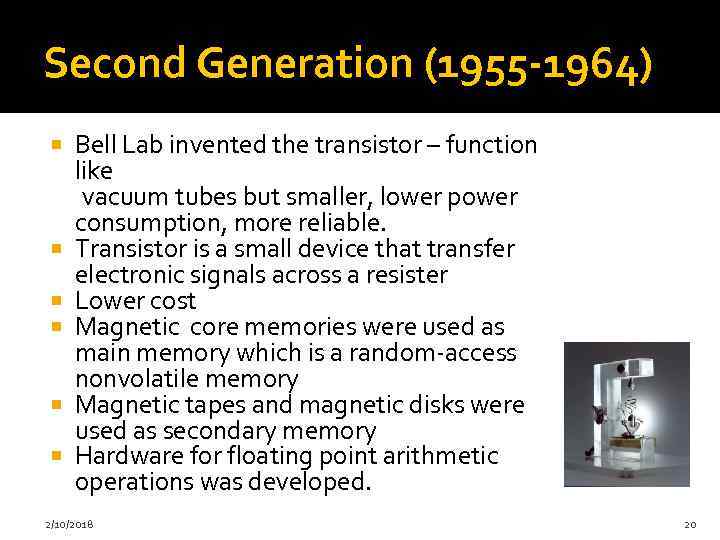 Second Generation (1955 -1964) Bell Lab invented the transistor – function like vacuum tubes but smaller, lower power consumption, more reliable. Transistor is a small device that transfer electronic signals across a resister Lower cost Magnetic core memories were used as main memory which is a random-access nonvolatile memory Magnetic tapes and magnetic disks were used as secondary memory Hardware for floating point arithmetic operations was developed. 2/10/2018 20
 Index registers were introduced which increased flexibility of programming. High level languages such as FORTRAN, COBOL etc were used - Compilers were developed to translate the high-level program into corresponding assembly language program which was then translated into machine language. Separate input-output processors were developed that could operate in parallel with CPU. Punched cards continued during this period also. 1000 fold increase in speed. See Page# 6 , Table 1 A. 3 Examples are: TRADIC, IBM 704, LARC etc 2/10/2018 21
 2/10/2018 22
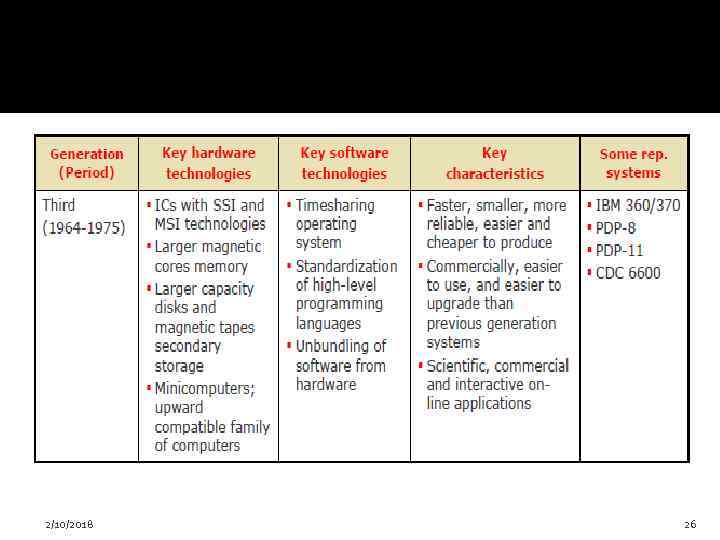
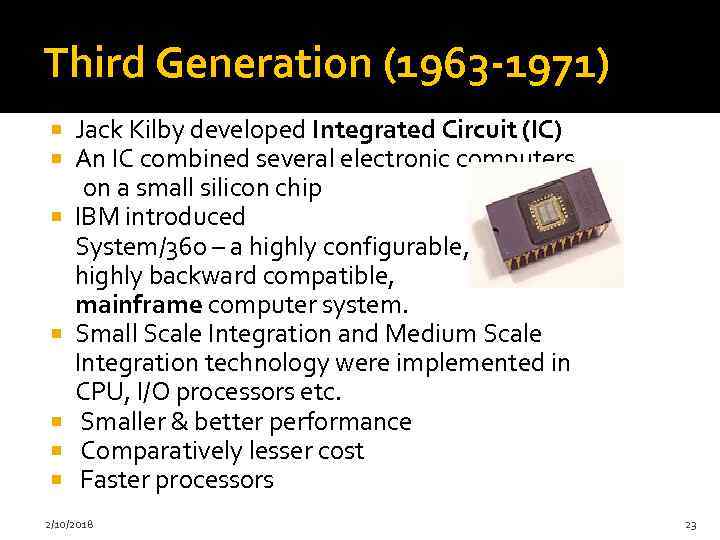 Third Generation (1963 -1971) Jack Kilby developed Integrated Circuit (IC) An IC combined several electronic computers on a small silicon chip IBM introduced System/360 – a highly configurable, highly backward compatible, mainframe computer system. Small Scale Integration and Medium Scale Integration technology were implemented in CPU, I/O processors etc. Smaller & better performance Comparatively lesser cost Faster processors 2/10/2018 23
 In the beginning magnetic core memories were used. Later they were replaced by semiconductor memories (RAM & ROM) Introduced microprogramming Microprogramming, parallel processing (pipelining, multiprocessor system etc), multiprogramming, multi-user system (time shared system) etc were introduced. Operating system software were introduced Cache and virtual memories were introduced 2/10/2018 24
 High level languages were standardized by ANSI e. g. . ANSI FORTRAN, ANSI COBOL etc Database management, multi-user application, online systems like closed loop process control, airline reservation, interactive query systems, automatic industrial control etc emerged during this period. See page # 7, Table 1 A. 4 Examples are: INTEL 4004, IBM SYSTEM/360 etc 2/10/2018 25
 2/10/2018 26
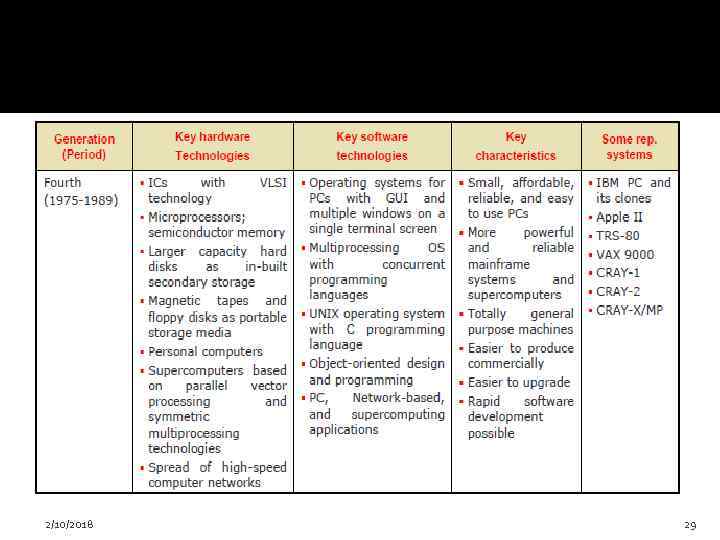
 Forth generation (1972 -1984) Microprocessors were introduced as CPU– Complete processors and large section of main memory could be implemented in a single chip Tens of thousands of transistors can be placed in a single chip (VLSI design implemented) CRT screen, laser & ink jet printers, scanners etc were developed. Semiconductor memory chips were used as the main memory. Secondary memory was composed of hard disks – Floppy disks & magnetic tapes were used for backup memory 2/10/2018 27
 Parallelism, pipelining cache memory and virtual memory were applied in a better way LAN and WANS were developed (where desktop work stations interconnected) Introduced C language and Unix OS Introduced Graphical User Interface Less power consumption High performance, lower cost and very compact Much increase in the speed of operation Examples are Apple Macintosh and IBM PC See Page # 7, Table 1 A. 5 2/10/2018 28
 2/10/2018 29
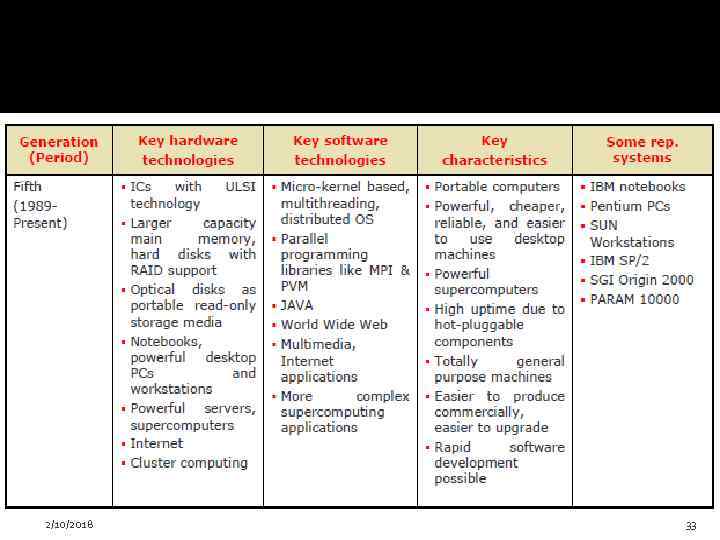
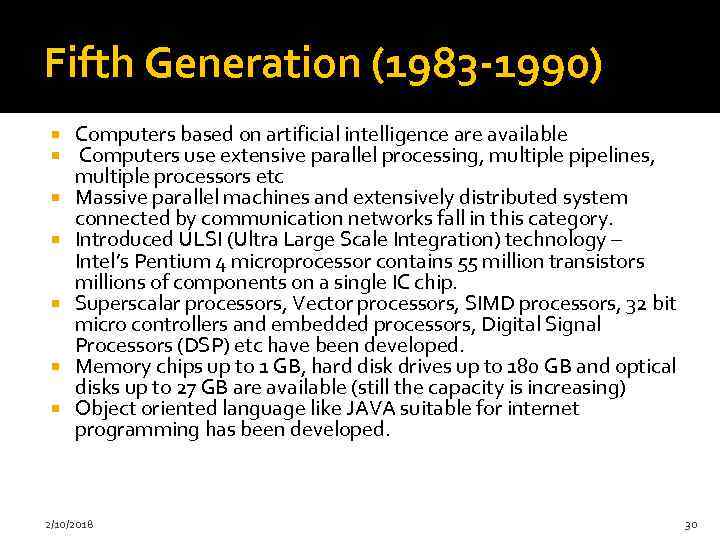 Fifth Generation (1983 -1990) Computers based on artificial intelligence are available Computers use extensive parallel processing, multiple pipelines, multiple processors etc Massive parallel machines and extensively distributed system connected by communication networks fall in this category. Introduced ULSI (Ultra Large Scale Integration) technology – Intel’s Pentium 4 microprocessor contains 55 million transistors millions of components on a single IC chip. Superscalar processors, Vector processors, SIMD processors, 32 bit micro controllers and embedded processors, Digital Signal Processors (DSP) etc have been developed. Memory chips up to 1 GB, hard disk drives up to 180 GB and optical disks up to 27 GB are available (still the capacity is increasing) Object oriented language like JAVA suitable for internet programming has been developed. 2/10/2018 30
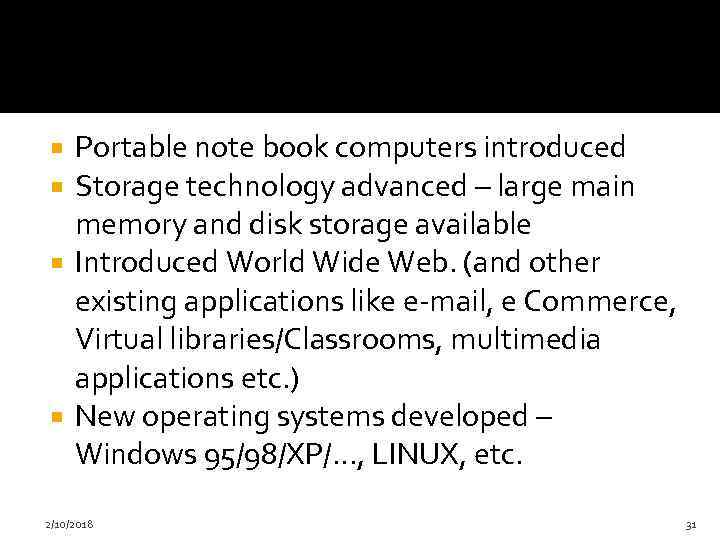 Portable note book computers introduced Storage technology advanced – large main memory and disk storage available Introduced World Wide Web. (and other existing applications like e-mail, e Commerce, Virtual libraries/Classrooms, multimedia applications etc. ) New operating systems developed – Windows 95/98/XP/…, LINUX, etc. 2/10/2018 31
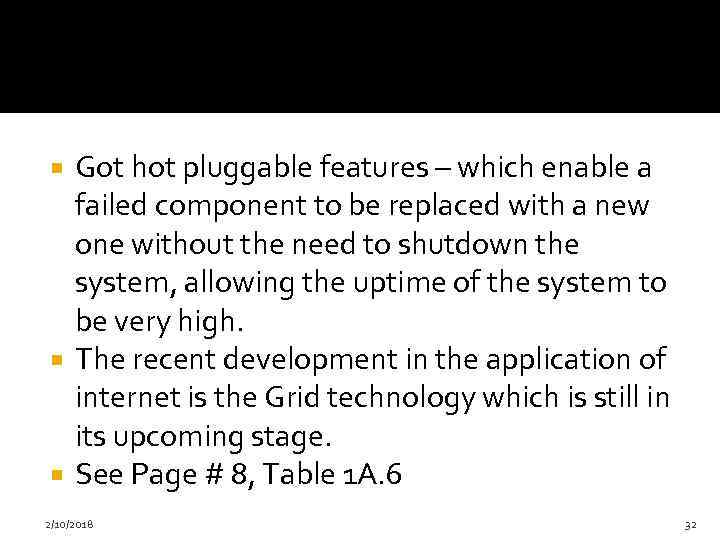 Got hot pluggable features – which enable a failed component to be replaced with a new one without the need to shutdown the system, allowing the uptime of the system to be very high. The recent development in the application of internet is the Grid technology which is still in its upcoming stage. See Page # 8, Table 1 A. 6 2/10/2018 32
 2/10/2018 33
 Sixth Generation Computers(1990 till date) Some inventions of the time are WWW, HTML, HTTP, Web TV, java, DVD, i. Pod, Youtube etc See Page # 8 , Table 1 A. 7 Examples are: i. Mac , Sun ultra workstation etc 2/10/2018 34
 Computers Systems and its Components Input Devices Output devices System Unit Storage devices Communication devices 2/10/2018 35
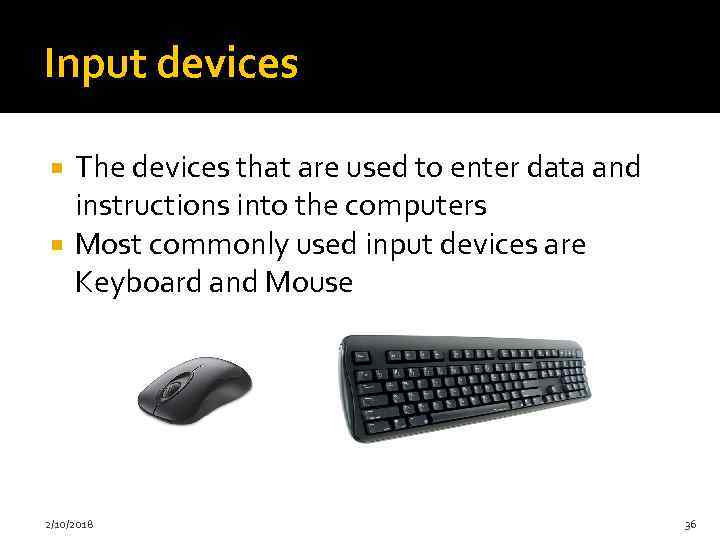 Input devices The devices that are used to enter data and instructions into the computers Most commonly used input devices are Keyboard and Mouse 2/10/2018 36
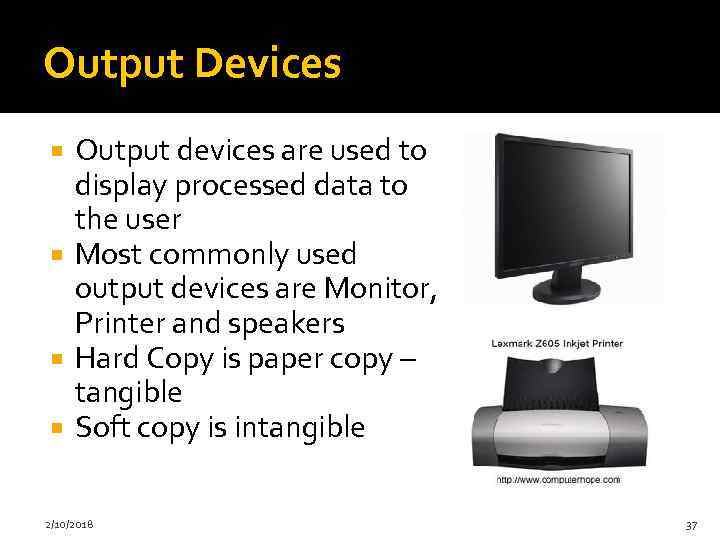 Output Devices Output devices are used to display processed data to the user Most commonly used output devices are Monitor, Printer and speakers Hard Copy is paper copy – tangible Soft copy is intangible 2/10/2018 37
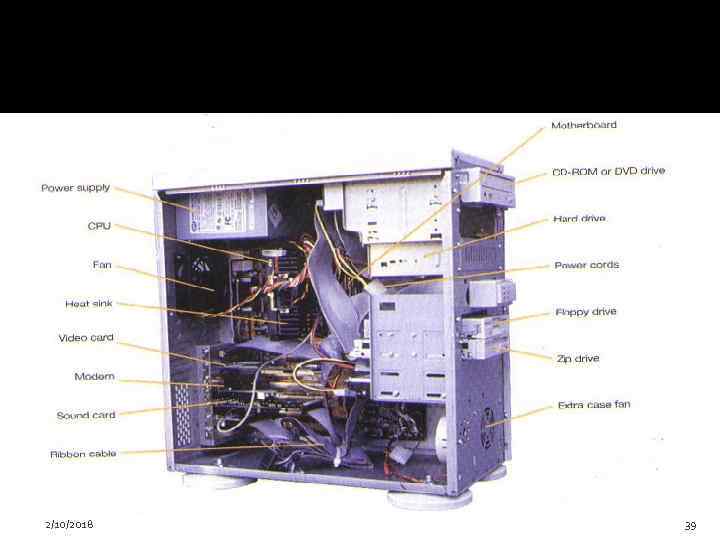
 System Unit Its a box that contains different components of a computer system. All electronic components in the system unit are connected to motherboard Important components of system units are: Central processing Unit(Processor) Memory 2/10/2018 38
 2/10/2018 39
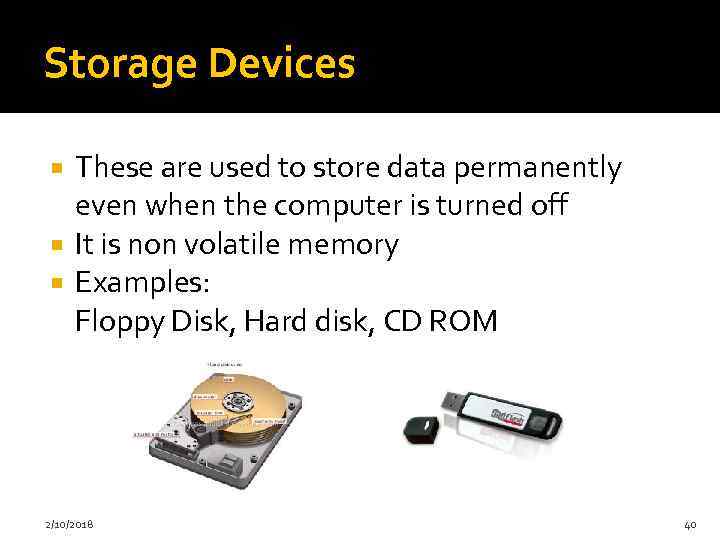 Storage Devices These are used to store data permanently even when the computer is turned off It is non volatile memory Examples: Floppy Disk, Hard disk, CD ROM 2/10/2018 40
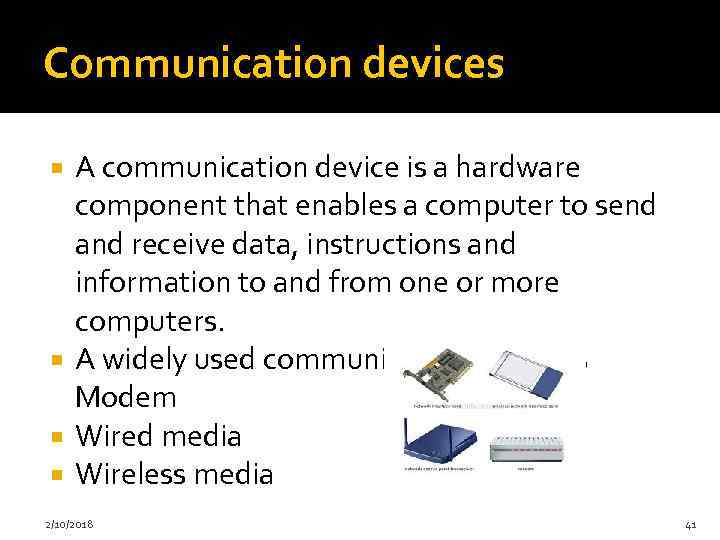 Communication devices A communication device is a hardware component that enables a computer to send and receive data, instructions and information to and from one or more computers. A widely used communication device is Modem Wired media Wireless media 2/10/2018 41
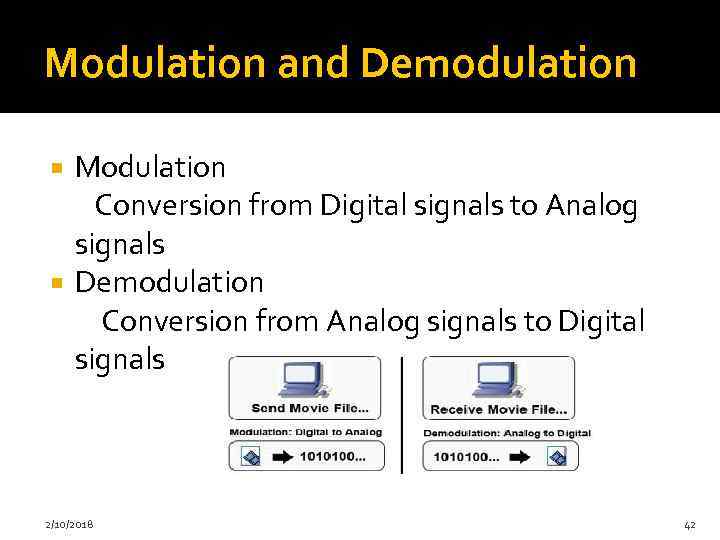 Modulation and Demodulation Modulation Conversion from Digital signals to Analog signals Demodulation Conversion from Analog signals to Digital signals 2/10/2018 42
 Computers in society Home Education Small business Industry Government Health care Banking Communication Police Department Retail 2/10/2018 43
 Information Processing cycle Data A collection of raw facts and figures is called data. It may consist of numbers, characters, symbols or pictures etc Information Processed data is called information. It is more meaningful than data. 2/10/2018 44
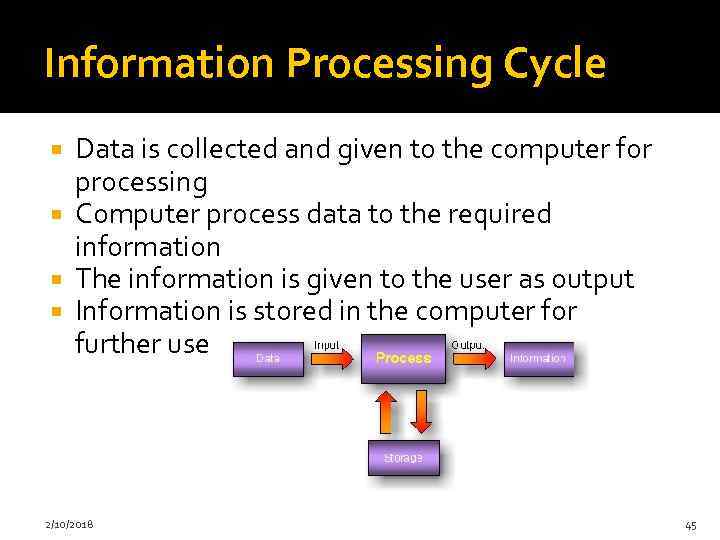 Information Processing Cycle Data is collected and given to the computer for processing Computer process data to the required information The information is given to the user as output Information is stored in the computer for further use 2/10/2018 45
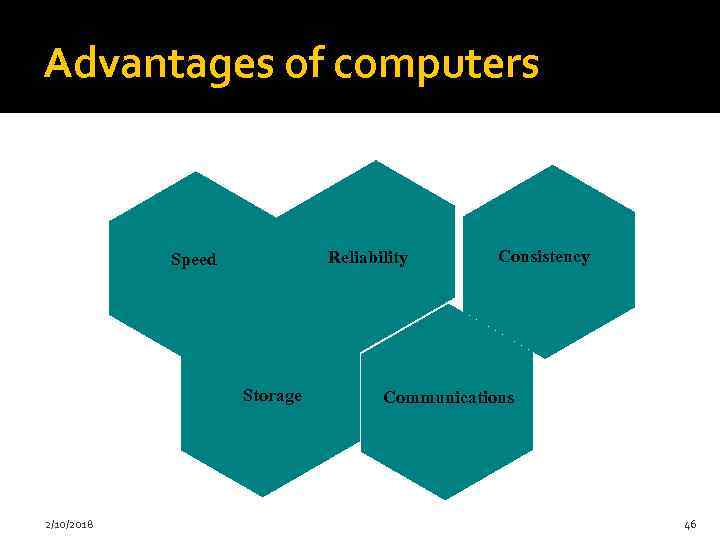 Advantages of computers Reliability Speed Storage 2/10/2018 Consistency Communications 46
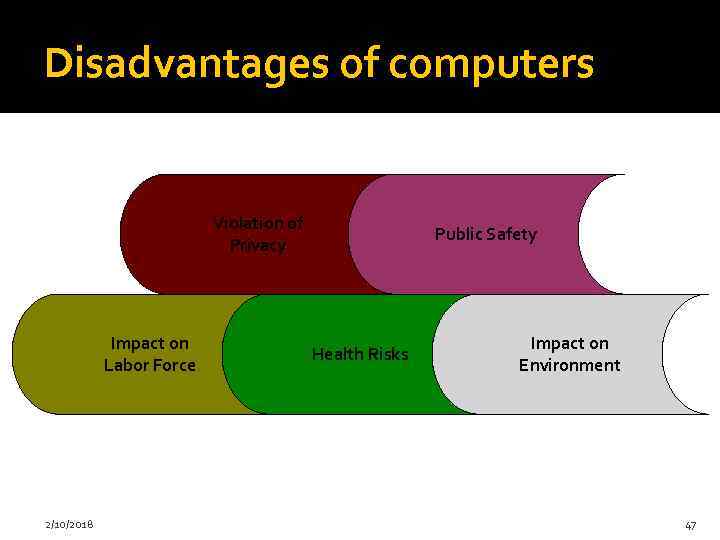 Disadvantages of computers Violation of Privacy Impact on Labor Force 2/10/2018 Public Safety Health Risks Impact on Environment 47
 Main Literature: • June J. Parsons, New Perspectives on Computer Concepts 18 th Edition— Comprehensive, Thomson Course Technology, a division of Thomson Learning, Inc Cambridge, MA, COPYRIGHT © 2016; ISBN-10: 1 -42390610 -1, ISBN-13: 978 -1 -4239 -0610 -0. • Reema Thareja Fundamentals of Computers. – Oxford University press: Oxford, 2014. - 288 p • George Beekman. Computer Confluence: Exploring Tomorrow's Technology. ISBN 0130661880, 9780130661883. Prentice Hall, 2003 • Симонович С. В. и др. Информатика. Базовый курс: учебное пособие для высших технических учебных заведений. – СПб. : Питер, 2011. – 639 с.
 Additional literature: • Thomas M. Connolly, et al. Database Systems: A practical approach to Design, Implementation, and Management. 4 th Edition ISBN: 0321210255 Addison-Wesley, 2004 • H. L. Capron. Computers: Tools for an Information Age. Addison-Wesley, 1998. • Roqers Y. , H. Sharp, J. Preece. Interaction design beyond human - computer interaction - Third Edition. - Italy: WILEY & Sons Ltd, 2011. - 585 р. • Ducket, J. Beginning Web Programming with HTML, XHTML, and CSS: 2 th ed. / Jon Ducket. - U. S. A: Wiley Publishing. Inc, 2008. - 739 с. ISBN 978 -1 -0 -470 -25931 -3. • Stephen P Borgatti, Martin G. Everett, Jeffrey C. Johnson Analyzing Social Networks Paperback, 2013 • Уша Рани Вьясулу Редди. Серия учебников по ИКТР для молодежи. Учебник 1: Введение в ИКТ для развития. UN-APCICT/ESCAP 2011 • Дейтел Х. М. , Дейтел П. Дж. , Чофнес Д. Р. Операционные системы. Часть 1. Основы и принципы. – М. : Бином-Пресс, 2011. – 677 c. • Ярочкин В. И. Информационная безопасность: Учебник для вузов. – М. : Акад. Проект, 2008. – 544 c. • Голицына О. Л. Базы данных: Учебное пособие. – М. : Форум, 2012. – 400 c. • Keith Worden, W. A. Bullough, J. Haywood. Smart Technologies. World Scientific Pub Co Inc (April 14, 2003)
 50
50