


 Скачать презентацию Introduction to Information Retrieval Introduction Definitions Document analysis
a4b372c937891ec320bc887ba3532dc5.ppt
- Количество слайдов: 86
 Introduction to Information Retrieval Introduction: Definitions, Document analysis, Indexing
 Introduction to Information Retrieval About this course § http: //twiki. di. uniroma 1. it/twiki/view/Estrinfo/Web Home § (Slides and course material) § Course is organized as follows: § ½ “standard” lectures § ½ group project on a “hot” topic: Predicting “the future” using search engines and social network data § Reading and presenting papers § Implementing some tools 2
 Introduction to Information Retrieval ? ? WHAT DO YOU THINK IS INFORMATION RETRIEVAL? 3
 Introduction to Information Retrieval is: § Information Retrieval (IR) is finding material (usually documents) of an unstructured nature (usually text) that satisfies an information need from within large collections (usually stored on computers). § “Usually” documents, but more and more: images, videos, data, services, audio. . § “Usually” unstructured (= no pre-defined model) but: Xml (and its dialects e. g. Voicexml. . ), RDF, html are ”more structured” than txt or pdf § “Large” collections: how large? ? The Web! (15. 05 billion pages on August 2011) 4
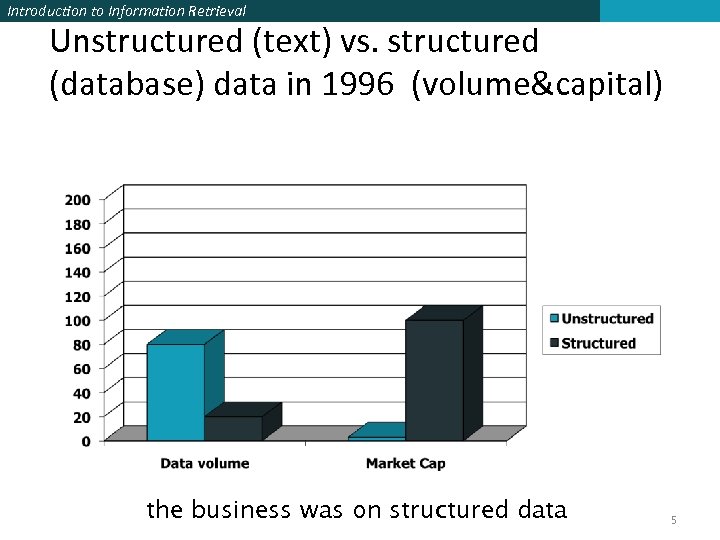 Introduction to Information Retrieval Unstructured (text) vs. structured (database) data in 1996 (volume&capital) the business was on structured data 5
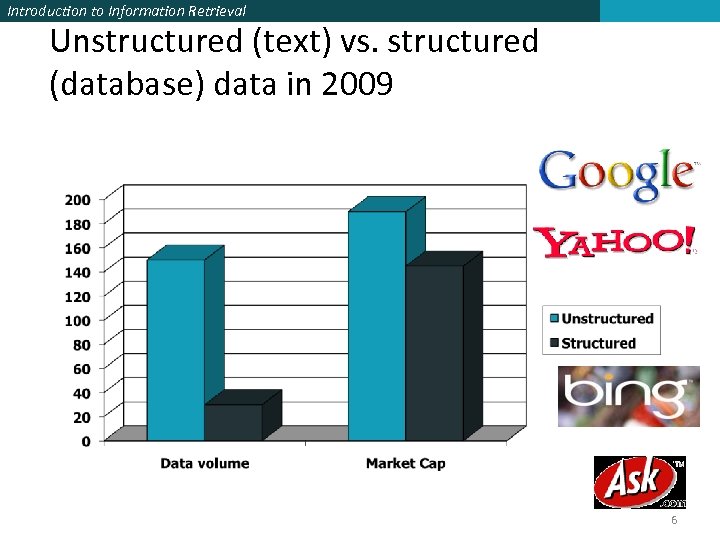 Introduction to Information Retrieval Unstructured (text) vs. structured (database) data in 2009 6
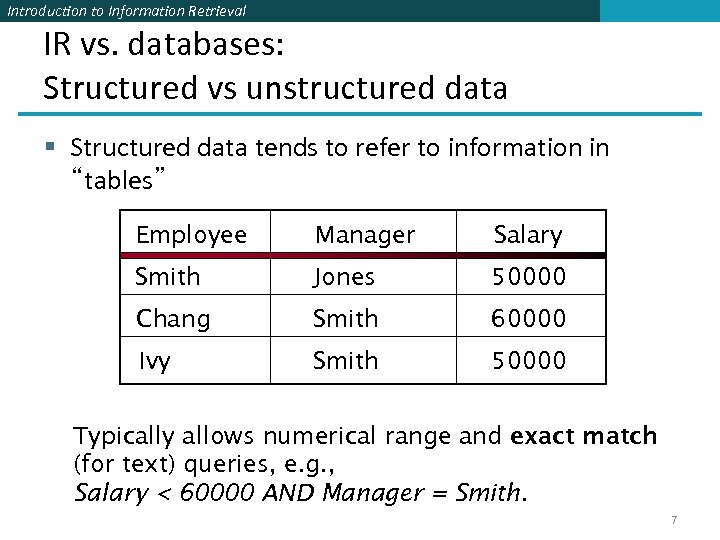 Introduction to Information Retrieval IR vs. databases: Structured vs unstructured data § Structured data tends to refer to information in “tables” Employee Manager Salary Smith Jones 50000 Chang Smith 60000 Ivy Smith 50000 Typically allows numerical range and exact match (for text) queries, e. g. , Salary < 60000 AND Manager = Smith. 7
 Introduction to Information Retrieval Unstructured data § Typically refers to free-form text § Allows § Keyword queries including operators § ( information ∧(retrieval∨extraction)) § More sophisticated “concept” queries, e. g. , § find all web pages dealing with drug abuse 8
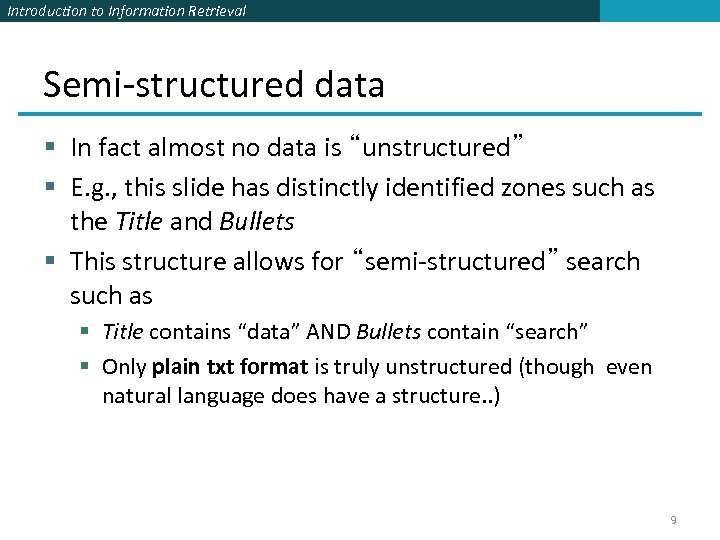 Introduction to Information Retrieval Semi-structured data § In fact almost no data is “unstructured” § E. g. , this slide has distinctly identified zones such as the Title and Bullets § This structure allows for “semi-structured” search such as § Title contains “data” AND Bullets contain “search” § Only plain txt format is truly unstructured (though even natural language does have a structure. . ) 9
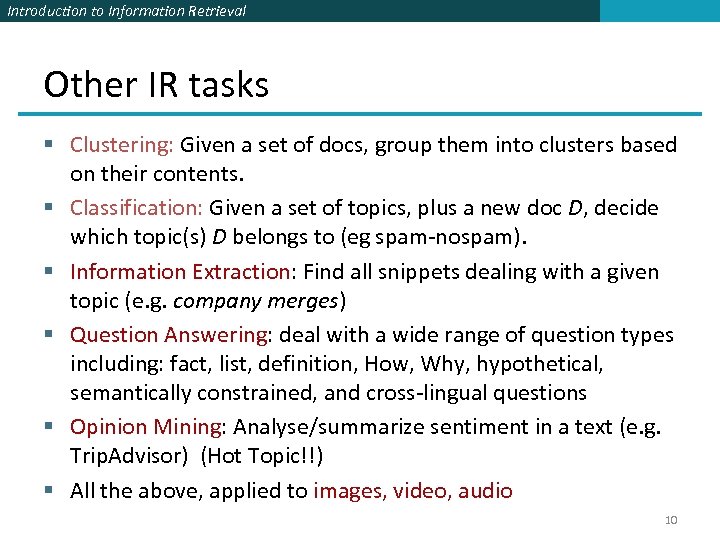 Introduction to Information Retrieval Other IR tasks § Clustering: Given a set of docs, group them into clusters based on their contents. § Classification: Given a set of topics, plus a new doc D, decide which topic(s) D belongs to (eg spam-nospam). § Information Extraction: Find all snippets dealing with a given topic (e. g. company merges) § Question Answering: deal with a wide range of question types including: fact, list, definition, How, Why, hypothetical, semantically constrained, and cross-lingual questions § Opinion Mining: Analyse/summarize sentiment in a text (e. g. Trip. Advisor) (Hot Topic!!) § All the above, applied to images, video, audio 10
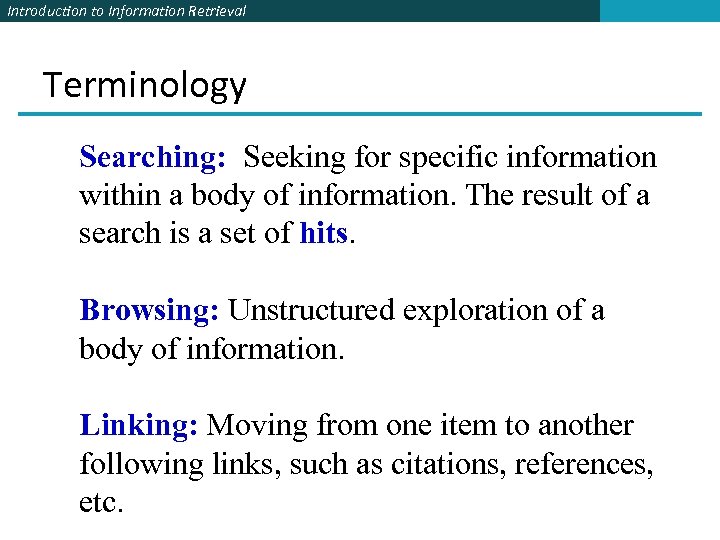 Introduction to Information Retrieval Terminology Searching: Seeking for specific information within a body of information. The result of a search is a set of hits. Browsing: Unstructured exploration of a body of information. Linking: Moving from one item to another following links, such as citations, references, etc.
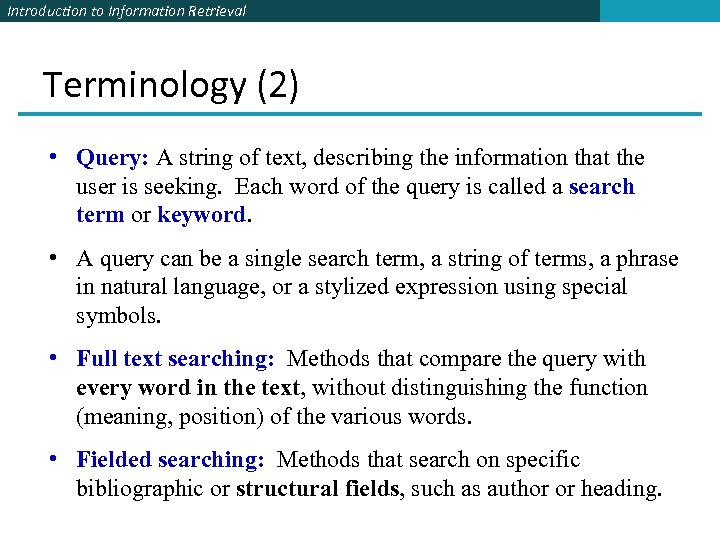 Introduction to Information Retrieval Terminology (2) • Query: A string of text, describing the information that the user is seeking. Each word of the query is called a search term or keyword. • A query can be a single search term, a string of terms, a phrase in natural language, or a stylized expression using special symbols. • Full text searching: Methods that compare the query with every word in the text, without distinguishing the function (meaning, position) of the various words. • Fielded searching: Methods that search on specific bibliographic or structural fields, such as author or heading.
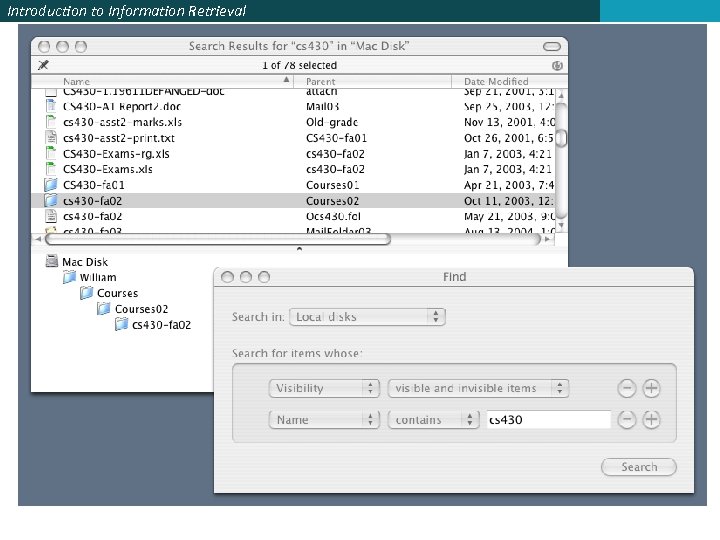
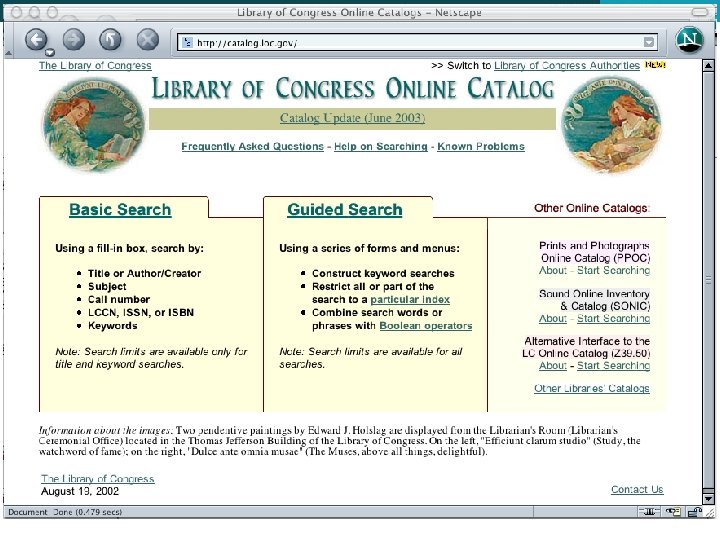
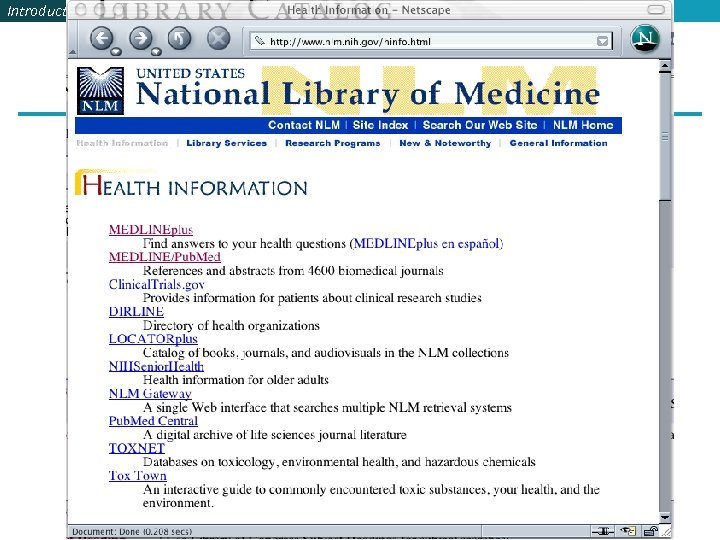
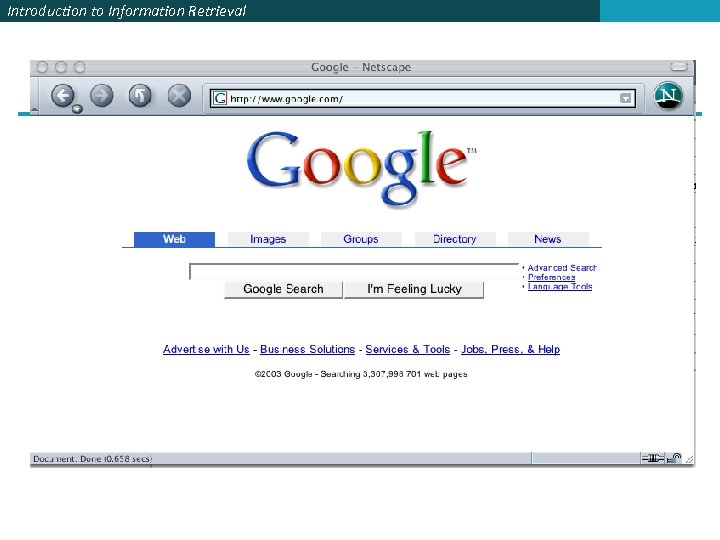
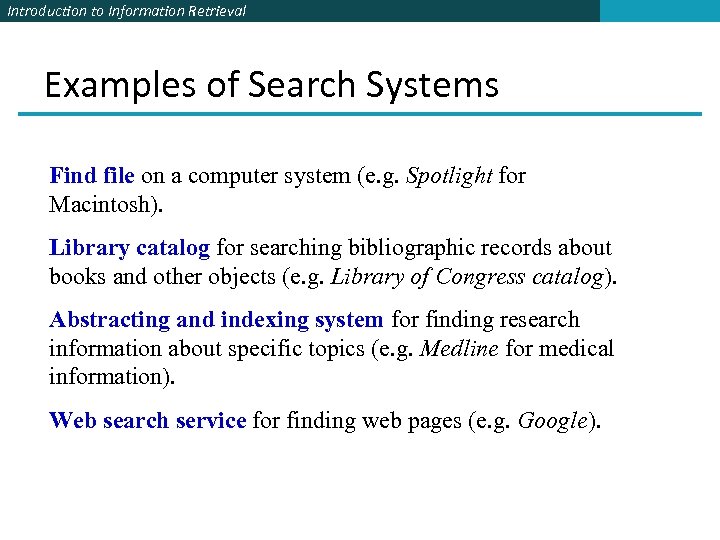 Introduction to Information Retrieval Examples of Search Systems Find file on a computer system (e. g. Spotlight for Macintosh). Library catalog for searching bibliographic records about books and other objects (e. g. Library of Congress catalog). Abstracting and indexing system for finding research information about specific topics (e. g. Medline for medical information). Web search service for finding web pages (e. g. Google).
 Introduction to Information Retrieval
 Introduction to Information Retrieval
 Introduction to Information Retrieval
 Introduction to Information Retrieval
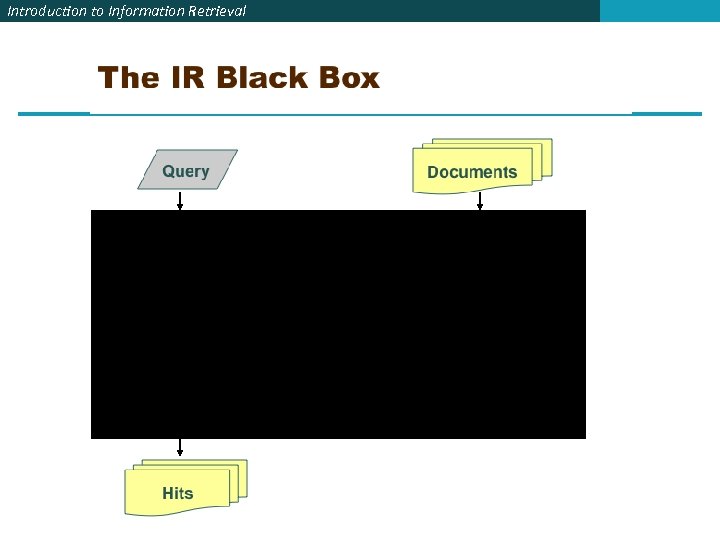 Introduction to Information Retrieval
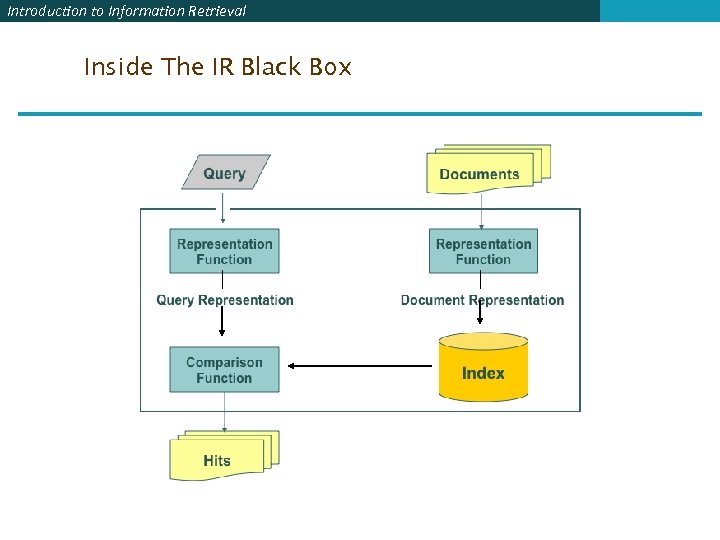 Introduction to Information Retrieval Inside The IR Black Box
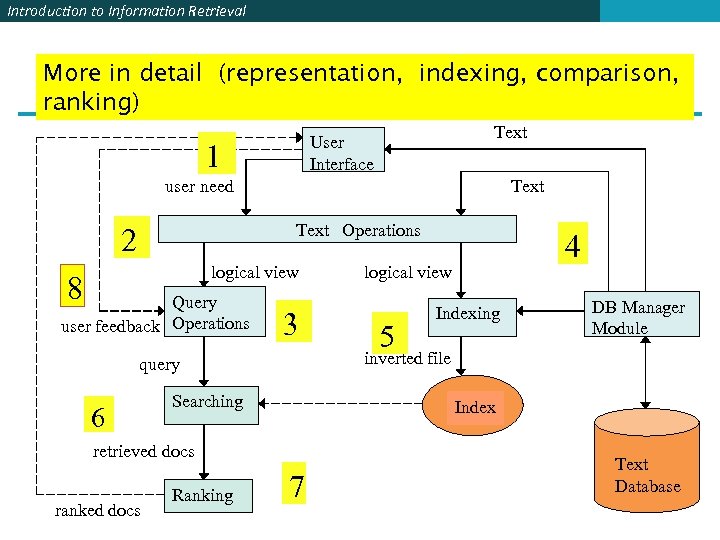 Introduction to Information Retrieval More in detail (representation, indexing, comparison, ranking) Text User Interface 1 user need Text Operations 2 logical view 8 Query user feedback Operations 3 Searching ranked docs 5 Indexing DB Manager Module Index retrieved docs Ranking logical view inverted file query 6 4 7 Text Database
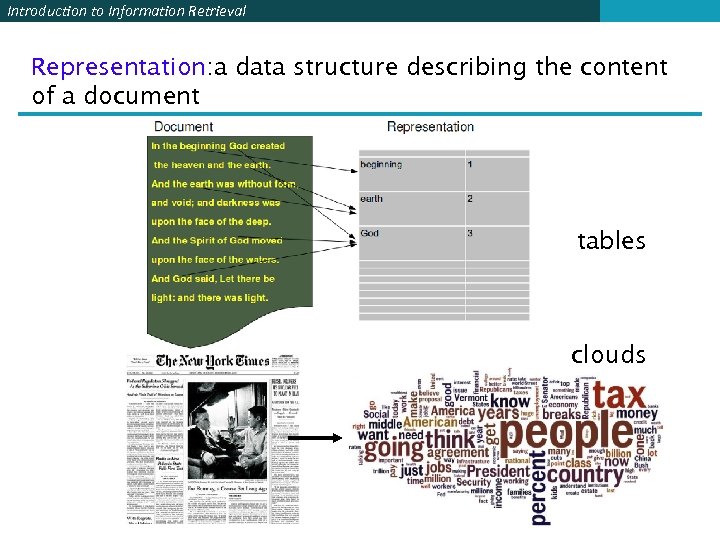 Introduction to Information Retrieval Representation: a data structure describing the content of a document tables clouds
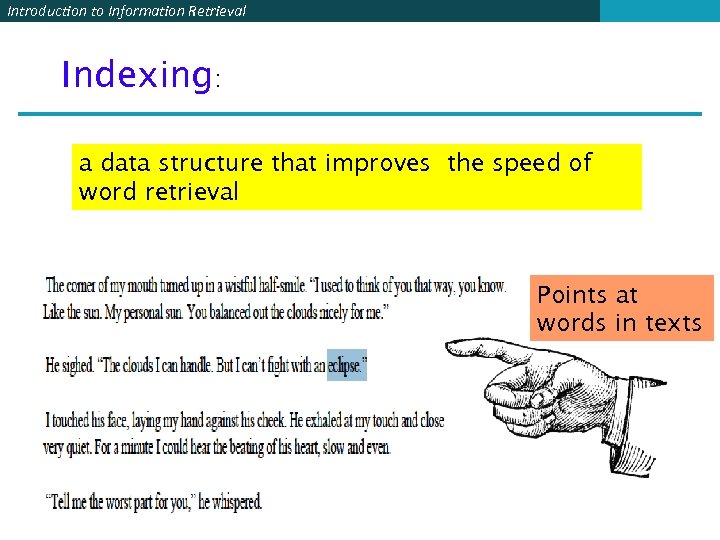 Introduction to Information Retrieval Indexing: a data structure that improves the speed of word retrieval Points at words in texts
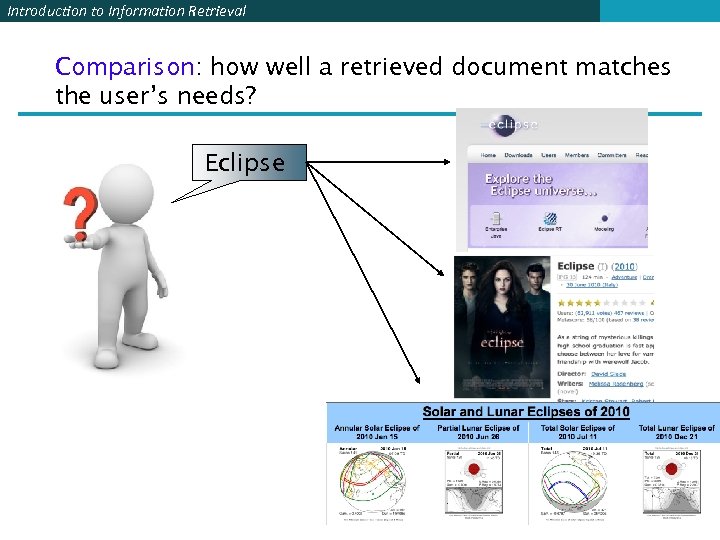 Introduction to Information Retrieval Comparison: how well a retrieved document matches the user’s needs? Eclipse
 Introduction to Information Retrieval Sorting & ranking When a user submits a query to a search system, the system returns a set of hits. With a large collection of documents, the set of hits maybe very large. The value to the use depends on the order in which the hits are presented. Three main methods: • Sorting the hits, e. g. , by date • Ranking the hits by similarity between query and document • Ranking the hits by the importance of the documents
 Introduction to Information Retrieval 1. Document Representation
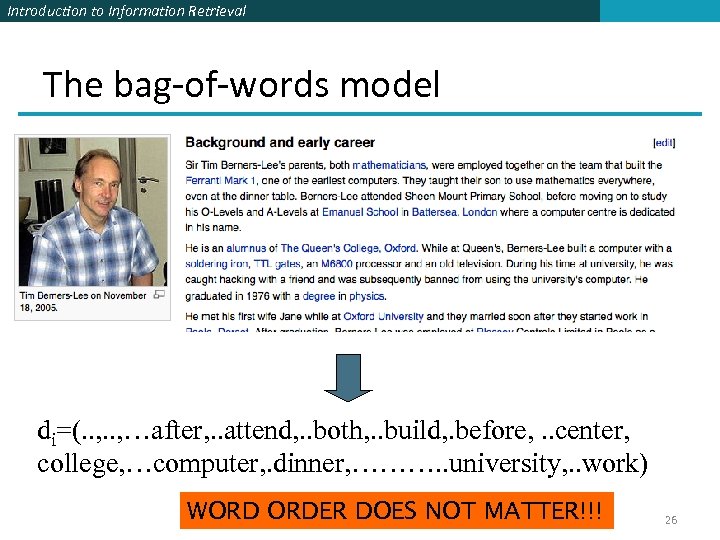 Introduction to Information Retrieval The bag-of-words model di=(. . , …after, . . attend, . . both, . . build, . before, . . center, college, …computer, . dinner, ………. . university, . . work) WORD ORDER DOES NOT MATTER!!! 26
 Introduction to Information Retrieval Bag of Words Model § This is the most common way of representing documents in information retrieval § Variants include: § How to weight a word within a document (boolean, tf*idf, etc. ) § Boolean: 1 is the word i is in doc j, 0 else § Tf*idf and others: the weight is a function of the word frequency in the document, and of the frequency of documents whith that word § What is a “word”: § single, inflected word (“going”), § lemmatised word (going, gone go) § Multi-word, proper nouns, numbers, dates (“board of directors”, “John Wyne”, “April, 2010” § Meaning: (plan, project, design PLAN#03) 27
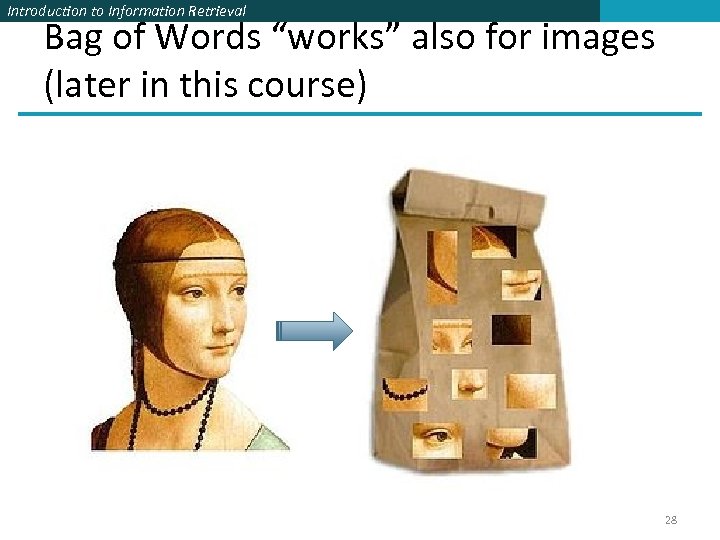 Introduction to Information Retrieval Bag of Words “works” also for images (later in this course) 28
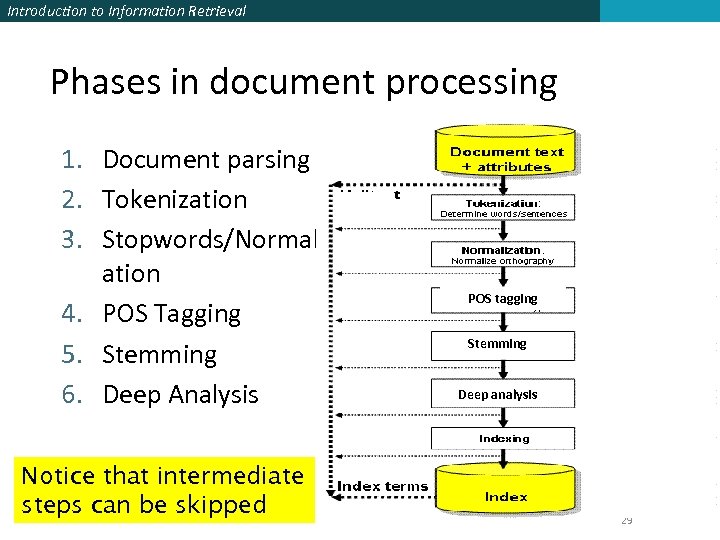 Introduction to Information Retrieval Phases in document processing 1. Document parsing 2. Tokenization 3. Stopwords/Normaliz ation 4. POS Tagging 5. Stemming 6. Deep Analysis Notice that intermediate steps can be skipped POS tagging Stemming Deep analysis 29
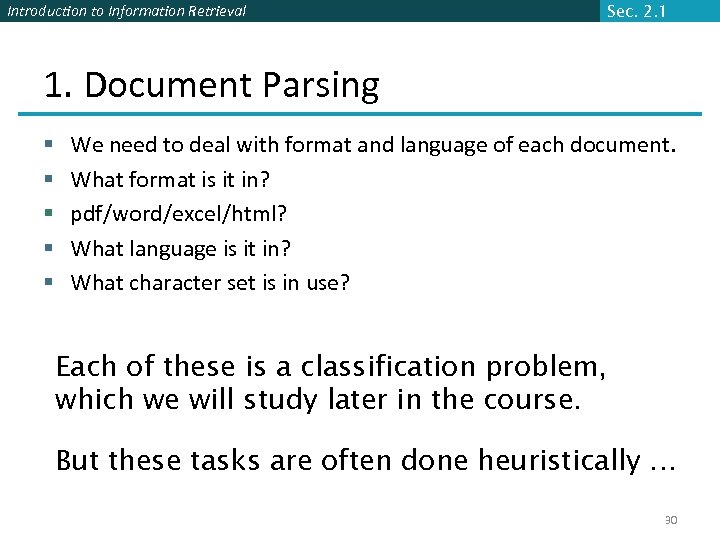 Introduction to Information Retrieval Sec. 2. 1 1. Document Parsing § § § We need to deal with format and language of each document. What format is it in? pdf/word/excel/html? What language is it in? What character set is in use? Each of these is a classification problem, which we will study later in the course. But these tasks are often done heuristically … 30
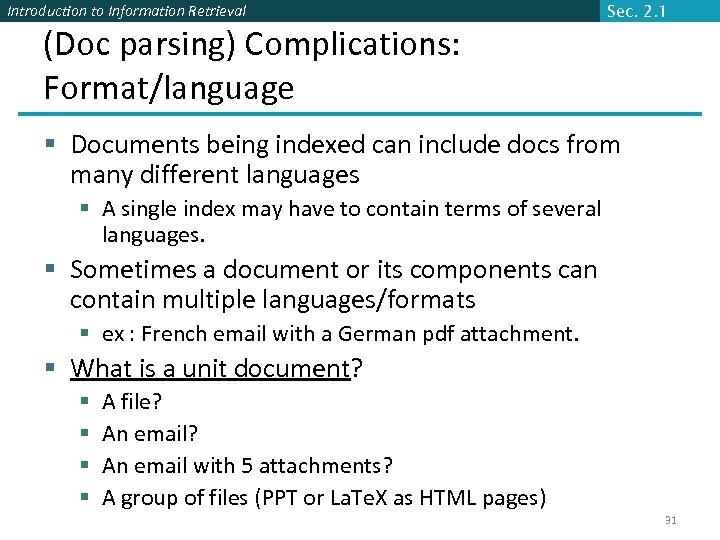 Introduction to Information Retrieval Sec. 2. 1 (Doc parsing) Complications: Format/language § Documents being indexed can include docs from many different languages § A single index may have to contain terms of several languages. § Sometimes a document or its components can contain multiple languages/formats § ex : French email with a German pdf attachment. § What is a unit document? § § A file? An email with 5 attachments? A group of files (PPT or La. Te. X as HTML pages) 31
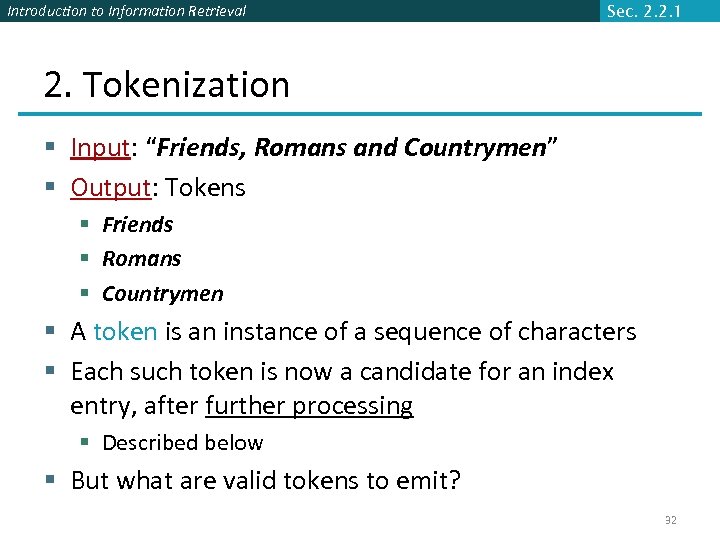 Introduction to Information Retrieval Sec. 2. 2. 1 2. Tokenization § Input: “Friends, Romans and Countrymen” § Output: Tokens § Friends § Romans § Countrymen § A token is an instance of a sequence of characters § Each such token is now a candidate for an index entry, after further processing § Described below § But what are valid tokens to emit? 32
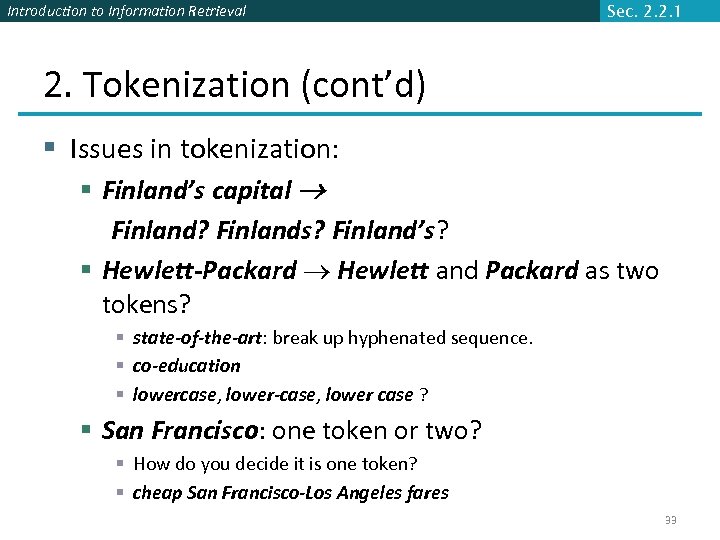 Introduction to Information Retrieval Sec. 2. 2. 1 2. Tokenization (cont’d) § Issues in tokenization: § Finland’s capital Finland? Finlands? Finland’s? § Hewlett-Packard Hewlett and Packard as two tokens? § state-of-the-art: break up hyphenated sequence. § co-education § lowercase, lower-case, lower case ? § San Francisco: one token or two? § How do you decide it is one token? § cheap San Francisco-Los Angeles fares 33
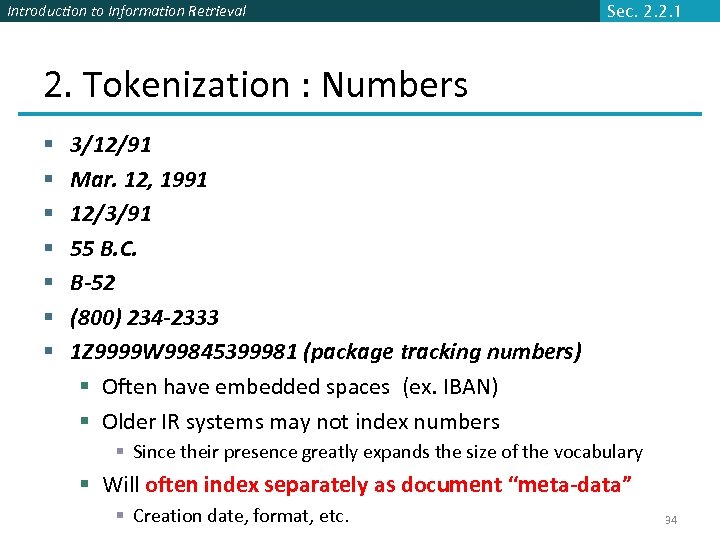 Introduction to Information Retrieval Sec. 2. 2. 1 2. Tokenization : Numbers § § § § 3/12/91 Mar. 12, 1991 12/3/91 55 B. C. B-52 (800) 234 -2333 1 Z 9999 W 99845399981 (package tracking numbers) § Often have embedded spaces (ex. IBAN) § Older IR systems may not index numbers § Since their presence greatly expands the size of the vocabulary § Will often index separately as document “meta-data” § Creation date, format, etc. 34
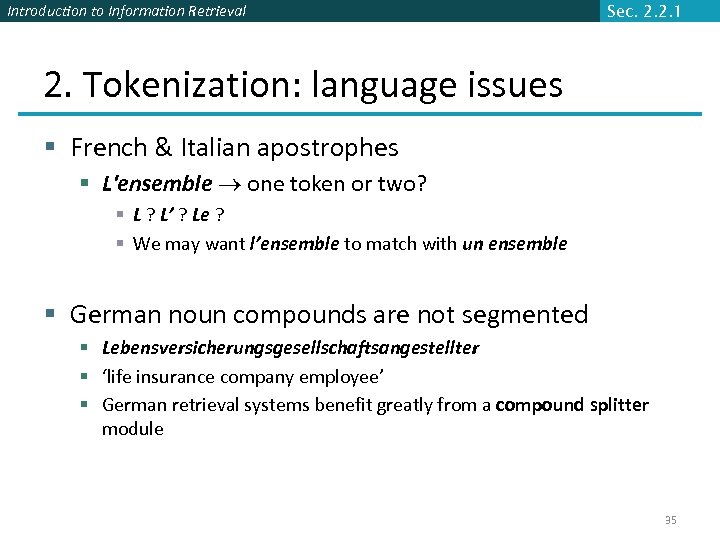 Introduction to Information Retrieval Sec. 2. 2. 1 2. Tokenization: language issues § French & Italian apostrophes § L'ensemble one token or two? § L ? L’ ? Le ? § We may want l’ensemble to match with un ensemble § German noun compounds are not segmented § Lebensversicherungsgesellschaftsangestellter § ‘life insurance company employee’ § German retrieval systems benefit greatly from a compound splitter module 35
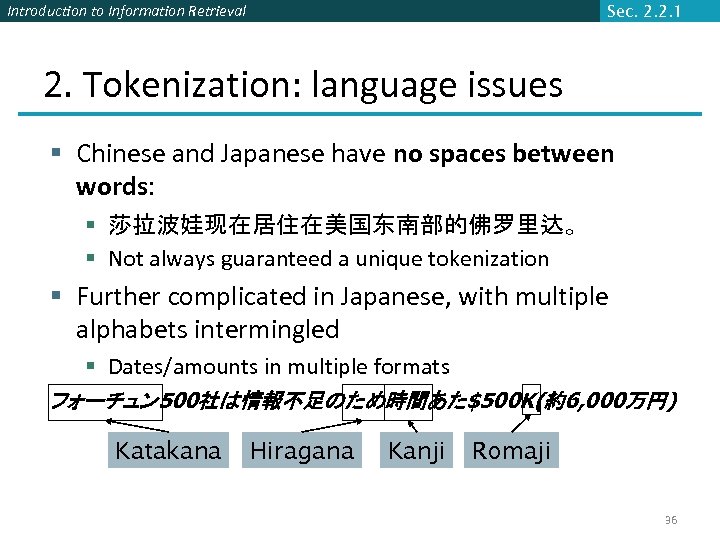 Introduction to Information Retrieval Sec. 2. 2. 1 2. Tokenization: language issues § Chinese and Japanese have no spaces between words: § 莎拉波娃现在居住在美国东南部的佛罗里达。 § Not always guaranteed a unique tokenization § Further complicated in Japanese, with multiple alphabets intermingled § Dates/amounts in multiple formats フォーチュン 500社は情報不足のため時間あた$500 K(約6, 000万円) Katakana Hiragana Kanji Romaji 36
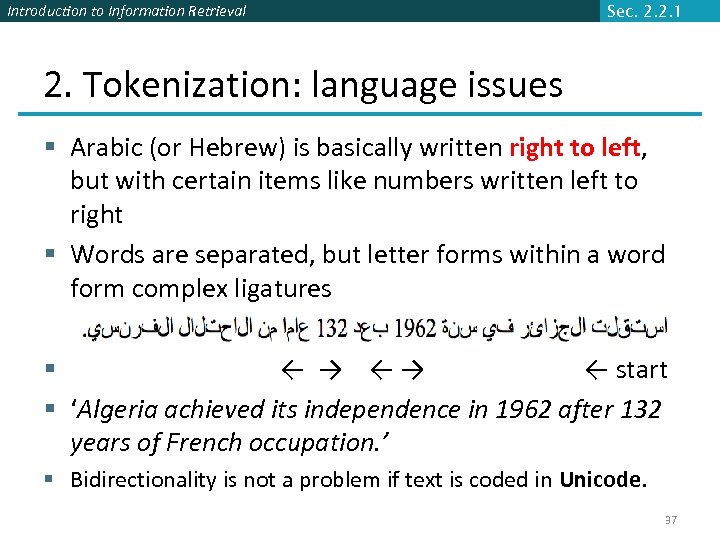 Introduction to Information Retrieval Sec. 2. 2. 1 2. Tokenization: language issues § Arabic (or Hebrew) is basically written right to left, but with certain items like numbers written left to right § Words are separated, but letter forms within a word form complex ligatures § ← → ←→ ← start § ‘Algeria achieved its independence in 1962 after 132 years of French occupation. ’ § Bidirectionality is not a problem if text is coded in Unicode. 37
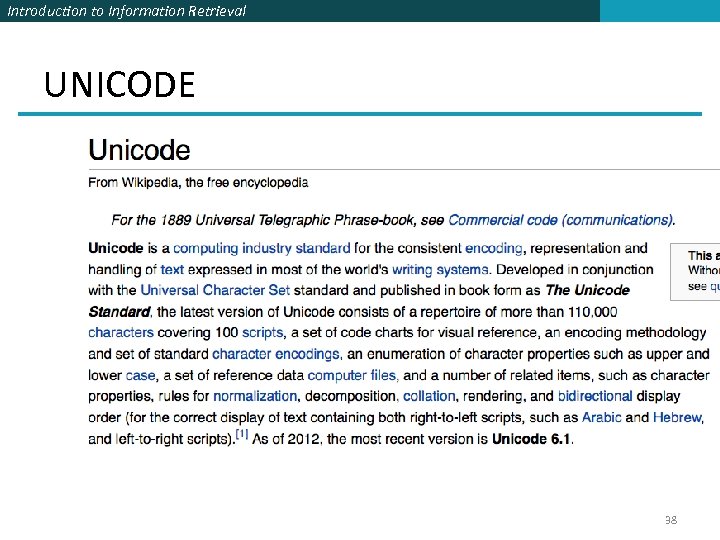 Introduction to Information Retrieval UNICODE 38
 Introduction to Information Retrieval Sec. 2. 2. 2 3. 1 Stop words § With a stop list, you exclude from the dictionary entirely the commonest words. Intuition: § They have little semantic content: the, a, and, to, be § There a lot of them: ~30% of postings for top 30 words § Stop word elimination used to be standard in older IR systems. § But the trend is away from doing this: § Good compression techniques means the space for including stopwords in a system is very small § Good query optimization techniques mean you pay little at query time for including stop words. § You need them for: § Phrase queries: “King of Denmark” § Various song titles, etc. : “Let it be”, “To be or not to be” § “Relational” queries: “flights to London” 39
 Introduction to Information Retrieval Sec. 2. 2. 3 3. 2. Normalization to terms § We need to “normalize” words in indexed text as well as query words into the same form § We want to match U. S. A. and USA § Result is terms: a term is a (normalized) word type, which is a single entry in our IR system dictionary § We most commonly implicitly define equivalence classes of terms by, e. g. , § deleting periods to form a term § U. S. A. , USA § deleting hyphens to form a term § anti-discriminatory, antidiscriminatory § Synonyms (this is rather more complex. . ) § car , automobile 40
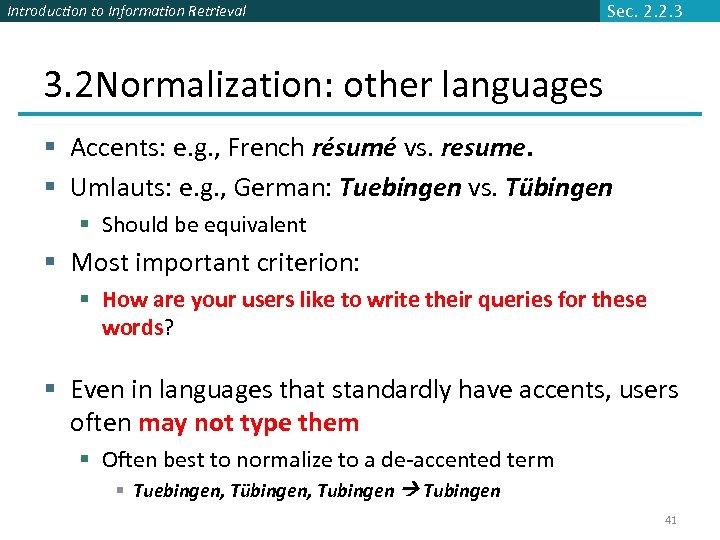 Introduction to Information Retrieval Sec. 2. 2. 3 3. 2 Normalization: other languages § Accents: e. g. , French résumé vs. resume. § Umlauts: e. g. , German: Tuebingen vs. Tübingen § Should be equivalent § Most important criterion: § How are your users like to write their queries for these words? § Even in languages that standardly have accents, users often may not type them § Often best to normalize to a de-accented term § Tuebingen, Tübingen, Tubingen 41
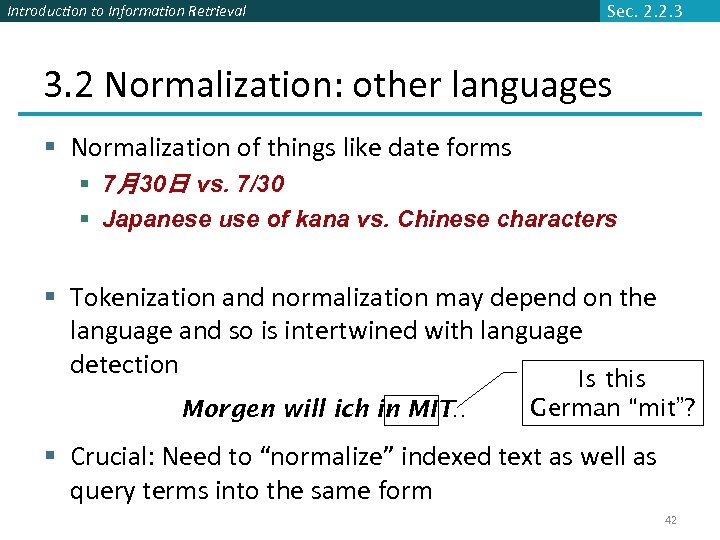 Introduction to Information Retrieval Sec. 2. 2. 3 3. 2 Normalization: other languages § Normalization of things like date forms § 7月30日 vs. 7/30 § Japanese use of kana vs. Chinese characters § Tokenization and normalization may depend on the language and so is intertwined with language detection Morgen will ich in MIT … Is this German “mit”? § Crucial: Need to “normalize” indexed text as well as query terms into the same form 42
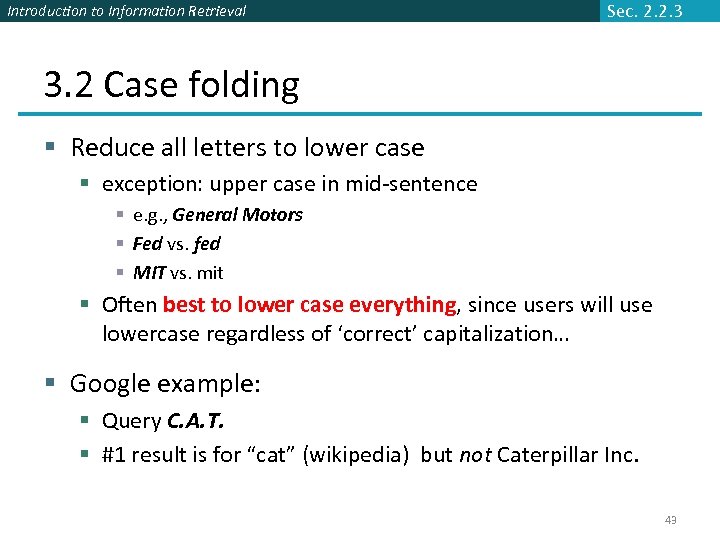 Introduction to Information Retrieval Sec. 2. 2. 3 3. 2 Case folding § Reduce all letters to lower case § exception: upper case in mid-sentence § e. g. , General Motors § Fed vs. fed § MIT vs. mit § Often best to lower case everything, since users will use lowercase regardless of ‘correct’ capitalization… § Google example: § Query C. A. T. § #1 result is for “cat” (wikipedia) but not Caterpillar Inc. 43
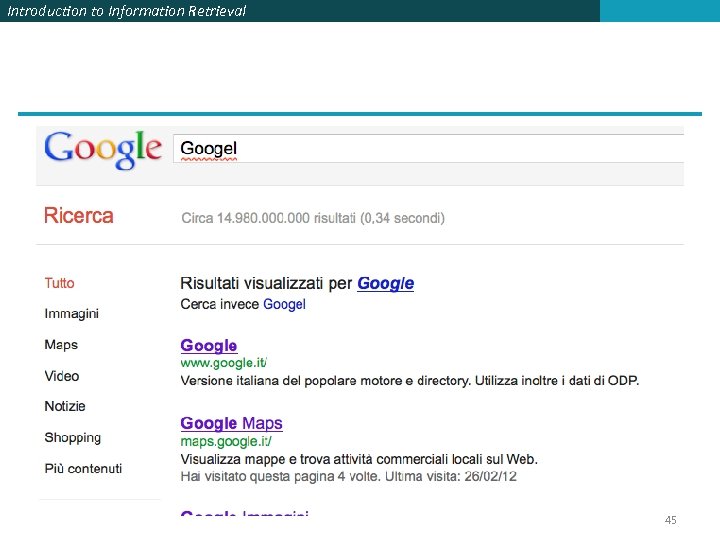
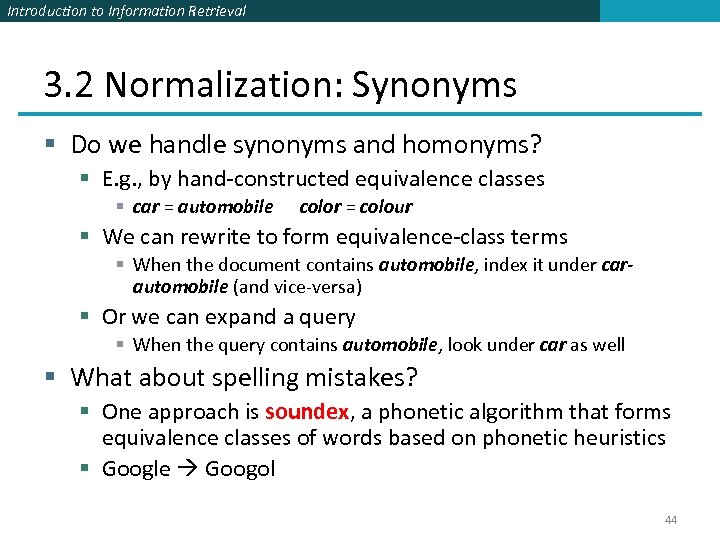 Introduction to Information Retrieval 3. 2 Normalization: Synonyms § Do we handle synonyms and homonyms? § E. g. , by hand-constructed equivalence classes § car = automobile color = colour § We can rewrite to form equivalence-class terms § When the document contains automobile, index it under carautomobile (and vice-versa) § Or we can expand a query § When the query contains automobile, look under car as well § What about spelling mistakes? § One approach is soundex, a phonetic algorithm that forms equivalence classes of words based on phonetic heuristics § Google Googol 44
 Introduction to Information Retrieval 45
 Introduction to Information Retrieval Sec. 2. 2. 4 4. Stemming/Lemmatization § Reduce inflectional/variant forms to base form § E. g. , § am, are, is be § car, cars, car's, cars' car § the boy's cars are different colors the boy car be different color § Lemmatization implies doing “proper” reduction to dictionary form (the lemma). 46
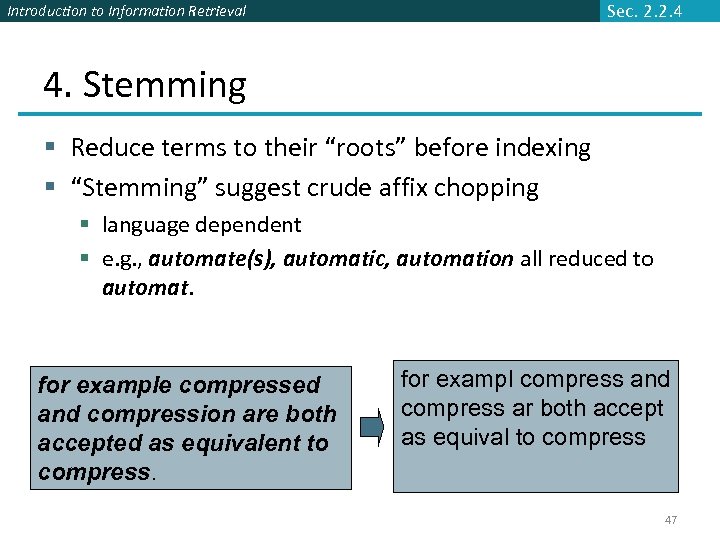 Introduction to Information Retrieval Sec. 2. 2. 4 4. Stemming § Reduce terms to their “roots” before indexing § “Stemming” suggest crude affix chopping § language dependent § e. g. , automate(s), automatic, automation all reduced to automat. for example compressed and compression are both accepted as equivalent to compress. for exampl compress and compress ar both accept as equival to compress 47
 Introduction to Information Retrieval Sec. 2. 2. 4 Porter’s algorithm § Commonest algorithm for stemming English § Results suggest it’s at least as good as other stemming options § Conventions + 5 phases of reductions § phases applied sequentially § each phase consists of a set of commands § sample convention: Of the rules in a compound command, select the one that applies to the longest suffix. 48
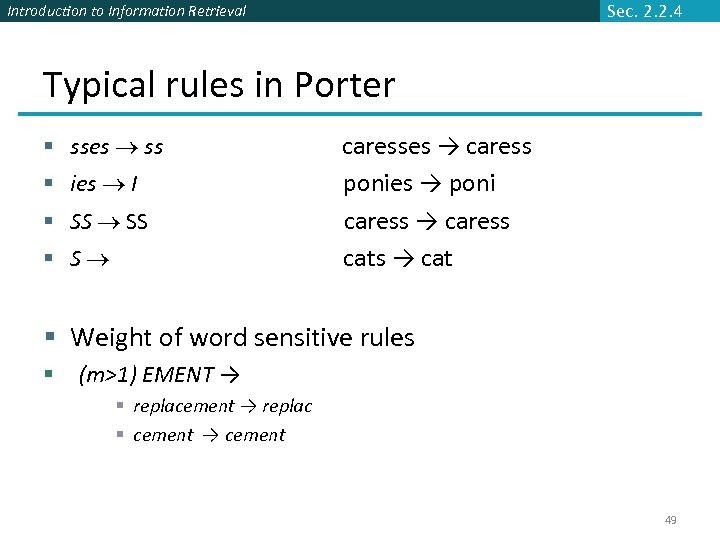 Introduction to Information Retrieval Sec. 2. 2. 4 Typical rules in Porter § sses ss § ies I § SS § S caresses → caress ponies → poni caress → caress cats → cat § Weight of word sensitive rules § (m>1) EMENT → § replacement → replac § cement → cement 49
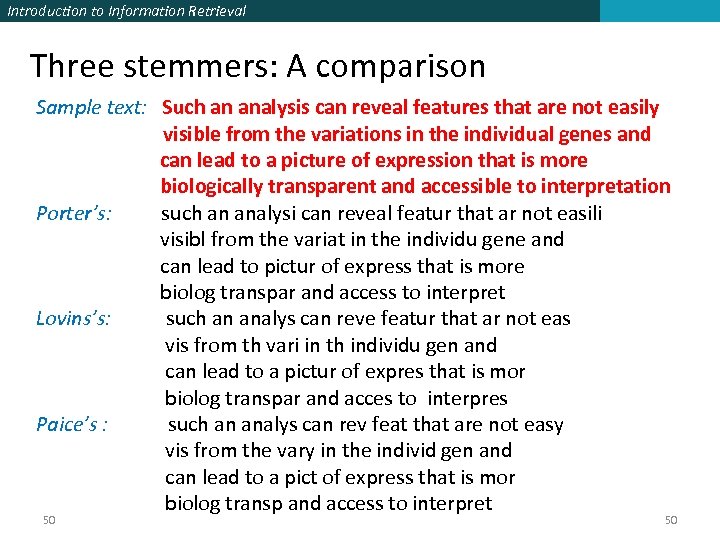 Introduction to Information Retrieval Three stemmers: A comparison Sample text: Such an analysis can reveal features that are not easily visible from the variations in the individual genes and can lead to a picture of expression that is more biologically transparent and accessible to interpretation Porter’s: such an analysi can reveal featur that ar not easili visibl from the variat in the individu gene and can lead to pictur of express that is more biolog transpar and access to interpret Lovins’s: such an analys can reve featur that ar not eas vis from th vari in th individu gen and can lead to a pictur of expres that is mor biolog transpar and acces to interpres Paice’s : such an analys can rev feat that are not easy vis from the vary in the individ gen and can lead to a pict of express that is mor biolog transp and access to interpret 50 50
 Introduction to Information Retrieval 5. Deep Analysis § Has to do with more detailed Natural Language Processing algorithms § E. g. semantic disambiguation, phrase indexing (board of directors), named entities (President Monti = Mario Monti) etc. § Standard search engines increasingly use deeper techniques (e. g. Google) § More in NLP course 51
 Introduction to Information Retrieval 1. Document Representation 2. Document Indexing
 Introduction to Information Retrieval Why indexing § The purpose of storing an index is to optimize speed and performance in finding relevant documents for a search query. § Without an index, the search engine would scan every document in the corpus, which would require considerable time and computing power. § For example, while an index of 10, 000 documents can be queried within milliseconds, a sequential scan of every word in 10, 000 large documents could take hours. 53
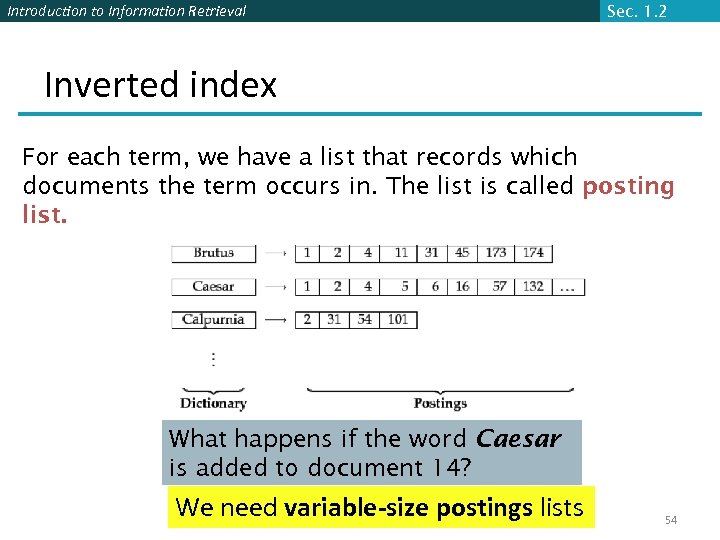 Introduction to Information Retrieval Sec. 1. 2 Inverted index For each term, we have a list that records which documents the term occurs in. The list is called posting list. What happens if the word Caesar is added to document 14? We need variable-size postings lists 54
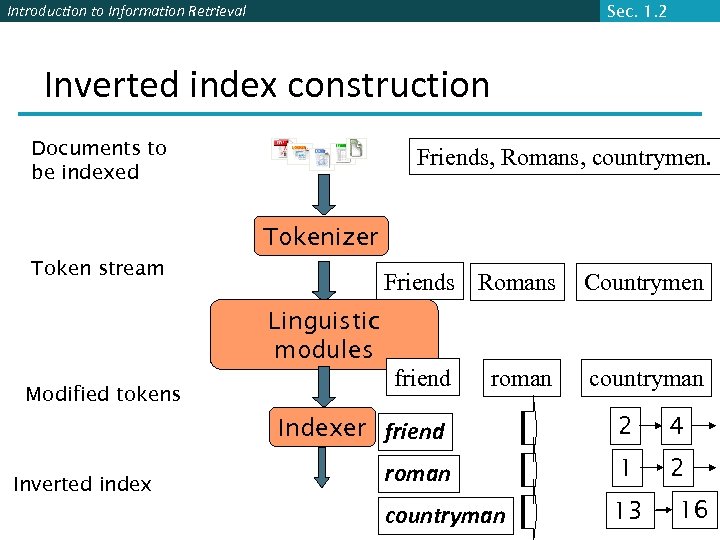 Introduction to Information Retrieval Sec. 1. 2 Inverted index construction Documents to be indexed Friends, Romans, countrymen. Tokenizer Token stream Friends Romans Countrymen Linguistic modules Modified tokens friend roman countryman Indexer friend Inverted index 2 4 roman 1 2 countryman 13 16
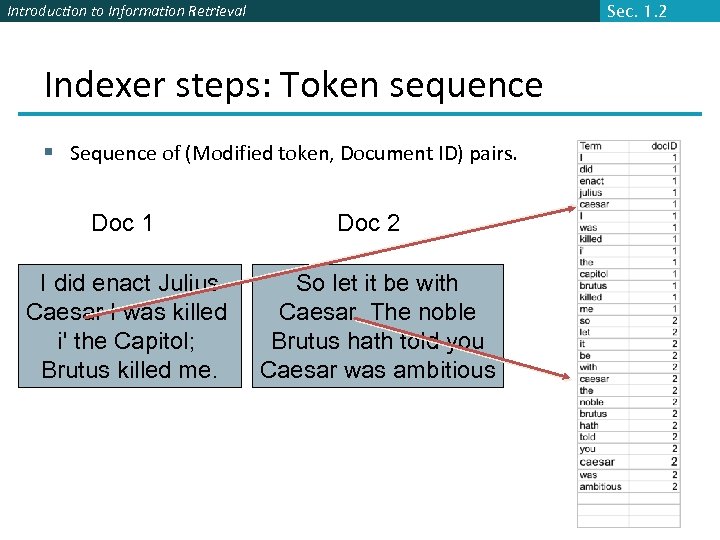 Introduction to Information Retrieval Sec. 1. 2 Indexer steps: Token sequence § Sequence of (Modified token, Document ID) pairs. Doc 1 I did enact Julius Caesar I was killed i' the Capitol; Brutus killed me. Doc 2 So let it be with Caesar. The noble Brutus hath told you Caesar was ambitious
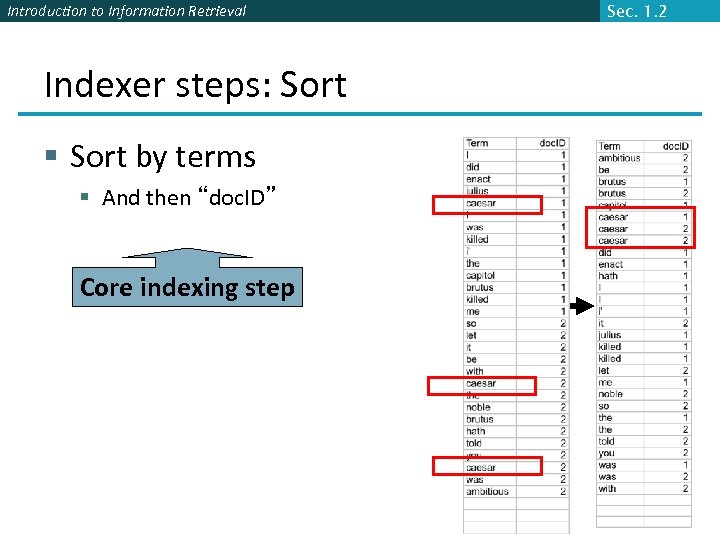 Introduction to Information Retrieval Indexer steps: Sort § Sort by terms § And then “doc. ID” Core indexing step Sec. 1. 2
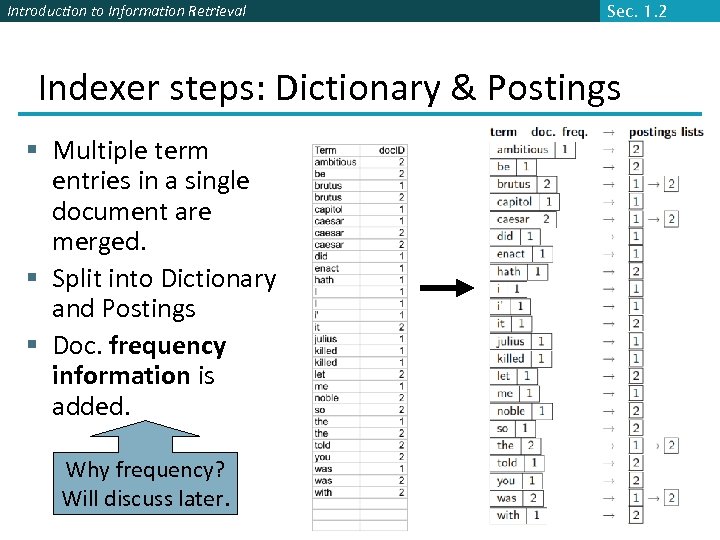 Introduction to Information Retrieval Sec. 1. 2 Indexer steps: Dictionary & Postings § Multiple term entries in a single document are merged. § Split into Dictionary and Postings § Doc. frequency information is added. Why frequency? Will discuss later.
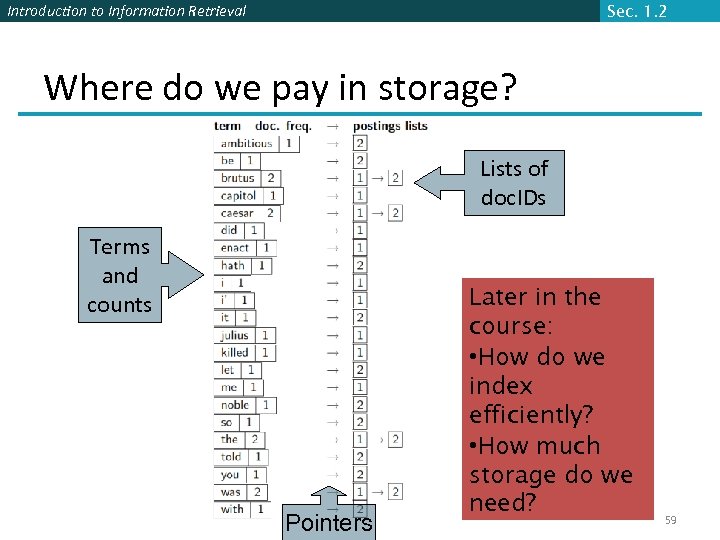 Introduction to Information Retrieval Sec. 1. 2 Where do we pay in storage? Lists of doc. IDs Terms and counts Pointers Later in the course: • How do we index efficiently? • How much storage do we need? 59
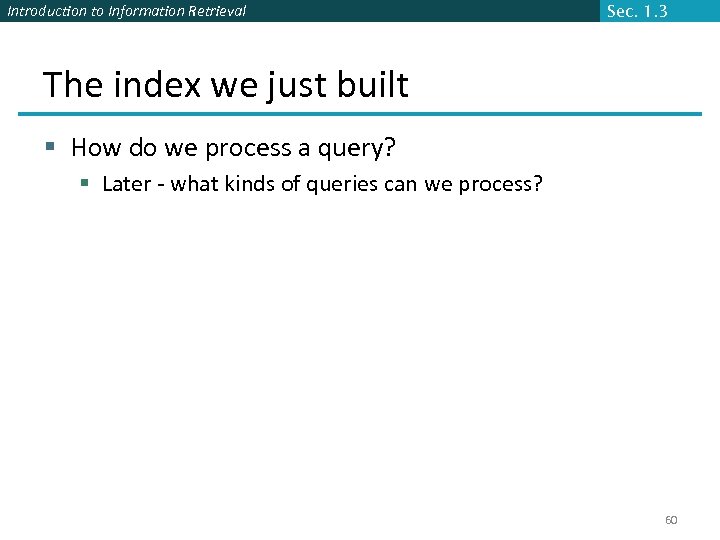 Introduction to Information Retrieval Sec. 1. 3 The index we just built § How do we process a query? § Later - what kinds of queries can we process? 60
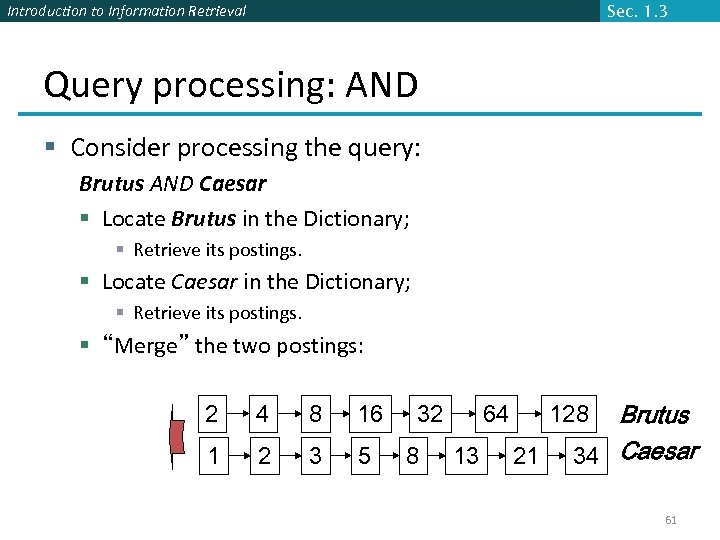 Introduction to Information Retrieval Sec. 1. 3 Query processing: AND § Consider processing the query: Brutus AND Caesar § Locate Brutus in the Dictionary; § Retrieve its postings. § Locate Caesar in the Dictionary; § Retrieve its postings. § “Merge” the two postings: 2 4 8 16 1 2 3 5 32 8 64 13 Brutus 34 Caesar 128 21 61
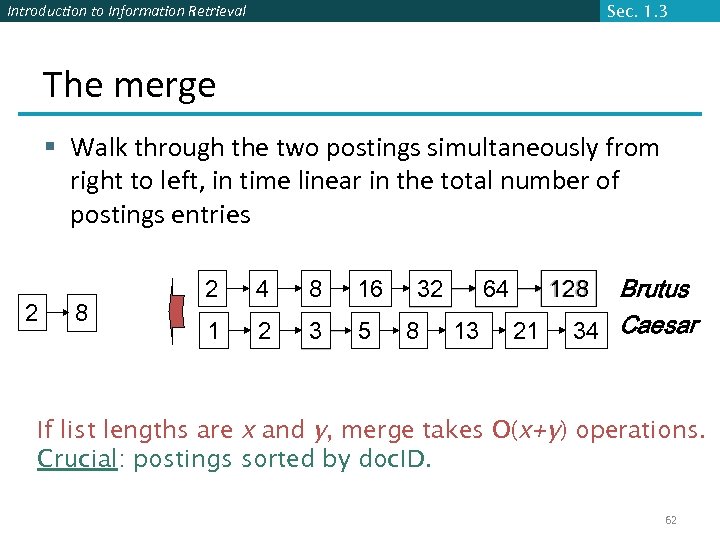 Introduction to Information Retrieval Sec. 1. 3 The merge § Walk through the two postings simultaneously from right to left, in time linear in the total number of postings entries 2 8 2 4 8 16 1 2 3 5 32 8 13 Brutus 34 Caesar 128 64 21 If list lengths are x and y, merge takes O(x+y) operations. Crucial: postings sorted by doc. ID. 62
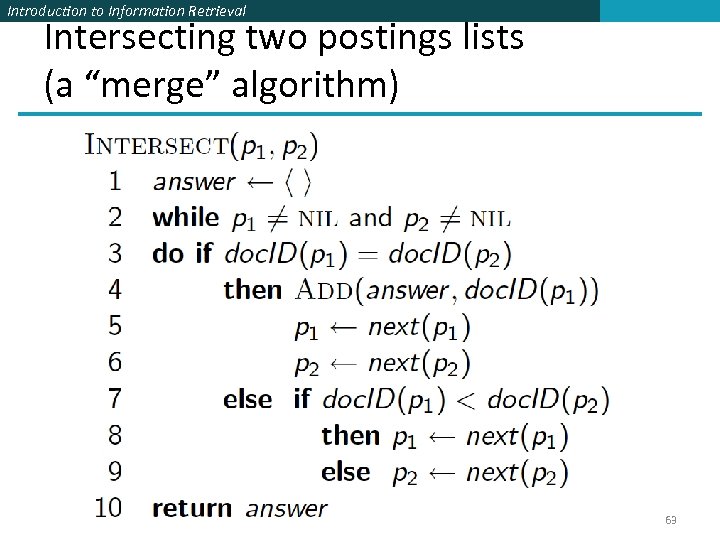 Introduction to Information Retrieval Intersecting two postings lists (a “merge” algorithm) 63
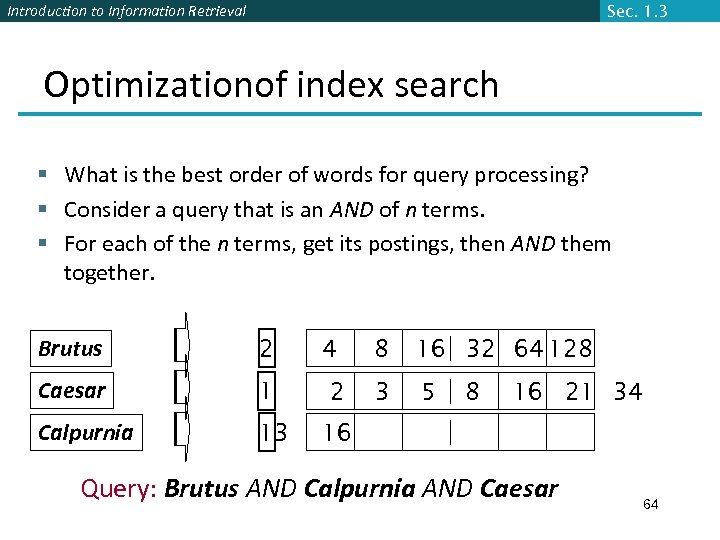 Introduction to Information Retrieval Sec. 1. 3 Optimizationof index search § What is the best order of words for query processing? § Consider a query that is an AND of n terms. § For each of the n terms, get its postings, then AND them together. Brutus 2 Caesar 1 Calpurnia 13 4 2 8 16 32 64 128 3 5 8 16 21 34 16 Query: Brutus AND Calpurnia AND Caesar 64
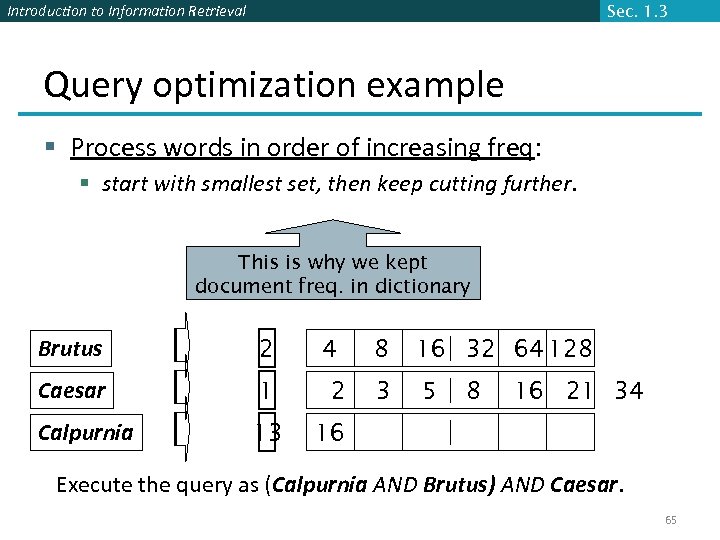 Introduction to Information Retrieval Sec. 1. 3 Query optimization example § Process words in order of increasing freq: § start with smallest set, then keep cutting further. This is why we kept document freq. in dictionary Brutus 2 Caesar 1 Calpurnia 13 4 2 8 16 32 64 128 3 5 8 16 21 34 16 Execute the query as (Calpurnia AND Brutus) AND Caesar. 65
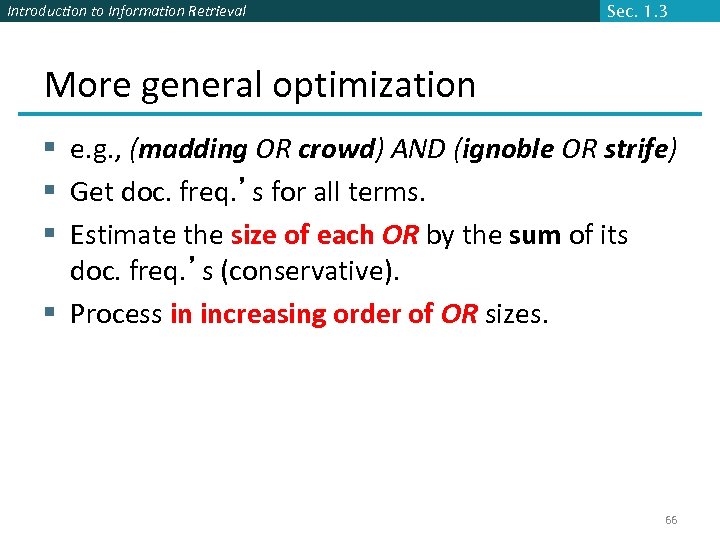 Introduction to Information Retrieval Sec. 1. 3 More general optimization § e. g. , (madding OR crowd) AND (ignoble OR strife) § Get doc. freq. ’s for all terms. § Estimate the size of each OR by the sum of its doc. freq. ’s (conservative). § Process in increasing order of OR sizes. 66
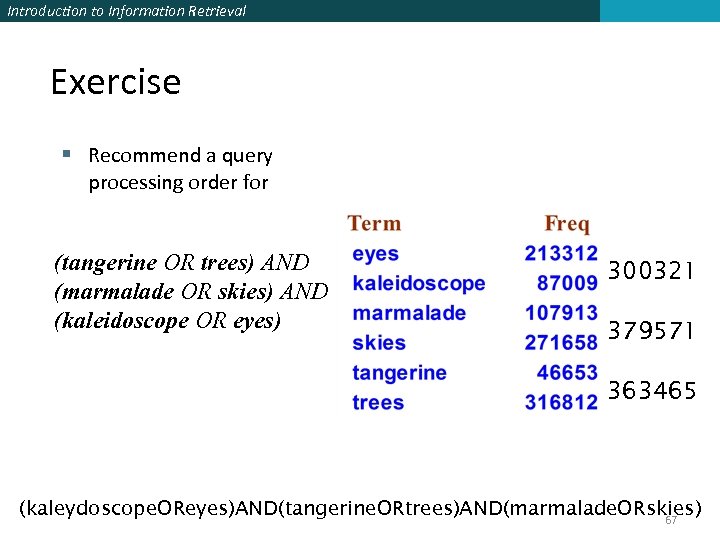 Introduction to Information Retrieval Exercise § Recommend a query processing order for (tangerine OR trees) AND (marmalade OR skies) AND (kaleidoscope OR eyes) 300321 379571 363465 (kaleydoscope. OReyes)AND(tangerine. ORtrees)AND(marmalade. ORskies) 67
 Introduction to Information Retrieval Skip pointers § Intersection is the most important operation when it comes to search engines. § This is because in web search, most queries are implicitly intersections: e. g. "car repairs", "britney spears songs" etc. translates into –"car AND repairs", "britney AND spears AND songs", which means it will be intersecting 2 or more postings lists in order to return a result. § Because intersection is so crucial, search engines try to speed it up in any way possible. One such way is to use skip pointers. 68
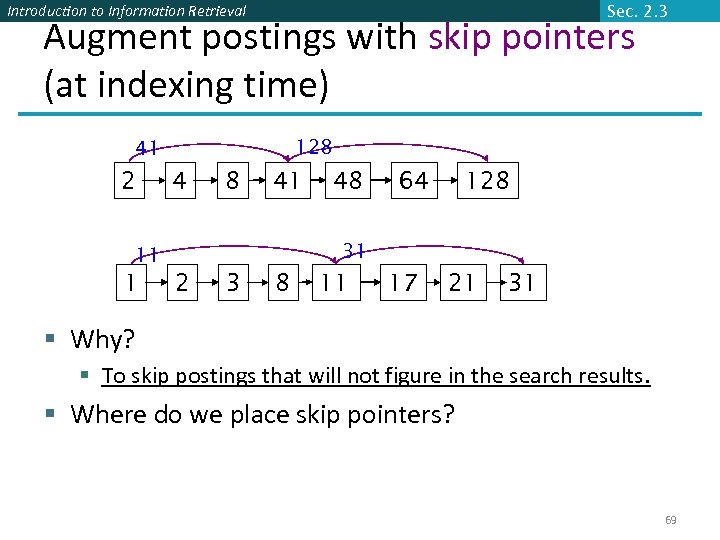 Introduction to Information Retrieval Sec. 2. 3 Augment postings with skip pointers (at indexing time) 128 41 2 4 8 41 64 128 31 11 1 48 2 3 8 11 17 21 31 § Why? § To skip postings that will not figure in the search results. § Where do we place skip pointers? 69
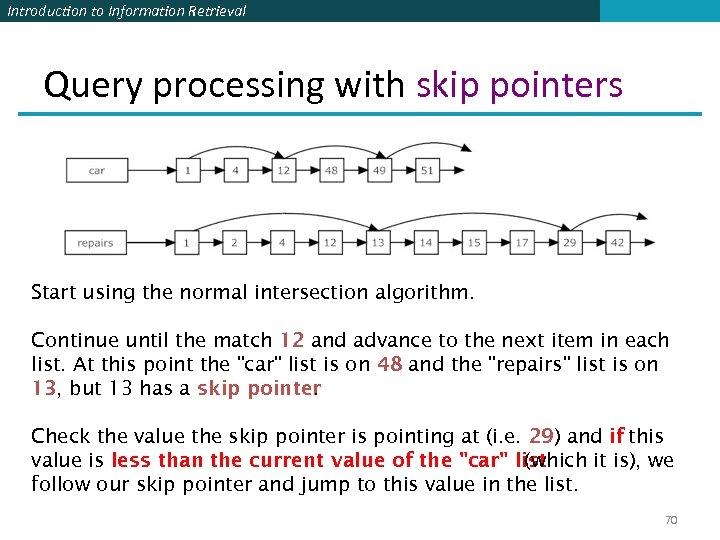 Introduction to Information Retrieval Query processing with skip pointers Start using the normal intersection algorithm. Continue until the match 12 and advance to the next item in each list. At this point the "car" list is on 48 and the "repairs" list is on 13, but 13 has a skip pointer. Check the value the skip pointer is pointing at (i. e. 29) and if this value is less than the current value of the "car" list (which it is), we follow our skip pointer and jump to this value in the list. 70
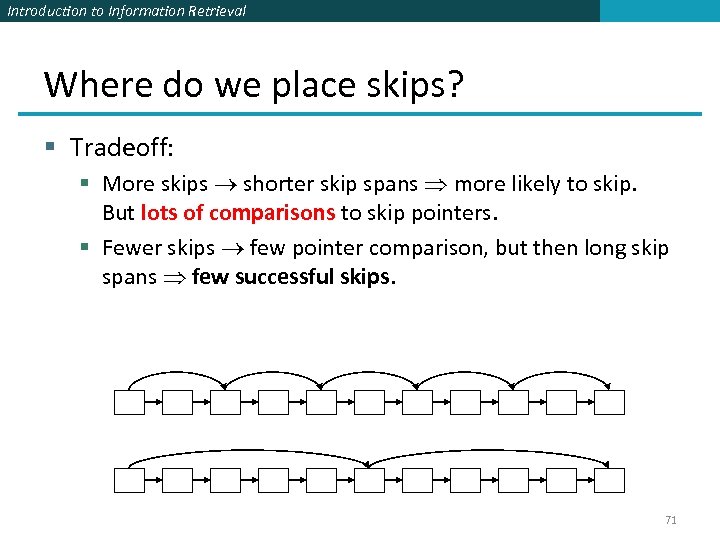 Introduction to Information Retrieval Where do we place skips? § Tradeoff: § More skips shorter skip spans more likely to skip. But lots of comparisons to skip pointers. § Fewer skips few pointer comparison, but then long skip spans few successful skips. 71
 Introduction to Information Retrieval Placing skips § Simple heuristic: for postings of length L, use L evenly-spaced skip pointers. § This ignores the distribution of query terms. § Easy if the index is relatively static; harder if L keeps changing because of updates. § How much do skip pointers help? § Traditionally, CPUs were slow , they used to help a lot. § But today’s CPUs are fast and disk is slow, so reducing disk postings list size dominates. 72
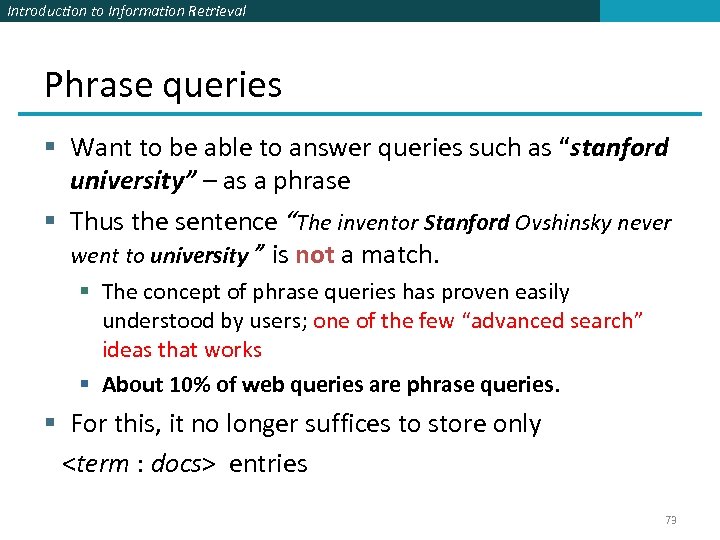 Introduction to Information Retrieval Phrase queries § Want to be able to answer queries such as “stanford university” – as a phrase § Thus the sentence “The inventor Stanford Ovshinsky never went to university ” is not a match. § The concept of phrase queries has proven easily understood by users; one of the few “advanced search” ideas that works § About 10% of web queries are phrase queries. § For this, it no longer suffices to store only
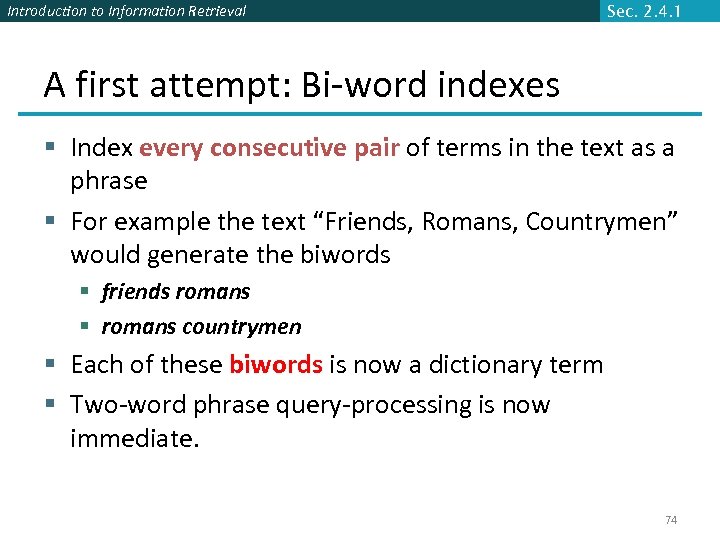 Introduction to Information Retrieval Sec. 2. 4. 1 A first attempt: Bi-word indexes § Index every consecutive pair of terms in the text as a phrase § For example the text “Friends, Romans, Countrymen” would generate the biwords § friends romans § romans countrymen § Each of these biwords is now a dictionary term § Two-word phrase query-processing is now immediate. 74
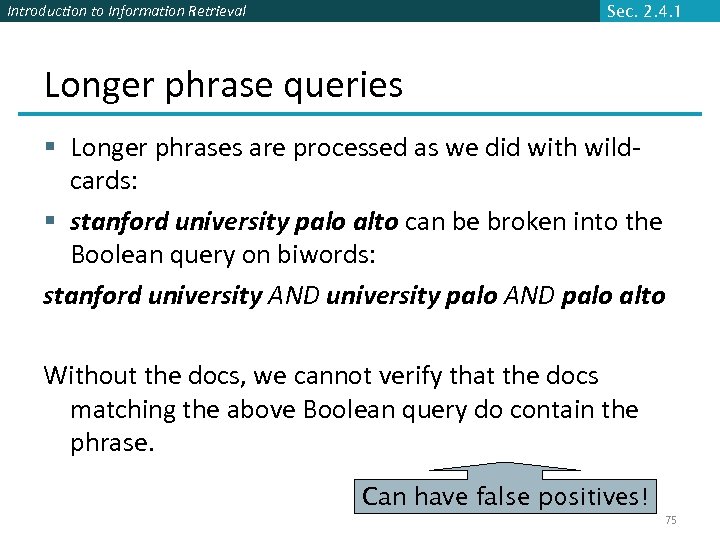 Introduction to Information Retrieval Sec. 2. 4. 1 Longer phrase queries § Longer phrases are processed as we did with wildcards: § stanford university palo alto can be broken into the Boolean query on biwords: stanford university AND university palo AND palo alto Without the docs, we cannot verify that the docs matching the above Boolean query do contain the phrase. Can have false positives! 75
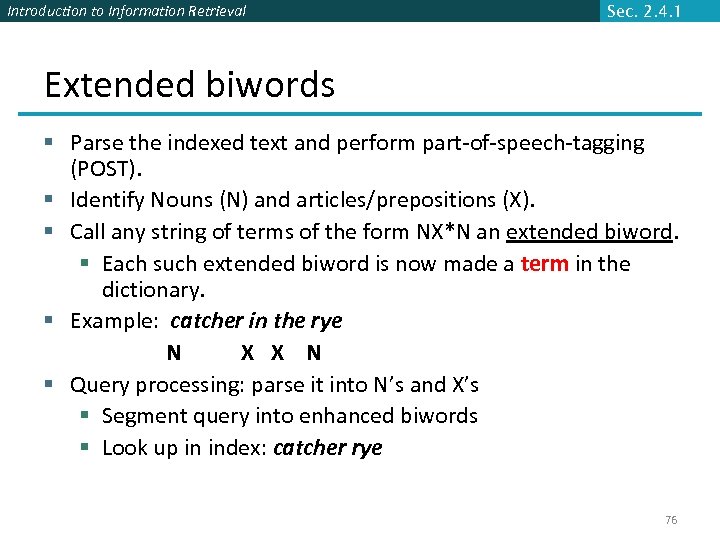 Introduction to Information Retrieval Sec. 2. 4. 1 Extended biwords § Parse the indexed text and perform part-of-speech-tagging (POST). § Identify Nouns (N) and articles/prepositions (X). § Call any string of terms of the form NX*N an extended biword. § Each such extended biword is now made a term in the dictionary. § Example: catcher in the rye N X X N § Query processing: parse it into N’s and X’s § Segment query into enhanced biwords § Look up in index: catcher rye 76
 Introduction to Information Retrieval Sec. 2. 4. 1 Issues for biword indexes § False positives, as noted before § Index blowup due to bigger dictionary § Infeasible for more than biwords, big even for them § Biword indexes are not the standard solution (for all biwords) but can be part of a compound strategy 77
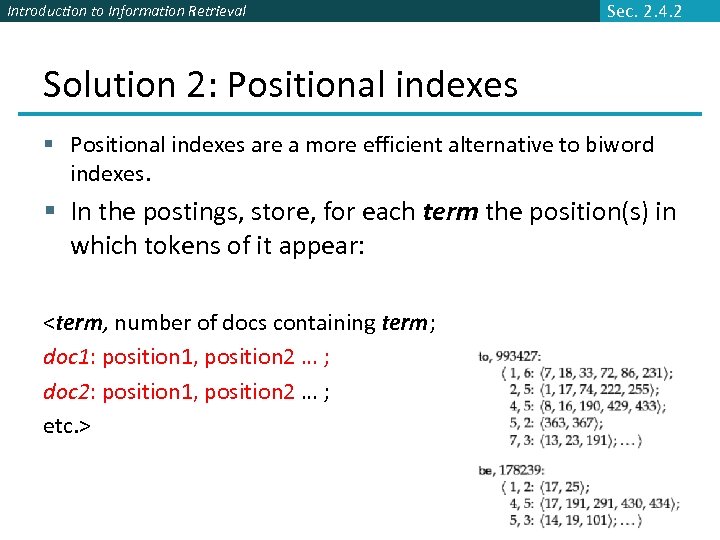 Introduction to Information Retrieval Sec. 2. 4. 2 Solution 2: Positional indexes § Positional indexes are a more efficient alternative to biword indexes. § In the postings, store, for each term the position(s) in which tokens of it appear:
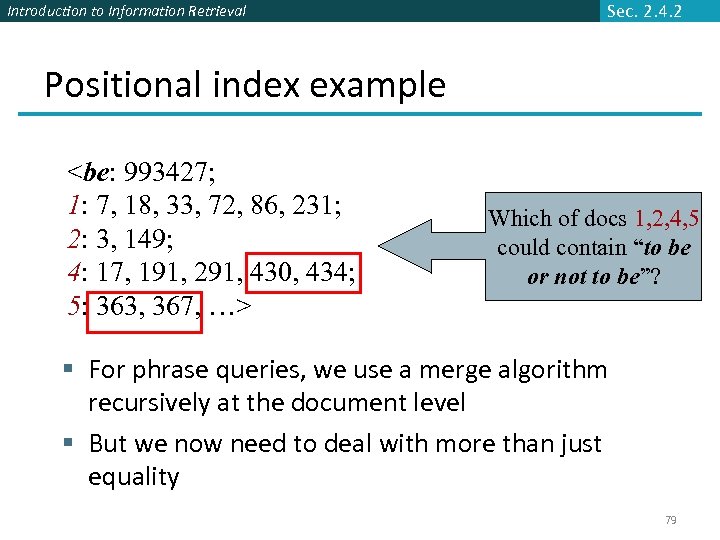 Introduction to Information Retrieval Sec. 2. 4. 2 Positional index example
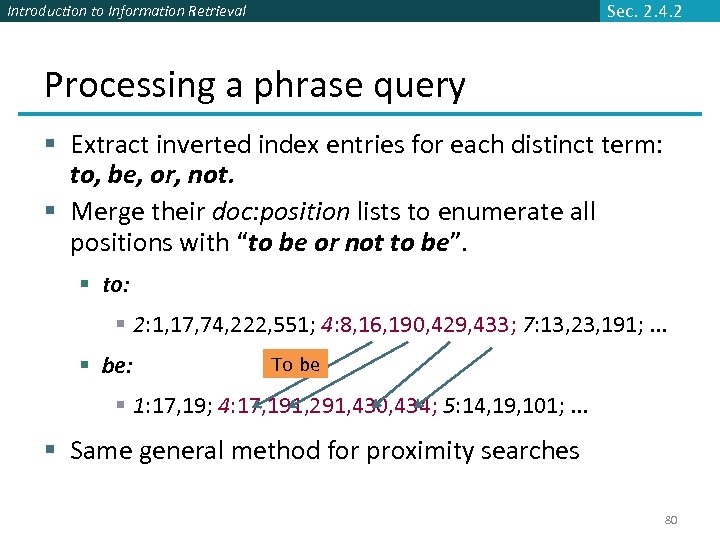 Introduction to Information Retrieval Sec. 2. 4. 2 Processing a phrase query § Extract inverted index entries for each distinct term: to, be, or, not. § Merge their doc: position lists to enumerate all positions with “to be or not to be”. § to: § 2: 1, 17, 74, 222, 551; 4: 8, 16, 190, 429, 433; 7: 13, 23, 191; . . . § be: To be § 1: 17, 19; 4: 17, 191, 291, 430, 434; 5: 14, 19, 101; . . . § Same general method for proximity searches 80
 Introduction to Information Retrieval Sec. 2. 4. 2 Proximity search § We just saw how to use a positional index for phrase searches. § We can also use it for proximity search. § For example: employment /4 place: Find all documents that contain EMPLOYMENT and PLACE within 4 words of each other. § “Employment agencies that place healthcare workers are seeing growth“ is a hit. § “Employment agencies that have learned to adapt now place healthcare workers” is not a hit. 81
 Introduction to Information Retrieval Proximity search § Use the positional index § Simplest algorithm: look at cross-product of positions of (i) EMPLOYMENT in document and (ii) PLACE in document § Very inefficient for frequent words, especially stop words § Note that we want to return the actual matching positions, not just a list of documents. 82
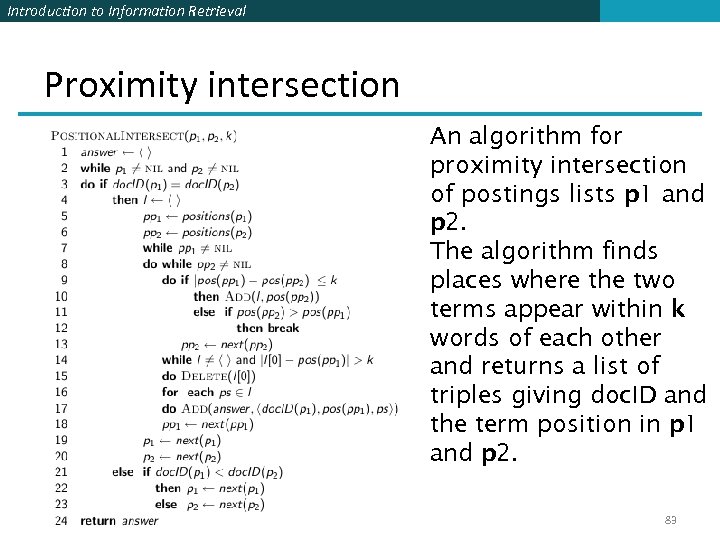 Introduction to Information Retrieval Proximity intersection An algorithm for proximity intersection of postings lists p 1 and p 2. The algorithm finds places where the two terms appear within k words of each other and returns a list of triples giving doc. ID and the term position in p 1 and p 2. 83
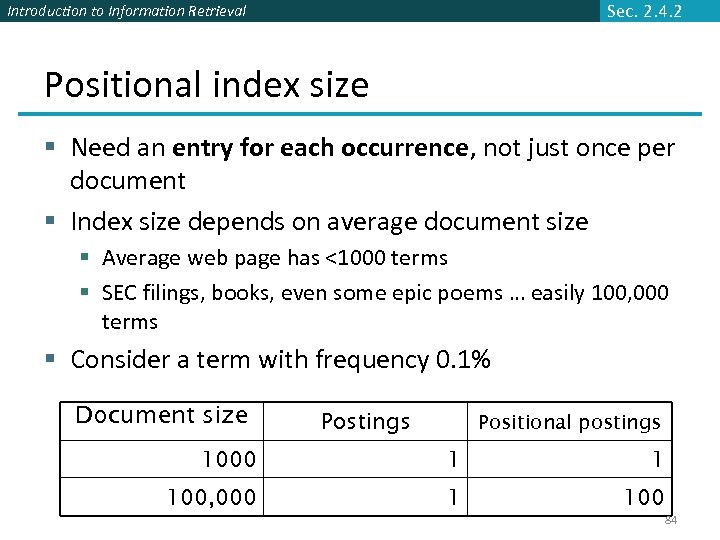 Introduction to Information Retrieval Sec. 2. 4. 2 Positional index size § Need an entry for each occurrence, not just once per document § Index size depends on average document size § Average web page has <1000 terms § SEC filings, books, even some epic poems … easily 100, 000 terms § Consider a term with frequency 0. 1% Document size Postings Positional postings 1000 1 1 100, 000 1 100 84
 Introduction to Information Retrieval Sec. 2. 4. 2 Positional index size § Positional index expands postings storage substantially § some rough rules of thumb are to expect a positional index to be 2 to 4 times as large as a non-positional index § Positional index is now standardly used because of the power and usefulness of phrase and proximity queries 85
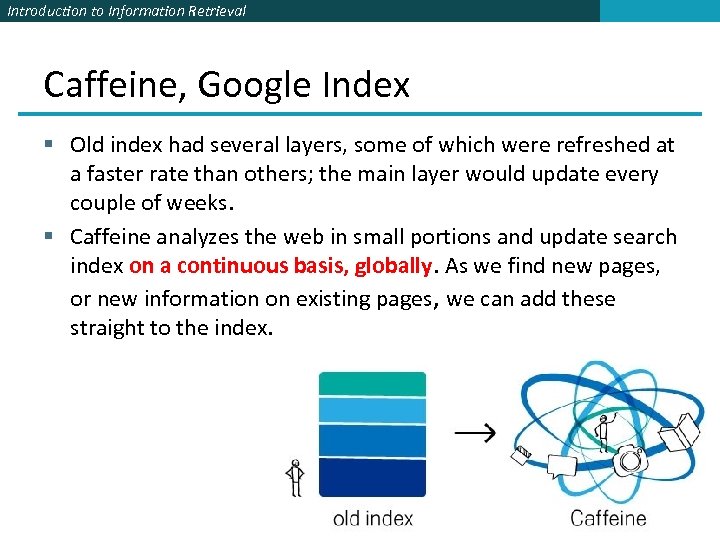 Introduction to Information Retrieval Caffeine, Google Index § Old index had several layers, some of which were refreshed at a faster rate than others; the main layer would update every couple of weeks. § Caffeine analyzes the web in small portions and update search index on a continuous basis, globally. As we find new pages, or new information on existing pages, we can add these straight to the index. 86