


 Скачать презентацию Introduction to High Performance Computing Instructor S Masoud
462baa6146fd9a1c04aee7528ea9a0a0.ppt
- Количество слайдов: 42
 Introduction to High Performance Computing Instructor: S. Masoud Sadjadi http: //www. cs. fiu. edu/~sadjadi/Teaching/ sadjadi At cs Dot fiu Dot edu 1
 Acknowledgements n The content of some of the slides in this lecture notes have been adopted from the online resources prepared previously by Henri Casanova. Thank You! n n Principles of High Performance Computing http: //navet. ics. hawaii. edu/~casanova henric@hawaii. edu Some of the definitions provided in this lecture are based on those in Wikipedia. Thank You! n http: //en. wikipedia. org/wiki/Main_Page 2
 Agenda n Why HPC? n What is HPC anyway? n Scaling OUT vs. Scaling UP! 3
 Words of Wisdom n “Four or five computers should be enough for the entire world until the year 2000. ” n n “ 640 KB [of memory] ought to be enough for anybody. ” n n T. J. Watson, Chairman of IBM, 1945. Bill Gates, Chairman of Microsoft, 1981. You may laugh at their vision today, but … n Lesson learned: Don’t be too visionary and try to make things work! n We now know this was not quite true! n The first people to really need more computing power n Scientists and they go way back 4
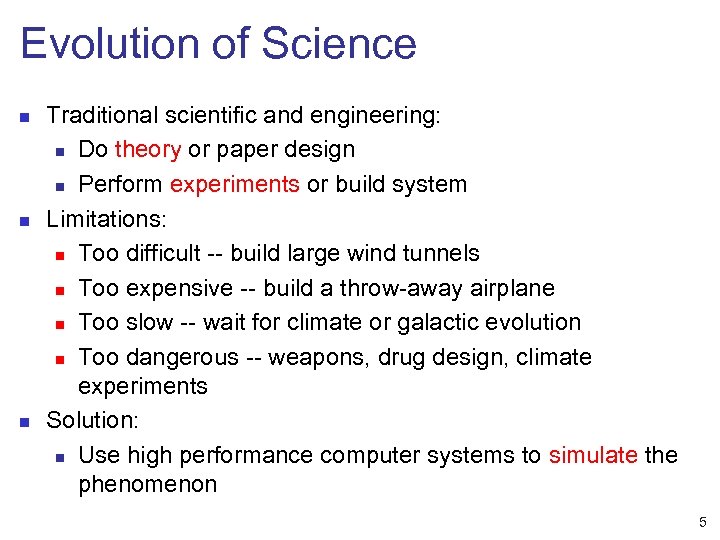 Evolution of Science n n n Traditional scientific and engineering: n Do theory or paper design n Perform experiments or build system Limitations: n Too difficult -- build large wind tunnels n Too expensive -- build a throw-away airplane n Too slow -- wait for climate or galactic evolution n Too dangerous -- weapons, drug design, climate experiments Solution: n Use high performance computer systems to simulate the phenomenon 5
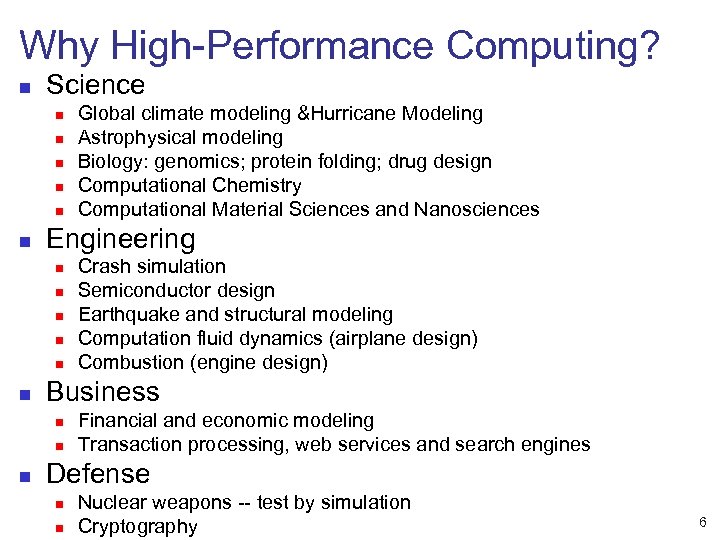 Why High-Performance Computing? n Science n n n Engineering n n n Crash simulation Semiconductor design Earthquake and structural modeling Computation fluid dynamics (airplane design) Combustion (engine design) Business n n n Global climate modeling &Hurricane Modeling Astrophysical modeling Biology: genomics; protein folding; drug design Computational Chemistry Computational Material Sciences and Nanosciences Financial and economic modeling Transaction processing, web services and search engines Defense n n Nuclear weapons -- test by simulation Cryptography 6
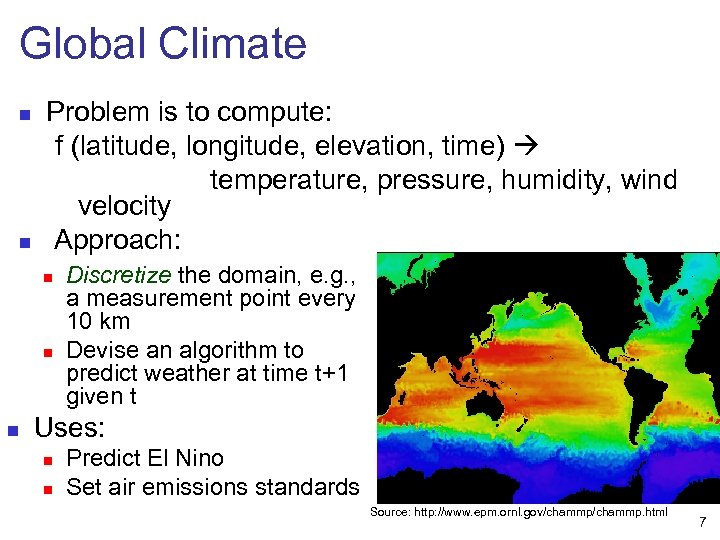 Global Climate n n Problem is to compute: f (latitude, longitude, elevation, time) temperature, pressure, humidity, wind velocity Approach: n n n Discretize the domain, e. g. , a measurement point every 10 km Devise an algorithm to predict weather at time t+1 given t Uses: n n Predict El Nino Set air emissions standards Source: http: //www. epm. ornl. gov/chammp. html 7
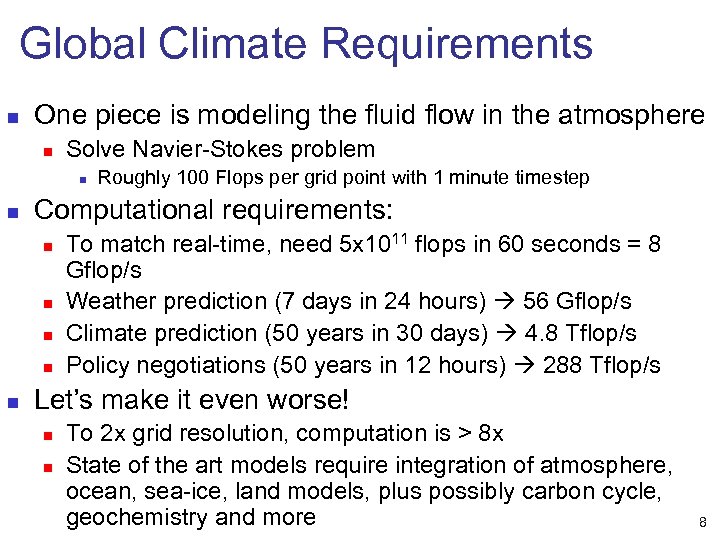 Global Climate Requirements n One piece is modeling the fluid flow in the atmosphere n Solve Navier-Stokes problem n n Computational requirements: n n n Roughly 100 Flops per grid point with 1 minute timestep To match real-time, need 5 x 10¹¹ flops in 60 seconds = 8 Gflop/s Weather prediction (7 days in 24 hours) 56 Gflop/s Climate prediction (50 years in 30 days) 4. 8 Tflop/s Policy negotiations (50 years in 12 hours) 288 Tflop/s Let’s make it even worse! n n To 2 x grid resolution, computation is > 8 x State of the art models require integration of atmosphere, ocean, sea-ice, land models, plus possibly carbon cycle, geochemistry and more 8
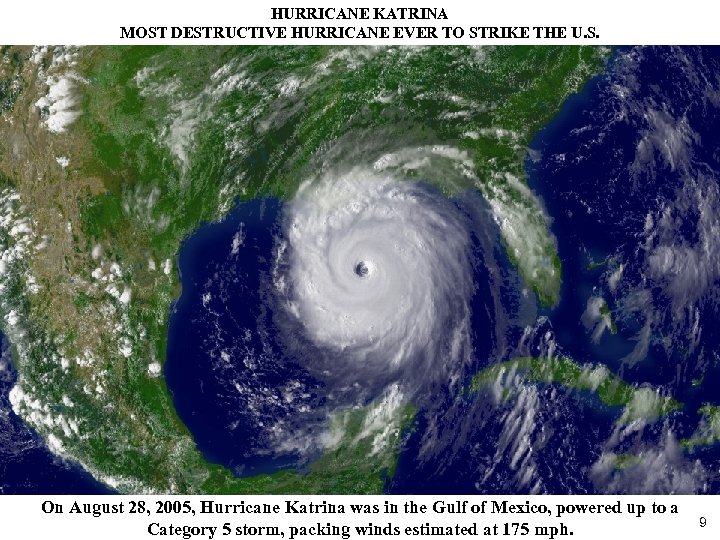 HURRICANE KATRINA MOST DESTRUCTIVE HURRICANE EVER TO STRIKE THE U. S. On August 28, 2005, Hurricane Katrina was in the Gulf of Mexico, powered up to a Category 5 storm, packing winds estimated at 175 mph. 9
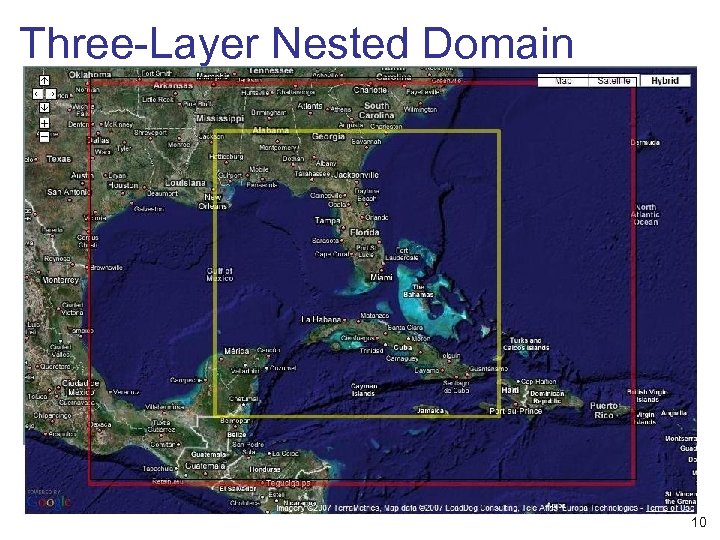 Three-Layer Nested Domain 10
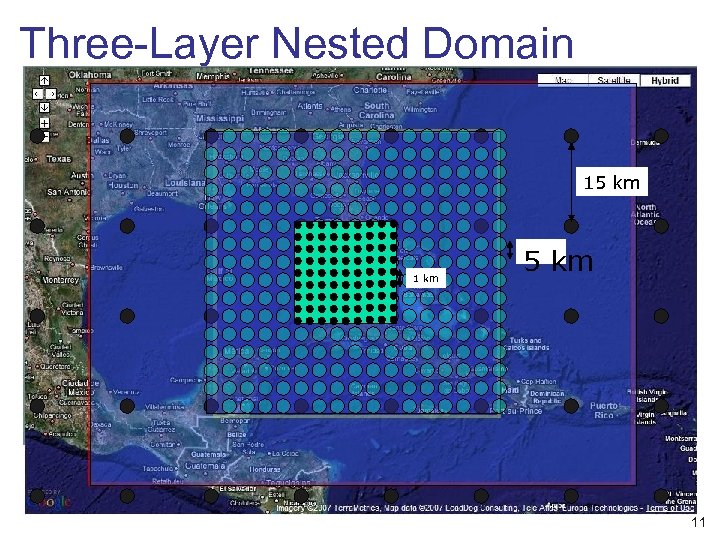 Three-Layer Nested Domain 15 km 1 km 5 km 11
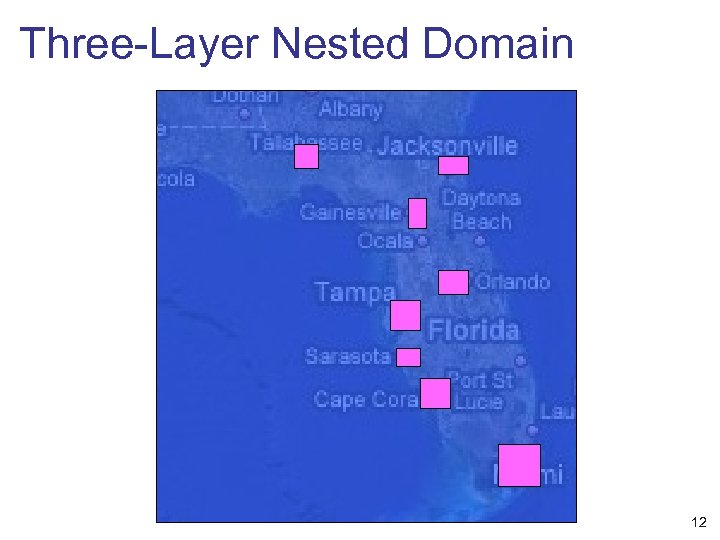 Three-Layer Nested Domain 12
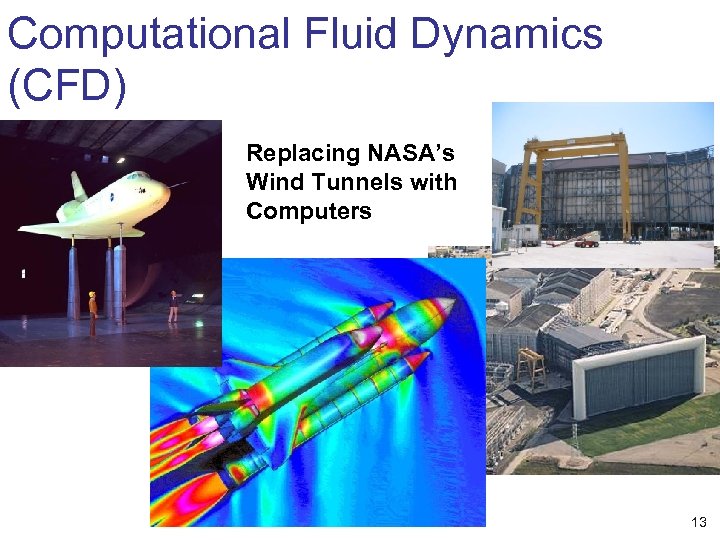 Computational Fluid Dynamics (CFD) Replacing NASA’s Wind Tunnels with Computers 13
 Agenda n Why HPC? n What is HPC anyway? n Scaling OUT vs. Scaling UP! 14
 High Performance Computing? n Difficult to define - it’s a moving target. n In 1980 s: n n n Today: n n n loosely an order of 1000 times more powerful than the latest desktops? Super Computing: n n a 2 G Hz desktop/laptop performs a few Giga FLOPS a “supercomputer” performs tens of Tera FLOPS (Top 500) High Performance Computing: n n a “supercomputer” was performing 100 Mega FLOPS: FLoating point Operations Per Second Computing on top 500 machines? Hmm… Let’s start again! Let’s go way back! 15
 What is a computer? n The term "computer" has been subject to varying interpretations over time. n n Originally, referred to a person who performed numerical calculations (a human computer), often with the aid of a mechanical calculating device. A computer is a machine that manipulates data according to a list of instructions. A machine is any device that perform or assist in performing some work. Instructions are sequence of statements and/or declarations written in some human-readable computer programming language. 16
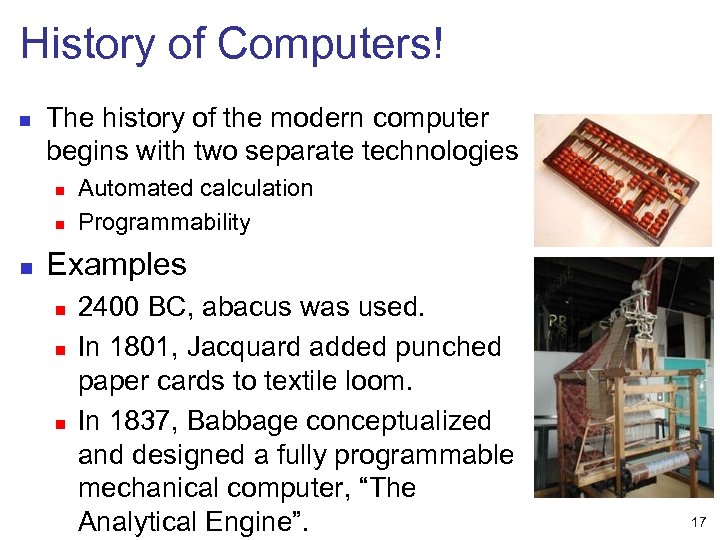 History of Computers! n The history of the modern computer begins with two separate technologies n n n Automated calculation Programmability Examples n n n 2400 BC, abacus was used. In 1801, Jacquard added punched paper cards to textile loom. In 1837, Babbage conceptualized and designed a fully programmable mechanical computer, “The Analytical Engine”. 17
 Early Computers! n n Large-scale automated data processing of punched cards was performed for the U. S. Census in 1890 by tabulating machines designed by Herman Hollerith and manufactured by the Computing Tabulating Recording Corporation, which later became IBM. During the first half of the 20 th century, many scientific computing needs were met by increasingly sophisticated analog computers, which used a direct mechanical or electrical model of the problem as a basis for computation. 18
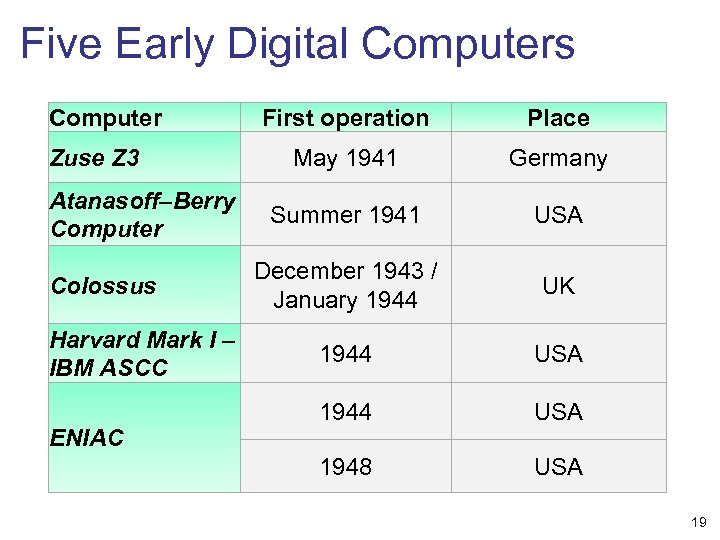 Five Early Digital Computers Computer Zuse Z 3 Atanasoff–Berry Computer Colossus Harvard Mark I – IBM ASCC ENIAC First operation Place May 1941 Germany Summer 1941 USA December 1943 / January 1944 UK 1944 USA 1948 USA 19
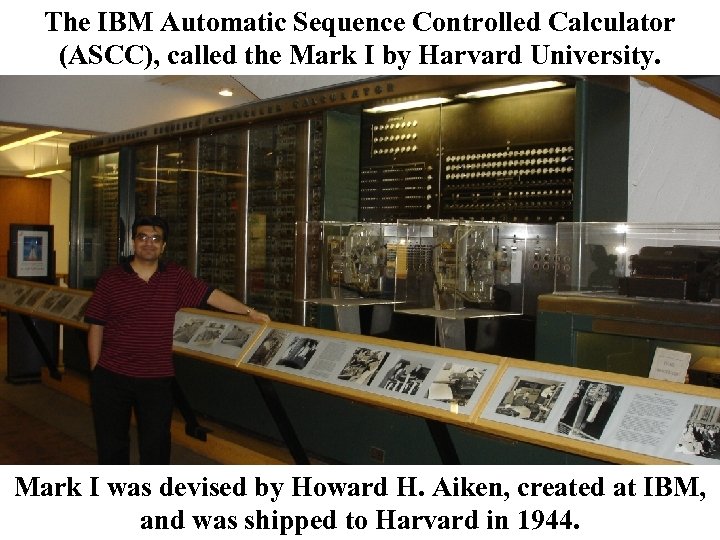 The IBM Automatic Sequence Controlled Calculator (ASCC), called the Mark I by Harvard University. Mark I was devised by Howard H. Aiken, created at IBM, 20 and was shipped to Harvard in 1944.
 Supercomputers? n n A supercomputer is a computer that is considered, or was considered at the time of its introduction, to be at the frontline in terms of processing capacity, particularly speed of calculation. The term "Super Computing" was first used by New York World newspaper in 1929 to refer to large custom-built tabulators IBM made for Columbia University. n n Computation is a general term for any type of information processing that can be represented mathematically. Information processing is the change (processing) of information in any manner detectable by an observer. 21
 Supercomputers History! n Supercomputers introduced in the 1960 s were designed primarily by Seymour Cray at Control Data Corporation (CDC), and led the market into the 1970 s until Cray left to form his own company, Cray Research. n n The top spot in supercomputing for five years (1985– 1990). Cray, himself, never used the word "supercomputer", a little-remembered fact is that he only recognized the word "computer". 22
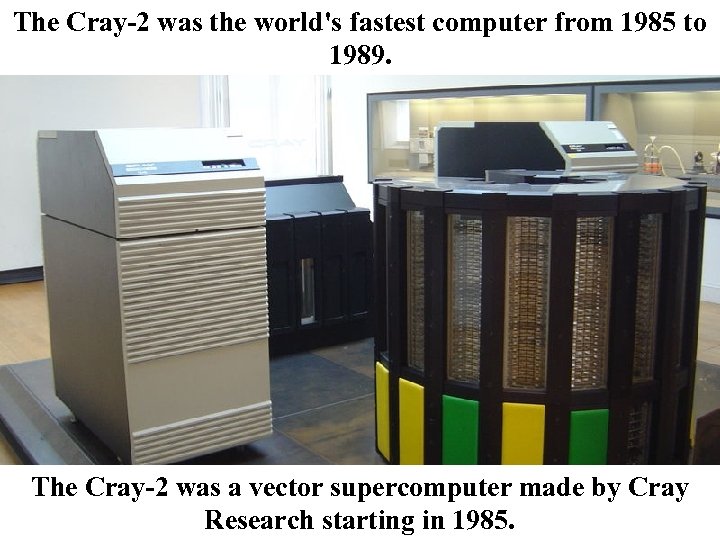 The Cray-2 was the world's fastest computer from 1985 to 1989. The Cray-2 was a vector supercomputer made by Cray 23 Research starting in 1985.
 Supercomputer market crash! n n In the 1980 s a large number of smaller competitors entered the market (in a parallel to the creation of the minicomputer market a decade earlier), but many of these disappeared in the mid-1990 s "supercomputer market crash". Today, supercomputers are typically one-of-a-kind custom designs produced by "traditional" companies such as IBM and HP, who had purchased many of the 1980 s companies to gain their experience. 24
 Supercomputer History! n n n The term supercomputer itself is rather fluid, and today's supercomputer tends to become tomorrow's normal computer. CDC's early machines were simply very fast scalar processors, some ten times the speed of the fastest machines offered by other companies. In the 1970 s most supercomputers were dedicated to running a vector processor, and many of the newer players developed their own such processors at a lower price to enter the market. 25
 Scalar and Vector Processors? n n n A processor is a machine that can execute computer programs. A scalar processor is the simplest class of computer processors that can process one data item at a time (typical data items being integers or floating point numbers). A vector processor, by contrast, can execute a single instruction to operate simultaneously on multiple data items. n Analogy: scalar and vector arithmetic. 26
 Supercomputer History! n The early and mid-1980 s saw machines with a modest number of vector processors working in parallel become the standard. n n Typical numbers of processors were in the range of four to sixteen. In the later 1980 s and 1990 s, attention turned from vector processors to massive parallel processing systems with thousands of "ordinary" CPUs, some being off the shelf units and others being custom designs. n the attack of the killer micros. 27
 Supercomputer History! n n Today, parallel designs are based on "off the shelf" server-class microprocessors, such as the Power. PC, Itanium, or x 86 -64, and most modern supercomputers are now highly-tuned computer clusters using commodity processors combined with custom interconnects. Commercial, off-the-shelf (COTS) is a term for software or hardware, generally technology or computer products, that are ready-made and available for sale, lease, or license to the general public. 28
 Parallel Processing & Computer Cluster n Parallel processing or parallel computing is the simultaneous use of more than one CPU to execute a program. n n Note that parallel processing differs from multitasking, in which a single CPU executes several programs at once. A computer cluster is a group of loosely coupled computers that work together closely so that in many respects they can be viewed as though they are a single computer. n The components of a cluster are commonly, but not always, connected to each other through fast local area networks. 29
 Grid Computing n n Grid computing or grid clusters are a technology closely related to cluster computing. The key differences (by definitions which distinguish the two at all) between grids and traditional clusters are that grids connect collections of computers which do not fully trust each other, or which are geographically dispersed. Grids are thus more like a computing utility than like a single computer. In addition, grids typically support more heterogeneous collections than are commonly supported in clusters. 30
 Ian Foster’s Grid Checklist n A Grid is a system that: n n n Coordinates resources that are not subject to centralized control Uses standard, open, general-purpose protocols and interfaces Delivers non-trivial qualities of service 31
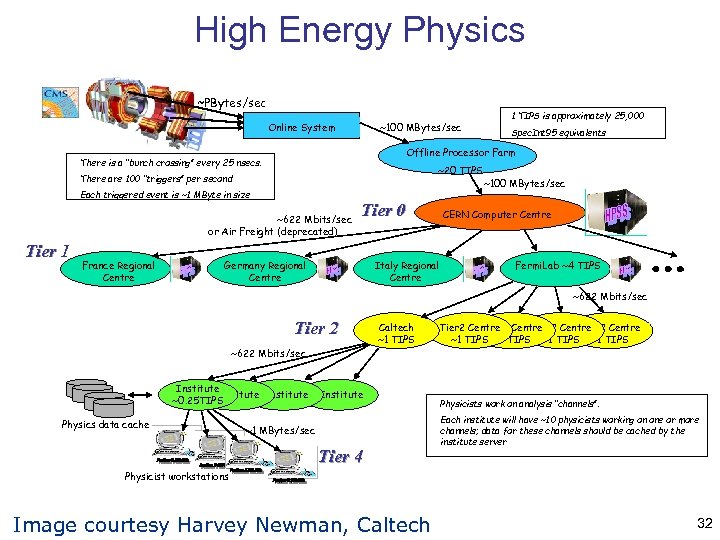 High Energy Physics ~PBytes/sec Online System ~100 MBytes/sec ~20 TIPS There are 100 “triggers” per second Each triggered event is ~1 MByte in size ~622 Mbits/sec or Air Freight (deprecated) France Regional Centre Spec. Int 95 equivalents Offline Processor Farm There is a “bunch crossing” every 25 nsecs. Tier 1 1 TIPS is approximately 25, 000 Tier 0 Germany Regional Centre Italy Regional Centre ~100 MBytes/sec CERN Computer Centre Fermi. Lab ~4 TIPS ~622 Mbits/sec Tier 2 ~622 Mbits/sec Institute ~0. 25 TIPS Physics data cache Caltech ~1 TIPS Institute ~1 MBytes/sec Tier 4 Tier 2 Centre Tier 2 Centre ~1 TIPS Physicists work on analysis “channels”. Each institute will have ~10 physicists working on one or more channels; data for these channels should be cached by the institute server Physicist workstations Image courtesy Harvey Newman, Caltech 32
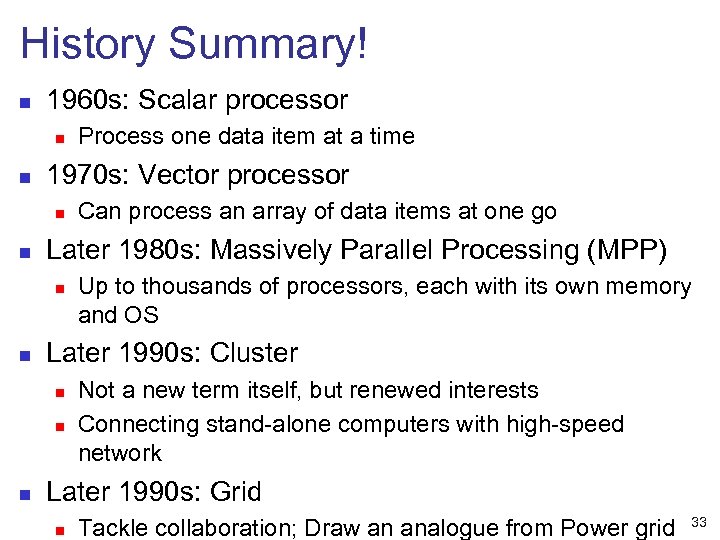 History Summary! n 1960 s: Scalar processor n n 1970 s: Vector processor n n Up to thousands of processors, each with its own memory and OS Later 1990 s: Cluster n n n Can process an array of data items at one go Later 1980 s: Massively Parallel Processing (MPP) n n Process one data item at a time Not a new term itself, but renewed interests Connecting stand-alone computers with high-speed network Later 1990 s: Grid n Tackle collaboration; Draw an analogue from Power grid 33
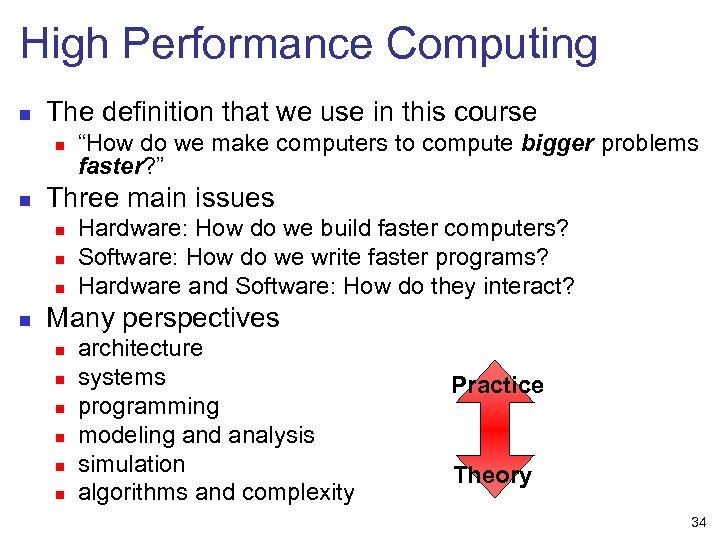 High Performance Computing n The definition that we use in this course n n Three main issues n n “How do we make computers to compute bigger problems faster? ” Hardware: How do we build faster computers? Software: How do we write faster programs? Hardware and Software: How do they interact? Many perspectives n n n architecture systems programming modeling and analysis simulation algorithms and complexity Practice Theory 34
 Agenda n Why HPC? n What is HPC anyway? n Scaling OUT vs. Scaling UP! 35
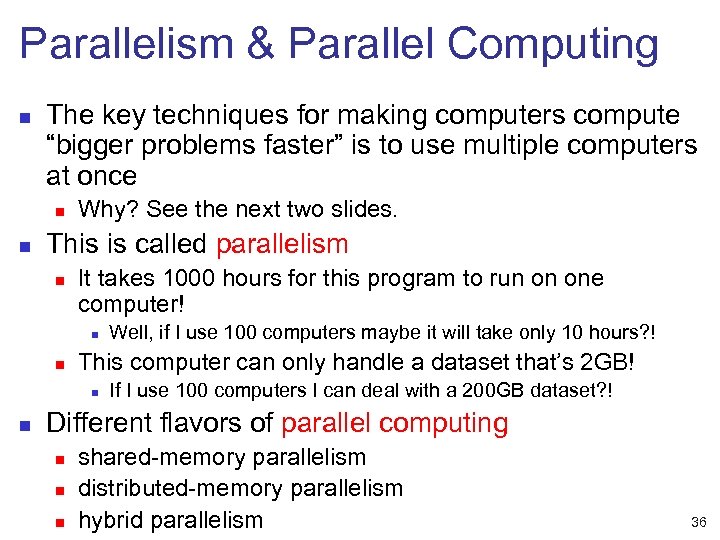 Parallelism & Parallel Computing n The key techniques for making computers compute “bigger problems faster” is to use multiple computers at once n n Why? See the next two slides. This is called parallelism n It takes 1000 hours for this program to run on one computer! n n This computer can only handle a dataset that’s 2 GB! n n Well, if I use 100 computers maybe it will take only 10 hours? ! If I use 100 computers I can deal with a 200 GB dataset? ! Different flavors of parallel computing n n n shared-memory parallelism distributed-memory parallelism hybrid parallelism 36
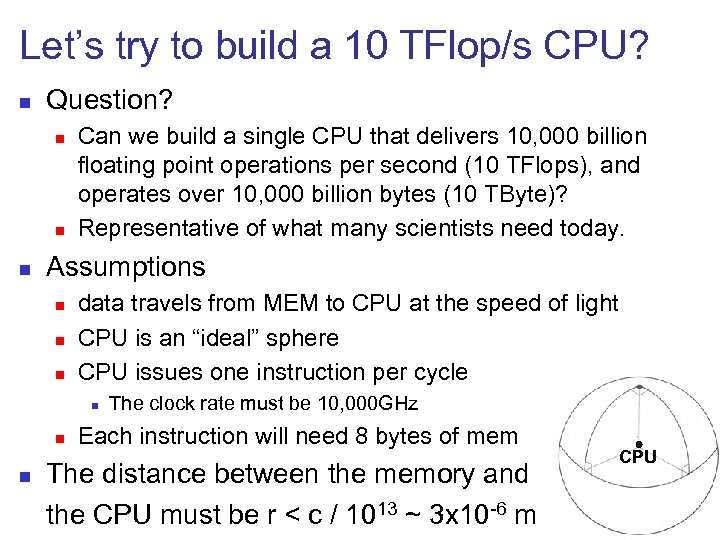 Let’s try to build a 10 TFlop/s CPU? n Question? n n n Can we build a single CPU that delivers 10, 000 billion floating point operations per second (10 TFlops), and operates over 10, 000 billion bytes (10 TByte)? Representative of what many scientists need today. Assumptions n n n data travels from MEM to CPU at the speed of light CPU is an “ideal” sphere CPU issues one instruction per cycle n n n The clock rate must be 10, 000 GHz Each instruction will need 8 bytes of mem The distance between the memory and the CPU must be r < c / 1013 ~ 3 x 10 -6 m CPU 37
 Let’s try to build a 10 TFlop/s CPU? n Then we must have 1013 bytes of memory in n n 4/3 r 3 = 3. 7 e-17 m 3 Therefore, each word of memory must occupy n 3. 7 e-30 m 3 n This is 3. 7 Angstrom 3 Or the volume of a very small molecule that consists of only a few atoms n Current memory densities are 10 GB/cm 3, n n n or about a factor 1020 from what would be needed! Conclusion: It’s not going to happen until some scifi breakthrough happens Cluster & Grid Computing 38
 HPC Related Technologies 1. Computer architecture n 2. Compilers n n n 3. Identify inefficient implementations Make use of the characteristics of the computer architecture Choose suitable compiler for a certain architecture Algorithms n n 4. CPU, memory, VLSI For parallel and distributed systems How to program on parallel and distributed systems Middleware n n n From Grid computing technology Application->middleware->operating system Resource discovery and sharing 39
 Many connected “areas” n n n Computer architecture Networking Operating Systems Scientific Computing Theory of Distributed Systems Theory of Algorithms and Complexity Scheduling Internetworking Programming Languages Distributed Systems High Performance Computing 40
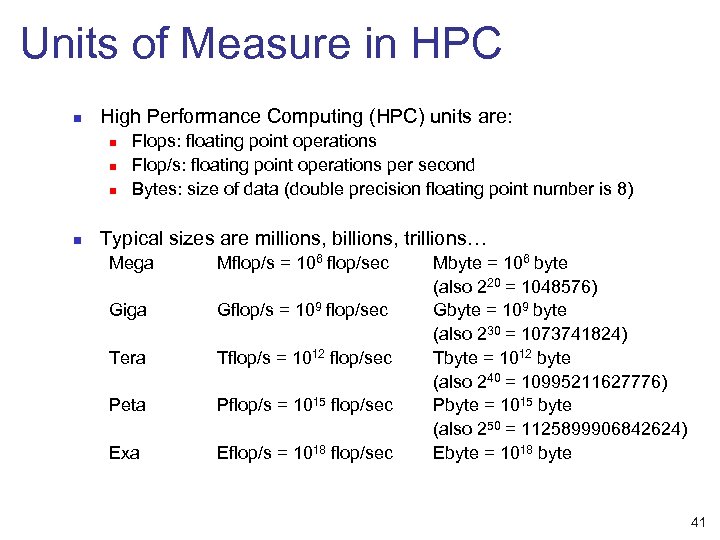 Units of Measure in HPC n High Performance Computing (HPC) units are: n n Flops: floating point operations Flop/s: floating point operations per second Bytes: size of data (double precision floating point number is 8) Typical sizes are millions, billions, trillions… Mega Mflop/s = 106 flop/sec Giga Gflop/s = 109 flop/sec Tera Tflop/s = 1012 flop/sec Peta Pflop/s = 1015 flop/sec Exa Eflop/s = 1018 flop/sec Mbyte = 106 byte (also 220 = 1048576) Gbyte = 109 byte (also 230 = 1073741824) Tbyte = 1012 byte (also 240 = 10995211627776) Pbyte = 1015 byte (also 250 = 1125899906842624) Ebyte = 1018 byte 41
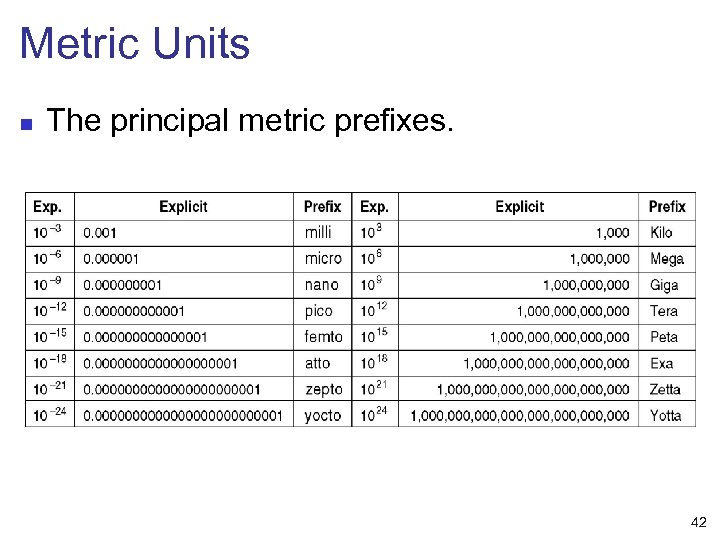 Metric Units n The principal metric prefixes. 42