


 Скачать презентацию Introduction to Computing and Programming in Python A
0ae93675044d381b0fe2935e44b753b2.ppt
- Количество слайдов: 95
 Introduction to Computing and Programming in Python: A Multimedia Approach Chapter 13: Making Text for the Web
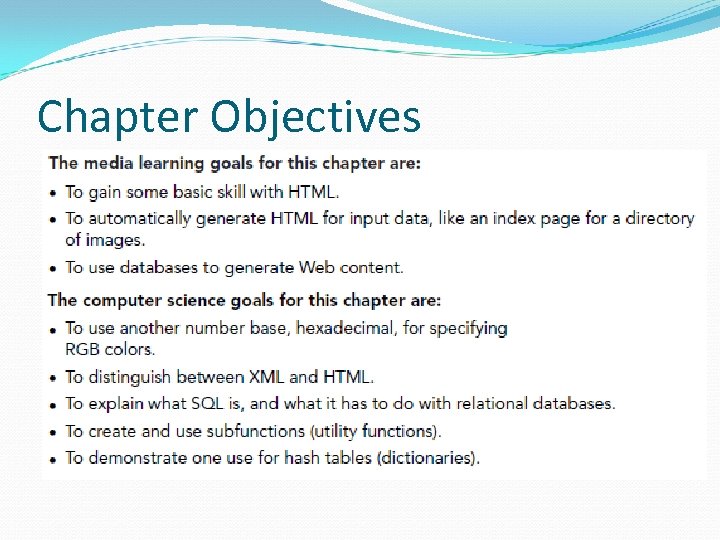 Chapter Objectives
 Hypertext Markup Language (HTML) HTML is a kind of SGML (Standardized general markup language) SGML was invented by IBM and others as a way of defining parts of a document COMPLETELY APART FROM HOW THE DOCUMENT WAS FORMATTED. HTML is a simpler form of SGML, but with a similar goal. The original idea of HTML was to define the parts of the document and their relation to one another without defining what it was supposed to look like. The look of the document would be decided by the client (browser) and its limitations. For example, a document would look different on a PDA than on your screen or on your cellphone. Or in IE vs. Netscape vs. Opera vs….
 Evolution of HTML But with the explosive growth of the Web, HTML has become much more. Now, people want to control the look-and-feel of the page down to the pixels and fonts. Plus, we want to grab information more easily out of Web pages. Leading to XML, the e. Xtensible Markup Language. XML allows for new kinds of markup languages (that, say, explicitly identify prices or stock ticker codes) for business purposes.
 Three kinds of HTML languages Original HTML: Simple, what the earliest browsers understood. CSS, Cascading Style Sheets Ways of defining more of the formatting instructions than HTML allowed. XHTML: HTML re-defined in terms of XML. A little more complicated to use, but more standardized, more flexible, more powerful. It's the future of where the Web is going.
 When use each? Bigger sites should use XHTML and CSS XHTML enforces accessibility requirements so that your documents can be read by Braille browsers and audio browsers. HTML is easiest for simple websites. For most of this lecture, we'll be focusing on XHTML, but we'll just use “HTML” generically. We're not going to get into much of the formatting side of XHTML nor CSS—detailed, and isn't the same on all browsers.
at its start and a  Markup means adding tags A markup language adds tags to regular text to identify its parts. A tag in HTML is enclosed by
 HTML is just text in a file We enter our text and our tags in just a plain ole ordinary text file. Use an extension of “. html” (“. htm” if your computer only allows three characters) to indicate HTML. JES works just fine for editing and saving HTML files. Just don't try to load them!
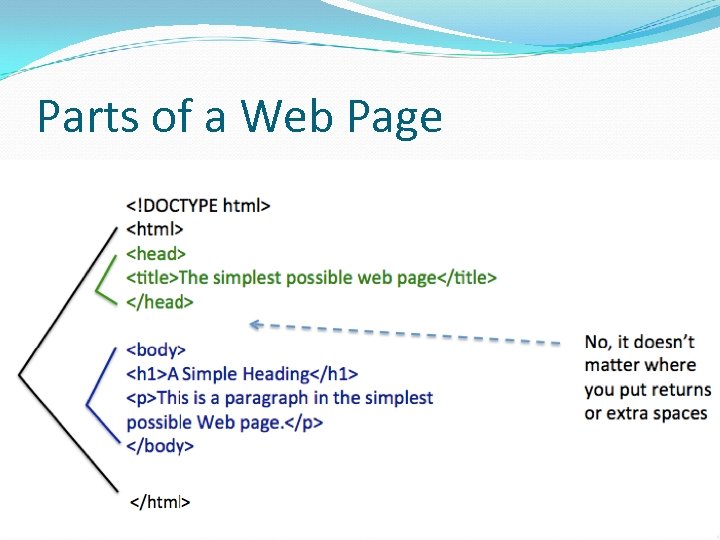 Parts of a Web Page
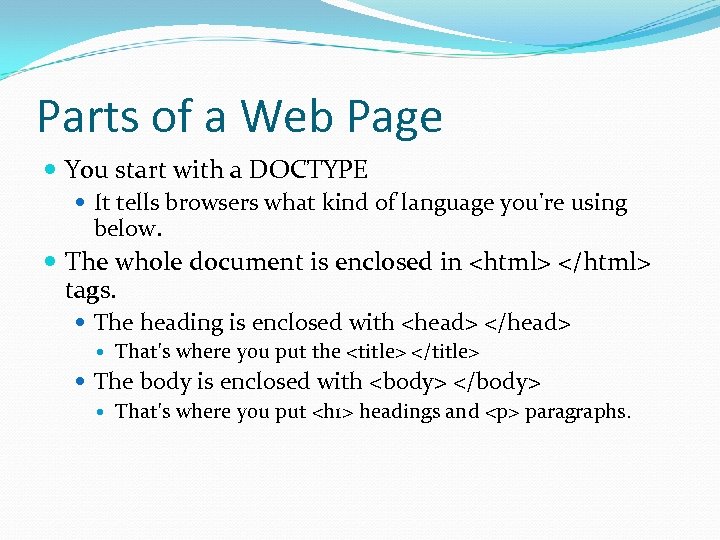 Parts of a Web Page You start with a DOCTYPE It tells browsers what kind of language you're using below. The whole document is enclosed in tags. The heading is enclosed with
paragraphs.
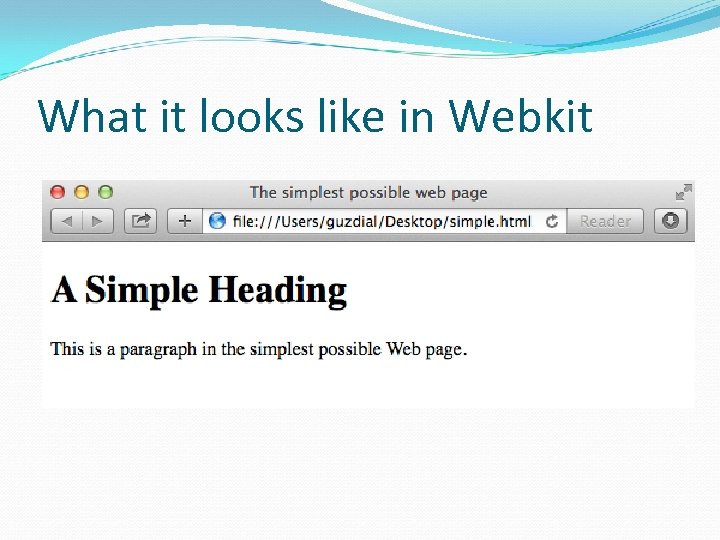 What it looks like in Webkit
 Is this a Web page? Of course, it is! The only difference between this page and one on the Web is that the on the Web (a) has been uploaded to a Web server and (b) placed in a directory that the Web server can access. See the Networking lecture
 What if you forget the DOCTYPE? Or an ending tag? It’ll probably work. Browsers have developed to deal with all kinds of weird HTML. But if the browser has to guess, then it may guess wrong That is, not what you expected or meant. Which is when your document may look different on different browsers.
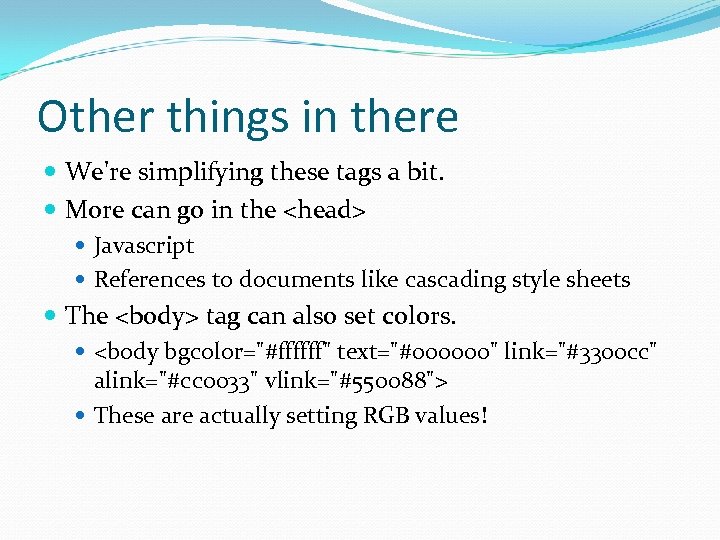 Other things in there We're simplifying these tags a bit. More can go in the
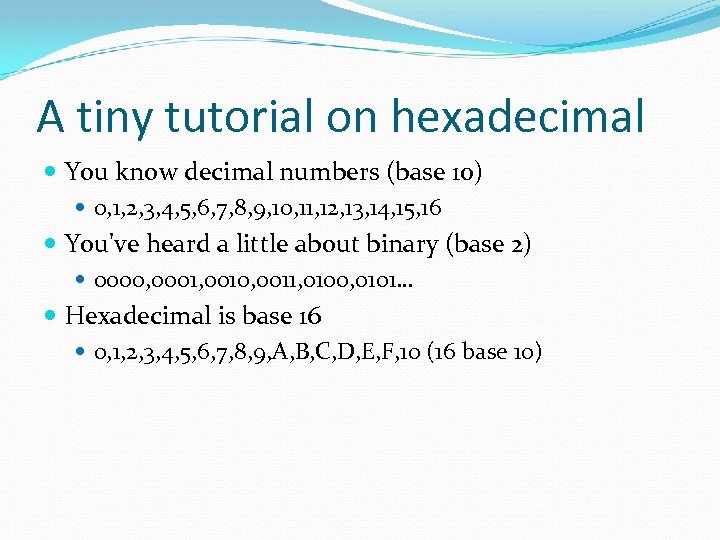 A tiny tutorial on hexadecimal You know decimal numbers (base 10) 0, 1, 2, 3, 4, 5, 6, 7, 8, 9, 10, 11, 12, 13, 14, 15, 16 You've heard a little about binary (base 2) 0000, 0001, 0010, 0011, 0100, 0101… Hexadecimal is base 16 0, 1, 2, 3, 4, 5, 6, 7, 8, 9, A, B, C, D, E, F, 10 (16 base 10)
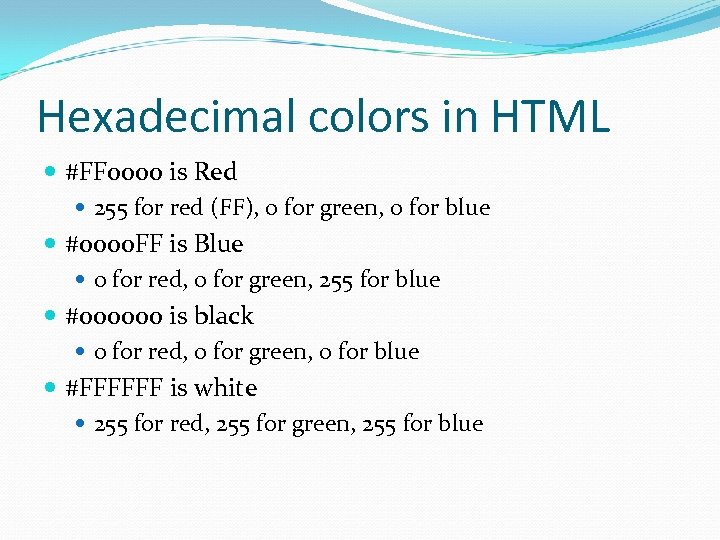 Hexadecimal colors in HTML #FF 0000 is Red 255 for red (FF), 0 for green, 0 for blue #0000 FF is Blue 0 for red, 0 for green, 255 for blue #000000 is black 0 for red, 0 for green, 0 for blue #FFFFFF is white 255 for red, 255 for green, 255 for blue
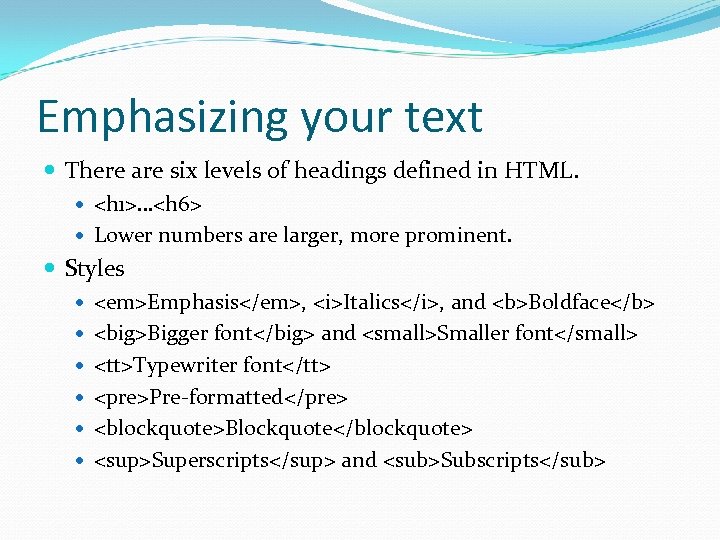 Emphasizing your text There are six levels of headings defined in HTML.
 Pre-formatted
Blockquote
Superscripts and Subscripts
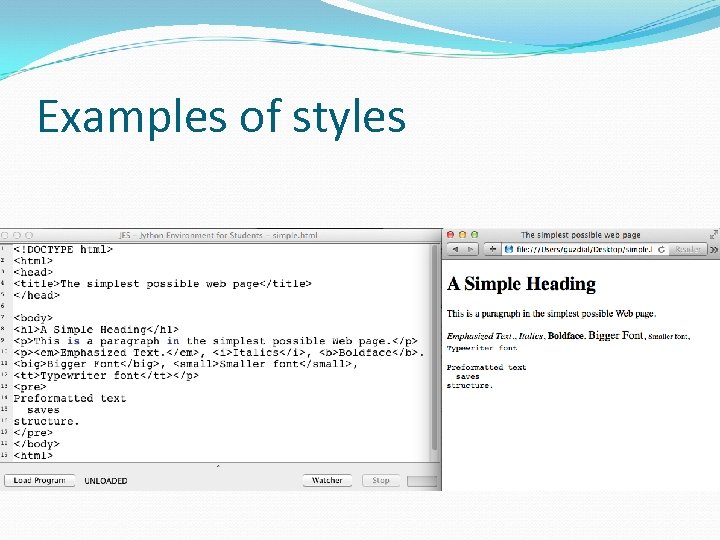 Examples of styles
This is in helvetica Happy Saint Patrick's Day! This is a bit bigger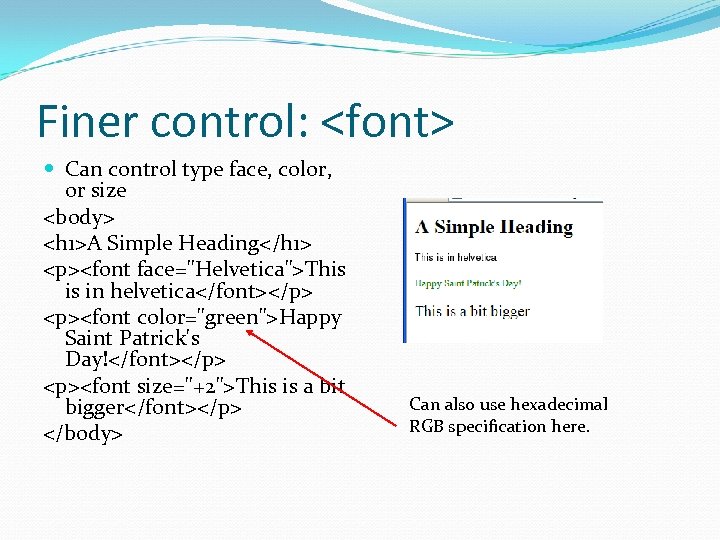 Finer control: Can control type face, color, or size
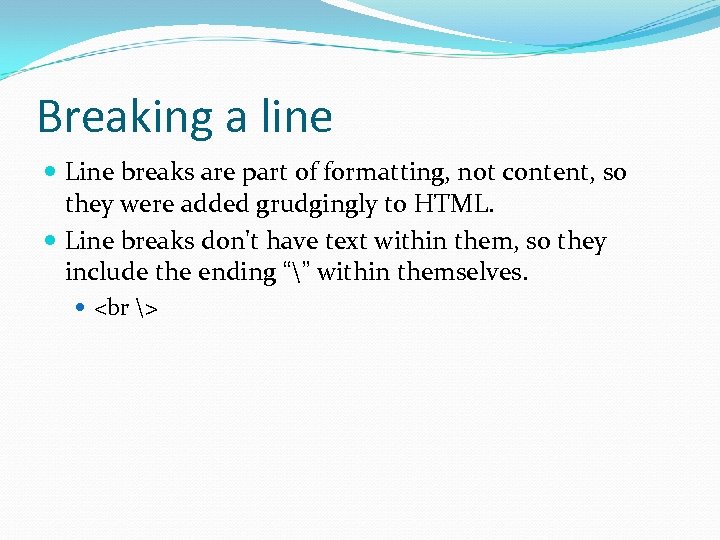 Breaking a line Line breaks are part of formatting, not content, so they were added grudgingly to HTML. Line breaks don't have text within them, so they include the ending “” within themselves.
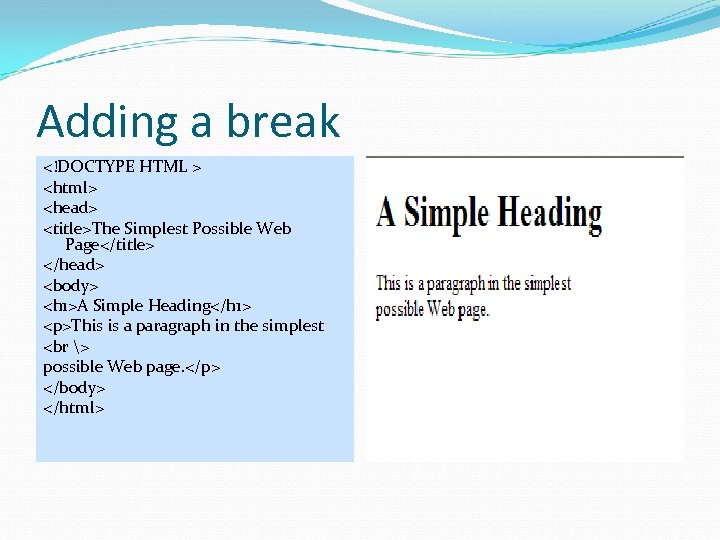 Adding a break
This is a paragraph in the simplest
possible Web page.
" src="https://present5.com/presentation/0ae93675044d381b0fe2935e44b753b2/image-22.jpg" alt="Adding an image Like break, it's a standalone tag.
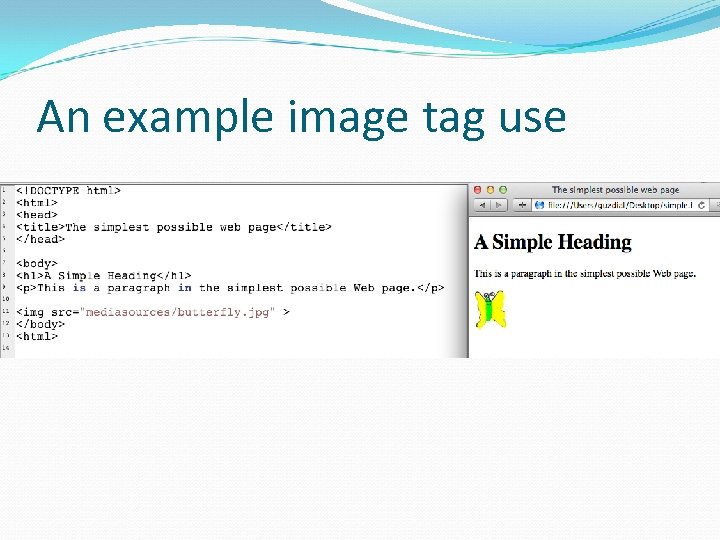 An example image tag use
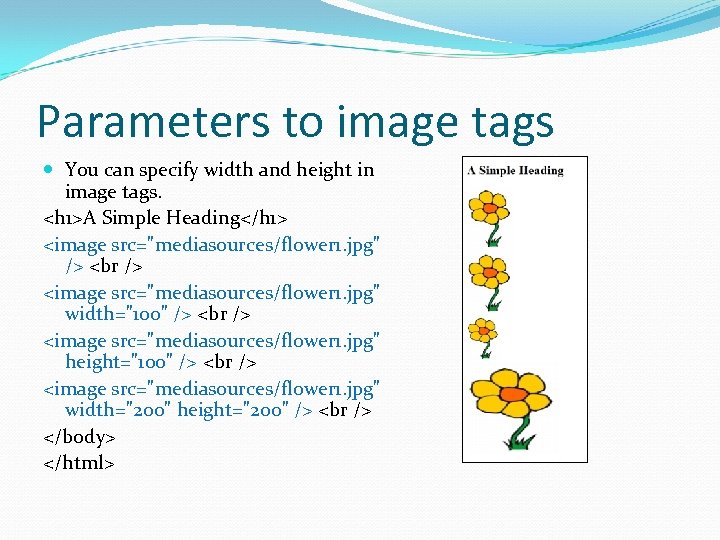 Parameters to image tags You can specify width and height in image tags.
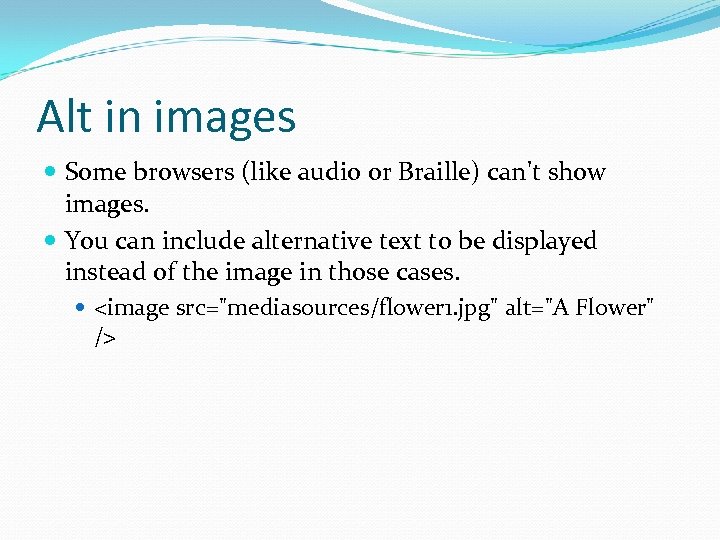 Alt in images Some browsers (like audio or Braille) can't show images. You can include alternative text to be displayed instead of the image in those cases.
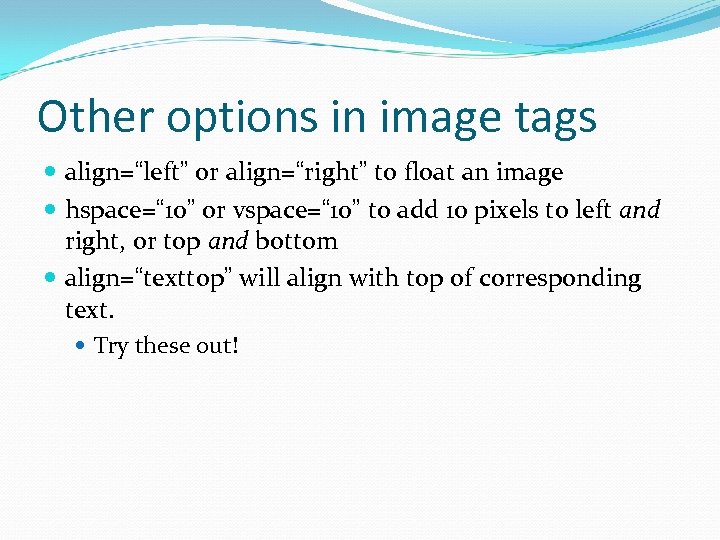 Other options in image tags align=“left” or align=“right” to float an image hspace=“ 10” or vspace=“ 10” to add 10 pixels to left and right, or top and bottom align=“texttop” will align with top of corresponding text. Try these out!
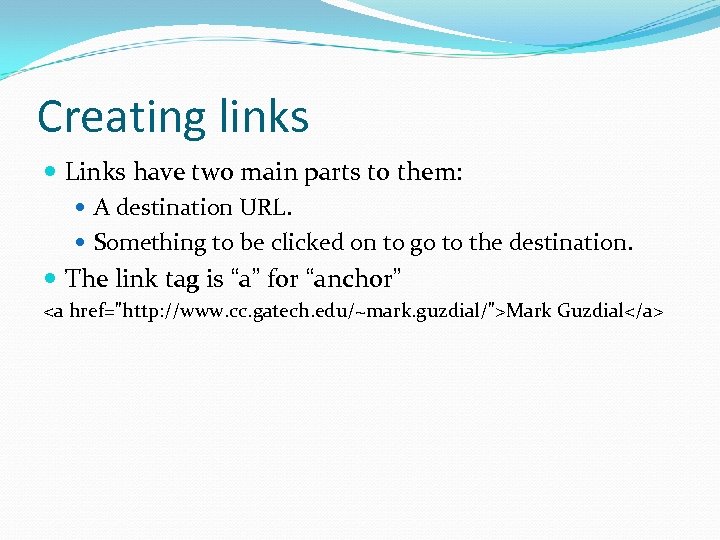 Creating links Links have two main parts to them: A destination URL. Something to be clicked on to go to the destination. The link tag is “a” for “anchor” Mark Guzdial
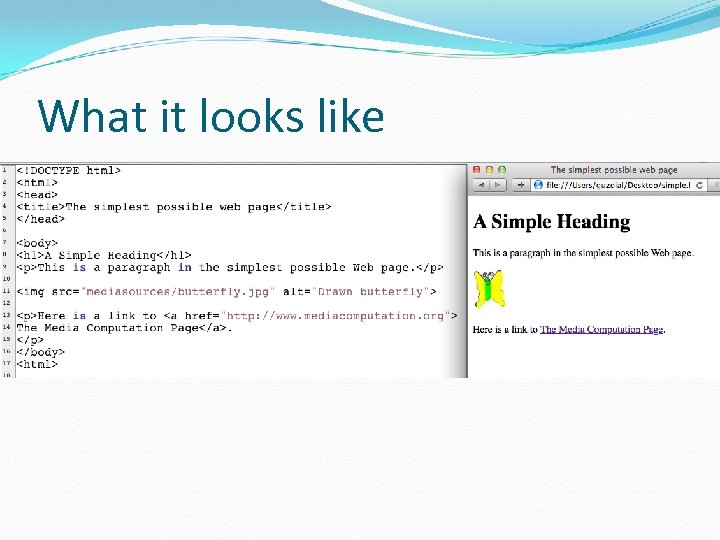 What it looks like
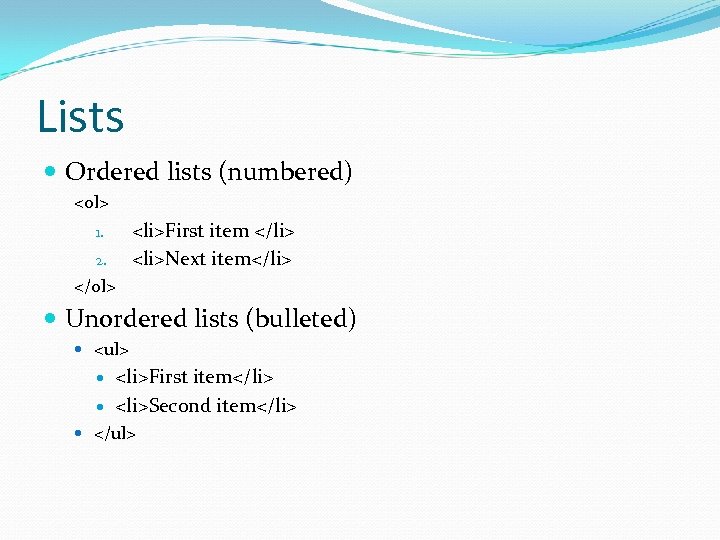 Lists Ordered lists (numbered)
- First item
- Next item 1. 2.
- First item
- Second item
| Column 1 | Column 2 | Element in column 1 | Element in column 2 |
| Column 1 | Column 2 | Element in column 1 | Element in column 2 |
 There is lots more to HTML Frames Can have subwindows within a window with different HTML content. Anchors can have target frames. Divisions
With different sizes, colors, shading, etc. Applets, Javascript, etc.
 Best way to learn HTML: Look at pages! View source all the time, especially when there's something new and cool that you've never seen before. There are lots of good on-line tutorials. There are many good books.
 HTML is not a programming language Using HTML is called “coding” and it is about getting your codes right. But it's not about coding programs. HTML has no Loops IFs Variables Data types Ability to read and write files Bottom line: HTML does not communicate process!
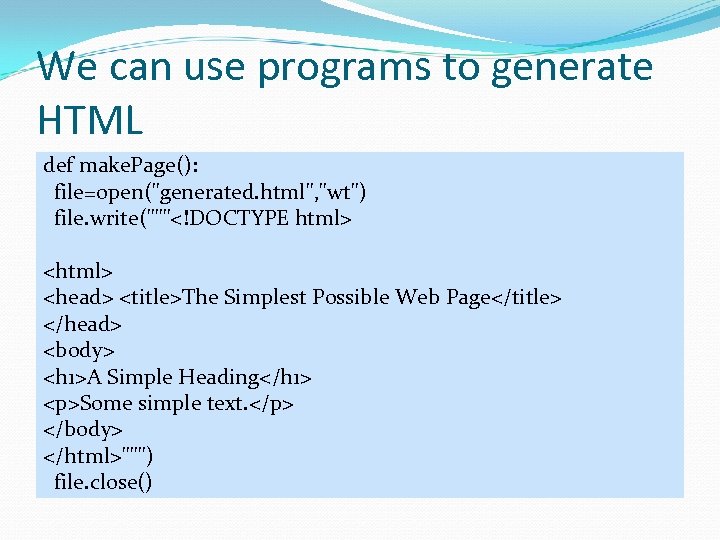 We can use programs to generate HTML def make. Page(): file=open("generated. html", "wt") file. write("""
Some simple text.
""") file. close() How does Amazon and Ebay work? By generating a catalog as Web pages. Nobody types up all those product HTML pages. Rather, the data is in a database, and there are programs that put the data into a database.
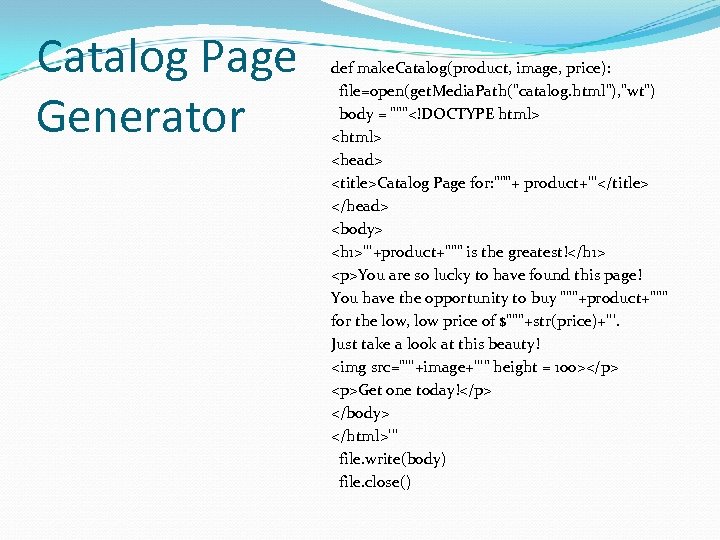 Catalog Page Generator def make. Catalog(product, image, price): file=open(get. Media. Path("catalog. html"), "wt") body = """
You are so lucky to have found this page! You have the opportunity to buy """+product+""" for the low, low price of $"""+str(price)+'''. Just take a look at this beauty!
Get one today!
''' file. write(body) file. close()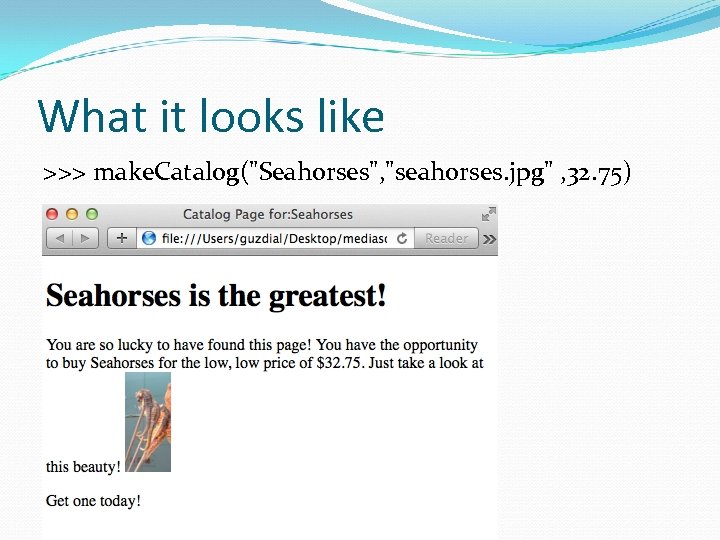 What it looks like >>> make. Catalog("Seahorses", "seahorses. jpg" , 32. 75)
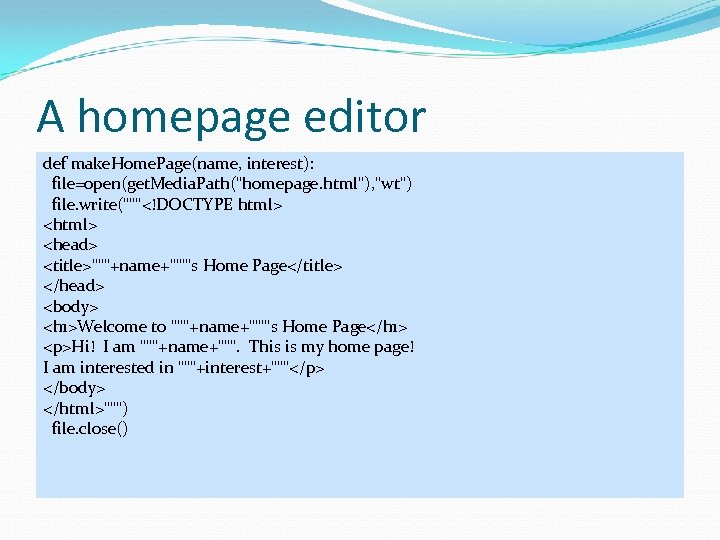 A homepage editor def make. Home. Page(name, interest): file=open(get. Media. Path("homepage. html"), "wt") file. write("""
Hi! I am """+name+""". This is my home page! I am interested in """+interest+"""
""") file. close()
Hi! I am Barb. This is my home page! I am interested in horses
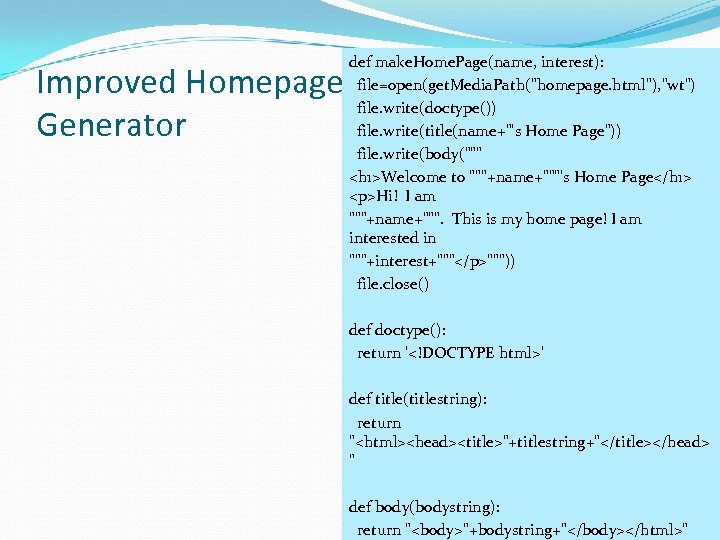 Improved Homepage Generator def make. Home. Page(name, interest): file=open(get. Media. Path("homepage. html"), "wt") file. write(doctype()) file. write(title(name+"'s Home Page")) file. write(body("""
Hi! I am """+name+""". This is my home page! I am interested in """+interest+"""
""")) file. close() def doctype(): return '' def title(titlestring): return " Where can we get Web content from? ANYWHERE WE WANT! We've learned a lot of ways of generating textual information over the last weeks. We can use these to create all kinds of Web pages. Grabbing information out of directories using the os module Grabbing information out of other Web pages Generating random sentences Generating Web pages from databases
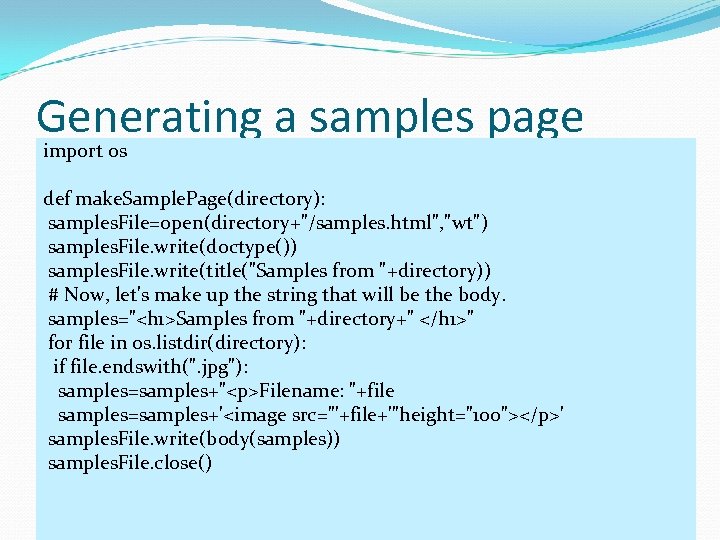 Generating a samples page import os def make. Sample. Page(directory): samples. File=open(directory+"/samples. html", "wt") samples. File. write(doctype()) samples. File. write(title("Samples from "+directory)) # Now, let's make up the string that will be the body. samples="
Filename: "+file samples=samples+'
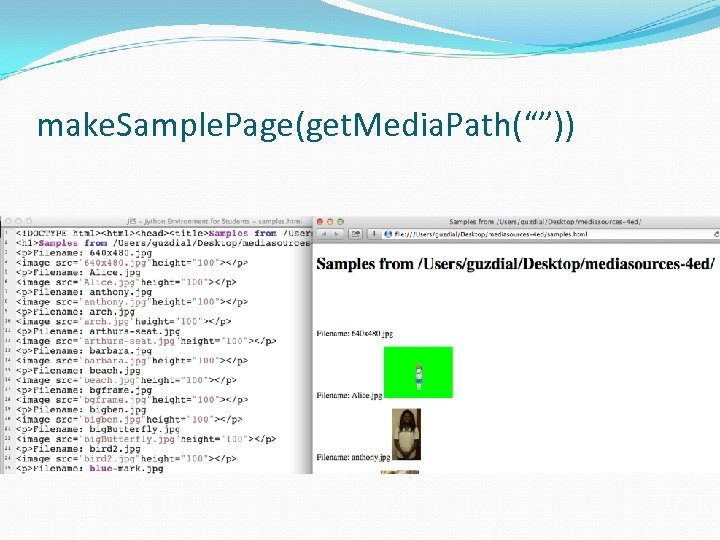 make. Sample. Page(get. Media. Path(“”))
 Home Page Generator with Random Tag Lines (1 of 2) import urllib import random def make. Home. Page(name, interests): file=open(get. Media. Path("homepage. html"), "wt") file. write(doctype()) file. write(title(name+"'s Home Page")) text = "
Hi! I am "+name+". This is my home page!" text += " I am interested in "+interests+"
" text += "Random thought for the day: "+tagline()+"
" file. write(body(text)) file. close()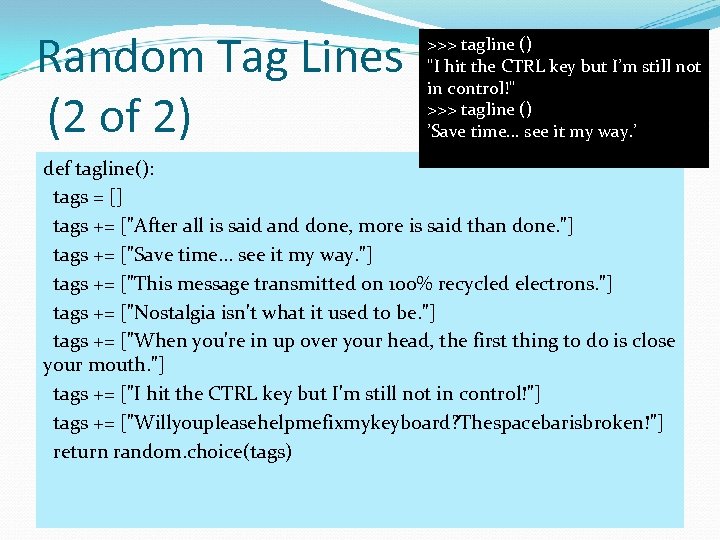 Random Tag Lines (2 of 2) >>> tagline () "I hit the CTRL key but I’m still not in control!" >>> tagline () ’Save time. . . see it my way. ’ def tagline(): tags = [] tags += ["After all is said and done, more is said than done. "] tags += ["Save time. . . see it my way. "] tags += ["This message transmitted on 100% recycled electrons. "] tags += ["Nostalgia isn't what it used to be. "] tags += ["When you're in up over your head, the first thing to do is close your mouth. "] tags += ["I hit the CTRL key but I'm still not in control!"] tags += ["Willyoupleasehelpmefixmykeyboard? Thespacebarisbroken!"] return random. choice(tags)
 Thought experiment: Timed generation Imagine that you could have this program run every 30 minutes, and immediately copy (FTP) the result up to your Web site. The temperature would be updated every 30 minutes. A random sentence would be generated every 30 minutes. Suggestion: You could do this now! Most operating systems have some way to do tasks like this (see the Scheduled Tasks control panel in Windows, crontab in Macs and Linux) You've seen how to do FTP automatically.
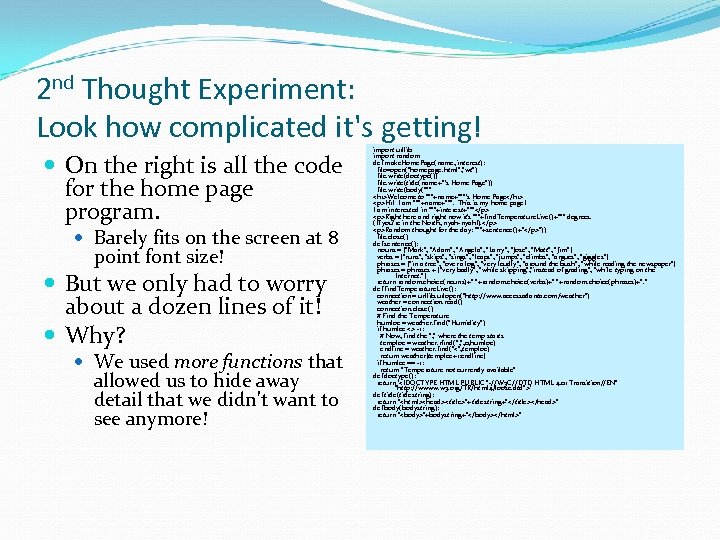 2 nd Thought Experiment: Look how complicated it's getting! On the right is all the code for the home page program. Barely fits on the screen at 8 point font size! But we only had to worry about a dozen lines of it! Why? We used more functions that allowed us to hide away detail that we didn't want to see anymore! import urllib import random def make. Home. Page(name, interest): file=open("homepage. html", "wt") file. write(doctype()) file. write(title(name+"'s Home Page")) file. write(body("""
Hi! I am """+name+""". This is my home page! I am interested in """+interest+"""
Right here and right now it's """+find. Temperature. Live()+""" degrees. (If you're in the North, nyah-nyah!).
Random thought for the day: """+sentence()+"
")) file. close() def sentence(): nouns = ["Mark", "Adam", "Angela", "Larry", "Jose", "Matt", "Jim"] verbs = ["runs", "skips", "sings", "leaps", "jumps", "climbs", "argues", "giggles"] phrases = ["in a tree", "over a log", "very loudly", "around the bush", "while reading the newspaper"] phrases = phrases + ["very badly", "while skipping", "instead of grading", "while typing on the Internet. "] return random. choice(nouns)+" "+random. choice(verbs)+" "+random. choice(phrases)+". " def find. Temperature. Live(): connection = urllib. urlopen("http: //www. accessatlanta. com/weather") weather = connection. read() connection. close() # Find the Temperature humloc = weather. find("Humidity") if humloc <> -1: # Now, find the ", " where the temp starts temploc = weather. rfind(", ", 0, humloc) endline = weather. find("<", temploc) return weather[temploc+1: endline] if humloc == -1: return "Temperature not currently available" def doctype(): return '' def title(titlestring): return "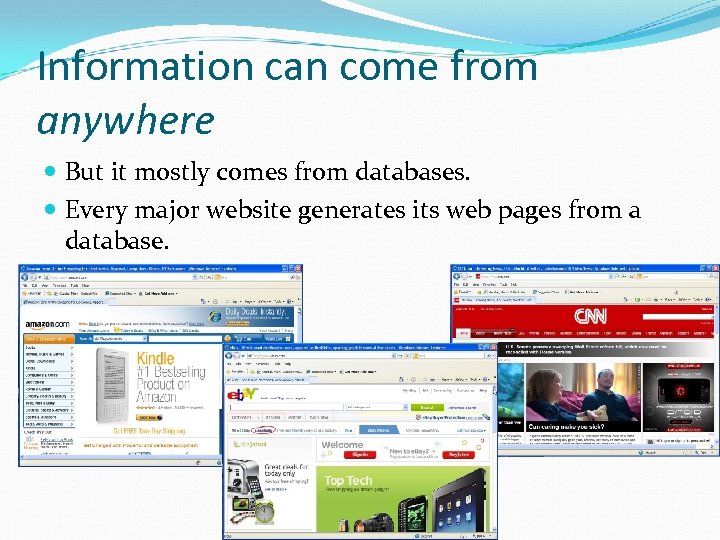 Information can come from anywhere But it mostly comes from databases. Every major website generates its web pages from a database.
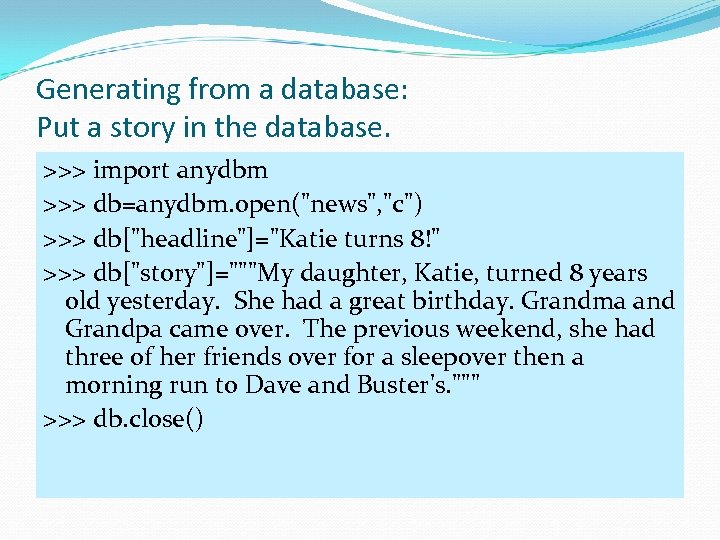 Generating from a database: Put a story in the database. >>> import anydbm >>> db=anydbm. open("news", "c") >>> db["headline"]="Katie turns 8!" >>> db["story"]="""My daughter, Katie, turned 8 years old yesterday. She had a great birthday. Grandma and Grandpa came over. The previous weekend, she had three of her friends over for a sleepover then a morning run to Dave and Buster's. """ >>> db. close()
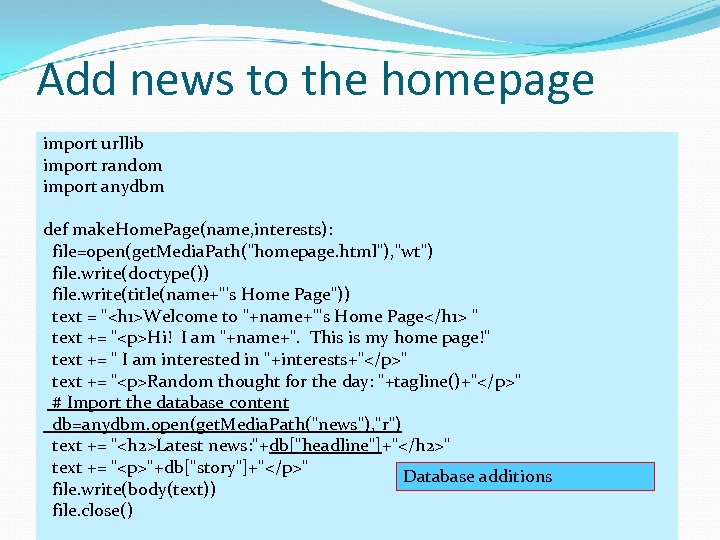 Add news to the homepage import urllib import random import anydbm def make. Home. Page(name, interests): file=open(get. Media. Path("homepage. html"), "wt") file. write(doctype()) file. write(title(name+"'s Home Page")) text = "
Hi! I am "+name+". This is my home page!" text += " I am interested in "+interests+"
" text += "Random thought for the day: "+tagline()+"
" # Import the database content db=anydbm. open(get. Media. Path("news"), "r") text += ""+db["story"]+"
" Database additions file. write(body(text)) file. close()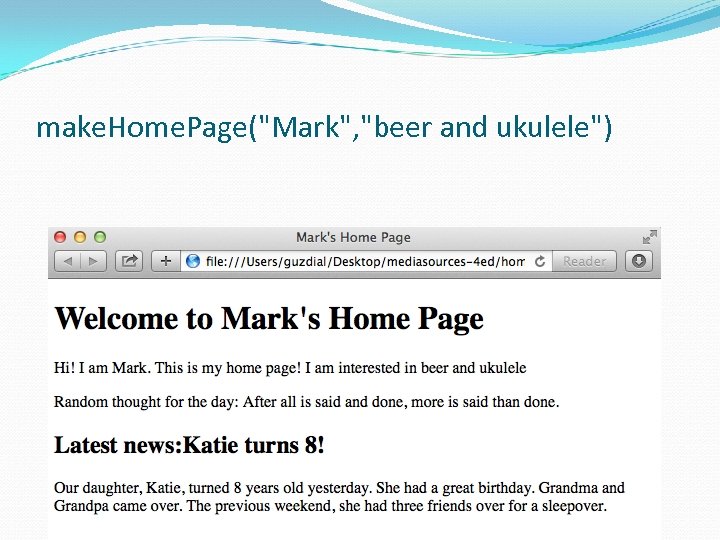 make. Home. Page("Mark", "beer and ukulele")
 Another thought experiment: Database handled elsewhere Imagine that you have a bunch of reporters who are entering stories and headlines into a shared database. Or just imagine a separate interface to let you enter stories into your own database. And again, at regular intervals, HTML pages are generated and uploaded via FTP onto Web servers. Now you know how CNN. com works! Now you know why databases are a big deal for Web developers!
 Why is a database useful for a big web site? For CNN. com: Can have multiple authors and editors creating multiple stories distributed all over a network. Can pull the content automatically via a program and merge all the stories into one big website Works similarly for other kinds of large websites Amazon. com Where do you think their catalog and review is stored? EBay. com Where do you think all those pictures and descriptions and bid information is stored?
 Why databases? Rather: Why not just use files? Why do we care about using some extra software for storing our bytes? Databases provide efficient access to data in a standardized mechanism. Databases are fast. Databases can be accessed from more than one place in more than one way. Databases store relations between data
 Databases are fast because of indices Filenames are indexed just by name. Usually, you care about information that is found by something other than a filename. For example, you may care about someone's information identified by last name or by SSN or even birthdate or city/state of residence.
 Databases are standardized There are many different standard databases. In the UNIX and open source markets: bsddb, gdbm, My. SQL In the commercial markets: Microsoft Access, Informix, Oracle, Sybase Information stored in a standard database can be accessed and manipulated via many different tools and languages.
 Databases store relations Recall our list representation of pixels. It was just a list of five numbers. Who knew that the first two numbers were x and y positions, and the last three were RGB values? Only us—it wasn't recorded anywhere. Databases can store names for the fields of data They can store which fields are important (and thus indexed for rapid access), and how fields are related (e. g. , that each pixel has three color components, that each student has one transcript)
>>" src="https://present5.com/presentation/0ae93675044d381b0fe2935e44b753b2/image-58.jpg" alt="Simplest databases in Python >>> import anydbm >>> db = anydbm. open("mydbm", "c") >>>" />
Simplest databases in Python >>> import anydbm >>> db = anydbm. open("mydbm", "c") >>> db["fred"] = "My wife is Wilma. " >>> db["barney"] = "My wife is Betty. " >>> db. close() Keys on which the database is indexed. anydbm is a built-in database to Python. “C” for “create” the database
>> print db. keys()" src="https://present5.com/presentation/0ae93675044d381b0fe2935e44b753b2/image-59.jpg" alt="Accessing our simple database >>> db = anydbm. open("mydbm", "r") >>> print db. keys()" />
Accessing our simple database >>> db = anydbm. open("mydbm", "r") >>> print db. keys() ['barney', 'fred'] >>> print db['barney'] My wife is Betty. >>> for k in db. keys(): . . . print db[k]. . . My wife is Betty. My wife is Wilma. >>> db. close() Now, open for Reading
 Disadvantages of the simple database Keys and values can only be simple strings. Can only have a single index. Can't index, say, on last name and SSN. Doesn't store field names. There's no real search or manipulation capability built in other than simply using Python.
>> db["one"]=["This is", ["a"," src="https://present5.com/presentation/0ae93675044d381b0fe2935e44b753b2/image-61.jpg" alt="Shelves store anything >>> import shelve >>> db=shelve. open("myshelf", "c") >>> db["one"]=["This is", ["a"," />
Shelves store anything >>> import shelve >>> db=shelve. open("myshelf", "c") >>> db["one"]=["This is", ["a", "list"]] >>> db["two"]=12 >>> db. close() >>> db=shelve. open("myshelf", "r") >>> print db. keys() ['two', 'one'] >>> print db['one'] ['This is', ['a', 'list']] >>> print db['two'] 12 Can use shelves to store in standardized database formats, but not really useful for Python-specific data.
 Well, not quite anything Can we use the shelve module to store and retrieve our media? It's not made for data like that. Lists of pictures didn't come back from the database the way they were stored. Lists got mangled: Sub-lists in sub-lists, etc. Media have many, many more elements than simple databases can handle.
 Powerful, relational databases Modern databases are mostly relational Relational databases store information in tables where columns of information are named and rows of data are assumed to be related. You work with multiple tables to store complex relationships.
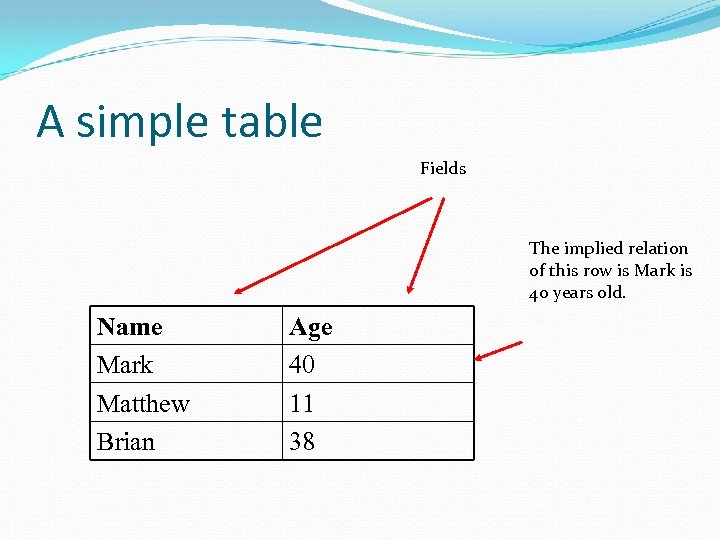 A simple table Fields The implied relation of this row is Mark is 40 years old. Name Mark Matthew Brian Age 40 11 38
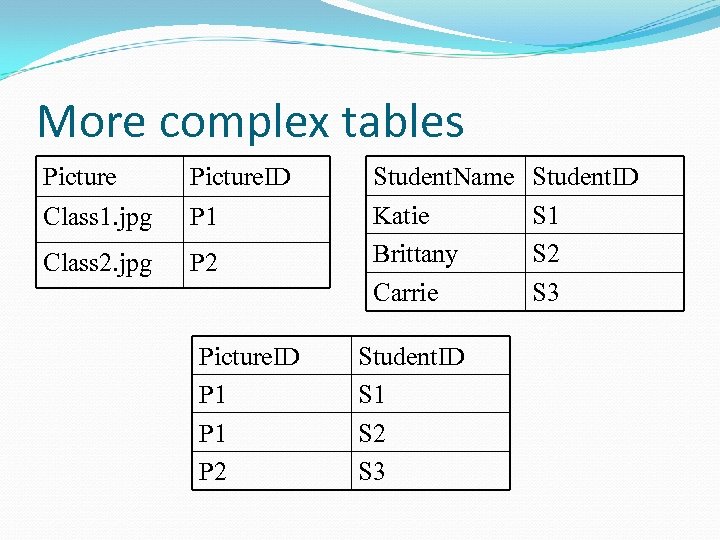 More complex tables Picture. ID Student. Name Student. ID Class 1. jpg P 1 Class 2. jpg P 2 Katie Brittany S 1 S 2 Carrie S 3 Picture. ID P 1 P 2 Student. ID S 1 S 2 S 3
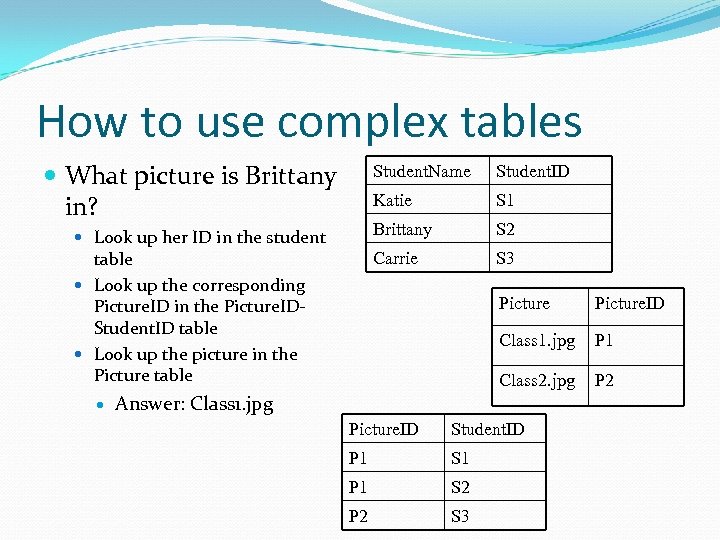 How to use complex tables What picture is Brittany in? Student. Name Katie S 2 Carrie table Look up the corresponding Picture. ID in the Picture. IDStudent. ID table Look up the picture in the Picture table S 1 Brittany Look up her ID in the student Student. ID S 3 Picture. ID Class 1. jpg P 1 Class 2. jpg P 2 Answer: Class 1. jpg Picture. ID Student. ID P 1 S 1 P 1 S 2 P 2 S 3
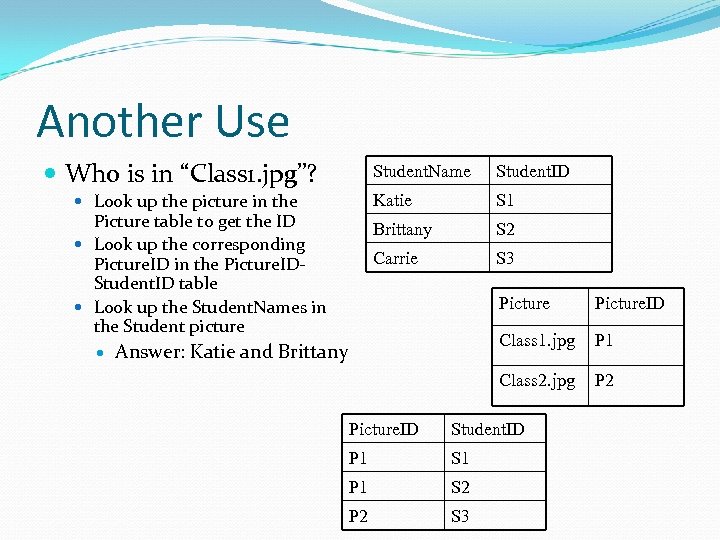 Another Use Who is in “Class 1. jpg”? Student. Name Katie S 2 Carrie Picture table to get the ID Look up the corresponding Picture. ID in the Picture. IDStudent. ID table Look up the Student. Names in the Student picture S 1 Brittany Look up the picture in the Student. ID S 3 Picture Class 1. jpg P 1 Class 2. jpg Answer: Katie and Brittany Picture. ID P 2 Picture. ID Student. ID P 1 S 1 P 1 S 2 P 2 S 3
 A Database Join We call this kind of access across multiple tables a join By joining tables, we can represent more complex relationships than with just a single table. Most database systems provide the ability to join tables. Joining works better if the tables are well-formed: Simple Containing only a single relation per row
 Creating Relational Databases using Simple Python Databases We can create structures like relational databases using our existing Python tools. We start by introducing hash tables (also called associative arrays) Think of these as arrays whose indices are strings, not numbers
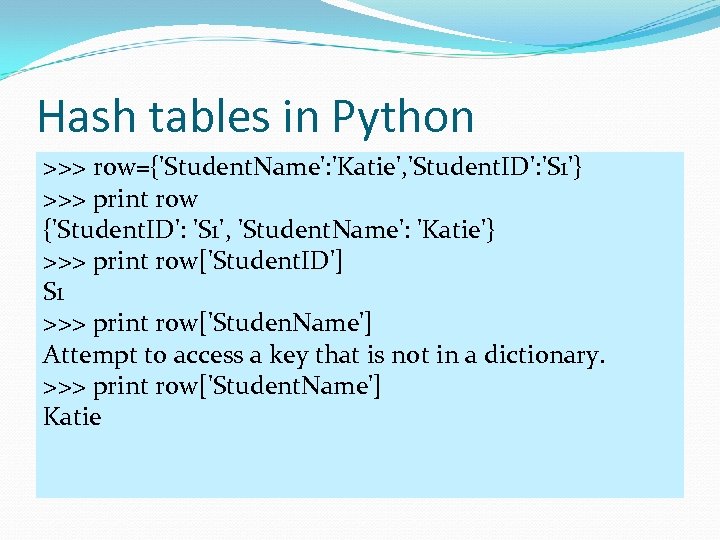 Hash tables in Python >>> row={'Student. Name': 'Katie', 'Student. ID': 'S 1'} >>> print row {'Student. ID': 'S 1', 'Student. Name': 'Katie'} >>> print row['Student. ID'] S 1 >>> print row['Studen. Name'] Attempt to access a key that is not in a dictionary. >>> print row['Student. Name'] Katie
![Building a Hash Table more Slowly >>> picturerow = {} >>> picturerow['Picture']='Class 1. jpg'](https://present5.com/presentation/0ae93675044d381b0fe2935e44b753b2/image-71.jpg "Building a Hash Table more Slowly >>> picturerow = {} >>> picturerow['Picture']='Class 1. jpg'") Building a Hash Table more Slowly >>> picturerow = {} >>> picturerow['Picture']='Class 1. jpg' >>> picturerow['Picture. ID']='P 1' >>> print picturerow {'Picture': 'Class 1. jpg', 'Picture. ID': 'P 1'} >>> print picturerow['Picture'] Class 1. jpg
Building a Hash Table more Slowly >>> picturerow = {} >>> picturerow['Picture']='Class 1. jpg' >>> picturerow['Picture. ID']='P 1' >>> print picturerow {'Picture': 'Class 1. jpg', 'Picture. ID': 'P 1'} >>> print picturerow['Picture'] Class 1. jpg
 Building relational database out of shelves of hash tables For each row of the table, we can use a hash table. We can store collections of rows in the same database. We search for something by using a for loop on the keys() of the database
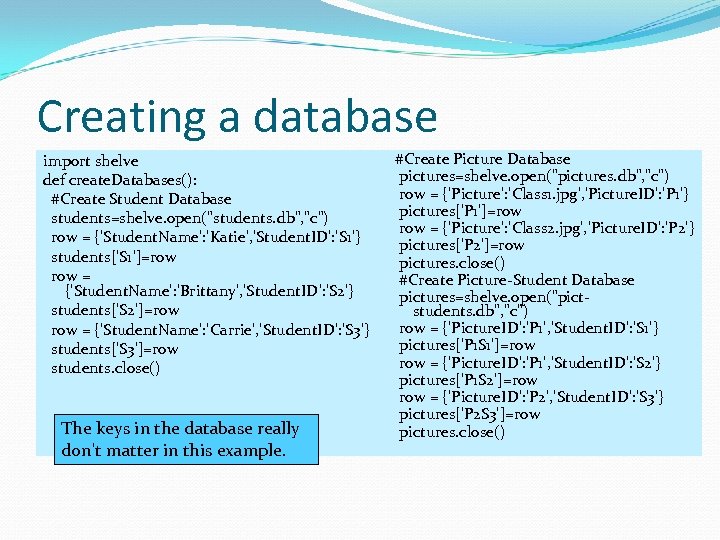 Creating a database import shelve def create. Databases(): #Create Student Database students=shelve. open("students. db", "c") row = {'Student. Name': 'Katie', 'Student. ID': 'S 1'} students['S 1']=row = {'Student. Name': 'Brittany', 'Student. ID': 'S 2'} students['S 2']=row = {'Student. Name': 'Carrie', 'Student. ID': 'S 3'} students['S 3']=row students. close() The keys in the database really don't matter in this example. #Create Picture Database pictures=shelve. open("pictures. db", "c") row = {'Picture': 'Class 1. jpg', 'Picture. ID': 'P 1'} pictures['P 1']=row = {'Picture': 'Class 2. jpg', 'Picture. ID': 'P 2'} pictures['P 2']=row pictures. close() #Create Picture-Student Database pictures=shelve. open("pictstudents. db", "c") row = {'Picture. ID': 'P 1', 'Student. ID': 'S 1'} pictures['P 1 S 1']=row = {'Picture. ID': 'P 1', 'Student. ID': 'S 2'} pictures['P 1 S 2']=row = {'Picture. ID': 'P 2', 'Student. ID': 'S 3'} pictures['P 2 S 3']=row pictures. close()
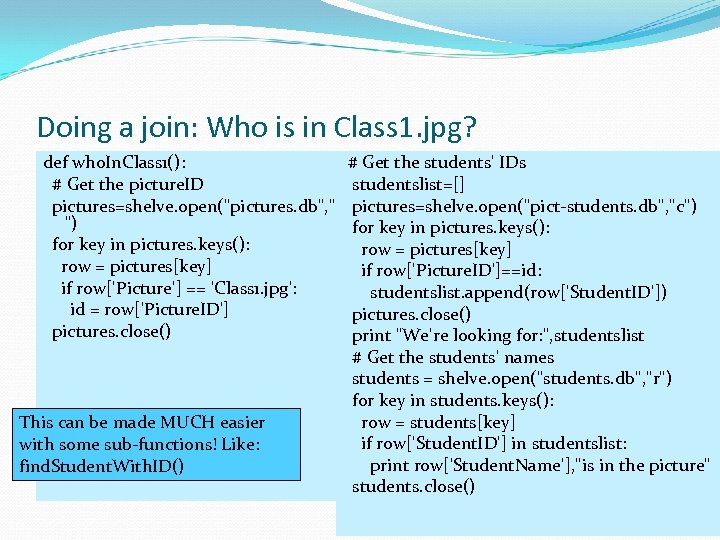 Doing a join: Who is in Class 1. jpg? def who. In. Class 1(): # Get the students' IDs # Get the picture. ID studentslist=[] pictures=shelve. open("pictures. db", "r pictures=shelve. open("pict-students. db", "c") ") for key in pictures. keys(): row = pictures[key] if row['Picture. ID']==id: if row['Picture'] == 'Class 1. jpg': studentslist. append(row['Student. ID']) id = row['Picture. ID'] pictures. close() print "We're looking for: ", studentslist # Get the students' names students = shelve. open("students. db", "r") for key in students. keys(): row = students[key] This can be made MUCH easier if row['Student. ID'] in studentslist: with some sub-functions! Like: print row['Student. Name'], "is in the picture" find. Student. With. ID() students. close()
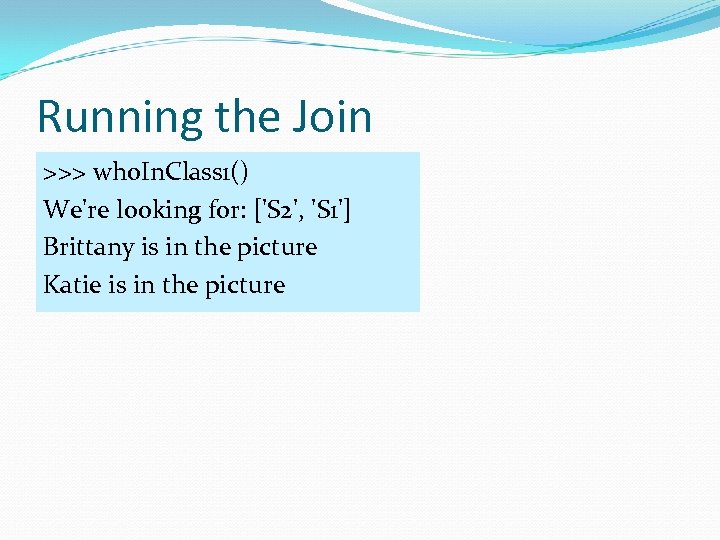 Running the Join >>> who. In. Class 1() We're looking for: ['S 2', 'S 1'] Brittany is in the picture Katie is in the picture
 An Example using My. SQL We're going to use an example using My. SQL is a popular open source database that runs on many platforms. It's powerful and can handle large, complex table manipulations. The goal is not for you to learn to use My. SQL. Very similar things can be done with Microsoft Access, Simple. DB/Instant. DB, Oracle, Informix. Just using My. SQL as an example.
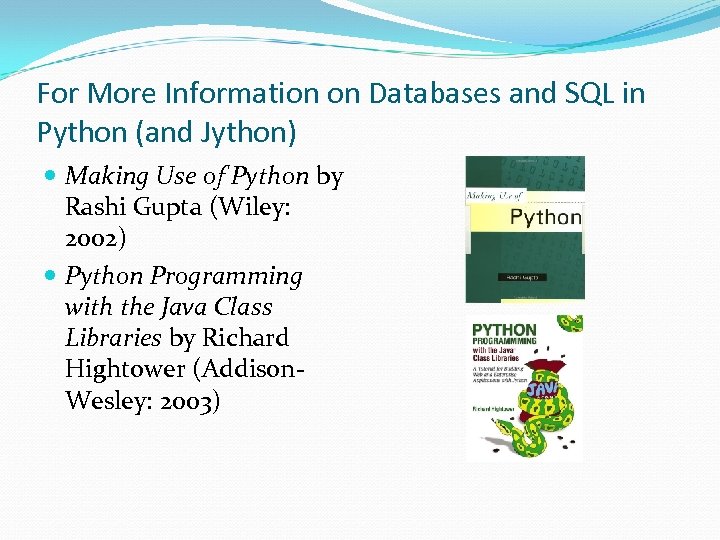 For More Information on Databases and SQL in Python (and Jython) Making Use of Python by Rashi Gupta (Wiley: 2002) Python Programming with the Java Class Libraries by Richard Hightower (Addison. Wesley: 2003)
 WARNING: We're Going to Get Detailed and Technical Here! If we ask you to do any database work on assignment, it will only be with anydbm and shelve. However, if you do any database work in your professional life, you will be using relational databases and SQL. We won't be asking you to do that for homework in this class. The next few slides give you the pointers on how to set up My. SQL on your own computer. But it's not for the faint of heart! If you'd like to avoid technical details, ignore the next FOUR slides
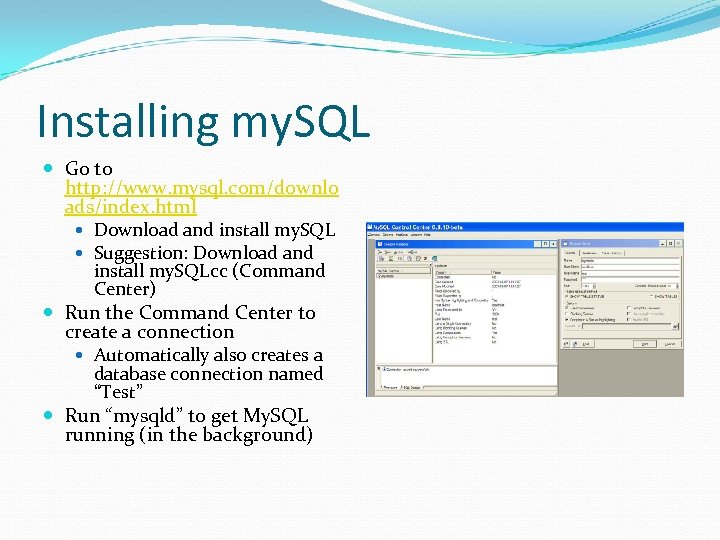 Installing my. SQL Go to http: //www. mysql. com/downlo ads/index. html Download and install my. SQL Suggestion: Download and install my. SQLcc (Command Center) Run the Command Center to create a connection Automatically also creates a database connection named “Test” Run “mysqld” to get My. SQL running (in the background)
 Getting Python to talk to My. SQL You have to modify your JES to work with My. SQL anydbm and shelve are built into JES, but not the My. SQL connection Download the My. SQL connection for Java from the My. SQL web site. Place the. jar file that you download in your JESjython “Lib” folder
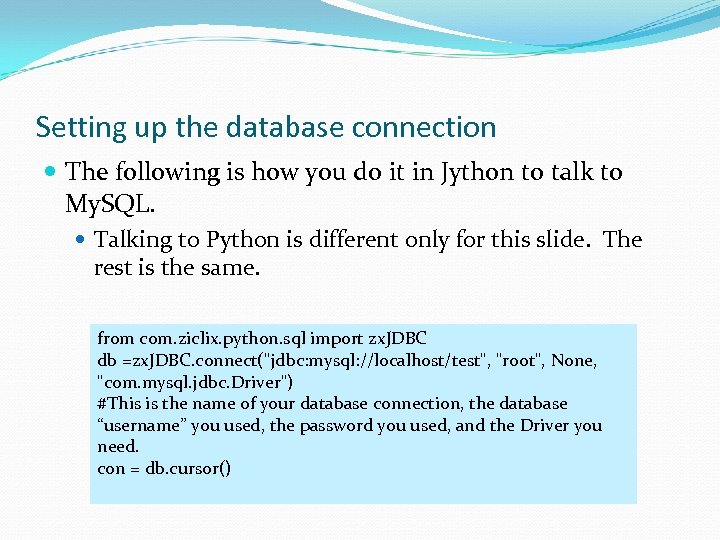 Setting up the database connection The following is how you do it in Jython to talk to My. SQL. Talking to Python is different only for this slide. The rest is the same. from com. ziclix. python. sql import zx. JDBC db =zx. JDBC. connect("jdbc: mysql: //localhost/test", "root", None, "com. mysql. jdbc. Driver") #This is the name of your database connection, the database “username” you used, the password you used, and the Driver you need. con = db. cursor()
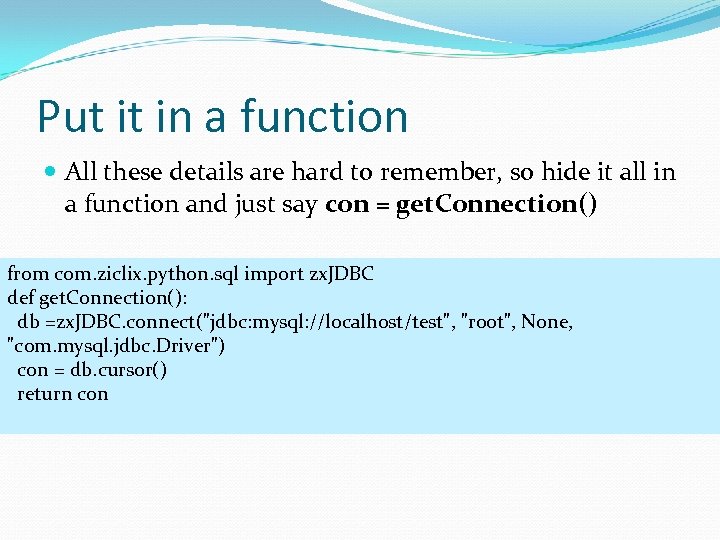 Put it in a function All these details are hard to remember, so hide it all in a function and just say con = get. Connection() from com. ziclix. python. sql import zx. JDBC def get. Connection(): db =zx. JDBC. connect("jdbc: mysql: //localhost/test", "root", None, "com. mysql. jdbc. Driver") con = db. cursor() return con
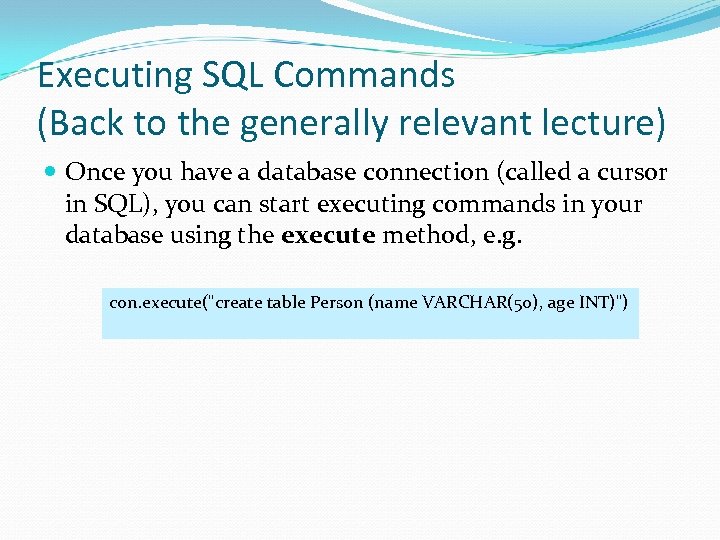 Executing SQL Commands (Back to the generally relevant lecture) Once you have a database connection (called a cursor in SQL), you can start executing commands in your database using the execute method, e. g. con. execute("create table Person (name VARCHAR(50), age INT)")
 SQL: Structured Query Language SQL is usually pronounced “S. Q. L. ” or “Sequel” It's a language for database creation and manipulation. Yes, a whole new language, like Python or Java It actually has several parts, such as DDL (Data Definition Language) and DML (Data Manipulation Language), but we're not going to cover each part. We're not going to cover all of SQL There's a lot there And what's there depends, on part, on the database you're using.
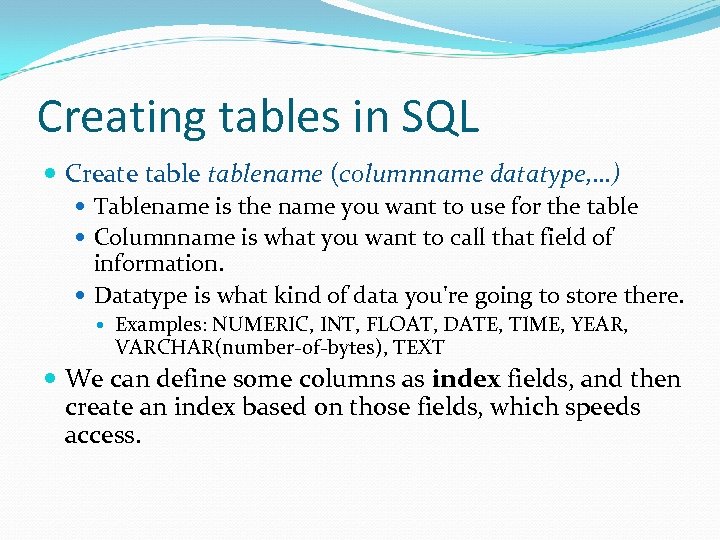 Creating tables in SQL Create tablename (columnname datatype, …) Tablename is the name you want to use for the table Columnname is what you want to call that field of information. Datatype is what kind of data you're going to store there. Examples: NUMERIC, INT, FLOAT, DATE, TIME, YEAR, VARCHAR(number-of-bytes), TEXT We can define some columns as index fields, and then create an index based on those fields, which speeds access.
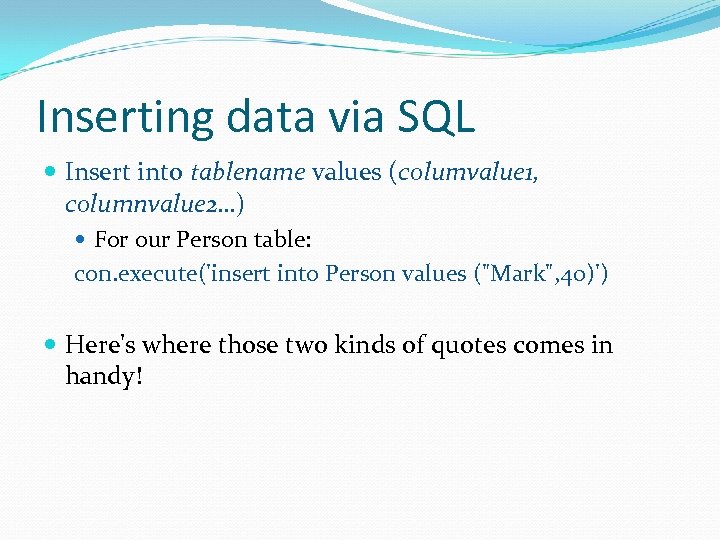 Inserting data via SQL Insert into tablename values (columvalue 1, columnvalue 2…) For our Person table: con. execute('insert into Person values ("Mark", 40)') Here's where those two kinds of quotes comes in handy!
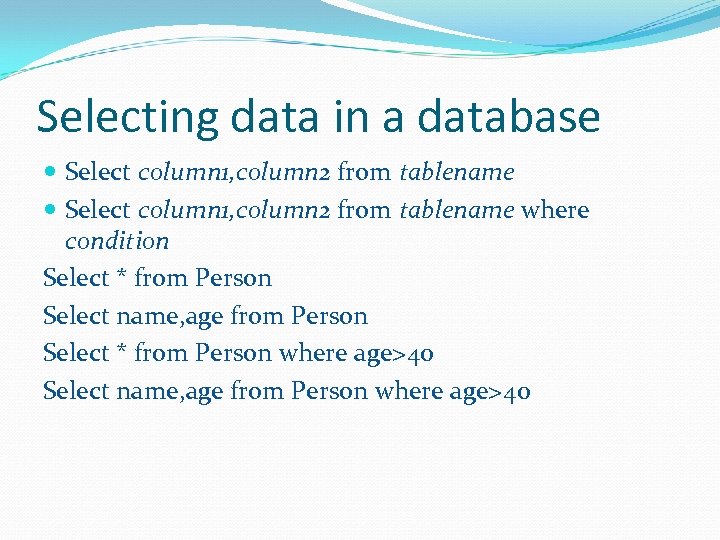 Selecting data in a database Select column 1, column 2 from tablename where condition Select * from Person Select name, age from Person Select * from Person where age>40 Select name, age from Person where age>40
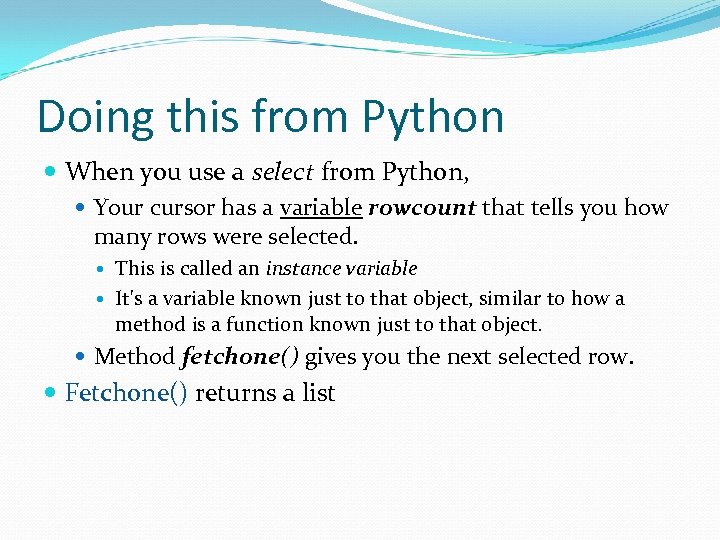 Doing this from Python When you use a select from Python, Your cursor has a variable rowcount that tells you how many rows were selected. This is called an instance variable It's a variable known just to that object, similar to how a method is a function known just to that object. Method fetchone() gives you the next selected row. Fetchone() returns a list
>> print" src="https://present5.com/presentation/0ae93675044d381b0fe2935e44b753b2/image-89.jpg" alt="Selecting from the command area >>> con. execute("select name, age from Person") >>> print" />
Selecting from the command area >>> con. execute("select name, age from Person") >>> print con. rowcount 3 >>> print con. fetchone() ('Mark', 40) >>> print con. fetchone() ('Barb', 41) >>> print con. fetchone() ('Brian', 36)
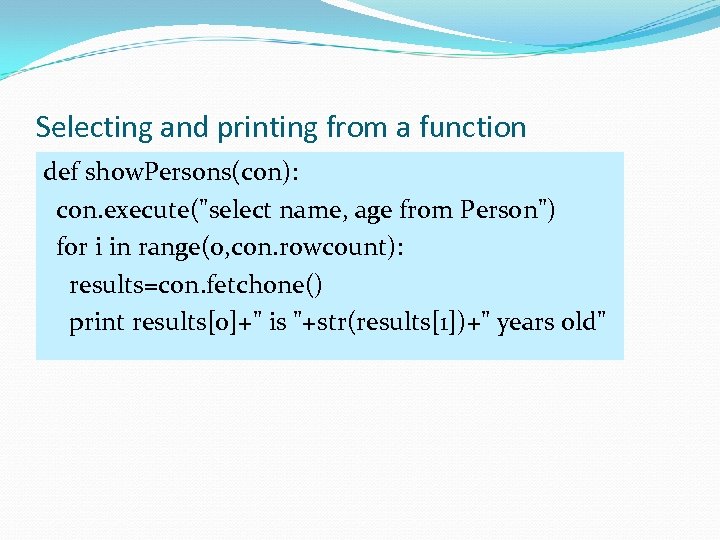 Selecting and printing from a function def show. Persons(con): con. execute("select name, age from Person") for i in range(0, con. rowcount): results=con. fetchone() print results[0]+" is "+str(results[1])+" years old"
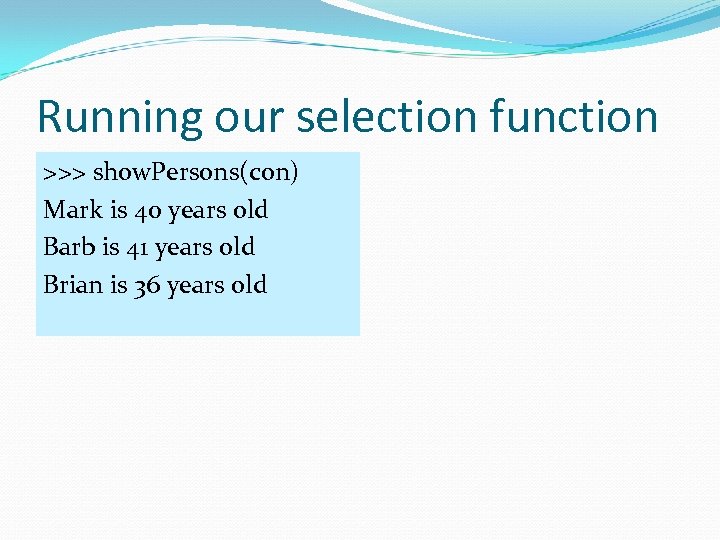 Running our selection function >>> show. Persons(con) Mark is 40 years old Barb is 41 years old Brian is 36 years old
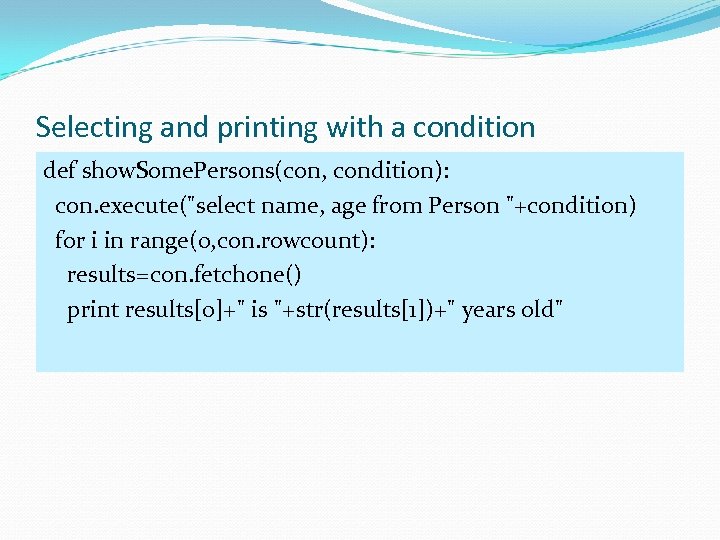 Selecting and printing with a condition def show. Some. Persons(con, condition): con. execute("select name, age from Person "+condition) for i in range(0, con. rowcount): results=con. fetchone() print results[0]+" is "+str(results[1])+" years old"
= 40") Mark is" src="https://present5.com/presentation/0ae93675044d381b0fe2935e44b753b2/image-93.jpg" alt="Running the conditional show >>> show. Some. Persons(con, "where age >= 40") Mark is" />
Running the conditional show >>> show. Some. Persons(con, "where age >= 40") Mark is 40 years old Barb is 41 years old
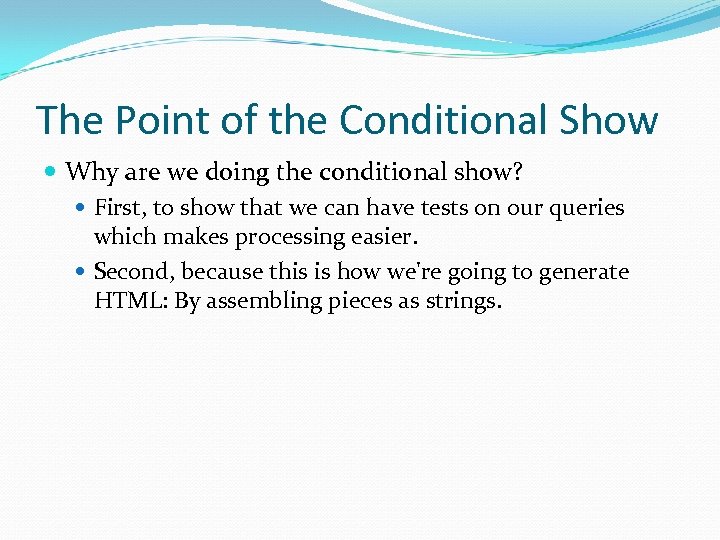 The Point of the Conditional Show Why are we doing the conditional show? First, to show that we can have tests on our queries which makes processing easier. Second, because this is how we're going to generate HTML: By assembling pieces as strings.
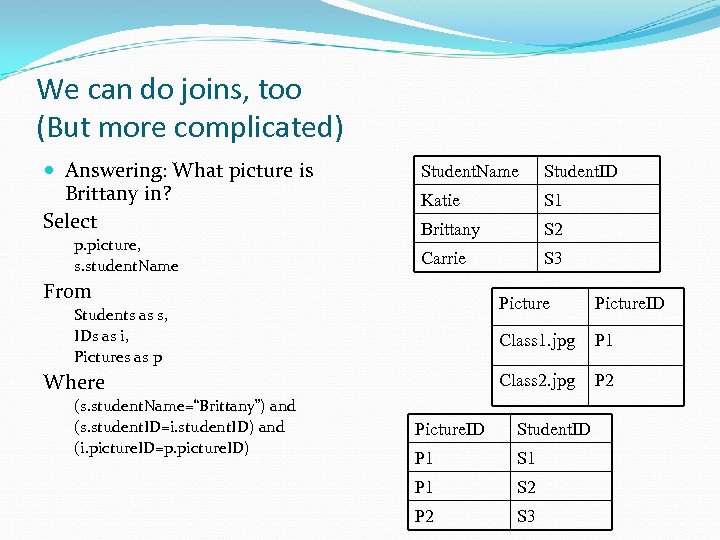 We can do joins, too (But more complicated) Answering: What picture is Brittany in? Select p. picture, s. student. Name Student. ID Katie S 1 Brittany S 2 Carrie S 3 From Picture (s. student. Name=“Brittany”) and (s. student. ID=i. student. ID) and (i. picture. ID=p. picture. ID) P 1 Class 2. jpg Where Picture. ID Class 1. jpg Students as s, IDs as i, Pictures as p P 2 Picture. ID Student. ID P 1 S 1 P 1 S 2 P 2 S 3