


 Скачать презентацию Introduction to Computers and Programming History of computers
687cf4eddcdbe6ad3723bd7bc813d620.ppt
- Количество слайдов: 59
 Introduction to Computers and Programming History of computers What is a computer system? What is a software? What is programming? Different languages Compiled vs. interpreted 1
 History of Computers l Computers are programmable. The first calculators were not programmable, hence not considered computers. l Computers are general purpose machines. Calculators are NOT. 2 History 1/4
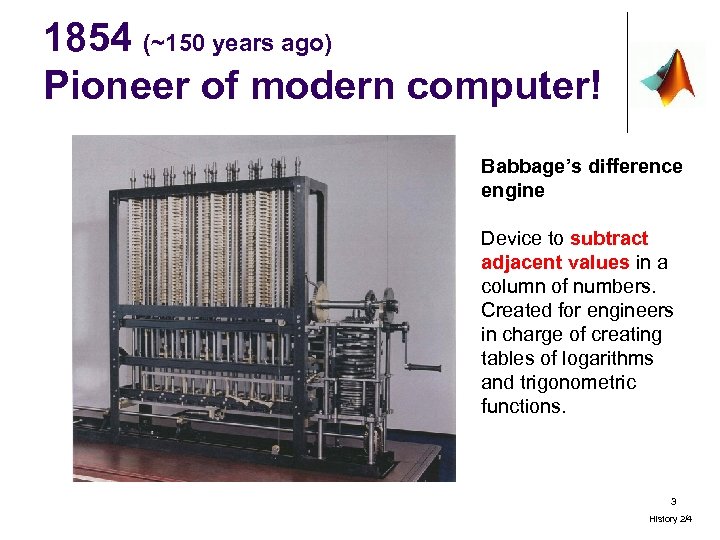 1854 (~150 years ago) Pioneer of modern computer! Babbage’s difference engine Device to subtract adjacent values in a column of numbers. Created for engineers in charge of creating tables of logarithms and trigonometric functions. 3 History 2/4
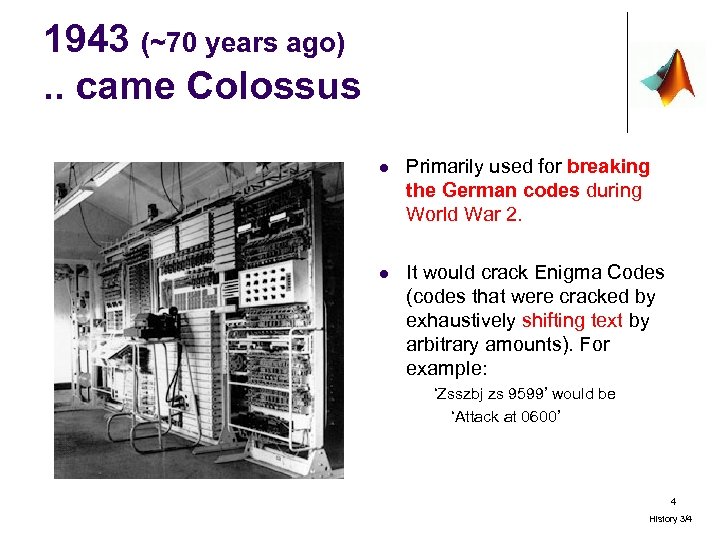 1943 (~70 years ago). . came Colossus l Primarily used for breaking the German codes during World War 2. l It would crack Enigma Codes (codes that were cracked by exhaustively shifting text by arbitrary amounts). For example: ‘Zsszbj zs 9599’ would be ‘Attack at 0600’ 4 History 3/4
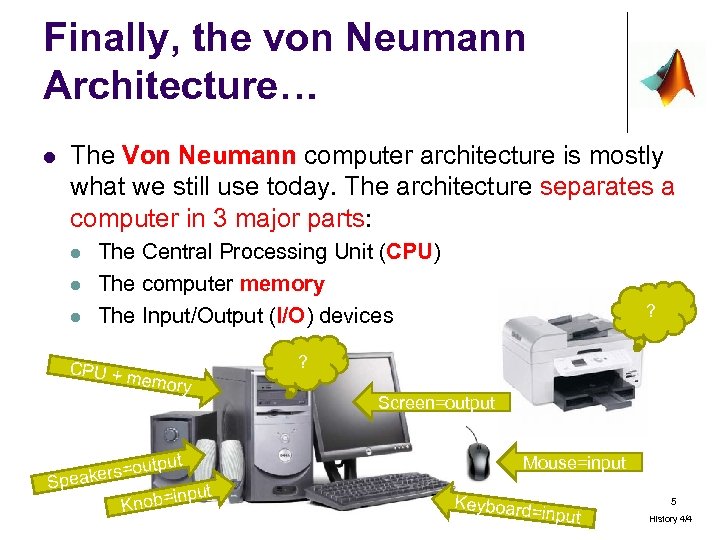 Finally, the von Neumann Architecture… l The Von Neumann computer architecture is mostly what we still use today. The architecture separates a computer in 3 major parts: l l l The Central Processing Unit (CPU) The computer memory The Input/Output (I/O) devices CPU + memory ut rs=outp Speake input Knob= ? ? Screen=output Mouse=input Keyboard =input 5 History 4/4
 Software and programming? l Microsoft Word, Excel, Guitar Hero, the address book in your cell phone, the electronic that starts a car, the avionics in an airplane… are all software that were written by people. l Programming is the act of writing logical instructions that will be executed when people use the software. l It is as difficult as learning to speak a foreign language, since the programmer is constrained to the vocabulary (specific keywords) and grammar (exact syntax) of programming. 6
 A computer system today l Keeping the von Neumann architecture, today’s computing systems combine both hardware and software. l l Hardware (i. e. what’s hard and can break. . ): mouse, keyboard, monitor, hard disk, printer, CD, DVD. Software i. e. the programs that describe the steps we want the computer to perform. 7
 Quiz 1 l An actual DVD is a: a) hardware b) software l The content on a Microsoft Office DVD is most likely: a) hardware b) software 8
 Categories of software l Software contains the instructions the CPU uses to run programs. There are several categories, including: l Operating systems (OS) – manager of the computer system as a whole l Software applications – commercial programs that have been written to solve specific problems l Language compilers - to ‘translate’ programs written by people into something understandable by the machine (sometimes not needed) 9
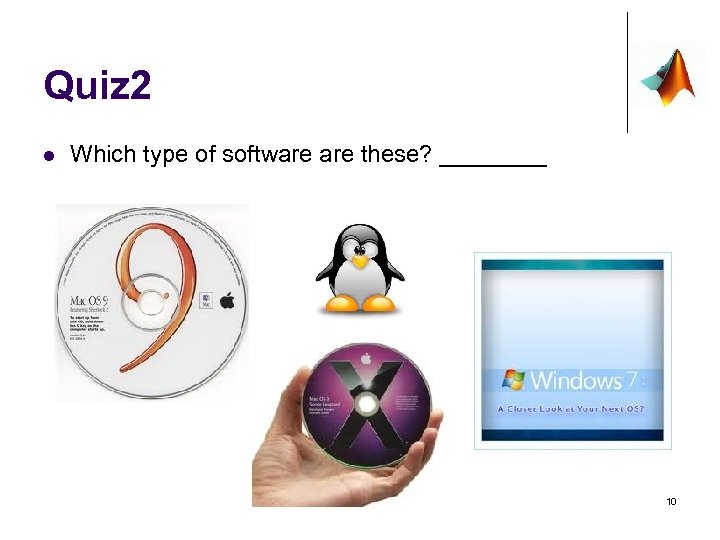 Quiz 2 l Which type of software these? ____ 10
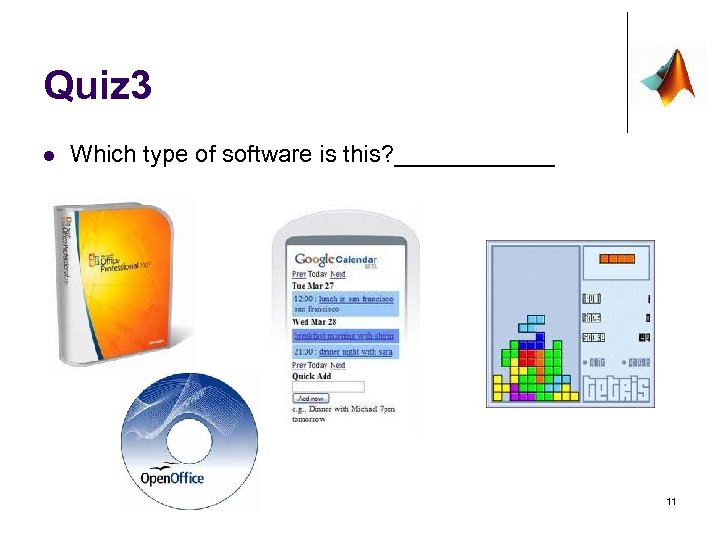 Quiz 3 l Which type of software is this? ______ 11
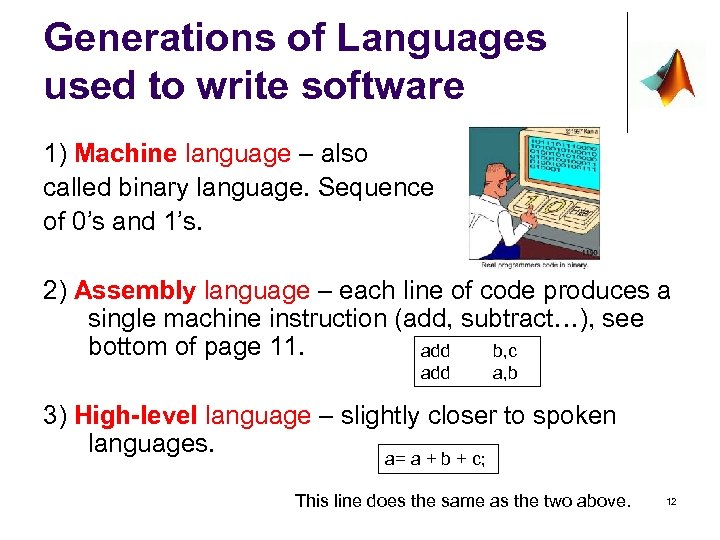 Generations of Languages used to write software 1) Machine language – also called binary language. Sequence of 0’s and 1’s. 2) Assembly language – each line of code produces a single machine instruction (add, subtract…), see bottom of page 11. add b, c add a, b 3) High-level language – slightly closer to spoken languages. a= a + b + c; This line does the same as the two above. 12
 Quiz 4 l Order these types of languages in the order they came out? ____assembly language ____machine language ____high-level language 13
 Finally… MATLAB l l Is an interpreted language – does not require compilation, but it does have a compilation step hidden from the user. Has an interactive environment – l “In the MATLAB environment, you can develop and execute programs that contain MATLAB commands. You can execute a MATLAB command, observe the results, and then execute another MATLAB command that interacts with the information in memory, observe its results and so on. ” 14
 Internet vs. WWW? l Internet is the “boss” of all communication tools, including www but also servers, etc… 15
 Wrapping Up l l l Computers vs. Calculators? Evolution of computers from WW 2? Von Neumann Architecture? Hardware vs. software? Types of languages? 16
 Developing a Solution • • General Idea Five-step Process Example Wrapping up 17
 General Idea: l Give you methodology to layout a plan to develop a solution for a given problem (task). l In EGR 115, most tasks will be: “Develop a program that ……” l As a programmer, keep in mind there are 2 sides to a software l l l The person who writes the software: the programmer The person who uses the software: the user (aka client) As you (the student) develop software, you will constantly jump back and forth between the two roles.
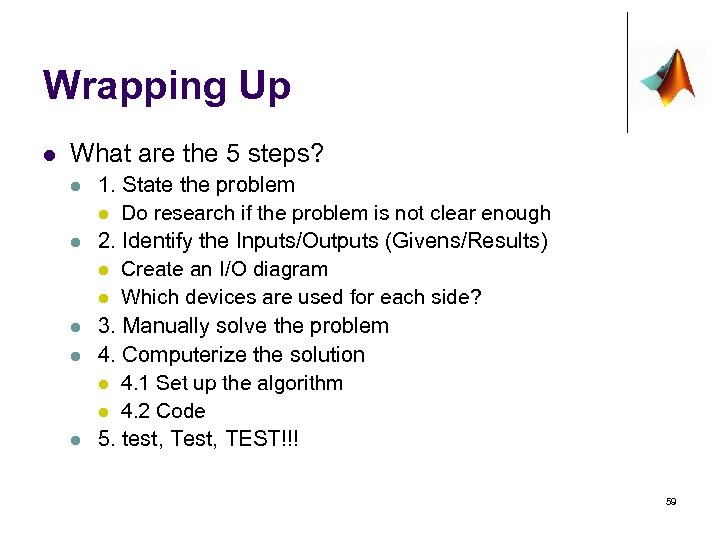
 The 5 step process Follow these steps in order: State the problem clearly Identify the givens vs. the results wanted 1. 2. l 3. 4. 5. This will be referred as the I/O diagram Manually solve the problem Computerize the solution Test, test!!! 19
 Step 1. State the problem l However easy the problem may seem, it is crucial to fully understand the problem, and clarify details. It can help to put the problem in writing. l For example: Write a program that “Computes the area of a triangle” This might bring up questions – like “what do I know about the triangle? ” 20
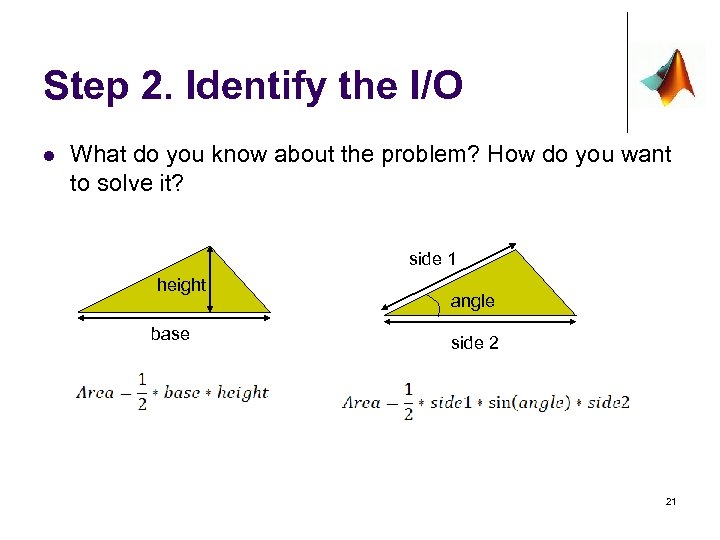 Step 2. Identify the I/O l What do you know about the problem? How do you want to solve it? side 1 height base angle side 2 21
 Step 2. Identify the I/O l Remember the Von Neumann architecture? l CPU + memory + inputs/outputs devices l The I/O diagram determines which input and output devices the software uses, as well as decide which inputs and output variables are used. l The I/O diagram is a first step to organizing the brainstorming. 22
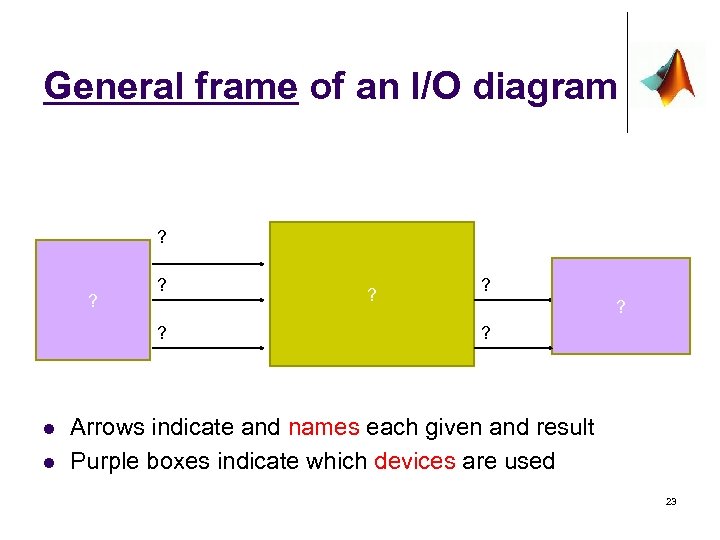 General frame of an I/O diagram ? ? l l ? ? ? ? Arrows indicate and names each given and result Purple boxes indicate which devices are used 23
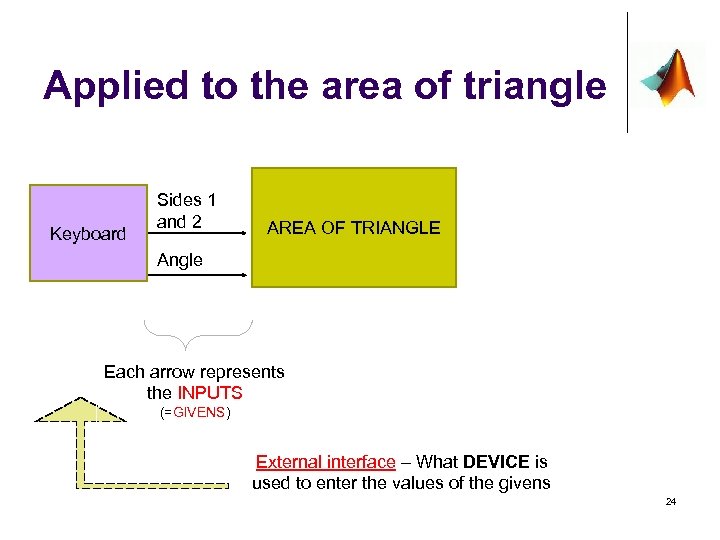 Applied to the area of triangle Keyboard Sides 1 and 2 AREA OF TRIANGLE Angle Each arrow represents the INPUTS (=GIVENS) External interface – What DEVICE is used to enter the values of the givens 24
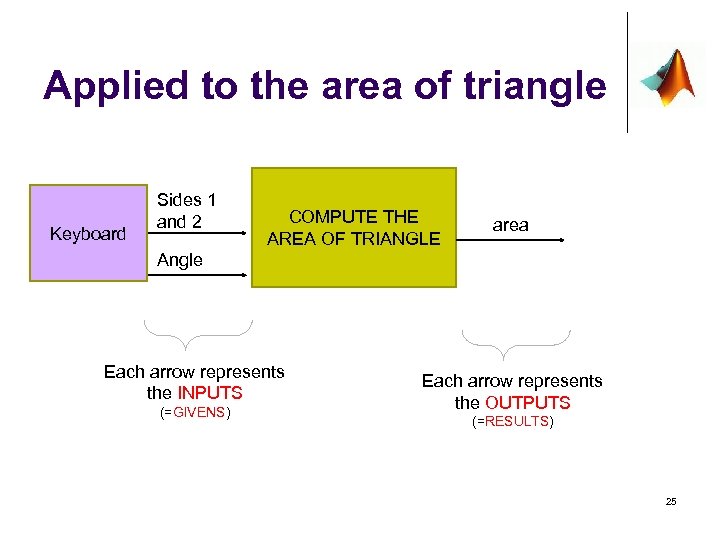 Applied to the area of triangle Keyboard Sides 1 and 2 COMPUTE THE AREA OF TRIANGLE area Angle Each arrow represents the INPUTS (=GIVENS) Each arrow represents the OUTPUTS (=RESULTS) 25
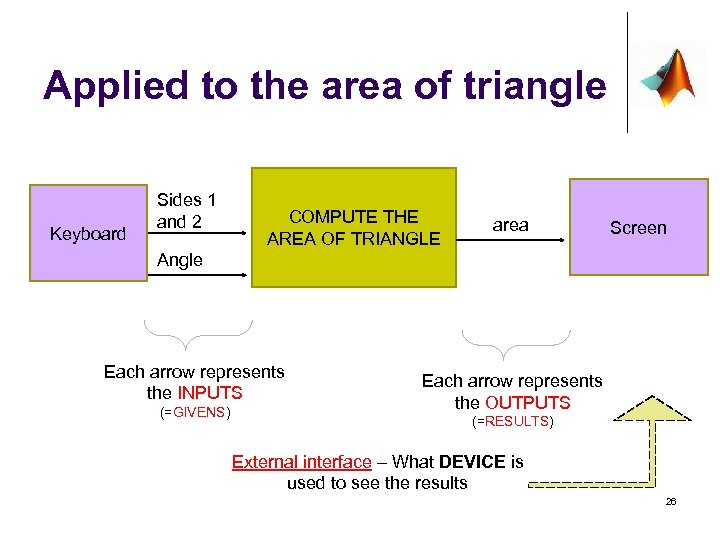 Applied to the area of triangle Keyboard Sides 1 and 2 COMPUTE THE AREA OF TRIANGLE area Screen Angle Each arrow represents the INPUTS (=GIVENS) Each arrow represents the OUTPUTS (=RESULTS) External interface – What DEVICE is used to see the results 26
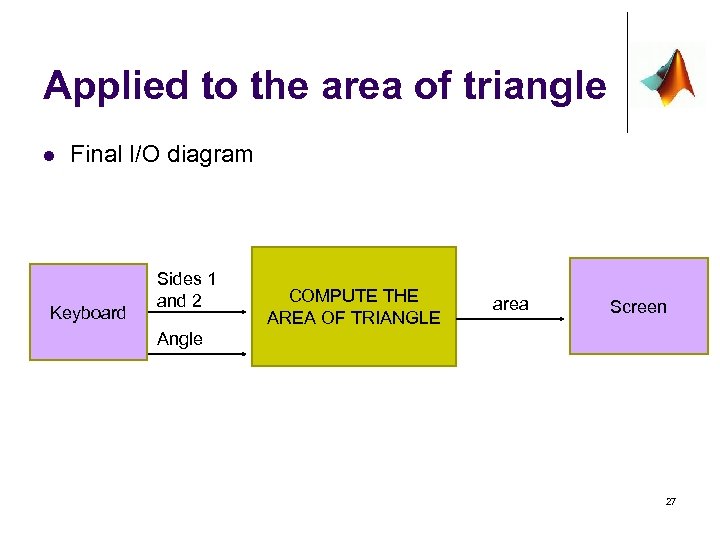 Applied to the area of triangle l Final I/O diagram Keyboard Sides 1 and 2 COMPUTE THE AREA OF TRIANGLE area Screen Angle 27
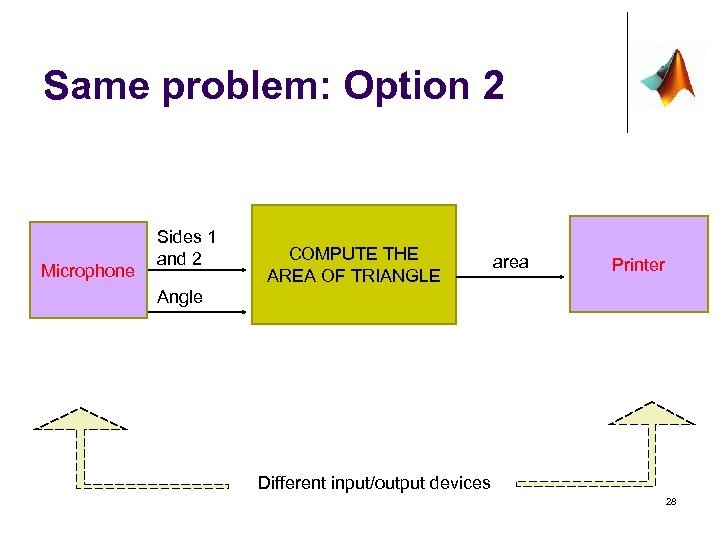 Same problem: Option 2 Microphone Sides 1 and 2 COMPUTE THE AREA OF TRIANGLE area Printer Angle Different input/output devices 28
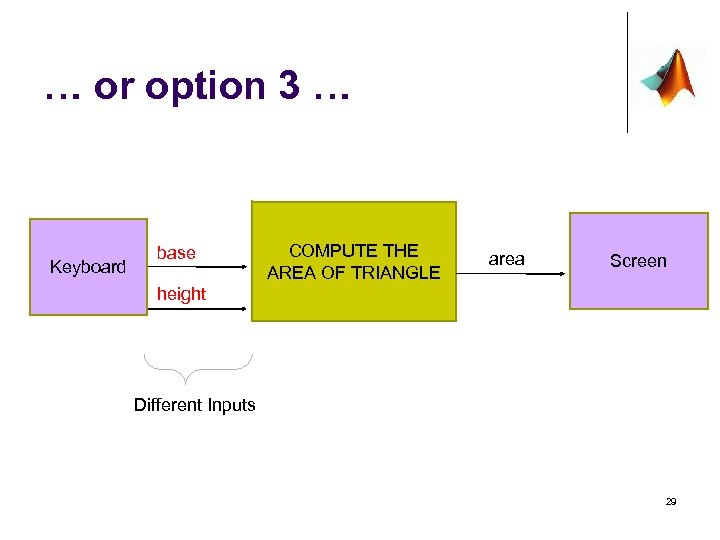 … or option 3 … Keyboard base COMPUTE THE AREA OF TRIANGLE area Screen height Different Inputs 29
 Some Other More Complex Examples (and yet, the I/O is not so complex) ATM MACHINE 30
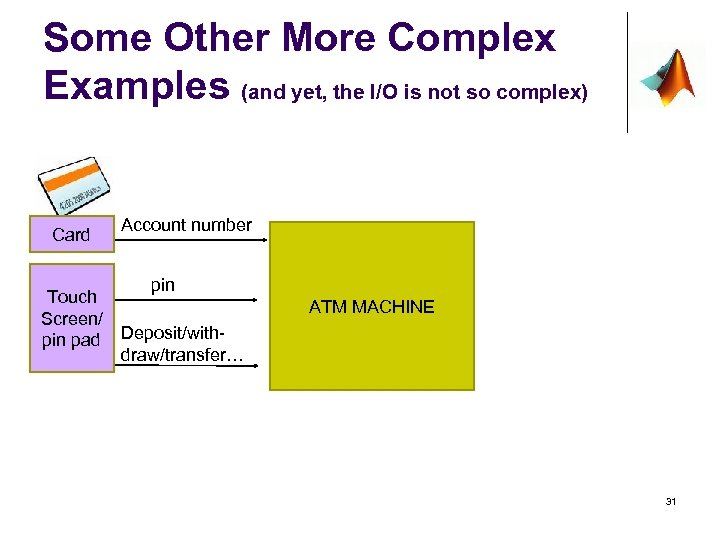 Some Other More Complex Examples (and yet, the I/O is not so complex) Card Touch Screen/ pin pad Account number pin ATM MACHINE Deposit/withdraw/transfer… 31
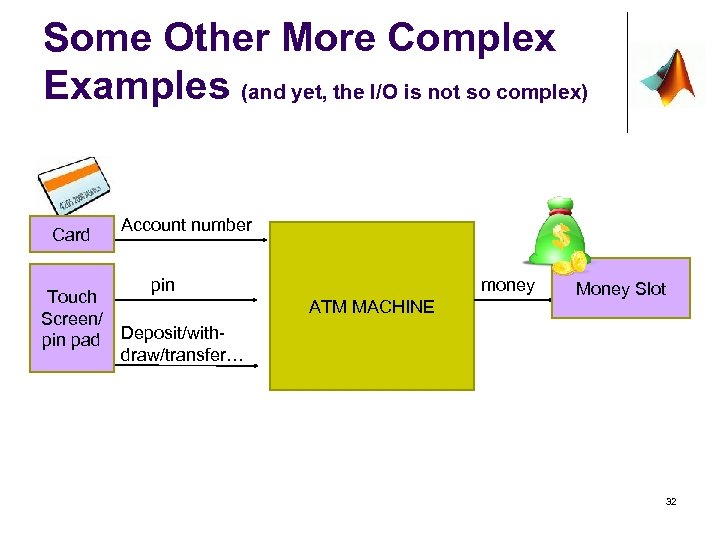 Some Other More Complex Examples (and yet, the I/O is not so complex) Card Touch Screen/ pin pad Account number pin money ATM MACHINE Money Slot Deposit/withdraw/transfer… 32
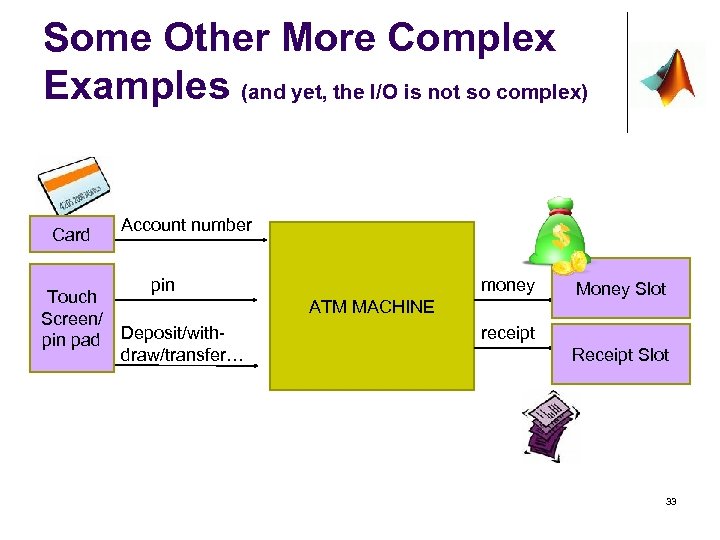 Some Other More Complex Examples (and yet, the I/O is not so complex) Card Touch Screen/ pin pad Account number pin money ATM MACHINE Deposit/withdraw/transfer… Money Slot receipt Receipt Slot 33
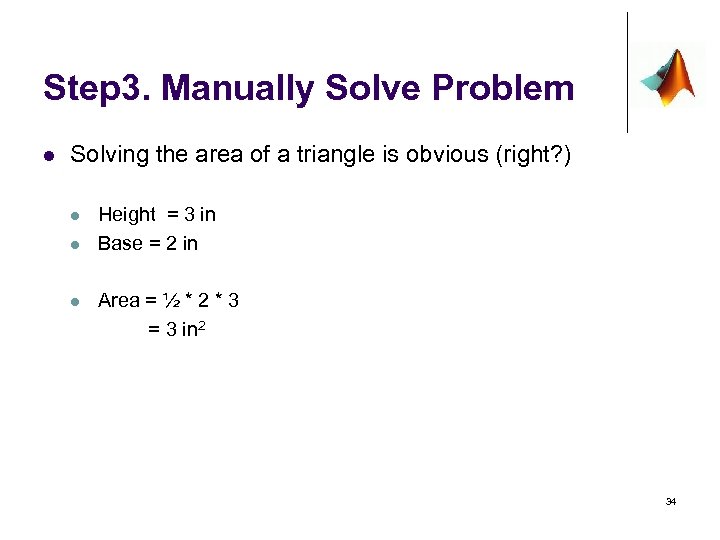 Step 3. Manually Solve Problem l Solving the area of a triangle is obvious (right? ) l l l Height = 3 in Base = 2 in Area = ½ * 2 * 3 = 3 in 2 34
 Step 4 and Step 5 l These steps require the use of a computer to type ‘lines of code’ and test the program. l Realize that none of the steps before did this. l In short: l Step 4 – Computerize the solution l l l a) layout the algorithm. b) Write down the code that implements the algorithm. Step 5 – Test the software created
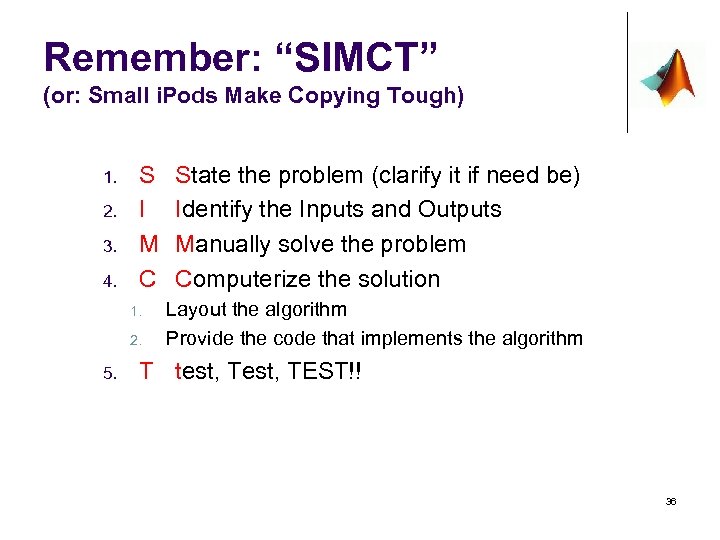 Remember: “SIMCT” (or: Small i. Pods Make Copying Tough) 1. 2. 3. 4. S I M C 1. 2. 5. State the problem (clarify it if need be) Identify the Inputs and Outputs Manually solve the problem Computerize the solution Layout the algorithm Provide the code that implements the algorithm T test, TEST!! 36
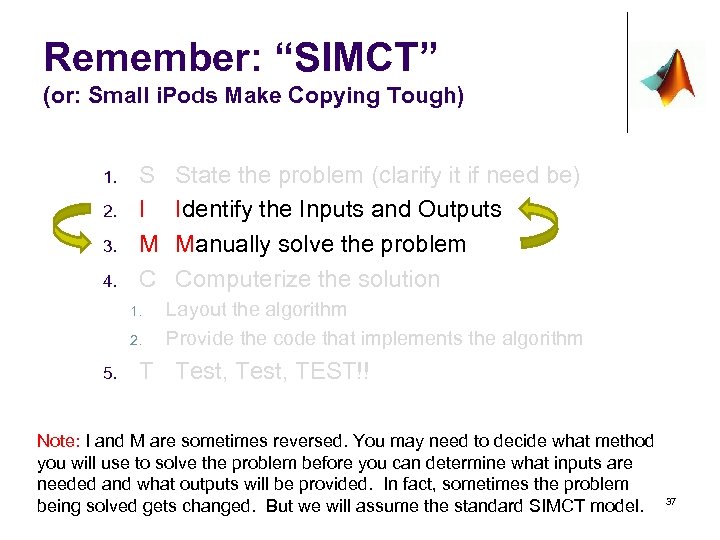 Remember: “SIMCT” (or: Small i. Pods Make Copying Tough) 1. 2. 3. 4. S I M C 1. 2. 5. State the problem (clarify it if need be) Identify the Inputs and Outputs Manually solve the problem Computerize the solution Layout the algorithm Provide the code that implements the algorithm T Test, TEST!! Note: I and M are sometimes reversed. You may need to decide what method you will use to solve the problem before you can determine what inputs are needed and what outputs will be provided. In fact, sometimes the problem being solved gets changed. But we will assume the standard SIMCT model. 37
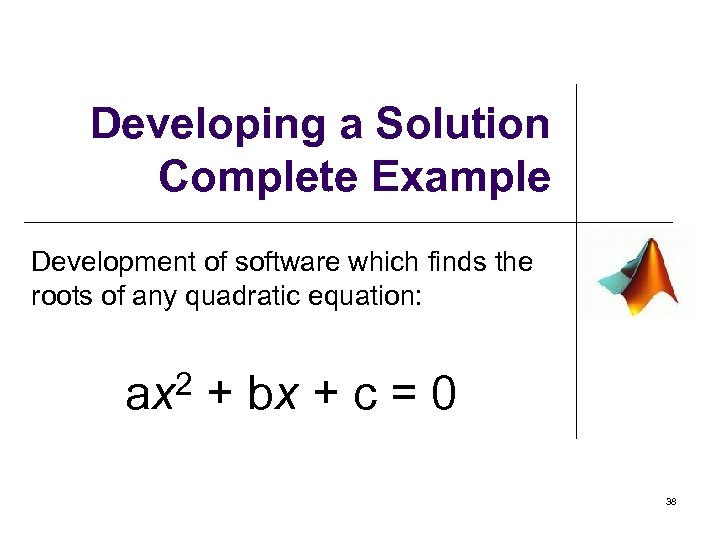 Developing a Solution Complete Example Development of software which finds the roots of any quadratic equation: 2 ax + bx + c = 0 38
 1: State the problem l The client says: “I want a computer program that will find the roots of any quadratic equation” 39
 1 (cont. ): l The programmer wonders: Any quadratic equation? Inputs: What if the coefficient “a” is 0? Outputs: What if the roots are imaginary? And the client re-considers. . 40
 1 (cont. ): l Client clarifies his requirements: “I want a computer program that will find the REAL roots of a quadratic equation for all REAL coefficients a, b, and c such that a≠ 0. ” l This shows a much more thorough consideration of the problem. 41
 2: Identify Inputs/Outputs l What are the inputs for this problem? In other words, what information is needed FROM OUTSIDE THE PROGRAM for the desired program to solve the problem? In our programs, these inputs typically come from the user – but they don’t have to. Sensors and other programs can provide information, too. 42
 2 (cont. ): Inputs, continued… The only information needed from outside the program are the values of the coefficients: a? b? c? 43
 2 (cont. ): l Outputs: - The roots (x 1, x 2), if real. - Message if roots are imaginary. - Error if the user inputs bad values. 44
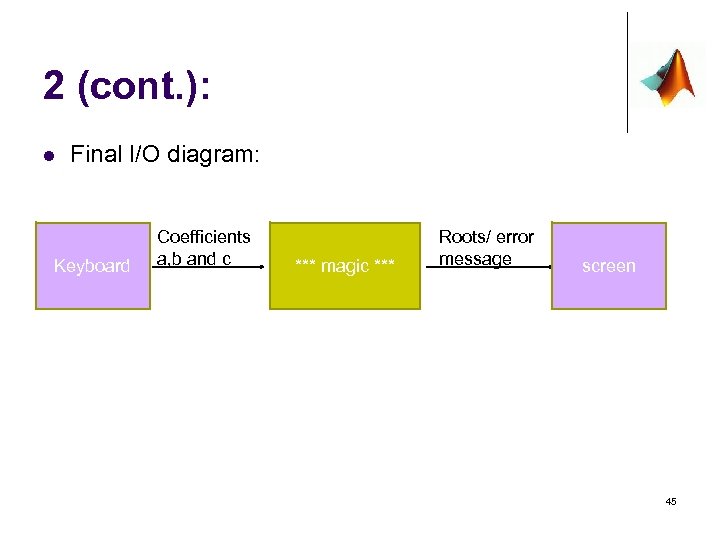 2 (cont. ): l Final I/O diagram: Keyboard Coefficients a, b and c *** magic *** Roots/ error message screen 45
 Step 3: Manually solve the problem l Not always practical to actually solve the problem… e. g. can you manually launch the shuttle? l But… a programmer must be able to solve the problem manually, assuming all the time and resources necessary were available. Otherwise, how could a programmer tell the computer how to do it? ? ? 46
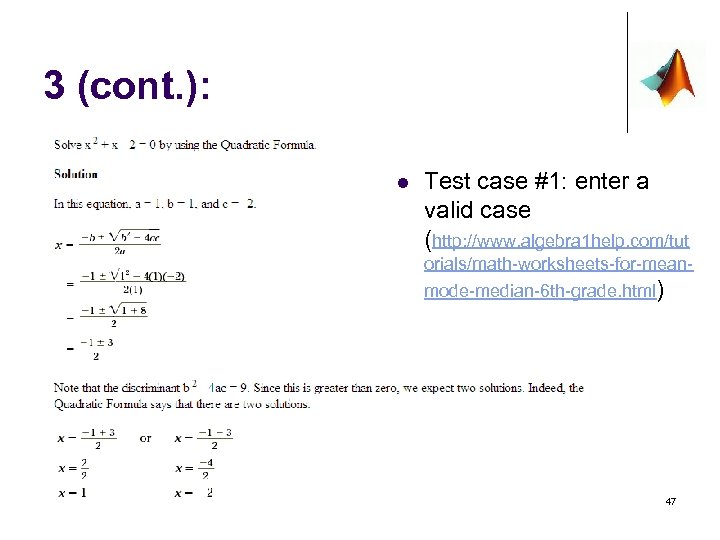 3 (cont. ): l Test case #1: enter a valid case (http: //www. algebra 1 help. com/tut orials/math-worksheets-for-meanmode-median-6 th-grade. html) 47
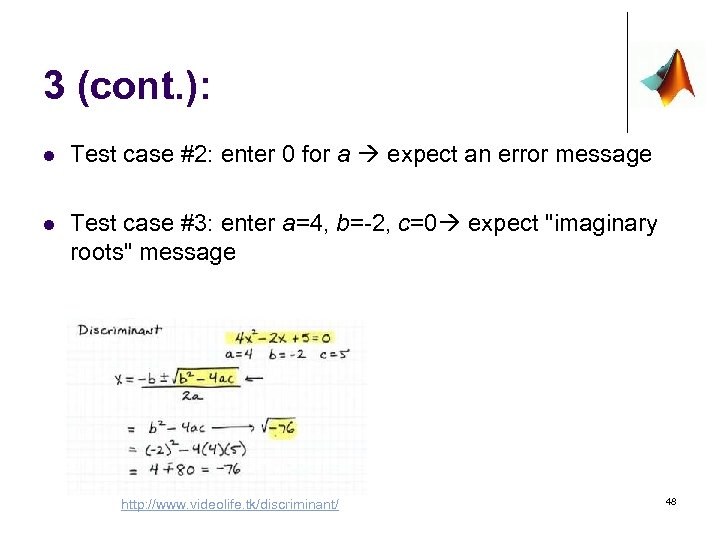 3 (cont. ): l Test case #2: enter 0 for a expect an error message l Test case #3: enter a=4, b=-2, c=0 expect "imaginary roots" message http: //www. videolife. tk/discriminant/ 48
 4: Computerize 4. 1 Algorithm l Describe the steps taken when the problem was manually solved. l This is more difficult than it seems. Humans perform actions subconsciously – we’re not even aware we are doing them! 49
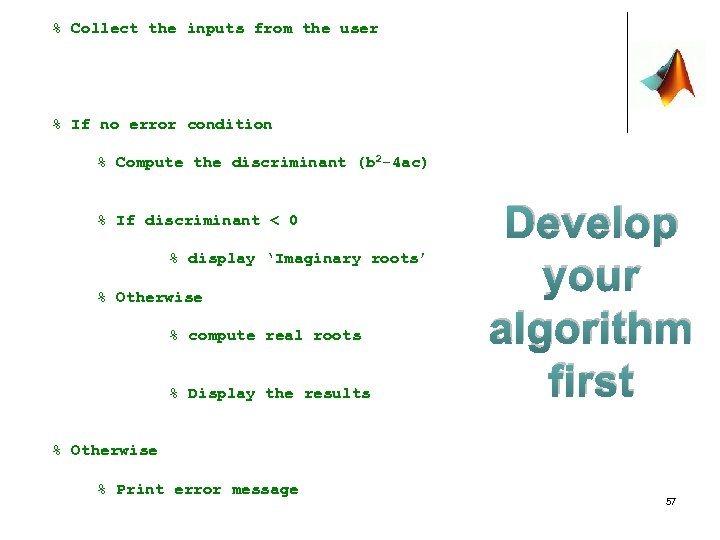
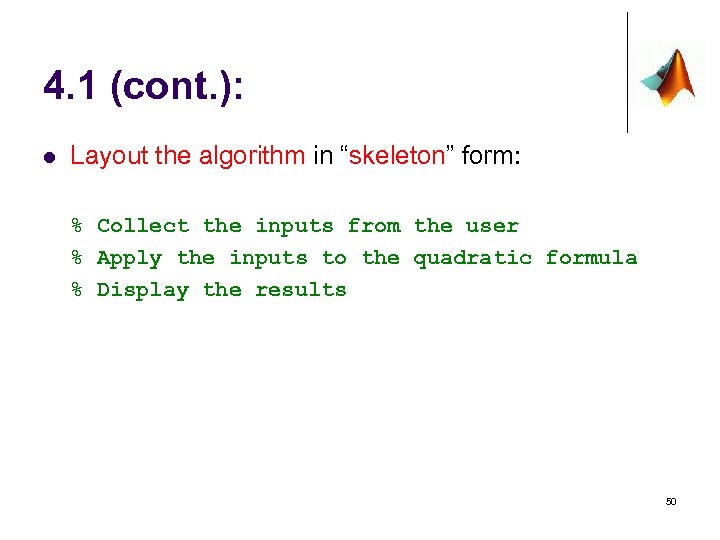 4. 1 (cont. ): l Layout the algorithm in “skeleton” form: % Collect the inputs from the user % Apply the inputs to the quadratic formula % Display the results 50
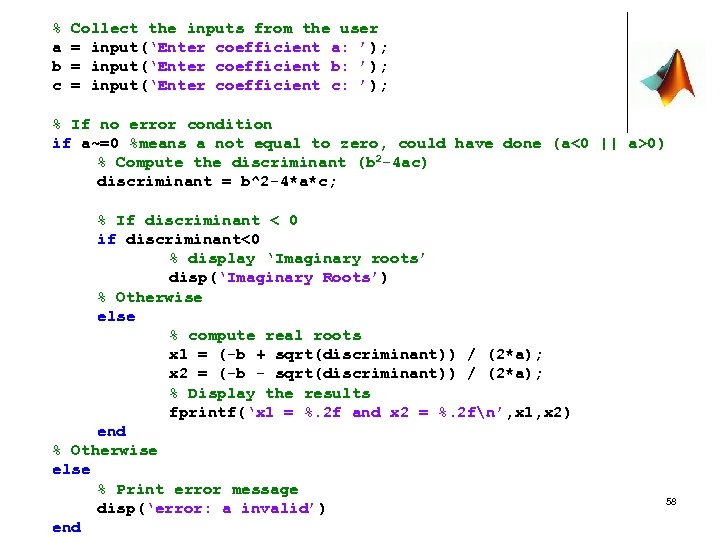
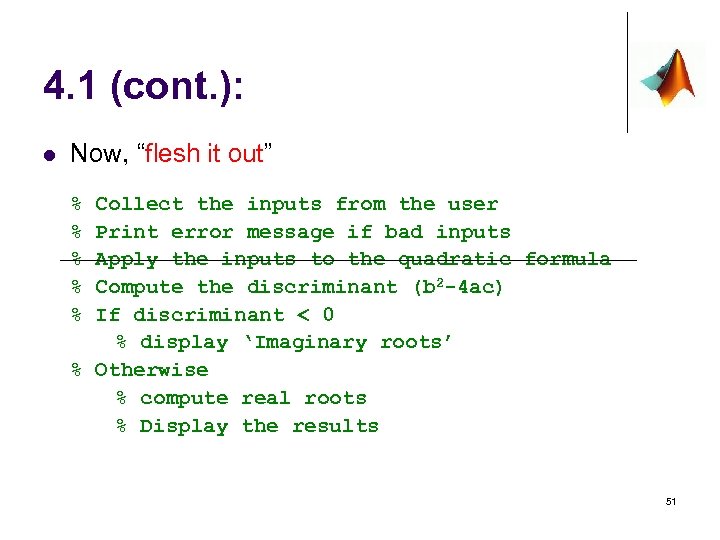 4. 1 (cont. ): l Now, “flesh it out” % % % Collect the inputs from the user Print error message if bad inputs Apply the inputs to the quadratic formula Compute the discriminant (b 2 -4 ac) If discriminant < 0 % display ‘Imaginary roots’ % Otherwise % compute real roots % Display the results 51
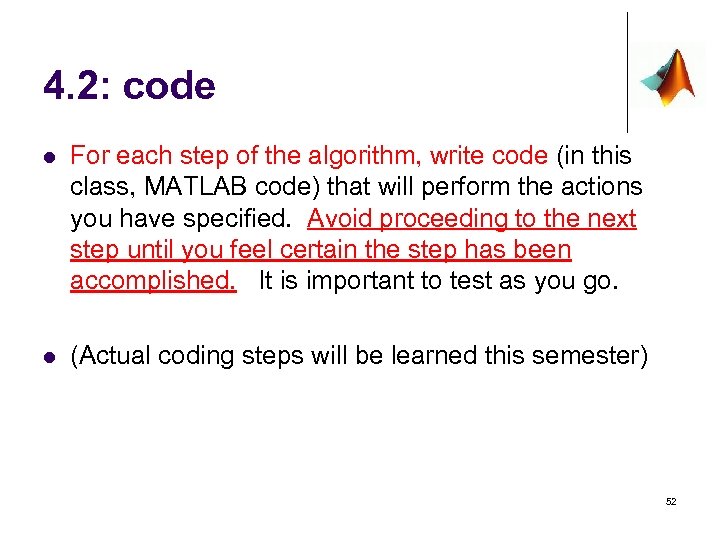 4. 2: code l For each step of the algorithm, write code (in this class, MATLAB code) that will perform the actions you have specified. Avoid proceeding to the next step until you feel certain the step has been accomplished. It is important to test as you go. l (Actual coding steps will be learned this semester) 52
 5: test, TEST!!! l It is provably impossible to write a computer program to test another arbitrary computer program for correctness. And it’s usually too time consuming to write a program that specifically tests the program we’re writing – so we resort to manual testing. l For complicated programs, it is not possible to test a program too thoroughly because it is not possible to test all inputs. And it may be worth writing that test program after all… l Choose inputs to maximize confidence that the solution written will work correctly. 53
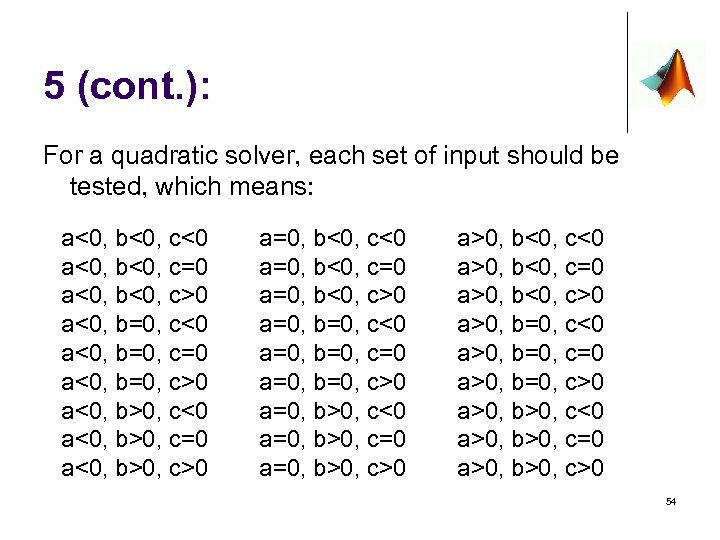 5 (cont. ): For a quadratic solver, each set of input should be tested, which means: a<0, b<0, c<0 a<0, b<0, c=0 a<0, b<0, c>0 a<0, b=0, c<0 a<0, b=0, c=0 a<0, b=0, c>0 a<0, b>0, c<0 a<0, b>0, c=0 a<0, b>0, c>0 a=0, b<0, c<0 a=0, b<0, c=0 a=0, b<0, c>0 a=0, b=0, c<0 a=0, b=0, c=0 a=0, b=0, c>0 a=0, b>0, c<0 a=0, b>0, c=0 a=0, b>0, c>0 a>0, b<0, c<0 a>0, b<0, c=0 a>0, b<0, c>0 a>0, b=0, c<0 a>0, b=0, c=0 a>0, b=0, c>0 a>0, b>0, c<0 a>0, b>0, c=0 a>0, b>0, c>0 54
 Step 5 (cont. ) Of course, with human ingenuity, change the design of the program (i. e. modify the algorithm) to avoid some of these: % If no error condition (such as a equal 0) % then compute the roots % Otherwise, just print the error message With this sort of technique, we can avoid having to test nearly 1/3 of the possibilities! 55
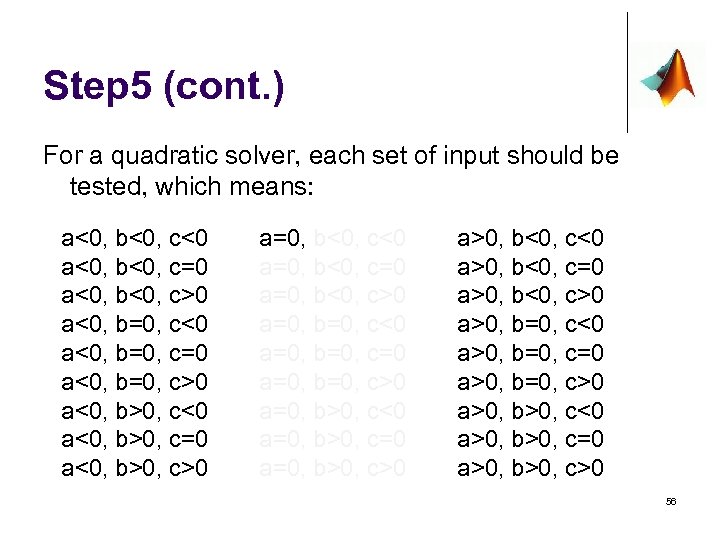 Step 5 (cont. ) For a quadratic solver, each set of input should be tested, which means: a<0, b<0, c<0 a<0, b<0, c=0 a<0, b<0, c>0 a<0, b=0, c<0 a<0, b=0, c=0 a<0, b=0, c>0 a<0, b>0, c<0 a<0, b>0, c=0 a<0, b>0, c>0 a=0, b<0, c<0 a=0, b<0, c=0 a=0, b<0, c>0 a=0, b=0, c<0 a=0, b=0, c=0 a=0, b=0, c>0 a=0, b>0, c<0 a=0, b>0, c=0 a=0, b>0, c>0 a>0, b<0, c<0 a>0, b<0, c=0 a>0, b<0, c>0 a>0, b=0, c<0 a>0, b=0, c=0 a>0, b=0, c>0 a>0, b>0, c<0 a>0, b>0, c=0 a>0, b>0, c>0 56
 % Collect the inputs from the user % If no error condition % Compute the discriminant (b 2 -4 ac) % If discriminant < 0 % display ‘Imaginary roots’ % Otherwise % compute real roots % Display the results Develop your algorithm first % Otherwise % Print error message 57
 % a b c Collect the inputs from the user = input(‘Enter coefficient a: ’); = input(‘Enter coefficient b: ’); = input(‘Enter coefficient c: ’); % If no error condition if a~=0 %means a not equal to zero, could have done (a<0 || a>0) % Compute the discriminant (b 2 -4 ac) discriminant = b^2 -4*a*c; % If discriminant < 0 if discriminant<0 % display ‘Imaginary roots’ disp(‘Imaginary Roots’) % Otherwise else % compute real roots x 1 = (-b + sqrt(discriminant)) / (2*a); x 2 = (-b - sqrt(discriminant)) / (2*a); % Display the results fprintf(‘x 1 = %. 2 f and x 2 = %. 2 fn’, x 1, x 2) end % Otherwise else % Print error message disp(‘error: a invalid’) end 58
 Wrapping Up l What are the 5 steps? l l l 1. State the problem l Do research if the problem is not clear enough 2. Identify the Inputs/Outputs (Givens/Results) l Create an I/O diagram l Which devices are used for each side? 3. Manually solve the problem 4. Computerize the solution l 4. 1 Set up the algorithm l 4. 2 Code 5. test, TEST!!! 59