


 Скачать презентацию Introduction to Computer Networks INTRODUCTION Learning outcomes
ca7c33597d4293c0601c061cd229b671.ppt
- Количество слайдов: 60
 Introduction to Computer Networks INTRODUCTION
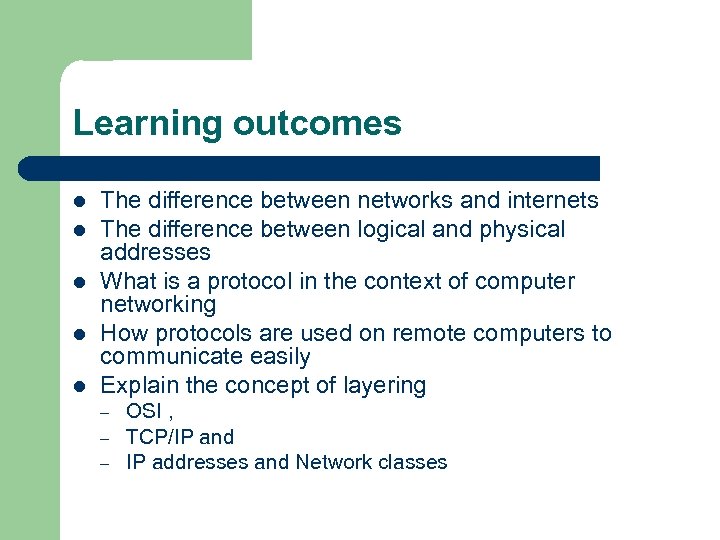 Learning outcomes l l l The difference between networks and internets The difference between logical and physical addresses What is a protocol in the context of computer networking How protocols are used on remote computers to communicate easily Explain the concept of layering – – – OSI , TCP/IP and IP addresses and Network classes
 Reading l l l Joe Casad, Teach Yourself TCP/IP, Chs 1 -2 William Buchana, Mastering the Internet, Ch. 3 Neil Briscoe, Understanding the 7 -layer OSI model, July 2000. – l http: //pcnetworkadvisor. com Julian Moss, Understanding TCP/IP (first part September 1997) – http: //pcnetworkadvisor. com
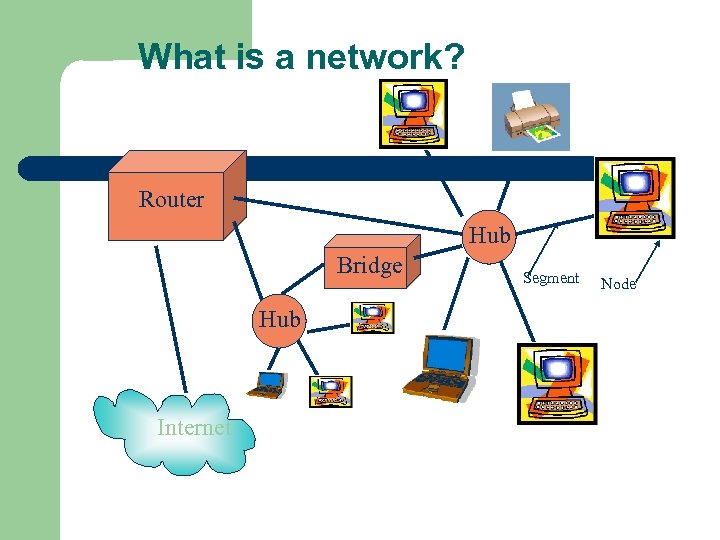 What is a network? Router Hub Bridge Hub Internet Segment Node
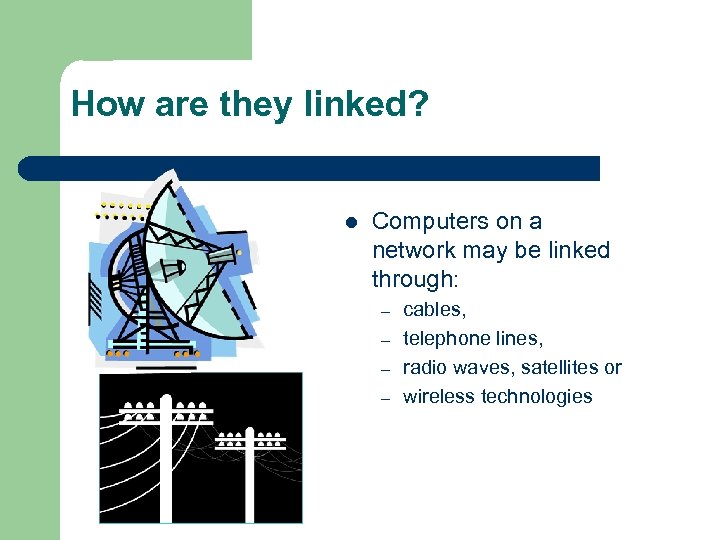 How are they linked? l Computers on a network may be linked through: – – cables, telephone lines, radio waves, satellites or wireless technologies
 Introduction to Computer Networks Applications of Networks Resource Sharing Hardware (computing resources, disks, printers) Software (application software) Information Sharing Easy accessibility from anywhere (files, databases) Search Capability (WWW) Communication Email Message broadcast Remote computing Distributed processing (GRID Computing)
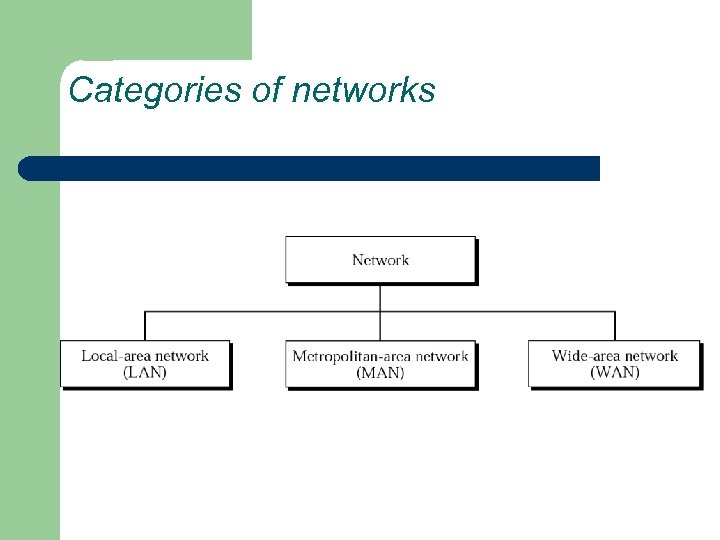 Categories of networks
 Local Area Network • A LAN is a network that is used for communicating among computer devices, usually within an office building or home • LAN’s enable the sharing of resources such as files or hardware devices that may be needed by multiple users • Is limited in size, typically spanning a few hundred meters, and no more than a mile • Is very fast, with speeds from 10 Mbps to 10 Gbps • Requires very little wiring, typically a single cable connecting to each device • Has lower cost compared to MAN’s or WAN’s
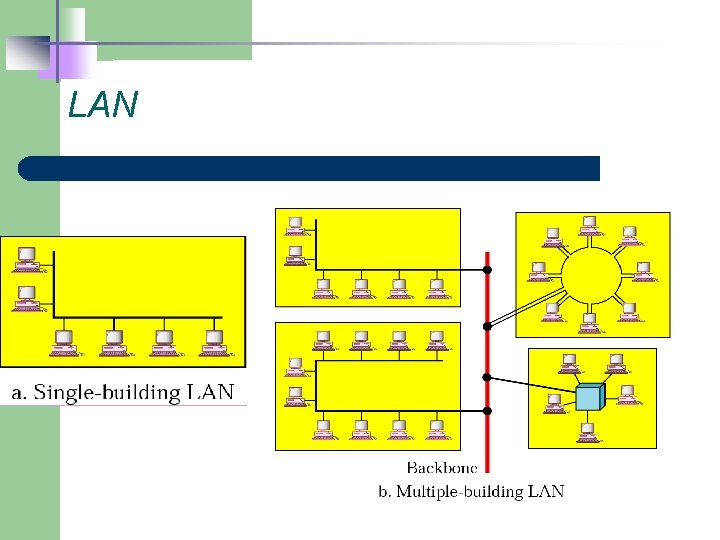 LAN
LAN
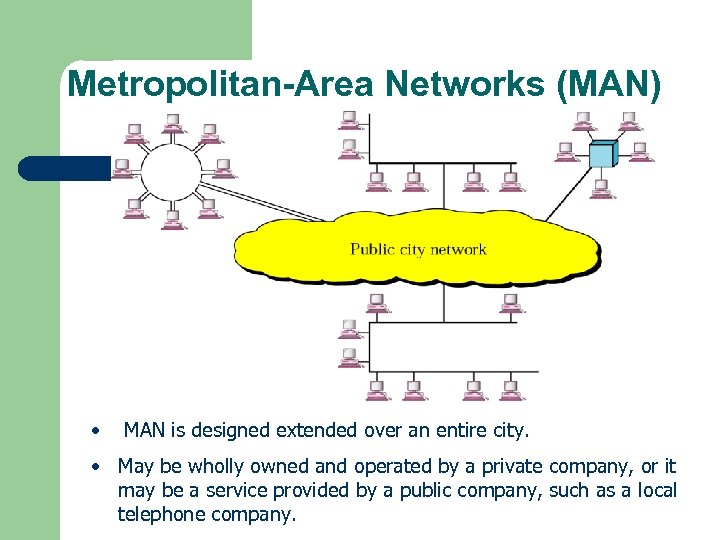 Metropolitan-Area Networks (MAN) • MAN is designed extended over an entire city. • May be wholly owned and operated by a private company, or it may be a service provided by a public company, such as a local telephone company.
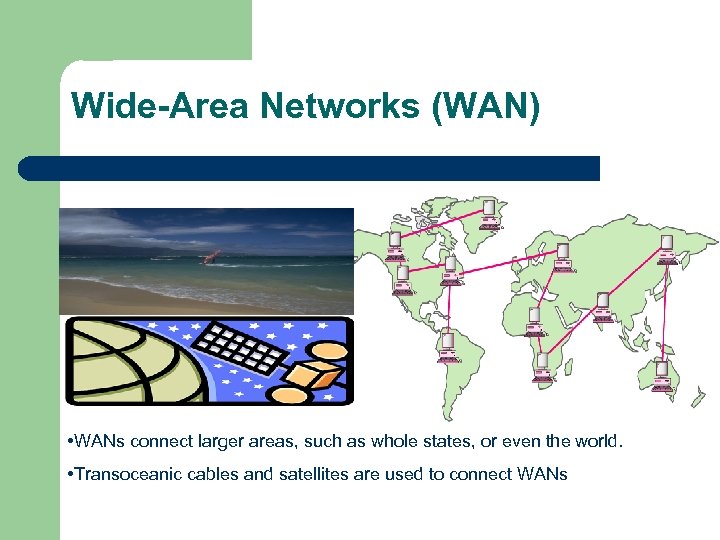 Wide-Area Networks (WAN) • WANs connect larger areas, such as whole states, or even the world. • Transoceanic cables and satellites are used to connect WANs
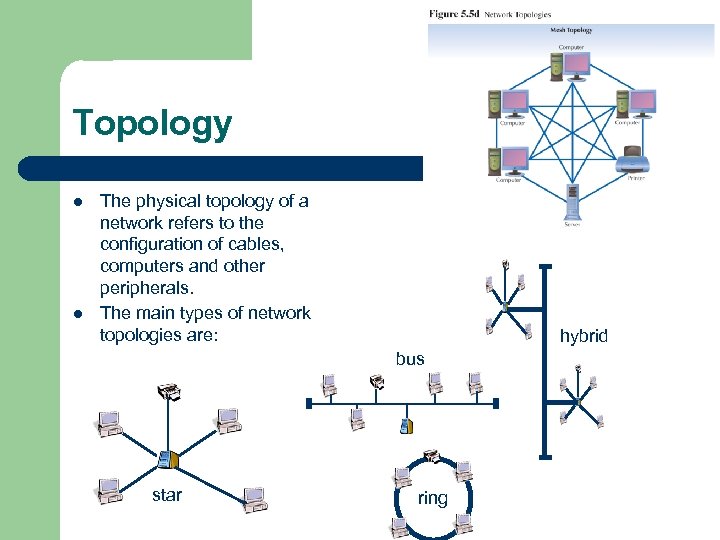 Topology l l The physical topology of a network refers to the configuration of cables, computers and other peripherals. The main types of network topologies are: star hybrid bus ring
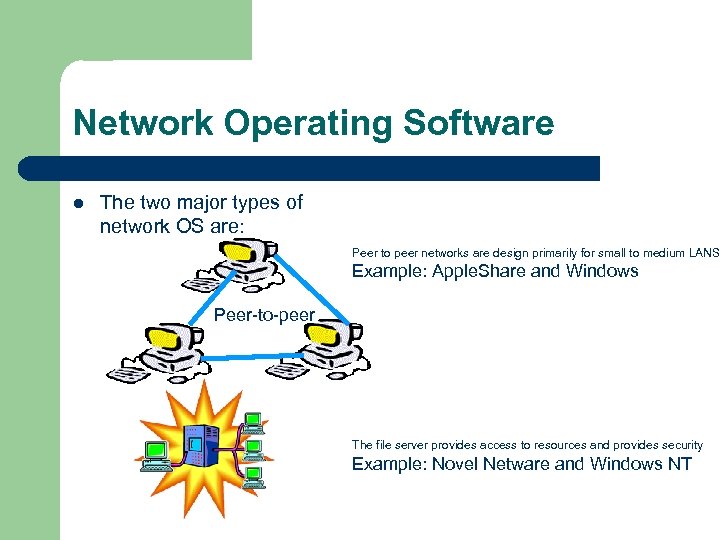 Network Operating Software l The two major types of network OS are: Peer to peer networks are design primarily for small to medium LANS Example: Apple. Share and Windows Peer-to-peer The file server provides access to resources and provides security Example: Novel Netware and Windows NT
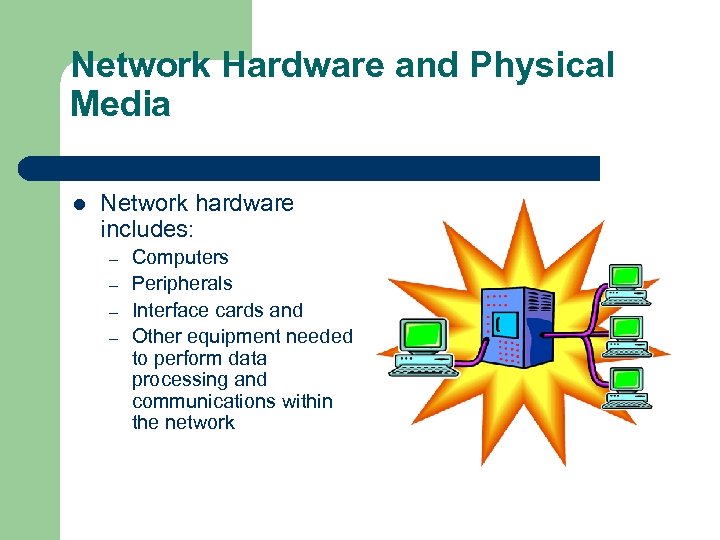 Network Hardware and Physical Media l Network hardware includes: – – Computers Peripherals Interface cards and Other equipment needed to perform data processing and communications within the network
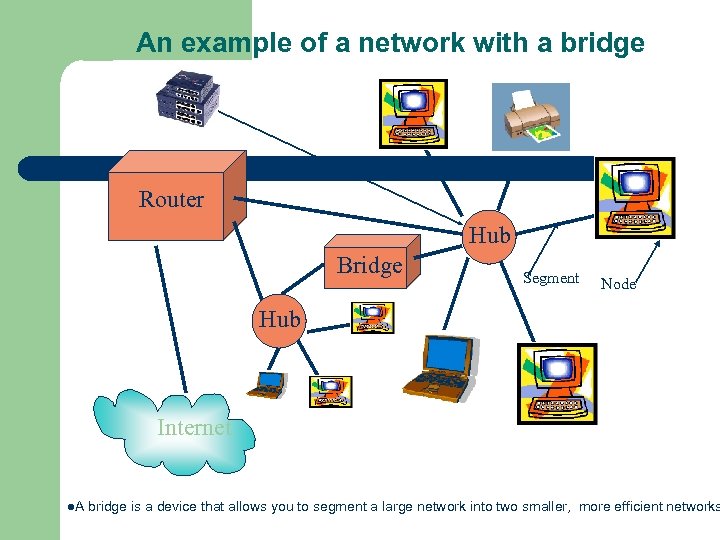 An example of a network with a bridge Router Hub Bridge Segment Node Hub Internet l. A bridge is a device that allows you to segment a large network into two smaller, more efficient networks
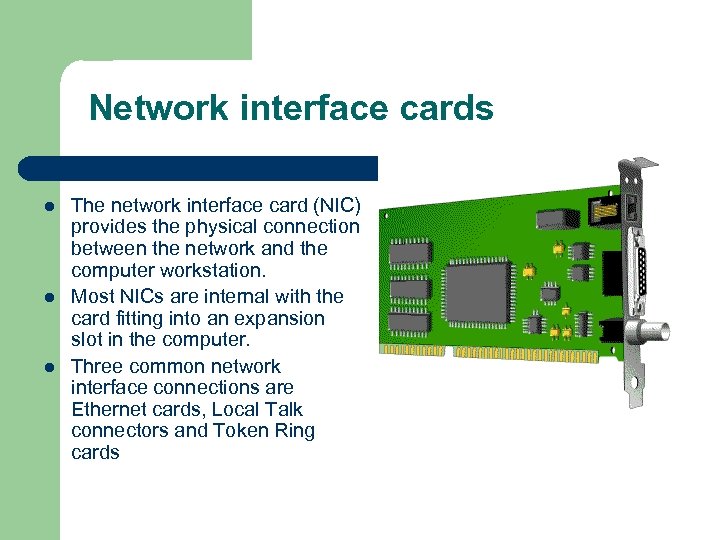 Network interface cards l l l The network interface card (NIC) provides the physical connection between the network and the computer workstation. Most NICs are internal with the card fitting into an expansion slot in the computer. Three common network interface connections are Ethernet cards, Local Talk connectors and Token Ring cards
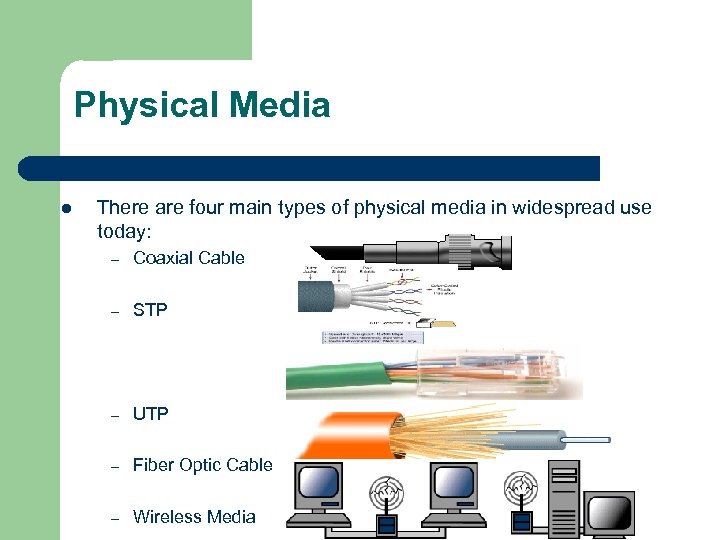 Physical Media l There are four main types of physical media in widespread use today: – Coaxial Cable – STP – UTP – Fiber Optic Cable – Wireless Media
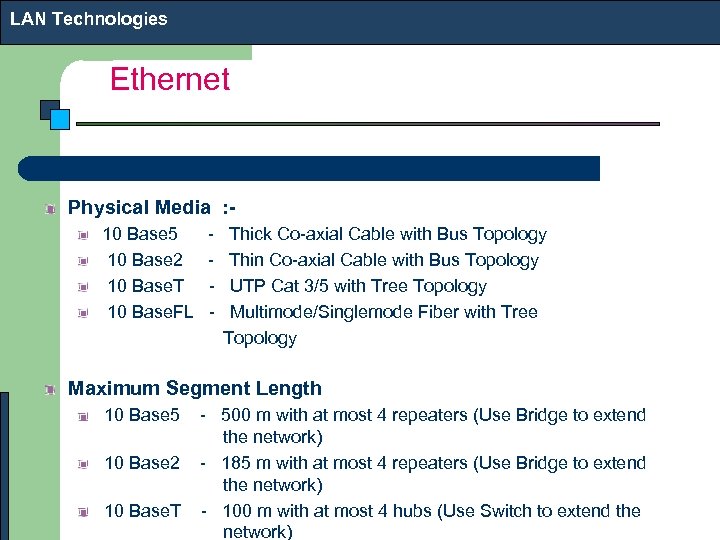 LAN Technologies Ethernet Physical Media : 10 Base 5 - Thick Co-axial Cable with Bus Topology 10 Base 2 - Thin Co-axial Cable with Bus Topology 10 Base. T - UTP Cat 3/5 with Tree Topology 10 Base. FL - Multimode/Singlemode Fiber with Tree Topology Maximum Segment Length 10 Base 5 - 500 m with at most 4 repeaters (Use Bridge to extend the network) 10 Base 2 - 185 m with at most 4 repeaters (Use Bridge to extend the network) 10 Base. T - 100 m with at most 4 hubs (Use Switch to extend the network)
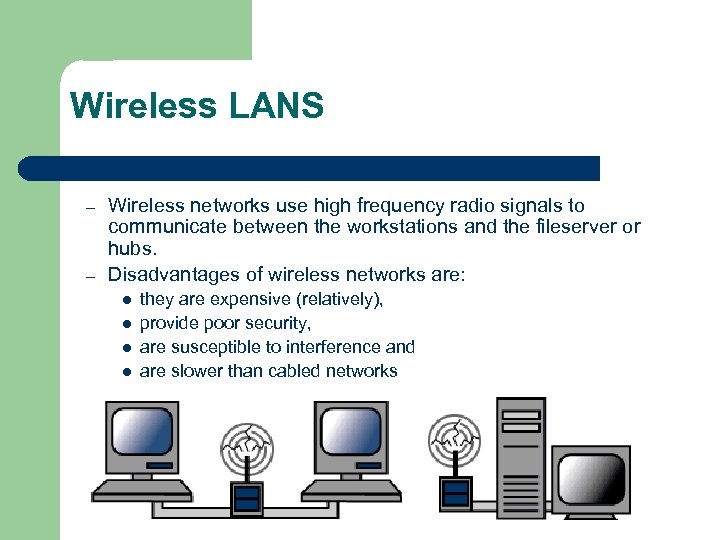 Wireless LANS – – Wireless networks use high frequency radio signals to communicate between the workstations and the fileserver or hubs. Disadvantages of wireless networks are: l l they are expensive (relatively), provide poor security, are susceptible to interference and are slower than cabled networks
 Layering in Networked computing l l l OSI Model TCP/IP Model Protocols at each layer
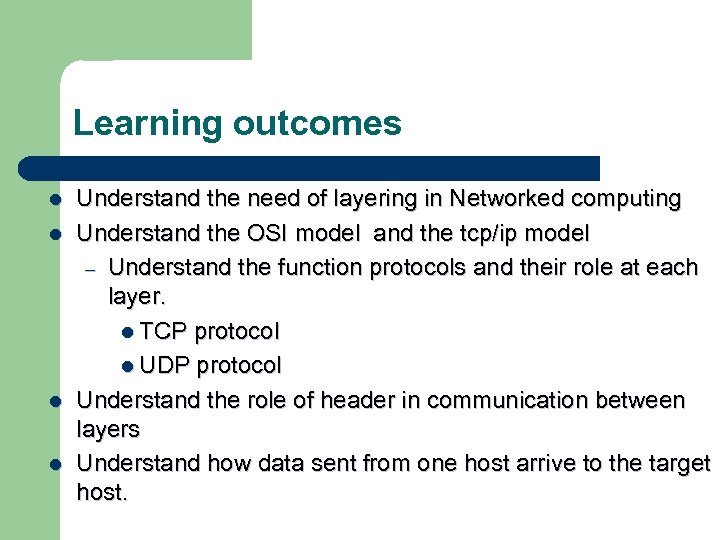 Learning outcomes l l Understand the need of layering in Networked computing Understand the OSI model and the tcp/ip model – Understand the function protocols and their role at each layer. l TCP protocol l UDP protocol Understand the role of header in communication between layers Understand how data sent from one host arrive to the target host.
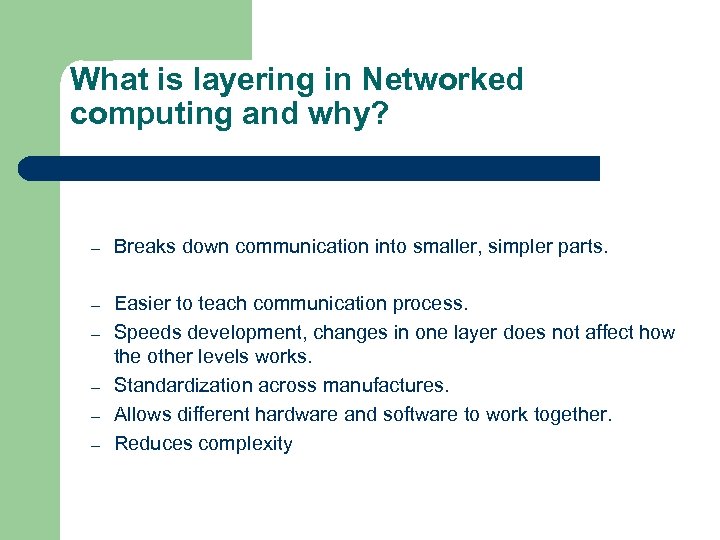 What is layering in Networked computing and why? – Breaks down communication into smaller, simpler parts. – Easier to teach communication process. Speeds development, changes in one layer does not affect how the other levels works. Standardization across manufactures. Allows different hardware and software to work together. Reduces complexity – –
 The OSI Reference Model
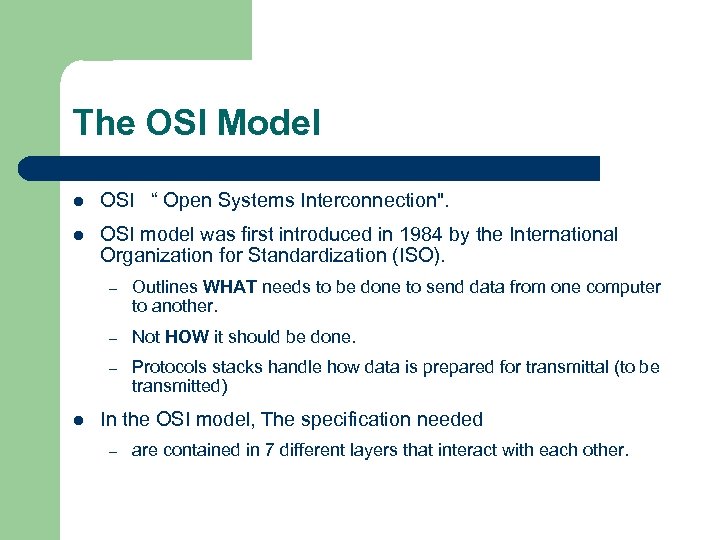 The OSI Model l OSI “ Open Systems Interconnection". l OSI model was first introduced in 1984 by the International Organization for Standardization (ISO). – – Not HOW it should be done. – l Outlines WHAT needs to be done to send data from one computer to another. Protocols stacks handle how data is prepared for transmittal (to be transmitted) In the OSI model, The specification needed – are contained in 7 different layers that interact with each other.
 What is “THE MODEL? ” l Commonly referred to as the OSI reference model. l The OSI model – is a theoretical blueprint that helps us understand how data gets from one user’s computer to another. – It is also a model that helps develop standards so that all of our hardware and software talks nicely to each other. – It aids standardization of networking technologies by providing an organized structure for hardware and software developers to follow, to insure there products are compatible with current and future technologies.
 7 Layer OSI Model l Why use a reference model? – – l Serves as an outline of rules for how protocols can be used to allow communication between computers. Each layer has its own function and provides support to other layers. Other reference models are in use. – – Most well known is the TCP/IP reference model. We will compare OSI and TCP/IP models l As computing requirements increased, the network modeling had to evolve to meet ever increasing demands of larger networks and multiple venders. l Problems and technology advances also added to the demands for changes in network modeling.
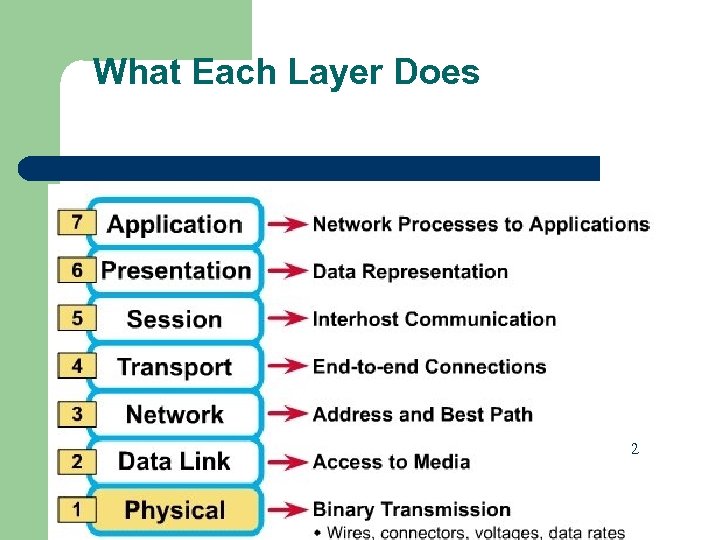 What Each Layer Does 2
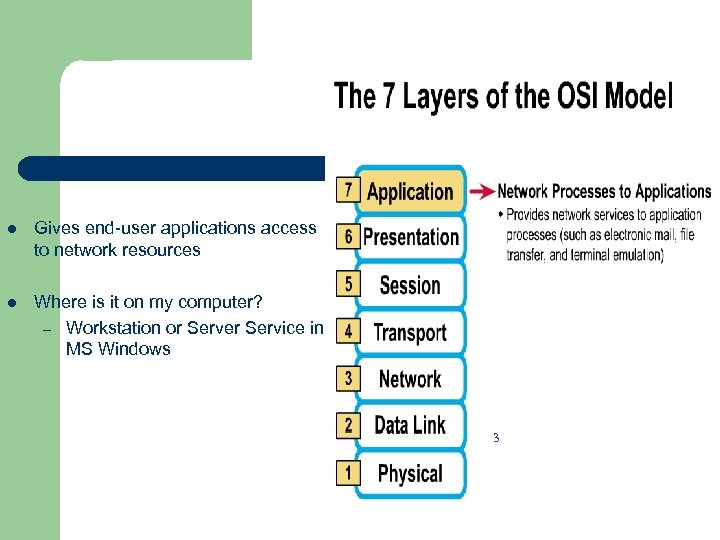 l Gives end-user applications access to network resources l Where is it on my computer? – Workstation or Server Service in MS Windows 3
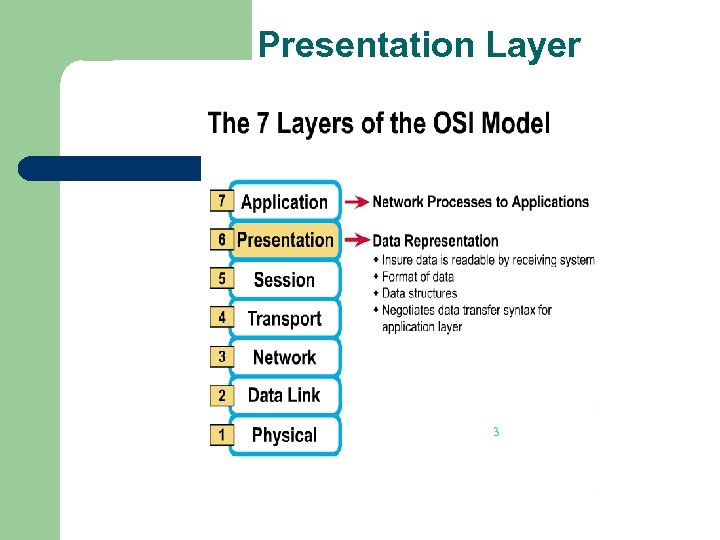 Presentation Layer 3
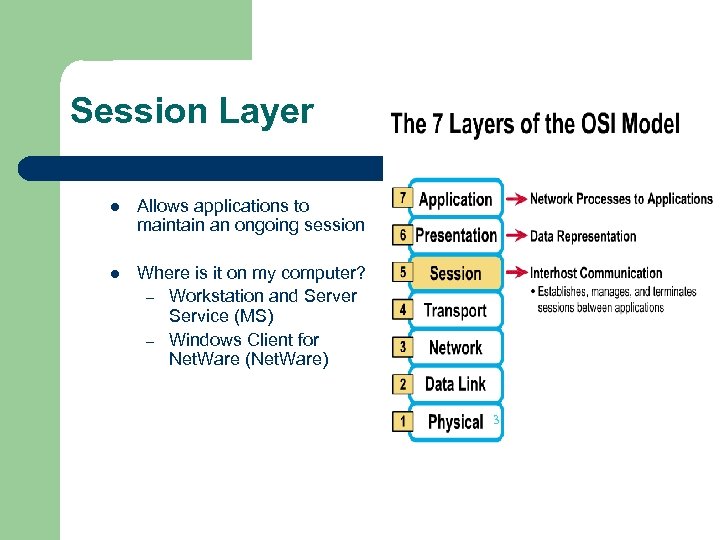 Session Layer l Allows applications to maintain an ongoing session l Where is it on my computer? – Workstation and Server Service (MS) – Windows Client for Net. Ware (Net. Ware) 3
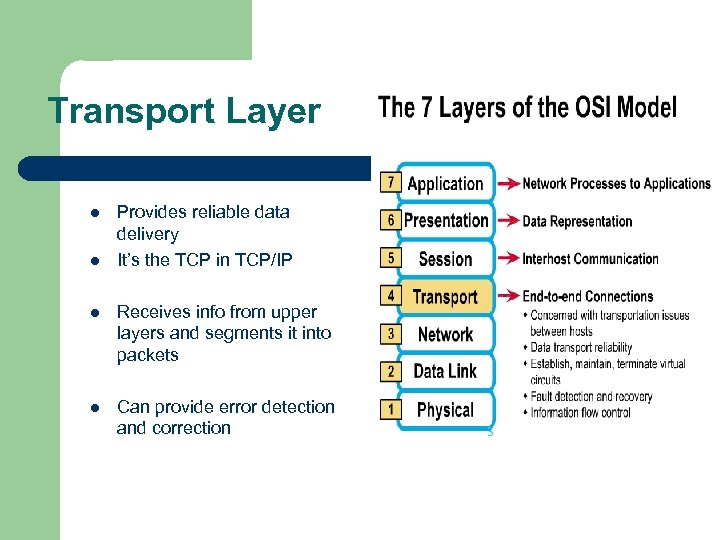 Transport Layer l l Provides reliable data delivery It’s the TCP in TCP/IP l Receives info from upper layers and segments it into packets l Can provide error detection and correction 3
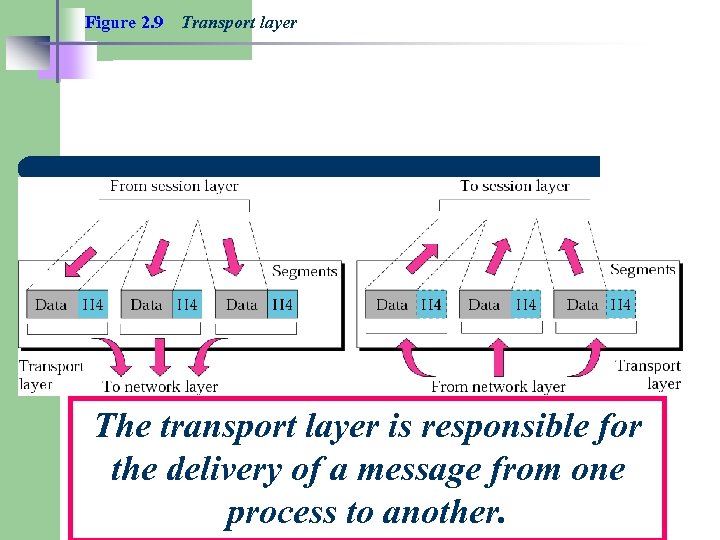 Figure 2. 9 Transport layer The transport layer is responsible for the delivery of a message from one process to another.
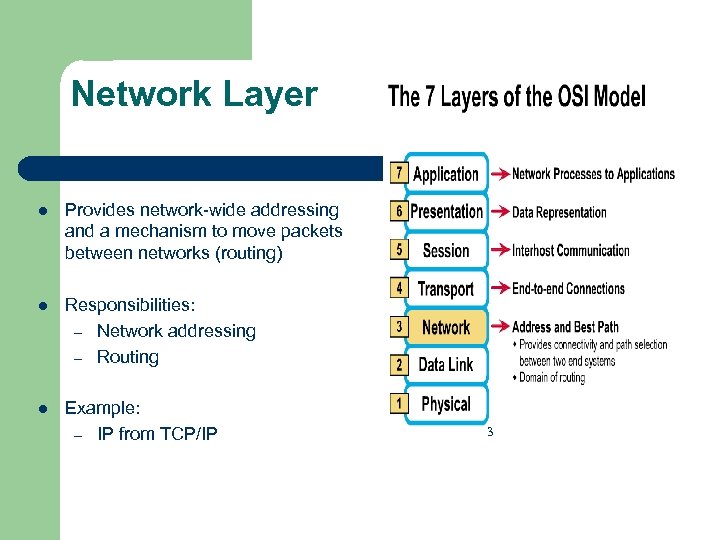 Network Layer l Provides network-wide addressing and a mechanism to move packets between networks (routing) l Responsibilities: – Network addressing – Routing l Example: – IP from TCP/IP 3
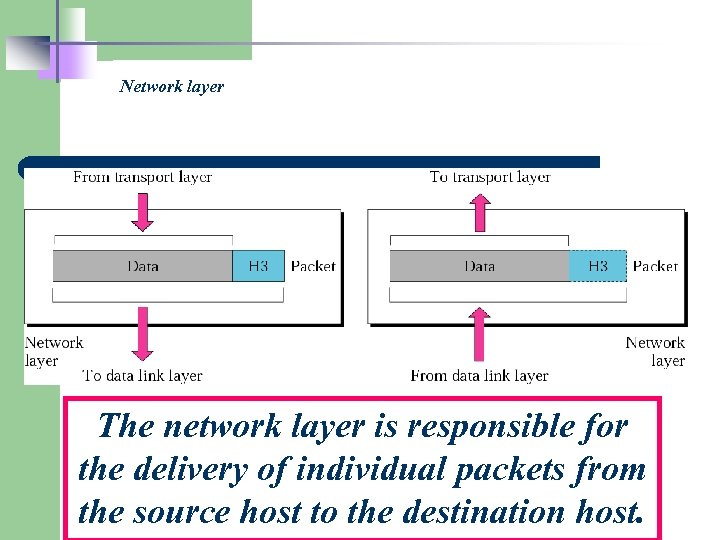 Network layer The network layer is responsible for the delivery of individual packets from the source host to the destination host.
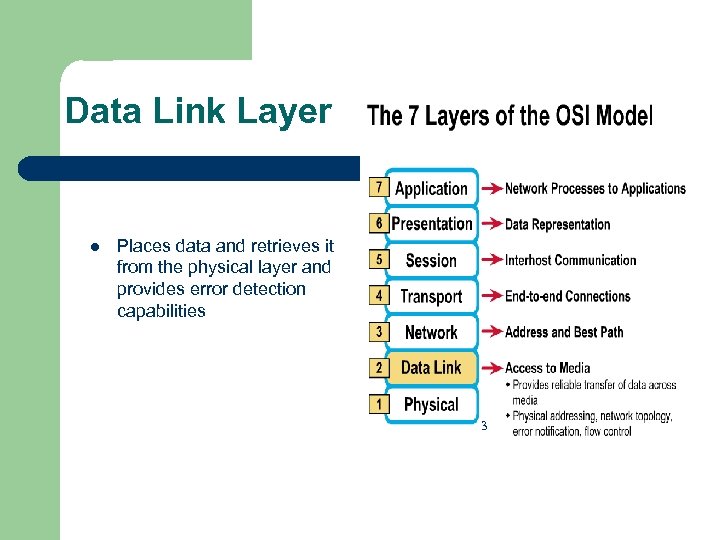 Data Link Layer l Places data and retrieves it from the physical layer and provides error detection capabilities 3
 Sub-layers of the Data Link Layer l MAC (Media Access Control) – – l Gives data to the NIC Controls access to the media through: l CSMA/CD Carrier Sense Multiple Access/Collision Detection l Token passing LLC (Logical Link Layer) – – Manages the data link interface (or Service Access Points (SAPs)) Can detect some transmission errors using a Cyclic Redundancy Check (CRC). If the packet is bad the LLC will request the sender to resend that particular packet.
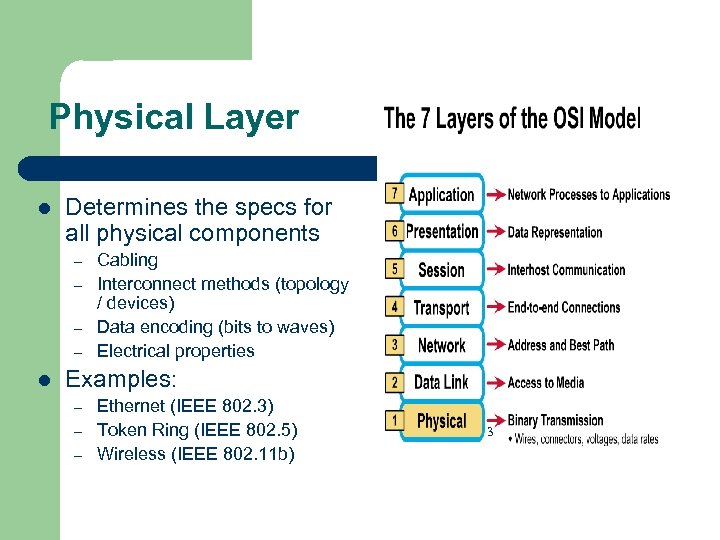 Physical Layer l Determines the specs for all physical components – – l Cabling Interconnect methods (topology / devices) Data encoding (bits to waves) Electrical properties Examples: – – – Ethernet (IEEE 802. 3) Token Ring (IEEE 802. 5) Wireless (IEEE 802. 11 b) 3
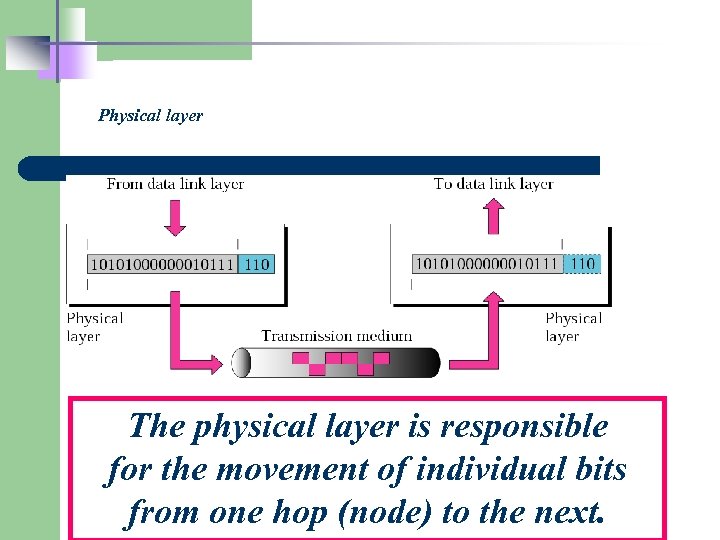 Physical layer The physical layer is responsible for the movement of individual bits from one hop (node) to the next.
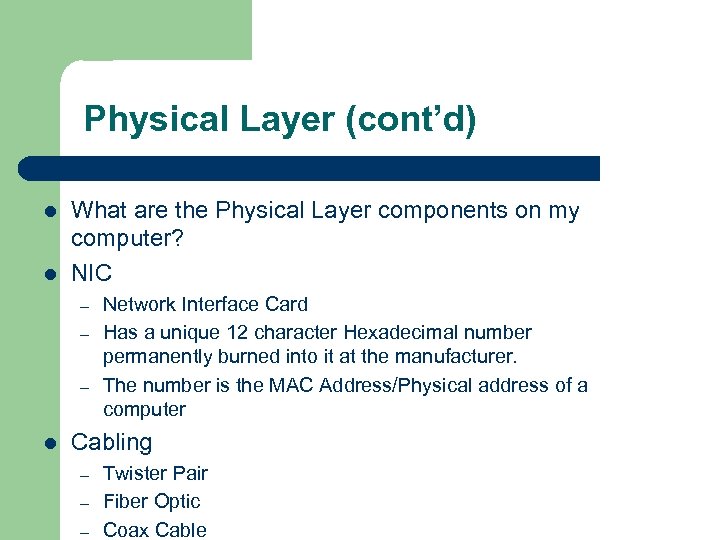 Physical Layer (cont’d) l l What are the Physical Layer components on my computer? NIC – – – l Network Interface Card Has a unique 12 character Hexadecimal number permanently burned into it at the manufacturer. The number is the MAC Address/Physical address of a computer Cabling – – – Twister Pair Fiber Optic Coax Cable
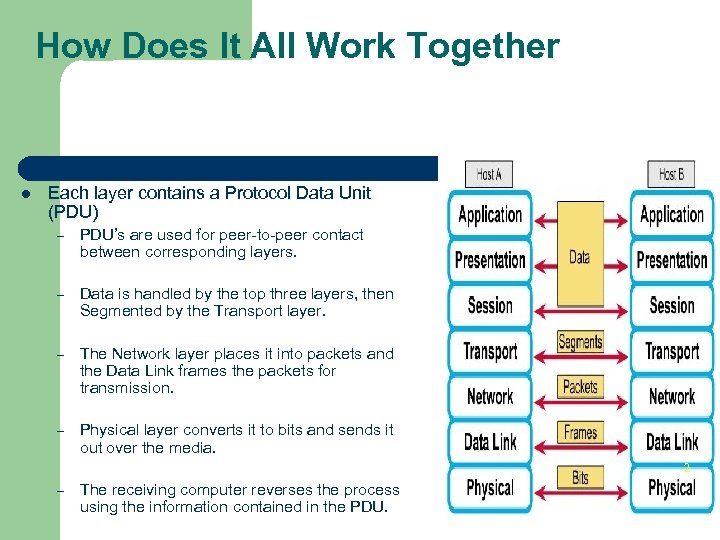 How Does It All Work Together l Each layer contains a Protocol Data Unit (PDU) – PDU’s are used for peer-to-peer contact between corresponding layers. – Data is handled by the top three layers, then Segmented by the Transport layer. – The Network layer places it into packets and the Data Link frames the packets for transmission. – Physical layer converts it to bits and sends it out over the media. 2 – The receiving computer reverses the process using the information contained in the PDU.
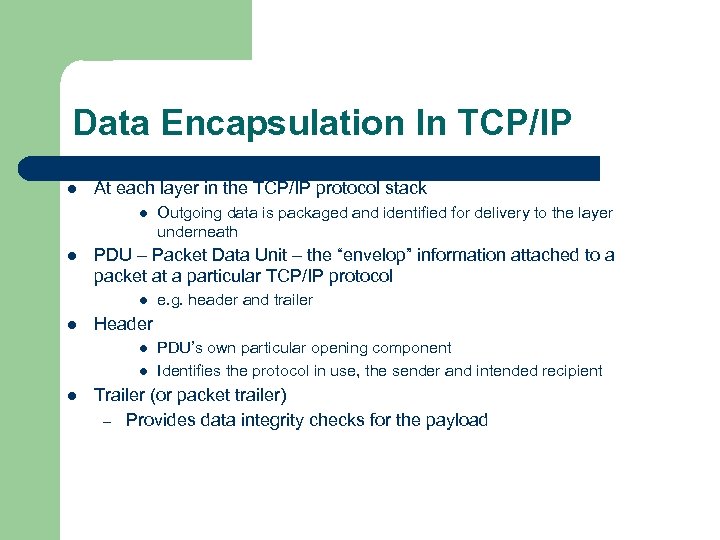 Data Encapsulation In TCP/IP l At each layer in the TCP/IP protocol stack l l PDU – Packet Data Unit – the “envelop” information attached to a packet at a particular TCP/IP protocol l l e. g. header and trailer Header l l l Outgoing data is packaged and identified for delivery to the layer underneath PDU’s own particular opening component Identifies the protocol in use, the sender and intended recipient Trailer (or packet trailer) – Provides data integrity checks for the payload
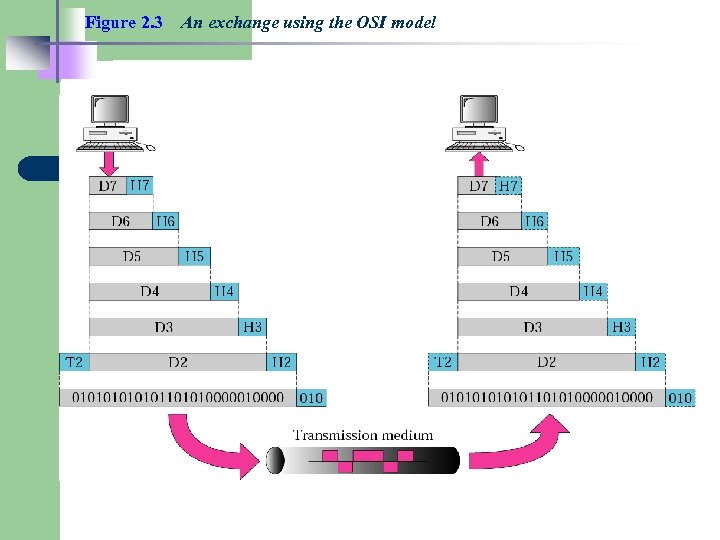 Figure 2. 3 An exchange using the OSI model
 TCP/IP model development l l The late-60 s The Defense Advance Research Projects Agency (DARPA) originally developed Transmission Control Protocol/Internet Protocol (TCP/IP) to interconnect various defense department computer networks. The Internet, an International Wide Area Network, uses TCP/IP to connect networks across the world.
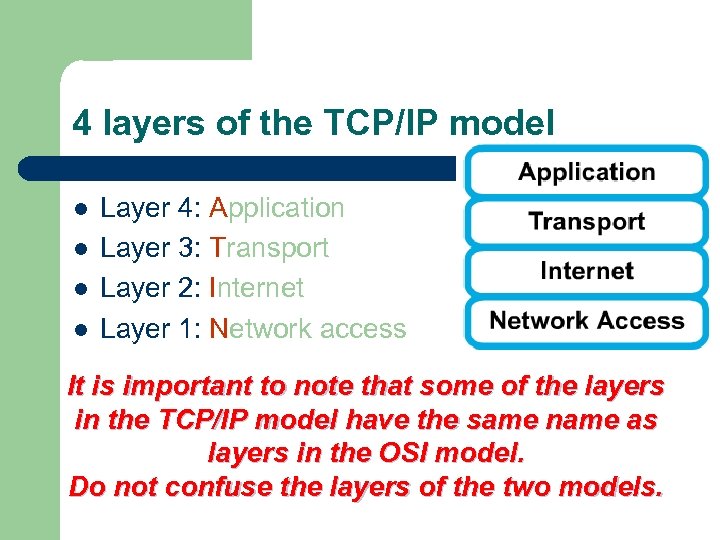 4 layers of the TCP/IP model l l Layer 4: Application Layer 3: Transport Layer 2: Internet Layer 1: Network access It is important to note that some of the layers in the TCP/IP model have the same name as layers in the OSI model. Do not confuse the layers of the two models.
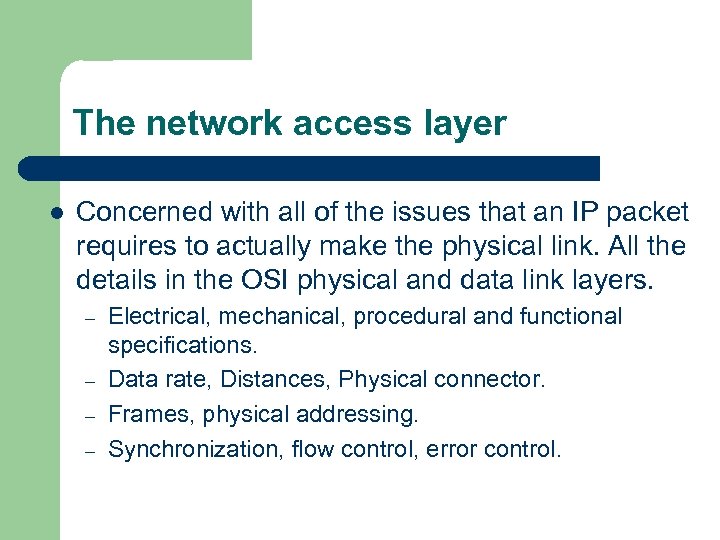 The network access layer l Concerned with all of the issues that an IP packet requires to actually make the physical link. All the details in the OSI physical and data link layers. – – Electrical, mechanical, procedural and functional specifications. Data rate, Distances, Physical connector. Frames, physical addressing. Synchronization, flow control, error control.
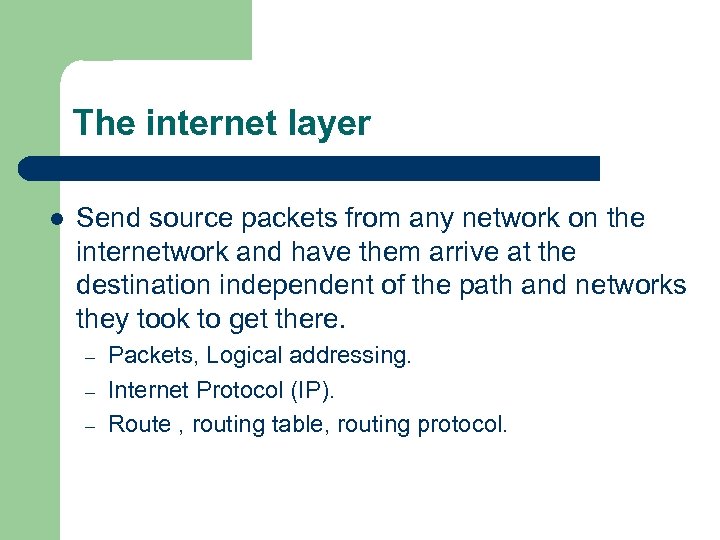 The internet layer l Send source packets from any network on the internetwork and have them arrive at the destination independent of the path and networks they took to get there. – – – Packets, Logical addressing. Internet Protocol (IP). Route , routing table, routing protocol.
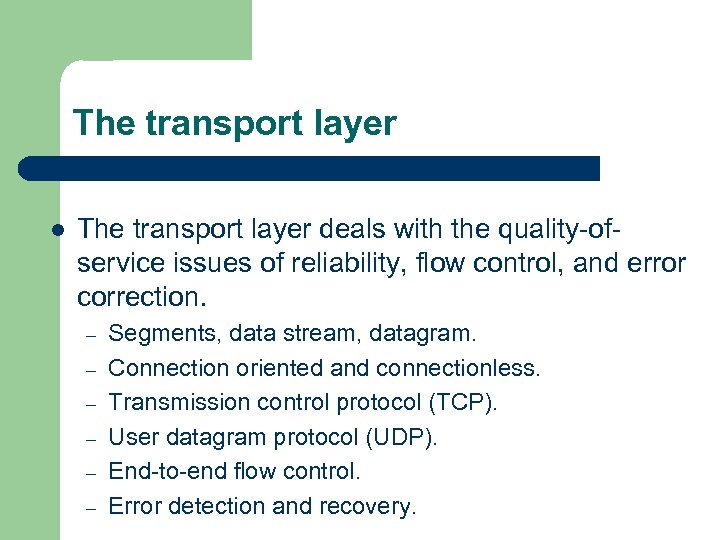 The transport layer l The transport layer deals with the quality-ofservice issues of reliability, flow control, and error correction. – – – Segments, data stream, datagram. Connection oriented and connectionless. Transmission control protocol (TCP). User datagram protocol (UDP). End-to-end flow control. Error detection and recovery.
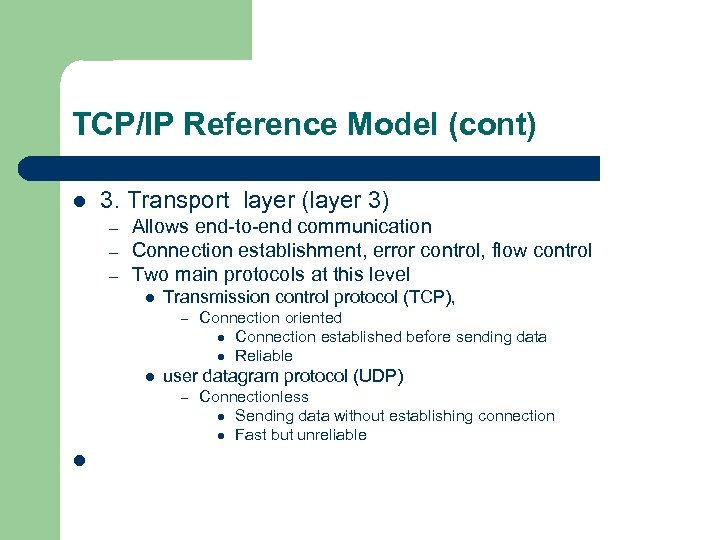 TCP/IP Reference Model (cont) l 3. Transport layer (layer 3) – – – Allows end-to-end communication Connection establishment, error control, flow control Two main protocols at this level l Transmission control protocol (TCP), – l user datagram protocol (UDP) – l Connection oriented l Connection established before sending data l Reliable Connectionless l Sending data without establishing connection l Fast but unreliable
 The application layer l l Handles high-level protocols, issues of representation, encoding, and dialog control. The TCP/IP combines all application-related issues into one layer, and assures this data is properly packaged for the next layer. – – – FTP, HTTP, SMTP, POP 3 Format of data, data structure, encode … Dialog control, session management …
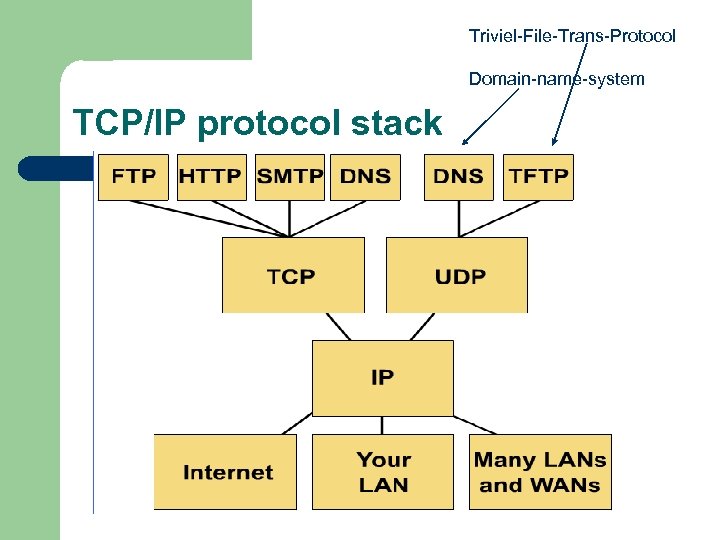 Triviel-File-Trans-Protocol Domain-name-system TCP/IP protocol stack
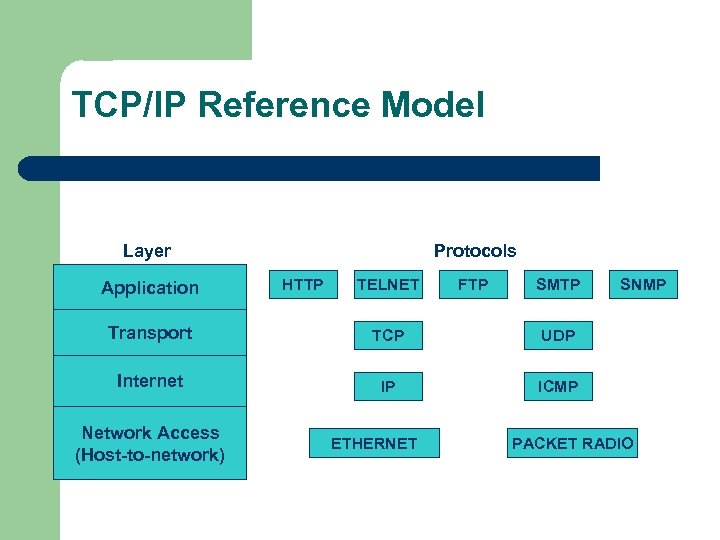 TCP/IP Reference Model Layer Application Protocols HTTP TELNET FTP SMTP Transport TCP UDP Internet IP SNMP ICMP Network Access (Host-to-network) ETHERNET PACKET RADIO
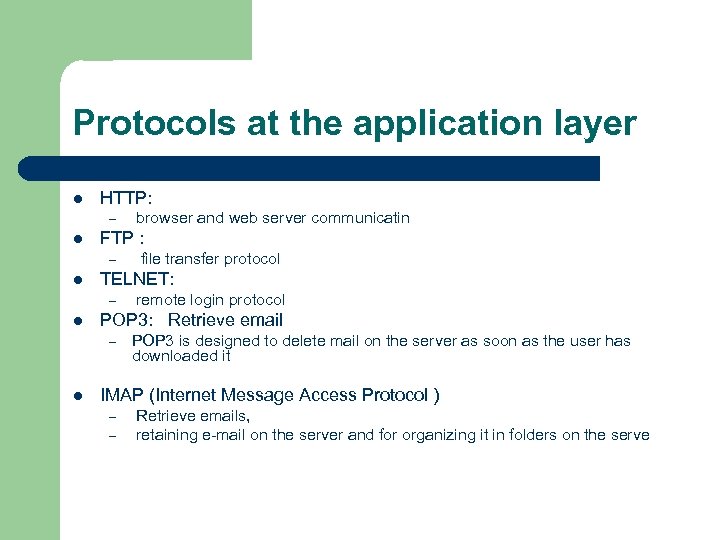 Protocols at the application layer l HTTP: – l FTP : – l remote login protocol POP 3: Retrieve email – l file transfer protocol TELNET: – l browser and web server communicatin POP 3 is designed to delete mail on the server as soon as the user has downloaded it IMAP (Internet Message Access Protocol ) – – Retrieve emails, retaining e-mail on the server and for organizing it in folders on the serve
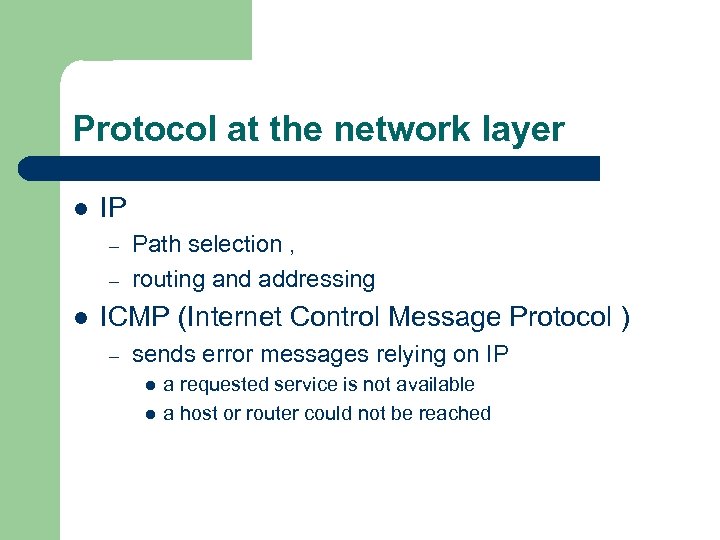 Protocol at the network layer l IP – – l Path selection , routing and addressing ICMP (Internet Control Message Protocol ) – sends error messages relying on IP l l a requested service is not available a host or router could not be reached
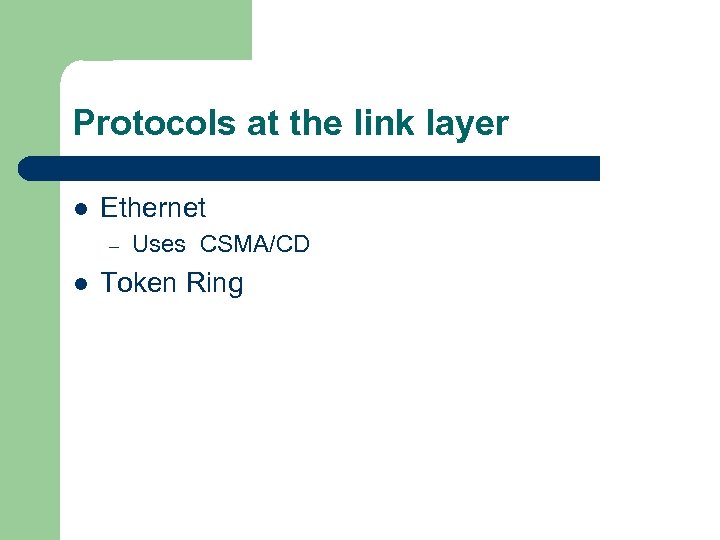 Protocols at the link layer l Ethernet – l Uses CSMA/CD Token Ring
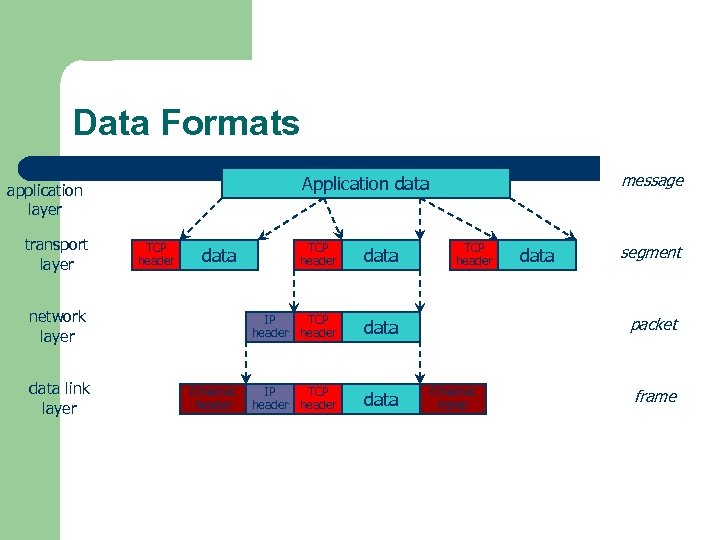 Data Formats transport layer TCP header Ethernet header TCP header data IP TCP header data network layer data link layer message Application data application layer data IP TCP header data segment packet Ethernet trailer frame
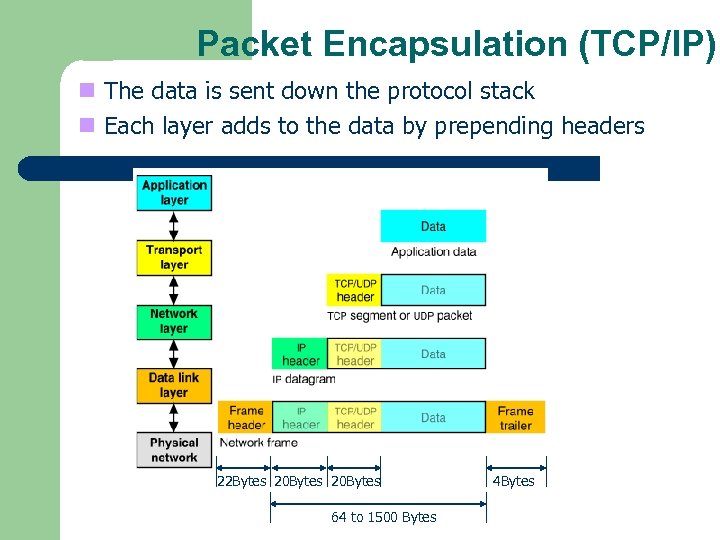 Packet Encapsulation (TCP/IP) n The data is sent down the protocol stack n Each layer adds to the data by prepending headers 22 Bytes 20 Bytes 64 to 1500 Bytes 4 Bytes
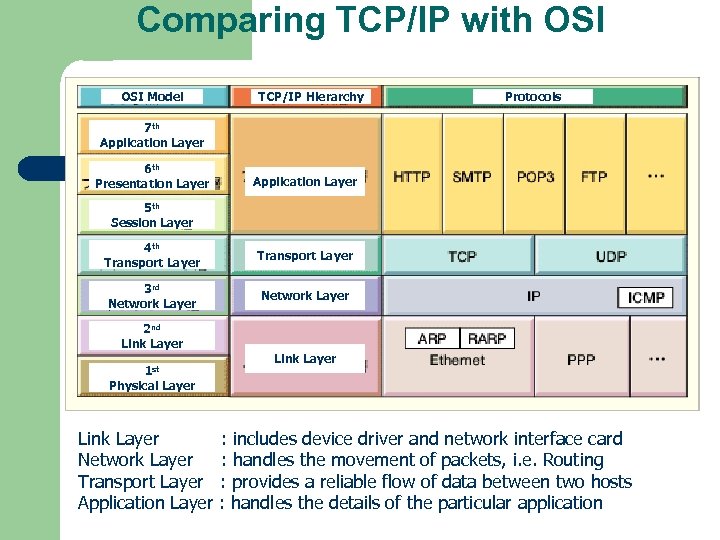 Comparing TCP/IP with OSI Model TCP/IP Hierarchy Protocols 7 th Application Layer 6 th Presentation Layer Application Layer 5 th Session Layer 4 th Transport Layer 3 rd Network Layer 2 nd Link Layer 1 st Physical Layer Link Layer Network Layer Transport Layer Application Layer Link Layer : includes device driver and network interface card : handles the movement of packets, i. e. Routing : provides a reliable flow of data between two hosts : handles the details of the particular application
 Port 0 Port 1 Ports Port 65535 r Each host has 65, 536 ports r 20, 21: FTP r 23: Telnet r 80: HTTP r A socket provides an interface to send data to/from the network through a port
 Protocols l l For a great graphic of protocol stacks in relationship to the OSI model, visit http: //www. lex -con. com/osimodel. htm For more information on the OSI model, including an animated graphic and various protocol information, visit http: //www. certyourself. com/OSIguide. shtml
 Reading 1 http: //www. howtheosimodelworks. com , Charles C. Botsford, 2001. 2 https: //cisconetacad. net, Cisco Academy Connection Editors, 2002. 3 http: //www. hawkclan. com/zxonly/iso/slide 2. html 4 http: //www. pku. edu. cn/academic/research/computercenter/tc/html/TC 0102. html, William L. Whipple & Sharla Riead, 1997. 5 http: //www. lex-con. com/protocols/ip. htm, Lexicon Computing, Dallas TX, 2002