


 Скачать презентацию Introduction To Computer Hardware In this section of
97fbbd14fe70cdbdcc5f4f4d6dc650a1.ppt
- Количество слайдов: 53
 Introduction To Computer Hardware In this section of notes you will learn what are the basic parts of a computer and how they work. James Tam
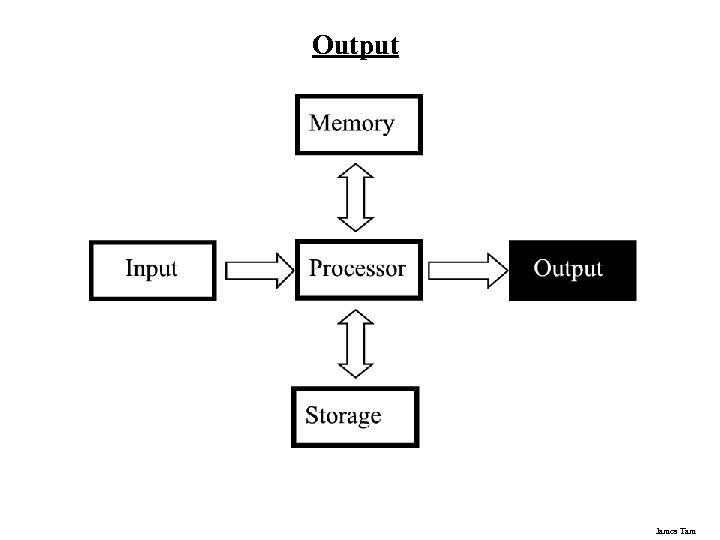
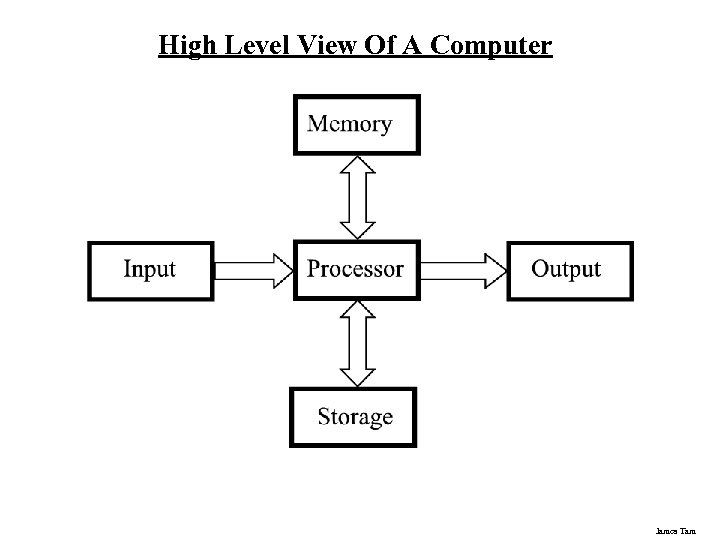 High Level View Of A Computer James Tam
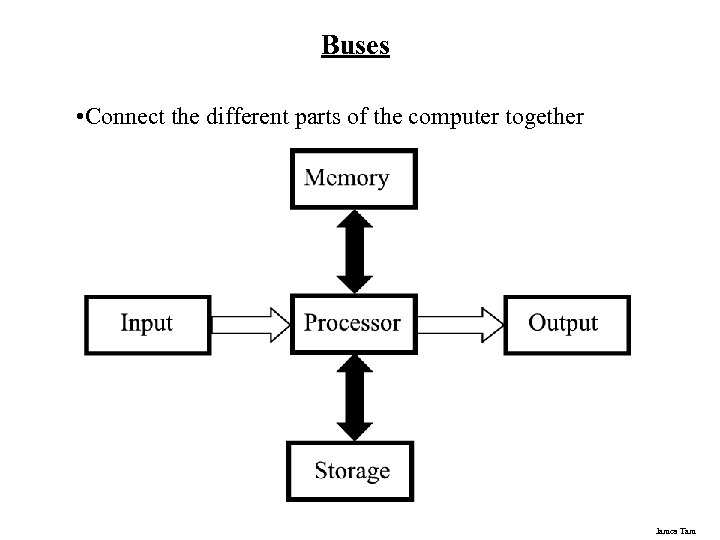 Buses • Connect the different parts of the computer together James Tam
 Types Of Buses • Data buses - Are used to transmit information to the different parts of the computer • Address buses - Indicate where the information is supposed go James Tam
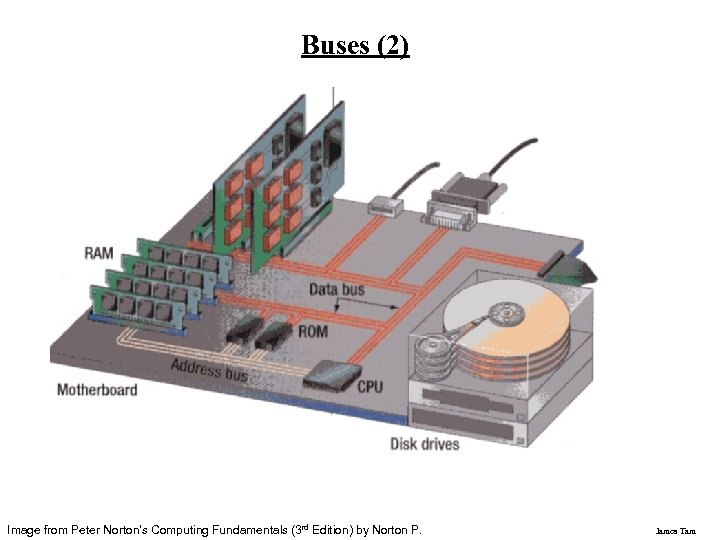 Buses (2) Image from Peter Norton's Computing Fundamentals (3 rd Edition) by Norton P. James Tam
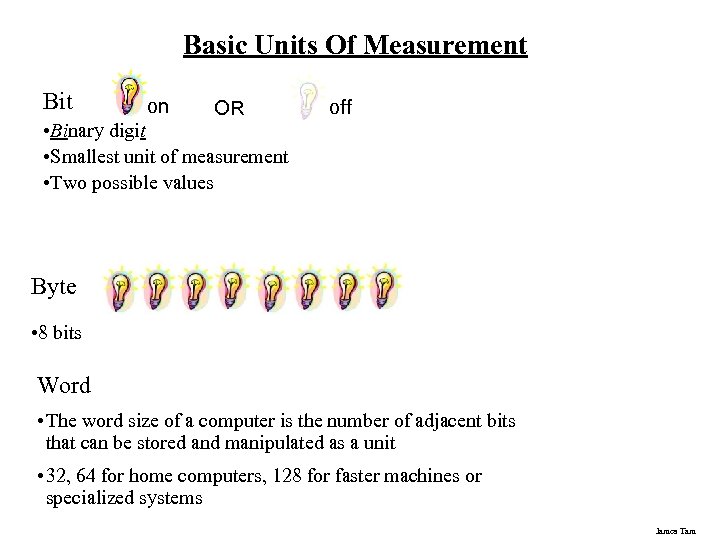 Basic Units Of Measurement Bit on OR • Binary digit • Smallest unit of measurement • Two possible values off Byte • 8 bits Word • The word size of a computer is the number of adjacent bits that can be stored and manipulated as a unit • 32, 64 for home computers, 128 for faster machines or specialized systems James Tam
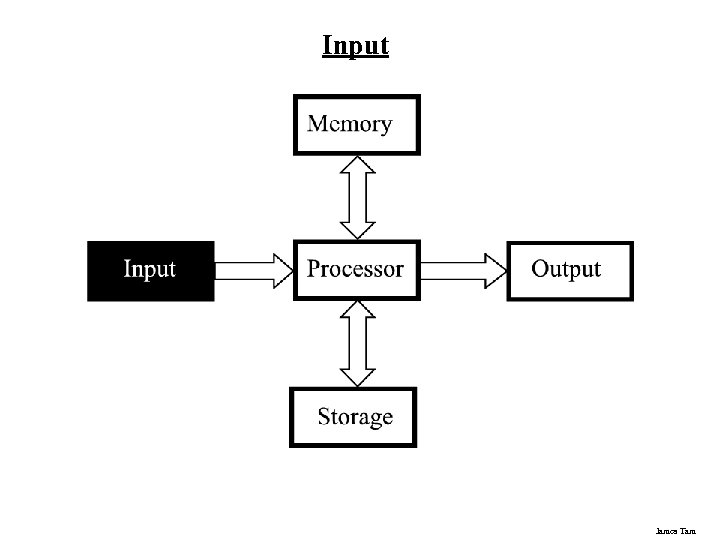 Input James Tam
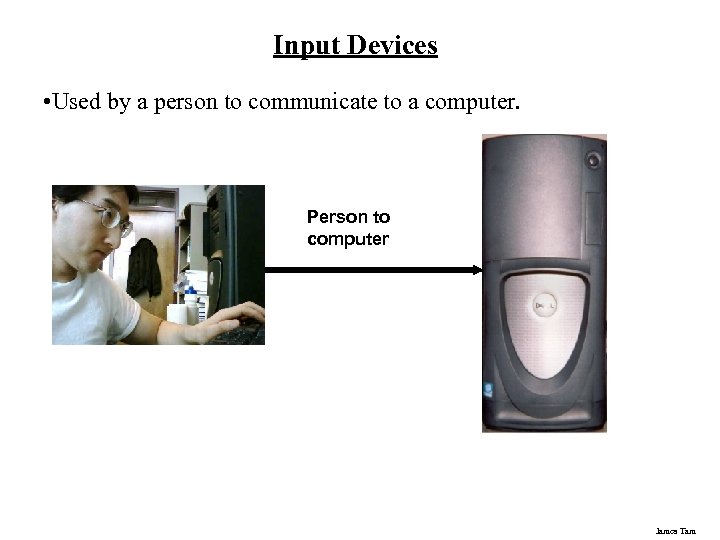 Input Devices • Used by a person to communicate to a computer. Person to computer James Tam
 Example Input Devices • Keyboard • Mouse • Etc. James Tam
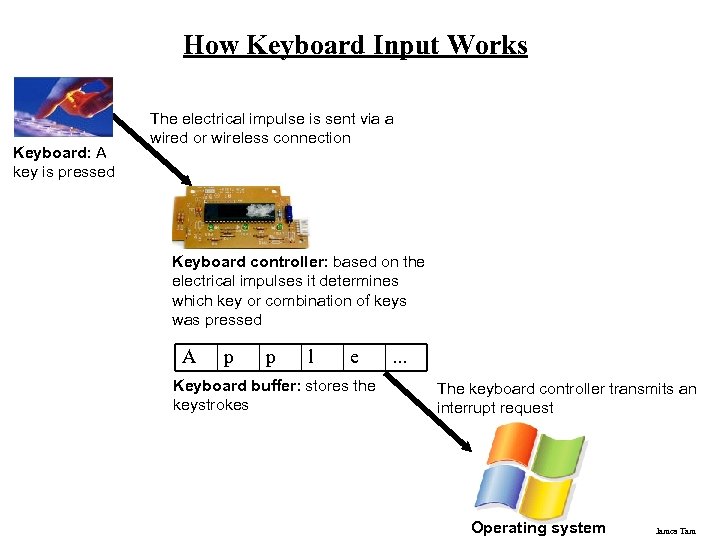 How Keyboard Input Works Keyboard: A key is pressed The electrical impulse is sent via a wired or wireless connection Keyboard controller: based on the electrical impulses it determines which key or combination of keys was pressed A p p l e Keyboard buffer: stores the keystrokes . . . The keyboard controller transmits an interrupt request Operating system James Tam
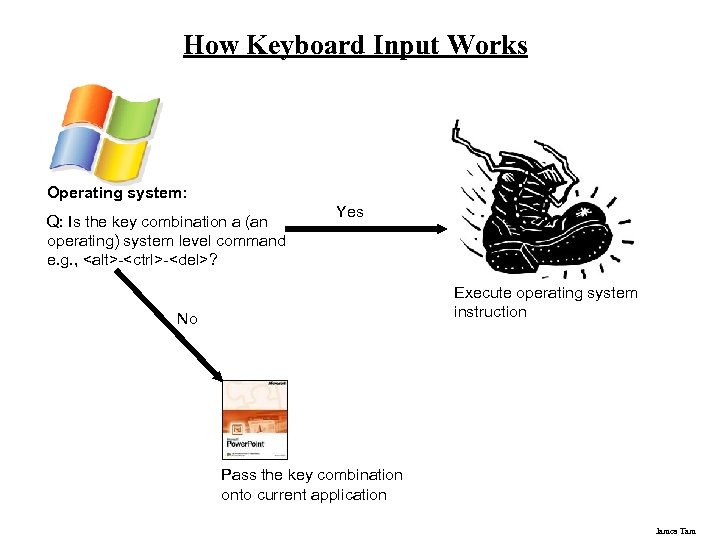 How Keyboard Input Works Operating system: Q: Is the key combination a (an operating) system level command e. g. ,
 ? Yes Execute operating system instruction No Pass the key combination onto current application James Tam
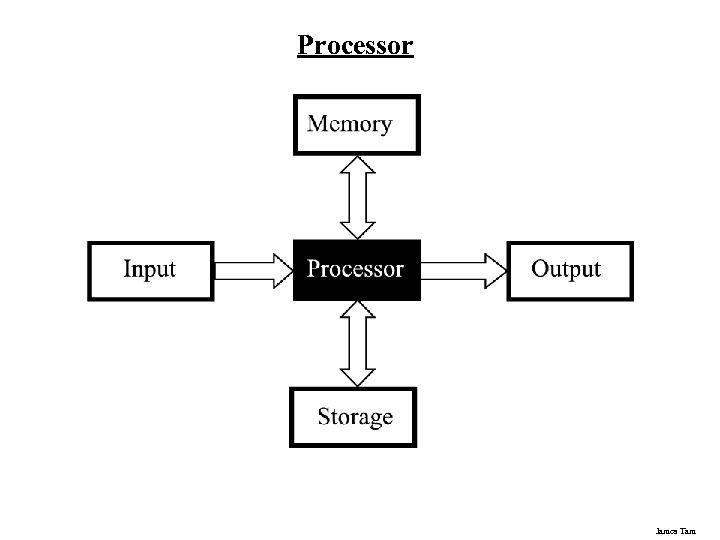 Processor James Tam
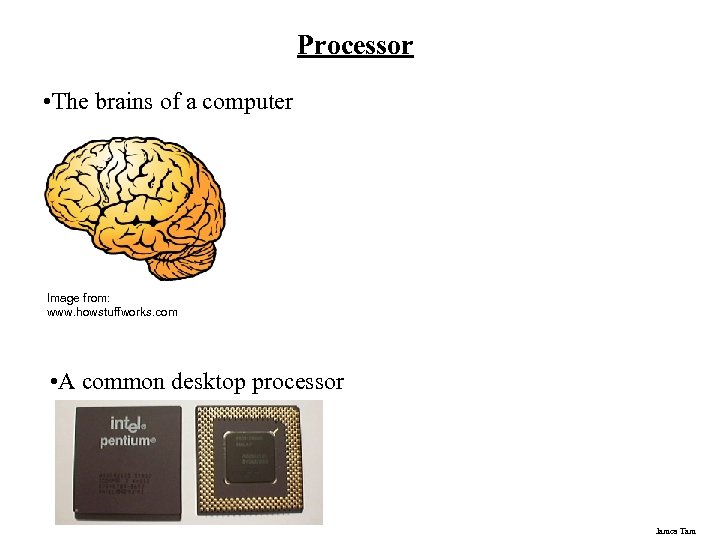 Processor • The brains of a computer Image from: www. howstuffworks. com • A common desktop processor James Tam
 Small Units Of Measurement (Processor And Memory Speed) • Millisecond (ms) – a thousandth of a second (1/1, 000 = 10 -3) • Microsecond (μs) - a millionth of a second (1/1, 000 = 10 -6) • Nanosecond (ns) – a billionth of a second (1/1, 000, 000 = 10 -9) James Tam
 Processor Speed • Determined by: 1. Type of processor e. g. , Intel: Celeron, Pentium; AMD: Athlon, Opteron 2. Clock speed § 1 Hz = 1 pulse is sent out each second (1 second passes between each pulse) § 10 Hz = 10 pulses are sent out each second (0. 1 seconds passes between each pulse) § : § 25 MHz = 25 million pulses sent out each second (0. 000 04 seconds between each pulse or 40 ns between pulses) § 3. 8 Ghz = 3. 8 billion pulses sent out each second (0. 26 ns between pulses) James Tam
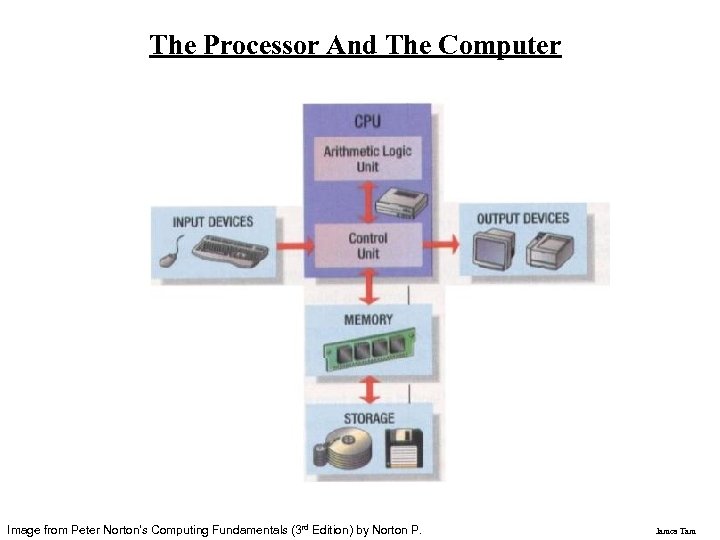 The Processor And The Computer Image from Peter Norton's Computing Fundamentals (3 rd Edition) by Norton P. James Tam
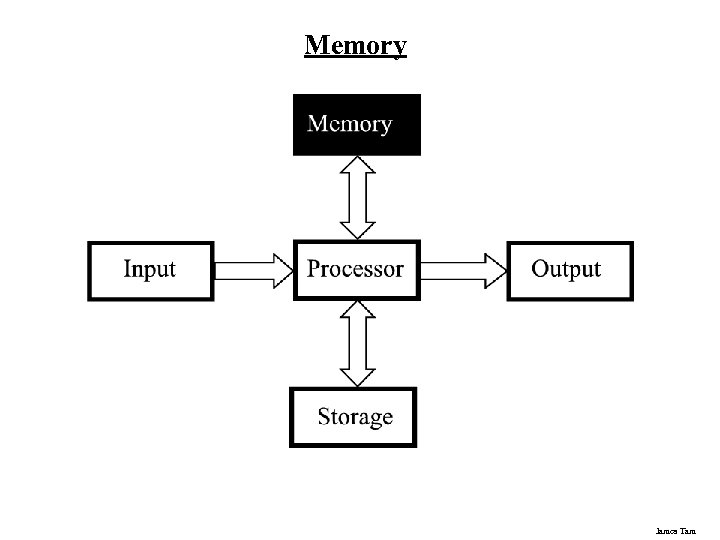 Memory James Tam
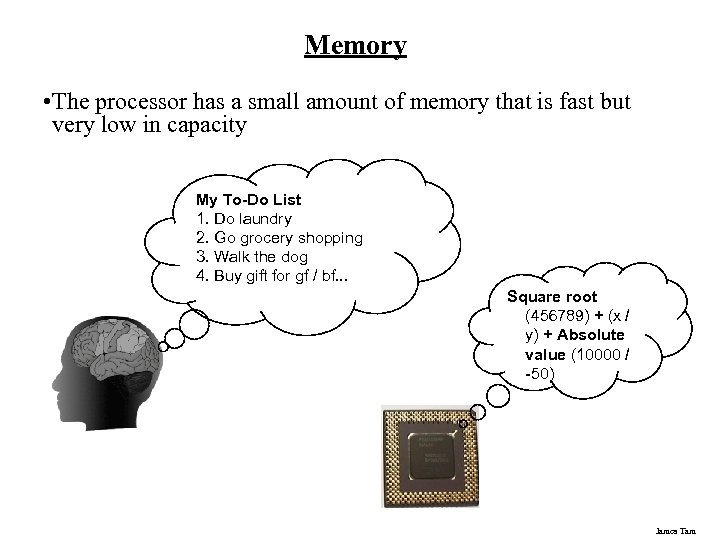 Memory • The processor has a small amount of memory that is fast but very low in capacity My To-Do List 1. Do laundry 2. Go grocery shopping 3. Walk the dog 4. Buy gift for gf / bf. . . Square root (456789) + (x / y) + Absolute value (10000 / -50) James Tam
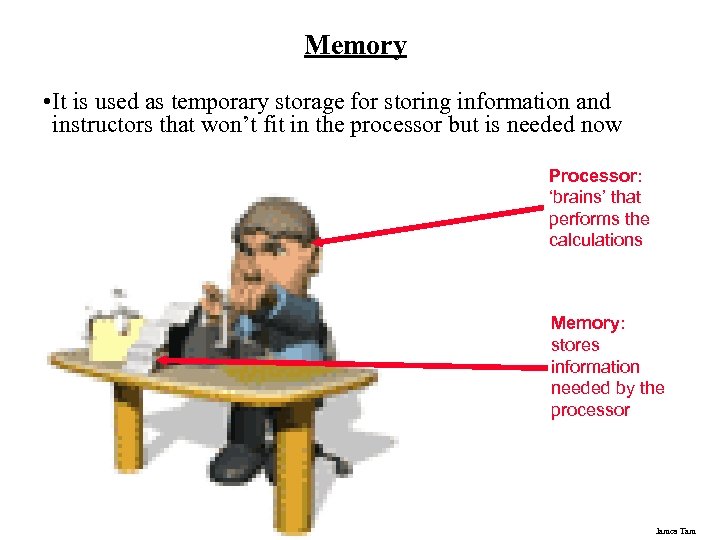 Memory • It is used as temporary storage for storing information and instructors that won’t fit in the processor but is needed now Processor: ‘brains’ that performs the calculations Memory: stores information needed by the processor James Tam
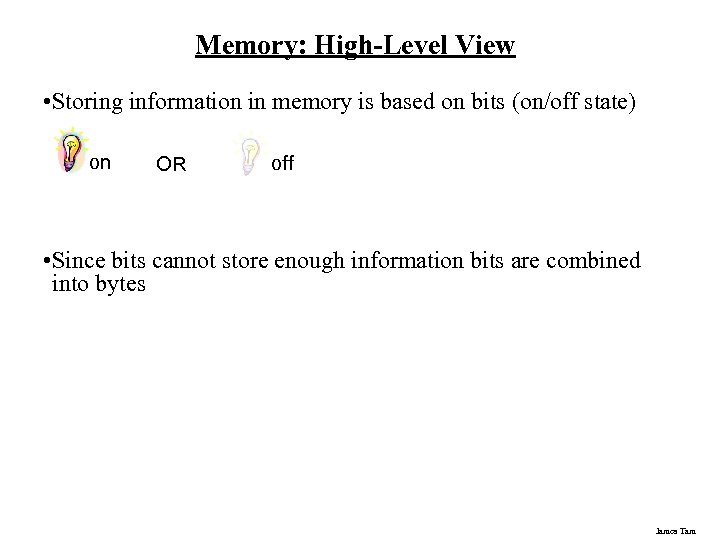 Memory: High-Level View • Storing information in memory is based on bits (on/off state) on OR off • Since bits cannot store enough information bits are combined into bytes James Tam
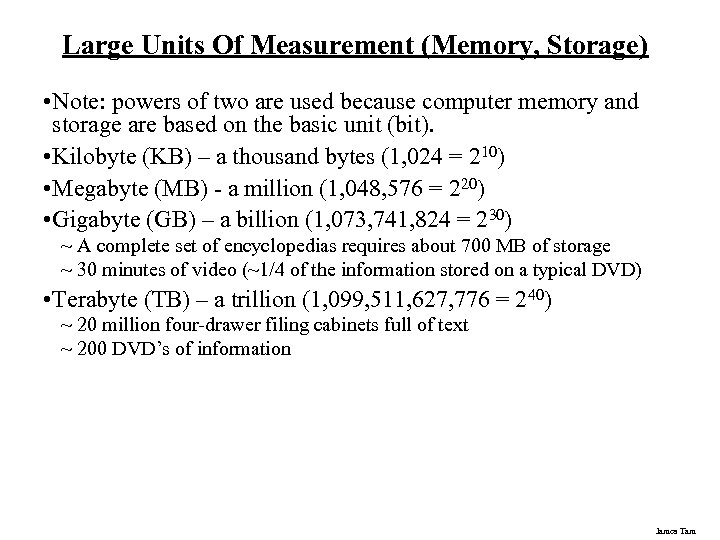 Large Units Of Measurement (Memory, Storage) • Note: powers of two are used because computer memory and storage are based on the basic unit (bit). • Kilobyte (KB) – a thousand bytes (1, 024 = 210) • Megabyte (MB) - a million (1, 048, 576 = 220) • Gigabyte (GB) – a billion (1, 073, 741, 824 = 230) ~ A complete set of encyclopedias requires about 700 MB of storage ~ 30 minutes of video (~1/4 of the information stored on a typical DVD) • Terabyte (TB) – a trillion (1, 099, 511, 627, 776 = 240) ~ 20 million four-drawer filing cabinets full of text ~ 200 DVD’s of information James Tam
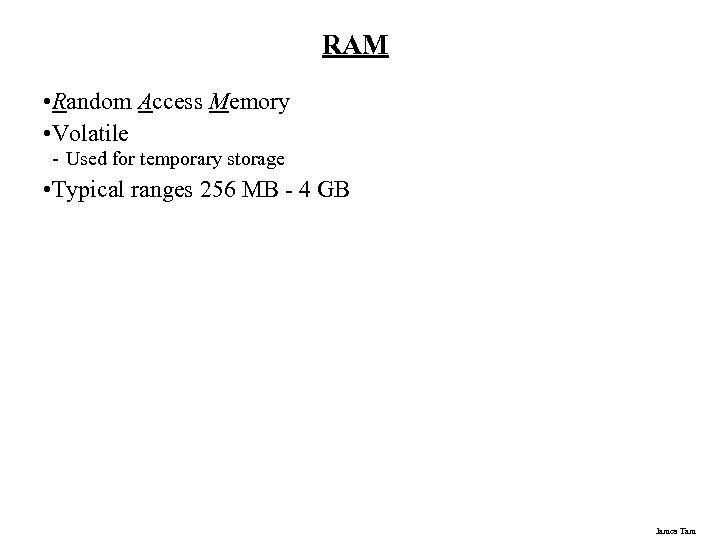 RAM • Random Access Memory • Volatile - Used for temporary storage • Typical ranges 256 MB - 4 GB James Tam
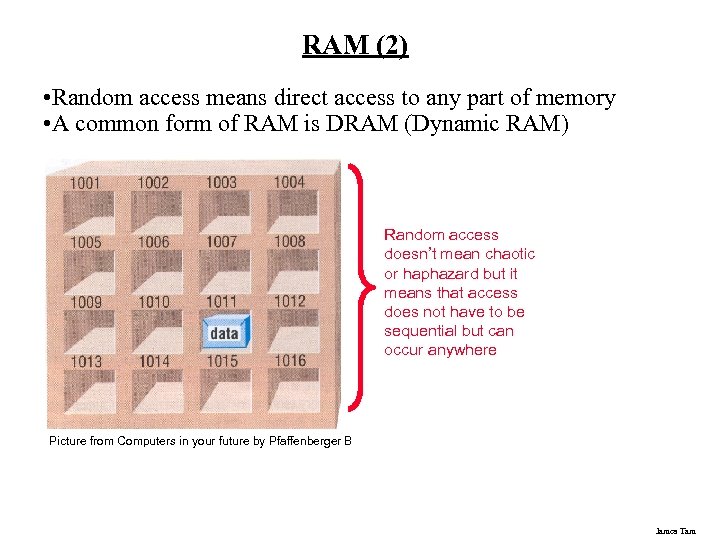 RAM (2) • Random access means direct access to any part of memory • A common form of RAM is DRAM (Dynamic RAM) Random access doesn’t mean chaotic or haphazard but it means that access does not have to be sequential but can occur anywhere Picture from Computers in your future by Pfaffenberger B James Tam
 How Does DRAM Work? • Acts like a leaky bucket Image from www. howstuffworks. com James Tam
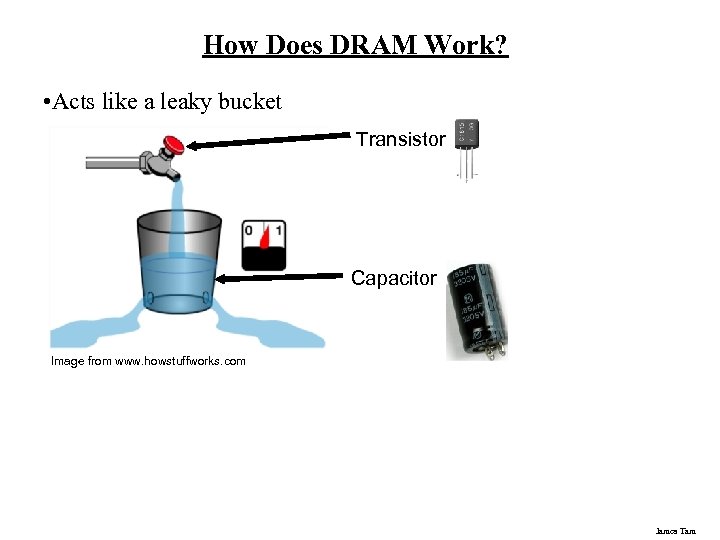 How Does DRAM Work? • Acts like a leaky bucket Transistor Capacitor Image from www. howstuffworks. com James Tam
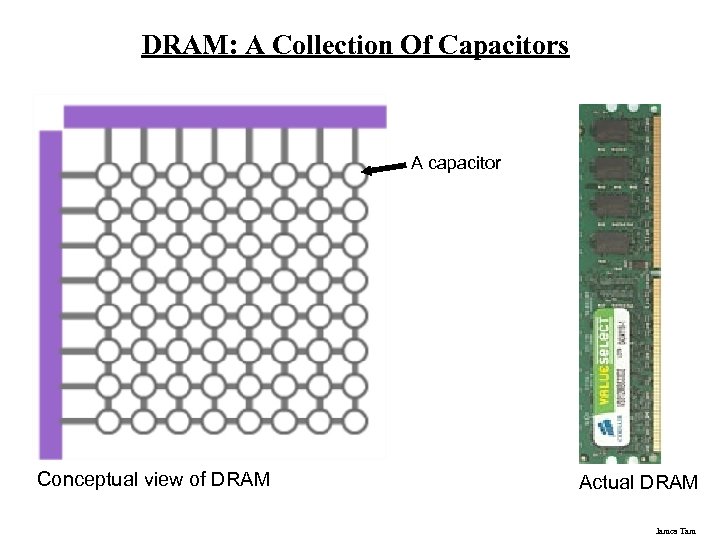 DRAM: A Collection Of Capacitors A capacitor Conceptual view of DRAM Actual DRAM James Tam
 The Word Size Of The Computer Determines The Maximum Amount of RAM • Recall - 230 ~ 1 billion - 231 ~ 2 billion - 232 ~ 4 billion - This means that with a 32 bit computer the maximum amount of memory allowable is 4 billion (4 GB). James Tam
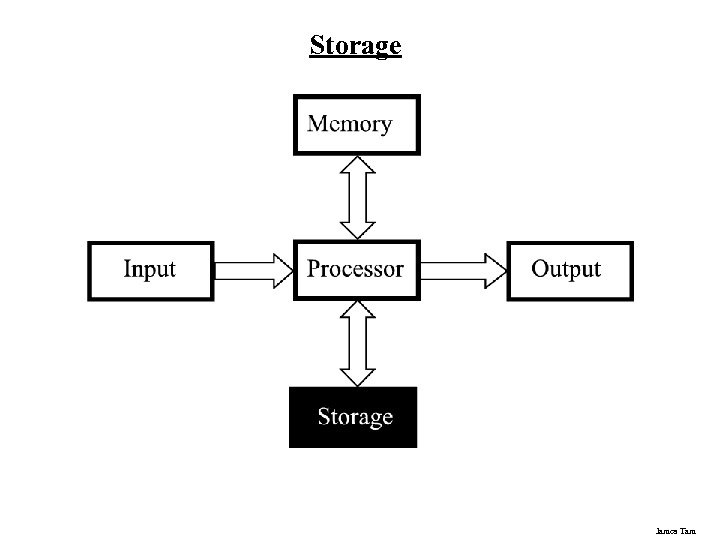 Storage James Tam
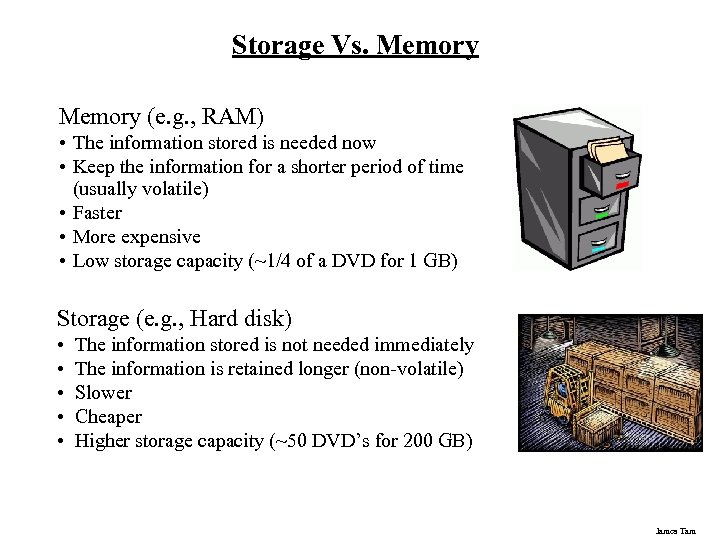 Storage Vs. Memory (e. g. , RAM) • The information stored is needed now • Keep the information for a shorter period of time (usually volatile) • Faster • More expensive • Low storage capacity (~1/4 of a DVD for 1 GB) Storage (e. g. , Hard disk) • • • The information stored is not needed immediately The information is retained longer (non-volatile) Slower Cheaper Higher storage capacity (~50 DVD’s for 200 GB) James Tam
 Categories Of Storage 1. Magnetic - Floppy disks - Zip disks - Hard drives 2. Optical - CD-ROM - DVD 3. Solid state storage devices - USB Key (a very common form of solid state storage) James Tam
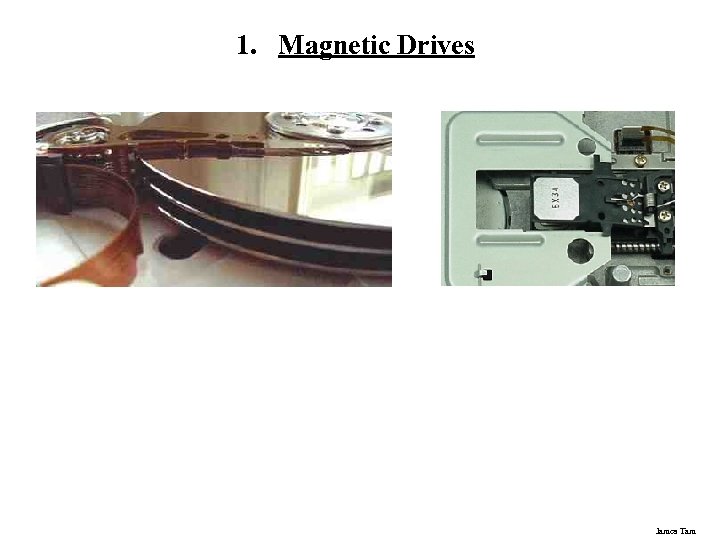 1. Magnetic Drives James Tam
 1. Magnetic Drives: Storage Capacities • Floppy disks - ~ 1 MB • Zip disks - 100, 250, 750 MB • Hard drives - ~80 GB – 2 TB James Tam
 2. Optical Drives • Use lasers to store and retrieve information (CD’s and DVD’s) • Categories: - Can only read information off the disc (CD-ROM, DVD-ROM) - Can read and also record information to the disk (CD-R, DVD+R) - Can read, record and also re-write information multiple times (CD-RW, DVD+RW) • Storage capacities: - CD ~ 700 MB - DVD ~ 4 GB (drives with much larger capacities are becoming more common) James Tam
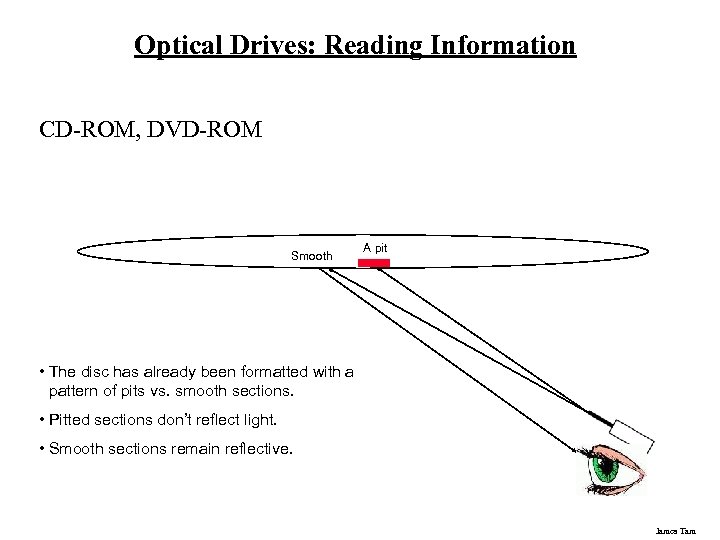 Optical Drives: Reading Information CD-ROM, DVD-ROM Smooth A pit • The disc has already been formatted with a pattern of pits vs. smooth sections. • Pitted sections don’t reflect light. • Smooth sections remain reflective. James Tam
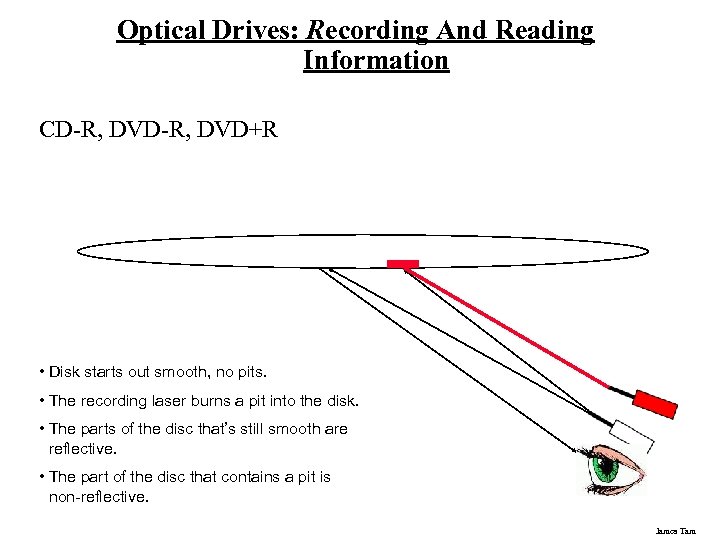 Optical Drives: Recording And Reading Information CD-R, DVD+R • Disk starts out smooth, no pits. • The recording laser burns a pit into the disk. • The parts of the disc that’s still smooth are reflective. • The part of the disc that contains a pit is non-reflective. James Tam
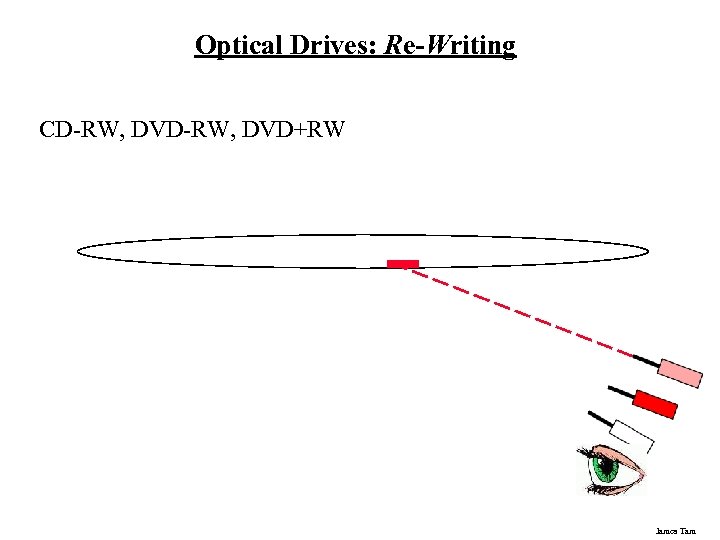 Optical Drives: Re-Writing CD-RW, DVD+RW James Tam
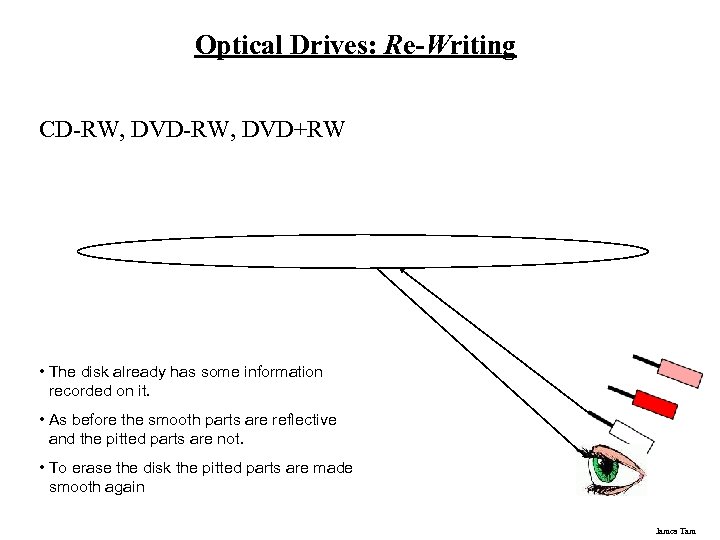 Optical Drives: Re-Writing CD-RW, DVD+RW • The disk already has some information recorded on it. • As before the smooth parts are reflective and the pitted parts are not. • To erase the disk the pitted parts are made smooth again James Tam
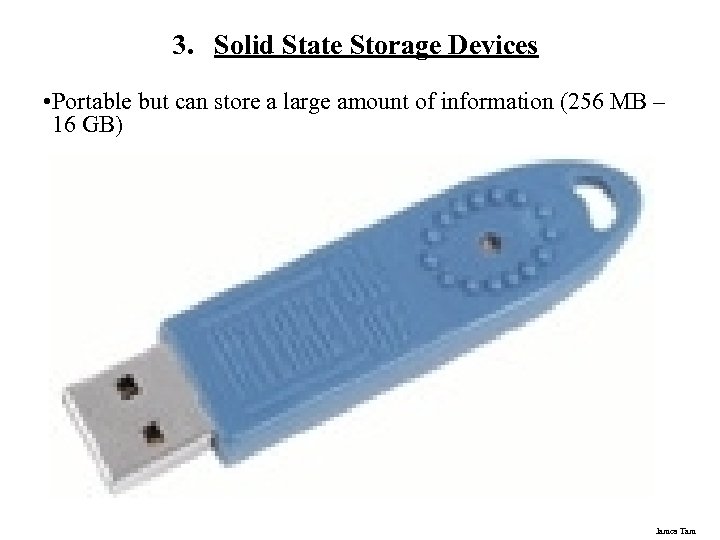 3. Solid State Storage Devices • Portable but can store a large amount of information (256 MB – 16 GB) James Tam
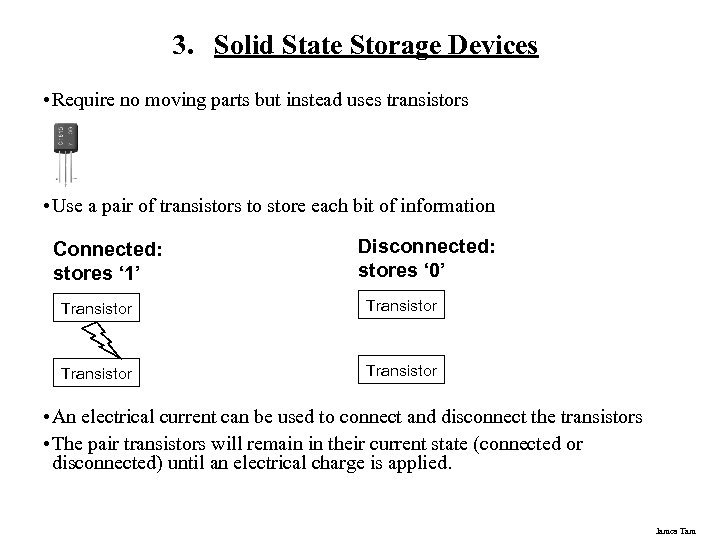 3. Solid State Storage Devices • Require no moving parts but instead uses transistors • Use a pair of transistors to store each bit of information Connected: stores ‘ 1’ Disconnected: stores ‘ 0’ Transistor • An electrical current can be used to connect and disconnect the transistors • The pair transistors will remain in their current state (connected or disconnected) until an electrical charge is applied. James Tam
 Output James Tam
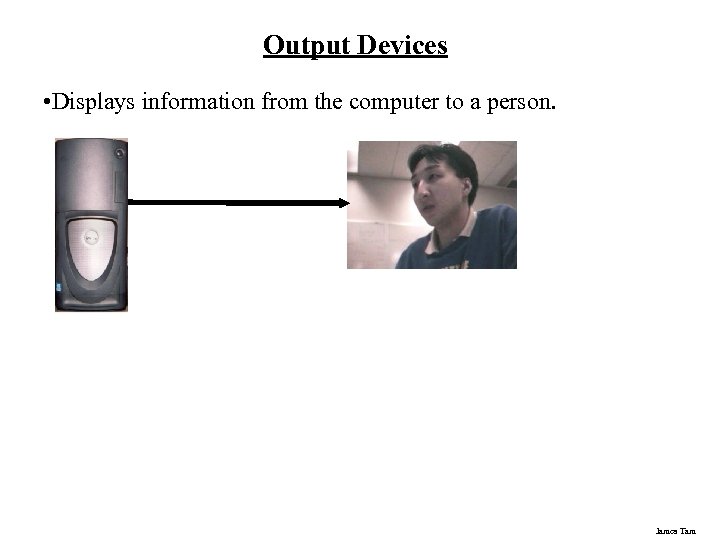 Output Devices • Displays information from the computer to a person. James Tam
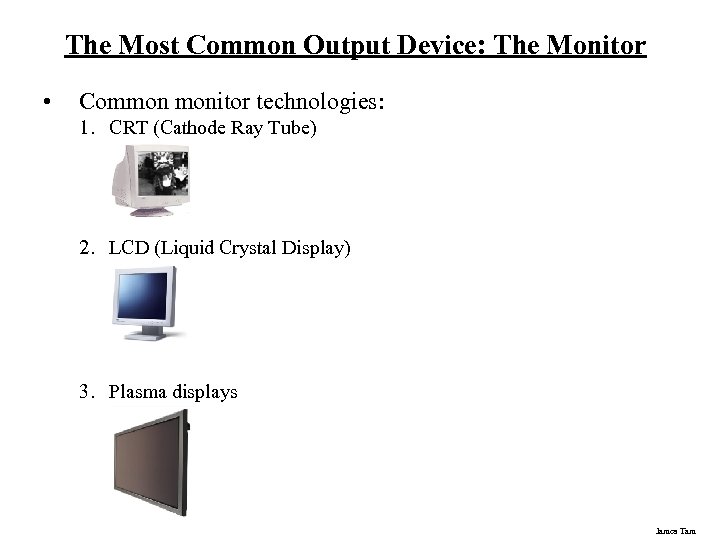 The Most Common Output Device: The Monitor • Common monitor technologies: 1. CRT (Cathode Ray Tube) 2. LCD (Liquid Crystal Display) 3. Plasma displays James Tam
 How Images Are Drawn On Monitors • Images and text are drawn with tiny dots (Pixels: Picture elements) A James Tam
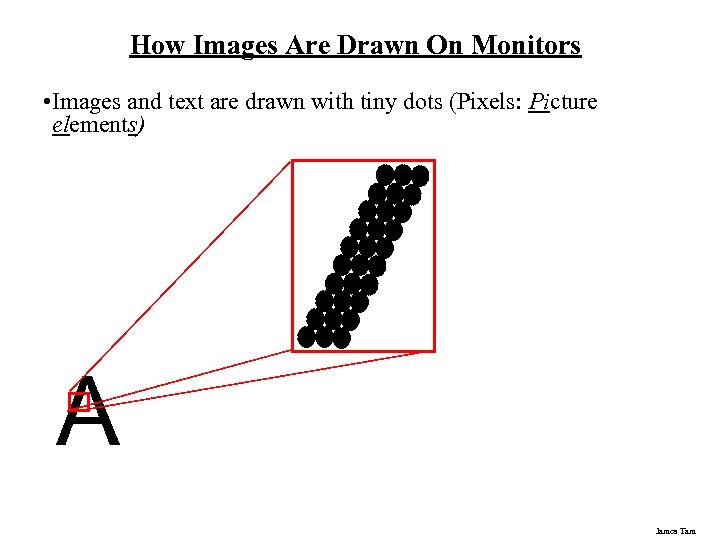 How Images Are Drawn On Monitors • Images and text are drawn with tiny dots (Pixels: Picture elements) A James Tam
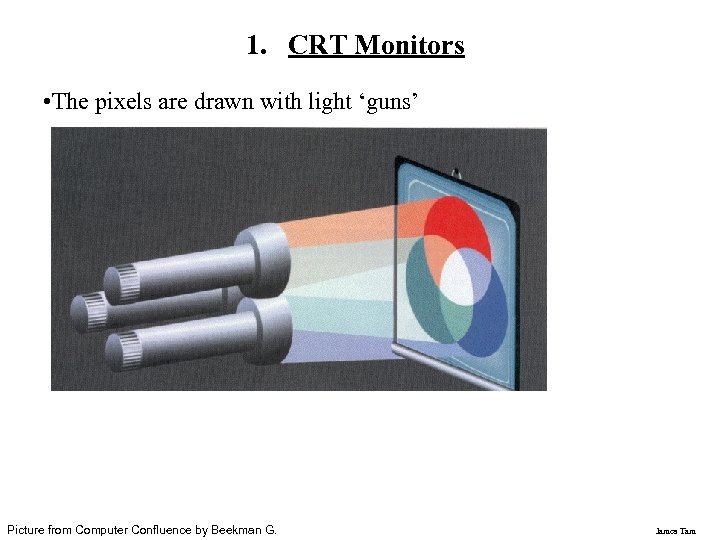 1. CRT Monitors • The pixels are drawn with light ‘guns’ Picture from Computer Confluence by Beekman G. James Tam
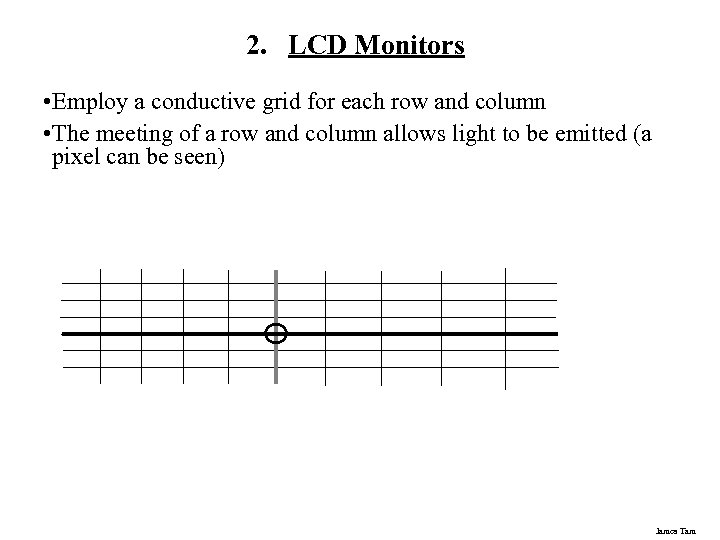 2. LCD Monitors • Employ a conductive grid for each row and column • The meeting of a row and column allows light to be emitted (a pixel can be seen) James Tam
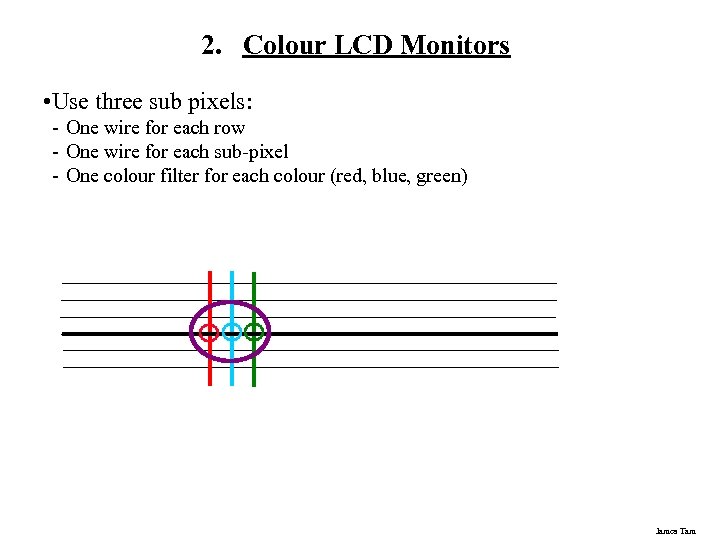 2. Colour LCD Monitors • Use three sub pixels: - One wire for each row - One wire for each sub-pixel - One colour filter for each colour (red, blue, green) James Tam
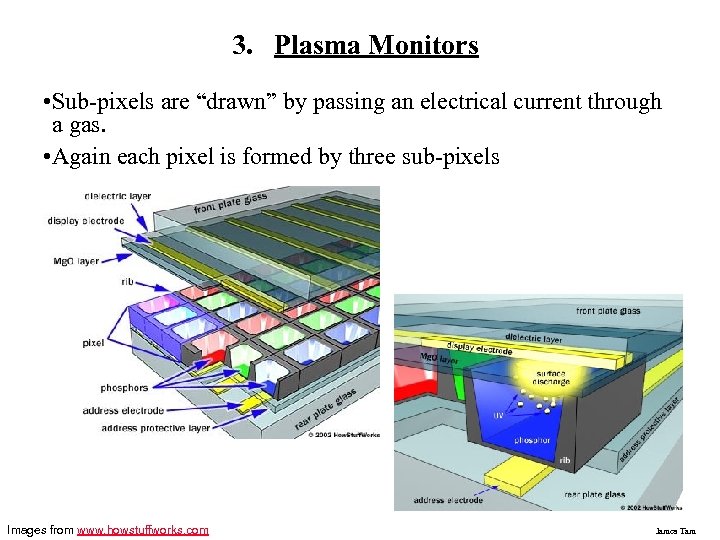 3. Plasma Monitors • Sub-pixels are “drawn” by passing an electrical current through a gas. • Again each pixel is formed by three sub-pixels Images from www. howstuffworks. com James Tam
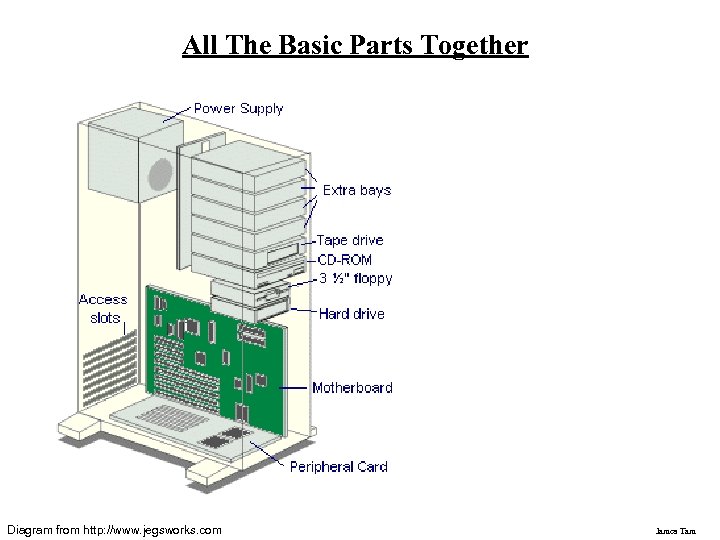 All The Basic Parts Together Diagram from http: //www. jegsworks. com James Tam
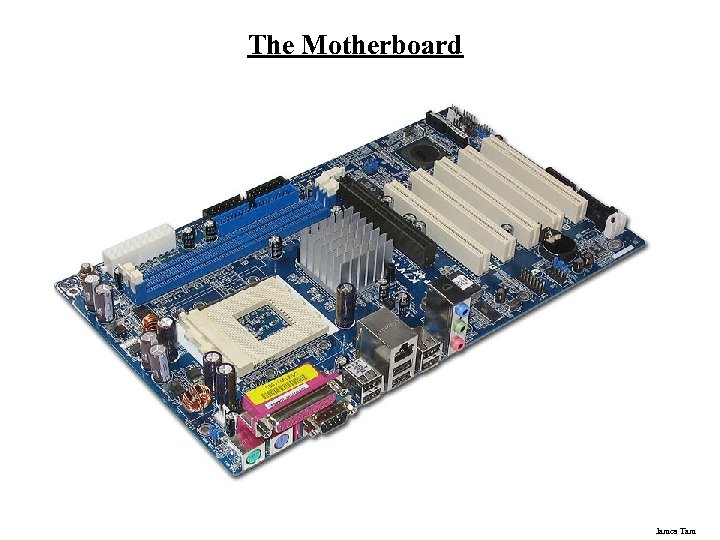 The Motherboard James Tam
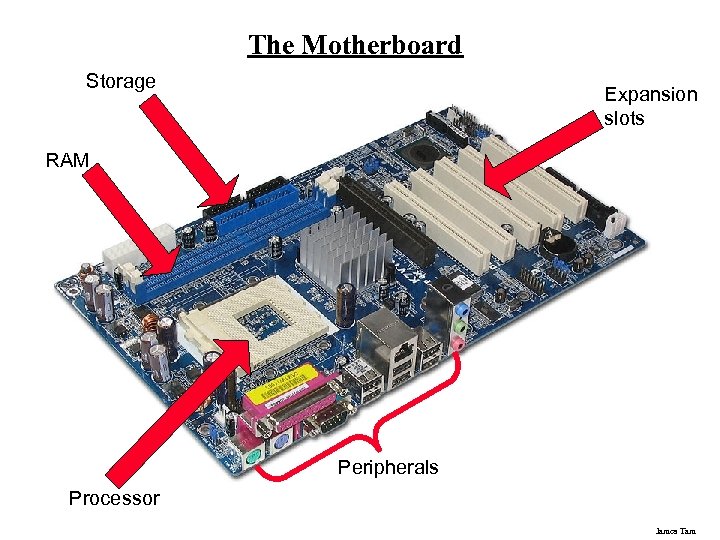 The Motherboard Storage Expansion slots RAM Peripherals Processor James Tam
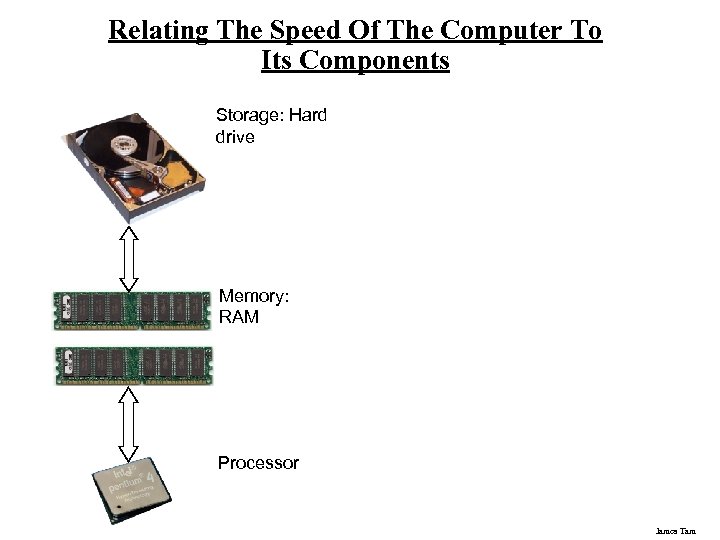 Relating The Speed Of The Computer To Its Components Storage: Hard drive Memory: RAM Processor James Tam
 You Should Now Know • • • • What are common units of measurement for the computer What are the basic parts of the high level view of a computer Example input devices The role of the processor in a computer What determines processor speed What are the characteristics of RAM How does DRAM work The difference between storage and memory What are the different categories of storage devices as well as common examples of each How do different storage devices work The approximate storage capacity of memory and different storage devices How do computer monitors work How the different hardware components affects the speed of the system James Tam