


 Скачать презентацию Introduction The Printer On Campus Printing System is
20aa586e577993bece321421f5f121a9.ppt
- Количество слайдов: 19
 Introduction The Printer. On Campus Printing System is an innovative solution that: Makes printing easier Reduces your support costs Enables 802. 11 wireless and notebook programs Supports “Print Less!” initiatives Provides new capabilities, such as printing to labs and libraries from home or dormitories.
 Features An Intranet printing web service that lets students print without installing any print drivers. A universal print driver that installs once and prints anywhere. Handheld PDA printing applications.
 Web Service - Introduction An Intranet web site for easy printing. No print drivers need to be installed. No help desk calls, no configuration delays. Ideal for students with notebook computers, using either a network drop or an 802. 11 wireless connection. Source materials are available for customization of the web site.
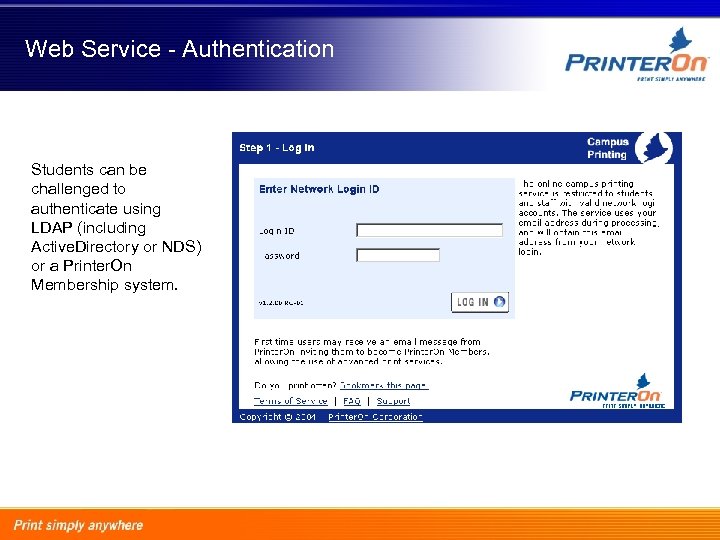 Web Service - Authentication Students can be challenged to authenticate using LDAP (including Active. Directory or NDS) or a Printer. On Membership system.
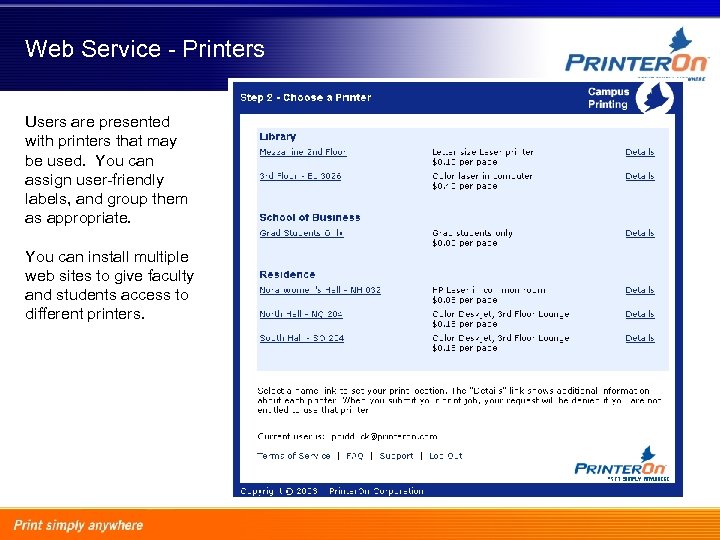 Web Service - Printers Users are presented with printers that may be used. You can assign user-friendly labels, and group them as appropriate. You can install multiple web sites to give faculty and students access to different printers.
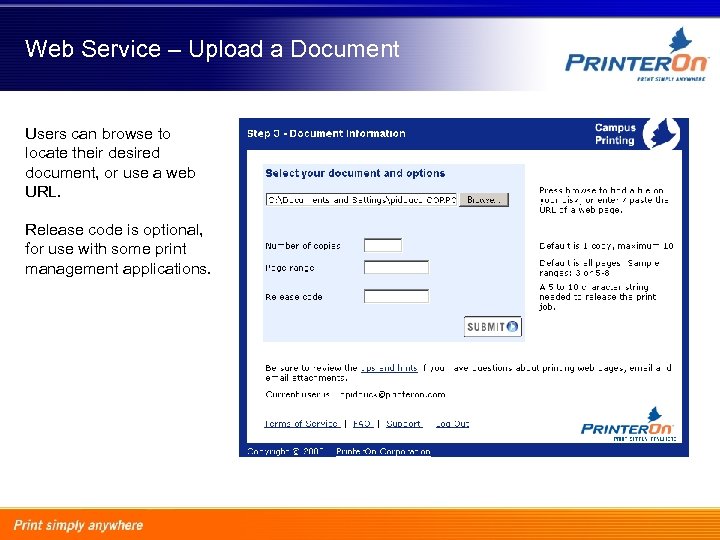 Web Service – Upload a Document Users can browse to locate their desired document, or use a web URL. Release code is optional, for use with some print management applications.
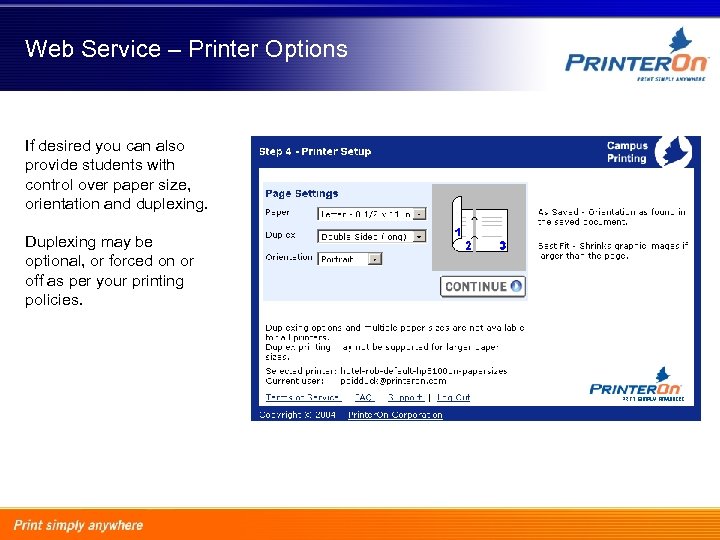 Web Service – Printer Options If desired you can also provide students with control over paper size, orientation and duplexing. Duplexing may be optional, or forced on or off as per your printing policies.
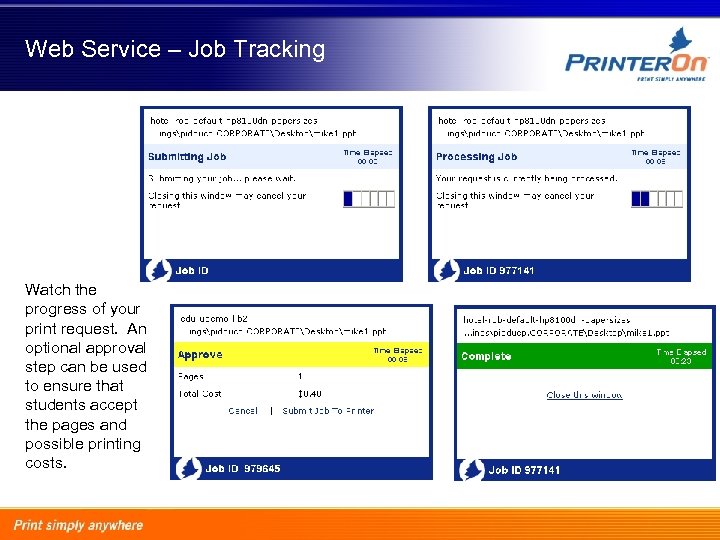 Web Service – Job Tracking Watch the progress of your print request. An optional approval step can be used to ensure that students accept the pages and possible printing costs.
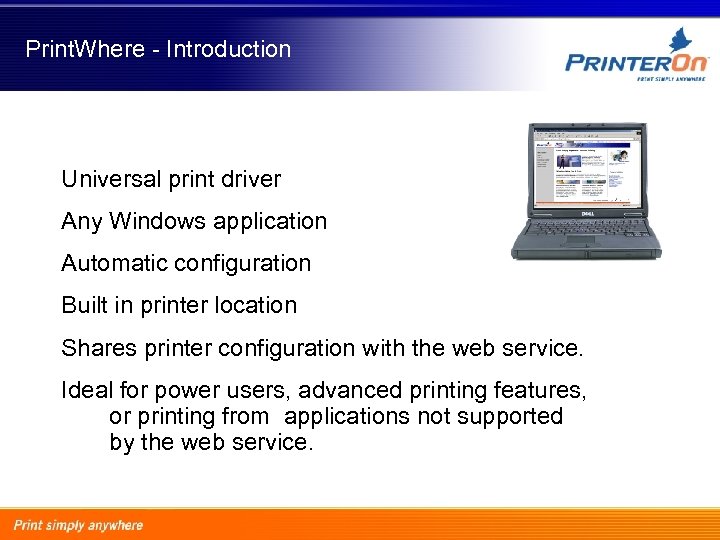 Print. Where - Introduction Universal print driver Any Windows application Automatic configuration Built in printer location Shares printer configuration with the web service. Ideal for power users, advanced printing features, or printing from applications not supported by the web service.
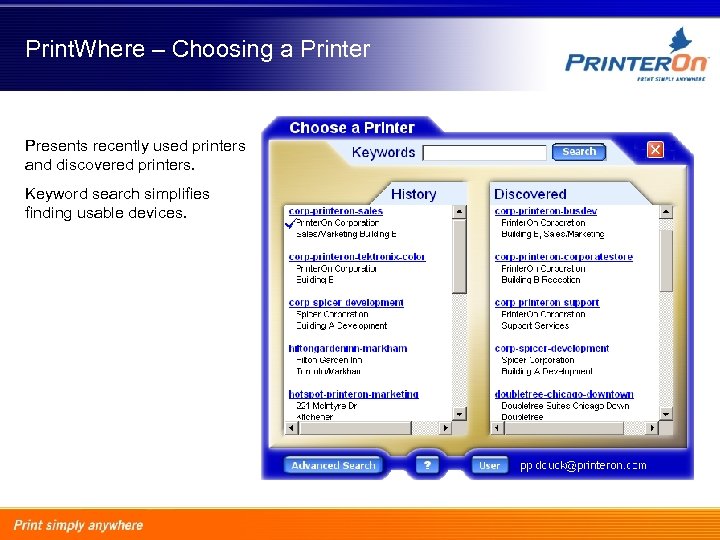 Print. Where – Choosing a Printer Presents recently used printers and discovered printers. Keyword search simplifies finding usable devices.
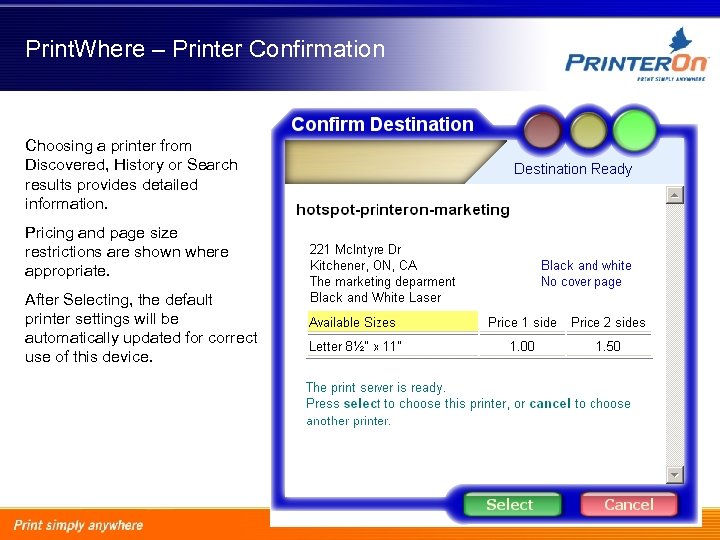 Print. Where – Printer Confirmation Choosing a printer from Discovered, History or Search results provides detailed information. Pricing and page size restrictions are shown where appropriate. After Selecting, the default printer settings will be automatically updated for correct use of this device.
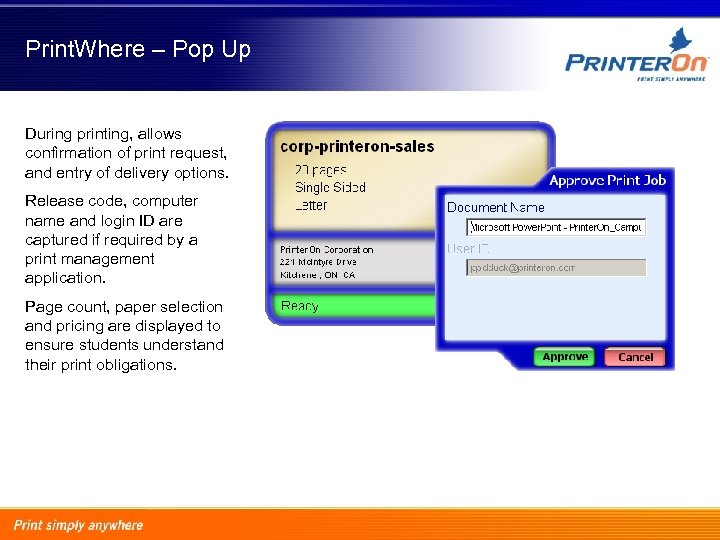 Print. Where – Pop Up During printing, allows confirmation of print request, and entry of delivery options. Release code, computer name and login ID are captured if required by a print management application. Page count, paper selection and pricing are displayed to ensure students understand their print obligations.
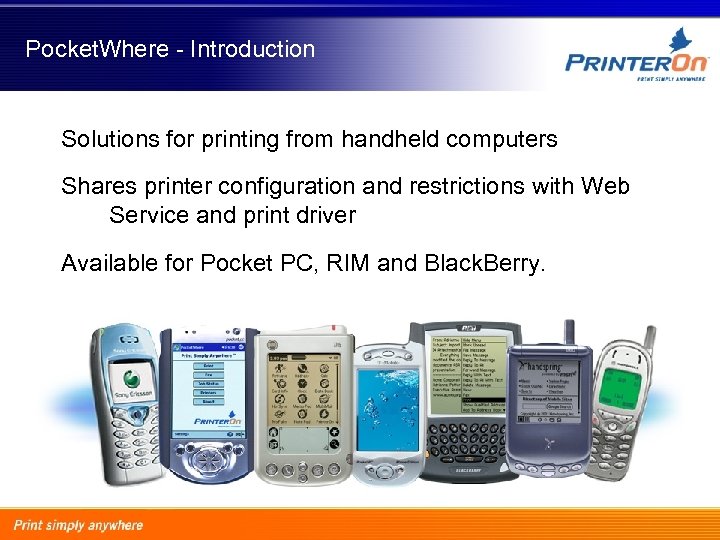 Pocket. Where - Introduction Solutions for printing from handheld computers Shares printer configuration and restrictions with Web Service and print driver Available for Pocket PC, RIM and Black. Berry.
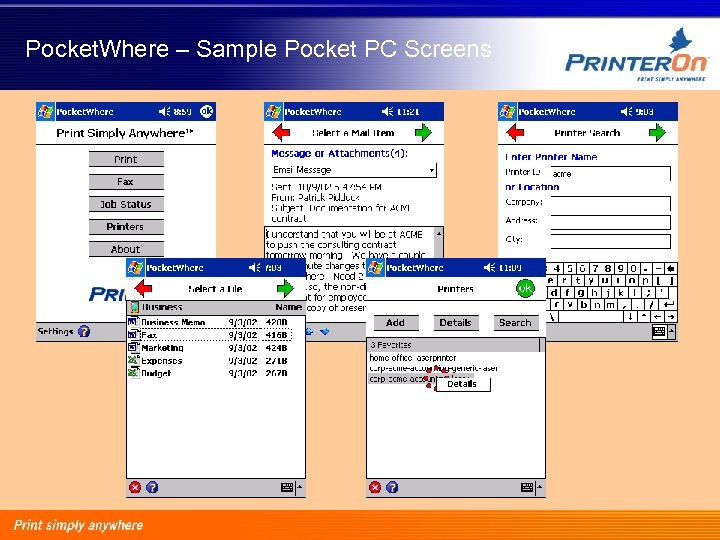 Pocket. Where – Sample Pocket PC Screens
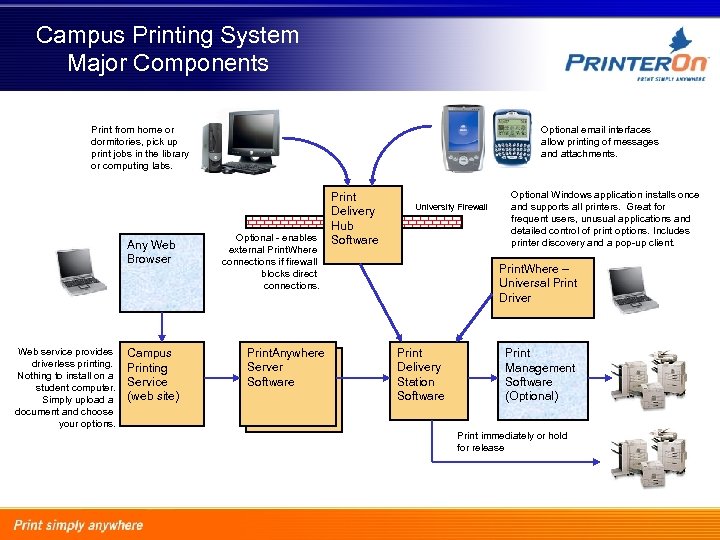 Campus Printing System Major Components Print from home or dormitories, pick up print jobs in the library or computing labs. Any Web Browser Web service provides driverless printing. Nothing to install on a student computer. Simply upload a document and choose your options. Campus Printing Service (web site) Optional email interfaces allow printing of messages and attachments. Optional - enables external Print. Where connections if firewall blocks direct connections. Print. Anywhere Server Software Print Delivery Hub Software University Firewall Optional Windows application installs once and supports all printers. Great for frequent users, unusual applications and detailed control of print options. Includes printer discovery and a pop-up client. Print. Where – Universal Print Driver Print Delivery Station Software Print Management Software (Optional) Print immediately or hold for release
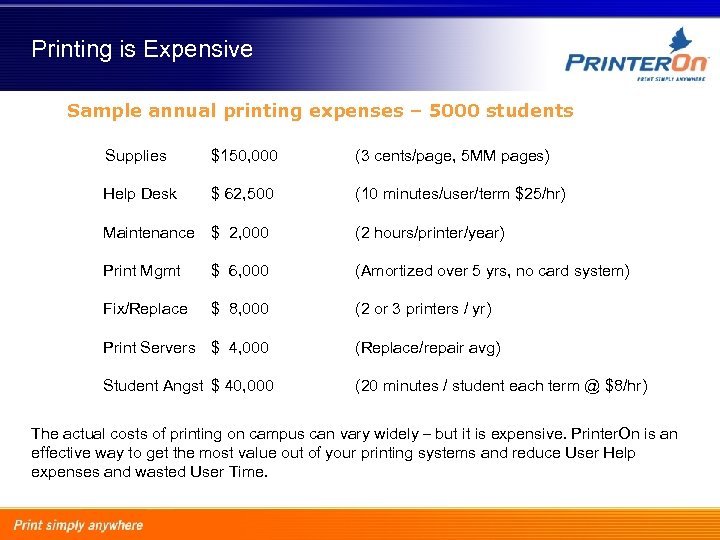 Printing is Expensive Sample annual printing expenses – 5000 students Supplies $150, 000 (3 cents/page, 5 MM pages) Help Desk $ 62, 500 (10 minutes/user/term $25/hr) Maintenance $ 2, 000 (2 hours/printer/year) Print Mgmt $ 6, 000 (Amortized over 5 yrs, no card system) Fix/Replace $ 8, 000 (2 or 3 printers / yr) Print Servers $ 4, 000 (Replace/repair avg) Student Angst $ 40, 000 (20 minutes / student each term @ $8/hr) The actual costs of printing on campus can vary widely – but it is expensive. Printer. On is an effective way to get the most value out of your printing systems and reduce User Help expenses and wasted User Time.
 Application - Libraries High number of walk-ins asking for help setting up their notebooks for printing. CAT 5 drops, 802. 11 Wireless, and kiosk PCs need to coexist peacefully. Simplify printing. No need to install print drivers or hardware, or learn technical details. The “poor man’s” copy shop. Print from home or residence often a requirement.
 Application – Labs or Faculties Trend is a move towards wireless. More students with notebooks, often required for programs. Desire to print from lab or nearby, then pick up documents. Often require restrictions by course or department.
 Application – Residences Print Less! and environmental pressures are common. Every student with an inkjet printer on their desk results in lots of waste (cartridges and printers), a loss of living space, and an electrical connection issue. Centralized laser printers are less expensive for students, reduce waste and room clutter. Printer. On can simplify setup and operation of printing for hundreds or thousands of students each semester.