


 Скачать презентацию INTRODUCTION OF PROJECTS TO IMPROVE INTREACTION IN AN
e217a4f998ce8435b5bd5b975772958a.ppt
- Количество слайдов: 36
 INTRODUCTION OF PROJECTS TO IMPROVE INTREACTION IN AN ONLINE DISPERSION AND RISK MODELING COURSE http: //homepages. utoledo. edu/aprg/courses/dm/emiss-first. html By: Ashok Kumar, Gopi Manne, and Somik Ghose Department of Civil Engineering University of Toledo, OH 43606
 Challenge • To teach the ever CHANGING and GROWING information in the Dispersion and Risk Modeling (3 credit-hour) course. • To offer a successful online course while offsetting the disadvantage of the students not being physically present in the classroom. • Developing the material on the course website so as to remove the necessity of a textbook.
 Solution • • Creation of a WWW course site Use of Web. CT Supplement to Class Room LECTURES Introducing weekly projects to be done on an individual basis • Links to other Internet sites • Use of spreadsheets, JAVA applets and software
 Development of Web Site • Design – Determine students’ needs – Establish course objectives – Flexibility to incorporate changes based on student feedback • Development – Create content outline – Review existing material – Organize and develop content
 • Evaluation – Review the material developed – Feedback from students – Number of hits per month • Revision – Revise the material developed • Maintenance - Ensure proper functionality of all components of the Website
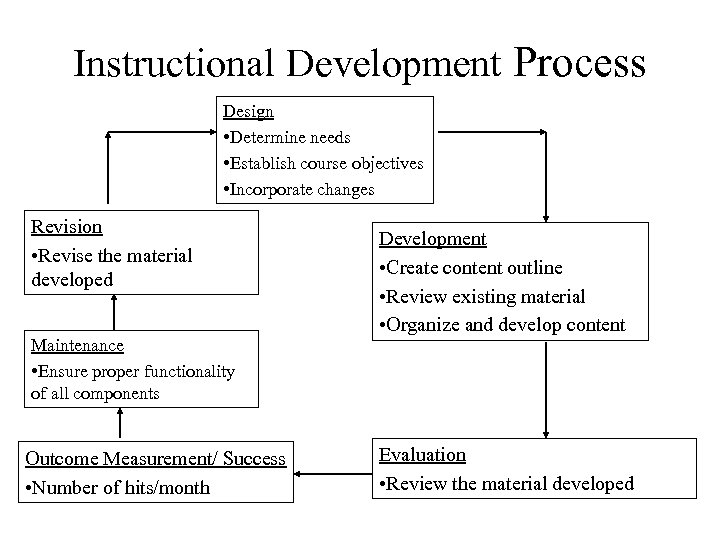 Instructional Development Process Design • Determine needs • Establish course objectives • Incorporate changes Revision • Revise the material developed Maintenance • Ensure proper functionality of all components Outcome Measurement/ Success • Number of hits/month Development • Create content outline • Review existing material • Organize and develop content Evaluation • Review the material developed
 Contents of Web Site • • • Syllabus Summary of classroom lectures Classroom slide presentations Assignments Weekly projects Sample test questions Links to other sites Software and spreadsheets for use Mechanism for Feedback from students
 Software used by the students • • SCREEN ERATE AERMOD (Educational version) ERC MOBILE 5 a Risk spreadsheet Aerosol deposition JAVA applet Note: Except for SCREEN all the other above listed software were developed by the Air Pollution Research Group (APRG), University of Toledo
 SCREEN • Screening tool for air quality studies • Developed by the USEPA • Used by the students to solve Air Quality Assessment problems • Available for download at the USEPA’s Web site (www. epa. gov)
 ERATE • This is an emission rate modeling software • This helps the student to calculate emission rate from accidental releases • Used by the students in solving assignments and projects • Available for purchase from the A&WMA bookstore (www. awma. org)
 AERMOD Educational Version 1. 0. 0 • Based on the USEPA’s AERMOD • It is a user friendly software • Imparts basic understanding of AERMOD to the students • User’s manual and case studies are also provided along with the software • Used in solving dispersion modeling problems • Download from http: //www. eng. utoledo. edu/~akumar/Models/AE RMOD/EDUAERMOD. HTML
 ERC • Emission Reduction Calculator • A easy-to-use tool that helps in computing the reduction of emissions from energy conservation projects • Available for free download at www. p 2 tools. utoledo. edu
 MOBILE 5 a • A user friendly GUI of the USEPA’s MOBILE 6 software • Used to calculate emission factors from vehicular traffic • Used by the students in class projects • Available for free download at http: //homepages. utoledo. edu/aprg/courses/ dm/MOBILE 5 A/mobile 5 a. htm
 Risk spreadsheet • Used to compute risk from emissions from any industrial project • Ability to input risk parameters for each chemical • Considers all the three entry routes of exposure • Based on the California’s Hot Spot regulatory program • Available for download at http: //homepages. utoledo. edu/aprg/courses/ dm/risk. xls
 Aerosol Deposition JAVA applet • Computes the amount of particulate deposition in various regions of the human lungs • Available online at http: //www. eng. utoledo. edu/~akumar/IAP 1/ mainpage. htm • Allows the input for particulate size distribution
 Purpose of Weekly Projects • Intended to expose the students to the material in the subject • Designed to make students apply the material learnt in the previous week • Extremely helpful in giving the students a hands-on learning experience and develop aptitude for solving real life problems
 Purpose of Weekly Projects • Require the students to make extensive use of the Web and familiarize them with various Web sites and other available information • Learn to search for specific software from different Web sites, download, and run.
 Project 1 You are required to go to the USEPA site. Look for the section on Air Quality Models. Choose any one model. You need to study the appropriate documentation on the model. Make a list of all the input data required to run the model. You could not use SCREEN or TSCREEN for this exercise. • Aimed at familiarizing the students with Air Quality Models, their User’s manuals, and input data requirements which is a major part in modeling.
 Project 2 This week you are going to visit the USEPA site and Ohio EPA site. You will spend about 1 to 2 hours reviewing the sites for material related to: (1) Available Air Quality Models, (2) Available DRM related data, (3) Summary of health effects and health standards related to the chemicals being monitored around WTC site. • Aimed at familiarizing the students with the very important EPA website and search for information.
 Project 3 This project is based on the reference book. In this project you are required to collect data on three accidents and run the ERATE program given in the reference book. You are required to compare your results with real data observed during the accident. Prepare a nice report discussing the accident, input data, model, and results. Avoid using the accidents used in the book. • This project is to ensure that the students can perform emission rate calculations due to accidental releases and also compare their results with actual data in order to appreciate the limitations of modeling.
 Project 4 You are required to visit EPA site and look for monitoring data being collected around the WTC site. Please start gathering the air quality data, health standards and number of violations for each chemical. Can you justify the complaints of the residents living around the WTC site? Using the worst case, compute the source rate using a Gaussian Model for any two chemicals. Feel free to make assumptions. • This project is aimed to familiarize students with data monitoring, data collection, health standards, local and federal regulations, and public complaints.
 Project 5 This week you will study the plumes coming out of a volcano. Every year we hear about volcanic eruptions. Pick up a volcano in any country. Gather the data for performing the plume calculations during an active stage of the volcano. You may have to search for some information and you may want to assume the rest of the information. Compute the calculations for the maximum rise of the volcanic plume. Comment on the results based on available photographs or information during volcanic eruption. • Aimed at familiarizing students with plume rise calculations. Students are encouraged to make realistic engineering assumptions.
 Projects 6 and 7 This week you are going to go over the AERMOD computer program. If you go on to the site under DRM course, you will find a Power. Point presentation. You will download the software and Power. Point presentation. Try to run the software. You can also read the documentation from the EPA site. Report your experience. • Helps students get accustomed with a complex software and the procedure to run.
 Project 8 Visit www. eng. utoledo. edu/~akumar/Health Effects. htm. This week you will use a software to look at the risk due to inhalation of particles. Frame a problem and use the JAVA applet on the site. State your conclusions. • This project aims at introducing custom made online software to the students. This also imparts the basics of particulate deposition in human lungs. It also calculates the amount of particulate matter deposited in different regions of the human lungs.
 Project 9 This week you are going to the USEPA site to look at air quality models. You have used SCREEN model from this site for this course. Choose a model that you have not used. Submit input and output. Also, include your experience in using the site and software. • This project helps students to get familiarity with other air quality modeling tools. Also learn about input data and different scenarios encountered while modeling.
 Projects 10 and 11 This week you are going to search the Web for risk assessment software. Your job is as follows: 1. List five available risk assessment or related software. 2. Use one risk software (demo or free) with some data. Discuss your experience and submit the results. • The students learn about different risk software available in the market. They also run the model and get a feel for the results.
 Software/tools used for developing the Web Site • Hypertext Markup Language (HTML) – Platform-independent – Structured text • Netscape Navigator/ MS Explorer • Scanner – Scan existing documents • Corel Web Graphics Suite – Graphic designing and bitmap editing • Web. CT
 Feedback from students • Feedback forms – Well thought and exhaustive • E-mails to the Webmaster – Prompt response to any e-mail regarding the Web site • Threaded E-mails on Web. CT – The threaded e-mails are an effective interactive technique that offers the benefits of attending a classroom without actually attending one
 Questions • Is teaching presenting only? • Is watching learning?
 Implementation on the Internet • Dl. utoledo. edu – Good studying aids – Excellent response system • http: //www. utoledo. edu/~aprg/ – Benchmark for air pollution information – Well maintained – Easy browsing and navigation
 Organization of Web Site • Attractive Opening Web Page – Compelling design and visuals – Design for different platforms • Organized Web Site – Hierarchy of information established – Hyperlinks provided • Interactive Web Site – Ensures student contribution
 Limitations • • Time available Computer Resources Copyright problems Issue of faculty time: development & interaction
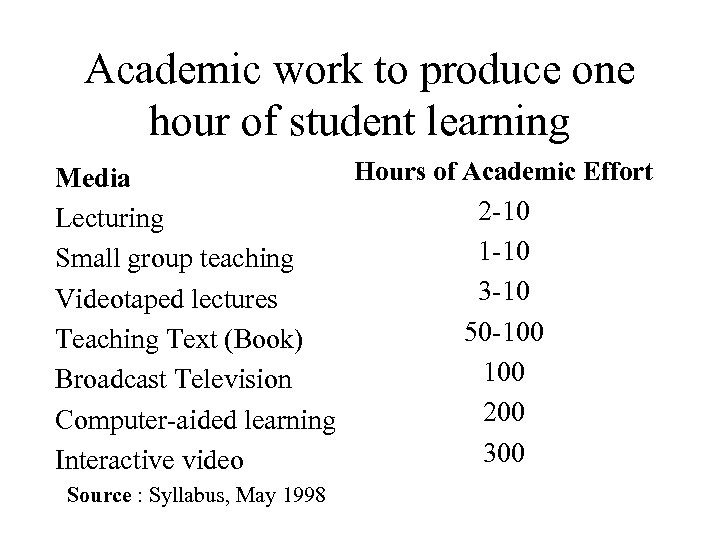 Academic work to produce one hour of student learning Hours of Academic Effort Media 2 -10 Lecturing 1 -10 Small group teaching 3 -10 Videotaped lectures 50 -100 Teaching Text (Book) 100 Broadcast Television 200 Computer-aided learning 300 Interactive video Source : Syllabus, May 1998
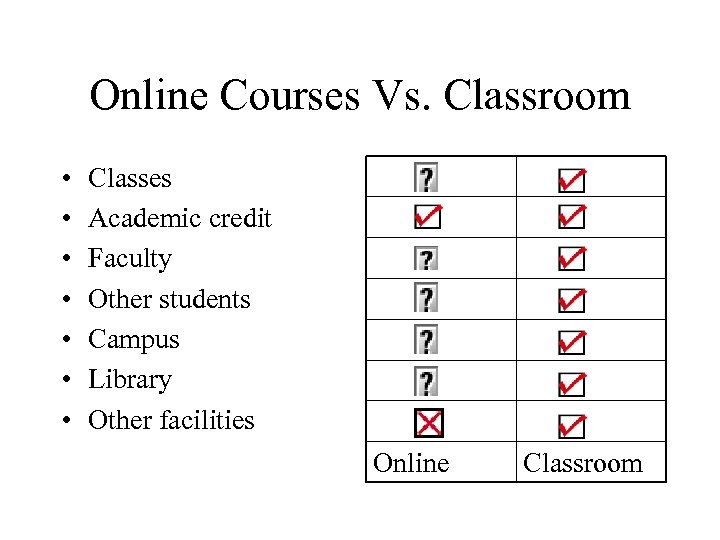 Online Courses Vs. Classroom • • Classes Academic credit Faculty Other students Campus Library Other facilities Online Classroom
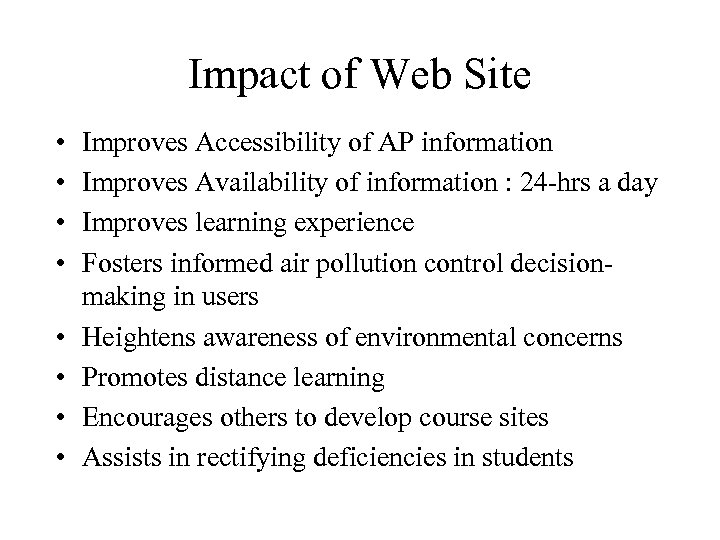 Impact of Web Site • • Improves Accessibility of AP information Improves Availability of information : 24 -hrs a day Improves learning experience Fosters informed air pollution control decisionmaking in users Heightens awareness of environmental concerns Promotes distance learning Encourages others to develop course sites Assists in rectifying deficiencies in students
 Future Development • Amount and organization of information expanded • Introduction of dynamic multimedia technology • Development of CD-ROM for the courses