


 Скачать презентацию Introduction Chapter 1 CSI 2121 Lecture Notes Written
e8ef9bf4fbbf2c21d34f8bf2e23228d4.ppt
- Количество слайдов: 32
 Introduction Chapter 1 CSI 2121 Lecture Notes Written by Mario Marchand http: //www. site. uottawa. ca/~marchand/ 1
 The Bottom-up Approach § We can study computer architectures by starting with the basic building blocks § Transistors and logic gates § To build more complex circuits § Flip-flops, registers, multiplexors, decoders, adders, . . . § From which we can build computer components § Memory, processor, I/O controllers… § Which are used to build a computer system § This was the approach taken in your first course CSI 2111: computer architecture I 2
 The Top-bottom Approach § In this course we will study computer architectures from the programmer’s view § We study the actions that the processor needs to do to execute tasks written in high level languages (HLL) like C/C++, Pascal, … § But to accomplish this we need to: § Learn the set of basic actions that the processor can perform: its instruction set § Learn how a HLL compiler decomposes HLL command into processor instructions 3
 The Top-bottom Approach (Ctn. ) § We can learn the basic instruction set of a processor either § At the machine language level § But reading individual bits is tedious for humans § At the assembly language level § This is the symbolic equivalent of machine language (understandable by humans) § Hence we will learn how to program a processor in assembly language to perform tasks that are normally written in a HLL § We will learn what is going on beneath the HLL interface 4
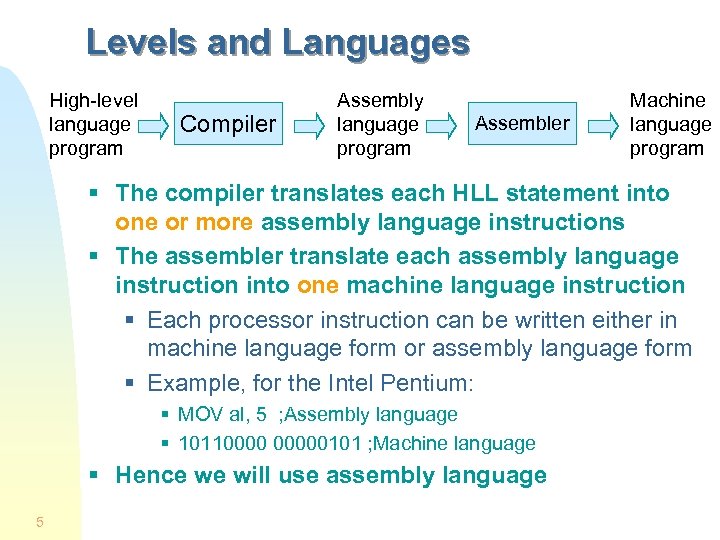 Levels and Languages High-level language program Compiler Assembly language program Assembler Machine language program § The compiler translates each HLL statement into one or more assembly language instructions § The assembler translate each assembly language instruction into one machine language instruction § Each processor instruction can be written either in machine language form or assembly language form § Example, for the Intel Pentium: § MOV al, 5 ; Assembly language § 101100000101 ; Machine language § Hence we will use assembly language 5
 Assembly Language Today § A program written directly in assembly language has the potential to be smaller and to run faster than a HLL program § But it takes too long to write a large program in assembly language § Only time-critical procedures are written in assembly language (optimization for speed) § Assembly language are often used in embedded system programs stored in PROM chips § Computer cartridge games, micro controllers, … § Remember: you will learn assembly language to learn how high-level language code gets translated into machine language § i. e. to learn the details hidden in HLL code 6
 The Platform We Will Use § Assembly language and machine language are processor specific § We will write code for Intel’s x 86 (x>=3) § The assembler places its machine code into an object file which is OS specific § Our code will run (only) on Windows § And it will crash on DOS § Our programs will be Win 32 console applications § These are programs for which all I/O operations are character-based § They run into a MS-DOS box but they are not DOS programs (they do not use DOS calls) 7
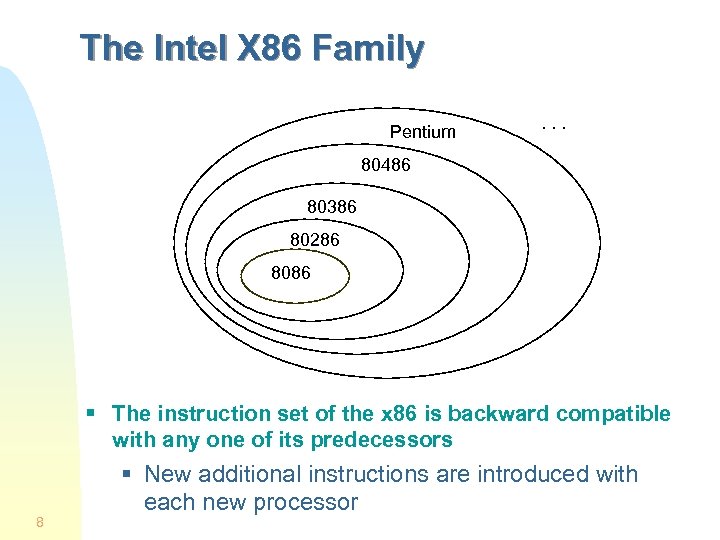 The Intel X 86 Family Pentium . . . 80486 80386 80286 8086 § The instruction set of the x 86 is backward compatible with any one of its predecessors 8 § New additional instructions are introduced with each new processor
 Registers § Registers are the fastest memories § Located directly on the processor § Manipulated directly by processor instructions § The registers for the 8086 and 80286 are only 16 bit wide § Most of these registers have been extended to 32 bits for the 80386 and higher processors § But very few extra registers have been added § The Pentium has very few registers § Only 8 registers are available to the programmer (apart from the segment and FPU registers) 9
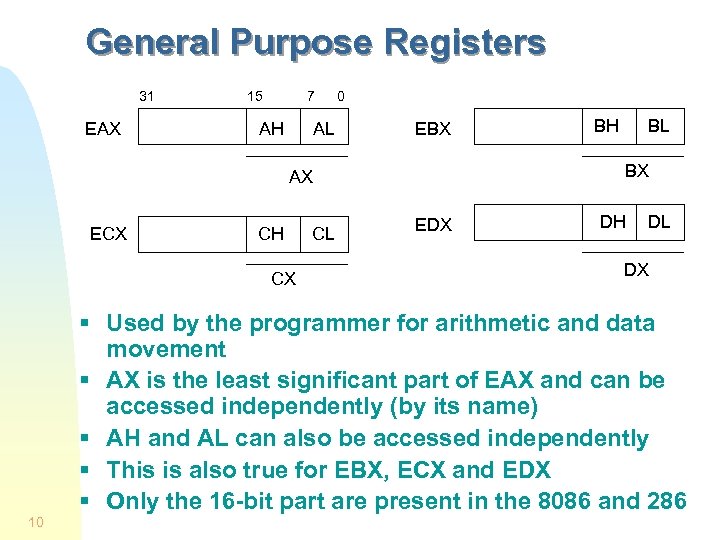 General Purpose Registers 31 EAX 15 7 AH AL 0 EBX CH CX CL BL BX AX ECX BH EDX DH DL DX § Used by the programmer for arithmetic and data movement § AX is the least significant part of EAX and can be accessed independently (by its name) § AH and AL can also be accessed independently § This is also true for EBX, ECX and EDX § Only the 16 -bit part are present in the 8086 and 286 10
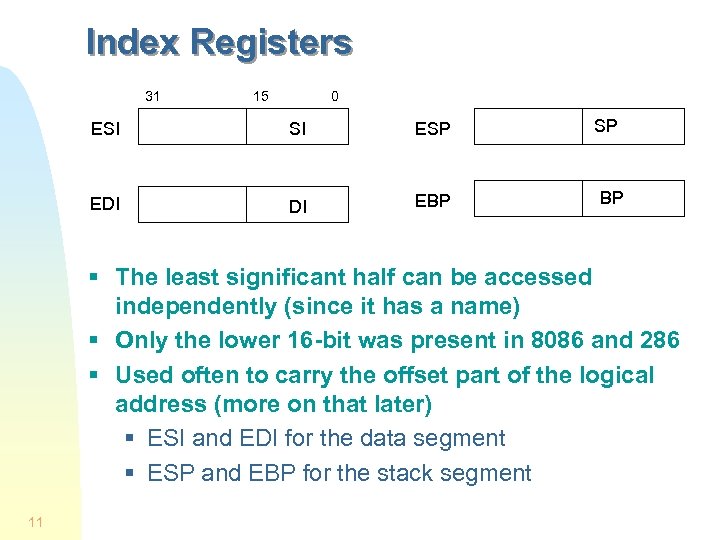 Index Registers 31 15 0 ESI SI ESP EDI DI EBP SP BP § The least significant half can be accessed independently (since it has a name) § Only the lower 16 -bit was present in 8086 and 286 § Used often to carry the offset part of the logical address (more on that later) § ESI and EDI for the data segment § ESP and EBP for the stack segment 11
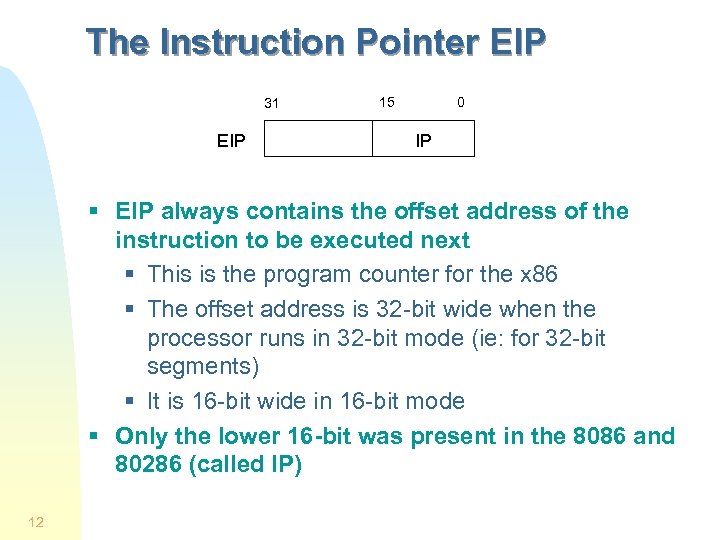 The Instruction Pointer EIP 31 EIP 15 0 IP § EIP always contains the offset address of the instruction to be executed next § This is the program counter for the x 86 § The offset address is 32 -bit wide when the processor runs in 32 -bit mode (ie: for 32 -bit segments) § It is 16 -bit wide in 16 -bit mode § Only the lower 16 -bit was present in the 8086 and 80286 (called IP) 12
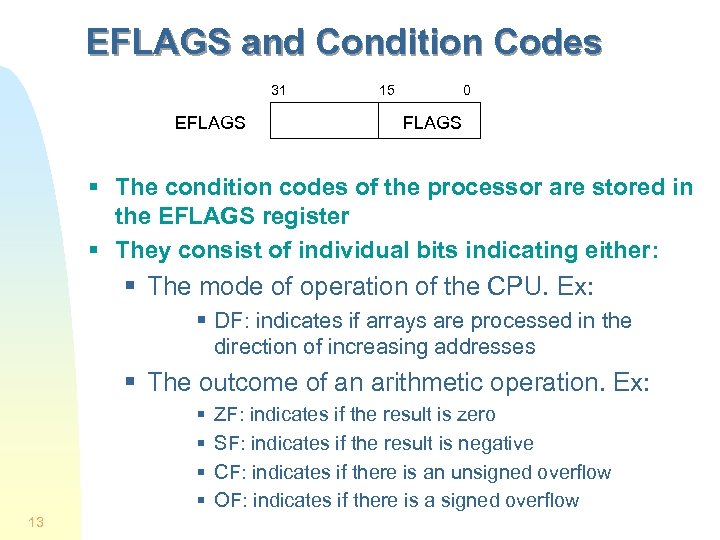 EFLAGS and Condition Codes 31 EFLAGS 15 0 FLAGS § The condition codes of the processor are stored in the EFLAGS register § They consist of individual bits indicating either: § The mode of operation of the CPU. Ex: § DF: indicates if arrays are processed in the direction of increasing addresses § The outcome of an arithmetic operation. Ex: § § 13 ZF: indicates if the result is zero SF: indicates if the result is negative CF: indicates if there is an unsigned overflow OF: indicates if there is a signed overflow
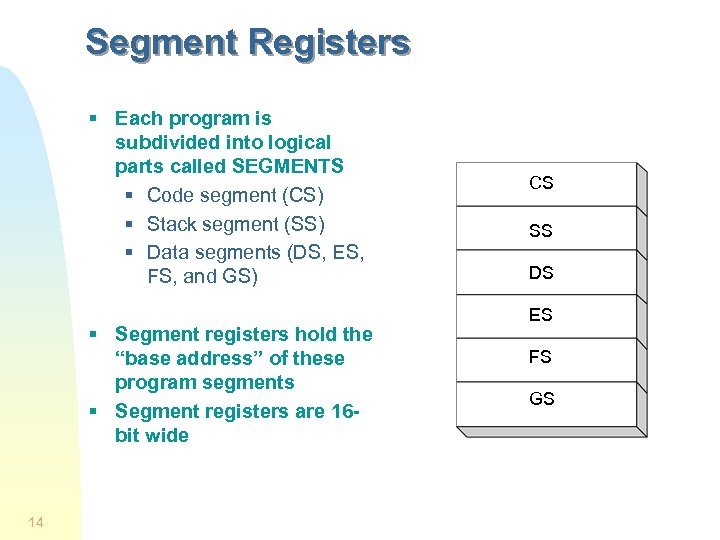 Segment Registers § Each program is subdivided into logical parts called SEGMENTS § Code segment (CS) § Stack segment (SS) § Data segments (DS, ES, FS, and GS) § Segment registers hold the “base address” of these program segments § Segment registers are 16 bit wide 14 CS SS DS ES FS GS
 Logical and Physical Addresses § Addresses specify the location of instructions and data § Addresses that specify an absolute location in main memory are physical addresses § They appear on the address bus § Addresses that specify a location relative to a point in the program are logical (or virtual) addresses § They are addresses used in the code and are independent of the structure of main memory § Each logical address for the x 86 consist of 2 parts: § A segment number used to specify a (logical) part of the program § A offset number used specify a location relative to the beginning of the segment 15
 Address Translation and Running Modes § The translation from logical to physical addresses is done at run time § The way in which this address translation is done depends on the running mode of the x 86 § Two different running modes exist for the x 86: § Real mode (supported by every x 86) § Protected mode (all x 86 except the 8086) 16
 Address Translation in Real Mode § The 16 -bit segment number (contained in a segment register) is first multiplied by 16 to give the 20 -bit physical address of the first byte of the referenced segment § Then we add the 16 -bit offset address to obtained the 20 -bit physical address of the referenced data (or instruction) § Ex: if CS contains 15 A 6 h (in hexadecimal), and IP contains 0012 h § The physical address of the instruction to be executed next is just 15 A 60 h + 0012 h = 15 A 72 h 17
 Characteristics of (Archaic) Real Mode § Can address only up to 1 MB of physical memory § Does not support multitasking § Only 1 process at a time is active § No protection is provided: a program can write anywhere (and corrupt the operating system) § The 8086 runs only in this mode § DOS is a real-mode operating system § Our programs will not run in this archaic mode § They will run in protected mode which does not suffer from any of these limitations 18
 Address Translation in Protected Mode § The logical/virtual address of a referenced word is given by a pair of numbers (segment, offset) § The segment number is contained in a segment register and is used to select (or index) an entry in a segment table (called a descriptor table) § Hence, a segment resister is also called a selector § The selected entry (the descriptor) contains the base address and length of the referenced segment § The 32 -bit base address is added to the 32 -bit offset to form a 32 -bit linear address (P 1, P 2, D) § P 1 indexes a directory page table (in memory) to obtain the base address of a second page table which is indexed by P 2 to give the physical address of the referenced word 19
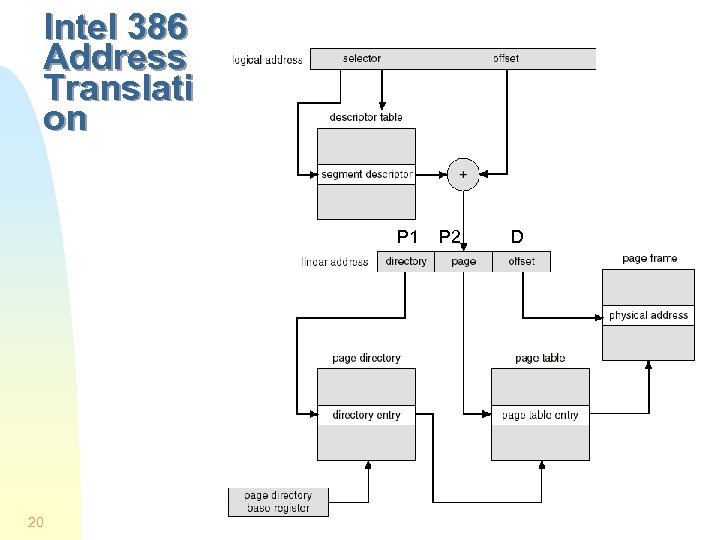 Intel 386 Address Translati on P 1 20 P 2 D
 The FLAT Memory Model § The segmentation part is hidden to the programmer when the base address of each segment descriptor is the same § Each selector then points to the same segment so that code, data, and stack share the same segment § Protection bits (read-only, read-write) in each descriptor can still be used § Done by Windows, Linux, Free. BSD… § The offset part of the logical address is then equivalent to the linear address (P 1, P 2, D). § Only the offset part of the logical address is used to specify the location of a referenced word § The address space is then said to be FLAT § All our programs will use the FLAT memory model 21
 Memory Units for the x 86 § The smallest addressable unit is the BYTE § 1 byte = 8 bits § For the x 86, the following units are used § 1 word = 2 bytes § 1 double word = 2 words (= 32 bits) § 1 quad word = 2 double words 22
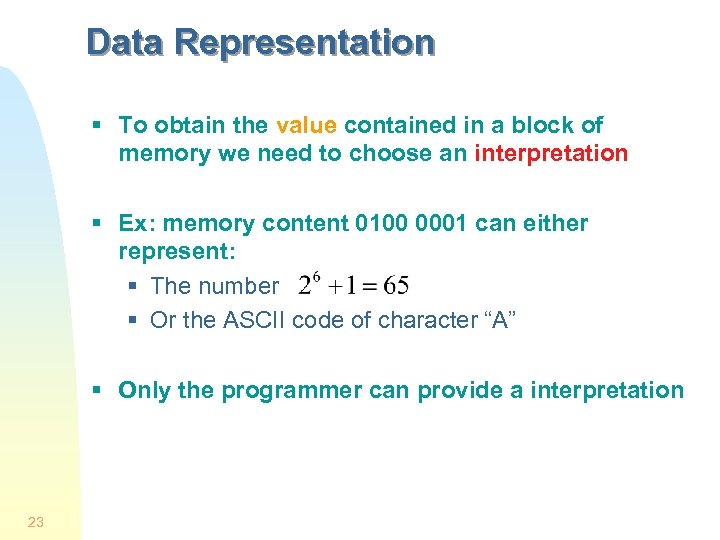 Data Representation § To obtain the value contained in a block of memory we need to choose an interpretation § Ex: memory content 0100 0001 can either represent: § The number § Or the ASCII code of character “A” § Only the programmer can provide a interpretation 23
 Character Representation § Each character is represented by a 7 -bit code called the ASCII code § ASCII codes run from 00 h to 7 Fh (h = hexadecimal) § Only codes from 20 h to 7 Eh represent printable characters. The rest are control codes (used for printing, transmission…). § An extended character set is obtained by setting the most significant bit (MSB) to 1 (codes 80 h to FFh) so that each character is stored in 1 byte § This part of the code depends on the OS used § For Windows: we find accentuated characters, Greek symbols and some graphic characters 24
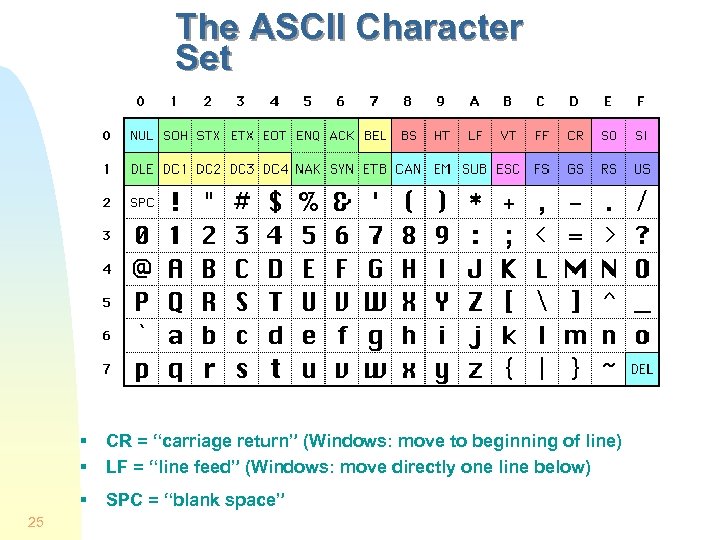 The ASCII Character Set § § § 25 CR = “carriage return” (Windows: move to beginning of line) LF = “line feed” (Windows: move directly one line below) SPC = “blank space”
 Text Files § These are files containing only printable ASCII characters (for the text) and non-printable ASCII characters to mark each end of line. § But different conventions are used for indicating an “end-of line” § Windows:
 Number Systems § A written number is meaningful only with respect to a base § To tell the assembler which base we use: § § Hexadecimal 25 is written as 25 h Octal 25 is written as 25 o or 25 q Binary 1010 is written as 1010 b Decimal 1010 is written as 1010 or 1010 d § You already know how to convert from one base to another (if not, review 1 st year class notes) 27
 Integer Representations § Two different representations exists for integers § The signed representation: in that case the most significant bit (MSB) represents the sign § Positive number (or zero) if MSB = 0 § Negative number if MSB = 1 § The unsigned representation: in that case all the bits are used to represent a magnitude § It is thus always a positive number or zero 28
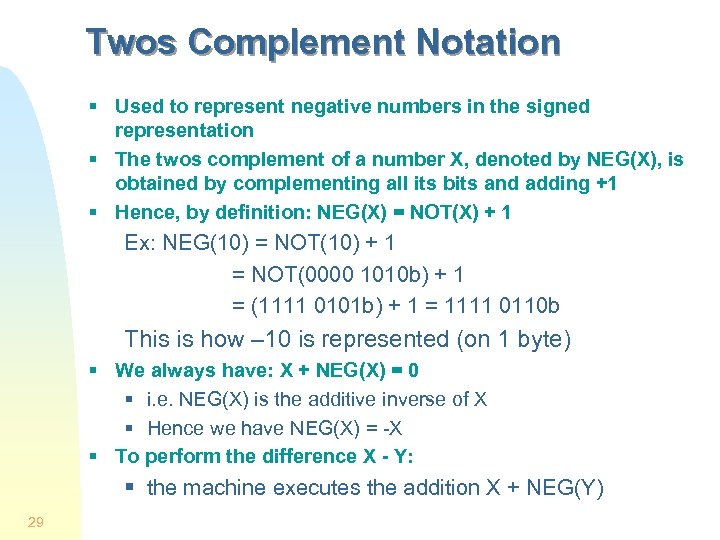 Twos Complement Notation § Used to represent negative numbers in the signed representation § The twos complement of a number X, denoted by NEG(X), is obtained by complementing all its bits and adding +1 § Hence, by definition: NEG(X) = NOT(X) + 1 Ex: NEG(10) = NOT(10) + 1 = NOT(0000 1010 b) + 1 = (1111 0101 b) + 1 = 1111 0110 b This is how – 10 is represented (on 1 byte) § We always have: X + NEG(X) = 0 § i. e. NEG(X) is the additive inverse of X § Hence we have NEG(X) = -X § To perform the difference X - Y: § the machine executes the addition X + NEG(Y) 29
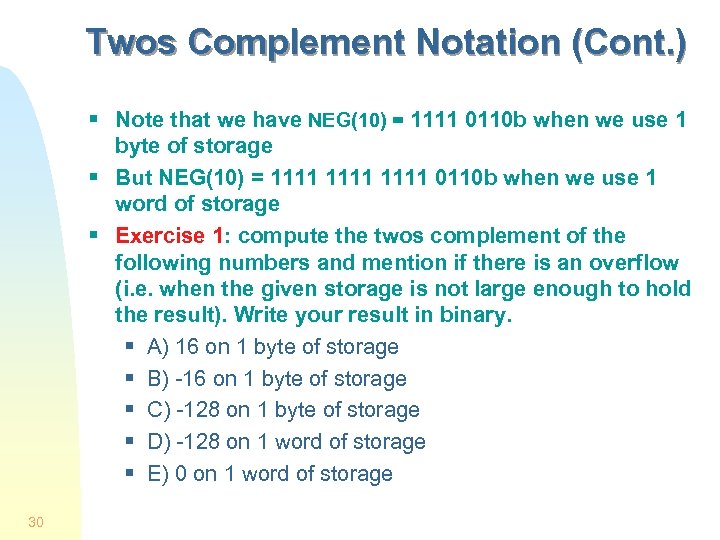 Twos Complement Notation (Cont. ) § Note that we have NEG(10) = 1111 0110 b when we use 1 byte of storage § But NEG(10) = 1111 0110 b when we use 1 word of storage § Exercise 1: compute the twos complement of the following numbers and mention if there is an overflow (i. e. when the given storage is not large enough to hold the result). Write your result in binary. § A) 16 on 1 byte of storage § B) -16 on 1 byte of storage § C) -128 on 1 byte of storage § D) -128 on 1 word of storage § E) 0 on 1 word of storage 30
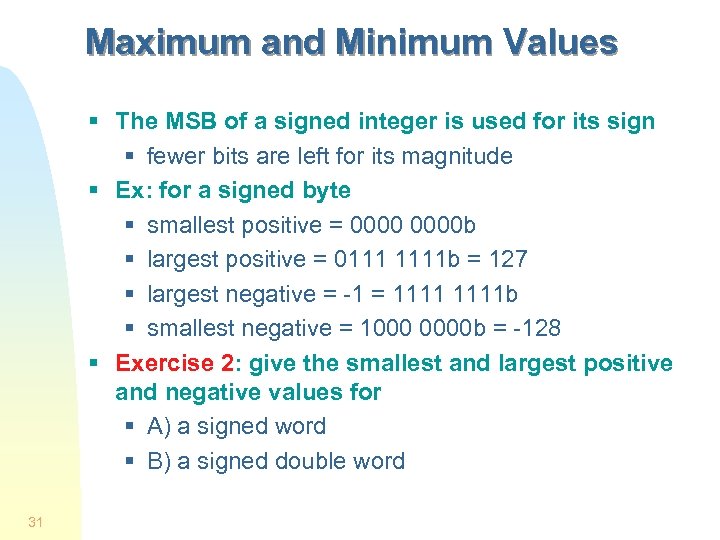 Maximum and Minimum Values § The MSB of a signed integer is used for its sign § fewer bits are left for its magnitude § Ex: for a signed byte § smallest positive = 0000 b § largest positive = 0111 1111 b = 127 § largest negative = -1 = 1111 b § smallest negative = 1000 0000 b = -128 § Exercise 2: give the smallest and largest positive and negative values for § A) a signed word § B) a signed double word 31
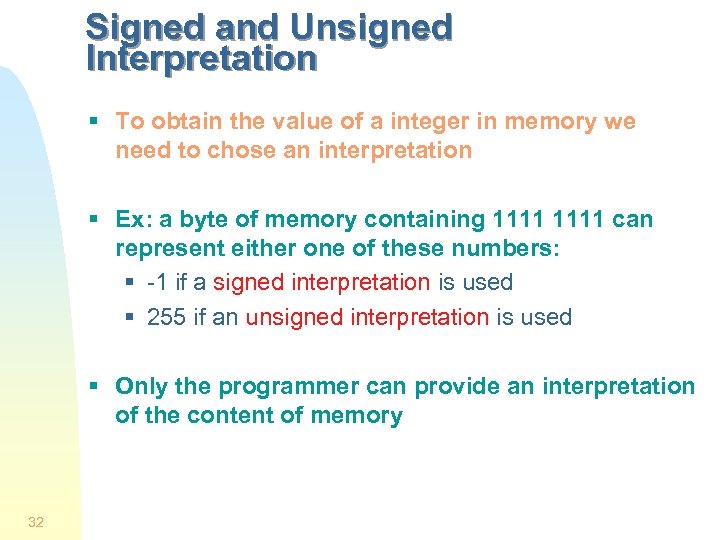 Signed and Unsigned Interpretation § To obtain the value of a integer in memory we need to chose an interpretation § Ex: a byte of memory containing 1111 can represent either one of these numbers: § -1 if a signed interpretation is used § 255 if an unsigned interpretation is used § Only the programmer can provide an interpretation of the content of memory 32