


 Скачать презентацию Intro to Relatively Cheap High Speed Multimedia Applications
7c21c784f11aa33119e7a77726afb385.ppt
- Количество слайдов: 21
 Intro to Relatively Cheap High Speed Multimedia Applications Racine Amateur Television Society & RCARES Digital Group http: //www. kb 9 mma. com/HSMM-RACINE
 Goals • The goal of this presentation is to get you thinking. How you can use HSMM for emergency communications and for public service events. • It is up to you to decide the options whether running HSMM is worth it.
 Why should we care? • Digital radio is ham radio’s future! • Commercial and other entities are already there • Ham radio is behind in this development. • Open protocols- TCP/IP, off the shelf software and hardware. • Lastly, and not most importantly it is FUN! • This is NOT hard, just takes patients • OLD and New hams can work together on these projects! • Some of this can be non-line of sight. • HSMM can provide a very cost effective failure resistant wireless backbone for area ham digital systems • It integrates into anything TCP/IP compatible
 What is HSMM? HSMM, or High Speed Multimedia, is the name of an ARRL sponsored technical project to introduce high speed data radio to amateur radio. HSMM generally uses standard internet protocols , so that regular applications such as web, ftp, email and other applications can run over it without modification. The popular license free 802. 11 a/b/g services operate on bands that overlap amateur frequency allocations, giving us cheap hardware that can be used in in part 97 operation… when used with care
 Immediate EMCOMM Applications – – Echolink Winlink 2 k APRS Telpac nodes – Document Storage & Access – Printer Sharing – IRLP Repeater Links – APRS Internet Feed – Weather Web Sites – Regular Internet Service – Repeater control – Video – Audio – Hospital / EOC interconnects – Event Management – Custom web applications – Work flow software – And more!
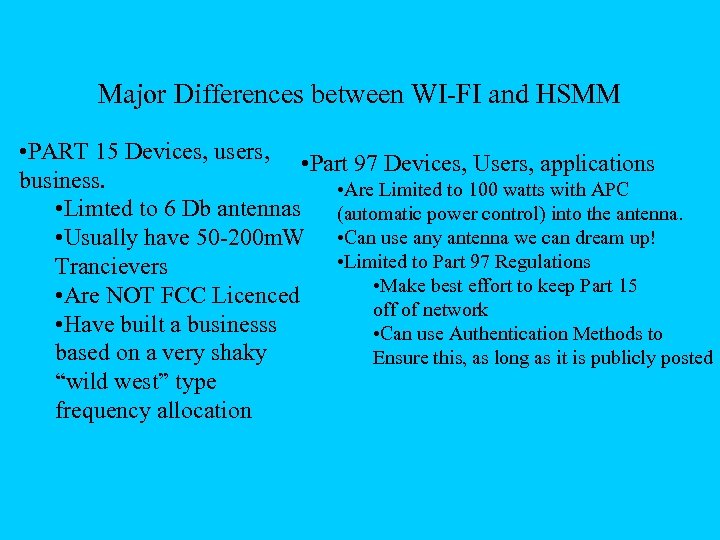 Major Differences between WI-FI and HSMM • PART 15 Devices, users, • Part 97 Devices, Users, applications business. • Are Limited to 100 watts with APC • Limted to 6 Db antennas (automatic power control) into the antenna. • Usually have 50 -200 m. W • Can use any antenna we can dream up! • Limited to Part 97 Regulations Trancievers • Make best effort to keep Part 15 • Are NOT FCC Licenced off of network • Have built a businesss • Can use Authentication Methods to based on a very shaky Ensure this, as long as it is publicly posted “wild west” type frequency allocation
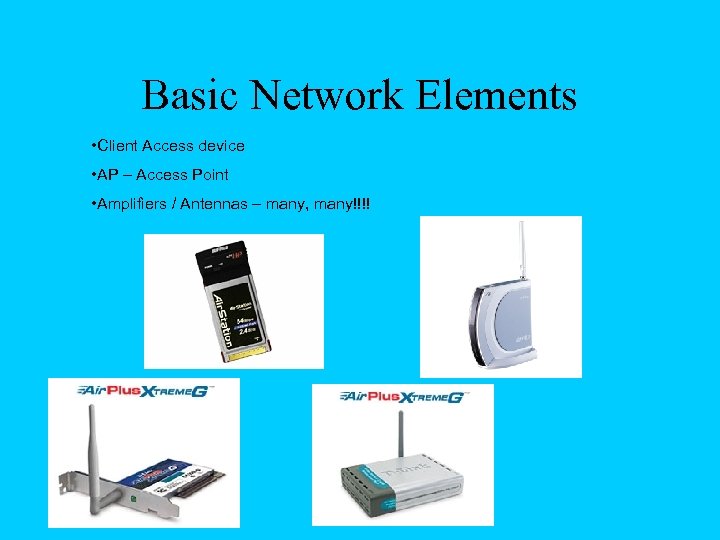 Basic Network Elements • Client Access device • AP – Access Point • Amplifiers / Antennas – many, many!!!!
 Amplifiers • Picture of the RF Linx amplifier. • Specifications can be found at http: //www. rflinx. com/Amplifiers/2. 4 GHz. Amplifiers/2400_C_Series. htm • We purchased them from Fab-corp. com. Make sure to purchase the MMCX to whatever connectors! • Others can be found on EBAY for BI-Directional AMPS!
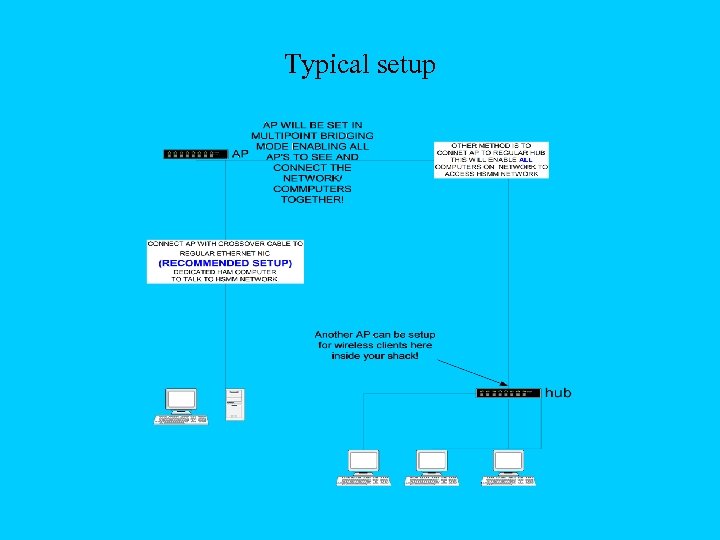 Typical setup
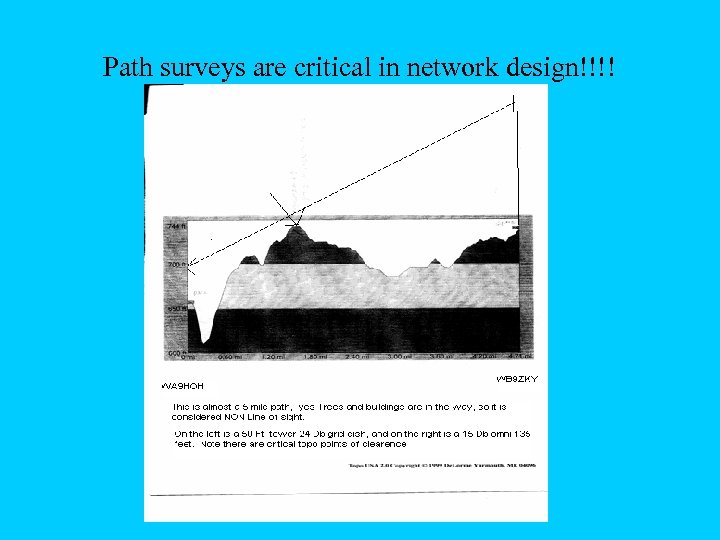 Path surveys are critical in network design!!!!
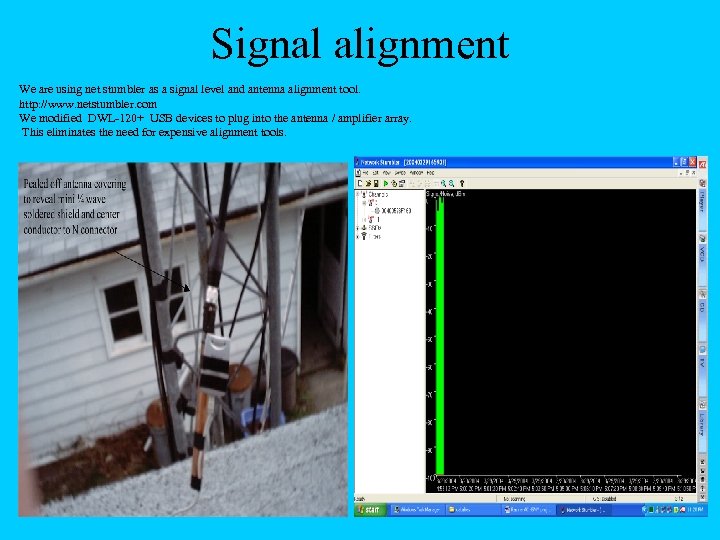 Signal alignment We are using net stumbler as a signal level and antenna alignment tool. http: //www. netstumbler. com We modified DWL-120+ USB devices to plug into the antenna / amplifier array. This eliminates the need for expensive alignment tools.
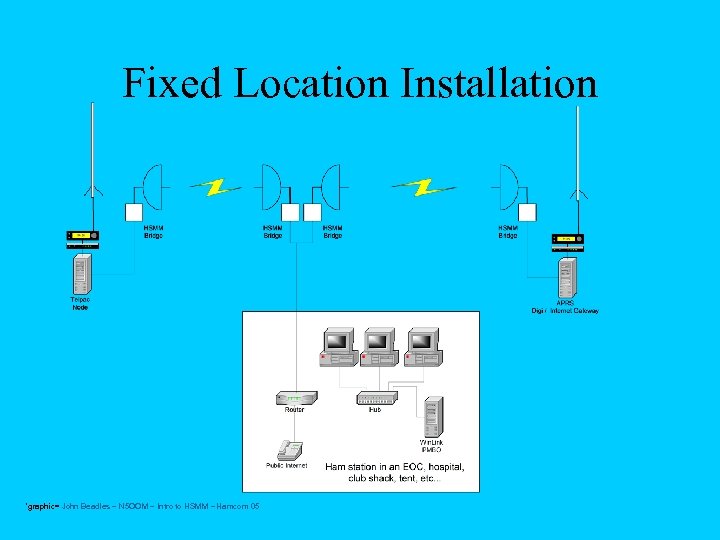 Fixed Location Installation *graphic= John Beadles – N 5 OOM – Intro to HSMM – Hamcom 05
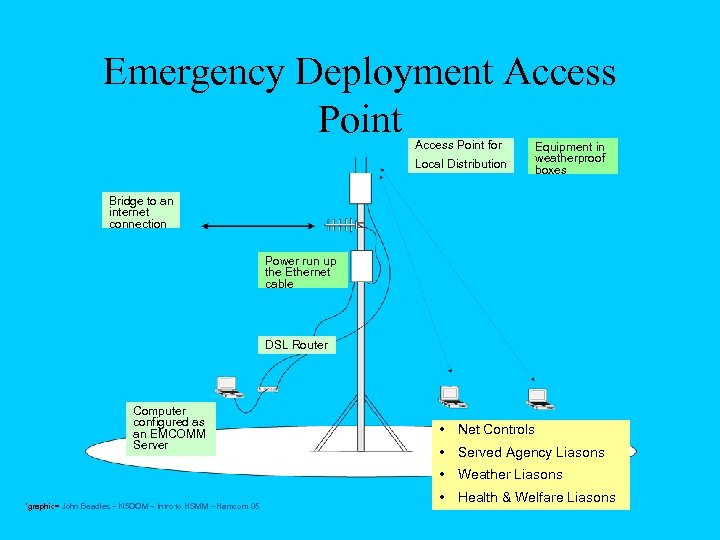 Emergency Deployment Access Point for Local Distribution Equipment in weatherproof boxes Bridge to an internet connection Power run up the Ethernet cable DSL Router Computer configured as an EMCOMM Server • Net Controls • Served Agency Liasons • Weather Liasons *graphic= John Beadles – N 5 OOM – Intro to HSMM – Hamcom 05 • Health & Welfare Liasons
 One Possible Digital Network *graphic= John Beadles – N 5 OOM – Intro to HSMM – Hamcom 05
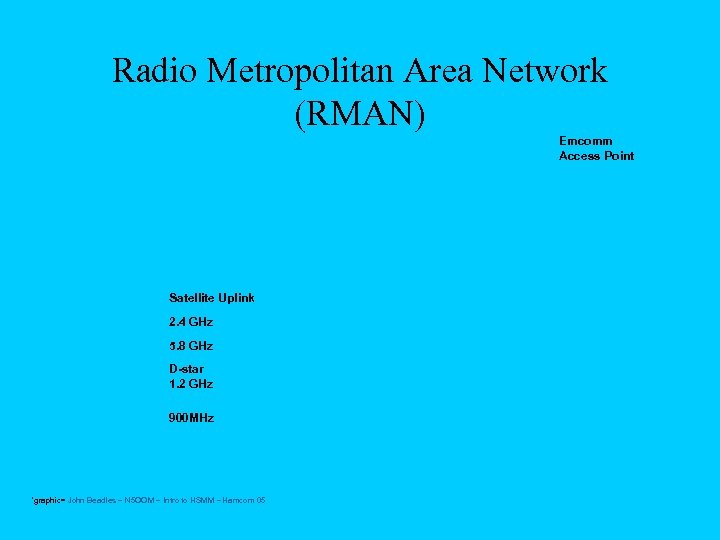 Radio Metropolitan Area Network (RMAN) Emcomm Access Point Satellite Uplink 2. 4 GHz 5. 8 GHz D-star 1. 2 GHz 900 MHz *graphic= John Beadles – N 5 OOM – Intro to HSMM – Hamcom 05
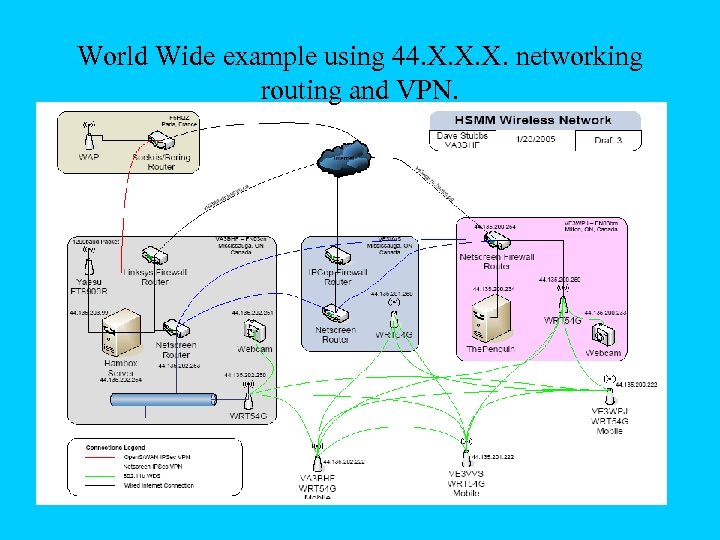 World Wide example using 44. X. X. X. networking routing and VPN.
 Demo Time! • I will now show you some Live HSMMing! • Also Appendix has some more technical information on Vendors and Freq allocations.
 Vendors • Fleeman, Anderson & Bird – – • Pacific Wireless – • http: //www. pacwireless. com/ RF Cables, Inc. – • http: //www. fab-corp. com/ Owned by hams in Florida http: //allrfcables. com/ Hyper. Link Technologies – http: //www. hyperlinktech. com/
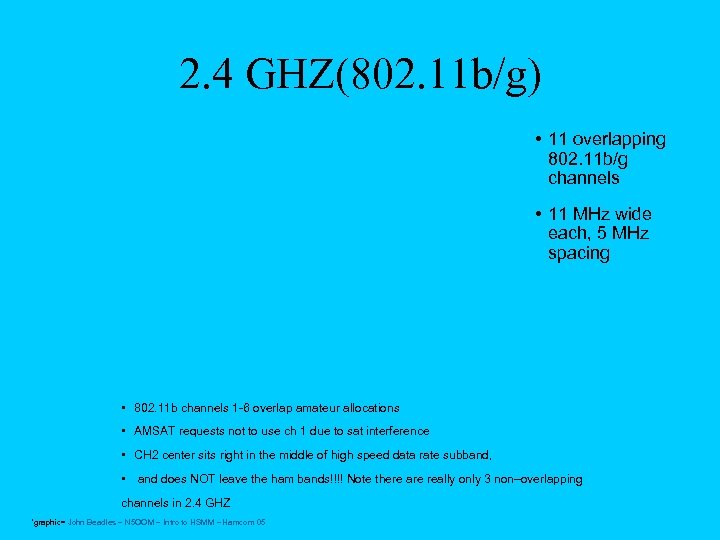 2. 4 GHZ(802. 11 b/g) • 11 overlapping 802. 11 b/g channels • 11 MHz wide each, 5 MHz spacing • 802. 11 b channels 1 -6 overlap amateur allocations • AMSAT requests not to use ch 1 due to sat interference • CH 2 center sits right in the middle of high speed data rate subband, • and does NOT leave the ham bands!!!! Note there are really only 3 non–overlapping channels in 2. 4 GHZ *graphic= John Beadles – N 5 OOM – Intro to HSMM – Hamcom 05
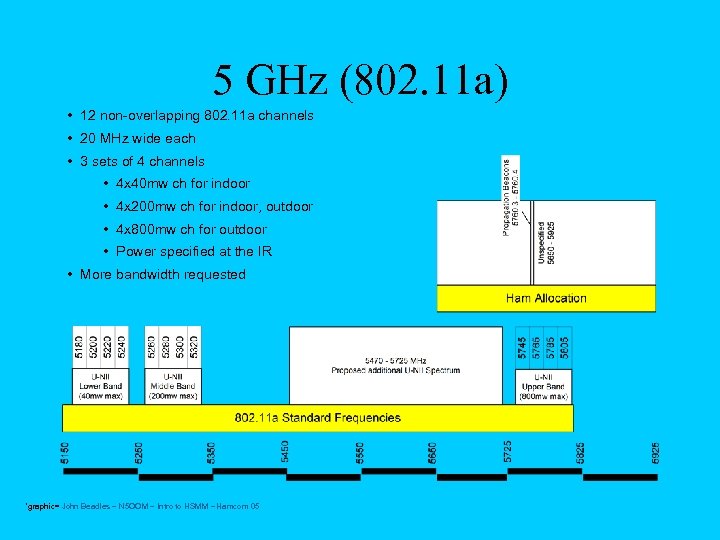 5 GHz (802. 11 a) • 12 non-overlapping 802. 11 a channels • 20 MHz wide each • 3 sets of 4 channels • 4 x 40 mw ch for indoor • 4 x 200 mw ch for indoor, outdoor • 4 x 800 mw ch for outdoor • Power specified at the IR • More bandwidth requested *graphic= John Beadles – N 5 OOM – Intro to HSMM – Hamcom 05
 Projects for your organization • http: //www. n 5 oom. org/hsmm/rootenna_proj ect. htm • Client HSMM AP and Bridge setups. • Cantenna’s • Installing and testing field applicaitions for your local and state plans.