


 Скачать презентацию INTERNET TV Internet Connectivity for Your Entertainment System
168ca4e3ccd780c7ffc3354bc530cfa4.ppt
- Количество слайдов: 37
 INTERNET TV Internet Connectivity for Your Entertainment System
 What is Internet TV? One Definition: Video delivered over the Web to your TV Newer Definition: Video and Information delivered …. Much more than just watching archived movies and TV shows “Cloud” services are enabling smart TV’s to become portals for vast libraries of entertainment Dynamic changes in the works - features and capabilities are expanding very rapidly
 Why Connect to Your TV? Access to more entertainment programming (tens of thousand versus hundreds) Watch “when you want” versus a “fixed schedule” Immediate access to a wide range of info from the “cloud” including news/sports/weather, etc. Video conference on large screen TV (Skype TV) Ability to interact with others while watching (social networking) New features are only limited by imagination
 Are We “Cutting The Cord”? “Cord-cutting refers to the phenomenon of people dropping pay TV packages with the growth of online video offerings through Hulu, Netflix and other services. ” (AP Article, 2/16/2011) Internet TV doesn't (currently) include live programming Netflix is venturing into to becoming a full-fledged network with it’s own original TV series Cable companies are scrambling to retain customers due to rapid developments in Internet TV.
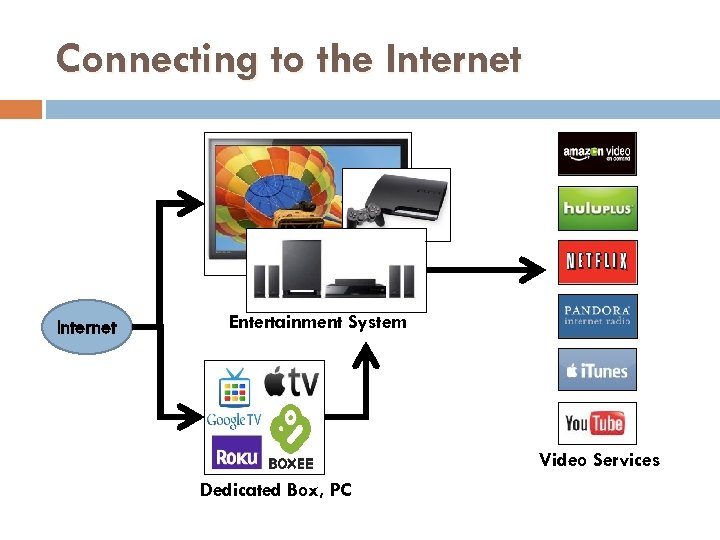 Connecting to the Internet Entertainment System Video Services Dedicated Box, PC
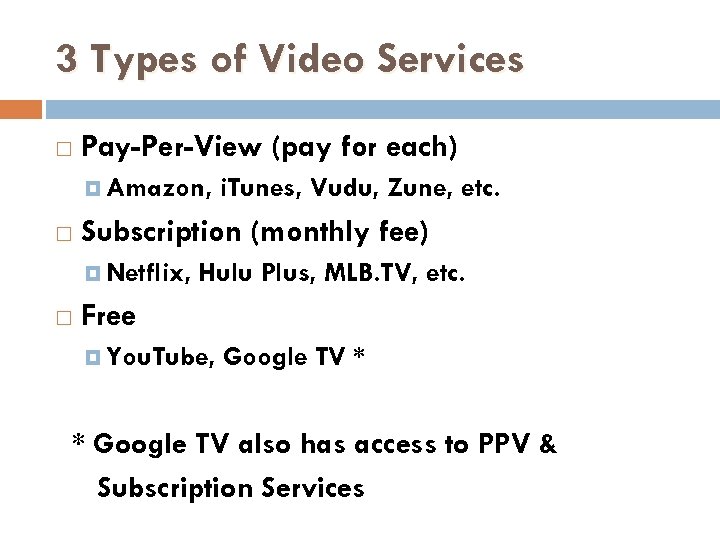 3 Types of Video Services Pay-Per-View (pay for each) Amazon, Subscription (monthly fee) Netflix, i. Tunes, Vudu, Zune, etc. Hulu Plus, MLB. TV, etc. Free You. Tube, Google TV * * Google TV also has access to PPV & Subscription Services
 Video Services vs. Internet Devices Current Internet Devices can only handle some Video Services (but not all) Even though a device is Internet Enabled, it may not be able to handle the Video Service(s) you desire This limitation is controlled by the devices firmware and system upgrades may additional services (but perhaps unlikely) Recommendation: Before buying anything, identify Video Service(s) desired
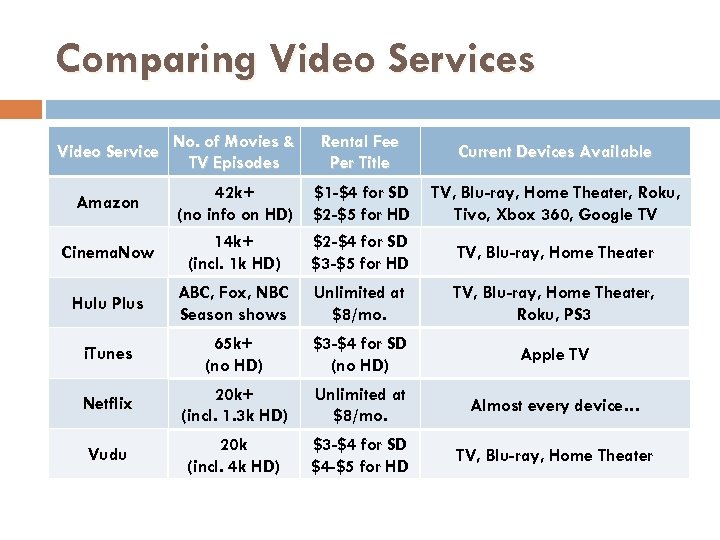 Comparing Video Services Video Service No. of Movies & TV Episodes Rental Fee Per Title Current Devices Available Amazon 42 k+ (no info on HD) $1 -$4 for SD $2 -$5 for HD TV, Blu-ray, Home Theater, Roku, Tivo, Xbox 360, Google TV Cinema. Now 14 k+ (incl. 1 k HD) $2 -$4 for SD $3 -$5 for HD TV, Blu-ray, Home Theater Hulu Plus ABC, Fox, NBC Season shows Unlimited at $8/mo. TV, Blu-ray, Home Theater, Roku, PS 3 i. Tunes 65 k+ (no HD) $3 -$4 for SD (no HD) Apple TV Netflix 20 k+ (incl. 1. 3 k HD) Unlimited at $8/mo. Almost every device… Vudu 20 k (incl. 4 k HD) $3 -$4 for SD $4 -$5 for HD TV, Blu-ray, Home Theater
 Media Download vs. Streaming Media Download The transfer of an entire media file to the memory of your device. Playback is available after entire file is downloaded. Media Streaming The transfer of media data in a continuous stream for immediate playback. The entire media file is typically not stored in the memory of your device.
 Is Your Internet Service Fast Enough? Video Streaming requires fast Internet speed Recommended Speed: 720 dpi HD Programming: 1. 5+ mbps (450 kbps min. ) 1080 dpi HD Programming: 5 mbps If your speed isn’t fast enough, streaming content may occasionally “pause” during viewing or picture quality will be automatically reduced Check your system speed at: www. speakeasy. net/speedtest/
 3 Types of Internet TV Devices Home Entertainment Devices (Internet Enabled) Dedicated “Set-top” Boxes: Boxes TV, Blu-ray/DVD, Home Theater, DVR, Game Machines Most do not have built-in wi-fi (If not, will need USB Lan Adapter) Apple TV, Roju, Boxee, Google TV, WD TV Live, etc. Most have built-in wi-fi PC (laptop), i. Pad, Tablet: Tablet Connect via HDMI or Wi-Di
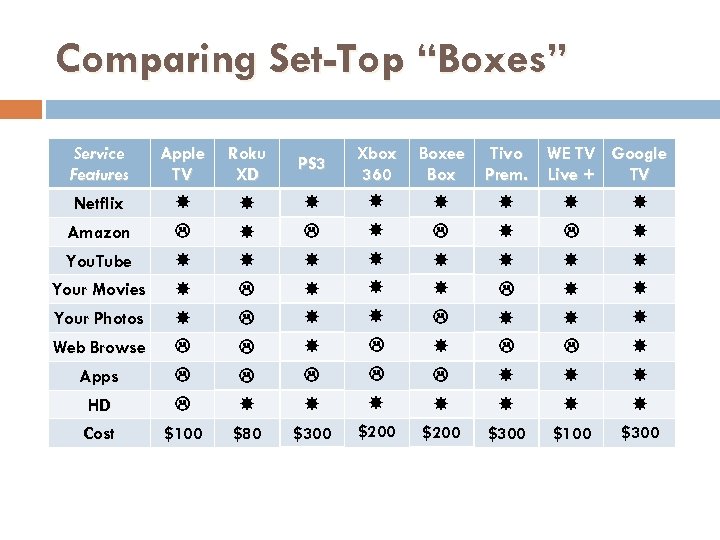 Comparing Set-Top “Boxes” Service Features Apple TV Roku XD PS 3 Boxee Box Tivo Prem. Xbox 360 Netflix Amazon You. Tube WE TV Google Live + TV Your Movies Your Photos Web Browse Apps HD Cost $100 $80 $300 $200 $300 $100 $300
 Apps, Widgets, Channels Enabled Devices often have “extra” built-in features These features are called apps, widgets, or channels Apps extract web info and display on TV Apps often better than Browsing App Stores becoming available (Samsung, Google TV) Examples of apps include: Audio: Pandora, Last. fm, Slacker, Mediafly Photos: Flickr, Picasa, Frame. Channel Social Networking: Facebook, Twitter, Skype TV News/Sports/Weather Widgets Games Widgets
 PC/Tablet to TV Option Use Laptop/Tablet as Source and HDTV for Display 2 Connection Methods HDMI to HDTV (with Wireless Keyboard, $35) Wireless Display Adapter (Wi-Di, $85) Advantage: Lots of web applications available Netflix Pandora Web Browsing Control your TV (i. Pad w/ Direct. TV) Etc. , etc. Potential problem with screen display setup
 Google TV – The Platform Google TV is a software platform & not hardware Integrated web browser & media player Current Hardware Devices Logitech Revue ($300) Sony Internet Blu-ray ($400) Sony Internet TV ($$$) Great potential but system currently needs work
 Google TV – Advertised Features Simultaneous search of TV, web and apps Access to anything on Web using Chrome/Flash Apps available via Android App Store Control with your i. Phone or Android phone Fling video from your phone to your television 40 k+ movies/shows available (Netflix/Amazon) Watch You. Tube in full screen HD Watch and browse, simultaneously (p-i-p)
 Google TV – Advertised Features Setup a Home Page with your favorites Find your favorite episodes (page for ea. TV series) Create TV playlist (Similar to DVR but for the web) Record from the search bar (DISH only) Music through your sound system Watch your photos on your TV Automatic over-the-air updates
 Potential Issues with Internet TV Your Internet service speed Your wi-fi signal strength at TV (if using wi-fi) Image quality (Internet TV 720 dpi DVD) Audio sync No surround sound Control lag No special features as on Blu-ray/DVD No subtitles (except foreign films) * Movie and TV Show availability * Browsing not very good * * Improvements coming rapidly
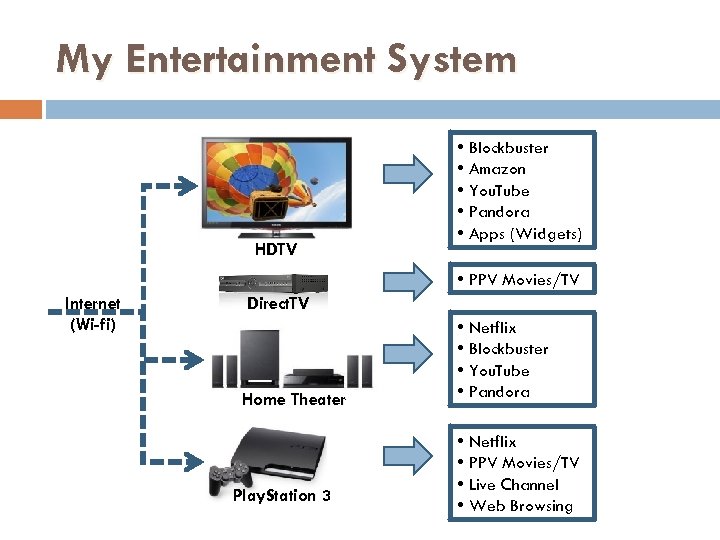 My Entertainment System HDTV • Blockbuster • Amazon • You. Tube • Pandora • Apps (Widgets) • PPV Movies/TV Internet (Wi-fi) Direct. TV Home Theater Play. Station 3 • Netflix • Blockbuster • You. Tube • Pandora • Netflix • PPV Movies/TV • Live Channel • Web Browsing
 HDTV Example (Samsung) Video (You. Tube, Blockbuster, Amazon, no Netflix) Apps (Widgets) Music (Pandora) Pictures (Flickr) News, Stocks, Weather, Facebook No downloadable Apps available No Web Browsing Content Library (Gallery, Cooking, Wellness) Media Play Capability (Photo, Music, Movie) Online system firmware update capability
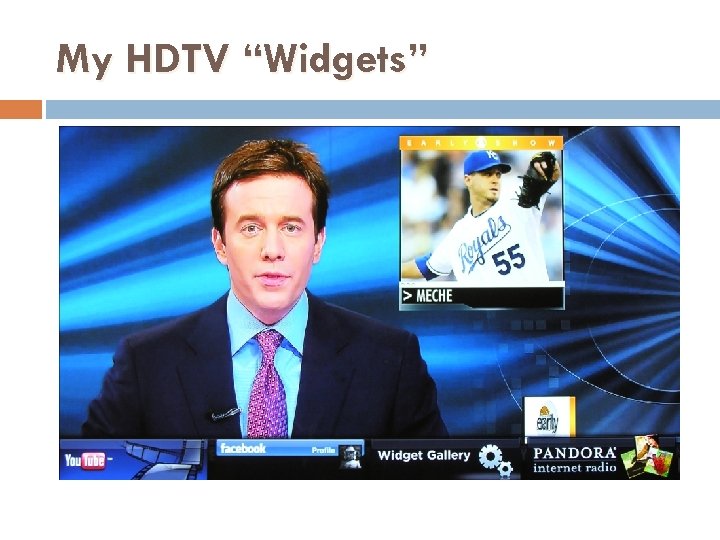 My HDTV “Widgets”
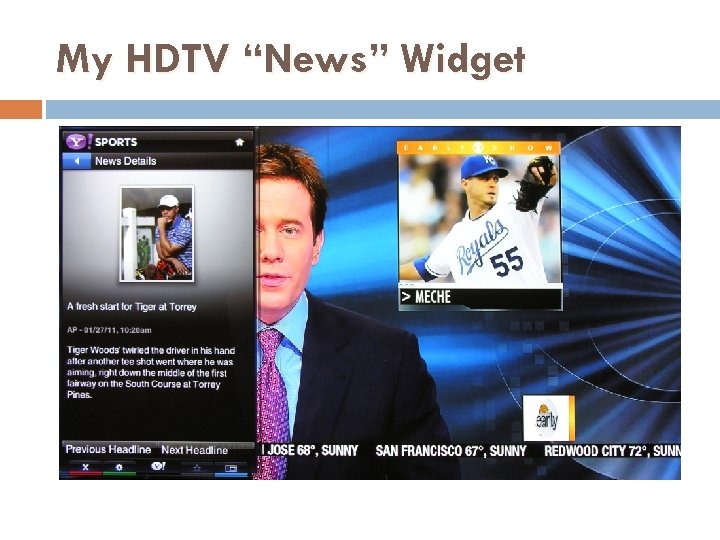 My HDTV “News” Widget
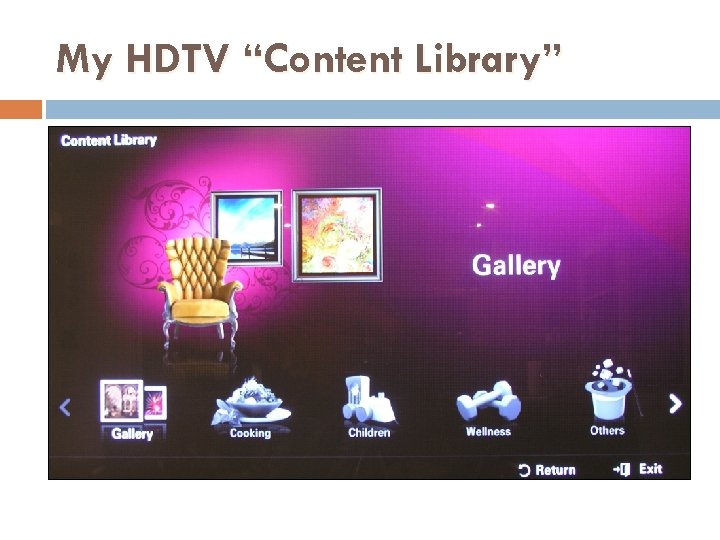 My HDTV “Content Library”
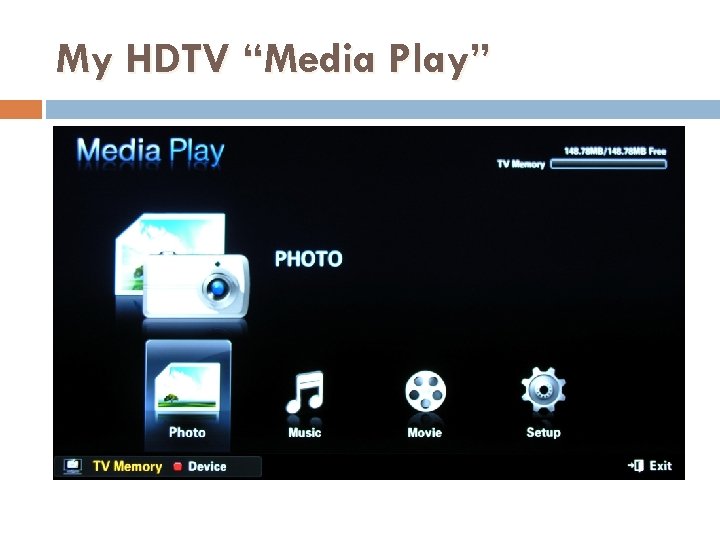 My HDTV “Media Play”
 Home Theater Example (Samsung) Video (Netflix, Blockbuster, You. Tube) Music (Pandora) No downloadable Apps available No Web Browsing Content Library (Gallery, Cooking, Wellness) Media Play (Photo, Music, Movies) Online system firmware update capability
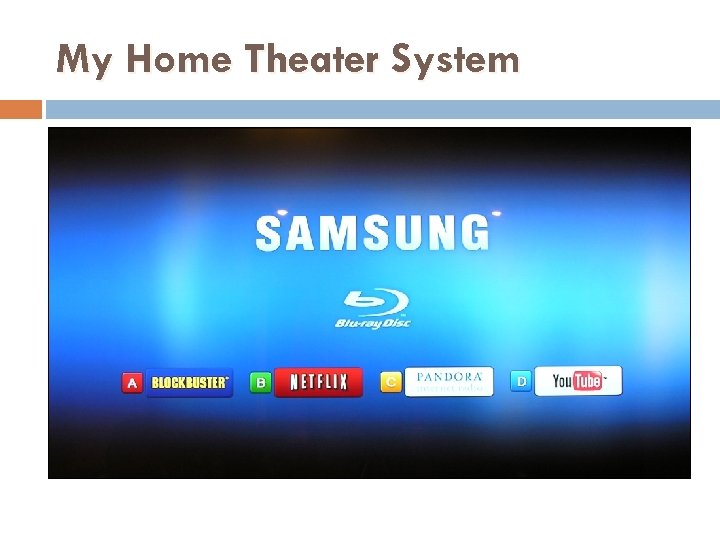 My Home Theater System
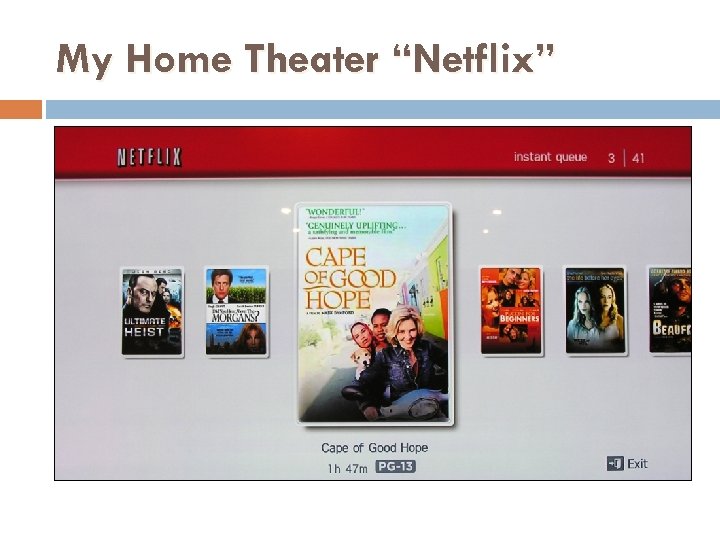 My Home Theater “Netflix”
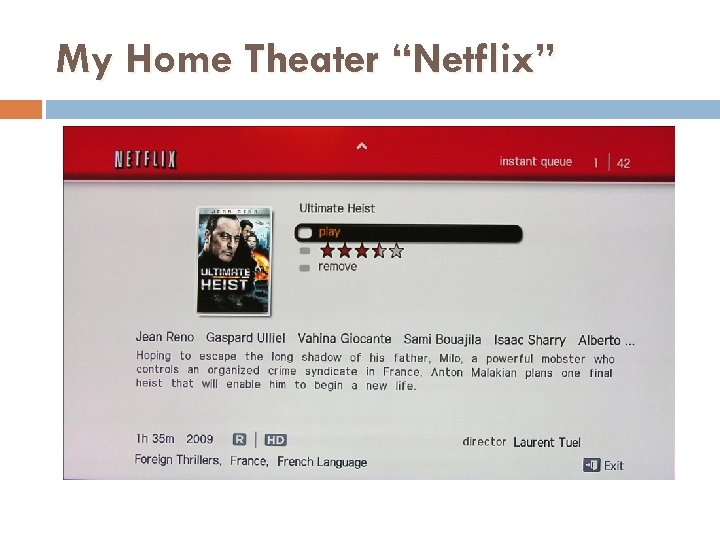 My Home Theater “Netflix”
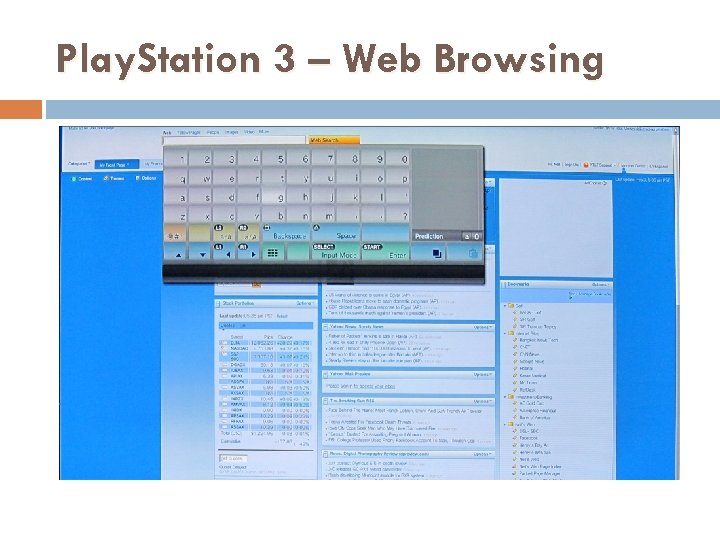
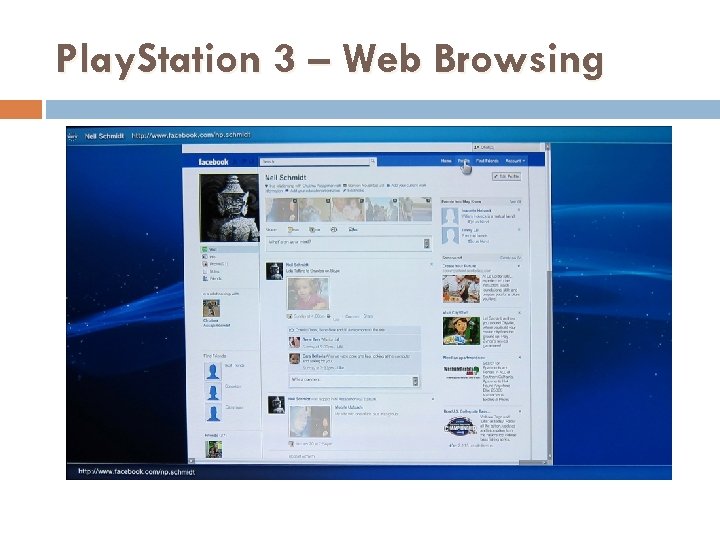
 Play. Station 3 Example Has built-in Wi-Fi (no USB lan adapter needed) 1080 dpi HD gaming machine including online gaming Apps Netflix Pay-Per-View movies/TV shows Live Channel (news/weather) Web Browsing (wireless keyboard needed @ $60) Pandora Facebook Etc. , Etc…. Online system firmware update capability
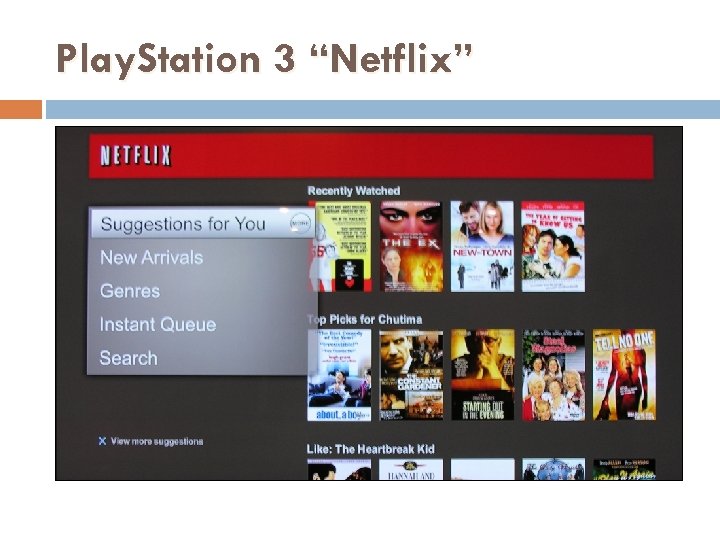 Play. Station 3 “Netflix”
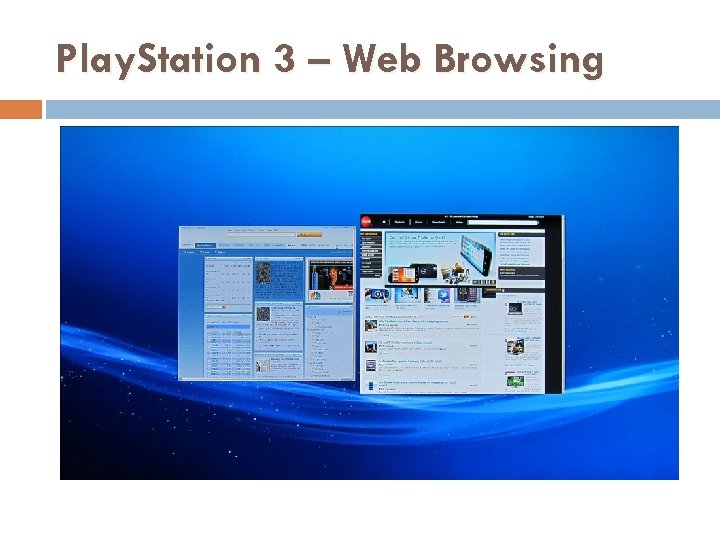 Play. Station 3 – Web Browsing
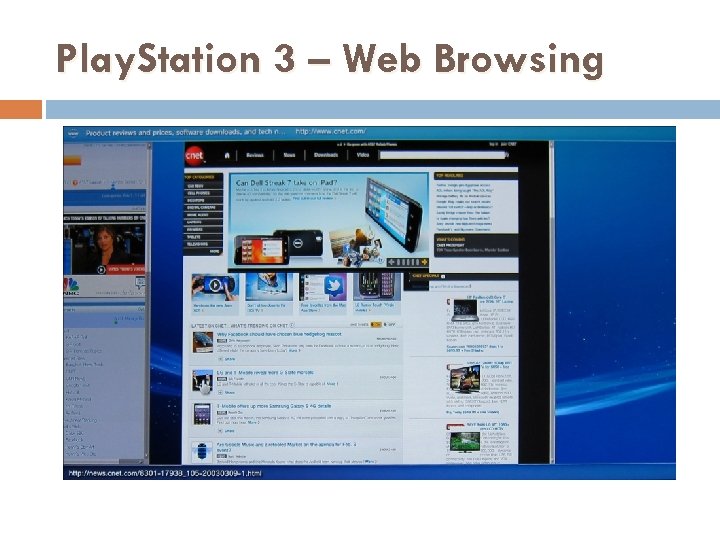 Play. Station 3 – Web Browsing
 Play. Station 3 – Web Browsing
 Play. Station 3 – Web Browsing
 My Internet TV Recommendations If you currently have an Internet enabled TV, DVD, Home Theater, etc. device, use it to connect Buy a new Blu-ray player – It’s a low-priced way to get Internet and can serve double duty as HD disc player Use a Game Console only if you plan to buy one Use a Set-top Box only if you don’t want a new TV or Blu-ray player Use your Laptop Computer if you have one
 Where is Internet TV Going? Tremendous changes and advancements coming There are lots of technological and contractual issues yet to be resolved Your TV is going to become the gateway to the Internet with search, cloud, social networking functionalities Internet and TV will seamlessly merge as one entertainment platform One vision: “Eventually the Internet will become television”
 The End…… CAT Web Site: sir-web. org/computer/