


 Скачать презентацию Internet Phone Video Services i e
345b370113eb150ce0a9905c19b9340c.ppt
- Количество слайдов: 51
 Internet Phone & Video Services (i. e. , Vo. IP) CAT Web Site: sir-web. org/computer/
 Topics To Be Discussed Landline alternative companies ◦ Examples: Vonage, Via: talk Vo. IP Adapters (no or low monthly bill) ◦ Examples: Magic. Jack, net. Talk Computer based systems (softphones) ◦ Examples: Skype, Google Talk/Chat Mobile phone based systems ◦ Examples: Truphone, Skype apps Video & Conference Calling
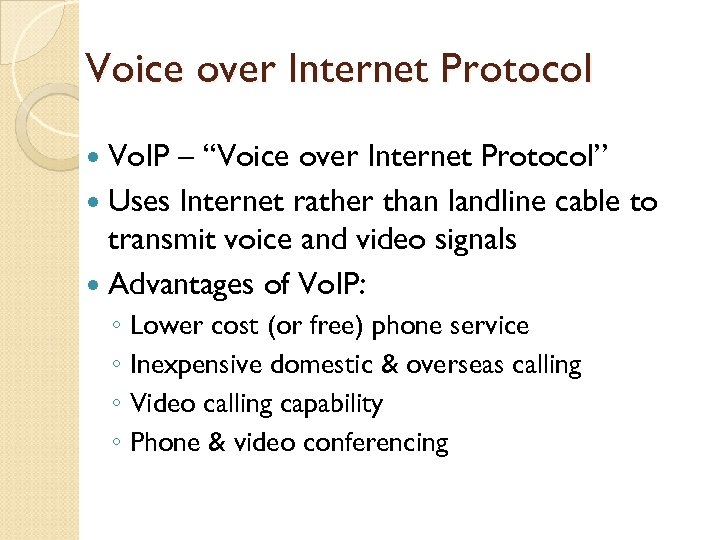 Voice over Internet Protocol Vo. IP – “Voice over Internet Protocol” Uses Internet rather than landline cable to transmit voice and video signals Advantages of Vo. IP: ◦ Lower cost (or free) phone service ◦ Inexpensive domestic & overseas calling ◦ Video calling capability ◦ Phone & video conferencing
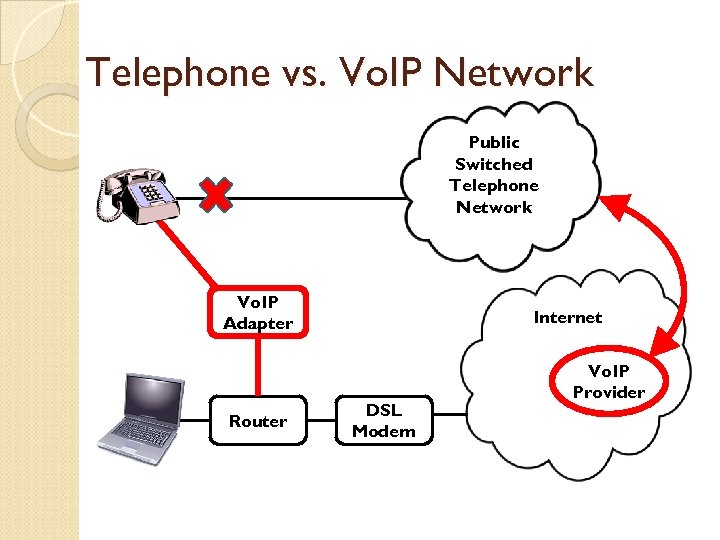 Telephone vs. Vo. IP Network Public Switched Telephone Network Vo. IP Adapter Router Internet DSL Modem Vo. IP Provider
 Vo. IP Phone Systems Unlimited free calling for domestic calls Typical free services: ◦ Voicemail ◦ caller id ◦ call waiting ◦ online message playback ◦ Etc. , etc. Low cost international calls Cost less than a standard telephone landline
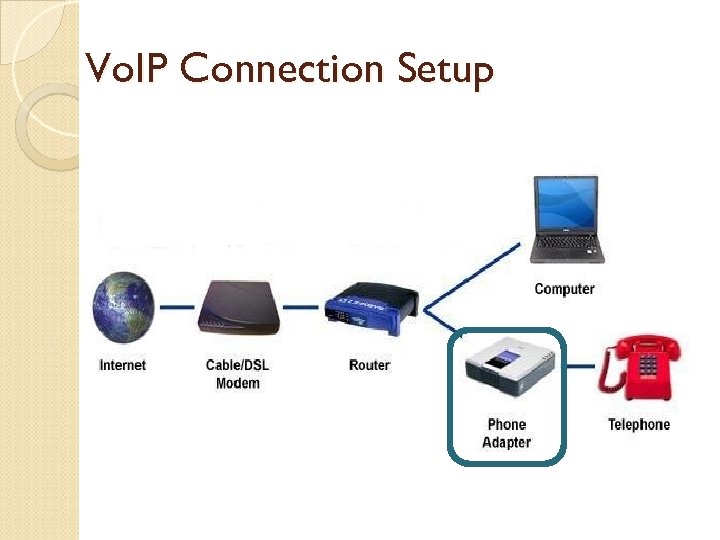 Vo. IP Connection Setup
 Potential Issues with Vo. IP Phones Voice signal quality Emergency 911 Calling Fax handling Retention of existing phone number Loss of AC power = Loss of phone Loss of Internet feed = Loss of phone Customer service
 Vo. IP Phone Companies Main advantage vs. other Vo. IP alternatives Business quality systems ◦ Better signal quality ◦ Better customer support Main disadvantage vs. other Vo. IP alternatives • Typically they are slightly mores costly
 IP Phones vs. Adapters IP Phones are specifically designed to work with Vo. IP technology ◦ Ethernet ports to connect voice/data Landline phones work with Vo. IP, if you use an “Analog Telephone Adapter” ◦ Converts voice to Vo. IP call ◦ Can be used to connect to your existing phone system ◦ Voice quality may not be as good as IP Phones ◦ Some features, such as caller ID, may not work
 Leading Vo. IP Phone Companies Vonage Lingo Voip. com Broad. Voice Via. Talk AT&T U-verse Comcast Digital Voice Etc. , etc. (100 s)
 Vo. IP Company Comparison Company $/Mo. Setup Comments Vonage $26 $0 Most popular Vo. IP, great call quality Lingo $10 -22 $0 $10=250 min. , $22=unlimited Voip. com $8. 33 $0 One of the lowest cost Vo. IP Broad. Voice $10 $0 Good for lot of international calls Via. Talk $11 -17 $0 Long list of features Skype $3 $170 Pricey phone, no 911 AT&T $31 - Basic phone service for comparison
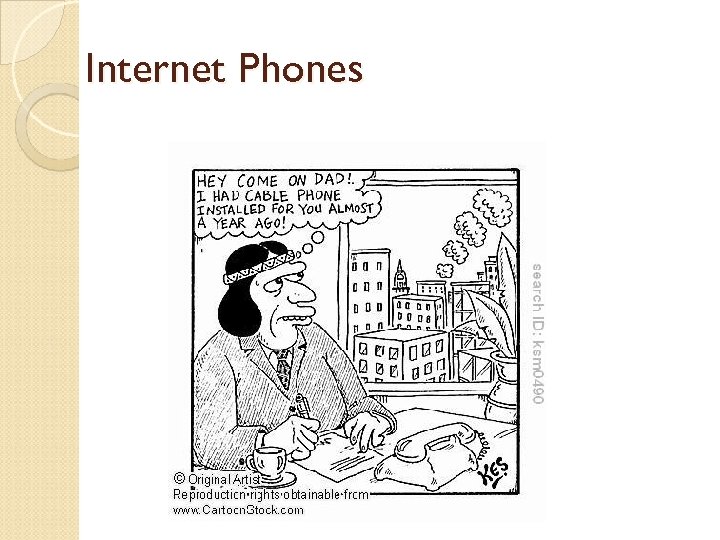 Internet Phones
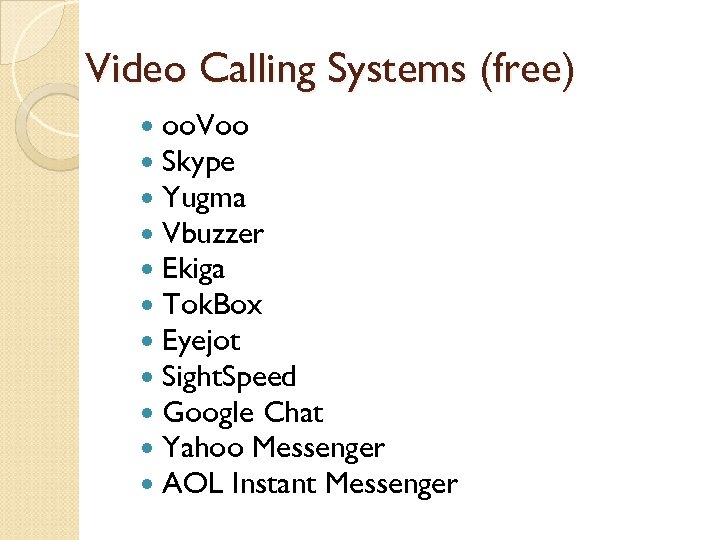 Video Calling Systems (free) oo. Voo Skype Yugma Vbuzzer Ekiga Tok. Box Eyejot Sight. Speed Google Chat Yahoo Messenger AOL Instant Messenger
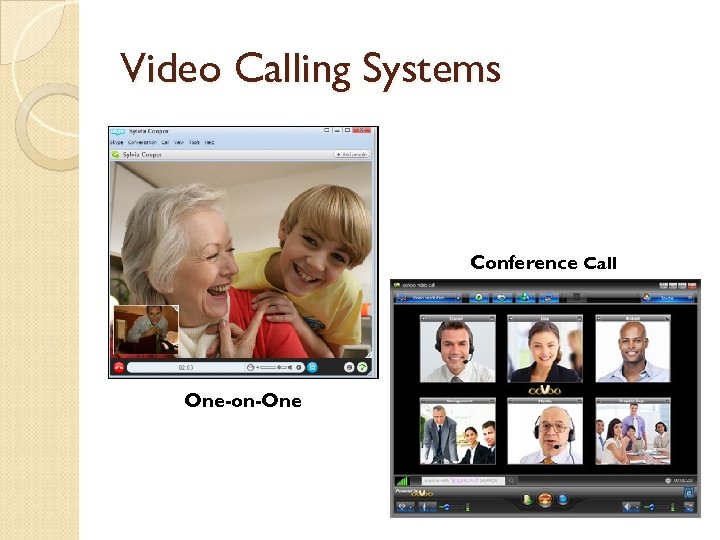 Video Calling Systems Conference Call One-on-One
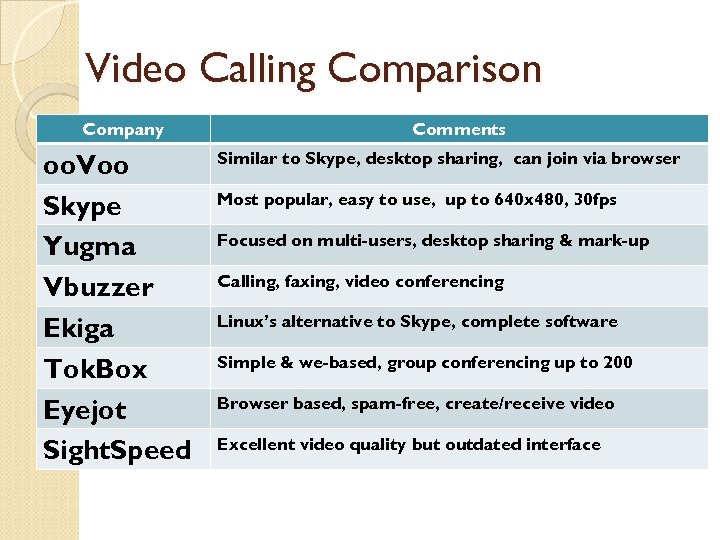 Video Calling Comparison Company oo. Voo Skype Yugma Vbuzzer Ekiga Tok. Box Eyejot Sight. Speed Comments Similar to Skype, desktop sharing, can join via browser Most popular, easy to use, up to 640 x 480, 30 fps Focused on multi-users, desktop sharing & mark-up Calling, faxing, video conferencing Linux’s alternative to Skype, complete software Simple & we-based, group conferencing up to 200 Browser based, spam-free, create/receive video Excellent video quality but outdated interface
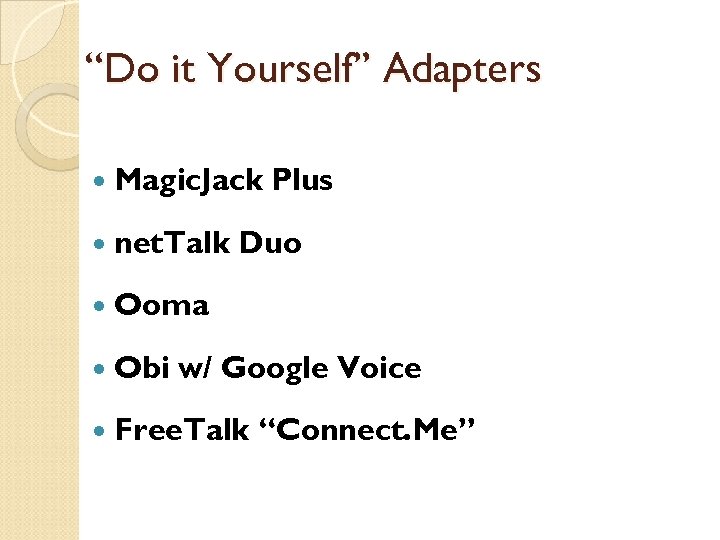 “Do it Yourself” Adapters Magic. Jack net. Talk Plus Duo Ooma Obi w/ Google Voice Free. Talk “Connect. Me”
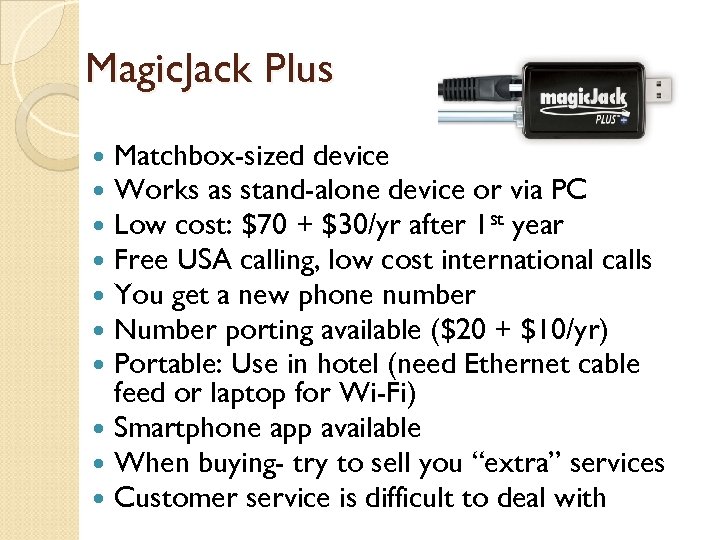 Magic. Jack Plus Matchbox-sized device Works as stand-alone device or via PC Low cost: $70 + $30/yr after 1 st year Free USA calling, low cost international calls You get a new phone number Number porting available ($20 + $10/yr) Portable: Use in hotel (need Ethernet cable feed or laptop for Wi-Fi) Smartphone app available When buying- try to sell you “extra” services Customer service is difficult to deal with
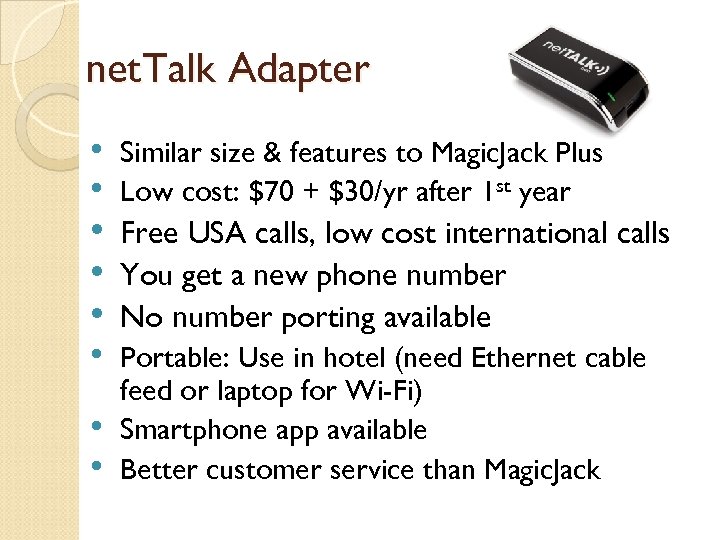 net. Talk Adapter • • Similar size & features to Magic. Jack Plus Low cost: $70 + $30/yr after 1 st year Free USA calls, low cost international calls You get a new phone number No number porting available Portable: Use in hotel (need Ethernet cable feed or laptop for Wi-Fi) Smartphone app available Better customer service than Magic. Jack
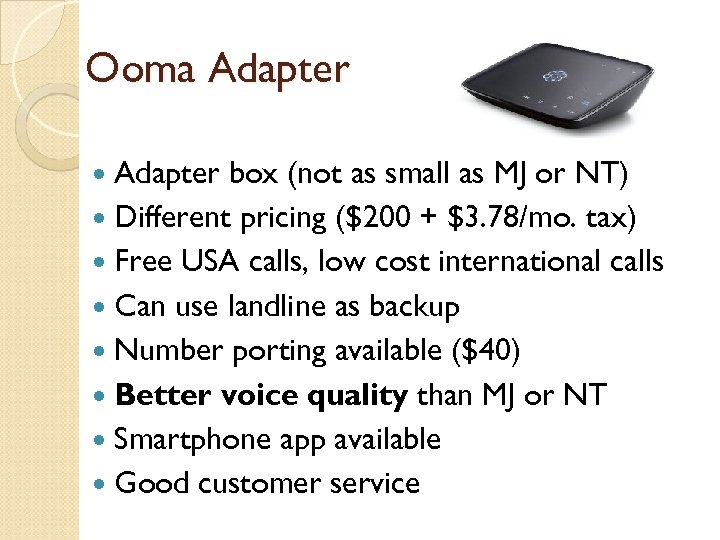 Ooma Adapter box (not as small as MJ or NT) Different pricing ($200 + $3. 78/mo. tax) Free USA calls, low cost international calls Can use landline as backup Number porting available ($40) Better voice quality than MJ or NT Smartphone app available Good customer service
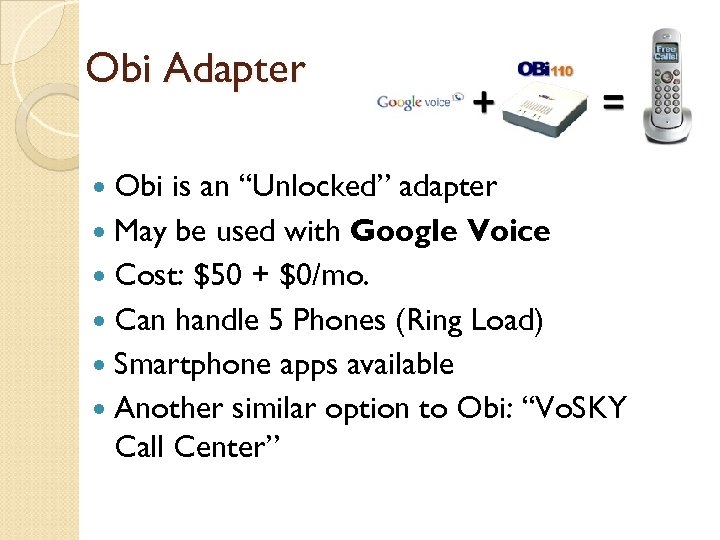 Obi Adapter Obi is an “Unlocked” adapter May be used with Google Voice Cost: $50 + $0/mo. Can handle 5 Phones (Ring Load) Smartphone apps available Another similar option to Obi: “Vo. SKY Call Center”
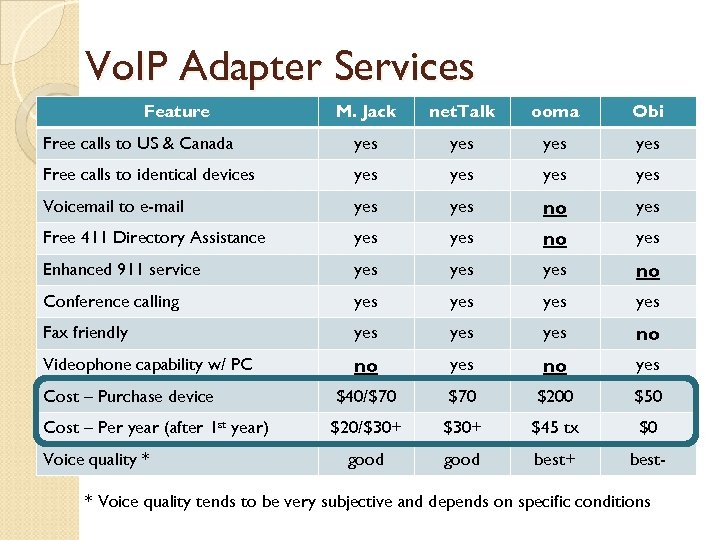 Vo. IP Adapter Services Feature M. Jack net. Talk ooma Obi Free calls to US & Canada yes yes Free calls to identical devices yes yes Voicemail to e-mail yes no yes Free 411 Directory Assistance yes no yes Enhanced 911 service yes yes no Conference calling yes yes Fax friendly yes yes no Videophone capability w/ PC no yes Cost – Purchase device $40/$70 $200 $50 Cost – Per year (after 1 st year) $20/$30+ $45 tx $0 good best+ best- Voice quality * * Voice quality tends to be very subjective and depends on specific conditions
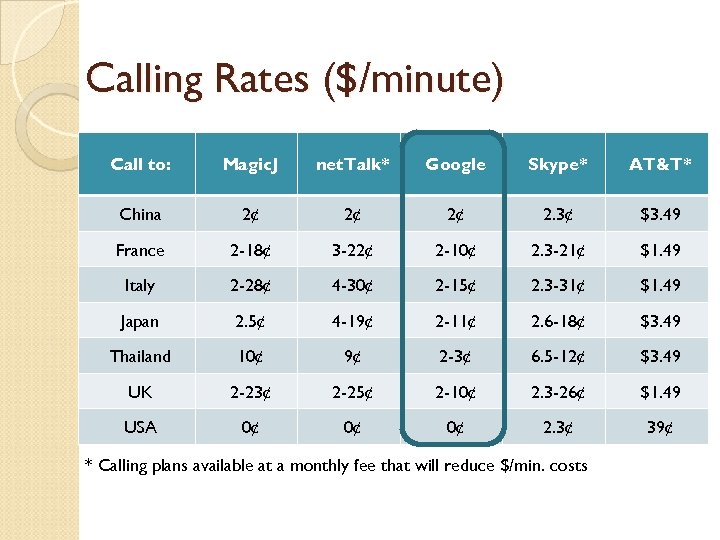 Calling Rates ($/minute) Call to: Magic. J net. Talk* Google Skype* AT&T* China 2¢ 2¢ 2¢ 2. 3¢ $3. 49 France 2 -18¢ 3 -22¢ 2 -10¢ 2. 3 -21¢ $1. 49 Italy 2 -28¢ 4 -30¢ 2 -15¢ 2. 3 -31¢ $1. 49 Japan 2. 5¢ 4 -19¢ 2 -11¢ 2. 6 -18¢ $3. 49 Thailand 10¢ 9¢ 2 -3¢ 6. 5 -12¢ $3. 49 UK 2 -23¢ 2 -25¢ 2 -10¢ 2. 3 -26¢ $1. 49 USA 0¢ 0¢ 0¢ 2. 3¢ 39¢ * Calling plans available at a monthly fee that will reduce $/min. costs
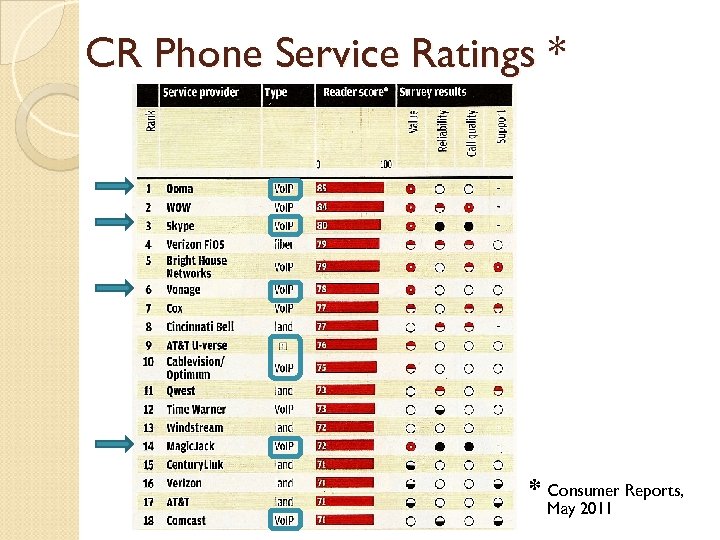 CR Phone Service Ratings * * Consumer Reports, May 2011
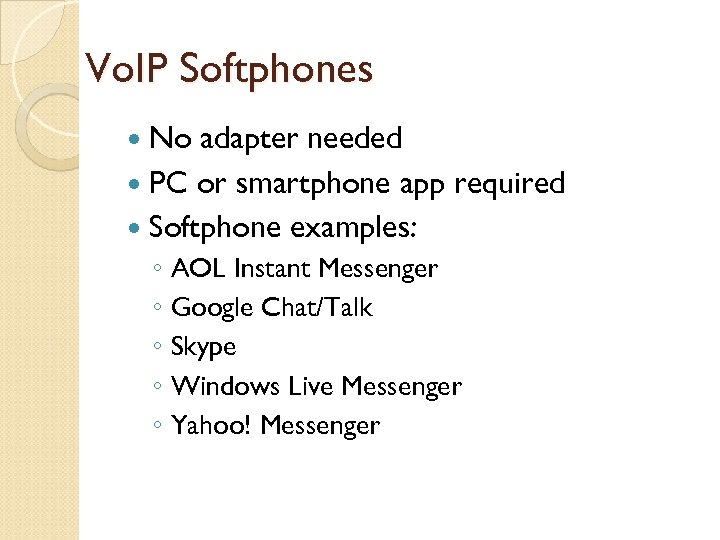 Vo. IP Softphones No adapter needed PC or smartphone app required Softphone examples: ◦ AOL Instant Messenger ◦ Google Chat/Talk ◦ Skype ◦ Windows Live Messenger ◦ Yahoo! Messenger
 Google, Google Voice - Phone mgt. system Google Talk - PC app Google Chat - Browser app
 Google Voice Unique & free phone management system Requires Gmail account Many of useful features You need to get a new phone number or Port one of your existing numbers ($5 -10) No “ 911” access ◦ Use Call. Centric for E 911 service at $1. 50/mo. Excellent “User Quickstart Guide”: www. uaf. edu/files/rural/Google. Talk-Quick-Start. pdf
 Google Voice Options & Features Google Voice Lite (No GV# needed) One voicemail for all your phones Voicemail transcriptions & forwarded via e-mail/SMS Custom voicemail greetings Free domestic and low cost international calling Full Google Voice Get a custom Google phone number Call forwarding Call recording Call blocking Conference calling Free SMS
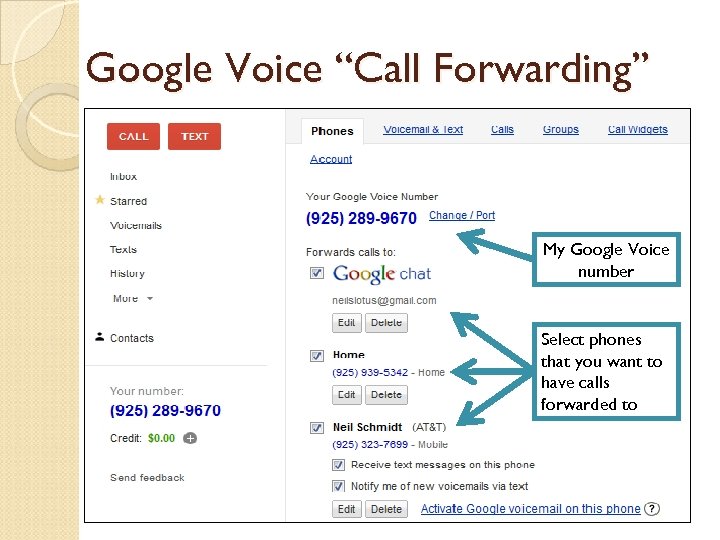 Google Voice “Call Forwarding” My Google Voice number Select phones that you want to have calls forwarded to
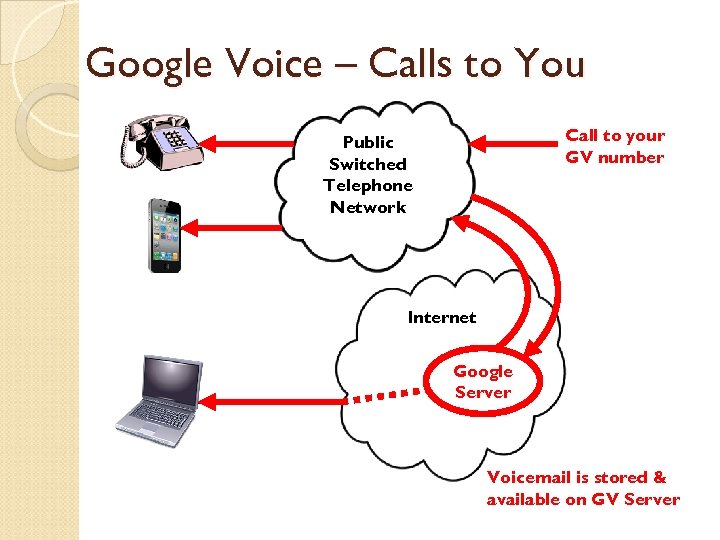 Google Voice – Calls to You Call to your GV number Public Switched Telephone Network Internet Google Server Voicemail is stored & available on GV Server
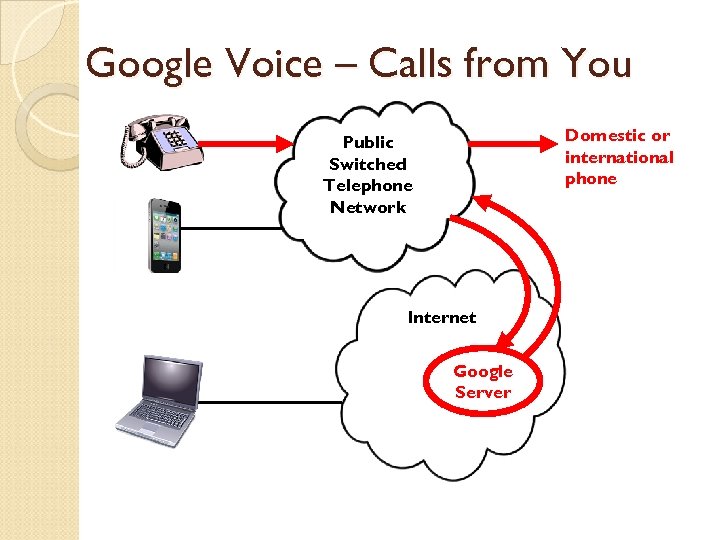 Google Voice – Calls from You Domestic or international phone Public Switched Telephone Network Internet Google Server
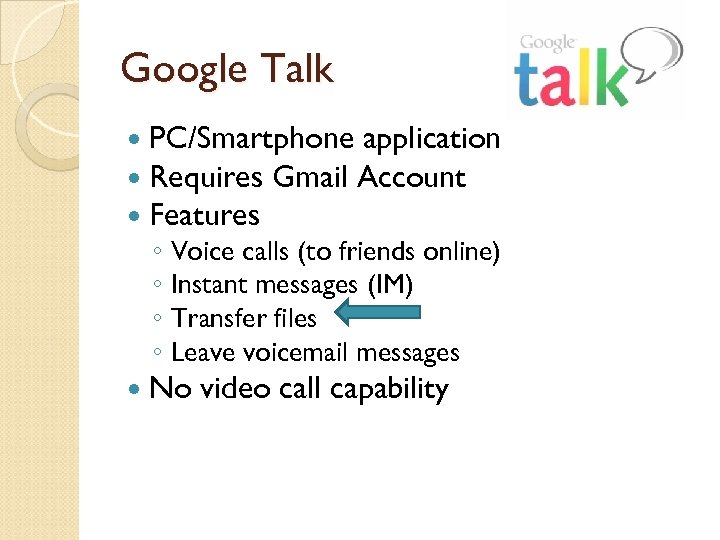 Google Talk PC/Smartphone application Requires Gmail Account Features ◦ Voice calls (to friends online) ◦ Instant messages (IM) ◦ Transfer files ◦ Leave voicemail messages No video call capability
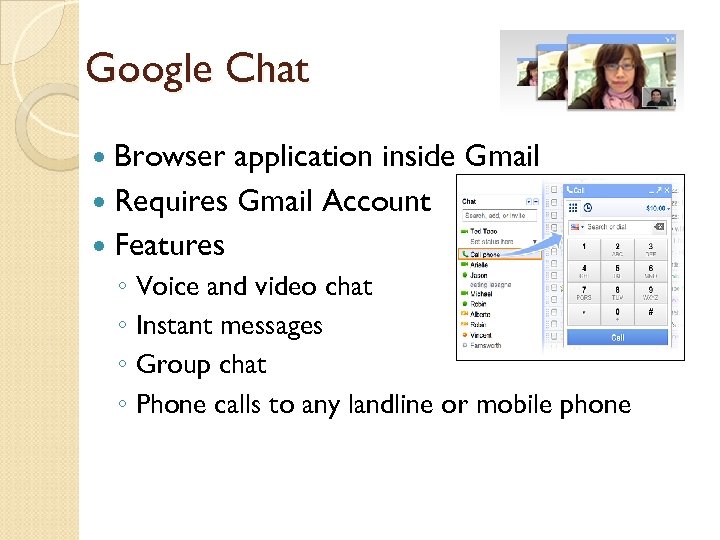 Google Chat Browser application inside Gmail Requires Gmail Account Features ◦ Voice and video chat ◦ Instant messages ◦ Group chat ◦ Phone calls to any landline or mobile phone
 Local Number Porting (LNP) Keep your existing phone number Cancel your land-line account Port all calls to this number at another phone (Vo. IP or cell number) Some Vo. IP services require you purchase LNP from them Cost: $6. 99/month (typical) With LNP for Vo. IP phones, 911 Operators may not automatically receive ◦ Calling phone number ◦ Calling location
 Vo. IP Quality of Service (Qo. S) 1. 2. 3. 4. Latency: Delays in transmission Jitter: miss-timed info packets Packet Loss: lost info packets Router/Adapter “hang-ups” Things you can do to improve Qo. S: • Sufficient Internet bandwidth • Enable “Quality of Service” setting on router • Enable “Background Services” in Windows • Computer firewall (“allow” Vo. IP access)
 Vo. IP Quality of Service Some Vo. IP systems are better than others Vo. IP techniques to improve Qo. S: ◦ Voice compression ◦ Wire-speed (prioritize voice packets) ◦ Adaptive redundancy (packets) No “stand-out” best Qo. S winner but: ◦ Ooma gets generally good marks ◦ Although all systems have some bad reviews, they all also have many satisfied customers
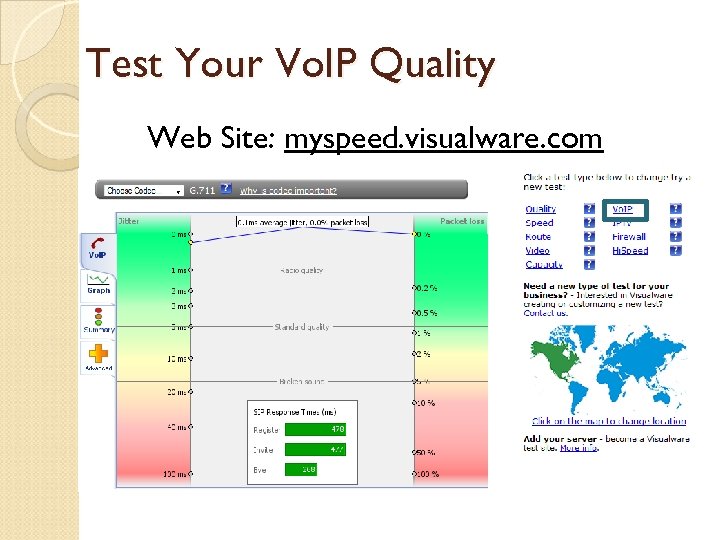 Test Your Vo. IP Quality Web Site: myspeed. visualware. com
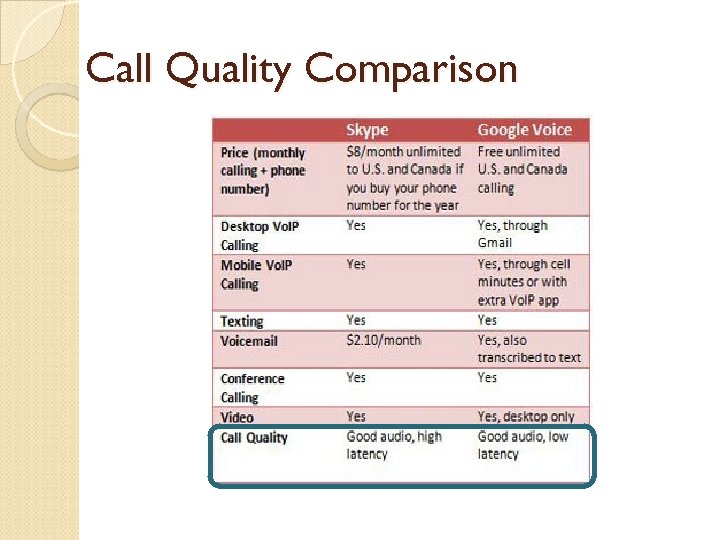 Call Quality Comparison
 Skype
Skype
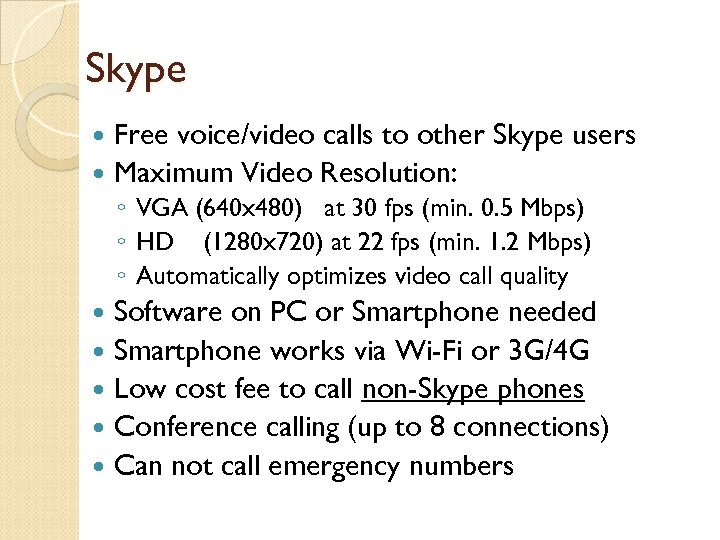 Skype Free voice/video calls to other Skype users Maximum Video Resolution: ◦ VGA (640 x 480) at 30 fps (min. 0. 5 Mbps) ◦ HD (1280 x 720) at 22 fps (min. 1. 2 Mbps) ◦ Automatically optimizes video call quality Software on PC or Smartphone needed Smartphone works via Wi-Fi or 3 G/4 G Low cost fee to call non-Skype phones Conference calling (up to 8 connections) Can not call emergency numbers
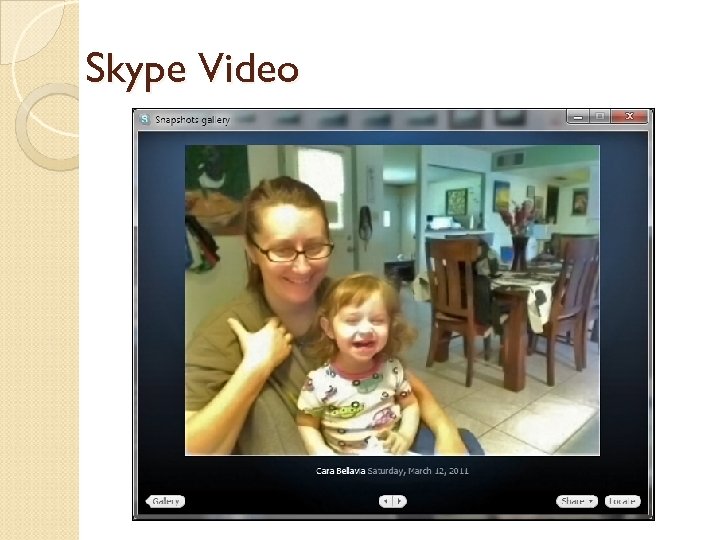 Skype Video
 Free. Talk “Connect. Me” Use land-line phone for Skype calls Free. Talk “Connect. Me” adapter ($50) Also use your phone for landline calls Emergency 911: Available via Packet 8 for $1. 99/month All calls at Skype rates ◦ Unlimited domestic calling for $4. 50/mo. ◦ Low international rates
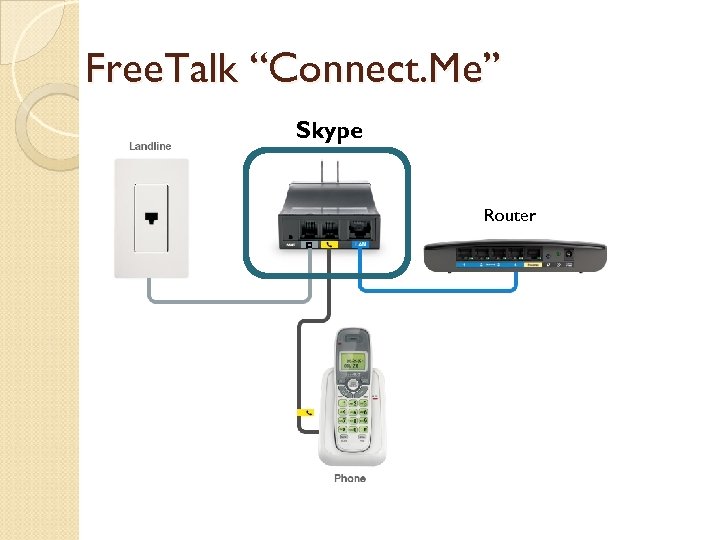 Free. Talk “Connect. Me” Skype Router
 Apple “Facetime” i. OS 4 Application (Apple) Free video calls between i. OS 4 devices Simple to use – Just like making any other call from address book Video up to: 320 x 240 at 10 fps Both devices must be in a Wi-Fi area May be projected on HDTV via HDMI cable or Apple TV “Air. Play”
 Mobile Phone Apps Use to make data-only phone calls (doesn’t affect your “minutes”) Use Smartphone to make free domestic & low cost international phone calls Apps available for: ◦ ◦ ◦ ◦ Vonage (audio) Skype (audio & video) oo. Voo (video) Paltalk (audio & video) Magic. Jack (audio) net. Talk (audio) Google Voice (audio) Etc….
 Google Voice on i. Pad Use your Wi-Fi i. Pad to send/receive calls Need Google Voice account Must be in Wi-Fi area Two good apps: ◦ Talkatone (for voice) - free ◦ GV Connect (for voice, SMS integration) - $2. 99 Free calls (no “plan minutes”) and low cost international calls
 Google Voice “Tricks” Friends/relatives in another state: ? Get GV# in their area code and forward calls to your home number Tired of all your phones ringing simultaneously? Set up specific times when each phone will ring Send missed calls to your Gmail inbox so you don't forget to call back Record incoming calls by pressing “ 4” Set your Skype Caller ID to your GV# Switch phones while in a call: hit “*” , your other phones will ring and then pickup another phone Avoid cell phone “minutes”: Make your GV# one of your “Top 5” or “Faves” and then use “Click 2 Call”
 The End……………. . . CAT Web Site: sir-web. org/computer/
 Supplemental Information Test your Vo. IP Internet connection quality: myspeed. visualware. com or bandwidth. com/tools/voip. Test/ Good Vo. IP comparison site: www. voipreview. org Another Vo. IP comparison site: www. whichvoip. com Google Voice “User Quickstart Guide”: www. uaf. edu/files/rural/Google. Talk-Quick-Start. pdf
 Number Porting to Google Voice This tutorial will guide you through the process of porting a non-mobile number to Google Voice. Once your number is ported, you can eliminate the monthly fee and use this number on the OBi with Google Voice. Since Google does not supporting non-mobile numbers to Google Voice directly, this requires a two-step process that we will describe in greater detail below. In essence, you will first port your number to a mobile service number and then the mobile service number (previously the original number) to become your Google Voice number. Important Note: Google Voice cannot be used to place or receive emergency services calls. Requirements: An unlocked mobile phone (with SIM card access) and a pre-paid SIM card from T-Mobile available here (link). 1. Check if your number can be ported or transferred to T-Mobile. Click here to check. 2. If your number is eligible for transfer, buy a prepaid SIM card from T-Mobile here (link)or at any authorized T- Mobile dealer. This will cost approximately $3 to $7. Select the image to the right to purchase from Amazon. 3. When you receive the prepaid SIM card, activate the SIM card using the instructions included in the package. You will choose a new (temporary) number and PIN. Insert the SIM card into an unlocked phone and a test call — call in and out. 4. Call T-Mobile's activation department at 1 -800 -937 -8997. Request to port your old number to your new prepaid SIM account. 5. In 1 to 3 days, you will receive confirmation that the number port is complete, check to see that the number is working properly — E. g. Your old number is now the mobile number. 6. Go to your Google Voice account and request to port your T-Mobile number to Google Voice. The request to port link is found in, "Voice Settings. " Look for the "Change/Port" link (click here for example screen shot). Google will charge a one-time fee of $20 for this service. You will need to provide your T-Mobile account number which is your ported number, e. g. 1 -xxx-xxxx and your PIN. Note: Use your newly ported, original number — not the number you choose when activating the SIM card. Google will call the mobile number for activation purposes, so be sure to have your unlocked phone in which you inserted the prepaid SIM card. 7. In 1 -3 days, Google will email you to confirm the porting is complete. You may now start using your old number with Google Voice on your new OBi!
 Google Voice Lite Voicemail Setup Set up Google voicemail for your mobile number Google Voice Lite lets you set up Google voicemail for your mobile phone number. This allows you to have all your voicemail in one place, with transcriptions, access to your past voicemails, and voicemail sharing options. If you'd like to set up Google voicemail for your mobile number, follow the steps below: 1. Click the gear icon link at the top right corner of the page. gear icon 2. Click Voice settings. 3. Click Add another phone and enter a name and the number for your mobile phone. 4. Click Save. 5. You will be prompted to verify your phone number. Click Connect and Google Voice will call your phone and you need to verify it by entering the code that appears in the 'Verify your Phone' pop-up window. 6. Once you've verified your phone, you'll have to choose your mobile carrier from the drop-down menu. 7. Follow the directions on the next screen and enter the code provided as if you were calling someone. Press the 'Call' button on your phone to finish setting up Google voicemail for your mobile phone. If you need to deactivate Google voicemail for your phone at any time, click the Deactivate voicemail link and follow the instructions provided. Note: If you are having trouble configuring Google Voice as your voicemail service on Verizon you can make the switch manually by dialing these three activation codes: *71[Your Google Voice number] *90[Your Google Voice number] *92[Your Google Voice number]
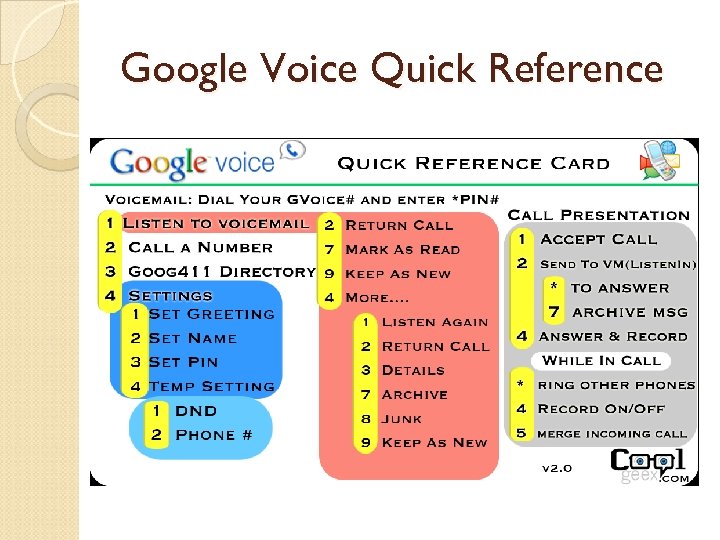 Google Voice Quick Reference